change time TOYOTA 86 2022 Owners Manual
[x] Cancel search | Manufacturer: TOYOTA, Model Year: 2022, Model line: 86, Model: TOYOTA 86 2022Pages: 449, PDF Size: 8.5 MB
Page 5 of 449
5
Please note that this manual
applies to all models and
explains all equipment, including
options. Therefore, you may find
explanations for equipment not
installed on your vehicle and the
illustrations used may differ from
your vehicle.
All specifications provided in this
manual are current at the time of
printing. Over time, your vehicle
may receive updates that modify
the vehicle and make material in
this manual incomplete and/or
inaccurate. Because of Toyota’s
interest in continual product
improvement, Toyota reserves
the right to make changes to this
manual at any time without
notice.
If Toyota chooses to update the
manual, updated versions can
be viewed by selecting your
vehicle by model and year at the
following URL or on your mobile
device if you have access to the
Toyota app.
www.toyota.com/owners
Approximately five hours after
the engine is turned off, you
may hear sound coming from under the vehicle for several
minutes. This is the sound of a
fuel evaporation leakage check
and, it does not indicate a mal-
function.
A wide variety of non-genuine
spare parts and accessories for
Toyota vehicles are currently
available in the market. You
should know that Toyota does
not warrant these products and
is not responsible for their per-
formance, repair, or replace-
ment, or for any damage they
may cause to, or adverse effect
they may have on, your Toyota
vehicle.
This vehicle should not be modi-
fied with non-genuine Toyota
products. Modification with
non-genuine Toyota products
could affect its performance,
safety or durability, and may
even violate governmental regu-
lations. In addition, damage or
performance problems resulting
from the modification may not
be covered under warranty.
The installation of a mobile
two-way radio system in your
vehicle could affect electronic
For your information
Main Owner’s Manual
Noise from under vehicle
after turning off the engine
Accessories, spare parts
and modification of your
To y o t a
Installation of a mobile
two-way radio system
Page 91 of 449

912-1. Instrument cluster
2
Vehicle status information and indicators
played.
■Display items
Odometer
Displays the total distance the vehi-
cle has been driven.
Trip meter A/Trip meter B
Displays the distan ce the vehicle
has been driven si nce the meter
was last reset. Trip meters A and B
can be used to record and display
different distances independently.
To reset, display the desired trip
meter and press and hold the dis-
play change button.
When the headlights or front
position lights are on, the bright-
ness of the meter and instru-
ment panel lights can be
adjusted using the instrument
panel brightness dial. 1
Brighter
2 Darker
■Instrument panel light bright-
ness adjustment
When the headlights or front posi-
tion lights are turned on, the meter
and instrument pa nel lights will be
dimmed. However, if the instrument
panel brightness dial is set to the
highest position, the lights will not
dim even if the headlights or front
position are turned on.
■Auto dimmer cancel
When the surrounding area is
bright, such as during the day, or if
the lights are turned on before nec-
essary, the automatic dimming func-
tion will be cancelled . In this case,
the brightness cannot be adjusted,
even if the instrument panel bright-
ness dial is turned.
■Customization
Some functions can be customized.
( P.400)
The clocks can be adjusted on
the multimedia system screen.
■Setting the clock to be
adjusted automatically
(vehicles with safety con-
nect)
1 Press .
Changing the instrument
panel light brightness
Adjusting the clock
Page 93 of 449

932-1. Instrument cluster
2
Vehicle status information and indicators
■Display
Normal display
By selecting menu icons on the
multi-information display, a vari-
ety of driving-related information
can be displayed. The
multi-information display can
also be used to change display
settings and other vehicle set-
tings.
Warning or advice pop-up dis-
plays are also displayed in cer-
tain situations.
TRACK mode display
Vehicles without EyeSight:
When in TRACK mode, the
TRACK mode display will
remain displayed.
Vehicles with EyeSight:
When in TRACK mode, the
Pre-Collision Braking System
will be turned off and the TRACK mode display will
remain displayed. (
P.189)
Warning or advice pop-up dis-
plays are also displayed in cer-
tain situations.
Engine coolant temperature
( P.88)
Engine oil temperature
Displays the engine oil tempera-
ture.
Fastest lap time
Refer to P.97for the operating
method.
Current lap time
Refer to P.97for the operating
method.
■Menu icons
Select a menu icon to display its
content.
Multi-infor mation dis-
play
The multi-information dis-
play presents the driver with
a variety of vehicle data.
Displays and menu icons
Driving information
( P. 9 4 )
Sport information ( P.96)
Navigation system-linked
display
* ( P. 9 8 )
Audio system-linked dis-
play ( P. 9 8 )
Driving support system
information display (if
equipped) ( P. 9 8 )
A
C
D
Page 94 of 449

942-1. Instrument cluster
*: Displayed when the navigation system of Apple CarPlay or
Android Auto is operating. For
details, refer to the “MULTIMEDIA
OWNER’S MANUAL”.
■Liquid crystal display
Small spots or light spots may
appear on the display. This phenom-
enon is characteristi c of liquid crys-
tal displays, and there is no problem
continuing to use the display.
The multi-information display is
operated using the meter control
switches. For information pertaining to the
content of each menu icon, refer
to the explanation of each item
under the heading of the rele-
vant menu icon.
/ : Select menu icons
/ : Change displayed
content, scroll up/down the
screen and move the cursor
Press: Enter
Press and hold:
Reset/change scale of the
G-force display
Return to the previous screen
■Display items
Press or of the meter
control switch and select .
Then press or to display
the following items:
Driving information (page 1)
Driving information (page 2)
Driving information (page 3)
Driving information (page 4)
Driving support system
setting display ( P. 9 8 )
Settings display ( P. 9 8 )
Warning message display
( P.357)
WARNING
■The multi-information display
at low temperatures
Allow the interior of the vehicle to
warm up before u sing the liquid
crystal informat ion display. At
extremely low temperatures, the
information display monitor may
respond slowly, and display
changes may be delayed.
For example, there is a lag
between the driver’s shifting and
the new gear number appearing
on the display. This lag could
cause the driver to downshift
again, causing rapid and exces-
sive engine braking and possibly
an accident resulting in death or
injury.
Changing the meter dis-
play
Content of driving infor-
mation
A
C
Page 97 of 449

972-1. Instrument cluster
2
Vehicle status information and indicators
Record of the maximum
G-forces
Press and hold to reset the
record of maximum G-forces.
Acceleration G-force on the
vehicle
Accelerator pedal input
Brake fluid pressure
Steering amount
■Power and torque curve
This chart is intended for refer-
ence only and does not show
the actual engine torque or out-
put.
Power output
Torque
Current engine speed
The vertical bar will slide laterally
according to the current engine
speed.
■Stopwatch
Measures and displays current
lap time and previous lap times.
Top screen
Fastest lap time (top screen)
When the timer is reset, “- -’- -”- -”
will be displayed.
Measurement screenFastest lap time (measure-
ment screen)
Current lap time
Total lap time
Past lap times
Records of the 50 most recent lap
times will be displayed.
Meter control switch opera-
tion guide
Changing between the stop-
watch screens
To change to the measurement
A
C
D
A
C
A
A
C
D
Page 98 of 449

982-1. Instrument cluster
screen: Press .
To change to the top screen: Press .
Operating the measurement
screen
: Start/stop measurement
: Mark off one lap
: Reset measured lap times
: Scroll through the lap
times
Resetting measured lap times
After stopping the measurement,
press .
To display other content while
the stopwatch is operating
If the measurement screen is dis-
played, press to display the top
screen.
Then operate the meter control
switches to display other content.
While other items are displayed,
the measurement will continue but
the stopwatch cannot be operated.
Select to display the route guid-
ance information.
Select to enable selection of an
audio source or track on the dis-
play using the meter control switches.
Select to display the operational
status of the Adaptive Cruise
Control system (
P.190, 207)
The settings of the following
systems can be changed.
LDW (Lane Departure Warn-
ing) (if equipped)
PCB (Pre-Colli sion Braking)
(if equipped)
BSD/RCTA (if equipped)
RAB (Reverse Automatic
Braking system) (if equipped)
(Sonar Audible Alarm) (if
equipped)
SRH (Steering Responsive
Headlight) (if quipped)■Meter display settings that
can be changed
Units
Select to change the units of mea-
sure displayed.
Startup Scrn
Navigation system-linked
display
Audio system-linked dis-
play
Driving support system
information display (if
equipped)
Driving support system
setting display
Settings display
Page 118 of 449

1183-2. Opening, closing and locking the doors and trunk
●After registering a new PIN code,
make sure to check that the doors
can be unlocked using the code.
●If the smart key system has been
disabled using the wireless
remote control method, the PIN
code for the PIN code smart entry
cannot be cleared. (P. 1 1 5 )
●In the following cases, perform the
PIN code registration procedure
again.
• If the PIN code has been forgot-
ten.
• When you wish to change the PIN code.
●Make sure to change the PIN
code periodically.
●If the vehicle has been loaned to
another person, make sure that
the PIN code has not been
changed or cleared. If the PIN
code has been changed or
cleared, perform PIN code regis-
tration again.
■Unlocking method
●If an electronic key is within a
detection area, operation of the
smart entry will be given priority.
●I f a m i s t a k e i s m a d e w h i l e e n t e r i n g
the PIN code, wait 5 seconds or
more before performing the proce-
dure again.
●If the incorrect PIN code is
entered 5 times consecutively, a
buzzer will sound for approxi-
mately 2 seconds and operation
will not be possible for 5 minutes.
Page 123 of 449
1233-3. Adjusting the seats
3
Before driving
1Up
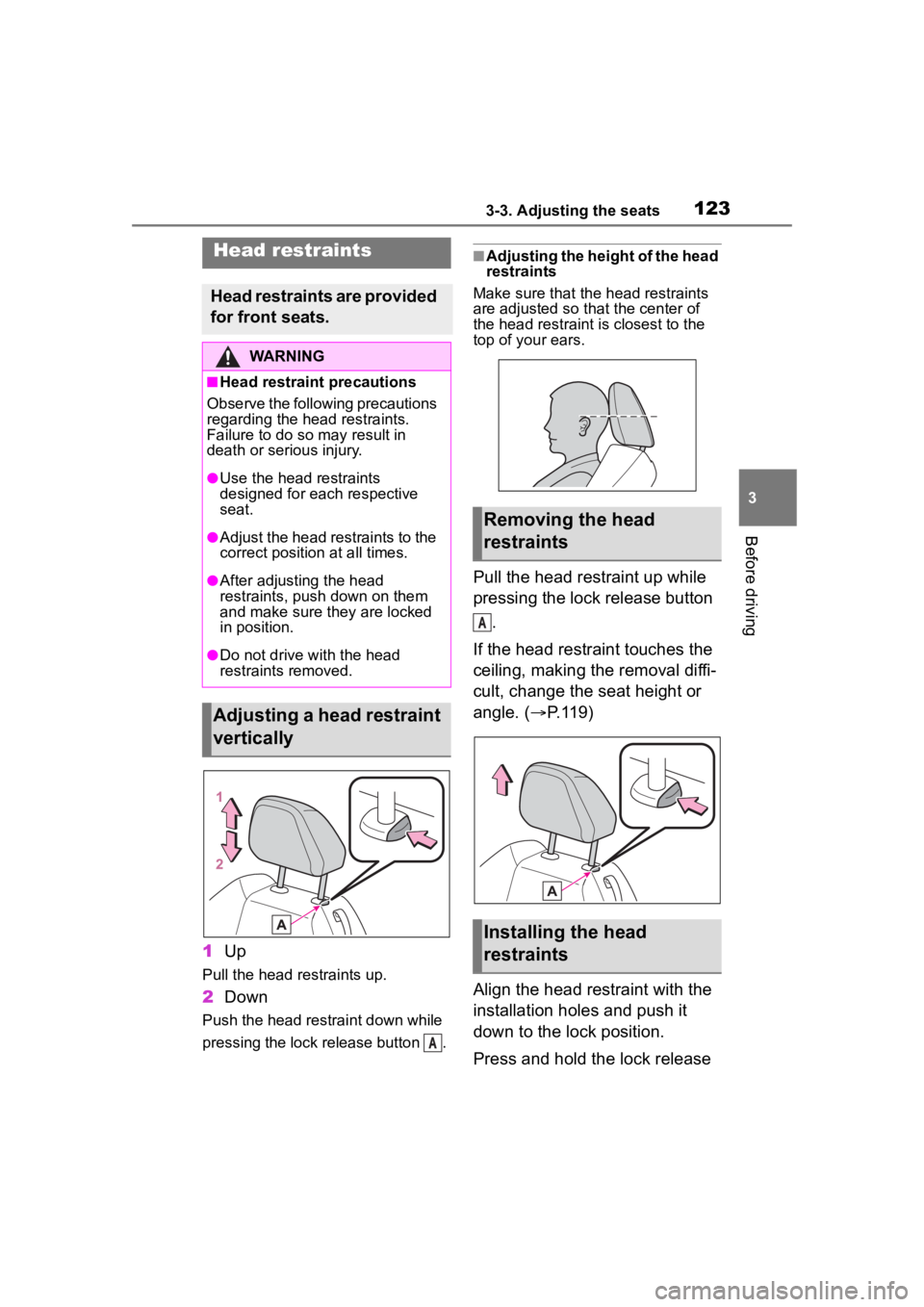
Pull the head restraints up.
2Down
Push the head restraint down while
pressing the lock release button .
■Adjusting the height of the head
restraints
Make sure that the head restraints
are adjusted so that the center of
the head restraint i s closest to the
top of your ears.
Pull the head restraint up while
pressing the lock release button
.
If the head restraint touches the
ceiling, making the removal diffi-
cult, change the seat height or
angle. ( P.119)
Align the head restraint with the
installation holes and push it
down to the lock position.
Press and hold the lock release
Head restraints
Head restraints are provided
for front seats.
WARNING
■Head restraint precautions
Observe the following precautions
regarding the head restraints.
Failure to do so m ay result in
death or serious injury.
●Use the head restraints
designed for each respective
seat.
●Adjust the head restraints to the
correct position at all times.
●After adjusting the head
restraints, push down on them
and make sure they are locked
in position.
●Do not drive with the head
restraints removed.
Adjusting a head restraint
vertically
A
Removing the head
restraints
Installing the head
restraints
A
Page 139 of 449
1394-1. Before driving
4
Driving
NOTICE
• Do not use the clutch pedal to adjust vehicle speed.
Doing so may damage the
clutch.
• Do not use the clutch to hold the vehicle when stopping on an
uphill grade.
Doing so may damage the
clutch.
• When stopping the vehicle with the shift lever in a position other
than N, make sure to fully
depress the clutch pedal and
stop the vehicle using the
brakes.
●Do not shift the shift lever to R
without the vehicle completely
stopped.
Doing so may damage the
clutch, transmission and gears.
●Do not release the clutch pedal
too quickly. Doing so may dam-
age the transmission.
■When parking the vehicle
(vehicles with an automatic
transmission)
Always set the parking brake and
shift the shift lever to P. Failure to
do so may cause the vehicle to
move or the vehi cle may acceler-
ate suddenly if the accelerator
pedal is accidentally depressed.
■Avoiding damage to vehicle
parts
●Do not turn the steering wheel
fully in either direction and hold
it there for an extended period
of time. Doing so may damage
the power steering motor.
●When driving over bumps in the
road, drive as slowly as possible
to avoid damagi ng the wheels,
underside of the vehicle, etc.
●Vehicles with an automatic
transmission: Do not race the
engine for more than 5 seconds
in any position except the N or P
position when the brake is
applied or when chocks are
used in the wheels. This may
cause the transmission fluid to
overheat.
■If you get a flat tire while driv-
ing
A flat or damaged tire may cause
the following situations. Hold the
steering wheel firmly and gradu-
ally depress the brake pedal to
slow down the vehicle.
●It may be difficult to control your
vehicle.
●The vehicle will make abnormal
sounds or vibrations.
●The vehicle will lean abnor-
mally.
Information on what to do in case
of a flat tire (
P.358)
■When encountering flooded
roads
Do not drive on a road that has
flooded after h eavy rain etc.
Doing so may cause the following
serious damage to the vehicle:
●Engine stalling
●Short in electrical components
●Engine damage caused by
water immersion
In the event that you drive on a
flooded road and the vehicle is
flooded, be sure to have your Toy-
ota dealer check the following:
●Brake function
●Changes in quantity and quality
of oil and fluid used for the
engine, transmission, differen-
tial, etc.
Page 146 of 449
1464-2. Driving procedures
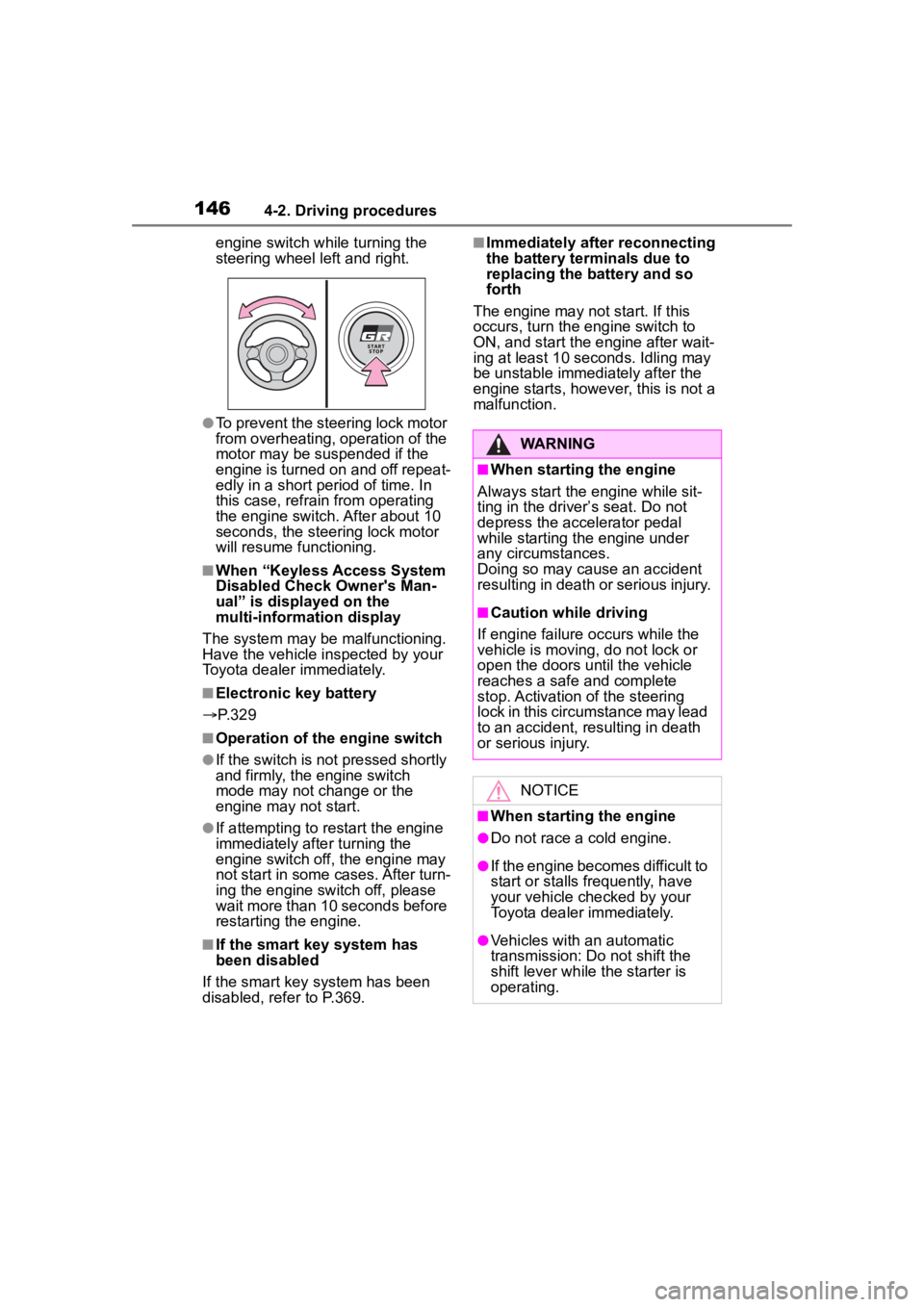
engine switch while turning the
steering wheel left and right.
●To prevent the steering lock motor
from overheating, operation of the
motor may be suspended if the
engine is turned on and off repeat-
edly in a short period of time. In
this case, refrain from operating
the engine switch. After about 10
seconds, the steering lock motor
will resume functioning.
■When “Keyless Access System
Disabled Check Owner's Man-
ual” is displayed on the
multi-information display
The system may be malfunctioning.
Have the vehicle inspected by your
Toyota dealer immediately.
■Electronic key battery
P. 3 2 9
■Operation of the engine switch
●If the switch is not pressed shortly
and firmly, the engine switch
mode may not change or the
engine may not start.
●If attempting to restart the engine
immediately after turning the
engine switch off, the engine may
not start in some cases. After turn-
ing the engine switch off, please
wait more than 10 seconds before
restarting the engine.
■If the smart key system has
been disabled
If the smart key system has been
disabled, refer to P.369.
■Immediately after reconnecting
the battery terminals due to
replacing the battery and so
forth
The engine may not start. If this
occurs, turn the engine switch to
ON, and start the engine after wait-
ing at least 10 seconds. Idling may
be unstable immedi ately after the
engine starts, however, this is not a
malfunction.
WARNING
■When starting the engine
Always start the engine while sit-
ting in the driver’s seat. Do not
depress the accelerator pedal
while starting the engine under
any circumstances.
Doing so may cause an accident
resulting in death o r serious injury.
■Caution while driving
If engine failure occurs while the
vehicle is moving, do not lock or
open the doors until the vehicle
reaches a safe and complete
stop. Activation of the steering
lock in this circumstance may lead
to an accident, resulting in death
or serious injury.
NOTICE
■When starting the engine
●Do not race a cold engine.
●If the engine becomes difficult to
start or stalls frequently, have
your vehicle checked by your
Toyota dealer immediately.
●Vehicles with an automatic
transmission: Do not shift the
shift lever while the starter is
operating.