button TOYOTA AURIS HYBRID 2016 Repair Manual
[x] Cancel search | Manufacturer: TOYOTA, Model Year: 2016, Model line: AURIS HYBRID, Model: TOYOTA AURIS HYBRID 2016Pages: 592, PDF Size: 16.67 MB
Page 371 of 592
3715-9. Bluetooth® Phone
UK AURIS_HV_HB_EE (OM12K47E)
5
Audio system
Select “All calls”, “Missed calls”, “Incoming calls” or “Outgoing calls”
using the “
Select the desired number using the “
“SETUP/ENTER” buttons and press the off-hook switch.
The following operations can be performed:
● Registering a number as a speed dial
Press “Add S. Dial” and then press the desired preset but-
ton.
● Deleting the selected number
Press “Delete” and press “Yes”.
Dialing from call histories
1
2
Page 372 of 592
3725-9. Bluetooth® Phone
UK AURIS_HV_HB_EE (OM12K47E)
Press the off-hook switch.
Press the on-hook switch.
Press the off-hook switch.
Pressing the off-hook switch again returns you to the previous call.
Change the ringtone volume using the “VOL-” or “VOL+” button.
To decrease the volume: Press the “VOL-” button.
To increase the volume: Press the “VOL+” button.
Receiving a phone call
Answering the phone
Refusing a call
Receiving a call when on another call
Adjusting the ringtone volume when receiving a call
Page 373 of 592
3735-9. Bluetooth® Phone
UK AURIS_HV_HB_EE (OM12K47E)
5
Audio system
A call can be transferred between the cellular phone and system while
dialing, receiving a call, or during a call. Use one of the following
methods:
a. Operate the cellular phone.
Refer to the manual that comes with the cellular phone for the operation of
the phone.
b. Press * “Phone”.
*: This operation can be performed only when transferring a call from the cel-lular phone to the system during a call.
Press “Mute”.
Press “0 - 9” and use the “
ENTER” buttons to input the desired digits.
• To send the input digits, press “Send”.
• When finished, press “Wait” to return to the previous screen.
Change the call volume using the “VOL-” or “VOL+” button.
To decrease the volume: Press the “VOL-” button.
To increase the volume: Press the “VOL+” button.
Speaking on the phone
Transferring a call
Muting your voice
Inputting digits
Setting call volume
Page 380 of 592
380
UK AURIS_HV_HB_EE (OM12K47E)
6-1. Using the air conditioning system and defogger
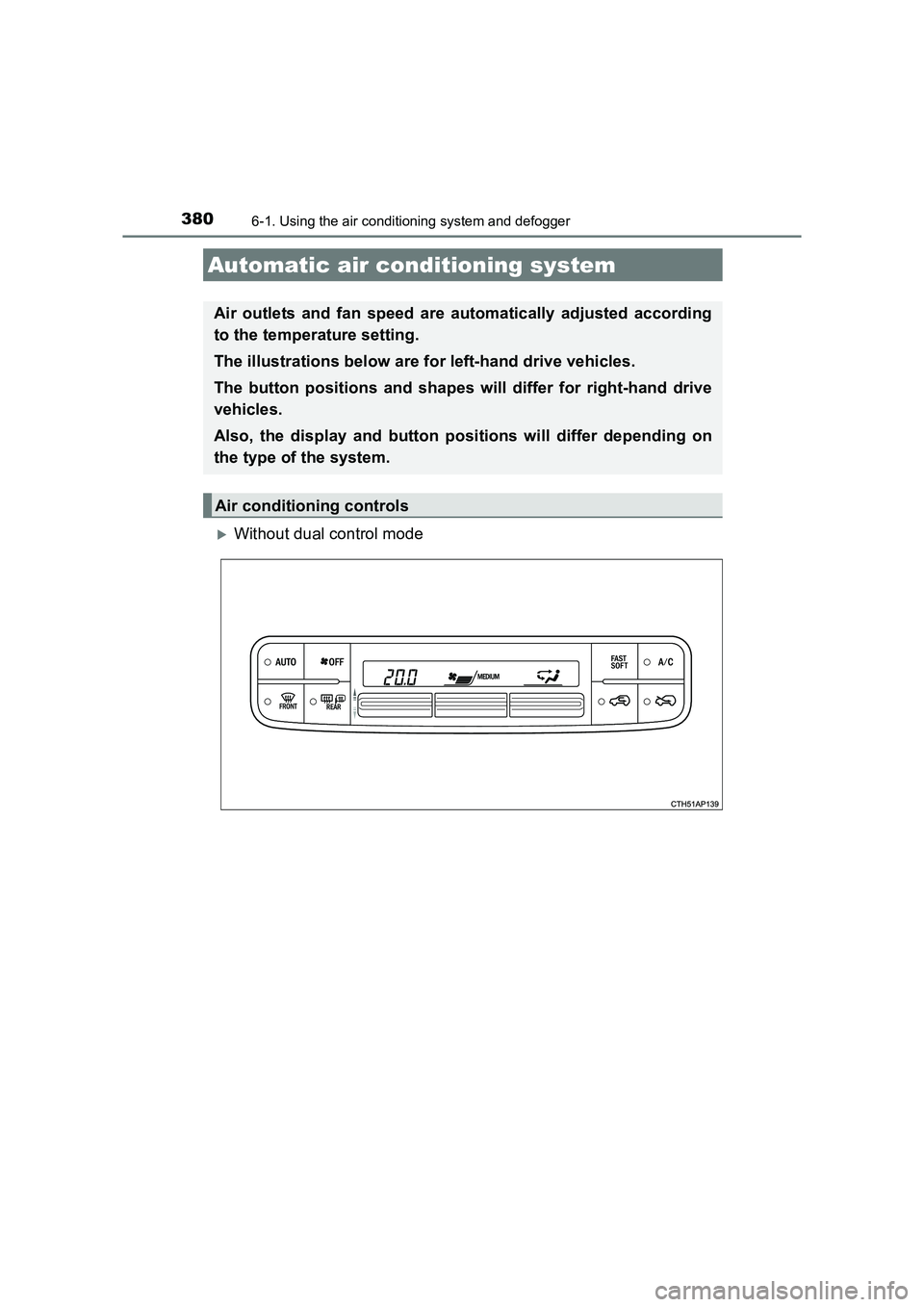
XWithout dual control mode
Automatic air conditioning system
Air outlets and fan speed are automatically adjusted according
to the temperature setting.
The illustrations below are for left-hand drive vehicles.
The button positions and shapes will differ for right-hand drive
vehicles.
Also, the display and button positions will differ depending on
the type of the system.
Air conditioning controls
Page 384 of 592
3846-1. Using the air conditioning system and defogger
UK AURIS_HV_HB_EE (OM12K47E)■
Defogging the windshield
Defoggers are used to defog the windshield and front side win-
dows.
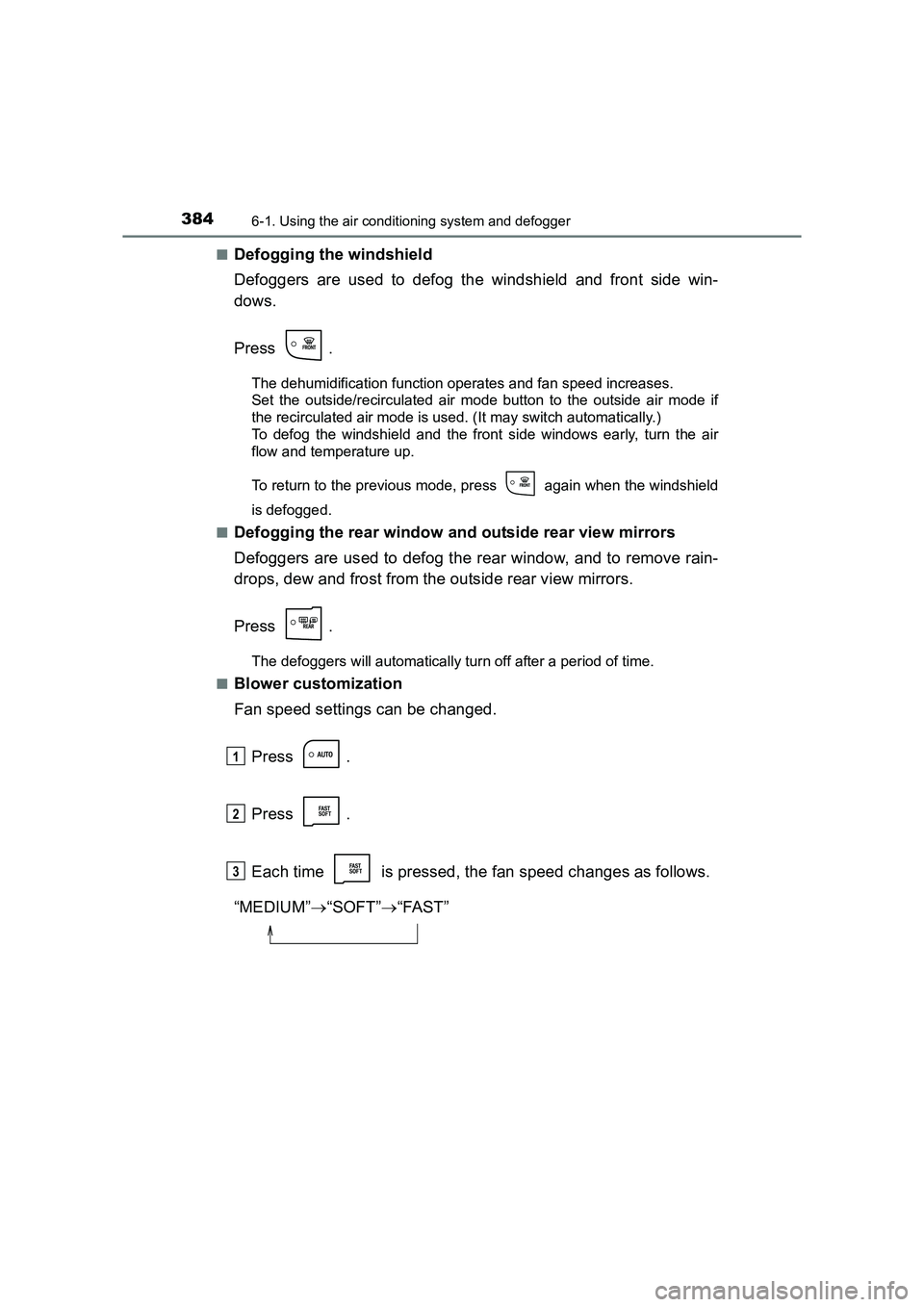
Press .
The dehumidification function operates and fan speed increases.
Set the outside/recirculated air mode button to the outside air mode if
the recirculated air mode is used. (It may switch automatically.)
To defog the windshield and the front side windows early, turn the air
flow and temperature up.
To return to the previous mode, press again when the windshield
is defogged.
■
Defogging the rear window and outside rear view mirrors
Defoggers are used to defog the rear window, and to remove rain-
drops, dew and frost from the outside rear view mirrors.
Press .
The defoggers will automatically turn off after a period of time.
■
Blower customization
Fan speed settings can be changed.
Press .
Press .
Each time is pressed, the fan speed changes as follows.
“MEDIUM” →“SOFT” →“FAST”
1
2
3
Page 387 of 592
3876-1. Using the air conditioning system and defogger
UK AURIS_HV_HB_EE (OM12K47E)
6
Interior features
■Outside/recirculated air mode
●When driving on dusty roads such as tunnels or in heavy traffic, set the out-
side/recirculated air mode button to the recirculated air mode. This is effec-
tive in preventing outside air from entering the vehicle interior. During
cooling operation, setting the recirculat ed air mode will also cool the vehicle
interior effectively.
● Outside/recirculated air mode may automatically switch depending on the
temperature setting or the inside temperature.
■ When the outside temperature is low
The dehumidification function may not operate even when is pressed.
■ Ventilation and air conditioning odors
●To let fresh air in, set the air conditioning system to the outside air mode.
● During use, various odors from inside and outside the vehicle may enter into
and accumulate in the air conditioning system. This may then cause odor to
be emitted from the vents.
● To reduce potential odors from occurring:
• It is recommended that the air condi tioning system be set to outside air
mode prior to turning the vehicle off.
• The start timing of the blower may be delayed for a short period of time immediately after the air conditioning system is started in automatic
mode.
■ Air conditioning filter
→ P. 457
■ Customization
Settings (e.g. air conditioni ng setting) can be changed.
(Customizable features →P. 566)
Page 406 of 592
4066-4. Other interior features
UK AURIS_HV_HB_EE (OM12K47E)
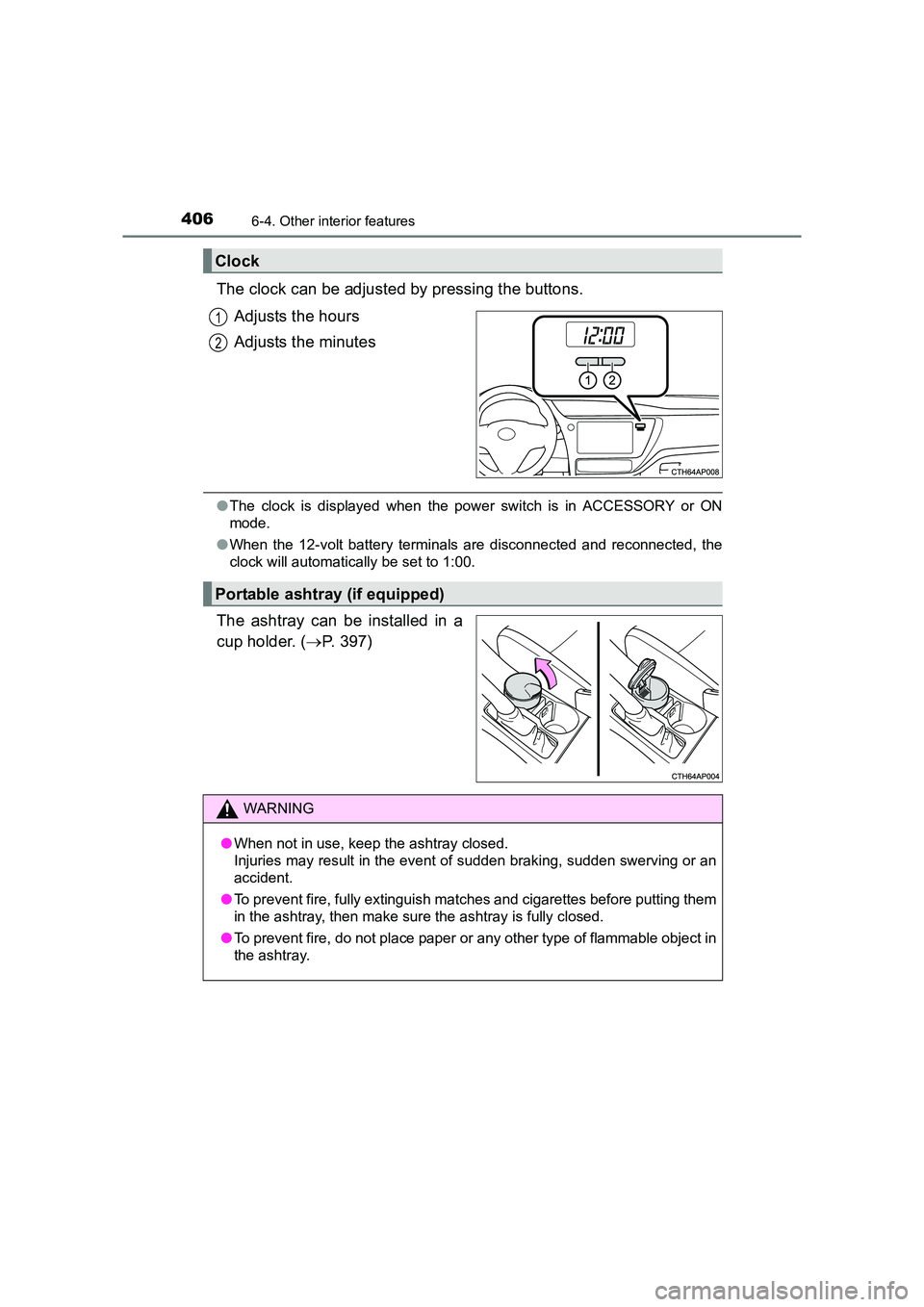
The clock can be adjusted by pressing the buttons.Adjusts the hours
Adjusts the minutes
●The clock is displayed when the power switch is in ACCESSORY or ON
mode.
● When the 12-volt battery terminals are disconnected and reconnected, the
clock will automatically be set to 1:00.
The ashtray can be installed in a
cup holder. ( →P. 397)
Clock
1
2
Portable ashtray (if equipped)
WARNING
● When not in use, keep the ashtray closed.
Injuries may result in the event of sudden braking, sudden swerving or an
accident.
● To prevent fire, fully extinguish matches and cigarettes before putting them
in the ashtray, then make sure the ashtray is fully closed.
● To prevent fire, do not place paper or any other type of flammable object in
the ashtray.
Page 460 of 592
4607-3. Do-it-yourself maintenance
UK AURIS_HV_HB_EE (OM12K47E)
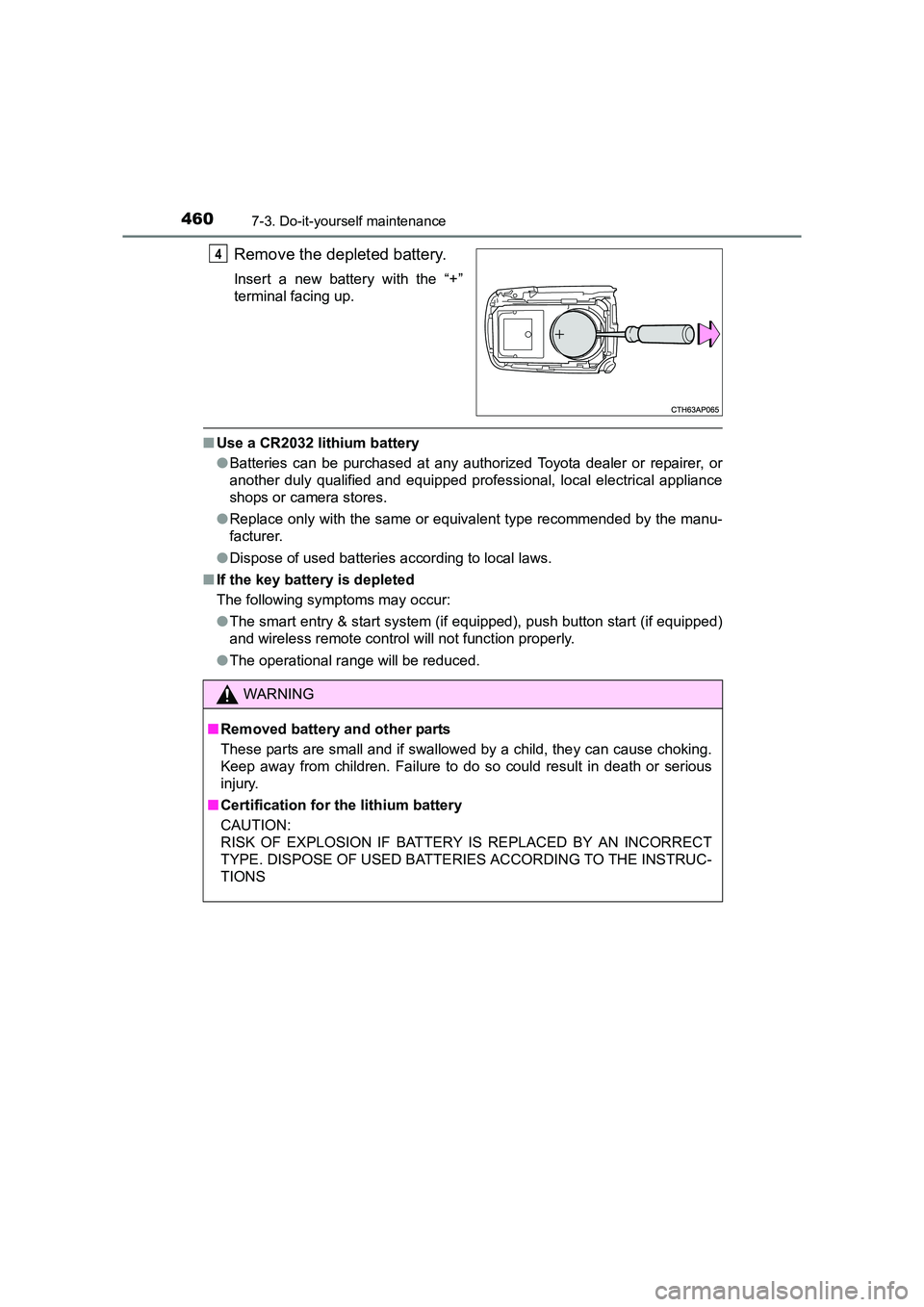
Remove the depleted battery.
Insert a new battery with the “+”
terminal facing up.
■Use a CR2032 lithium battery
●Batteries can be purchased at any authorized Toyota dealer or repairer, or
another duly qualified and equipped professional, local electrical appliance
shops or camera stores.
● Replace only with the same or equivalent type recommended by the manu-
facturer.
● Dispose of used batteries according to local laws.
■ If the key battery is depleted
The following symptoms may occur:
●The smart entry & start system (if equipped), push button start (if equipped)
and wireless remote control will not function properly.
● The operational range will be reduced.
4
WARNING
■ Removed battery and other parts
These parts are small and if swallowed by a child, they can cause choking.
Keep away from children. Failure to do so could result in death or serious
injury.
■ Certification for the lithium battery
CAUTION:
RISK OF EXPLOSION IF BATTERY IS REPLACED BY AN INCORRECT
TYPE. DISPOSE OF USED BATTER IES ACCORDING TO THE INSTRUC-
TIONS
Page 521 of 592
5218-2. Steps to take in an emergency
UK AURIS_HV_HB_EE (OM12K47E)
8
When trouble arises
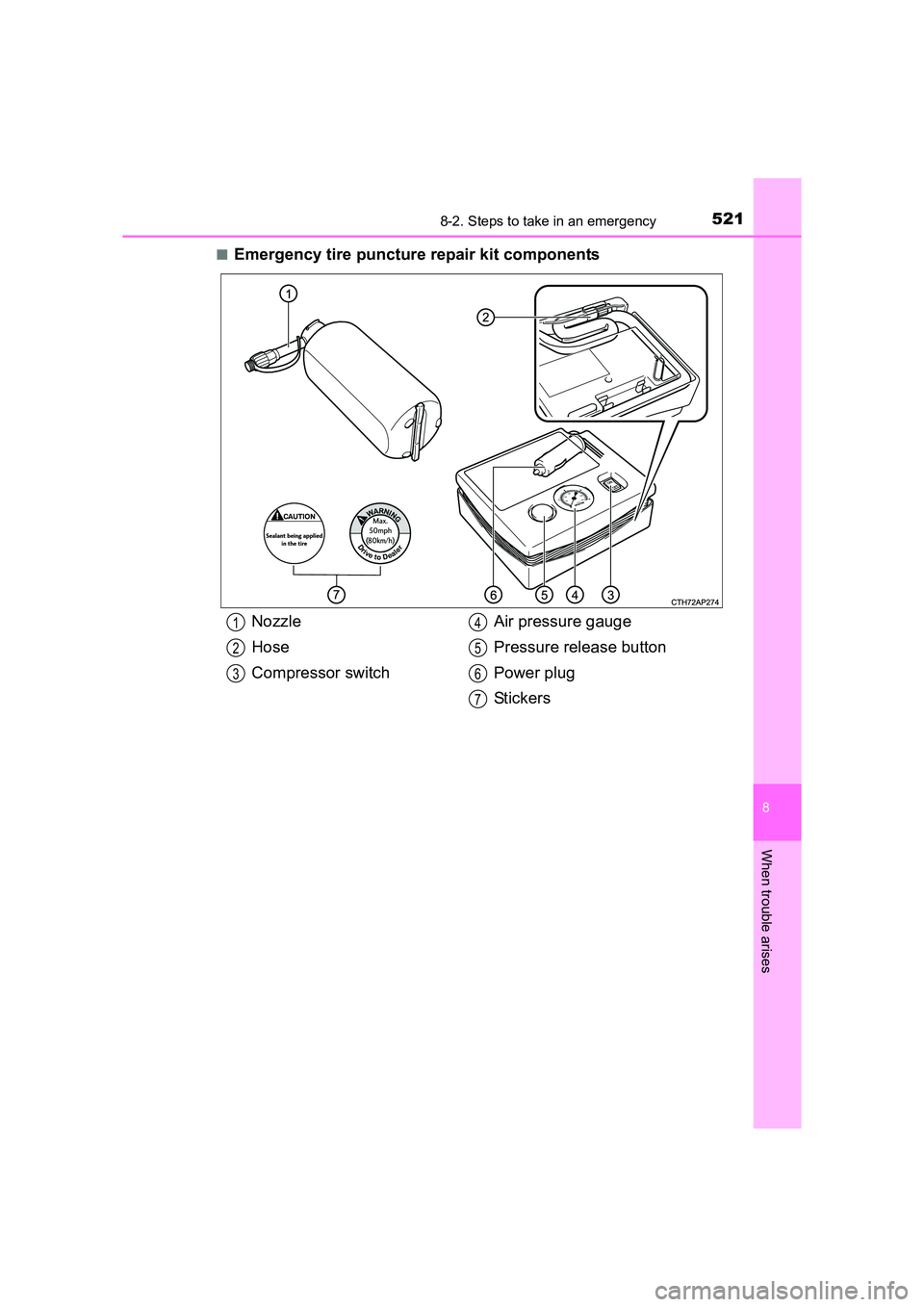
■Emergency tire puncture repair kit components
Nozzle
Hose
Compressor switchAir pressure gauge
Pressure release button
Power plug
Stickers1
2
3
4
5
6
7
Page 527 of 592
5278-2. Steps to take in an emergency
UK AURIS_HV_HB_EE (OM12K47E)
8
When trouble arises
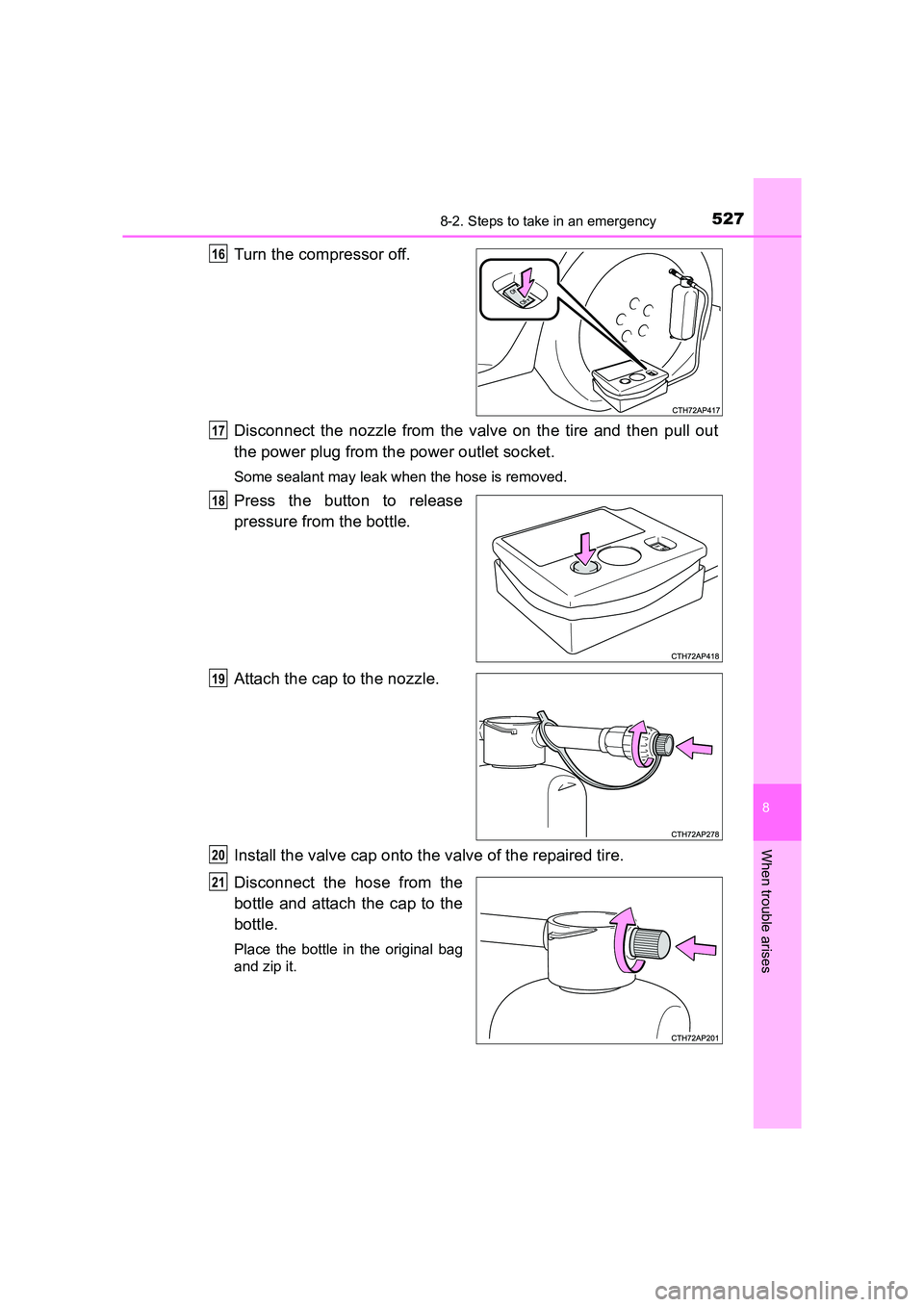
Turn the compressor off.
Disconnect the nozzle from the valve on the tire and then pull out
the power plug from the power outlet socket.
Some sealant may leak when the hose is removed.
Press the button to release
pressure from the bottle.
Attach the cap to the nozzle.
Install the valve cap onto the valve of the repaired tire.
Disconnect the hose from the
bottle and attach the cap to the
bottle.
Place the bottle in the original bag
and zip it.
16
17
18
19
20
21