display TOYOTA AVALON 2012 XX40 / 4.G Owners Manual
[x] Cancel search | Manufacturer: TOYOTA, Model Year: 2012, Model line: AVALON, Model: TOYOTA AVALON 2012 XX40 / 4.GPages: 580, PDF Size: 9.33 MB
Page 3 of 580

1
2
3
4
5
6
7
3
2-1. Driving proceduresDriving the vehicle............... 142
Engine (ignition) switch (with smart key
system) ............................. 154
Engine (ignition) switch (without smart key
system) ............................. 158
Automatic transmission ....... 161
Turn signal lever ................. 166
Parking brake ...................... 167
Horn .................................... 168
2-2. Instrument cluster Gauges and meters ............ 169
Indicators and warning lights ................................. 172
Multi-information display ..... 175
2-3. Operating the lights and windshield wipers
Headlight switch .................. 178
Fog light switch ................... 182
Windshield wipers and washer (Type A) ............... 184
Windshield wipers and washer (Type B) ............... 189 2-4. Using other driving systems
Cruise control ..................... 194
Rear view monitor system .............................. 198
Driving assist systems ........ 207
2-5. Driving information Cargo and luggage ............. 212
Vehicle load limits............... 217
Winter driving tips ............... 219
Trailer towing ...................... 224
Dinghy towing ..................... 225
2When driving
Page 130 of 580
130
1-7. Safety information
Installing child restraints
Follow the child restraint system manufacturer’s instructions. Firmly
secure child restraints to the outboard rear seats using the LATCH
anchors or a seat belt. Attach the top tether strap when installing a
child restraint.
The lap/shoulder belt can be used if your child restraint system is
not compatible with the LATCH (Low er Anchors and Tethers for Chil-
dren) system.
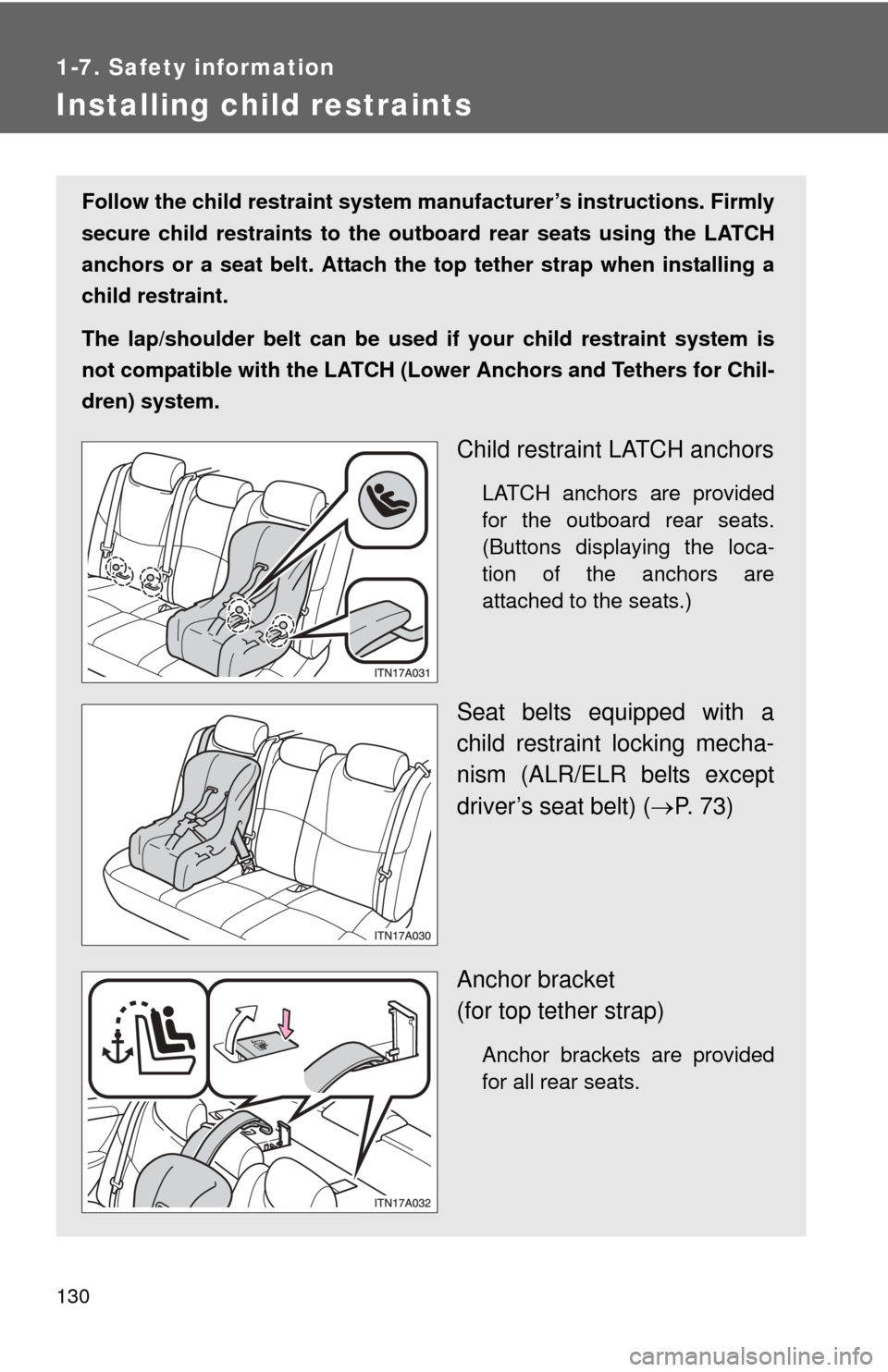
Child restraint LATCH anchors
LATCH anchors are provided
for the outboard rear seats.
(Buttons displaying the loca-
tion of the anchors are
attached to the seats.)
Seat belts equipped with a
child restraint locking mecha-
nism (ALR/ELR belts except
driver’s seat belt) ( P. 73)
Anchor bracket
(for top tether strap)
Anchor brackets are provided
for all rear seats.
Page 141 of 580
When driving2
141
2-1. Driving proceduresDriving the vehicle............ 142
Engine (ignition) switch (with smart key
system) .......................... 154
Engine (ignition) switch (without smart key
system) .......................... 158
Automatic transmission................... 161
Turn signal lever .............. 166
Parking brake ................... 167
Horn ................................. 168 2-2. Instrument cluster
Gauges and meters ......... 169
Indicators and warning lights .............................. 172
Multi-information display............................ 175
2-3. Operating the lights and windshield wipers
Headlight switch ............... 178
Fog light switch ................ 182
Windshield wipers and washer (Type A) ............ 184
Windshield wipers and washer (Type B) ............ 189
2-4. Using other driving systems Cruise control ................... 194
Rear view monitor system ........................... 198
Driving assist systems ..... 207
2-5. Driving information Cargo and luggage .......... 212
Vehicle load limits ............ 217
Winter driving tips ............ 219
Trailer towing ................... 224
Dinghy towing .................. 225
Page 169 of 580
169
2
When driving
2-2. Instrument cluster
Gauges and meters
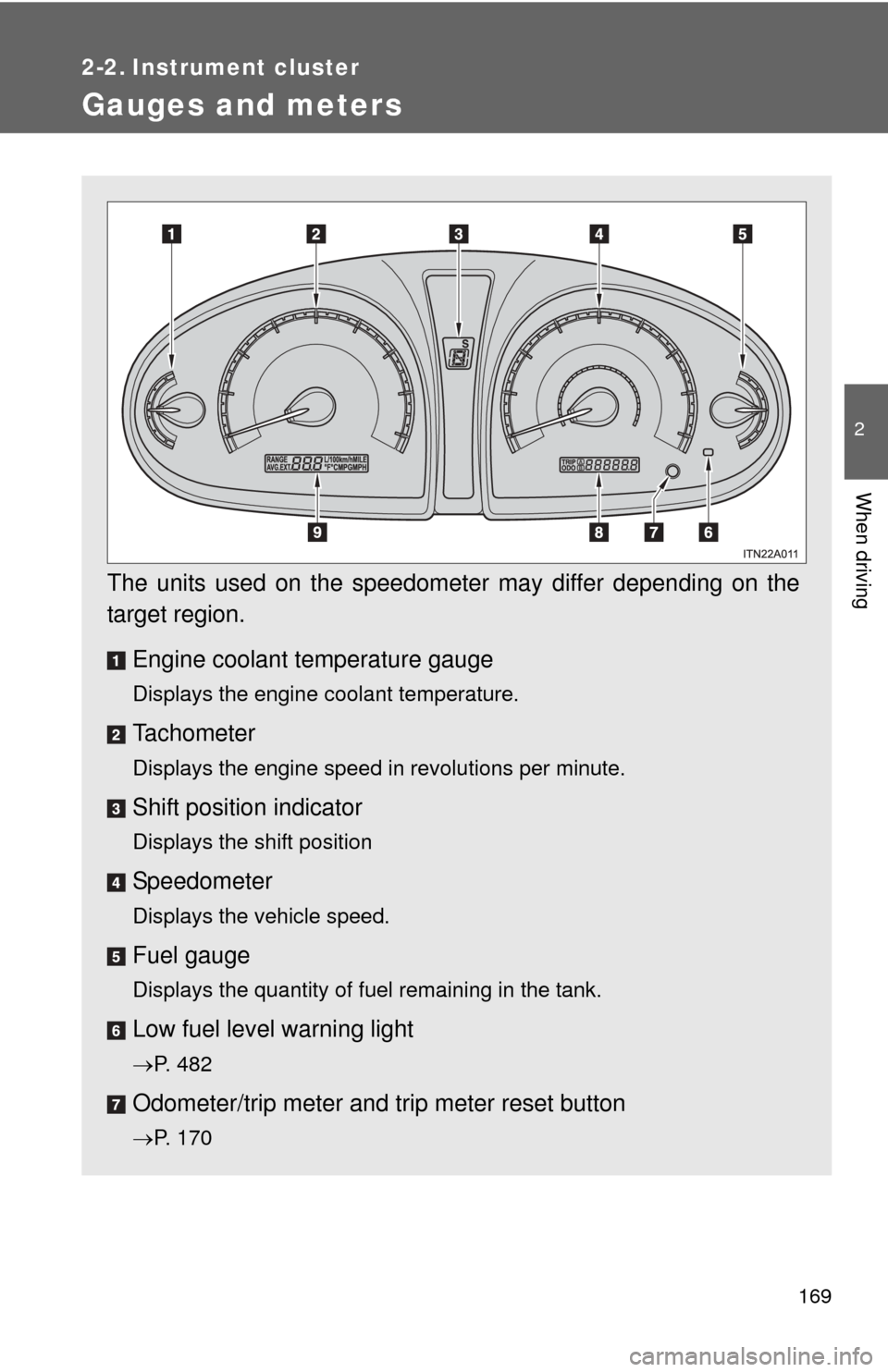
The units used on the speedometer may differ depending on the
target region.Engine coolant temperature gauge
Displays the engine coolant temperature.
Tachometer
Displays the engine speed in revolutions per minute.
Shift position indicator
Displays the shift position
Speedometer
Displays the vehicle speed.
Fuel gauge
Displays the quantity of fuel remaining in the tank.
Low fuel level warning light
P. 482
Odometer/trip meter and trip meter reset button
P. 170
Page 170 of 580
170 2-2. Instrument cluster
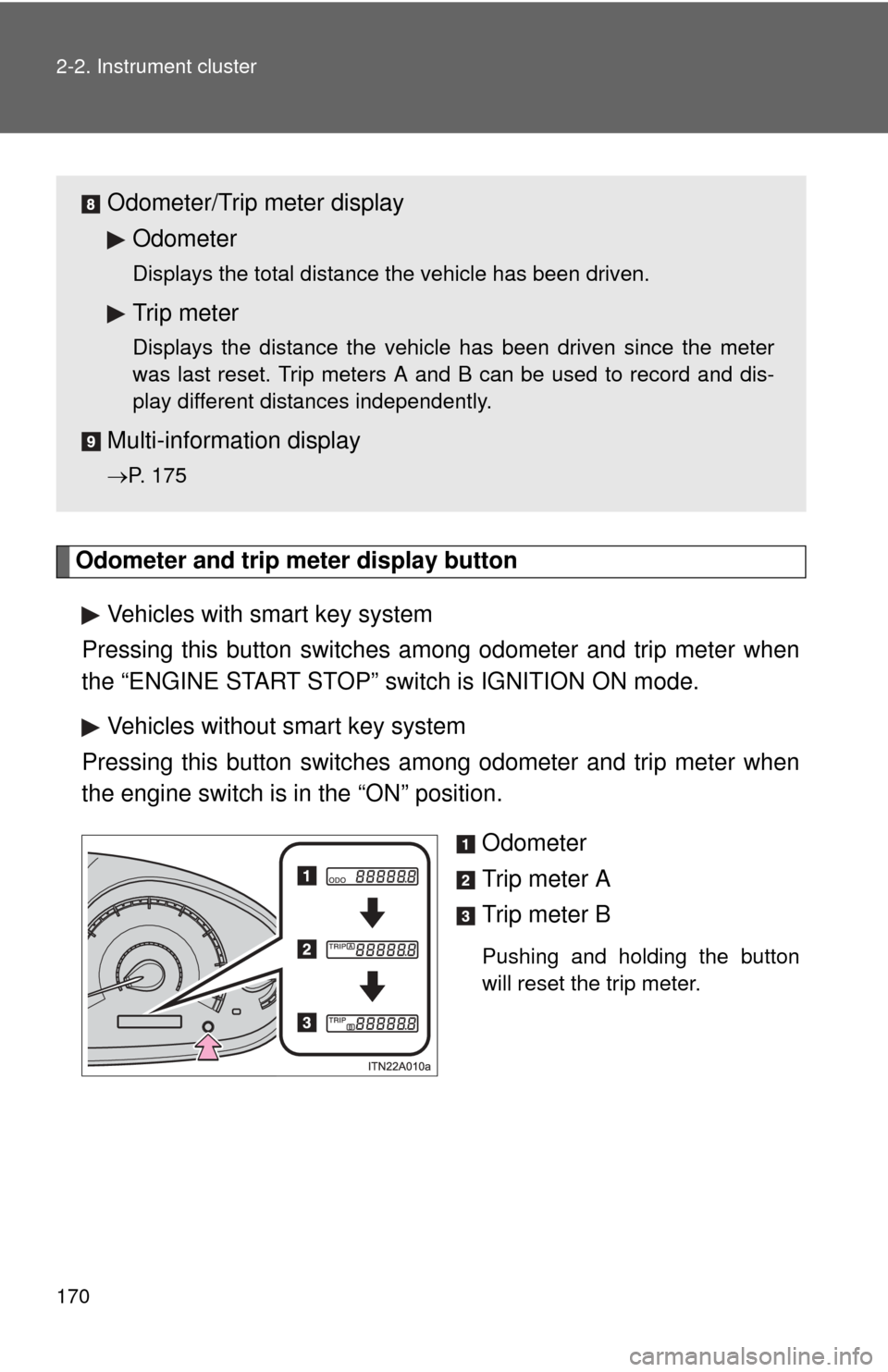
Odometer and trip meter display buttonVehicles with smart key system
Pressing this button switches am ong odometer and trip meter when
the “ENGINE START STOP” switch is IGNITION ON mode.
Vehicles without smart key system
Pressing this button switches am ong odometer and trip meter when
the engine switch is in the “ON” position.
Odometer
Trip meter A
Trip meter B
Pushing and holding the button
will reset the trip meter.
Odometer/Trip meter displayOdometer
Displays the total distance the vehicle has been driven.
Trip meter
Displays the distance the vehicle has been driven since the meter
was last reset. Trip meters A and B can be used to record and dis-
play different distances independently.
Multi-informat ion display
P. 175
Page 175 of 580
175
2-2. Instrument cluster
2
When driving
Multi-information display
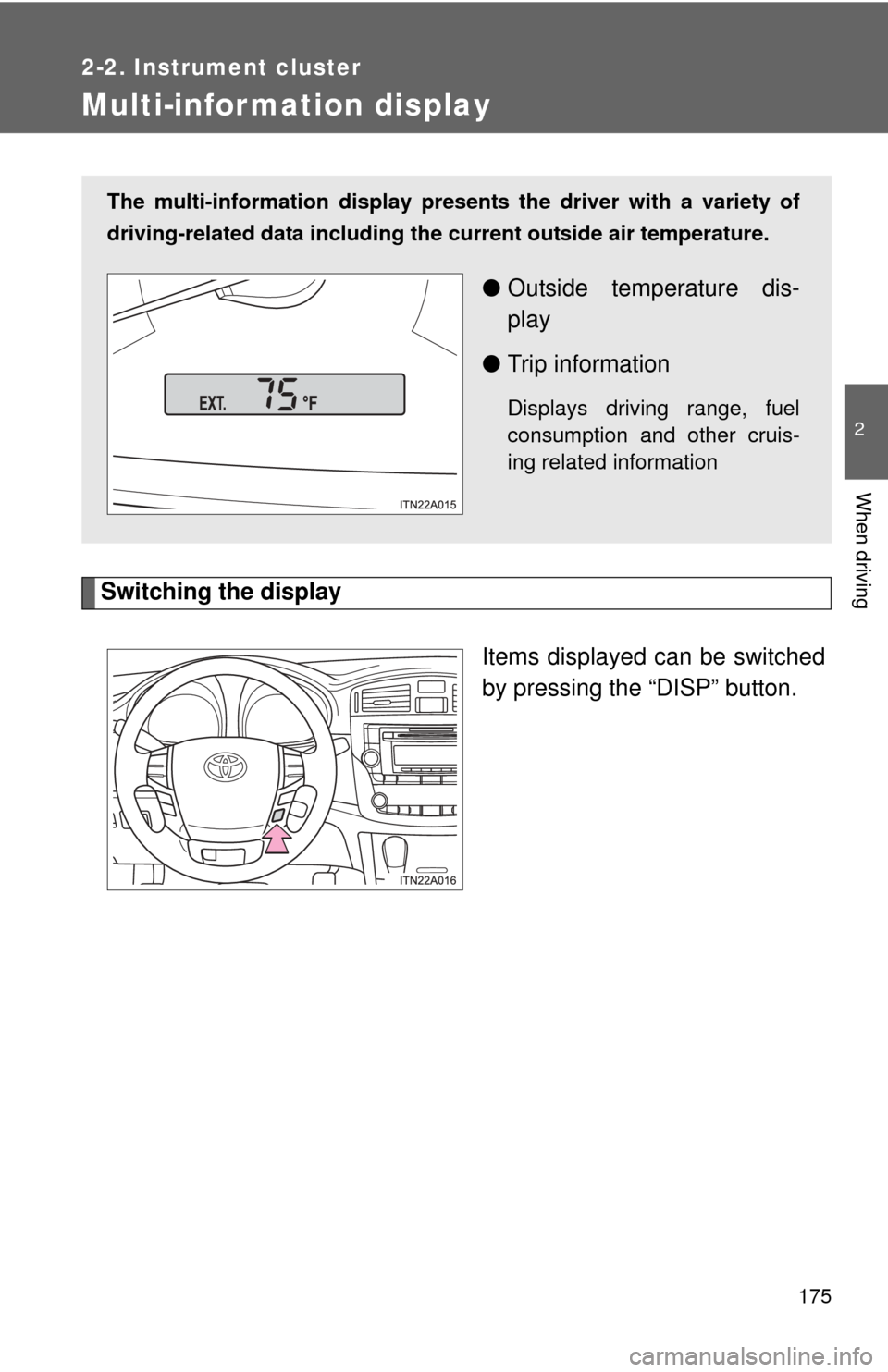
Switching the displayItems displayed can be switched
by pressing the “DISP” button.
The multi-information display presen ts the driver with a variety of
driving-related data including the current outside air temperature.
●Outside temperature dis-
play
● Trip information
Displays driving range, fuel
consumption and other cruis-
ing related information
Page 176 of 580
176 2-2. Instrument cluster
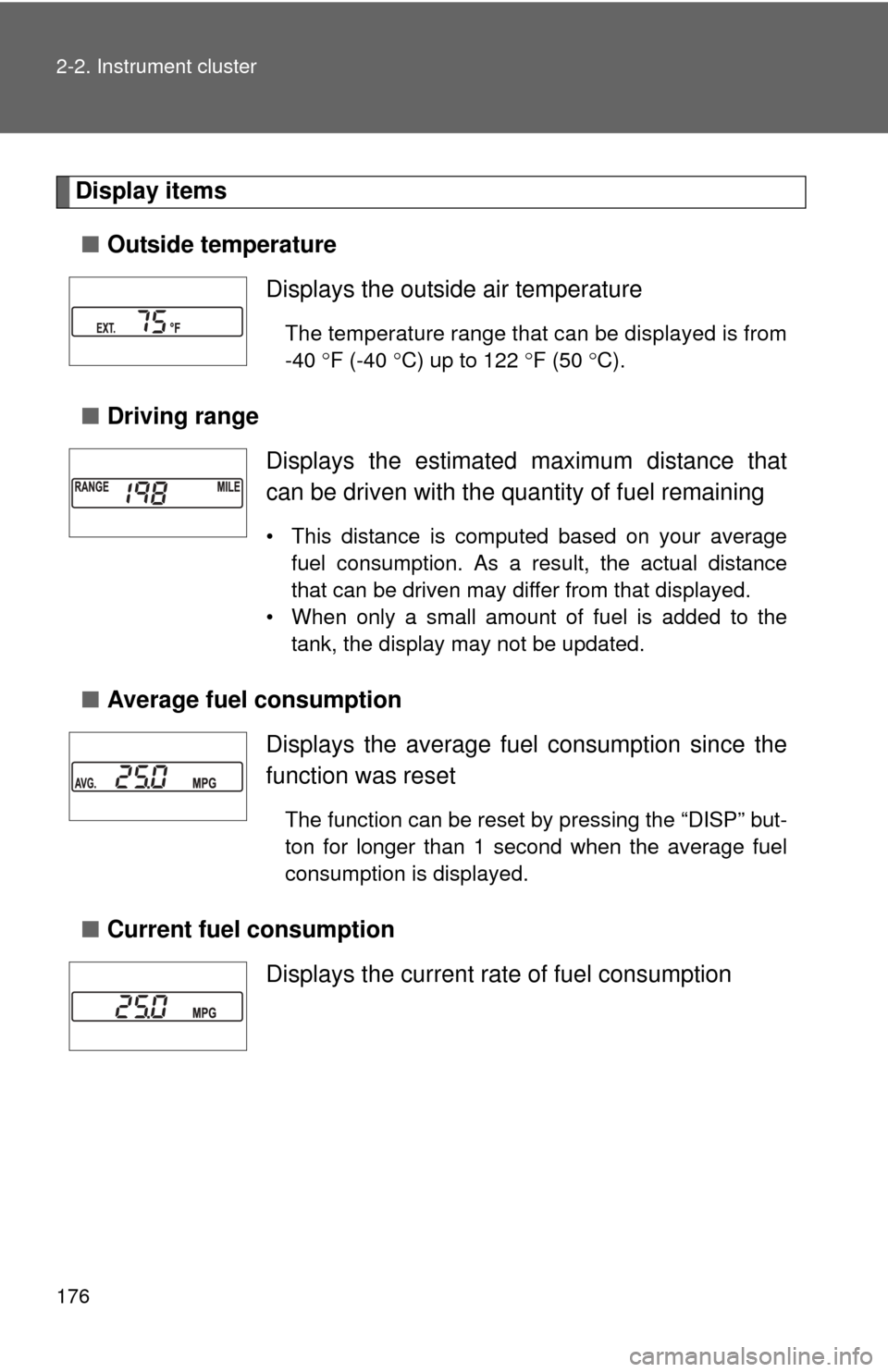
Display items■ Outside temperature
■ Driving range
■ Average fuel consumption
■ Current fuel consumption Displays the outside air temperature
The temperature range that can be displayed is from
-40
F (-40 C) up to 122 F (50 C).
Displays the estimated maximum distance that
can be driven with the quantity of fuel remaining
• This distance is computed based on your average
fuel consumption. As a result, the actual distance
that can be driven may differ from that displayed.
• When only a small amount of fuel is added to the tank, the display may not be updated.
Displays the average fuel consumption since the
function was reset
The function can be reset by pressing the “DISP” but-
ton for longer than 1 second when the average fuel
consumption is displayed.
Displays the current rate of fuel consumption
Page 177 of 580
177
2-2. Instrument cluster
2
When driving
■
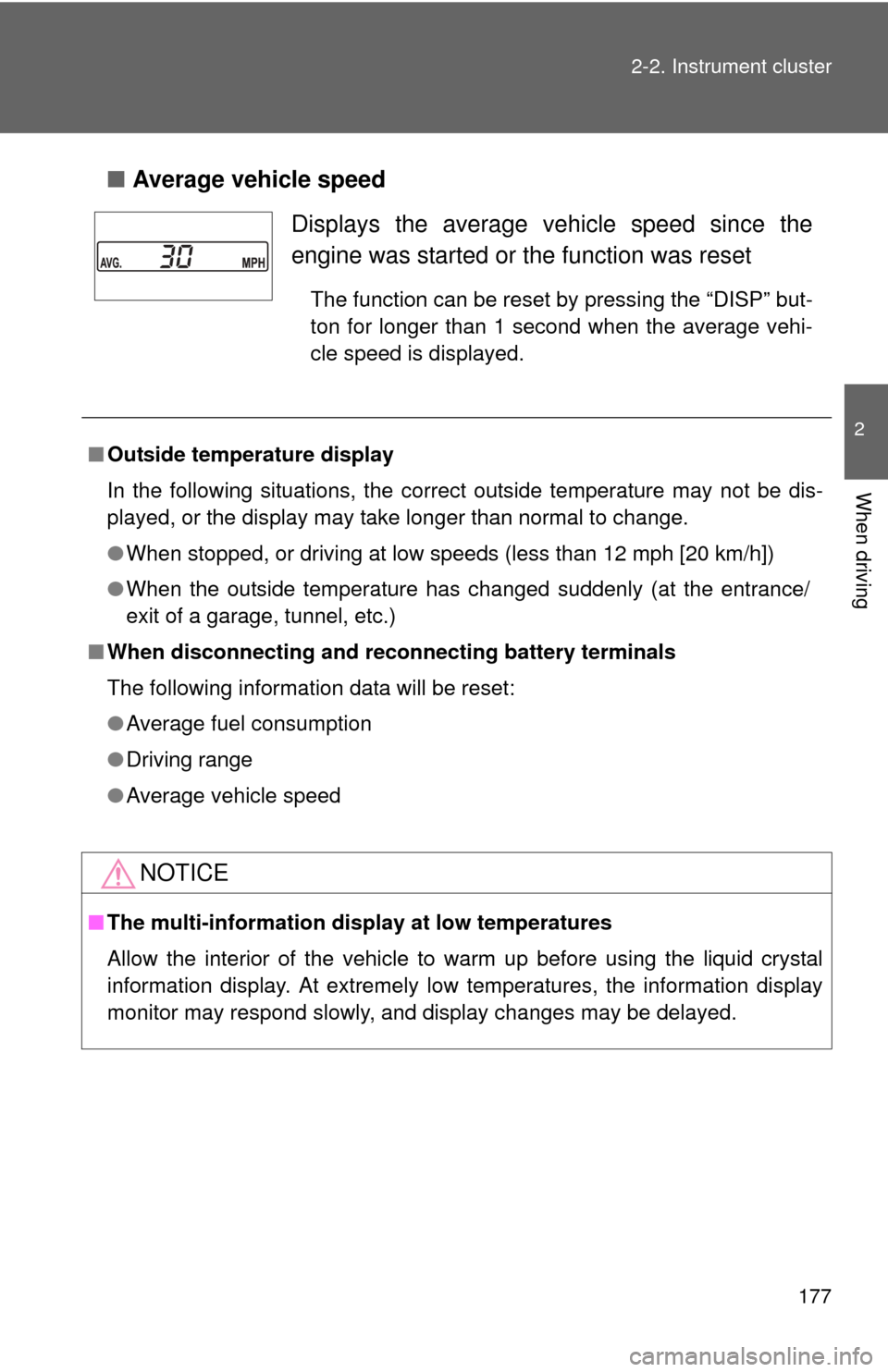
Average vehicle speed
Displays the average ve hicle speed since the
engine was started or the function was reset
The function can be reset by pressing the “DISP” but-
ton for longer than 1 second when the average vehi-
cle speed is displayed.
■ Outside temperature display
In the following situations, the correct outside temperature may not be dis-
played, or the display may take longer than normal to change.
●When stopped, or driving at low speeds (less than 12 mph [20 km/h])
● When the outside temperature has changed suddenly (at the entrance/
exit of a garage, tunnel, etc.)
■ When disconnecting and reco nnecting battery terminals
The following information data will be reset:
● Average fuel consumption
● Driving range
● Average vehicle speed
NOTICE
■The multi-information disp lay at low temperatures
Allow the interior of the vehicle to warm up before using the liquid crystal
information display. At extremely low temperatures, the information display
monitor may respond slowly, and display changes may be delayed.
Page 198 of 580
198
2-4. Using other driving systems
Rear view monitor system
: If equipped
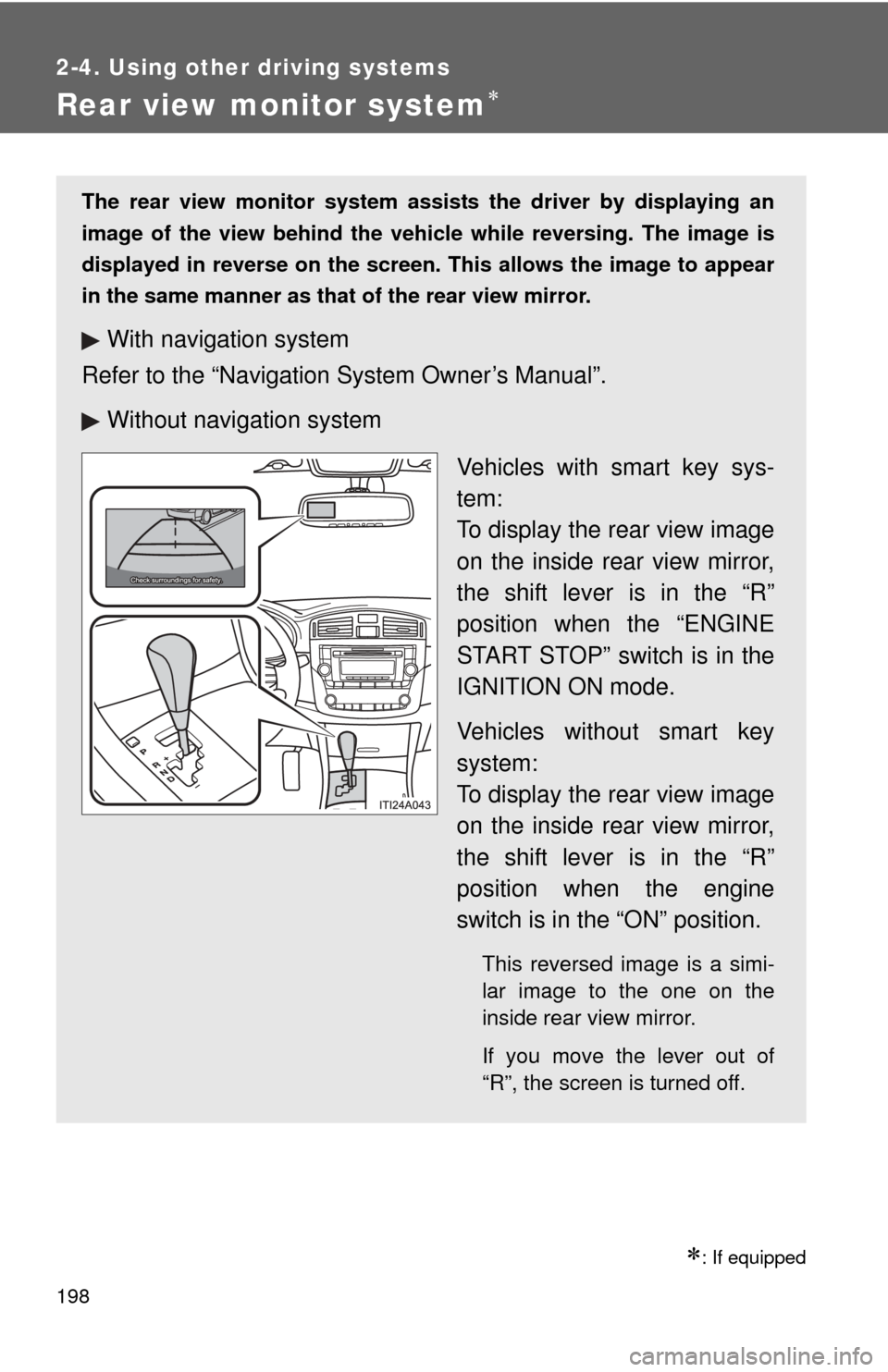
The rear view monitor system assists the driver by displaying an
image of the view behind the vehicle while reversing. The image is
displayed in reverse on the screen . This allows the image to appear
in the same manner as that of the rear view mirror.
With navigation system
Refer to the “Navigation System Owner’s Manual”.
Without navig ation system
Vehicles with smart key sys-
tem:
To display the rear view image
on the inside rear view mirror,
the shift lever is in the “R”
position when the “ENGINE
START STOP” switch is in the
IGNITION ON mode.
Vehicles without smart key
system:
To display the rear view image
on the inside rear view mirror,
the shift lever is in the “R”
position when the engine
switch is in the “ON” position.
This reversed image is a simi-
lar image to the one on the
inside rear view mirror.
If you move the lever out of
“R”, the screen is turned off.
Page 199 of 580
199
2-4. Using other
driving systems
2
When driving
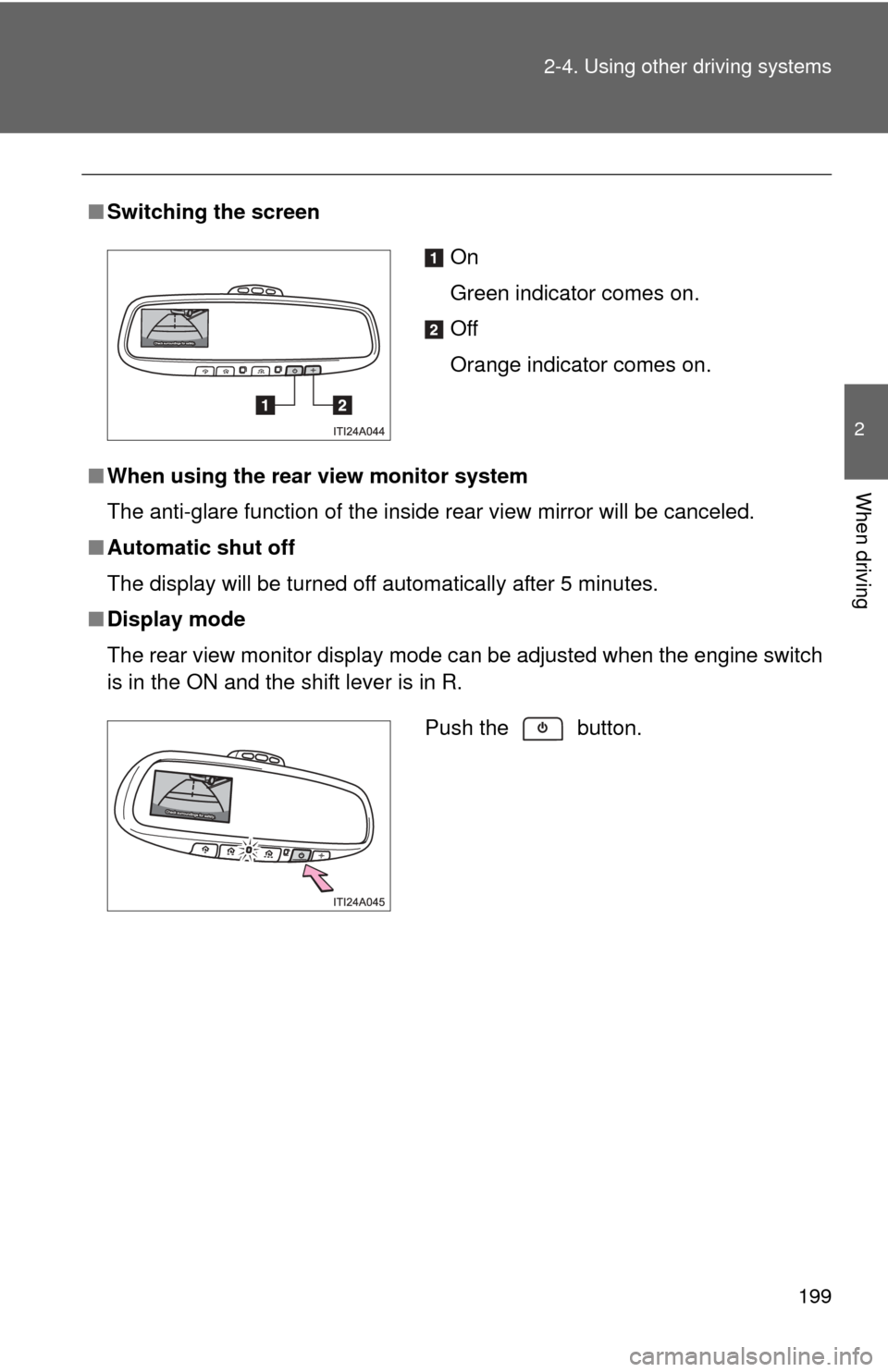
■Switching the screen
■ When using the rear view monitor system
The anti-glare function of the inside rear view mirror will be canceled.
■ Automatic shut off
The display will be turned off automatically after 5 minutes.
■ Display mode
The rear view monitor display mode can be adjusted when the engine switch
is in the ON and the shift lever is in R.
On
Green indicator comes on.
Off
Orange indicator comes on.
Push the button.