flat tire TOYOTA AVALON 2019 Owners Manual (in English)
[x] Cancel search | Manufacturer: TOYOTA, Model Year: 2019, Model line: AVALON, Model: TOYOTA AVALON 2019Pages: 536, PDF Size: 9.43 MB
Page 5 of 536

5
1
8 7 5 4
3
2
9
6
5-4. Other interior featuresOther interior features ....... 330
• Sun visors ..................... 330
• Vanity mirrors................ 330
• Power outlet .................. 331
• USB charging ports....... 332
• Wireless charger ........... 334
• Armrest ......................... 343
• Assist grips ................... 343
• Coat hooks.................... 344
Garage door opener .......... 345
Safety Connect.................. 352 6-1. Maintenance and care
Cleaning and protecting the vehicle exterior .......... 360
Cleaning and protecting the vehicle interior ........... 363
6-2. Maintenance Maintenance requirements ................... 366
General maintenance ........ 368
Emission inspection and maintenance (I/M)
programs ......................... 372
6-3. Do-it-yourself maintenance
Do-it-yourself service precautions ...................... 373
Hood .................................. 375
Positioning a floor jack....... 376
Engine compartment ......... 377
Tires................................... 387
Tire inflation pressure ........ 401
Wheels............................... 404
Air conditioning filter .......... 406
Electronic key battery ........ 408
Checking and replacing fuses ................................ 410
Light bulbs ......................... 4136Maintenance and care
Page 6 of 536

TABLE OF CONTENTS6
7-1. Essential informationEmergency flashers .......... 416
If your vehicle has to be stopped in an
emergency ...................... 417
7-2. Steps to take in an emergency
If your vehicle needs to be towed ..................... 418
If you think something is wrong........................... 421
Fuel pump shut off system........................ 422
If a warning light turns on or a warning buzzer
sounds ............................ 423
If a warning message is displayed ..................... 433
If you have a flat tire .......... 438
If the engine will not start ..................... 450
If the electronic key does not operate
properly ........................... 452
If the vehicle battery is discharged ................... 455
If your vehicle overheats ........................ 459
If the vehicle becomes stuck................................ 462 8-1. Specifications
Maintenance data (fuel, oil level, etc.) .......... 466
Fuel information ................. 475
Tire information.................. 478
8-2. Customization Customizable features ....... 491
8-3. Items to initialize Items to initialize ................ 499
Reporting safety defects for U.S. owners ........................ 502
Seat belt instructions for Canadian owners
(in French)................................ 503
SRS airbag instructions for Canadian owners
(in French)................................ 505
7When trouble arises8Vehicle specifications
9For owners
Page 15 of 536
15Pictorial index
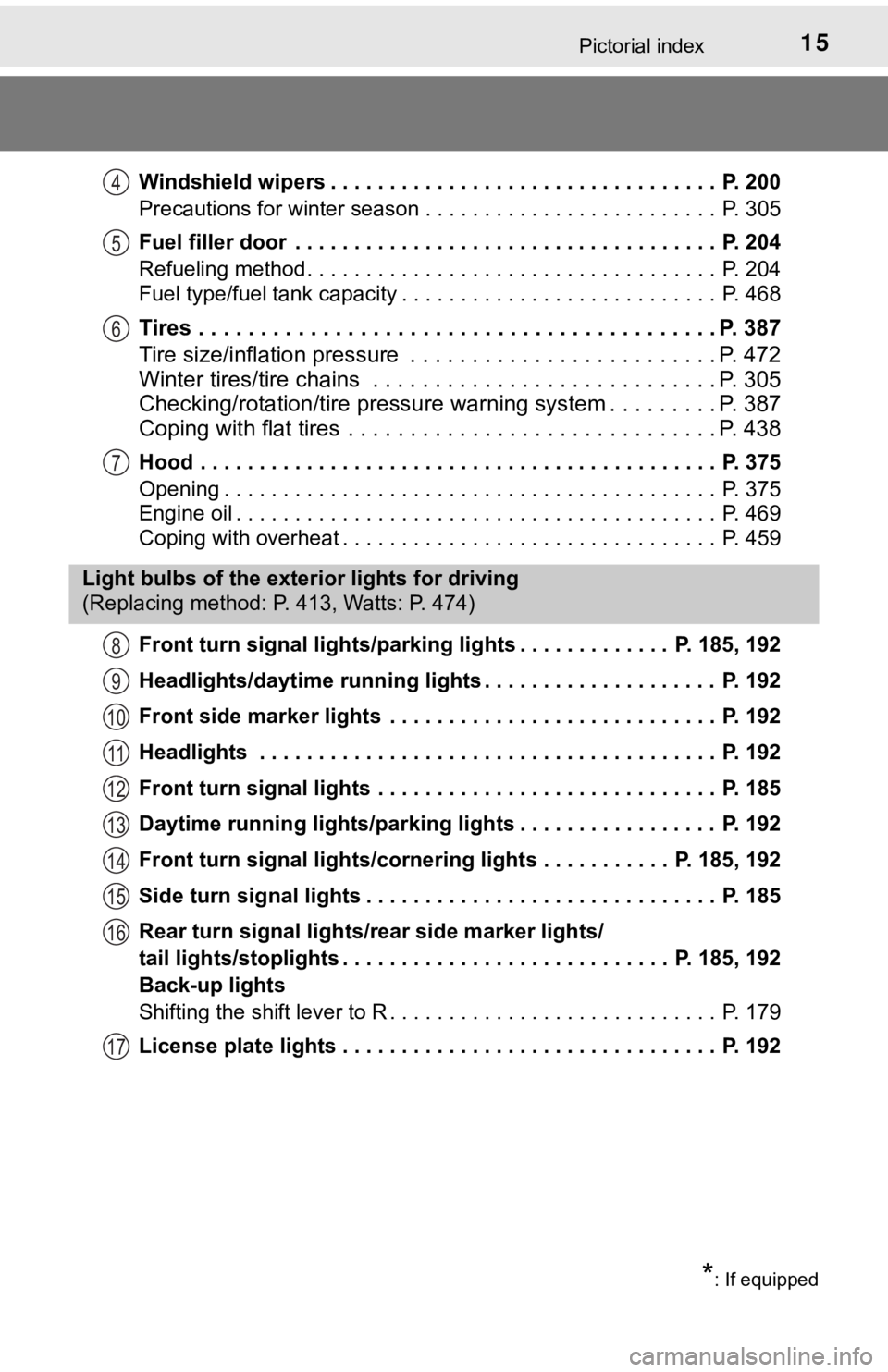
Windshield wipers . . . . . . . . . . . . . . . . . . . . . . . . . . . . . . . . . P. 200
Precautions for winter season . . . . . . . . . . . . . . . . . . . . . . . . . P. 305
Fuel filler door . . . . . . . . . . . . . . . . . . . . . . . . . . . . . . . . . . . . P. 204
Refueling method . . . . . . . . . . . . . . . . . . . . . . . . . . . . . . . . . . . P. 204
Fuel type/fuel tank capacity . . . . . . . . . . . . . . . . . . . . . . . . . . . P. 468
Tires . . . . . . . . . . . . . . . . . . . . . . . . . . . . . . . . . . . . . . . . . . P. 387
Tire size/inflation pressure . . . . . . . . . . . . . . . . . . . . . . . . . P. 472
Winter tires/tire chains . . . . . . . . . . . . . . . . . . . . . . . . . . . . P. 305
Checking/rotation/tire pressur e warning system . . . . . . . . .P. 387
Coping with flat tires . . . . . . . . . . . . . . . . . . . . . . . . . . . . . . P. 438
Hood . . . . . . . . . . . . . . . . . . . . . . . . . . . . . . . . . . . . . . . . . . . . P. 375
Opening . . . . . . . . . . . . . . . . . . . . . . . . . . . . . . . . . . . . . . . . . . P. 375
Engine oil . . . . . . . . . . . . . . . . . . . . . . . . . . . . . . . . . . . . . . . . . P. 469
Coping with overheat . . . . . . . . . . . . . . . . . . . . . . . . . . . . . . . . P. 459
Front turn signal lights/parking lights . . . . . . . . . . . . . P. 185, 192
Headlights/daytime running lights . . . . . . . . . . . . . . . . . . . . P. 192
Front side marker lights . . . . . . . . . . . . . . . . . . . . . . . . . . . . P. 192
Headlights . . . . . . . . . . . . . . . . . . . . . . . . . . . . . . . . . . . . . . . P. 192
Front turn signal lights . . . . . . . . . . . . . . . . . . . . . . . . . . . . . P. 185
Daytime running lights/parking lights . . . . . . . . . . . . . . . . . P. 192
Front turn signal lights/cornering lights . . . . . . . . . . . P. 185, 192
Side turn signal lights . . . . . . . . . . . . . . . . . . . . . . . . . . . . . . P. 185
Rear turn signal lights/r ear side marker lights/
tail lights/stoplights . . . . . . . . . . . . . . . . . . . . . . . . . . . . P. 185, 192
Back-up lights
Shifting the shift lever to R . . . . . . . . . . . . . . . . . . . . . . . . . . . . P. 179
License plate lights . . . . . . . . . . . . . . . . . . . . . . . . . . . . . . . . P. 192
4
5
6
7
Light bulbs of the exter ior lights for driving
(Replacing method: P. 413, Watts: P. 474)
*: If equipped
8
9
10
11
12
13
14
15
16
17
Page 87 of 536
872. Instrument cluster
2
Instrument cluster
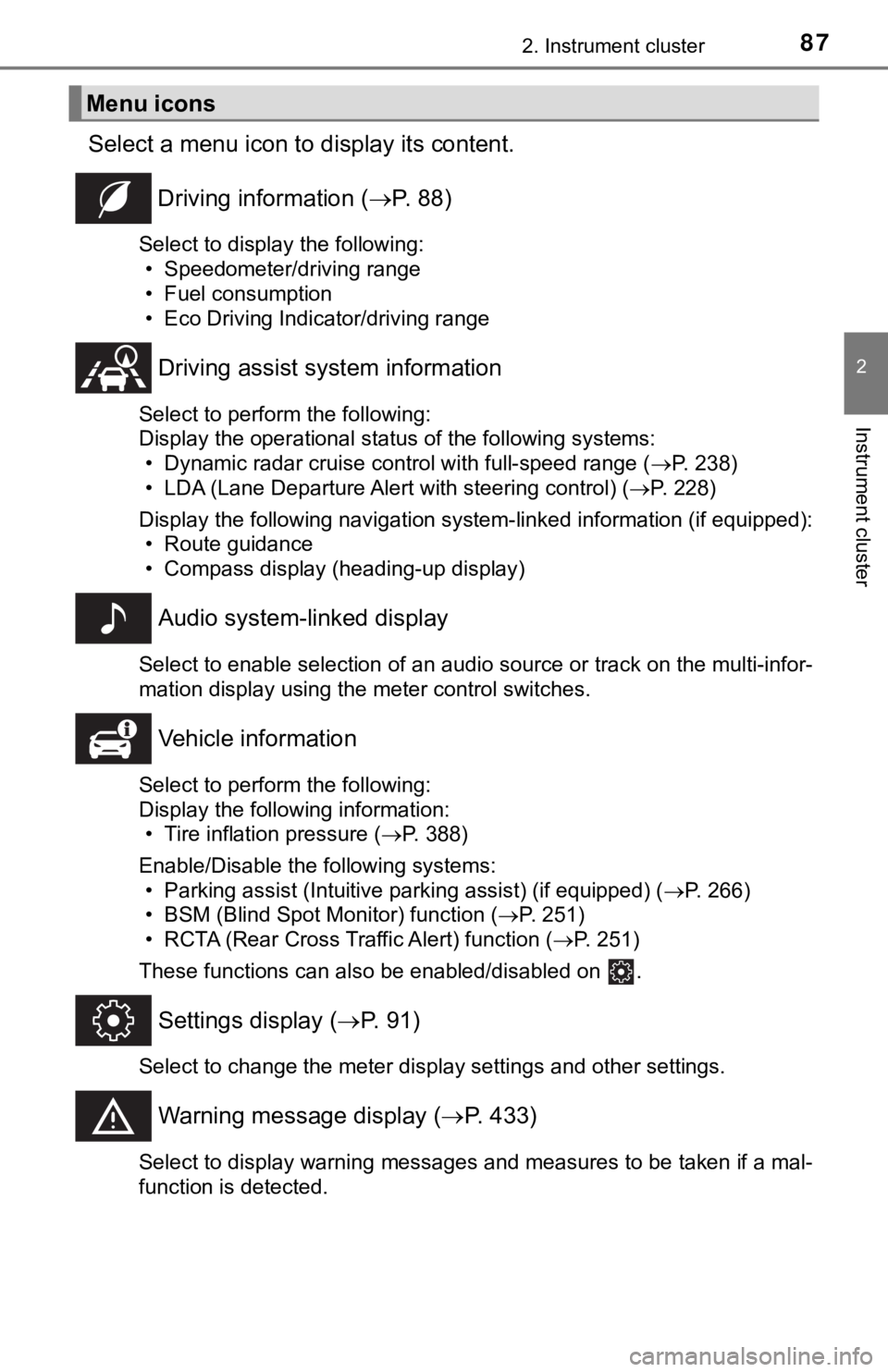
Select a menu icon to display its content.
Driving information ( P. 8 8 )
Select to display the following:
• Speedometer/driving range
• Fuel consumption
• Eco Driving Indicator/driving range
Driving assist sys tem information
Select to perform the following:
Display the operational status of the following systems:
• Dynamic radar cruise control with full-speed range ( P. 238)
• LDA (Lane Departure Alert with steering control) ( P. 228)
Display the following navigation system-linked information (if equipped):
• Route guidance
• Compass display (heading-up display)
Audio system-linked display
Select to enable selection of an audio source or track on the multi-infor-
mation display using the meter control switches.
Vehicle information
Select to perform the following:
Display the following information: • Tire inflation pressure ( P. 388)
Enable/Disable the following systems: • Parking assist (Intuitive parking assist) (if equipped) ( P. 266)
• BSM (Blind Spot Monitor) function ( P. 251)
• RCTA (Rear Cross Traffic Alert) function ( P. 251)
These functions can also be enabled/disabled on .
Settings display ( P. 9 1 )
Select to change the meter display settings and other settings.
Warning message display ( P. 433)
Select to display warning messages and measures to be taken if a mal-
function is detected.
Menu icons
Page 95 of 536
952. Instrument cluster
2
Instrument cluster
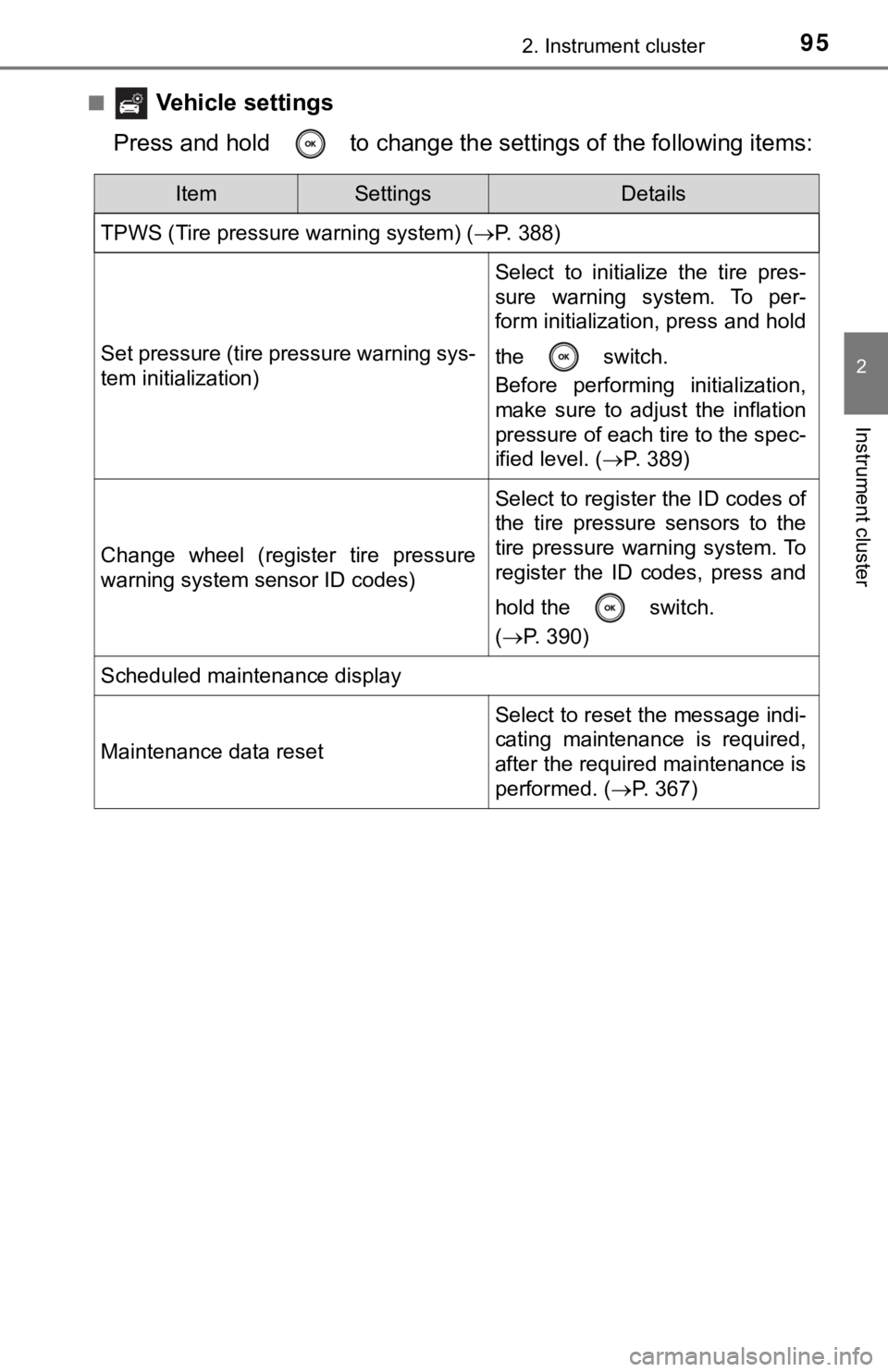
■ Vehicle settings
Press and hold to change the se ttings of the following items:
ItemSettingsDetails
TPWS (Tire pressure warning system) ( P. 388)
Set pressure (tire pressure warning sys-
tem initialization)
Select to initialize the tire pres-
sure warning system. To per-
form initialization, press and hold
the switch.
Before performing initialization,
make sure to adjust the inflation
pressure of each tire to the spec-
ified level. (P. 389)
Change wheel (register tire pressure
warning system sensor ID codes)
Select to register the ID codes of
the tire pressure sensors to the
tire pressure warning system. To
register the ID codes, press and
hold the switch.
(P. 390)
Scheduled maintenance display
Maintenance data reset
Select to reset the message indi-
cating maintenance is required,
after the required maintenance is
performed. ( P. 367)
Page 98 of 536
982. Instrument cluster
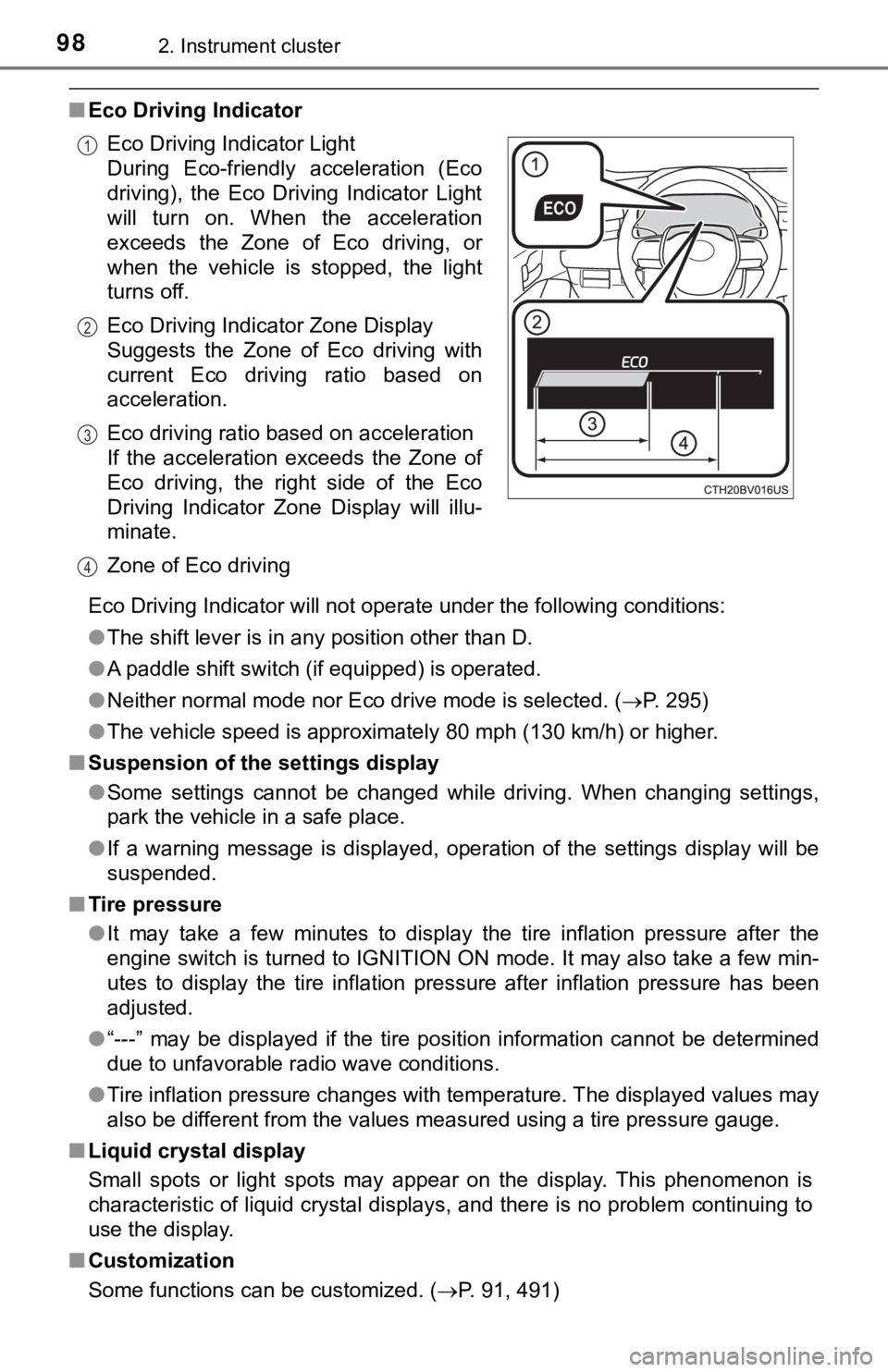
■Eco Driving Indicator
Eco Driving Indicator will not operate under the following cond itions:
● The shift lever is in any position other than D.
● A paddle shift switch (if equipped) is operated.
● Neither normal mode nor Eco drive mode is selected. ( P. 295)
● The vehicle speed is approximately 80 mph (130 km/h) or higher.
■ Suspension of the settings display
●Some settings cannot be changed while driving. When changing se ttings,
park the vehicle in a safe place.
● If a warning message is displayed, operation of the settings di splay will be
suspended.
■ Tire pressure
●It may take a few minutes to display the tire inflation pressur e after the
engine switch is turned to IGNITION ON mode. It may also take a few min-
utes to display the tire inflation pressure after inflation pre ssure has been
adjusted.
● “---” may be displayed if the tire position information cannot be determined
due to unfavorable radio wave conditions.
● Tire inflation pressure changes with temperature. The displayed values may
also be different from the values measured using a tire pressur e gauge.
■ Liquid crystal display
Small spots or light spots may appear on the display. This phen omenon is
characteristic of liquid crystal displays, and there is no prob lem continuing to
use the display.
■ Customization
Some functions can be customized. ( P. 91, 491)
Eco Driving Indicator Light
During Eco-friendly acceleration (Eco
driving), the Eco Driving Indicator Light
will turn on. When the acceleration
exceeds the Zone of Eco driving, or
when the vehicle is stopped, the light
turns off.
Eco Driving Indicator Zone Display
Suggests the Zone of Eco driving with
current Eco driving ratio based on
acceleration.
Eco driving ratio based on acceleration
If the acceleration exceeds the Zone of
Eco driving, the right side of the Eco
Driving Indicator Zone Display will illu-
minate.
Zone of Eco driving
1
2
3
4
Page 167 of 536

1674-1. Before driving
4
Driving
NOTICE
■When driving the vehicle
● Do not depress the accelerator and brake pedals at the same tim e during
driving, as this may restrain the engine output.
● Do not use the accelerator pedal or depress the accelerator and brake
pedals at the same time to hold the vehicle on a hill.
■ When parking the vehicle
Always set the parking brake and shift the shift lever to P. Failure to do so
may cause the vehicle to move or the vehicle may accelerate sud denly if
the accelerator pedal is accidentally depressed.
■ Avoiding damage to vehicle parts
● Do not turn the steering wheel fully in either direction and ho ld it there for
an extended period of time.
Doing so may damage the power steering motor.
● When driving over bumps in the road, drive as slowly as possibl e to avoid
damaging the wheels, underside of the vehicle, etc.
■ If you get a flat tire while driving
A flat or damaged tire may cause the following situations. Hold the steering
wheel firmly and gradually depress the brake pedal to slow down the vehi-
cle.
● It may be difficult to control your vehicle.
● The vehicle will make abnormal sounds or vibrations.
● The vehicle will lean abnormally.
Information on what to do in case of a flat tire ( P. 438)
■ When encountering flooded roads
Do not drive on a road that has flooded after heavy rain etc. D oing so may
cause the following serious damage to the vehicle:
● Engine stalling
● Short in electrical components
● Engine damage caused by water immersion
In the event that you drive on a flooded road and the vehicle i s flooded, be
sure to have your Toyota dealer check the following:
● Brake function
● Changes in quantity and quality of oil and fluid used for the e ngine, tran-
saxle, etc.
● Lubricant condition for the bearings and suspension joints (whe re possi-
ble), and the function of all joints, bearings, etc.
Page 199 of 536

1994-3. Operating the lights and wipers
4
Driving
●In the following situations the system may not be able to correctly detect the
surrounding brightness level. This may cause the low beams to r emain on
or the high beams to flash or dazzle pedestrians or vehicles ah ead. In such
a case, it is necessary to manually switch between the high and low beams.
• When driving in inclement weather (heavy rain, snow, fog, sand storms,
etc.)
• When the windshield is obscured by fog, mist, ice, dirt, etc.
• When the windshield is cracked or damaged
• When the camera sensor is deformed or dirty
• When the temperature of the camera sensor is extremely high
• When the surrounding brightness level is equal to that of head lights, tail
lights or fog lights
• When headlights or tail lights of vehicles ahead are turned off, dirty, changing color, or not aimed properly
• When the vehicle is hit by water, snow, dust, etc. from a prec eding vehi-
cle
• When driving through an area of intermittently changing brightness and
darkness
• When frequently and repeatedly driving ascending/descending roads, or roads with rough, bumpy or uneven surfaces (such as stone-paved
roads, gravel roads, etc.)
• When frequently and repeatedly taking curves or driving on a w inding
road
• When there is a highly reflective object ahead of the vehicle, such as a sign or mirror
• When the back of a preceding vehicle is highly reflective, such as a con-
tainer on a truck
• When the vehicle's headlights are damaged or dirty, or are not aimed
properly
• When the vehicle is listing or titling due to a flat tire, a trailer being towed, etc.
• When the headlights are changed between the high beams and low
beams repeatedly in an abnormal manner
• When the driver believes that the high beams may be flashing or dazzling pedestrians or other drivers
■ Temporarily lowering sensor sensitivity
The sensitivity of the sensor can be temporarily lowered.
Turn the engine switch off while the following conditions are m et.
• The headlight switch is in .
• The headlight switch lever is in high beam position.
Turn the engine switch to the IGNITION ON mode.
Within 5 seconds after , repeat pulling the headlight switch le ver to the
original position then pushing it to the high beam position qui ckly 9 times,
then leave the lever in high beam position.
Automatic High Beam (headlights) may turn on even when the vehi cle is
stopped.
1
2
32
Page 219 of 536

2194-5. Using the driving support systems
4
Driving
WARNING
■When to disable the pre-collision system
In the following situations, disable the system, as it may not operate prop-
erly, possibly leading to an accident resulting in death or ser ious injury:
● When the vehicle is being towed
● When your vehicle is towing another vehicle
● When transporting the vehicle via truck, boat, train or similar means of
transportation
● When the vehicle is raised on a lift with the engine running an d the tires
are allowed to rotate freely
● When inspecting the vehicle using a drum tester such as a chass is dyna-
mometer or speedometer tester, or when using an on vehicle whee l bal-
ancer
● When a strong impact is applied to the front bumper or front gr ille, due to
an accident or other reasons
● If the vehicle cannot be driven in a stable manner, such as when the vehi-
cle has been in an accident or is malfunctioning
● When the vehicle is driven in a sporty manner or off-road
● When the tires are not properly inflated
● When the tires are very worn
● When tires of a size other than specified are installed
● When tire chains are installed
● When a compact spare tire or an emergency tire puncture repair kit is used
● If equipment (snow plow, etc.) that may obstruct the radar sens or or cam-
era sensor is temporarily installed to the vehicle
Page 225 of 536
2254-5. Using the driving support systems
4
Driving
• When a very bright light, such as the sun or the headlights of oncomingtraffic, shines directly into the camera sensor
• When the surrounding area is dim, such as at dawn or dusk, or while at
night or in a tunnel
• After the engine has started the vehicle has not been driven for a certain
amount of time
• While making a left/right turn and for a few seconds after mak ing a left/
right turn
• While driving on a curve and for a few seconds after driving o n a curve
• If your vehicle is skidding
• If the wheels are misaligned
• If a wiper blade is blocking the camera sensor
• The vehicle is wobbling.
• The vehicle is being driven at extremely high speeds.
• When driving on a hill
• If the radar sensor or camera sensor is misaligned
● In some situations such as the following, sufficient braking fo rce may not be
obtained, preventing the system from performing properly:
• If the braking functions cannot operate to their full extent, such as when
the brake parts are extremely cold, extremely hot, or wet
• If the vehicle is not properly maintained (brakes or tires are excessively
worn, improper tire inflation pressure, etc.)
• When the vehicle is being driven on a gravel road or other sli ppery sur-
face
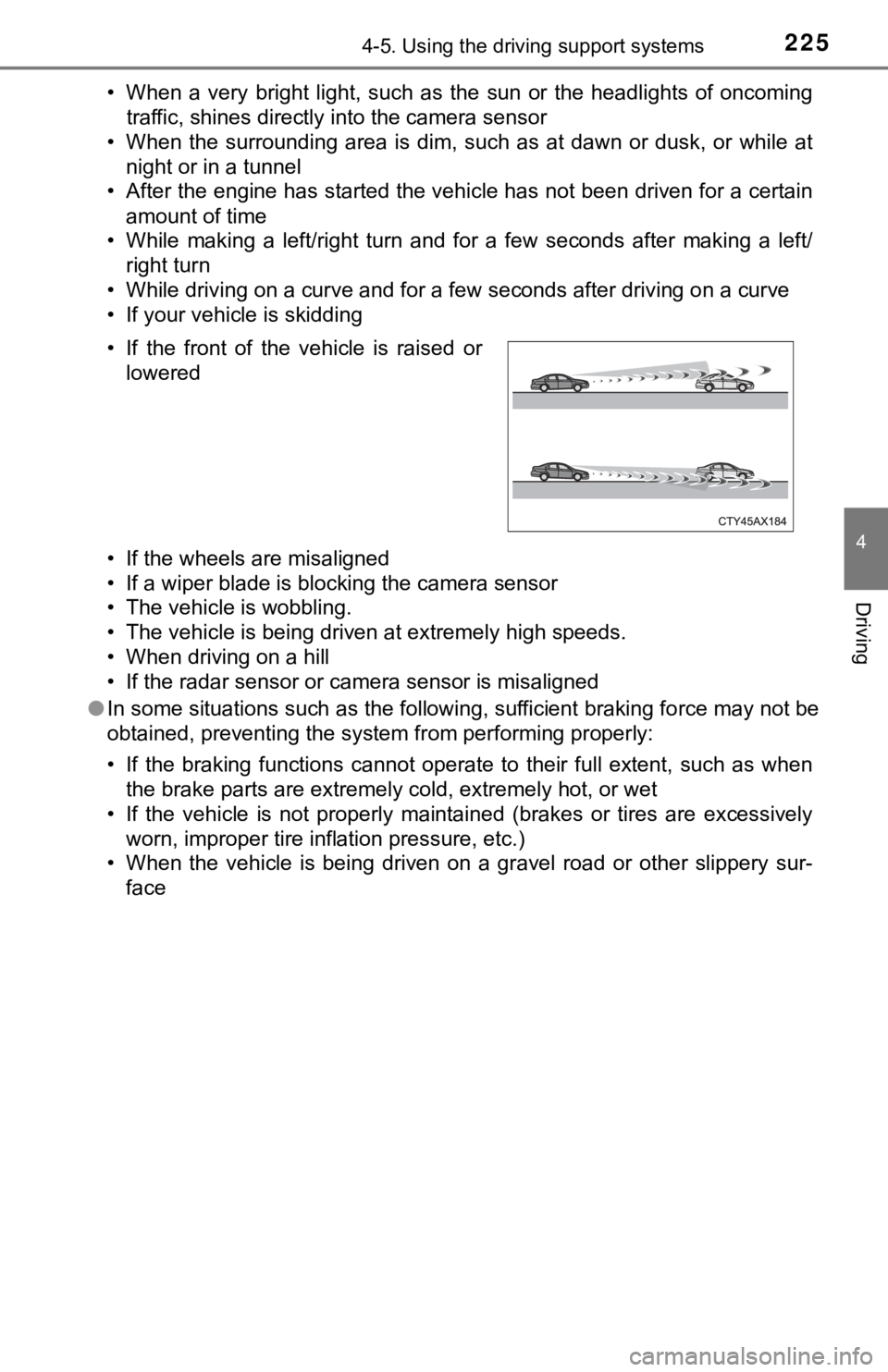
• If the front of the vehicle is raised or
lowered