turn signal TOYOTA AVALON 2019 Owners Manual (in English)
[x] Cancel search | Manufacturer: TOYOTA, Model Year: 2019, Model line: AVALON, Model: TOYOTA AVALON 2019Pages: 536, PDF Size: 9.43 MB
Page 3 of 536

3
1
8 7 5 4
3
2
9
6
3-1. Key informationKeys .................................. 112
3-2. Opening, closing and locking the doors
Doors................................. 115
Trunk ................................. 121
Smart key system.............. 125
3-3. Adjusting the seats Front seats ........................ 132
Rear seats ......................... 134
Driving position memory ........................... 136
Head restraints .................. 141
3-4. Adjusting the steering wheel and mirrors
Steering wheel .................. 143
Inside rear view mirror....... 145
Outside rear view mirrors..................... 147
3-5. Opening and closing the windows
Power windows ................. 150
Moon roof .......................... 154 4-1. Before driving
Driving the vehicle ............. 160
Cargo and luggage ............ 168
Vehicle load limits .............. 171
Trailer towing ..................... 172
Dinghy towing .................... 173
4-2. Driving procedures Engine (ignition) switch .............................. 174
Automatic transmission .................... 179
Turn signal lever ................ 185
Parking brake .................... 186
Brake Hold ......................... 190
4-3. Operating the lights and wipers
Headlight switch ................ 192
Automatic High Beam ........ 196
Windshield wipers and washer ...................... 200
4-4. Refueling Opening the fuel tank cap ........................... 204
3Operation of each
component4Driving
Page 15 of 536
15Pictorial index
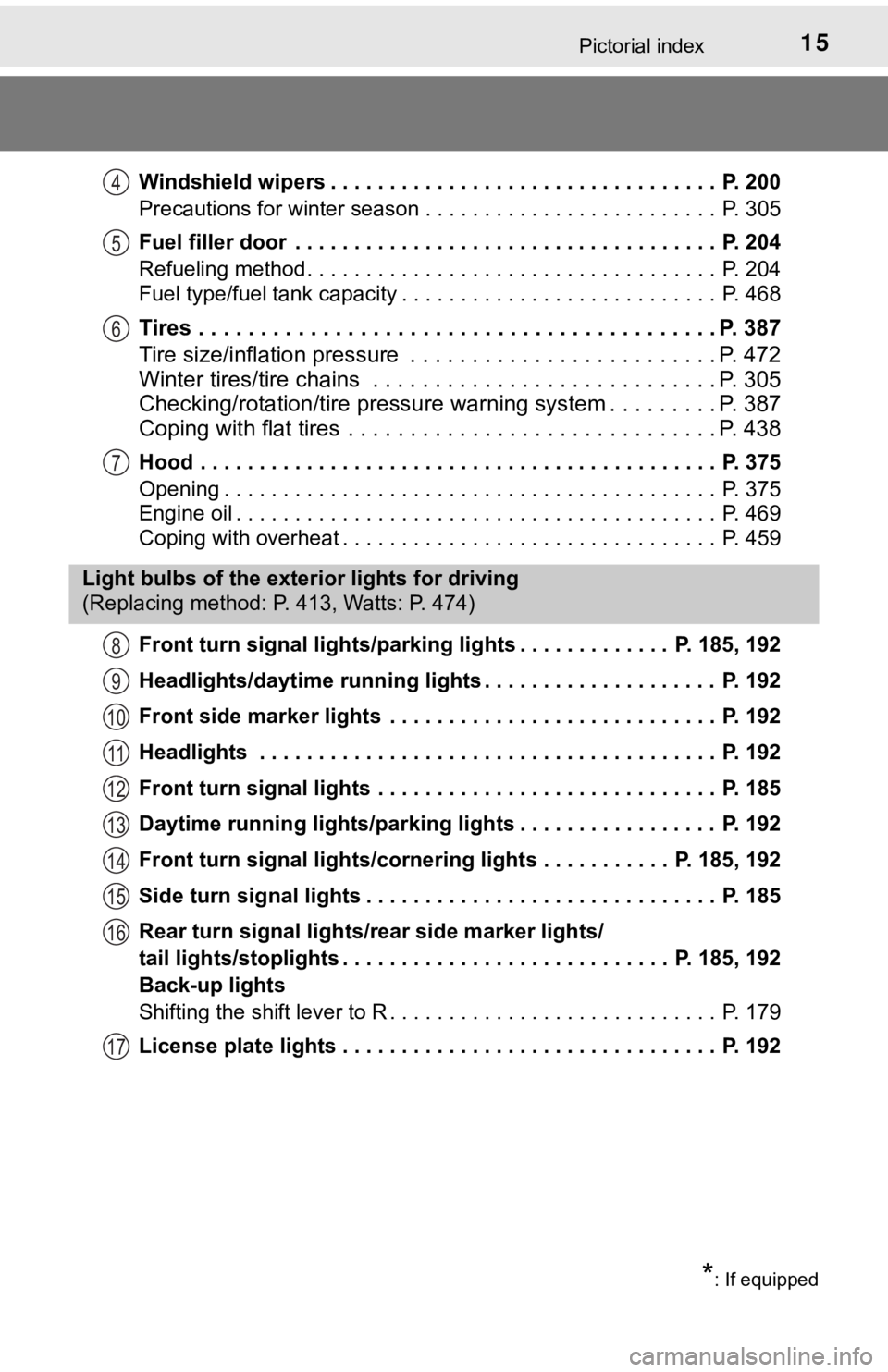
Windshield wipers . . . . . . . . . . . . . . . . . . . . . . . . . . . . . . . . . P. 200
Precautions for winter season . . . . . . . . . . . . . . . . . . . . . . . . . P. 305
Fuel filler door . . . . . . . . . . . . . . . . . . . . . . . . . . . . . . . . . . . . P. 204
Refueling method . . . . . . . . . . . . . . . . . . . . . . . . . . . . . . . . . . . P. 204
Fuel type/fuel tank capacity . . . . . . . . . . . . . . . . . . . . . . . . . . . P. 468
Tires . . . . . . . . . . . . . . . . . . . . . . . . . . . . . . . . . . . . . . . . . . P. 387
Tire size/inflation pressure . . . . . . . . . . . . . . . . . . . . . . . . . P. 472
Winter tires/tire chains . . . . . . . . . . . . . . . . . . . . . . . . . . . . P. 305
Checking/rotation/tire pressur e warning system . . . . . . . . .P. 387
Coping with flat tires . . . . . . . . . . . . . . . . . . . . . . . . . . . . . . P. 438
Hood . . . . . . . . . . . . . . . . . . . . . . . . . . . . . . . . . . . . . . . . . . . . P. 375
Opening . . . . . . . . . . . . . . . . . . . . . . . . . . . . . . . . . . . . . . . . . . P. 375
Engine oil . . . . . . . . . . . . . . . . . . . . . . . . . . . . . . . . . . . . . . . . . P. 469
Coping with overheat . . . . . . . . . . . . . . . . . . . . . . . . . . . . . . . . P. 459
Front turn signal lights/parking lights . . . . . . . . . . . . . P. 185, 192
Headlights/daytime running lights . . . . . . . . . . . . . . . . . . . . P. 192
Front side marker lights . . . . . . . . . . . . . . . . . . . . . . . . . . . . P. 192
Headlights . . . . . . . . . . . . . . . . . . . . . . . . . . . . . . . . . . . . . . . P. 192
Front turn signal lights . . . . . . . . . . . . . . . . . . . . . . . . . . . . . P. 185
Daytime running lights/parking lights . . . . . . . . . . . . . . . . . P. 192
Front turn signal lights/cornering lights . . . . . . . . . . . P. 185, 192
Side turn signal lights . . . . . . . . . . . . . . . . . . . . . . . . . . . . . . P. 185
Rear turn signal lights/r ear side marker lights/
tail lights/stoplights . . . . . . . . . . . . . . . . . . . . . . . . . . . . P. 185, 192
Back-up lights
Shifting the shift lever to R . . . . . . . . . . . . . . . . . . . . . . . . . . . . P. 179
License plate lights . . . . . . . . . . . . . . . . . . . . . . . . . . . . . . . . P. 192
4
5
6
7
Light bulbs of the exter ior lights for driving
(Replacing method: P. 413, Watts: P. 474)
*: If equipped
8
9
10
11
12
13
14
15
16
17
Page 17 of 536
17Pictorial index
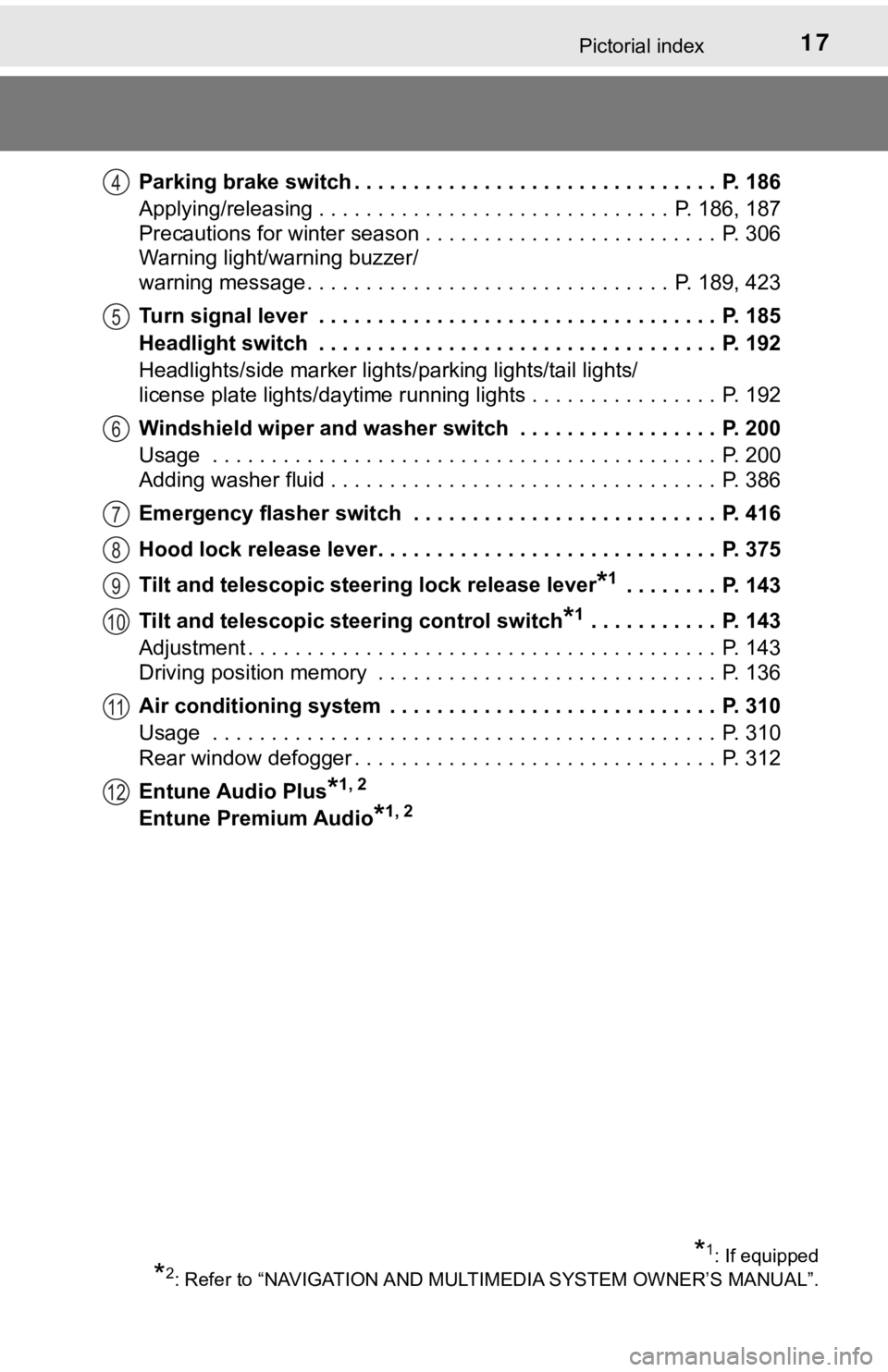
Parking brake switch . . . . . . . . . . . . . . . . . . . . . . . . . . . . . . . P. 186
Applying/releasing . . . . . . . . . . . . . . . . . . . . . . . . . . . . . . P. 186, 187
Precautions for winter season . . . . . . . . . . . . . . . . . . . . . . . . . P. 306
Warning light/warning buzzer/
warning message . . . . . . . . . . . . . . . . . . . . . . . . . . . . . . . P. 189, 423
Turn signal lever . . . . . . . . . . . . . . . . . . . . . . . . . . . . . . . . . . P. 185
Headlight switch . . . . . . . . . . . . . . . . . . . . . . . . . . . . . . . . . . P. 192
Headlights/side marker lights/parking lights/tail lights/
license plate lights/daytime running lights . . . . . . . . . . . . . . . . P. 192
Windshield wiper and washer switch . . . . . . . . . . . . . . . . . P. 200
Usage . . . . . . . . . . . . . . . . . . . . . . . . . . . . . . . . . . . . . . . . . . . P. 200
Adding washer fluid . . . . . . . . . . . . . . . . . . . . . . . . . . . . . . . . . P. 386
Emergency flasher switch . . . . . . . . . . . . . . . . . . . . . . . . . . P. 416
Hood lock release lever. . . . . . . . . . . . . . . . . . . . . . . . . . . . . P. 375
Tilt and telescopic steering lock release lever
*1 . . . . . . . . P. 143
Tilt and telescopic steering control switch
*1 . . . . . . . . . . . P. 143
Adjustment . . . . . . . . . . . . . . . . . . . . . . . . . . . . . . . . . . . . . . . . P. 143
Driving position memory . . . . . . . . . . . . . . . . . . . . . . . . . . . . . P. 136
Air conditioning system . . . . . . . . . . . . . . . . . . . . . . . . . . . . P. 310
Usage . . . . . . . . . . . . . . . . . . . . . . . . . . . . . . . . . . . . . . . . . . . P. 310
Rear window defogger . . . . . . . . . . . . . . . . . . . . . . . . . . . . . . . P. 312
Entune Audio Plus
*1, 2
Entune Premium Audio*1, 2
*1: If equipped
*2: Refer to “NAVIGATION AND MULT IMEDIA SYSTEM OWNER’S MANUAL”.
4
5
6
7
8
9
10
11
12
Page 79 of 536
792. Instrument cluster
2
Instrument cluster
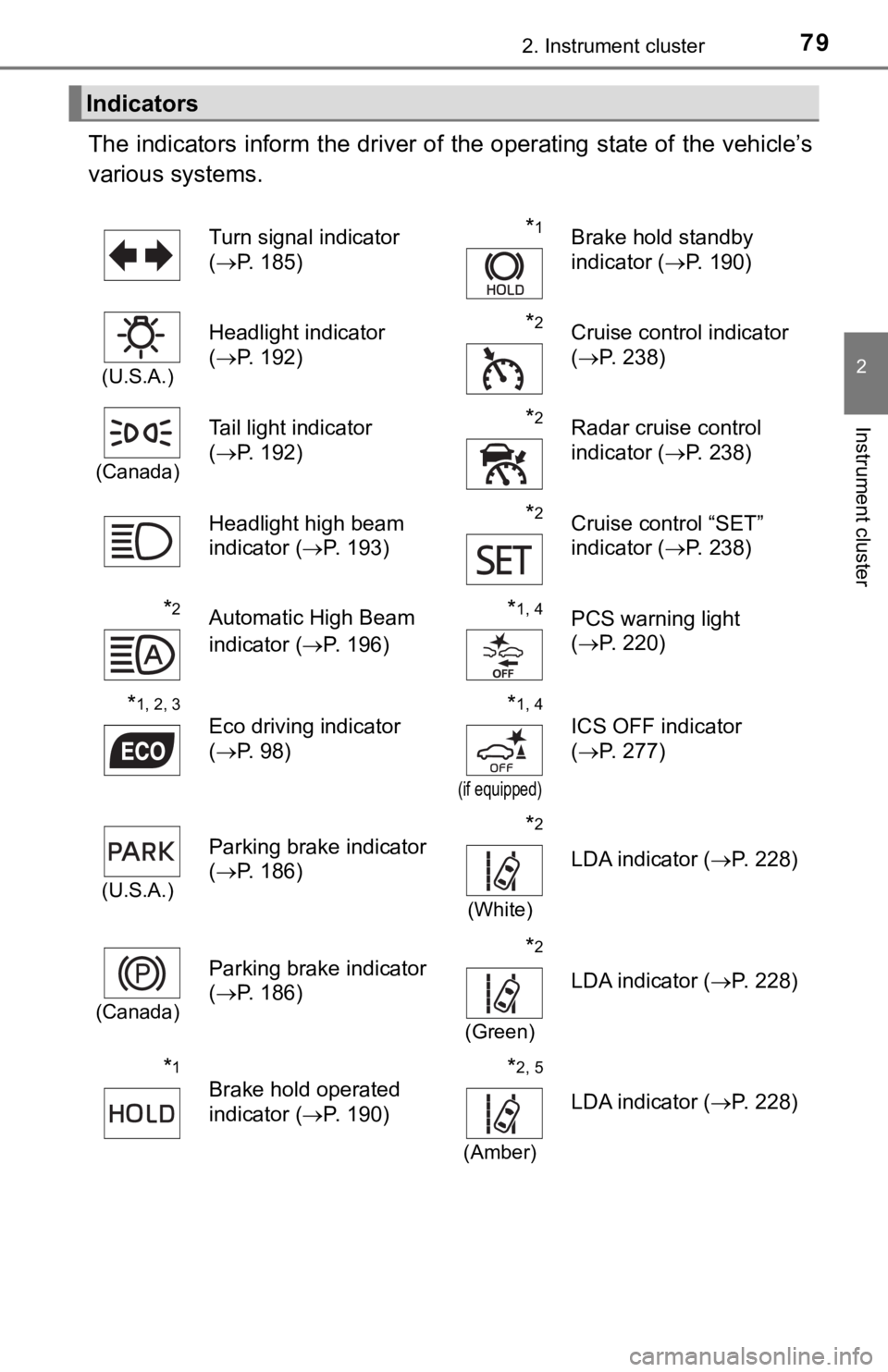
The indicators inform the driver of the operating state of the vehicle’s
various systems.
Indicators
Turn signal indicator
( P. 185)*1Brake hold standby
indicator ( P. 190)
(U.S.A.)
Headlight indicator
(P. 192)*2Cruise control indicator
(P. 238)
(Canada)
Tail light indicator
(P. 192) *2Radar cruise control
indicator ( P. 238)
Headlight high beam
indicator ( P. 193)
*2Cruise control “SET”
indicator (P. 238)
*2Automatic High Beam
indicator ( P. 196)*1, 4PCS warning light
(P. 220)
*1, 2, 3
Eco driving indicator
(P. 98)*1, 4
(if equipped)
ICS OFF indicator
(P. 277)
(U.S.A.)
Parking brake indicator
(P. 186)*2
(White)
LDA indicator ( P. 228)
(Canada)
Parking brake indicator
(P. 186)*2
(Green)
LDA indicator ( P. 228)
*1
Brake hold operated
indicator (P. 190)*2, 5
(Amber)
LDA indicator ( P. 228)
Page 128 of 536

1283-2. Opening, closing and locking the doors
■Note for the entry function
●Even when the electronic key is within the effective range (detection areas),
the system may not operate properly in the following cases:
• The electronic key is too close to the window or outside door handle, near
the ground, or in a high place when the doors are locked or unl ocked.
• The electronic key is near the ground or in a high place, or t oo close to
the rear bumper center when the trunk is opened.
• The electronic key is on the instrument panel, rear package tray or floor, or in the door pockets or glove box when the engine is started or engine
switch modes are changed.
● Do not leave the electronic key on top of the instrument panel or near the
door pockets when exiting the vehicle. Depending on the radio w ave recep-
tion conditions, it may be detected by the antenna outside the cabin and the
door will become lockable from the outside, possibly trapping the electronic
key inside the vehicle.
● As long as the electronic key is within the effective range, th e doors may be
locked or unlocked by anyone. However, only the doors detecting the elec-
tronic key can be used to unlock the vehicle.
● Even if the electronic key is not inside the vehicle, it may be possible to start
the engine if the electronic key is near the window.
● The doors may unlock or lock if a large amount of water splashes on the
door handle, such as in the rain or in a car wash, when the electronic key is
within the effective range. (The doors will automatically be lo cked after
approximately 60 seconds if the doors are not opened and closed.)
● If the wireless remote control is used to lock the doors when t he electronic
key is near the vehicle, there is a possibility that the door m ay not be
unlocked by the entry function. (Use the wireless remote contro l to unlock
the doors.)
● Touching the door lock sensor while wearing gloves may delay or prevent
lock operation. Remove the gloves and touch the lock sensor aga in.
● When the lock operation is performed using the lock sensor, rec ognition sig-
nals will be shown up to two consecutive times. After this, no recognition
signals will be given.
*
● If the door handle becomes wet while the electronic key is with in the effec-
tive range, the door may lock and unlock repeatedly. In this case, follow the
following correction procedures to wash the vehicle:
• Place the electronic key in a location 6 ft. (2 m) or more awa y from the
vehicle. (Take care to ensure that the key is not stolen.)
• Set the electronic key to battery-saving mode to disable the s mart key
system. ( P. 127)
● If the electronic key is inside the vehicle and a door handle b ecomes wet
during a car wash, a message may be shown on the multi-informat ion dis-
play and a buzzer will sound outside the vehicle. To turn off t he alarm, lock
all the doors.
Page 159 of 536

159
4Driving
4-1. Before drivingDriving the vehicle ............. 160
Cargo and luggage ........... 168
Vehicle load limits ............. 171
Trailer towing..................... 172
Dinghy towing ................... 173
4-2. Driving procedures Engine (ignition) switch .............................. 174
Automatic transmission .................... 179
Turn signal lever................ 185
Parking brake .................... 186
Brake Hold ........................ 190
4-3. Operating the lights and wipers
Headlight switch ................ 192
Automatic High Beam ....... 196
Windshield wipers and washer ............................ 200
4-4. Refueling Opening the fuel tank cap .......................... 204 4-5. Using the driving
support systems
Toyota Safety Sense P ..... 208
PCS (Pre-Collision System) .... 216
LDA (Lane Departure Alert with steering
control) ............................ 228
Dynamic radar cruise control with full-speed
range............................... 238
BSM (Blind Spot Monitor) ........ 251
• BSM function ................ 255
• RCTA function .............. 257
Rear Camera Detection function ........................... 262
Intuitive parking assist....... 266
Intelligent Clearance Sonar (ICS) ..................... 274
Driving mode select switches .......................... 295
Driving assist systems ...... 299
4-6. Driving tips Winter driving tips ............. 305
Page 185 of 536
1854-2. Driving procedures
4
Driving
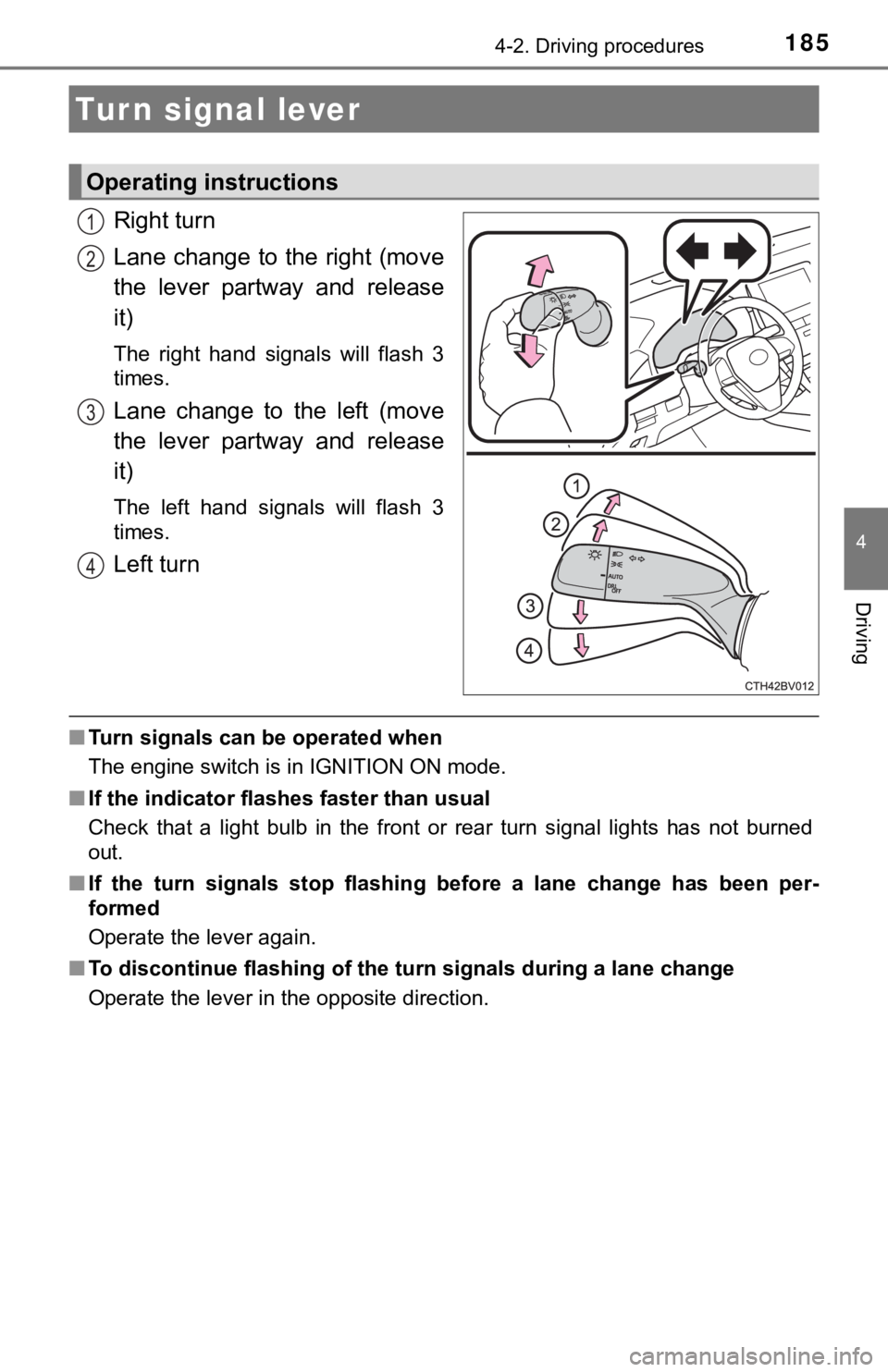
Right turn
Lane change to the right (move
the lever partway and release
it)
The right hand signals will flash 3
times.
Lane change to the left (move
the lever partway and release
it)
The left hand signals will flash 3
times.
Left turn
■Turn signals can be operated when
The engine switch is in IGNITION ON mode.
■ If the indicator flashes faster than usual
Check that a light bulb in the front or rear turn signal lights has not burned
out.
■ If the turn signals stop flashing before a lane change has been per-
formed
Operate the lever again.
■ To discontinue flashing of the turn signals during a lane chang e
Operate the lever in the opposite direction.
Turn signal lever
Operating instructions
1
2
3
4
Page 193 of 536
1934-3. Operating the lights and wipers
4
Driving
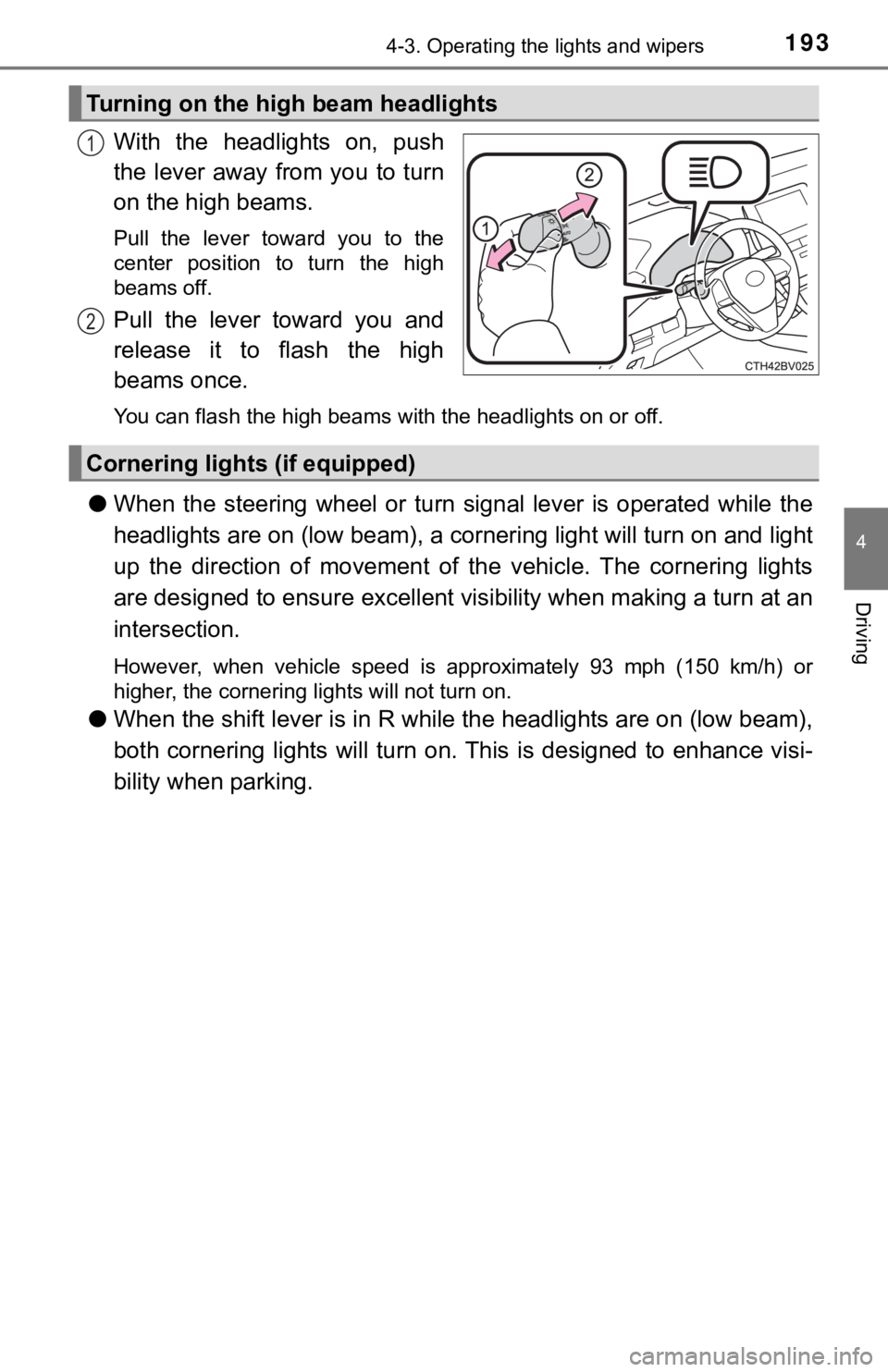
With the headlights on, push
the lever away from you to turn
on the high beams.
Pull the lever toward you to the
center position to turn the high
beams off.
Pull the lever toward you and
release it to flash the high
beams once.
You can flash the high beams with the headlights on or off.
●When the steering wheel or turn signal lever is operated while the
headlights are on (lo w beam), a cornering light will turn on and light
up the direction of movement of the vehicle. The cornering ligh ts
are designed to ensur e excellent visibility when making a turn at an
intersection.
However, when vehicle speed is approximately 93 mph (150 km/h) or
higher, the cornering lights will not turn on.
● When the shift lever is in R while the headlights are on (low b eam),
both cornering lights will turn on. This is designed to enhance visi-
bility when parking.
Turning on the high beam headlights
1
2
Cornering light s (if equipped)
Page 198 of 536

1984-3. Operating the lights and wipers
■Conditions to turn the high beams on/off automatically
●When all of the following conditions are met, the high beams will be turned
on automatically (after approximately 1 second):
• The vehicle speed is approximately 21 mph (34 km/h) or more.
• The area ahead of the vehicle is dark.
• There are no vehicles ahead with headlights or tail lights turned on.
• There are few streetlights on the road ahead.
● If any of the following conditions is met, the high beams will turn off automat-
ically:
• The vehicle speed is below approximately 17 mph (27 km/h).
• The area ahead of the vehicle is not dark.
• Vehicles ahead have their headlights or tail lights turned on.
• There are many streetlights on the road ahead.
■ Camera sensor detection information
●The high beams may not be automatically turned off in the following situa-
tions:
• When a vehicle suddenly appears from around a curve
• When the vehicle is cut in front of by another vehicle
• When vehicles ahead cannot be detected due to repeated curves, road
dividers or roadside trees
• When vehicles ahead appear in a faraway lane on a wide road
• When the lights of vehicles ahead are not on
● The high beams may be turned off if a vehicle ahead that is usi ng fog lights
without its headlights turned on is detected.
● House lights, street lights, traffic signals, and illuminated billboards or signs
and other reflective objects may cause the high beams to change to the low
beams, or the low beams to remain on.
● The following factors may affect the amount of time taken for t he high
beams to turn on or off:
• The brightness of the headlights, fog lights, and tail lights of vehicles
ahead
• The movement and direction of vehicles ahead
• When a vehicle ahead only has operational lights on one side
• When a vehicle ahead is a two-wheeled vehicle
• The condition of the road (gradient, curve, condition of the r oad surface,
etc.)
• The number of passengers and amount of luggage in the vehicle
● The high beams may turn on or off unexpectedly.
● Bicycles or similar vehicles may not be detected.
Page 234 of 536

2344-5. Using the driving support systems
■Operation conditio ns of each function
● Lane departure alert function
This function operates when all of the following conditions are met.
• LDA is turned on.
• Vehicle speed is approximately 32 mph (50 km/h) or more.
• System recognizes white (yellow) lines.
• Width of traffic lane is approximately 9.8 ft. (3 m) or more.
• Turn signal lever is not operated.
• Vehicle is driven on a straight road or around a gentle curve with a radius
of more than approximately 492 ft. (150 m).
• No system malfunctions are detected. ( P. 237)
● Steering control function
This function operates when all of the following conditions are met in addi-
tion to the operation conditions for the lane departure alert function.
• Setting for “Steering Assist” in of the multi-information dis play is set to
“On”. ( P. 91)
• Vehicle is not accelerated or decelerated by a certain amount or more.
• Steering wheel is not operated with a steering force level suitable for
changing lanes.
• ABS, VSC, TRAC and PCS are not operating.
• TRAC or VSC is not turned off.
• Hands off steering wheel warning is not displayed. ( P. 2 3 5 )
● Vehicle sway warning function
This function operates when all of the following conditions are met.
• Setting for “Sway Warning” in of the multi-information display is set to “On”. ( P. 91)
• Vehicle speed is approximately 32 mph (50 km/h) or more.
• Width of traffic lane is approximately 9.8 ft. (3 m) or more.
• No system malfunctions are detected. ( P. 237)