battery TOYOTA AVALON 2021 (in English) User Guide
[x] Cancel search | Manufacturer: TOYOTA, Model Year: 2021, Model line: AVALON, Model: TOYOTA AVALON 2021Pages: 548, PDF Size: 13.4 MB
Page 139 of 548

1393-2. Opening, closing and locking the doors
3
Operation of each component
●The lock sensor may not work properly if it comes into contact with ice,
snow, mud, etc. Clean the lock sensor and attempt to operate it again.
●A sudden approach to the effective range or door handle may prevent the
doors from being unlocked. In this case, return the door handle to the origi-
nal position and check that the doors unlock before pulling the door handle
again.
●If there is another electronic key in the detection area, it may take slightly
longer to unlock the doors after the door handle is gripped.
●Fingernails may scrape against the door during operation of the door han-
dle. Be careful not to injure fingernails or damage the surface of the door.
*: This setting can be customized at your Toyota dealer.
■When the vehicle is not driven for extended periods
●To prevent theft of the vehicle, do not leave the electronic key within 6 ft. (2
m) of the vehicle.
●The smart key system can be deactivated in advance. (P. 505)
●Setting the electronic key to battery-saving mode helps to reduce key bat-
tery depletion. (P. 137)
■To operate the system properly
Make sure to carry the electronic key when operating the system. Do not get
the electronic key too close to the vehicle when operating the system from the
outside of the vehicle.
Depending on the position and holding condition of the electronic key, the key
may not be detected correctly and the system may not operate properly. (The
alarm may go off accidentally, or the door lock prevention function may not
operate.)
■If the smart key system does not operate properly
●Locking and unlocking the doors and opening the trunk: Use the mechanical
key. (P. 463)
●Starting the engine: P. 464
■Customization
Some functions can be customized. (P. 505)
■If the smart key system has been deactivated in a customized setting
●Locking and unlocking the doors and opening the trunk:
Use the wireless remote control or mechanical key. (P. 125, 131, 463)
●Starting the engine and changing engine switch modes: P. 464
●Stopping the engine: P. 184
Page 186 of 548
1864-2. Driving procedures
■Auto power off function
If the vehicle is left in ACCESSORY mode for more than 20 minutes or IGNI-
TION ON mode (with the engine is not running) for more than an hour with
the shift lever in P, the engine switch will automatically turn off. However, this
function cannot entirely prevent battery discharge. Do not leave the vehicle
with the engine switch in ACCESSORY or IGNITION ON mode for long peri-
ods of time when the engine is not running.
■Automatic engine shut off feature
●The vehicle is equipped with a feature that automatically shuts off the
engine when the shift lever is in P with the engine running for an extended
period.
●The engine will automatically shut off after approximately 1 hour if it has
been left running while the shift lever is in P.
●The timer for the automatic engine shut off feature will reset if the brake
<0053004800470044004f0003004c005600030047004800530055004800560056004800470003005200550003004c004900030057004b004800030056004b004c004900570003004f00480059004800550003004c00560003004c0051000300440003005300
520056004c0057004c00520051000300520057004b00480055[ than P.
●After the vehicle is parked, if the door is locked with the door lock switch
(P. 127) from the inside or the mechanical key (P. 463) from the outside,
the automatic engine shut off feature will be disabled. The timer for the auto-
matic engine shut off feature will be re-enabled if the driver’s door is
opened.
■Electronic key battery depletion
P. 123
■Conditions affecting operation
P. 137
■Notes for the entry function
P. 138
■If the engine does not start
●The engine immobilizer system may not have been deactivated. (P. 77)
Contact your Toyota dealer.
●Check that the shift lever is securely set in P. The engine may not start if the
shift lever is displaced out of P.
■Steering lock
After turning the engine switch off and opening and closing the doors, the
steering wheel will be locked due to the steering lock function. Operating the
engine switch again automatically cancels the steering lock.
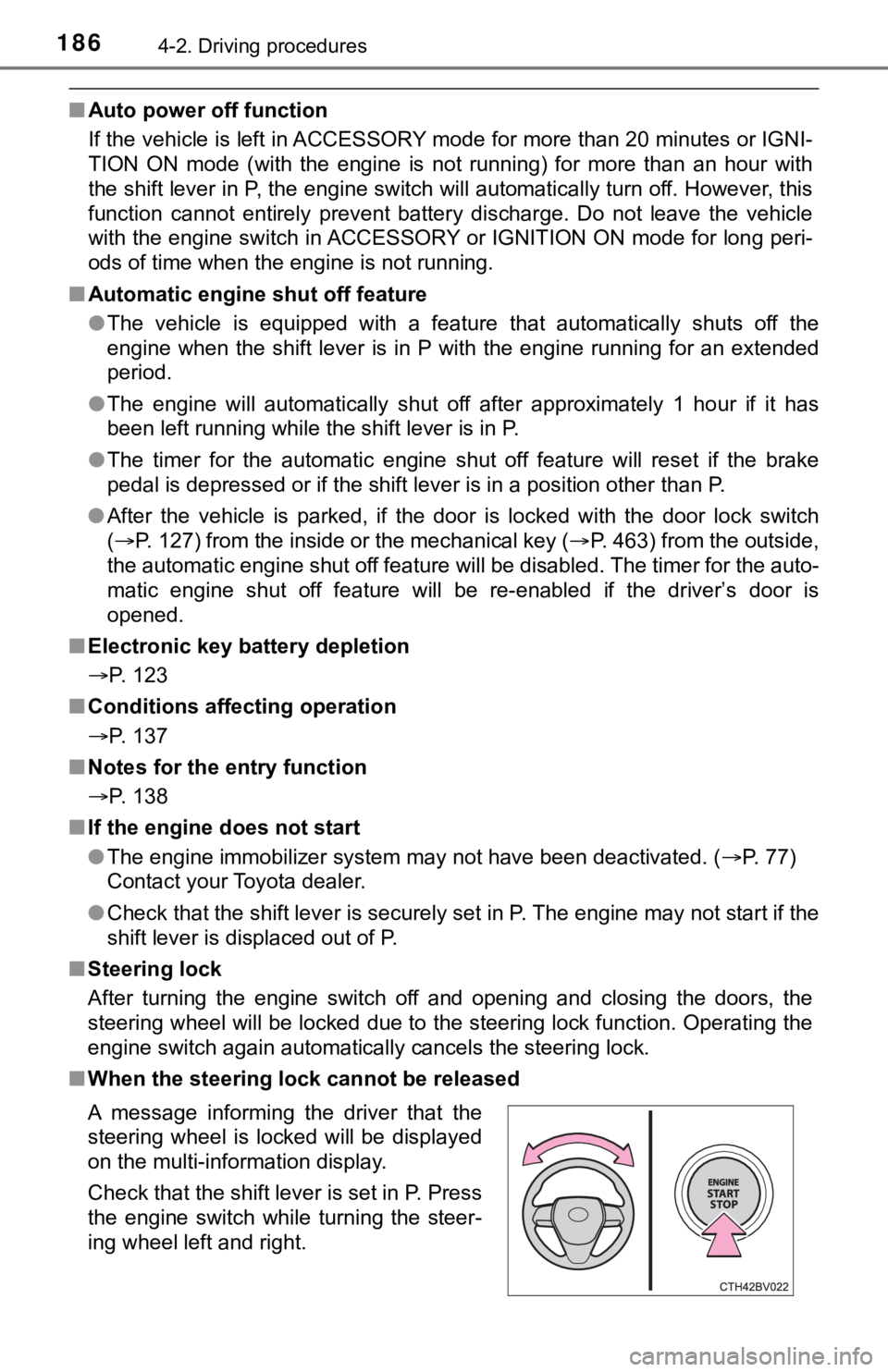
■When the steering lock cannot be released
A message informing the driver that the
steering wheel is locked will be displayed
on the multi-information display.
Check that the shift lever is set in P. Press
the engine switch while turning the steer-
ing wheel left and right.
Page 187 of 548

1874-2. Driving procedures
4
Driving
■Steering lock motor overheating prevention
To prevent the steering lock motor from overheating, the motor may be sus-
pended if the engine is turned on and off repeatedly in a short period of time.
In this case, refrain from operating the engine. After about 10 seconds, the
steering lock motor will resume functioning.
■When a message requesting the smart key system be inspected is dis-
played on the multi-information display
The system may be malfunctioning. Have the vehicle inspected by your
Toyota dealer immediately.
■If the electronic key battery is depleted
P. 415
■Operation of the engine switch
●If the switch is not pressed shortly and firmly, the engine switch mode may
not change or the engine may not start.
●If attempting to restart the engine immediately after turning the engine
switch off, the engine may not start in some cases. After turning the engine
switch off, wait a few seconds before restarting the engine.
■If the smart key system has been deactivated in a customized setting
P. 463
WARNING
■When starting the engine
Always start the engine while sitting in the driver’s seat. Do not depress the
accelerator pedal while starting the engine under any circumstances.
Doing so may cause an accident resulting in death or serious injury.
■Caution while driving
If engine failure occurs while the vehicle is moving, do not lock or open the
doors until the vehicle reaches a safe and complete stop. Activation of the
steering lock in this circumstance may lead to an accident, resulting in
death or serious injury.
■Stopping the engine in an emergency
●If you want to stop the engine in an emergency while driving the vehicle,
press and hold the engine switch for more than 2 seconds, or press it
briefly 3 times or more in succession. (P. 425)
However, do not touch the engine switch while driving except in an emer-
gency. Turning the engine off while driving will not cause loss of steering
or braking control, but the power assist to these systems will be lost. This
will make it more difficult to steer and brake, so you should pull over and
stop the vehicle as soon as it is safe to do so.
●If the engine switch is operated while the vehicle is running, a warning
message will be shown on the multi-information display and a buzzer
sounds.
●When restarting the engine after it was turned off while driving, shift the
shift lever to N and press the engine switch.
Page 188 of 548

1884-2. Driving procedures
WARNING
■When parking
Exhaust gases include harmful carbon monoxide (CO), which is colorless
and odorless. Observe the following precautions.
Failure to do so may cause exhaust gases to enter the vehicle and may
lead to an accident caused by light-headedness, or may lead to death or a
serious health hazard.
●If the vehicle is in a poorly ventilated area or a closed area, such as a
garage, stop the engine.
●Do not leave the vehicle with the engine running for a long time. If such a
situation cannot be avoided, park the vehicle in an open space and ensure
that exhaust fumes do not enter the vehicle interior.
●Do not leave the engine running in an area with snow build-up, or where it
is snowing. If snowbanks build up around the vehicle while the engine is
running, exhaust gases may collect and enter the vehicle.
NOTICE
■To prevent battery discharge
●Do not leave the engine switch in ACCESSORY or IGNITION ON mode
for long periods of time without the engine running.
●If “ACCESSORY” or “IGNITION ON” is displayed on the multi-information
display, the engine switch is not off. Exit the vehicle after turning the
engine switch off.
●Do not stop the engine when the shift lever is in a position other than P. If
the engine is stopped in another shift lever position, the engine switch will
not be turned off but instead be turned to ACCESSORY mode. If the vehi-
cle is left in ACCESSORY mode, battery discharge may occur.
■When starting the engine
●Do not race a cold engine.
●If the engine becomes difficult to start or stalls frequently, have your vehi-
cle checked by your Toyota dealer immediately.
■Symptoms indicating a malfunction with the engine switch
If the engine switch seems to be operating somewhat differently than usual,
such as the switch sticking slightly, there may be a malfunction. Contact
your Toyota dealer immediately.
Page 205 of 548
2054-3. Operating the lights and wipers
4
Driving
■Automatic light off system
●When the headlights are on: The headlights and tail lights turn off 30 sec-
onds after the engine switch is turned to ACCESSORY mode or turned off
and a door is opened and closed. (The lights turn off immediately if
on the key is pressed twice after all the doors are closed.)
●When only the tail lights are on: The tail lights turn off automatically if the
engine switch is turned to ACCESSORY mode or turned off and the driver’s
door is opened.
To turn the lights on again, turn the engine switch to IGNITION ON mode, or
turn the light switch off once and then back to or .
If any of the doors or trunk lid is kept open, the lights automatically turn off
after 20 minutes.
■Light reminder buzzer (except when the light switch is in )
A buzzer sounds when the engine switch is turned off or turned to ACCES-
SORY mode and the driver's door is opened while the lights are turned on.
■Windshield wiper linked headlight illumination
When driving during daytime with the headlight switch turned to , if the
windshield wipers are used, the headlights will turn on automatically after
<005600480059004800550044004f000300560048004600520051004700560003005700520003004b0048004f0053000300480051004b004400510046004800030057004b004800030059004c0056004c0045004c004f004c0057005c000300520049000300
5c005200580055000300590048004b004c0046004f00480011[
■Battery-saving function
In the following conditions, the remaining lights will go off automatically after
20 minutes in order to prevent the vehicle battery from being discharged:
●The headlights and/or tail lights are on.
●The engine switch is in ACCESSORY mode or turned off.
This function will be canceled in any of the following situations:
●<003a004b0048005100030057004b0048000300480051004a004c0051004800030056005a004c00570046004b0003004c005600030057005800550051004800470003005700520003002c002a0031002c0037002c0032003100030032003100030050005200
4700480011[
●When the light switch is operated
●When a door or the trunk is opened or closed
■Welcome lighting
If the headlight switch is turned to and the surrounding area is dark,
unlocking the doors using the smart key system or wireless remote control
will turn the parking lights and tail lights on automatically.
■Customization
Some functions can be customized. (P. 505)
NOTICE
■To prevent battery discharge
Do not leave the lights on longer than necessary when the engine is not
running.
Page 231 of 548
2314-5. Using the driving support systems
4
Driving
■Operational conditions
The pre-collision system is enabled and the system determines that the pos-
<0056004c0045004c004f004c0057005c000300520049000300440003004900550052005100570044004f000300460052004f004f004c0056004c005200510003005a004c0057004b00030044000300590048004b004c0046004f0048000300520055000300
53004800470048005600570055004c004400510003004c0056[ high.
Each function is operational at the following speeds:
●Pre-collision warning:
• Vehicle speed is between approximately 7 and 110 mph (10 and 180
km/h). (For detecting a pedestrian, vehicle speed is between approxi-
mately 7 and 50 mph [10 and 80 km/h].)
• The relative speed between your vehicle and the vehicle or pedestrian
ahead is approximately 7 mph (10 km/h) or more.
●Pre-collision brake assist:
• Vehicle speed is between approximately 20 and 110 mph (30 and 180
km/h). (For detecting a pedestrian, vehicle speed is between approxi-
mately 20 and 50 mph [30 and 80 km/h].)
• The relative speed between your vehicle and the vehicle or pedestrian
ahead is approximately 20 mph (30 km/h) or more.
●Pre-collision braking:
• Vehicle speed is between approximately 7 and 110 mph (10 and 180
km/h). (For detecting a pedestrian, vehicle speed is between approxi-
mately 7 and 50 mph [10 and 80 km/h].)
• The relative speed between your vehicle and the vehicle or pedestrian
ahead is approximately 7 mph (10 km/h) or more.
The system may not operate in the following situations:
●If a battery terminal has been disconnected and reconnected and then the
vehicle has not been driven for a certain amount of time
●If the shift lever is in R
●If VSC is disabled (only the pre-collision warning function will be opera-
tional)
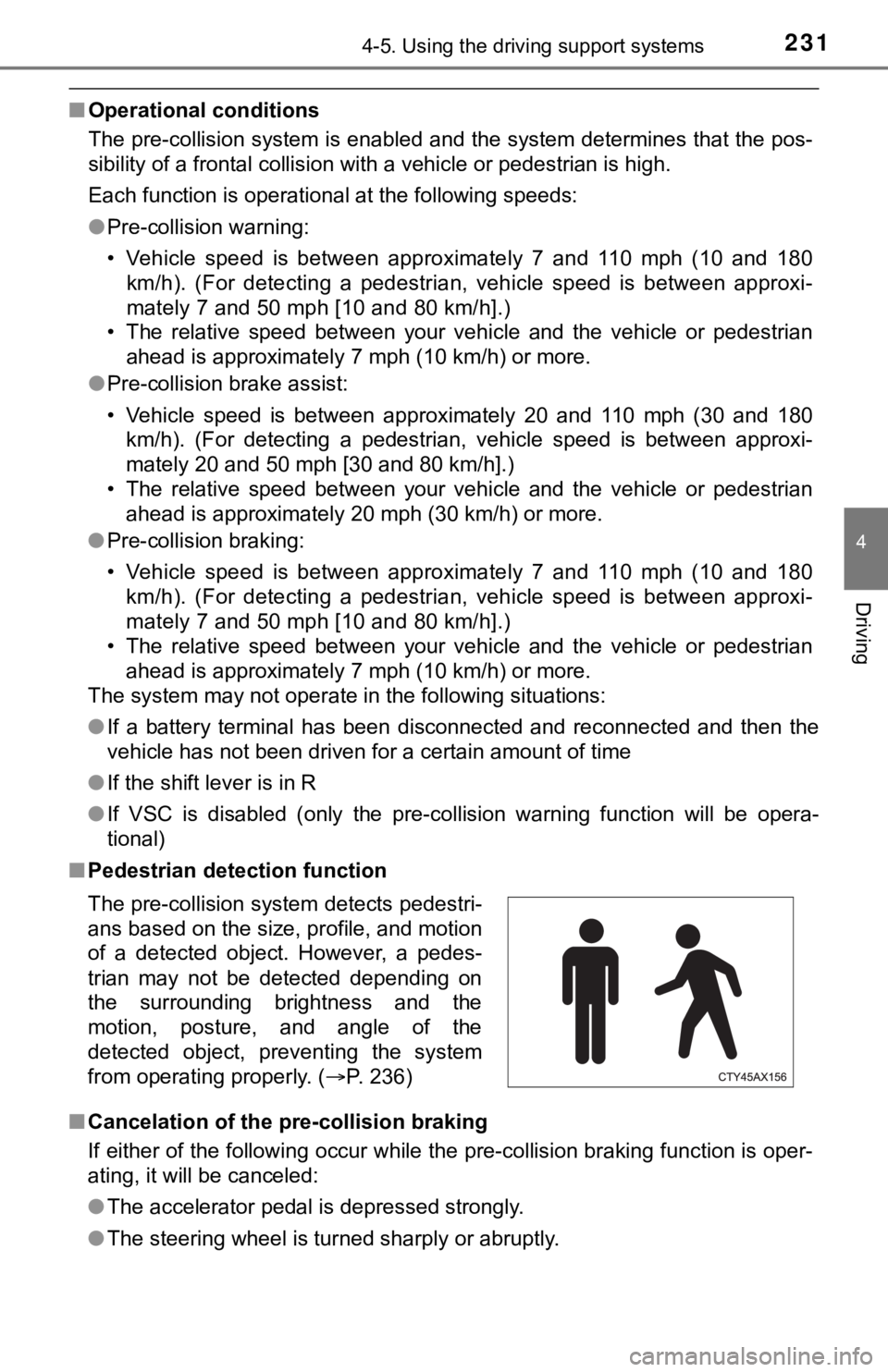
■Pedestrian detection function
■Cancelation of the pre-collision braking
If either of the following occur while the pre-collision braking function is oper-
ating, it will be canceled:
●The accelerator pedal is depressed strongly.
●The steering wheel is turned sharply or abruptly. The pre-collision system detects pedestri-
ans based on the size, profile, and motion
of a detected object. However, a pedes-
trian may not be detected depending on
the surrounding brightness and the
motion, posture, and angle of the
detected object, preventing the system
from operating properly. (P. 236)
Page 274 of 548

2744-5. Using the driving support systems
■If “Clean dirt from lens” is displayed on the audio system screen
A rear camera lens may be dirty or covered with snow or ice. In such cases, if
it is removed from the rear camera lens, the system should return to normal.
(It may be necessary to drive the vehicle for some time before the system
returns to normal.)
■If “RCD unavailable” is displayed on the audio system screen
●If this message is displayed after the battery has been disconnected and
reconnected, fully turn the steering wheel to the left and then the right on
level ground.
●If this message is displayed only when the R shift position is selected, the
rear camera lens may be dirty. Clean the rear camera lens.
■Situations in which the system may not operate properly
●Some pedestrians, such as the following, may not be detected by the rear
camera detection function, preventing the function from operating properly:
• Pedestrians who are squatting
• Pedestrians who are lying down
• Pedestrians who are running
• Pedestrians who suddenly enter the detection area
• Pedestrians riding a bicycle, skateboard, or other light vehicle
• Pedestrians wearing unusual clothing, such as a costume
• Pedestrians whose body is partially hidden by a cart or other object
• Pedestrians which are obscured by darkness, such as at night
●In some situations, such as the following, pedestrians may not be detected
by the rear camera detection function, preventing the function from operat-
ing properly:
• When backing up in inclement weather (rain, snow, fog, etc.)
• When the rear camera is obscured (dirt, snow, ice, etc. are attached) or
scratched
• When a very bright light, such as the sun, or the headlights of another
vehicle, shines directly into the rear camera
• When backing up in a place where the surrounding brightness changes
suddenly, such as at the entrance or exit of a garage or underground
parking lot
Page 280 of 548

2804-5. Using the driving support systems
■The intuitive parking assist can be operated when
●Front corner sensors:
• The engine switch is in IGNITION ON mode.
• The shift lever is in other than P.
• The vehicle speed is less than about 6 mph (10 km/h).
●Front center sensors:
• The engine switch is in IGNITION ON mode.
• The shift lever is in other than P or R.
• The vehicle speed is less than about 6 mph (10 km/h).
●Rear corner and rear center sensors:
• The engine switch is in IGNITION ON mode.
• The shift lever is in R.
• The vehicle speed is less than about 6 mph (10 km/h).
■Intuitive parking assist display
When an object is detected while the Toyota parking assist monitor or pan-
oramic view monitor is in use, the warning indicator will appear in the upper
part of the screen even if the display setting has been set to off.
■Sensor detection information
●The sensor’s detection areas are limited to the areas around the vehicle’s
bumper.
●Depending on the shape of the object and other factors, the detection dis-
tance may shorten, or detection may be impossible.
●Objects may not be detected if they are too close to the sensor.
●There will be a short delay between object detection and display. Even at
slow speeds, there is a possibility that the object will come within the sen-
<00560052005500b600560003004700480057004800460057004c00520051000300440055004800440056000300450048004900520055004800030057004b004800030047004c00560053004f0044005c0003004c005600030056004b0052005a0051000300
440051004700030057004b0048000300450058005d005d0048[r sounds.
●Thin posts or objects lower than the sensor may not be detected when
approached, even if they have been detected once.
●It might be difficult to hear beeps due to the volume of audio system or air
flow noise of the air conditioning system.
■If a battery terminal has been disconnected and reconnected
The system needs to be initialized.
To initialize the system, drive the vehicle straight ahead for 5 seconds or more
at a speed of approximately 22 mph (35 km/h) or more.
■If “Parking Assist Unavailable Clean Parking Assist Sensor” is displayed
on the multi-information display
A sensor may be dirty or covered with snow or ice. In such cases, if it is
removed from the sensor, the system should return to normal.
Also, due to the sensor being frozen at low temperatures, a malfunction dis-
play may appear or an object may not be detected. If the sensor thaws out,
the system should return to normal.
Page 281 of 548

2814-5. Using the driving support systems
4
Driving
■If “Parking Assist Unavailable” is displayed on the multi-information dis-
play
●Water may be continuously flowing over the sensor surface, such as in a
heavy rain. When the system determines that it is normal, the system will
return to normal.
●Initialization may not have been performed after a battery terminal was dis-
connected and reconnected. Initialize the system. If this message continues
to be displayed even after initialization, have the vehicle inspected by your
Toyota dealer.
■Certification
For vehicles sold in Canada
This ISM device complies with Canadian ICES-001.
Cet appareil ISM est conforme a la norme NMB-001 du Canada.
■Customization
Some functions can be customized. (P. 100, 506)
WARNING
■When using the intuitive parking assist
Observe the following precautions.
Failing to do so may result in the vehicle being unable to be driven safely
and possibly cause an accident.
●Do not use the sensor at speeds in excess of 6 mph (10 km/h).
●The sensors’ detection areas and reaction times are limited. When moving
forward or reversing, check the areas surrounding the vehicle (especially
the sides of the vehicle) for safety, and drive slowly, using the brake to
control the vehicle’s speed.
●Do not install accessories within the sensors’ detection areas.
Page 295 of 548

2954-5. Using the driving support systems
4
Driving
●Other ultrasonic waves sources
• When vehicle horns, vehicle detectors, motorcycle engines, air brakes of
large vehicles, the clearance sonar of other vehicles or other devices
which produce ultrasonic waves are near the vehicle
• If a sticker or an electronic component, such as a backlit license plate
(especially fluorescent type), fog lights, a fender pole or wireless antenna
is installed near a sensor
●Changes in the vehicle posture
• If the vehicle is significantly tilted
• If the front of the vehicle is raised or lowered due to the carried load
• If the orientation of a sensor has been changed due to a collision or other
impact
■If a battery terminal has been disconnected and reconnected
The system needs to be initialized.
To initialize the system, drive the vehicle straight ahead for 5 seconds or more
at a speed of approximately 22 mph (35 km/h) or more.
■If “ICS Unavailable” is displayed on the multi-information display and
the ICS OFF indicator is flashing
Initialization may not have been performed after a battery terminal was dis-
connected and reconnected. Initialize the system. (P. 295)
If this message continues to be displayed even after initialization, have the
vehicle inspected by your Toyota dealer.
■If “ICS Unavailable” and “Parking Assist Unavailable Clean Parking
Assist Sensor” are displayed on the multi-information display and the
ICS OFF indicator is flashing
●A sensor may be covered with ice, snow, dirt, etc. In this case, remove the
ice, snow, dirt, etc., from the sensor to return the system to normal. If this
message is shown even after removing dirt from the sensor, or shown when
the sensor was not dirty to begin with, have the vehicle inspected at your
Toyota dealer.
●A sensor may be frozen. Once the ice melts, the system will return to nor-
mal.
●Water may be continuously flowing over the sensor surface, such as in a
heavy rain. When the system determines that it is normal, the system will
return to normal.