display TOYOTA AVALON 2022 Workshop Manual
[x] Cancel search | Manufacturer: TOYOTA, Model Year: 2022, Model line: AVALON, Model: TOYOTA AVALON 2022Pages: 572, PDF Size: 9.42 MB
Page 200 of 572

2004-2. Driving procedures
■Parking the vehicle
P. 172
■ Parking brake operation
●When the engine switch is not in IGNITION ON mode, the parking brake
cannot be released using the parking brake switch.
● When the engine switch is not in IGNITION ON mode, automatic mode
(automatic brake setting and releasing) is not available.
■ Automatic release function
The parking brake is automatica lly released when slowly depress the acceler-
ator pedal.
The parking brake will be released automatically under the foll owing condi-
tions:
● The driver’s door is closed.
● The driver’s seat belt is fastened.
● Shift the shift lever is in a forward or reverse position.
● The malfunction indicator lamp or brake system warning light is not illumi-
nated.
If the automatic release function does not operate, manually re lease the park-
ing brake.
■ If “Parking Brake Temporarily Un available” is displayed on the multi-
information display
If the parking brake is operated repeatedly over a short period of time, the
system may restrict operation to prevent overheating. If this happens, refrain
from operating the parking brake. Normal operation will return after about 1
minute.
■ If “Parking Brake Unavailable” is displayed on the multi-information dis-
play
Operate the parking brake switch. If the message does not disappear after
operating the switch several times, the system may be malfuncti oning. Have
the vehicle inspected by your Toyota dealer immediately.
■ Parking brake operation sound
When the parking brake operates, a motor sound (whirring sound) may be
heard. This does not indicate a malfunction.
■ Parking brake indicator light and parking brake light
●Depending on the engine switch mode, the parking brake indicato r light and
parking brake light will turn on and stay on as described below:
IGNITION ON mode: Comes on until the parking brake is released.
Not in IGNITION ON mode: Stays on for approximately 15 seconds.
● When the engine switch is turned off with the parking brake set, the parking
brake indicator light and parking brake light will stay on for about 15 sec-
onds. This does not indicate a malfunction.
Page 201 of 572
2014-2. Driving procedures
4
Driving
■Parking brake engaged warning buzzer
A buzzer will sound if the vehicle is driven with the parking b rake engaged.
“Release Parking Brake” is displayed on the multi-information display.
■ Warning messages and buzzers
Warning messages and buzzers are used to indicate a system malfunction or
to inform the driver of the need for caution. If a warning message is shown on
the multi-information display, read the message and follow the instructions.
■ If the brake system warning light comes on
P. 455
■ Usage in winter time
P. 336
WARNING
■When parking the vehicle
Do not leave a child in the vehicle alone. The parking brake may be
released unintentionally and there is the danger of the vehicle moving that
may lead to an accident resulting in death or serious injury.
■ Parking brake switch
Do not set any objects near the parking brake switch. Objects m ay interfere
with the switch and may lead the parking brake to unexpectedly operate.
NOTICE
■ When parking the vehicle
Before you leave the vehicle, shift the shift lever to P, set the parking brake
and make sure that the vehicle does not move.
■ When the system malfunctions
Stop the vehicle in a safe place and check the warning messages.
■ When the parking brake cannot be released due to a malfunction
Driving the vehicle with the parking brake set will lead to bra ke components
overheating, which may affect braking performance and increase brake
wear. Contact your Toyota dealer immediately if this occurs.
Page 202 of 572
2024-2. Driving procedures
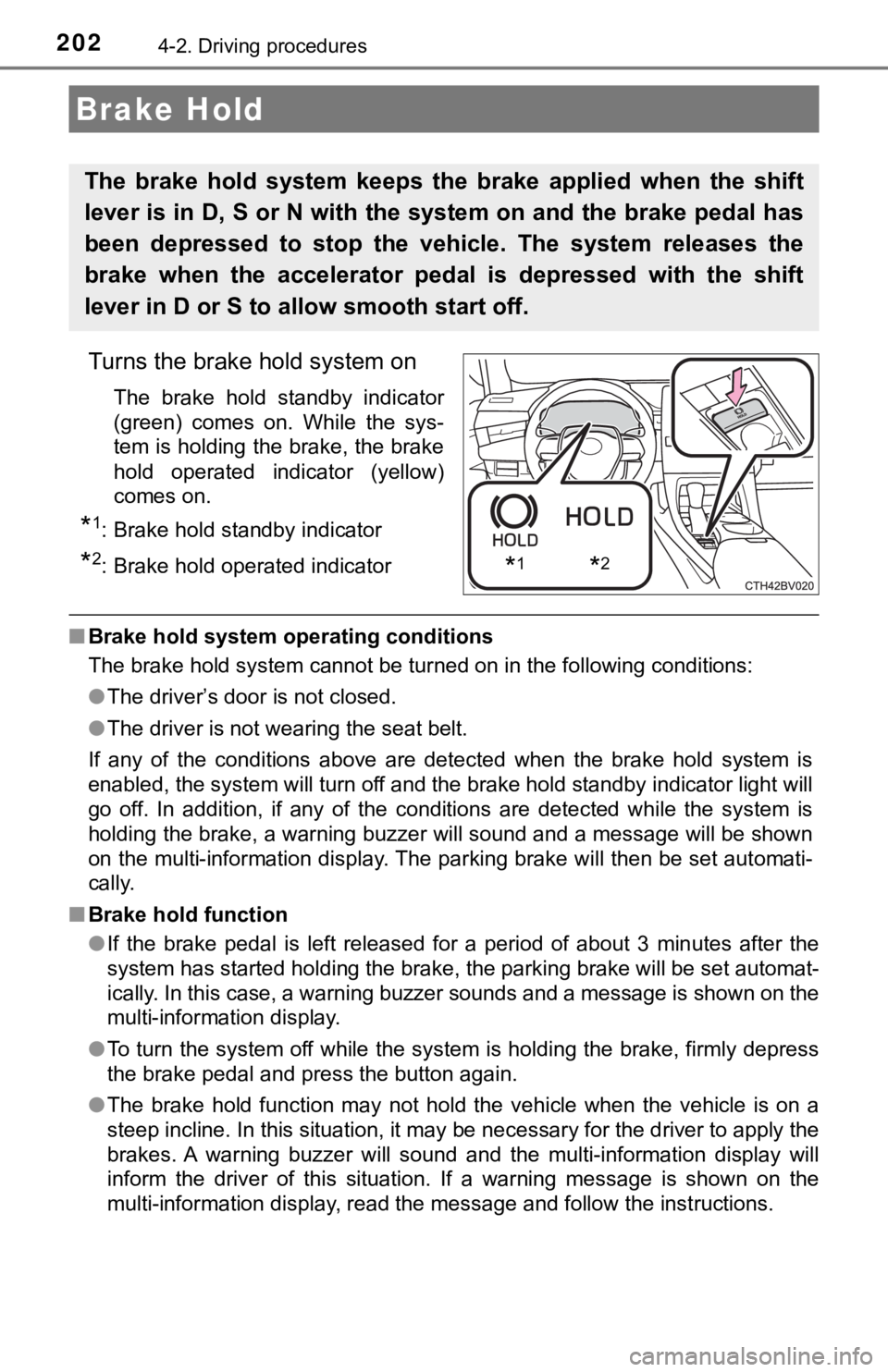
Turns the brake hold system on
The brake hold standby indicator
(green) comes on. While the sys-
tem is holding the brake, the brake
hold operated indicator (yellow)
comes on.
*1: Brake hold standby indicator
*2: Brake hold operated indicator
■Brake hold system operating conditions
The brake hold system cannot be turned on in the following cond itions:
● The driver’s door is not closed.
● The driver is not wearing the seat belt.
If any of the conditions above are detected when the brake hold system is
enabled, the system will turn off and the brake hold standby in dicator light will
go off. In addition, if any of the conditions are detected whil e the system is
holding the brake, a warning buzzer will sound and a message will be shown
on the multi-information display. The parking brake will then b e set automati-
cally.
■ Brake hold function
●If the brake pedal is left released for a period of about 3 min utes after the
system has started holding the brake, the parking brake will be set automat-
ically. In this case, a warning buzzer sounds and a message is shown on the
multi-information display.
● To turn the system off while the system is holding the brake, f irmly depress
the brake pedal and press the button again.
● The brake hold function may not hold the vehicle when the vehic le is on a
steep incline. In this situation, it may be necessary for the d river to apply the
brakes. A warning buzzer will sound and the multi-information d isplay will
inform the driver of this situation. If a warning message is sh own on the
multi-information display, read the message and follow the inst ructions.
Brake Hold
The brake hold system keeps the brake applied when the shift
lever is in D, S or N with the system on and the brake pedal has
been depressed to stop the vehicle. The system releases the
brake when the accelerator pedal is depressed with the shift
lever in D or S to allow smooth start off.
*1*2
Page 203 of 572
2034-2. Driving procedures
4
Driving
■When the parking brake is set automatically while the system is holding
the brakes
Perform any of the following operations to release the parking brake.
● Depress the accelerator pedal. (The parking brake will not be released auto-
matically if the seat belt is not fastened.)
● Operate the parking brake switch with the brake pedal depressed .
Make sure that the parking brake indicator light goes off. ( P. 198)
■ When an inspection at your Toyota dealer is necessary
When the brake hold standby indicator (green) does not illumina te even when
the brake hold switch is pressed with the brake hold system ope rating condi-
tions met, the system may be malfunctioning. Have the vehicle inspected at
your Toyota dealer.
■ Warning messages and buzzers
Warning messages and buzzers are used to indicate a system malfunction or
to inform the driver of the need for caution. If a warning message is shown on
the multi-information display, read the message and follow the instructions.
■ If the brake hold operated indicator flashes
P. 457
WARNING
■When the vehicle is on a steep incline
When using the brake hold system on a steep incline, exercise caution. The
brake hold function may not hold the vehicle in such a situatio n.
■ When stopped on a slippery road
The system cannot stop the vehicle when the gripping ability of the tires has
been exceeded. Do not use the system when stopped on a slippery road.
NOTICE
■When parking the vehicle
The brake hold system is not designed for use when parking the vehicle for
a long period of time. Turning the engine switch off while the system is hold-
ing the brake may release the brake, which would cause the vehi cle to
move. When operating the engine switch, depress the brake pedal, shift the
shift lever to P and set the parking brake.
Page 226 of 572
2264-5. Using the driving support systems
■If a warning message is displayed on the multi-information display
A system may be temporarily unavailable or there may be a malfu nction in
the system.
● In the following situations, perform the actions specified in t he table. When
the normal operating conditions are detected, the message will disappear
and the system will become operational.
If the message does not disappear, contact your Toyota dealer.
SituationAction
When the area around a camera is
covered with dirt, moisture (fogged
up, covered with condensation, ice,
etc.), or other foreign matterUsing the wiper and A/C function,
remove the dirt and other attached
matter. ( P. 344)
When the temperature around the
front camera is outside of the opera-
tional range, such as when the vehi-
cle is in the sun or in an extremely
cold environment
If the front camera is hot, such as
after the vehicle had been parked in
the sun, use the air conditioning sys-
tem to decrease the temperature
around the front camera.
If a sunshade was used when the
vehicle was parked, depending on
its type, the sunlight reflected from
the surface of the sunshade may
cause the temperature of the front
camera to become excessively high.
If the front camera is cold, such after
the vehicle is parked in an extremely
cold environment, use the air condi-
tioning system to increase the tem-
perature around the front camera.
The area in front of the front camera
is obstructed, such as when the
hood is open or a sticker is attached
to the part of the windshield in front
of the front camera. Close the hood, remove the sticker,
etc. to clear the obstruction.
When “Pre-Collision System Radar
In Self Calibration Unavailable See
Owner's Manual” is displayedCheck whether there is attached
materials on the radar sensor and
radar sensor cover, and if there is,
remove it.
Page 228 of 572
2284-5. Using the driving support systems
The system can detect the following (The detectable objects dif fers
depending on the function.):
● Vehicles
● Bicyclists
● Pedestrians
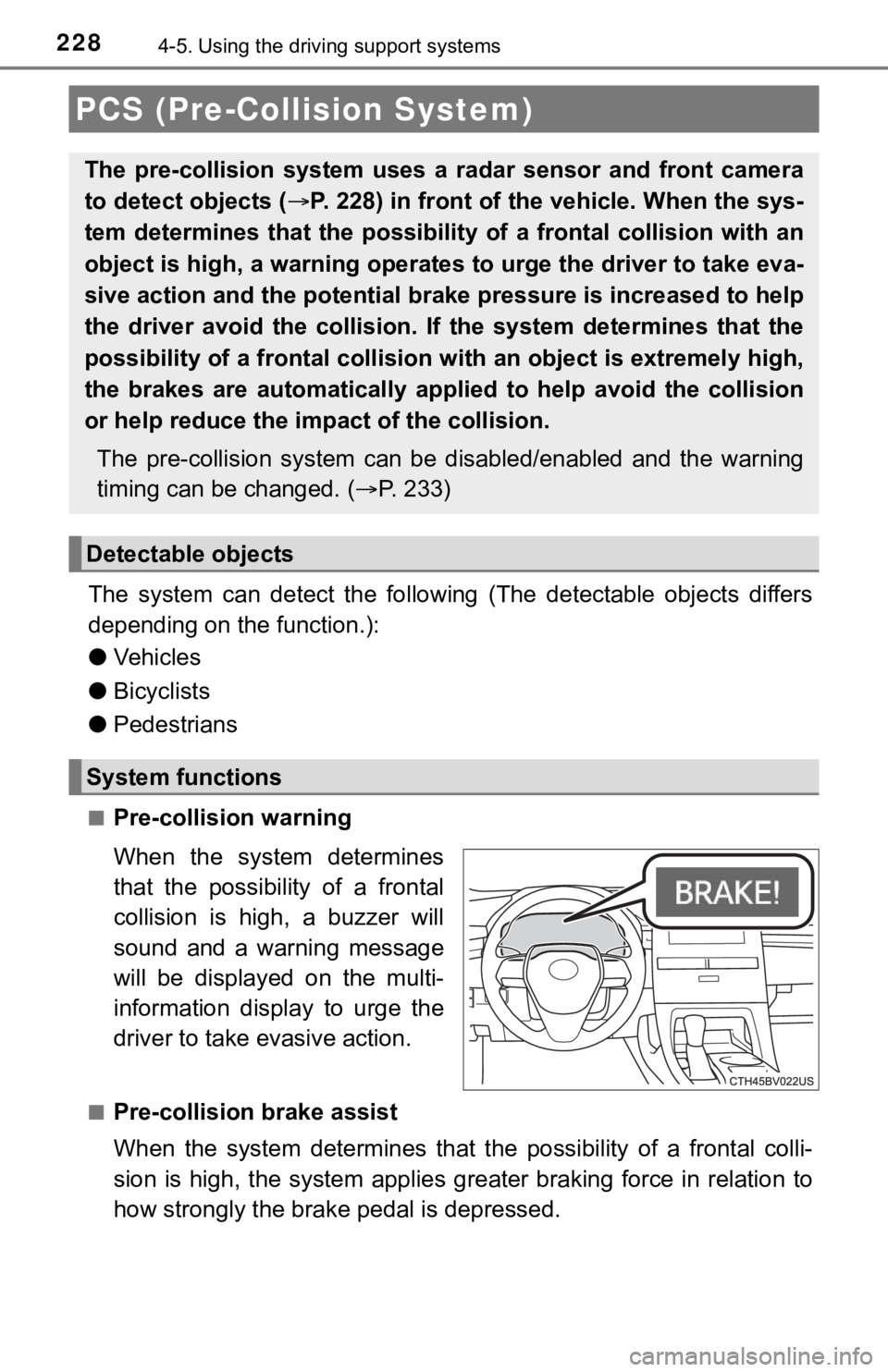
■Pre-collision warning
When the system determines
that the possibility of a frontal
collision is high, a buzzer will
sound and a warning message
will be displayed on the multi-
information display to urge the
driver to take evasive action.
■Pre-collision brake assist
When the system determines that the possibility of a frontal colli-
sion is high, the system applies greater braking force in relat ion to
how strongly the brake pedal is depressed.
PCS (Pre-Collision System)
The pre-collision system uses a radar sensor and front camera
to detect objects ( P. 228) in front of the vehicle. When the sys-
tem determines that the possibility of a frontal collision with an
object is high, a warning operates to urge the driver to take e va-
sive action and the potential brake pressure is increased to he lp
the driver avoid the collision. If the system determines that t he
possibility of a frontal collision with an object is extremely high,
the brakes are automatically applied to help avoid the collisio n
or help reduce the impa ct of the collision.
The pre-collision system can b e disabled/enabled and the warnin g
timing can be changed. ( P. 2 3 3 )
Detectable objects
System functions
Page 233 of 572
2334-5. Using the driving support systems
4
Driving
■Enabling/disabling the pre-collision system
The pre-collision system can be enabled/disabled on ( P. 1 0 1 )
of the multi-information display.
The system is automatically enabled each time the engine switch is
turned to IGNITION ON mode.
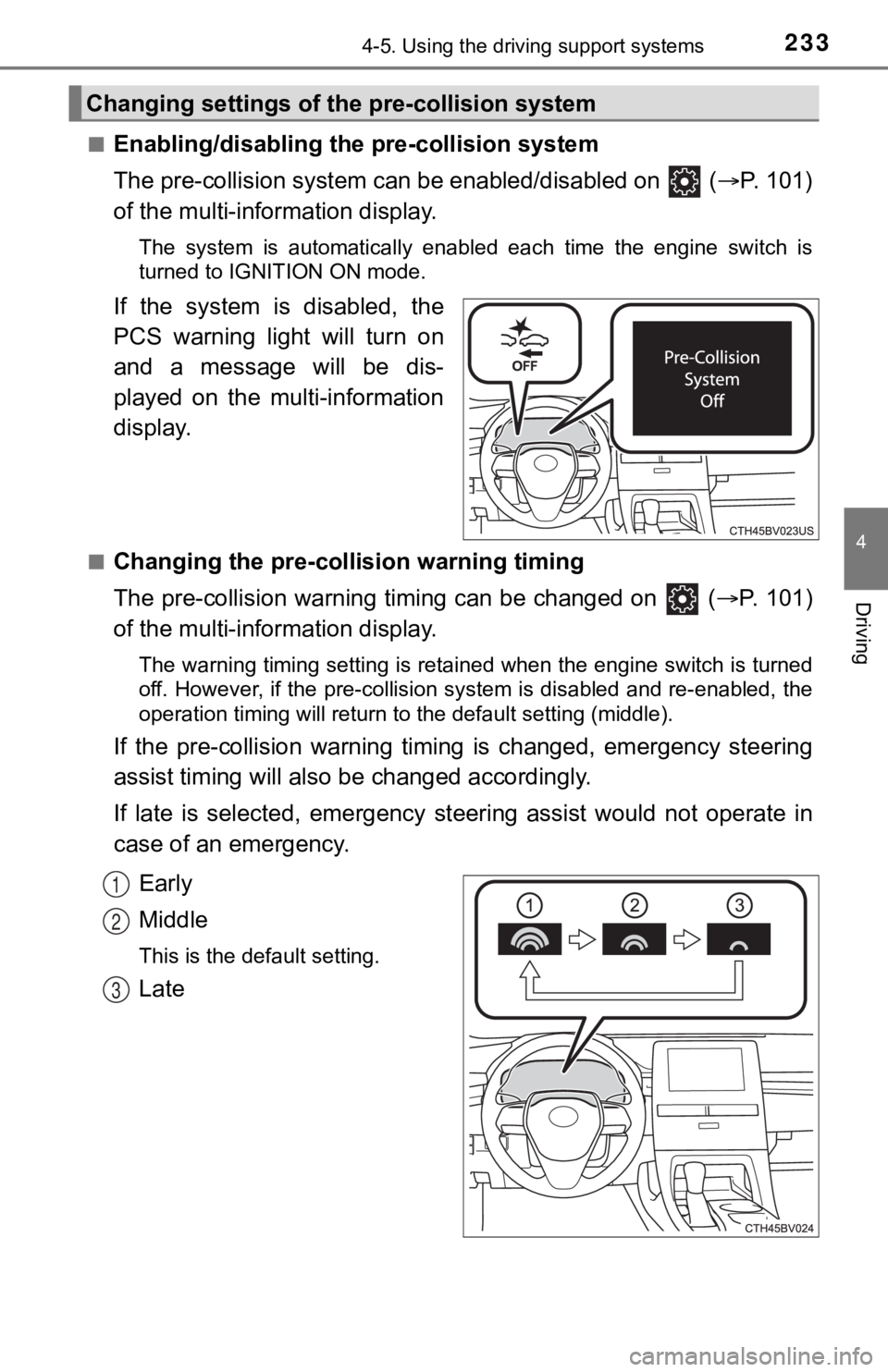
If the system is disabled, the
PCS warning light will turn on
and a message will be dis-
played on the multi-information
display.
■Changing the pre-colli sion warning timing
The pre-collision warning timing can be changed on ( P. 1 0 1 )
of the multi-information display.
The warning timing setting is retained when the engine switch is turned
off. However, if the pre-collision system is disabled and re-en abled, the
operation timing will return to the default setting (middle).
If the pre-collision warning timing is changed, e mergency steering
assist timing will also b e changed accordingly.
If late is selected, emergency st eering assist would not operate in
case of an emergency.
Early
Middle
This is the default setting.
Late
Changing settings of the pre-collision system
1
2
3
Page 242 of 572

2424-5. Using the driving support systems
●In some situations such as the following, sufficient braking force or steering
force may not be obtained, preventing the system from performin g properly:
• If the braking functions cannot operate to their full extent, such as when
the brake parts are extremely cold, extremely hot, or wet
• If the vehicle is not properly maintained (brakes or tires are excessively
worn, improper tire inflation pressure, etc.)
• When the vehicle is being driven on a gravel road or other sli ppery sur-
face
• When the road surface has deep wheel tracks
• When driving on a hill road
• When driving on a road that has inclines to the left or right
■ If VSC is disabled
●If VSC is disabled ( P. 330), the pre-collision brake assist and pre-collision
braking functions are also disabled.
● The PCS warning light will turn on and “VSC Turned Off Pre-Coll ision Brake
System Unavailable” will be displayed on the multi-information display.
Page 245 of 572
2454-5. Using the driving support systems
4
Driving
WARNING
■Conditions in which functions may not operate properly
In the following situations, the functions may not operate properly and the
vehicle may depart from its lane. Drive safely by always paying careful
attention to your surroundings and operate the steering wheel to correct the
path of the vehicle without relying solely on the functions.
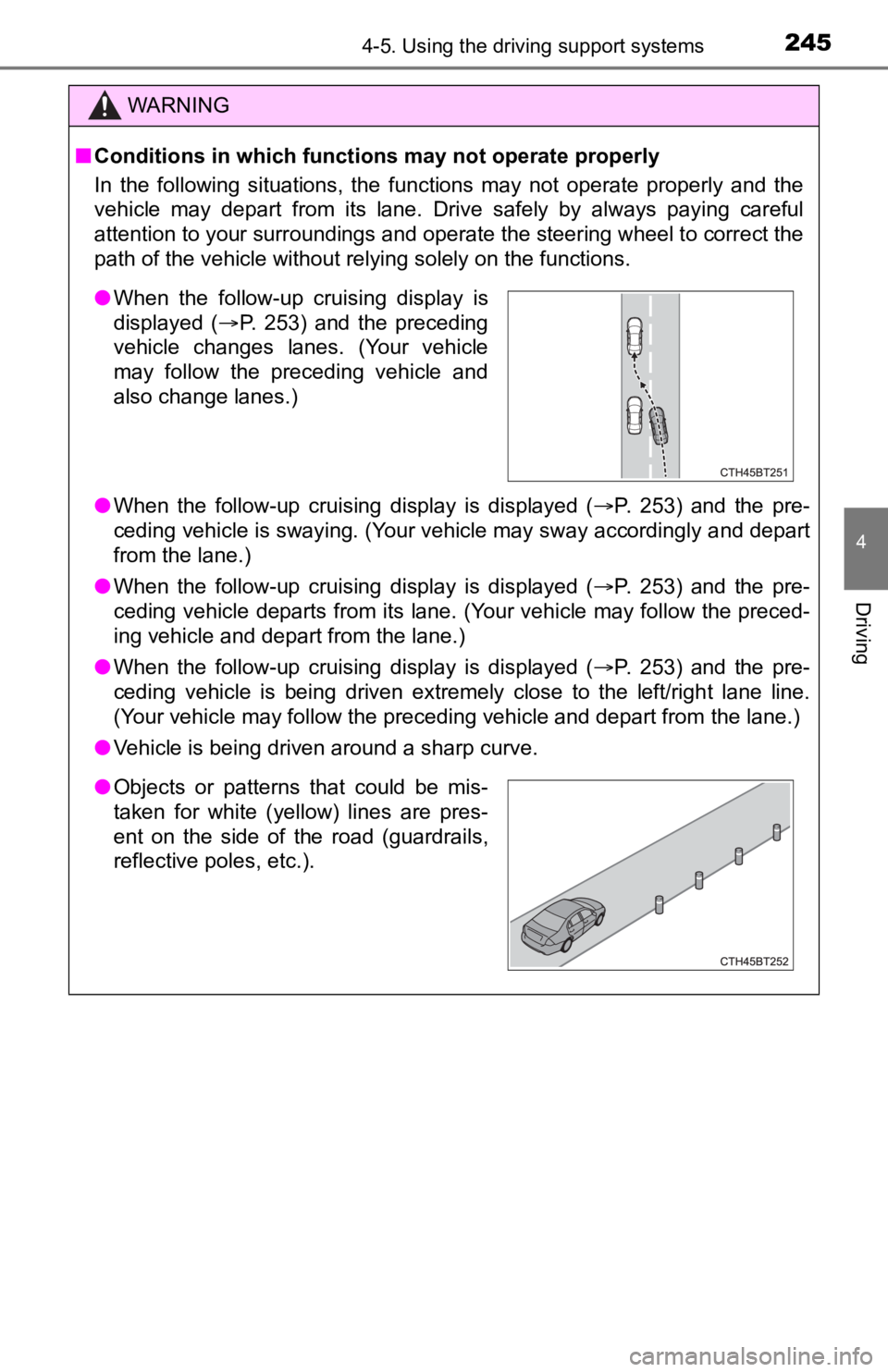
● When the follow-up cruising display is displayed ( P. 253) and the pre-
ceding vehicle is swaying. (Your vehicle may sway accordingly a nd depart
from the lane.)
● When the follow-up cruising display is displayed ( P. 253) and the pre-
ceding vehicle departs from its lane. (Your vehicle may follow the preced-
ing vehicle and depart from the lane.)
● When the follow-up cruising display is displayed ( P. 253) and the pre-
ceding vehicle is being driven extremely close to the left/righ t lane line.
(Your vehicle may follow the preceding vehicle and depart from the lane.)
● Vehicle is being driven around a sharp curve.
●When the follow-up cruising display is
displayed ( P. 253) and the preceding
vehicle changes lanes. (Your vehicle
may follow the preceding vehicle and
also change lanes.)
● Objects or patterns that could be mis-
taken for white (yellow) lines are pres-
ent on the side of the road (guardrails,
reflective poles, etc.).
Page 248 of 572
2484-5. Using the driving support systems
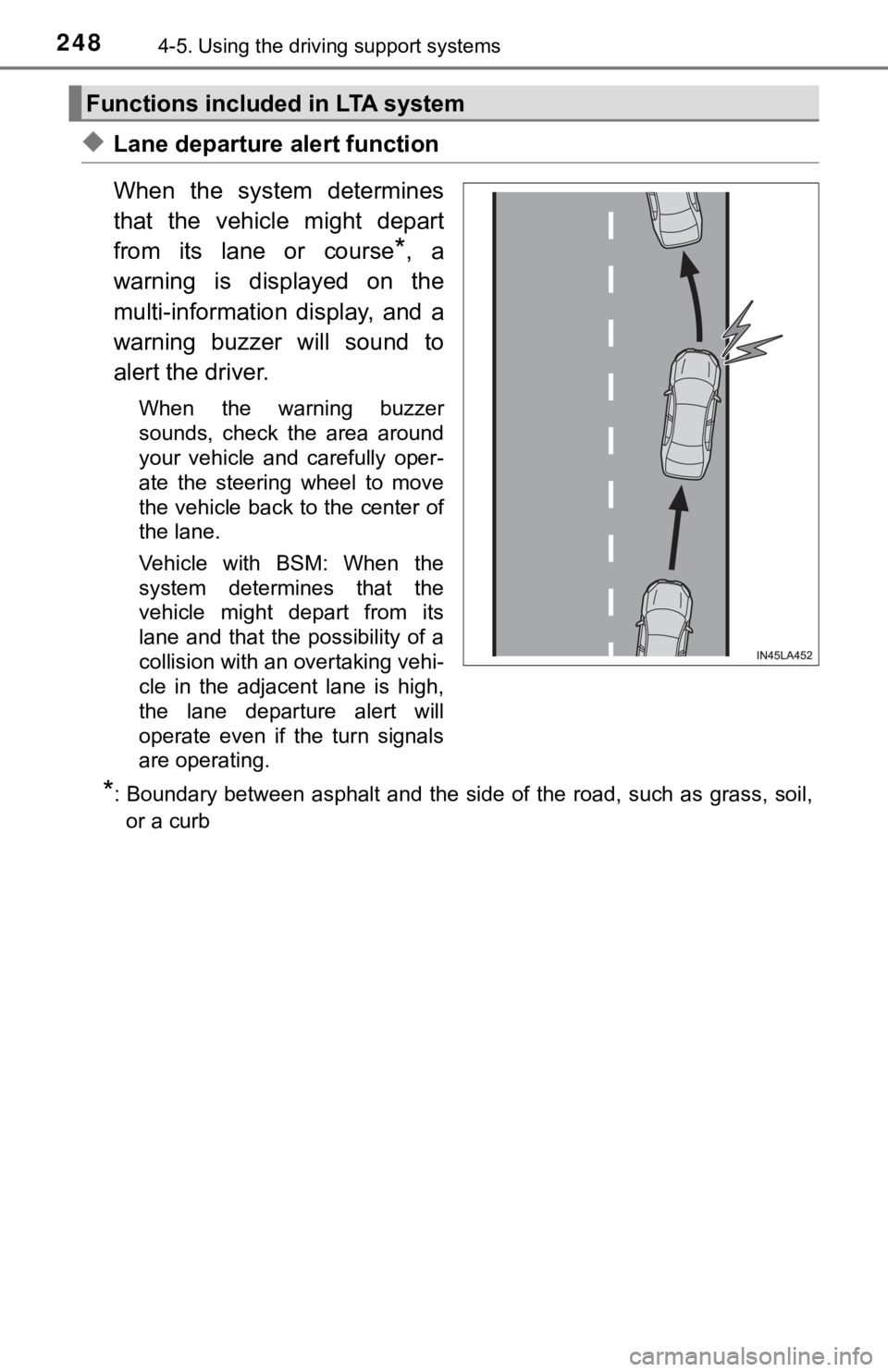
◆Lane departure alert function
When the system determines
that the vehicle might depart
from its lane or course
*, a
warning is displayed on the
multi-information display, and a
warning buzzer will sound to
alert the driver.
When the warning buzzer
sounds, check the area around
your vehicle and carefully oper-
ate the steering wheel to move
the vehicle back to the center of
the lane.
Vehicle with BSM: When the
system determines that the
vehicle might depart from its
lane and that the possibility of a
collision with an overtaking vehi-
cle in the adjacent lane is high,
the lane departure alert will
operate even if the turn signals
are operating.
*: Boundary between asphalt and the side of the road, such as gra ss, soil,
or a curb
Functions included in LTA system