fuel TOYOTA AVALON HYBRID 2020 (in English) User Guide
[x] Cancel search | Manufacturer: TOYOTA, Model Year: 2020, Model line: AVALON HYBRID, Model: TOYOTA AVALON HYBRID 2020Pages: 560, PDF Size: 11.03 MB
Page 83 of 560

831-3. Hybrid system
1
For safety and security
WARNING
■Road accident cautions
Observe the following precautions to reduce the risk of death o r serious
injury:
● Pull your vehicle off the road, apply the parking brake, shift the shift lever
to P, and turn the hybrid system off.
● Do not touch the high voltage parts, cables and connectors.
● If electric wires are exposed inside or outside your vehicle, a n electric
shock may occur. Never touch exposed electric wires.
● If a fluid leak occurs, do not touch the fluid as it may be str ong alkaline
electrolyte from the hybrid battery (traction battery). If it c omes into contact
with your skin or eyes, wash it off immediately with a large am ount of water
or, if possible, boric acid solution. Seek immediate medical attention.
● If a fire occurs in the hybrid vehicle, leave the vehicle as soon as possible.
Never use a fire extinguisher that is not meant for electric fires. Using even
a small amount of water may be dangerous.
● If your vehicle needs to be towed, do so with front wheels raised. If the
wheels connected to the electric motor (traction motor) are on the ground
when towing, the motor may continue to generate electricity. Th is may
cause a fire. ( P. 449)
● Carefully inspect the ground under the vehicle. If you find that liquid has
leaked onto the ground, the fuel system may have been damaged. Leave
the vehicle as soon as possible.
● If electrolyte is leaking from the hybrid battery (traction bat tery), do not
approach the vehicle.
Even in the unlikely event that the hybrid battery (traction ba ttery) is dam-
aged, the internal construction of the battery will prevent a l arge amount
of electrolyte from leaking out. However, any electrolyte that does leak out
will give off a vapor. This vapor is an irritant to skin and ey es and could
cause acute poisoning if inhaled.
Page 93 of 560
932. Instrument cluster
2
Instrument cluster
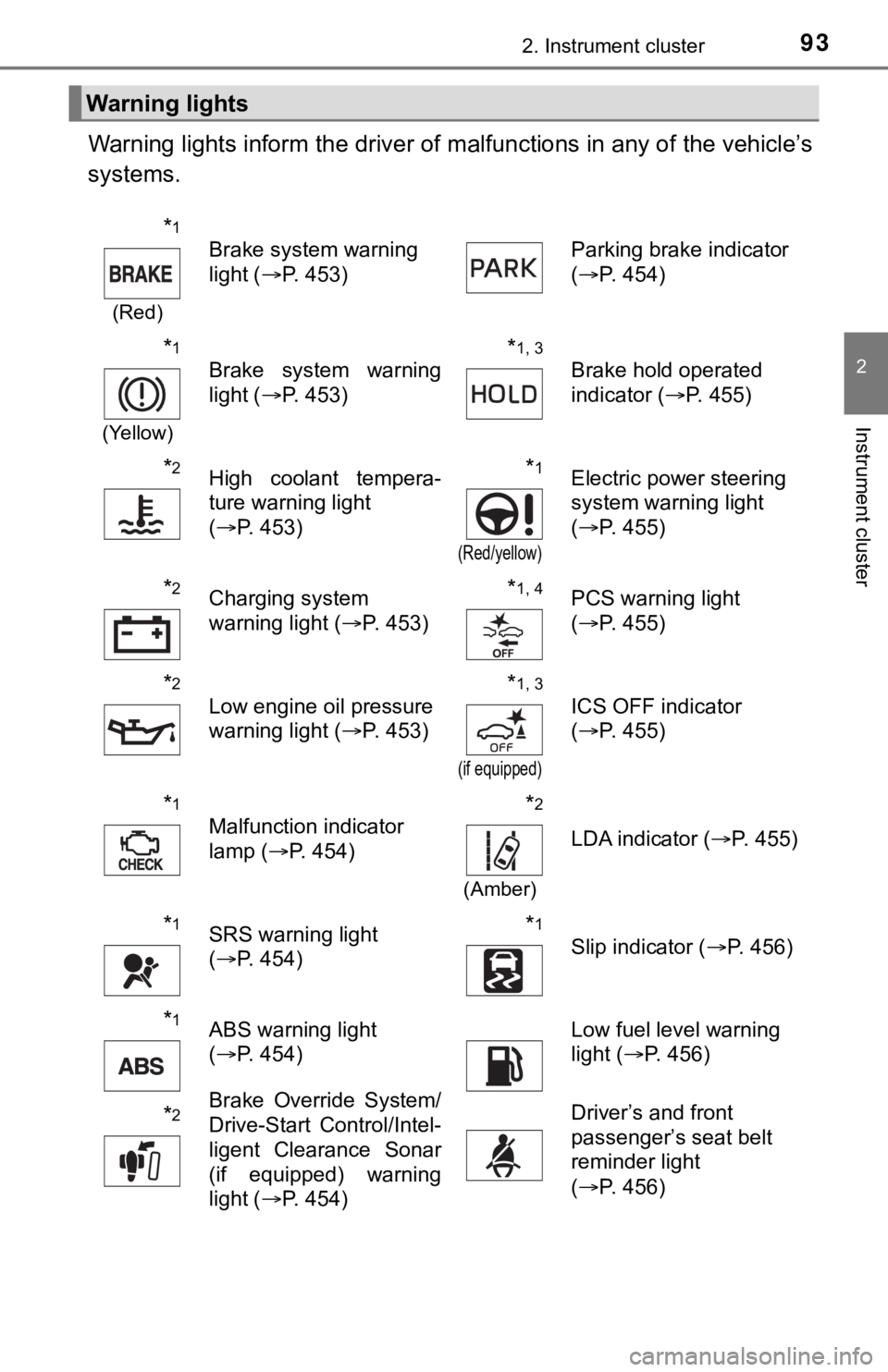
Warning lights inform the driver of malfunctions in any of the vehicle’s
systems.
Warning lights
*1
(Red)
Brake system warning
light ( P. 453) Parking brake indicator
(
P. 454)
*1
(Yellow)
Brake system warning
light ( P. 453)*1, 3
Brake hold operated
indicator ( P. 455)
*2High coolant tempera-
ture warning light
(P. 453)*1
(Red/yellow)
Electric power steering
system warning light
(P. 455)
*2Charging system
warning light ( P. 453)*1, 4PCS warning light
(P. 455)
*2
Low engine oil pressure
warning light ( P. 453)*1, 3
(if equipped)
ICS OFF indicator
(P. 455)
*1
Malfunction indicator
lamp ( P. 454)*2
(Amber)
LDA indicator ( P. 455)
*1SRS warning light
(P. 454)*1
Slip indicator ( P. 456)
*1ABS warning light
(P. 454)Low fuel level warning
light ( P. 456)
*2Brake Override System/
Drive-Start Control/Intel-
ligent Clearance Sonar
(if equipped) warning
light (P. 454)Driver’s and front
passenger’s seat belt
reminder light
(P. 456)
Page 98 of 560
982. Instrument cluster
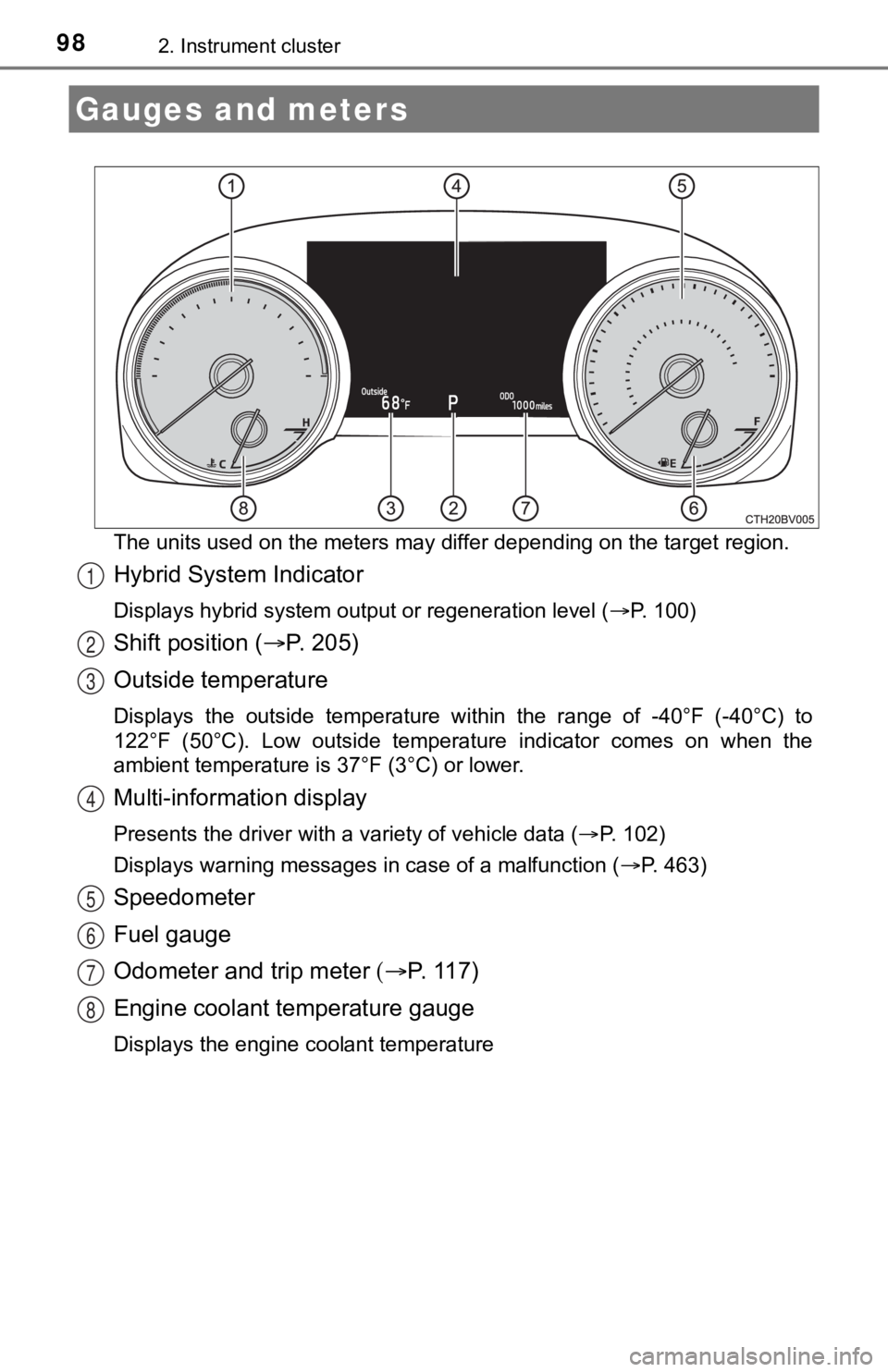
The units used on the meters may differ depending on the target region.
Hybrid System Indicator
Displays hybrid system output or regeneration level (P. 100)
Shift position (P. 2 0 5 )
Outside temperature
Displays the outside temperature within the range of -40°F (-40 °C) to
122°F (50°C). Low outside temperat ure indicator comes on when the
ambient temperature is 37°F (3°C) or lower.
Multi-information display
Presents the driver with a variety of vehicle data ( P. 1 0 2 )
Displays warning messages in case of a malfunction ( P. 463)
Speedometer
Fuel gauge
Odometer and trip meter P. 117)
Engine coolant temperature gauge
Displays the engine coolant temperature
Gauges and meters
1
2
3
4
5
6
7
8
Page 101 of 560
1012. Instrument cluster
2
Instrument cluster
■Engine speed
On hybrid vehicles, engine speed is precisely controlled in ord er to help
improve fuel efficiency and reduce exhaust emissions etc.
There are times when the engine speed that is displayed may dif fer even
when vehicle operation and driving conditions are the same.
■ Outside temperature display
In the following situations, the correct outside temperature ma y not be dis-
played, or the display may take longer than normal to change:
● When stopped, or driving at low speeds (less than 16 mph [25 km/h])
● When the outside temperature has changed suddenly (at the entra nce/exit
of a garage, tunnel, etc.)
● When “ ” or “E” is displayed, the system may be malfunctioning.
Take your vehicle to your Toyota dealer.
NOTICE
■ To prevent damage to the engine and its components
The engine may be overheating if the engine coolant temperature gauge is
in the red zone (H). In this case, immediately stop the vehicle in a safe
place, and check the engine after it has cooled completely. ( P. 492)
Page 104 of 560
1042. Instrument cluster
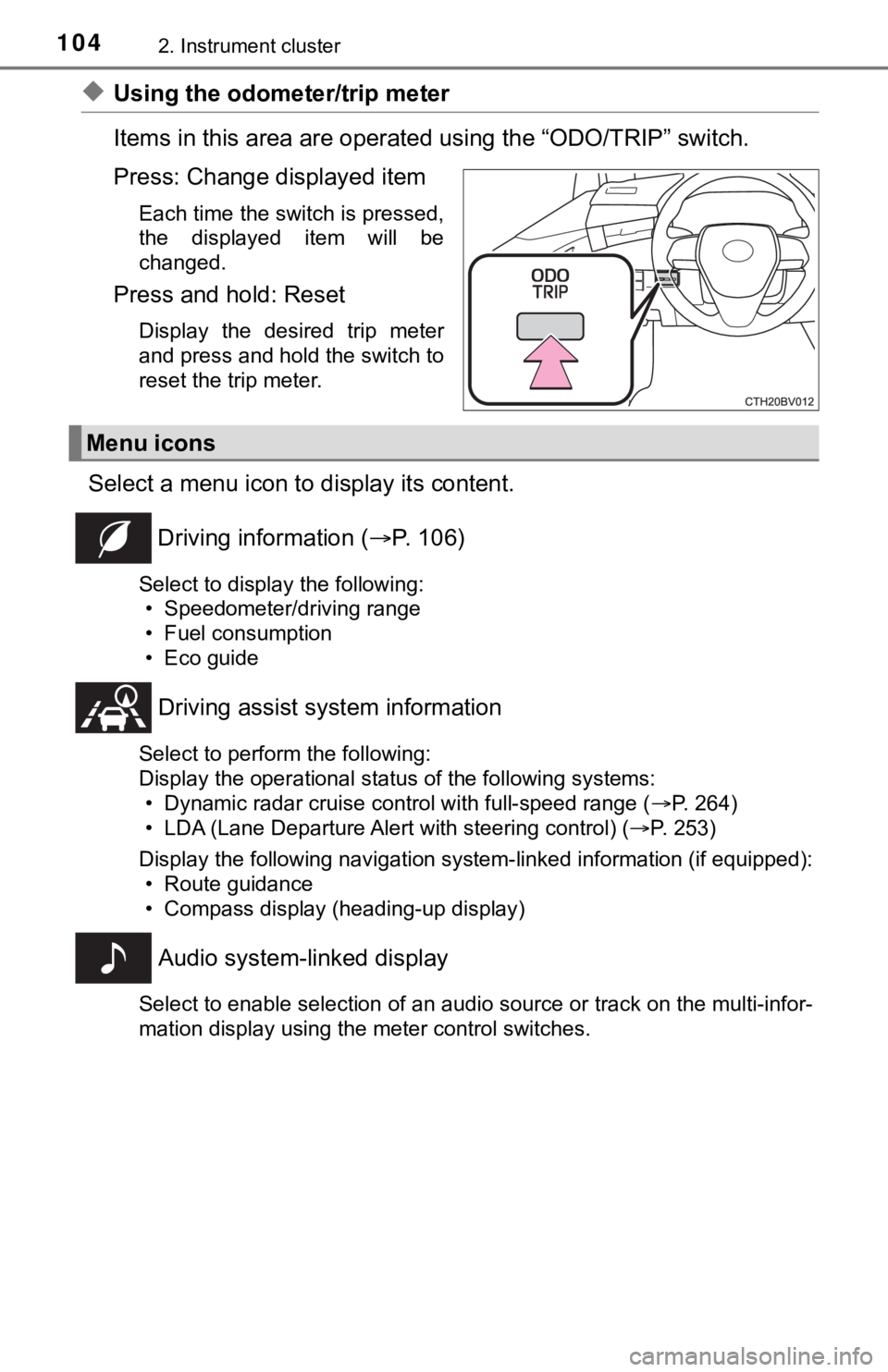
◆Using the odometer/trip meter
Items in this area are operated using the “ODO/TRIP” switch.
Press: Change displayed item
Each time the switch is pressed,
the displayed item will be
changed.
Press and hold: Reset
Display the desired trip meter
and press and hold the switch to
reset the trip meter.
Select a menu icon to display its content.
Driving information ( P. 106)
Select to display the following:
• Speedometer/driving range
• Fuel consumption
• Eco guide
Driving assist sys tem information
Select to perform the following:
Display the operational status of the following systems:
• Dynamic radar cruise control with full-speed range ( P. 264)
• LDA (Lane Departure Alert with steering control) ( P. 253)
Display the following navigation system-linked information (if equipped):
• Route guidance
• Compass display (heading-up display)
Audio system-linked display
Select to enable selection of an audio source or track on the multi-infor-
mation display using the meter control switches.
Menu icons
Page 106 of 560
1062. Instrument cluster
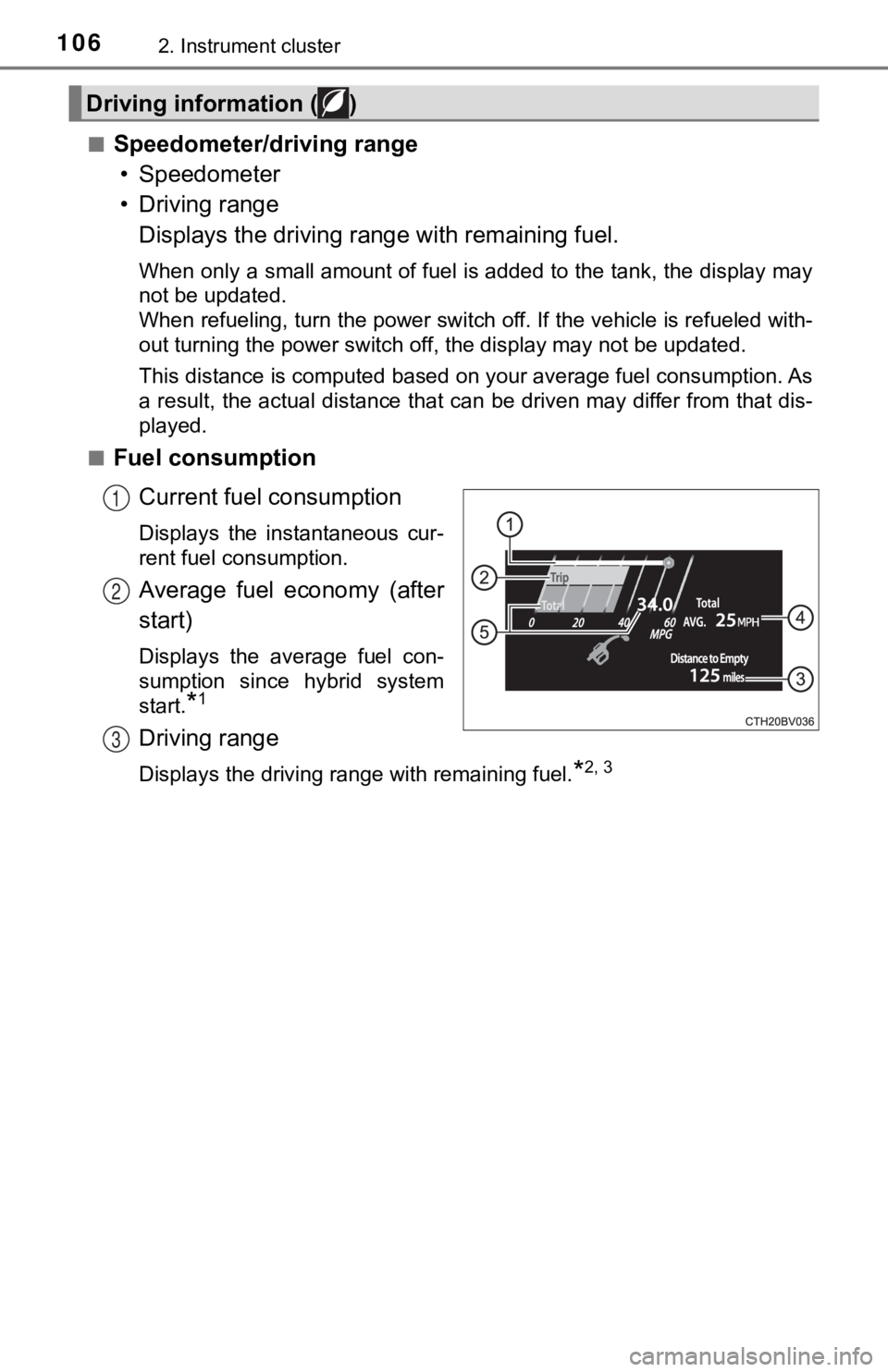
■Speedometer/driving range• Speedometer
• Driving range Displays the driving rang e with remaining fuel.
When only a small amount of fuel is added to the tank, the display may
not be updated.
When refueling, turn the power switch off. If the vehicle is re fueled with-
out turning the power switch off, the display may not be update d.
This distance is computed based on your average fuel consumption. As
a result, the actual distance that can be driven may differ fro m that dis-
played.
■
Fuel consumption
Current fuel consumption
Displays the instantaneous cur-
rent fuel consumption.
Average fuel economy (after
start)
Displays the average fuel con-
sumption since hybrid system
start.
*1
Driving range
Displays the driving range with remaining fuel.*2, 3
Driving information ( )
1
2
3
Page 107 of 560
1072. Instrument cluster
2
Instrument cluster
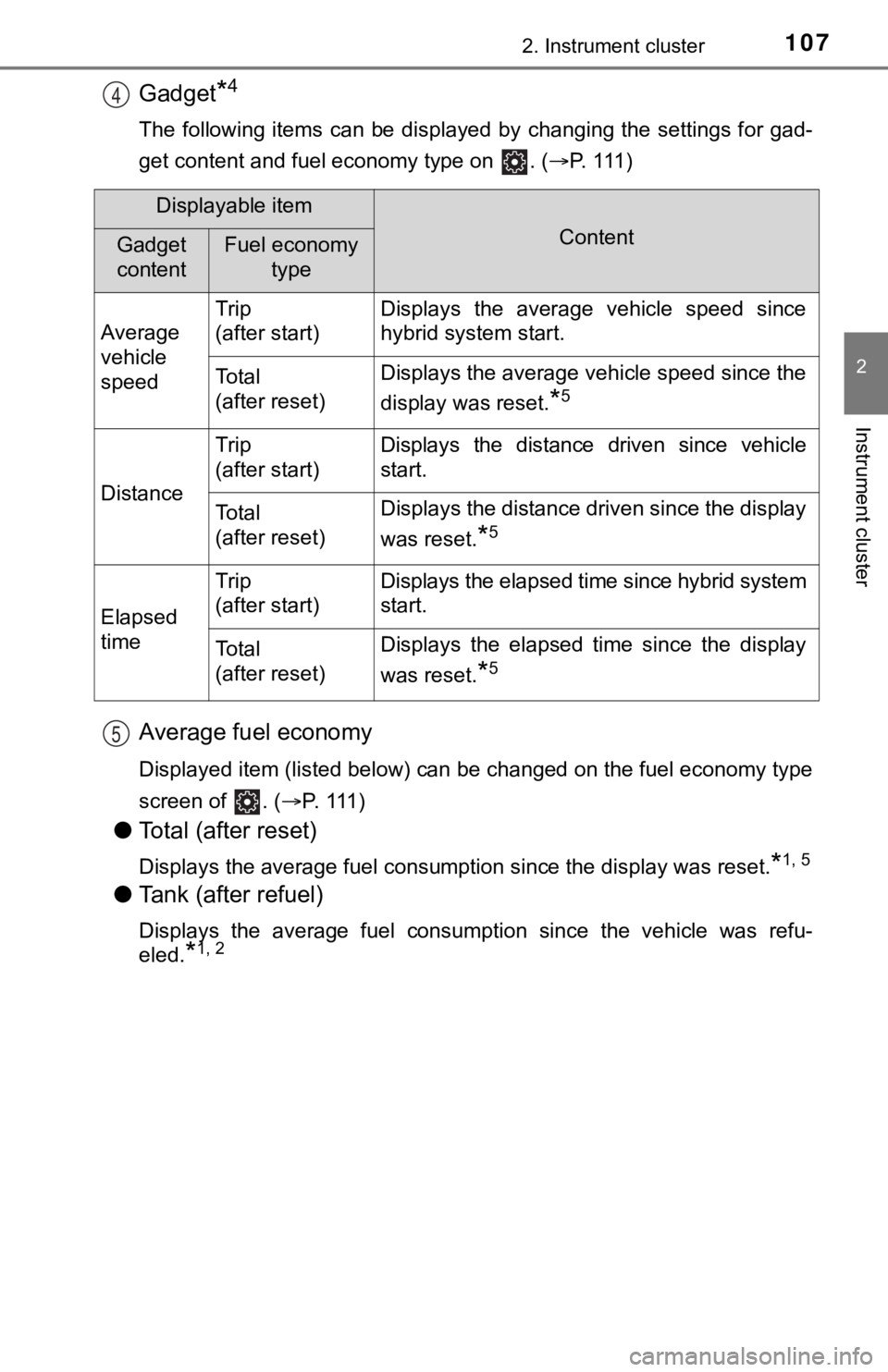
Gadget*4
The following items can be displayed by changing the settings for gad-
get content and fuel economy type on . ( P. 1 1 1 )
Average fuel economy
Displayed item (listed below) can be changed on the fuel econom y type
screen of . ( P. 111 )
●Total (after reset)
Displays the average fuel consumption since the display was res et.*1, 5
●Tank (after refuel)
Displays the average fuel consumption since the vehicle was ref u-
eled.
*1, 2
4
Displayable item
ContentGadget
contentFuel economy type
Average
vehicle
speed Trip
(after start)
Displays the average vehicle speed since
hybrid system start.
To t a l
(after reset)Displays the average vehicle speed since the
display was reset.
*5
Distance
Trip
(after start)Displays the distance driven since vehicle
start.
To t a l
(after reset)Displays the distance driven since the display
was reset.
*5
Elapsed
time
Trip
(after start)Displays the elapsed time since hybrid system
start.
To t a l
(after reset)Displays the elapsed time since the display
was reset.
*5
5
Page 108 of 560

1082. Instrument cluster
*1: Use the displayed fuel consumption as a reference only.
*2: When only a small amount of fuel is added to the tank, the display may
not be updated.
When refueling, turn the power switch off. If the vehicle is re fueled with-
out turning the power switch off, the display may not be update d.
*3: This distance is computed based on your average fuel consumpti on. As
a result, the actual distance that can be driven may differ fro m that dis-
played.
*4: The default setting is no display.
*5: This display can be reset by pressing and holding while it is dis- played.
Page 116 of 560
1162. Instrument cluster
■ Meter settings
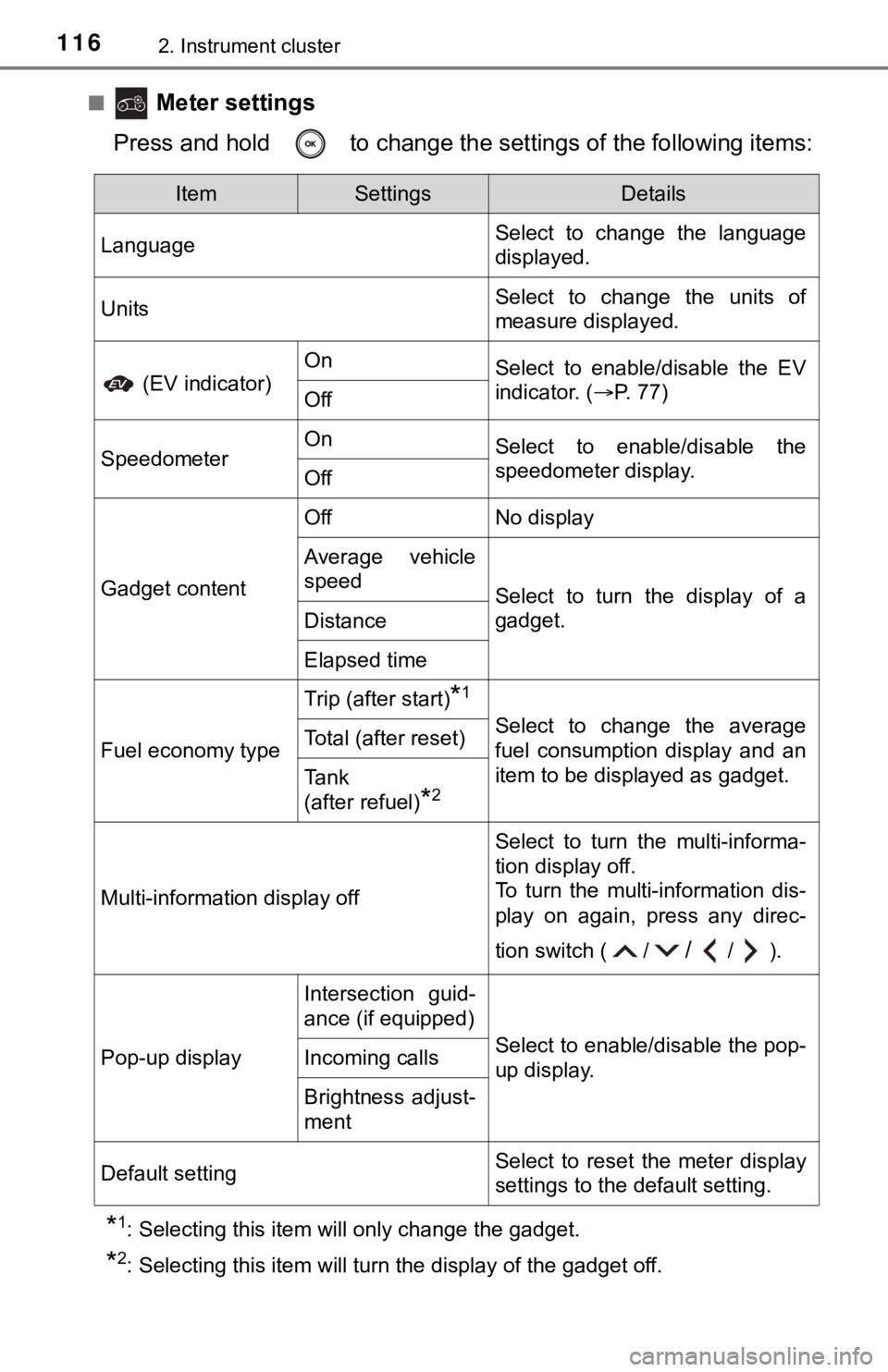
Press and hold to change the se ttings of the following items:
*1: Selecting this item will only change the gadget.
*2: Selecting this item will turn the display of the gadget off.
ItemSettingsDetails
Language Select to change the language
displayed.
UnitsSelect to change the units of
measure displayed.
(EV indicator)
OnSelect to enable/disable the EV
indicator. (
P. 77)
Off
SpeedometerOnSelect to enable/disable the
speedometer display.
Off
Gadget content
OffNo display
Average vehicle
speed
Select to turn the display of a
gadget.
Distance
Elapsed time
Fuel economy type
Trip (after start)*1
Select to change the average
fuel consumption display and an
item to be displayed as gadget.Total (after reset)
Tank
(after refuel)
*2
Multi-information display off
Select to turn the multi-informa-
tion display off.
To turn the multi-information dis-
play on again, press any direc-
tion switch ( /
//).
Pop-up display
Intersection guid-
ance (if equipped)
Select to enable/disable the pop-
up display.Incoming calls
Brightness adjust-
ment
Default settingSelect to reset the meter display
settings to the default setting.
Page 131 of 560
1312. Instrument cluster
2
Instrument cluster
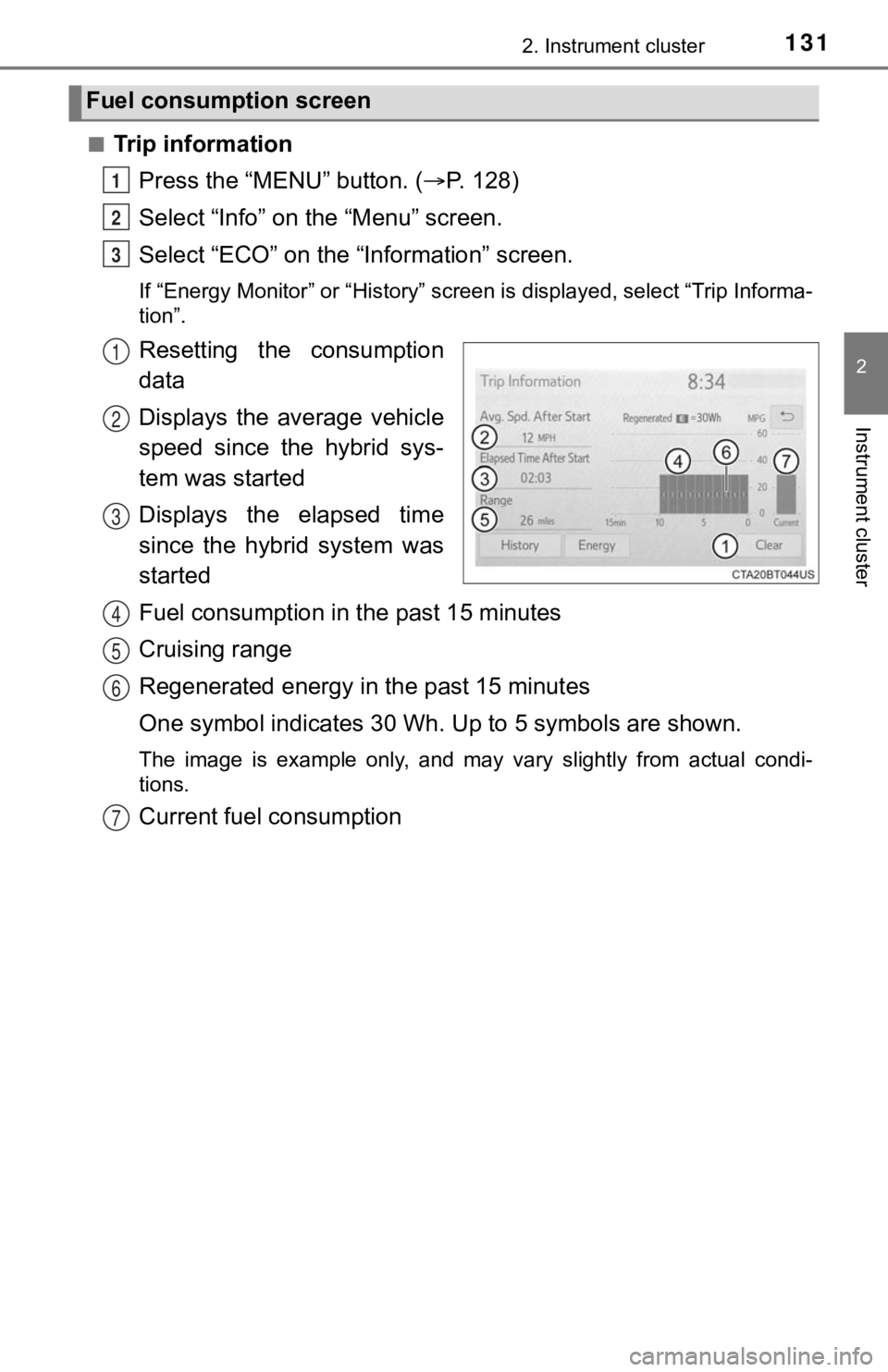
■Trip informationPress the “MENU” button. ( P. 128)
Select “Info” on t he “Menu” screen.
Select “ECO” on the “Information” screen.
If “Energy Monitor” or “History” screen is displayed, select “T rip Informa-
tion”.
Resetting the consumption
data
Displays the average vehicle
speed since the hybrid sys-
tem was started
Displays the elapsed time
since the hybrid system was
started
Fuel consumption in t he past 15 minutes
Cruising range
Regenerated energy i n the past 15 minutes
One symbol indicates 30 Wh. Up to 5 symbols are shown.
The image is example only, and may vary slightly from actual co ndi-
tions.
Current fuel consumption
Fuel consumption screen
1
2
3
1
2
3
4
5
6
7