display TOYOTA AVENSIS 2011 Manual Online
[x] Cancel search | Manufacturer: TOYOTA, Model Year: 2011, Model line: AVENSIS, Model: TOYOTA AVENSIS 2011Pages: 772, PDF Size: 34.43 MB
Page 456 of 772
456 3-2. Using the audio system
AVENSIS_EE (OM20B44E)
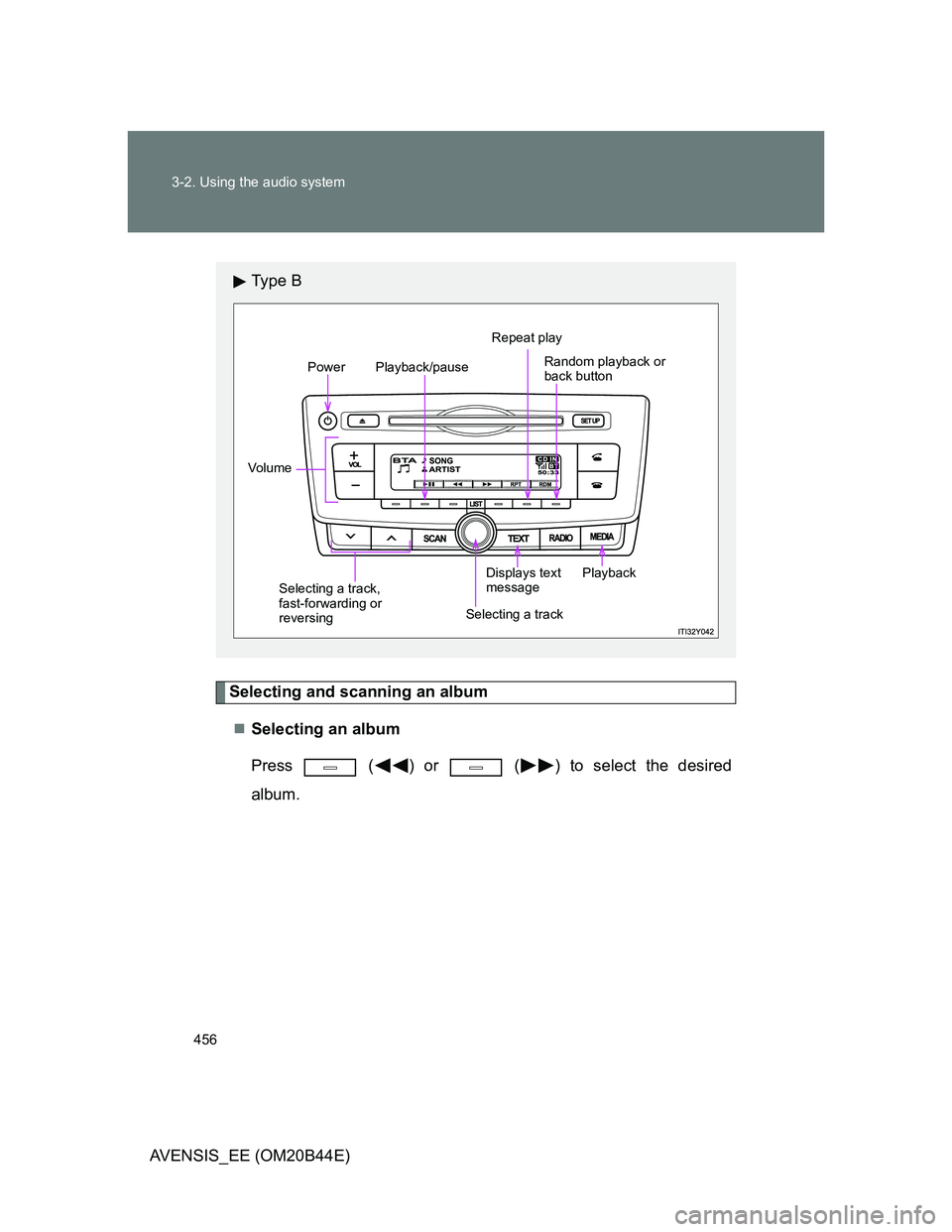
Selecting and scanning an album
Selecting an album
Press ( ) or ( ) to select the desired
album.
Ty p e B
Power
Vo lu m ePlayback/pauseRepeat play
Random playback or
back button
Playback
Selecting a track,
fast-forwarding or
reversingSelecting a trackDisplays text
message
Page 458 of 772
![TOYOTA AVENSIS 2011 Manual Online 458 3-2. Using the audio system
AVENSIS_EE (OM20B44E)
Random playback
Pressing [RDM] changes modes in the following order:
Album randomAll track randomOff.
Playing and pausing tracks
Press (](/img/14/59673/w960_59673-457.png "TOYOTA AVENSIS 2011 Manual Online 458 3-2. Using the audio system
AVENSIS_EE (OM20B44E)
Random playback
Pressing [RDM] changes modes in the following order:
Album randomAll track randomOff.
Playing and pausing tracks
Press (")
458 3-2. Using the audio system
AVENSIS_EE (OM20B44E)
Random playback
Pressing [RDM] changes modes in the following order:
Album randomAll track randomOff.
Playing and pausing tracks
Press ( ).
Switching the display
Press (type A) or (type B).
Track title and Artist name are displayed on the display.
To return to the previous display, press
or (type A) or
or [BACK] (type B).
Bluetooth® audio system functions
Depending on the portable player that is connected to the system, certain
functions may not be available.
Page 465 of 772
465
3-2. Using the audio system
3
Interior features
AVENSIS_EE (OM20B44E)
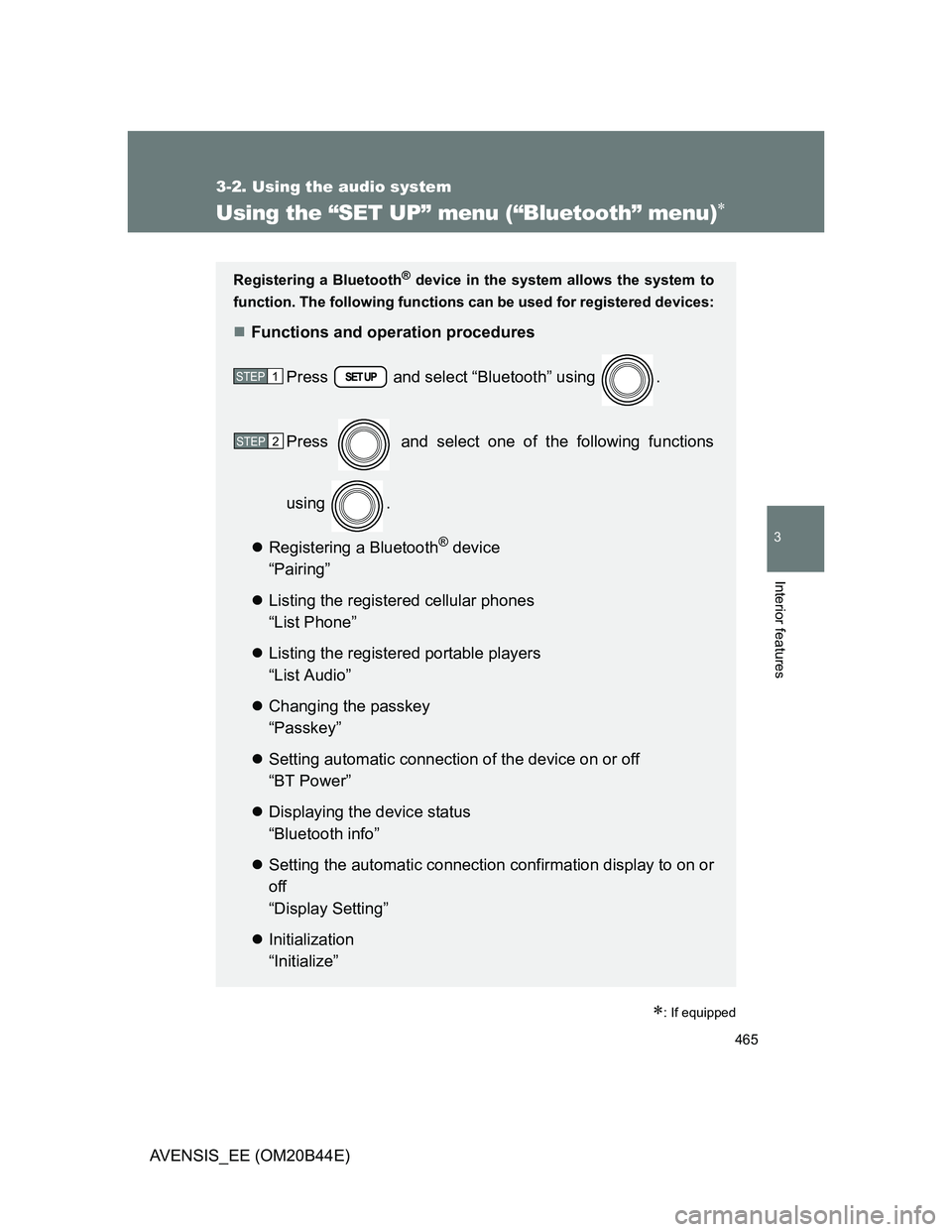
Using the “SET UP” menu (“Bluetooth” menu)
: If equipped
Registering a Bluetooth® device in the system allows the system to
function. The following functions can be used for registered devices:
Functions and operation procedures
Press and select “Bluetooth” using .
Press and select one of the following functions
using .
Registering a Bluetooth
® device
“Pairing”
Listing the registered cellular phones
“List Phone”
Listing the registered portable players
“List Audio”
Changing the passkey
“Passkey”
Setting automatic connection of the device on or off
“BT Power”
Displaying the device status
“Bluetooth info”
Setting the automatic connection confirmation display to on or
off
“Display Setting”
Initialization
“Initialize”
STEP1
STEP2
Page 466 of 772
466 3-2. Using the audio system
AVENSIS_EE (OM20B44E)
Registering a portable player
Select “Pairing” using , and perform the procedure for regis-
tering a portable player. (P. 452)
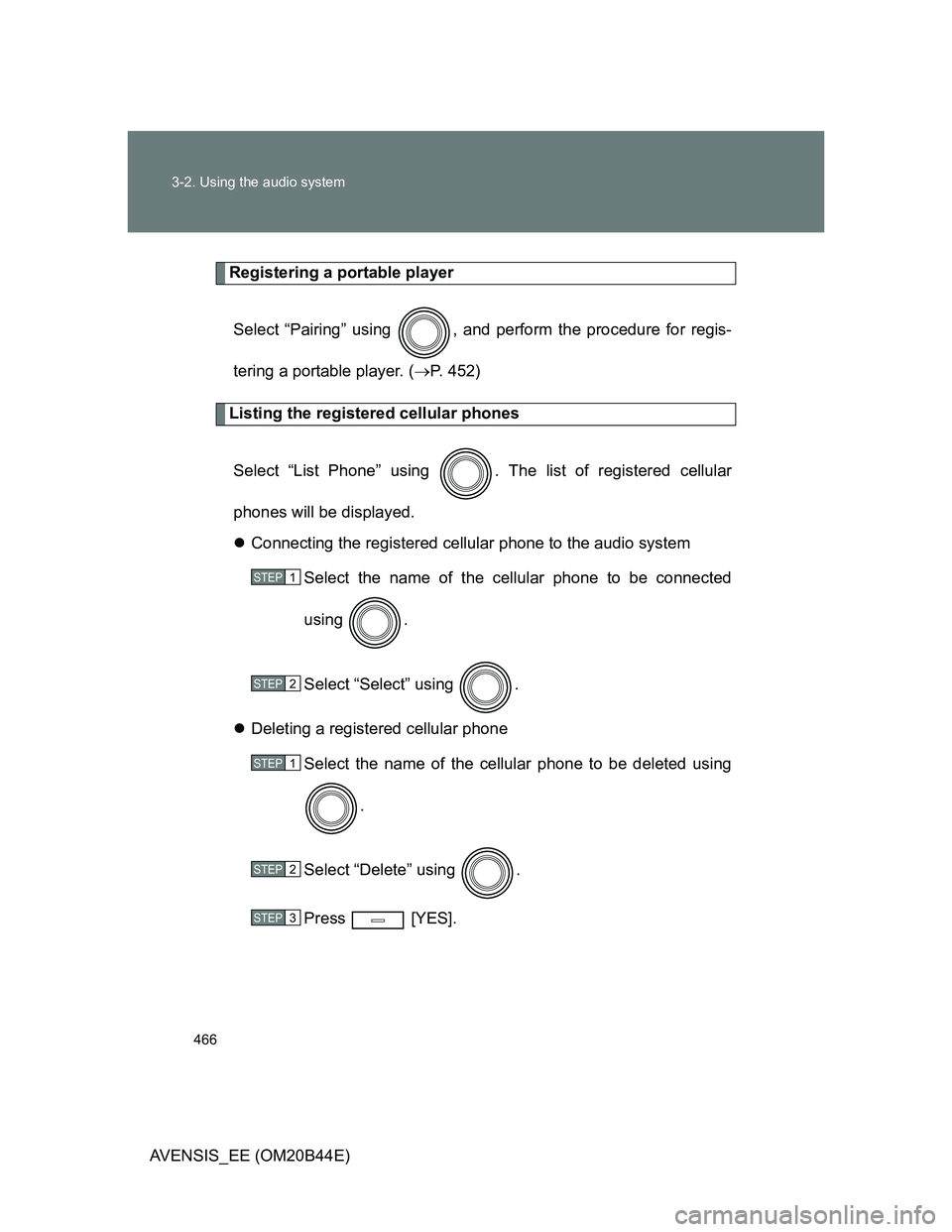
Listing the registered cellular phones
Select “List Phone” using . The list of registered cellular
phones will be displayed.
Connecting the registered cellular phone to the audio system
Select the name of the cellular phone to be connected
using .
Select “Select” using .
Deleting a registered cellular phone
Select the name of the cellular phone to be deleted using
.
Select “Delete” using .
Press [YES].
STEP1
STEP2
STEP1
STEP2
STEP3
Page 467 of 772
467 3-2. Using the audio system
3
Interior features
AVENSIS_EE (OM20B44E)
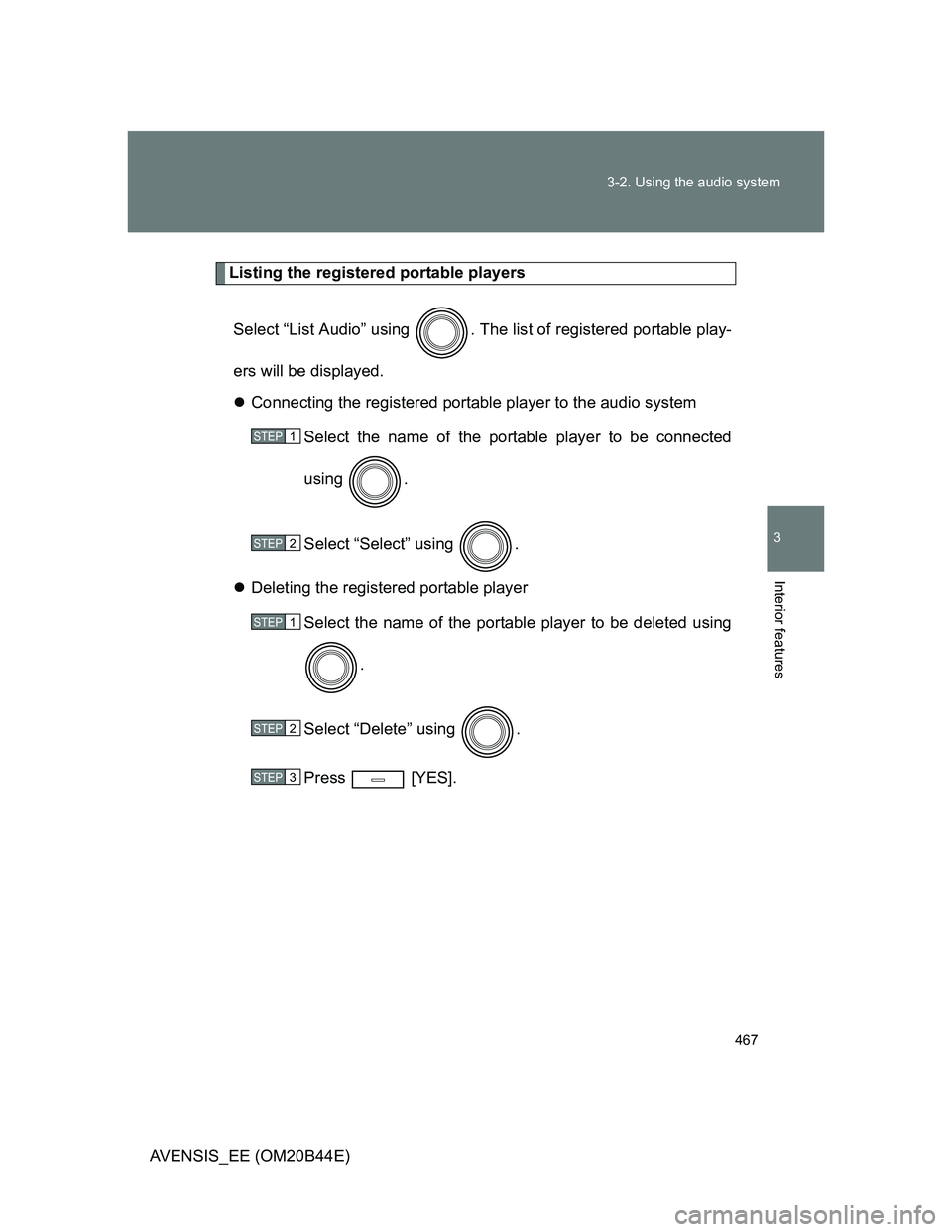
Listing the registered portable players
Select “List Audio” using . The list of registered portable play-
ers will be displayed.
Connecting the registered portable player to the audio system
Select the name of the portable player to be connected
using .
Select “Select” using .
Deleting the registered portable player
Select the name of the portable player to be deleted using
.
Select “Delete” using .
Press [YES].
STEP1
STEP2
STEP1
STEP2
STEP3
Page 469 of 772
469 3-2. Using the audio system
3
Interior features
AVENSIS_EE (OM20B44E)
Displaying the device status
Select “Bluetooth info” using .
Displaying the device name
Select “Device Name” using .
Displaying the device address
Select “Device Address” using .
Setting the automatic connection confirmation display to on or off
If the “Display setting” is set to on, the portable player connection sta-
tus will be displayed when the “ENGINE START STOP” switch is
tuned to ACCESSORY mode or IGNITION ON mode (vehicles with
smart entry & start system), or engine switch is turned to the “ACC” or
“ON” position (vehicles without smart entry & start system).
Select “Display setting” using .
Select “ON” or “OFF” using .
STEP1
STEP2
Page 470 of 772
![TOYOTA AVENSIS 2011 Manual Online 470 3-2. Using the audio system
AVENSIS_EE (OM20B44E)
Initialization
Select “Initialize” using .
Initializing the sound settings
Select “Sound Setting” using and press [YES].
For details](/img/14/59673/w960_59673-469.png "TOYOTA AVENSIS 2011 Manual Online 470 3-2. Using the audio system
AVENSIS_EE (OM20B44E)
Initialization
Select “Initialize” using .
Initializing the sound settings
Select “Sound Setting” using and press [YES].
For details")
470 3-2. Using the audio system
AVENSIS_EE (OM20B44E)
Initialization
Select “Initialize” using .
Initializing the sound settings
Select “Sound Setting” using and press [YES].
For details about sound settings: P. 4 7 1
Initializing the device information
Select “Car Device Info” using and press [YES].
Automatic connection of a portable device, automatic connection confir-
mation display and the passkey will be initialized.
Initializing the all settings
Select “All Initialize” using and press [YES].
The number of Bluetooth® device that can be registered
Up to 5 Bluetooth
® device can be registered in the system.
Page 541 of 772
541 4-3. Do-it-yourself maintenance
4
Maintenance and care
AVENSIS_EE (OM20B44E)
After changing the engine oil (diesel engine)
The oil change system should be reset. Perform the following procedures:
Vehicles with smart entry & start system
Switch the display to trip meter A (P. 242) when the engine is run-
ning.
Turn the “ENGINE START STOP” switch OFF.
While pressing the trip meter reset button, set the “ENGINE START
STOP” switch to IGNITION ON mode (but do not start the engine
because otherwise the reset mode will be canceled). Continue to
press and hold the button until the multi-information display indi-
cates that the reset is complete.
Vehicles without smart entry & start system
Switch the display to trip meter A (P. 242) when the engine is run-
ning.
Turn the engine switch to the “LOCK” position.
While pressing the trip meter reset button, set the engine switch to
the “ON” position (but do not start the engine because otherwise
the reset mode will be canceled). Continue to press and hold the
button until the multi-information display indicates that the reset is
complete.
STEP1
STEP2
STEP3
STEP1
STEP2
STEP3
Page 550 of 772
550 4-3. Do-it-yourself maintenance
AVENSIS_EE (OM20B44E)
Fuel filter (diesel engine)
You may drain the fuel filter yourself. However, as the operation is dif-
ficult, we recommend having it drained by any authorized Toyota
dealer or repairer, or another duly qualified and equipped profes-
sional. Event if you decide to drain it yourself, contact any authorized
Toyota dealer or repairer, or another duly qualified and equipped pro-
fessional.
The water in the fuel filter needs to be drained if the “DRAIN WATER
FROM FUEL FILTER” warning message is shown on the multi-infor-
mation display and a buzzer sounds. (P. 629)
Turn the “ENGINE START STOP” switch to off (vehicles with
smart entry & start system) or the engine switch to the “LOCK”
position (vehicles without smart entry & start system).
Place a small tray under the drain plug to catch the water and
any fuel that comes out.
STEP1
STEP2
Page 603 of 772
5When trouble arises
603
AVENSIS_EE (OM20B44E)
5-1. Essential information
Emergency flashers .......... 604
If your vehicle needs
to be towed ..................... 605
If you think something
is wrong .......................... 615
Fuel pump shut off
system (gasoline
engine) ........................... 616
5-2. Steps to take in an
emergency
If a warning light turns
on or a warning buzzer
sounds... ........................ 617
If a warning message
is displayed ..................... 624If you have a flat tire
(vehicles with a spare
tire for sedan) ................. 648
If you have a flat tire
(vehicles with a spare
tire for wagon)................. 662
If you have a flat tire
(vehicles without a
spare tire) ....................... 676
If the engine will
not start........................... 689
If the shift lever cannot
be shifted from “P” .......... 692
If the parking brake
cannot be released ......... 693
If you lose your keys ......... 699
If you cannot operate
the trunk opener
(sedan) ........................... 700
If you cannot operate
the back door opener
(wagon)........................... 701
If the electronic key
does not operate
properly........................... 702
If the battery is
discharged ...................... 705
If your vehicle
overheats ........................ 710
If you run out of fuel and
the engine stalls
(diesel engine) ................ 713
If the vehicle becomes
stuck ............................... 714
If your vehicle has to be
stopped in an
emergency ...................... 716