lock TOYOTA AVENSIS 2012 Owners Manual
[x] Cancel search | Manufacturer: TOYOTA, Model Year: 2012, Model line: AVENSIS, Model: TOYOTA AVENSIS 2012Pages: 772, PDF Size: 34.43 MB
Page 213 of 772
213 2-1. Driving procedures
2
When driving
AVENSIS_EE (OM20B44E)
If the engine does not start
The engine immobilizer system may not have been deactivated. (P. 135)
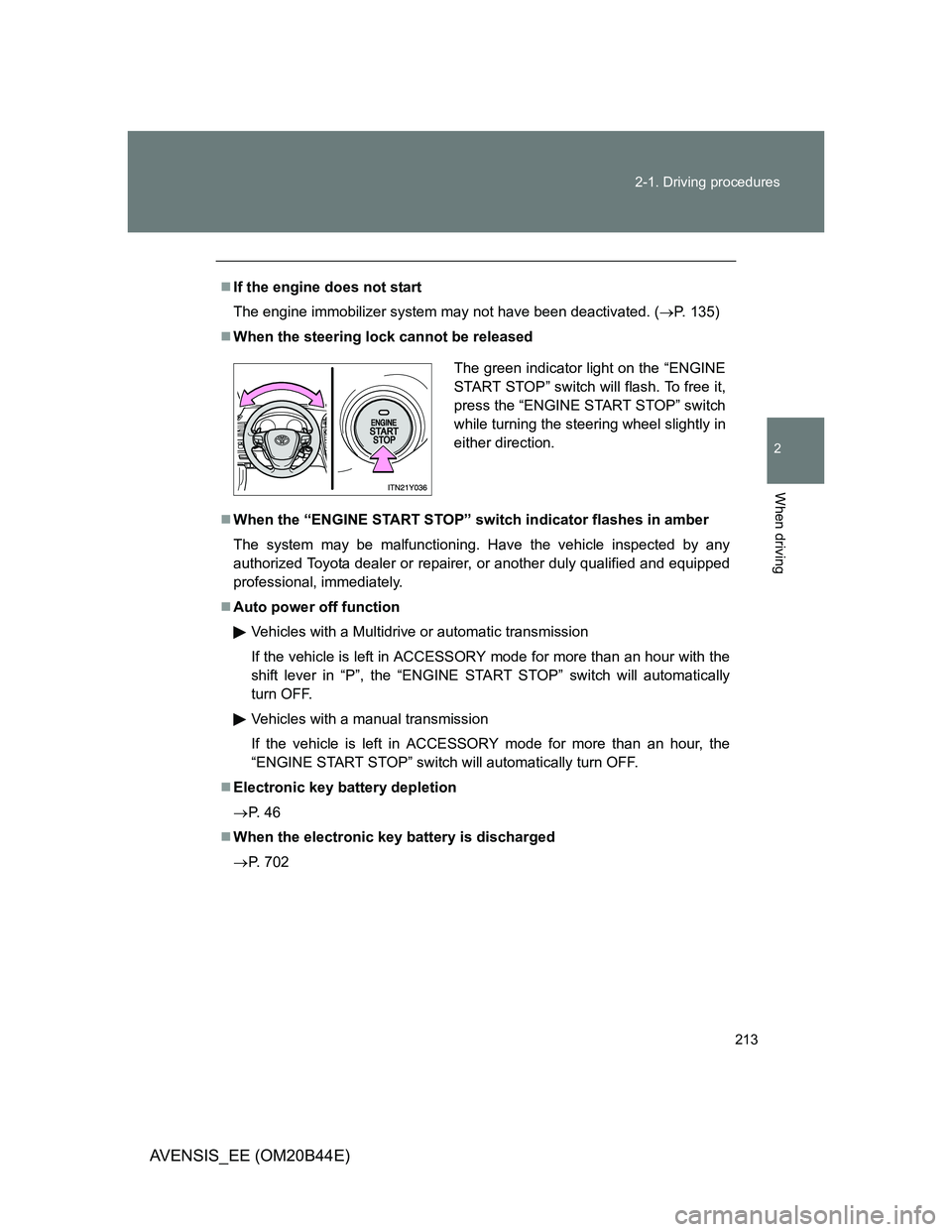
When the steering lock cannot be released
When the “ENGINE START STOP” switch indicator flashes in amber
The system may be malfunctioning. Have the vehicle inspected by any
authorized Toyota dealer or repairer, or another duly qualified and equipped
professional, immediately.
Auto power off function
Vehicles with a Multidrive or automatic transmission
If the vehicle is left in ACCESSORY mode for more than an hour with the
shift lever in “P”, the “ENGINE START STOP” switch will automatically
turn OFF.
Vehicles with a manual transmission
If the vehicle is left in ACCESSORY mode for more than an hour, the
“ENGINE START STOP” switch will automatically turn OFF.
Electronic key battery depletion
P. 4 6
When the electronic key battery is discharged
P. 702
The green indicator light on the “ENGINE
START STOP” switch will flash. To free it,
press the “ENGINE START STOP” switch
while turning the steering wheel slightly in
either direction.
Page 216 of 772
216 2-1. Driving procedures
AVENSIS_EE (OM20B44E)
Manual transmission (diesel engine)
Check that the parking brake is set.
Check that the shift lever is set in “N”.
Sit in the driver’s seat and firmly depress the clutch pedal.
Turn the engine switch to the “ON” position.
indicator light turns on.
After indicator light goes out, turn the engine switch
to the “START” position and start the engine.
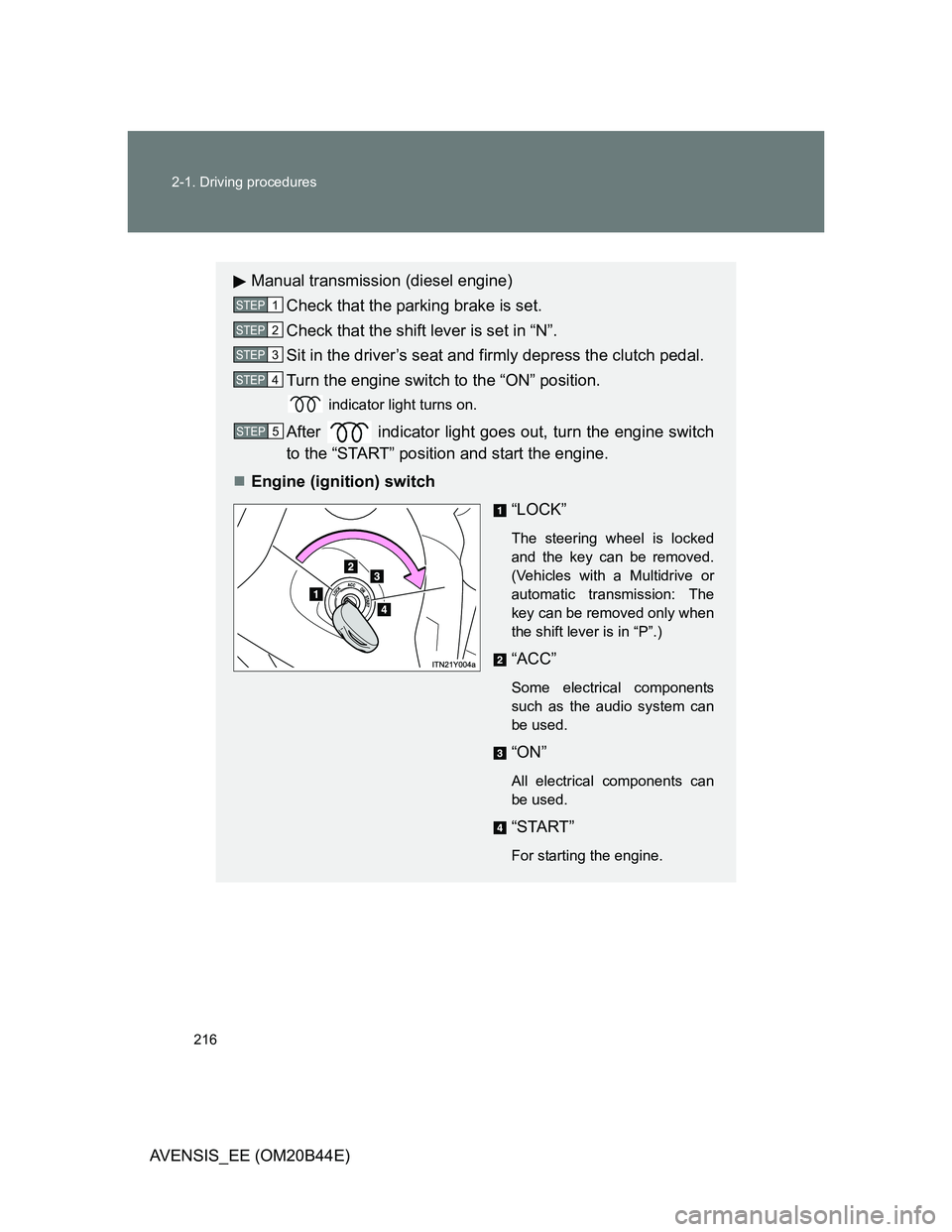
Engine (ignition) switch
“LOCK”
The steering wheel is locked
and the key can be removed.
(Vehicles with a Multidrive or
automatic transmission: The
key can be removed only when
the shift lever is in “P”.)
“ACC”
Some electrical components
such as the audio system can
be used.
“ON”
All electrical components can
be used.
“START”
For starting the engine.
STEP1
STEP2
STEP3
STEP4
STEP5
Page 217 of 772
217 2-1. Driving procedures
2
When driving
AVENSIS_EE (OM20B44E)
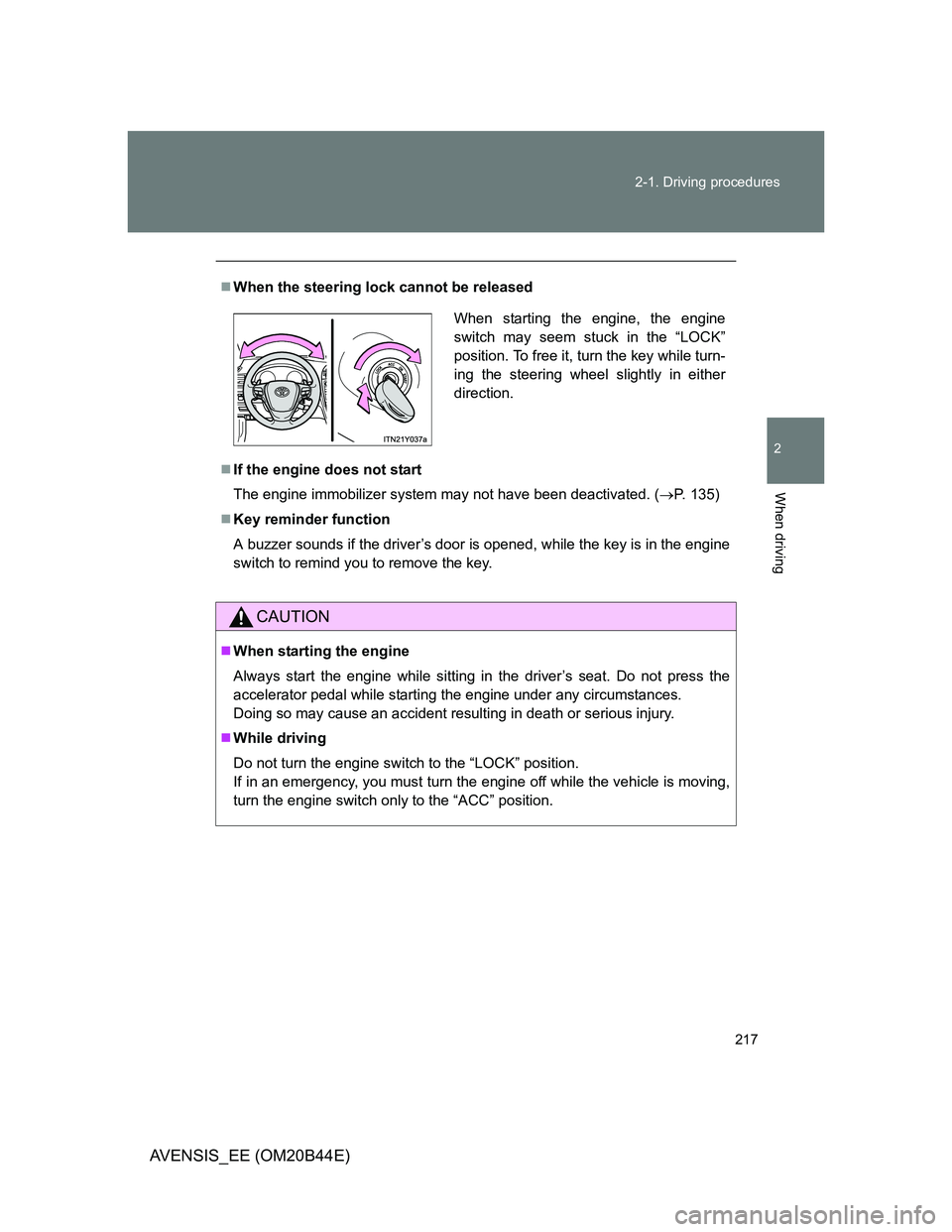
When the steering lock cannot be released
If the engine does not start
The engine immobilizer system may not have been deactivated. (P. 135)
Key reminder function
A buzzer sounds if the driver’s door is opened, while the key is in the engine
switch to remind you to remove the key.
CAUTION
When starting the engine
Always start the engine while sitting in the driver’s seat. Do not press the
accelerator pedal while starting the engine under any circumstances.
Doing so may cause an accident resulting in death or serious injury.
While driving
Do not turn the engine switch to the “LOCK” position.
If in an emergency, you must turn the engine off while the vehicle is moving,
turn the engine switch only to the “ACC” position.
When starting the engine, the engine
switch may seem stuck in the “LOCK”
position. To free it, turn the key while turn-
ing the steering wheel slightly in either
direction.
Page 224 of 772
224 2-1. Driving procedures
AVENSIS_EE (OM20B44E)
Automatic deactivation of sport mode
Vehicles with smart entry & start system
If the “ENGINE START STOP” switch is turned OFF after driving in sport
mode, the mode is automatically deactivated.
Vehicles without smart entry & start system
If the engine switch is turned to the “LOCK” position after driving in sport
mode, the mode is automatically deactivated.
If the shift lever cannot be shifted from “P”
P. 692
If the “M” indicator is not displayed after shifting the shift lever to the
“M” position
If the display does not change to “M” on an occasion other than that
described above, it may indicate a malfunction in the transmission system.
Have your vehicle inspected by any authorized Toyota dealer or repairer, or
another duly qualified and equipped professional immediately.
Automatic gear step selection
When the vehicle comes to a stop, the transmission will automatically down-
shift to allow you to start off in 1st step.
Page 230 of 772
230 2-1. Driving procedures
AVENSIS_EE (OM20B44E)
Automatic deactivation of sport mode
Vehicles with smart entry & start system
If the “ENGINE START STOP” switch is turned OFF after driving in sport
mode, the mode is automatically deactivated.
Vehicles without smart entry & start system
If the engine switch is turned to the “LOCK” position after driving in sport
mode, the mode is automatically deactivated.
If the shift lever cannot be shifted from “P”
P. 692
If the “M” indicator is not displayed after shifting the shift lever to the
“M” position
Vehicles with smart entry & start system: Within a few seconds of turning
the “ENGINE START STOP” switch to IGNITION ON mode, the transmis-
sion will not go into “M” mode if the shift lever is moved to the “M” posi-
tion.
Vehicles without smart entry & start system: Within a few seconds of
turning the engine switch to the “ON” position, the transmission will not
go into “M” mode if the shift lever is moved to the “M” position.
This is because a system check is being performed. In this case, wait a
moment and then try moving the shift lever to the “M” position again.
If the display does not change to “M” on an occasion other than that
described above, it may indicate a malfunction in the transmission sys-
tem. Have your vehicle inspected by any authorized Toyota dealer or
repairer, or another duly qualified and equipped professional immedi-
ately.
Automatic gear selection
When the vehicle comes to a stop, the transmission will automatically down-
shift to allow you to start off in 1st gear.
Page 241 of 772
241
2-1. Driving procedures
2
When driving
AVENSIS_EE (OM20B44E)
Horn
After adjusting the steering wheel (vehicles with manual tilt and tele-
scopic steering)
Make sure that the steering wheel is securely locked.
The horn may not sound if the steering wheel is not securely locked.
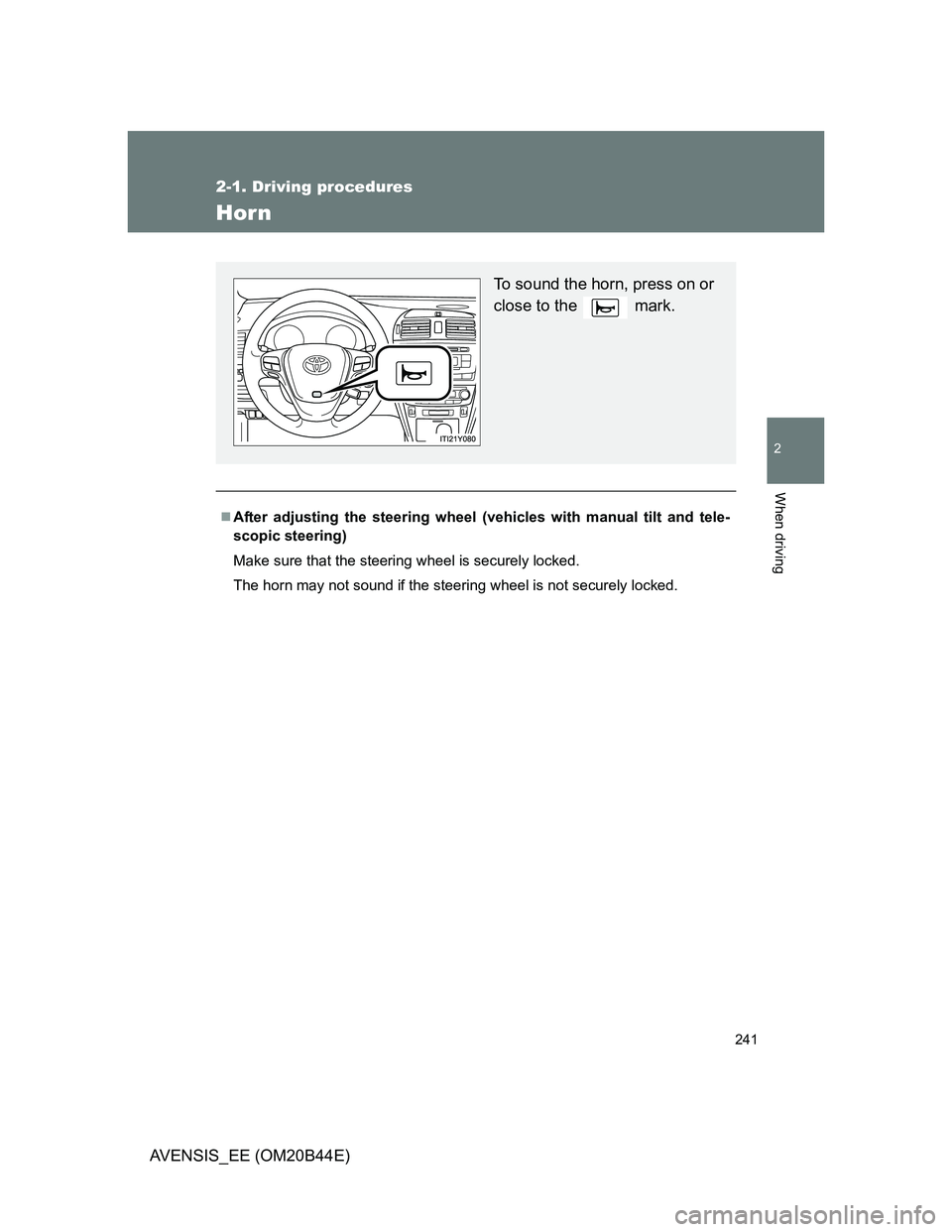
To sound the horn, press on or
close to the mark.
Page 243 of 772
243 2-2. Instrument cluster
2
When driving
AVENSIS_EE (OM20B44E)
Speedometer
Displays the vehicle speed.
“DISP.”/instrument panel light control button
Press: Switches the multi-information display.
Turn: To adjust the brightness of the instrument panel light. (P. 244)
Fuel gauge
Displays the quantity of fuel remaining in the tank.
Clock
Displays the time.
Engine coolant temperature gauge
Displays the engine coolant temperature.
Odometer/trip meter and trip meter reset button
Switches between odometer and trip meter displays. Pushing and hold-
ing the button will reset the trip meter when the trip meter is being dis-
played.
Page 244 of 772
244 2-2. Instrument cluster
AVENSIS_EE (OM20B44E)
Instrument panel light control
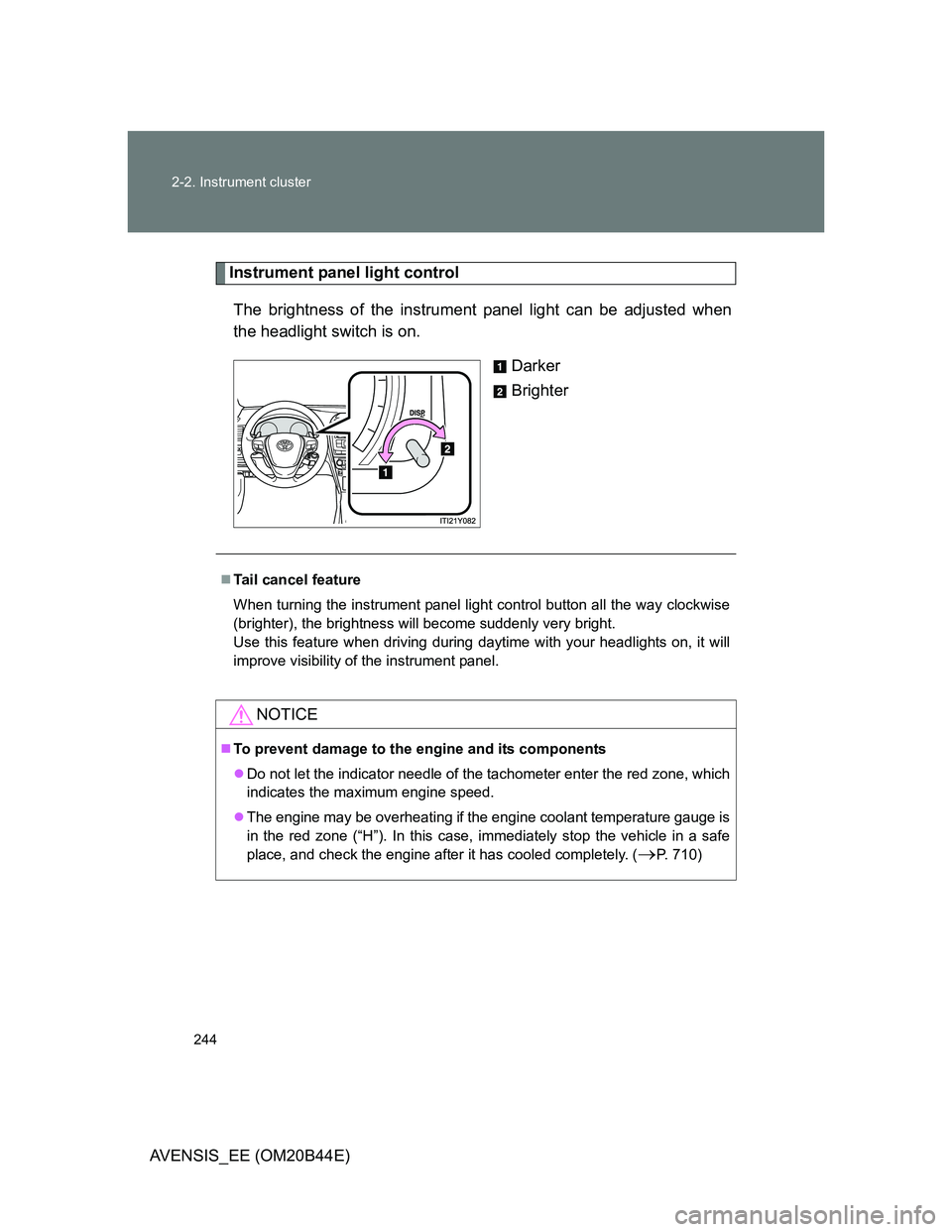
The brightness of the instrument panel light can be adjusted when
the headlight switch is on.
Darker
Brighter
Tail cancel feature
When turning the instrument panel light control button all the way clockwise
(brighter), the brightness will become suddenly very bright.
Use this feature when driving during daytime with your headlights on, it will
improve visibility of the instrument panel.
NOTICE
To prevent damage to the engine and its components
Do not let the indicator needle of the tachometer enter the red zone, which
indicates the maximum engine speed.
The engine may be overheating if the engine coolant temperature gauge is
in the red zone (“H”). In this case, immediately stop the vehicle in a safe
place, and check the engine after it has cooled completely. (
P. 710)
Page 253 of 772
253 2-2. Instrument cluster
2
When driving
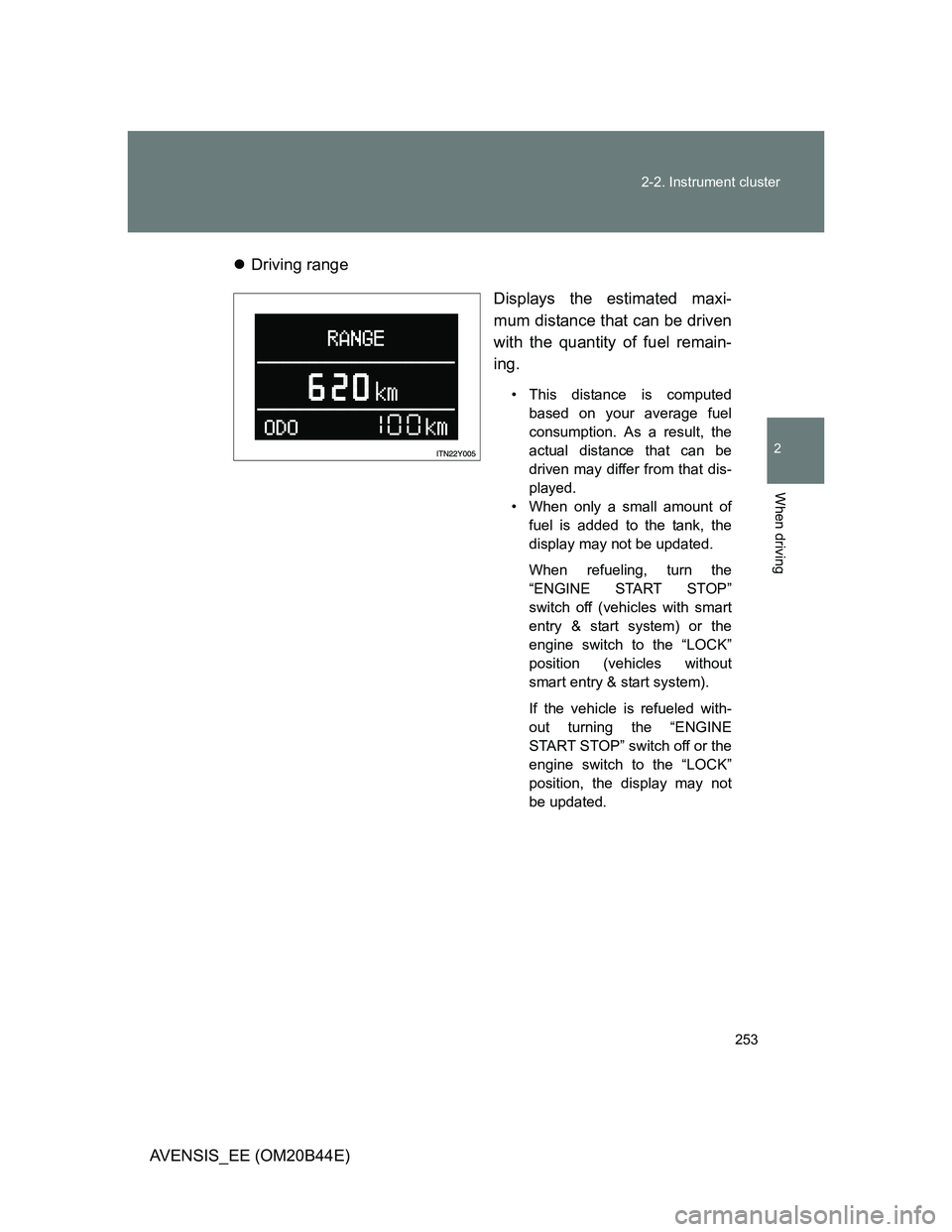
AVENSIS_EE (OM20B44E)Driving range
Displays the estimated maxi-
mum distance that can be driven
with the quantity of fuel remain-
ing.
• This distance is computed
based on your average fuel
consumption. As a result, the
actual distance that can be
driven may differ from that dis-
played.
• When only a small amount of
fuel is added to the tank, the
display may not be updated.
When refueling, turn the
“ENGINE START STOP”
switch off (vehicles with smart
entry & start system) or the
engine switch to the “LOCK”
position (vehicles without
smart entry & start system).
If the vehicle is refueled with-
out turning the “ENGINE
START STOP” switch off or the
engine switch to the “LOCK”
position, the display may not
be updated.
Page 256 of 772
256 2-2. Instrument cluster
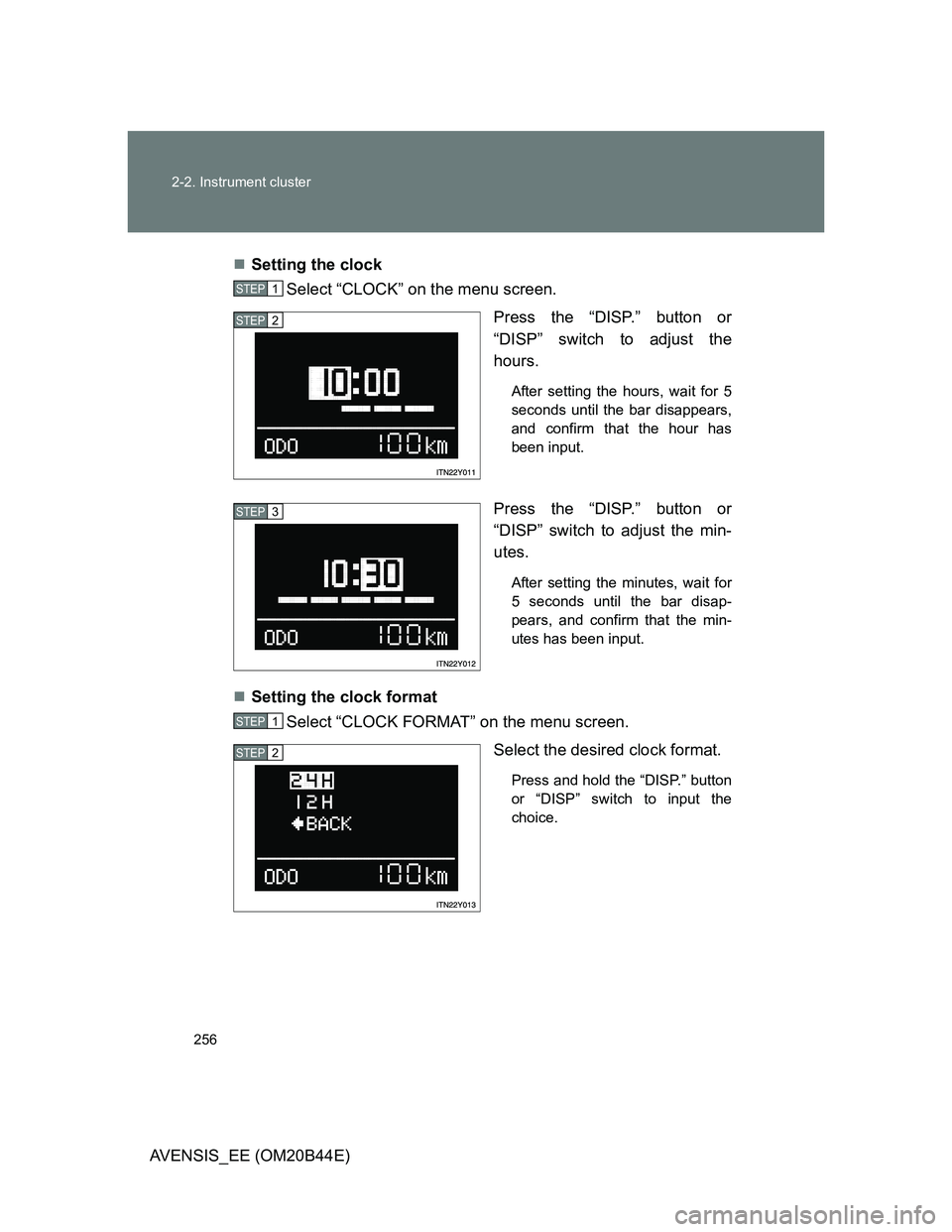
AVENSIS_EE (OM20B44E)Setting the clock
Select “CLOCK” on the menu screen.
Press the “DISP.” button or
“DISP” switch to adjust the
hours.
After setting the hours, wait for 5
seconds until the bar disappears,
and confirm that the hour has
been input.
Press the “DISP.” button or
“DISP” switch to adjust the min-
utes.
After setting the minutes, wait for
5 seconds until the bar disap-
pears, and confirm that the min-
utes has been input.
Setting the clock format
Select “CLOCK FORMAT” on the menu screen.
Select the desired clock format.
Press and hold the “DISP.” button
or “DISP” switch to input the
choice.
STEP1
STEP2
STEP3
STEP1
STEP2