lock TOYOTA AVENSIS 2012 Workshop Manual
[x] Cancel search | Manufacturer: TOYOTA, Model Year: 2012, Model line: AVENSIS, Model: TOYOTA AVENSIS 2012Pages: 772, PDF Size: 34.43 MB
Page 78 of 772
78
1-2. Opening, closing and locking the doors
AVENSIS_EE (OM20B44E)
Side doors
The vehicle can be locked and unlocked using the smart entry &
start system, wireless remote control or door lock switch.
Smart entry & start system (if equipped)
P. 4 0
Wireless remote control
P. 6 2
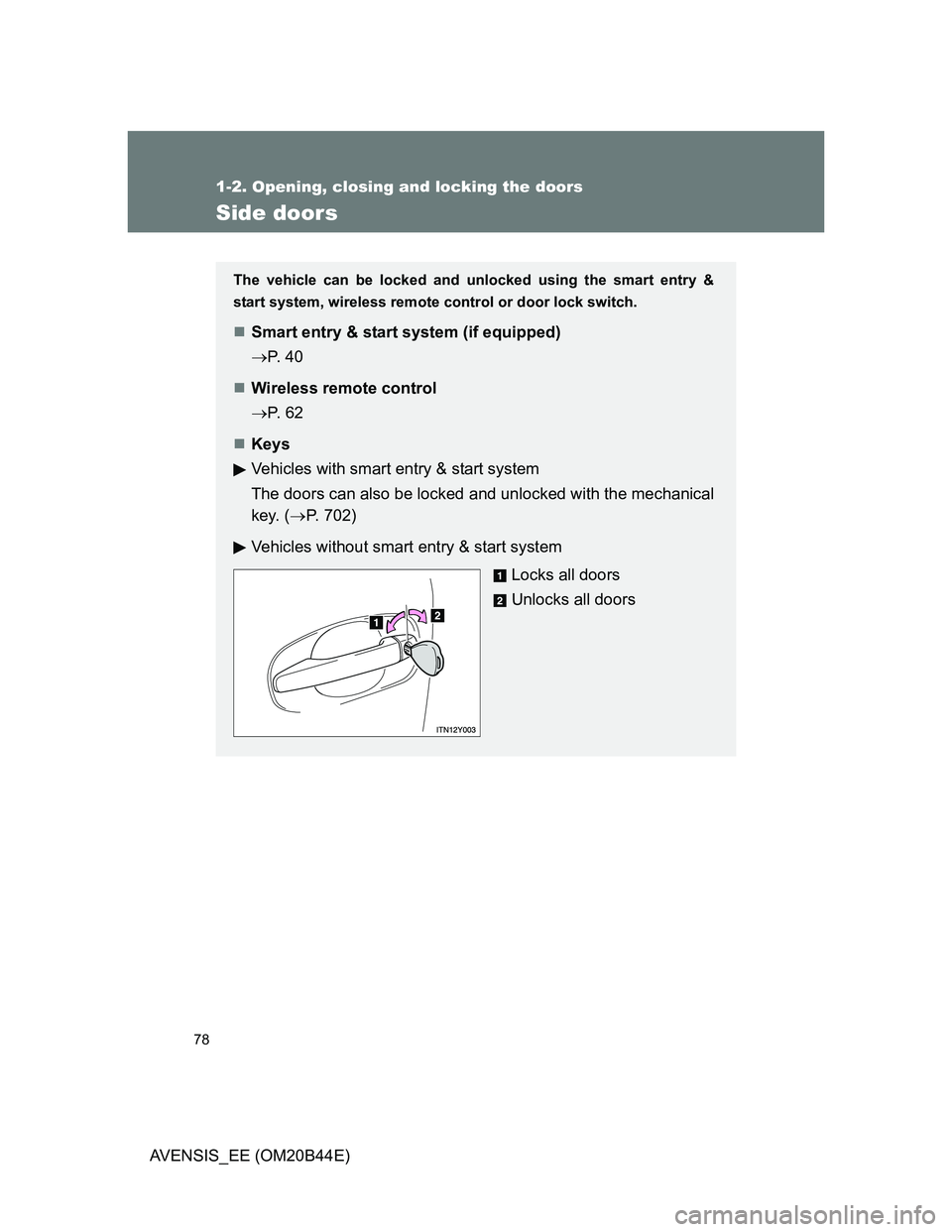
Keys
Vehicles with smart entry & start system
The doors can also be locked and unlocked with the mechanical
key. (P. 702)
Vehicles without smart entry & start system
Locks all doors
Unlocks all doors
Page 79 of 772
79 1-2. Opening, closing and locking the doors
1
Before driving
AVENSIS_EE (OM20B44E)
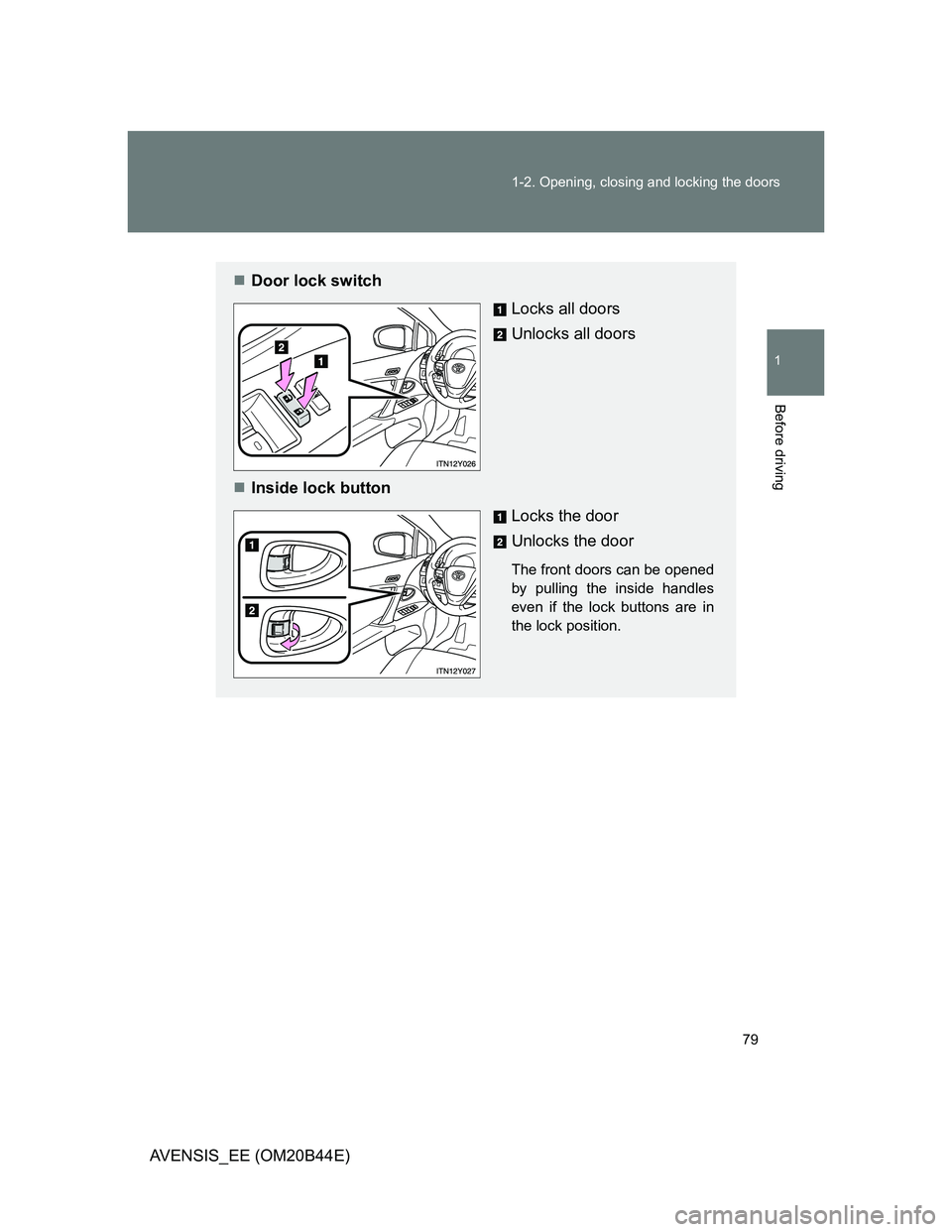
Door lock switch
Locks all doors
Unlocks all doors
Inside lock button
Locks the door
Unlocks the door
The front doors can be opened
by pulling the inside handles
even if the lock buttons are in
the lock position.
Page 80 of 772
80 1-2. Opening, closing and locking the doors
AVENSIS_EE (OM20B44E)
Locking the front doors from the outside without a key
Move the inside lock button to the lock position.
Close the door while pulling the door handle.
Vehicles with smart entry & start system
The door cannot be locked if the “ENGINE START STOP” switch is
in ACCESSORY or IGNITION ON mode, or the electronic key is
left inside the vehicle.
Depending on the position of the electronic key, the key may not be
detected correctly and the door may be locked.
Vehicles without smart entry & start system
The door cannot be locked if the key is in the engine switch.
STEP1
STEP2
Page 81 of 772
81 1-2. Opening, closing and locking the doors
1
Before driving
AVENSIS_EE (OM20B44E)
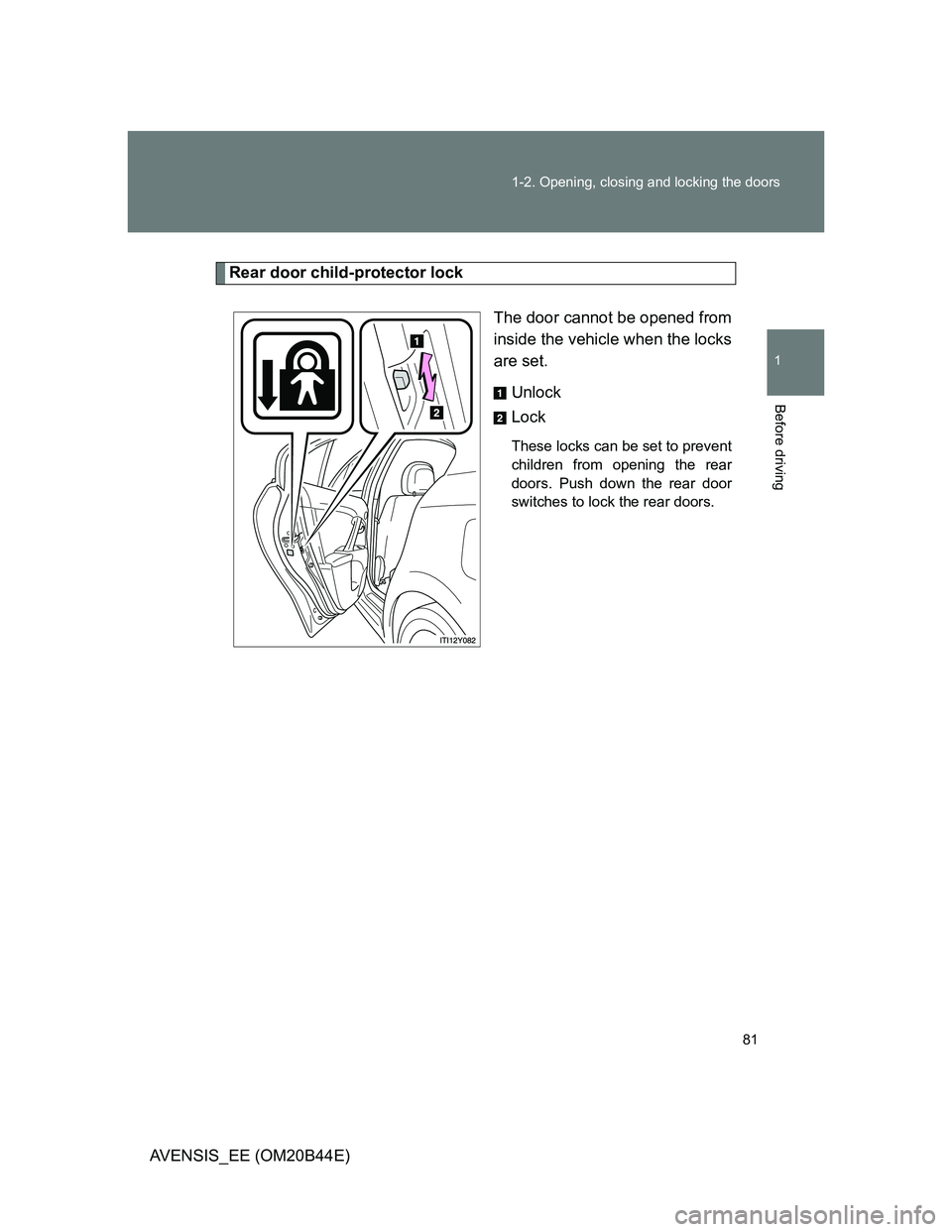
Rear door child-protector lock
The door cannot be opened from
inside the vehicle when the locks
are set.
Unlock
Lock
These locks can be set to prevent
children from opening the rear
doors. Push down the rear door
switches to lock the rear doors.
Page 82 of 772
82 1-2. Opening, closing and locking the doors
AVENSIS_EE (OM20B44E)
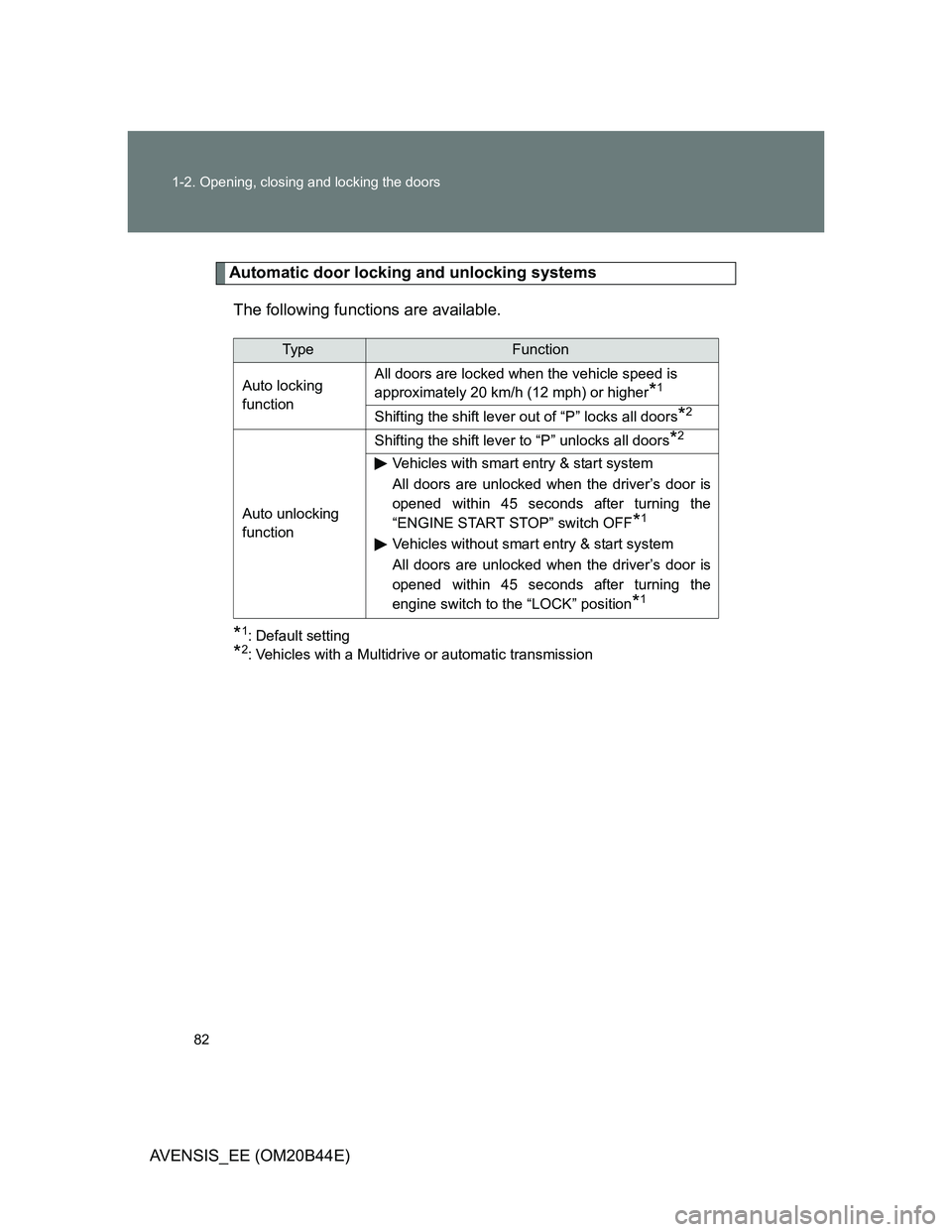
Automatic door locking and unlocking systems
The following functions are available.
*1: Default setting
*2: Vehicles with a Multidrive or automatic transmission
Ty p eFunction
Auto locking
functionAll doors are locked when the vehicle speed is
approximately 20 km/h (12 mph) or higher
*1
Shifting the shift lever out of “P” locks all doors*2
Auto unlocking
functionShifting the shift lever to “P” unlocks all doors
*2
Vehicles with smart entry & start system
All doors are unlocked when the driver’s door is
opened within 45 seconds after turning the
“ENGINE START STOP” switch OFF
*1
Vehicles without smart entry & start system
All doors are unlocked when the driver’s door is
opened within 45 seconds after turning the
engine switch to the “LOCK” position
*1
Page 83 of 772
83 1-2. Opening, closing and locking the doors
1
Before driving
AVENSIS_EE (OM20B44E)Setting and canceling the function (vehicles without a “touch
screen”)
Perform the operations of each function within 10 seconds.
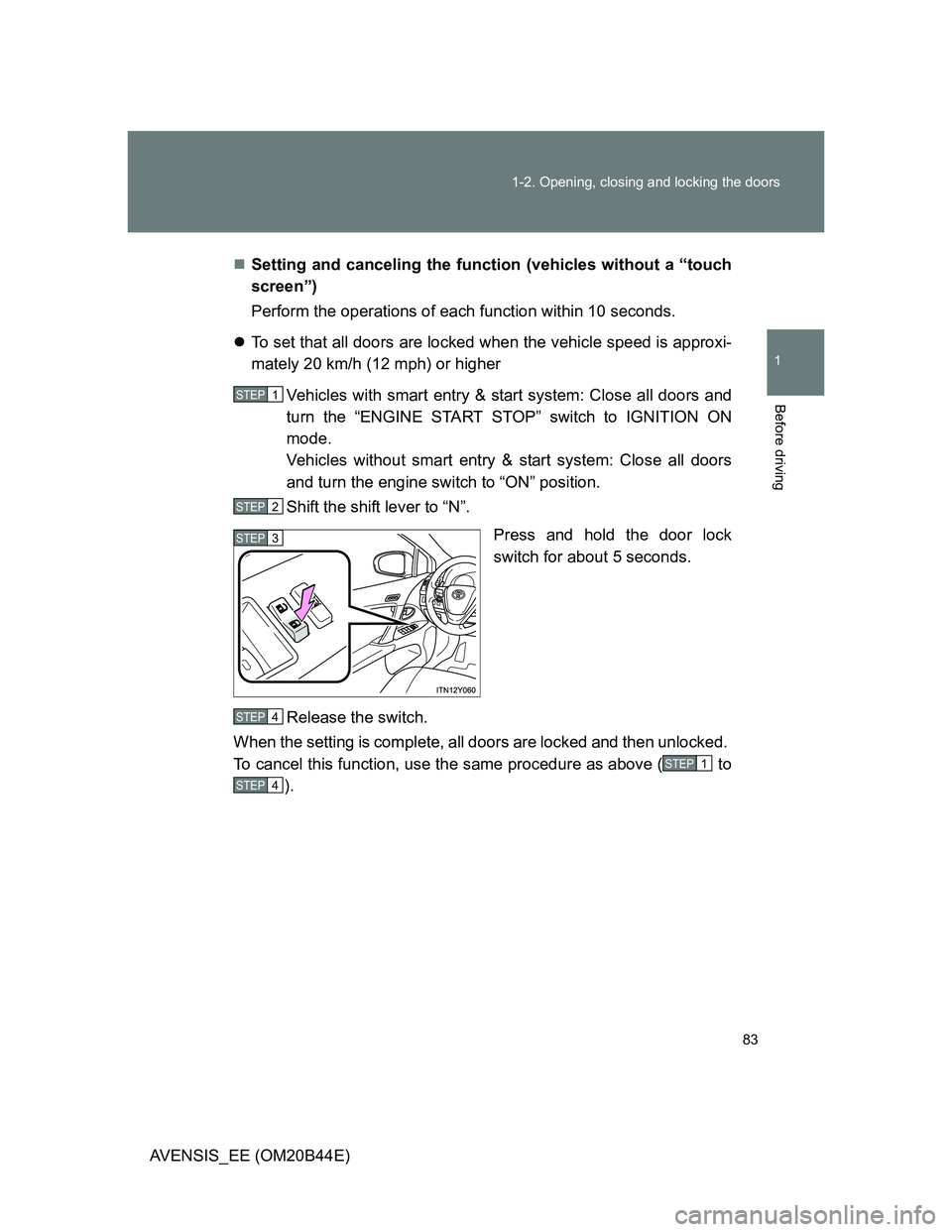
To set that all doors are locked when the vehicle speed is approxi-
mately 20 km/h (12 mph) or higher
Vehicles with smart entry & start system: Close all doors and
turn the “ENGINE START STOP” switch to IGNITION ON
mode.
Vehicles without smart entry & start system: Close all doors
and turn the engine switch to “ON” position.
Shift the shift lever to “N”.
Press and hold the door lock
switch for about 5 seconds.
Release the switch.
When the setting is complete, all doors are locked and then unlocked.
To cancel this function, use the same procedure as above ( to
).
STEP1
STEP2
STEP3
STEP4
STEP1
STEP4
Page 84 of 772
84 1-2. Opening, closing and locking the doors
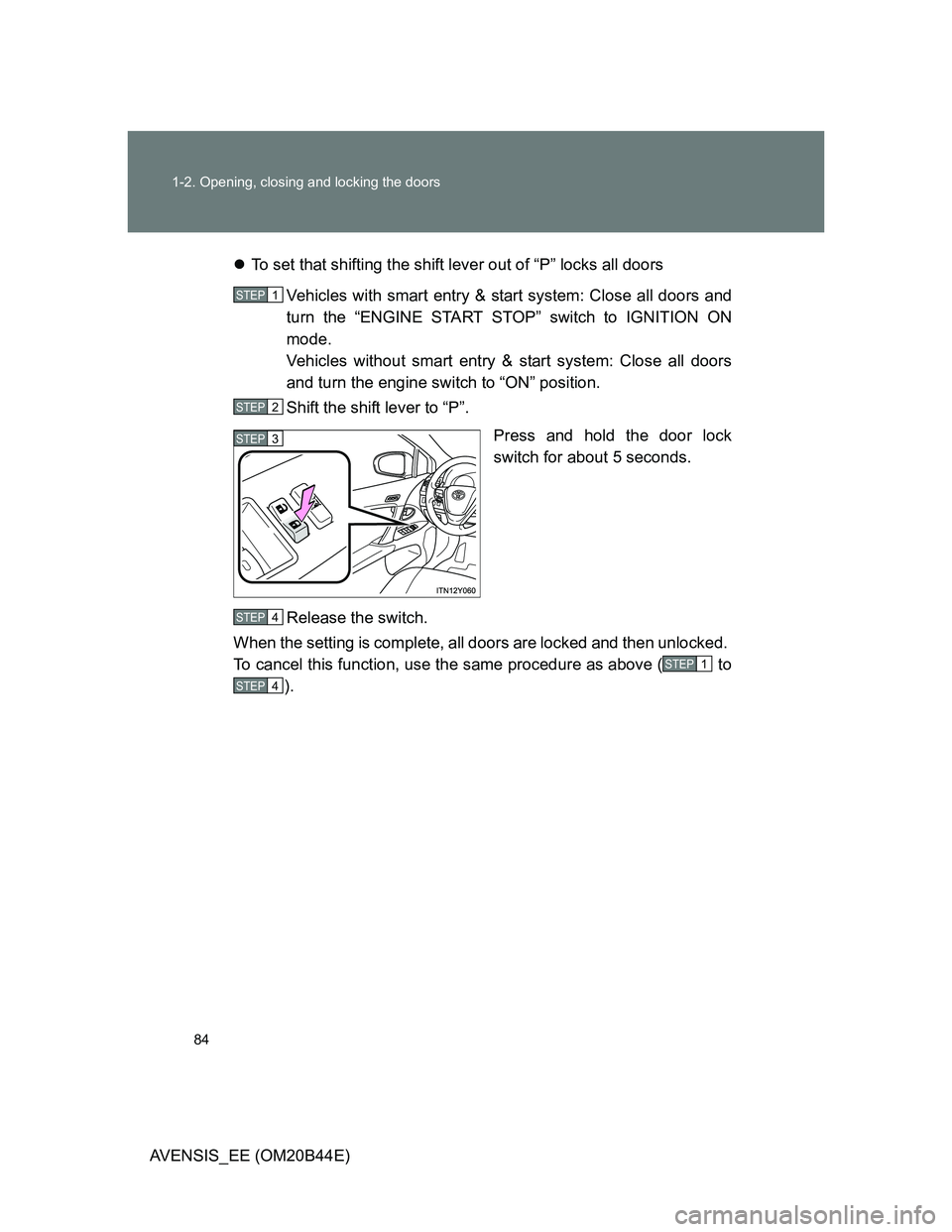
AVENSIS_EE (OM20B44E)To set that shifting the shift lever out of “P” locks all doors
Vehicles with smart entry & start system: Close all doors and
turn the “ENGINE START STOP” switch to IGNITION ON
mode.
Vehicles without smart entry & start system: Close all doors
and turn the engine switch to “ON” position.
Shift the shift lever to “P”.
Press and hold the door lock
switch for about 5 seconds.
Release the switch.
When the setting is complete, all doors are locked and then unlocked.
To cancel this function, use the same procedure as above ( to
).
STEP1
STEP2
STEP3
STEP4
STEP1
STEP4
Page 85 of 772
85 1-2. Opening, closing and locking the doors
1
Before driving
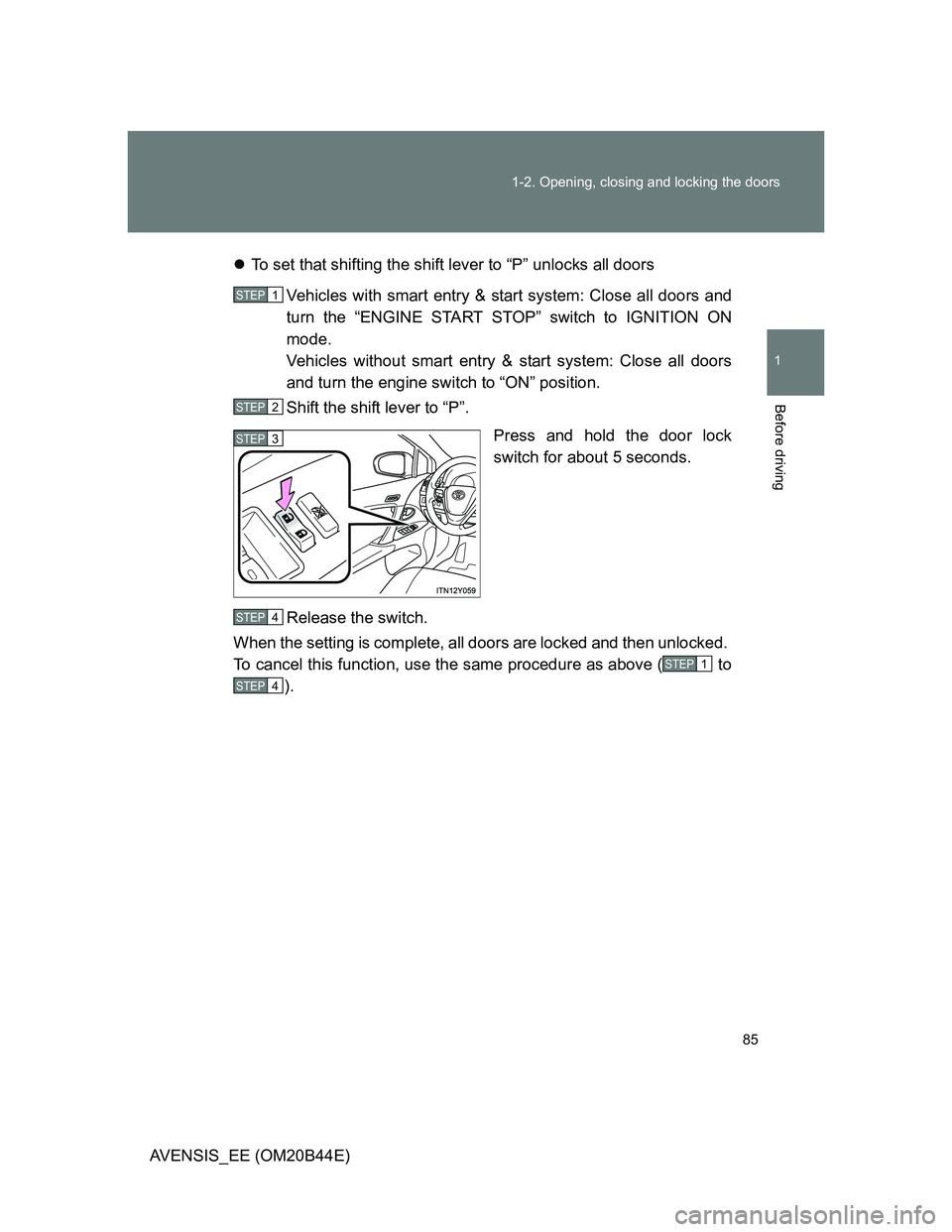
AVENSIS_EE (OM20B44E)To set that shifting the shift lever to “P” unlocks all doors
Vehicles with smart entry & start system: Close all doors and
turn the “ENGINE START STOP” switch to IGNITION ON
mode.
Vehicles without smart entry & start system: Close all doors
and turn the engine switch to “ON” position.
Shift the shift lever to “P”.
Press and hold the door lock
switch for about 5 seconds.
Release the switch.
When the setting is complete, all doors are locked and then unlocked.
To cancel this function, use the same procedure as above ( to
).
STEP1
STEP2
STEP3
STEP4
STEP1
STEP4
Page 86 of 772
86 1-2. Opening, closing and locking the doors
AVENSIS_EE (OM20B44E)To set that driver’s door linked unlocks all doors
Vehicles with smart entry & start system: Close all doors and
turn the “ENGINE START STOP” switch to IGNITION ON
mode.
Vehicles without smart entry & start system: Close all doors
and turn the engine switch to “ON” position.
Shift the shift lever to “N”.
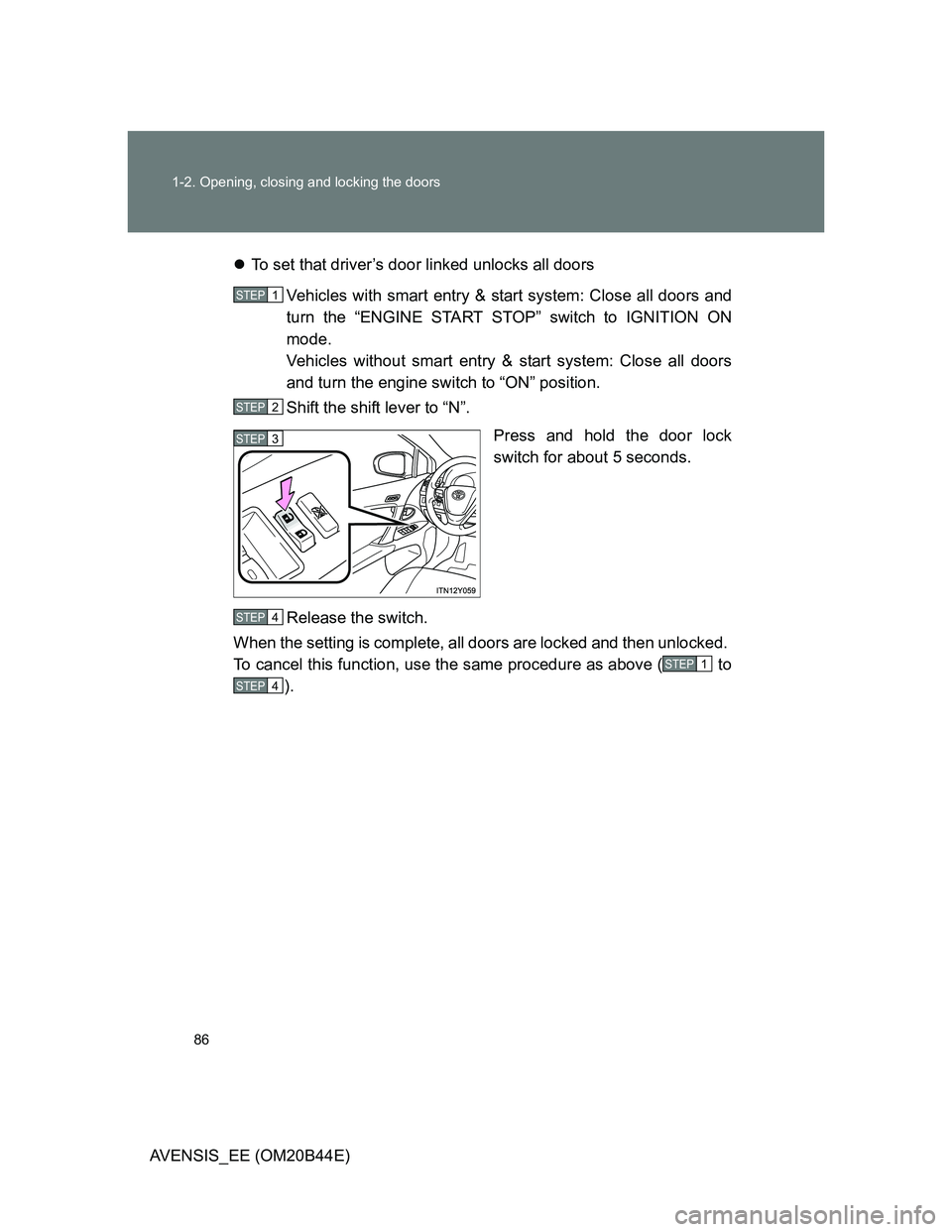
Press and hold the door lock
switch for about 5 seconds.
Release the switch.
When the setting is complete, all doors are locked and then unlocked.
To cancel this function, use the same procedure as above ( to
).
STEP1
STEP2
STEP3
STEP4
STEP1
STEP4
Page 87 of 772
87 1-2. Opening, closing and locking the doors
1
Before driving
AVENSIS_EE (OM20B44E)Setting and canceling the function (vehicles with a “touch
screen”)
Customization can also be done by “touch screen”.
(Please refer to the ““touch screen” Owner’s Manual”.)
Impact detection door lock release system
In the event that the vehicle is subject to a strong impact, all the doors are
unlocked. Depending on the force of the impact or the type of accident, how-
ever, the system may not operate.
CAUTION
To prevent an accident
Observe the following precautions while driving the vehicle.
Failing to do so may result in a door opening and an occupant falling out,
resulting in death or serious injury.
Always use a seat belt.
Ensure that all doors are properly closed.
Do not pull the inside handle of the doors while driving.
The doors may be opened and the passengers are thrown out of the vehi-
cle and it may result in death or serious injury.
Be especially careful for the front doors, as the doors may be opened even
if the inside lock buttons are in locked position.
Set the rear door child-protector locks when children are seated in the rear
seat.