lock TOYOTA AVENSIS 2015 Owners Manual
[x] Cancel search | Manufacturer: TOYOTA, Model Year: 2015, Model line: AVENSIS, Model: TOYOTA AVENSIS 2015Pages: 648, PDF Size: 39.64 MB
Page 245 of 648
2454-3. Operating the lights and wipers
4
Driving
AVENSIS_OM_OM20C20E_(EE)■
Windshield wiper features
The rear window and outside rear view mirror defoggers automatically turn on
when you operate the wipers.
WARNING
■ Caution regarding the use of windshield wipers in “AUTO” mode
The windshield wipers may operate unexpectedly if the sensor is touched or
the windshield is subject to vibration in “AUTO” mode. Take care that your
fingers or anything else do not become caught in the windshield wipers.
■ Caution regarding the use of washer fluid
When it is cold, do not use the washer fluid until the windshield becomes
warm. The fluid may freeze on the windshield and cause low visibility. This
may lead to an accident, resulting in death or serious injury.
NOTICE
■When the windshield is dry
Do not use the wipers, as they may damage the windshield.
■ When there is no washer fluid spray from the nozzle
Damage to the washer fluid pump may be caused if the lever is pulled
toward you and held continually.
■ When a nozzle becomes blocked
Do not try to clean it with a pin or other object. The nozzle will be damaged.
AVENSIS_OM_OM20C20E_(EE).book Page 245 Thursday, January 29, 2015 1:47 PM
Page 247 of 648
247
4
4-4. Refueling
Driving
AVENSIS_OM_OM20C20E_(EE)
Opening the fuel tank cap
●Close all the doors and windows, and turn the engine switch to the
“LOCK” position (vehicles without smart entry & start system) or off
(vehicles with smart entry & start system).
● Confirm the type of fuel.
■Fuel types
XGasoline engine
EU area:
Unleaded gasoline conforming to European standard EN228, Research
Octane Number of 95 or higher
Except EU area:
Unleaded gasoline, Research Octane Number of 95 or higher
XDiesel engine
Diesel fuel conforming to European standard EN590 (Ultra low sulfur diesel
max 10 ppm)
■ Use of ethanol blended gasoline in a gasoline engine
Toyota allows the use of ethanol blended gasoline where the ethanol content
is up to 10%. Make sure that the ethanol blended gasoline to be used has a
Research Octane Number that follows the above.
Perform the following steps to open the fuel tank cap.
Before refueling the vehicle
AVENSIS_OM_OM20C20E_(EE).book Page 247 Thursday, January 29, 2015 1:47 PM
Page 287 of 648
2874-6. Using the driving support systems
4
Driving
AVENSIS_OM_OM20C20E_(EE)
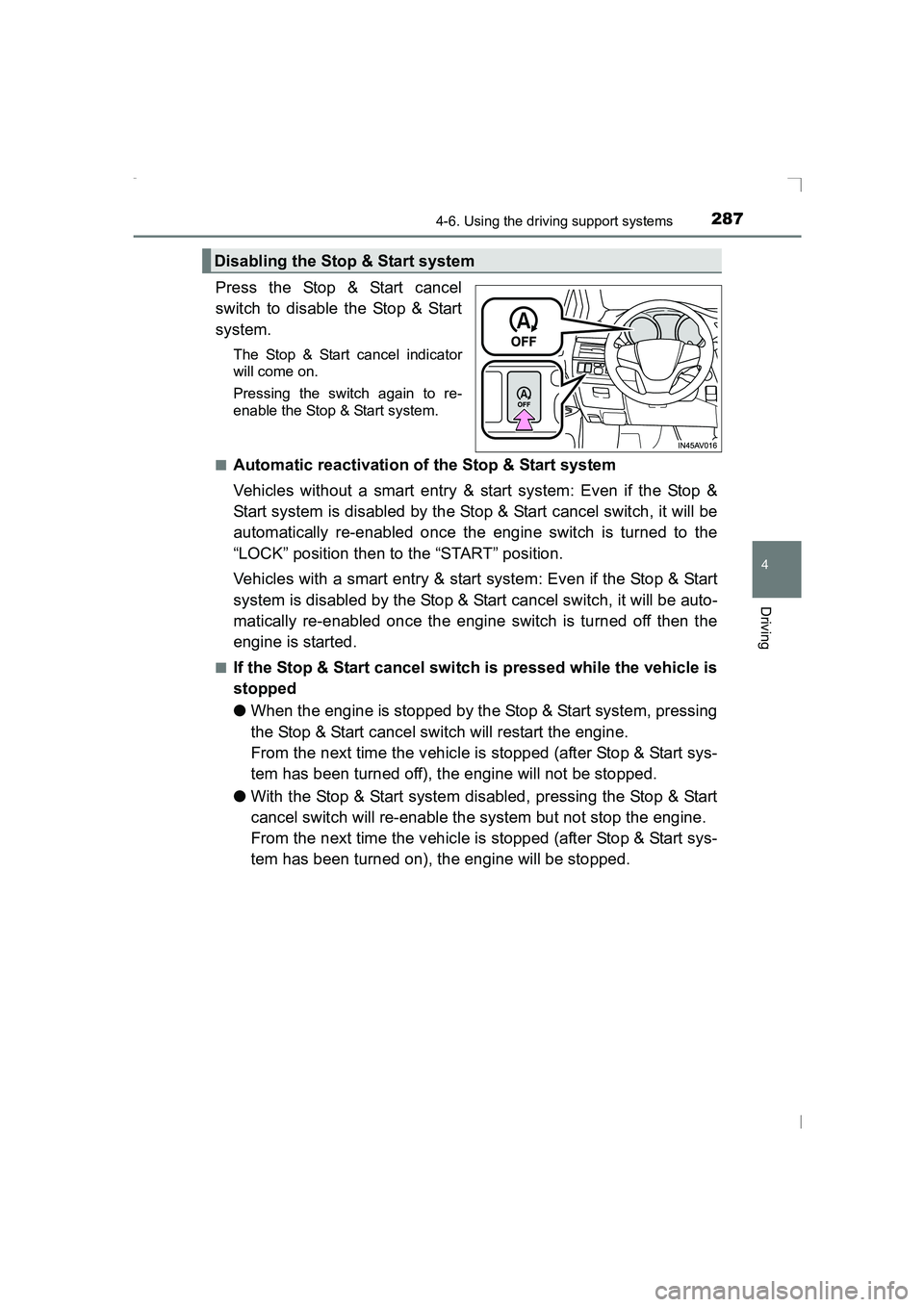
Press the Stop & Start cancel
switch to disable the Stop & Start
system.
The Stop & Start cancel indicator
will come on.
Pressing the switch again to re-
enable the Stop & Start system.
■
Automatic reactivation of the Stop & Start system
Vehicles without a smart entry & start system: Even if the Stop &
Start system is disabled by the Stop & Start cancel switch, it will be
automatically re-enabled once the engine switch is turned to the
“LOCK” position then to the “START” position.
Vehicles with a smart entry & start system: Even if the Stop & Start
system is disabled by the Stop & Start cancel switch, it will be auto-
matically re-enabled once the engine switch is turned off then the
engine is started.
■If the Stop & Start cancel switch is pressed while the vehicle is
stopped
● When the engine is stopped by the Stop & Start system, pressing
the Stop & Start cancel switch will restart the engine.
From the next time the vehicle is stopped (after Stop & Start sys-
tem has been turned off), the engine will not be stopped.
● With the Stop & Start system disabled, pressing the Stop & Start
cancel switch will re-enable the system but not stop the engine.
From the next time the vehicle is stopped (after Stop & Start sys-
tem has been turned on), the engine will be stopped.
Disabling the Stop & Start system
AVENSIS_OM_OM20C20E_(EE).book Page 287 Thursday, January 29, 2015 1:47 PM
Page 292 of 648
2924-6. Using the driving support systems
AVENSIS_OM_OM20C20E_(EE)
■The Stop & Start system protection feature
Vehicles without a smart entry & st art system: When an excessively loud
sound is being projected by the audio system, the audio system may be auto-
matically cut off in order to reduce battery consumption.
If this occurs, turning the engine switch to the “LOCK” position then to the
“ACC” or “ON” position re -enables the audio system.
Vehicles with a smart entry & start system: When an excessively loud sound
is being projected by the audio system, the audio system may be automati-
cally cut off in order to reduce battery consumption.
If this occurs, turning the engine switch off then to ACCESSORY mode or
IGNITION ON mode re-enables the audio system.
■ Replacing battery
→ P. 587
■ Displaying the Stop & Start system status
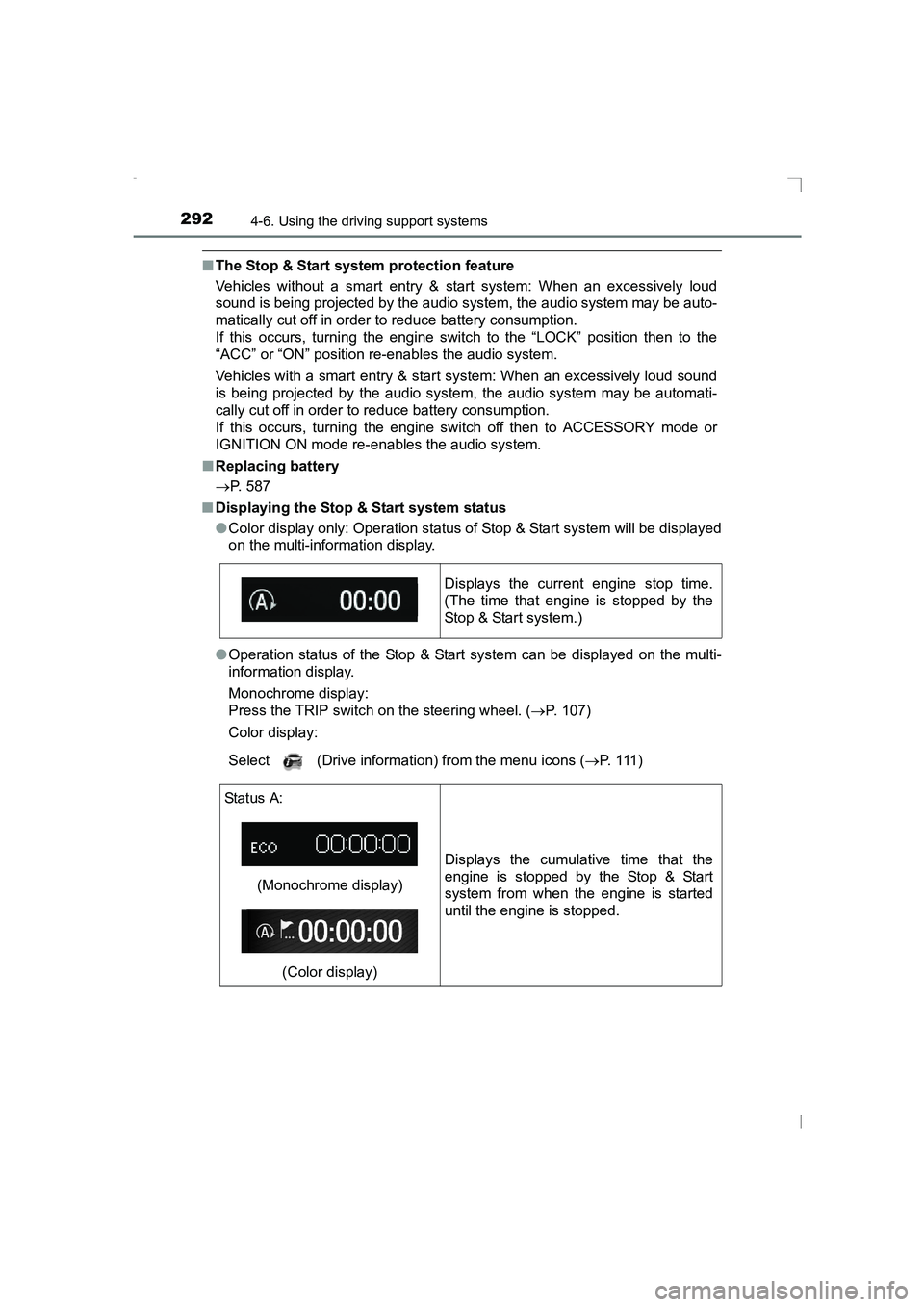
●Color display only: Operation status of Stop & Start system will be displayed
on the multi-information display.
● Operation status of the Stop & Start system can be displayed on the multi-
information display.
Monochrome display:
Press the TRIP switch on the steering wheel. ( →P. 107)
Color display:
Select (Drive information) from the menu icons ( →P. 1 1 1 )
Displays the current engine stop time.
(The time that engine is stopped by the
Stop & Start system.)
Status A:
(Monochrome display)(Color display) Displays the cumulative time that the
engine is stopped by the Stop & Start
system from when the engine is started
until the engine is stopped.
AVENSIS_OM_OM20C20E_(EE).book Page 292 Thursday, January 29,
2015 1:47 PM
Page 297 of 648
297
4
4-6. Using the driving support systems
Driving
AVENSIS_OM_OM20C20E_(EE)
Driving assist systems
◆ABS (Anti-lock Brake System)
Helps to prevent wheel lock when the brakes are applied suddenly,
or if the brakes are applied while driving on a slippery road surface.
◆Brake assist
Generates an increased level of braking force after the brake pedal
is depressed, when the system detects a panic stop situation.
◆VSC (Vehicle Stability Control)
Helps the driver to control skidding when swerving suddenly or
turning on slippery road surfaces.
◆VSC+ (Vehicle Stability Control+)
Provides cooperative control of the ABS, TRC, VSC and EPS.
Helps to maintain directional stability when swerving on slippery
road surfaces by controlling steering performance.
◆TRC (Traction Control)
Helps to maintain drive power and prevent the front wheels from
spinning when starting the vehicle or accelerating on slippery
roads.
◆Hill-start assist control
Helps to prevent the vehicle from rolling backward when starting on
an incline or slippery slope.
◆EPS (Electric Power Steering)
Employs an electric motor to reduce the amount of effort needed to
turn the steering wheel.
To help enhance driving safety and performance, the following
systems operate automatically in response to various driving
situations. Be aware, however, that these systems are supple-
mentary and should not be relied upon too heavily when operat-
ing the vehicle.
AVENSIS_OM_OM20C20E_(EE).book Page 297 Thursday, January 29, 2015 1:47 PM
Page 299 of 648
2994-6. Using the driving support systems
4
Driving
AVENSIS_OM_OM20C20E_(EE)
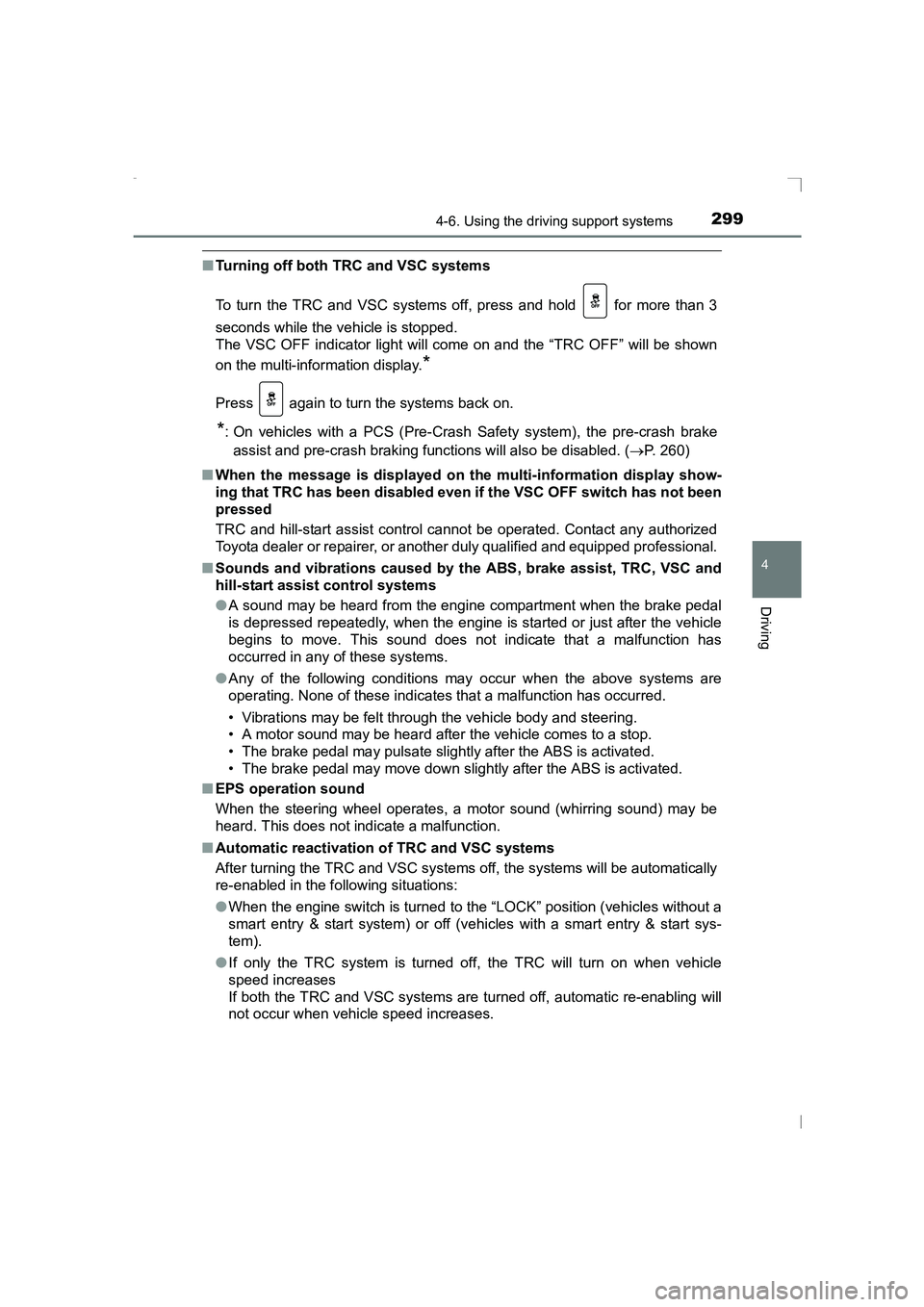
■Turning off both TRC and VSC systems
To turn the TRC and VSC systems off, press and hold for more than 3
seconds while the vehicle is stopped.
The VSC OFF indicator light will come on and the “TRC OFF” will be shown
on the multi-information display.
*
Press again to turn the systems back on.
*: On vehicles with a PCS (Pre-Crash Safety system), the pre-crash brake
assist and pre-crash braking func tions will also be disabled. (→P. 260)
■ When the message is displayed on th e multi-information display show-
ing that TRC has been disabled even if the VSC OFF switch has not been
pressed
TRC and hill-start assist control cannot be operated. Contact any authorized
Toyota dealer or repairer, or another duly qualified and equipped professional.
■ Sounds and vibrations caused by the ABS, brake assist, TRC, VSC and
hill-start assist control systems
●A sound may be heard from the engine compartment when the brake pedal
is depressed repeatedly, when the engine is started or just after the vehicle
begins to move. This sound does not indicate that a malfunction has
occurred in any of these systems.
● Any of the following conditions may occur when the above systems are
operating. None of these indicates that a malfunction has occurred.
• Vibrations may be felt through the vehicle body and steering.
• A motor sound may be heard after the vehicle comes to a stop.
• The brake pedal may pulsate slightly after the ABS is activated.
• The brake pedal may move down slightly after the ABS is activated.
■ EPS operation sound
When the steering wheel operates, a motor sound (whirring sound) may be
heard. This does not indicate a malfunction.
■ Automatic reactivation of TRC and VSC systems
After turning the TRC and VSC systems off, the systems will be automatically
re-enabled in the following situations:
●When the engine switch is turned to the “LOCK” position (vehicles without a
smart entry & start system) or off (vehicles with a smart entry & start sys-
tem).
● If only the TRC system is turned off, the TRC will turn on when vehicle
speed increases
If both the TRC and VSC systems are turned off, automatic re-enabling will
not occur when vehicle speed increases.
AVENSIS_OM_OM20C20E_(EE).book Page 299 Thursday, January 29, 2015 1:47 PM
Page 304 of 648
3044-7. Driving tips
AVENSIS_OM_OM20C20E_(EE)
Accelerate the vehicle slowly, keep a safe distance between you and
the vehicle ahead, and drive at a reduced speed suitable to road con-
ditions.
Park the vehicle and move the shift lever to P (Multidrive) or R (man-
ual transmission) without setting the parking brake. The parking brake
may freeze up, preventing it from being released. If necessary, block
the wheels to prevent inadvertent sliding or creeping.
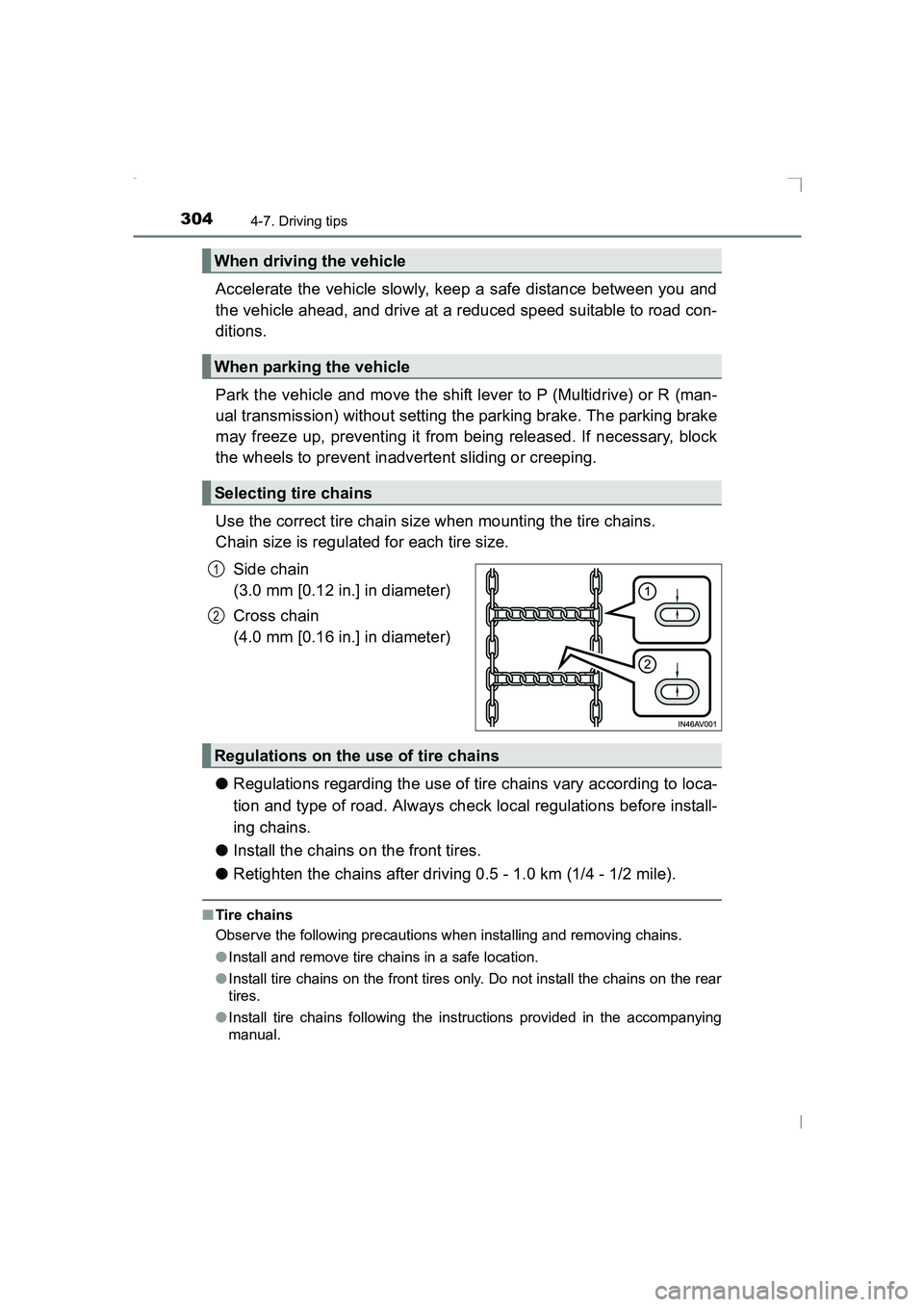
Use the correct tire chain size when mounting the tire chains.
Chain size is regulated for each tire size.Side chain
(3.0 mm [0.12 in.] in diameter)
Cross chain
(4.0 mm [0.16 in.] in diameter)
● Regulations regarding the use of tire chains vary according to loca-
tion and type of road. Always check local regulations before install-
ing chains.
● Install the chains on the front tires.
● Retighten the chains after driving 0.5 - 1.0 km (1/4 - 1/2 mile).
■Tire chains
Observe the following precautions when installing and removing chains.
●Install and remove tire chains in a safe location.
● Install tire chains on the front tires only. Do not install the chains on the rear
tires.
● Install tire chains following the instructions provided in the accompanying
manual.
When driving the vehicle
When parking the vehicle
Selecting tire chains
1
2
Regulations on the use of tire chains
AVENSIS_OM_OM20C20E_(EE).book Page 304 Thursday, January 29, 2015 1:47 PM
Page 335 of 648
![TOYOTA AVENSIS 2015 Owners Manual 3355-5. Using an external device
5
Audio system
AVENSIS_OM_OM20C20E_(EE)
Press [MENU] to select iPod menu mode.
Turning the tune/scroll knob clockwise changes the play mode in
the following order:
â](/img/14/59657/w960_59657-334.png "TOYOTA AVENSIS 2015 Owners Manual 3355-5. Using an external device
5
Audio system
AVENSIS_OM_OM20C20E_(EE)
Press [MENU] to select iPod menu mode.
Turning the tune/scroll knob clockwise changes the play mode in
the following order:
â")
3355-5. Using an external device
5
Audio system
AVENSIS_OM_OM20C20E_(EE)
Press [MENU] to select iPod menu mode.
Turning the tune/scroll knob clockwise changes the play mode in
the following order:
“Playlists”→“Artists” →“Albums” →“Songs” →“Podcasts” →“Genres”
→ “Composers” →“Audiobooks”
Press the knob to select the desired play mode.
■Play mode list
Selecting a play mode
1
2
3
Play modeFirst
selectionSecond
selectionThird
selectionFourth
selection
“Playlists”Playlists
selectSongs select--
“Artists”Artists selectAlbums
selectSongs select-
“Albums”Albums
selectSongs select--
“Songs”Songs select---
“Podcasts”Podcasts
selectEpisodes
select--
“Genres”Genre selectArtists selectAlbums
selectSongs select
“Composers”Composers
selectAlbums
selectSongs select-
“Audiobooks”Audiobooks
selectChapter
select--
AVENSIS_OM_OM20C20E_(EE).book Page 335 Thursday, January 29, 2015 1:47 PM
Page 363 of 648
![TOYOTA AVENSIS 2015 Owners Manual 3635-7. “SETUP” menu
5
Audio system
AVENSIS_OM_OM20C20E_(EE)
Select “Delete Phonebook” using the tune/scroll knob. (→P. 354)
Select the desired phonebook using the knob and press
[YES].
Sel](/img/14/59657/w960_59657-362.png "TOYOTA AVENSIS 2015 Owners Manual 3635-7. “SETUP” menu
5
Audio system
AVENSIS_OM_OM20C20E_(EE)
Select “Delete Phonebook” using the tune/scroll knob. (→P. 354)
Select the desired phonebook using the knob and press
[YES].
Sel")
3635-7. “SETUP” menu
5
Audio system
AVENSIS_OM_OM20C20E_(EE)
Select “Delete Phonebook” using the tune/scroll knob. (→P. 354)
Select the desired phonebook using the knob and press
[YES].
Select “Call Volume” using the tune/scroll knob. ( →P. 354)
Change the call volume.
To decrease the volume: Turn the knob counterclockwise.
To increase the volume: Turn the knob clockwise.
Select “Ring tone Volume” using the tune/scroll knob. ( →P. 354)
Change the ring tone volume.
To decrease the volume: Turn the knob counterclockwise.
To increase the volume: Turn the knob clockwise.
Select “Ring tone” using the tune/scroll knob. ( →P. 354)
Using the knob, select a ring tone [1 - 3]. To set the selected ring
tone, press the knob.
Select “Transfer history” using the tune/scroll knob ( →P. 354) and
press [YES].
■ Phone number
Up to 1000 names can be stored.
■ Call history
Up to 10 numbers can be stored in each of the outgoing, incoming and
missed call history memories.
■ Limitation of number of digits
A phone number that exceeds 24 digits cannot be registered.
Deleting another cellular phone’s phonebook
Setting call volume
Setting ring tone volume
Setting ring tone
Transferring call histories
1
2
1
2
1
2
1
2
AVENSIS_OM_OM20C20E_(EE).book Page 363 Thursday, January 29, 2015 1:47 PM
Page 370 of 648
3705-9. Bluetooth® Phone
AVENSIS_OM_OM20C20E_(EE)
Receiving a phone call
Press the off-hook switch.
Press the on-hook switch.
Press the off-hook switch.
Pressing the off-hook switch again returns you to the previous call.
To decrease the volume: Turn the power/volume knob counterclock-
wise.
To increase the volume: Turn the power/volume knob clockwise.
Answering the phone
Refusing the call
Receiving a call when on another call
Adjusting the ring tone volume when receiving a call
AVENSIS_OM_OM20C20E_(EE).book Page 370 Thursday, January 29, 2015 1:47 PM