check engine TOYOTA AVENSIS 2018 User Guide
[x] Cancel search | Manufacturer: TOYOTA, Model Year: 2018, Model line: AVENSIS, Model: TOYOTA AVENSIS 2018Pages: 660, PDF Size: 63.16 MB
Page 170 of 660
1703-3. Adjusting the seats
AVENSIS_OM_OM20C79E_(EE)
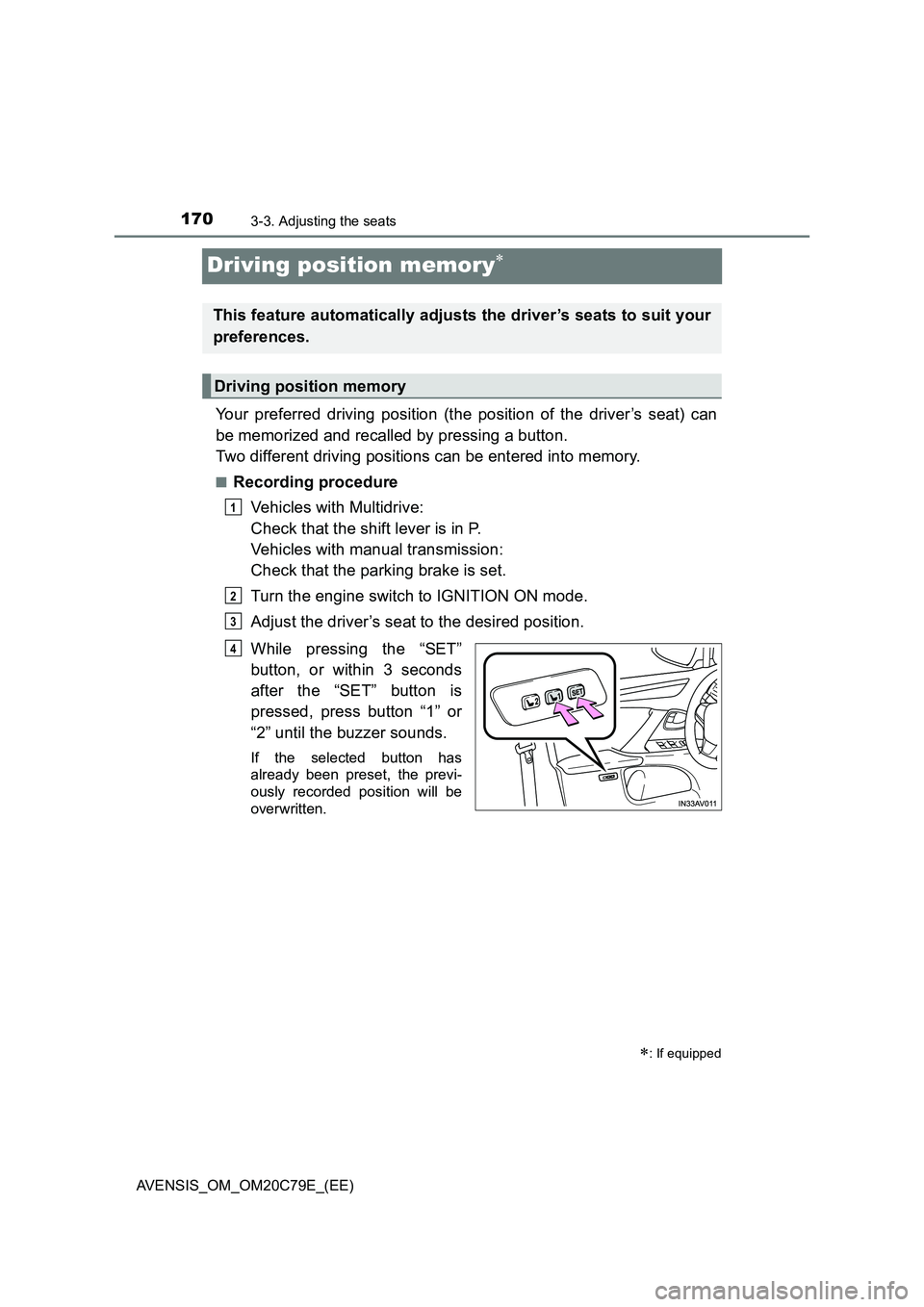
Driving position memory
Your preferred driving position (the position of the driver’s seat) can
be memorized and recalled by pressing a button.
Two different driving positions can be entered into memory.
■Recording procedure
Vehicles with Multidrive:
Check that the shift lever is in P.
Vehicles with manual transmission:
Check that the parking brake is set.
Turn the engine switch to IGNITION ON mode.
Adjust the driver’s seat to the desired position.
While pressing the “SET”
button, or within 3 seconds
after the “SET” button is
pressed, press button “1” or
“2” until the buzzer sounds.
If the selected button has
already been preset, the previ-
ously recorded position will be
overwritten.
: If equipped
This feature automatically adjusts the driver’s seats to suit your
preferences.
Driving position memory
1
2
3
4
Page 171 of 660
1713-3. Adjusting the seats
3
Operation of each component
AVENSIS_OM_OM20C79E_(EE)
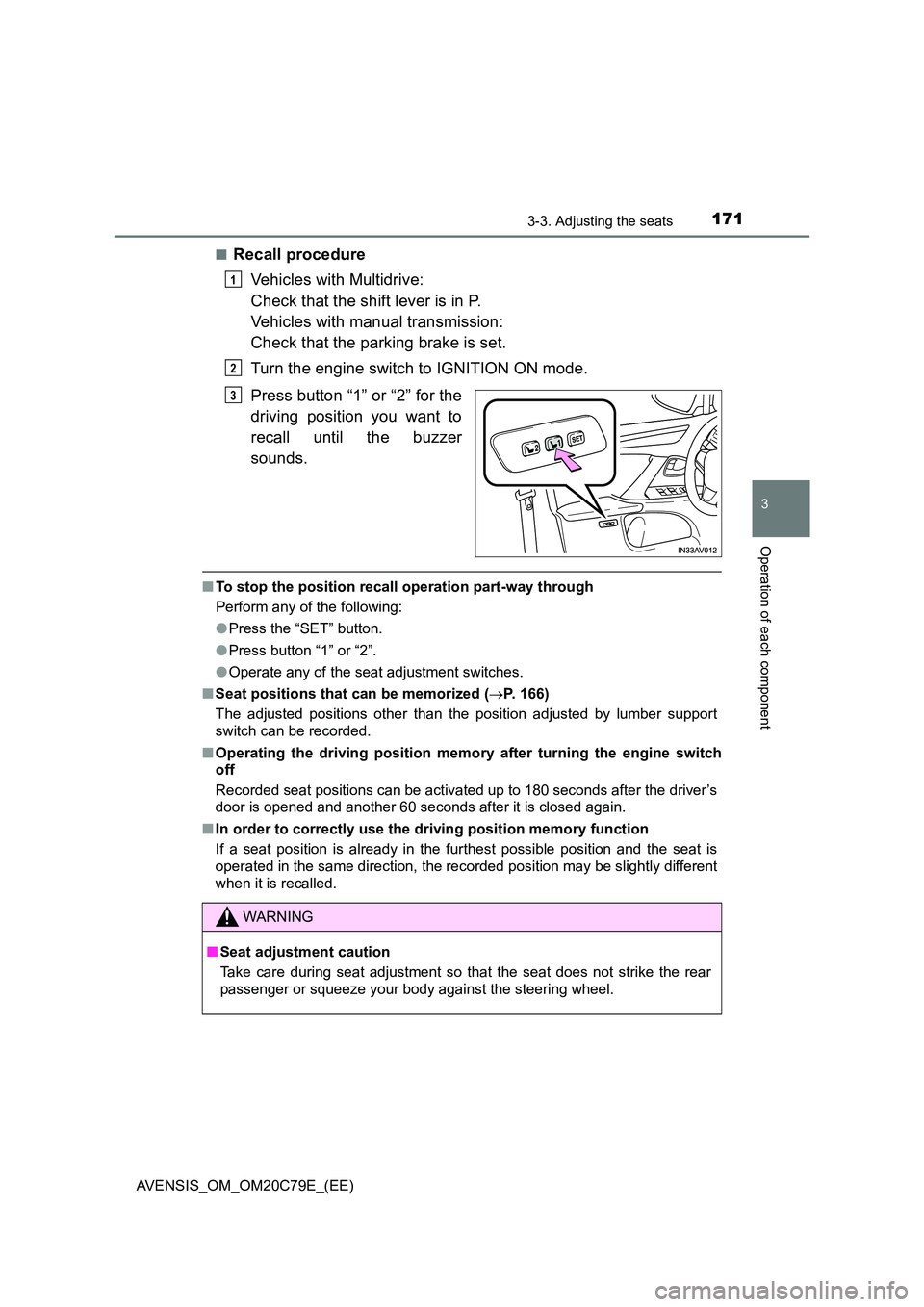
■Recall procedure
Vehicles with Multidrive:
Check that the shift lever is in P.
Vehicles with manual transmission:
Check that the parking brake is set.
Turn the engine switch to IGNITION ON mode.
Press button “1” or “2” for the
driving position you want to
recall until the buzzer
sounds.
■ To stop the position recall operation part-way through
Perform any of the following:
● Press the “SET” button.
● Press button “1” or “2”.
● Operate any of the seat adjustment switches.
■ Seat positions that can be memorized (P. 166)
The adjusted positions other than the position adjusted by lumber support
switch can be recorded.
■ Operating the driving position memory after turning the engine switch
off
Recorded seat positions can be activated up to 180 seconds after the driver’s
door is opened and another 60 seconds after it is closed again.
■ In order to correctly use the driving position memory function
If a seat position is already in the furthest possible position and the seat is
operated in the same direction, the recorded position may be slightly different
when it is recalled.
1
2
3
WARNING
■ Seat adjustment caution
Take care during seat adjustment so that the seat does not strike the rear
passenger or squeeze your body against the steering wheel.
Page 184 of 660
1843-5. Opening and closing the windows
AVENSIS_OM_OM20C79E_(EE)
If you release the switch while the window is moving, start again from the
beginning. If the window continues to close but then re-open slightly even
after performing the above procedure correctly, have the vehicle inspected by
any authorized Toyota retailer or Toyota authorized repairer, or any reliable
repairer.
WARNING
Observe the following precautions.
Failing to do so may result in death or serious injury.
■ When closing the windows
● The driver is responsible for all the power window operations, including the
operation for the passengers. In order to prevent accidental operation,
especially by a child, do not let a child operate the power windows. It is
possible for children and other passengers to have body parts caught in
the power window. Also, when riding with a child, it is recommended to use
the window lock switch. ( P. 182)
● Check to make sure that all passengers do not have any part of their body
in a position where it could be caught when a window is being operated.
● When exiting the vehicle, turn the engine switch to the “LOCK” position
(vehicles without smart entry & start system) or off (vehicles with smart
entry & start system), carry the key and exit the vehicle along with the
child. There may be accidental operation, due to mischief, etc., that may
possibly lead to an accident.
■ Jam protection function
● Never use any part of your body to intentionally activate the jam protection
function.
● The jam protection function may not work if something gets caught just
before the window fully closes.
Page 191 of 660
1914-1. Before driving
4
Driving
AVENSIS_OM_OM20C79E_(EE)
WARNING
Observe the following precautions.
Failure to do so may result in death or serious injury.
■ When driving the vehicle
● Do not drive if you are unfamiliar with the location of the brake and accel-
erator pedals to avoid depressing the wrong pedal.
• Accidentally depressing the accelerator pedal instead of the brake
pedal will result in sudden acceleration that may lead to an accident.
• When backing up, you may twist your body around, leading to a diffi-
culty in operating the pedals. Make sure to operate the pedals properly.
• Make sure to keep a correct driving posture even when moving the
vehicle only slightly. This allows you to depress the brake and accelera-
tor pedals properly.
• Depress the brake pedal using your right foot. Depressing the brake
pedal using your left foot may delay response in an emergency, result-
ing in an accident.
● Do not drive the vehicle over or stop the vehicle near flammable materials.
The exhaust system and exhaust gases can be extremely hot. These hot
parts may cause a fire if there is any flammable material nearby.
● During normal driving, do not turn off the engine. Turning the engine off
while driving will not cause loss of steering or braking control, but the
power assist to these systems will be lost. This will make it more difficult to
steer and brake, so you should pull over and stop the vehicle as soon as it
is safe to do so.
However, in the event of an emergency, such as if it becomes impossible
to stop the vehicle in the normal way: P. 519
● Use engine braking (downshift) to maintain a safe speed when driving
down a steep hill.
Using the brakes continuously may cause the brakes to overheat and lose
effectiveness. ( P. 2 2 0 )
● Do not adjust the positions of the steering wheel, the seat, or the inside or
outside rear view mirrors while driving.
Doing so may result in a loss of vehicle control that can cause accidents.
● Always check that all passengers’ arms, heads or other parts of their body
are not outside the vehicle.
Page 193 of 660
1934-1. Before driving
4
Driving
AVENSIS_OM_OM20C79E_(EE)
WARNING
Observe the following precautions.
Failure to do so may result in death or serious injury.
■ If you hear a squealing or scraping noise (brake pad wear indicators)
Have the brake pads checked and replaced by any authorized Toyota
retailer or Toyota authorized repairer, or any reliable repairer, as soon as
possible.
Rotor damage may result if the pads are not replaced when needed.
Front brakes only: Moderate levels of brake pad and disc wear allow
enhanced front braking power. As a result, the discs may wear more quickly
than conventional brake discs. Therefore, when replacing the brake pads,
Toyota recommends that you also have the thickness of the discs mea-
sured.
It is dangerous to drive the vehicle w hen the wear limits of the brake pads
and/or those of the brake discs are exceeded.
■ When the vehicle is stopped
● Do not race the engine.
If the vehicle is in any gear other than P (vehicles with Multidrive) or N, the
vehicle may accelerate suddenly and unexpectedly, causing an accident.
● Vehicles with Multidrive: In order to prevent accidents due to the vehicle
rolling away, always keep depressing the brake pedal while the engine is
running, and apply the parking brake as necessary.
● If the vehicle is stopped on an incline, in order to prevent accidents caused
by the vehicle rolling forward or backward, always depress the brake pedal
and securely apply the parking brake as needed.
● Avoid revving or racing the engine.
Running the engine at high speed while the vehicle is stopped may cause
the exhaust system to overheat, which could result in a fire if combustible
material is nearby.
Page 197 of 660
1974-1. Before driving
4
Driving
AVENSIS_OM_OM20C79E_(EE)
NOTICE
■If you get a flat tire while driving
A flat or damaged tire may cause the following situations. Hold the steering
wheel firmly and gradually depress the brake pedal to slow down the vehi-
cle.
● It may be difficult to control your vehicle.
● The vehicle will make abnormal sounds or vibrations.
● The vehicle will lean abnormally.
Information on what to do in case of a flat tire. ( P. 570, 554)
■ When encountering flooded roads
Do not drive on a road that has flooded after heavy rain etc. Doing so may
cause the following serious damage to the vehicle.
● Engine stalling
● Short in electrical components
● Engine damage caused by water immersion
In the event that you drive on a flooded road and the vehicle is flooded, be
sure to have any authorized Toyota retailer or Toyota authorized repairer, or
any reliable repairer check the following.
● Brake function
● Changes in quantity and quality of oil and fluid used for the engine, trans-
mission etc.
● Lubricant condition for the bearings and suspension joints (where possi-
ble), and the function of all joints, bearings, etc.
Page 207 of 660
2074-1. Before driving
4
Driving
AVENSIS_OM_OM20C79E_(EE)■
Important points regarding stability
Vehicle movement resulting from uneven road surfaces and strong
crosswinds will affect handling. The vehicle may also be rocked by
passing buses or large trucks. Frequently check behind when mov-
ing alongside such vehicles. As soon as such vehicle movement
occurs, immediately start to decelerate smoothly by slowly applying
the brakes. Always steer the vehicle straight ahead while braking.
■Passing other vehicles
Consider the total combined length of your vehicle and trailer, and
ensure that the vehicle-to-vehicle distance is sufficient before exe-
cuting lane changes.
■Transmission information
Multidrive
To maintain engine braking efficiency, when using engine braking,
do not use the transmission in D. Select an appropriate gear in M
mode.
Manual transmission
To maintain engine braking efficiency, when using engine braking,
do not use the transmission in 6.
■If the engine overheats
Towing a loaded trailer up a long steep incline in temperatures
exceeding 30C (85F) may result in the engine overheating. If the
engine coolant temperature gauge indicates that the engine is over-
heating, turn the air conditioning off immediately, leave the road and
stop the vehicle in a safe place. (P. 600)
■When parking the vehicle
Always place wheel chocks under the wheels of both the vehicle
and trailer. Firmly set the parking brake and shift the shift lever to P
for Multidrive, and 1 or R for manual transmission.
Page 209 of 660
209
4
4-2. Driving procedures
Driving
AVENSIS_OM_OM20C79E_(EE)
Engine (ignition) switch (vehicles without
smart entry & start system)
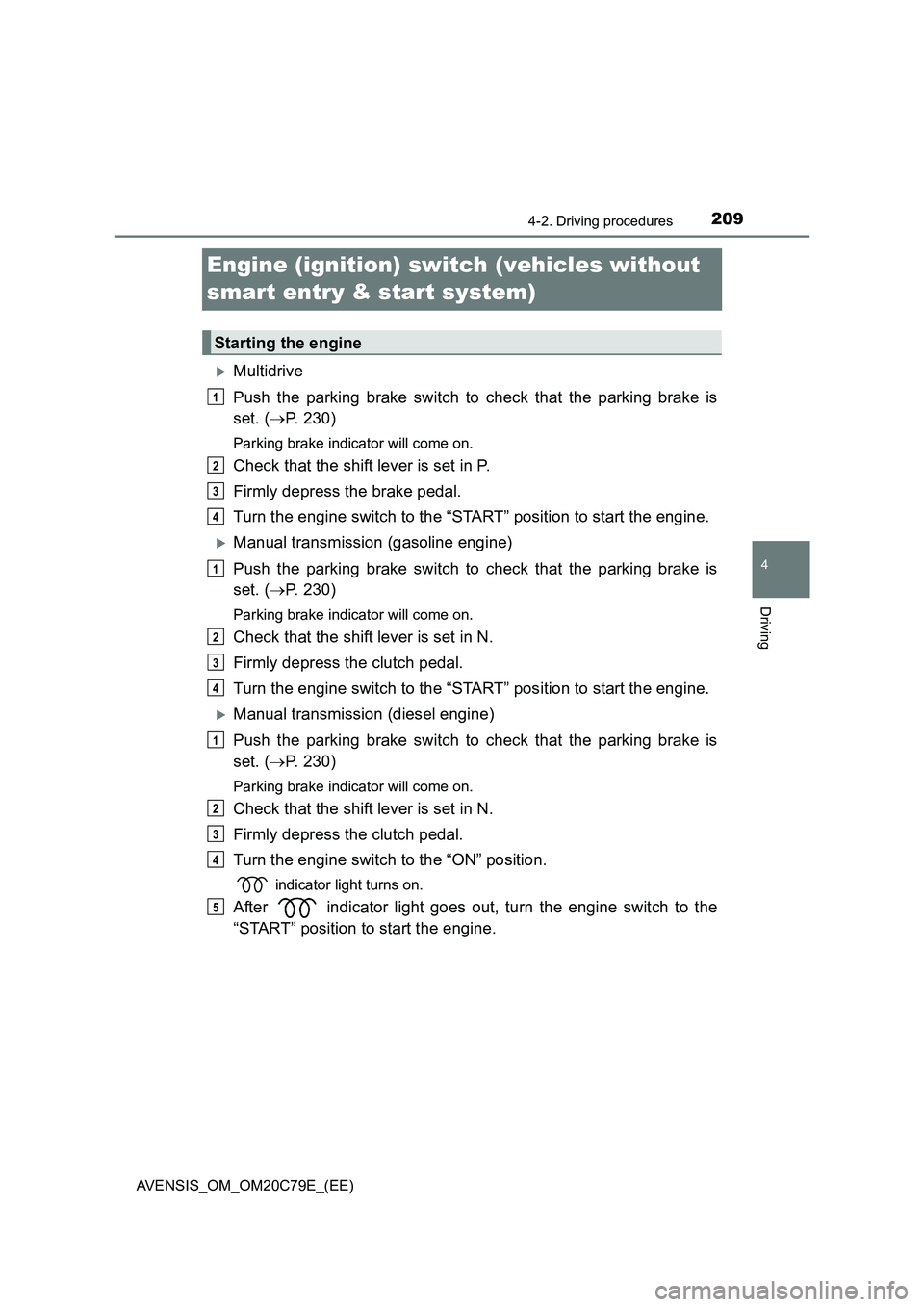
Multidrive
Push the parking brake switch to check that the parking brake is
set. (P. 230)
Parking brake indicator will come on.
Check that the shift lever is set in P.
Firmly depress the brake pedal.
Turn the engine switch to the “START” position to start the engine.
Manual transmission (gasoline engine)
Push the parking brake switch to check that the parking brake is
set. (P. 230)
Parking brake indicator will come on.
Check that the shift lever is set in N.
Firmly depress the clutch pedal.
Turn the engine switch to the “START” position to start the engine.
Manual transmission (diesel engine)
Push the parking brake switch to check that the parking brake is
set. (P. 230)
Parking brake indicator will come on.
Check that the shift lever is set in N.
Firmly depress the clutch pedal.
Turn the engine switch to the “ON” position.
indicator light turns on.
After indicator light goes out, turn the engine switch to the
“START” position to start the engine.
Starting the engine
1
2
3
4
1
2
3
4
1
2
3
4
5
Page 211 of 660
2114-2. Driving procedures
4
Driving
AVENSIS_OM_OM20C79E_(EE)
■ Key reminder function
A buzzer sounds if the driver’s door is opened, while the engine switch is in
the “LOCK” or “ACC” position to remind you to remove the key.
WARNING
■ When starting the engine
Always start the engine while sitting in the driver’s seat. Do not depress the
accelerator pedal while starting the engine under any circumstances.
Doing so may cause an accident resulting in death or serious injury.
■ Caution when driving
Do not turn the engine switch to the “LOCK” position while driving. If, in an
emergency, you must turn the engine off while the vehicle is moving, turn
the engine switch only to the “ACC” pos ition to stop the engine. An accident
may result if the engine is stopped while driving. ( P. 519)
NOTICE
■To prevent battery discharge
Do not leave the engine switch in the “ACC” or “ON” position for long peri-
ods of time without the engine running.
■ When starting the engine
● Do not crank for more than 30 seconds at a time. This may overheat the
starter and wiring systems.
● Do not race a cold engine.
● If the engine becomes difficult to start or stalls frequently, have your vehi-
cle checked by any authorized Toyota retailer or Toyota authorized
repairer, or any reliable repairer immediately.
Page 212 of 660
2124-2. Driving procedures
AVENSIS_OM_OM20C79E_(EE)
Engine (ignition) switch (vehicles with
smart entry & start system)
Multidrive
Push the parking brake switch to check that the parking brake is
set. (P. 230)
Parking brake indicator will come on.
Check that the shift lever is set in P.
Firmly depress the brake pedal.
The engine switch indicator will turn green. If the indicator does not turn
green, the engine cannot be started.
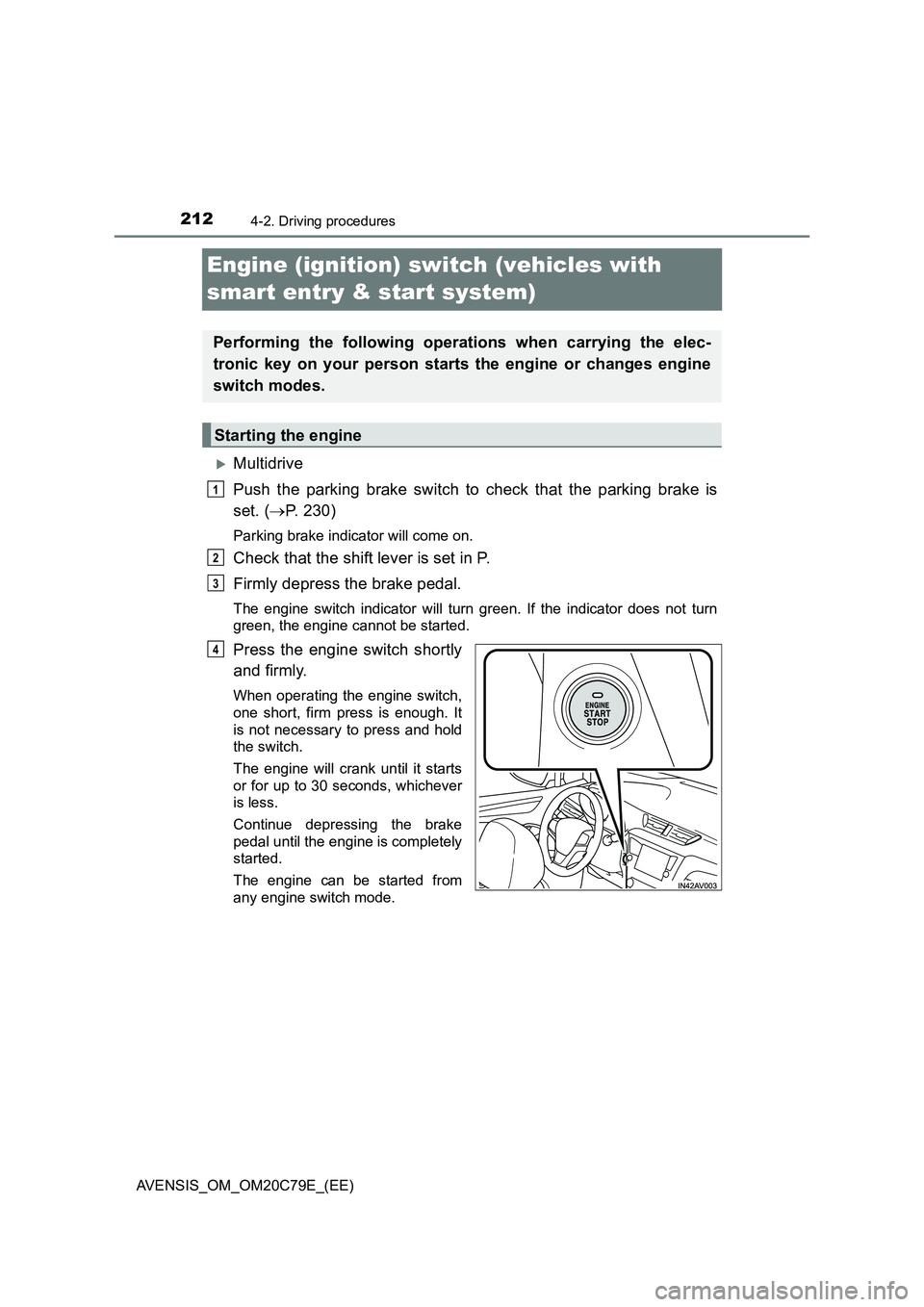
Press the engine switch shortly
and firmly.
When operating the engine switch,
one short, firm press is enough. It
is not necessary to press and hold
the switch.
The engine will crank until it starts
or for up to 30 seconds, whichever
is less.
Continue depressing the brake
pedal until the engine is completely
started.
The engine can be started from
any engine switch mode.
Performing the following operations when carrying the elec-
tronic key on your person starts the engine or changes engine
switch modes.
Starting the engine
1
2
3
4