steering TOYOTA AVENSIS 2018 User Guide
[x] Cancel search | Manufacturer: TOYOTA, Model Year: 2018, Model line: AVENSIS, Model: TOYOTA AVENSIS 2018Pages: 660, PDF Size: 63.16 MB
Page 99 of 660
992. Instrument cluster
2
Instrument cluster
AVENSIS_OM_OM20C79E_(EE)
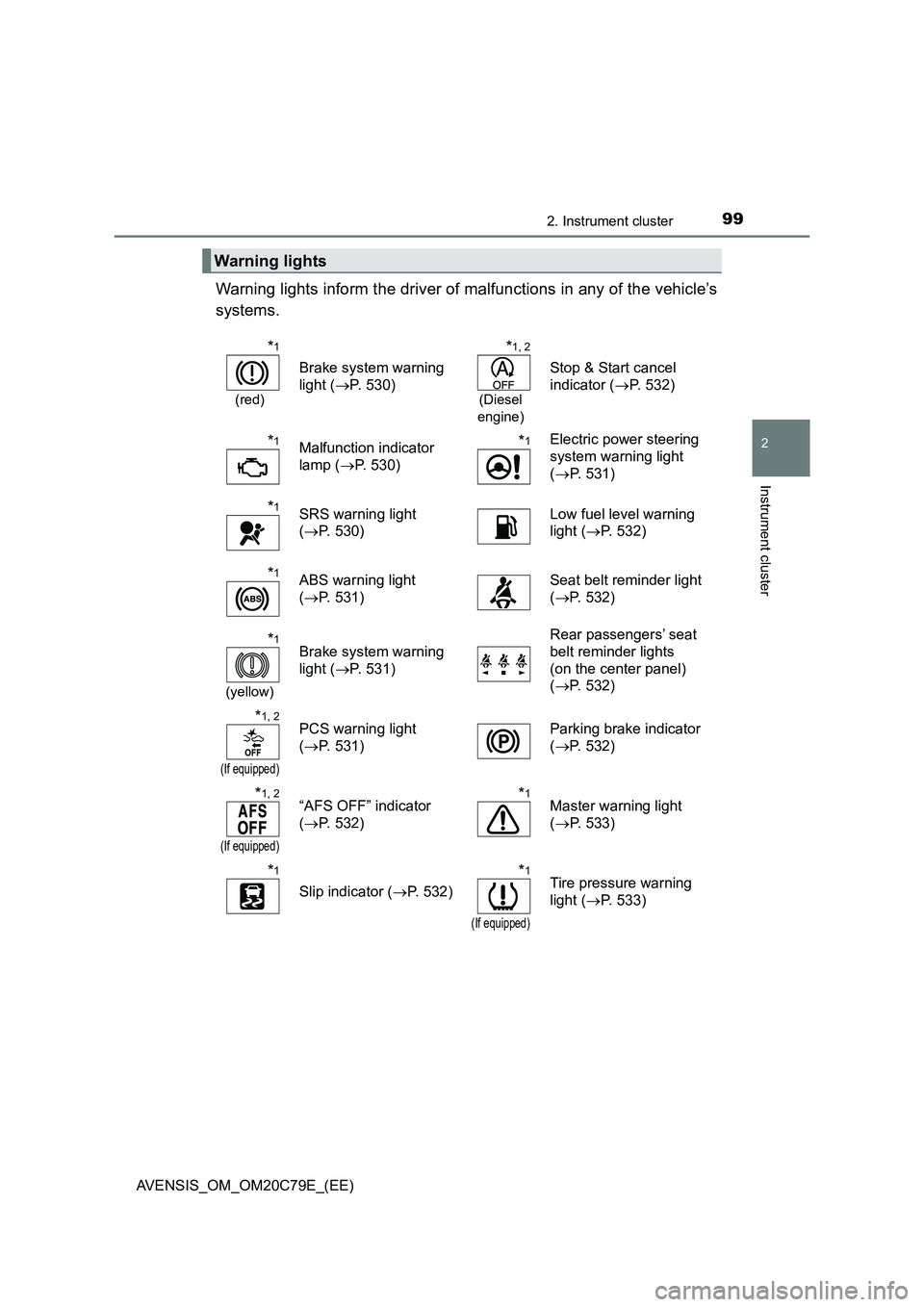
Warning lights inform the driver of malfunctions in any of the vehicle’s
systems.
Warning lights
*1
(red)
Brake system warning
light (P. 530)
*1, 2
(Diesel
engine)
Stop & Start cancel
indicator (P. 532)
*1Malfunction indicator
lamp (P. 530)*1Electric power steering
system warning light
(P. 531)
*1SRS warning light
(P. 530)Low fuel level warning
light (P. 532)
*1ABS warning light
(P. 531)Seat belt reminder light
(P. 532)
*1
(yellow)
Brake system warning
light (P. 531)Rear passengers’ seat
belt reminder lights
(on the center panel)
(P. 532)
*1, 2
(If equipped)
PCS warning light
(P. 531)Parking brake indicator
(P. 532)
*1, 2
(If equipped)
“AFS OFF” indicator
(P. 532)*1Master warning light
(P. 533)
*1
Slip indicator (P. 532)
*1
(If equipped)
Tire pressure warning
light (P. 533)
Page 119 of 660
119
3
Operation of
each component
AVENSIS_OM_OM20C79E_(EE)3-1. Key information
Keys ................................... 120
3-2. Opening, closing and
locking the doors
Side doors.......................... 132
Trunk (sedan) .................... 139
Back door (wagon)............. 143
Smart entry & start
system ............................. 148
3-3. Adjusting the seats
Front seats ......................... 166
Rear seats ......................... 168
Driving position memory .... 170
Head restraints .................. 172
3-4. Adjusting the steering
wheel and mirrors
Steering wheel ................... 174
Inside rear view mirror ....... 176
Outside rear view
mirrors ............................. 179
3-5. Opening and closing the
windows
Power windows .................. 182
Page 171 of 660
1713-3. Adjusting the seats
3
Operation of each component
AVENSIS_OM_OM20C79E_(EE)
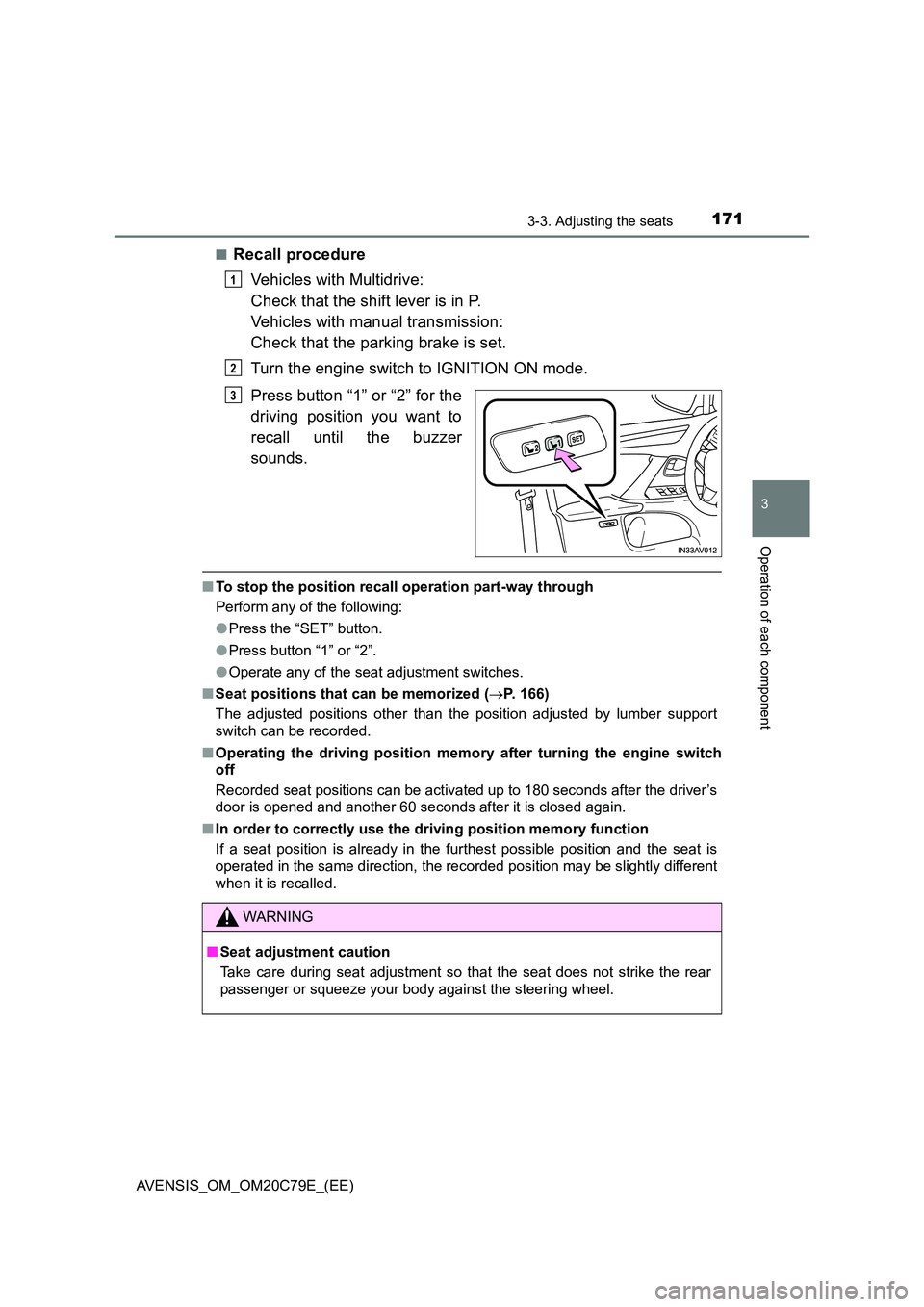
■Recall procedure
Vehicles with Multidrive:
Check that the shift lever is in P.
Vehicles with manual transmission:
Check that the parking brake is set.
Turn the engine switch to IGNITION ON mode.
Press button “1” or “2” for the
driving position you want to
recall until the buzzer
sounds.
■ To stop the position recall operation part-way through
Perform any of the following:
● Press the “SET” button.
● Press button “1” or “2”.
● Operate any of the seat adjustment switches.
■ Seat positions that can be memorized (P. 166)
The adjusted positions other than the position adjusted by lumber support
switch can be recorded.
■ Operating the driving position memory after turning the engine switch
off
Recorded seat positions can be activated up to 180 seconds after the driver’s
door is opened and another 60 seconds after it is closed again.
■ In order to correctly use the driving position memory function
If a seat position is already in the furthest possible position and the seat is
operated in the same direction, the recorded position may be slightly different
when it is recalled.
1
2
3
WARNING
■ Seat adjustment caution
Take care during seat adjustment so that the seat does not strike the rear
passenger or squeeze your body against the steering wheel.
Page 174 of 660
1743-4. Adjusting the steering wheel and mirrors
AVENSIS_OM_OM20C79E_(EE)
Steering wheel
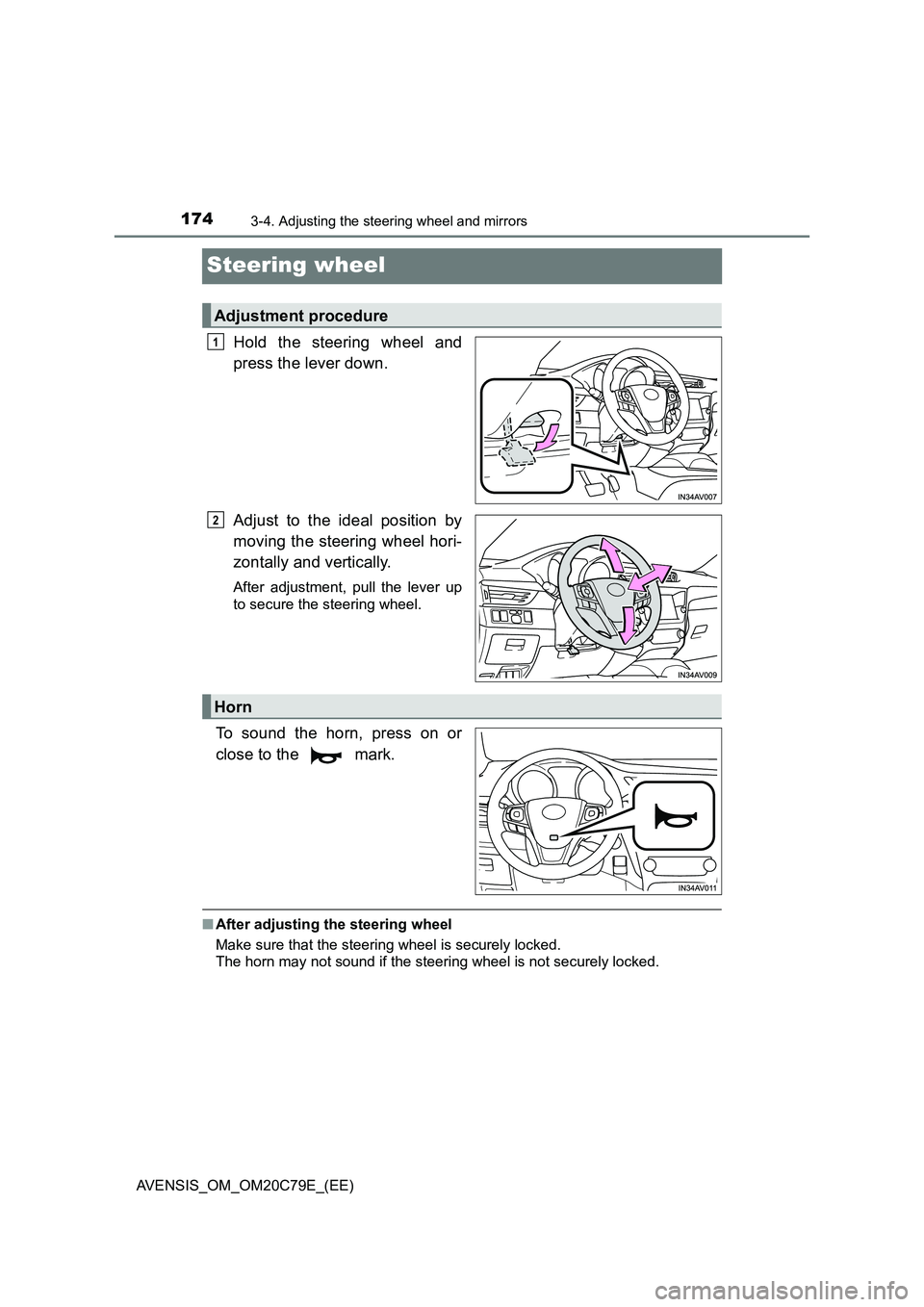
Hold the steering wheel and
press the lever down.
Adjust to the ideal position by
moving the steering wheel hori-
zontally and vertically.
After adjustment, pull the lever up
to secure the steering wheel.
To sound the horn, press on or
close to the mark.
■ After adjusting the steering wheel
Make sure that the steering wheel is securely locked.
The horn may not sound if the steering wheel is not securely locked.
Adjustment procedure
1
2
Horn
Page 175 of 660
1753-4. Adjusting the steering wheel and mirrors
3
Operation of each component
AVENSIS_OM_OM20C79E_(EE)
WARNING
■Caution while driving
Do not adjust the steering wheel.
Doing so may cause the driver to mishandle the vehicle and cause an acci-
dent, resulting in death or serious injury.
■ After adjusting the steering wheel
Make sure that the steering wheel is securely locked.
Otherwise, the steering wheel may move suddenly, possibly causing an
accident and resulting in death or serious injury.
Page 176 of 660
1763-4. Adjusting the steering wheel and mirrors
AVENSIS_OM_OM20C79E_(EE)
Inside rear view mirror
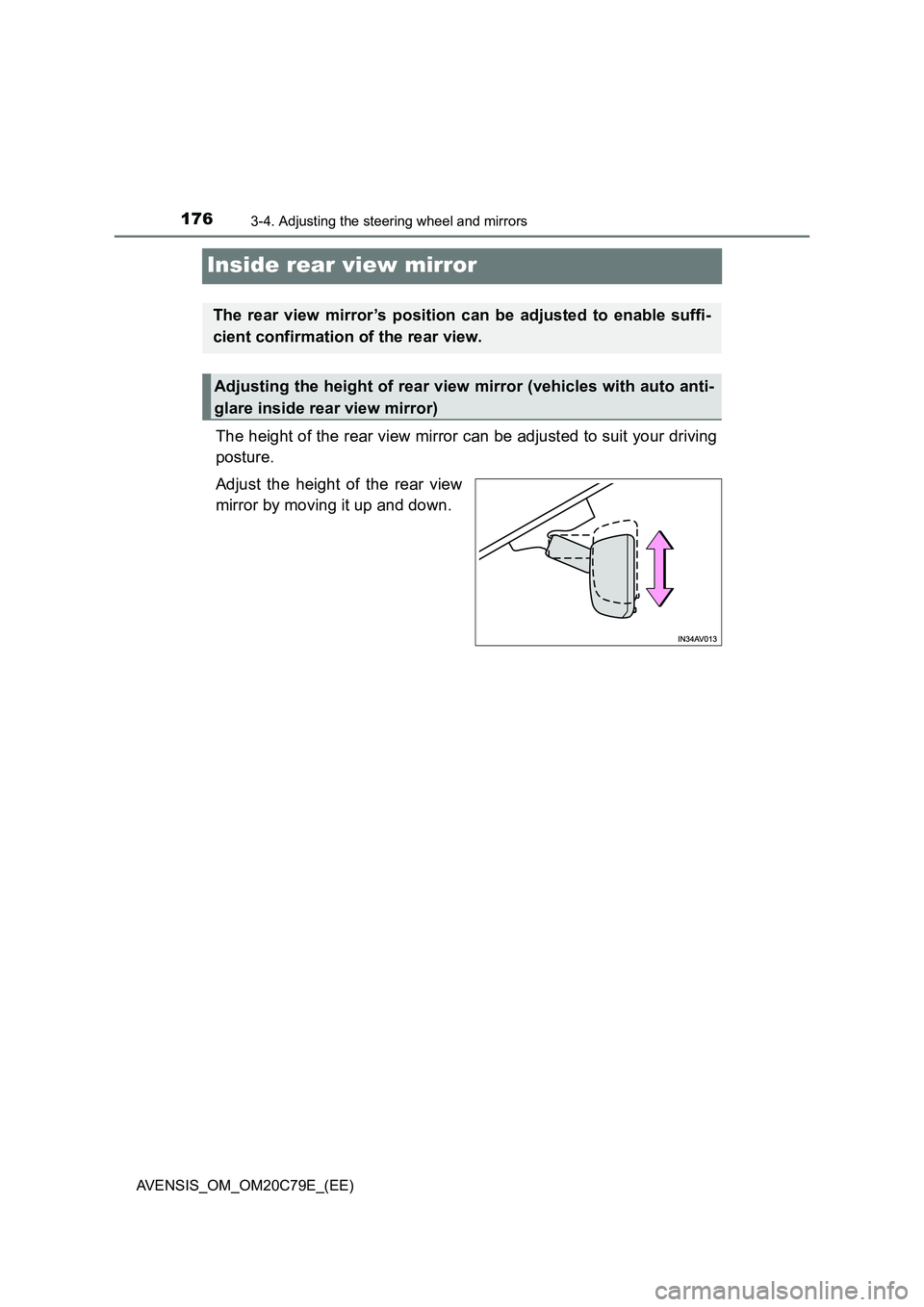
The height of the rear view mirror can be adjusted to suit your driving
posture.
Adjust the height of the rear view
mirror by moving it up and down.
The rear view mirror’s position can be adjusted to enable suffi-
cient confirmation of the rear view.
Adjusting the height of rear view mirror (vehicles with auto anti-
glare inside rear view mirror)
Page 177 of 660
1773-4. Adjusting the steering wheel and mirrors
3
Operation of each component
AVENSIS_OM_OM20C79E_(EE)
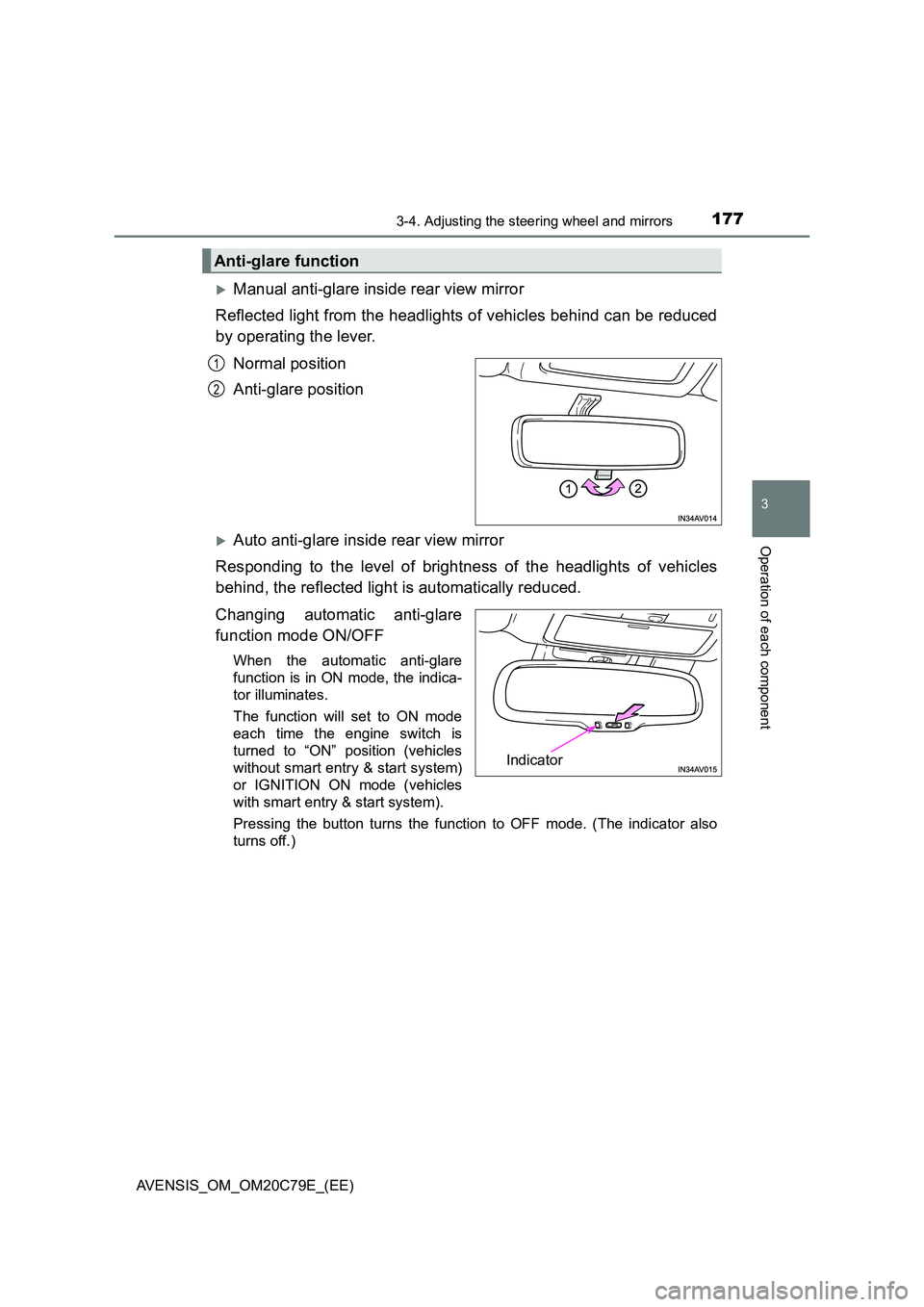
Manual anti-glare inside rear view mirror
Reflected light from the headlights of vehicles behind can be reduced
by operating the lever.
Normal position
Anti-glare position
Auto anti-glare inside rear view mirror
Responding to the level of brightness of the headlights of vehicles
behind, the reflected light is automatically reduced.
Changing automatic anti-glare
function mode ON/OFF
When the automatic anti-glare
function is in ON mode, the indica-
tor illuminates.
The function will set to ON mode
each time the engine switch is
turned to “ON” position (vehicles
without smart entry & start system)
or IGNITION ON mode (vehicles
with smart entry & start system).
Pressing the button turns the function to OFF mode. (The indicator also
turns off.)
Anti-glare function
1
2
Indicator
Page 178 of 660
1783-4. Adjusting the steering wheel and mirrors
AVENSIS_OM_OM20C79E_(EE)
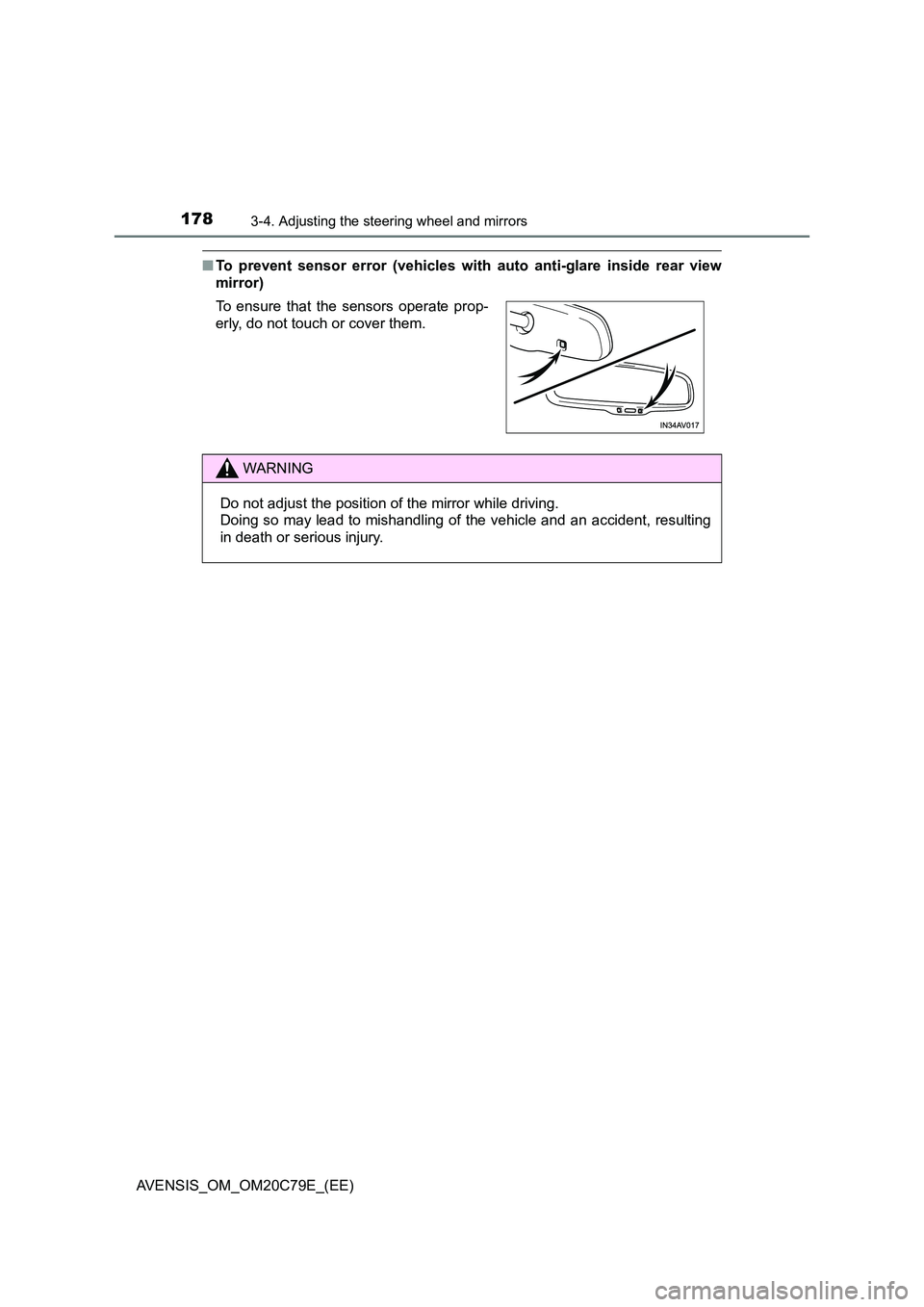
■To prevent sensor error (vehicles with auto anti-glare inside rear view
mirror)
To ensure that the sensors operate prop-
erly, do not touch or cover them.
WARNING
Do not adjust the position of the mirror while driving.
Doing so may lead to mishandling of the vehicle and an accident, resulting
in death or serious injury.
Page 179 of 660
179
3
3-4. Adjusting the steering wheel and mirrors
Operation of each component
AVENSIS_OM_OM20C79E_(EE)
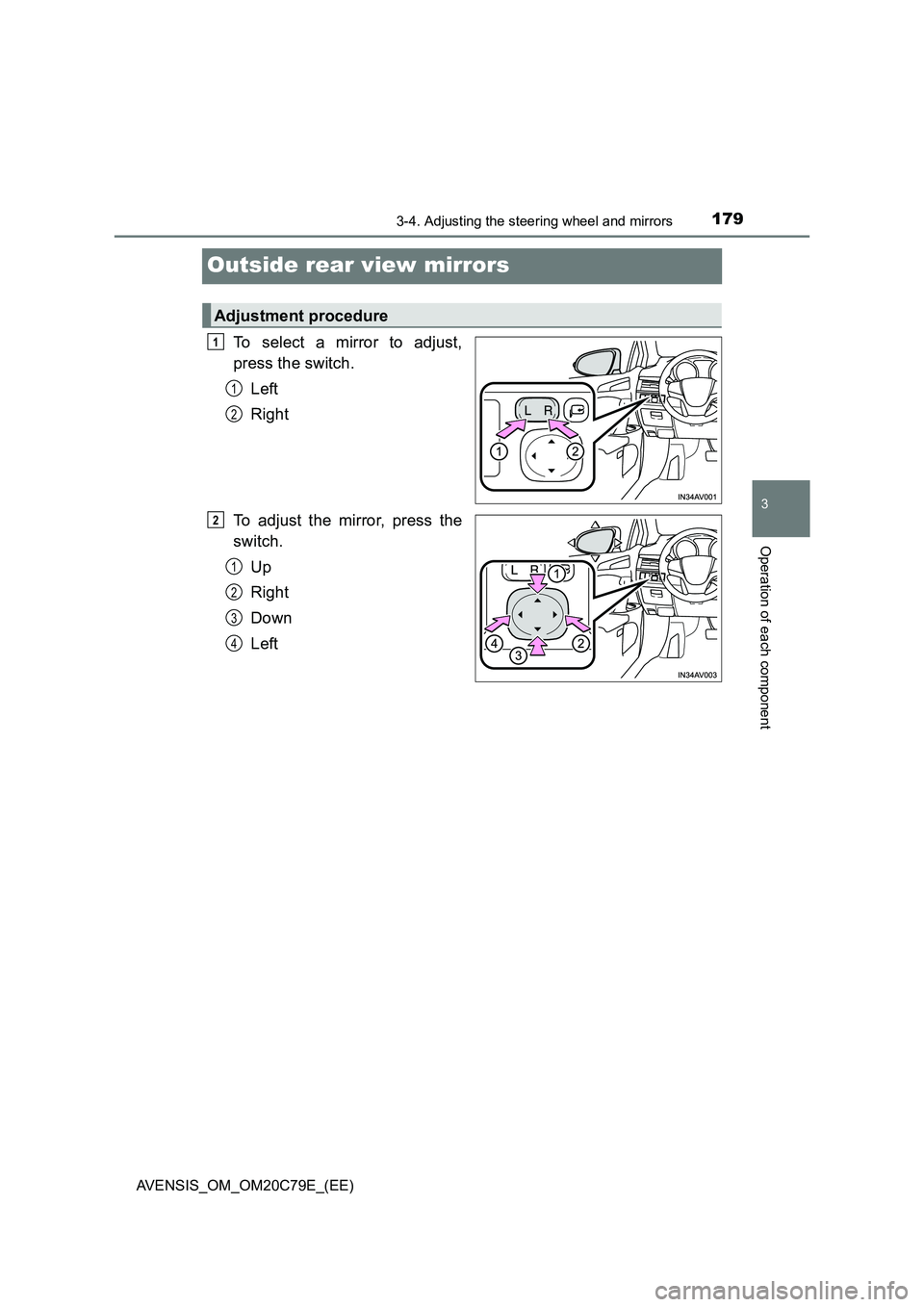
Outside rear view mirrors
To select a mirror to adjust,
press the switch.
Left
Right
To adjust the mirror, press the
switch.
Up
Right
Down
Left
Adjustment procedure
1
1
2
2
1
2
3
4
Page 180 of 660
1803-4. Adjusting the steering wheel and mirrors
AVENSIS_OM_OM20C79E_(EE)
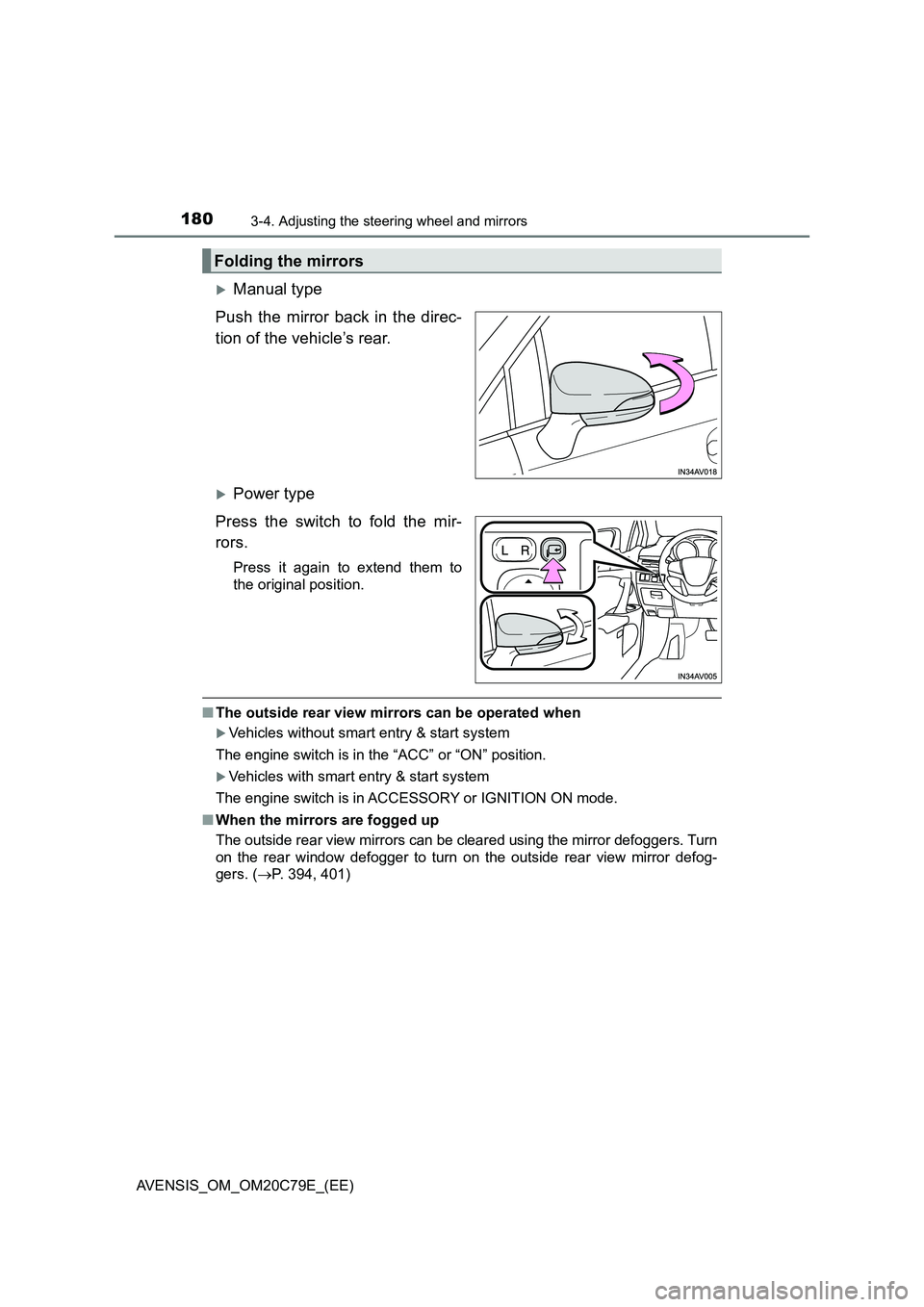
Manual type
Push the mirror back in the direc-
tion of the vehicle’s rear.
Power type
Press the switch to fold the mir-
rors.
Press it again to extend them to
the original position.
■The outside rear view mirrors can be operated when
Vehicles without smart entry & start system
The engine switch is in the “ACC” or “ON” position.
Vehicles with smart entry & start system
The engine switch is in ACCESSORY or IGNITION ON mode.
■When the mirrors are fogged up
The outside rear view mirrors can be cleared using the mirror defoggers. Turn
on the rear window defogger to turn on the outside rear view mirror defog-
gers. (P. 394, 401)
Folding the mirrors