ignition TOYOTA AVENSIS 2018 Owner's Guide
[x] Cancel search | Manufacturer: TOYOTA, Model Year: 2018, Model line: AVENSIS, Model: TOYOTA AVENSIS 2018Pages: 660, PDF Size: 63.16 MB
Page 249 of 660
2494-4. Refueling
4
Driving
AVENSIS_OM_OM20C79E_(EE)
WARNING
■Refueling the vehicle
Observe the following precautions while refueling the vehicle.
Failure to do so may result in death or serious injury.
● After exiting the vehicle and before opening the fuel door, touch an
unpainted metal surface to discharge any stat ic electricity. It is important to
discharge static electricity before re fueling because sparks resulting from
static electricity can cause fuel vapors to ignite while refueling.
● Always hold the grips on the fuel tank cap and turn it slowly to remove it.
A whooshing sound may be heard when the fuel tank cap is loosened.
Wait until the sound cannot be heard before fully removing the cap.
In hot weather, pressurized fuel may spray out of the filler neck and cause
injury.
● Do not allow anyone that has not discharged static electricity from their
bodies to come close to an open fuel tank.
● Do not inhale vaporized fuel.
Fuel contains substances that are harmful if inhaled.
● Do not smoke while refueling the vehicle.
Doing so may cause the fuel to ignite and cause a fire.
● Do not return to the vehicle or touch any person or object that is statically
charged.
This may cause static electricity to build up, resulting in a possible ignition
hazard.
■ When refueling
Observe the following precautions to pr event fuel overflowing from the fuel
tank:
● Securely insert the fuel nozzle into the fuel filler neck.
● Stop filling the tank after the fuel nozzle automatically clicks off.
● Do not top off the fuel tank.
NOTICE
■Refueling
Do not spill fuel during refueling.
Failure to do so may damage the vehicle, such as causing the exhaust sys-
tems to operate abnormally or damaging fuel system components or the
vehicle’s painted surface.
Page 272 of 660
2724-5. Toyota Safety Sense
AVENSIS_OM_OM20C79E_(EE)
LDA (Lane Departure Alert)
While driving on a road that has lane markers, this system recognizes
the lane markers using a camera as a sensor to alert the driver when
the vehicle deviates from its lane.
If the system judges that the vehicle has deviated from its lane, it
alerts the driver using a buzzer and indications on the multi-informa-
tion display.
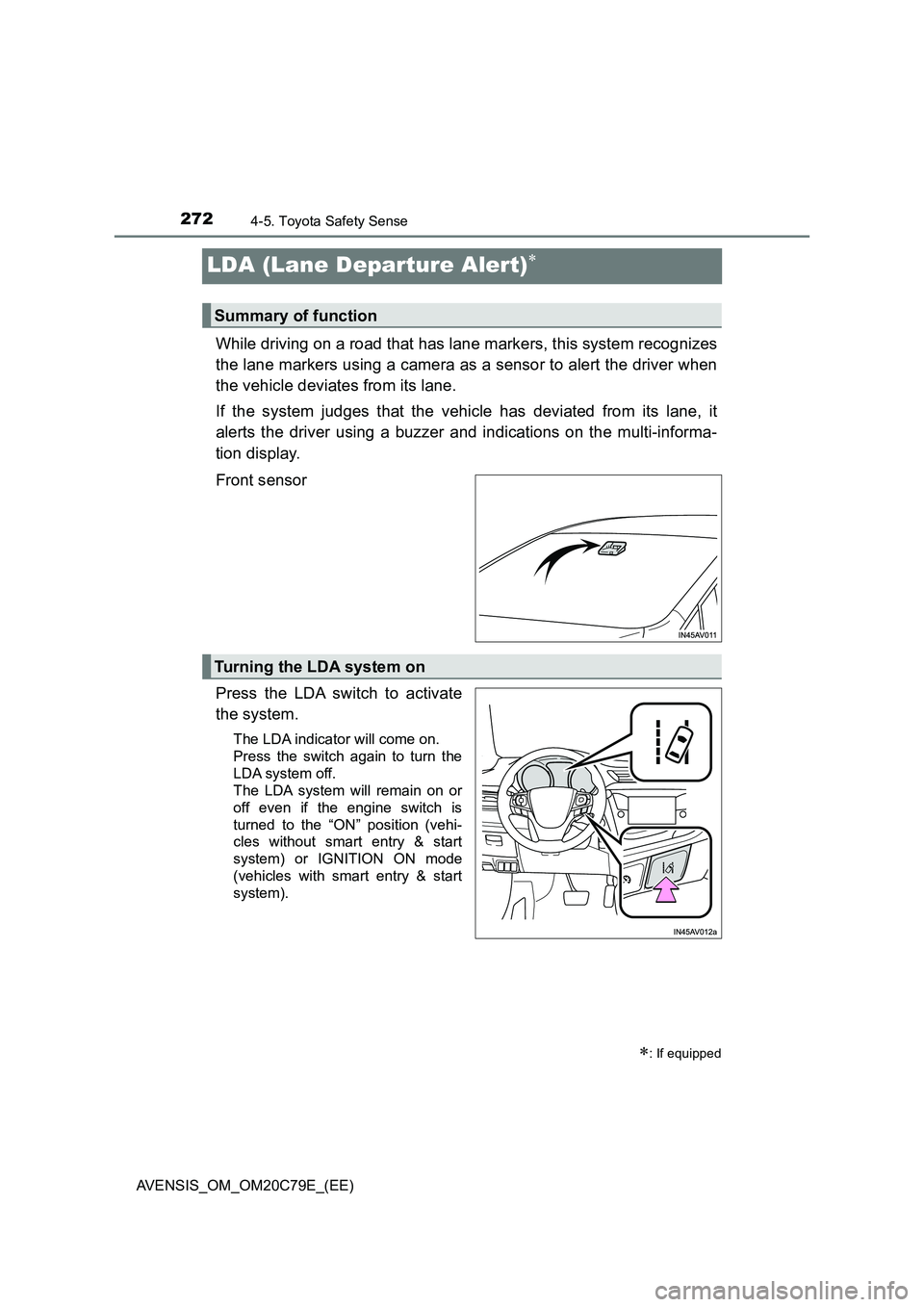
Front sensor
Press the LDA switch to activate
the system.
The LDA indicator will come on.
Press the switch again to turn the
LDA system off.
The LDA system will remain on or
off even if the engine switch is
turned to the “ON” position (vehi-
cles without smart entry & start
system) or IGNITION ON mode
(vehicles with smart entry & start
system).
: If equipped
Summary of function
Turning the LDA system on
Page 281 of 660
2814-5. Toyota Safety Sense
4
Driving
AVENSIS_OM_OM20C79E_(EE)
■The Automatic High Beam can be operated when
The engine switch is in the “ON” position (vehicles without a smart entry &
start system) or IGNITION ON mode (vehicles with a smart entry & start sys-
tem).
■Camera sensor detection information
●High beam may not be automatically turned off in the following situations:
• When oncoming vehicles suddenly appear from a curve
• When the vehicle is cut in front of by another
• When oncoming or preceding vehicles are hidden from sight due to
repeated curves, road dividers or roadside trees
●High beam may be turned off if an oncoming vehicle that is using fog lights
without using the headlights is detected.
●House lights, street lights, red traffic signals, and illuminated billboards or
signs may cause the high beam to turn off.
●The following factors may affect the amount of time taken to turn high beam
on or off:
• The brightness of headlights, fog lights, and tail lights of oncoming and
preceding vehicles
• The movement and direction of oncoming and preceding vehicles
• When a oncoming or preceding vehicle only has operational lights on one
side
• When a oncoming or preceding vehicle is a two-wheeled vehicle
• The condition of the road (gradient, curve, condition of the road surface
etc.)
• The number of passengers and amount of luggage
●High beam may be turned on or off when unexpectedly by the driver.
Page 288 of 660
2884-5. Toyota Safety Sense
AVENSIS_OM_OM20C79E_(EE)
■ When driving vehicle in country with different speed unit
Since RSA recognizes signs based on the set unit of the meter, it is neces-
sary to change the set unit of the meter. Adjust the set unit of the meter to the
speed unit of signs in the current location. ( P. 629)
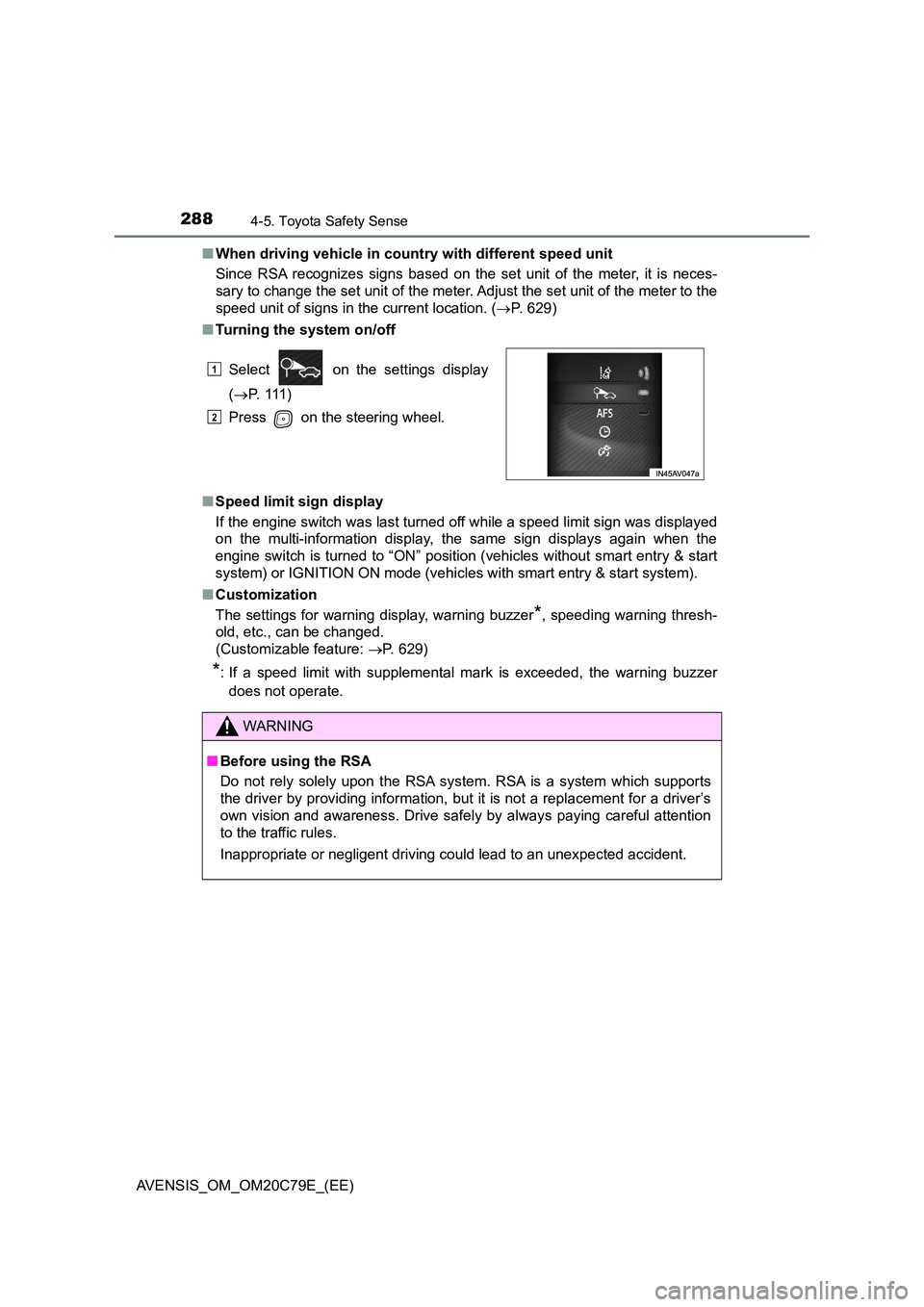
■ Turning the system on/off
■ Speed limit sign display
If the engine switch was last turned off while a speed limit sign was displayed
on the multi-information display, the same sign displays again when the
engine switch is turned to “ON” position (vehicles without smart entry & start
system) or IGNITION ON mode (vehicles with smart entry & start system).
■ Customization
The settings for warning display, warning buzzer*, speeding warning thresh-
old, etc., can be changed.
(Customizable feature: P. 629)
*: If a speed limit with supplemental mark is exceeded, the warning buzzer
does not operate.
Select on the settings display
( P. 111 )
Press on the steering wheel.
WARNING
■ Before using the RSA
Do not rely solely upon the RSA system. RSA is a system which supports
the driver by providing information, but it is not a replacement for a driver’s
own vision and awareness. Drive safely by always paying careful attention
to the traffic rules.
Inappropriate or negligent driving could lead to an unexpected accident.
1
2
Page 301 of 660
3014-6. Using the driving support systems
4
Driving
AVENSIS_OM_OM20C79E_(EE)
■The Stop & Start system protection feature
Vehicles without a smart entry & start system: When an excessively loud
sound is being projected by the audio system, the audio system may be auto-
matically cut off in order to reduce battery consumption.
If this occurs, turning the engine switch to the “LOCK” position then to the
“ACC” or “ON” position re-enables the audio system.
Vehicles with a smart entry & start system: When an excessively loud sound
is being projected by the audio system, the audio system may be automati-
cally cut off in order to reduce battery consumption.
If this occurs, turning the engine switch off then to ACCESSORY mode or
IGNITION ON mode re-enables the audio system.
■Replacing battery
P. 597
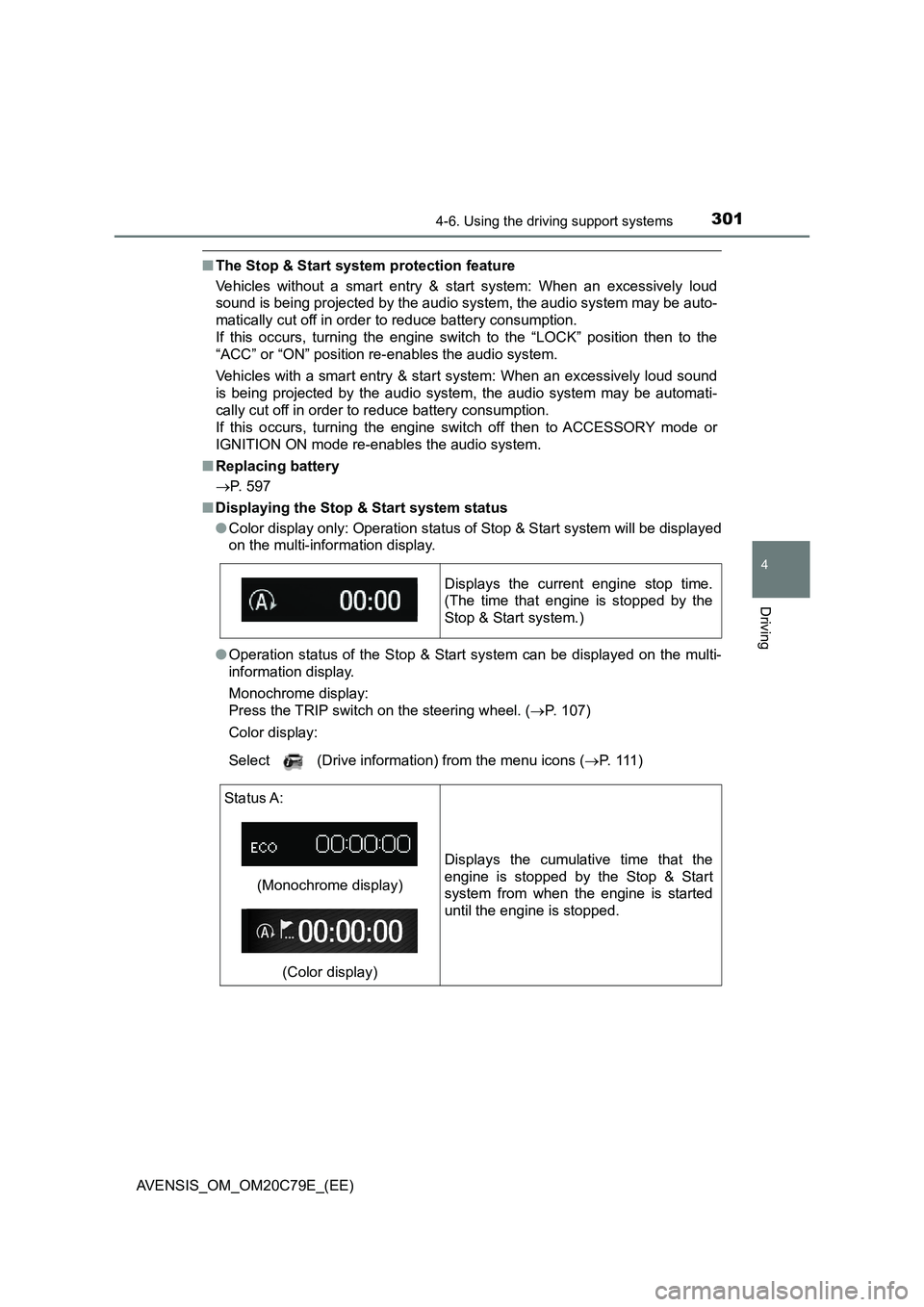
■Displaying the Stop & Start system status
●Color display only: Operation status of Stop & Start system will be displayed
on the multi-information display.
●Operation status of the Stop & Start system can be displayed on the multi-
information display.
Monochrome display:
Press the TRIP switch on the steering wheel. (P. 107)
Color display:
Select (Drive information) from the menu icons (P. 1 1 1 ) Displays the current engine stop time.
(The time that engine is stopped by the
Stop & Start system.)
Status A:
(Monochrome display)
(Color display)Displays the cumulative time that the
engine is stopped by the Stop & Start
system from when the engine is started
until the engine is stopped.
Page 370 of 660
3705-7. “SETUP” menu
AVENSIS_OM_OM20C79E_(EE)
Select “Bluetooth* info” using the tune/scroll knob. (P. 364)
●Displaying the device name
Select “Device name” using the knob.
●Displaying the device address
Select “Device address” using the knob.
*: Bluetooth is a registered trademark of Bluetooth SIG, Inc.
If the “Display setting” is set to on, the portable player connection sta-
tus will be displayed when the engine switch is turned to the “ACC” or
“ON” position (vehicles without smart entry & start system), or
ACCESSORY or IGNITION ON mode (vehicles with smart entry &
start system).
Select “Display setting” using the tune/scroll knob. (P. 364)
Select “ON” or “OFF” using the knob.
Select “Reset” using the tune/scroll knob. (P. 364)
●Initializing the sound settings
Select “Sound Setting” using the knob and press [YES].
For details about sound settings: P. 323
●Initializing the device information
Select “Car Device Info” using the knob and press [YES].
Automatic connection of a portable device, automatic connection confirma-
tion display and the passkey will be initialized.
●Initializing the all settings
Select “All Initialize” using the knob and press [YES].
Displaying the device status
Setting the automatic connection confirmation display to on or off
Initialization
1
2
Page 407 of 660
4076-1. Using the air conditioning system and defogger
AVENSIS_OM_OM20C79E_(EE)
6
Interior features
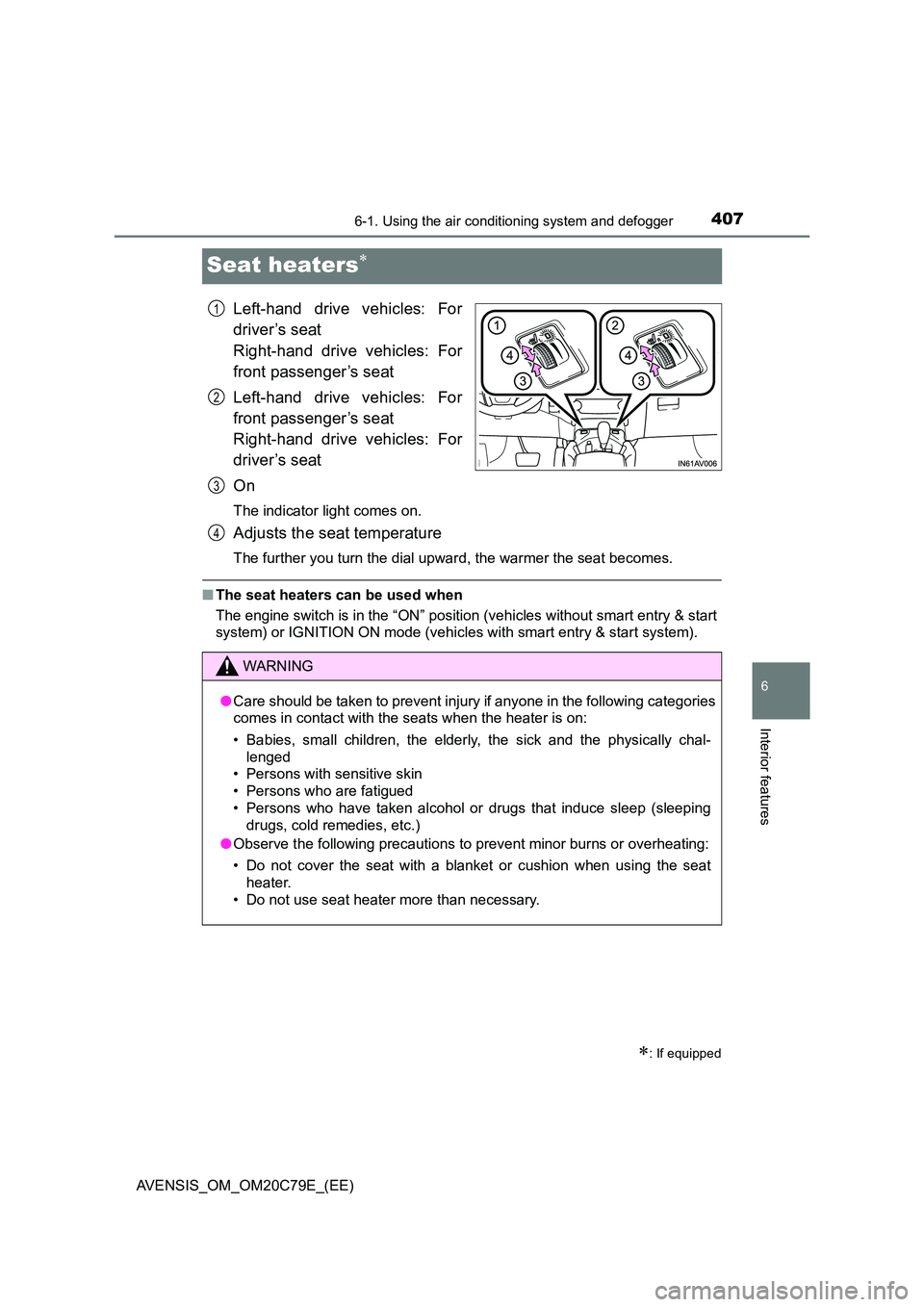
Seat heaters
Left-hand drive vehicles: For
driver’s seat
Right-hand drive vehicles: For
front passenger’s seat
Left-hand drive vehicles: For
front passenger’s seat
Right-hand drive vehicles: For
driver’s seat
On
The indicator light comes on.
Adjusts the seat temperature
The further you turn the dial upward, the warmer the seat becomes.
■ The seat heaters can be used when
The engine switch is in the “ON” position (vehicles without smart entry & start
system) or IGNITION ON mode (vehicles with smart entry & start system).
: If equipped
1
2
3
WARNING
● Care should be taken to prevent injury if anyone in the following categories
comes in contact with the seats when the heater is on:
• Babies, small children, the elderly, the sick and the physically chal-
lenged
• Persons with sensitive skin
• Persons who are fatigued
• Persons who have taken alcohol or drugs that induce sleep (sleeping
drugs, cold remedies, etc.)
● Observe the following precautions to prevent minor burns or overheating:
• Do not cover the seat with a blanket or cushion when using the seat
heater.
• Do not use seat heater more than necessary.
4
Page 428 of 660
428
AVENSIS_OM_OM20C79E_(EE)
6-4. Using the other interior features
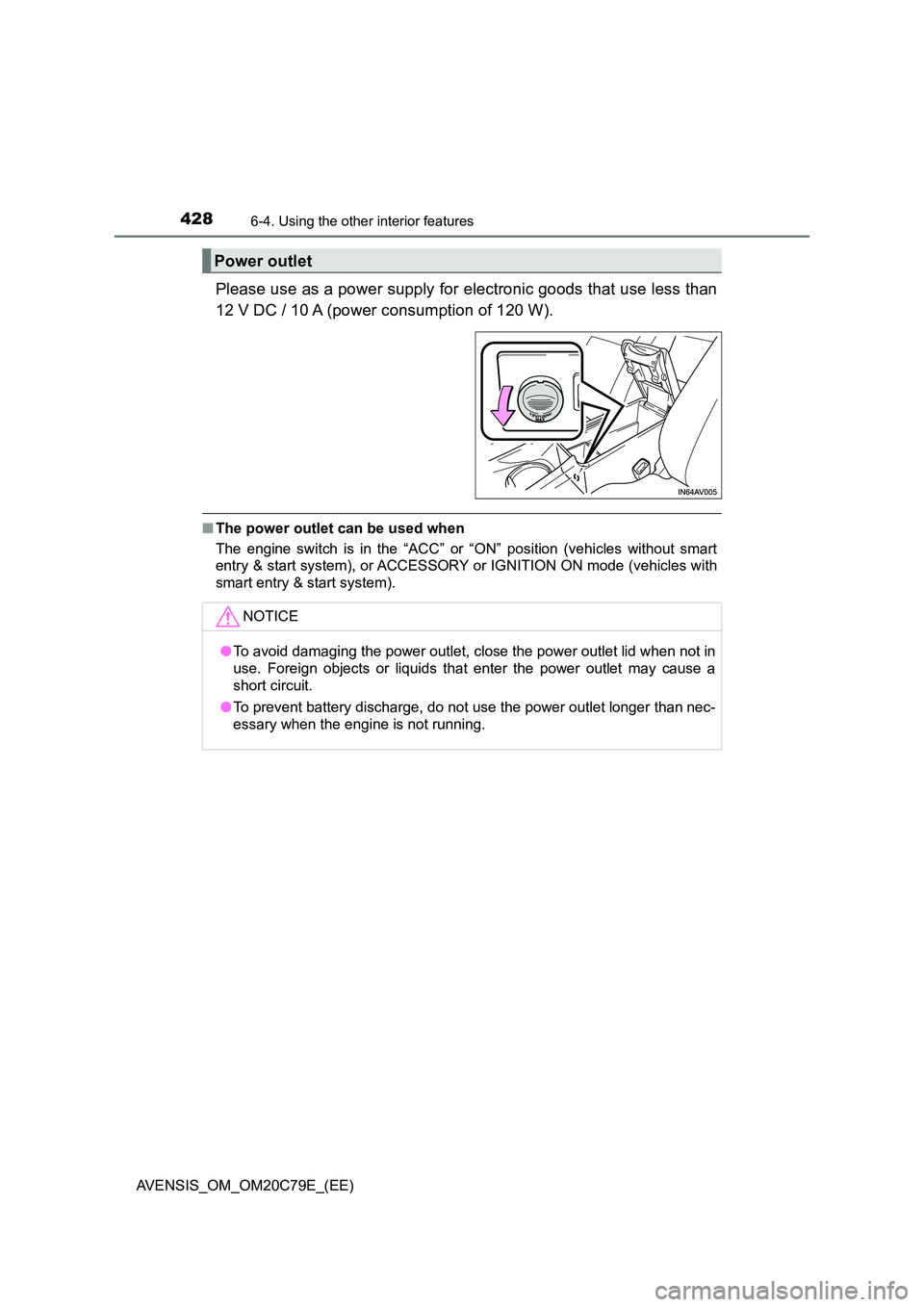
Please use as a power supply for electronic goods that use less than
12 V DC / 10 A (power consumption of 120 W).
■ The power outlet can be used when
The engine switch is in the “ACC” or “ON” position (vehicles without smart
entry & start system), or ACCESSORY or IGNITION ON mode (vehicles with
smart entry & start system).
Power outlet
NOTICE
● To avoid damaging the power outlet, close the power outlet lid when not in
use. Foreign objects or liquids that enter the power outlet may cause a
short circuit.
● To prevent battery discharge, do not use the power outlet longer than nec-
essary when the engine is not running.
Page 431 of 660
4316-4. Using the other interior features
AVENSIS_OM_OM20C79E_(EE)
6
Interior features
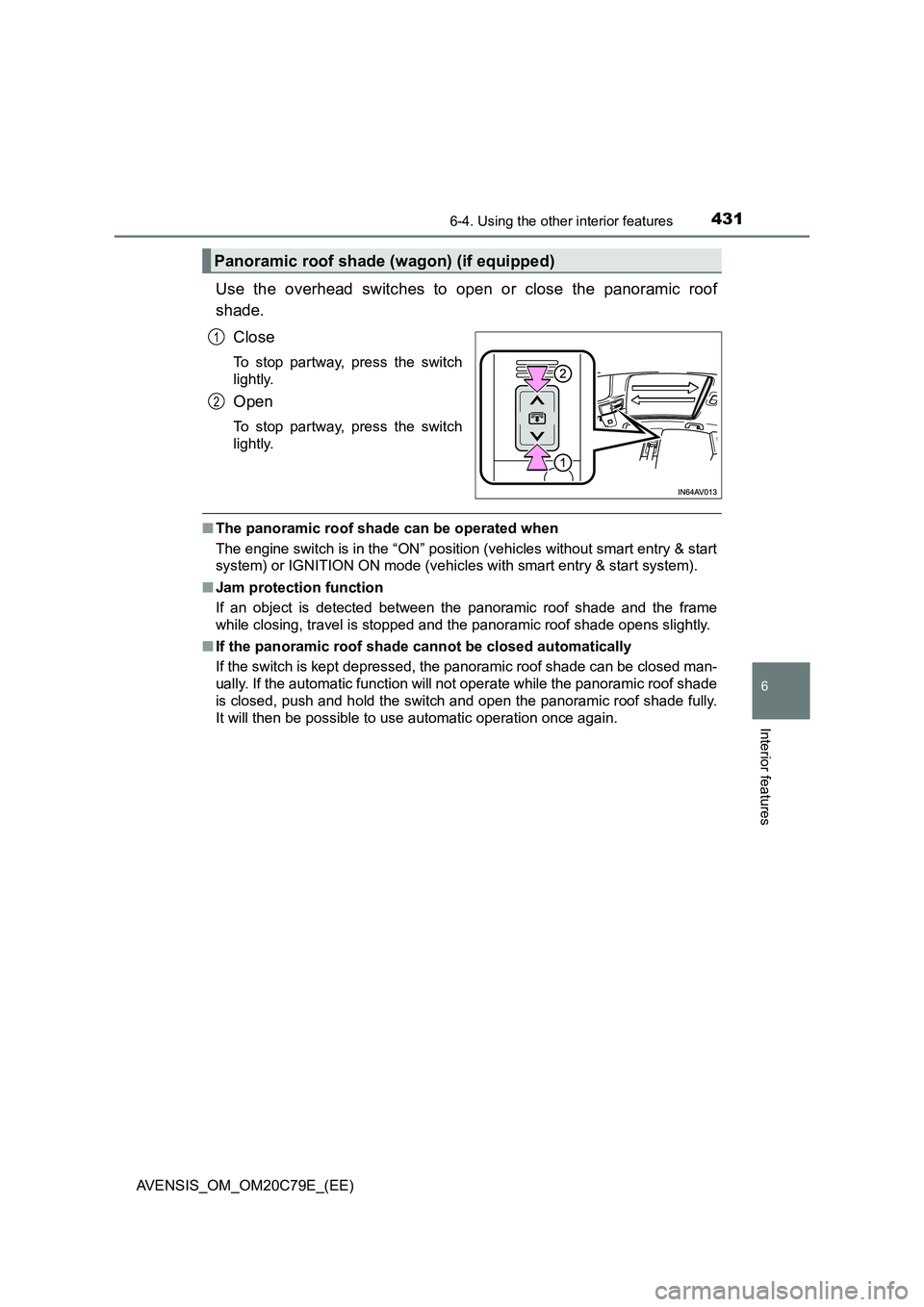
Use the overhead switches to open or close the panoramic roof
shade.
Close
To stop partway, press the switch
lightly.
Open
To stop partway, press the switch
lightly.
■The panoramic roof shade can be operated when
The engine switch is in the “ON” position (vehicles without smart entry & start
system) or IGNITION ON mode (vehicles with smart entry & start system).
■Jam protection function
If an object is detected between the panoramic roof shade and the frame
while closing, travel is stopped and the panoramic roof shade opens slightly.
■If the panoramic roof shade cannot be closed automatically
If the switch is kept depressed, the panoramic roof shade can be closed man-
ually. If the automatic function will not operate while the panoramic roof shade
is closed, push and hold the switch and open the panoramic roof shade fully.
It will then be possible to use automatic operation once again.
Panoramic roof shade (wagon) (if equipped)
1
2
Page 448 of 660
4487-3. Do-it-yourself maintenance
AVENSIS_OM_OM20C79E_(EE)
WARNING
The engine compartment contains many mechanisms and fluids that may
move suddenly, become hot, or become el ectrically energized. To avoid death
or serious injury observe the following precautions.
■ When working on the engine compartment
● Keep hands, clothing, and tools away from the moving fan and engine
drive belt.
● Be careful not to touch the engine, radiator, exhaust manifold, etc. right
after driving as they may be hot. Oil and other fluids may also be hot.
● Do not leave anything that may burn easily, such as paper or rags, in the
engine compartment.
● Do not smoke, cause sparks or expose an open flame to fuel or the bat-
tery. Fuel and battery fumes are flammable.
● Be extremely cautious when working on the battery. It contains poisonous
and corrosive sulfuric acid.
● Take care because brake fluid can harm your hands or eyes and damage
painted surfaces.
If fluid gets on your hands or in your eyes, flush the affected area with
clean water immediately.
If you still experience discomfort, see a doctor.
■ When working near the electric cooling fan or radiator grille
Vehicles without smart entry & start system
Be sure the engine switch is in the “LOCK” position.
With the engine switch in the “ON” position, the electric cooling fan may
automatically start to run if the air conditioning is on and/or the coolant tem-
perature is high. ( P. 463)
Vehicles with smart entry & start system
Be sure the engine switch is off.
With the engine switch in IGNITION ON mode, the electric cooling fan may
automatically start to run if the air conditioning is on and/or the coolant tem-
perature is high. ( P. 463)
■ Safety glasses
Wear safety glasses to prevent flying or falling material, fluid spray, etc.
from getting in the eyes.