Lane tracing assist TOYOTA AYGO X 2022 Owners Manual (in English)
[x] Cancel search | Manufacturer: TOYOTA, Model Year: 2022, Model line: AYGO X, Model: TOYOTA AYGO X 2022Pages: 494, PDF Size: 92.53 MB
Page 5 of 494
3
Owner's Manual_Europe_M99V08_en
TABLE OF CONTENTS
1
6
5
4
3
2
8
7
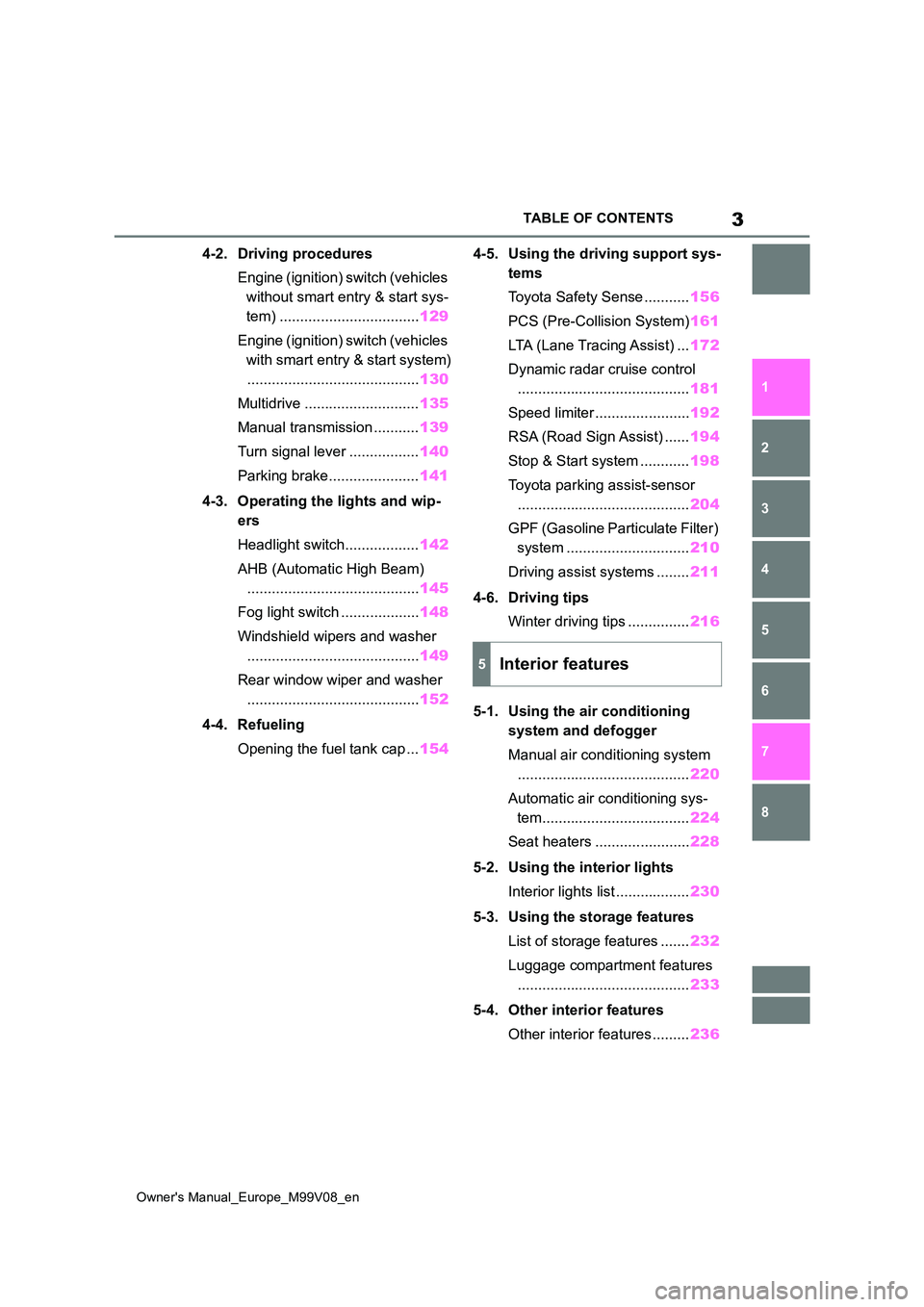
4-2. Driving procedures
Engine (ignition) switch (vehicles
without smart entry & start sys-
tem) .................................. 129
Engine (ignition) switch (vehicles
with smart entry & start system)
.......................................... 130
Multidrive ............................ 135
Manual transmission ........... 139
Turn signal lever ................. 140
Parking brake...................... 141
4-3. Operating the lights and wip-
ers
Headlight switch.................. 142
AHB (Automatic High Beam)
.......................................... 145
Fog light switch ................... 148
Windshield wipers and washer
.......................................... 149
Rear window wiper and washer
.......................................... 152
4-4. Refueling
Opening the fuel tank cap ... 154
4-5. Using the driving support sys-
tems
Toyota Safety Sense ........... 156
PCS (Pre-Collision System) 161
LTA (Lane Tracing Assist) ... 172
Dynamic radar cruise control
.......................................... 181
Speed limiter ....................... 192
RSA (Road Sign Assist) ...... 194
Stop & Start system ............ 198
Toyota parking assist-sensor
.......................................... 204
GPF (Gasoline Particulate Filter)
system .............................. 210
Driving assist systems ........ 211
4-6. Driving tips
Winter driving tips ............... 216
5-1. Using the air conditioning
system and defogger
Manual air conditioning system
.......................................... 220
Automatic air conditioning sys-
tem.................................... 224
Seat heaters ....................... 228
5-2. Using the interior lights
Interior lights list .................. 230
5-3. Using the storage features
List of storage features ....... 232
Luggage compartment features
.......................................... 233
5-4. Other interior features
Other interior features ......... 236
5Interior features
Page 20 of 494
18
Owner's Manual_Europe_M99V08_en
Pictorial index
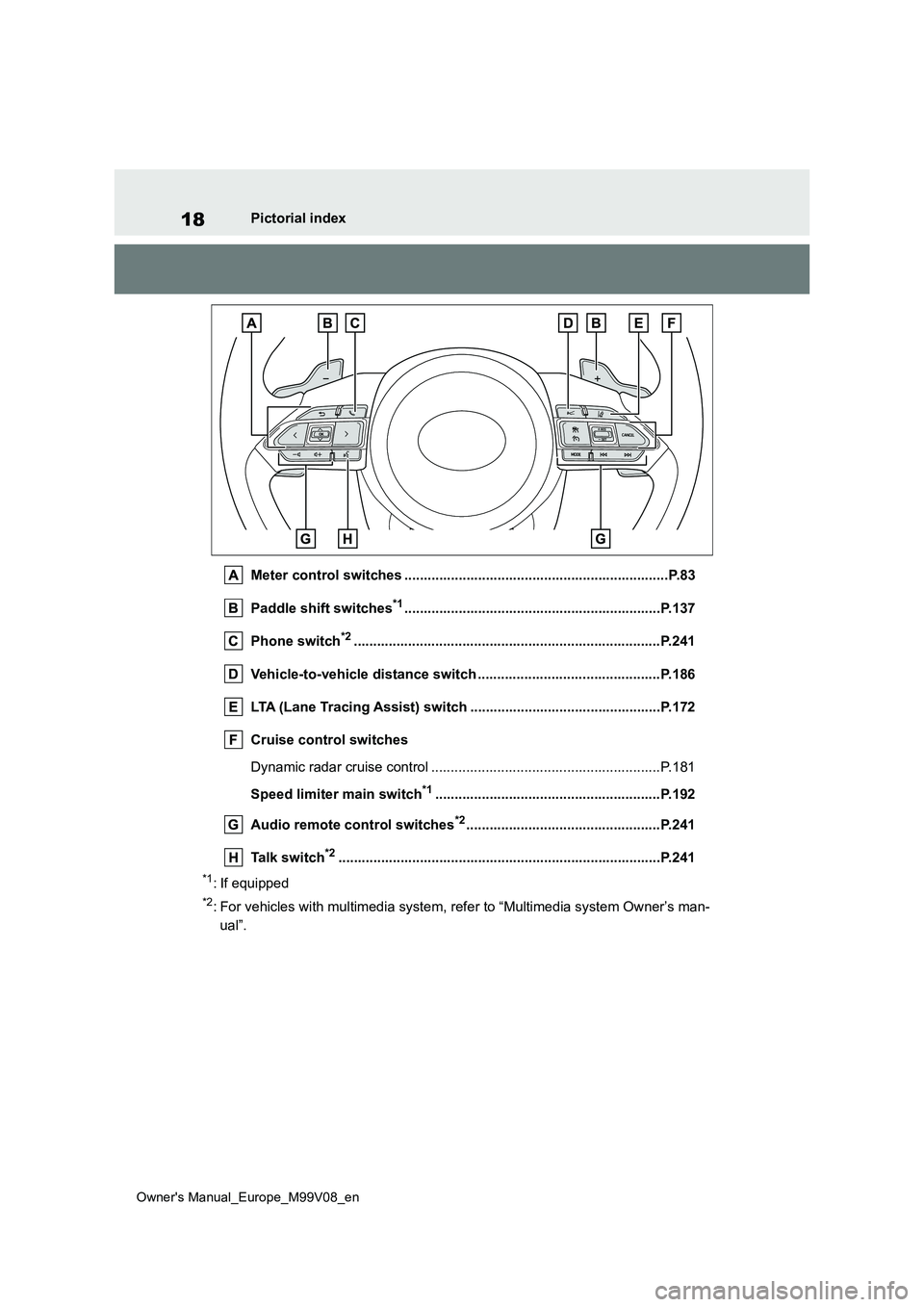
Meter control switches ......................................... ...........................P.83
Paddle shift switches*1............................................................... ...P.137
Phone switch*2............................................................... ................P.241
Vehicle-to-vehicle distance switch ............................. ..................P.186
LTA (Lane Tracing Assist) switch ............................... ..................P.172
Cruise control switches
Dynamic radar cruise control ................................... ........................P.181
Speed limiter main switch*1..........................................................P.192
Audio remote control switches*2..................................................P.241
Talk switch*2............................................................... ....................P.241
*1: If equipped
*2: For vehicles with multimedia system, refer to “Multimedia system Owner’s man-
ual”.
Page 27 of 494
25
Owner's Manual_Europe_M99V08_en
Pictorial index
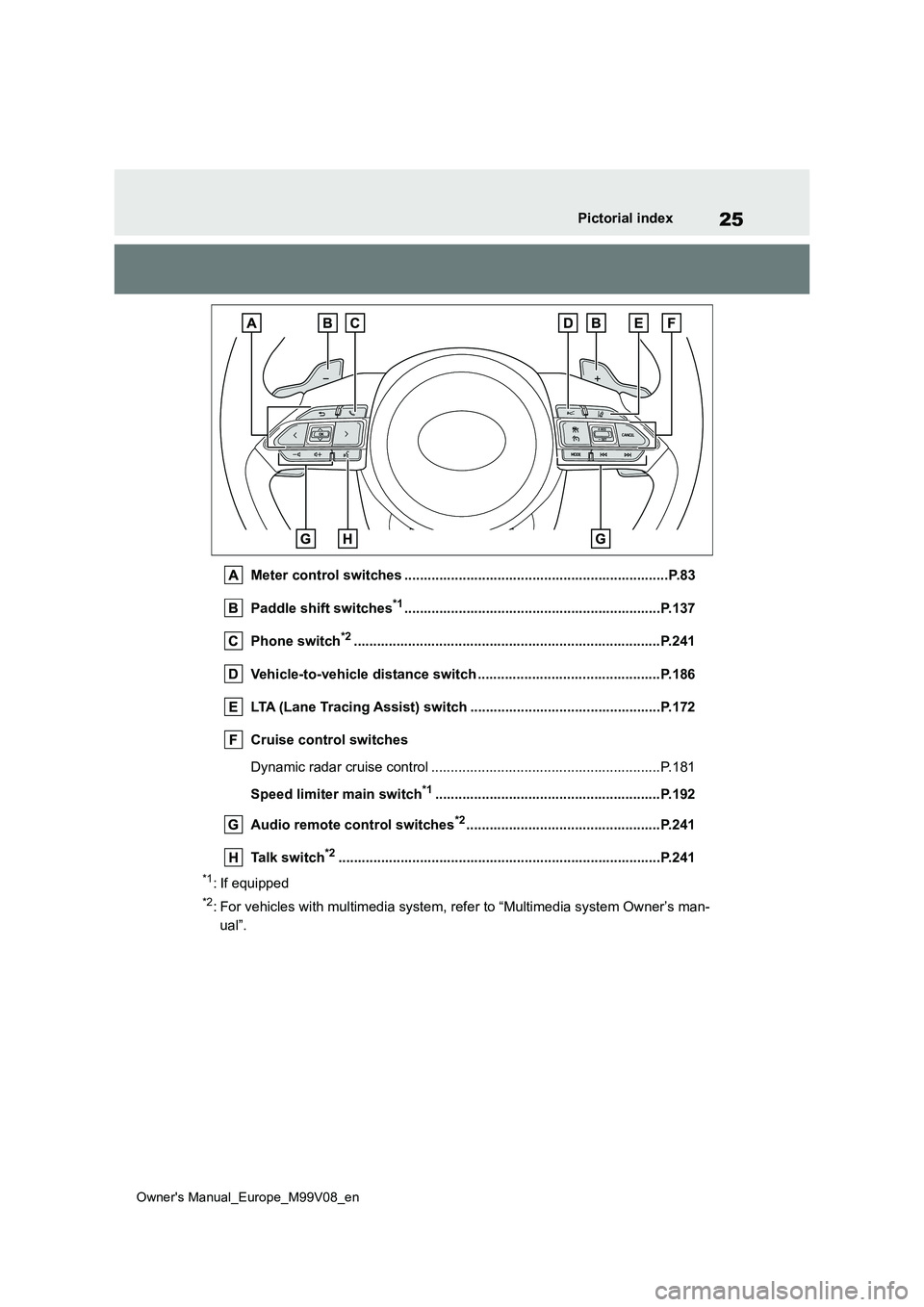
Meter control switches ....................................................................P.83
Paddle shift switches*1............................................................... ...P.137
Phone switch*2............................................................... ................P.241
Vehicle-to-vehicle distance switch ............................. ..................P.186
LTA (Lane Tracing Assist) switch ............................... ..................P.172
Cruise control switches
Dynamic radar cruise control ................................... ........................P.181
Speed limiter main switch*1..........................................................P.192
Audio remote control switches*2..................................................P.241
Talk switch*2............................................................... ....................P.241
*1: If equipped
*2: For vehicles with multimedia system, refer to “Multimedia system Owner’s man-
ual”.
Page 85 of 494
83
2
Owner's Manual_Europe_M99V08_en
2-1. Instrument cluster
Vehicle status information and indicators
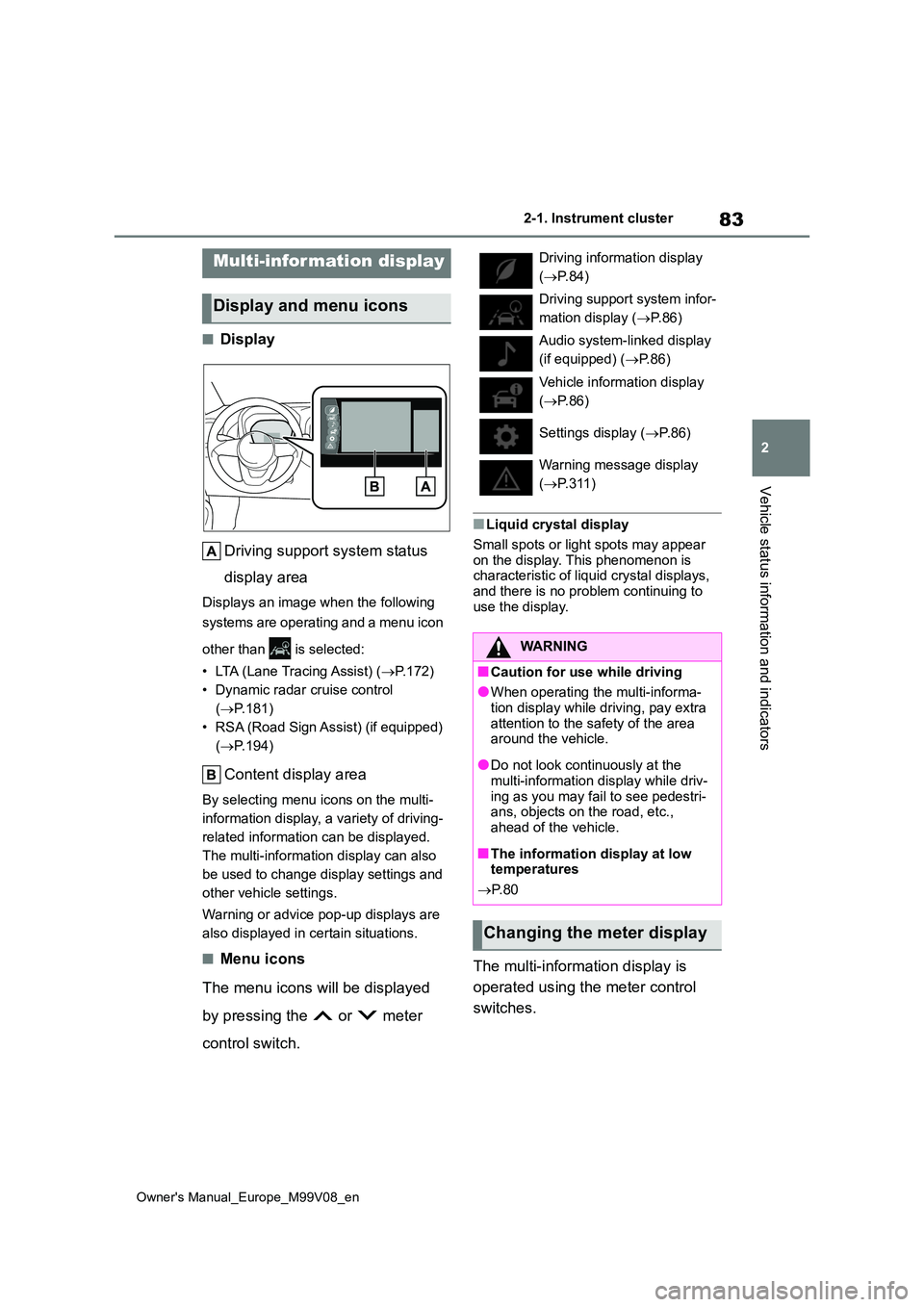
■Display
Driving support system status
display area
Displays an image when the following
systems are operating and a menu icon
other than is selected:
• LTA (Lane Tracing Assist) ( P.172)
• Dynamic radar cruise control
( P.181)
• RSA (Road Sign Assist) (if equipped)
( P.194)
Content display area
By selecting menu icons on the multi-
information display, a variety of driving-
related information can be displayed.
The multi-information display can also
be used to change display settings and
other vehicle settings.
Warning or advice pop-up displays are
also displayed in certain situations.
■Menu icons
The menu icons will be displayed
by pressing the or meter
control switch.
■Liquid crystal display
Small spots or light spots may appear
on the display. This phenomenon is characteristic of liquid crystal displays, and there is no problem continuing to
use the display.
The multi-information display is
operated using the meter control
switches.
Multi-infor mation display
Display and menu icons
Driving information display
( P.84)
Driving support system infor-
mation display ( P. 8 6 )
Audio system-linked display
(if equipped) ( P.86)
Vehicle information display
( P.86)
Settings display ( P. 8 6 )
Warning message display
( P.311)
WARNING
■Caution for use while driving
●When operating the multi-informa-
tion display while driving, pay extra attention to the safety of the area around the vehicle.
●Do not look continuously at the multi-information display while driv-
ing as you may fail to see pedestri- ans, objects on the road, etc., ahead of the vehicle.
■The information display at low temperatures
P. 8 0
Changing the meter display
Page 88 of 494
86
Owner's Manual_Europe_M99V08_en
2-1. Instrument cluster
under the following conditions:
●The shift lever is in any position other than D.
●A paddle shift switch is operated. (if equipped)
●The vehicle speed is approximately 130 km/h (80 mph) or higher.
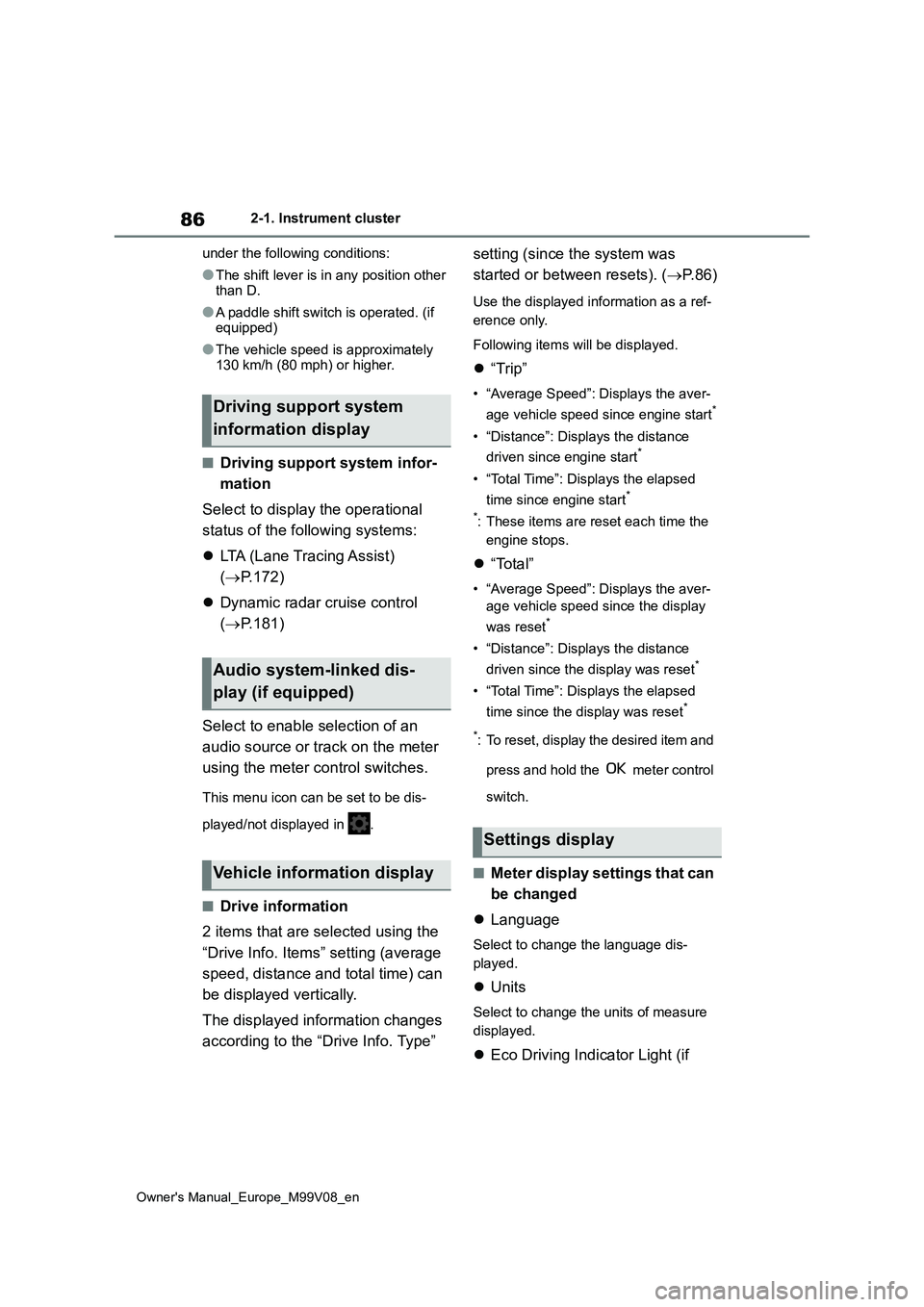
■Driving support system infor-
mation
Select to display the operational
status of the following systems:
LTA (Lane Tracing Assist)
( P.172)
Dynamic radar cruise control
( P.181)
Select to enable selection of an
audio source or track on the meter
using the meter control switches.
This menu icon can be set to be dis-
played/not displayed in .
■Drive information
2 items that are selected using the
“Drive Info. Items” setting (average
speed, distance and total time) can
be displayed vertically.
The displayed information changes
according to the “Drive Info. Type”
setting (since the system was
started or between resets). ( P.86)
Use the displayed information as a ref-
erence only.
Following items will be displayed.
“Trip”
• “Average Speed”: Displays the aver-
age vehicle speed since engine start*
• “Distance”: Displays the distance
driven since engine start*
• “Total Time”: Displays the elapsed
time since engine start*
*: These items are reset each time the
engine stops.
“Total”
• “Average Speed”: Displays the aver-
age vehicle speed since the display
was reset*
• “Distance”: Displays the distance
driven since the display was reset*
• “Total Time”: Displays the elapsed
time since the display was reset*
*: To reset, display the desired item and
press and hold the meter control
switch.
■Meter display settings that can
be changed
Language
Select to change the language dis-
played.
Units
Select to change the units of measure
displayed.
Eco Driving Indicator Light (if
Driving support system
information display
Audio system-linked dis-
play (if equipped)
Vehicle information display
Settings display
Page 121 of 494
4
119
Owner's Manual_Europe_M99V08_en
4
Driving
Driving
4-1. Before driving
Driving the vehicle ............ 120
Cargo and luggage ........... 127
Trailer towing .................... 128
4-2. Driving procedures
Engine (ignition) switch (vehi-
cles without smart entry &
start system) ................... 129
Engine (ignition) switch (vehi-
cles with smart entry & start
system) ........................... 130
Multidrive .......................... 135
Manual transmission......... 139
Turn signal lever ............... 140
Parking brake ................... 141
4-3. Operating the lights and wip-
ers
Headlight switch ............... 142
AHB (Automatic High Beam)
....................................... 145
Fog light switch ................. 148
Windshield wipers and washer
....................................... 149
Rear window wiper and washer
....................................... 152
4-4. Refueling
Opening the fuel tank cap. 154
4-5. Using the driving support
systems
Toyota Safety Sense ......... 156
PCS (Pre-Collision System)
........................................ 161
LTA (Lane Tracing Assist) . 172
Dynamic radar cruise control
........................................ 181
Speed limiter ..................... 192
RSA (Road Sign Assist) .... 194
Stop & Start system .......... 198
Toyota parking assist-sensor
........................................ 204
GPF (Gasoline Particulate Fil-
ter) system ...................... 210
Driving assist systems ...... 211
4-6. Driving tips
Winter driving tips ............. 216
Page 158 of 494
156
Owner's Manual_Europe_M99V08_en
4-5. Using the driving support systems
4-5.Using the d riving s upport sy ste ms
■PCS (Pre-Collision System)
P. 1 6 1
■LTA (Lane Tracing Assist)
P. 1 7 2
■AHB (Automatic High Beam)
P. 1 4 5
■RSA (Road Sign Assist) (if
equipped)
P. 1 9 4
■Dynamic radar cruise control
P. 1 8 1
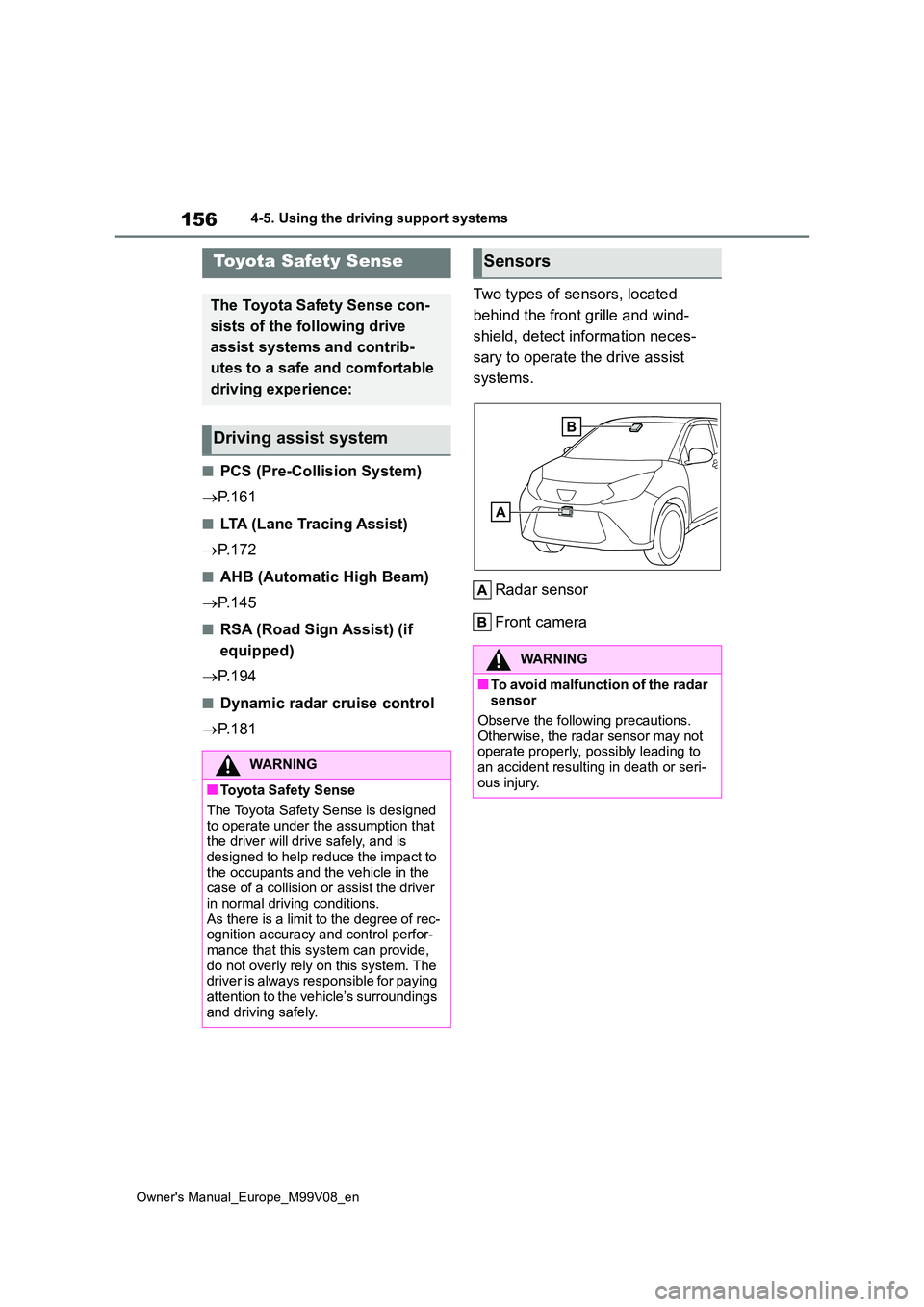
Two types of sensors, located
behind the front grille and wind-
shield, detect information neces-
sary to operate the drive assist
systems.
Radar sensor
Front camera
Toyota Safety Sense
The Toyota Safety Sense con-
sists of the following drive
assist systems and contrib-
utes to a safe and comfortable
driving experience:
Driving assist system
WARNING
■Toyota Safety Sense
The Toyota Safety Sense is designed
to operate under the assumption that the driver will drive safely, and is designed to help reduce the impact to
the occupants and the vehicle in the case of a collision or assist the driver in normal driving conditions.
As there is a limit to the degree of rec- ognition accuracy and control perfor-mance that this system can provide,
do not overly rely on this system. The driver is always responsible for paying attention to the vehicle’s surroundings
and driving safely.
Sensors
WARNING
■To avoid malfunction of the radar sensor
Observe the following precautions.
Otherwise, the radar sensor may not operate properly, possibly leading to an accident resulting in death or seri-
ous injury.
Page 174 of 494
172
Owner's Manual_Europe_M99V08_en
4-5. Using the driving support systems
While driving on a road with clear
white (yellow) lane lines, the LTA
system warns the driver if the vehi-
cle may deviate from the current
lane or course*, and also can
slightly operate the steering wheel
to help avoid deviation from the
lane or course*. Also, while the
dynamic radar cruise control is
operating, this system will operate
the steering wheel to maintain the
vehicle’s lane position.
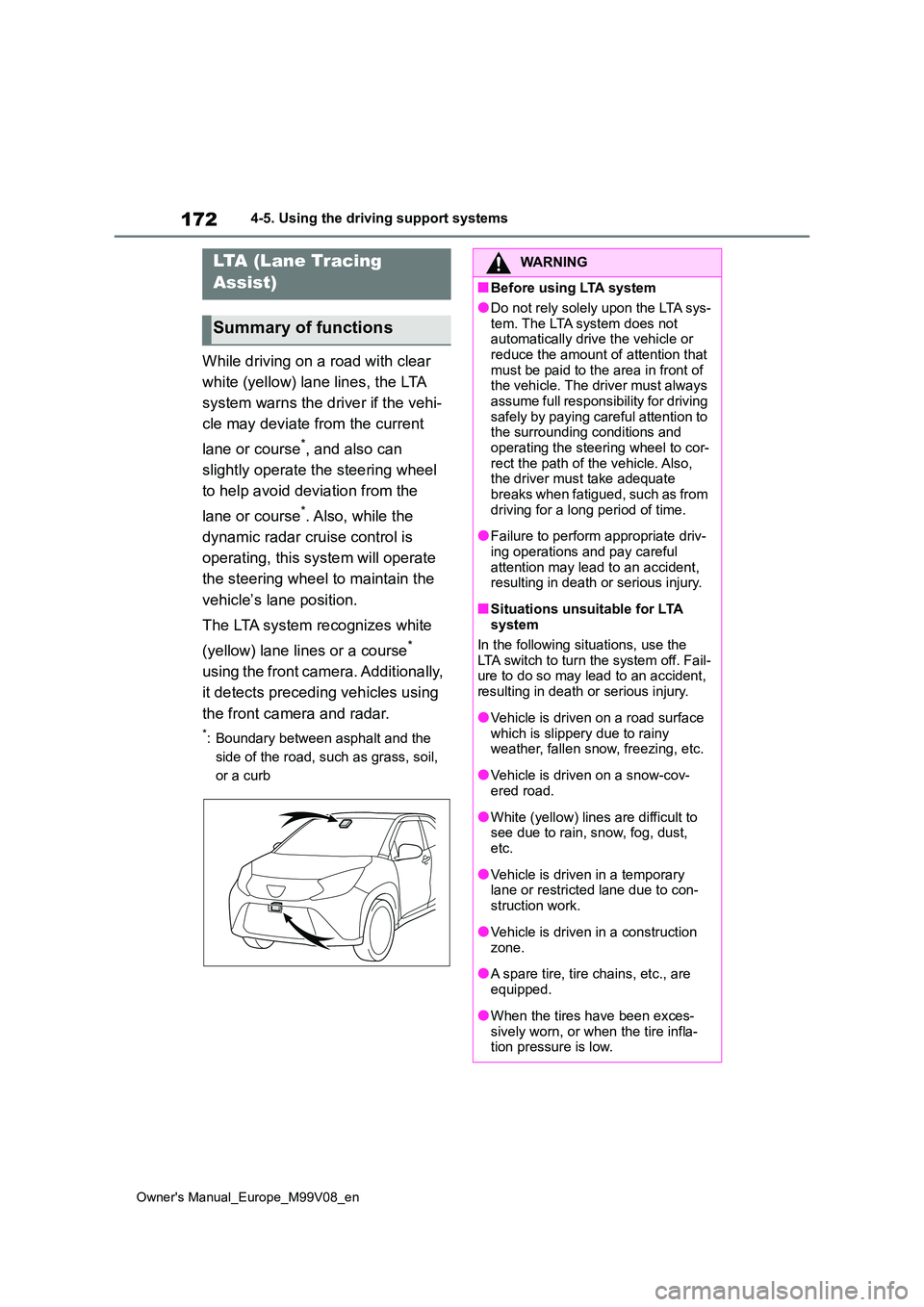
The LTA system recognizes white
(yellow) lane lines or a course*
using the front camera. Additionally,
it detects preceding vehicles using
the front camera and radar.
*: Boundary between asphalt and the
side of the road, such as grass, soil,
or a curb
LTA (Lane Tracing
Assist)
Summary of functions
WARNING
■Before using LTA system
●Do not rely solely upon the LTA sys-
tem. The LTA system does not automatically drive the vehicle or reduce the amount of attention that
must be paid to the area in front of the vehicle. The driver must always assume full responsibility for driving
safely by paying careful attention to the surrounding conditions and operating the steering wheel to cor-
rect the path of the vehicle. Also, the driver must take adequate breaks when fatigued, such as from
driving for a long period of time.
●Failure to perform appropriate driv-
ing operations and pay careful attention may lead to an accident, resulting in death or serious injury.
■Situations unsuitable for LTA system
In the following situations, use the LTA switch to turn the system off. Fail-ure to do so may lead to an accident,
resulting in death or serious injury.
●Vehicle is driven on a road surface
which is slippery due to rainy weather, fallen snow, freezing, etc.
●Vehicle is driven on a snow-cov-ered road.
●White (yellow) lines are difficult to see due to rain, snow, fog, dust, etc.
●Vehicle is driven in a temporary lane or restricted lane due to con-
struction work.
●Vehicle is driven in a construction
zone.
●A spare tire, tire chains, etc., are
equipped.
●When the tires have been exces-
sively worn, or when the tire infla- tion pressure is low.
Page 218 of 494
216
Owner's Manual_Europe_M99V08_en
4-6. Driving tips
4-6.Driving tips
Use fluids that are appropriate to
the prevailing outside tempera-
tures.
• Engine oil
• Engine coolant
• Washer fluid
Have a service technician
inspect the condition of the bat-
tery.
Have the vehicle fitted with four
snow tires or purchase a set of
tire chains for the front tires.
Ensure that all tires are the same size
and brand, and that chains match the
size of the tires*.
*: Tire chains cannot be mounted on
18-inch tires.
Winter driving tips
Carry out the necessary prepa-
rations and inspections before
driving the vehicle in winter.
Always drive the vehicle in a
manner appropriate to the pre-
vailing weather conditions.
Pre-winter preparations
WARNING
■Driving with snow tires
Observe the following precautions to
reduce the risk of accidents. Failure to do so may result in a loss of vehicle control and cause death or
serious injury.
●Use tires of the size specified.
( P.350)
●Maintain the recommended level of air pressure.
●Do not drive at speeds in excess of the speed limit or the speed limit specified for the snow tires being
used.
●Use snow tires on all, not just some
wheels.
■Driving with tire chains (except
18-inch tires)
Observe the following precautions to reduce the risk of accidents.
Failure to do so may result in the vehi- cle being unable to be driven safely, and may cause death or serious
injury.
●Do not drive in excess of the speed
limit specified for the tire chains being used, or 50 km/h (30 mph), whichever is lower.
●Avoid driving on bumpy road sur-faces or over potholes.
●Avoid sudden acceleration, abrupt steering, sudden braking and shift-
ing operations that cause sudden engine braking.
●Slow down sufficiently before enter-ing a curve to ensure that vehicle control is maintained.
●Do not use LTA (Lane Tracing Assist) system.
NOTICE
■Repairing or replacing snow tires
Request repairs or replacement of snow tires from any authorized Toyota
retailer or Toyota authorized repairer, or any reliable repairer or legitimate tire retailers.
This is because the removal and attachment of snow tires affects the operation of the tire pressure warning
valves and transmitters.
Page 309 of 494
307
7
Owner's Manual_Europe_M99V08_en
7-2. Steps to take in an emergency
When trouble arises
*: Driver’s and front passenger’s seat belt warning buzzer:
The driver’s and front passenger’s seat belt warning buzzer sou nds to alert the
driver and front passenger that his or her seat belt is not fas tened. If the seat belt is
unfastened, the buzzer sounds intermittently for a certain peri od of time after the
vehicle reaches a certain speed.
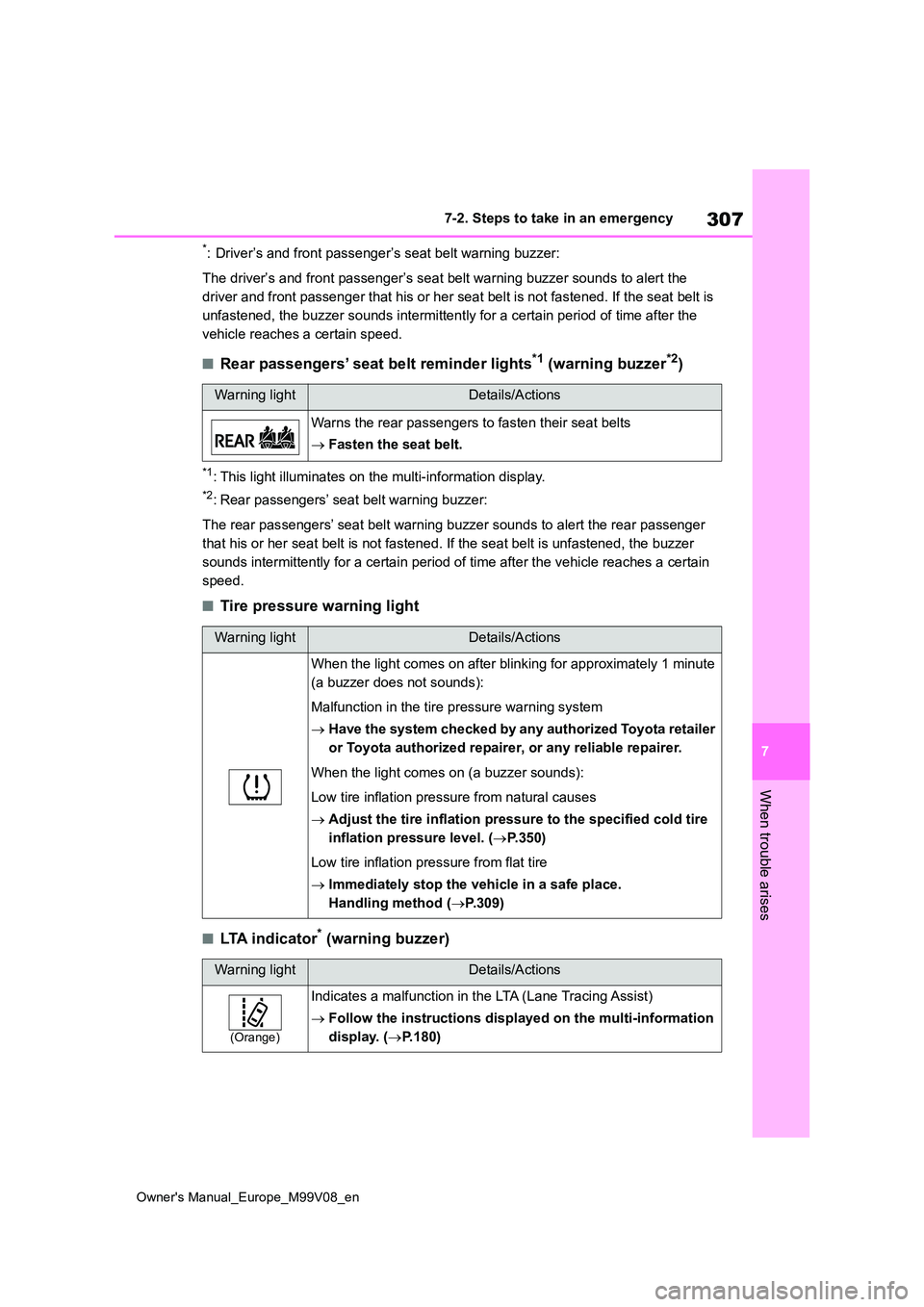
■Rear passengers’ seat belt reminder lights*1 (warning buzzer*2)
*1: This light illuminates on the multi-information display.
*2: Rear passengers’ seat belt warning buzzer:
The rear passengers’ seat belt warning buzzer sounds to alert t he rear passenger
that his or her seat belt is not fastened. If the seat belt is unfastened, the buzzer
sounds intermittently for a certain period of time after the ve hicle reaches a certain
speed.
■Tire pressure warning light
■LTA indicator* (warning buzzer)
Warning lightDetails/Actions
Warns the rear passengers to fasten their seat belts
Fasten the seat belt.
Warning lightDetails/Actions
When the light comes on after blinking for approximately 1 minute
(a buzzer does not sounds):
Malfunction in the tire pressure warning system
Have the system checked by any authorized Toyota retailer
or Toyota authorized repairer, or any reliable repairer.
When the light comes on (a buzzer sounds):
Low tire inflation pressure from natural causes
Adjust the tire inflation pressure to the specified cold tire
inflation pressure level. ( P.350)
Low tire inflation pressure from flat tire
Immediately stop the vehicle in a safe place.
Handling method ( P.309)
Warning lightDetails/Actions
(Orange)
Indicates a malfunction in the LTA (Lane Tracing Assist)
Follow the instructions displayed on the multi-information
display. ( P.180)