camera TOYOTA BZ4X 2023 User Guide
[x] Cancel search | Manufacturer: TOYOTA, Model Year: 2023, Model line: BZ4X, Model: TOYOTA BZ4X 2023Pages: 628, PDF Size: 11.91 MB
Page 250 of 628
2505-3. Operating the lights and wipers
Owners Manual_USA_M42C01_en
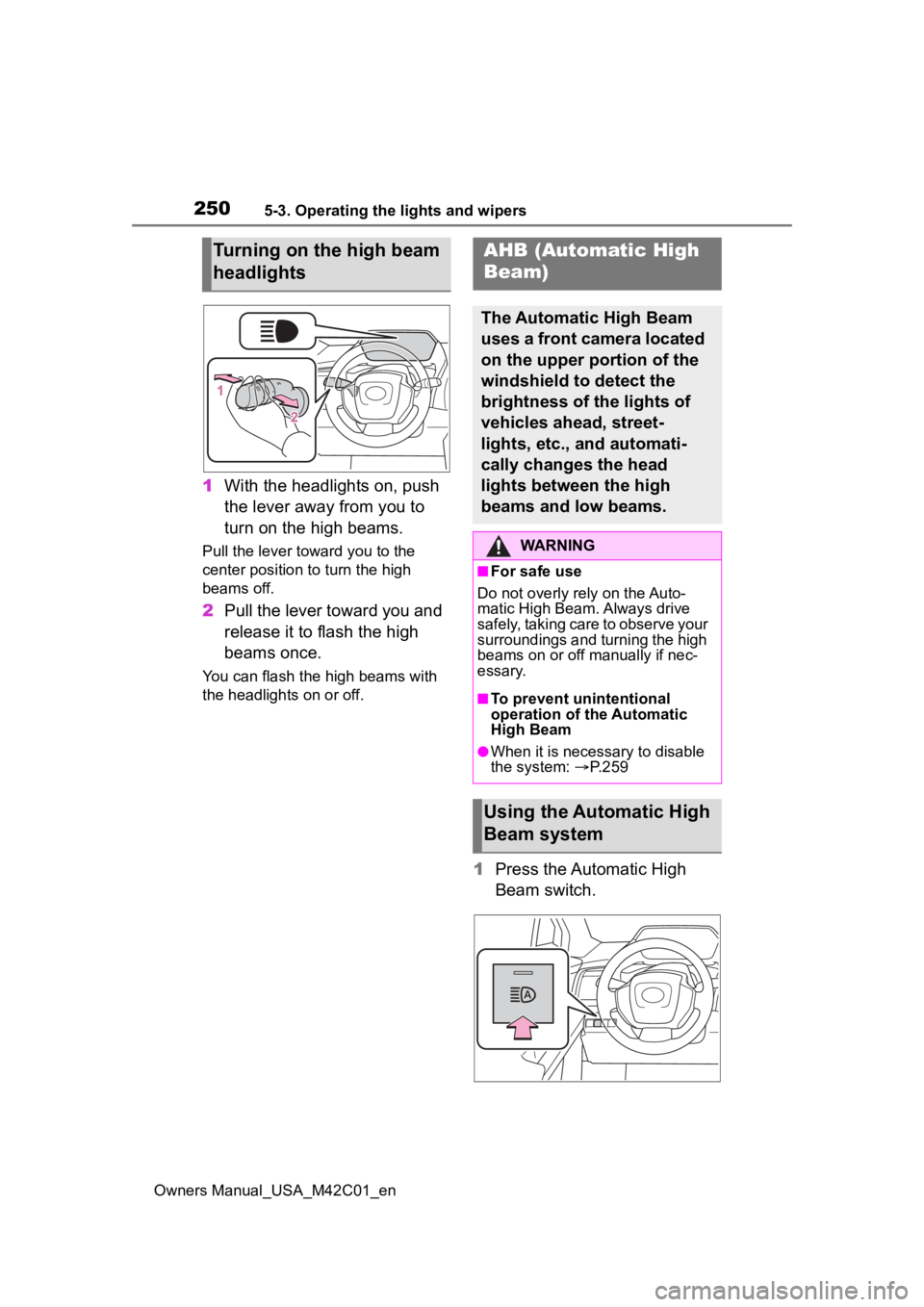
1With the headlights on, push
the lever away from you to
turn on the high beams.
Pull the lever toward you to the
center position to turn the high
beams off.
2Pull the lever toward you and
release it to flash the high
beams once.
You can flash the high beams with
the headlights on or off.
1Press the Automatic High
Beam switch.
Turning on the high beam
headlightsAHB (Automatic High
Beam)
The Automatic High Beam
uses a front camera located
on the upper portion of the
windshield to detect the
brightness of the lights of
vehicles ahead, street-
lights, etc., and automati-
cally changes the head
lights between the high
beams and low beams.
WARNING
■For safe use
Do not overly rely on the Auto-
matic High Beam. Always drive
safely, taking care to observe your
surroundings and turning the high
beams on or off manually if nec-
essary.
■To prevent unintentional
operation of the Automatic
High Beam
●When it is necessary to disable
the system: P.259
Using the Automatic High
Beam system
Page 251 of 628
2515-3. Operating the lights and wipers
Owners Manual_USA_M42C01_en
5
Driving
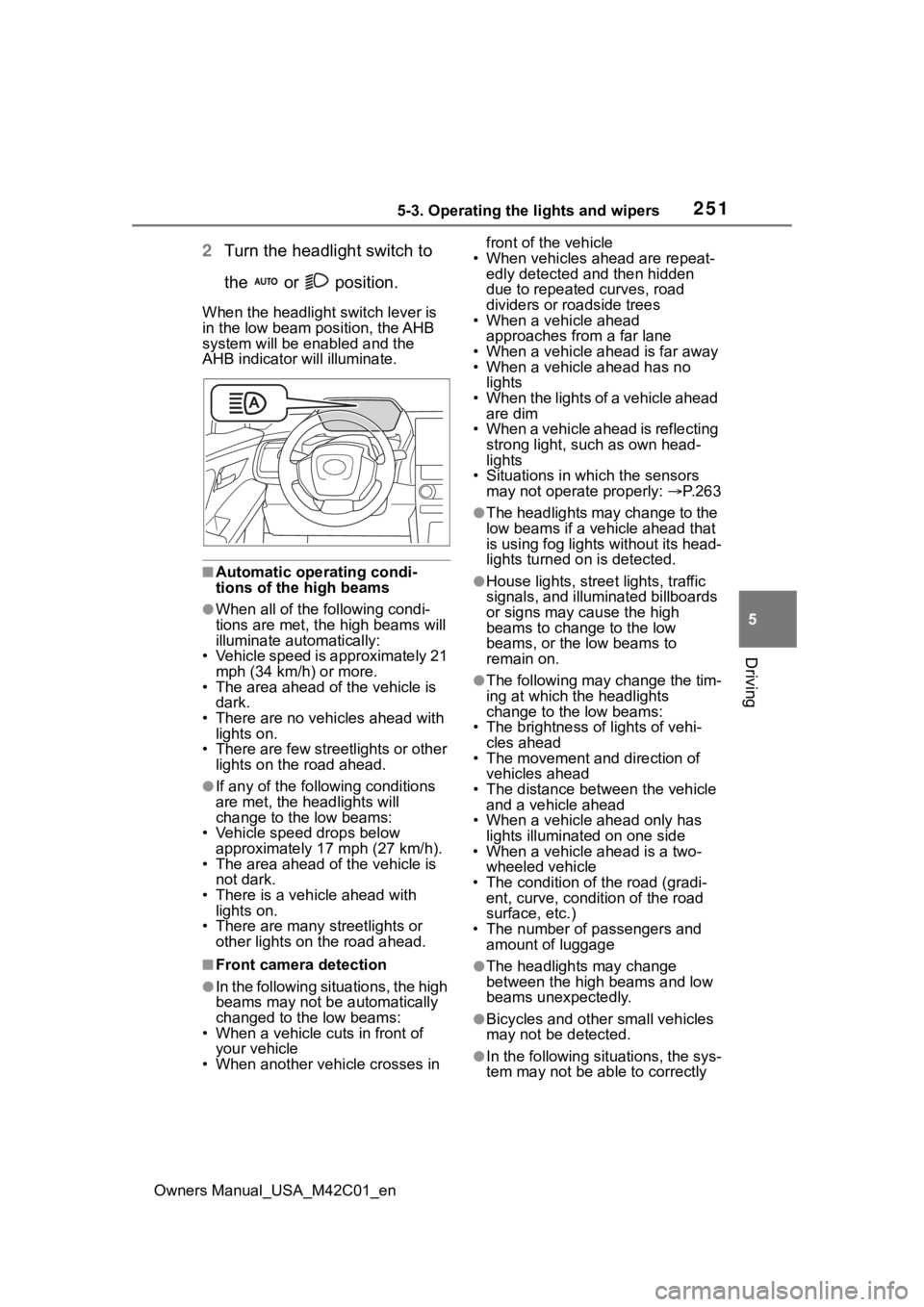
2 Turn the headlight switch to
the or position.
When the headlight switch lever is
in the low beam position, the AHB
system will be enabled and the
AHB indicator will illuminate.
■Automatic operating condi-
tions of the high beams
●When all of the following condi-
tions are met, the high beams will
illuminate automatically:
• Vehicle speed is approximately 21 mph (34 km/h) or more.
• The area ahead of the vehicle is dark.
• There are no vehicles ahead with
lights on.
• There are few streetlights or other lights on the road ahead.
●If any of the following conditions
are met, the headlights will
change to the low beams:
• Vehicle speed drops below approximately 17 mph (27 km/h).
• The area ahead of the vehicle is not dark.
• There is a vehi cle ahead with
lights on.
• There are many streetlights or other lights on the road ahead.
■Front camera detection
●In the following situations, the high
beams may not be automatically
changed to the low beams:
• When a vehicle cuts in front of your vehicle
• When another vehicle crosses in front of the vehicle
• When vehicles ahead are repeat- edly detected and then hidden
due to repeated curves, road
dividers or roadside trees
• When a vehicle ahead
approaches from a far lane
• When a vehicle ahead is far away
• When a vehicle ahead has no lights
• When the lights of a vehicle ahead are dim
• When a vehicle ahead is reflecting strong light, such as own head-
lights
• Situations in which the sensors may not operate properly: P. 2 6 3
●The headlights may change to the
low beams if a vehicle ahead that
is using fog lights without its head-
lights turned on is detected.
●House lights, street lights, traffic
signals, and illuminated billboards
or signs may cause the high
beams to change to the low
beams, or the low beams to
remain on.
●The following may change the tim-
ing at which the headlights
change to the low beams:
• The brightness o f lights of vehi-
cles ahead
• The movement and direction of
vehicles ahead
• The distance between the vehicle and a vehicle ahead
• When a vehicle ahead only has
lights illuminate d on one side
• When a vehicle ahead is a two-
wheeled vehicle
• The condition of the road (gradi- ent, curve, condition of the road
surface, etc.)
• The number of passengers and amount of luggage
●The headlights may change
between the high beams and low
beams unexpectedly.
●Bicycles and other small vehicles
may not be detected.
●In the following situations, the sys-
tem may not be able to correctly
Page 252 of 628
2525-3. Operating the lights and wipers
Owners Manual_USA_M42C01_endetect the brightness of the sur-
roundings. This may cause the
low beams to remain on or the
high beams to flash or dazzle
pedestrians or vehicles ahead. In
such a case, it is necessary to
manually change between the
high beams and low beams.
• When there are lights similar to
headlights or tail li ghts in the sur-
rounding area
• When headlights or tail lights of
vehicles ahead are turned off,
dirty, changing color, or not aimed
properly
• When the headlights are repeat- edly changing between the high
beams and low beams.
• When use of the high beams is inappropriate or when the high
beams may be flashing or daz-
zling pedestrians or other drivers.
• When the vehicle is used in an area in which vehicles travel on
the opposite side of the road of
the country for wh ich the vehicle
was designed, for example using
a vehicle designed for right-hand
traffic in a left-hand traffic area, or
vice versa
• When it is necessary to disable the system: P. 2 5 9
• Situations in which the sensors
may not operate properly: P. 2 6 3
■Temporarily reducing front
camera sensitivity
The sensitivity o f the front camera
can be temporarily reduced.
1 Turn the power switch off with
the following conditions met.
●The headlight switch is in or
position.
●The headlight switch lever is in the
low beam position.
●The Automatic High Beam switch
is on.
2 Turn the power switch to ON.
3 Within 60 seconds after perform-
ing step 2, push the headlight switch lever to the high beam
position then pull it to the original
position quickly 10 times, then
leave the lever in its original posi-
tion.
4 If the sensitivity is changed, the
Automatic High Beam indicator
will blink 3 times.
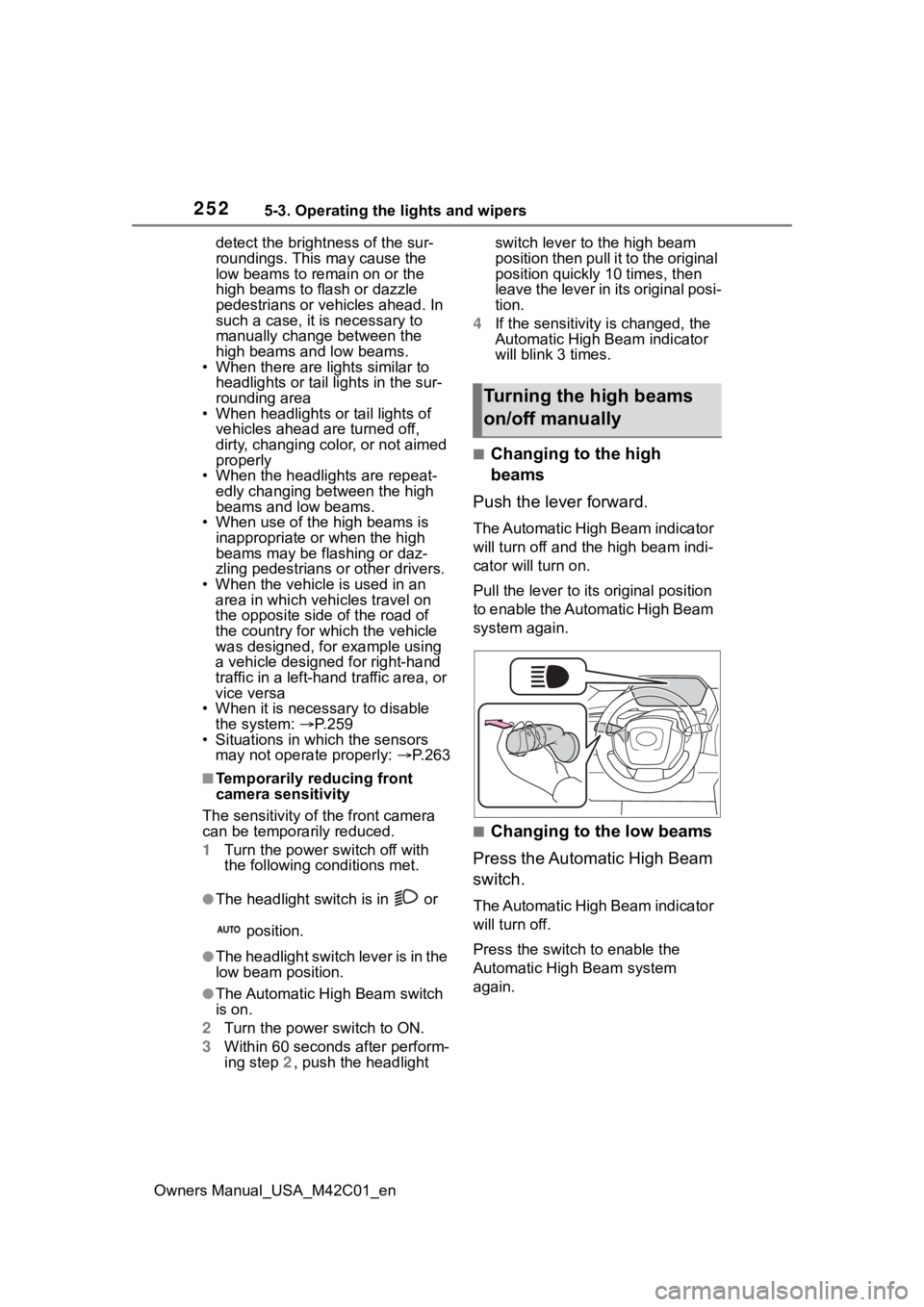
■Changing to the high
beams
Push the lever forward.
The Automatic High Beam indicator
will turn off and the high beam indi-
cator will turn on.
Pull the lever to its original position
to enable the Automatic High Beam
system again.
■Changing to the low beams
Press the Automatic High Beam
switch.
The Automatic High Beam indicator
will turn off.
Press the switch to enable the
Automatic High Beam system
again.
Turning the high beams
on/off manually
Page 255 of 628
2555-3. Operating the lights and wipers
Owners Manual_USA_M42C01_en
5
Driving
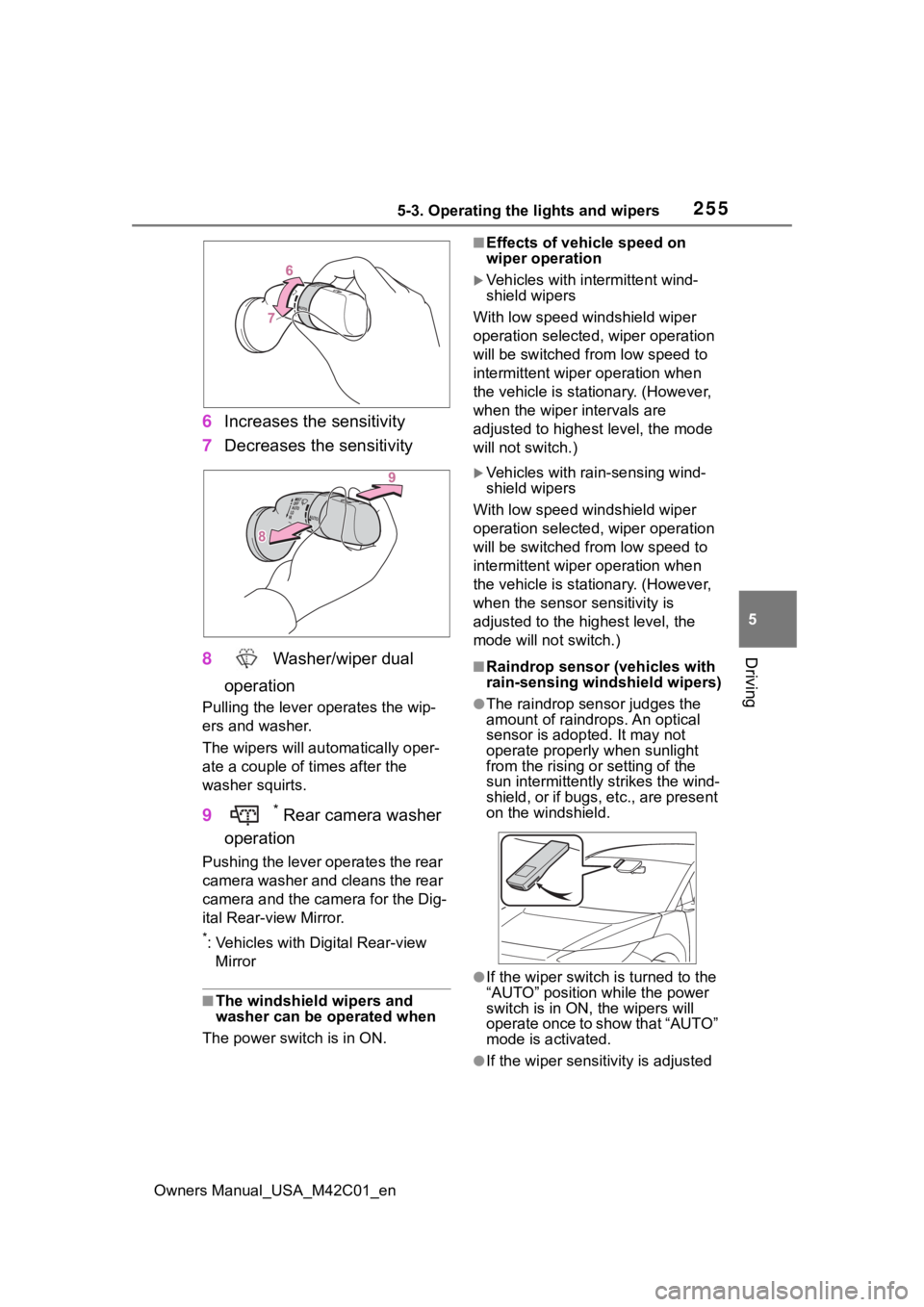
6 Increases the sensitivity
7 Decreases the sensitivity
8 Washer/wiper dual
operation
Pulling the lever o perates the wip-
ers and washer.
The wipers will au tomatically oper-
ate a couple of times after the
washer squirts.
9 * Rear camera washer
operation
Pushing the lever operates the rear
camera washer and cleans the rear
camera and the camera for the Dig-
ital Rear-view Mirror.
*: Vehicles with Digital Rear-view Mirror
■The windshield wipers and
washer can be operated when
The power swit ch is in ON.
■Effects of vehicle speed on
wiper operation
Vehicles with intermittent wind-
shield wipers
With low speed windshield wiper
operation selected, wiper operation
will be switched fro m low speed to
intermittent wiper operation when
the vehicle is stationary. (However,
when the wiper intervals are
adjusted to highest level, the mode
will not switch.)
Vehicles with rain-sensing wind-
shield wipers
With low speed windshield wiper
operation selected, wiper operation
will be switched fro m low speed to
intermittent wiper operation when
the vehicle is stationary. (However,
when the sensor sensitivity is
adjusted to the highest level, the
mode will not switch.)
■Raindrop sensor (vehicles with
rain-sensing windshield wipers)
●The raindrop sensor judges the
amount of raindrops. An optical
sensor is adopt ed. It may not
operate properly when sunlight
from the rising or setting of the
sun intermittently strikes the wind-
shield, or if bugs, etc., are present
on the windshield.
●If the wiper switch i s turned to the
“AUTO” position while the power
switch is in ON, the wipers will
operate once to show that “AUTO”
mode is activated.
●If the wiper sensitivity is adjusted
Page 260 of 628
2605-4. Using the driving support systems
Owners Manual_USA_M42C01_en
■AHB (Automatic High
Beam)
P.250
■PCS (Pre-Collision System)
P.265
■LTA (Lane Tracing Assist)
P.276
■LDA (Lane Departure Alert)
P.281
■RSA (Road Sign Assist)
P.286
■Dynamic radar cruise con-
trol
P.288
■Emergency Driving Stop
System
P.299
Various sensors are used to
obtain the necessary informa-
tion for system operation.
■Sensors which detect the
surrounding conditions
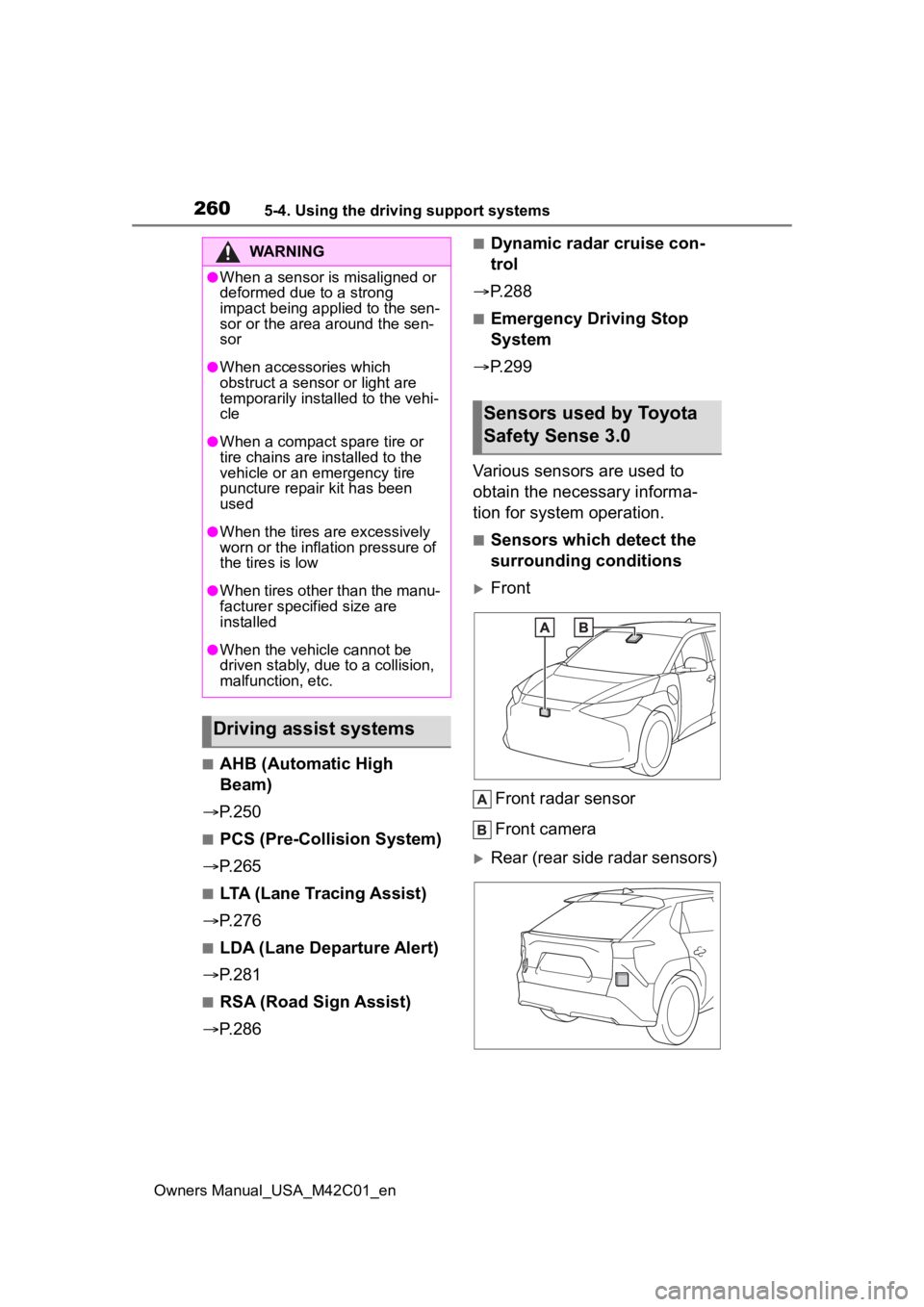
Front
Front radar sensor
Front camera
Rear (rear side radar sensors)
WARNING
●When a sensor is misaligned or
deformed due to a strong
impact being applied to the sen-
sor or the area around the sen-
sor
●When accessories which
obstruct a sensor or light are
temporarily installed to the vehi-
cle
●When a compact spare tire or
tire chains are installed to the
vehicle or an emergency tire
puncture repair kit has been
used
●When the tires are excessively
worn or the inflation pressure of
the tires is low
●When tires other than the manu-
facturer specified size are
installed
●When the vehicle cannot be
driven stably, due to a collision,
malfunction, etc.
Driving assist systems
Sensors used by Toyota
Safety Sense 3.0
Page 261 of 628
2615-4. Using the driving support systems
Owners Manual_USA_M42C01_en
5
Driving
WARNING
■To prevent malfunction of the
radar sensors
Observe the following precau-
tions. Failure to do so may lead to
a radar sensor not operating prop-
erly, possibly leading to an acci-
dent resulting in death or serious
injury.
●Keep the radar sensors and
radar sensor covers clean at all
times.
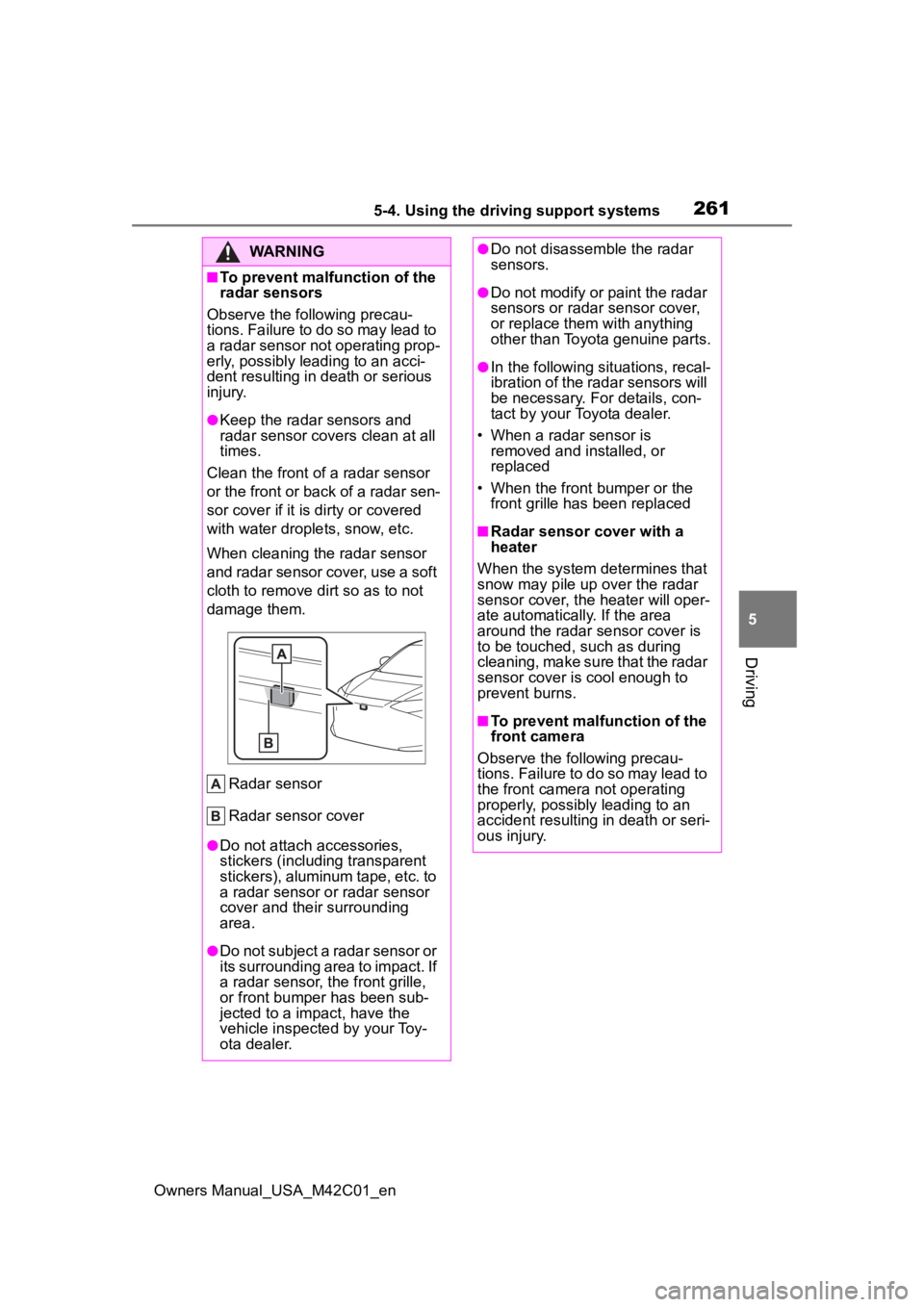
Clean the front of a radar sensor
or the front or back of a radar sen-
sor cover if it is dirty or covered
with water drople ts, snow, etc.
When cleaning the radar sensor
and radar sensor cover, use a soft
cloth to remove di rt so as to not
damage them.
Radar sensor
Radar sensor cover
●Do not attach accessories,
stickers (including transparent
stickers), aluminum tape, etc. to
a radar sensor or radar sensor
cover and their surrounding
area.
●Do not subject a radar sensor or
its surrounding area to impact. If
a radar sensor, the front grille,
or front bumper has been sub-
jected to a impact, have the
vehicle inspected by your Toy-
ota dealer.
●Do not disassemble the radar
sensors.
●Do not modify or paint the radar
sensors or radar sensor cover,
or replace them with anything
other than Toyota genuine parts.
●In the following situations, recal-
ibration of the radar sensors will
be necessary. For details, con-
tact by your Toyota dealer.
• When a radar sensor is removed and installed, or
replaced
• When the front bumper or the front grille has been replaced
■Radar sensor cover with a
heater
When the system determines that
snow may pile up over the radar
sensor cover, the heater will oper-
ate automatically. If the area
around the radar sensor cover is
to be touched, such as during
cleaning, make sure that the radar
sensor cover is cool enough to
prevent burns.
■To prevent malfunction of the
front camera
Observe the following precau-
tions. Failure to do so may lead to
the front camera not operating
properly, possibly leading to an
accident resulting in death or seri-
ous injury.
Page 262 of 628
2625-4. Using the driving support systems
Owners Manual_USA_M42C01_en
WARNING
●Always keep the windshield
clean.
• If the windshield is dirty or cov- ered with an o ily film, water
droplets, snow, etc., clean the
windshield.
• Even if a glass coating agent is applied to the windshield, it will
still be necessary to use the
windshield wipers to remove
water droplets, etc. from the
area of the windshield in front of
the front camera.
• If the inner side of the wind- shield where the front camera is
installed is dirty, contact your
Toyota dealer
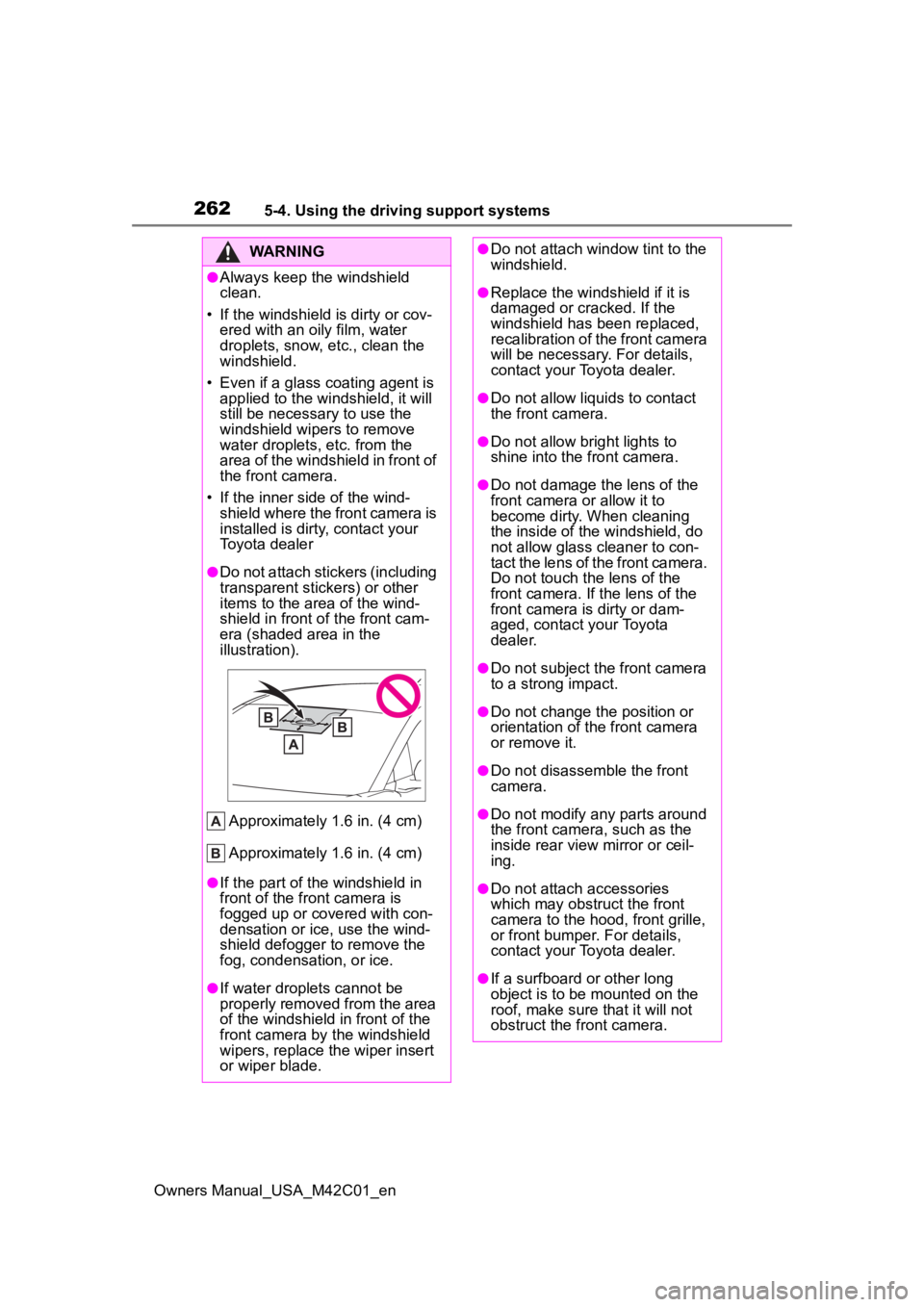
●Do not attach stickers (including
transparent stickers) or other
items to the area of the wind-
shield in front o f the front cam-
era (shaded area in the
illustration).
Approximately 1.6 in. (4 cm)
Approximately 1.6 in. (4 cm)
●If the part of the windshield in
front of the front camera is
fogged up or covered with con-
densation or ice, use the wind-
shield defogger to remove the
fog, condensation, or ice.
●If water droplets cannot be
properly removed from the area
of the windshield in front of the
front camera by the windshield
wipers, replace the wiper insert
or wiper blade.
●Do not attach window tint to the
windshield.
●Replace the windshield if it is
damaged or cracked. If the
windshield has been replaced,
recalibration of the front camera
will be necessary. For details,
contact your Toyota dealer.
●Do not allow liquids to contact
the front camera.
●Do not allow bright lights to
shine into the front camera.
●Do not damage th e lens of the
front camera o r allow it to
become dirty. When cleaning
the inside of the windshield, do
not allow glass cleaner to con-
tact the lens of the front camera.
Do not touch the lens of the
front camera. If the lens of the
front camera is dirty or dam-
aged, contact your Toyota
dealer.
●Do not subject the front camera
to a strong impact.
●Do not change the position or
orientation of the front camera
or remove it.
●Do not disassemble the front
camera.
●Do not modify any parts around
the front camera , such as the
inside rear view mirror or ceil-
ing.
●Do not attach accessories
which may obstruct the front
camera to the hood, front grille,
or front bumper. For details,
contact your Toyota dealer.
●If a surfboard or other long
object is to be mounted on the
roof, make sure that it will not
obstruct the front camera.
Page 263 of 628
2635-4. Using the driving support systems
Owners Manual_USA_M42C01_en
5
Driving
■Situations in which the sensors
may not operate properly
●When the height or inclination of
the vehicle has been changed due
to modifications
●When the windshield is dirty,
fogged up, cracked or damaged
●When the ambient temperature is
high or low
●When mud, water, snow, dead
insects, foreign matter, etc., is
attached to the fr ont of the sensor
●When in inclement weather such
as heavy rain, fog, snow, or a
sandstorm
●When water, snow, dust, etc. is
thrown up in front of the vehicle, or
when driving through mist or
smoke
●When the headlig hts are not illu-
minated while driving in the dark,
such as at night o r when in a tun-
nel
●When the lens of a headlight is
dirty and illumination is weak
●When the headlights are mis-
aligned
●When a headlight is malfunction-
ing
●When a the headlights of another vehicle, sunlight, or reflected light
shines directly into the front cam-
era
●When the brightness of the sur-
rounding area changes suddenly
●When driving near a TV tower,
broadcasting station, electric
power plant, radar equipped vehi-
cles, etc., or other location where
strong radio waves or electrical
noise may be present
●When a wiper blade is blocking
the front camera
●When in a location or near objects
which strongly reflect radio waves,
such as the following:
• Tunnels
• Truss bridges
• Gravel roads
• Rutted, snow-covered roads
• Walls
• Large trucks
• Manhole covers
• Guardrail
• Metal plates
●When near a step or protrusion
●When a detectable vehicle is nar-
row, such as a small mobility vehi-
cle
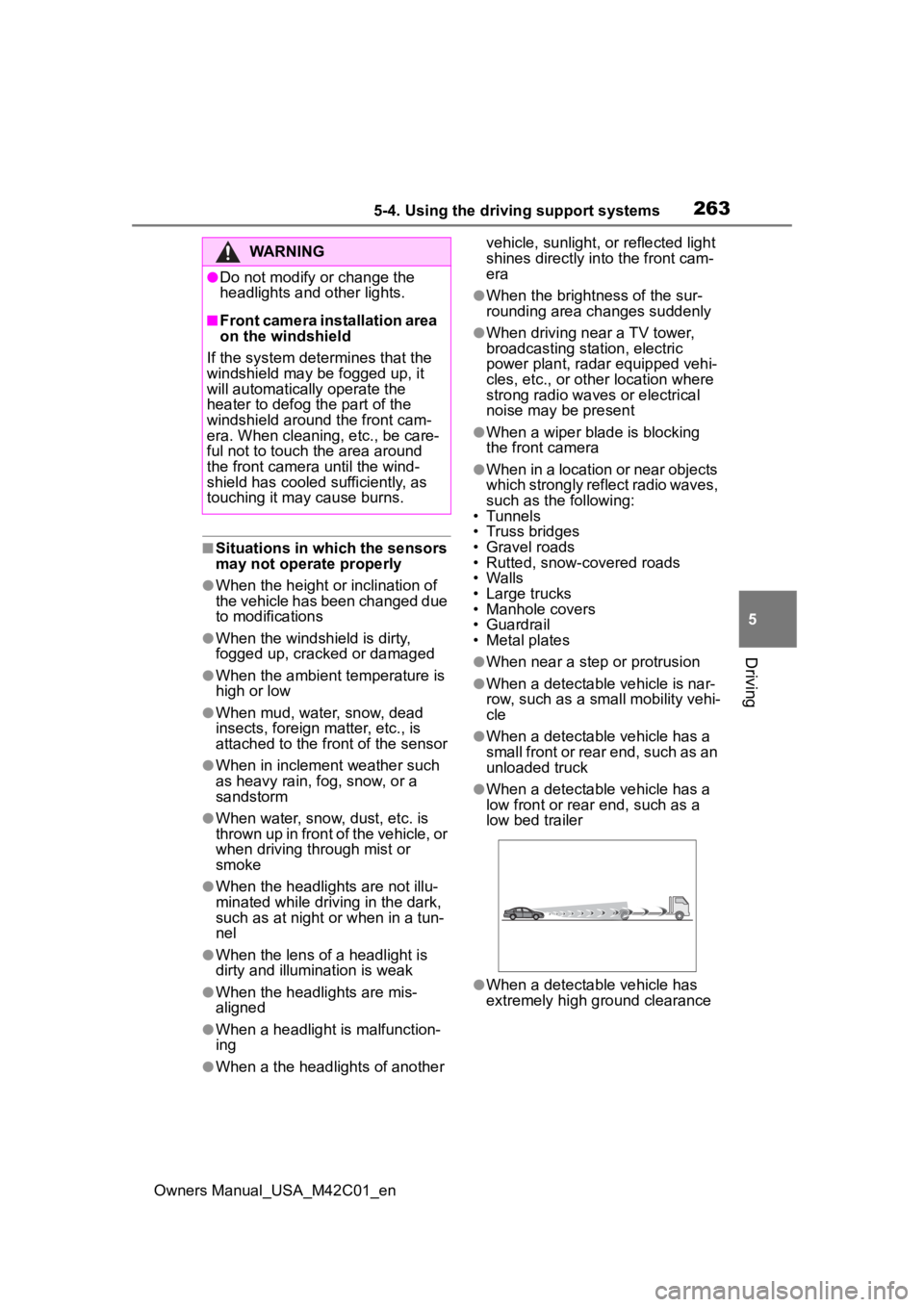
●When a detectable vehicle has a
small front or rear end, such as an
unloaded truck
●When a detectable vehicle has a
low front or rear end, such as a
low bed trailer
●When a detectable vehicle has
extremely high ground clearance
WARNING
●Do not modify or change the
headlights and other lights.
■Front camera installation area
on the windshield
If the system determines that the
windshield may be fogged up, it
will automatically operate the
heater to defog the part of the
windshield around the front cam-
era. When cleaning, etc., be care-
ful not to touch the area around
the front camera until the wind-
shield has cooled sufficiently, as
touching it may cause burns.
Page 276 of 628

2765-4. Using the driving support systems
Owners Manual_USA_M42C01_en
“Pre-Collision System OFF”
The pre-collision setting can
be changed on the customize
settings. ( P.572)
When the pre-collision warn-
ing timing is changed, the
emergency steering assist
timing will also be changed.
When “Later” is selected, the
emergency steering assist will
not operate in most cases.
When the dynamic radar
cruise control is operating, the
pre-collision warning will
operate at the “Earlier” timing,
regardless of the user setting.
When driving on a road with
clear lane lines with the
dynamic radar cruise control
operating, lane lines and pre-
ceding and surrounding vehi-
cles are detected using the
front camera and radar sen-
sor, and the steering wheel is
operated to maintain the vehi-
cle’s lane position.
Use the this function only on high-
ways and expressways.
If the dynamic radar cruise control
is not operating, the function will not
operate.
In situations where the lane lines
are difficult to see or are not visible,
such as when in a traffic jam, sup-
port will be provided using the path
of preceding and surrounding vehi-
cles.
If the system determines that the
steering wheel has not been oper-
ated for a certain amount of time or
the steering wheel is not being
firmly gripped, the driver will be
alerted via a display and this func-
tion will be temporarily canceled.
If the steering wheel is firmly
gripped, the func tion will begin
operating again.
LTA (Lane Tracing
Assist)
LTA functions
Page 281 of 628
2815-4. Using the driving support systems
Owners Manual_USA_M42C01_en
5
Driving
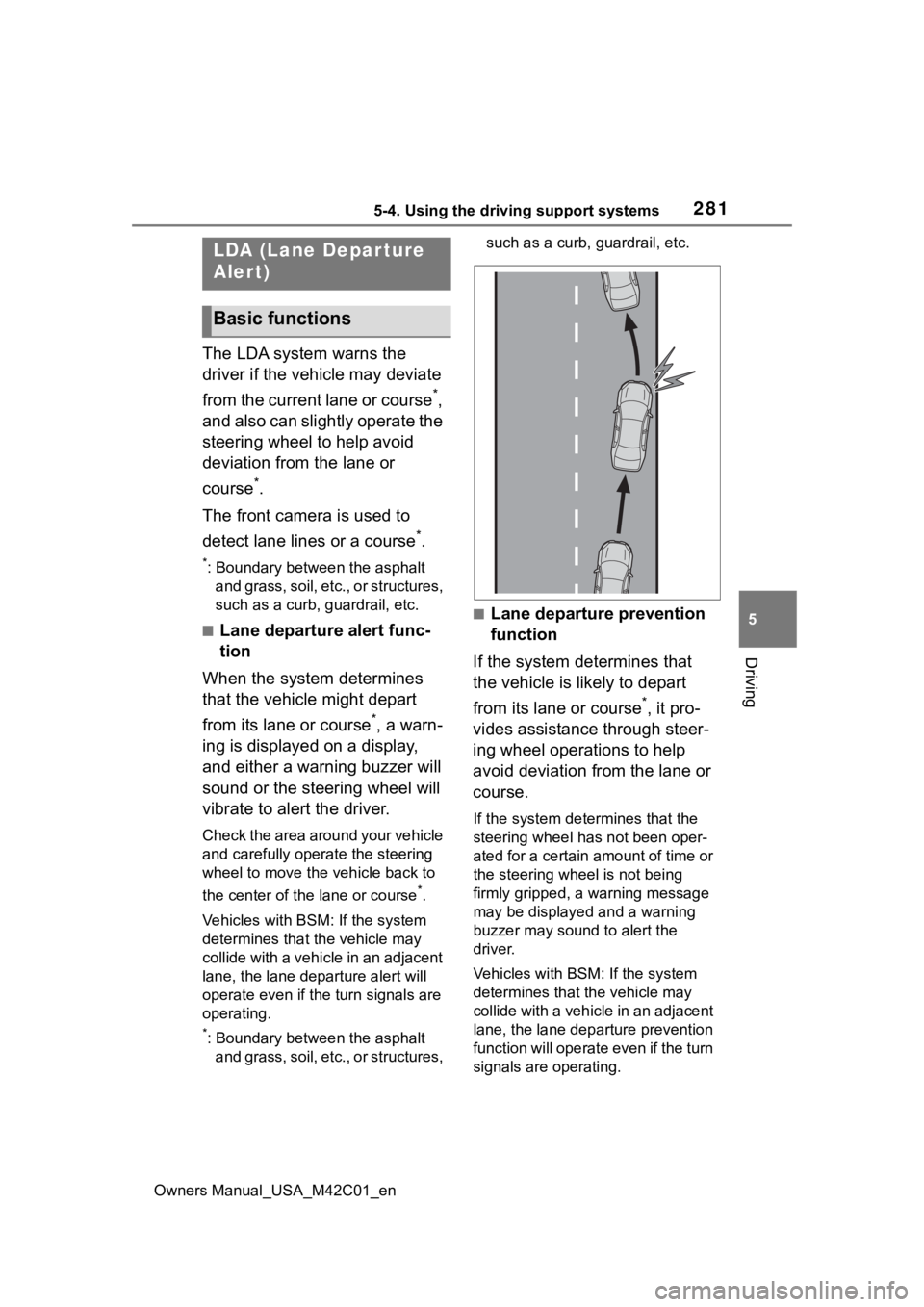
The LDA system warns the
driver if the vehicle may deviate
from the current lane or course
*,
and also can slightly operate the
steering wheel to help avoid
deviation from the lane or
course
*.
The front camera is used to
detect lane lines or a course
*.
*: Boundary between the asphalt and grass, soil, etc., or structures,
such as a curb, guardrail, etc.
■Lane departure alert func-
tion
When the system determines
that the vehicle might depart
from its lane or course
*, a warn-
ing is displayed on a display,
and either a warning buzzer will
sound or the steering wheel will
vibrate to alert the driver.
Check the area around your vehicle
and carefully operate the steering
wheel to move the vehicle back to
the center of the lane or course
*.
Vehicles with BSM: If the system
determines that the vehicle may
collide with a vehicle in an adjacent
lane, the lane de parture alert will
operate even if the turn signals are
operating.
*: Boundary between the asphalt and grass, soil, etc., or structures, such as a curb,
guardrail, etc.
■Lane departure prevention
function
If the system determines that
the vehicle is likely to depart
from its lane or course
*, it pro-
vides assistance through steer-
ing wheel operations to help
avoid deviation from the lane or
course.
If the system determines that the
steering wheel has not been oper-
ated for a certain amount of time or
the steering wheel is not being
firmly gripped, a warning message
may be displayed and a warning
buzzer may sound to alert the
driver.
Vehicles with BSM: If the system
determines that the vehicle may
collide with a vehicl e in an adjacent
lane, the lane departure prevention
function will operate even if the turn
signals are operating.
LDA (Lane Depar ture
Alert)
Basic functions