Light TOYOTA C-HR 2018 1.G Owners Manual
[x] Cancel search | Manufacturer: TOYOTA, Model Year: 2018, Model line: C-HR, Model: TOYOTA C-HR 2018 1.GPages: 516, PDF Size: 9.32 MB
Page 283 of 516

2834-5. Using the driving support systems
4
Driving
C-HR_OM_USA_OM10526U
WARNING
■The ABS does not operate effectively when
● The limits of tire gripping performance have been exceeded (such as
excessively worn tires on a snow covered road).
● The vehicle hydroplanes while driving at high speed on wet or slick roads.
■ Stopping distance when the ABS is operating may exceed that of nor-
mal conditions
The ABS is not designed to shorten the vehicle’s stopping distance. Always
maintain a safe distance from the vehicle in front of you, especially in the
following situations:
● When driving on dirt, gravel or snow-covered roads
● When driving with tire chains
● When driving over bumps in the road
● When driving over roads with potholes or uneven surfaces
■ TRAC/VSC may not operate effectively when
Directional control and power may not be achievable while driving on slip-
pery road surfaces, even if the TRAC/VSC system is operating.
Drive the vehicle carefully in conditions where stability and power may be
lost.
■ Hill- start assist control does not operate effectively when
● Do not overly rely on hill-start assist control. Hill-start assist control may
not operate effectively on steep inclines and roads covered with ice.
● Unlike the parking brake, hill-start assist control is not intended to hold the
vehicle stationary for an extended period of time. Do not attempt to use
hill-start assist control to hold the vehicle on an incline, as doing so may
lead to an accident.
■ When the TRAC/VSC is activated
The slip indicator light flashes. Always drive carefully. Reckless driving may
cause an accident. Exercise particular care when the indicator light flashes.
■ When the TRAC/VSC syst ems are turned off
Be especially careful and drive at a speed appropriate to the road condi-
tions. As these are the systems to help ensure vehicle stability and driving
force, do not turn the TRAC/VSC systems off unless necessary.
Page 285 of 516
2854-6. Driving tips
4
Driving
C-HR_OM_USA_OM10526U
Winter driving tips
●Use fluids that are appropriate to the prevailing outside tempera-
tures. • Engine oil
• Engine coolant
• Washer fluid
● Have a service technician ins pect the condition of the battery.
● Have the vehicle fitted with four snow tires or purchase a set of tire
chains for the front tires
*.
Ensure that all tires are the same size and brand, and that chains match
the size of the tires.
*: Tire chains cannot be mounted on 18 inch tires.
Perform the following accordin g to the driving conditions:
● Do not try to forcibly open a window or move a wiper that is frozen.
Pour warm water over the frozen area to melt the ice. Wipe away
the water immediately to prevent it from freezing.
● To ensure proper operation of the climate control system fan,
remove any snow that has accumulated on the air inlet vents in
front of the windshield.
● Check for and remove any excess ice or snow that may have accu-
mulated on the exterior lights, vehicle’s roof, chassis, around the
tires or on the brakes.
● Remove any snow or mud from the bottom of your shoes before
getting in the vehicle.
Carry out the necessary preparations and inspections before
driving the vehicle in winter. Al ways drive the vehicle in a man-
ner appropriate to the prevailing weather conditions.
Preparation for winter
Before driving the vehicle
Page 289 of 516

289
5Interior features
C-HR_OM_USA_OM10526U5-1. Using the air conditioning
system and defogger
Air conditioning system ..... 290
Seat heaters ...................... 298
5-2. Using the interior lights Interior lights list ................ 300• Interior lights ................. 301
• Personal lights .............. 302 5-3. Using the storage
features
List of storage features ..... 303 • Glove box...................... 304
• Console box .................. 304
• Bottle holders ................ 305
• Cup holders .................. 306
Luggage compartment features ........................... 307
5-4. Using the other interior features
Other interior features ....... 313 • Sun visors ..................... 313
• Vanity mirrors................ 313
• Clock ............................. 314
• Power outlet .................. 315
• Assist grips ................... 316
• Steering wheel
audio switches .............. 317
• Using the
microphone ................... 318
Page 299 of 516
2995-1. Using the air conditioning system and defogger
5
Interior features
C-HR_OM_USA_OM10526U
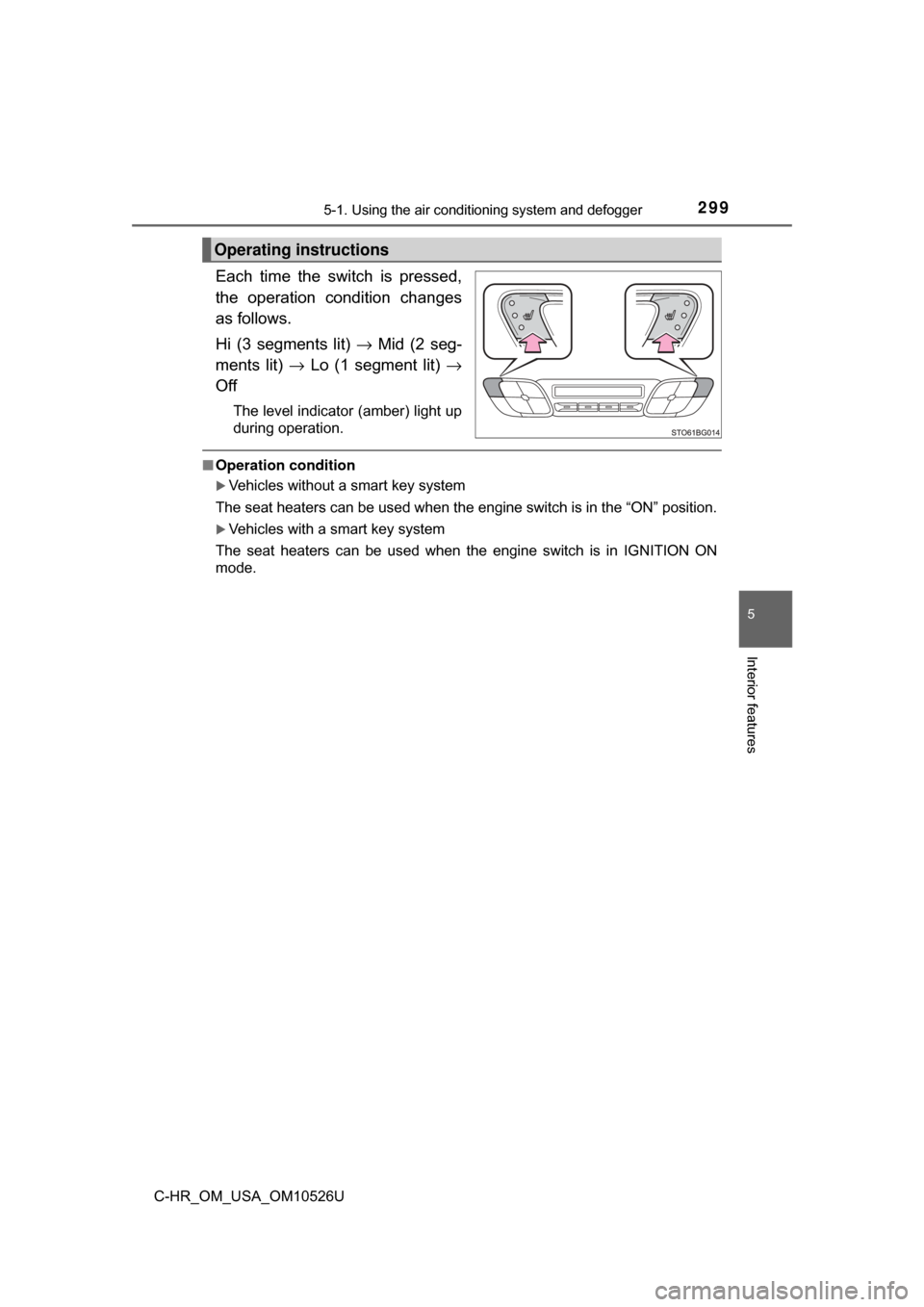
Each time the switch is pressed,
the operation condition changes
as follows.
Hi (3 segments lit) → Mid (2 seg-
ments lit) → Lo (1 segment lit) →
Off
The level indicator (amber) light up
during operation.
■ Operation condition
Vehicles without a smart key system
The seat heaters can be used when the engine switch is in the “ON” position.
Vehicles with a smart key system
The seat heaters can be used when the engine switch is in IGNITION ON
mode.
Operating instructions
Page 300 of 516
3005-2. Using the interior lights
C-HR_OM_USA_OM10526U
Interior lights list
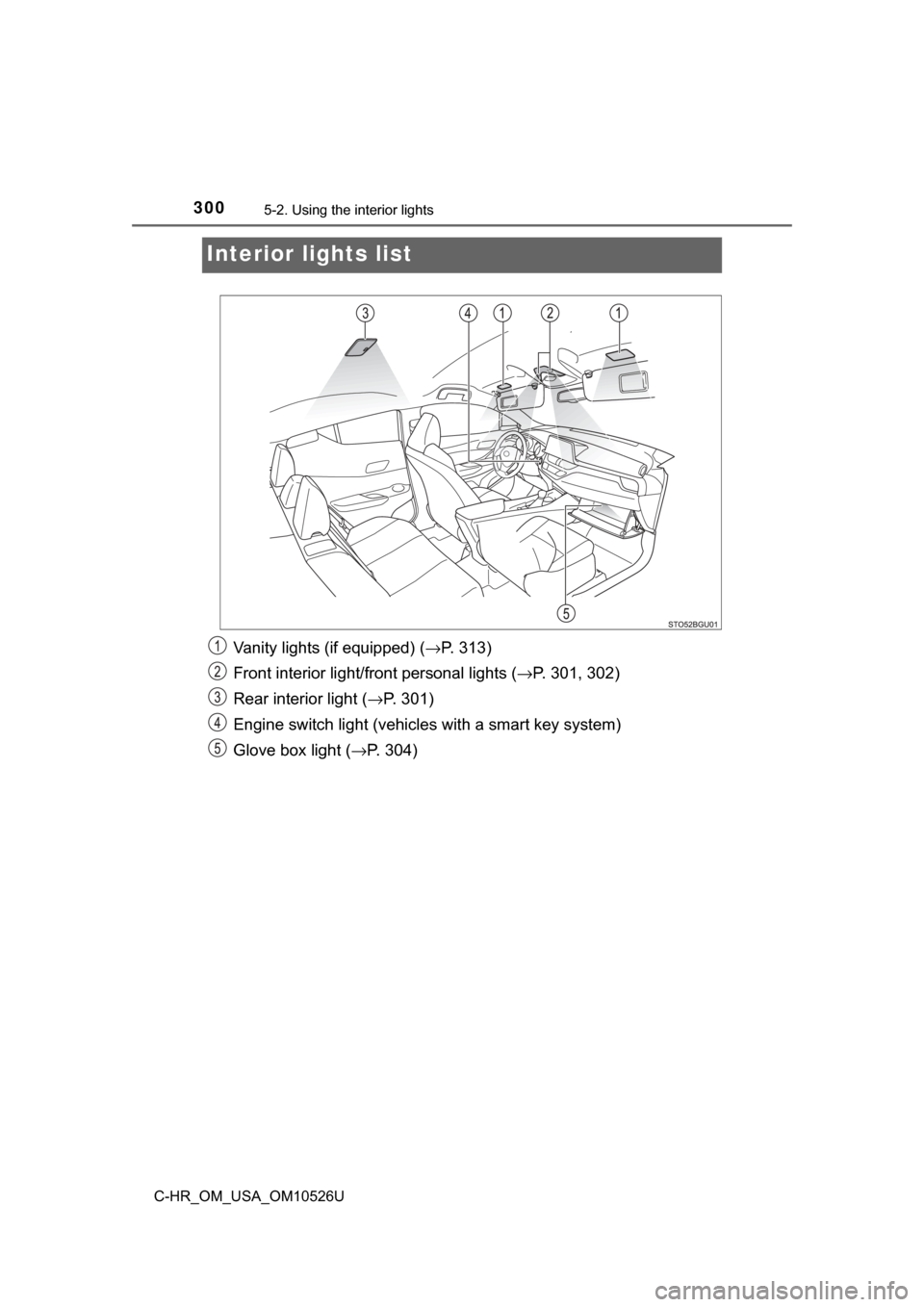
Vanity lights (if equipped) ( →P. 313)
Front interior light/fr ont personal lights ( →P. 301, 302)
Rear interior light ( →P. 301)
Engine switch light (vehicles with a smart key system)
Glove box light (→ P. 304)
Page 301 of 516
3015-2. Using the interior lights
5
Interior features
C-HR_OM_USA_OM10526U■
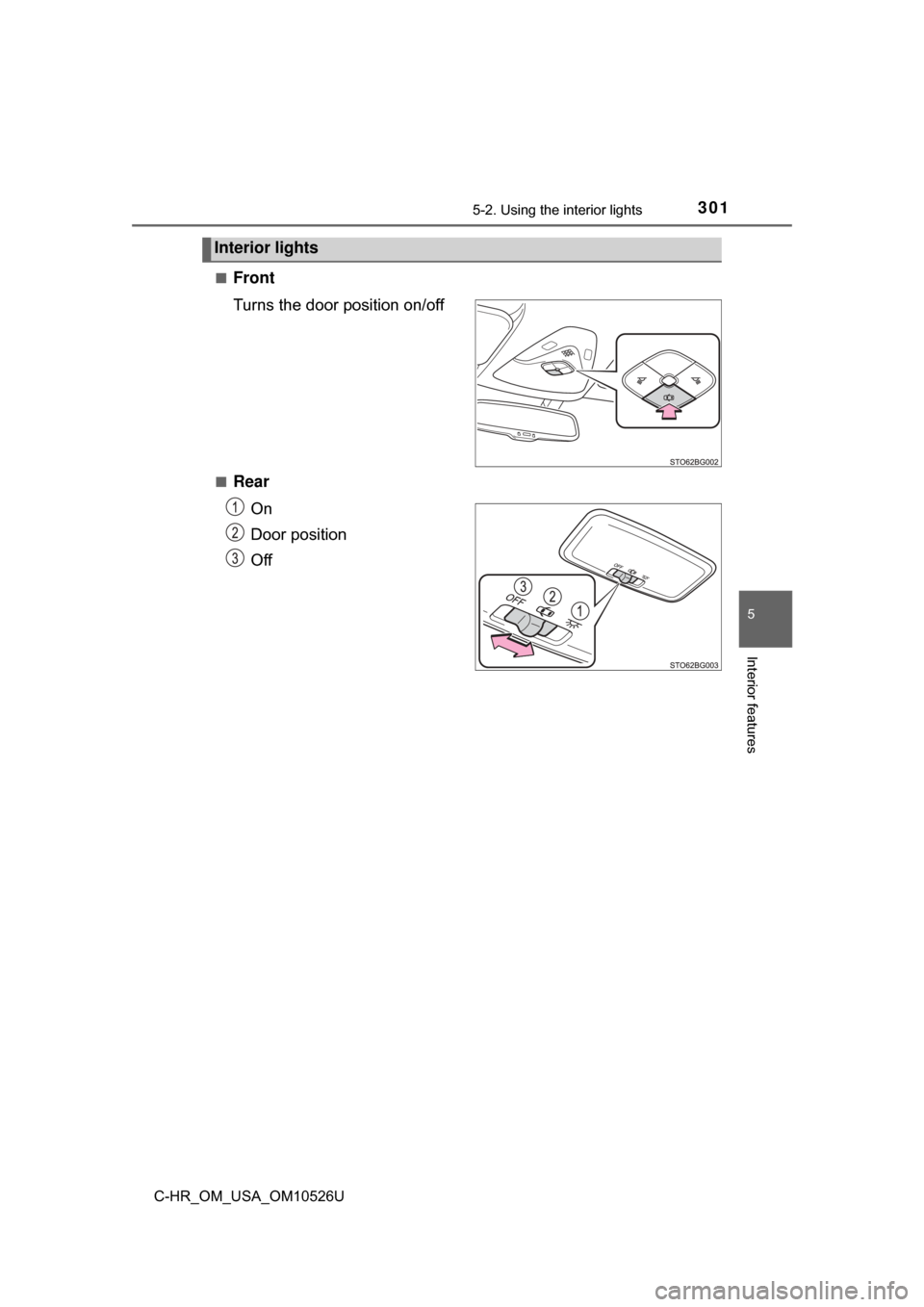
Front
Turns the door position on/off
■Rear
On
Door position
Off
Interior lights
Page 302 of 516
3025-2. Using the interior lights
C-HR_OM_USA_OM10526U
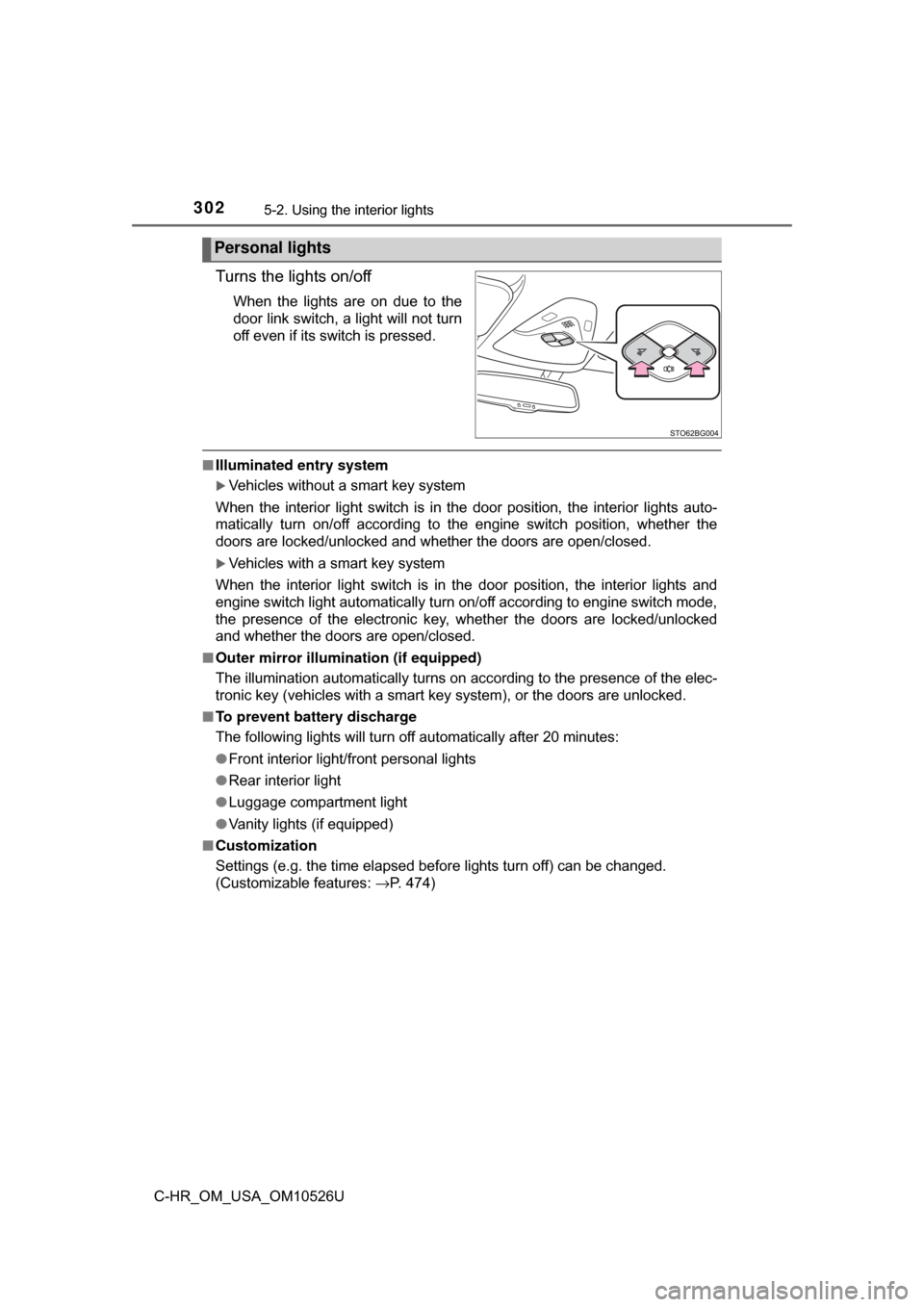
Turns the lights on/off
When the lights are on due to the
door link switch, a light will not turn
off even if its switch is pressed.
■Illuminated entry system
Vehicles without a smart key system
When the interior light switch is in the door position, the interior lights auto-
matically turn on/off according to the engine switch position, whether the
doors are locked/unlocked and whether the doors are open/closed.
Vehicles with a smart key system
When the interior light switch is in the door position, the interior lights and
engine switch light automatically turn on/off according to engine switch mode,
the presence of the electronic key, whether the doors are locked/unlocked
and whether the doors are open/closed.
■ Outer mirror illumination (if equipped)
The illumination automatically turns on according to the presence of the elec-
tronic key (vehicles with a smart key system), or the doors are unlocked.
■ To prevent battery discharge
The following lights will turn off automatically after 20 minutes:
●Front interior light/front personal lights
● Rear interior light
● Luggage compartment light
● Vanity lights (if equipped)
■ Customization
Settings (e.g. the time elapsed before lights turn off) can be changed.
(Customizable features: →P. 474)
Personal lights
Page 303 of 516
3035-3. Using the storage features
5
Interior features
C-HR_OM_USA_OM10526U
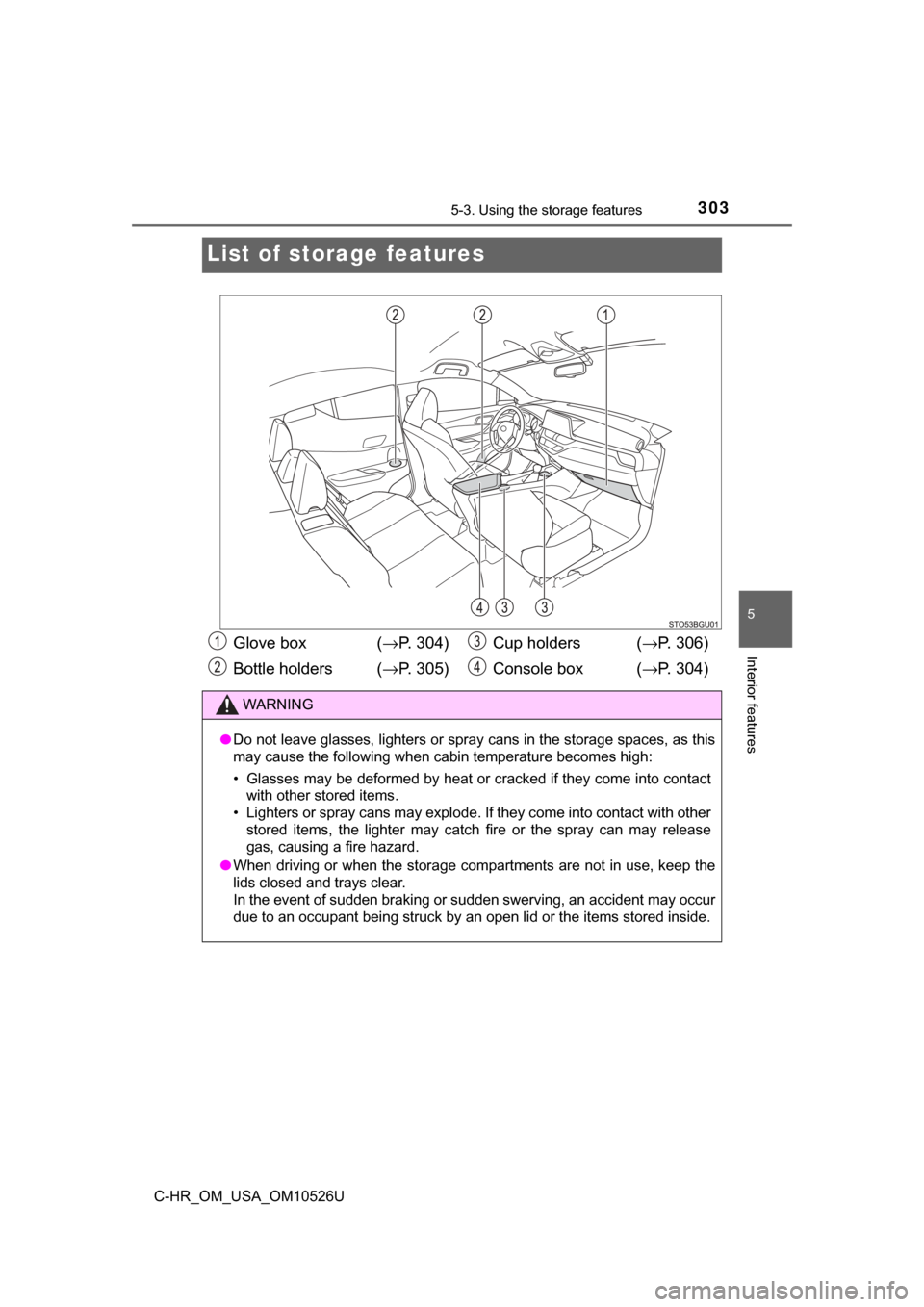
List of storage features
Glove box (→P. 304)
Bottle holders ( →P. 305) Cup holders (
→P. 306)
Console box ( →P. 304)
WARNING
●Do not leave glasses, lighters or spray cans in the storage spaces, as t\
his
may cause the following when cabin temperature becomes high:
• Glasses may be deformed by heat or cracked if they come into contact
with other stored items.
• Lighters or spray cans may explode. If they come into contact with other stored items, the lighter may catch fire or the spray can may release
gas, causing a fire hazard.
● When driving or when the storage com partments are not in use, keep the
lids closed and trays clear.
In the event of sudden braking or sudden swerving, an accident may occur
due to an occupant being struck by an open lid or the items stored inside.
Page 304 of 516
3045-3. Using the storage features
C-HR_OM_USA_OM10526U
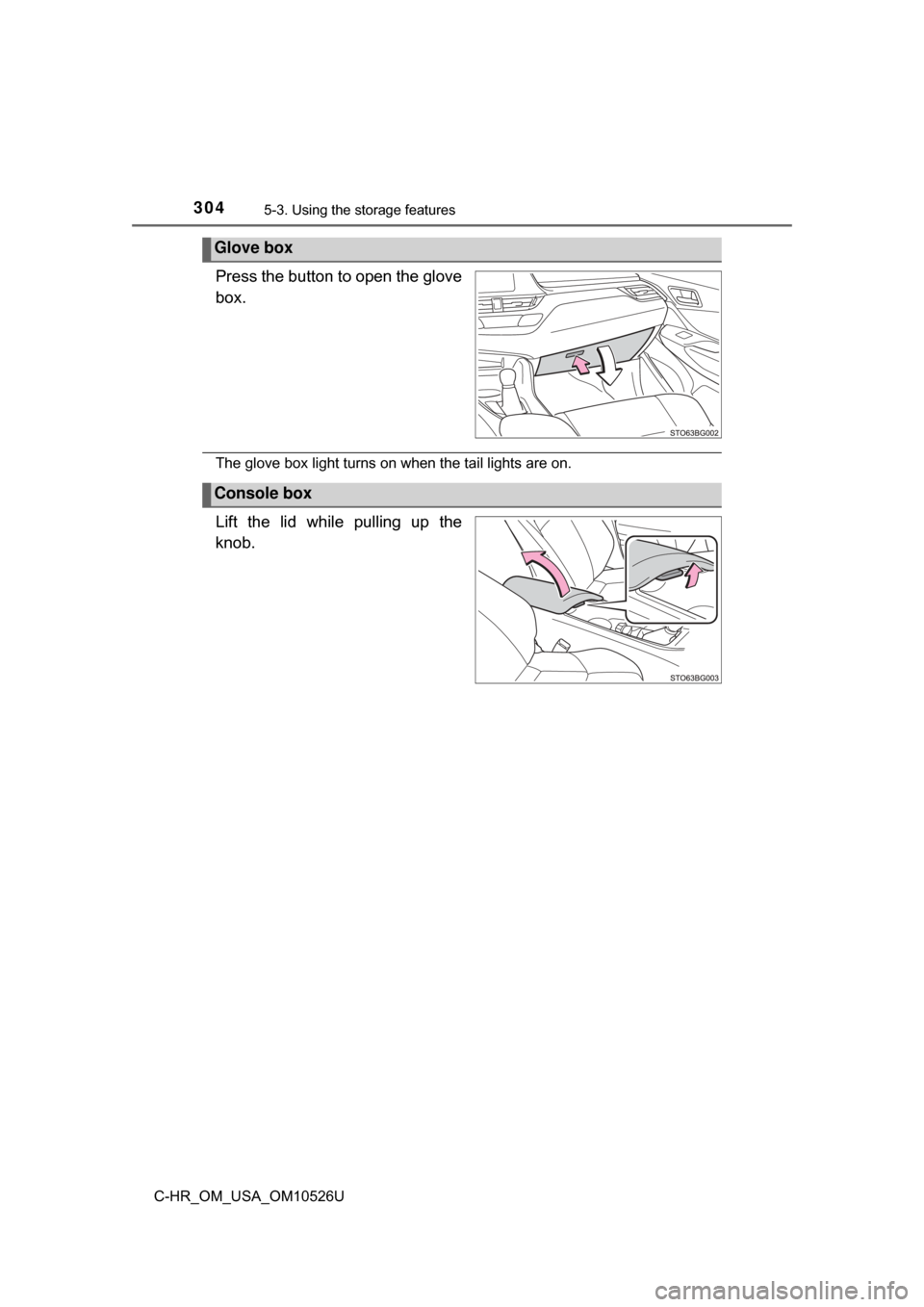
Press the button to open the glove
box.
The glove box light turns on when the tail lights are on.
Lift the lid while pulling up the
knob.
Glove box
Console box
Page 313 of 516
3135-4. Using the other interior features
5
Interior features
C-HR_OM_USA_OM10526U
Other interior features
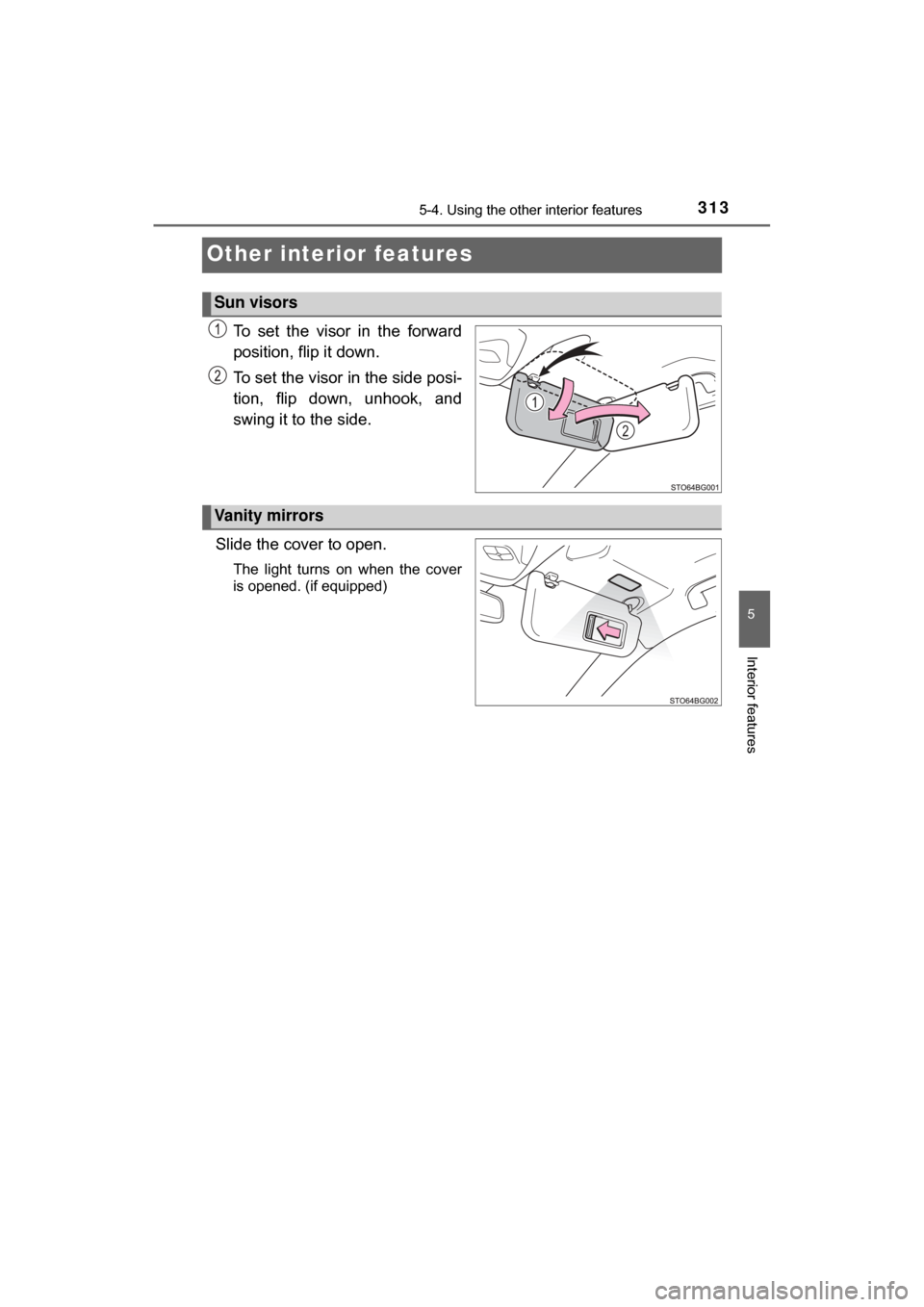
To set the visor in the forward
position, flip it down.
To set the visor in the side posi-
tion, flip down, unhook, and
swing it to the side.
Slide the cover to open.
The light turns on when the cover
is opened. (if equipped)
Sun visors
2
1
Vanity mirrors