display TOYOTA C-HR 2018 1.G User Guide
[x] Cancel search | Manufacturer: TOYOTA, Model Year: 2018, Model line: C-HR, Model: TOYOTA C-HR 2018 1.GPages: 516, PDF Size: 9.32 MB
Page 88 of 516
882. Instrument cluster
C-HR_OM_USA_OM10526U
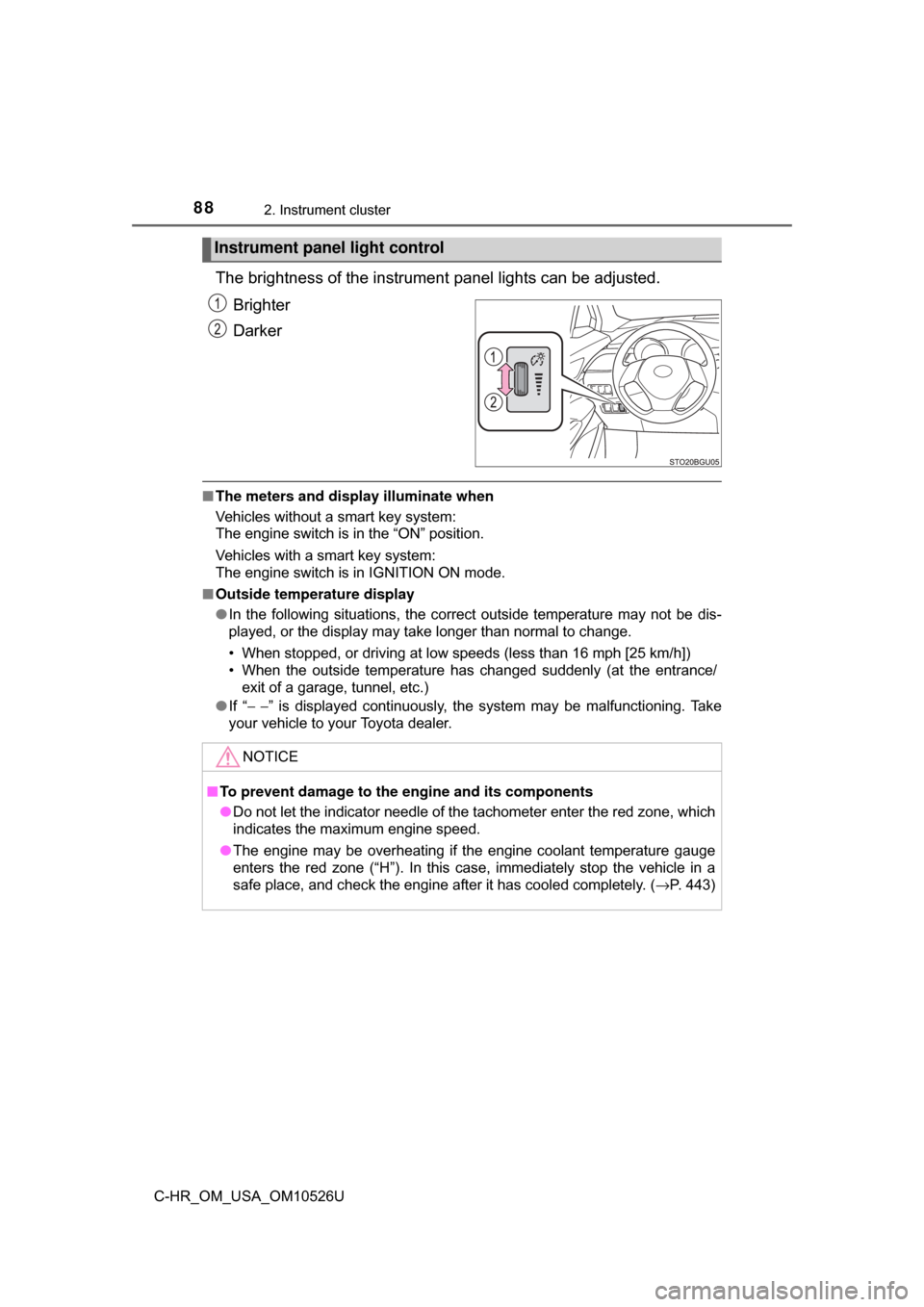
The brightness of the instrument panel lights can be adjusted.
Brighter
Darker
■ The meters and display illuminate when
Vehicles without a smart key system:
The engine switch is in the “ON” position.
Vehicles with a smart key system:
The engine switch is in IGNITION ON mode.
■ Outside temperature display
●In the following situations, the correct outside temperature may not be dis-
played, or the display may take longer than normal to change.
• When stopped, or driving at low speeds (less than 16 mph [25 km/h])
• When the outside temperature has changed suddenly (at the entrance/
exit of a garage, tunnel, etc.)
● If “ − −” is displayed continuously, the system may be malfunctioning. Take
your vehicle to your Toyota dealer.
Instrument panel light control
NOTICE
■ To prevent damage to the engine and its components
● Do not let the indicator needle of the tachometer enter the red zone, which
indicates the maximum engine speed.
● The engine may be overheating if the engine coolant temperature gauge
enters the red zone (“H”). In this case, immediately stop the vehicle in a
safe place, and check the engine after it has cooled completely. ( →P. 443)
Page 89 of 516
892. Instrument cluster
2
Instrument cluster
C-HR_OM_USA_OM10526U
Multi-information display
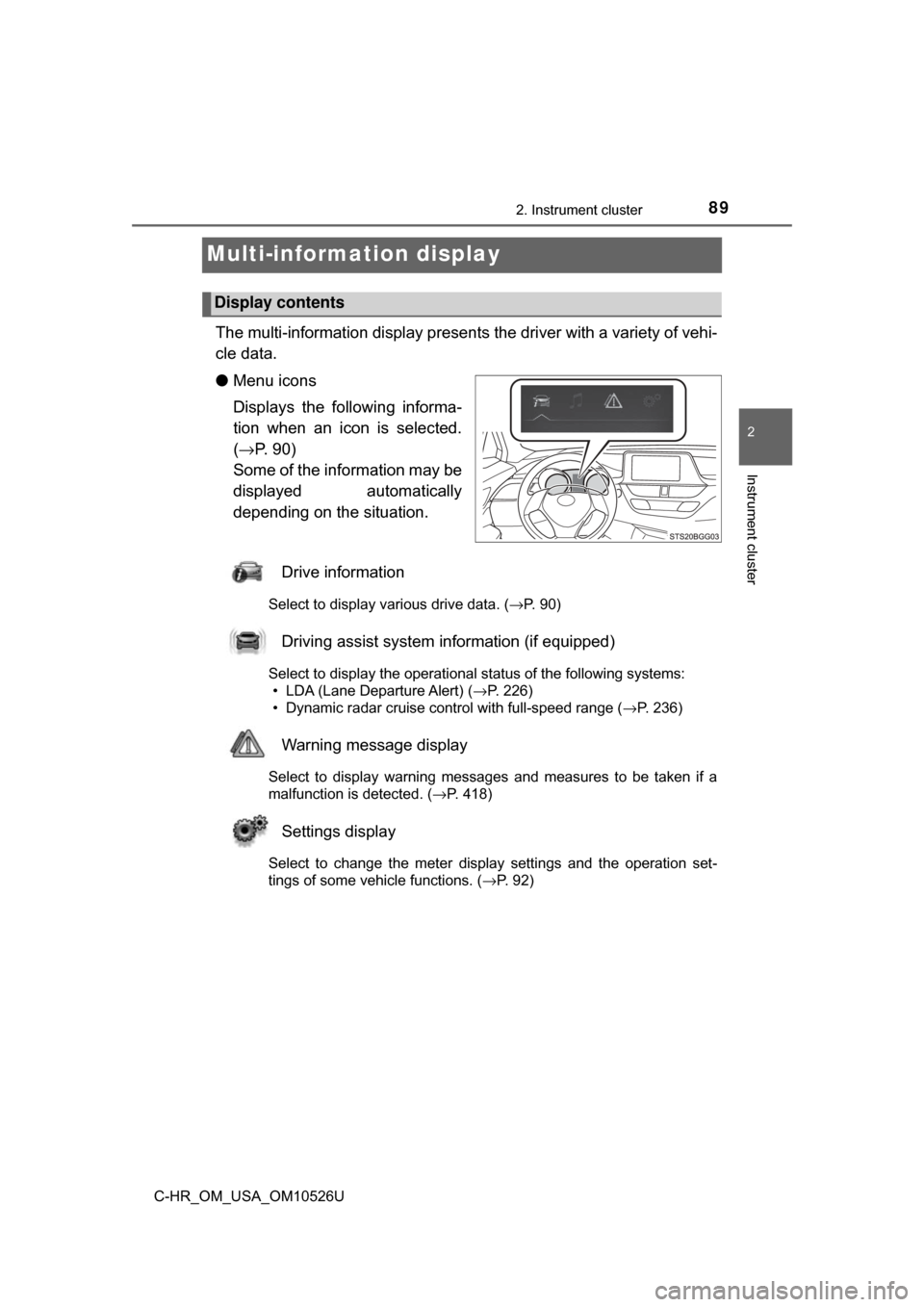
The multi-information display presents the driver with a variety of vehi-
cle data.
● Menu icons
Displays the following informa-
tion when an icon is selected.
(→ P. 90)
Some of the information may be
displayed automatically
depending on the situation.
Drive information
Select to display various drive data. ( →P. 90)
Driving assist system information (if equipped)
Select to display the operational status of the following systems:
• LDA (Lane Departure Alert) ( →P. 226)
• Dynamic radar cruise control with full-speed range ( →P. 236)
Warning message display
Select to display warning messages and measures to be taken if a
malfunction is detected. (→P. 418)
Settings display
Select to change the meter display settings and the operation set-
tings of some vehicle functions. ( →P. 92)
Display contents
Page 90 of 516
902. Instrument cluster
C-HR_OM_USA_OM10526U
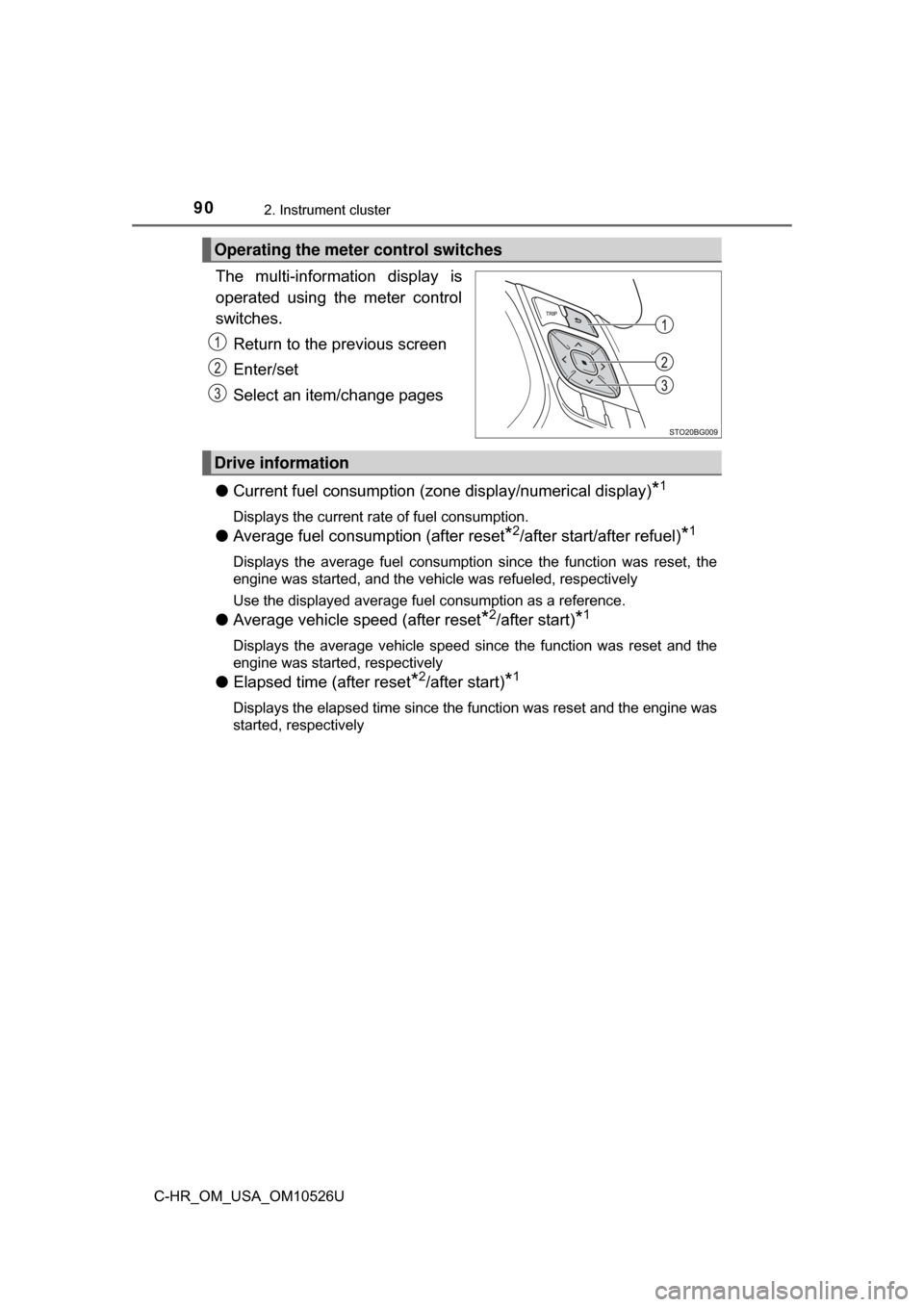
The multi-information display is
operated using the meter control
switches.Return to the previous screen
Enter/set
Select an item/change pages
● Current fuel consumption (zo ne display/numerical display)
*1
Displays the current rate of fuel consumption.
●Average fuel consumption (after reset*2/after start/after refuel)*1
Displays the average fuel consumption since the function was reset, the
engine was started, and the vehicle was refueled, respectively
Use the displayed average fuel consumption as a reference.
●Average vehicle speed (after reset*2/after start)*1
Displays the average vehicle speed since the function was reset and the
engine was started, respectively
●Elapsed time (after reset*2/after start)*1
Displays the elapsed time since the function was reset and the engine was
started, respectively
Operating the meter control switches
Drive information
Page 91 of 516
912. Instrument cluster
2
Instrument cluster
C-HR_OM_USA_OM10526U
●Distance (driving range/after start)*1
Displays the estimated maximum distance that can be driven with the
quantity of fuel remaining and the distance driven after the engine was
started, respectively
• This distance is computed based on your average fuel consumption. As a result, the actual distance that can be driven may differ from that dis-
played.
• When only a small amount of fuel is added to the tank, the display may not be updated.
When refueling, turn the engine switch off. If the vehicle is refueled with-
out turning the engine switch off, the display may not be updated.
● Eco Driving Indicator Zone Display
→P. 9 4
●Speedometer
Displays the vehicle speed.
●G Monitor
→P. 9 5
●Sway warning (if equipped)
Detects the sway of the vehicle within a lane, which is often associated
with a decrease in the driver’s attention level, and displays the decrease in
attention using a bar display.
The shorter the bar length, the more the driver may need to rest.
This display is a part of the LDA (Lane Departure Alert with steering con-
trol). The display is enabled when the operating conditions of the vehicle
sway warning are met. ( →P. 226)
●Display off
A blank screen is displayed.
*1: Can be registered to Drive information 1 and 2. ( →P. 92)
*2: Resetting procedures:
• Select a function to be reset using the meter control switches and then press and hold to reset.
• If there is more than one function that can be reset, check boxes will be displayed next to those functions.
Page 92 of 516
922. Instrument cluster
C-HR_OM_USA_OM10526U
The settings of the following items can be changed, refer to P. 474.
For functions that can be enabled or disabled, the function switches
between on and off each time is pressed.
● LDA (Lane Departure Alert) ( →P. 226)
Select to set up the following items. • Steering Assist on/off
• Alert sensitivity
• Sway Alert on/off
• Sway sensitivity
● PCS (Pre-Collision System) ( →P. 2 11 )
Select to set up the following items. • PCS on/off
• PCS sensitivity
● BSM (Blind Spot Monitor) ( →P. 253)
*
Select to set up the following items.
• BSM function on/off
• RCTA function on/off
*
*
: The RCTA function can be enabled/disabled only when the BSM func- tion is enabled.
● Driving mode select ( →P. 251)
Settings display
Page 93 of 516
932. Instrument cluster
2
Instrument cluster
C-HR_OM_USA_OM10526U
●Vehicle Settings
Select the menu to set up the following item.
• (Tire pressure warning system) setup ( →P. 355)
Select to initialize the tire pressure warning system.
● Meter settings
Select the menu to set up the following items.
• Language
Select to change the language on the display.
•Units
Select to change the unit of measure for fuel consumption.
• (Eco Driving Indicator Light) setup
Select to activate/deactivate the Eco Driving Indicator Light
• Drive information 1 and 2
Select to select up to 2 items that will be displayed on a Drive informa-
tion screen, up to 2 Drive information screens can be set.
• Default settings
Registered or changed meter settings will be deleted or returned to their
default setting.
*: If equipped
Page 94 of 516
942. Instrument cluster
C-HR_OM_USA_OM10526U
■Setting items
●“Meter Settings” and “Vehicle Settings” setting items are not selectable
during driving and cannot be operated.
Also, the settings screen is temporarily canceled in the following situations.
• A warning message is displayed.
• The vehicle starts off.
● Settings for functions not equipped to the vehicle are not displayed.
● When a function is turned off, the related settings for that function are not
selectable.
■ Pop-up display
In some situations, such as when a switch operation is performed, a pop-up
display will be temporarily displayed on the multi-information display.
■ Liquid crystal display
Small spots or light spots may appear on the display. This phenomenon is
characteristic of liquid crystal displays, and there is no problem continuing to
use the display.
■ When disconnecting and reco nnecting battery terminals
The drive information will be reset.
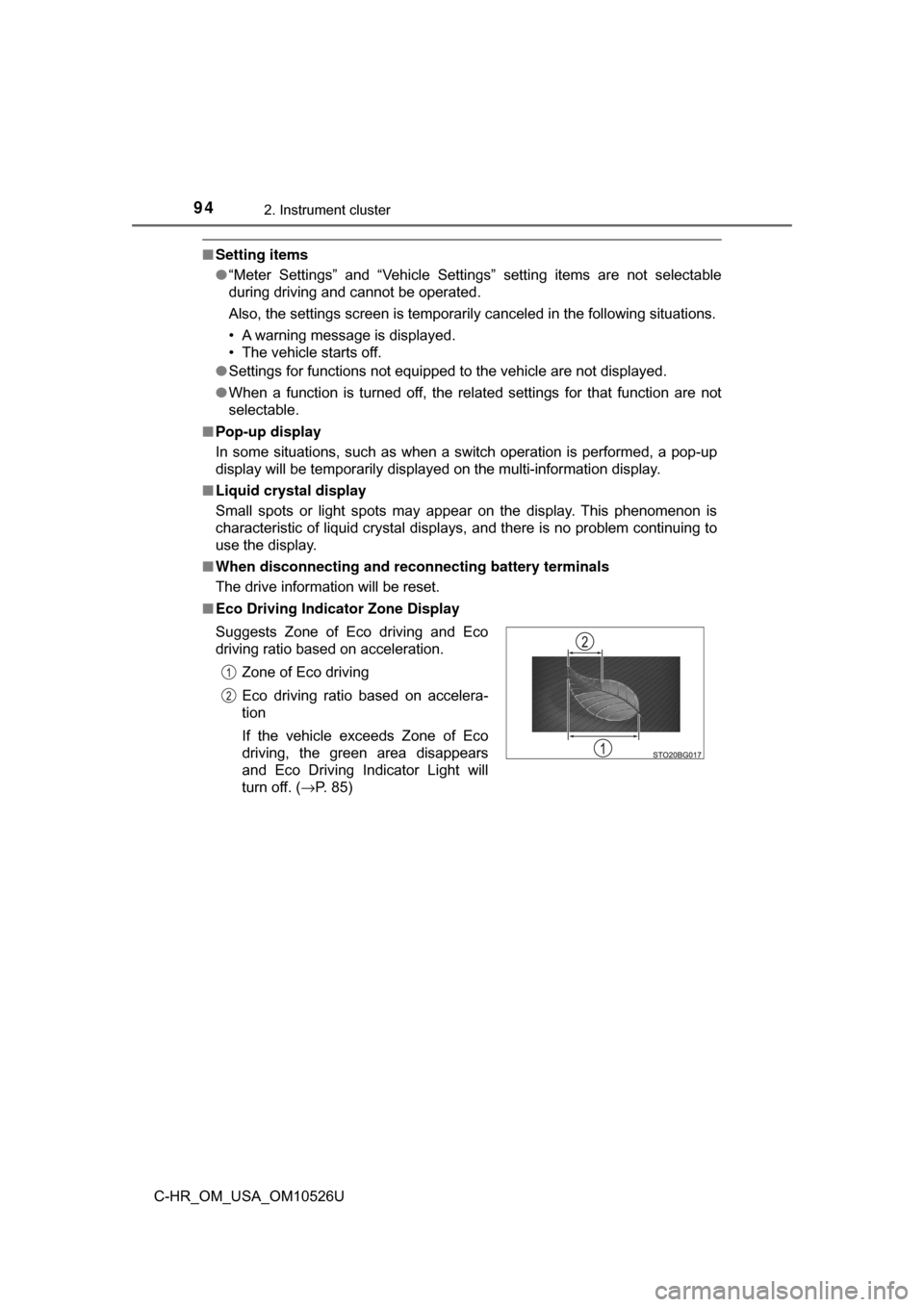
■ Eco Driving Indicator Zone Display
Suggests Zone of Eco driving and Eco
driving ratio based on acceleration.
Zone of Eco driving
Eco driving ratio based on accelera-
tion
If the vehicle exceeds Zone of Eco
driving, the green area disappears
and Eco Driving Indicator Light will
turn off. ( →P. 85)
Page 95 of 516

952. Instrument cluster
2
Instrument cluster
C-HR_OM_USA_OM10526U■
G Monitor
■ Ending display
When the engine switch is turned off, each of the following will be displayed
on the multi-information display, and will extinguish after approximately
30 seconds.
●Elapsed time
● Distance
● Average fuel consumption
The following item is displayed.
G-force display
Displays the current G-force state.
Page 96 of 516
962. Instrument cluster
C-HR_OM_USA_OM10526U
WARNING
■Caution for use while driving
● When operating the multi-information display while driving, pay extra
attention to the safety of the area around the vehicle.
● Do not look continuously at the multi-information display while driving as
you may fail to see pedestrians, objects on the road, etc. ahead of the
vehicle.
■ The information display at low temperatures
Allow the interior of the vehicle to warm up before using the liquid crystal
information display. At extremely low temperatures, the information display
monitor may respond slowly, and display changes may be delayed.
For example, there is a lag between the driver’s shifting and the new gear
number appearing on the display. This lag could cause the driver to down-
shift again, causing rapid and excessive engine braking and possibly an
accident resulting in death or injury.
■ Cautions during setting up the display
As the engine needs to be running during setting up the display, ensure that
the vehicle is parked in a place with adequate ventilation. In a closed area
such as a garage, exhaust gases including harmful carbon monoxide (CO)
may collect and enter the vehicle. This may lead to death or a serious
health hazard.
NOTICE
■While setting up the display
To prevent battery discharge, ensure that the engine is running while setting
up the display features.
Page 110 of 516
1103-2. Opening, closing and locking the doors
C-HR_OM_USA_OM10526U
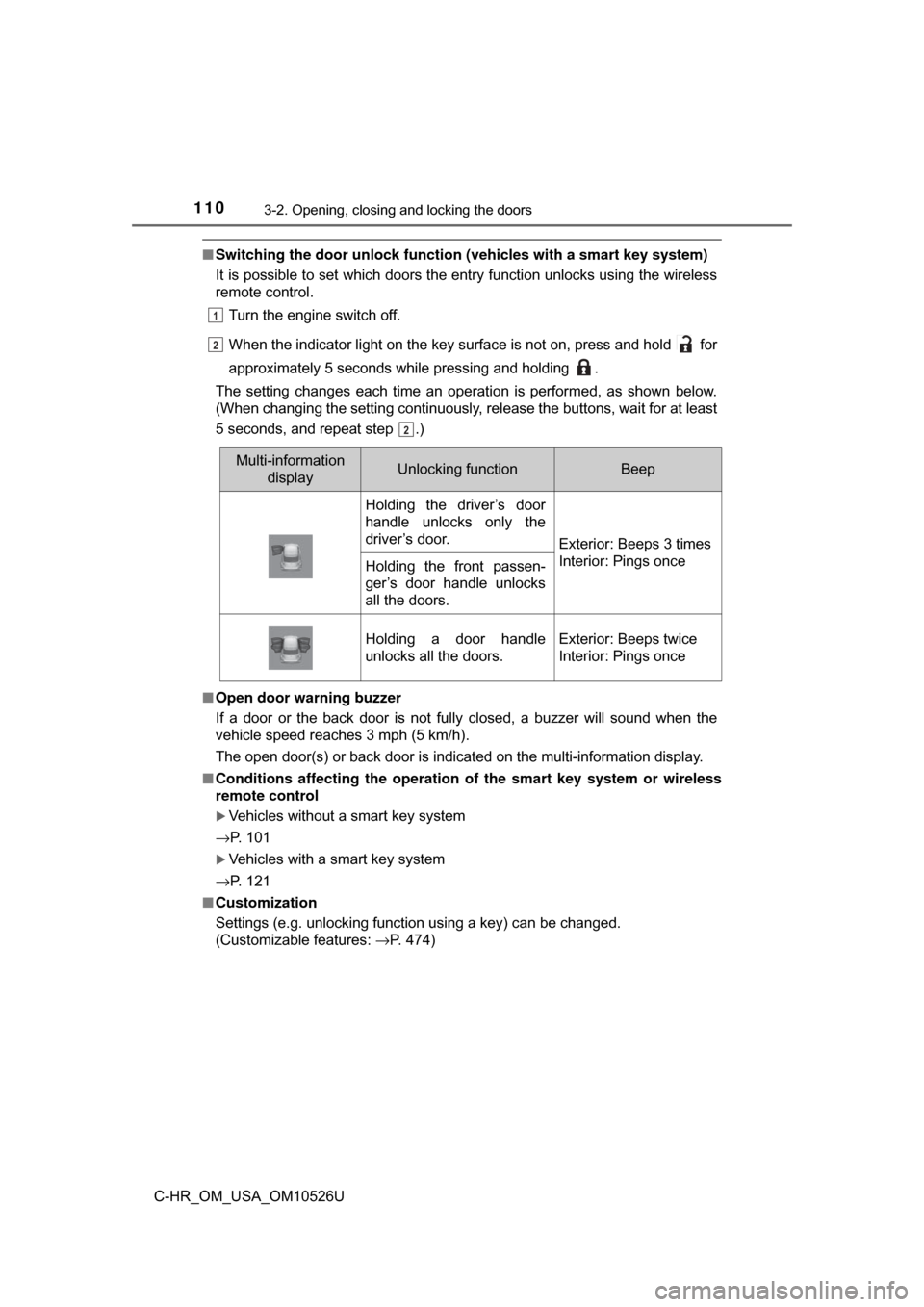
■Switching the door unlock functi on (vehicles with a smart key system)
It is possible to set which doors the entry function unlocks using the wireless
remote control.
Turn the engine switch off.
When the indicator light on the key surface is not on, press and hold for
approximately 5 seconds while pressing and holding .
The setting changes each time an operation is performed, as shown below.
(When changing the setting continuously, release the buttons, wait for at least
5 seconds, and repeat step .)
■ Open door warning buzzer
If a door or the back door is not fully closed, a buzzer will sound when the
vehicle speed reaches 3 mph (5 km/h).
The open door(s) or back door is indicated on the multi-information display.
■ Conditions affecting the operation of the smart key system or wireless
remote control
Vehicles without a smart key system
→P. 101
Vehicles with a smart key system
→P. 121
■ Customization
Settings (e.g. unlocking function using a key) can be changed.
(Customizable features: →P. 474)
1
22
2
Multi-information
displayUnlocking functionBeep
Holding the driver’s door
handle unlocks only the
driver’s door.
Exterior: Beeps 3 times
Interior: Pings once
Holding the front passen-
ger’s door handle unlocks
all the doors.
Holding a door handle
unlocks all the doors.Exterior: Beeps twice
Interior: Pings once