oil TOYOTA C-HR 2020 Owners Manual (in English)
[x] Cancel search | Manufacturer: TOYOTA, Model Year: 2020, Model line: C-HR, Model: TOYOTA C-HR 2020Pages: 536, PDF Size: 11.99 MB
Page 5 of 536
5
1
8 7 5 4
3
2
9
C-HR_OM_USA_OM10634U
6
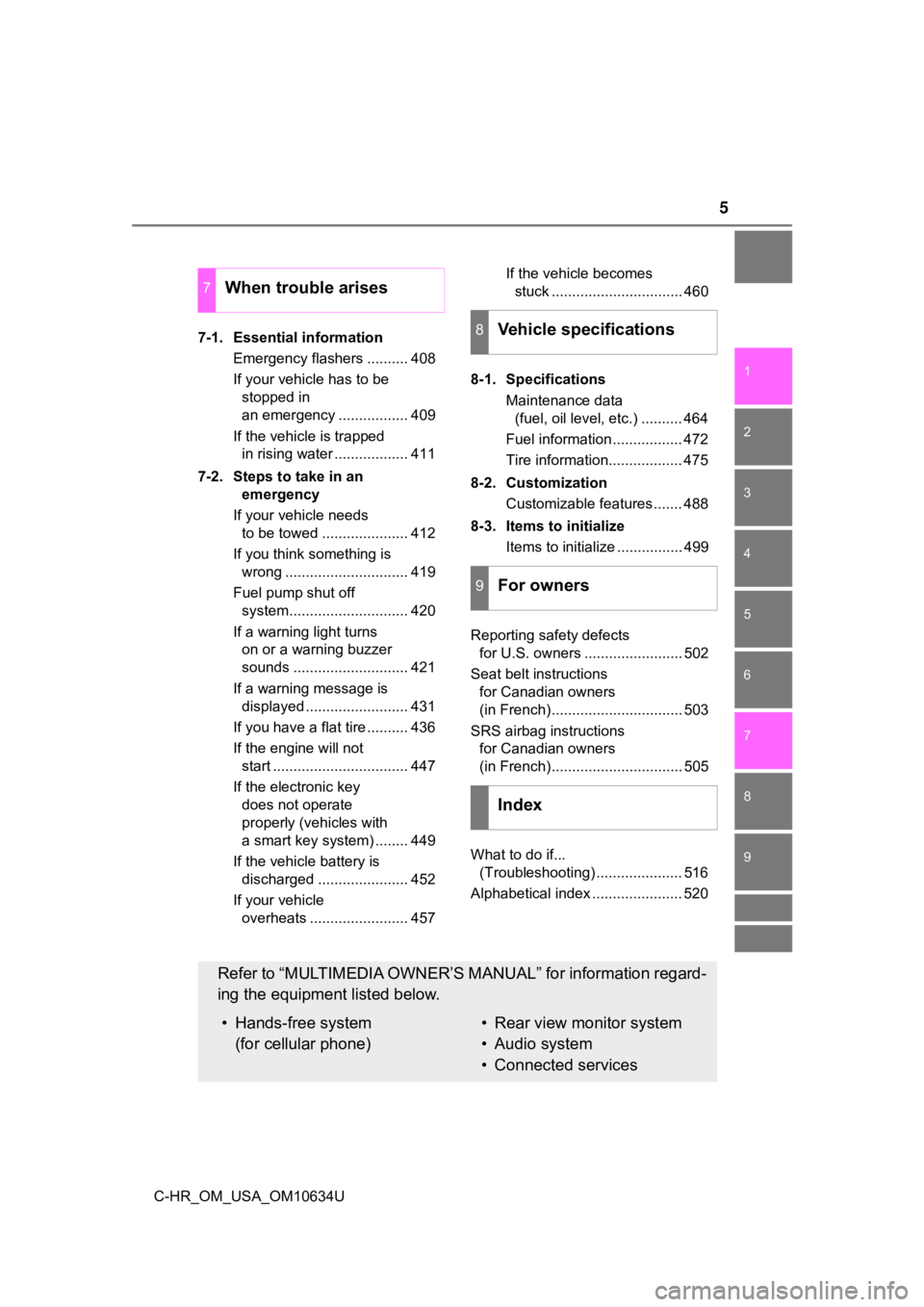
7-1. Essential informationEmergency flashers .......... 408
If your vehicle has to be stopped in
an emergency ................. 409
If the vehicle is trapped in rising water .................. 411
7-2. Steps to take in an emergency
If your vehicle needs to be towed ..................... 412
If you think something is wrong .............................. 419
Fuel pump shut off system............................. 420
If a warning light turns on or a warning buzzer
sounds ............................ 421
If a warning message is displayed ......................... 431
If you have a flat tire .......... 436
If the engine will not start ................................. 447
If the electronic key does not operate
properly (vehicles with
a smart key system) ........ 449
If the vehicle battery is discharged ...................... 452
If your vehicle overheats ........................ 457 If the vehicle becomes
stuck ................................ 460
8-1. Specifications Maintenance data (fuel, oil level, etc.) .......... 464
Fuel information ................. 472
Tire information.................. 475
8-2. Customization Customizable features ....... 488
8-3. Items to initialize Items to initialize ................ 499
Reporting safety defects for U.S. owners ........................ 502
Seat belt instructions for Canadian owners
(in French)................................ 503
SRS airbag instructions for Canadian owners
(in French)................................ 505
What to do if... (Troubleshooting) ..................... 516
Alphabetical index ...................... 520
7When trouble arises
8Vehicle specifications
9For owners
Index
Refer to “MULTIMEDIA OWNER’S MANUAL” for information regard-
ing the equipment listed below.
• Hands-free system (for cellular phone)• Rear view monitor system
• Audio system
• Connected services
Page 13 of 536
13Pictorial index
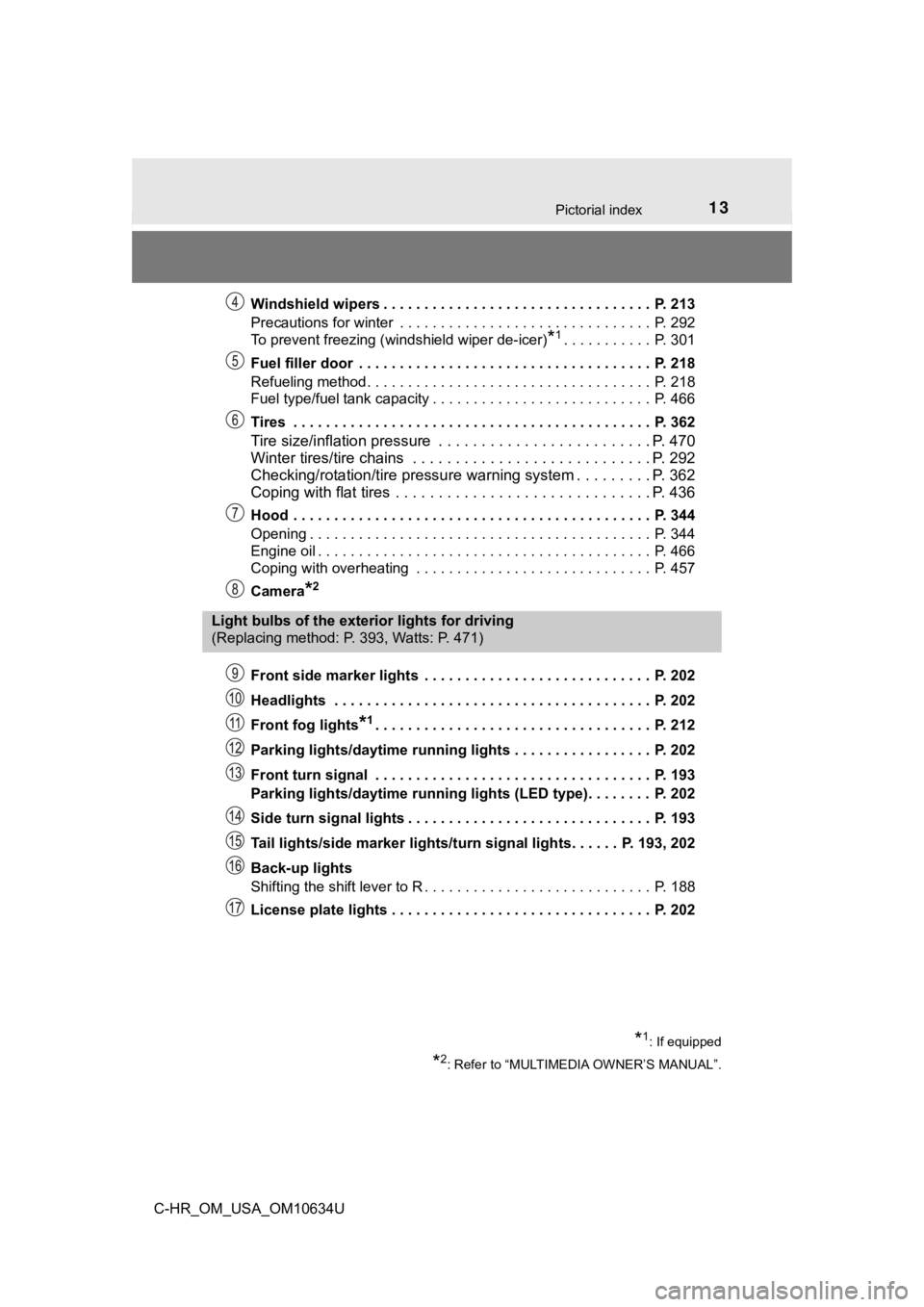
C-HR_OM_USA_OM10634UWindshield wipers . . . . . . . . . . . . . . . . . . . . . . . . . . . . . . . . . P. 213
Precautions for winter . . . . . . . . . . . . . . . . . . . . . . . . . . . . . . . P. 292
To prevent freezing (windshield wiper de-icer)
*1. . . . . . . . . . . P. 301
Fuel filler door . . . . . . . . . . . . . . . . . . . . . . . . . . . . . . . . . . . . P. 218
Refueling method . . . . . . . . . . . . . . . . . . . . . . . . . . . . . . . . . . . P. 218
Fuel type/fuel tank capacity . . . . . . . . . . . . . . . . . . . . . . . . . . . P. 466
Tires . . . . . . . . . . . . . . . . . . . . . . . . . . . . . . . . . . . . . . . . . . . . P. 362
Tire size/inflation pressure . . . . . . . . . . . . . . . . . . . . . . . . . P. 470
Winter tires/tire chains . . . . . . . . . . . . . . . . . . . . . . . . . . . . P. 292
Checking/rotation/tire pressur e warning system . . . . . . . . .P. 362
Coping with flat tires . . . . . . . . . . . . . . . . . . . . . . . . . . . . . . P. 436
Hood . . . . . . . . . . . . . . . . . . . . . . . . . . . . . . . . . . . . . . . . . . . . P. 344
Opening . . . . . . . . . . . . . . . . . . . . . . . . . . . . . . . . . . . . . . . . . . P. 344
Engine oil . . . . . . . . . . . . . . . . . . . . . . . . . . . . . . . . . . . . . . . . . P. 466
Coping with overheating . . . . . . . . . . . . . . . . . . . . . . . . . . . . . P. 457
Camera
*2
Front side marker lights . . . . . . . . . . . . . . . . . . . . . . . . . . . . P. 202
Headlights . . . . . . . . . . . . . . . . . . . . . . . . . . . . . . . . . . . . . . . P. 202
Front fog lights
*1. . . . . . . . . . . . . . . . . . . . . . . . . . . . . . . . . . P. 212
Parking lights/daytime running lights . . . . . . . . . . . . . . . . . P. 202
Front turn signal . . . . . . . . . . . . . . . . . . . . . . . . . . . . . . . . . . P. 193
Parking lights/daytime running lights (LED type). . . . . . . . P. 202
Side turn signal lights . . . . . . . . . . . . . . . . . . . . . . . . . . . . . . P. 193
Tail lights/side marker lights/turn signal lights. . . . . . P. 193, 202
Back-up lights
Shifting the shift lever to R . . . . . . . . . . . . . . . . . . . . . . . . . . . . P. 188
License plate lights . . . . . . . . . . . . . . . . . . . . . . . . . . . . . . . . P. 202
Light bulbs of the exterior lights for driving
(Replacing method: P. 393, Watts: P. 471)
*1: If equipped
*2: Refer to “MULTIMEDIA OWNER’S MANUAL”.
Page 92 of 536
922. Instrument cluster
C-HR_OM_USA_OM10634U
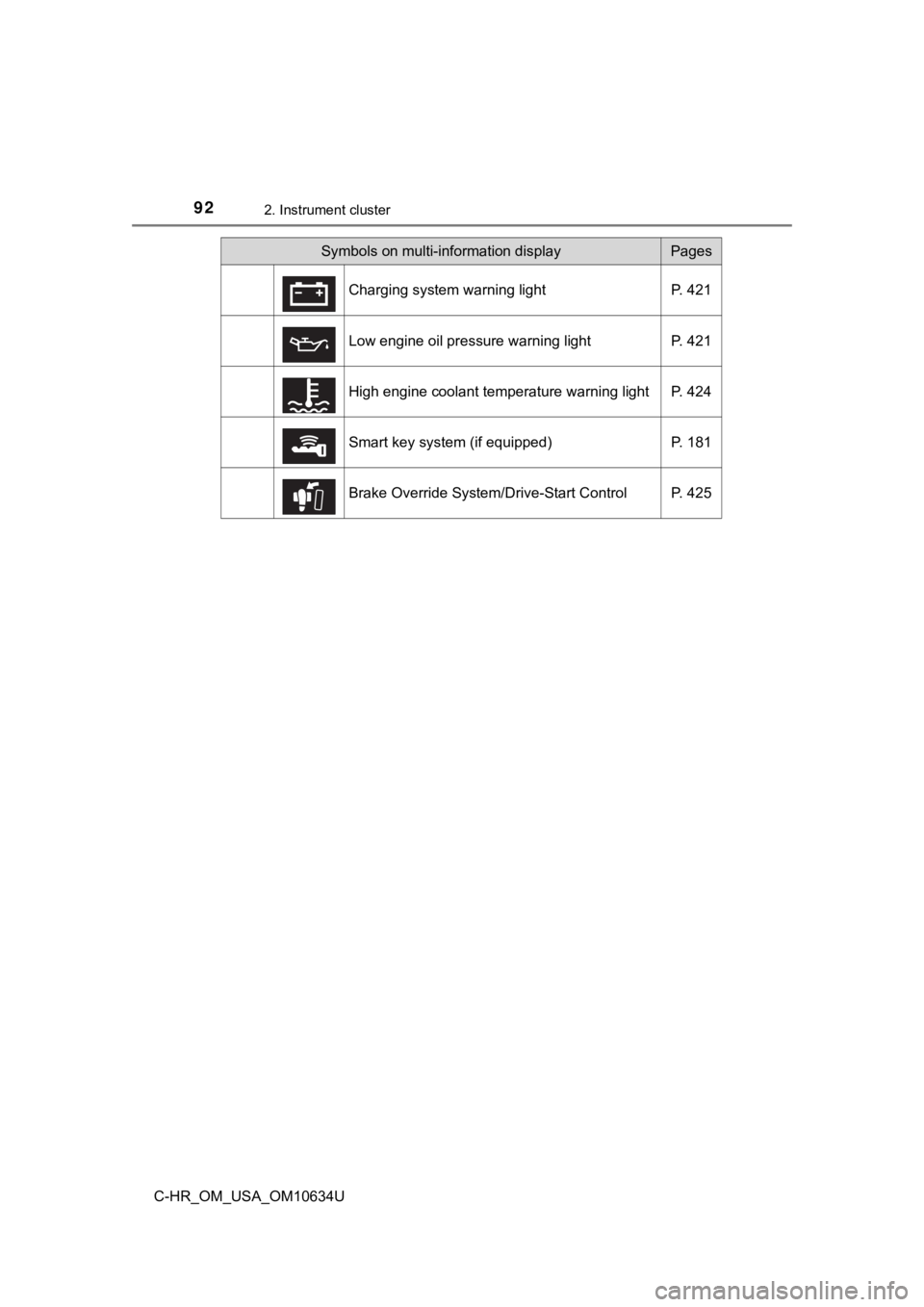
Symbols on multi-information displayPages
Charging system warning light P. 421
Low engine oil pressure warning light P. 421
High engine coolant temperature warning light P. 424
Smart key system (if equipped) P. 181
Brake Override System/Drive-Start Control P. 425
Page 95 of 536
952. Instrument cluster
2
Instrument cluster
C-HR_OM_USA_OM10634U
Odometer and trip meter display
Displays the following items.
Odometer:
Displays the total distance the vehicle has been driven.
Trip meter:
Displays the distance the vehicle has been driven since the meter was last
reset. Trip meters A and B can be used to record and display different dis-
tances independently.
Maintenance required information:
Displays the remaining distance until the engine oil should be changed. If
“-” is displayed before distance, it means oil maintenance is o verdue. Have
the engine oil changed by your Toyota dealer. • Displays the maintenance required information when the engine switch
is turned to the “ON” position (vehicles without smart key syst em) or in
IGNITION ON mode (vehicles with smart key system).
• Maintenance required information reset method (P. 334)
Shift position and shift range display
Displays the selected shift position or selected shift range. ( P. 188)
Engine coolant temperature gauge
Displays the engine coolant temperature.
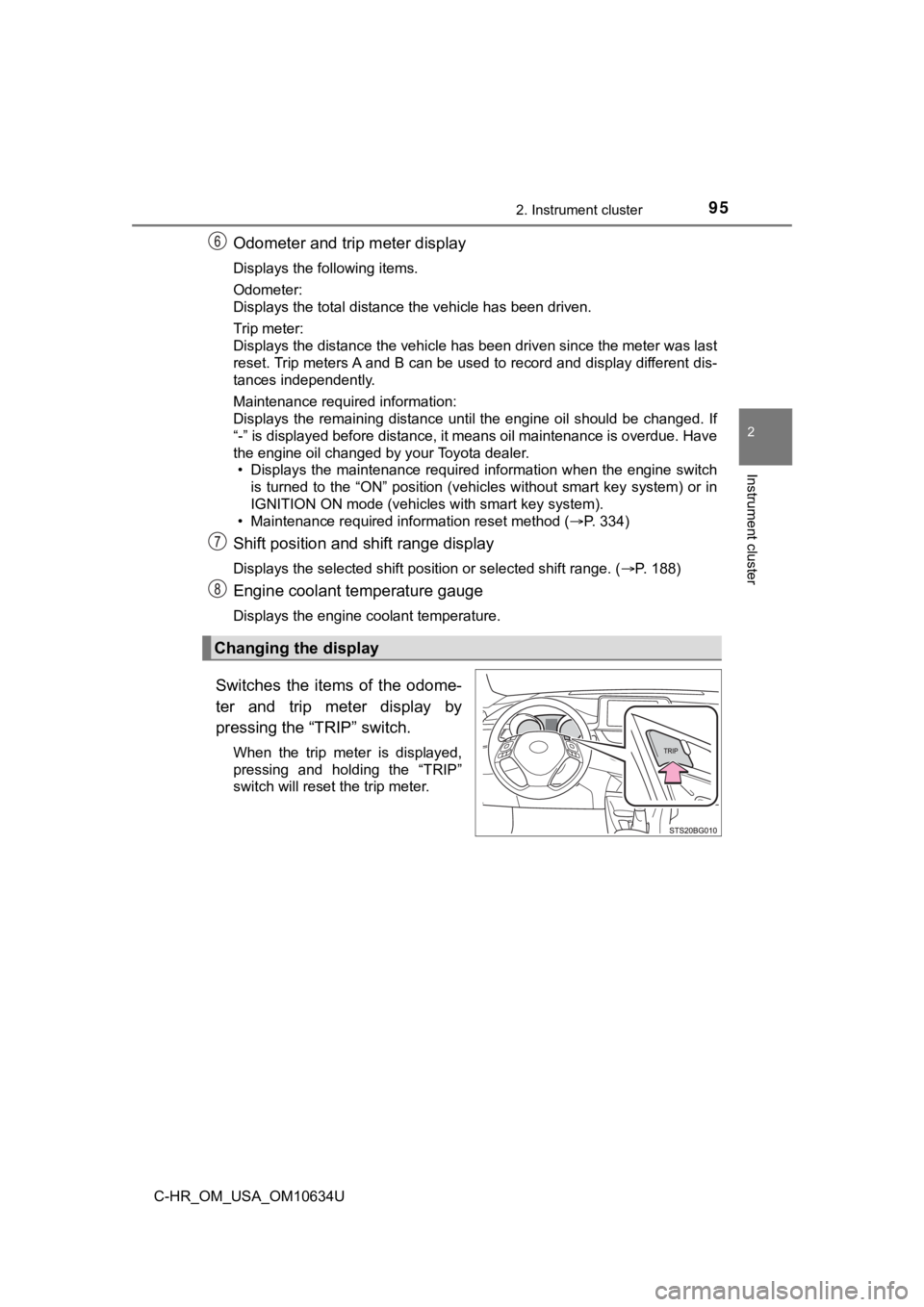
Switches the items of the odome-
ter and trip meter display by
pressing the “TRIP” switch.
When the trip meter is displayed,
pressing and holding the “TRIP”
switch will reset the trip meter.
Changing the display
Page 134 of 536

1343-2. Opening, closing and locking the doors
C-HR_OM_USA_OM10634U■
Conditions affecting operation
The smart key system uses weak radio waves. In the following si tuations, the
communication between the electronic key and the vehicle may be affected,
preventing the smart key system, wireless remote control and en gine immobi-
lizer system from operating properly. (Ways of coping: P. 449)
● When the electronic key battery is depleted
● Near a TV tower, electric power plant, gas station, radio stati on, large dis-
play, airport or other facility that generates strong radio wav es or electrical
noise
● When carrying a portable radio, cellular phone, cordless phone or other
wireless communication device
● When the electronic key is in contact with, or is covered by the following
metallic objects
• Cards to which aluminum foil is attached
• Cigarette boxes that have aluminum foil inside
• Metallic wallets or bags
• Coins
• Hand warmers made of metal
• Media such as CDs and DVDs
● When other wireless keys (that emit radio waves) are being used nearby
● When carrying the electronic key together with the following devices that
emit radio waves
• Portable radio, cellular phone, cordless phone or other wirele ss commu-
nication devices
• Another electronic key or a wireless key that emits radio wave s
• Personal computers or personal digital assistants (PDAs)
• Digital audio players
• Portable game systems
● If window tint with a metallic content or metallic objects are attached to the
rear window
● When the electronic key is placed near a battery charger or ele ctronic
devices
● When parking at a meter
Page 171 of 536

1714-1. Before driving
4
Driving
C-HR_OM_USA_OM10634U
NOTICE
■Avoiding damage to vehicle parts
● Do not turn the steering wheel fully in either direction and ho ld it there for
an extended period of time.
Doing so may damage the power steering motor.
● When driving over bumps in the road, drive as slowly as possibl e to avoid
damaging the wheels, underside of the vehicle, etc.
■ If you get a flat tire while driving
A flat or damaged tire may cause the following situations. Hold the steering
wheel firmly and gradually depress the brake pedal to slow down the vehi-
cle.
● It may be difficult to control your vehicle.
● The vehicle will make abnormal sounds or vibrations.
● The vehicle will lean abnormally.
Information on what to do in case of a flat tire ( P. 436)
■ When encountering flooded roads
Do not drive on a road that has flooded after heavy rain, etc. Doing so may
cause the following serious damage to the vehicle:
● Engine stalling
● Short in electrical components
● Engine damage caused by water immersion
In the event that you drive on a flooded road and the vehicle i s flooded, be
sure to have your Toyota dealer check the following:
● Brake function
● Changes in quantity and quality of oil and fluid used for the engine, trans-
mission, etc.
● Lubricant condition for the bearings and suspension joints (whe re possi-
ble), and the function of all joints, bearings, etc.
Page 225 of 536
2254-5. Using the driving support systems
4
Driving
C-HR_OM_USA_OM10634U
WARNING
●Do not attach accessories, stickers (including transparent stic kers) or
other items to the radar sensor, front grille emblem or surroun ding area.
● Do not subject the radar sensor or surrounding area to a strong impact.
If the radar sensor, front grille, or front bumper has been sub jected to a
strong impact, have the vehicle inspected by your Toyota dealer .
● Do not disassemble the radar sensor.
● Do not modify or paint the radar sensor, front grille emblem or surrounding
area.
● If the radar sensor, front grille, or front bumper needs to be removed and
installed, or replaced, contact your Toyota dealer.
■ To avoid malfunction of the camera sensor
Observe the following precautions.
Otherwise, the camera sensor may not operate properly, possibly leading to
an accident resulting in death or serious injury.
● Keep the windshield clean at all times.
• If the windshield is dirty or covered with an oily film, water droplets,
snow, etc., clear the windshield.
• If a glass coating agent is applied to the windshield, it will still be neces-
sary to use the windshield wipers to remove water droplets, etc . from
the area of the windshield in front of the camera sensor.
• If the inner side of the windshield where the camera sensor is installed
is dirty, contact your Toyota dealer.
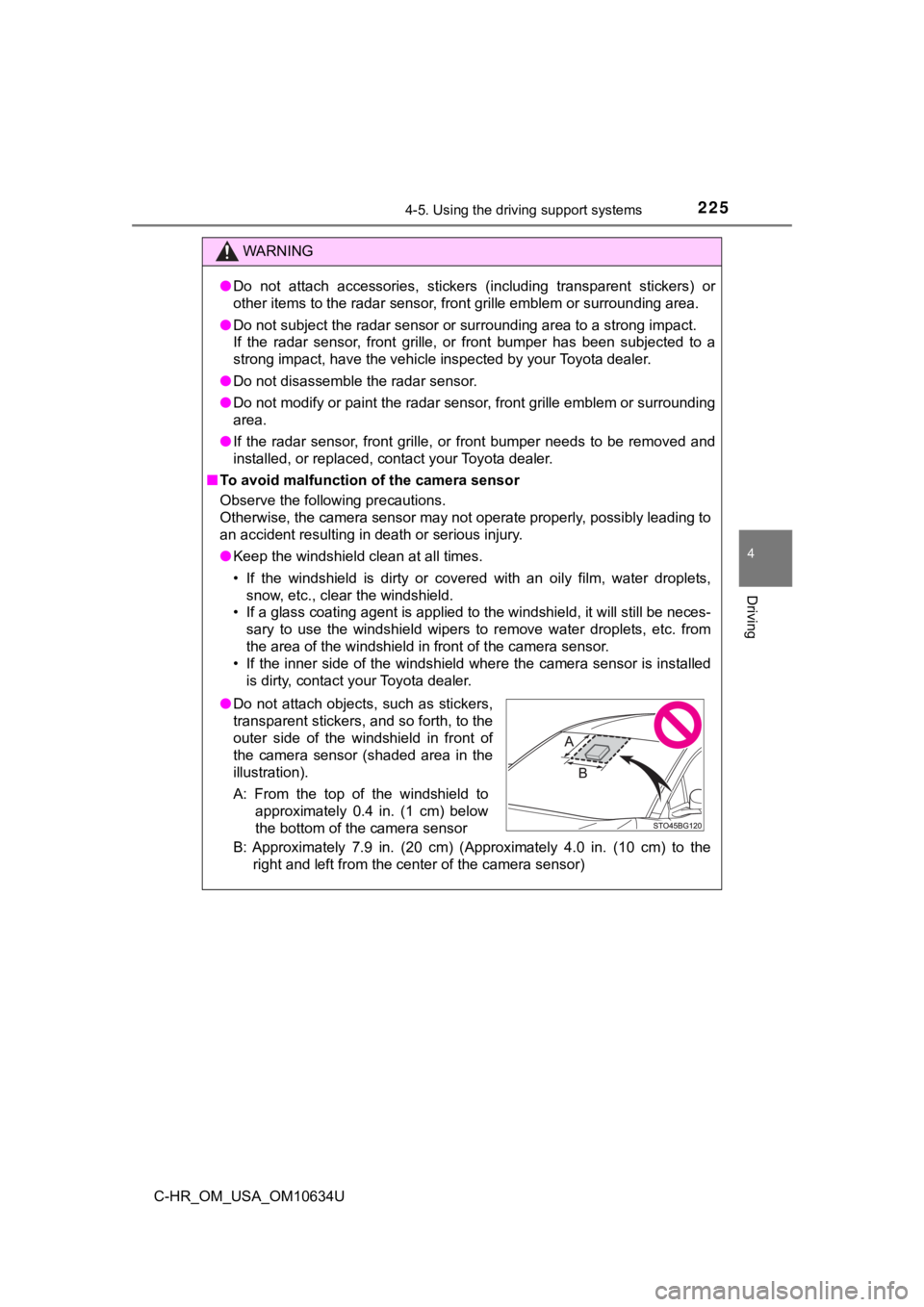
B: Approximately 7.9 in. (20 cm) (Approximately 4.0 in. (10 cm) to the
right and left from the center of the camera sensor)
● Do not attach objects, such as stickers,
transparent stickers, and so forth, to the
outer side of the windshield in front of
the camera sensor (shaded area in the
illustration).
A: From the top of the windshield to
approximately 0.4 in. (1 cm) below
the bottom of the camera sensor
Page 292 of 536
2924-6. Driving tips
C-HR_OM_USA_OM10634U
Winter driving tips
●Use fluids that are appropriate t o the prevailing outside tempera-
tures. • Engine oil
• Engine coolant
• Washer fluid
● Have a service technician inspec t the condition of the battery.
● Have the vehicle fitted with four snow tires or purchase a set of tire
chains for the front tires
*.
Ensure that all tires are the same size and brand, and that chains match
the size of the tires.
*: Tire chains cannot be mounted on 18-inch tires.
Perform the following according to the driving conditions:
● Do not try to forcibly open a window or move a wiper that is fr ozen.
Pour warm water over the frozen area to melt the ice. Wipe away
the water immediately to p revent it from freezing.
● To ensure proper operation of the climate control system fan,
remove any snow that has accumulated on the air inlet vents in
front of the windshield.
● Check for and remove any excess ic e or snow that may have accu-
mulated on the exterior lights, vehicle’s roof, chassis, around the
tires or on the brakes.
● Remove any snow or mud from the bottom of your shoes before
getting in the vehicle.
Carry out the necessary preparations and inspections before
driving the vehicle in winter. Always drive the vehicle in a ma n-
ner appropriate to the prevailing weather conditions.
Preparation for winter
Before driving the vehicle
Page 327 of 536

3276-1. Maintenance and care
6
Maintenance and care
C-HR_OM_USA_OM10634U■
Automatic car washes
●Fold the mirrors before washing the vehicle. Start washing from the front of
the vehicle. Make sure to extend the mirrors before driving.
● Brushes used in automatic car washes may scratch the vehicle su rface and
harm your vehicle’s paint.
● Rear spoiler may not be washable in some automatic car washes. There
may also be an increased risk of damage to vehicle.
■ High pressure car washes
As water may enter the cabin, do not bring the nozzle tip near the gaps
around the doors or perimeter of the windows, or spray these ar eas continu-
ously.
■ Note for a smart key system (if equipped)
If the door handle becomes wet while the electronic key is within the effective
range, the door may lock and unlock repeatedly. In that case, f ollow the fol-
lowing correction procedures to wash the vehicle:
● Place the key in a position 6 ft. (2 m) or more separate from t he vehicle
while the vehicle is being washed. (Take care to ensure that th e key is not
stolen.)
● Set the electronic key to battery-saving mode to disable the sm art key sys-
tem. ( P. 133)
■ Aluminum wheels (if equipped)
●Remove any dirt immediately by using a neutral detergent.
● Wash detergent off with water immediately after use.
● To protect the paint from damage, make sure to observe the following pre-
cautions.
• Do not use acidic, alkaline or abrasive detergent
• Do not use hard brushes
• Do not use detergent on the wheels when they are hot, such as after driv-
ing or parking in hot weather
■ Bumpers and side moldings
Do not scrub with abrasive cleaners.
■ Plated portions (if equipped)
If dirt cannot be removed, clean the parts as follows:
●Use a soft cloth dampened with an approximately 5% solution of neutral
detergent and water to clean the dirt off.
● Wipe the surface with a dry, soft cloth to remove any remaining moisture.
● To remove oily deposits, use alcohol wet wipes or a similar pro duct.
Page 328 of 536

3286-1. Maintenance and care
C-HR_OM_USA_OM10634U
WARNING
■When washing the vehicle
Do not apply water to the inside of the engine compartment. Doing so may
cause the electrical components, etc., to catch fire.
■ Precautions regarding the exhaust pipe
Exhaust gasses cause the exhaust pipe to become quite hot.
When washing the vehicle, be careful not to touch the exhaust p ipe until it
has cooled sufficiently, as touching a hot exhaust pipe can cau se burns.
■ Precaution regarding the rear bumper with Blind Spot Monitor (i f
equipped)
If the paint of the rear bumper is chipped or scratched, the sy stem may mal-
function.
If this occurs, consult your Toyota dealer.
NOTICE
■ To prevent paint deterioration an d corrosion on the body and compo-
nents (aluminum wheels, etc.)
● Wash the vehicle immediately in the following cases:
• After driving near the sea coast
• After driving on salted roads
• If coal tar or tree sap is present on the paint surface
• If dead insects, insect droppings or bird droppings are presen t on the
paint surface
• After driving in an area contaminated with soot, oily smoke, mine dust, iron powder or chemical substances
• If the vehicle becomes heavily soiled with dust or mud
• If liquids such as benzene and gasoline are spilled on the pai nt surface
● If the paint is chipped or scratched, have it repaired immediat ely.
● To prevent the wheels from corroding, remove any dirt and store in a place
with low humidity when storing the wheels.