door lock TOYOTA C-HR 2022 User Guide
[x] Cancel search | Manufacturer: TOYOTA, Model Year: 2022, Model line: C-HR, Model: TOYOTA C-HR 2022Pages: 818, PDF Size: 113.75 MB
Page 151 of 818
1491-5. Theft deterrent system
1
For safety and security
C-HR_HV_OM_Europe_OM10720E
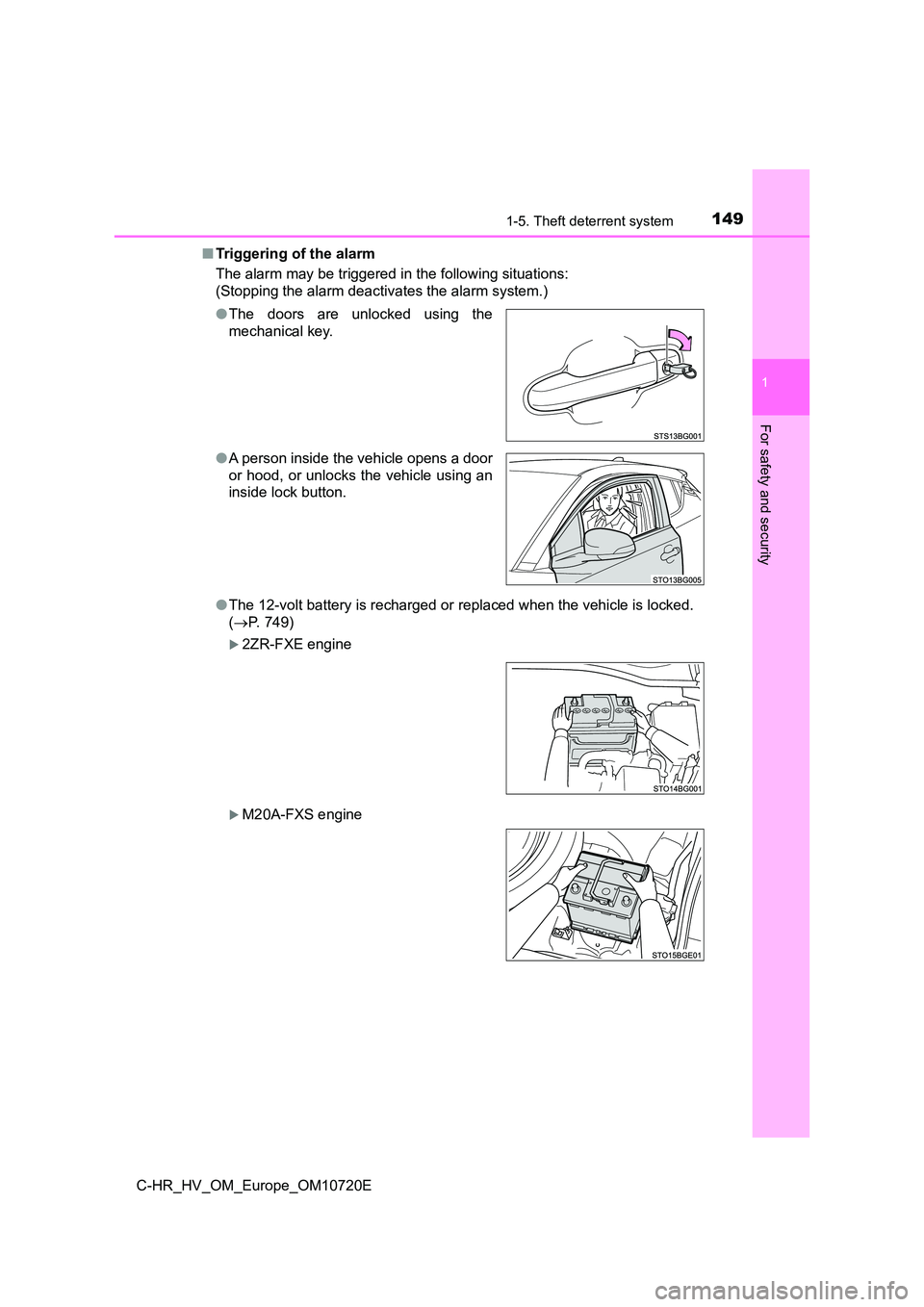
■ Triggering of the alarm
The alarm may be triggered in the following situations:
(Stopping the alarm deactivates the alarm system.)
● The 12-volt battery is recharged or replaced when the vehicle is locked.
( P. 749)
2ZR-FXE engine
M20A-FXS engine
● The doors are unlocked using the
mechanical key.
● A person inside the vehicle opens a door
or hood, or unlocks the vehicle using an
inside lock button.
Page 152 of 818
1501-5. Theft deterrent system
C-HR_HV_OM_Europe_OM10720E
■ Alarm-operated door lock
In the following cases, depending on the situation, the door ma y automatically
lock to prevent improper entry into the vehicle:
● When a person remaining in the vehicle unlocks the door and the alarm is
activated.
● While the alarm is activated, a person remaining in the vehicle unlocks the
door.
● When recharging or replacing the 12-volt battery
NOTICE
■To ensure the system operates correctly
Do not modify or remove the system. If modified or removed, the proper
operation of the system cannot be guaranteed.
Page 154 of 818
1521-5. Theft deterrent system
C-HR_HV_OM_Europe_OM10720E
■Canceling and automatic re-enabling of the intrusion sensor
● The alarm will still be set even when the intrusion sensor is canceled.
● After the intrusion sensor is canceled, pressing the power switch or unlock-
ing the doors using the entry function (if equipped) or wireles s remote con-
trol will re-enable the intrusion sensor.
● The intrusion sensor will automatically be re-enabled when the alarm sys-
tem is deactivated.
■ Intrusion sensor detection considerations
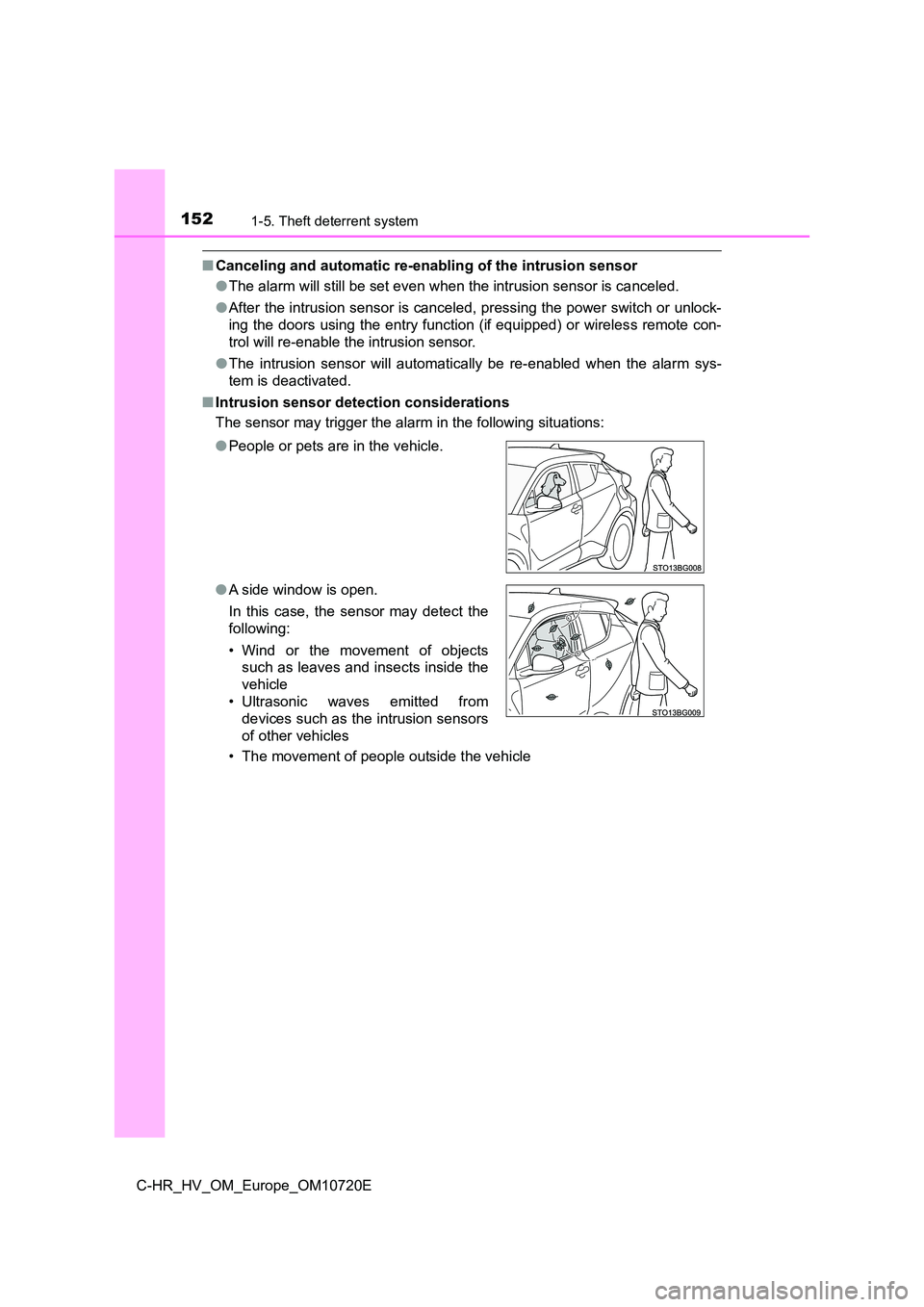
The sensor may trigger the alarm in the following situations:
• The movement of people outside the vehicle
● People or pets are in the vehicle.
● A side window is open.
In this case, the sensor may detect the
following:
• Wind or the movement of objects
such as leaves and insects inside the
vehicle
• Ultrasonic waves emitted from
devices such as the intrusion sensors
of other vehicles
Page 189 of 818
187
3
Operation of
each component
C-HR_HV_OM_Europe_OM10720E
3-1. Key information
Keys ................................... 188
3-2. Opening, closing and
locking the doors
Side doors.......................... 193
Back door........................... 201
Smart entry & start
system ............................. 207
3-3. Adjusting the seats
Front seats ......................... 262
Rear seats ......................... 264
Head restraints .................. 266
3-4. Adjusting the steering
wheel and mirrors
Steering wheel ................... 270
Inside rear view mirror ....... 272
Outside rear view
mirrors ............................. 274
3-5. Opening and closing the
windows
Power windows .................. 277
Page 190 of 818
1883-1. Key information
C-HR_HV_OM_Europe_OM10720E
Keys
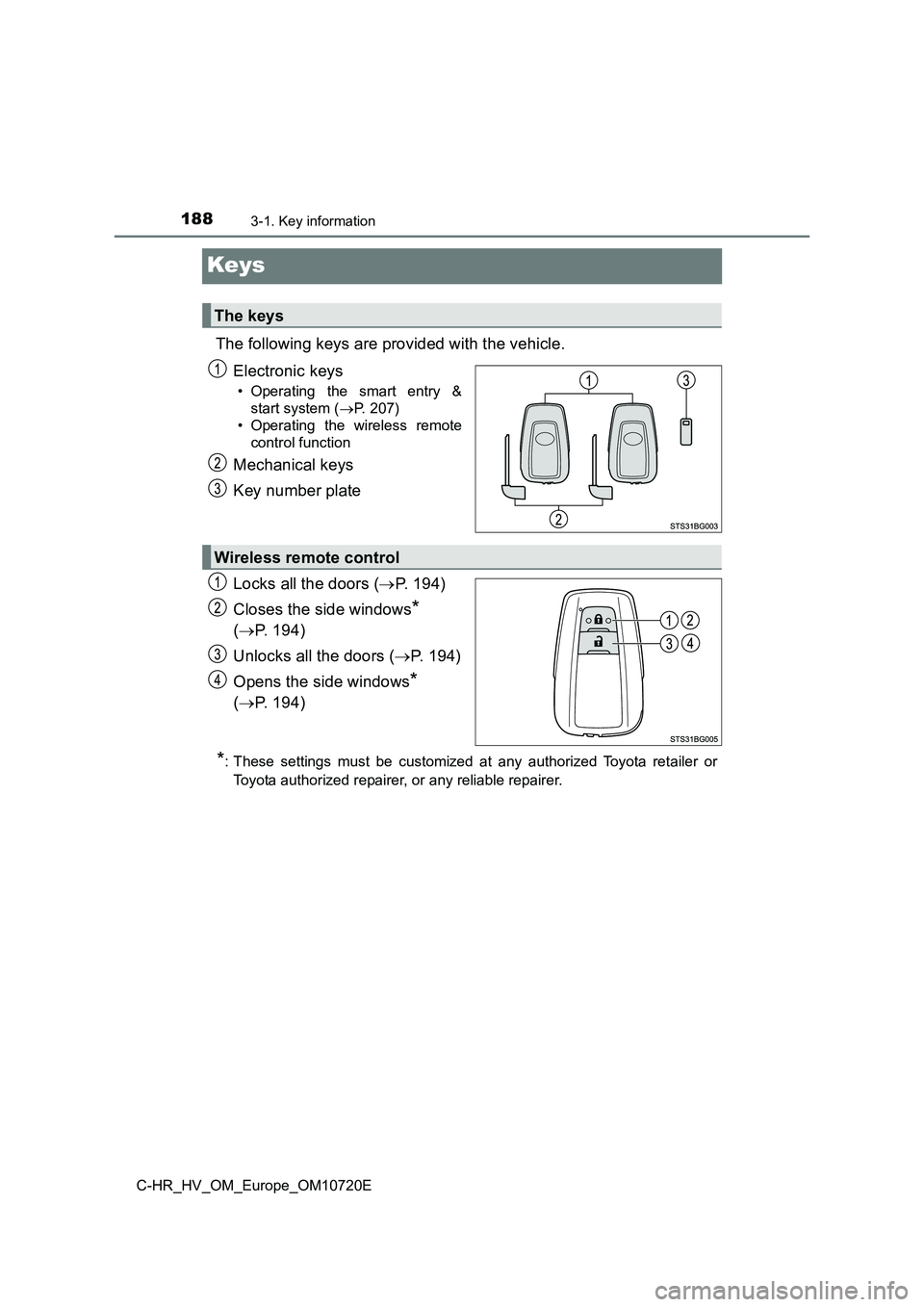
The following keys are provided with the vehicle.
Electronic keys
• Operating the smart entry &
start system ( P. 207)
• Operating the wireless remote
control function
Mechanical keys
Key number plate
Locks all the doors ( P. 194)
Closes the side windows*
( P. 194)
Unlocks all the doors ( P. 1 9 4 )
Opens the side windows*
( P. 194)
*: These settings must be customized at any authorized Toyota retailer or
Toyota authorized repairer, or any reliable repairer.
The keys
Wireless remote control
Page 195 of 818
193
3
3-2. Opening, closing and locking the doors
Operation of each component
C-HR_HV_OM_Europe_OM10720E
Side doors
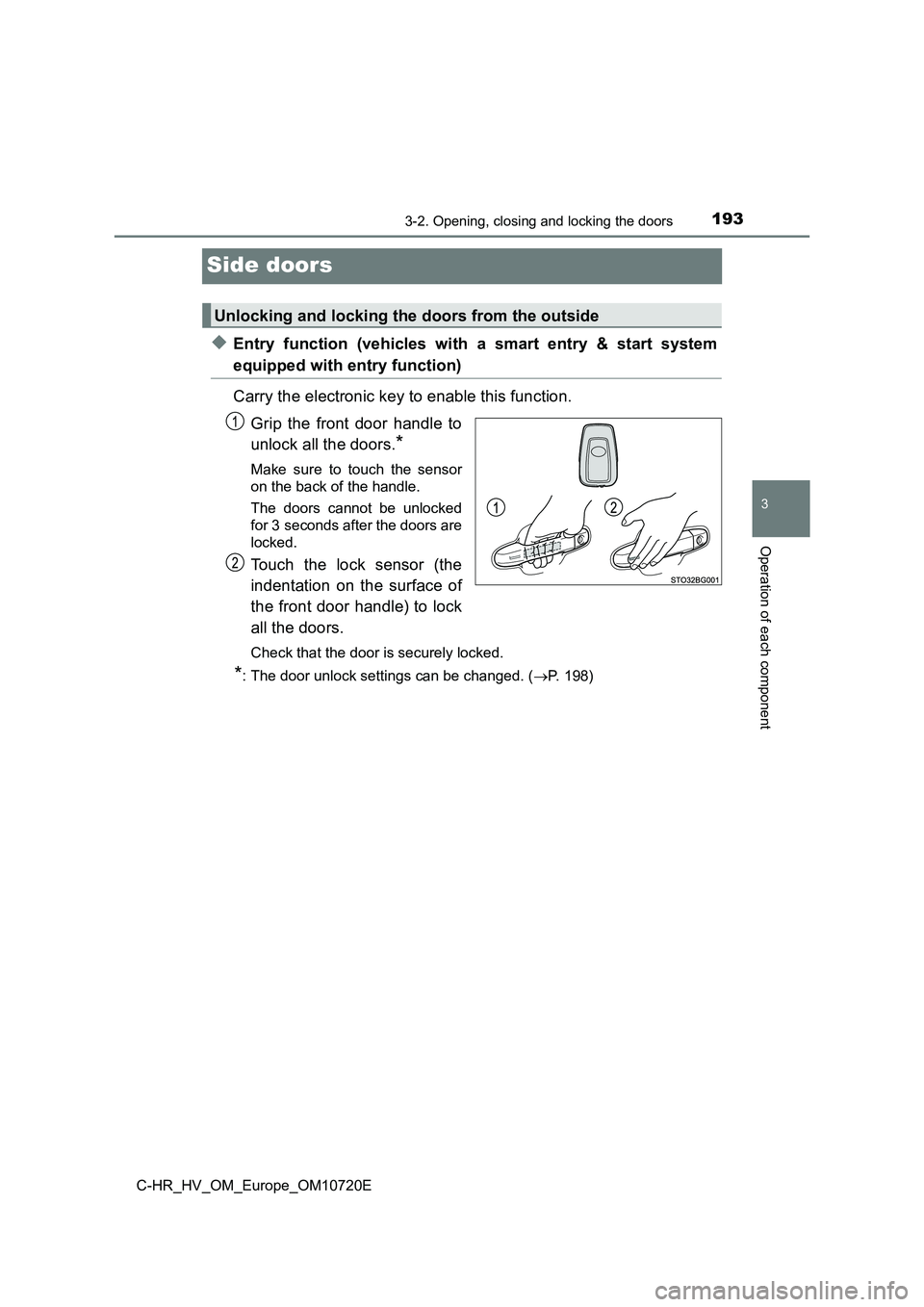
◆Entry function (vehicles with a smart entry & start system
equipped with entry function)
Carry the electronic key to enable this function.
Grip the front door handle to
unlock all the doors.*
Make sure to touch the sensor
on the back of the handle.
The doors cannot be unlocked
for 3 seconds after the doors are
locked.
Touch the lock sensor (the
indentation on the surface of
the front door handle) to lock
all the doors.
Check that the door is securely locked.
*: The door unlock settings can be changed. ( P. 198)
Unlocking and locking the doors from the outside
Page 196 of 818
1943-2. Opening, closing and locking the doors
C-HR_HV_OM_Europe_OM10720E
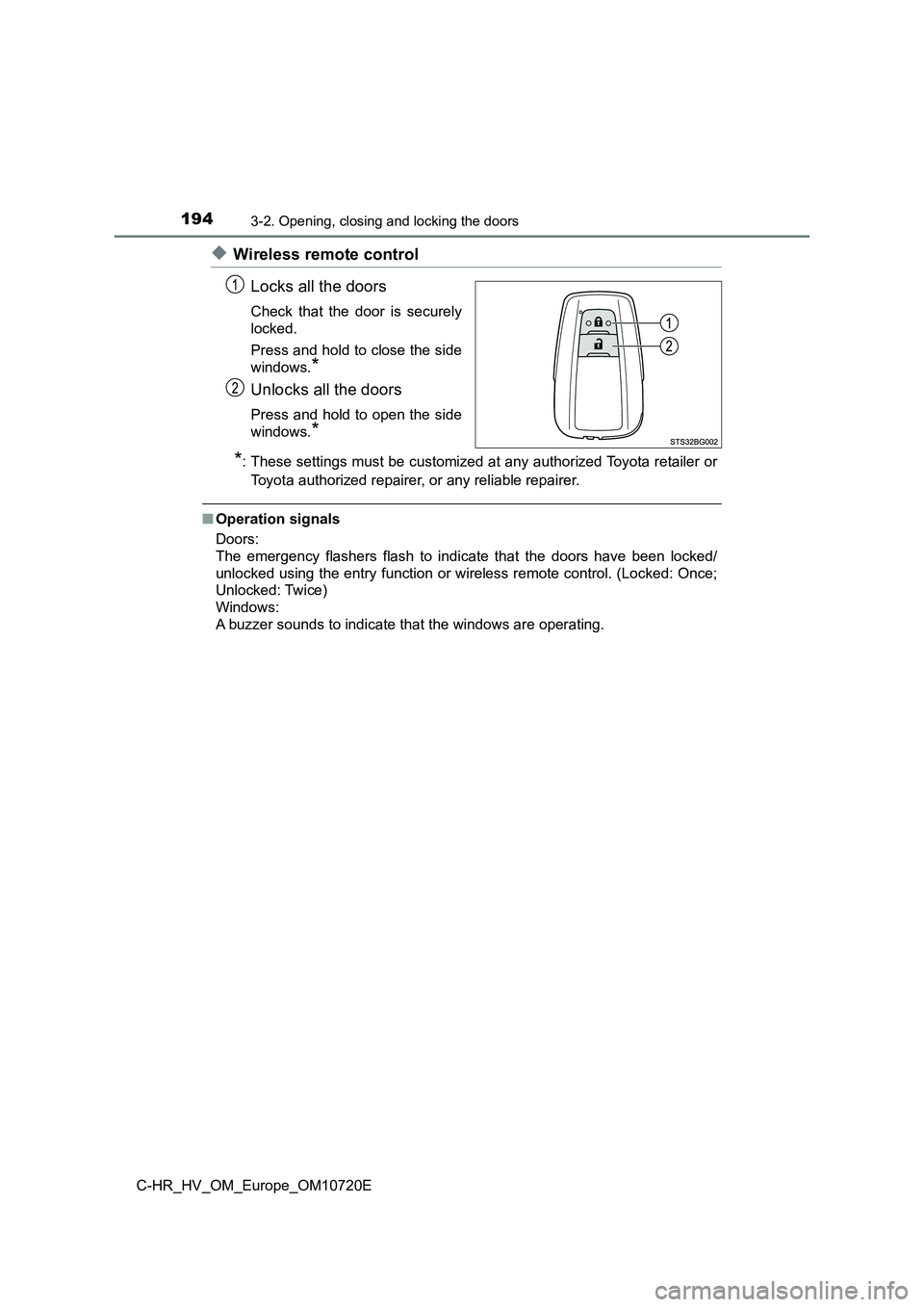
◆Wireless remote control
Locks all the doors
Check that the door is securely
locked.
Press and hold to close the side
windows.*
Unlocks all the doors
Press and hold to open the side
windows.*
*: These settings must be customized at any authorized Toyota ret ailer or
Toyota authorized repairer, or any reliable repairer.
■Operation signals
Doors:
The emergency flashers flash to indicate that the doors have be en locked/
unlocked using the entry function or wireless remote control. ( Locked: Once;
Unlocked: Twice)
Windows:
A buzzer sounds to indicate that the windows are operating.
Page 197 of 818
1953-2. Opening, closing and locking the doors
3
Operation of each component
C-HR_HV_OM_Europe_OM10720E
■ Security feature
If a door is not opened within approximately 30 seconds after t he vehicle is
unlocked, the security feature automatically locks the vehicle again.
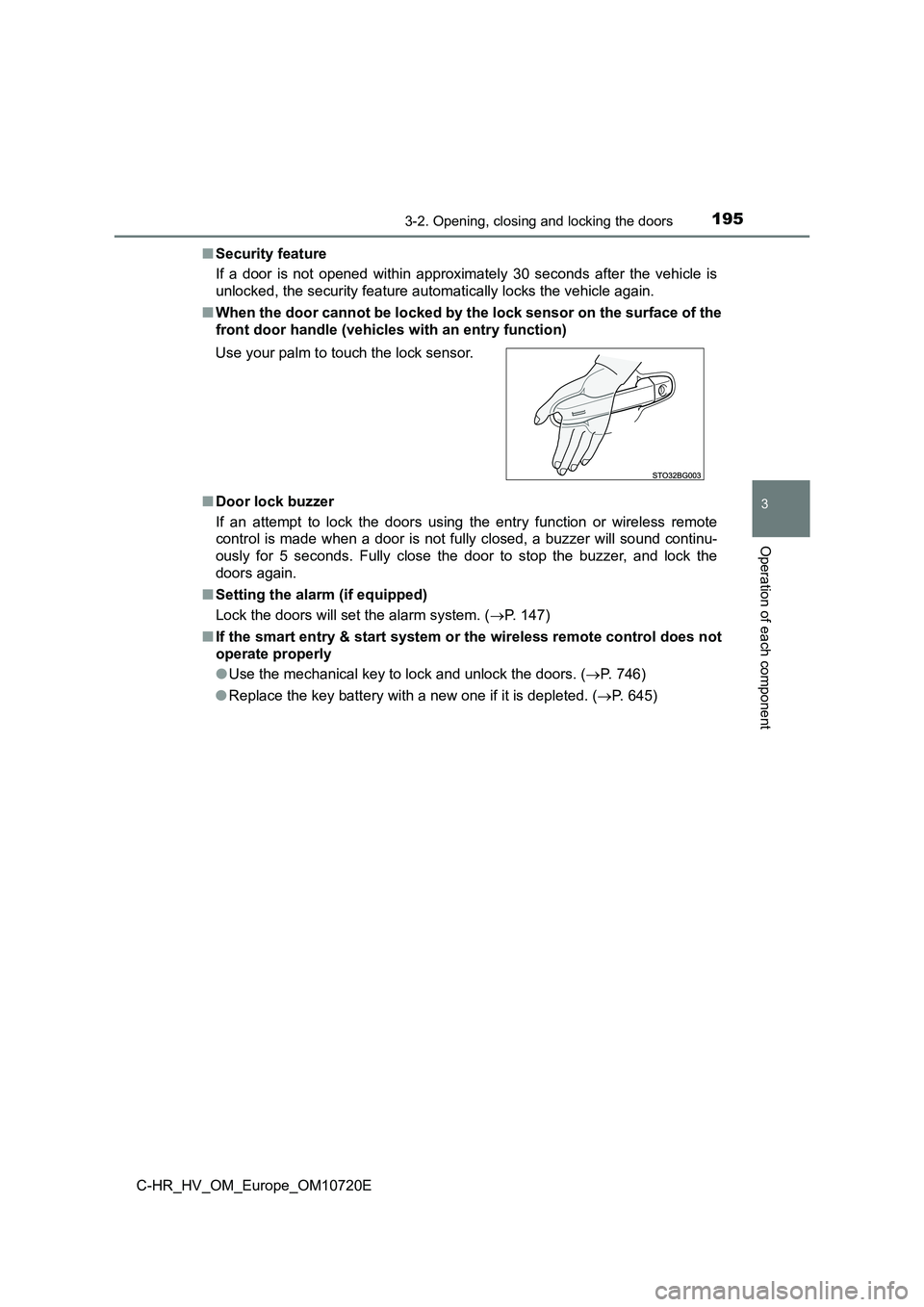
■ When the door cannot be locked by the lock sensor on the surface of the
front door handle (vehicl es with an entry function)
■ Door lock buzzer
If an attempt to lock the doors using the entry function or wir eless remote
control is made when a door is not fully closed, a buzzer will sound continu-
ously for 5 seconds. Fully close the door to stop the buzzer, a nd lock the
doors again.
■ Setting the alarm (if equipped)
Lock the doors will set the alarm system. ( P. 147)
■ If the smart entry & start system or the wireless remote control does not
operate properly
● Use the mechanical key to lock and unlock the doors. (P. 746)
● Replace the key battery with a new one if it is depleted. (P. 645)
Use your palm to touch the lock sensor.
Page 198 of 818
1963-2. Opening, closing and locking the doors
C-HR_HV_OM_Europe_OM10720E
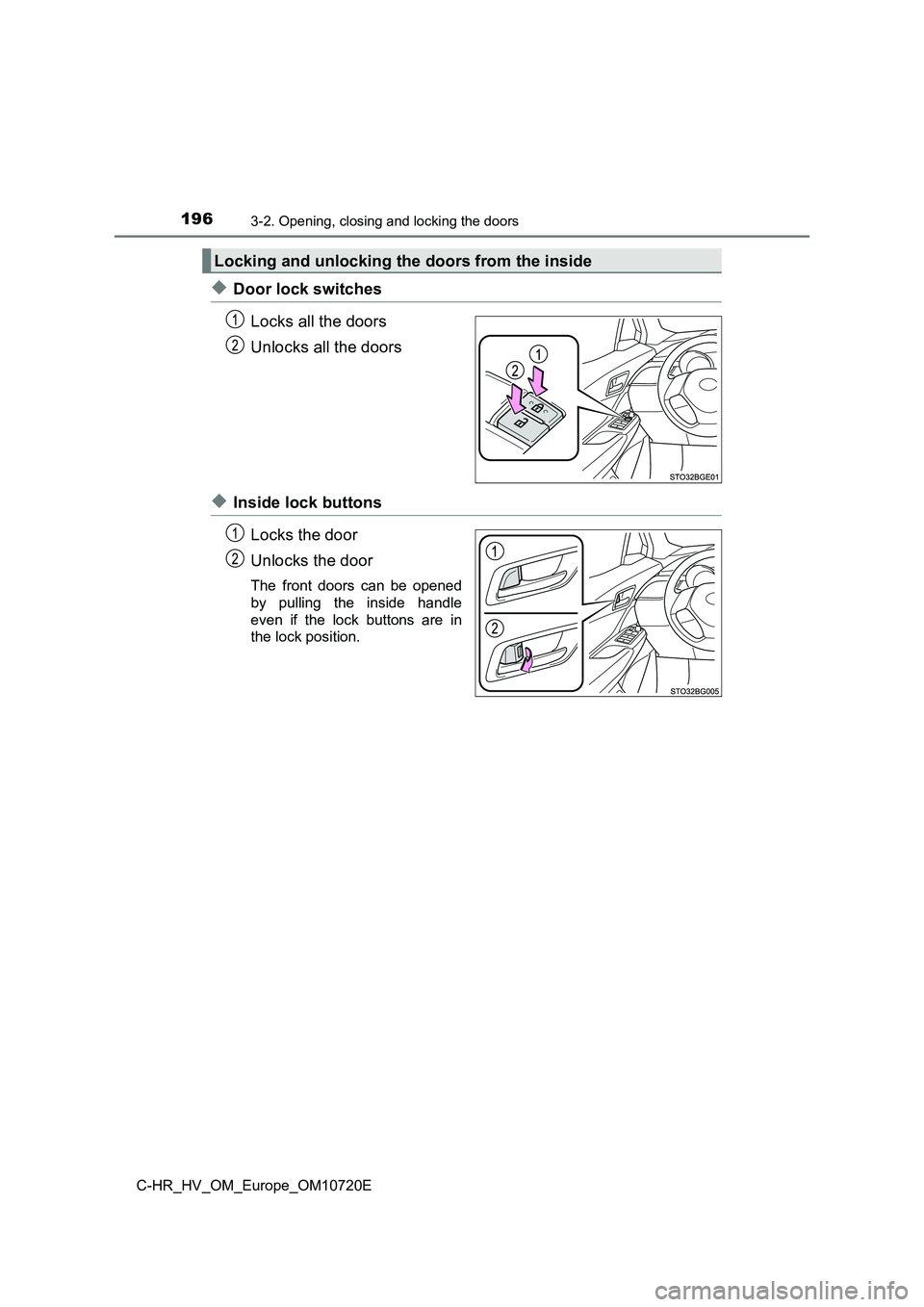
◆Door lock switches
Locks all the doors
Unlocks all the doors
◆Inside lock buttons
Locks the door
Unlocks the door
The front doors can be opened
by pulling the inside handle
even if the lock buttons are in
the lock position.
Locking and unlocking the doors from the inside
Page 199 of 818
1973-2. Opening, closing and locking the doors
3
Operation of each component
C-HR_HV_OM_Europe_OM10720E
Move the inside lock button to the lock position.
Close the door while pulling the door handle.
The door cannot be locked if the power switch is in ACCESSORY o r
ON mode, or the electronic key is left inside the vehicle.
The key may not be detected correctly and the door may be locke d.
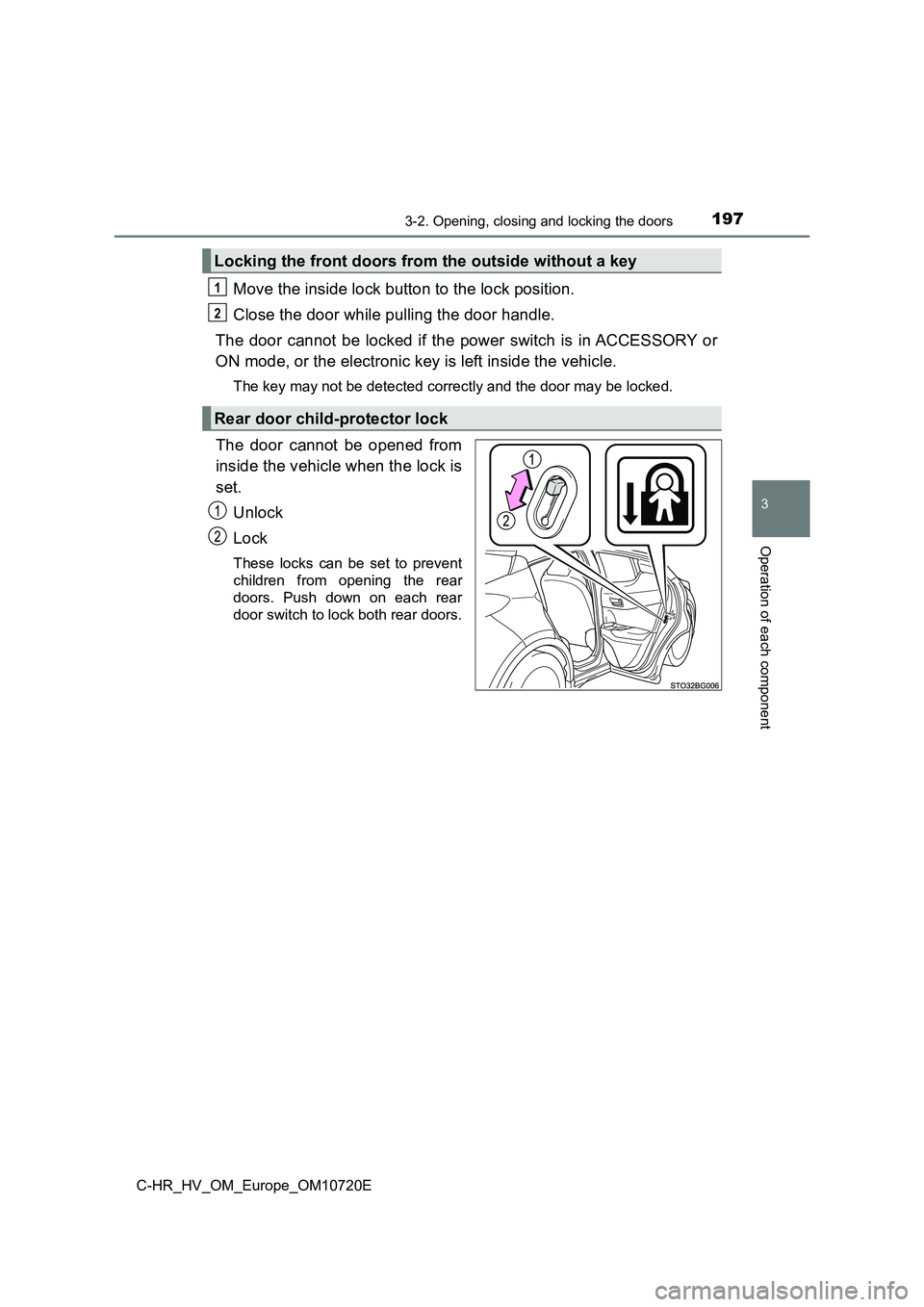
The door cannot be opened from
inside the vehicle when the lock is
set.
Unlock
Lock
These locks can be set to prevent
children from opening the rear
doors. Push down on each rear
door switch to lock both rear doors.
Locking the front doors from the outside without a key
Rear door child-protector lock
1
2