instrument cluster TOYOTA CAMRY 2012 XV50 / 9.G Owners Manual
[x] Cancel search | Manufacturer: TOYOTA, Model Year: 2012, Model line: CAMRY, Model: TOYOTA CAMRY 2012 XV50 / 9.GPages: 532, PDF Size: 6.44 MB
Page 3 of 532
1
2
3
4
5
6
7
3
2-2. Instrument clusterGauges and meters ............ 169
Indicators and warning lights ................................. 179
2-3. Operating the lights and wipers
Headlight switch .................. 185
Fog light switch ................... 192
Windshield wipers and washer .............................. 194
2-4. Using other driving systems
Cruise control ...................... 199
Driving assist systems ........ 203
BSM (Blind Spot Monitor) ... 208
2-5. Driving information Cargo and luggage ............. 213
Vehicle load limits ............... 217
Winter driving tips ............... 218
Trailer towing ...................... 222
Dinghy towing ..................... 223 3-1. Using the air conditioning
system and defogger
Manual air conditioning system .............................. 226
Automatic air conditioning system.......... 233
Rear window and outside rear view mirror
defoggers ......................... 240
3-2. Using the audio system Audio system types ............ 242
Using the radio ................... 248
Using the CD player ........... 251
Playing back MP3 and WMA discs ....................... 257
Operating an iPod .............. 264
Operating a USB memory ............................ 272
Optimal use of the audio system .............................. 280
Using the AUX port............. 283
3-3. Using the interior lights Interior lights list ................. 285
• Interior lights..................... 286
• Personal lights.................. 287
3Interior features
Page 133 of 532
When driving2
133
2-1. Driving proceduresDriving the vehicle............ 134
Engine (ignition) switch (vehicles without a
smart key system).......... 145
Engine (ignition) switch (vehicles with a smart
key system).................... 148
Automatic transmission (vehicles without
paddle shift switches) .... 155
Automatic transmission (vehicles with paddle
shift switches) ................ 159
Turn signal lever .............. 166
Parking brake ................... 167
Horn ................................. 168
2-2. Instrument cluster Gauges and meters ......... 169
Indicators and warning lights .............................. 179
2-3. Operating the lights and wipers
Headlight switch ............... 185
Fog light switch ................ 192
Windshield wipers and washer ........................... 194 2-4. Using other driving
systems
Cruise control ................... 199
Driving assist systems ..... 203
BSM (Blind Spot Monitor) ....... 208
2-5. Driving information Cargo and luggage .......... 213
Vehicle load limits ............ 217
Winter driving tips ............ 218
Trailer towing ................... 222
Dinghy towing .................. 223
Page 169 of 532
169
2
When driving
2-2. Instrument cluster
Gauges and meters
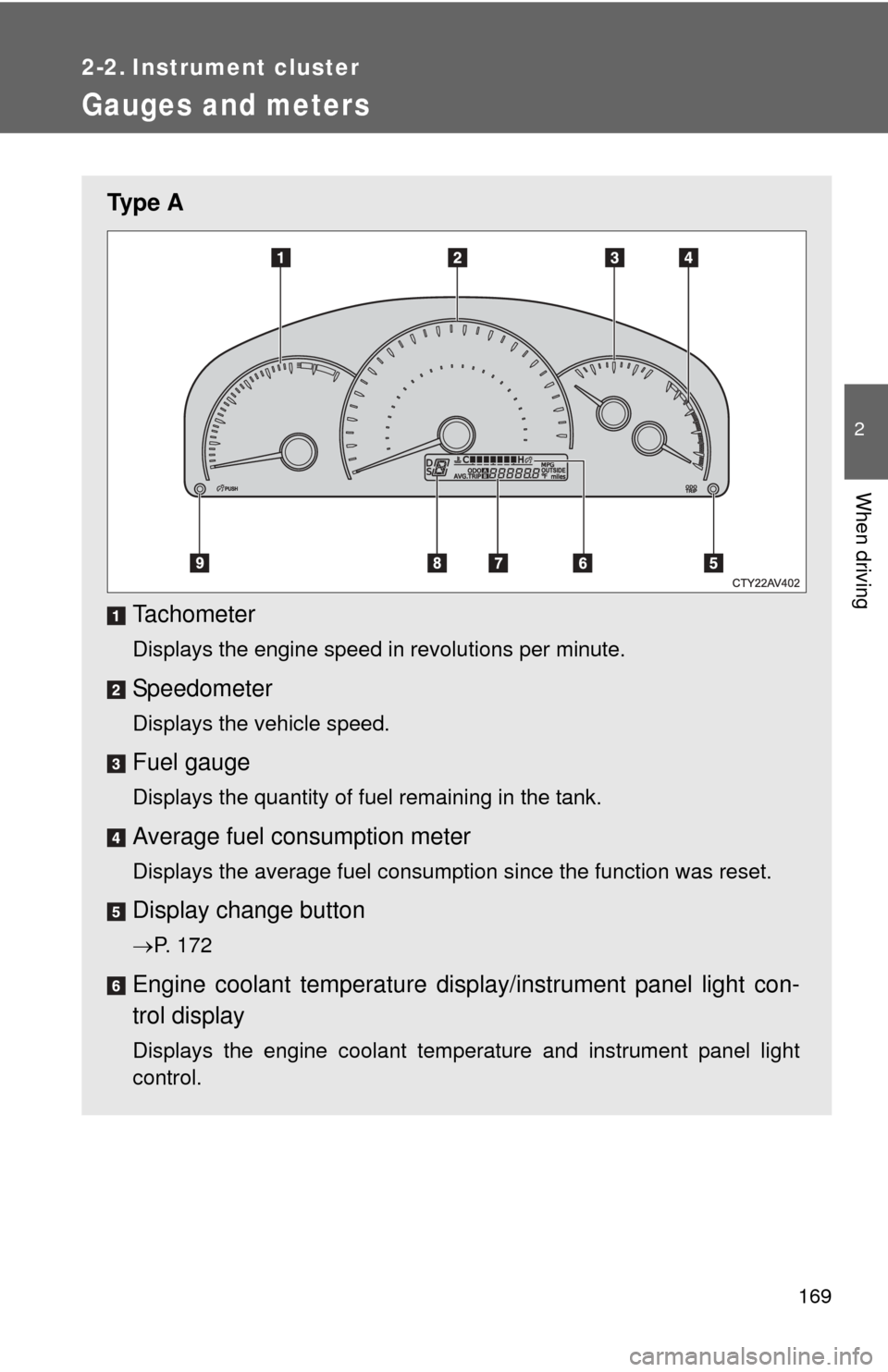
Ty p e ATachometer
Displays the engine speed in revolutions per minute.
Speedometer
Displays the vehicle speed.
Fuel gauge
Displays the quantity of fuel remaining in the tank.
Average fuel consumption meter
Displays the average fuel consumption since the function was reset.
Display change button
P. 172
Engine coolant temperature displa y/instrument panel light con-
trol display
Displays the engine coolant temperature and instrument panel light
control.
Page 170 of 532
170 2-2. Instrument cluster
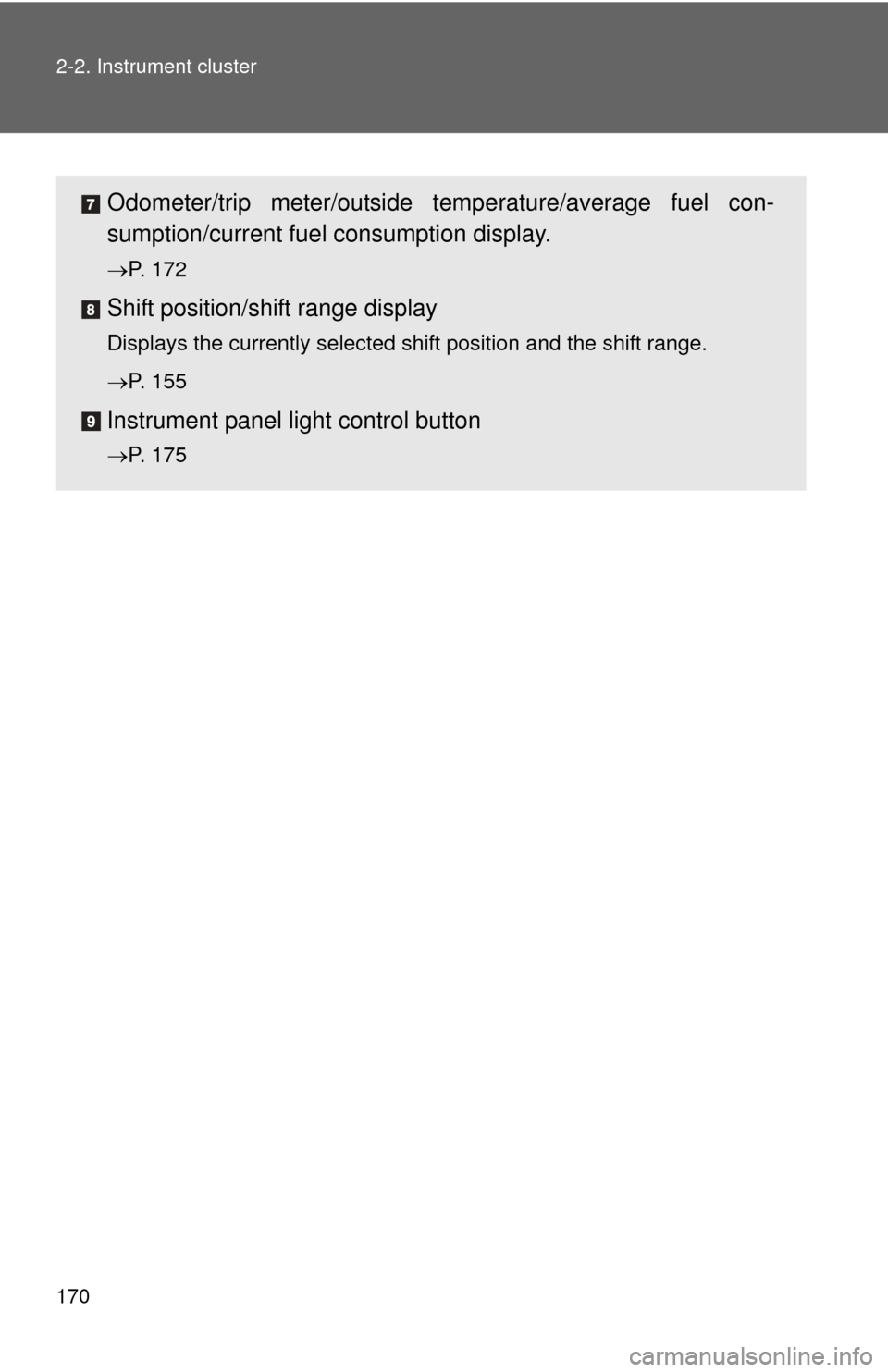
Odometer/trip meter/outside temperature/average fuel con-
sumption/current fuel consumption display.
P. 172
Shift position/shift range display
Displays the currently selected shift position and the shift range.
P. 155
Instrument panel light control button
P. 175
Page 171 of 532
171
2-2. Instrument cluster
2
When driving
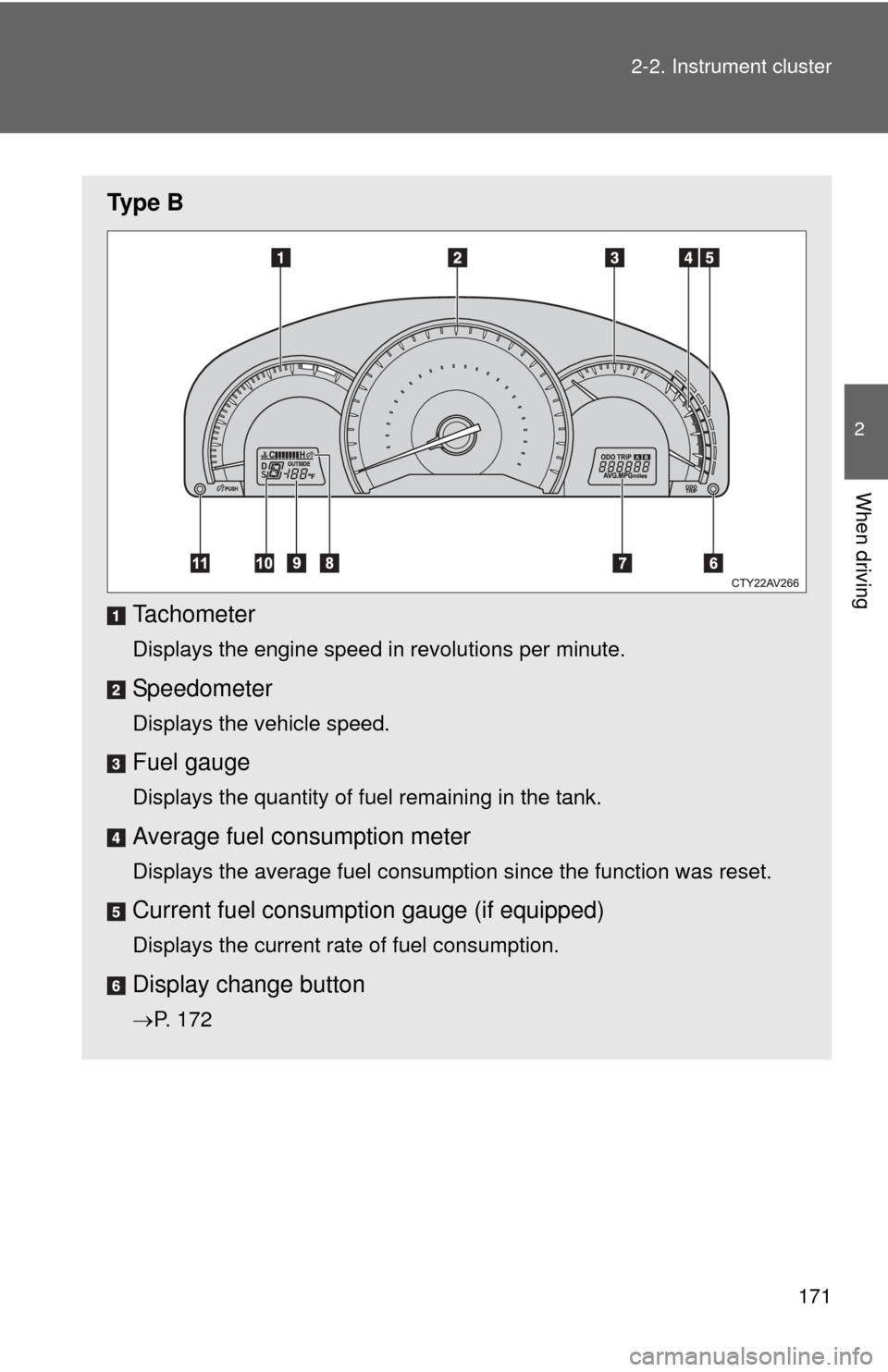
Ty p e B
Tachometer
Displays the engine speed in revolutions per minute.
Speedometer
Displays the vehicle speed.
Fuel gauge
Displays the quantity of fuel remaining in the tank.
Average fuel consumption meter
Displays the average fuel consumption since the function was reset.
Current fuel consumpt ion gauge (if equipped)
Displays the current rate of fuel consumption.
Display change button
P. 172
Page 172 of 532
172 2-2. Instrument cluster
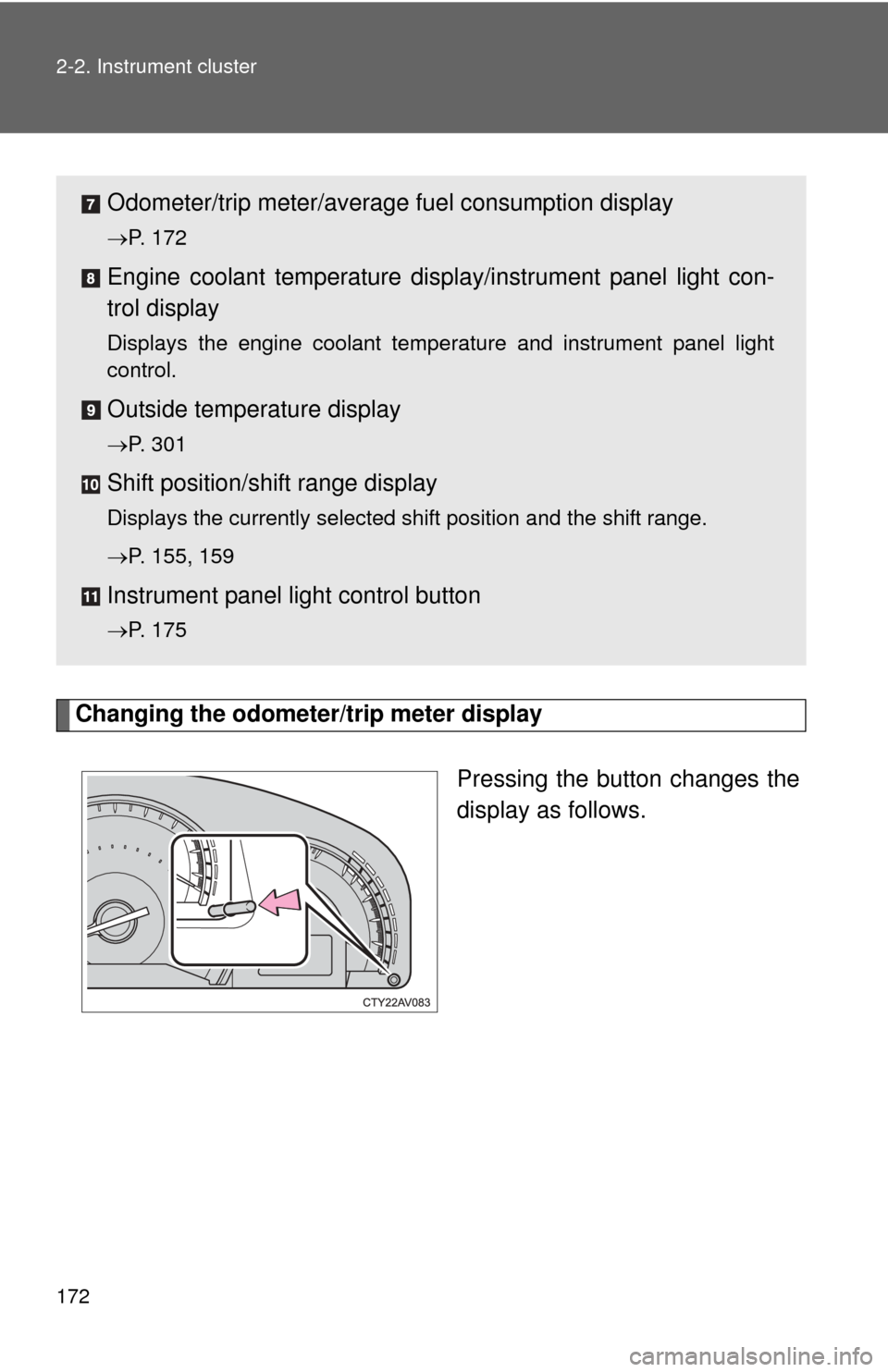
Changing the odometer/trip meter displayPressing the button changes the
display as follows.
Odometer/trip meter/average fuel consumption display
P. 172
Engine coolant temperature displa y/instrument panel light con-
trol display
Displays the engine coolant temperature and instrument panel light
control.
Outside temperature display
P. 301
Shift position/shift range display
Displays the currently selected shift position and the shift range.
P. 155, 159
Instrument panel light control button
P. 175
Page 173 of 532
173
2-2. Instrument cluster
2
When driving
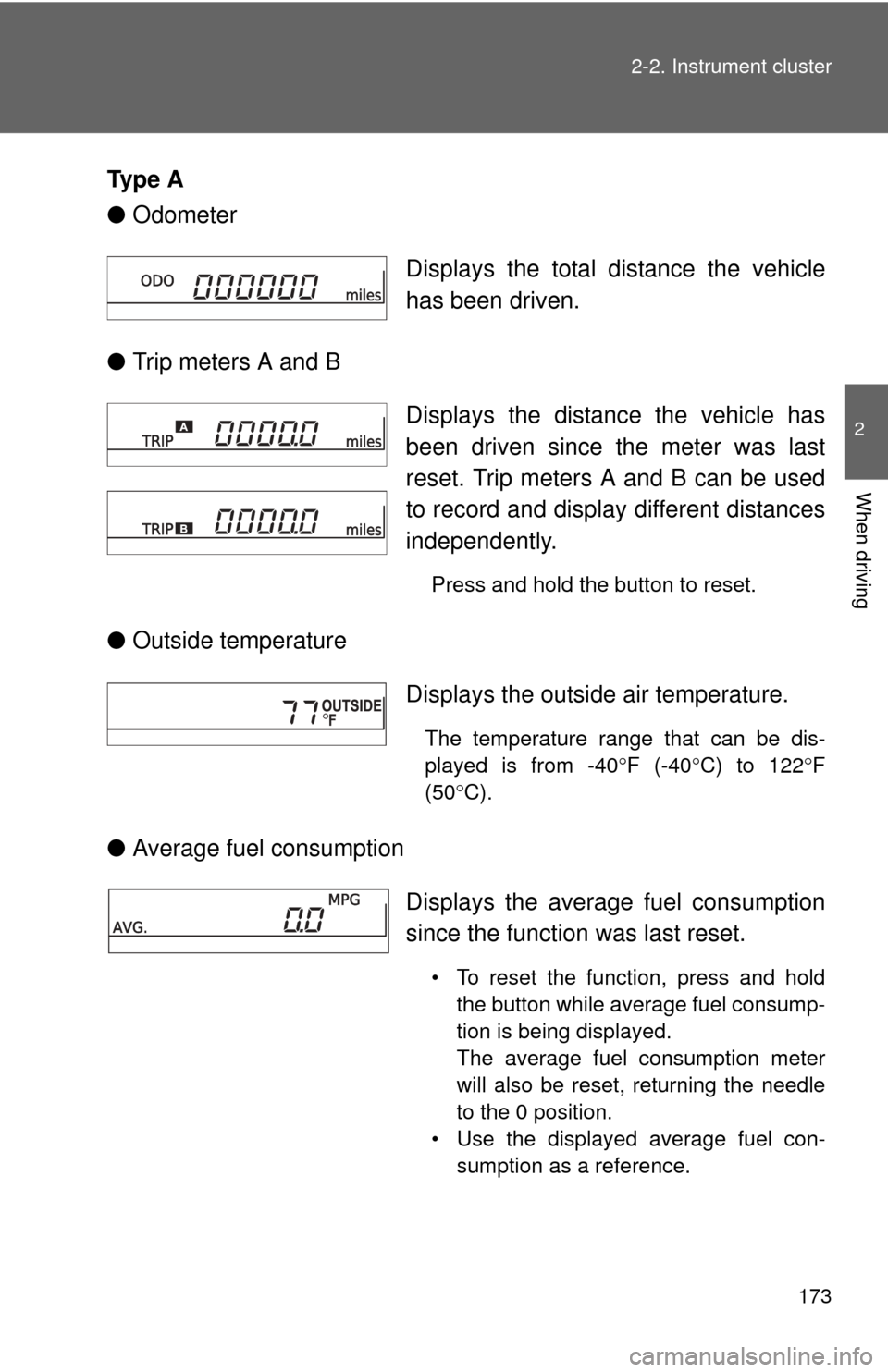
Ty p e A
●
Odometer
● Trip meters A and B
● Outside temperature
● Average fuel consumption Displays the total distance the vehicle
has been driven.
Displays the distance the vehicle has
been driven since the meter was last
reset. Trip meters A and B can be used
to record and display different distances
independently.
Press and hold the button to reset.
Displays the outside air temperature.
The temperature range that can be dis-
played is from -40
F (-40 C) to 122 F
(50 C).
Displays the average fuel consumption
since the function was last reset.
• To reset the function, press and hold
the button while average fuel consump-
tion is being displayed.
The average fuel consumption meter
will also be reset, returning the needle
to the 0 position.
• Use the displayed average fuel con- sumption as a reference.
Page 174 of 532
174 2-2. Instrument cluster
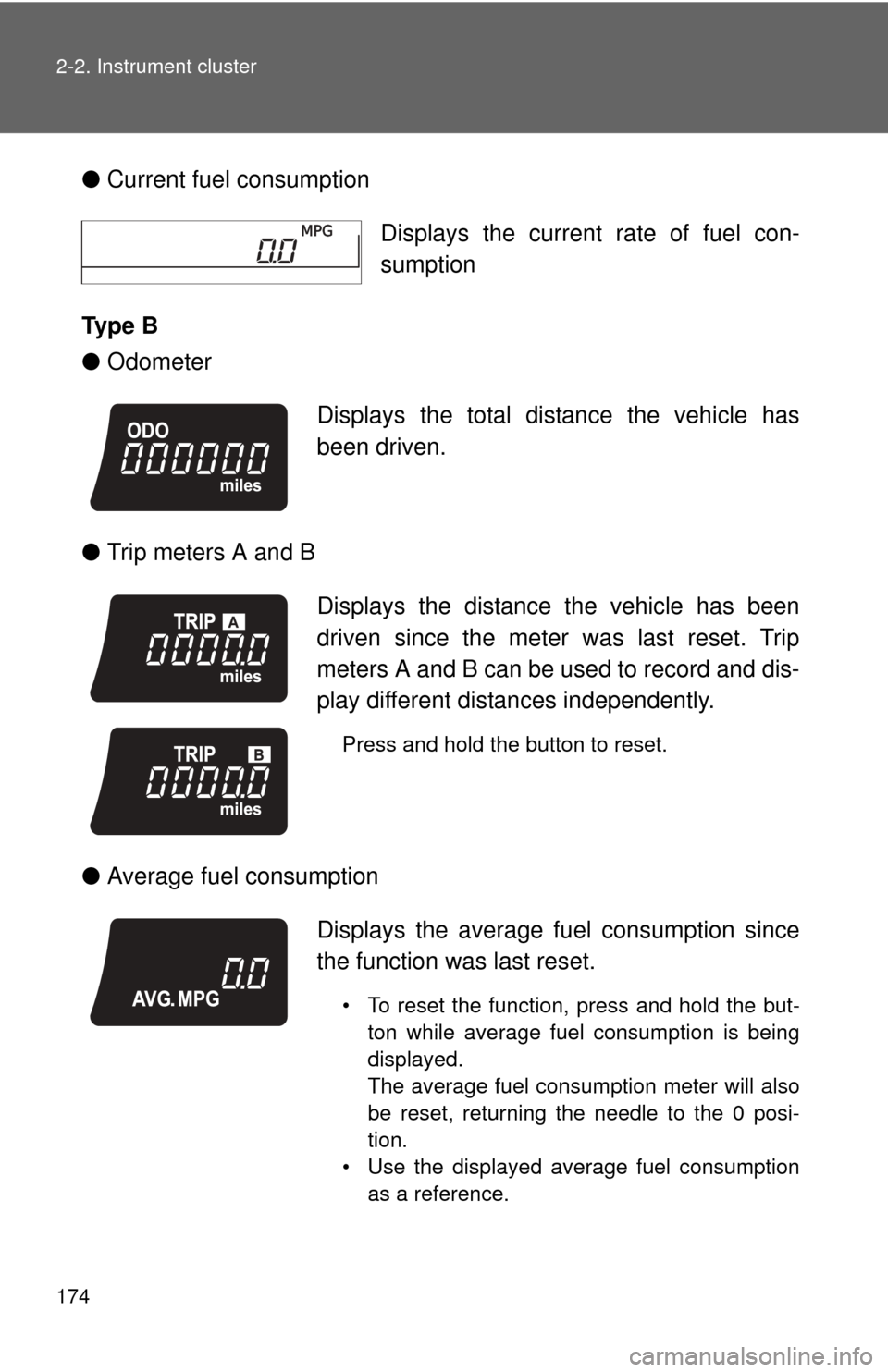
●Current fuel consumption
Ty p e B
● Odometer
● Trip meters A and B
● Average fuel consumption Displays the current rate of fuel con-
sumption
Displays the total distance the vehicle has
been driven.
Displays the distance the vehicle has been
driven since the meter was last reset. Trip
meters A and B can be used to record and dis-
play different distances independently.
Press and hold the button to reset.
Displays the average fu el consumption since
the function was last reset.
• To reset the function, press and hold the but- ton while average fuel consumption is being
displayed.
The average fuel consumption meter will also
be reset, returning the needle to the 0 posi-
tion.
• Use the displayed average fuel consumption as a reference.
Page 175 of 532
175
2-2. Instrument cluster
2
When driving
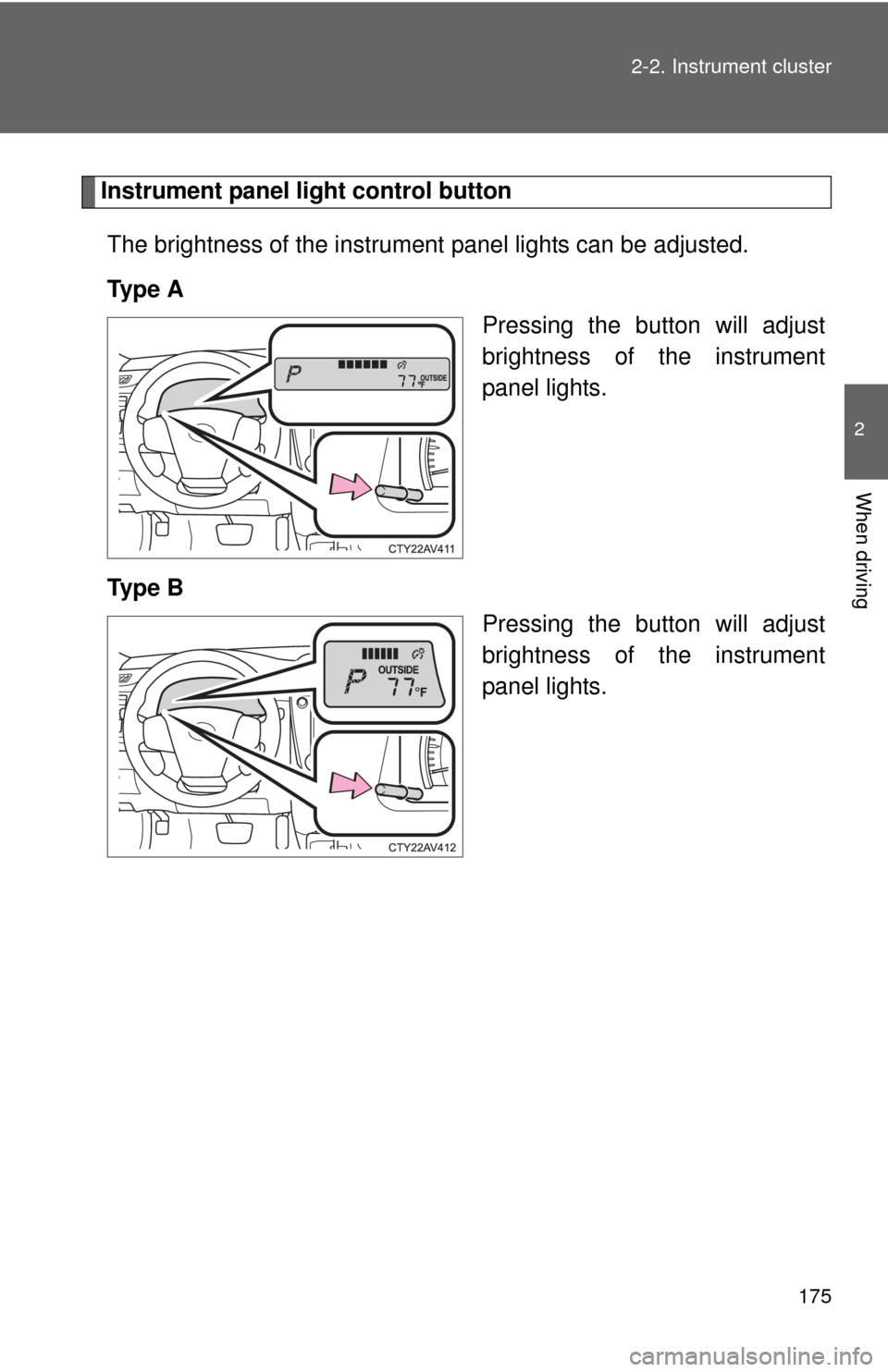
Instrument panel light control button
The brightness of the instrument panel lights can be adjusted.
Ty p e A Pressing the button will adjust
brightness of the instrument
panel lights.
Ty p e B Pressing the button will adjust
brightness of the instrument
panel lights.
Page 176 of 532
176 2-2. Instrument cluster
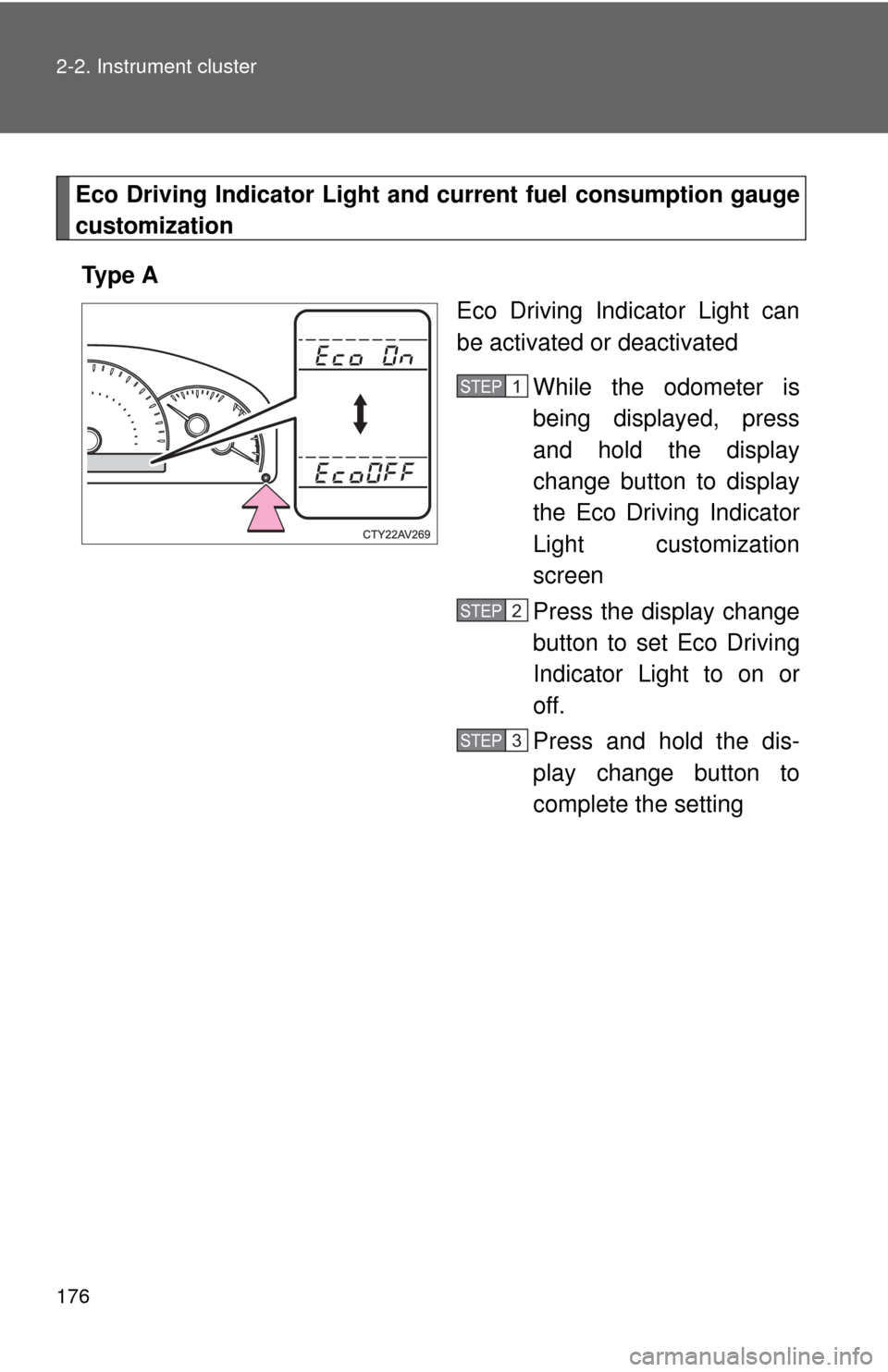
Eco Driving Indicator Light and current fuel consumption gauge
customization
Ty p e A Eco Driving Indicator Light can
be activated or deactivated
While the odometer is
being displayed, press
and hold the display
change button to display
the Eco Driving Indicator
Light customization
screen
Press the display change
button to set Eco Driving
Indicator Light to on or
off.
Press and hold the dis-
play change button to
complete the setting
STEP1
STEP2
STEP3