display TOYOTA CAMRY 2013 XV50 / 9.G User Guide
[x] Cancel search | Manufacturer: TOYOTA, Model Year: 2013, Model line: CAMRY, Model: TOYOTA CAMRY 2013 XV50 / 9.GPages: 540, PDF Size: 7 MB
Page 161 of 540
161
2-1. Driving procedures
2
When driving
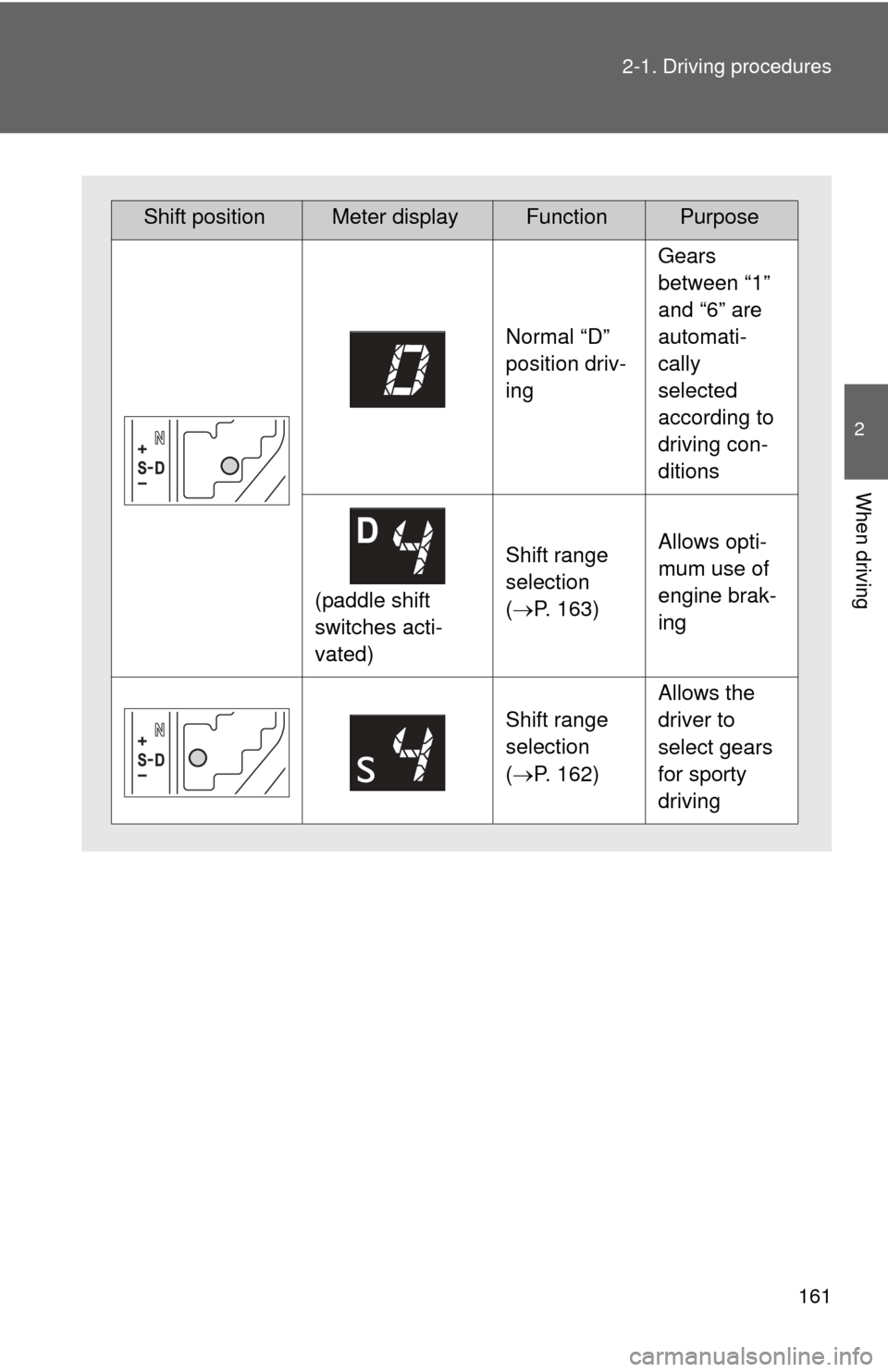
Shift positionMeter displayFunctionPurpose
Normal “D”
position driv-
ing
Gears
between “1”
and “6” are
automati-
cally
selected
according to
driving con-
ditions
(paddle shift
switches acti-
vated)
Shift range
selection
(
P. 163)Allows opti-
mum use of
engine brak-
ing
Shift range
selection
(P. 162)
Allows the
driver to
select gears
for sporty
driving
Page 163 of 540
163
2-1. Driving procedures
2
When driving
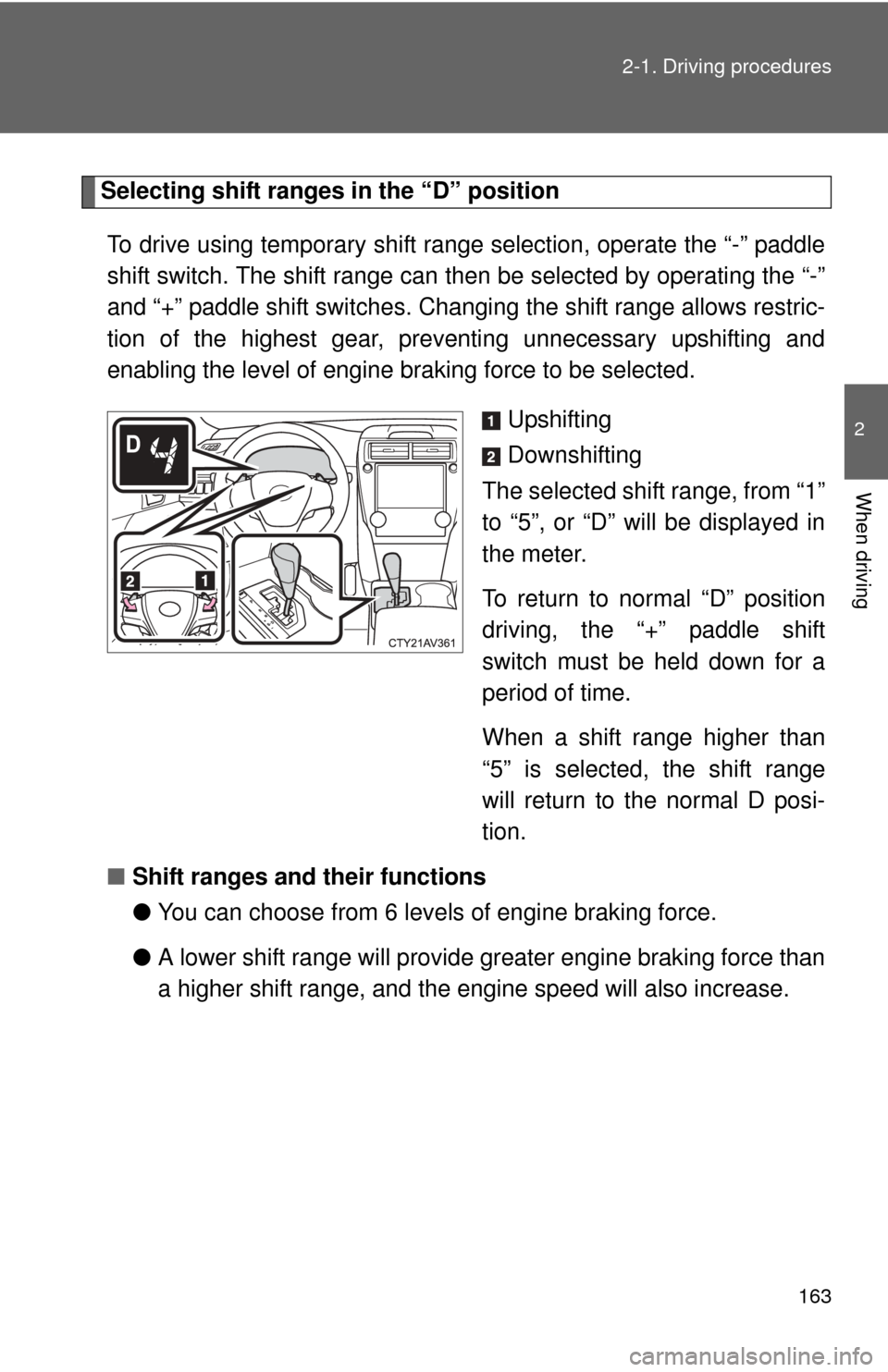
Selecting shift ranges in the “D” position
To drive using temporary shift range selection, operate the “-” paddle
shift switch. The shift range can then be selected by operating the “-”
and “+” paddle shift switches. Changing the shift range allows restric-
tion of the highest gear, preventing unnecessary upshifting and
enabling the level of engine braking force to be selected. Upshifting
Downshifting
The selected shift range, from “1”
to “5”, or “D” will be displayed in
the meter.
To return to normal “D” position
driving, the “+” paddle shift
switch must be held down for a
period of time.
When a shift range higher than
“5” is selected, the shift range
will return to the normal D posi-
tion.
■ Shift ranges and their functions
●You can choose from 6 levels of engine braking force.
● A lower shift range will provide greater engine br aking force than
a higher shift range, and the engine speed will also increase.
Page 164 of 540

164 2-1. Driving procedures
■S mode
●When the shift range is “4” or lower, holding the shift lever toward “+” sets
the shift range to “6”.
● To prevent the engine from over-revving, upshifting may automatically
occur.
● To protect the automatic transmission, a function is adopted that auto-
matically shifts to the top range when the temperature is too hot.
■ AI-SHIFT
AI-SHIFT automatically selects the suitable gear according to driver perfor-
mance and driving conditions.
AI-SHIFT automatically operates when the shift lever is in the D position.
(Shifting the shift lever to the S position cancels the function.)
■ When driving with cruise control activated
Even when performing the following actions with the intent of enabling
engine braking, engine braking will not activate while driving in D or S mode
and downshifting to 5 or 4 because cruise control will not be canceled.
(P. 200)
■ If the shift lever cannot be shifted from P
P. 455
■ If the “S” indicator does not come on or the “D” indicator is displayed
even after shifting the shift lever to S
This may indicate a malfunction in the automatic transmission system. Have
the vehicle inspected by your Toyota dealer immediately.
(In this situation, the transmission will operate in the same manner as when
the shift lever is in D.)
■ Downshift restriction warning buzzer
To help ensure safety and driving performance, downshifting operation may
sometimes be restricted. In some circumstances, downshifting may not be
possible even when the shift lever or paddle shift switches are operated. (A
buzzer will sound twice.)
Page 170 of 540
170
2-2. Instrument cluster
Gauges and meters
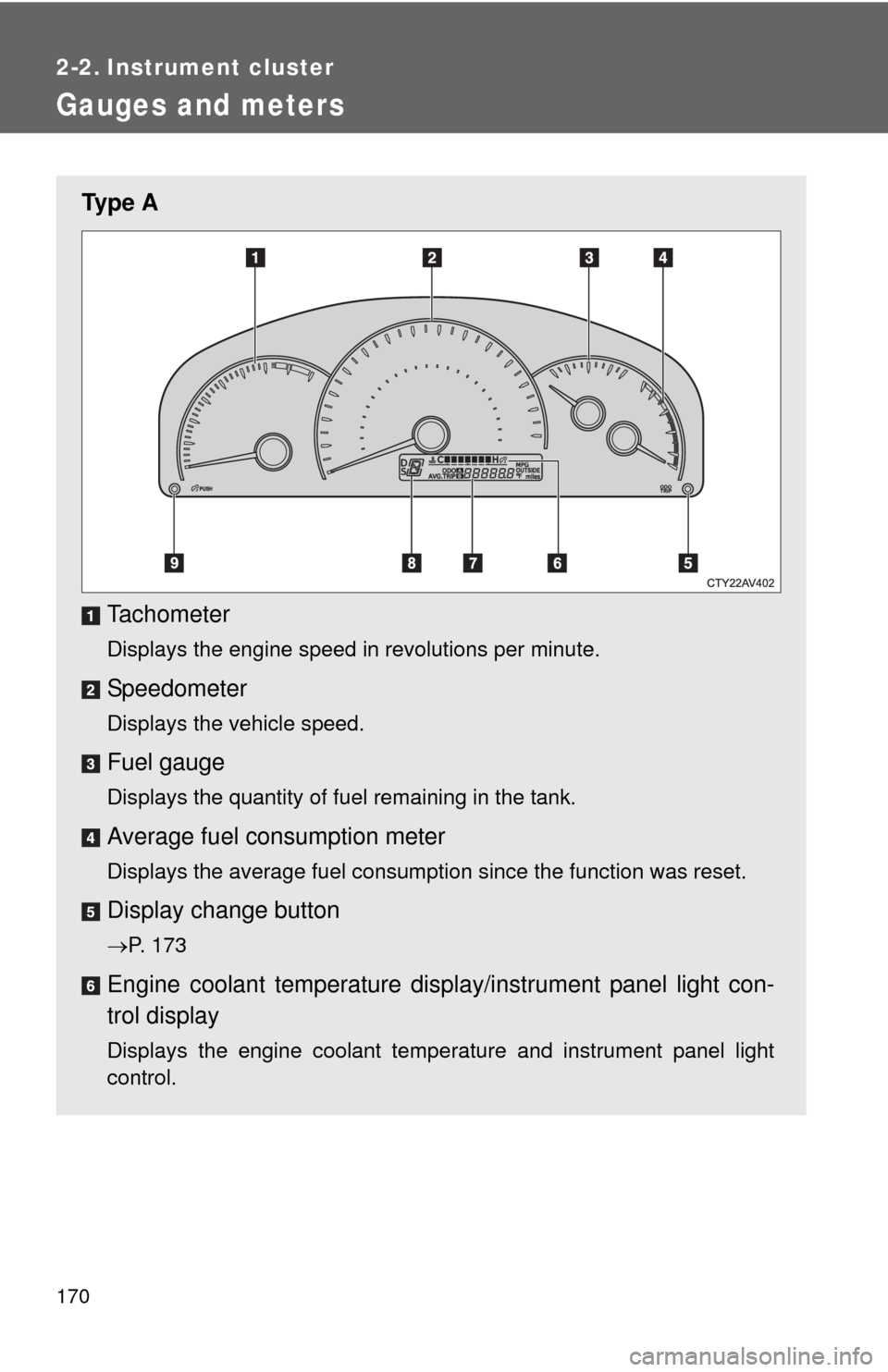
Ty p e ATachometer
Displays the engine speed in revolutions per minute.
Speedometer
Displays the vehicle speed.
Fuel gauge
Displays the quantity of fuel remaining in the tank.
Average fuel consumption meter
Displays the average fuel consumption since the function was reset.
Display change button
P. 173
Engine coolant temperature displa y/instrument panel light con-
trol display
Displays the engine coolant temperature and instrument panel light
control.
Page 171 of 540
171
2-2. Instrument cluster
2
When driving
Odometer/trip meter/outside temperature/average fuel con-
sumption/current fuel
consumption display.
P. 173
Shift position/shift range display
Displays the currently selected shift position and the shift range.
P. 155
Instrument panel light control button
P. 176
Page 172 of 540
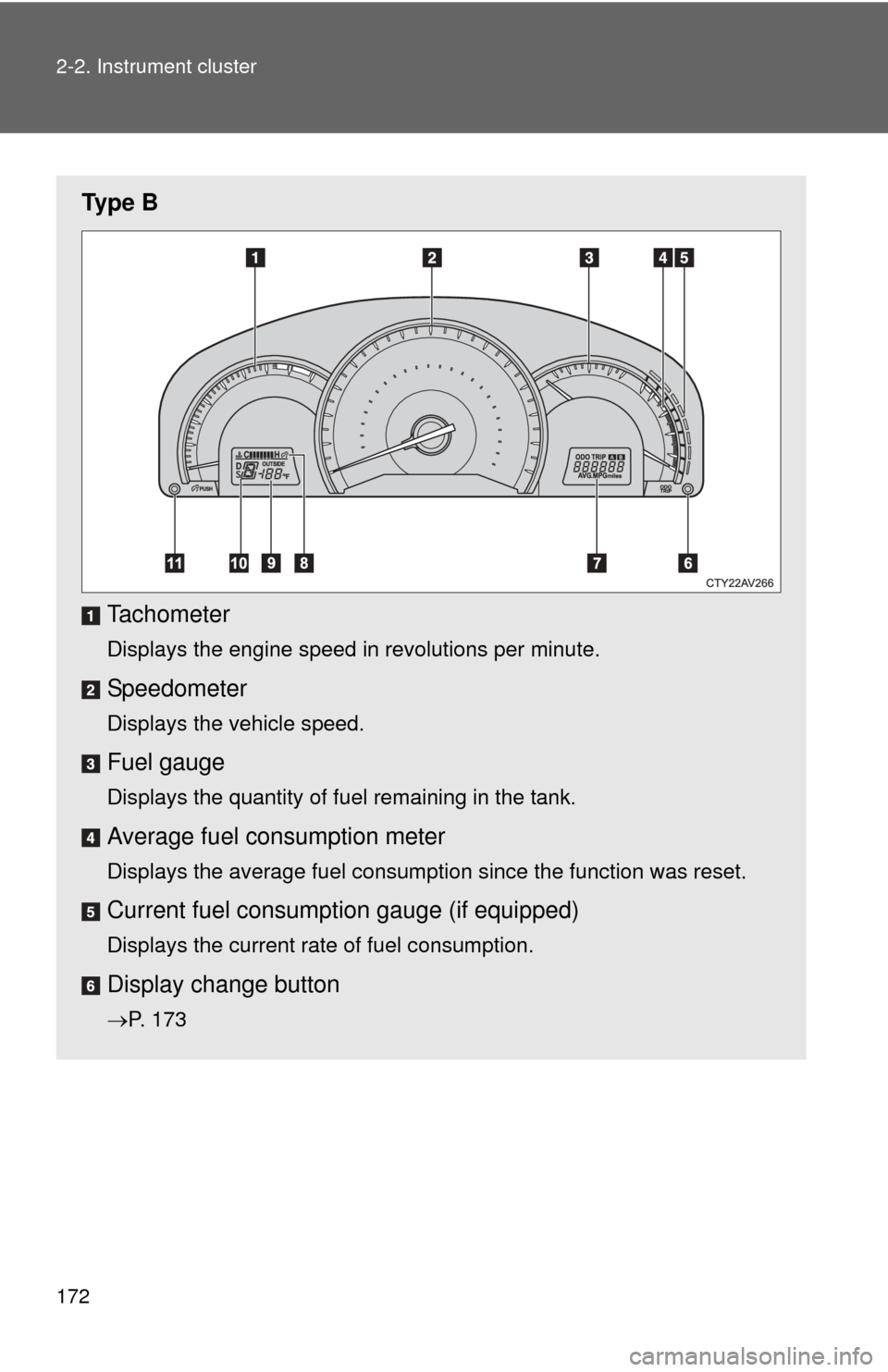
172 2-2. Instrument cluster
Ty p e BTachometer
Displays the engine speed in revolutions per minute.
Speedometer
Displays the vehicle speed.
Fuel gauge
Displays the quantity of fuel remaining in the tank.
Average fuel consumption meter
Displays the average fuel consumption since the function was reset.
Current fuel consumpt ion gauge (if equipped)
Displays the current rate of fuel consumption.
Display change button
P. 173
Page 173 of 540
173
2-2. Instrument cluster
2
When driving
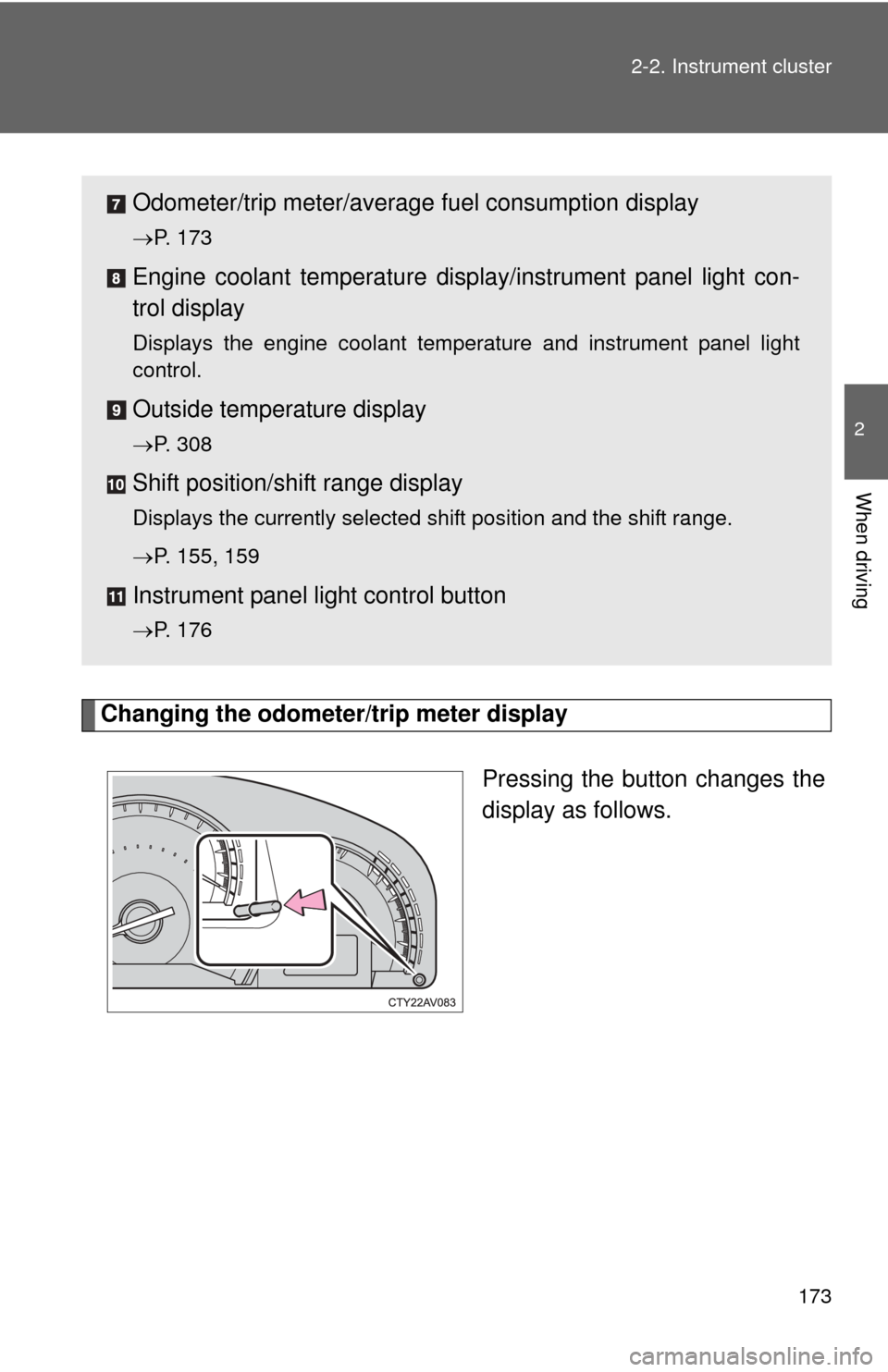
Changing the odometer/trip meter display
Pressing the button changes the
display as follows.
Odometer/trip meter/average fuel consumption display
P. 173
Engine coolant temperature displa y/instrument panel light con-
trol display
Displays the engine coolant temperature and instrument panel light
control.
Outside temperature display
P. 308
Shift position/shift range display
Displays the currently selected shift position and the shift range.
P. 155, 159
Instrument panel light control button
P. 176
Page 174 of 540
174 2-2. Instrument cluster
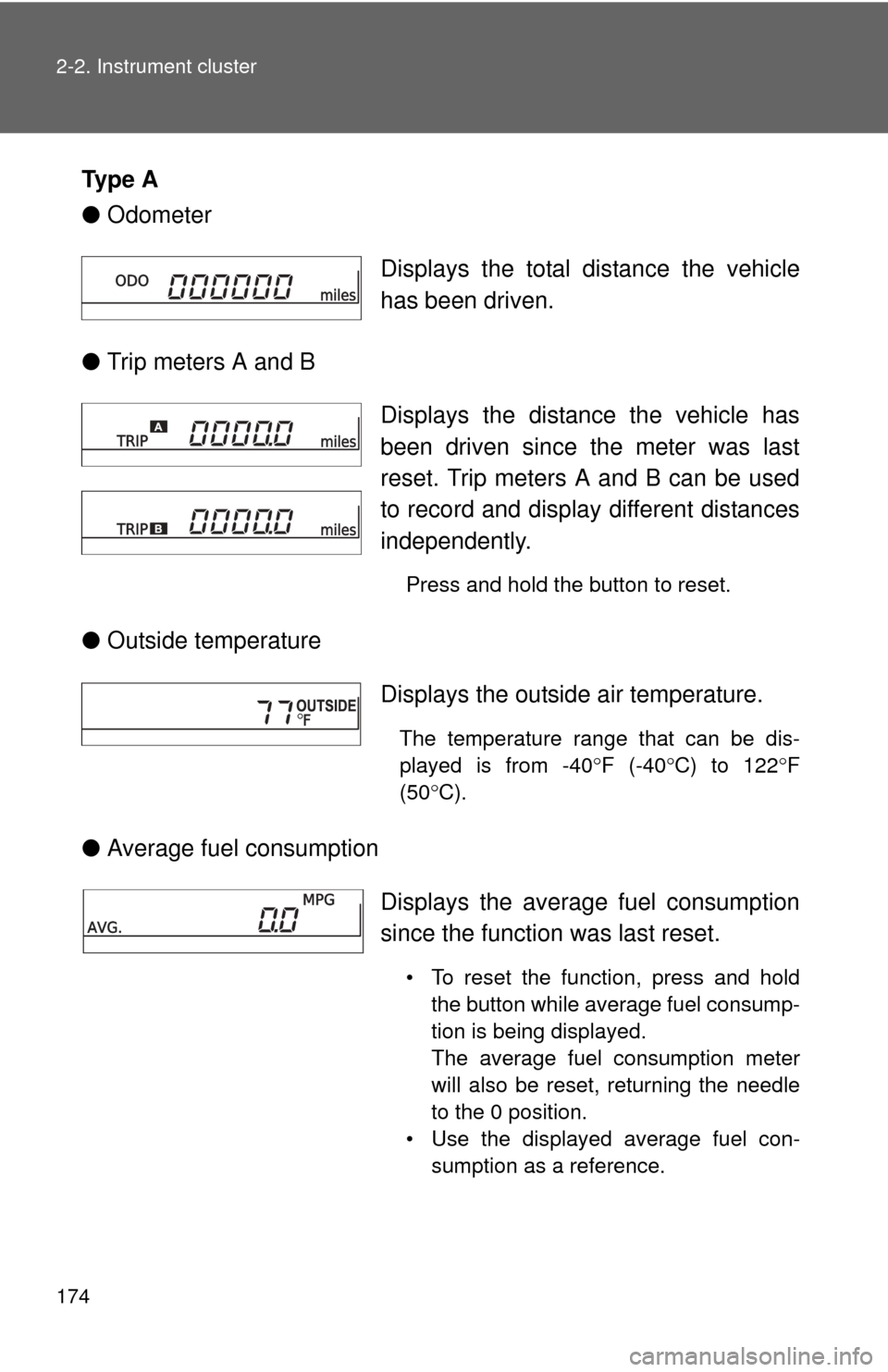
Ty p e A
●Odometer
● Trip meters A and B
● Outside temperature
● Average fuel consumption Displays the total distance the vehicle
has been driven.
Displays the distance the vehicle has
been driven since the meter was last
reset. Trip meters A and B can be used
to record and display different distances
independently.
Press and hold the button to reset.
Displays the outside air temperature.
The temperature range that can be dis-
played is from -40
F (-40 C) to 122 F
(50 C).
Displays the average fuel consumption
since the function was last reset.
• To reset the function, press and hold
the button while average fuel consump-
tion is being displayed.
The average fuel consumption meter
will also be reset, returning the needle
to the 0 position.
• Use the displayed average fuel con- sumption as a reference.
Page 175 of 540
175
2-2. Instrument cluster
2
When driving
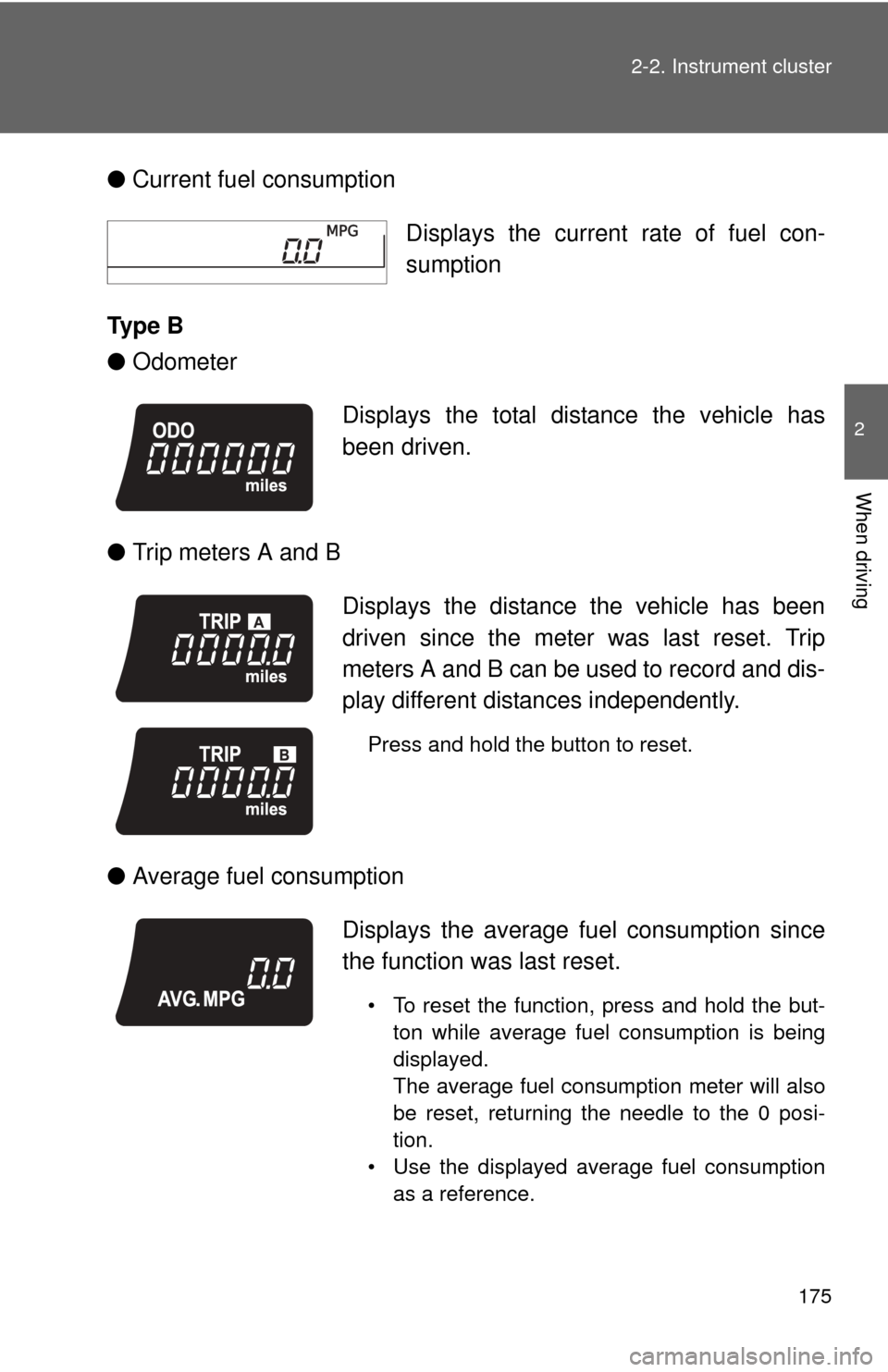
●
Current fuel consumption
Ty p e B
● Odometer
● Trip meters A and B
● Average fuel consumption Displays the current rate of fuel con-
sumption
Displays the total distance the vehicle has
been driven.
Displays the distance the vehicle has been
driven since the meter was last reset. Trip
meters A and B can be used to record and dis-
play different distances independently.
Press and hold the button to reset.
Displays the average fu el consumption since
the function was last reset.
• To reset the function, press and hold the but- ton while average fuel consumption is being
displayed.
The average fuel consumption meter will also
be reset, returning the needle to the 0 posi-
tion.
• Use the displayed average fuel consumption as a reference.
Page 177 of 540
177
2-2. Instrument cluster
2
When driving
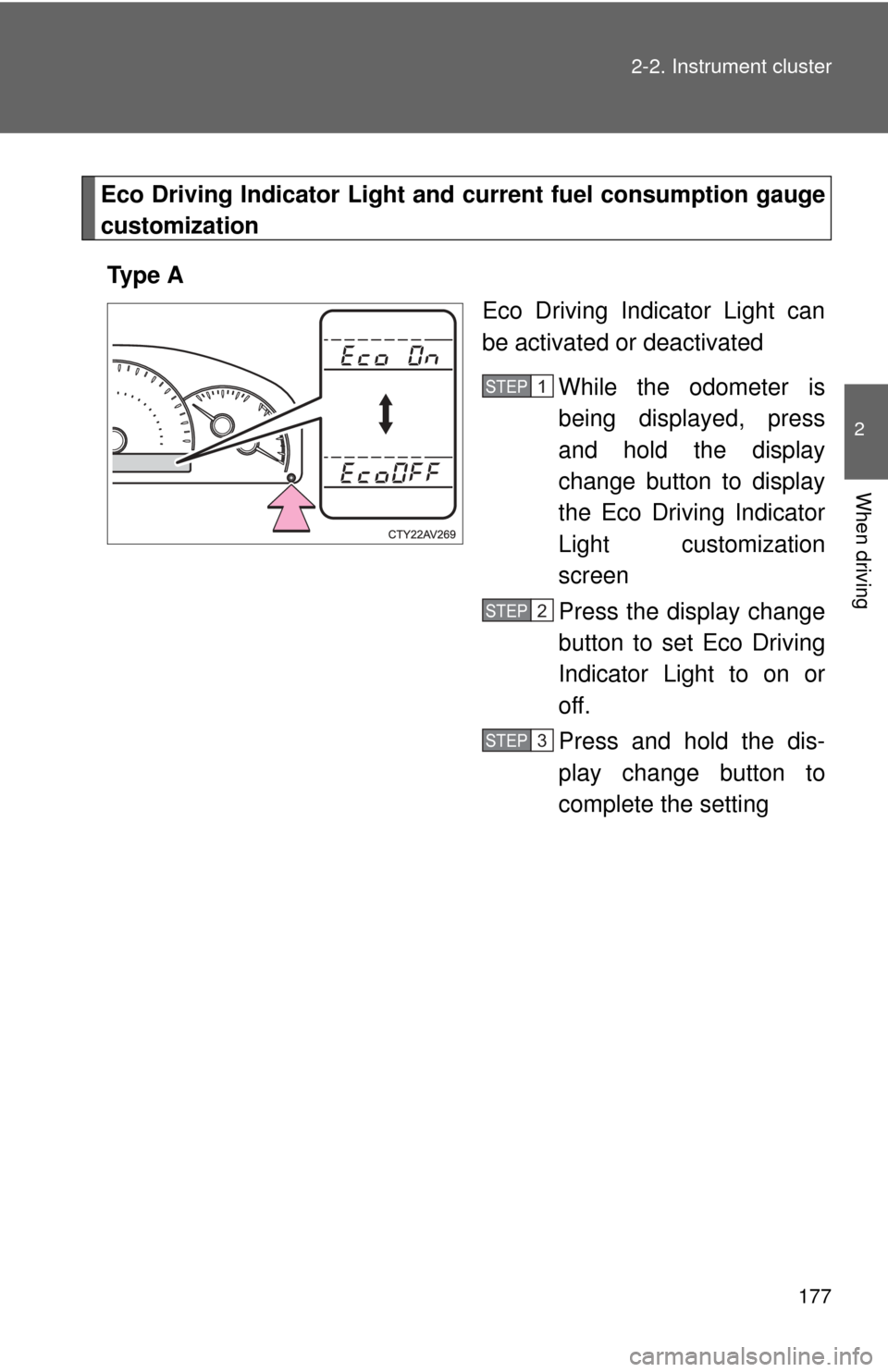
Eco Driving Indicator Light and
current fuel consumption gauge
customization
Ty p e A Eco Driving Indicator Light can
be activated or deactivated
While the odometer is
being displayed, press
and hold the display
change button to display
the Eco Driving Indicator
Light customization
screen
Press the display change
button to set Eco Driving
Indicator Light to on or
off.
Press and hold the dis-
play change button to
complete the setting
STEP1
STEP2
STEP3