fuel TOYOTA CAMRY 2013 XV50 / 9.G User Guide
[x] Cancel search | Manufacturer: TOYOTA, Model Year: 2013, Model line: CAMRY, Model: TOYOTA CAMRY 2013 XV50 / 9.GPages: 540, PDF Size: 7 MB
Page 91 of 540

91
1-5. Refueling
1
Before driving
CAUTION
■
When refueling the vehicle
Observe the following precautions while refueling the vehicle. Failure to do
so may result in death or serious injury.
●After exiting the vehicle and before opening the fuel door, touch an
unpainted metal surface to discharge any st atic electricity. It is important to
discharge static electricity before refueling because sparks resulting from
static electricity can cause fuel vapors to ignite while refueling.
● Always hold the grips on the fuel tank cap and turn it slowly to remove it.
A whooshing sound may be heard when the fuel tank cap is loosened.
Wait until the sound cannot be heard before fully removing the cap. In hot
weather, pressurized fuel may spray out the filler neck and cause injury.
● Do not allow anyone that has not discharged static electricity from their
body to come close to an open fuel tank.
● Do not inhale vaporized fuel.
Fuel contains substances that are harmful if inhaled.
● Do not smoke while refueling the vehicle.
Doing so may cause the fuel to ignite and cause a fire.
● Do not return to the vehicle or touch any person or object that is statically
charged.
This may cause static electricity to build up, resulting in a possible ignition
hazard.
■ When refueling
Securely insert the fuel nozzle into the fuel filler neck. If fuel is added with
the nozzle slightly lifted away from the fuel filler neck, the automatic shut off
function may not operate, resulting in fuel overflowing from the tank.
■ When replacing the fuel cap
Do not use anything but a genuine Toyota fuel tank cap designed for your
vehicle. Doing so may cause a fire or other incident which may result in
death or serious injury.
Page 92 of 540

92 1-5. Refueling
NOTICE
■Refueling
●Do not spill fuel during refueling.
Doing so may damage the vehicle, such as causing the exhaust systems
to operate abnormally or damaging fuel system components or the vehi-
cle's painted surface.
● Do not continue adding fuel after the automatic shut off function is oper-
ated if it is equipped on the gasoline pump. The sensor in the fuel tank
may misjudge the amount of fuel remaining.
■ E85 fuel
E85 fuel can be used only in flex-fuel vehicles. Do not add E85 fuel to a gas-
oline-engine vehicle.
Filling a gasoline-engine vehicle with E85 will have a negative impact on
starting and driving performance and will cause damage to the fuel system
components.
Page 136 of 540
136 2-1. Driving procedures
■Drum-in-disc type parking brake system
Your vehicle has a drum-in-disc type parking brake system. This type of
brake system needs bedding-down of the brake shoes periodically or when-
ever the parking brake shoes and/or drum are replaced. Have your Toyota
dealer perform the bedding down operation.
■ Operating your vehicle in a foreign country
Comply with the relevant vehicle registration laws and confirm the availability
of the correct fuel. ( P. 475)
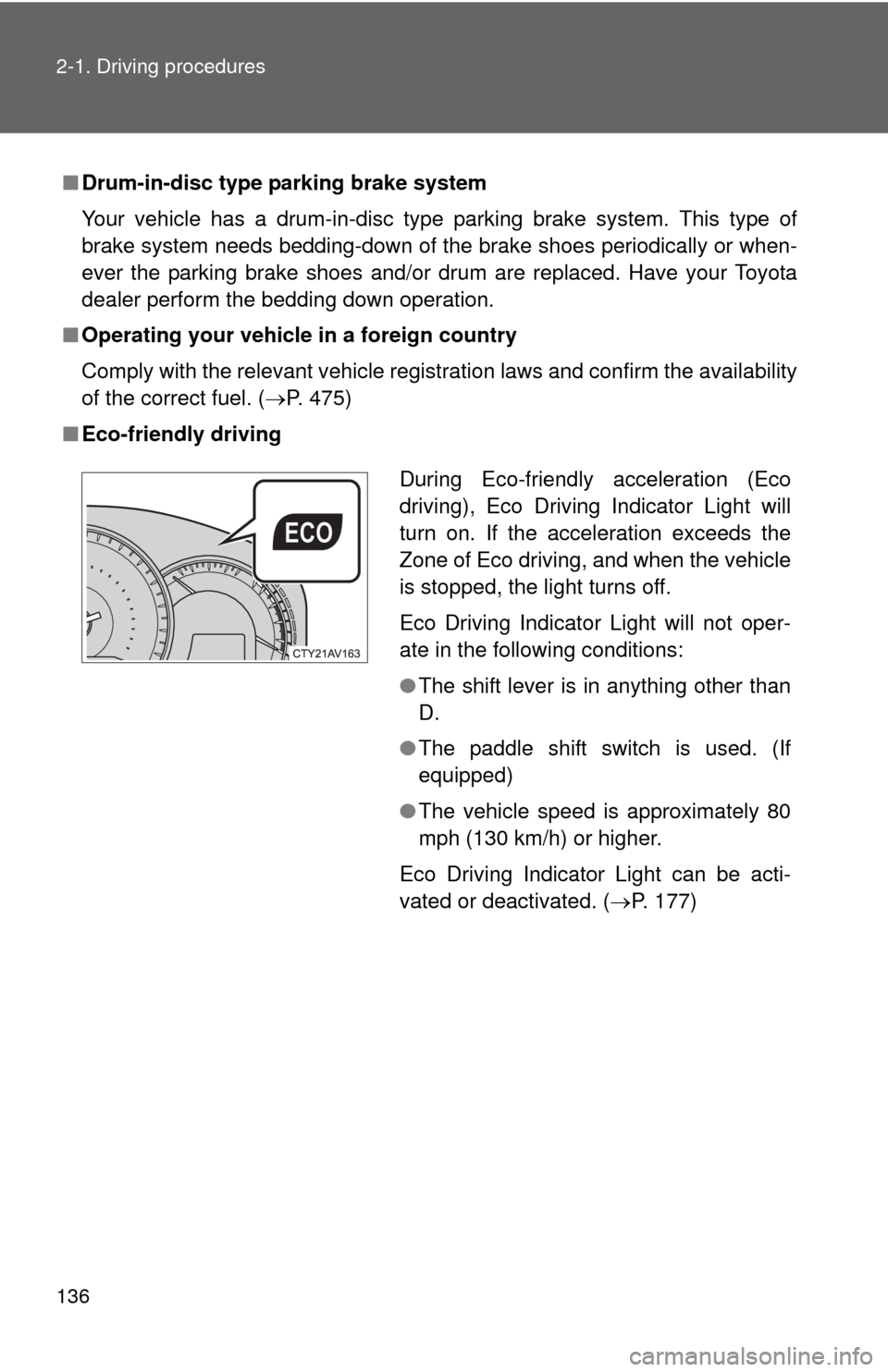
■ Eco-friendly driving
During Eco-friendly acceleration (Eco
driving), Eco Driving Indicator Light will
turn on. If the acceleration exceeds the
Zone of Eco driving, and when the vehicle
is stopped, the light turns off.
Eco Driving Indicator Light will not oper-
ate in the following conditions:
●The shift lever is in anything other than
D.
● The paddle shift switch is used. (If
equipped)
● The vehicle speed is approximately 80
mph (130 km/h) or higher.
Eco Driving Indicator Light can be acti-
vated or deactivated. ( P. 177)
Page 156 of 540
156 2-1. Driving procedures
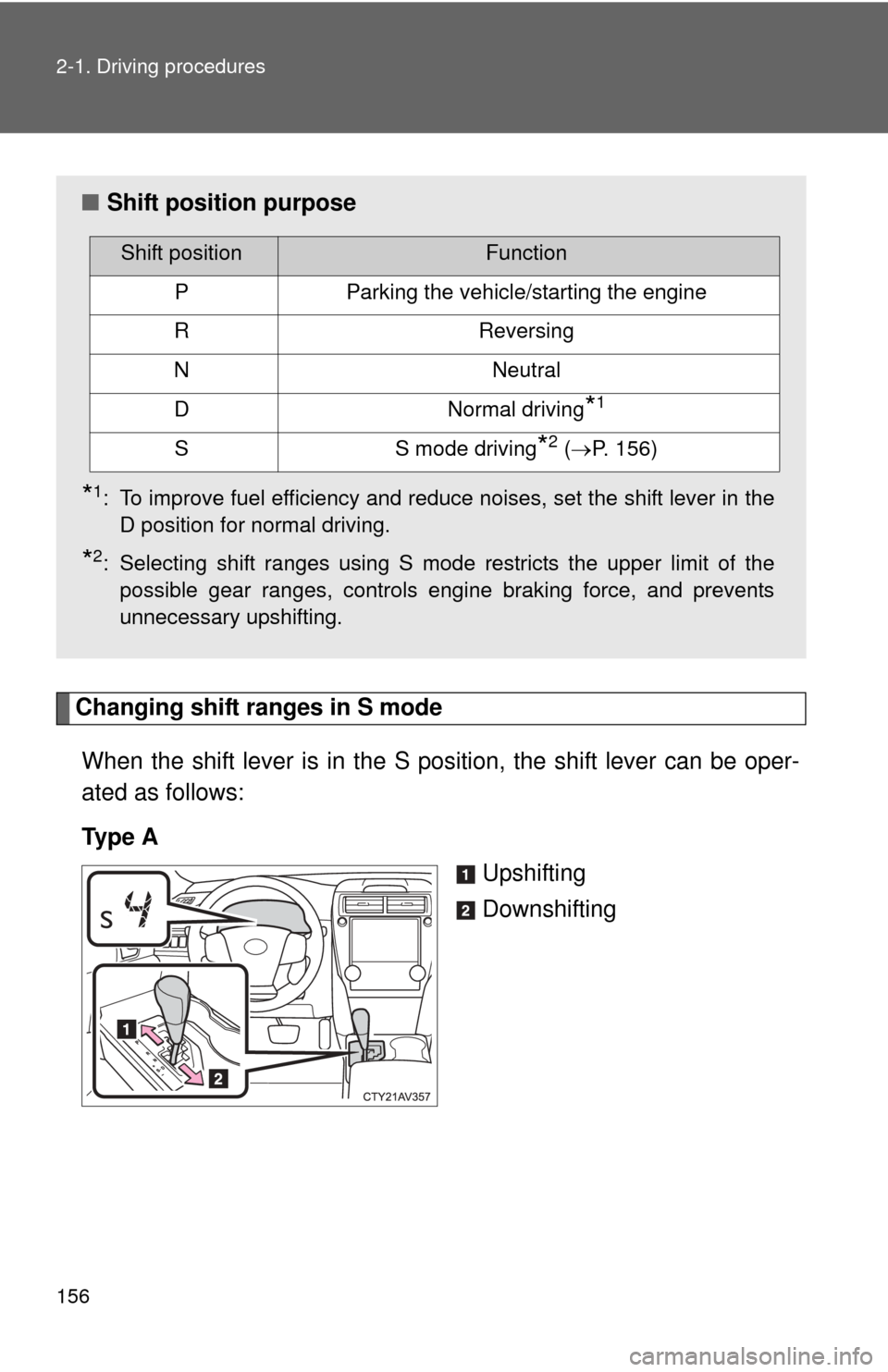
Changing shift ranges in S modeWhen the shift lever is in the S position, the shift lever can be oper-
ated as follows:
Ty p e A Upshifting
Downshifting
■Shift position purpose
*1: To improve fuel efficiency and reduce noises, set the shift lever in the
D position for normal driving.
*2: Selecting shift ranges using S mode restricts the upper limit of thepossible gear ranges, controls engine braking force, and prevents
unnecessary upshifting.
Shift positionFunction
PParking the vehicle/starting the engine
RReversing
NNeutral
DNormal driving*1
SS mode driving*2 (P. 156)
Page 160 of 540
160 2-1. Driving procedures
■Shift position purpose
*1: To improve fuel efficiency and reduce noises, set the shift lever in the
D position for normal driving.
*2: Selecting shift ranges using S mode restricts the upper limit of thepossible gear ranges, controls engine braking force, and prevents
unnecessary upshifting.
Shift positionFunction
PParking the vehicle/starting the engine
RReversing
NNeutral
DNormal driving*1
SS mode driving*2 (P. 162)
Page 170 of 540
170
2-2. Instrument cluster
Gauges and meters
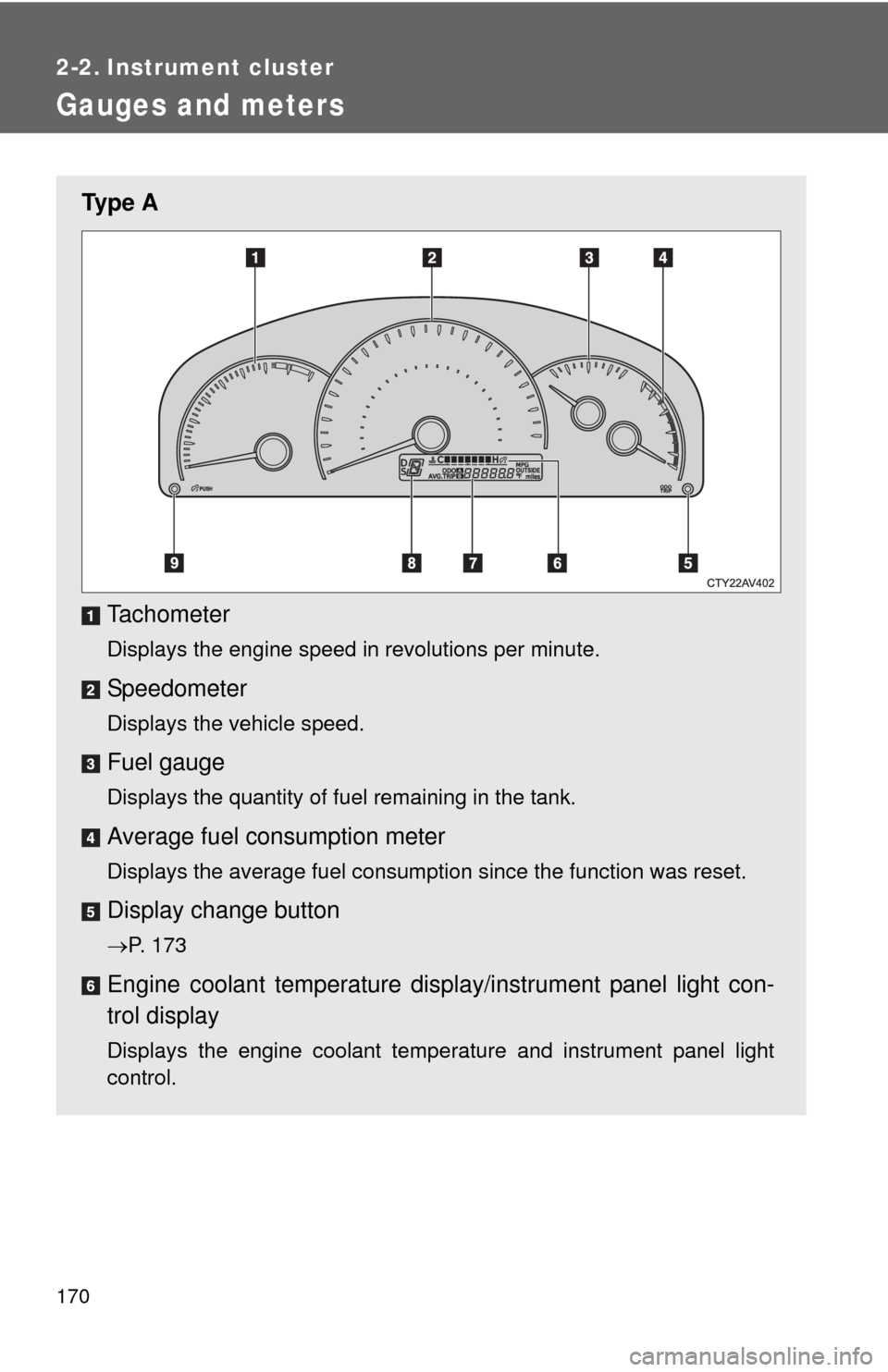
Ty p e ATachometer
Displays the engine speed in revolutions per minute.
Speedometer
Displays the vehicle speed.
Fuel gauge
Displays the quantity of fuel remaining in the tank.
Average fuel consumption meter
Displays the average fuel consumption since the function was reset.
Display change button
P. 173
Engine coolant temperature displa y/instrument panel light con-
trol display
Displays the engine coolant temperature and instrument panel light
control.
Page 171 of 540
171
2-2. Instrument cluster
2
When driving
Odometer/trip meter/outside temperature/average fuel con-
sumption/current fuel
consumption display.
P. 173
Shift position/shift range display
Displays the currently selected shift position and the shift range.
P. 155
Instrument panel light control button
P. 176
Page 172 of 540
172 2-2. Instrument cluster
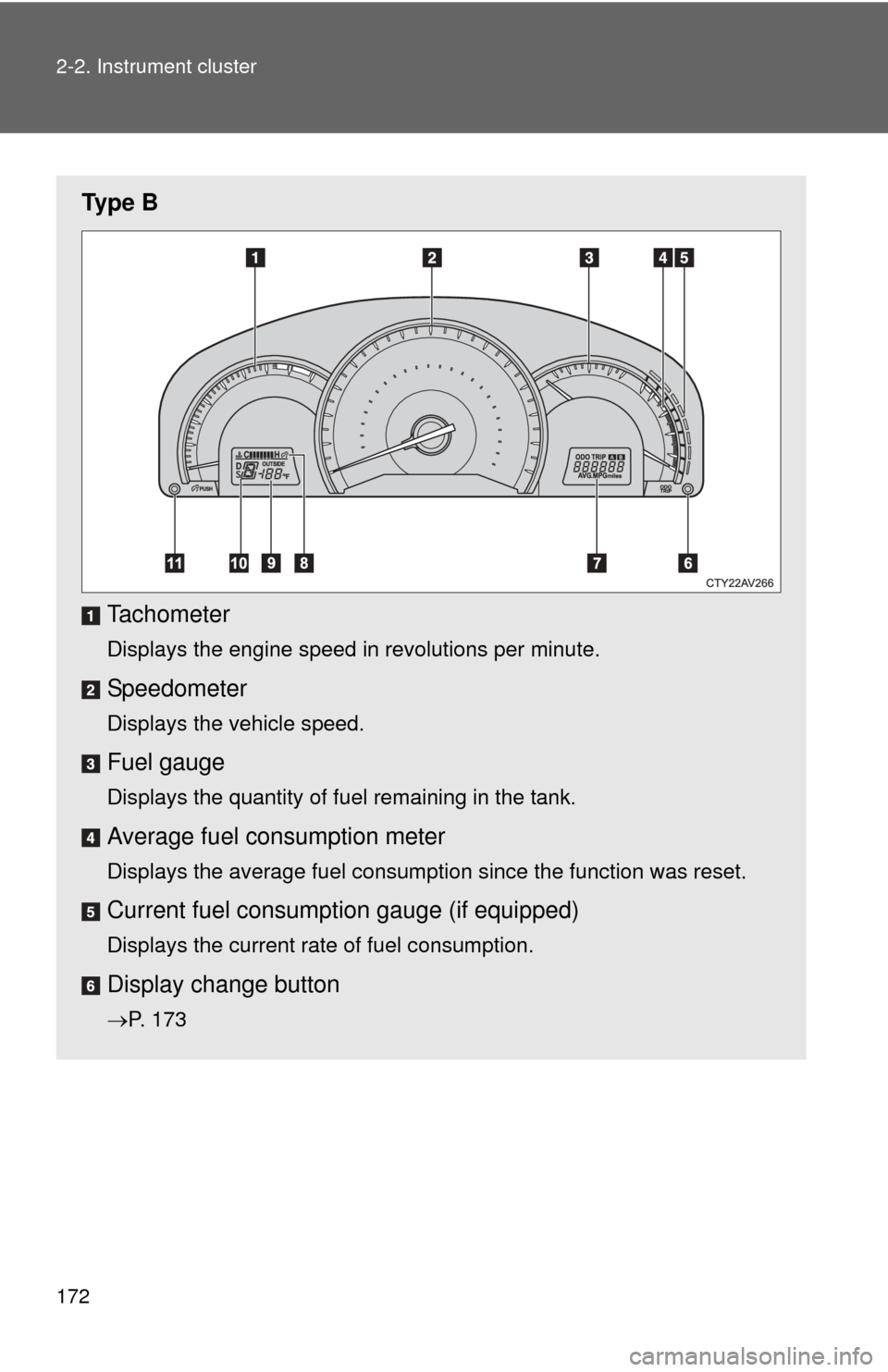
Ty p e BTachometer
Displays the engine speed in revolutions per minute.
Speedometer
Displays the vehicle speed.
Fuel gauge
Displays the quantity of fuel remaining in the tank.
Average fuel consumption meter
Displays the average fuel consumption since the function was reset.
Current fuel consumpt ion gauge (if equipped)
Displays the current rate of fuel consumption.
Display change button
P. 173
Page 173 of 540
173
2-2. Instrument cluster
2
When driving
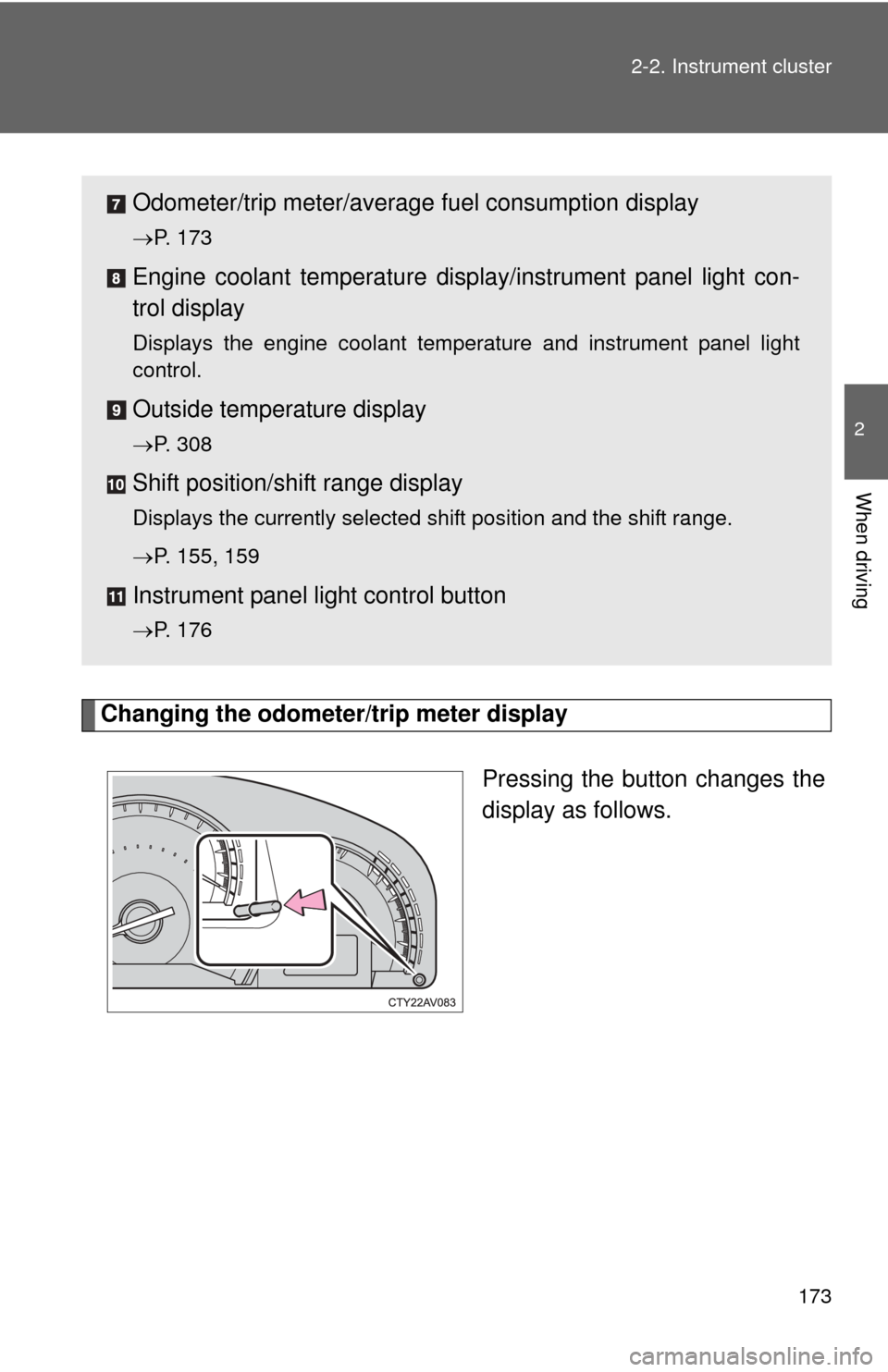
Changing the odometer/trip meter display
Pressing the button changes the
display as follows.
Odometer/trip meter/average fuel consumption display
P. 173
Engine coolant temperature displa y/instrument panel light con-
trol display
Displays the engine coolant temperature and instrument panel light
control.
Outside temperature display
P. 308
Shift position/shift range display
Displays the currently selected shift position and the shift range.
P. 155, 159
Instrument panel light control button
P. 176
Page 174 of 540
174 2-2. Instrument cluster
Ty p e A
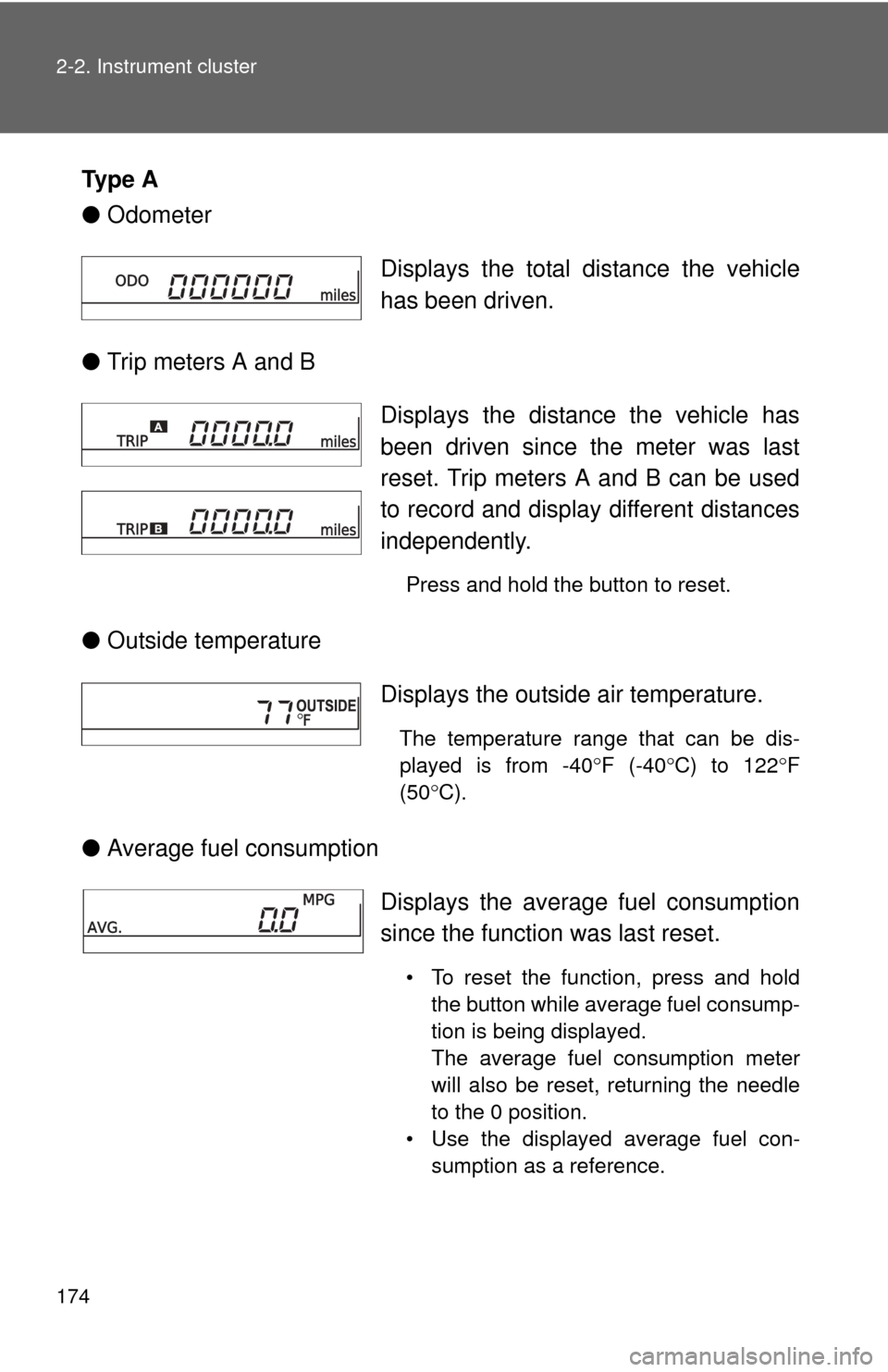
●Odometer
● Trip meters A and B
● Outside temperature
● Average fuel consumption Displays the total distance the vehicle
has been driven.
Displays the distance the vehicle has
been driven since the meter was last
reset. Trip meters A and B can be used
to record and display different distances
independently.
Press and hold the button to reset.
Displays the outside air temperature.
The temperature range that can be dis-
played is from -40
F (-40 C) to 122 F
(50 C).
Displays the average fuel consumption
since the function was last reset.
• To reset the function, press and hold
the button while average fuel consump-
tion is being displayed.
The average fuel consumption meter
will also be reset, returning the needle
to the 0 position.
• Use the displayed average fuel con- sumption as a reference.