reset TOYOTA CAMRY HV 2009 User Guide
[x] Cancel search | Manufacturer: TOYOTA, Model Year: 2009, Model line: CAMRY HV, Model: TOYOTA CAMRY HV 2009Pages: 444, PDF Size: 6.46 MB
Page 225 of 444
225
3-3. Using the hand
s-free phone system (for cellular phone)
3
Interior features
Dialing by inputting a name
Press the talk switch and say “Dial by name”.
Select a registered name to be input by either of the following
methods:
a. Press the talk switch and say a registered name.
b. Press the talk switch and sa y “List names”. Press the talk
switch while the desired name is being read aloud.
Dial by one of the following methods:
a. Press the off-hook switch.
b. Press the talk switch and say “Dial”.
c. Select “Dial” by using .
Speed dialing
Press the off-hook switch.
Press the preset button in which the desired number is regis-
tered.
Press the off-hook switch.
When receiving a phone call■ Answering the phone
Press the off-hook switch.
■ Refusing the call
Press the on-hook switch.
STEP1
STEP2
STEP3
STEP1
STEP2
STEP3
Page 241 of 444
241
3-3. Using the hand
s-free phone system (for cellular phone)
3
Interior features
Select the desired preset butt on, and register the data into
speed dial by either of the following methods:
a. Press the desired preset button, and select “Confirm” by
using a voice command or .
b. Press and hold the desired preset button.
Changing a registered name
Select “Change Name” by using a voice command or .
Select the name to be changed by either of the following
methods.
a. Press the talk switch, say desired name, and select “Con-
firm” by using a voice command or
.
b. Press the talk switch, and say “List names”. While the
desired name is being read al oud, press the talk switch,
and select “Confirm” by using a voice command or .
c. Select the desired name by using .
Select “Record Name” with or the talk switch.
Say a new name, and select “Con firm” by using a voice com-
mand or .
STEP3
STEP1
STEP2
STEP3
STEP4
Page 242 of 444
242 3-3. Using the hands-free phone system (for cellular phone)
Deleting registered data
Select “Delete Entry” by using a voice command or .
Pattern A Select the data to be deleted by either of the following meth-
ods, and select “Confirm” by using a voice command or
:
a. Press the talk switch, and say the name of the desired phone number to be deleted.
b. Press the talk switch, say “List phones”. While the name of the desired phone number is bei ng read aloud, press the
talk switch.
Pattern B
Select the data to be deleted by using .
Deleting speed dials Select “Delete Speed Dial (Del Spd Dial)” by using a voice
command or .
Press the preset button in which the desired speed dial is reg-
istered, and select “Confirm” by using a voice command or
.
STEP1
STEP2
STEP2
STEP1
STEP2
Page 295 of 444
295
4-3. Do-it-yourself maintenance
4
Maintenance and care
■
After changing the engine oil (U.S.A. only)
To reset the oil change system, follow the procedure below:
Turn off the hybrid system with the trip meter A reading shown.
( →P. 145)
The “POWER” switch must be set in ON mode while holding down
the trip meter reset knob. A message “OIL MILEAGE RESET MODE” will
appear on the display.
Hold down the knob for at least 5 seconds. A message “COM-
PLETE” will appear and the message “OIL MILEAGE RESET MODE” goes
off.
CAUTION
■ Used engine oil
●Used engine oil contains potentially harmful contaminants which may
cause skin disorders such as inflammation or skin cancer, so care should
be taken to avoid prolonged and repeated contact. To remove used engine
oil from your skin, wash thoroughly with soap and water.
● Dispose of used oil and filters only in a safe and acceptable manner. Do
not dispose of used oil and filters in household trash, in sewers or onto the
ground. Call your Toyota dealer, service station or auto parts store for
information concerning recycling or disposal.
● Do not leave used engine oil within the reach of children.
NOTICE
■To prevent serious engine damage
Check the oil level on a regular basis.
■ When replacing the engine oil
●Be careful not to spill engine oil on the vehicle components.
● Avoid overfilling, as the engine could be damaged.
● Check the oil level on the dipstick every time you refill the vehicle.
● Be sure the engine oil filler cap is properly tightened.
STEP1
STEP2
STEP3
Page 306 of 444
306 4-3. Do-it-yourself maintenance
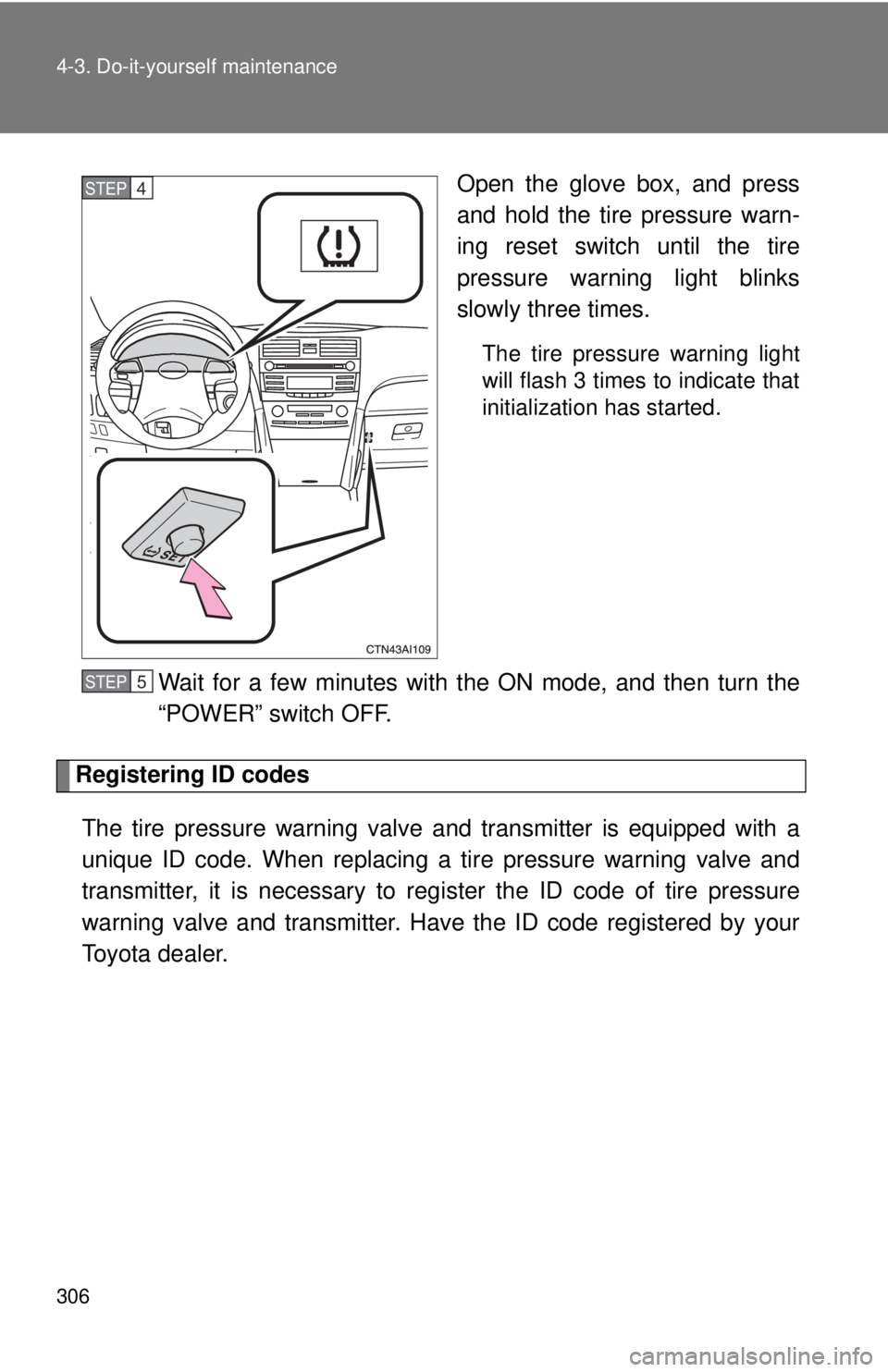
Open the glove box, and press
and hold the tire pressure warn-
ing reset switch until the tire
pressure warning light blinks
slowly three times.
The tire pressure warning light
will flash 3 times to indicate that
initialization has started.
Wait for a few minutes with the ON mode, and then turn the
“POWER” switch OFF.
Registering ID codesThe tire pressure warning valve and transmitter is equipped with a
unique ID code. When replacing a tire pressure warning valve and
transmitter, it is necessary to regi ster the ID code of tire pressure
warning valve and transmitter. Have the ID code registered by your
Toyota dealer.
STEP4
STEP5
Page 307 of 444
307
4-3. Do-it-yourself maintenance
4
Maintenance and care
■When to replace your vehicle’s tires
Tires should be replaced if:
●You have tire damage such as cuts, splits, cracks deep enough to
expose the fabric or bulges indicating internal damage
●A tire goes flat repeatedly or cann
ot be properly repaired due to the
size or location of a cut or other damage
If you are not sure, consult with your Toyota dealer.
■Replacing tires and wheels
If the ID code of the tire pressure warning valve and transmitter is not
registered, the tire pressure warni ng system will not work properly. After
about 20 minutes, the tire pressure warning light comes on after blinking
for 1 minute to indicate a system malfunction.
■Tire life
Any tire over 6 years old must be checked by a qualified technician even
if they have seldom or never been used or damage is not obvious.
■If the tread wears down below 0.16 in. (4 mm) on snow tires
The effectiveness of snow tires is lost.
■If you press the tire pressure warning reset switch accidentally
If initialization is performed, adjust the tire inflation pressure to the specified
level and initialize the tire pressure warning system again.
Page 308 of 444

308 4-3. Do-it-yourself maintenance
■When the initialization of the tire pressure warning system has failed
Initialization can be completed in a few minutes. However, in the following
cases, the settings has not been recorded and the system will not operate
properly. If repeated attempts to record tire inflation pressure settings are
unsuccessful, have the vehicle inspected by your Toyota dealer.
● When operating the tire pressure warning reset switch, the tire pressure
warning light does not flash 3 times.
● After driving for a certain period of time since the initialization has been
completed, the tire pressure warning light comes on after blinking for 1
minute.
■
Routine tire inflation pressure checks
The tire pressure warning system doe s not replace routine tire inflation
pressure checks. Make sure to check tire inflation pressure as part of
your routine of daily vehicle checks.
■Maximum load of tire
Check that the maximum load of the re placed tire is greater than 1/2 of
the Gross Axle Weight Ratings (GAWR) of either the front axle or the
rear axle, whichever is greater.
For the maximum load of the tire, see the load limit at maximum cold tire
inflation pressure mentioned on the sidewall of the tire, and for the Gross
Axle Weight Ratings (GAWR), s ee the Certification Label. (→P. 313,
409).
Page 311 of 444
311
4-3. Do-it-yourself maintenance
4
Maintenance and care
CAUTION
■When inspecting or replacing tires
Observe the following precautions to prevent accidents.
Failure to do so may cause damage to parts of the drive train, as well as
dangerous handling characteristics, wh
ich may lead to fatal accidents or
injury.
●Do not mix tires of different makes, models, tread patterns or tread-
wear.
●Do not use tire sizes other than those recommended by Toyota.
●Do not mix radial, bias-belted, or bias-ply tires.
●Do not mix summer, all season and winter tires.
■When initializing the tire pressure warning system
Do not press the tire pressure warnin g reset switch without first adjusting
the tire inflation pressure to the spec ified level. Otherwise, the tire pres-
sure warning light may not come on even if the tire inflation pressure is
low, or it may come on when the tire inflation pressure is actually normal.
Page 352 of 444
352 5-2. Steps to take in an emergency
*1: Open door warning buzzer:The open door warning buzzer sounds to alert the driver that one or more of
the doors is not fully closed (with the vehicle having reached a speed of 3
mph [5 km/h]).
*
2: Driver's and front passenger’s seat belt reminders: The driver’s and front passenger’s seat belts reminder sound to alert the
driver and front passenger that his or her seat belt is not fastened. The
buzzer sounds intermittently for 10 seconds after the vehicle has reached a
speed of at least 12 mph (20 km/h). Then, if the seat belt is still unfastened,
the buzzer will sound in a different tone for 20 more seconds.
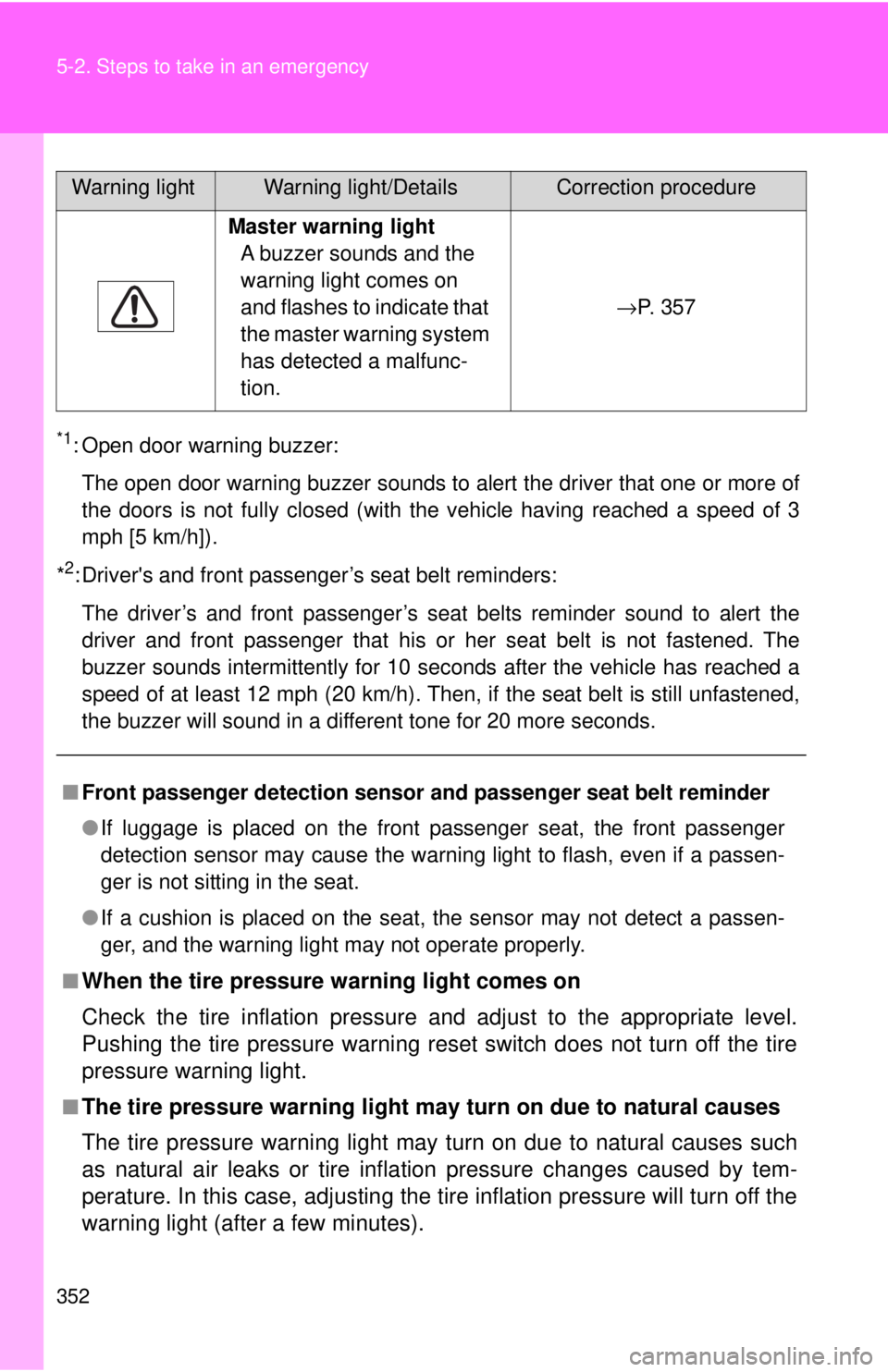
Master warning light A buzzer sounds and the
warning light comes on
and flashes to indicate that
the master warning system
has detected a malfunc-
tion. →P. 3 5 7
■ Front passenger detection sensor and passenger seat belt reminder
● If luggage is placed on the front passenger seat, the front passenger
detection sensor may cause the warning light to flash, even if a passen-
ger is not sitting in the seat.
● If a cushion is placed on the seat, the sensor may not detect a passen-
ger, and the warning light may not operate properly.
■
When the tire pressure warning light comes on
Check the tire inflation pressure and adjust to the appropriate level.
Pushing the tire pressure warning reset switch does not turn off the tire
pressure warning light.
■The tire pressure warning light ma y turn on due to natural causes
The tire pressure warning light may turn on due to natural causes such
as natural air leaks or tire inflat ion pressure changes caused by tem-
perature. In this case, adjusting the tire inflation pressure will turn off the
warning light (after a few minutes).
Warning lightWarning light/DetailsCorrection procedure
Page 361 of 444
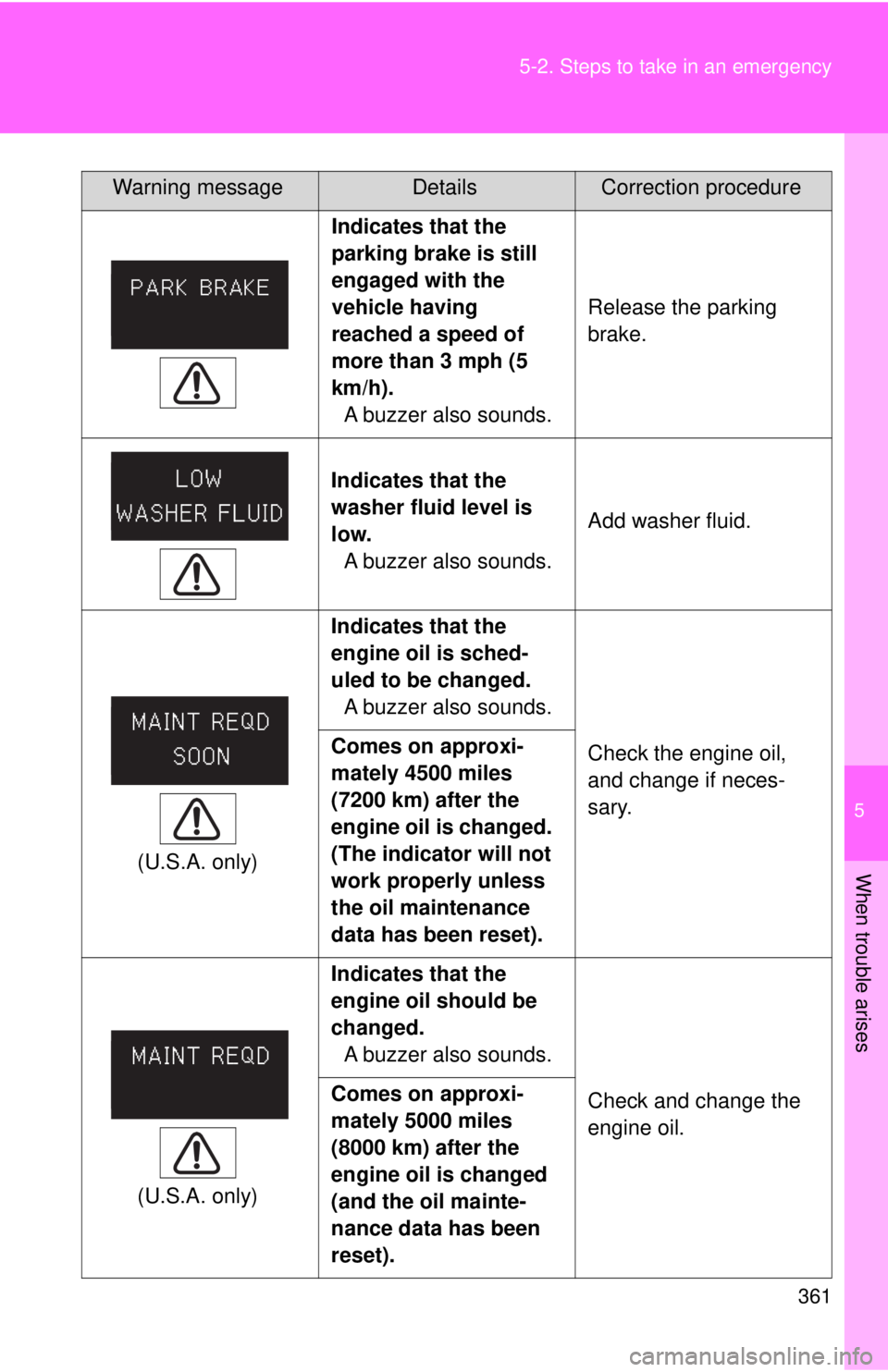
5
When trouble arises
361
5-2. Steps to take in an emergency
Indicates that the
parking brake is still
engaged with the
vehicle having
reached a speed of
more than 3 mph (5
km/h).
A buzzer also sounds. Release the parking
brake.
Indicates that the
washer fluid level is
low.
A buzzer also sounds. Add washer fluid.
(U.S.A. only) Indicates that the
engine oil is sched-
uled to be changed.
A buzzer also sounds.
Check the engine oil,
and change if neces-
sary.
Comes on approxi-
mately 4500 miles
(7200 km) after the
engine oil is changed.
(The indicator will not
work properly unless
the oil maintenance
data has been reset).
(U.S.A. only) Indicates that the
engine oil should be
changed.
A buzzer also sounds.
Check and change the
engine oil.
Comes on approxi-
mately 5000 miles
(8000 km) after the
engine oil is changed
(and the oil mainte-
nance data has been
reset).
Warning messageDetailsCorrection procedure