lights TOYOTA COROLLA 2010 10.G Owner's Manual
[x] Cancel search | Manufacturer: TOYOTA, Model Year: 2010, Model line: COROLLA, Model: TOYOTA COROLLA 2010 10.GPages: 476, PDF Size: 9.5 MB
Page 159 of 476
159
2-3. Operating the lights and wipers
2
When driving
■
The windshield wipers and w ashers can be operated when
Vehicles with smart key system
The “ENGINE START STOP” switch is in IGNITION ON mode.
Vehicles without smart key system
The engine switch is in the “ON” position.
■ If no windshield washer fluid sprays
Check that the washer nozzles are not blocked and if there is washer fluid in
the windshield washer fluid reservoir.
NOTICE
■When the windshield is dry
Do not use the wipers, as they may damage the windshield.
■ When there is no washer fluid spray from the nozzle
Damage to the washer fluid pump may be caused if the lever is pulled
toward you and held continually.
■ When a nozzle becomes blocked
Do not try to clear it with a pin or other object. The nozzle will be damaged.
Page 177 of 476
177
2-5. Driving information
2
When driving
■
Before towing
●Ensure that your vehicle’s tires are properly inflated. ( P. 338)
● Trailer tires should be inflated according to the trailer manufacturer's rec-
ommendation.
● All trailer lights must work in order to be legal.
● Confirm all lights work each time you connect them.
● Check that your vehicle remains level when a loaded or unloaded trailer
is hitched. Do not drive if the vehicle is not level, and check for improper
tongue load, overloading, worn suspension, or other possible causes.
● Make sure the trailer cargo is securely loaded.
● Check that your rear view mirrors c onform to any federal, state/provincial
or local regulations. If they do not, inst all rear view mirrors appropriate for
towing purposes.
■ Break-in schedule
Toyota recommends that you do not use a new vehicle or a vehicle with any
new power train components (engine, transmission, differential, wheel bear-
ings, etc.) to tow a trailer for the first 500 miles (800 km) of driving.
■ Maintenance
●If you tow a trailer, your vehicle will require more frequent maintenance
due to the additional load. (See “Scheduled Maintenance Guide” or
“Owner's Manual Supplement”.)
● Retighten the fixing bolts of the towing ball and bracket after approxi-
mately 600 miles (1000 km) of trailer towing.
Page 179 of 476
179
2-5. Driving information
2
When driving
Trailer towing tips
Your vehicle will handle differently when towing a trailer. The 3 main
causes of vehicle-trailer accidents are driver error, excessive speed
and improper trailer loading. Keep the following in mind when towing.
● Before starting out, check the trailer lights and the vehicle-trailer
connections. Recheck after driving a short distance.
● Practice turning, stopping and reve rsing with the trailer attached in
an area away from traffic until you become accustomed to the feel
of the vehicle.
NOTICE
■ When installing a trailer hitch
●Use only the position recommended by your Toyota dealer. Do not install
the trailer hitch on the bumper; this may cause body damage.
● Do not use axle-mounted hitches, as they can cause damage to the axle
housing, wheel bearings, wheels or tires.
■ Brakes
Toyota recommends trailers with brakes that conform to all applicable fed-
eral and state/provincial regulations.
■ Safety chain
A safety chain must always be used between the towing vehicle and the
trailer. Leave sufficient slack in the chain for turns. The chain should cross
under the trailer tongue to prevent the tongue from dropping to the ground in
the case that it becomes damaged or separated. For the correct safety chain
installation procedure, ask your Toyota dealer.
■ Do not directly splice trailer lights
Directly splicing trailer lights may damage your vehicle's electrical system
and cause a malfunction.
Page 187 of 476
Interior features3
187
3-3. Using the hands-free phone system (for cellular phone)
Hands-free phone system (for cellular phone)
features .......................... 232
Using the hands-free phone system
(for cellular phone) ......... 235
Making a phone call ......... 244
Setting a cellular phone ... 248
Security and system setup .............................. 253
Using the phone book ...... 257
3-4. Using the interior lights Interior lights list ............... 264
• Interior light .................... 266
• Personal lights ............... 266
• Personal/interior lights .............................. 267 3-5. Using the storage features
List of storage features .... 268
• Glove box....................... 269
• Console box ................... 269
• Cup holders ................... 271
• Auxiliary boxes ............... 273
• Bottle holders ................. 275
3-6. Other interior features Sun visors ........................ 276
Vanity mirrors ................... 277
Grocery bag hook ............ 278
Ashtrays ........................... 279
Cigarette lighter................ 280
Power outlet ..................... 281
Seat heaters..................... 283
Armrest ............................ 285
Floor mat .......................... 286
Trunk features .................. 287
Compass .......................... 288
Page 264 of 476
264
3-4. Using the interior lights
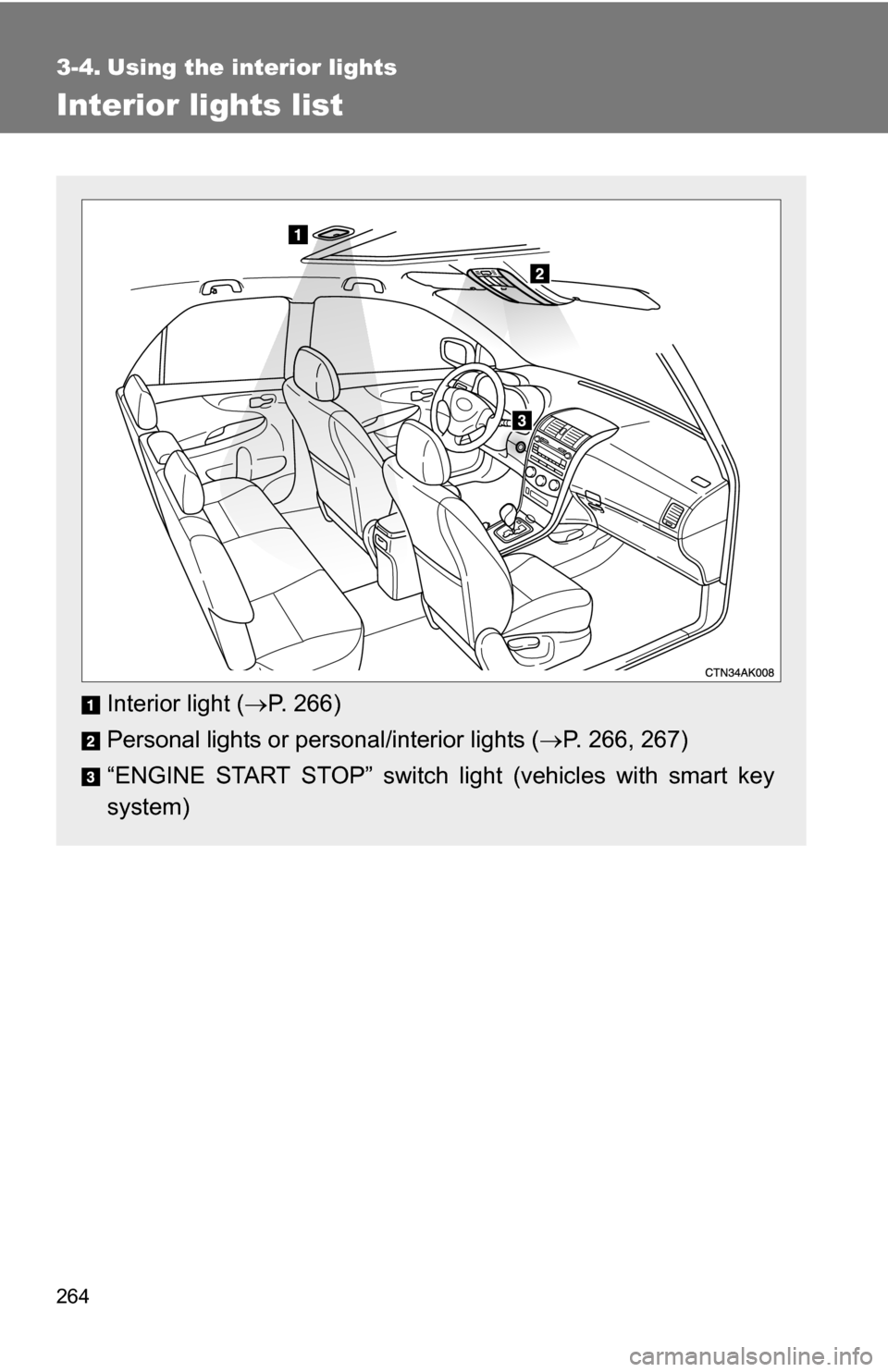
Interior lights list
Interior light (P. 266)
Personal lights or personal/interior lights ( P. 266, 267)
“ENGINE START STOP” switch light (vehicles with smart key
system)
Page 265 of 476
265
3-4. Using the interior lights
3
Interior features
■
Illuminated entry system
Vehicles without moon roof
The interior light (with the switch in the “DOOR” position) and “ENGINE
START STOP” switch light (vehicles with smart key system) automatically
turn on/off according to “ENGINE START STOP” switch mode (vehicles with
smart key system) or engine switch pos ition (vehicles without smart key sys-
tem), the presence of the electronic key (vehicles with smart key system),
whether the doors are locked/unlocked (vehicles with power door lock sys-
tem) and whether the doors are open/closed.
Vehicles with moon roof
The interior light, personal/interior lights (with the switch in the “DOOR” posi-
tion) and “ENGINE START STOP” switch light (vehicles with smart key sys-
tem) automatically turn on/off according to “ENGINE START STOP” switch
mode (vehicles with smart key system) or engine switch position (vehicles
without smart key system), the presence of the electronic key (vehicle\
s with
smart key system), whether the doors are locked/unlocked (vehicles with
power door lock system) and whether the doors are open/closed.
■ To prevent the battery from being discharged
If the interior light, personal/interior lights (vehicles with moon roof) and
“ENGINE START STOP” switch light (vehicles with smart key system)
remain on when the door is not fully closed and the switch is in the “DOOR”
position, the lights will go off automatically after 20 minutes.
■ Customization that can be co nfigured at Toyota dealer
Settings (e.g. The time elapsed before lights turn off) can be changed.
(Customizable features P. 449)
Page 266 of 476
266 3-4. Using the interior lights
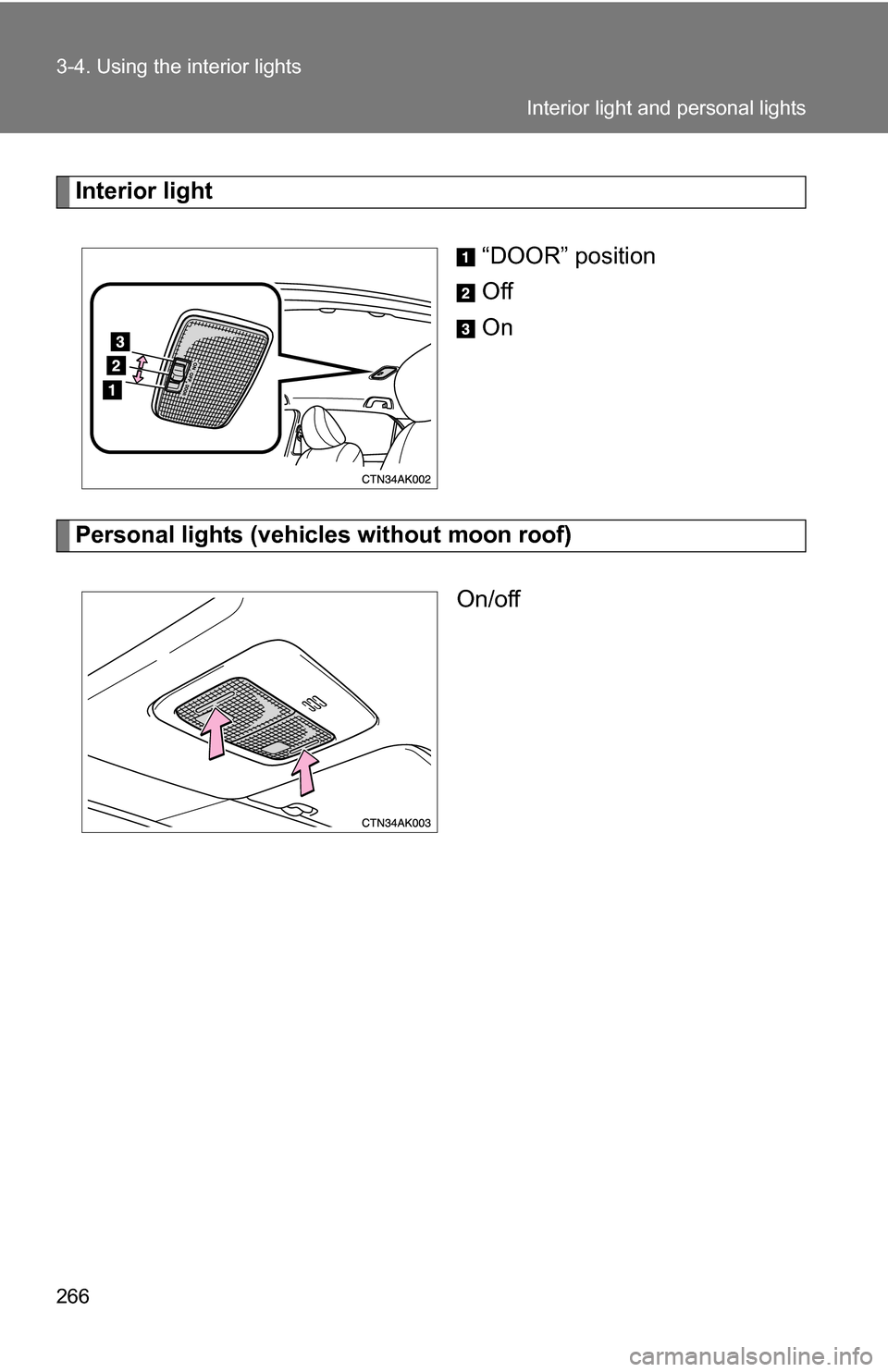
Interior light“DOOR” position
Off
On
Personal lights (vehicles without moon roof)On/off
Interior light and personal lights
Page 267 of 476
267
3-4. Using the interior lights
3
Interior features
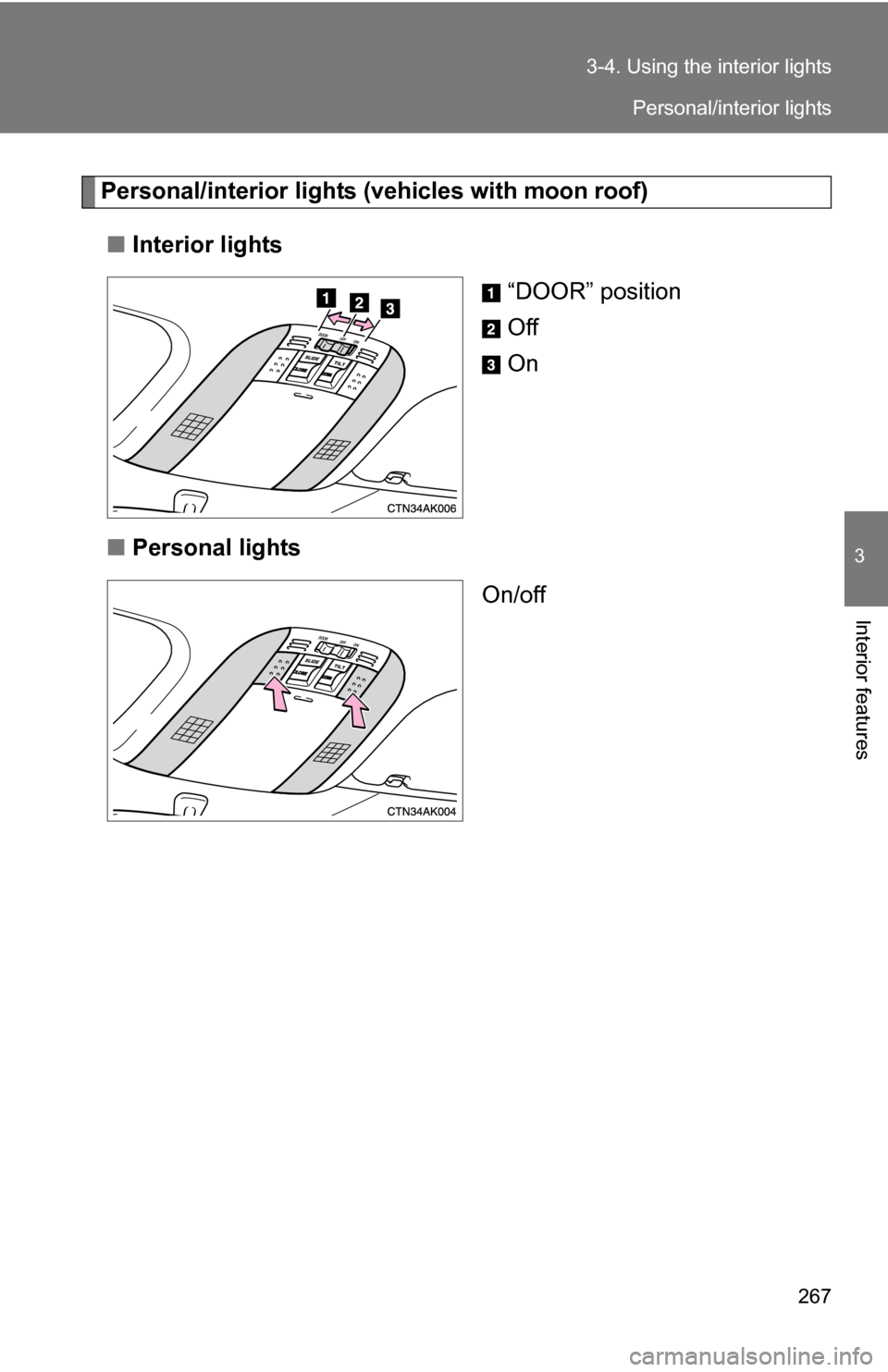
Personal/interior lights (
vehicles with moon roof)
■ Interior lights
“DOOR” position
Off
On
■ Personal lights
On/off
Personal/interior lights
Page 295 of 476
295
4-1. Maintenance and care
4
Maintenance and care
■
To prevent deteriorati on and body corrosion
● Wash the vehicle immediately in the following cases:
• After driving near the sea coast
• After driving on salted roads
• If you see coal tar or tree sap on the paint surface
• If you see dead insects or insect droppings on the paint
• After driving in an area contaminated with soot, oily smoke, mine dust,
iron powder or chemical substances
• If the vehicle becomes heavily soiled in dust or mud
• If liquids such as benzene and gasoline are spilled on the paint surface
● If the paint is chipped or scratched, have it repaired immediately.
CAUTION
■Caution about the exhaust pipe
Exhaust gasses cause the exhaust pipe to become quite hot.
When washing the vehicle, be careful not to touch the pipe until it has cooled
sufficiently, as touching a hot exhaust pipe can cause burns.
NOTICE
■To protect your vehicle’s painted surfaces
Do not use organic cleaners such as benzene or gasoline.
■ Cleaning the exterior lights
●Wash carefully. Do not use organic substances or scrub with a hard brush.
This may damage the surfaces of the lights.
● Do not apply wax on the surfaces of the lights. Wax may cause damage to
the lenses.
Page 302 of 476
302 4-2. Maintenance
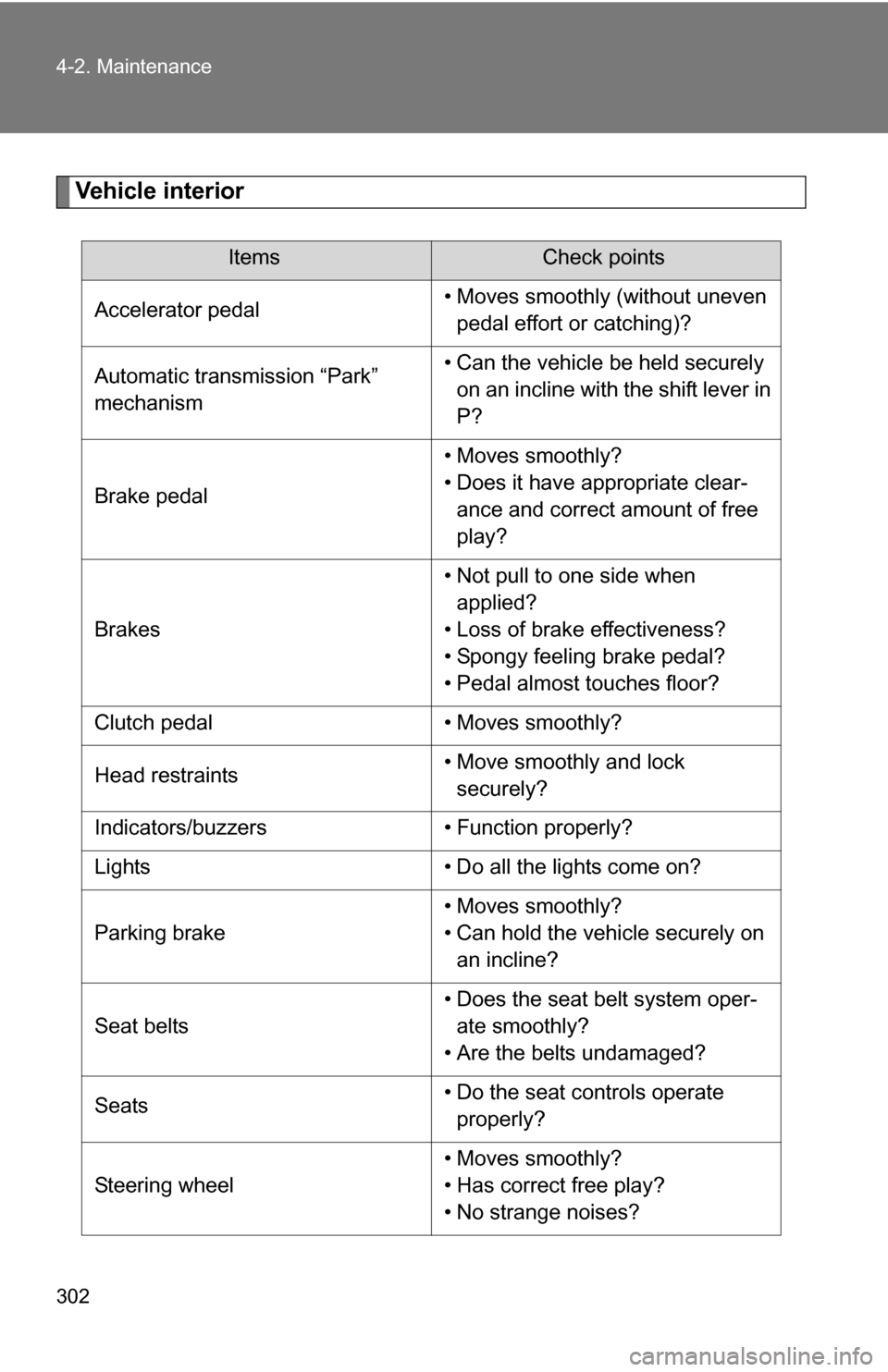
Vehicle interior
ItemsCheck points
Accelerator pedal • Moves smoothly (without uneven
pedal effort or catching)?
Automatic transmission “Park”
mechanism • Can the vehicle be held securely
on an incline with the shift lever in
P?
Brake pedal • Moves smoothly?
• Does it have appropriate clear-
ance and correct amount of free
play?
Brakes • Not pull to one side when
applied?
• Loss of brake effectiveness?
• Spongy feeling brake pedal?
• Pedal almost touches floor?
Clutch pedal • Moves smoothly?
Head restraints • Move smoothly and lock
securely?
Indicators/buzzers • Function properly?
Lights • Do all the lights come on?
Parking brake • Moves smoothly?
• Can hold the vehicle securely on
an incline?
Seat belts • Does the seat belt system oper-
ate smoothly?
• Are the belts undamaged?
Seats • Do the seat controls operate
properly?
Steering wheel • Moves smoothly?
• Has correct free play?
• No strange noises?