Interior TOYOTA COROLLA 2012 10.G Owner's Guide
[x] Cancel search | Manufacturer: TOYOTA, Model Year: 2012, Model line: COROLLA, Model: TOYOTA COROLLA 2012 10.GPages: 529, PDF Size: 8.07 MB
Page 233 of 529
233
3-2. Using the audio system
3
Interior features
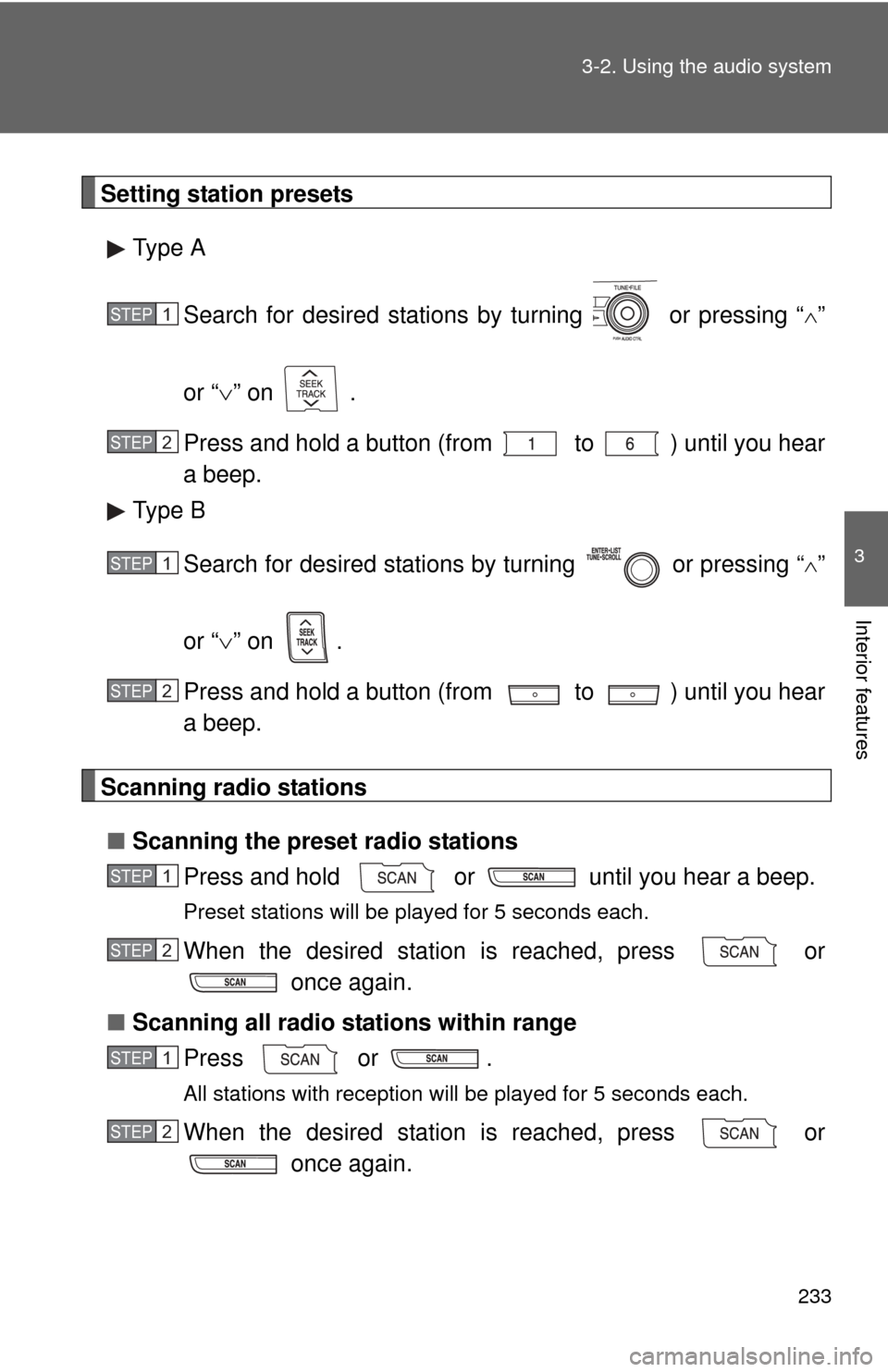
Setting station presets
Type A
Search for desired stations by turning or pressing “
”
or “ ” on .
Press and hold a button (from to ) until you hear
a beep.
Type B
Search for desired stations by turning or pressing “
”
or “ ” on .
Press and hold a button (from to ) until you hear
a beep.
Scanning radio stations
■ Scanning the preset radio stations
Press and hold or until you hear a beep.
Preset stations will be played for 5 seconds each.
When the desired station is reached, press or once again.
■ Scanning all radio stations within range
Press or .
All stations with reception will be played for 5 seconds each.
When the desired station is reached, press or once again.
STEP 1
STEP 2
STEP 1
STEP 2
STEP 1
STEP 2
STEP 1
STEP 2
Page 235 of 529
235
3-2. Using the audio system
3
Interior features
■
Certifications for the radio tuner
This equipment has been tested and found to comply with the limits for a
class B digital device, pursuant to Part 15 of the FCC Rules. These limits are
designed to provide reasonable protection against harmful interference in a
residential installation. This equipment generates, uses and can radiate
radio frequency energy and, if not installed and used in accordance with the
instructions, may cause harmful interference to radio communications. How-
ever, there is no guarantee that interference will not occur in a particular
installation.
If this equipment does cause harmful interference to radio or television
reception, which can be determined by turning the equipment off and on, the
user is encouraged to try to correct the interference by trying one or more of
the following:
●Reorienting or relocating the receiving antenna.
● Increasing the separation between the equipment and receiver.
● Connecting the equipment into an outlet on a circuit different from that to
which the receiver is connected.
● Consulting the dealer or an experienc ed radio/TV technician for help.
Page 237 of 529
237
3-2. Using the audio system
3
Interior features
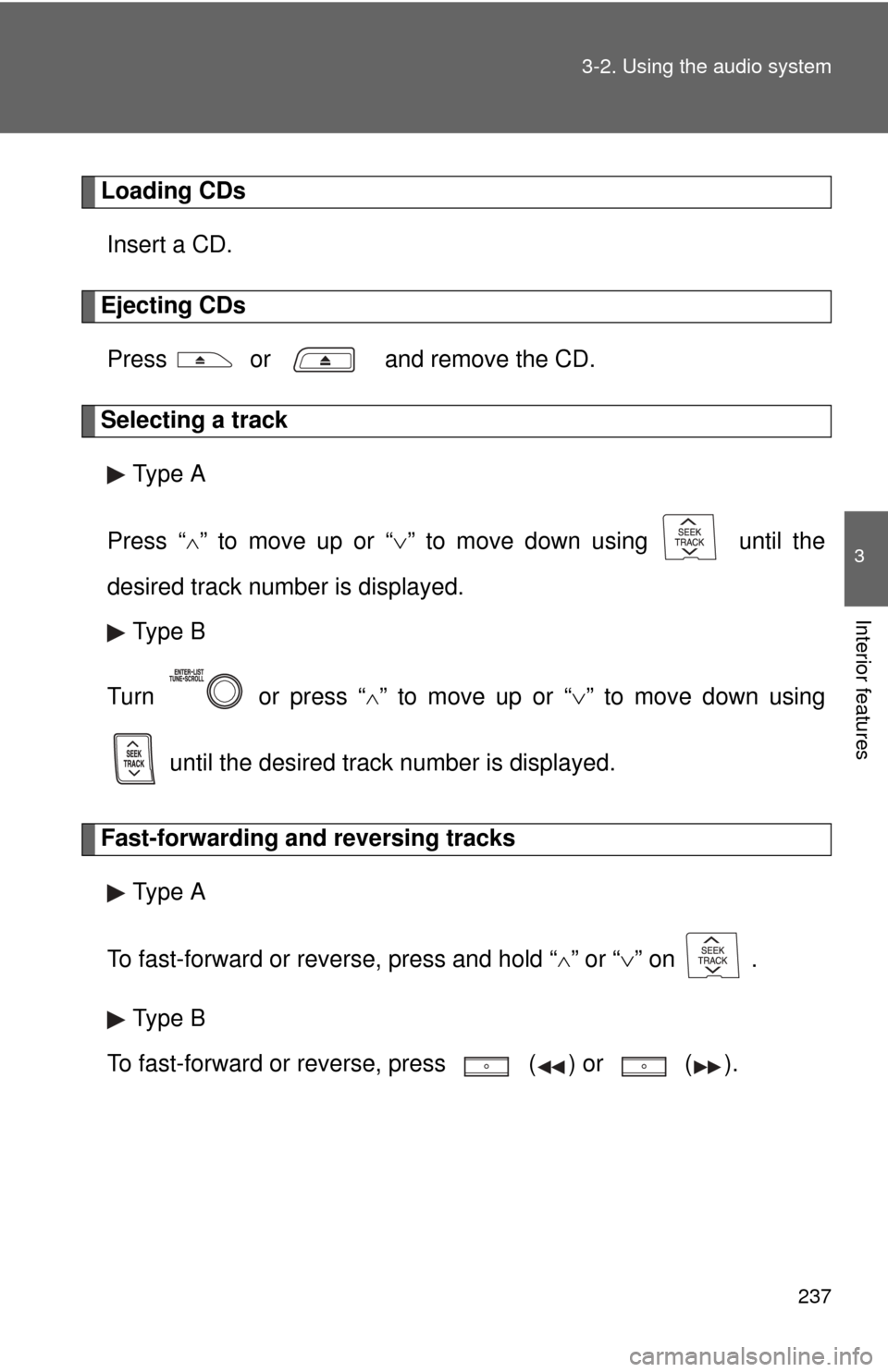
Loading CDs
Insert a CD.
Ejecting CDsPress or and remove the CD.
Selecting a track Type A
Press “
” to move up or “ ” to move down using until the
desired track number is displayed. Type B
Turn or press “
” to move up or “ ” to move down using
until the desired track number is displayed.
Fast-forwarding and reversing tracks Type A
To fast-forward or reverse, press and hold “
” or “ ” on .
Type B
To fast-forward or reverse, press ( ) or
().
Page 239 of 529
239
3-2. Using the audio system
3
Interior features
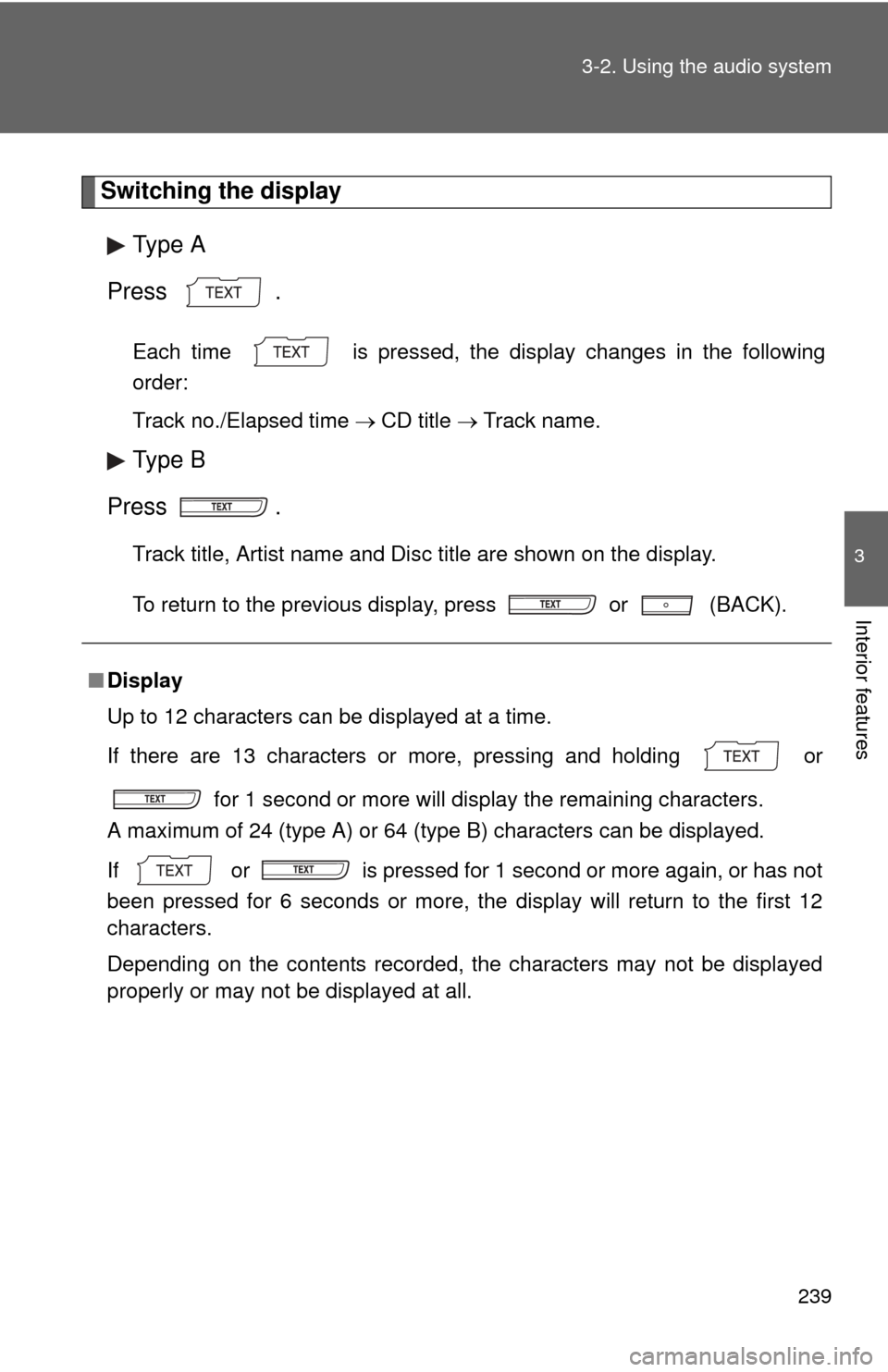
Switching the display
Type A
Press .
Each time is pressed, the display changes in the following
order:
Track no./Elapsed time CD title Track name.
Type B
Press .
Track title, Artist name and Disc title are shown on the display.
To return to the previous display, press or (BACK).
■ Display
Up to 12 characters can be displayed at a time.
If there are 13 characters or more, pressing and holding or
for 1 second or more will display the remaining characters.
A maximum of 24 (type A) or 64 (type B) characters can be displayed.\
If or is pressed for 1 second or more again, or has not
been pressed for 6 seconds or more, the display will return to the first 12
characters.
Depending on the contents recorded, the characters may not be displayed
properly or may not be displayed at all.
Page 241 of 529
241
3-2. Using the audio system
3
Interior features
NOTICE
■
CDs and adapters that cannot be used
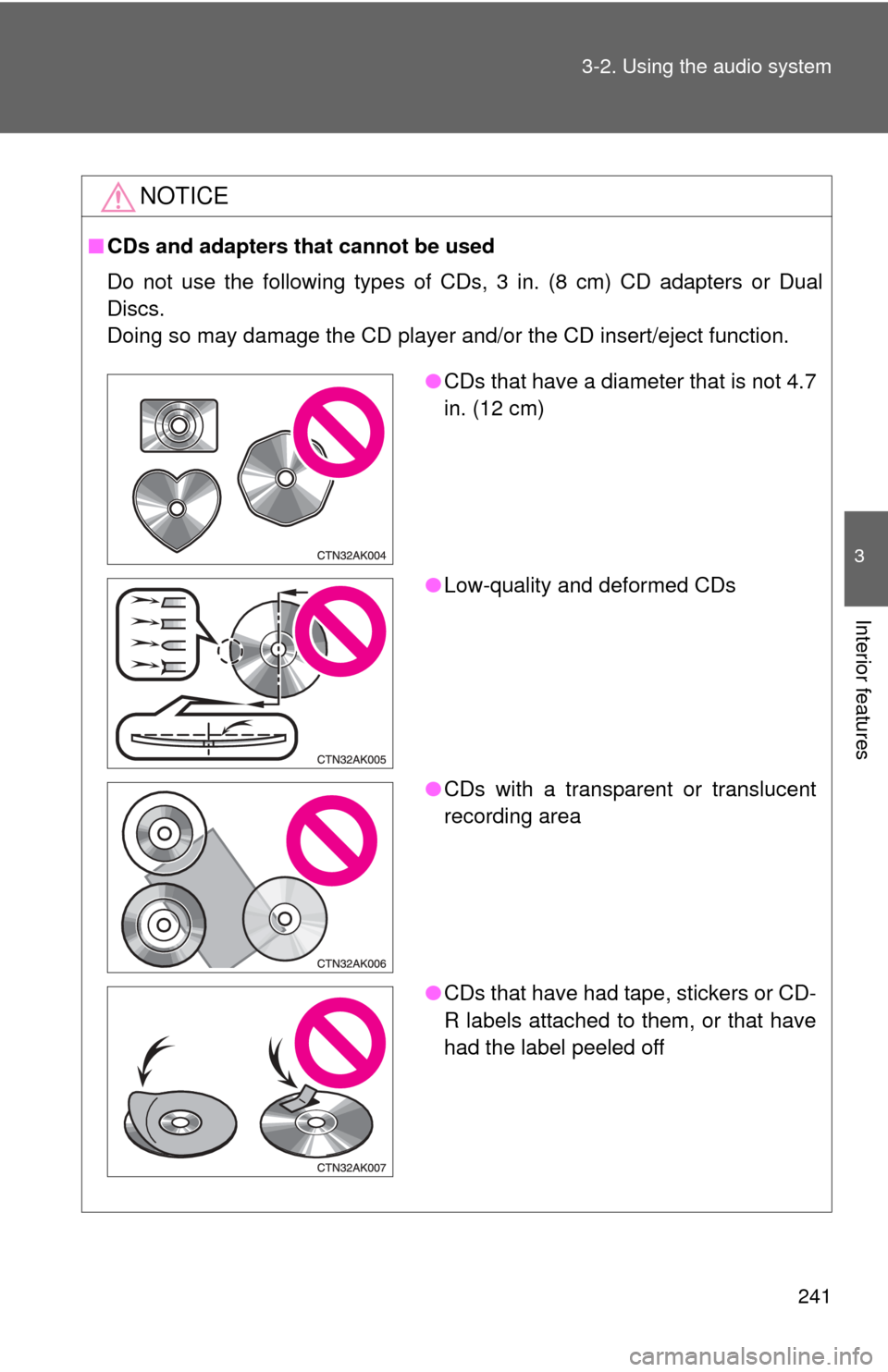
Do not use the following types of CDs, 3 in. (8 cm) CD adapters or Dual
Discs.
Doing so may damage the CD player and/or the CD insert/eject function.
●CDs that have a diameter that is not 4.7
in. (12 cm)
● Low-quality and deformed CDs
● CDs with a transparent or translucent
recording area
● CDs that have had tape, stickers or CD-
R labels attached to them, or that have
had the label peeled off
Page 243 of 529
243
3-2. Using the audio system
3
Interior features
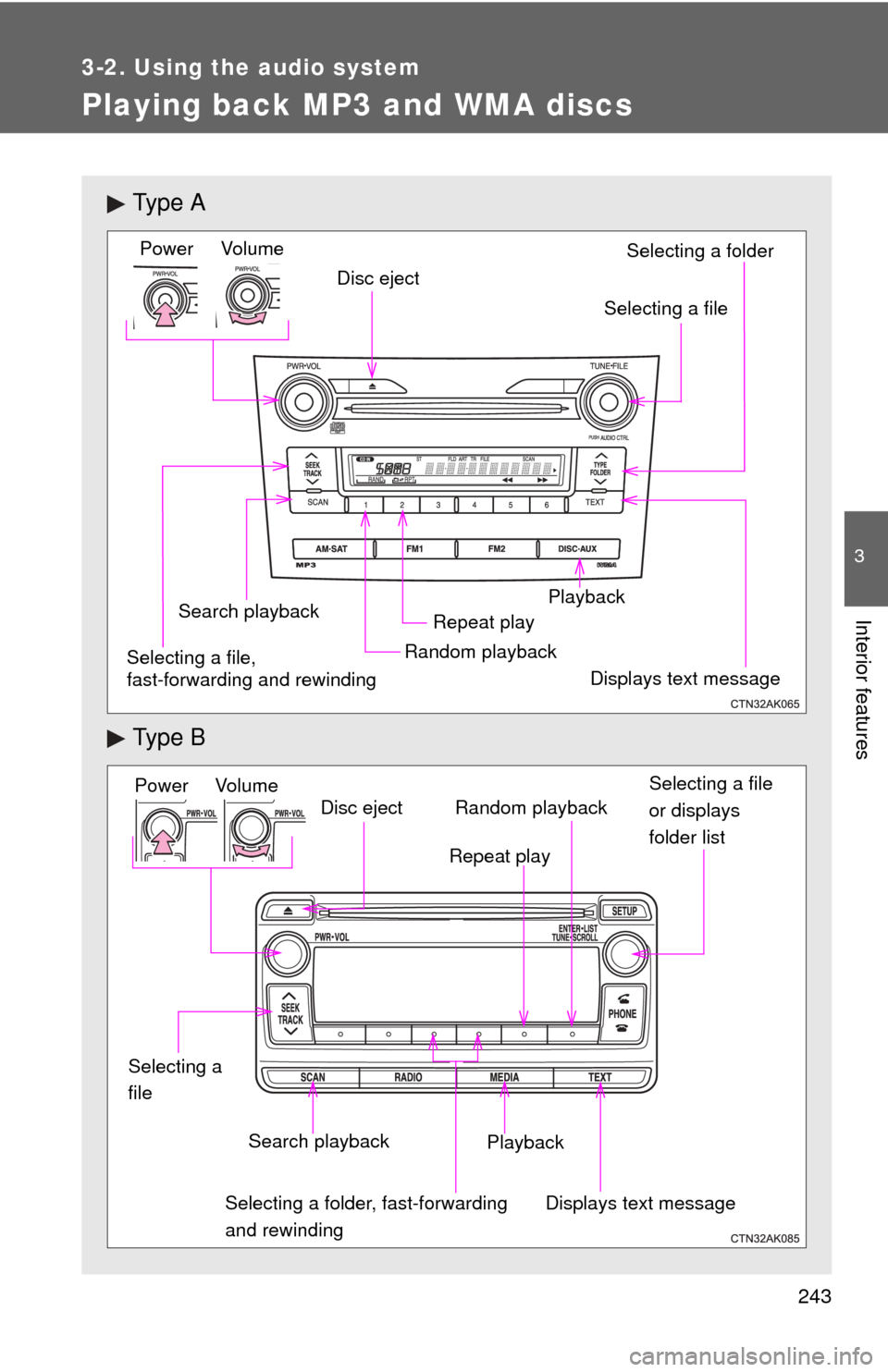
Playing back MP3 and WMA discs
Ty p e A
Ty p e B
Vol um eRandom playbackRepeat play
Playback
Power
Disc eject
Displays text message
Search playback
Selecting a file
Selecting a folder
Selecting a file,
fast-forwarding and rewinding
Power Volume Search playbackDisc eject
Displays text message
Playback Selecting a file
or displays
folder list
Repeat play
Random playback
Selecting a folder, fast-forwarding
and rewinding
Selecting a
file
Page 245 of 529
245
3-2. Using the audio system
3
Interior features
■
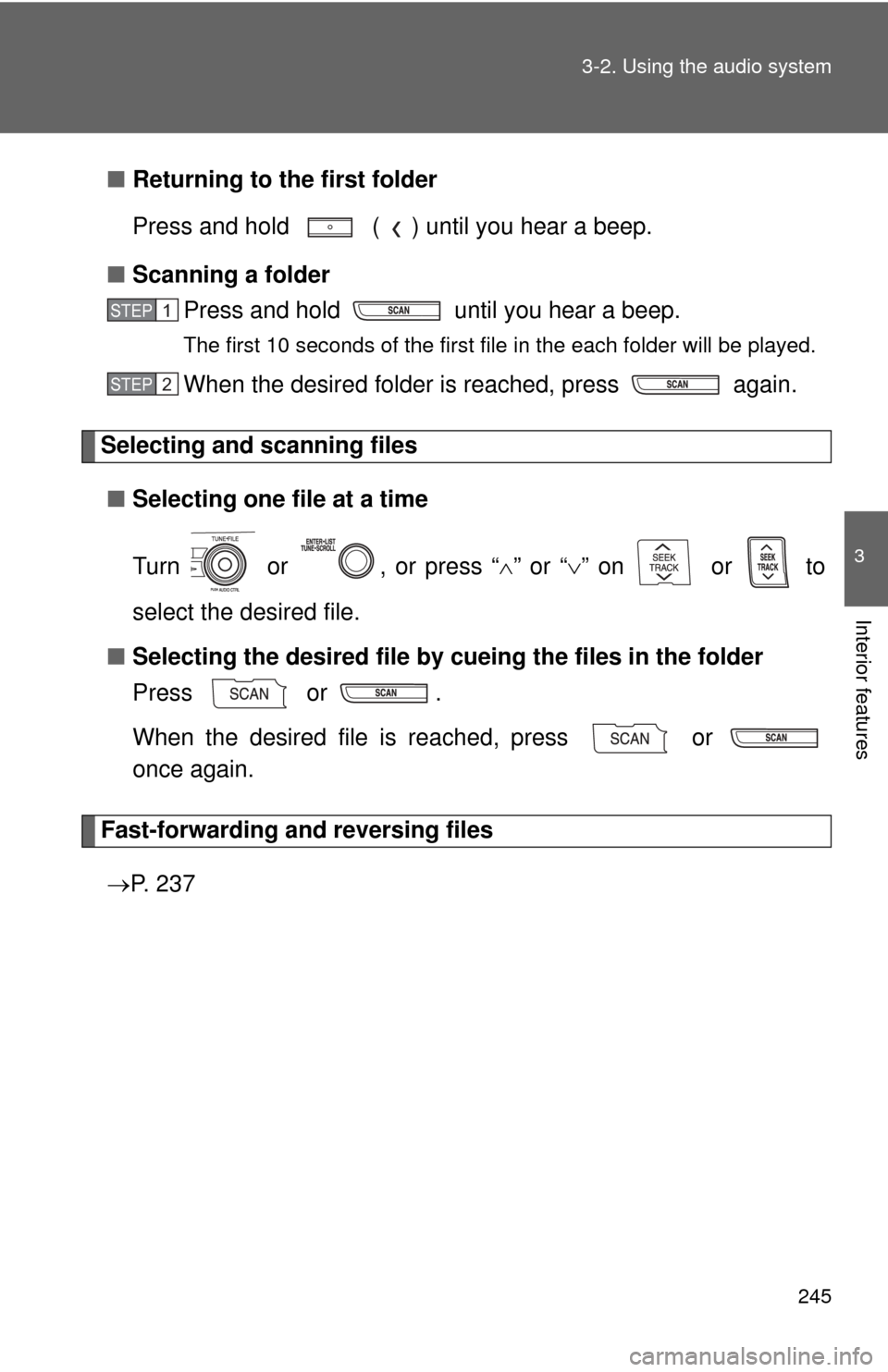
Returning to the first folder
Press and hold ( ) until you hear a beep.
■ Scanning a folder
Press and hold until you hear a beep.
The first 10 seconds of the first file in the each folder will be played.
When the desired folder is reached, press again.
Selecting and scanning files
■ Selecting one file at a time
Turn or , or press “ ” or “ ” on or to
select the desired file.
■ Selecting the desired file by cueing the files in the folder
Press or .
When the desired file is reached, press or
once again.
Fast-forwarding and reversing files
P. 2 3 7
STEP 1
STEP 2
Page 247 of 529
247
3-2. Using the audio system
3
Interior features
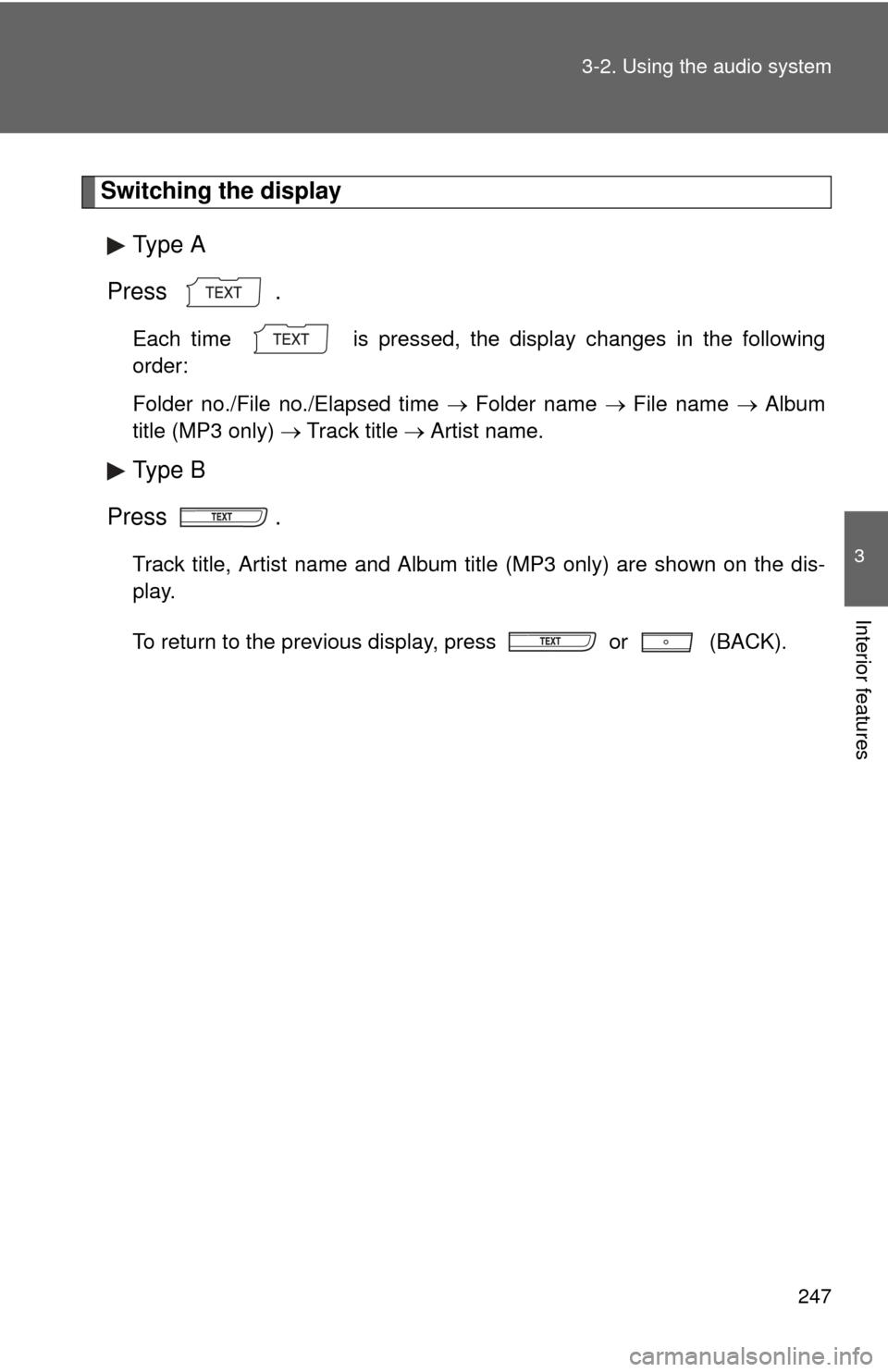
Switching the display
Type A
Press .
Each time is pressed, the display changes in the following
order:
Folder no./File no./Elapsed time Folder name File name Album
title (MP3 only) Track title Artist name.
Type B
Press .
Track title, Artist name and Album title (MP3 only) are shown on the dis-
play.
To return to the previous display, press or (BACK).
Page 249 of 529
249
3-2. Using the audio system
3
Interior features
■
MP3 and WMA files
MP3 (MPEG Audio LAYER3) is a standard audio compression format.
Files can be compressed to approximately 1/10 of their original size by using
MP3 compression.
WMA (Windows Media Audio) is a Microsoft audio compression format.
This format compresses audio data to a size smaller than that of the MP3
format.
There is a limit to the MP3 and WMA file standards that can be used and to
the media/formats on which the files are recorded.
●MP3 file compatibility
• Compatible standards
MP3 (MPEG1 LAYER3, MPEG2 LSF LAYER3)
• Compatible sampling frequencies MPEG1 LAYER3: 32, 44.1, 48 (kHz)
MPEG2 LSF LAYER3: 16, 22.05, 24 (kHz)
• Compatible bit rates (compatible with VBR) MPEG1 LAYER3: 32, 40, 48, 56, 64, 80, 96, 112, 128, 160, 192, 224,
256, 320 (kbps)
MPEG2 LSF LAYER3: 8, 16, 24, 32, 40, 48, 56, 64, 80, 96, 112, 128,
144, 160 (kbps)
• Compatible channel modes: stereo, joint stereo, dual channel and monaural
● WMA file compatibility
• Compatible standards
WMA Ver. 7, 8, 9
• Compatible sampling frequencies 32, 44.1, 48 (kHz)
• Compatible bit rates (only compatible with 2-channel playback) Ver. 7, 8: CBR 48, 64, 80, 96, 128, 160, 192 (kbps)
Ver. 9: CBR 48, 64, 80, 96, 128, 160, 192, 256, 320 (kbps)
● Compatible media
Media that can be used for MP3 and WMA playback are CD-Rs and CD-
RWs.
Playback in some instances may not be possible, depending on the status
of the CD-R or CD-RW. Playback may not be possible or the audio may
jump if the disc is scratched or marked with fingerprints.
Page 251 of 529
251
3-2. Using the audio system
3
Interior features
●
Extensions
If the file extensions .mp3 and .wma are used for files other than MP3 and
WMA files, they will be mistakenly recognized and played as MP3 and
WMA files. This may result in large amounts of interference and damage
to the speakers.
● Playback
• To play MP3 file with steady sound quality, we recommend a fixed bit
rate of at least 128 kbps and a sampling frequency of 44.1 kHz.
• CD-R or CD-RW playback may not be possible in some instances, depending on the characteristics of the disc.
• There is a wide variety of freeware and other encoding software for MP3 and WMA files on the market, and depending on the status of the
encoding and the file format, poor sound quality or noise at the start of
playback may result. In some cases, playback may not be possible at
all.
• When files other than MP3 or WMA files are recorded on a disc, it may take more time to recognize the disc and in some cases, playback may
not be possible at all.
• Microsoft, Windows, and Windows Media are the registered trade- marks of Microsoft Corporation in the U.S. and other countries.
NOTICE
■ CDs and adapters that cannot be used
P. 241
■ CD player precautions
P. 242