automatic ac TOYOTA COROLLA 2012 10.G Service Manual
[x] Cancel search | Manufacturer: TOYOTA, Model Year: 2012, Model line: COROLLA, Model: TOYOTA COROLLA 2012 10.GPages: 529, PDF Size: 8.07 MB
Page 194 of 529
![TOYOTA COROLLA 2012 10.G Service Manual 194 2-5. Driving information
●Due to the added load of the trailer, your vehicle’s engine may
overheat on hot days (at temper atures over 85°F [30°C]) when
driving up a long or steep grade. If t](/img/14/6329/w960_6329-193.png "TOYOTA COROLLA 2012 10.G Service Manual 194 2-5. Driving information
●Due to the added load of the trailer, your vehicle’s engine may
overheat on hot days (at temper atures over 85°F [30°C]) when
driving up a long or steep grade. If t")
194 2-5. Driving information
●Due to the added load of the trailer, your vehicle’s engine may
overheat on hot days (at temper atures over 85°F [30°C]) when
driving up a long or steep grade. If the engine coolant temperature
gauge indicates overheating, immediately turn off the air condition-
ing (if in use), pull your vehicle off the road and stop in a safe spot.
( P. 456)
● Always place wheel blocks under both the vehicle’s and the
trailer’s wheels when parking. Ap ply the parking brake firmly, and
put the transmission in P (automatic transmission) or in 1 or R
(manual transmission). Avoid park ing on a slope, but if unavoid-
able, do so only after performing the following:
Apply the brakes and keep them applied.
Have someone place wheel blo cks under both the vehicle’s
and trailer’s wheels.
When the wheel blocks are in place, release the brakes slowly
until the blocks absorb the load.
Apply the parking brake firmly.
Shift into 1 or R (manual transmission) or P (automatic trans-
mission) and turn off the engine.
● When restarting after parking on a slope:
With the transmission in P (automatic transmission) or the
clutch pedal (manual transmission) depressed, start the
engine. On vehicles with an au tomatic transmission, be sure
to keep the brake pedal depressed.
Shift into a forward gear. If reversing, shift into R.
Release the parking brake (and also the brake pedal on vehi-
cles with an automatic transmission), and slowly pull or back
away from the wheel blocks. Stop and apply the brakes.
Have someone retrieve the blocks.
STEP 1
STEP 2
STEP 3
STEP 4
STEP 5
STEP 1
STEP 2
STEP 3
STEP 4
Page 201 of 529
201
2-5. Driving information
2
When driving
Dinghy towing (automatic transmission)
NOTICE
■To avoid serious damage to your vehicle
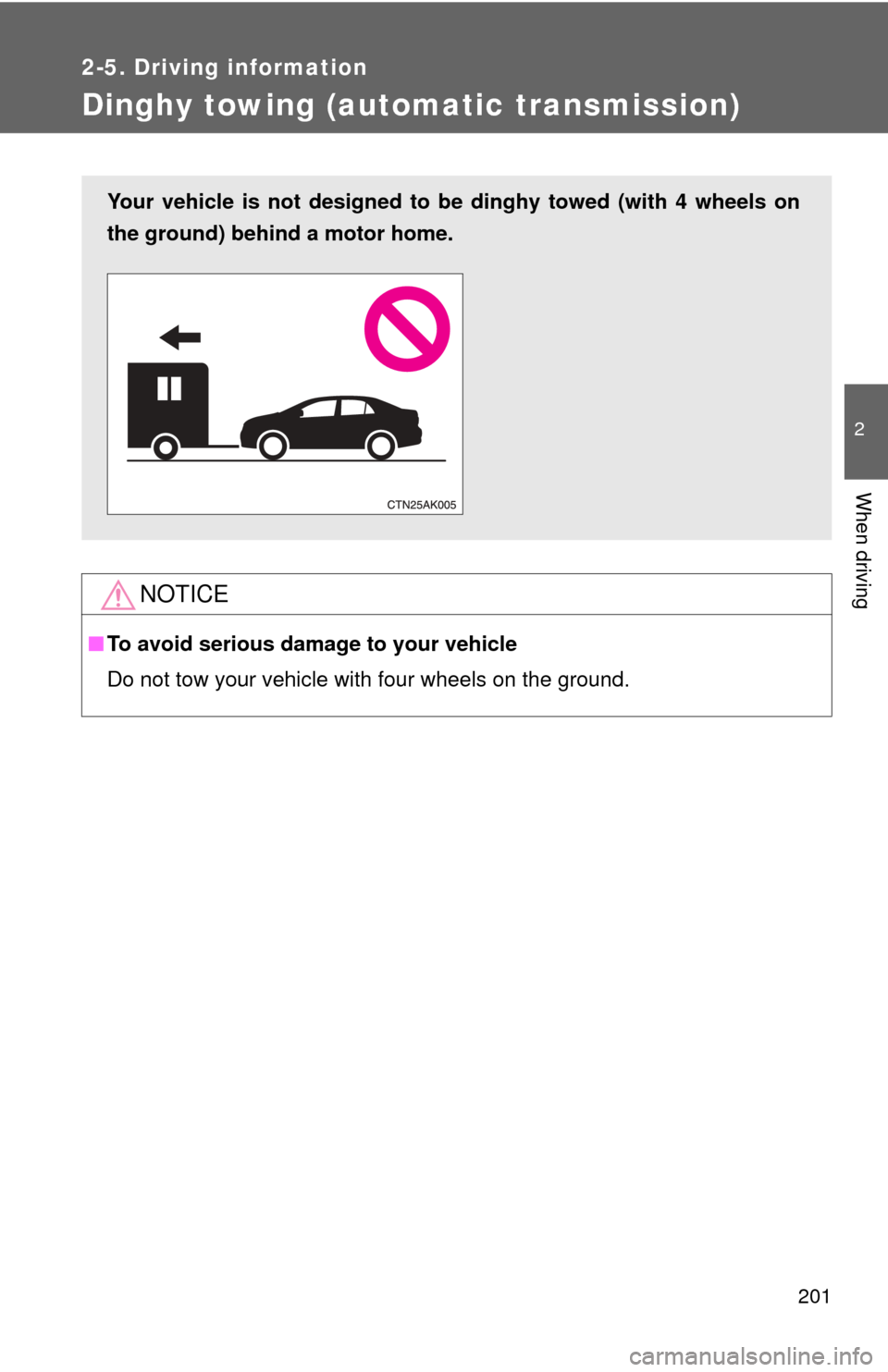
Do not tow your vehicle with four wheels on the ground.
Your vehicle is not designed to be dinghy towed (with 4 wheels on
the ground) behind a motor home.
Page 204 of 529
204
3-1. Using the air conditioning system and defogger
Automatic air conditioning system ....... 206
Manual air conditioning system ........................... 212
Rear window and outside rear view
mirror defoggers ............ 219
3-2. Using the audio system Audio system types .......... 220
Using the radio ................. 232
Using the CD player ......... 236
Playing back MP3 and WMA discs ..................... 243
Operating an iPod ............ 252
Operating a USB memory .......................... 261
Optimal use of the audio system.................. 269
Using the AUX port .......... 273
Using the steering wheel audio switches ............... 275
Interior features3
Page 206 of 529
206
3-1. Using the air conditioning system and defogger
Automatic air conditioning system
Using the automatic modePress .
The air conditioning system will begin to operate.
Press “ ” to increase the temperature and “ ” to decrease the
temperature on .
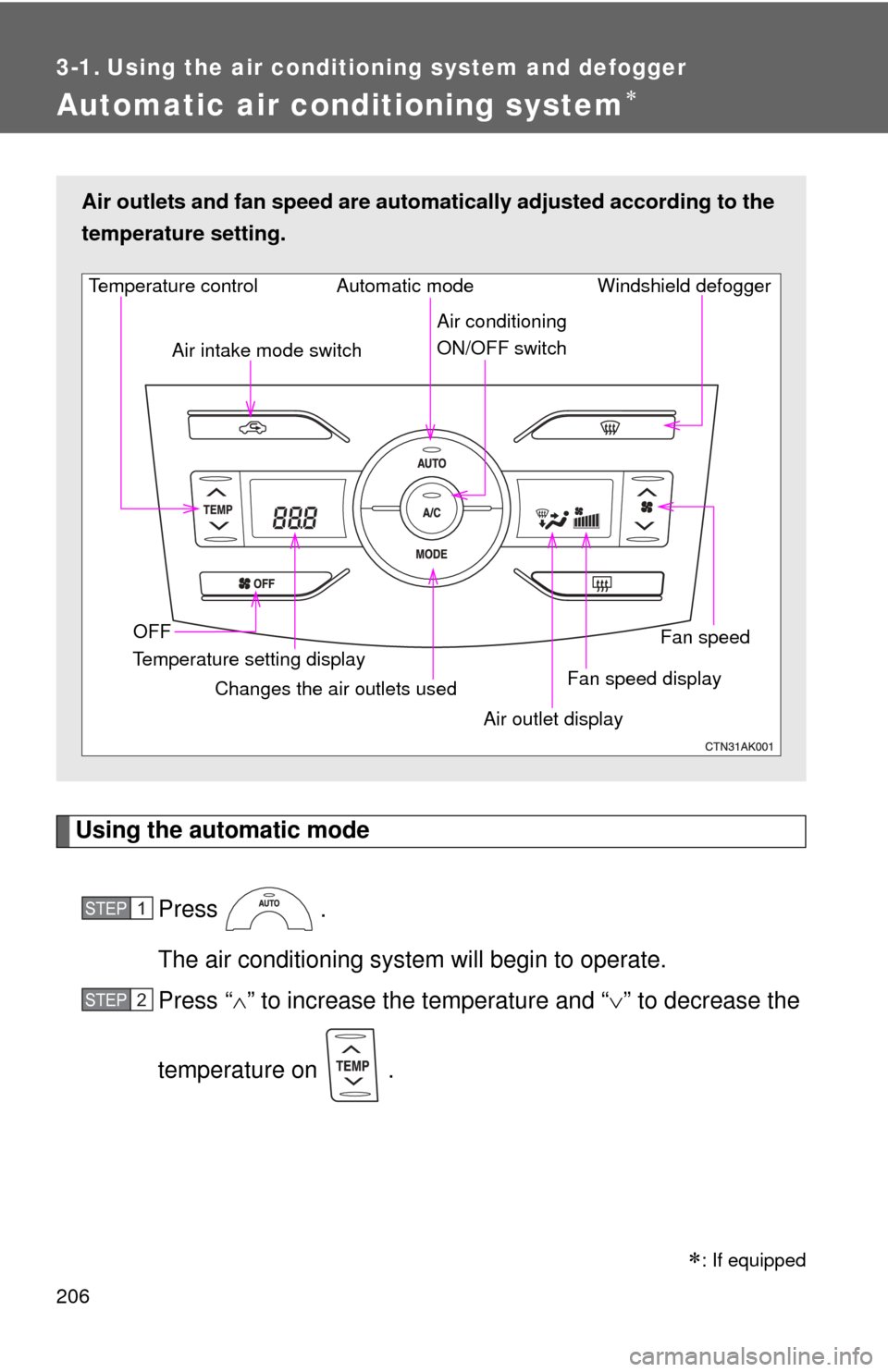
Air outlets and fan speed are automa tically adjusted according to the
temperature setting.
Fan speed display Windshield defogger
Temperature control
Air intake mode switch
Fan speed
Temperature setting display OFF Automatic mode
Changes the air outlets used Air outlet display
Air conditioning
ON/OFF switch
STEP 1
STEP 2
: If equipped
Page 209 of 529
209
3-1. Using the air conditioning system
and defogger
3
Interior features
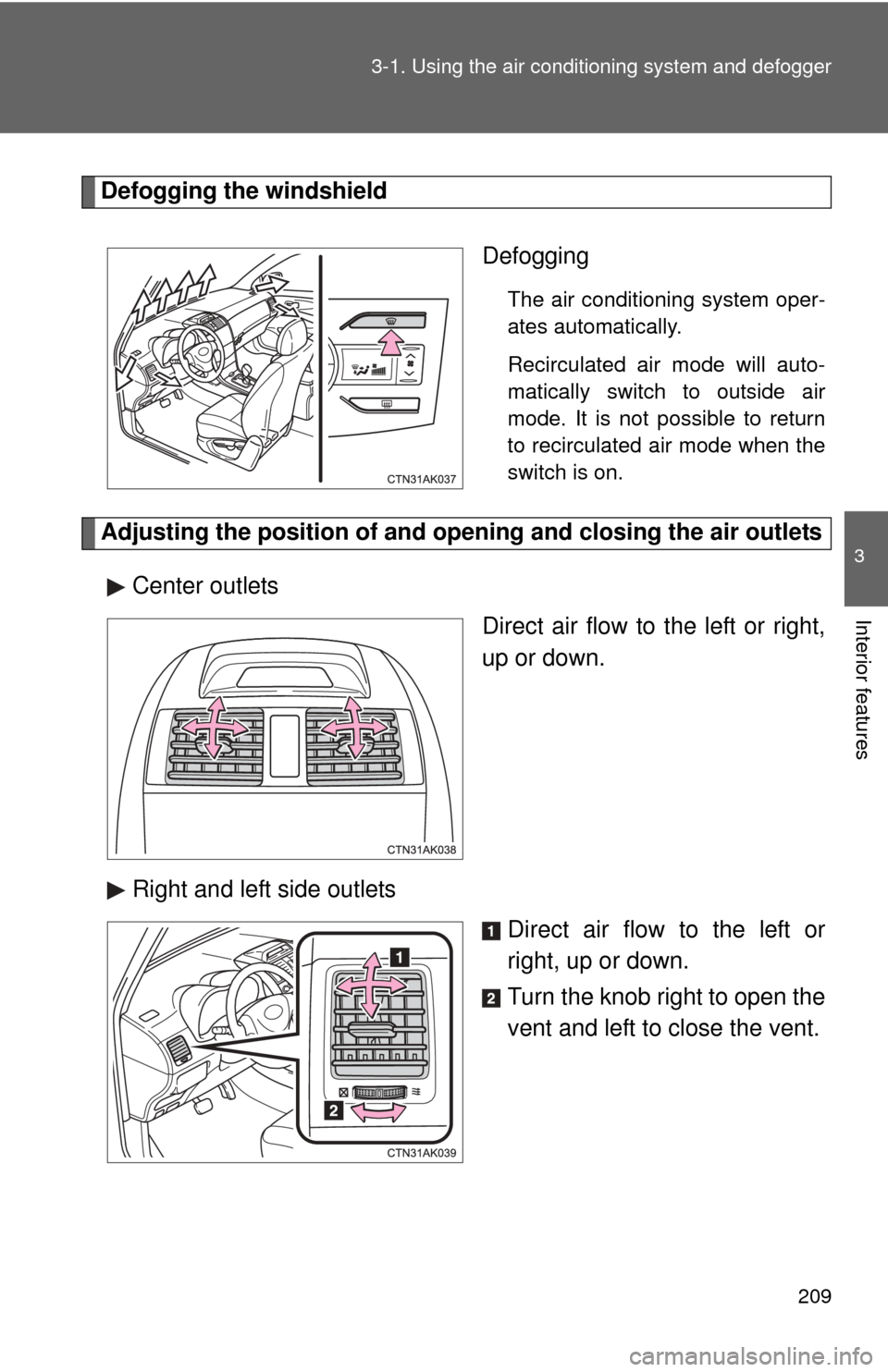
Defogging the windshield
Defogging
The air conditioning system oper-
ates automatically.
Recirculated air mode will auto-
matically switch to outside air
mode. It is not possible to return
to recirculated air mode when the
switch is on.
Adjusting the position of and opening and closing the air outletsCenter outlets Direct air flow to the left or right,
up or down.
Right and left side outlets Direct air flow to the left or
right, up or down.
Turn the knob right to open the
vent and left to close the vent.
Page 210 of 529
210 3-1. Using the air conditioning system and defogger
■Using the automatic mode
Fan speed is adjusted automatically in accordance with the temperature set-
ting and ambient conditions. As a result, the following may occur.
●Immediately after
is pressed, the fan may stop for a while until
warm or cool air is ready to flow.
● Cool air may flow to the area around the upper body when the heater is
on.
■ Using the recirculated air mode
The windows will fog up more easily if the recirculated air mode is used for
an extended period.
■ Switching between outside air and recirculated air modes
Recirculated air mode or outside air mode may be automatically switched to
in accordance with the temperature setting and the inside temperature.
■ Window defogger feature
Recirculated air mode may automatically switch to outside air mode in situa-
tions where the windows need to be defogged.
■ When outside air temperat ure approaches 32°F (0°C)
The air conditioning system may not operate even when
is pressed.
■ When
is selected for the air outlets used
For your driving comfort, air flowing to the feet may be warmer than air flow-
ing to the upper body depending on the temperature setting.
Page 211 of 529
211
3-1. Using the air conditioning system
and defogger
3
Interior features
■Air conditioning odors
●During use, various odors from inside and outside the vehicle may enter
into and accumulate in the air conditioning system. This may then cause
odor to be emitted from the vents.
● To reduce potential odors from occurring:
• It is recommended that the air conditioning system be set to outside air
mode prior to turning the vehicle off.
• The start timing of the blower may be delayed for a short period of time immediately after the air conditioning system is started in automatic
mode.
CAUTION
■ To prevent the windshield from fogging up
Do not use during cool air operation in extremely humid weather.
The difference between the temperature of the outside air and that of the
windshield can cause the outer surface of the windshield to fog up, blocking
your vision.
NOTICE
■To prevent battery discharge
Do not leave the air conditioning system on longer than necessary when the
engine is stopped.
Page 215 of 529
215
3-1. Using the air conditioning system
and defogger
3
Interior features
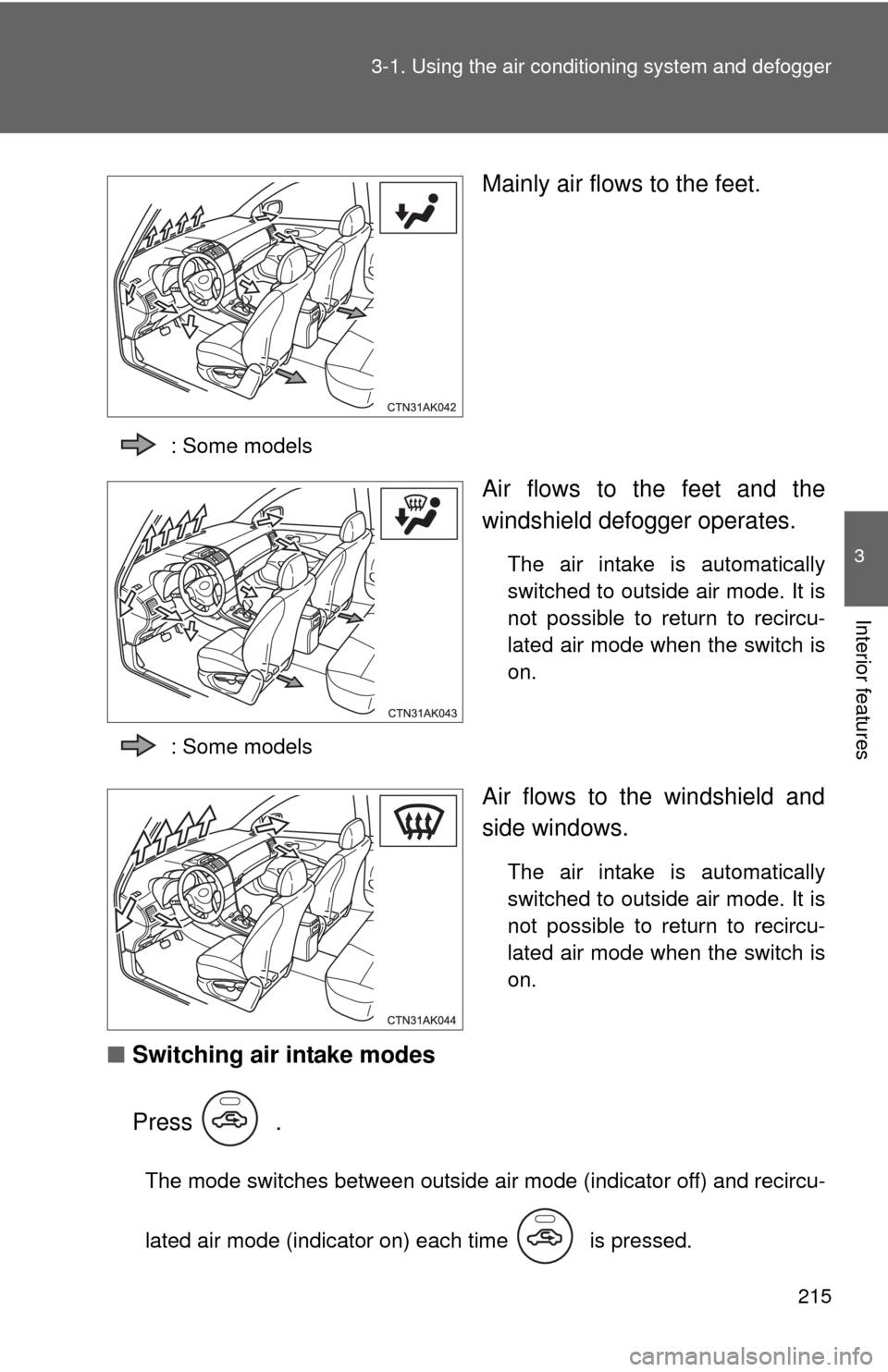
Mainly air flows to the feet.
: Some models
Air flows to the feet and the
windshield defogger operates.
The air intake is automatically
switched to outside air mode. It is
not possible to return to recircu-
lated air mode when the switch is
on.
: Some models
Air flows to the windshield and
side windows.
The air intake is automatically
switched to outside air mode. It is
not possible to return to recircu-
lated air mode when the switch is
on.
■ Switching air intake modes
Press .
The mode switches between outside air mode (indicator off) and recircu-
lated air mode (indicator on) each time is pressed.
Page 219 of 529
219
3-1. Using the air conditioning system and defogger
3
Interior features
Rear window and outside rear view mirror defoggers
■Outside rear view mirror defoggers (if equipped)
Turning the rear window defogger on will turn the outside rear view mirror
defoggers on.
CAUTION
■Outside rear view mirror defoggers (if equipped)
The surfaces of the outside rear view mirrors become hot. Do not touch
them to prevent from burning yourself.
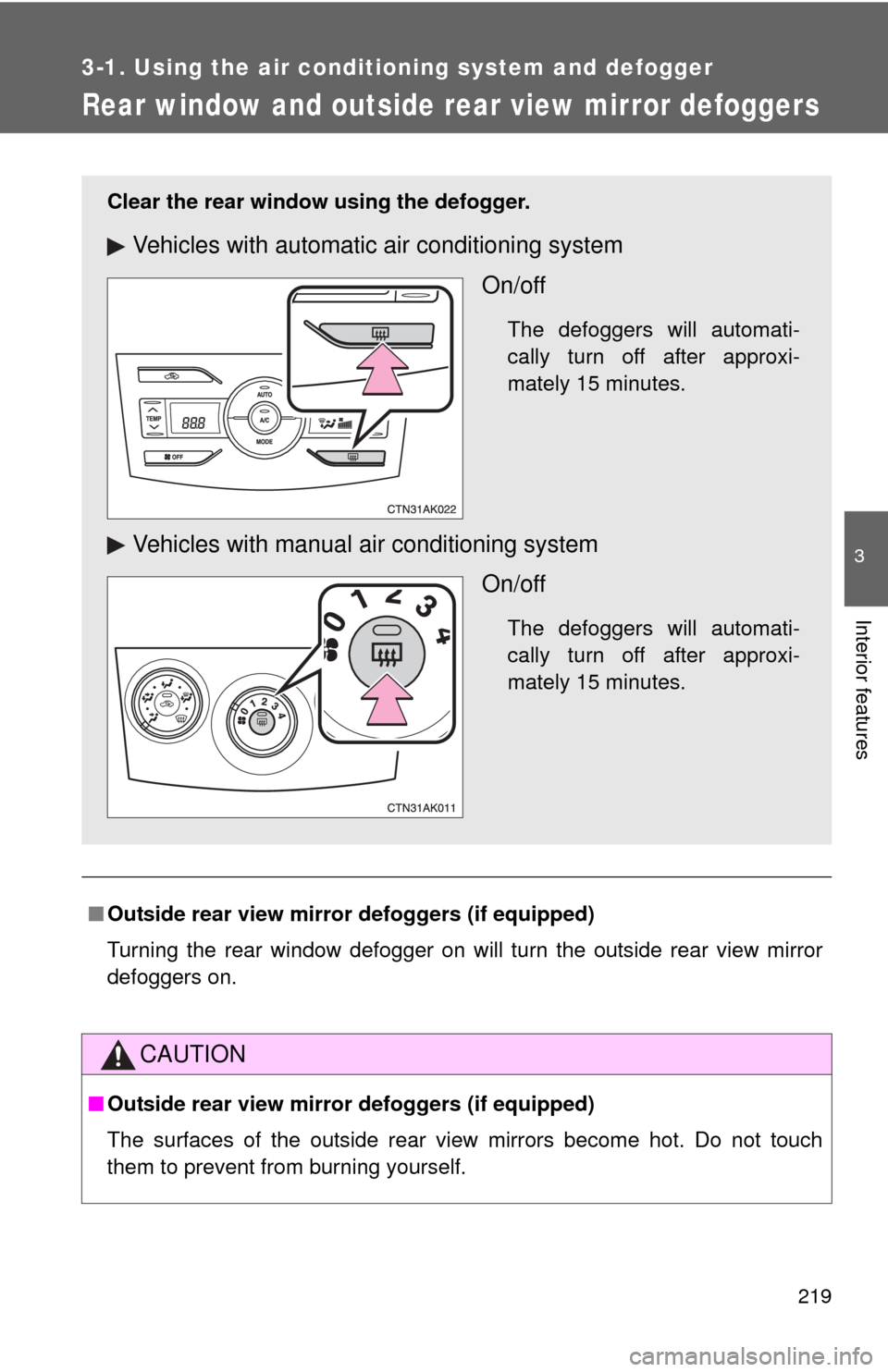
Clear the rear window using the defogger.
Vehicles with automatic air conditioning system
On/off
The defoggers will automati-
cally turn off after approxi-
mately 15 minutes.
Vehicles with manual air conditioning systemOn/off
The defoggers will automati-
cally turn off after approxi-
mately 15 minutes.
Page 240 of 529
240 3-2. Using the audio system
■Error messages
“ERROR” (type B): This indicates a problem either in the CD or inside the
player.
“CD CHECK”: The CD may be dirty, damaged or inserted up-side down.
“WAIT” or “PLEASE WAIT”: Operation has stopped due to a high tempera- ture inside the player. Wait for a while and then
press or . If the CD still
cannot be played back, contact your Toyota
dealer.
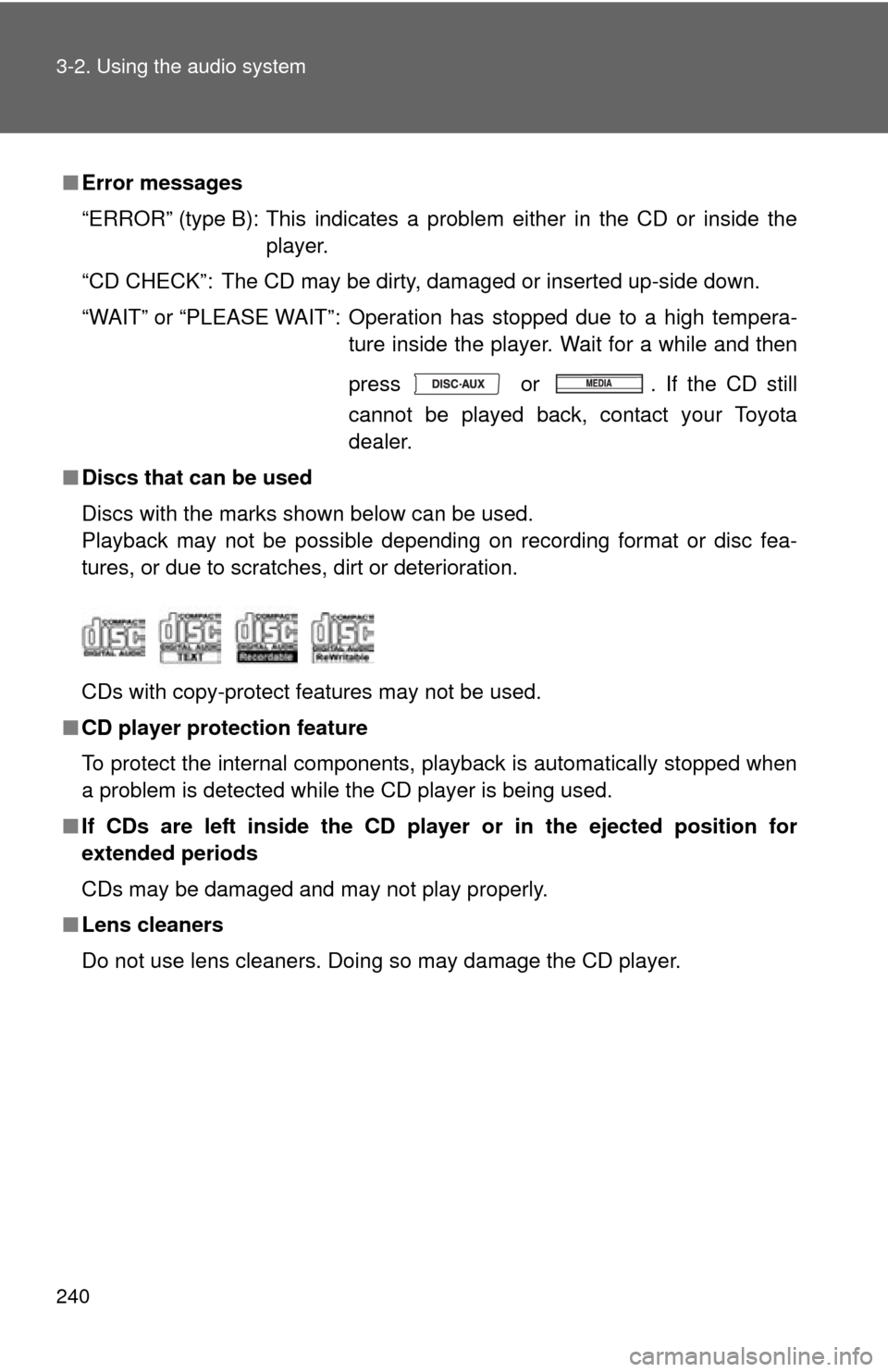
■ Discs that can be used
Discs with the marks shown below can be used.
Playback may not be possible depending on recording format or disc fea-
tures, or due to scratches, dirt or deterioration.
CDs with copy-protect features may not be used.
■ CD player protection feature
To protect the internal components, playback is automatically stopped when
a problem is detected while the CD player is being used.
■ If CDs are left inside the CD player or in the ejected position for
extended periods
CDs may be damaged and may not play properly.
■ Lens cleaners
Do not use lens cleaners. Doing so may damage the CD player.