TOYOTA COROLLA 2015 11.G Navigation Manual
Manufacturer: TOYOTA, Model Year: 2015, Model line: COROLLA, Model: TOYOTA COROLLA 2015 11.GPages: 292, PDF Size: 3.95 MB
Page 101 of 292
101
3. MEDIA OPERATION
COROLLA_13CY_Navi_U
AUDIO SYSTEM
3
CAUTION
●Do not operate the player’s controls or connect the iPod while driving.
NOTICE
●Do not leave your portable player in the car. In particular, high temperatures inside the
vehicle may damage the portable player.
● Do not push down on or apply unnecessary pressure to the portable player while it is con-
nected as this may damage the portable player or its terminal.
● Do not insert foreign objects into the port as this may damage the portable player or its
terminal.
INFORMATION
●The system can only output the sound while driving.
● When an iPod is connected using a genuine iPod cable, the iPod starts charging its bat-
tery.
● Depending on the iPod, the video sound may not be able to be heard.
● Depending on the iPod and the songs in the iPod, iPod cover art may be displayed. This
function can be changed to on/off. ( P.113) It may take time to display iPod cover art,
and the iPod may not be operated while the cover art display is in process.
● When an iPod is connected and the audio source is changed to iPod mode, the iPod will
resume playing from the same point it was last used.
● Depending on the iPod that is connected to the system, certain functions may not be
available.
● Files/tracks selected by operating a connected iPod may not be recognized or displayed
properly.
● If an iPhone is connected via Bluetooth
® and USB at the same time, system operation
may become unstable. For known phone compatibility information, refer to
http://www.toyota.com/entune/
.
Page 102 of 292
102
3. MEDIA OPERATION
COROLLA_13CY_Navi_U
1Select the repeat button to change on/
off.
1Select the shuffle button to change on/
off.
iPod AUDIO
REPEATING
The track currently being listened to
can be repeated.
RANDOM ORDER
Tracks can be automatically and ran-
domly selected.
iPod VIDEO
To change to iPod video mode, select
“Browse” on the iPod audio screen,
then select the “Videos” tab and se-
lect the desired video file.
The system can only output the iPod
video sound.
Page 103 of 292
103
3. MEDIA OPERATION
COROLLA_13CY_Navi_U
AUDIO SYSTEM
3
4. Bluetooth® AUDIO
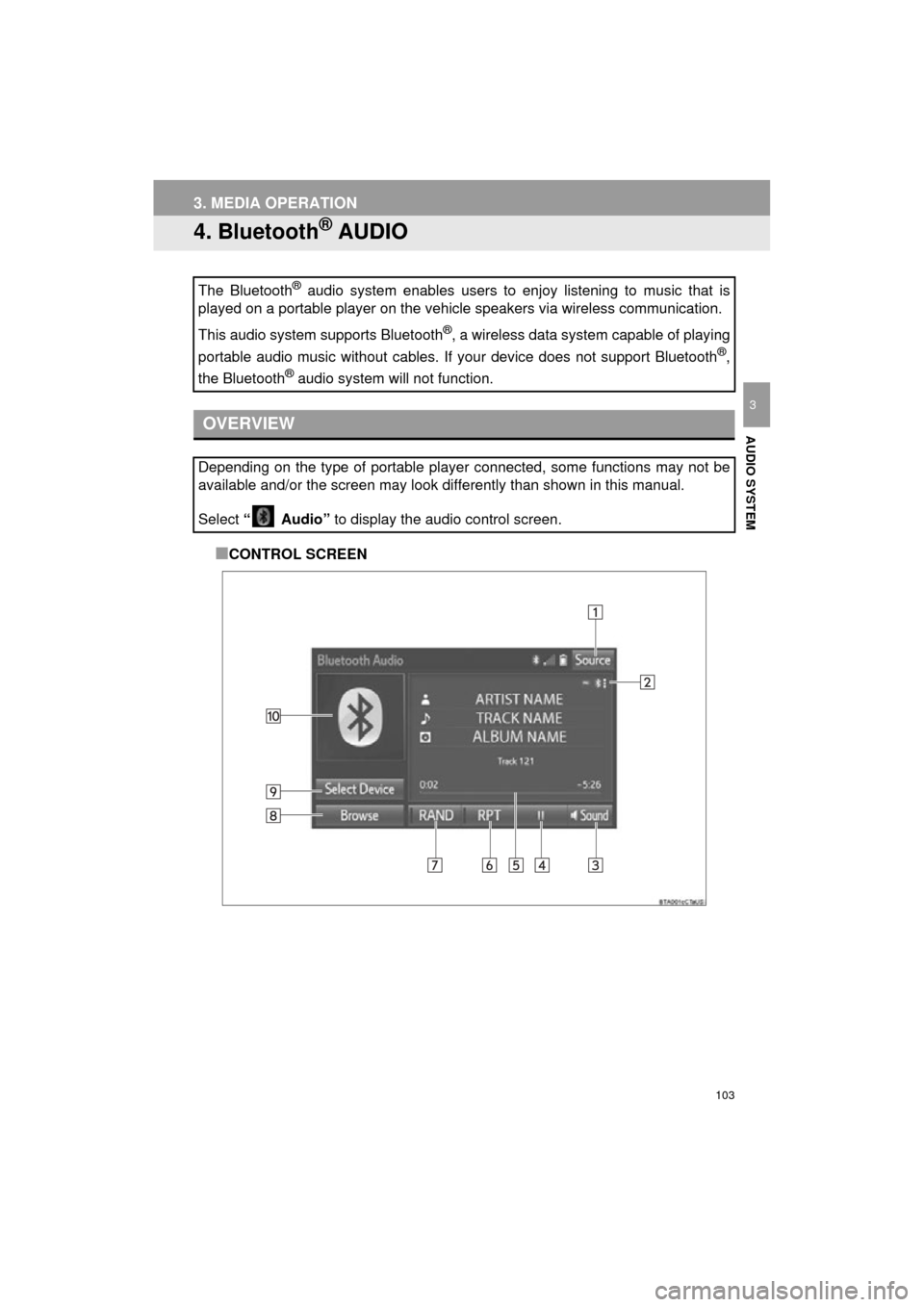
■CONTROL SCREEN
The Bluetooth
® audio system enables users to enjoy listening to music that is
played on a portable player on the vehicle speakers via wireless communi\
cation.
This audio system supports Bluetooth
®, a wireless data system capable of playing
portable audio music without cables. If your device does not support Bluetooth
®,
the Bluetooth
® audio system will not function.
OVERVIEW
Depending on the type of portable player connected, some functions may not be
available and/or the screen may look differently than shown in this manual.
Select “ Audio” to display the audio control screen.
Page 104 of 292
104
3. MEDIA OPERATION
COROLLA_13CY_Navi_U
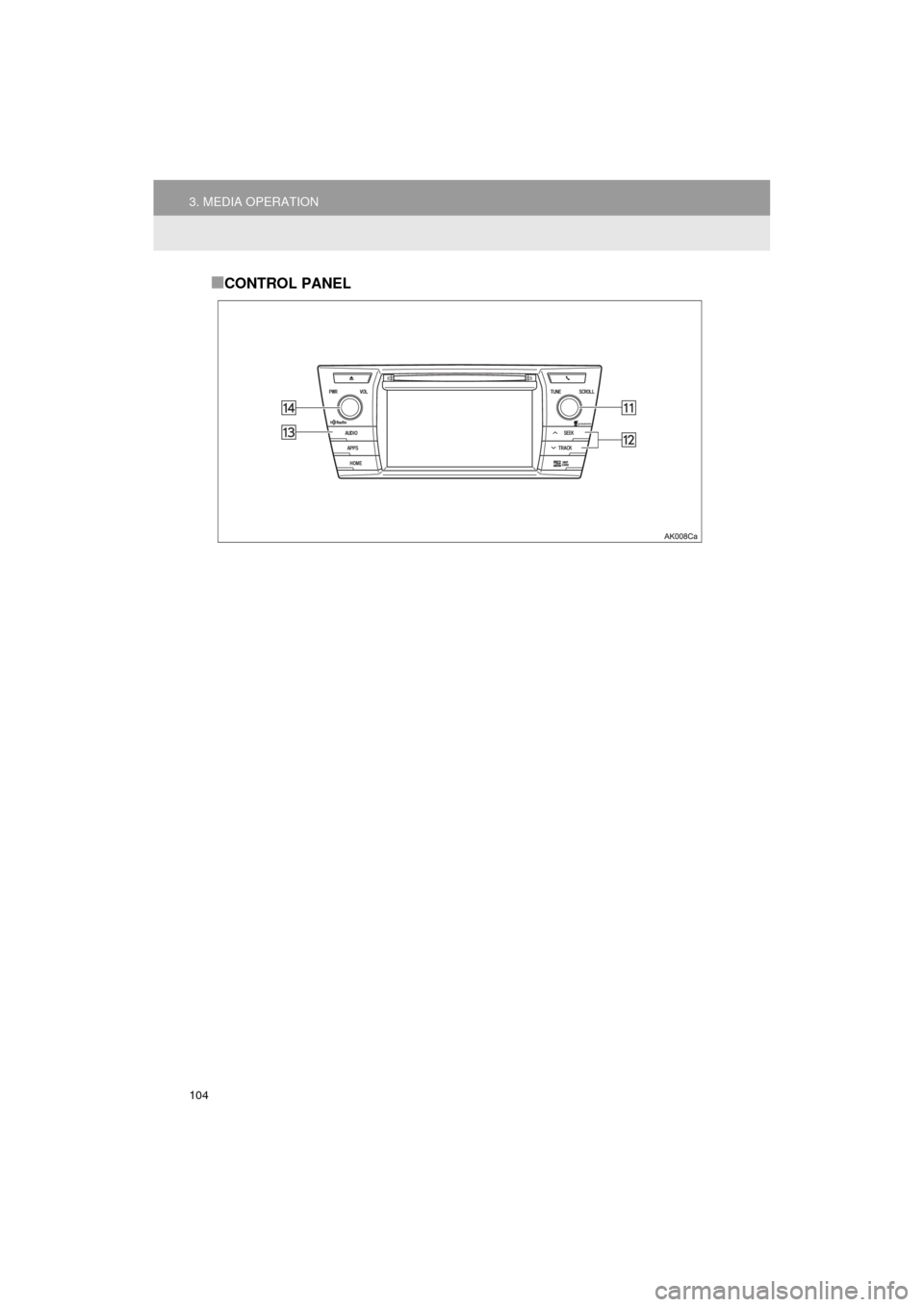
■CONTROL PANEL
Page 105 of 292
105
3. MEDIA OPERATION
COROLLA_13CY_Navi_U
AUDIO SYSTEM
3
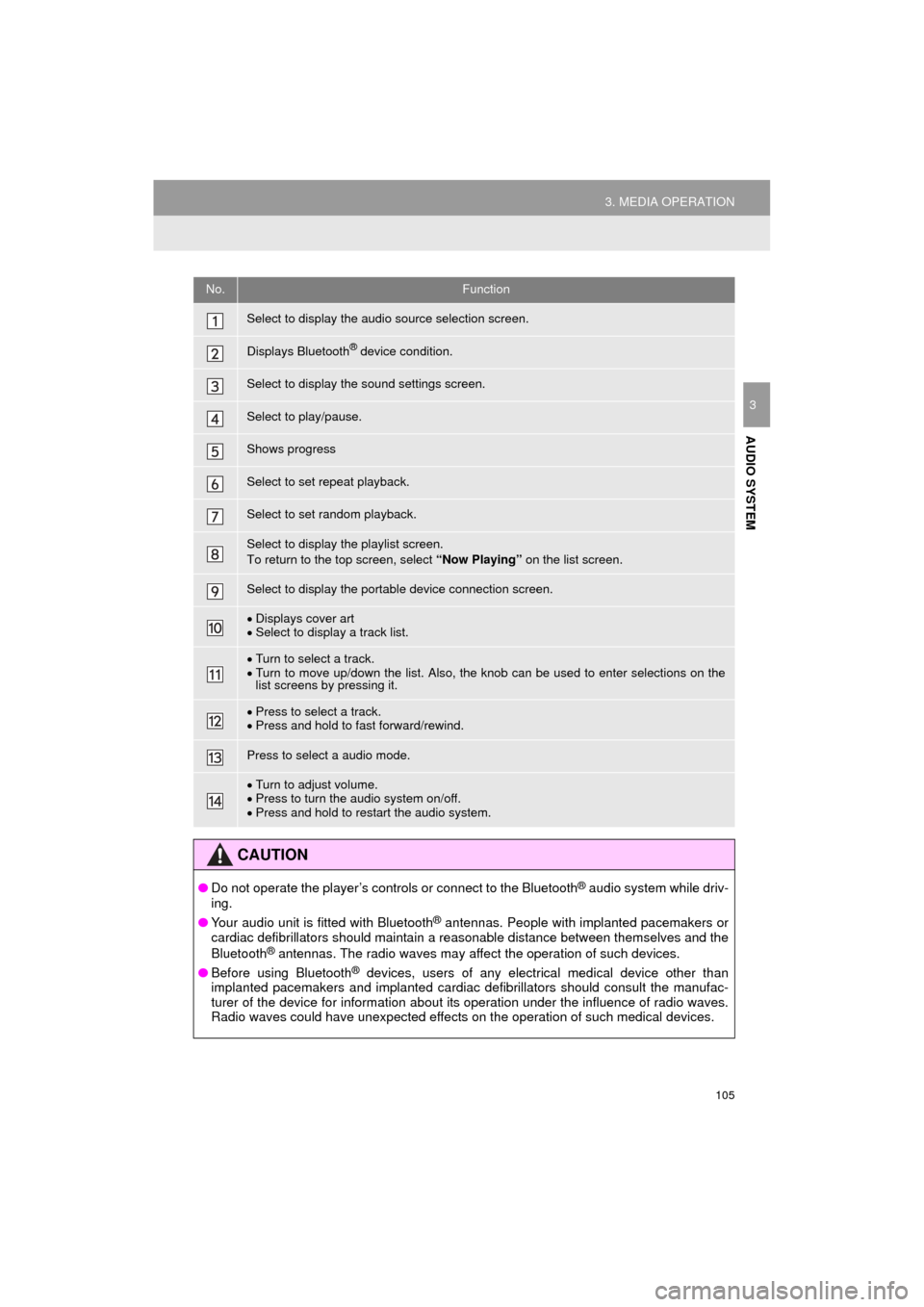
No.Function
Select to display the audio source selection screen.
Displays Bluetooth® device condition.
Select to display the sound settings screen.
Select to play/pause.
Shows progress
Select to set repeat playback.
Select to set random playback.
Select to display the playlist screen.
To return to the top screen, select “Now Playing” on the list screen.
Select to display the portable device connection screen.
Displays cover art
Select to display a track list.
Turn to select a track.
Turn to move up/down the list. Also, the knob can be used to enter selections on the
list screens by pressing it.
Press to select a track.
Press and hold to fast forward/rewind.
Press to select a audio mode.
Turn to adjust volume.
Press to turn the audio system on/off.
Press and hold to restart the audio system.
CAUTION
● Do not operate the player’s controls or connect to the Bluetooth® audio system while driv-
ing.
● Your audio unit is fitted with Bluetooth
® antennas. People with implanted pacemakers or
cardiac defibrillators should maintain a reasonable distance between themselves and the
Bluetooth
® antennas. The radio waves may affect the operation of such devices.
● Before using Bluetooth
® devices, users of any electrical medical device other than
implanted pacemakers and implanted cardiac defibrillators should consult the manufac-
turer of the device for information about its operation under the influence of radio waves.
Radio waves could have unexpected effects on the operation of such medical devices.
Page 106 of 292
106
3. MEDIA OPERATION
COROLLA_13CY_Navi_U
NOTICE
●Do not leave your portable player in the vehicle. In particular, high temperatures inside
the vehicle may damage the portable player.
INFORMATION
●Depending on the Bluetooth® device that is connected to the system, the music may start
playing when selecting while it is paused. Conversely, the music may pause when
selecting while it is playing.
● In the following conditions, the system may not function:
• The Bluetooth
® device is turned off.
• The Bluetooth
® device is not connected.
• The Bluetooth
® device has a low battery.
● It may take time to connect the phone when Bluetooth
® audio is being played.
● For operating the portable player, see the instruction manual that comes with it.
● If the Bluetooth
® device is disconnected due to poor reception from the Bluetooth® net-
work when the engine switch is in ACCESSORY or ON
tem automatically reconnects the portable player.
● If the Bluetooth
® device is disconnected on purpose, such as it was turned off, this does
not happen. Reconnect the portable player manually.
● Bluetooth
® device information is registered when the Bluetooth® device is connected to
the Bluetooth® audio system. When selling or disposing of the vehicle, remove the
Bluetooth® audio information from the system. ( P. 5 8 )
Page 107 of 292
107
3. MEDIA OPERATION
COROLLA_13CY_Navi_U
AUDIO SYSTEM
3Registering an additional device
1Select “Connect” on the Bluetooth®
audio control screen.
2For more information: P.47
Selecting a registered device
1Select “Connect” on the Bluetooth®
audio control screen.
2For more information: P.49
1Select the repeat button to change on/
off.
1Select the random button to change
on/off.
CONNECTING A Bluetooth®
DEVICE
To use the Bluetooth® audio system, it
is necessary to register a Bluetooth
®
device with the system.
LISTENING TO Bluetooth®
AUDIO
REPEATING
The track currently being listened to
can be repeated.
RANDOM ORDER
Tracks can be automatically and ran-
domly selected.
Page 108 of 292
108
3. MEDIA OPERATION
COROLLA_13CY_Navi_U
5. AUX
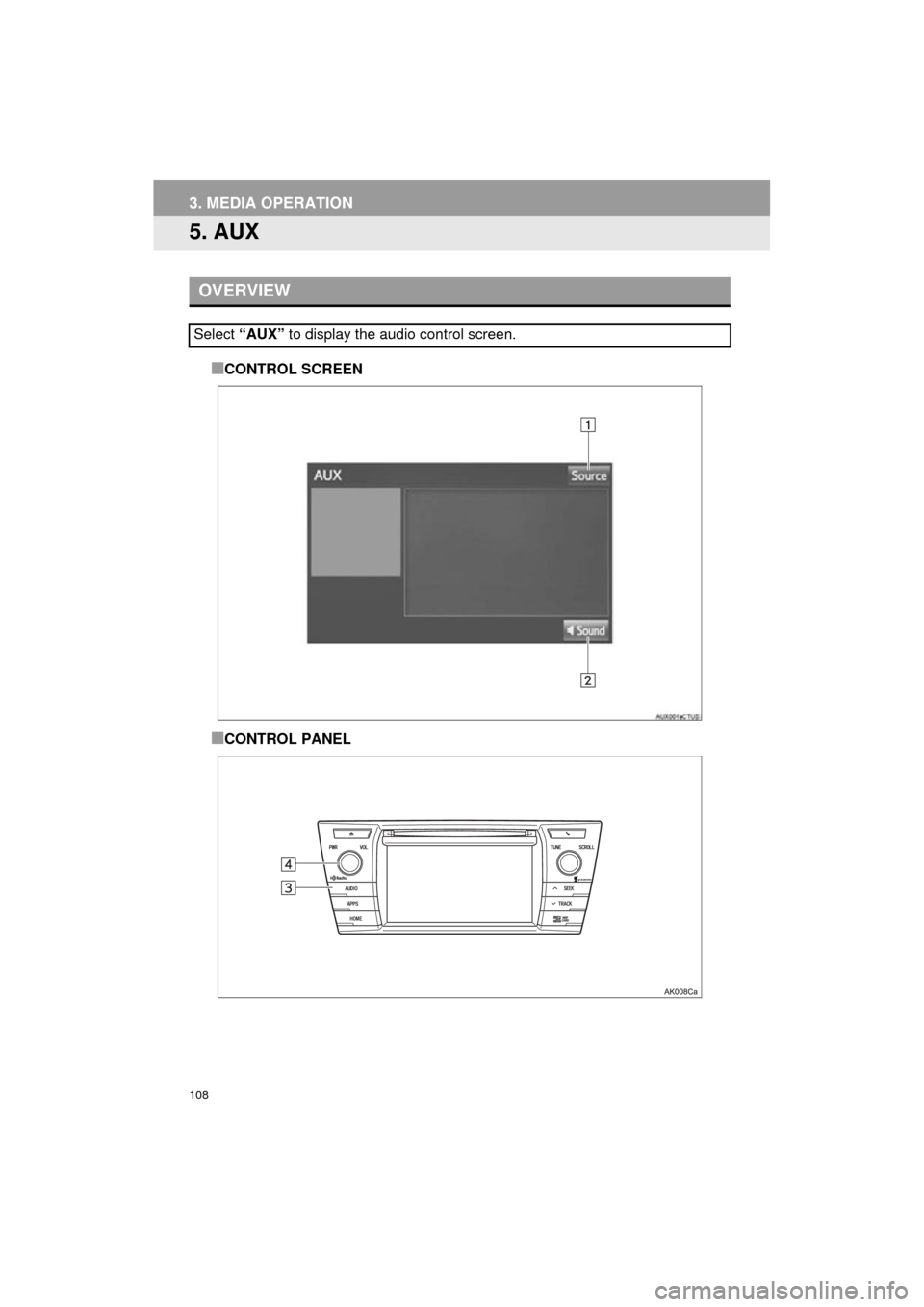
■CONTROL SCREEN
■CONTROL PANEL
OVERVIEW
Select “AUX” to display the audio control screen.
Page 109 of 292
109
3. MEDIA OPERATION
COROLLA_13CY_Navi_U
AUDIO SYSTEM
3
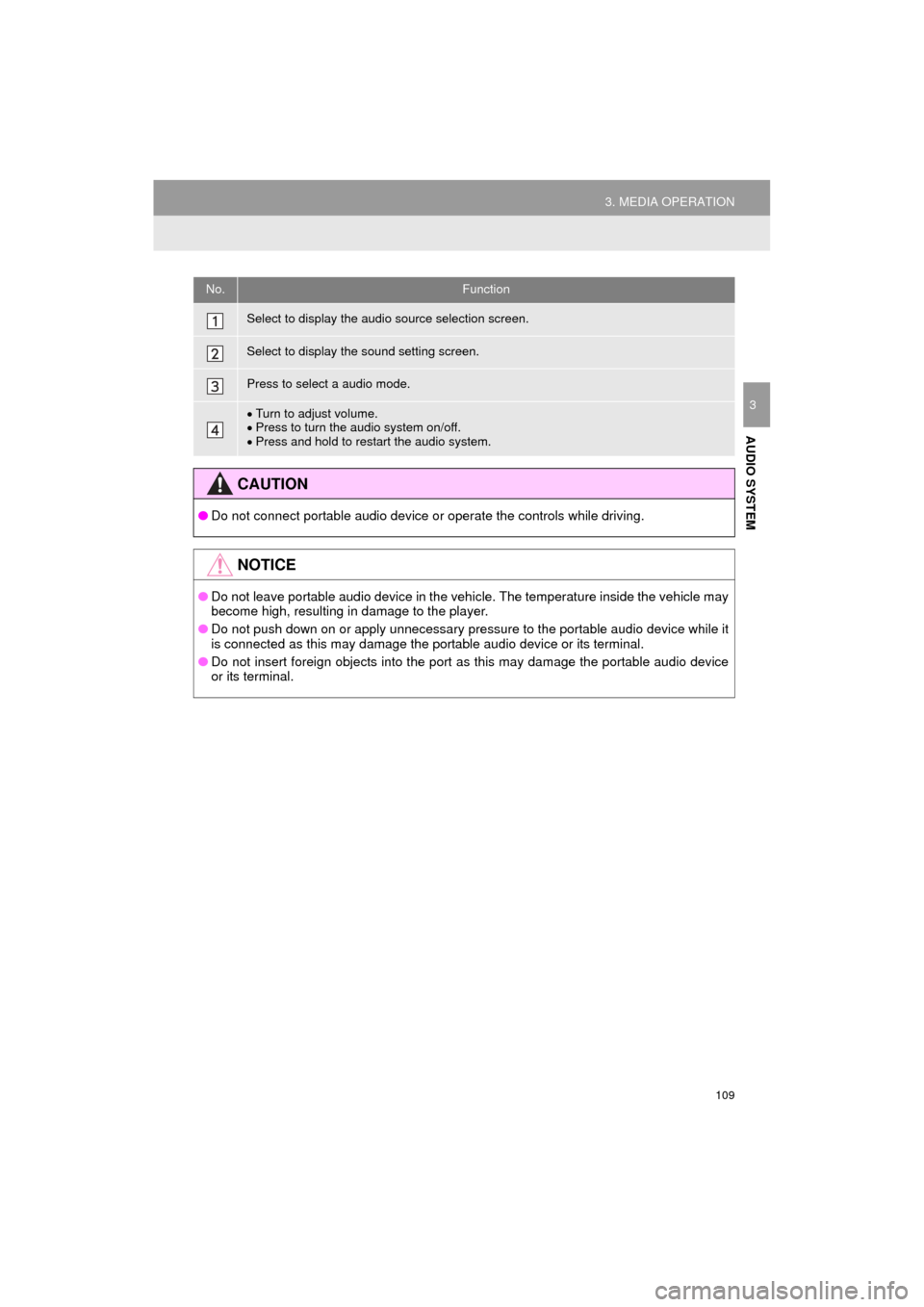
No.Function
Select to display the audio source selection screen.
Select to display the sound setting screen.
Press to select a audio mode.
Turn to adjust volume.
Press to turn the audio system on/off.
Press and hold to restart the audio system.
CAUTION
● Do not connect portable audio device or operate the controls while driving.
NOTICE
●Do not leave portable audio device in the vehicle. The temperature inside the vehicle may
become high, resulting in damage to the player.
● Do not push down on or apply unnecessary pressure to the portable audio device while it
is connected as this may damage the portable audio device or its terminal.
● Do not insert foreign objects into the port as this may damage the portable audio device
or its terminal.
Page 110 of 292
110
COROLLA_13CY_Navi_U
4. AUDIO REMOTE CONTROLS
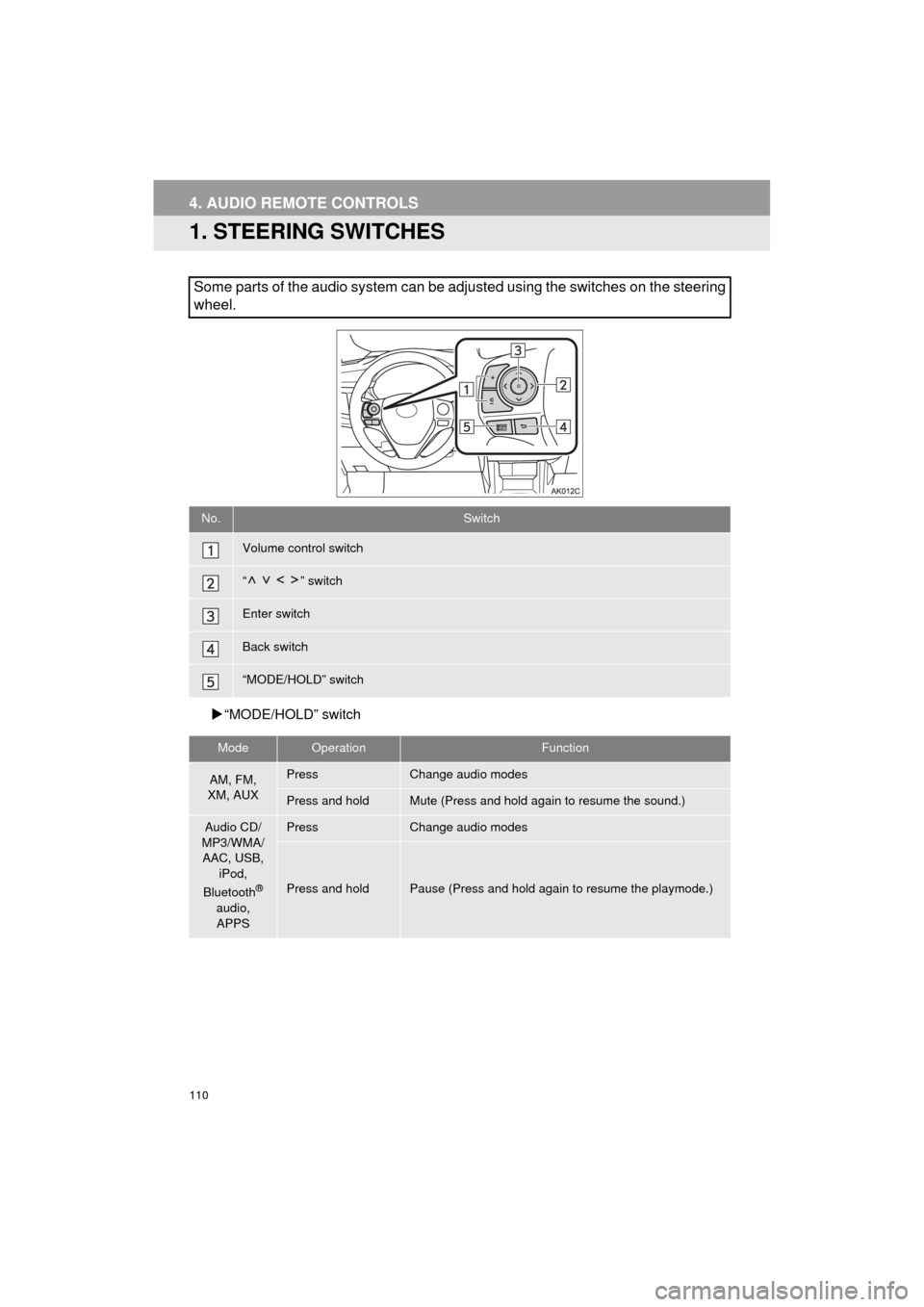
1. STEERING SWITCHES
“MODE/HOLD” switch
Some parts of the audio system can be adjusted using the switches on the steering
wheel.
No.Switch
Volume control switch
“” switch
Enter switch
Back switch
“MODE/HOLD” switch
ModeOperationFunction
AM, FM,
XM, AUXPressChange audio modes
Press and holdMute (Press and hold again to resume the sound.)
Audio CD/
MP3/WMA/ AAC, USB, iPod,
Bluetooth
®
audio, APPS
PressChange audio modes
Press and holdPause (Press and hold again to resume the playmode.)