ignition TOYOTA COROLLA 2018 Owners Manual (in English)
[x] Cancel search | Manufacturer: TOYOTA, Model Year: 2018, Model line: COROLLA, Model: TOYOTA COROLLA 2018Pages: 608, PDF Size: 9.96 MB
Page 3 of 608
3
1
9 8 6 5
4
3
2
COROLLA_TMMMS_TMMC_U (01999-02509)
10
7
3-1. Key informationKeys .................................. 102
3-2. Opening, closing and locking the doors
Doors................................. 108
Trunk ................................. 117
Smart key system.............. 122
3-3. Adjusting the seats Front seats ........................ 130
Rear seats ......................... 132
Head restraints .................. 134
3-4. Adjusting the steering wheel and mirrors
Steering wheel .................. 137
Inside rear view mirror....... 139
Outside rear view mirrors ............................. 141
3-5. Opening and closing the windows
Power windows ................. 143
Moon roof .......................... 147 4-1. Before driving
Driving the vehicle ............. 152
Cargo and luggage ............ 163
Vehicle load limits .............. 166
Trailer towing ..................... 167
Dinghy towing (vehicles with a continuously
variable transmission) ..... 168
Dinghy towing (vehicles with a manual
transmission) ................... 169
4-2. Driving procedures Engine (ignition) switch (vehicles without a
smart key system) ........... 171
Engine (ignition) switch (vehicles with a
smart key system) ........... 174
Continuously variable transmission (vehicles
without paddle shift
switches) ......................... 181
Continuously variable transmission (vehicles
with paddle shift
switches) ......................... 184
Manual transmission.......... 189
Turn signal lever ................ 191
Parking brake .................... 192
4-3. Operating the lights and wipers
Headlight switch ................ 193
Automatic High Beam ........ 198
Windshield wipers and washer ...................... 202
3Operation of each
component4Driving
Page 67 of 608
67
1
For safety and security
COROLLA_TMMMS_TMMC_U (01999-02509)
1-2. Theft deterrent system
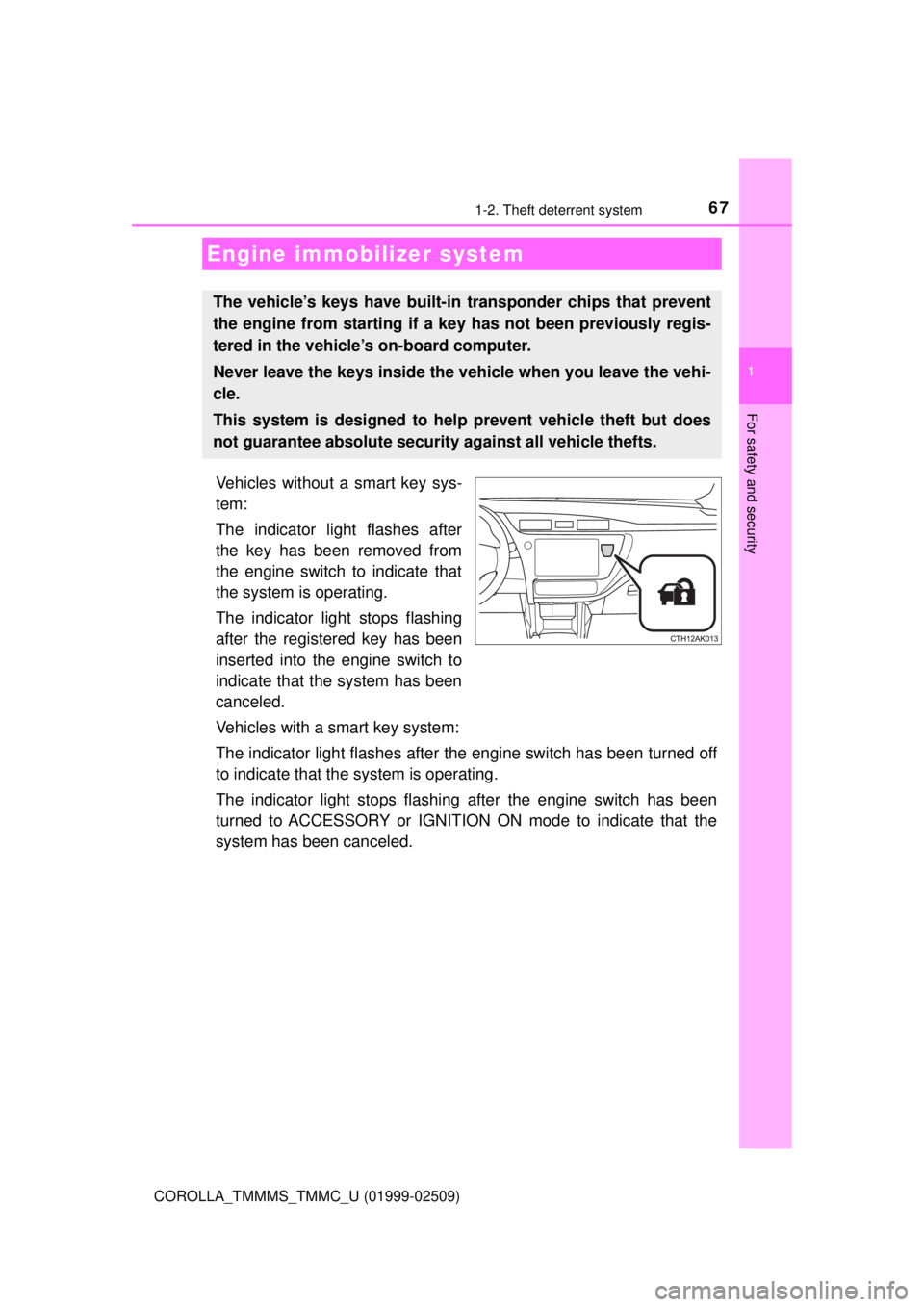
Vehicles without a smart key sys-
tem:
The indicator light flashes after
the key has been removed from
the engine switch to indicate that
the system is operating.
The indicator light stops flashing
after the registered key has been
inserted into the engine switch to
indicate that the system has been
canceled.
Vehicles with a smart key system:
The indicator light flashes after the engine switch has been turned off
to indicate that the system is operating.
The indicator light stops flashing after the engine switch has been
turned to ACCESSORY or IGNITION ON mode to indicate that the
system has been canceled.
Engine immobilizer system
The vehicle’s keys have built-in transponder chips that prevent
the engine from starting if a key has not been previously regis-
tered in the vehicle’s on-board computer.
Never leave the keys inside the vehicle when you leave the vehi-
cle.
This system is designed to help prevent vehicle theft but does
not guarantee absolute security against all vehicle thefts.
Page 69 of 608
691-2. Theft deterrent system
1
For safety and security
COROLLA_TMMMS_TMMC_U (01999-02509)
The alarm uses light and sound to give an alert when an intrusion is
detected.
The alarm is triggered in the following situations when the alarm is
set:
●A locked door or trunk is unlocked or opened in any way other than
using the entry function, wireless remote control or mechanical key.
(The doors will lock again automatically.)
● The hood is opened.
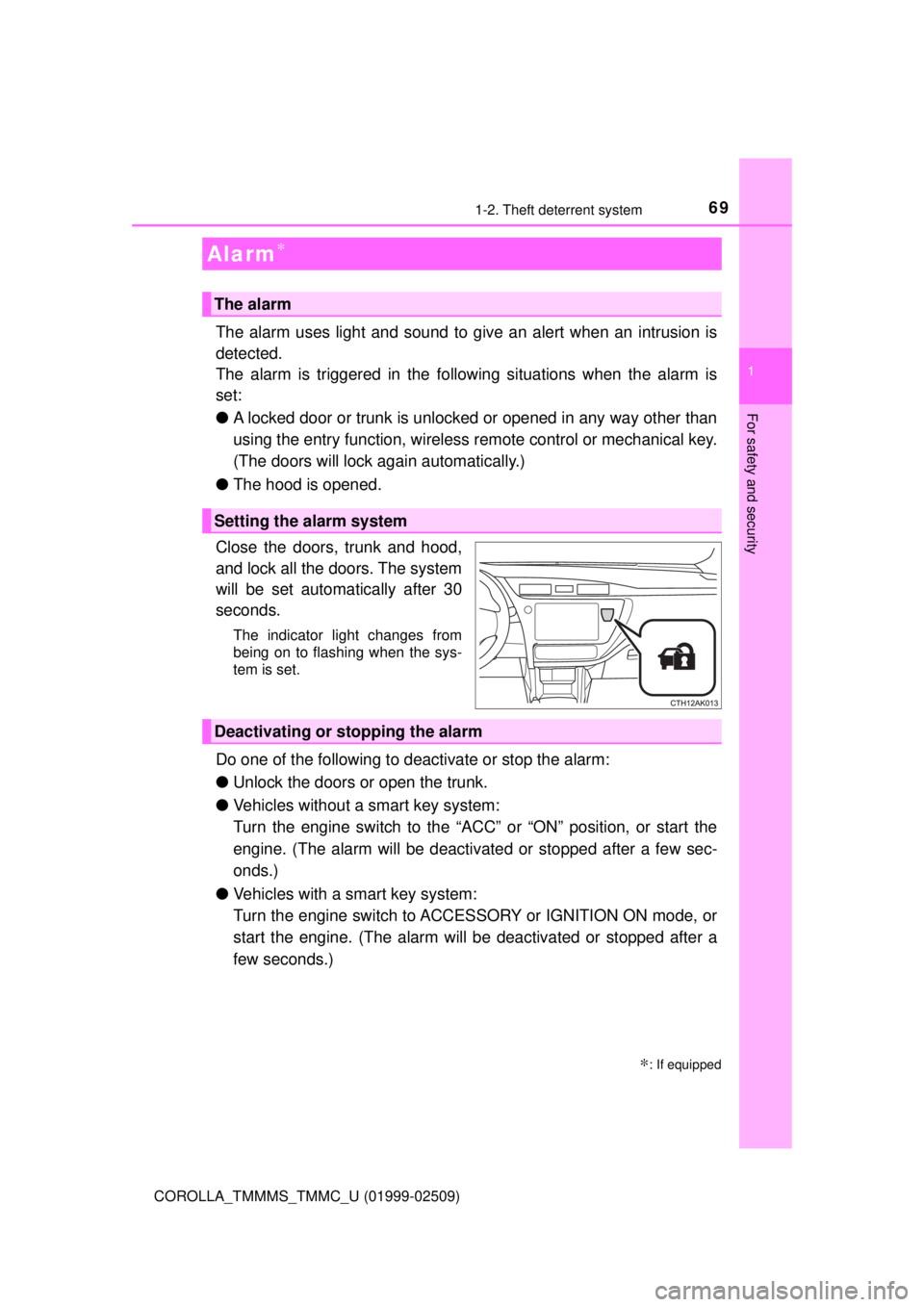
Close the doors, trunk and hood,
and lock all the doors. The system
will be set automatically after 30
seconds.
The indicator light changes from
being on to flashing when the sys-
tem is set.
Do one of the following to deactivate or stop the alarm:
● Unlock the doors or open the trunk.
● Vehicles without a smart key system:
Turn the engine switch to the “ACC” or “ON” position, or start the
engine. (The alarm will be deactivated or stopped after a few sec-
onds.)
● Vehicles with a smart key system:
Turn the engine switch to ACCESSORY or IGNITION ON mode, or
start the engine. (The alarm will be deactivated or stopped after a
few seconds.)
Alarm∗
∗: If equipped
The alarm
Setting the alarm system
Deactivating or stopping the alarm
Page 74 of 608

742. Instrument cluster
COROLLA_TMMMS_TMMC_U (01999-02509)
*1: These lights turn on when the engine switch is turned to the “ON” position(vehicles without a smart key system) or the engine switch is turned to
IGNITION ON mode (vehicles with a smart key system), to indicate that a
system check is being performed. They will turn off after the engine is
started, or after a few seconds. There may be a malfunction in a system if
a light does not come on, or turn off. Have the vehicle inspected by your
Toyota dealer.
*2: If equipped
*3: This light illuminates on the center panel.
*4: The light flashes to indicate a malfunction.
Page 76 of 608

762. Instrument cluster
COROLLA_TMMMS_TMMC_U (01999-02509)
*1: These lights, except those shown on the multi-information display, turn onwhen the engine switch is turned to the “ON” position (vehicles without a
smart key system) or the engine switch is turned to IGNITION ON mode
(vehicles with a smart key system) to indicate that a system check is being
performed. They will turn off after the engine is started, or after a few sec-
onds. There may be a malfunction in a system if a light does not come on,
or turn off. Have the vehicle inspected by your Toyota dealer.
*2: If equipped
*3: The light flashes to indicate that the system is operating.
*4: The light does not turn on when the system is disabled.
*5: This light illuminates on the center panel.
*6: The light turns on when the system is off.
*7: When the outside temperature is approximately 37°F (3°C) or lower, theindicator will flash 10 times, then stay on.
*5
Security indicator
(→P. 67, 69)*2, 7
Low outside tempera-
ture indicator ( →P. 86)
WARNING
■If a safety system warning light does not come on
Should a safety system light such as the ABS and SRS warning lights not
come on when you start the engine, this could mean that these systems are
not available to help protect you in an accident, which could result in death
or serious injury. Have the vehicle inspected by your Toyota dealer immedi-
ately if this occurs.
Page 84 of 608

842. Instrument cluster
COROLLA_TMMMS_TMMC_U (01999-02509)■
Customization
Some settings can be chan
ged. (Customizable features: →P. 564)
■The meters and display illuminate when
Vehicles without a smart key system
The engine switch is in the “ON” position.
Vehicles with a smart key system
The engine switch is in IGNITION ON mode.
■ When disconnecting and reco nnecting battery terminals
The following information data will be reset:
● Driving range
● Average vehicle speed
● Elapsed time
● Average fuel consumption
■ Liquid crystal display
Small spots or light spots may appear on the display. This phenomenon is
characteristic of liquid crystal displays, and there is no problem continuing to
use the display.
■ Setting display automatic suspension
In the following situations, the setting display will be suspended.
●When a message appears.
● When the vehicle begins to move.
Page 89 of 608
892. Instrument cluster
2
Instrument cluster
COROLLA_TMMMS_TMMC_U (01999-02509)
■The meters and display illuminate when
Vehicles without a smart key system
The engine switch is in the “ON” position.
Vehicles with a smart key system
The engine switch is in IGNITION ON mode.
NOTICE
■ To prevent damage to the engine and its components
● Do not let the indicator needle of the tachometer enter the red zone, which
indicates the maximum engine speed.
● The engine may be overheating if the engine coolant temperature gauge is
in the red zone. In this case, immediately stop the vehicle in a safe place,
and check the engine after it has cooled completely. (→ P. 531)
Page 97 of 608

972. Instrument cluster
2
Instrument cluster
COROLLA_TMMMS_TMMC_U (01999-02509)
Average vehicle speed
Elapsed time
Range
Previous fuel consumption
per minute
Current fuel consumption
Reset the trip information
data
“Past Record” screen appears
Vehicles without a smart key system:
Average fuel consumption for the past 15 minutes is divided by color
into past averages and averages at tained since the engine switch was
last turned to the “ON” position. Use the displayed average fuel con-
sumption as a reference.
Vehicles with a smart key system:
Average fuel consumption for the past 15 minutes is divided by color
into past averages and averages at tained since the engine switch was
last turned to IGNITION ON mode. Use the displayed average fuel
consumption as a reference.
This image is an example only.
1
2
3
4
5
6
7
Page 111 of 608
1113-2. Opening, closing and locking the doors
3
Operation of each component
COROLLA_TMMMS_TMMC_U (01999-02509)
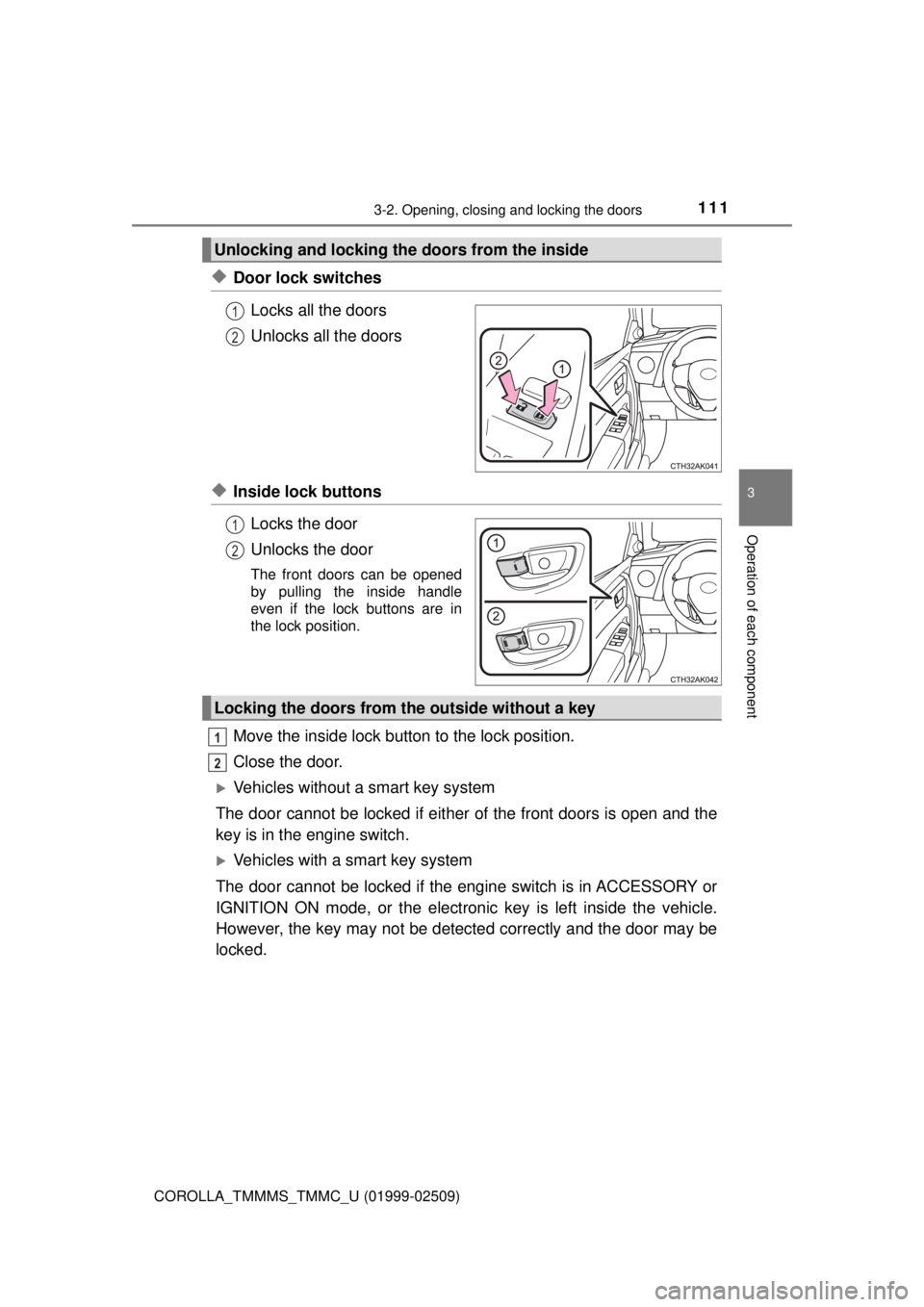
◆Door lock switchesLocks all the doors
Unlocks all the doors
◆Inside lock buttonsLocks the door
Unlocks the door
The front doors can be opened
by pulling the inside handle
even if the lock buttons are in
the lock position.
Move the inside lock button to the lock position.
Close the door.
Vehicles without a smart key system
The door cannot be locked if either of the front doors is open and the
key is in the engine switch.
Vehicles with a smart key system
The door cannot be locked if the engine switch is in ACCESSORY or
IGNITION ON mode, or the electronic key is left inside the vehicle.
However, the key may not be detected correctly and the door may be
locked.
Unlocking and locking the doors from the inside
1
2
1
2
Locking the doors from the outside without a key
1
2
Page 114 of 608
1143-2. Opening, closing and locking the doors
COROLLA_TMMMS_TMMC_U (01999-02509)■
Setting and canceling the functions
To switch between set and canceled, follow the procedure below:
Vehicles without a smart key sy stem: Close all the doors and
switch the engine switch to the “ON” position. (Perform step
within 20 seconds.)
Vehicles with a smart key system: Close all the doors and switch
the engine switch to IGNITION ON mode. (Perform step
within 20 seconds.)
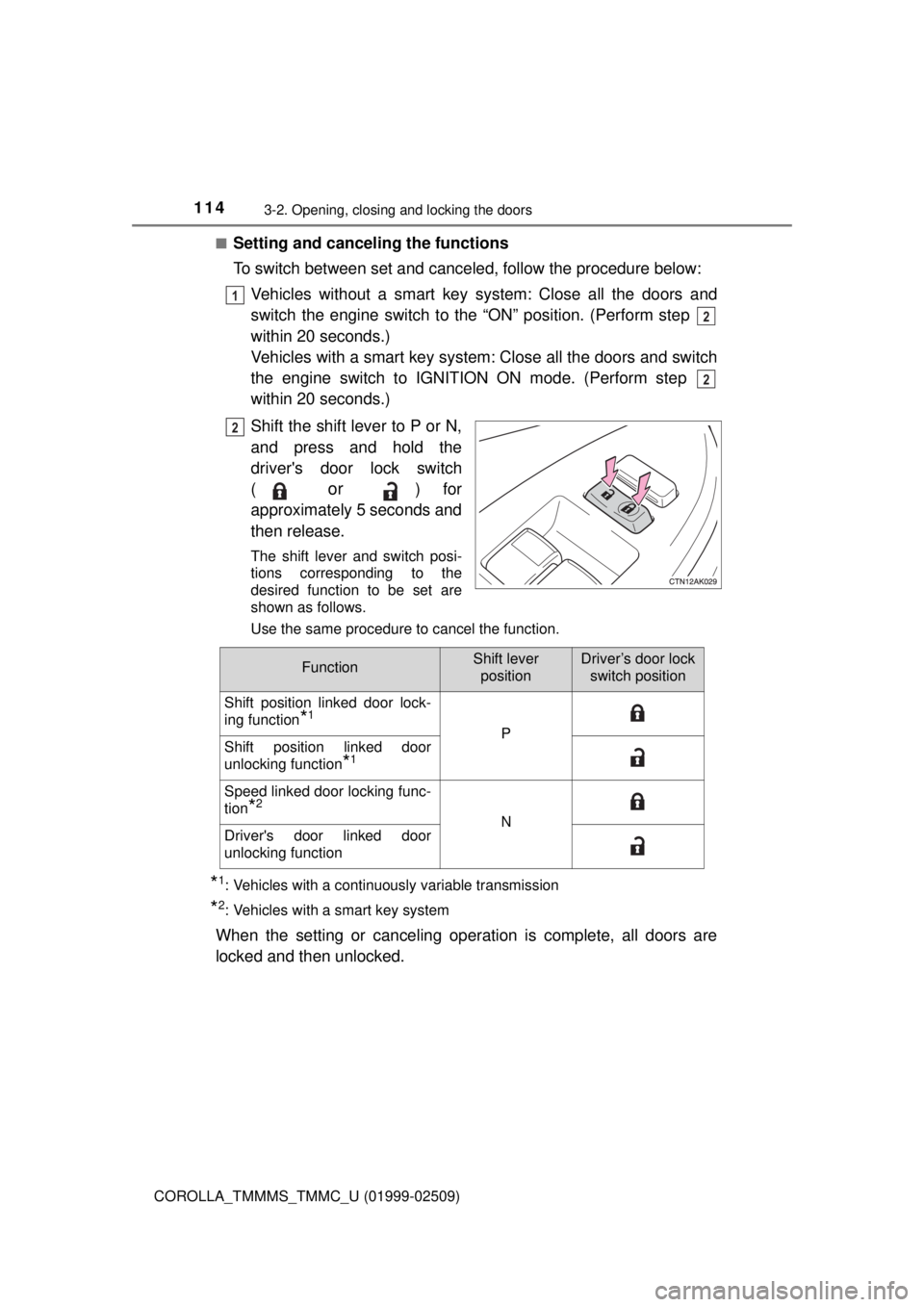
Shift the shift lever to P or N,
and press and hold the
driver's door lock switch
(
or ) for
approximately 5 seconds and
then release.
The shift lever and switch posi-
tions corresponding to the
desired function to be set are
shown as follows.
Use the same procedure to cancel the function.
*1: Vehicles with a continuously variable transmission
*2: Vehicles with a smart key system
When the setting or canceling operation is complete, all doors are
locked and then unlocked.
1
2
2
2
FunctionShift lever positionDriver’s door lock switch position
Shift position linked door lock-
ing function
*1
PShift position linked door
unlocking function
*1
Speed linked door locking func-
tion
*2
NDriver's door linked door
unlocking function