ignition TOYOTA COROLLA 2018 (in English) Service Manual
[x] Cancel search | Manufacturer: TOYOTA, Model Year: 2018, Model line: COROLLA, Model: TOYOTA COROLLA 2018Pages: 608, PDF Size: 9.96 MB
Page 393 of 608
3936-4. Other interior features
6
Interior features
COROLLA_TMMMS_TMMC_U (01999-02509)
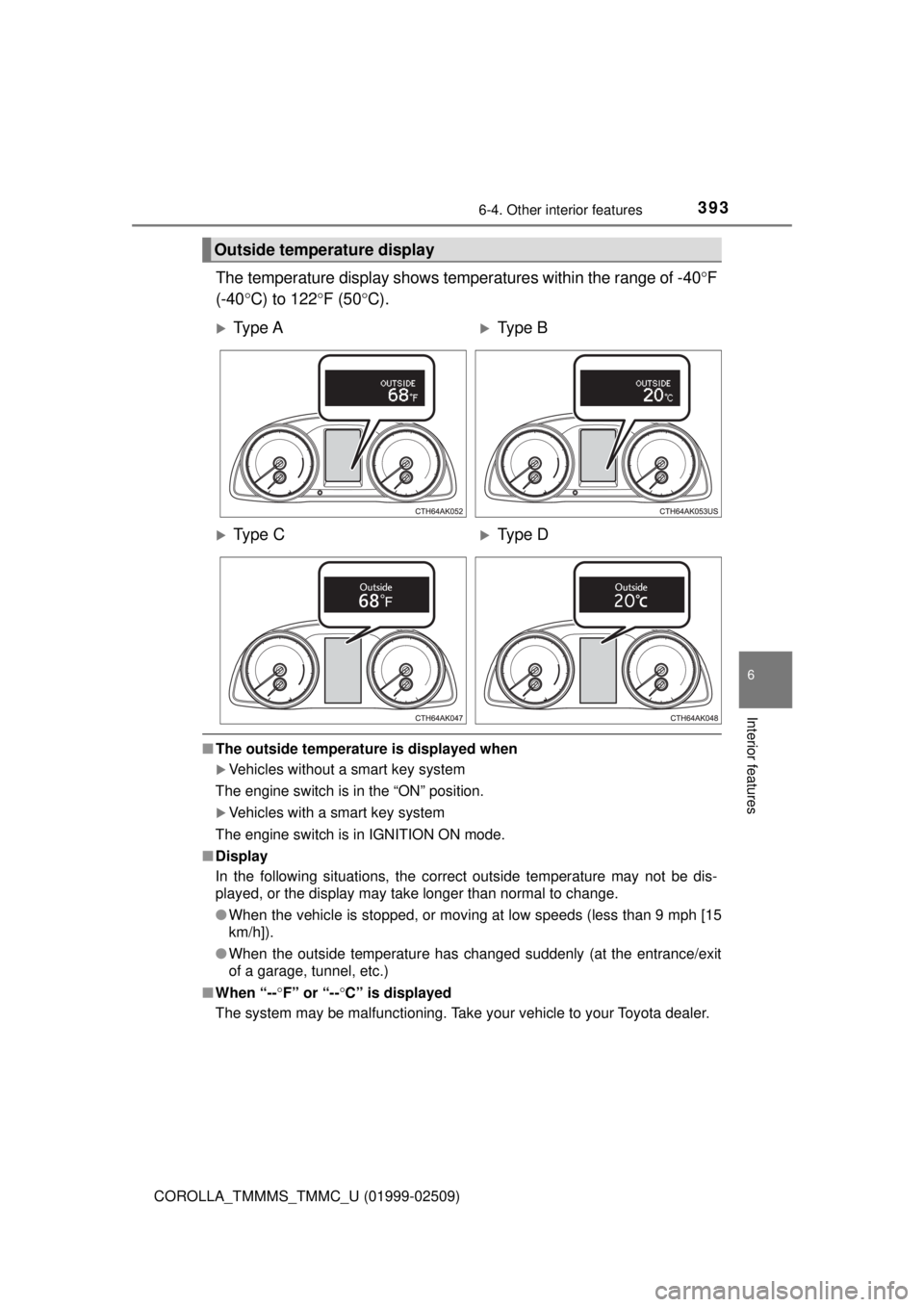
The temperature display shows temperatures within the range of -40°F
(-40° C) to 122 °F (50 °C).
■The outside temperatur e is displayed when
Vehicles without a smart key system
The engine switch is in the “ON” position.
Vehicles with a smart key system
The engine switch is in IGNITION ON mode.
■ Display
In the following situations, the correct outside temperature may not be \
dis-
played, or the display may take longer than normal to change.
●When the vehicle is stopped, or moving at low speeds (less than 9 mph [15
km/h]).
● When the outside temperature has changed suddenly (at the entrance/exit
of a garage, tunnel, etc.)
■ When “-- °F” or “-- °C” is displayed
The system may be malfunctioning. Take your vehicle to your Toyota dealer.
Outside temperature display
Ty p e AType B
Ty p e CType D
Page 394 of 608
3946-4. Other interior features
COROLLA_TMMMS_TMMC_U (01999-02509)
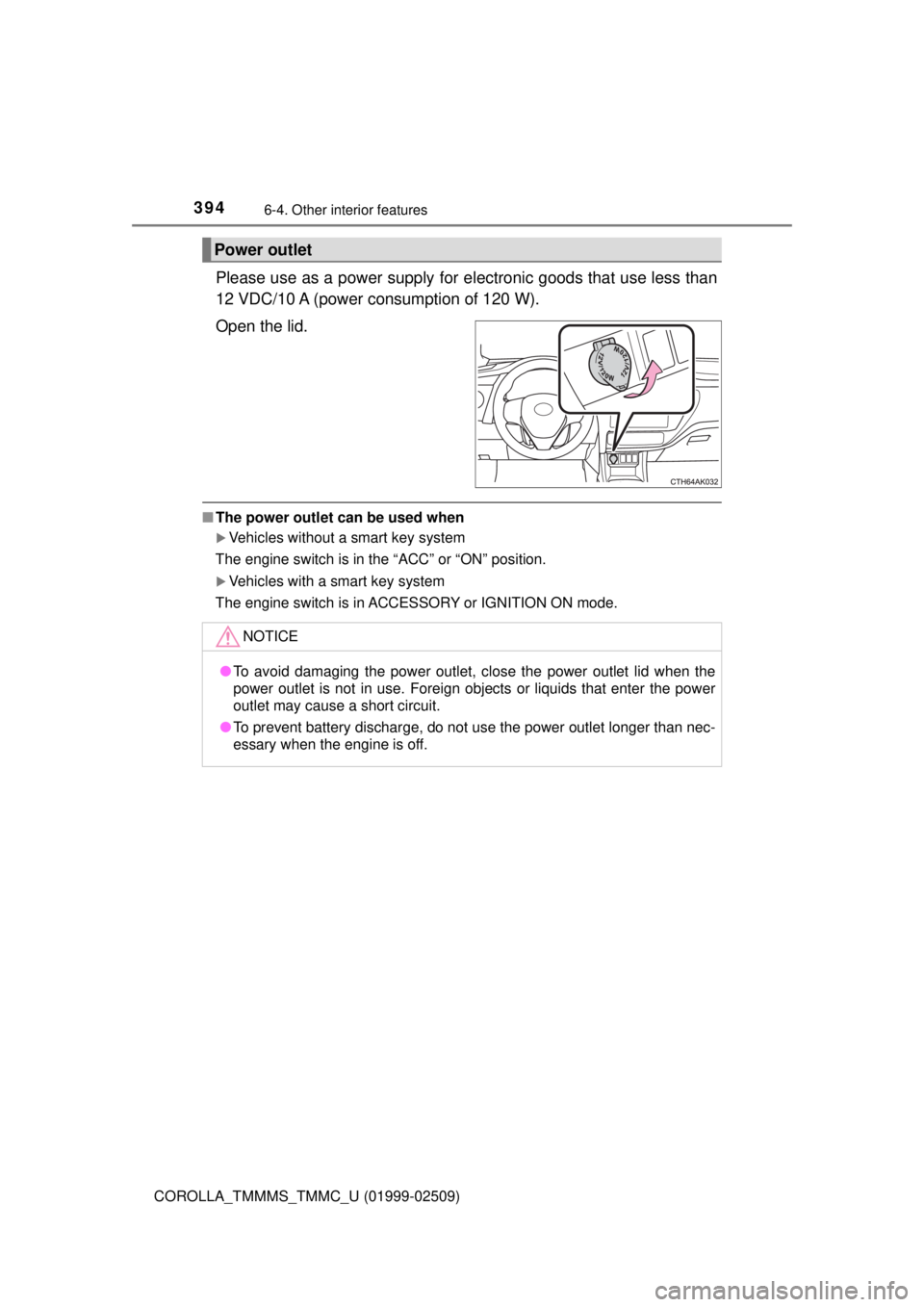
Please use as a power supply for electronic goods that use less than
12 VDC/10 A (power consumption of 120 W).
Open the lid.
■ The power outlet can be used when
Vehicles without a smart key system
The engine switch is in the “ACC” or “ON” position.
Vehicles with a smart key system
The engine switch is in ACCESSORY or IGNITION ON mode.
Power outlet
NOTICE
● To avoid damaging the power outlet, close the power outlet lid when the
power outlet is not in use. Foreign objects or liquids that enter the power
outlet may cause a short circuit.
● To prevent battery discharge, do not use the power outlet longer than nec-
essary when the engine is off.
Page 415 of 608
4157-2. Maintenance
7
Maintenance and care
COROLLA_TMMMS_TMMC_U (01999-02509)
■Repair and replacement
It is recommended that genuine Toyota parts be used for repairs to ensure
performance of each system. If non-Toyota parts are used in replacement or if
a repair shop other than a Toyota dealer performs repairs, confirm the war-
ranty coverage.
■ Resetting the message indicating maintenance is required (U.S.A. only)
After the required maintenance is performed according to the maintenance
schedule, please reset the message.
To reset the message, follow the procedure described below:
Vehicles with a monochrome display
Vehicles without a smart key system: Turn the engine switch to the “LOCK”
position with the trip meter A reading shown. ( →P. 77)
Vehicles with a smart key system: Turn the engine switch off with the trip
meter A reading shown. ( →P. 77)
Vehicles without a smart key system:
While pressing the display change button ( →P. 77), turn the engine switch
to the “ON” position (do not start the engine because reset mode will be
canceled).
Vehicles with a smart key system:
While pressing the display change button ( →P. 77), turn the engine switch
to the IGNITION ON mode (do not start the engine because otherwise the
reset mode will be canceled).
Continue to press and hold the button until the trip meter displays “000000”.
Vehicles with a color display
While the engine is running, switch the multi-information display to the “Set-
tings” screen. ( →P. 93)
Select “Reset Scheduled Maint. Data” on the “Settings” screen.
Select “Yes” when “Reset Data?” is displayed on the multi-information di\
s-
play.
“The Data Has Been Reset” will be displayed when the reset procedure has
been completed.
■ Allow inspection and repairs to be performed by a Toyota dealer
●Toyota technicians are well-trained specialists and are kept up to date with
the latest service information. They are well informed about the operations
of all systems on your vehicle.
● Keep a copy of the repair order. It proves that the maintenance that has
been performed is under warranty cove rage. If any problem should arise
while your vehicle is under warranty, your Toyota dealer will promptly take
care of it.
1
2
3
1
2
3
Page 424 of 608
4247-3. Do-it-yourself maintenance
COROLLA_TMMMS_TMMC_U (01999-02509)
WARNING
■When working near the electric cooling fan or radiator grille
Vehicles without a smart key system: Be sure the engine switch is off. With
the engine switch in the “ON” position, the electric cooling fan may automat-
ically start to run if the air conditioning is on and/or the coolant temperature
is high. ( →P. 435)
Vehicles with a smart key system: Be sure the engine switch is off. With the
engine switch in IGNITION ON mode, the electric cooling fan may automat-
ically start to run if the air conditioning is on and/or the coolant temperature
is high. ( →P. 435)
■ Safety glasses
Wear safety glasses to prevent flying or falling material, fluid spray, etc.
from getting in your eyes.
NOTICE
■If you remove the air cleaner filter
Driving with the air cleaner filter removed may cause excessive engine wear
due to dirt in the air.
Page 442 of 608
4427-3. Do-it-yourself maintenance
COROLLA_TMMMS_TMMC_U (01999-02509)■
How to initialize the tire pressure warning system
Park the vehicle in a safe place and turn the engine switch off.
Initialization cannot be performed while the vehicle is moving.
Adjust the tire inflation pressure to the specified cold tire inflation
pressure level. ( →P. 546)
Make sure to adjust the tire pressu re to the specified cold tire infla-
tion pressure level. The tire pressure warning system will operate
based on this pressure level.
Turn the engine switch to the “ON” position (vehicles without a
smart key system) or IGNITION ON mode (vehicles with a smart
key system).
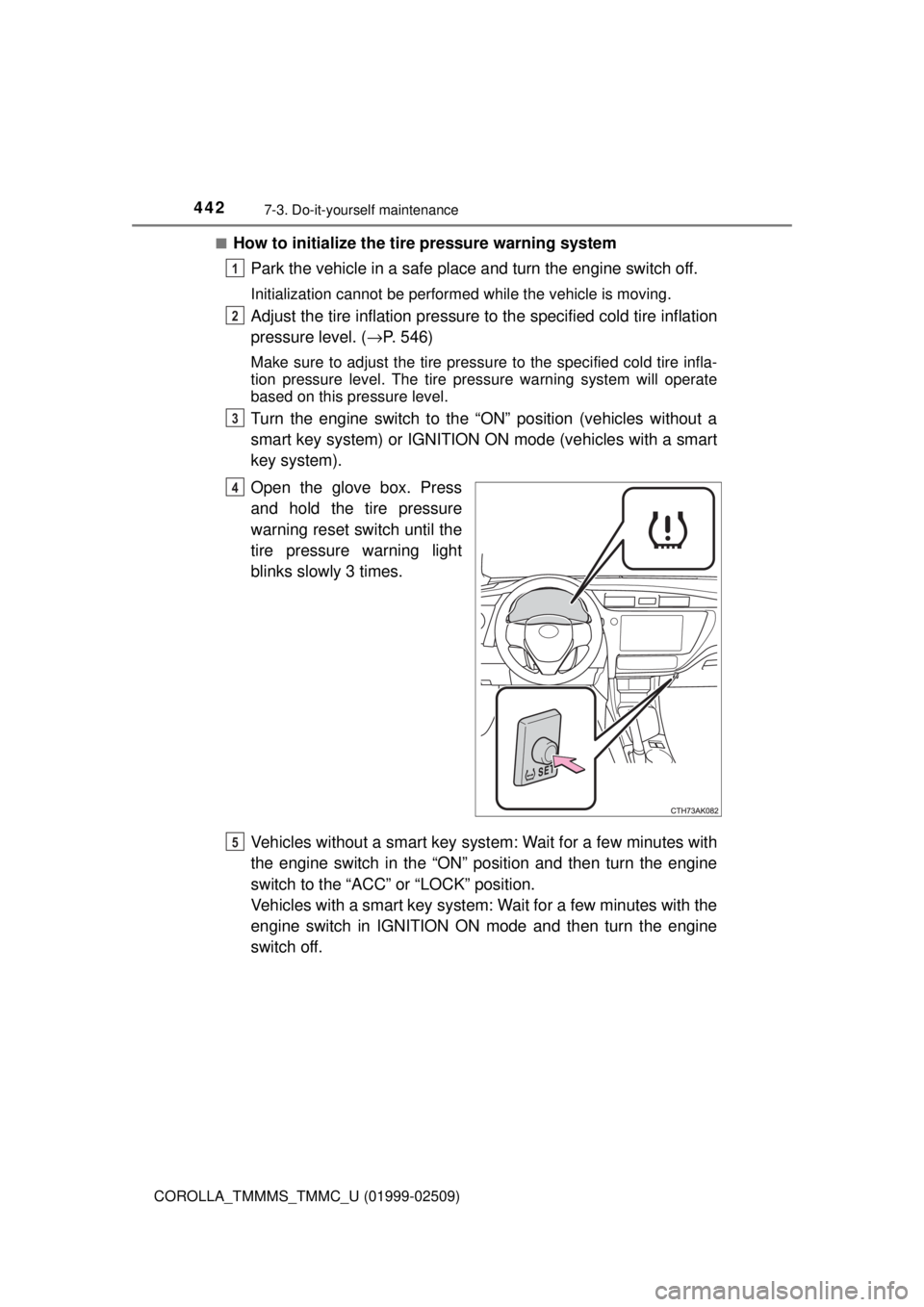
Open the glove box. Press
and hold the tire pressure
warning reset switch until the
tire pressure warning light
blinks slowly 3 times.
Vehicles without a smart key syst em: Wait for a few minutes with
the engine switch in the “ON” position and then turn the engine
switch to the “ACC” or “LOCK” position.
Vehicles with a smart key system: Wait for a few minutes with the
engine switch in IGNITION ON mode and then turn the engine
switch off.
1
2
3
4
5
Page 475 of 608
4758-2. Steps to take in an emergency
8
When trouble arises
COROLLA_TMMMS_TMMC_U (01999-02509)
If a tow truck is not available in an emergency, your vehicle may be
temporarily towed using cables or chains secured to the emergency
towing eyelet. This should only be attempted on hard surfaced roads
for at most 50 miles (80 km) at under 18 mph (30 km/h).
A driver must be in the vehicle to steer and operate the brakes. The
vehicle’s wheels, drive train, axles, steering and brakes must be in
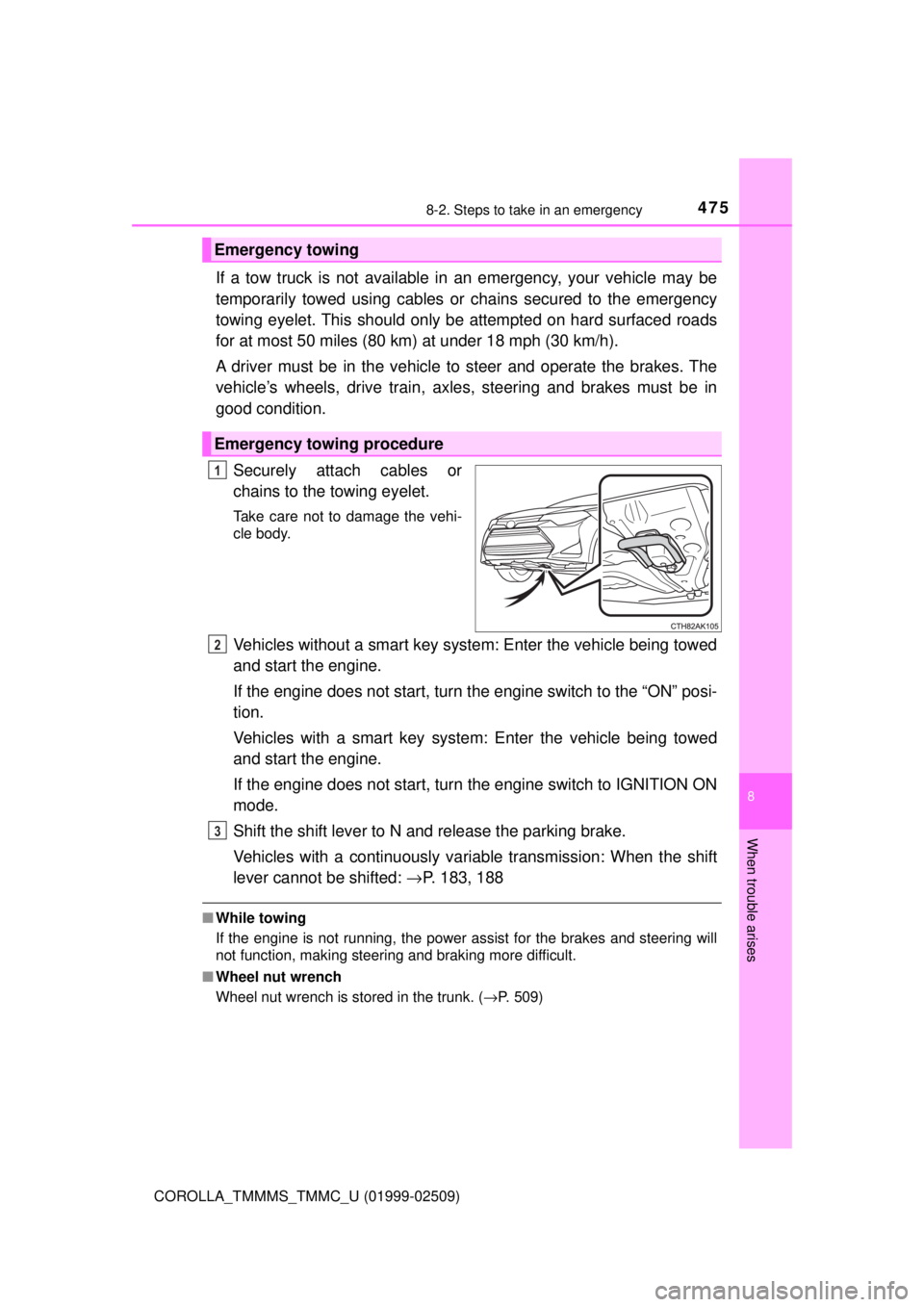
good condition.Securely attach cables or
chains to the towing eyelet.
Take care not to damage the vehi-
cle body.
Vehicles without a smart key system: Enter the vehicle being towed
and start the engine.
If the engine does not start, turn t he engine switch to the “ON” posi-
tion.
Vehicles with a smart key system : Enter the vehicle being towed
and start the engine.
If the engine does not start, turn the engine switch to IGNITION ON
mode.
Shift the shift lever to N and release the parking brake.
Vehicles with a continuously vari able transmission: When the shift
lever cannot be shifted: →P. 183, 188
■While towing
If the engine is not running, the power assist for the brakes and steering will
not function, making steering and braking more difficult.
■ Wheel nut wrench
Wheel nut wrench is stored in the trunk. ( →P. 509)
Emergency towing
Emergency towing procedure
1
2
3
Page 483 of 608

4838-2. Steps to take in an emergency
8
When trouble arises
COROLLA_TMMMS_TMMC_U (01999-02509)
*1: Parking brake engaged warning buzzer: →P. 490
*2: Driver’s seat belt buzzer:
Vehicles without a smart key system: The driver’s seat belt buzzer sounds
to alert the driver that his or her seat belt is not fastened. Once the engine
switch is turned to the “ON” position, the buzzer sounds for 6 seconds. If
the vehicle reaches a speed of 12 mph (20 km/h), the buzzer sounds once.
If the seat belt is still unfastened after 24 seconds, the buzzer will sound
intermittently for 6 seconds. Then, if the seat belt is still unfastened, the
buzzer will sound in a different tone for 90 more seconds.
Vehicles with a smart key system: The driver’s seat belt buzzer sounds to
alert the driver that his or her seat belt is not fastened. Once the engine
switch is turned to IGNITION ON mode, the buzzer sounds for 6 seconds.
If the vehicle reaches a speed of 12 mph (20 km/h), the buzzer sounds
once. If the seat belt is still unfastened after 24 seconds, the buzzer will
sound intermittently for 6 seconds. Then, if the seat belt is still unfastened,
the buzzer will sound in a different tone for 90 more seconds.
Front passenger’s seat belt buzzer:
The front passenger’s seat belt buzzer sounds to alert the front passenger
that his or her seat belt is not fastened. The buzzer sounds once if the
vehicle reaches a speed of 12 mph (20 km/h). If the seat belt is still unfas-
tened after 24 seconds, the buzzer will sound intermittently for 6 seconds.
Then, if the seat belt is still unfastened, the buzzer will sound in a different
tone for 90 more seconds.
Rear passenger’s seat belt buzzer:
The rear passenger’s seat belt buzzer sounds to alert the rear passengers
that his or her seat belt is not fastened. The buzzer sounds for 6 seconds
after the vehicle reaches a speed of 12 mph (20 km/h). Then, if the seat
belt is still unfastened, the buzzer will sound in a different tone for 24 more
seconds.
*3: If equipped
Page 506 of 608
5068-2. Steps to take in an emergency
COROLLA_TMMMS_TMMC_U (01999-02509)
Once⎯
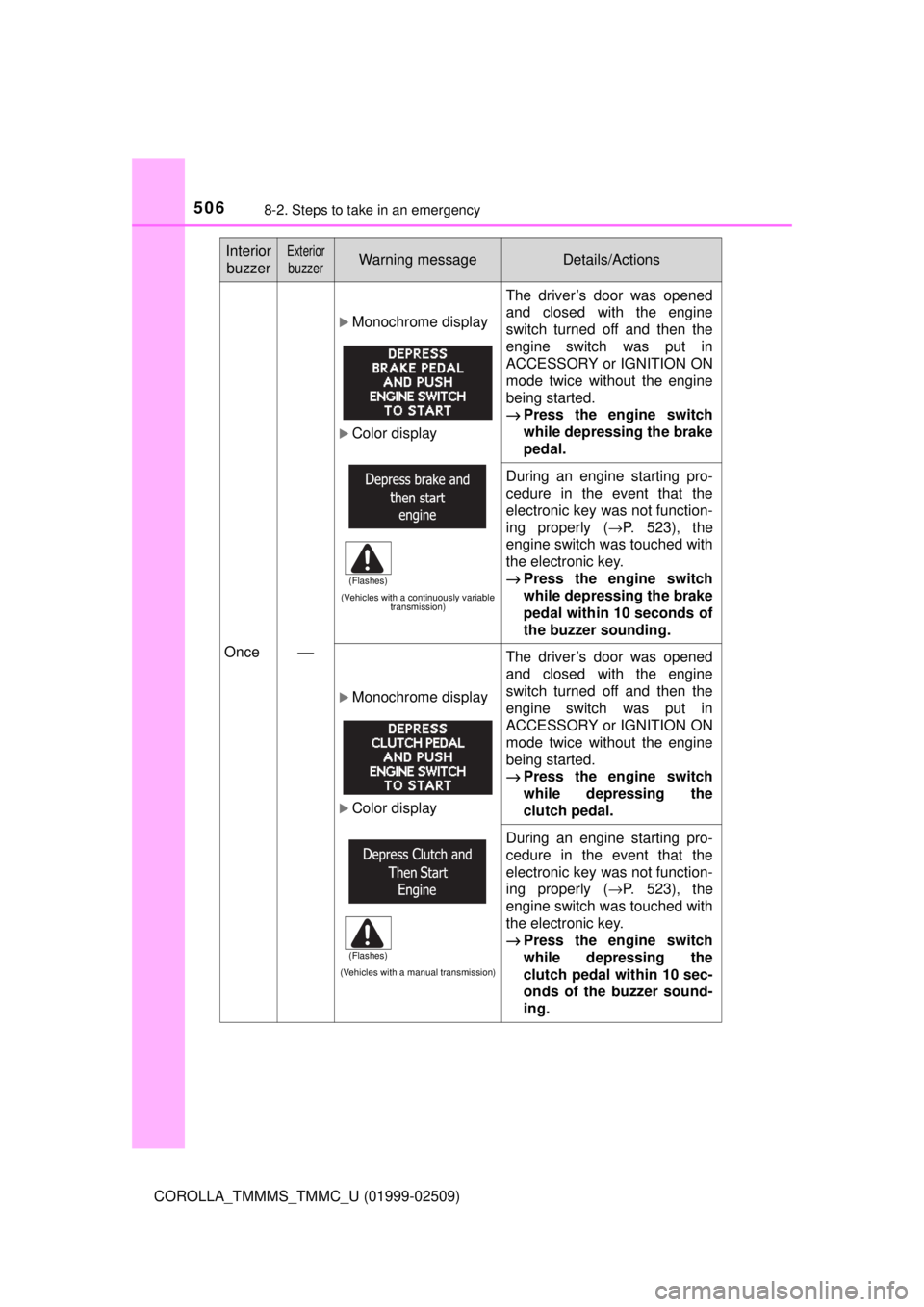
Monochrome display
Color display
(Vehicles with a continuously variable transmission)
The driver’s door was opened
and closed with the engine
switch turned off and then the
engine switch was put in
ACCESSORY or IGNITION ON
mode twice without the engine
being started.
→Press the engine switch
while depressing the brake
pedal.
During an engine starting pro-
cedure in the event that the
electronic key was not function-
ing properly ( →P. 523), the
engine switch was touched with
the electronic key.
→ Press the engine switch
while depressing the brake
pedal within 10 seconds of
the buzzer sounding.
Monochrome display
Color display
(Vehicles with a manual transmission)
The driver’s door was opened
and closed with the engine
switch turned off and then the
engine switch was put in
ACCESSORY or IGNITION ON
mode twice without the engine
being started.
→Press the engine switch
while depressing the
clutch pedal.
During an engine starting pro-
cedure in the event that the
electronic key was not function-
ing properly ( →P. 523), the
engine switch was touched with
the electronic key.
→ Press the engine switch
while depressing the
clutch pedal within 10 sec-
onds of the buzzer sound-
ing.
Interior
buzzerExterior
buzzerWarning messageDetails/Actions
(Flashes)
(Flashes)
Page 524 of 608
5248-2. Steps to take in an emergency
COROLLA_TMMMS_TMMC_U (01999-02509)
Continuously variable transmission: Ensure that the shift lever is in
P and depress the brake pedal.
Manual transmission: Shift the shift lever to N and depress the
clutch pedal.
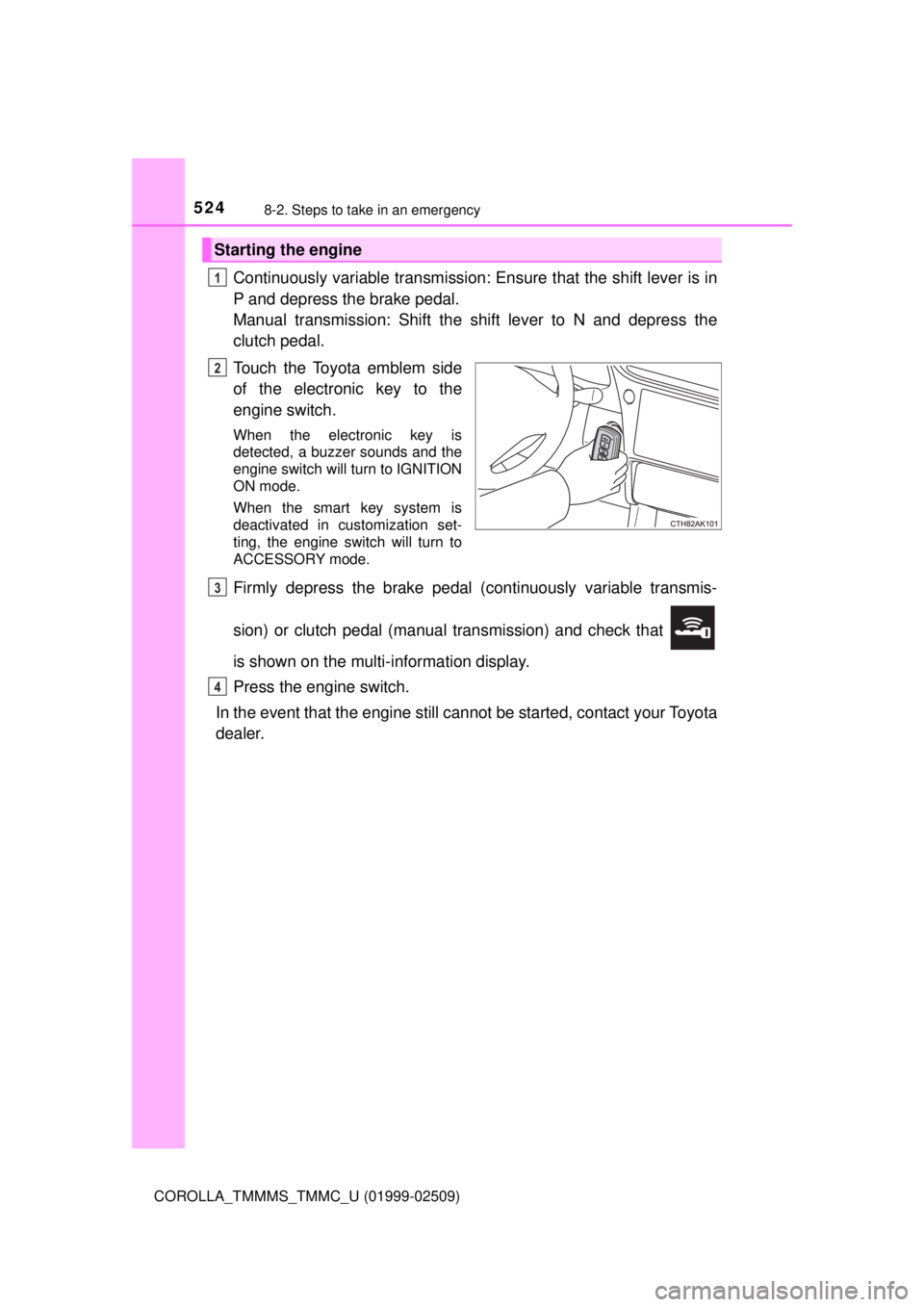
Touch the Toyota emblem side
of the electronic key to the
engine switch.
When the electronic key is
detected, a buzzer sounds and the
engine switch will turn to IGNITION
ON mode.
When the smart key system is
deactivated in customization set-
ting, the engine switch will turn to
ACCESSORY mode.
Firmly depress the brake pedal (continuously variable transmis-
sion) or clutch pedal (manual transmission) and check that
is shown on the multi-information display.
Press the engine switch.
In the event that the engine still ca nnot be started, contact your Toyota
dealer.
Starting the engine
1
2
3
4
Page 528 of 608

5288-2. Steps to take in an emergency
COROLLA_TMMMS_TMMC_U (01999-02509)
Start the engine of the second vehicle. Increase the engine speed
slightly and maintain at that level for approximately 5 minutes to
recharge the batter y of your vehicle.
Vehicles with a smart key system: Open and close any of the doors
of your vehicle with the engine switch off.
Vehicles without a smart key system:
Maintain the engine speed of the second vehicle and turn the
engine switch to the “ON” position, then start the vehicle's engine.
Vehicles with a smart key system:
Maintain the engine speed of the second vehicle and turn the
engine switch to IGNITION ON mode, then start the vehicle's
engine.
Once the vehicle’s engine has star ted, remove the jumper cables in
the exact reverse order from which they were connected.
Once the engine starts, have the v ehicle inspected at your Toyota
dealer as soon as possible.5
6
7
8