phone TOYOTA COROLLA 2019 (in English) Repair Manual
[x] Cancel search | Manufacturer: TOYOTA, Model Year: 2019, Model line: COROLLA, Model: TOYOTA COROLLA 2019Pages: 608, PDF Size: 10.15 MB
Page 357 of 608

3575-10. Bluetooth®
5
Audio system
COROLLA_TMMMS_TMMC_U■
Compatible models
The Bluetooth
® audio system supports portable audio players with the follow-
ing specifications
● Bluetooth
® specifications:
Ver. 2.0, or higher (Recommended: Ver. 3.0+EDR or higher)
● Profiles:
• A2DP (Advanced Audio Distribution Profile) Ver. 1.0, or higher
(Recommended: Ver. 1.2 or higher)
This is a profile to transmit stereo audio or high quality soun d to Entune
Audio.
• AVRCP (Audio/Video Remote Control Profile) Ver. 1.0 or higher (Recommended: Ver. 1.4 or higher)
This is a profile to allow remote control the A/V equipment.
However, please note that some functions may be limited depending on the
type of portable audio player connected.
The hands-free system supports cellular phones with the followi ng specifica-
tions.
● Bluetooth
® specification:
Ver. 2.0 or higher (Recommended: Ver. 3.0+EDR or higher)
● Profiles:
• HFP (Hands Free Profile) Ver. 1.0 or higher (Recommended: Ver. 1.6 or
higher)
This is a profile to allow hands-free phone calls using a cellu lar phone or
head set. It has outgoing and incoming call functions.
• OPP (Object Push Profile) Ver . 1.1 or higher (Recommended: Ver . 1.2)
This is a profile to transfer contact data. When a Bluetooth
® compatible
cellular phone has both PBAP and OPP, OPP cannot be used.
• PBAP (Phone Book Access Profile) Ver. 1.0 or higher (Recommend ed:
Ve r. 1 . 1 )
This is a profile to transfer contact data.
• MAP (Message Access Profile) Ver.1.0 or higher This is a profile to using phone message.
If the cellular phone does not support HFP, you cannot register it with the
hands-free system. OPP, PBAP or MAP services must be selected i ndividu-
ally.
Page 358 of 608
3585-10. Bluetooth®
COROLLA_TMMMS_TMMC_U■
Reconnecting the portable audio player
If the portable audio player is disconnected due to poor reception when the
engine switch is in the “ACC” or “ON” position (vehicles withou t a smart key
system) or ACCESSORY or IGNITION ON mode (vehicles with a smart key
system), the system automatically reconnects the portable audio player.
If you have switched off the portable audio player yourself, fo llow the instruc-
tions below to reconnect:
● Select the portable audio player again
● Enter the portable audio player
■ When you sell your car
Be sure to delete your personal data. ( P. 280)
WARNING
■While driving
Do not use the portable audio player, cellular phone or connect a device to
the Bluetooth
® system.
■ Caution regarding interfer ence with electronic devices
● Your audio unit is fitted with Bluetooth
® antennas. People with implantable
cardiac pacemakers, cardiac resynchronization therapy-pacemaker s or
implantable cardioverter defibrillators should maintain a reaso nable dis-
tance between themselves and the Bluetooth
® antennas. The radio waves
may affect the operation of such devices.
● Before using Bluetooth
® devices, users of any electrical medical device
other than implantable cardiac pacemakers, cardiac resynchroniz ation
therapy-pacemakers or implantable cardioverter defibrillators should con-
sult the manufacturer of the device for information about its o peration
under the influence of radio waves. Radio waves could have unex pected
effects on the operation of such medical devices.
NOTICE
■ When leaving the vehicle
Do not leave your portable audio player or cellular phone in th e vehicle. The
inside of the vehicle may become hot, causing damage to the por table
audio player or cellular phone.
Page 360 of 608
3605-11. Using the voice command system
COROLLA_TMMMS_TMMC_U
■Microphone
P. 323
■ When using the microphone
●It is unnecessary to speak directly into the microphone when gi ving a com-
mand.
● When “Voice Prompt Interrupt” set to on, it is not necessary to wait for the
confirmation beep before speaking a command. ( P. 283)
● Voice commands may not be recognized if:
• Spoken too quickly.
• Spoken at a low or high volume.
• The roof or windows are open.
• Passengers are talking while voice commands are spoken.
• The air conditioning speed is set high.
• The air conditioning vents are turned towards the microphone.
● In the following conditions, the system may not recognize the command
properly and using voice commands may not be possible:
• The command is incorrect or unclear. Note that certain words, accents or
speech patterns may be difficult for the system to recognize.
• There is excessive background noise, such as wind noise.
Due to natural language speech recognition technology, this sys tem
enables recognition of a command when spoken naturally. However ,
the system cannot recognize ever y variation of each command.
In some situations, it is possi ble to omit the command for the proce-
dure and directly state the desired operation.
Not all voice commands are displayed in the short cut menu.
This function is available in English, Spanish and French.
■Expression examples for each function
Casual speech recognization
CommandExpression examples
“Call (name)
(type)”Get me (Robert Brown).
I need to call (Robert Brown) at (Work) right away.
“Dial (number)”Please dial the number (3334445555).
Ring (3334445555).
Page 361 of 608
3615-11. Using the voice command system
5
Audio system
COROLLA_TMMMS_TMMC_U
Some recognizable voice commands and their actions are shown
below as examples.
Basic
Phone
Command list
CommandAction
“Help”Prompts voice guidance to offer examples of com-
mands or operation methods
“Go Back”Returns to the previous screen
CommandAction
“Redial”Places a call to the phone number of the latest outgo-
ing call
“Call Back”Places a call to the phone number of latest incoming
call
“Show Recent
Calls”Displays the call history screen
“Dial (phone num-
ber)”Places a call to the said phone number
“Call (contacts)
(phonetypes)”Place a call to the said phone type of the contact from
the phone book
Page 362 of 608
3625-11. Using the voice command system
COROLLA_TMMMS_TMMC_U
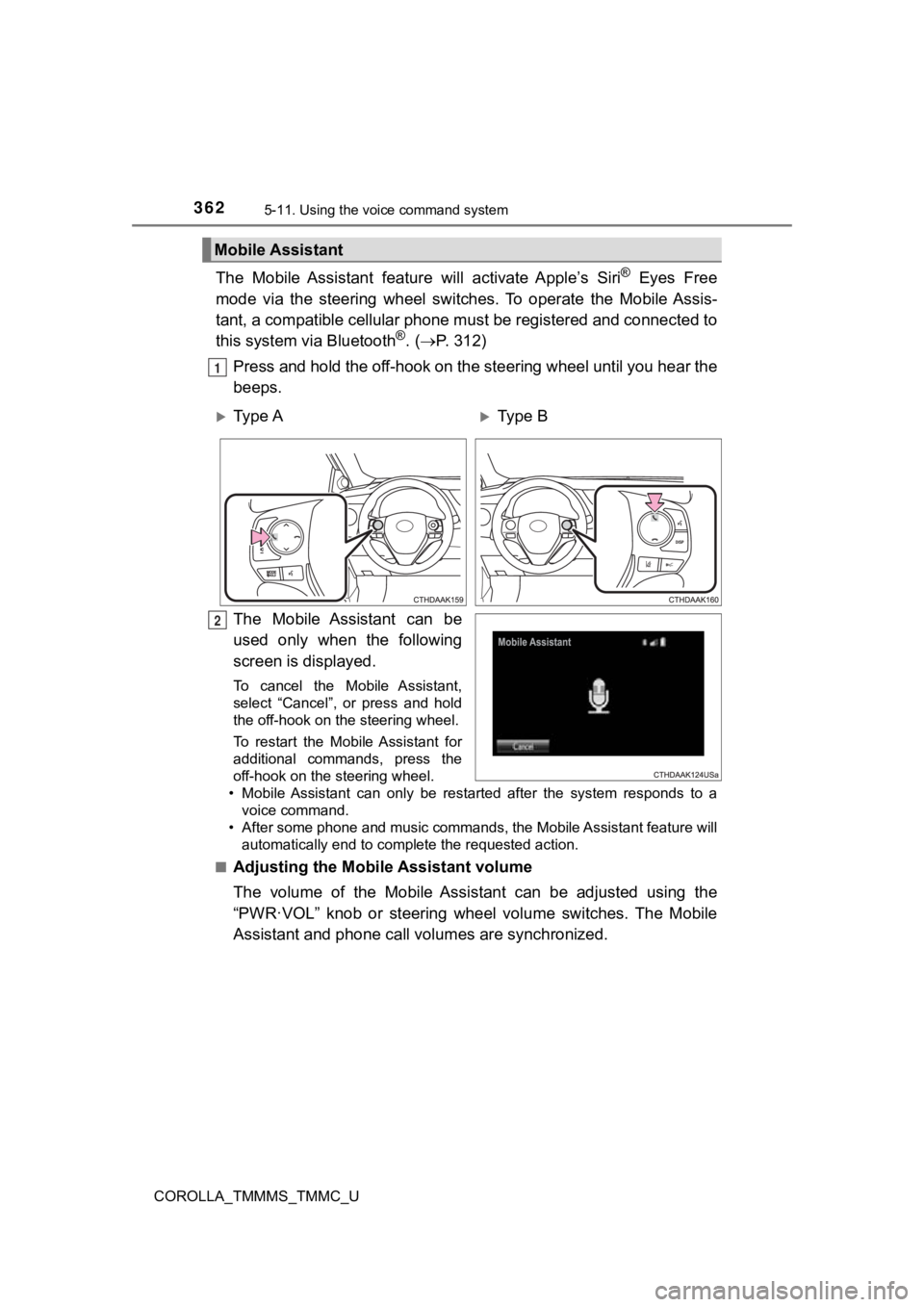
The Mobile Assistant feature will activate Apple’s Siri® Eyes Free
mode via the steering wheel switches. To operate the Mobile Ass is-
tant, a compatible cellular phone must be registered and connec ted to
this system via Bluetooth
®. ( P. 3 1 2 )
Press and hold the off-hook on the steering wheel until you hea r the
beeps.
The Mobile Assistant can be
used only when the following
screen is displayed.
To cancel the Mobile Assistant,
select “Cancel”, or press and hold
the off-hook on the steering wheel.
To restart the Mobile Assistant for
additional commands, press the
off-hook on the steering wheel.
• Mobile Assistant can only be restarted after the system responds to a
voice command.
• After some phone and music commands, the Mobile Assistant feat ure will
automatically end to complete the requested action.
■
Adjusting the Mobile Assistant volume
The volume of the Mobile Assistant can be adjusted using the
“PWR·VOL” knob or steering whee l volume switches. The Mobile
Assistant and phone call vo lumes are synchronized.
Mobile Assistant
1
Ty p e AType B
2
Page 363 of 608

3635-11. Using the voice command system
5
Audio system
COROLLA_TMMMS_TMMC_U
■ Notes about Mobile Assistant
●The available features and functions may vary based on the iOS version
installed on the connected device.
● Some Siri features are limited in Eyes Free mode. If you attempt to use an
unavailable function, Siri will inform you that the function is not available.
● If Siri is not enabled on the cellular phone connected via Bluetooth
®, an
error message will be displayed on the screen.
● While a phone call is active, the Mobile Assistant cannot be us ed.
● If using the navigation feature of the cellular phone, ensure t he active audio
source is Bluetooth
® audio or iPod in order to hear turn by turn direction
prompts.
Page 599 of 608
599Alphabetical index
COROLLA_TMMMS_TMMC_U
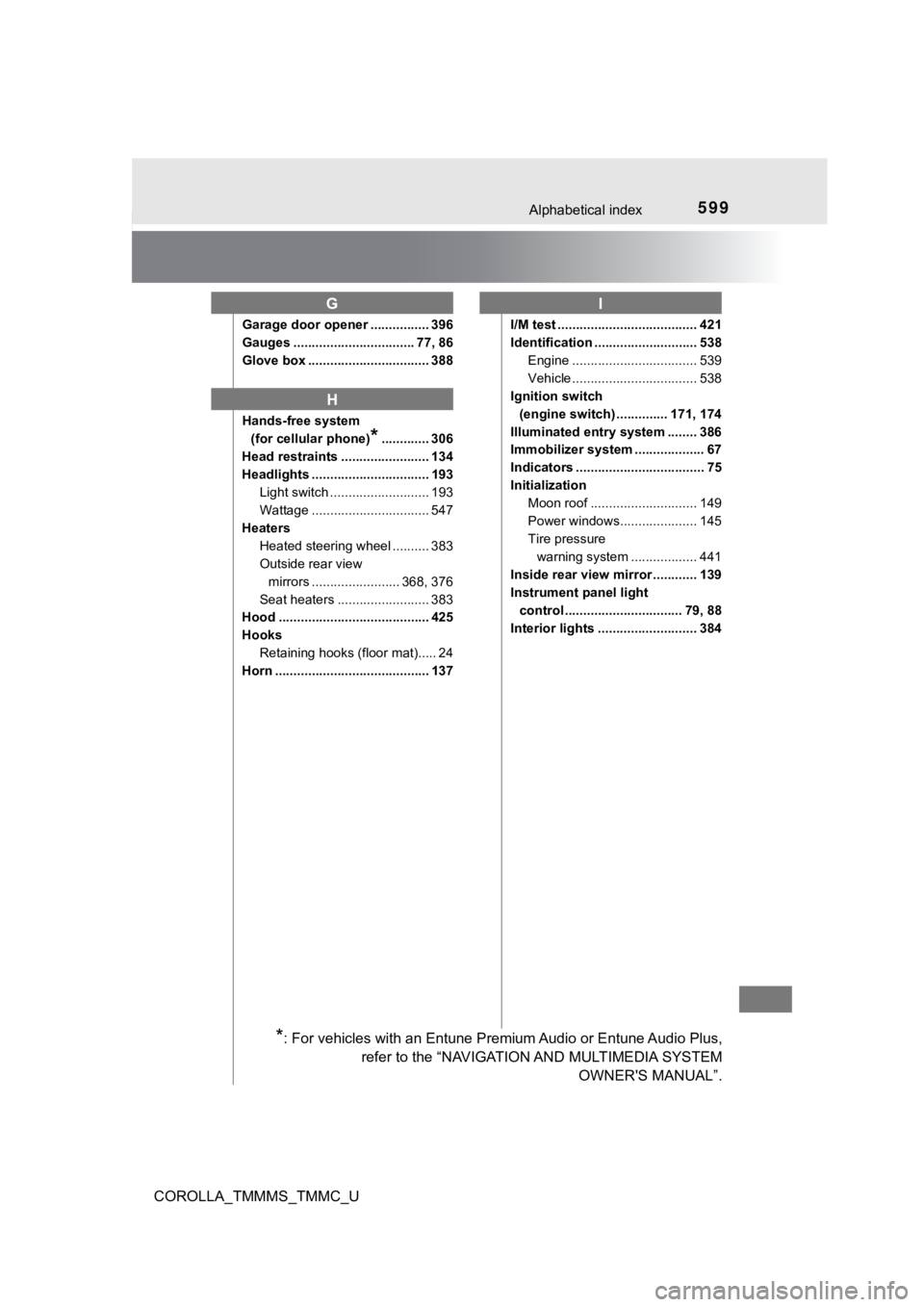
Garage door opener ................ 396
Gauges ................................. 77, 86
Glove box ................................. 388
Hands-free system (for cellular phone)
*............. 306
Head restraints ........................ 134
Headlights ................................ 193
Light switch ........................... 193
Wattage ................................ 547
Heaters Heated steering wheel .......... 383
Outside rear view mirrors ........................ 368, 376
Seat heaters ......................... 383
Hood ......................................... 425
Hooks
Retaining hooks (floor mat)..... 24
Horn .......................................... 137 I/M test ...................................... 421
Identification ............................ 538
Engine .................................. 539
Vehicle .................................. 538
Ignition switch
(engine switch) .............. 171, 174
Illuminated entry system ........ 386
Immobilizer system ................... 67
Indicators ................................... 75
Initialization Moon roof ............................. 149
Power windows..................... 145
Tire pressure warning system .... .............. 441
Inside rear view mirror ............ 139
Instrument panel light control ................................ 79, 88
Interior lights ........................... 384
G
H
I
*: For vehicles with an Entune Premium Audio or Entune Audio Plu s,
refer to the “NAVIGATION AND MULTIMEDIA SYSTEM OWNER'S MANUAL”.
Page 604 of 608

604Alphabetical index
COROLLA_TMMMS_TMMC_U
Speedometer ........................ 77, 86
Steering lockColumn lock release ..... 172, 178
Steering lock system warning message ............................. 504
Steering wheel ......................... 137 Adjustment ............................ 137
Audio switches
*.................... 271
Heated steering wheel .......... 383
Stop lights Replacing light bulbs............. 465
Storage feature ........................ 387
Stuck If the vehicle becomes
stuck ................................... 534
Sun shade Roof ...................................... 148
Sun visors ................................ 392
Switches Audio remote control
switches
*........................... 271
Compass switch.................... 403
“DISP” switch .......................... 81
Door lock switches ................ 111
Dynamic radar cruise control switch...................... 235
“ECO MODE” switch ............. 182
Emergency flashers
switch ................................. 470
Engine switch................ 171, 174 Garage door opener
switches ............................. 396
Heated steering wheel switch ....................... 383
Ignition switch ............... 171, 174
LDA (Lane Departure
Alert with steering
control) switch .................... 229
Light switches ....................... 193
Meter control switches ............ 91
Moon roof switches............... 147
Outside rear view mirror switches ............................. 141
Paddle shift switches ............ 186
Power door lock switch ......... 111
Power window switches........ 143
Rear window and outside
rear view mirror
defoggers switch ........ 368, 376
Seat heater switches ............ 383
Sport mode switch ................ 185
Talk switch
*.......................... 359
Telephone switches
*............ 338
Tire pressure warning reset
switch ................................. 442
“TRIP” switch .......................... 87
Vehicle-to-vehicle distance switch ................... 235
VSC OFF switch ................... 258
Window lock switch .............. 143
Windshield wiper and washer switch..................... 202
Page 605 of 608
605Alphabetical index
COROLLA_TMMMS_TMMC_U
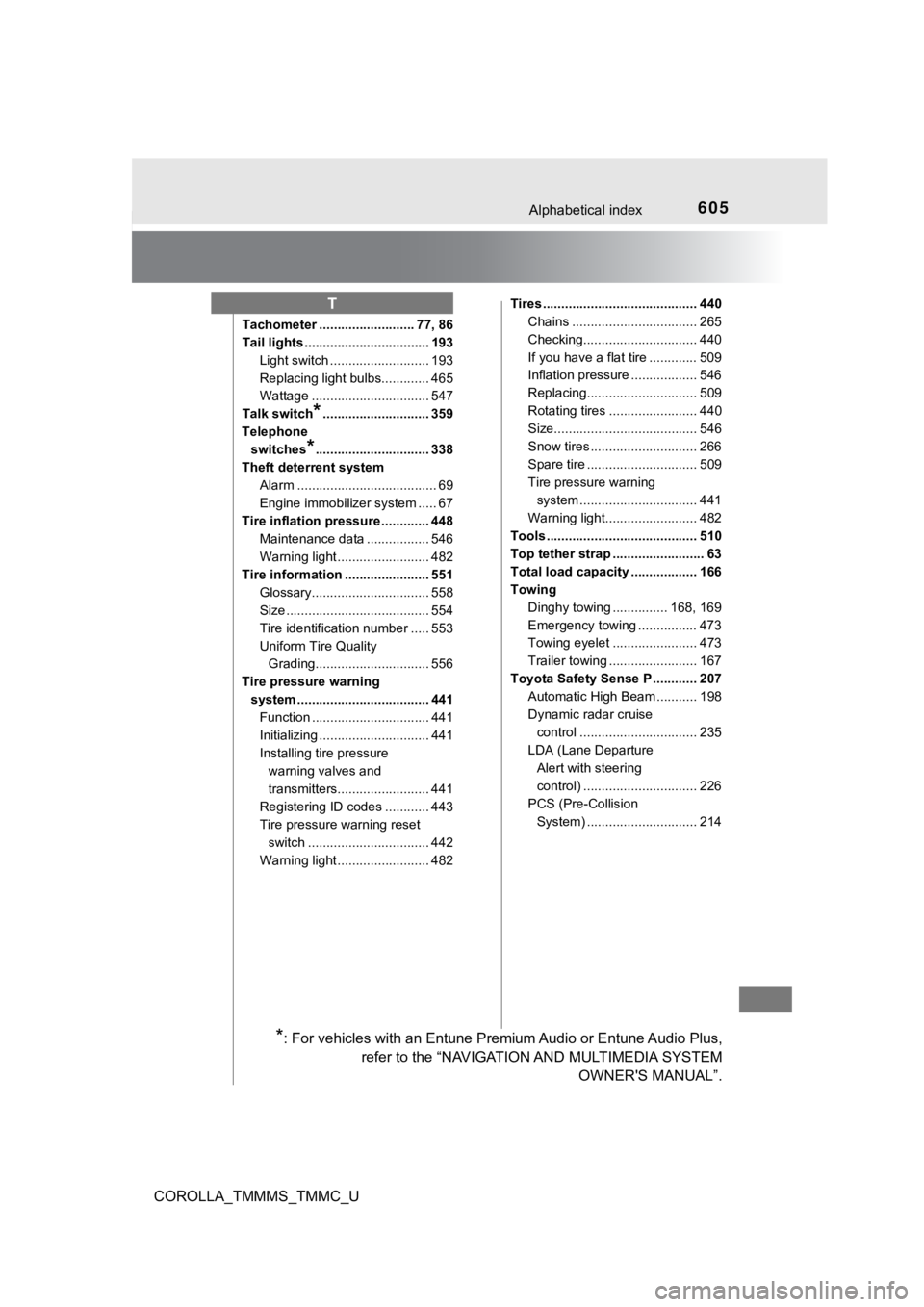
Tachometer .......................... 77, 86
Tail lights .................................. 193Light switch ........................... 193
Replacing light bulbs............. 465
Wattage ................................ 547
Talk switch
*............................. 359
Telephone switches
*............................... 338
Theft deterrent system Alarm ...................................... 69
Engine immobilizer system ..... 67
Tire inflation pressure ............. 448 Maintenance data ................. 546
Warning light ......................... 482
Tire information ....................... 551 Glossary................................ 558
Size ....................................... 554
Tire identification number ..... 553
Uniform Tire Quality Grading............................... 556
Tire pressure warning system .................................... 441 Function ................................ 441
Initializing .............................. 441
Installing tire pressure
warning valves and
transmitters......................... 441
Registering ID codes ............ 443
Tire pressure warning reset
switch ................................. 442
Warning light ......................... 482 Tires .......................................... 440
Chains .................................. 265
Checking............................... 440
If you have a flat tire ............. 509
Inflation pressure .................. 546
Replacing.............................. 509
Rotating tires ........................ 440
Size....................................... 546
Snow tires ............................. 266
Spare tire .............................. 509
Tire pressure warning
system .......... ...................... 441
Warning light......................... 482
Tools ......................................... 510
Top tether strap ......................... 63
Total load capacity .................. 166
Towing
Dinghy towing ............... 168, 169
Emergency towing ................ 473
Towing eyelet ....................... 473
Trailer towing ........................ 167
Toyota Safety Sense P ............ 207 Automatic High Beam ........... 198
Dynamic radar cruise
control ................................ 235
LDA (Lane Departure Alert with steering
control) ............................... 226
PCS (Pre-Collision System) .............................. 214
T
*: For vehicles with an Entune Premium Audio or Entune Audio Plu s,
refer to the “NAVIGATION AND MULTIMEDIA SYSTEM OWNER'S MANUAL”.