wheel TOYOTA COROLLA 2020 (in English) Owner's Manual
[x] Cancel search | Manufacturer: TOYOTA, Model Year: 2020, Model line: COROLLA, Model: TOYOTA COROLLA 2020Pages: 588, PDF Size: 13.49 MB
Page 145 of 588
1454-1. Before driving
COROLLA_U
4
Driving
■Total load capacity and seating
capacity
These details are also described on
the tire and loading information
label. ( P.453)
Vehicle load limits
Vehicle load limits include
total load capacity, seating
capacity, towing capacity
and cargo capacity.
Total load capacity (vehicle
capacity weight): P.524
Total load capacity means the
combined weight of occupants,
cargo and luggage.
Seating capacity: 5 occu-
pants (Front 2, Rear 3)
Seating capacity means the max-
imum number of occupants
whose estimated average weight
is 150 lb. (68 kg) per person.
Towing capacity
Toyota does not recommend tow-
ing a trailer with your vehicle.
Cargo capacity
Cargo capacity may increase or
decrease depending on the
weight and the number of occu-
pants.
WARNING
■Overloading the vehicle
Do not overload the vehicle.
It may not only cause damage to
the tires, but also degrade steer-
ing and braking ability, resulting in
an accident.
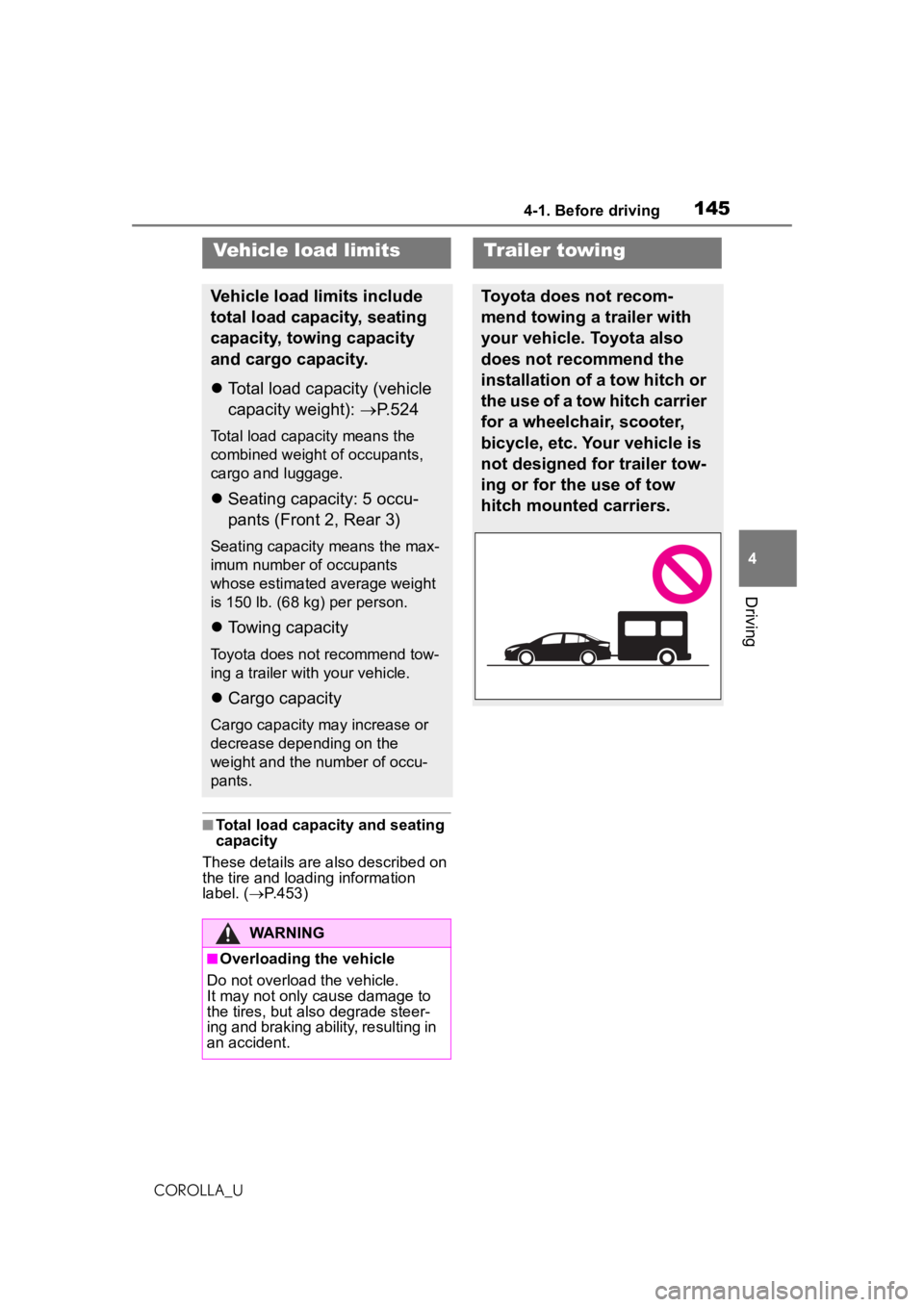
Trailer towing
Toyota does not recom-
mend towing a trailer with
your vehicle. Toyota also
does not recommend the
installation of a tow hitch or
the use of a tow hitch carrier
for a wheelchair, scooter,
bicycle, etc. Your vehicle is
not designed for trailer tow-
ing or for the use of tow
hitch mounted carriers.
Page 146 of 588
1464-1. Before driving
COROLLA_U
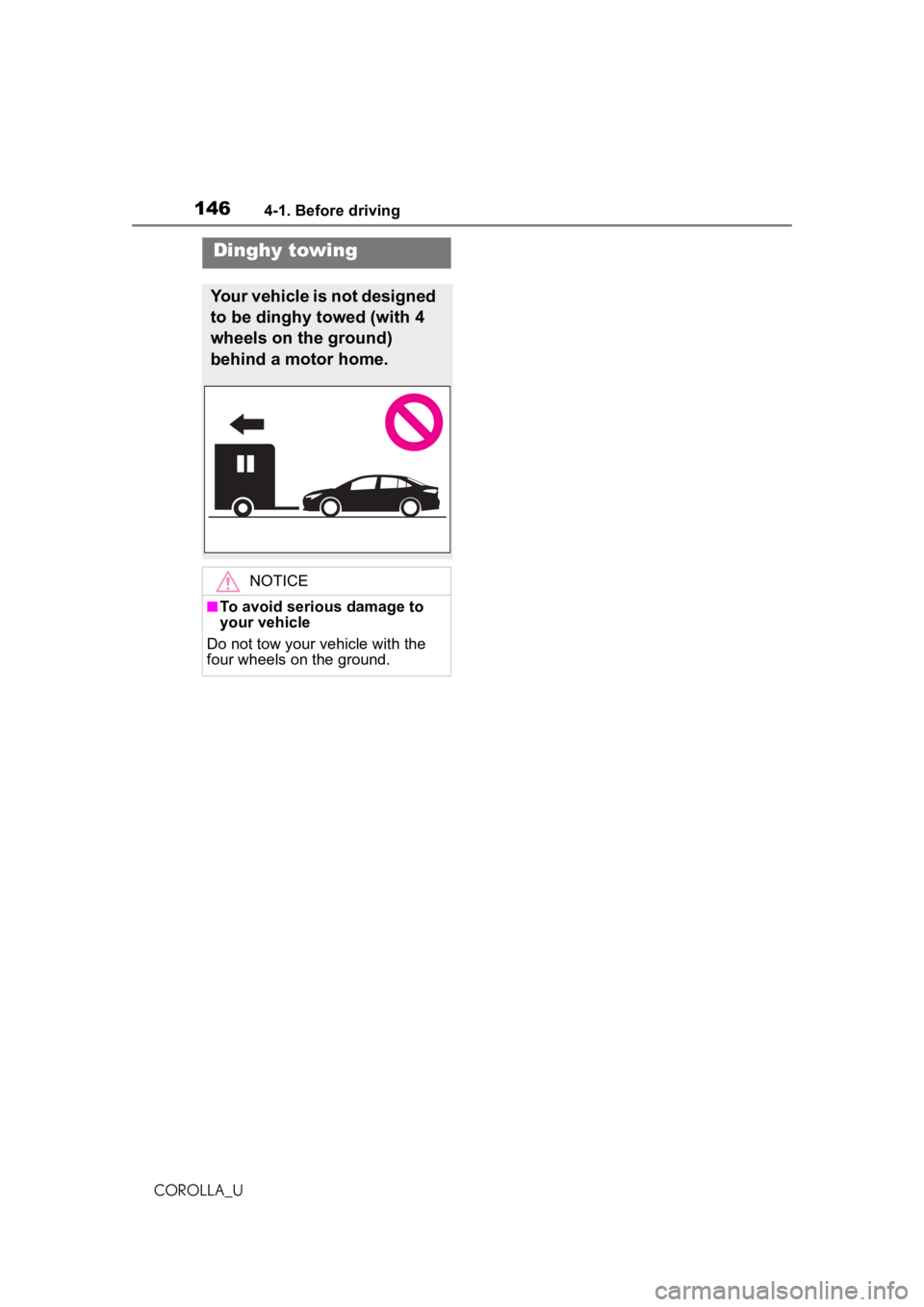
Dinghy towing
Your vehicle is not designed
to be dinghy towed (with 4
wheels on the ground)
behind a motor home.
NOTICE
■To avoid serious damage to
your vehicle
Do not tow your vehicle with the
four wheels on the ground.
Page 147 of 588
1474-2. Driving procedures
COROLLA_U
4
Driving
4-2.Driving procedures
1 Check that the parking brake
is set. ( P.163, 164)
2 Check that the shift lever is in
P (continuously variable
transmission) or N (manual
transmission).
3 Firmly depress the brake
pedal (continuously variable
transmission) or clutch pedal
(manual transmission).
4 Turn the engine switch to
START to start the engine.
■If the engine does not start
The engine immobilizer system may
not have been deactivated. ( P.67)
Contact your Toyota dealer.
■When the steering lock cannot
be released
When starting the engine, the
engine switch may seem stuck in
OFF. To free it, turn the key while
turning the steering wheel slightly
left and right.
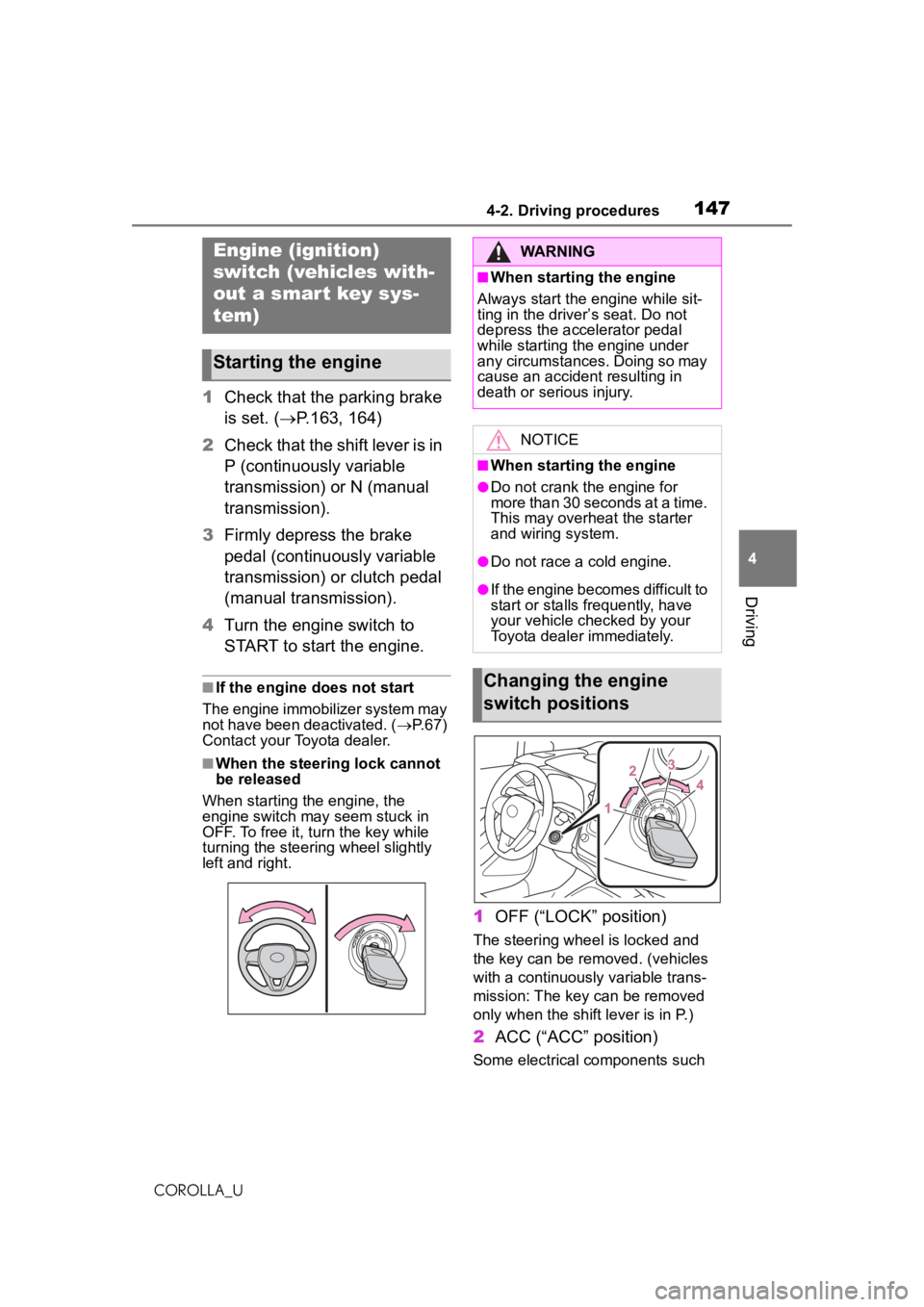
1 OFF (“LOCK” position)
The steering wheel is locked and
the key can be removed. (vehicles
with a continuously variable trans-
mission: The key can be removed
only when the shift lever is in P.)
2ACC (“ACC” position)
Some electrical components such
Engine (ignition)
switch (vehicles with-
out a smart key sys-
tem)
Starting the engine
WARNING
■When starting the engine
Always start the engine while sit-
ting in the driver’s seat. Do not
depress the accelerator pedal
while starting the engine under
any circumstances. Doing so may
cause an accident resulting in
death or serious injury.
NOTICE
■When starting the engine
●Do not crank the engine for
more than 30 seconds at a time.
This may overheat the starter
and wiring system.
●Do not race a cold engine.
●If the engine becomes difficult to
start or stalls frequently, have
your vehicle checked by your
Toyota dealer immediately.
Changing the engine
switch positions
Page 149 of 588
1494-2. Driving procedures
COROLLA_U
4
Driving
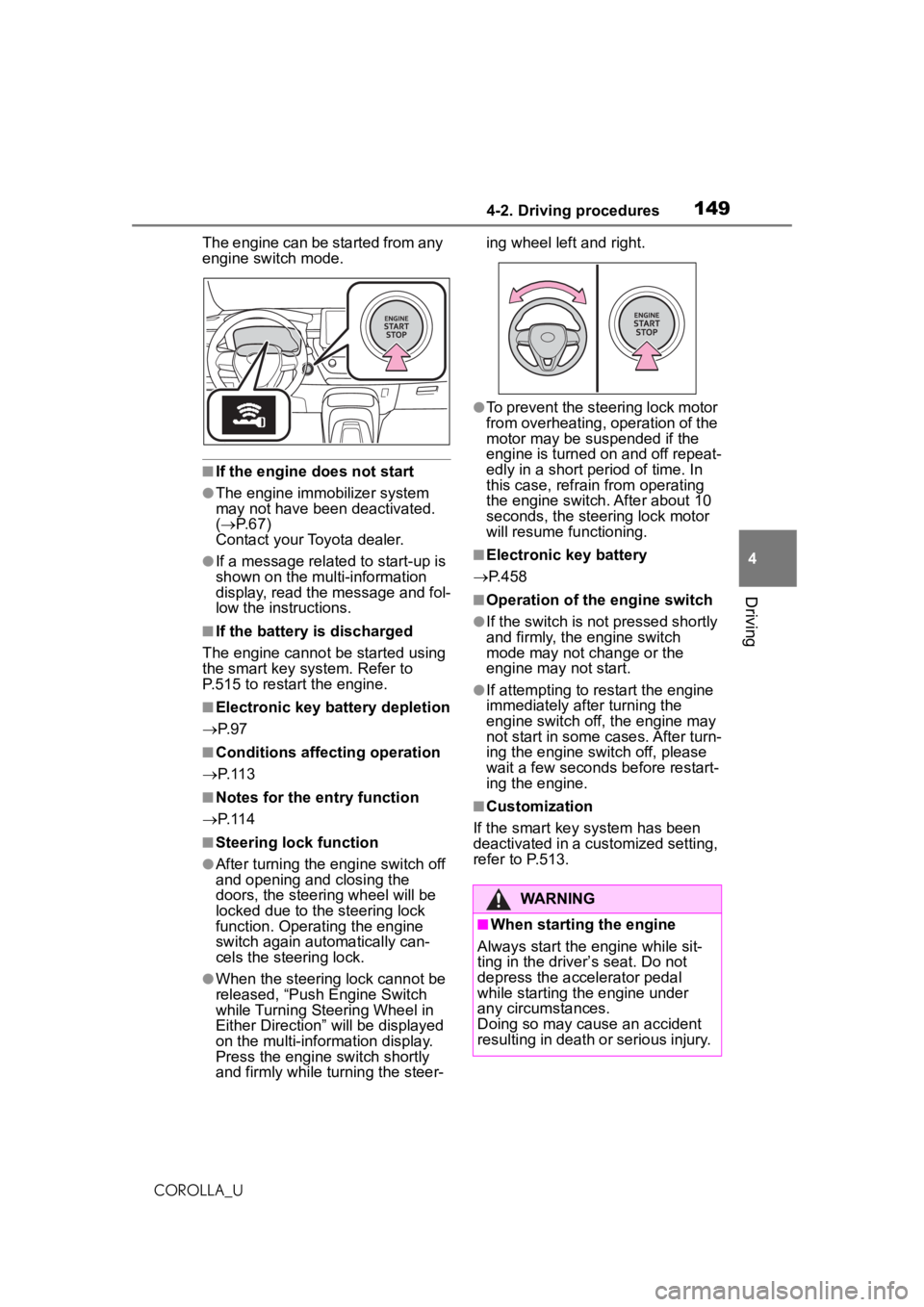
The engine can be started from any
engine switch mode.
■If the engine does not start
●The engine immobilizer system
may not have been deactivated.
( P. 6 7 )
Contact your Toyota dealer.
●If a message related to start-up is
shown on the multi-information
display, read the message and fol-
low the instructions.
■If the battery is discharged
The engine cannot be started using
the smart key system. Refer to
P.515 to restart the engine.
■Electronic key battery depletion
P. 9 7
■Conditions affecting operation
P. 1 1 3
■Notes for the entry function
P. 1 1 4
■Steering lock function
●After turning the engine switch off
and opening and closing the
doors, the steering wheel will be
locked due to the steering lock
function. Operating the engine
switch again automatically can-
cels the steering lock.
●When the steering lock cannot be
released, “Push Engine Switch
while Turning Steering Wheel in
Either Direction” will be displayed
on the multi-information display.
Press the engine switch shortly
and firmly while turning the steer- ing wheel left and right.
●To prevent the steering lock motor
from overheating, operation of the
motor may be suspended if the
engine is turned on and off repeat-
edly in a short period of time. In
this case, refrain from operating
the engine switch. After about 10
seconds, the steering lock motor
will resume functioning.
■Electronic key battery
P.458
■Operation of the engine switch
●If the switch is not pressed shortly
and firmly, the engine switch
mode may not change or the
engine may not start.
●If attempting to restart the engine
immediately after turning the
engine switch off, the engine may
not start in some cases. After turn-
ing the engine switch off, please
wait a few seconds before restart-
ing the engine.
■Customization
If the smart key system has been
deactivated in a customized setting,
refer to P.513.
WARNING
■When starting the engine
Always start the engine while sit-
ting in the driver’s seat. Do not
depress the accelerator pedal
while starting the engine under
any circumstances.
Doing so may cause an accident
resulting in death or serious injury.
Page 174 of 588

1744-3. Operating the lights and wipers
COROLLA_Ufrom around a curve
• When the vehicle is cut in front of by another vehicle
• When vehicles ahead cannot be detected due to repeated curves,
road dividers or roadside trees
• When vehicles ahead appear in a faraway lane on a wide road
• When the lights of vehicles ahead
are not on
●The high beams may be turned off
if a vehicle ahead that is using fog
lights without its headlights turned
on is detected.
●House lights, streetlights, traffic
signals, and illumi nated billboards
or signs and other reflective
objects may cause the high
beams to change to the low
beams, or the low beams to
remain on.
●The following factors may affect
the amount of time taken for the
high beams to turn on or off:
• The brightness of the headlights, fog lights, and tail lights of vehi-
cles ahead
• The movement and direction of vehicles ahead
• When a vehicle ahead only has
operational lights on one side
• When a vehicle ahead is a two-wheeled vehicle
• The condition of the road (gradi- ent, curve, condition of the road
surface, etc.)
• The number of passengers and amount of luggage in the vehicle
●The high beams may turn on or off
unexpectedly.
●Bicycles or similar vehicles may
not be detected.
●In the following situations the sys-
tem may not be able to correctly
detect the surrounding brightness
level. This may cause the low
beams to remain on or the high
beams to flash or dazzle pedestri-
ans or vehicles ahead. In such a
case, it is necess ary to manually
switch between the high and low
beams. • When driving in inclement weather
(heavy rain, snow, fog, sand-
storms, etc.)
• When the windshield is obscured by fog, mist, ice, dirt, etc.
• When the windshield is cracked or
damaged
• When the camera sensor is deformed or dirty
• When the temperature of the cam- era sensor is extremely high
• When the surrounding brightness
level is equal to that of headlights,
tail lights or fog lights
• When headlights or tail lights of
vehicles ahead are turned off,
dirty, changing color, or not aimed
properly
• When the vehicle is hit by water, snow, dust, etc. from a preceding
vehicle
• When driving through an area of intermittently changing brightness
and darkness
• When frequently and repeatedly driving ascending/descending
roads, or roads with rough, bumpy
or uneven surfaces (such as
stone-paved roads, gravel roads,
etc.)
• When frequently and repeatedly taking curves or driving on a wind-
ing road
• When there is a highly reflective object ahead of the vehicle, such
as a sign or mirror
• When the back of a preceding vehicle is highly reflective, such as
a container on a truck
• When the vehicle’s headlights are damaged or dirty, or are not aimed
properly
• When the vehicle is listing or titling due to a flat tire, a trailer being
towed, etc.
• When the headlights are changed between the high beams and low
beams repeatedly in an abnormal
manner
• When the driver believes that the high beams may be flashing or
dazzling pedestrians or other driv-
ers
Page 188 of 588
1884-5. Using the driving support systems
COROLLA_U
WARNING
■Limitations of the pre-colli-
sion system
●The driver is solely responsible
for safe driving. Always drive
safely, taking care to observe
your surroundings.
Do not use the pre-collision sys-
tem instead of normal braking
operations under any circum-
stances. This system will not
prevent collisions or lessen col-
lision damage or injury in every
situation. Do not overly rely on
this system. Failure to do so
may lead to an accident, result-
ing in death or serious injury.
●Although this system is
designed to help avoid a colli-
sion or help reduce the impact
of the collision, its effectiveness
may change according to vari-
ous conditions, therefore the
system may not always be able
to achieve the same level of
performance.
Read the following conditions
carefully. Do not overly rely on
this system and always drive
carefully.
• Conditions under which the sys- tem may operate even if there is
no possibility of a collision:
P. 1 9 1
• Conditions under which the sys- tem may not operate properly:
P. 1 9 2
●Do not attempt to test the oper-
ation of the pre-collision system
yourself.
Depending on the objects used
for testing (dummies, card-
board objects imitating detect-
able objects, etc.), the system
may not operate properly, possi-
bly leading to an accident.
■Pre-collision braking
●When the pre-co llision braking
function is operating, a large
amount of braking force will be
applied.
●If the vehicle is stopped by the
operation of the pre-collision
braking function, the pre-colli-
sion braking function operation
will be canceled after approxi-
mately 2 seconds. Depress the
brake pedal as necessary.
●The pre-collision braking func-
tion may not operate if certain
operations are performed by the
driver. If the accelerator pedal is
being depressed strongly or the
steering wheel is being turned,
the system may determine that
the driver is taking evasive
action and possibly prevent the
pre-collision braking function
from operating.
●In some situations, while the
pre-collision braking function is
operating, operation of the func-
tion may be canceled if the
accelerator pedal is depressed
strongly or the steering wheel is
turned and the system deter-
mines that the driver is taking
evasive action.
●If the brake pedal is being
depressed, the system may
determine that the driver is tak-
ing evasive action and possibly
delay the operation timing of the
pre-collision braking function.
■When to disable the pre-colli-
sion system
In the following situations, disable
the system, as it may not operate
properly, possibly leading to an
accident resulting in death or seri-
ous injury:
●When the vehicle is being towed
Page 189 of 588
1894-5. Using the driving support systems
COROLLA_U
4
Driving
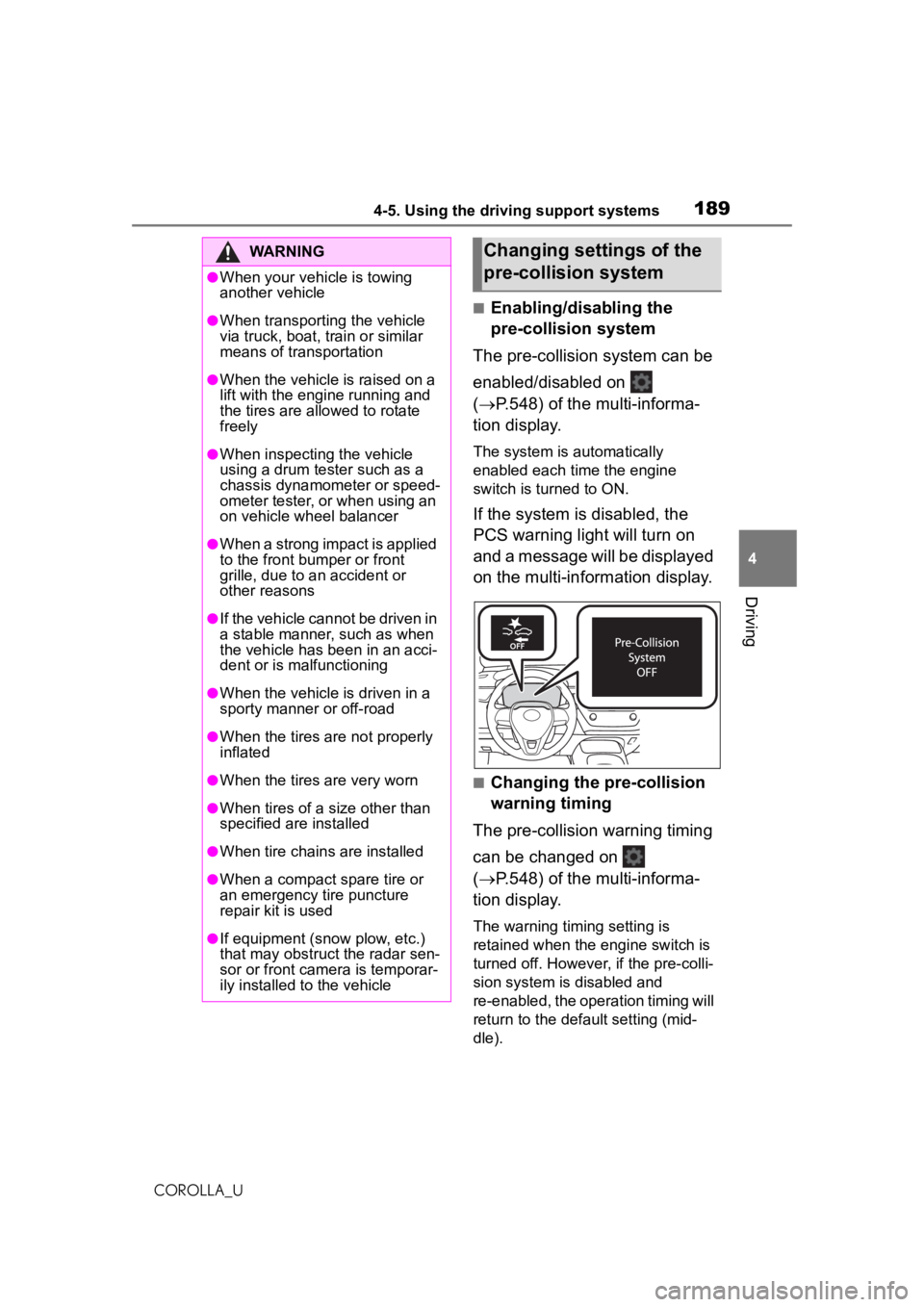
■Enabling/disabling the
pre-collision system
The pre-collision system can be
enabled/disabled on
( P.548) of the multi-informa-
tion display.
The system is automatically
enabled each time the engine
switch is turned to ON.
If the system is disabled, the
PCS warning light will turn on
and a message will be displayed
on the multi-information display.
■Changing the pre-collision
warning timing
The pre-collision warning timing
can be changed on
( P.548) of the multi-informa-
tion display.
The warning timing setting is
retained when the engine switch is
turned off. However, if the pre-colli-
sion system is disabled and
re-enabled, the operation timing will
return to the default setting (mid-
dle).
WARNING
●When your vehicle is towing
another vehicle
●When transporting the vehicle
via truck, boat, train or similar
means of transportation
●When the vehicle is raised on a
lift with the engine running and
the tires are allowed to rotate
freely
●When inspecting the vehicle
using a drum tester such as a
chassis dynamometer or speed-
ometer tester, or when using an
on vehicle wheel balancer
●When a strong impact is applied
to the front bumper or front
grille, due to an accident or
other reasons
●If the vehicle cannot be driven in
a stable manner, such as when
the vehicle has been in an acci-
dent or is malfunctioning
●When the vehicle is driven in a
sporty manner or off-road
●When the tires are not properly
inflated
●When the tires are very worn
●When tires of a size other than
specified are installed
●When tire chains are installed
●When a compact spare tire or
an emergency tire puncture
repair kit is used
●If equipment (snow plow, etc.)
that may obstruct the radar sen-
sor or front camera is temporar-
ily installed to the vehicle
Changing settings of the
pre-collision system
Page 191 of 588
1914-5. Using the driving support systems
COROLLA_U
4
Driving
The system may not operate in the following situations:
●If a battery terminal has been disconnected and reconnected and then the
vehicle has not been driven for a certain amount of time
●If the shift lever is in R
●When the VSC OFF indica tor is illuminated (only the pre-collision warning
function will be operational)
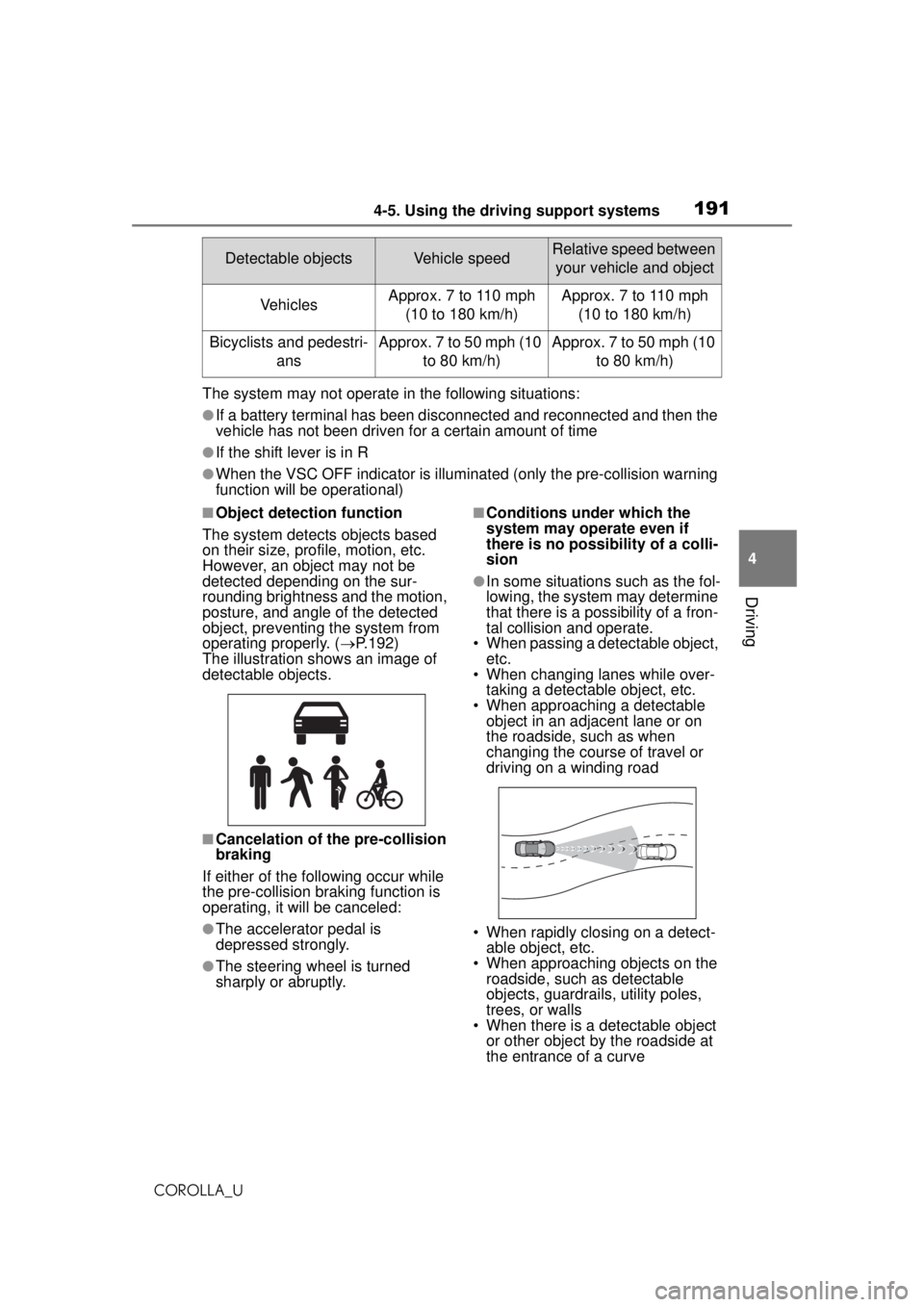
■Object detection function
The system detects objects based
on their size, profile, motion, etc.
However, an object may not be
detected depending on the sur-
rounding brightness and the motion,
posture, and angle of the detected
object, preventing the system from
operating properly. ( P.192)
The illustration shows an image of
detectable objects.
■Cancelation of the pre-collision
braking
If either of the following occur while
the pre-collision braking function is
operating, it will be canceled:
●The accelerator pedal is
depressed strongly.
●The steering wheel is turned
sharply or abruptly.
■Conditions under which the
system may operate even if
there is no possibility of a colli-
sion
●In some situations such as the fol-
lowing, the system may determine
that there is a possibility of a fron-
tal collision and operate.
• When passing a detectable object, etc.
• When changing lanes while over-
taking a detectable object, etc.
• When approaching a detectable object in an adjace nt lane or on
the roadside, such as when
changing the course of travel or
driving on a winding road
• When rapidly closing on a detect- able object, etc.
• When approaching objects on the roadside, such as detectable
objects, guardrails, utility poles,
trees, or walls
• When there is a detectable object or other object by the roadside at
the entrance of a curve
Detectable objectsVehicle speedRelative speed between
your vehicle and object
VehiclesApprox. 7 to 110 mph (10 to 180 km/h)Approx. 7 to 110 mph (10 to 180 km/h)
Bicyclists and pedestri- ansApprox. 7 to 50 mph (10 to 80 km/h)Approx. 7 to 50 mph (10 to 80 km/h)
Page 193 of 588
1934-5. Using the driving support systems
COROLLA_U
4
Driving
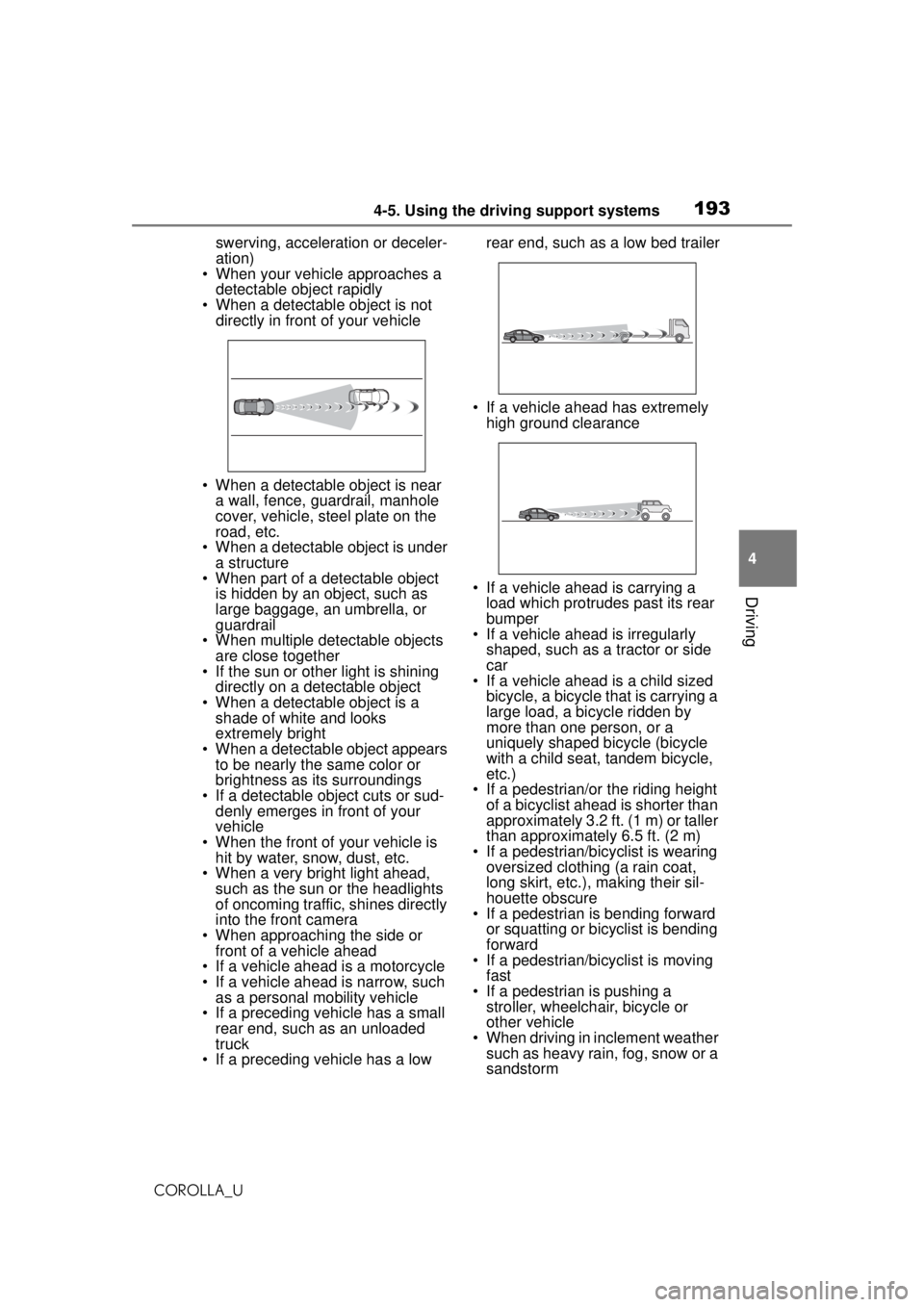
swerving, acceleration or deceler-
ation)
• When your vehicle approaches a
detectable object rapidly
• When a detectable object is not directly in front of your vehicle
• When a detectable object is near a wall, fence, guardrail, manhole
cover, vehicle, steel plate on the
road, etc.
• When a detectable object is under
a structure
• When part of a detectable object is hidden by an object, such as
large baggage, an umbrella, or
guardrail
• When multiple de tectable objects
are close together
• If the sun or other light is shining directly on a detectable object
• When a detectable object is a shade of white and looks
extremely bright
• When a detectable object appears to be nearly the same color or
brightness as its surroundings
• If a detectable object cuts or sud- denly emerges in front of your
vehicle
• When the front of your vehicle is hit by water, snow, dust, etc.
• When a very bright light ahead,
such as the sun or the headlights
of oncoming traffic, shines directly
into the front camera
• When approaching the side or front of a vehicle ahead
• If a vehicle ahead is a motorcycle
• If a vehicle ahead is narrow, such as a personal mobility vehicle
• If a preceding vehicle has a small rear end, such as an unloaded
truck
• If a preceding vehicle has a low rear end, such as a low bed trailer
• If a vehicle ahead has extremely high ground clearance
• If a vehicle ahead is carrying a load which protrudes past its rear
bumper
• If a vehicle ahead is irregularly
shaped, such as a tractor or side
car
• If a vehicle ahead is a child sized
bicycle, a bicycle that is carrying a
large load, a bicycle ridden by
more than one person, or a
uniquely shaped bicycle (bicycle
with a child seat, tandem bicycle,
etc.)
• If a pedestrian/or the riding height of a bicyclist ahead is shorter than
approximately 3.2 ft. (1 m) or taller
than approximately 6.5 ft. (2 m)
• If a pedestrian/bicyclist is wearing oversized clothing (a rain coat,
long skirt, etc.), making their sil-
houette obscure
• If a pedestrian is bending forward
or squatting or bicyclist is bending
forward
• If a pedestrian/bicyclist is moving
fast
• If a pedestrian is pushing a stroller, wheelchair, bicycle or
other vehicle
• When driving in inclement weather such as heavy rain, fog, snow or a
sandstorm
Page 194 of 588
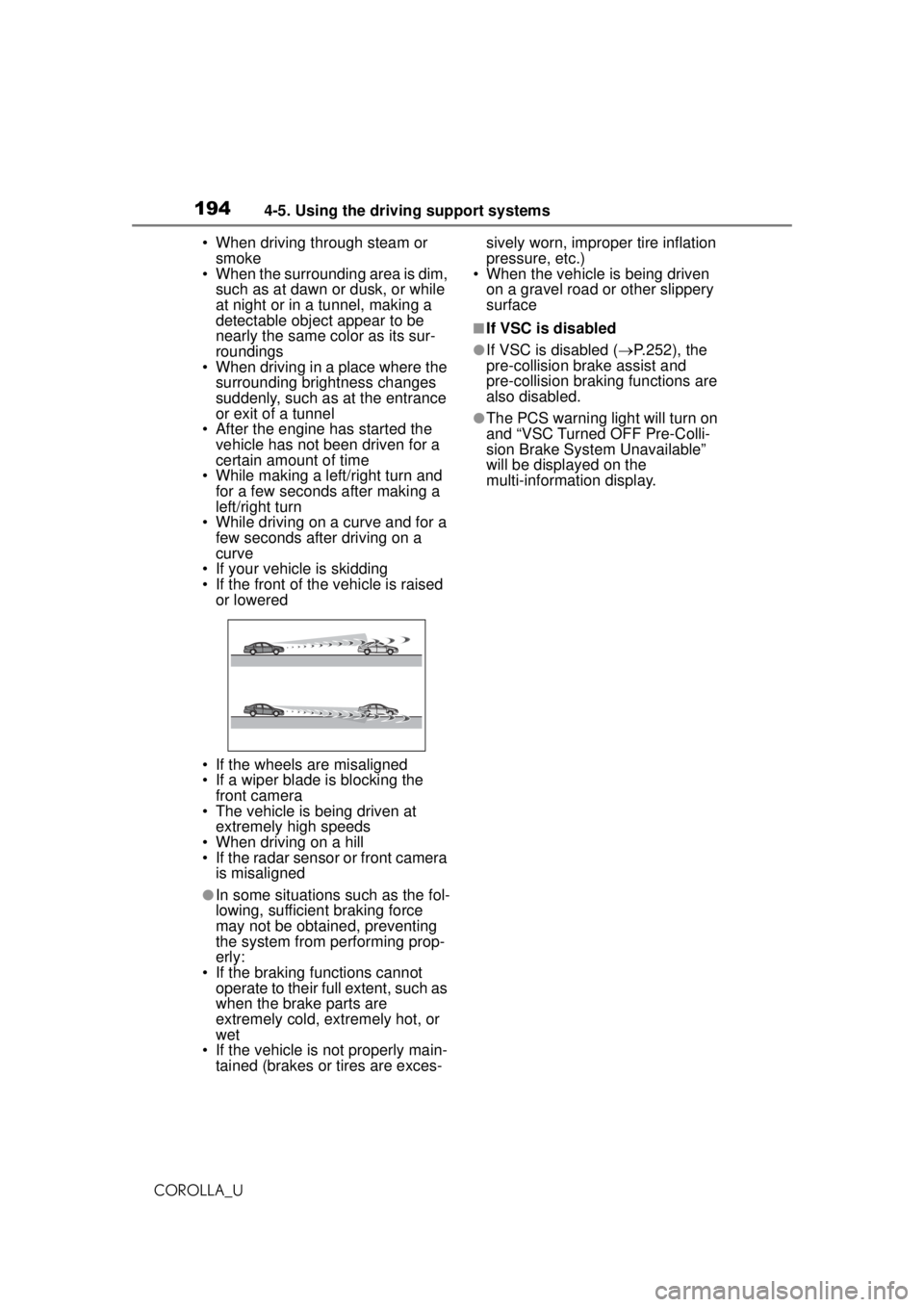
1944-5. Using the driving support systems
COROLLA_U• When driving through steam or
smoke
• When the surrounding area is dim,
such as at dawn or dusk, or while
at night or in a tunnel, making a
detectable object appear to be
nearly the same color as its sur-
roundings
• When driving in a place where the
surrounding brightness changes
suddenly, such as at the entrance
or exit of a tunnel
• After the engine has started the vehicle has not been driven for a
certain amount of time
• While making a left/right turn and for a few seconds after making a
left/right turn
• While driving on a curve and for a few seconds after driving on a
curve
• If your vehicle is skidding
• If the front of the vehicle is raised or lowered
• If the wheels are misaligned
• If a wiper blade is blocking the front camera
• The vehicle is being driven at extremely high speeds
• When driving on a hill
• If the radar sensor or front camera is misaligned
●In some situations such as the fol-
lowing, sufficient braking force
may not be obtained, preventing
the system from performing prop-
erly:
• If the braking functions cannot operate to their full extent, such as
when the brake parts are
extremely cold, extremely hot, or
wet
• If the vehicle is not properly main- tained (brakes or tires are exces- sively worn, improper tire inflation
pressure, etc.)
• When the vehicle is being driven
on a gravel road or other slippery
surface
■If VSC is disabled
●If VSC is disabled ( P.252), the
pre-collision brake assist and
pre-collision braking functions are
also disabled.
●The PCS warning light will turn on
and “VSC Turned OFF Pre-Colli-
sion Brake System Unavailable”
will be displayed on the
multi-information display.