phone TOYOTA COROLLA 2021 Accessories, Audio & Navigation (in English)
[x] Cancel search | Manufacturer: TOYOTA, Model Year: 2021, Model line: COROLLA, Model: TOYOTA COROLLA 2021Pages: 262, PDF Size: 8.16 MB
Page 154 of 262
1544-4. Audio/visual remote controls
COROLLA_COROLLA
HV(TMMMS)_Navi_(U)
*1: If equipped
*2: When an Apple CarPlay is estab-lished, this function will be
unavailable.
*3: When an Android Auto is estab-lished, this function will be
unavailable.
●In the APPS mode, some opera-
tion may be done on the screen
depend on t he selected APPS.
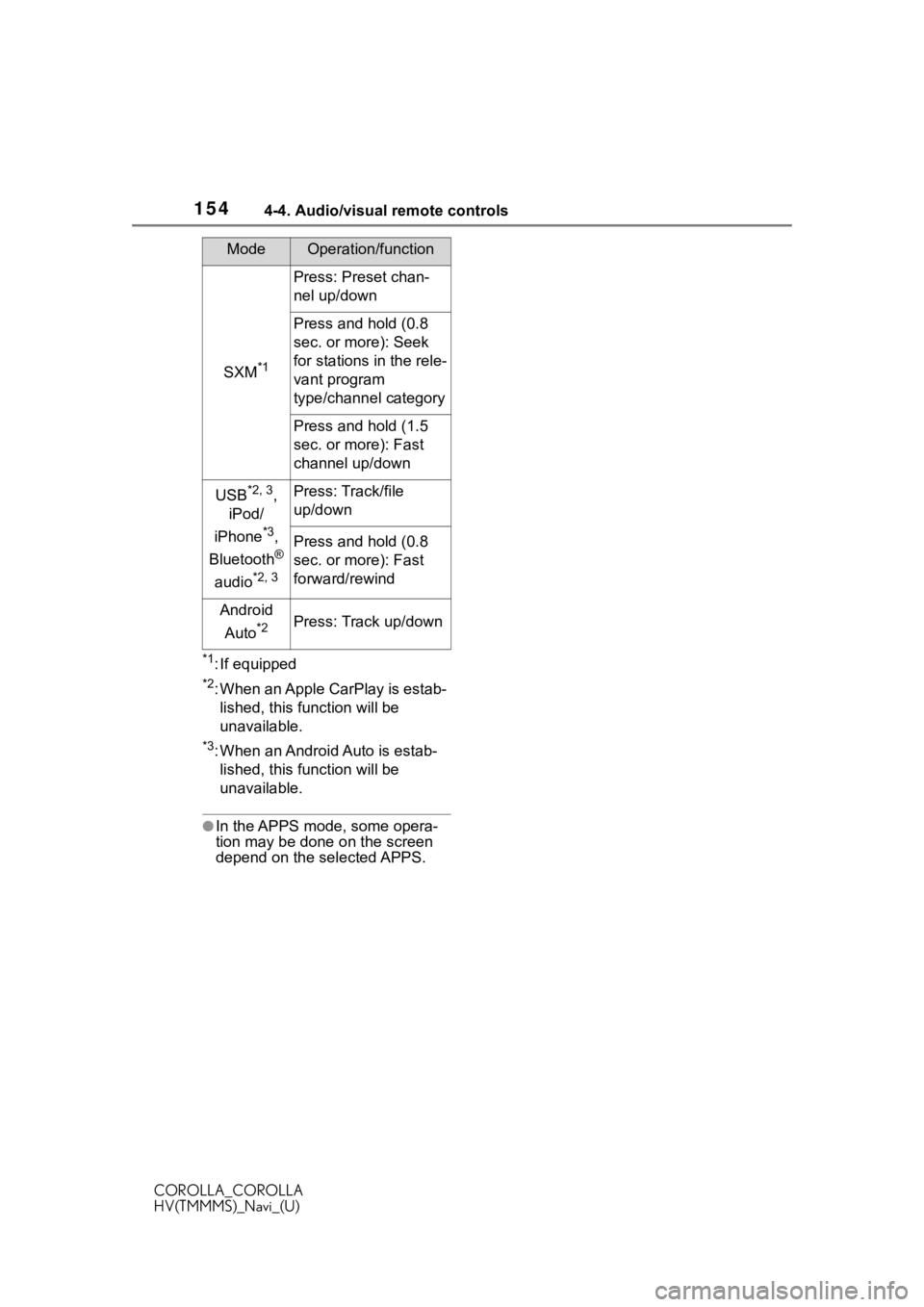
SXM*1
Press: Preset chan-
nel up/down
Press and hold (0.8
sec. or more): Seek
for stations in the rele-
vant program
type/channel category
Press and hold (1.5
sec. or more): Fast
channel up/down
USB*2, 3,
iPod/
iPhone
*3,
Bluetooth
®
audio
*2, 3
Press: Track/file
up/down
Press and hold (0.8
sec. or more): Fast
forward/rewind
Android
Auto
*2Press: Track up/down
ModeOperation/function
Page 157 of 262
1574-6. Tips for operating the audio/visual system
COROLLA_COROLLA
HV(TMMMS)_Navi_(U)
4
Audio/visual system
4-6.Tips for operating the audio/visual system
●The use of a cellular phone inside
or near the vehicle may cause a
noise from the sp eakers of the
audio/visual system which you are
listening to. However, this does
not indicate a malfunction.
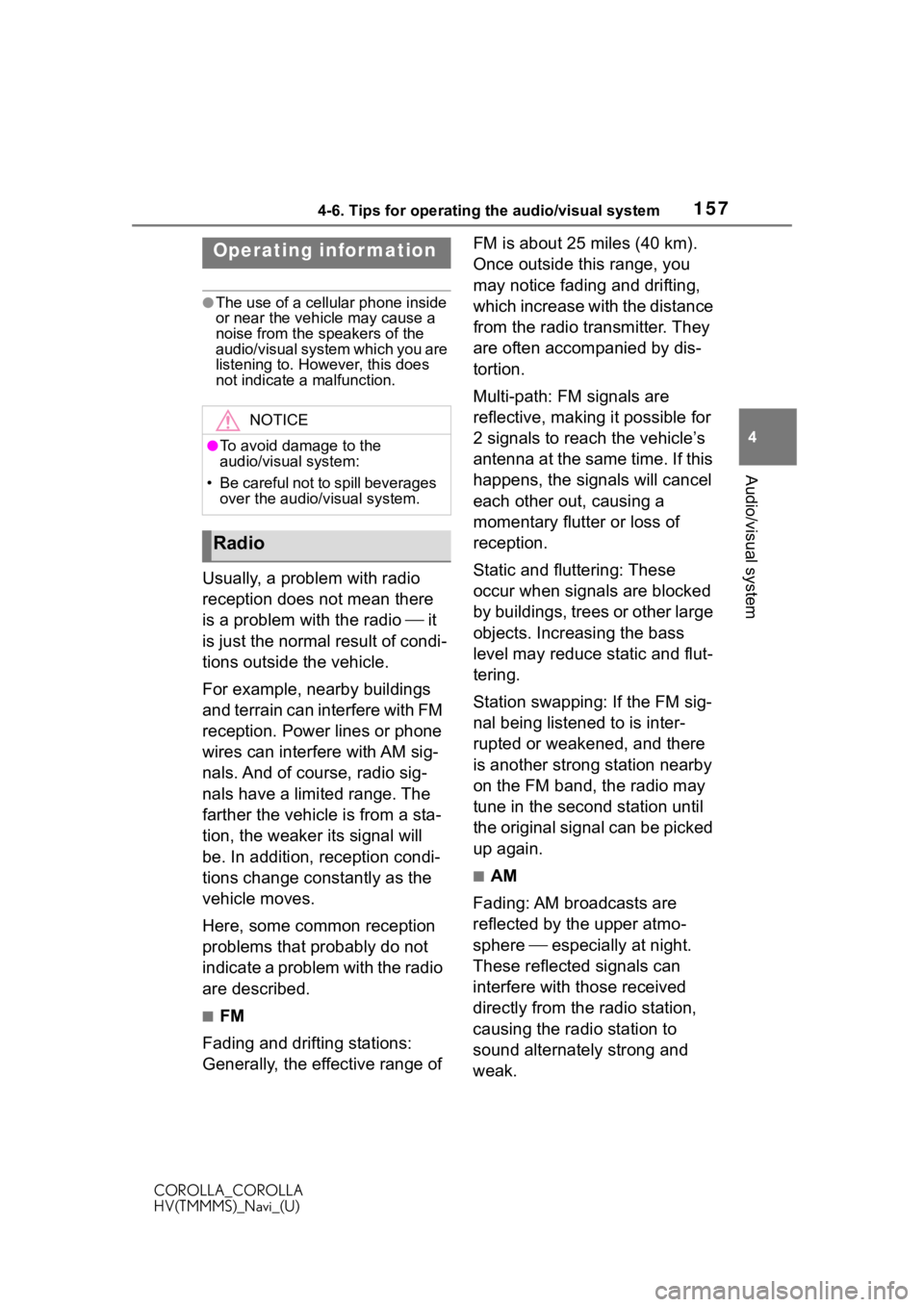
Usually, a problem with radio
reception does not mean there
is a problem with the radio it
is just the normal result of condi-
tions outside the vehicle.
For example, nearby buildings
and terrain can interfere with FM
reception. Power lines or phone
wires can interfere with AM sig-
nals. And of course, radio sig-
nals have a limited range. The
farther the vehicle is from a sta-
tion, the weaker i ts signal will
be. In addition, reception condi-
tions change constantly as the
vehicle moves.
Here, some common reception
problems that probably do not
indicate a problem with the radio
are described.
■FM
Fading and drifting stations:
Generally, the effective range of FM is about 25 miles (40 km).
Once outside this range, you
may notice fading and drifting,
which increase with the distance
from the radio transmitter. They
are often accompanied by dis-
tortion.
Multi-path: FM signals are
reflective, making it possible for
2 signals to reach the vehicle’s
antenna at the same time. If this
happens, the signals will cancel
each other out, causing a
momentary flutter or loss of
reception.
Static and fluttering: These
occur when signals are blocked
by buildings, trees or other large
objects. Increasing the bass
level may reduce static and flut-
tering.
Station swapping: If the FM sig-
nal being listened to is inter-
rupted or weakened, and there
is another strong station nearby
on the FM band, the radio may
tune in the second station until
the original signal can be picked
up again.
■AM
Fading: AM broadcasts are
reflected by the upper atmo-
sphere especially at night.
These reflected signals can
interfere with those received
directly from the radio station,
causing the radio station to
sound alternately strong and
weak.
Operating infor mation
NOTICE
●To avoid damage to the
audio/visual system:
• Be careful not to spill beverages
over the audio/visual system.
Radio
Page 158 of 262
1584-6. Tips for operating the audio/visual system
COROLLA_COROLLA
HV(TMMMS)_Navi_(U)
Station interference: When a
reflected signal and a signal
received directly from a radio
station are very nearly the same
frequency, they can interfere
with each other, making it diffi-
cult to hear the broadcast.
Static: AM is easily affected by
external sources of electrical
noise, such as high tension
power lines, lightening or electri-
cal motors. This results in static.
■SiriusXM
Cargo loaded on the roof lug-
gage carrier, especially metal
objects, may adversely affect
the reception of SiriusXM Sat-
ellite Radio.
Alternation or modifications
carried out without appropri-
ate authorization may invali-
date the user’s right to
operate the equipment.
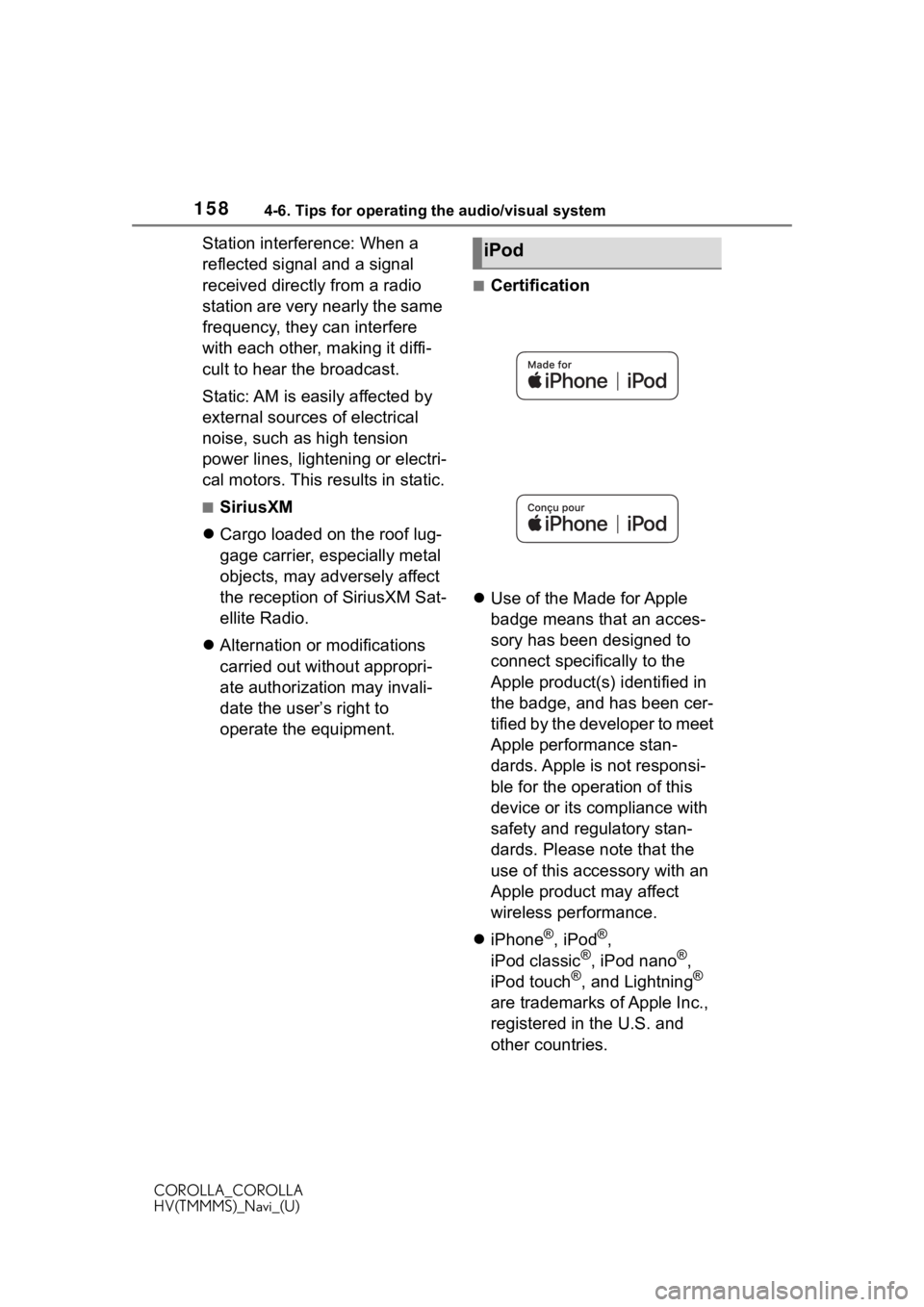
■Certification
Use of the Made for Apple
badge means that an acces-
sory has been designed to
connect specifically to the
Apple product(s) identified in
the badge, and has been cer-
tified by the developer to meet
Apple performance stan-
dards. Apple is not responsi-
ble for the operation of this
device or its compliance with
safety and regulatory stan-
dards. Please note that the
use of this accessory with an
Apple product may affect
wireless performance.
iPhone
®, iPod®,
iPod classic®, iPod nano®,
iPod touch®, and Lightning®
are trademarks of Apple Inc.,
registered in the U.S. and
other countries.
iPod
Page 159 of 262
1594-6. Tips for operating the audio/visual system
COROLLA_COROLLA
HV(TMMMS)_Navi_(U)
4
Audio/visual system
■Compatible models
Made for
• iPhone X
• iPhone 8
• iPhone 8 Plus
• iPhone 7
• iPhone 7 Plus
• iPhone SE
• iPhone 6s
• iPhone 6s Plus
• iPhone 6
• iPhone 6 Plus
• iPhone 5s
• iPhone 5c
• iPhone 5
• iPod touch (6th generation)
• iPod touch (5th generation)
●This system only supports audio
playback.
●Depending on difference between
models or software versions etc.,
some models might be incompati-
ble with this system.
This device supports high-reso-
lution sound sources.
The definition of high-resolution
is based on the standards of
groups such as the CTA (Con-
sumer Technology Association).
Supported formats and play-
able media are as follows.
■Supported formats
WAV, FLAC, ALAC, OGG Vorbis
■Playable media
USB memory
High-resolution sound
source
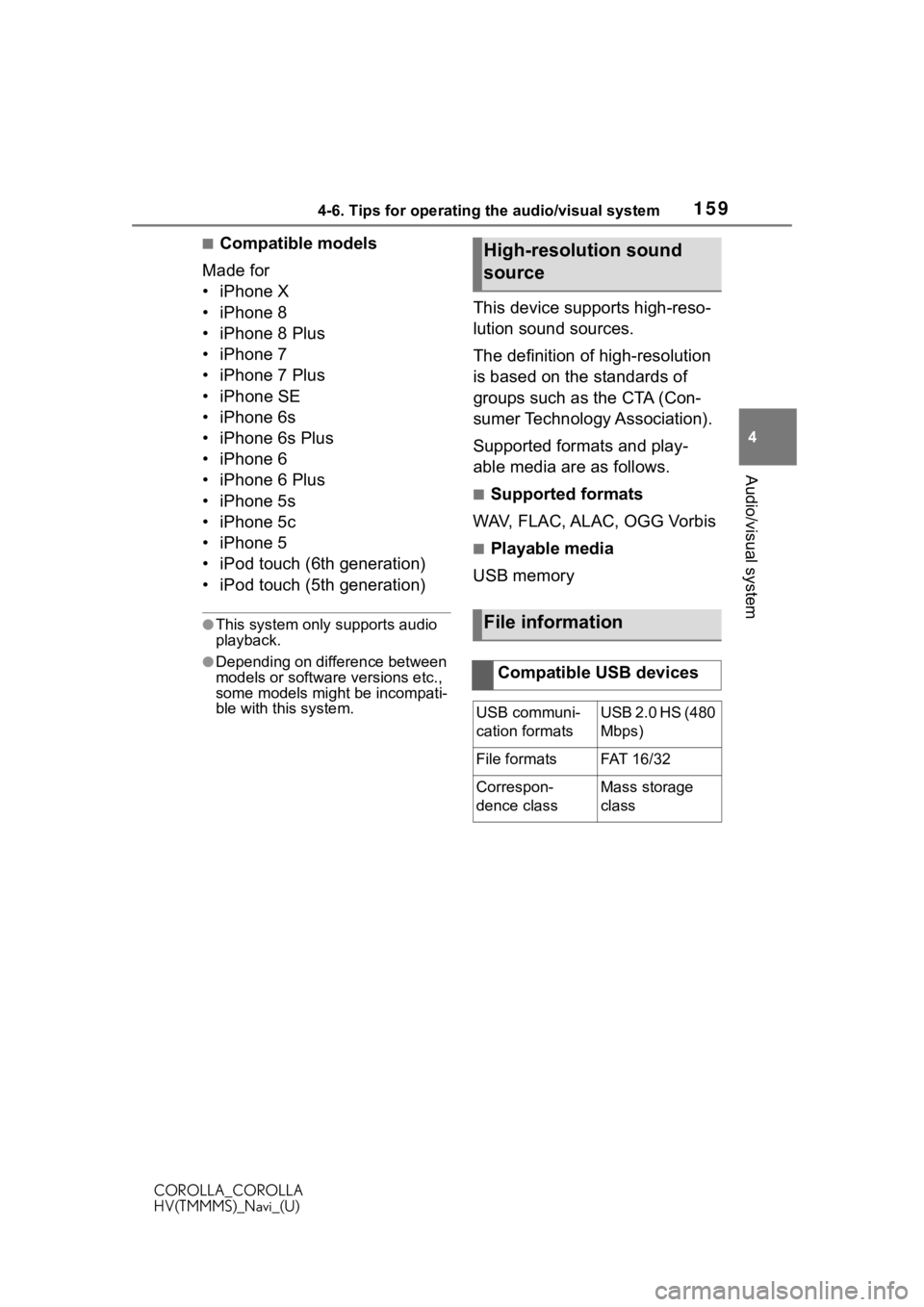
File information
Compatible USB devices
USB communi-
cation formatsUSB 2.0 HS (480
Mbps)
File formatsFAT 16 /3 2
Correspon-
dence classMass storage
class
Page 168 of 262
1685-1. Voice command system operation
COROLLA_COROLLA
HV(TMMMS)_Navi_(U)
5-1.Voice command system operation
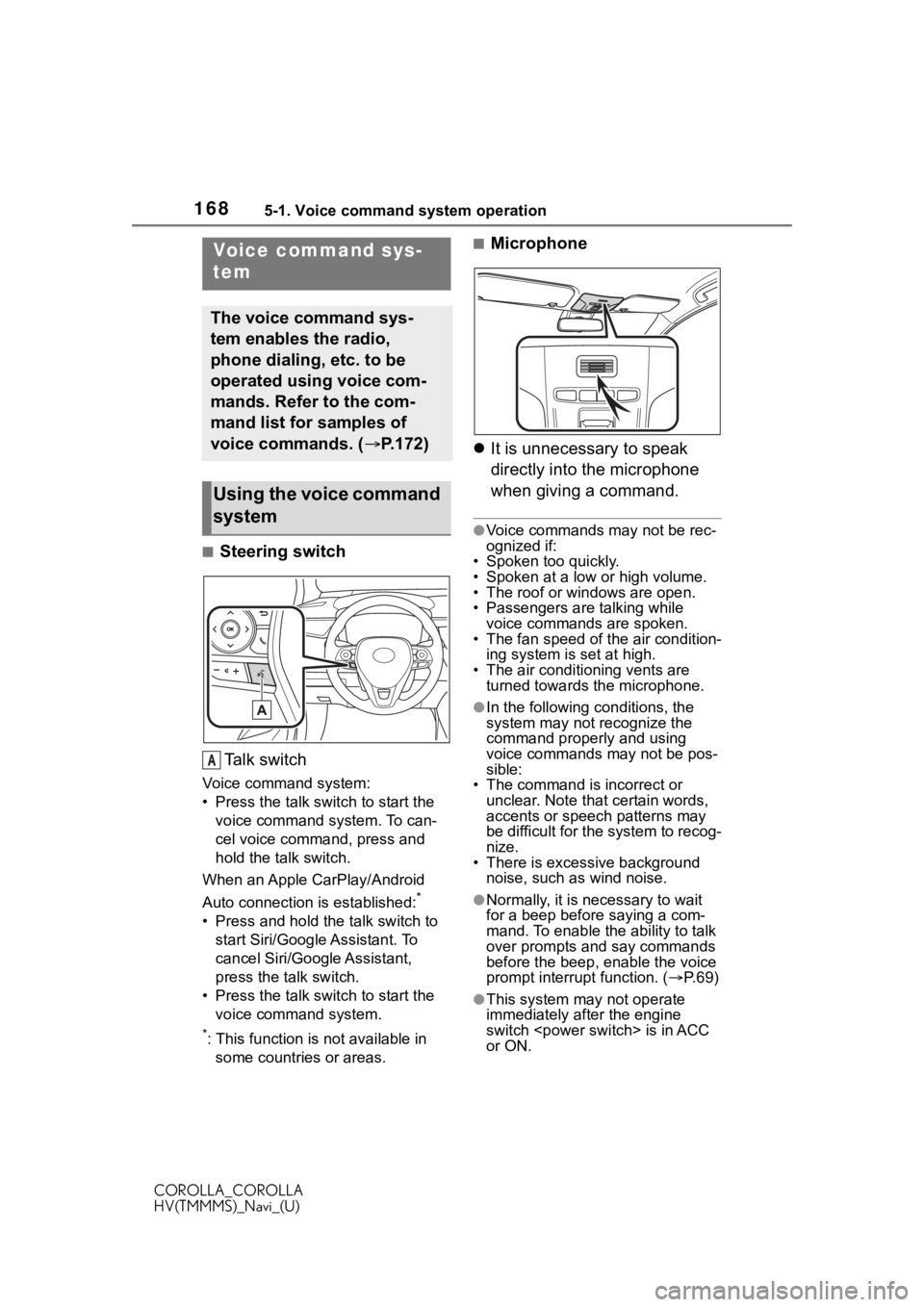
■Steering switchTa l k s w i t c h
Voice command system:
• Press the talk switch to start the voice command system. To can-
cel voice command, press and
hold the talk switch.
When an Apple CarPlay/Android
Auto connection is established:
*
• Press and hold the talk switch to start Siri/Google Assistant. To
cancel Siri/Google Assistant,
press the talk switch.
• Press the talk switch to start the voice command system.
*: This function is not available in some countries or areas.
■Microphone
It is unnecessary to speak
directly into the microphone
when giving a command.
●Voice commands may not be rec-
ognized if:
• Spoken too quickly.
• Spoken at a low or high volume.
• The roof or windows are open.
• Passengers are talking while
voice commands are spoken.
• The fan speed of the air condition- ing system is set at high.
• The air conditioning vents are turned towards the microphone.
●In the following c onditions, the
system may not recognize the
command properly and using
voice commands may not be pos-
sible:
• The command is incorrect or
unclear. Note that certain words,
accents or speech patterns may
be difficult for the system to recog-
nize.
• There is excessive background noise, such as wind noise.
●Normally, it is necessary to wait
for a beep before saying a com-
mand. To enable th e ability to talk
over prompts and say commands
before the beep, enable the voice
prompt interrupt function. ( P. 6 9 )
●This system may not operate
immediately after the engine
switch
or ON.
Voice command sys-
tem
The voice command sys-
tem enables the radio,
phone dialing, etc. to be
operated using voice com-
mands. Refer to the com-
mand list for samples of
voice commands. ( P.172)
Using the voice command
system
A
Page 169 of 262
1695-1. Voice command system operation
COROLLA_COROLLA
HV(TMMMS)_Navi_(U)
5
Voice command system
The voice command system is
operated by saying commands
which correspond to a sup-
ported function. To display
examples of commands for sup-
ported functions, select a func-
tion button on the screen after
starting the voice command sys-
tem.
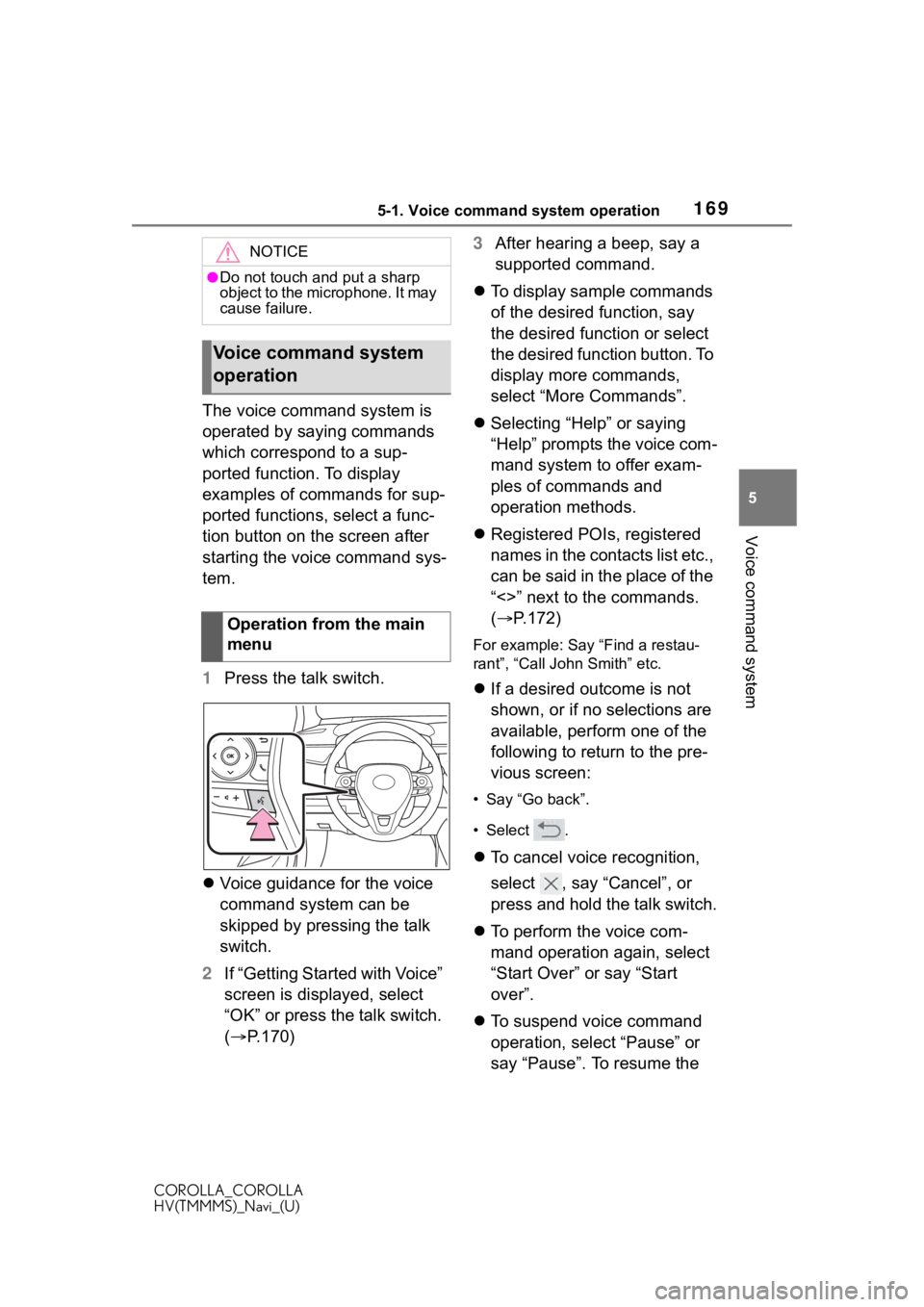
1 Press the talk switch.
Voice guidance for the voice
command system can be
skipped by pressing the talk
switch.
2 If “Getting Started with Voice”
screen is displayed, select
“OK” or press the talk switch.
( P.170) 3
After hearing a beep, say a
supported command.
To display sample commands
of the desired function, say
the desired function or select
the desired function button. To
display more commands,
select “More Commands”.
Selecting “Help” or saying
“Help” prompts the voice com-
mand system to offer exam-
ples of commands and
operation methods.
Registered POIs, registered
names in the contacts list etc.,
can be said in the place of the
“<>” next to the commands.
( P.172)
For example: Say “Find a restau-
rant”, “Call John Smith” etc.
If a desired outcome is not
shown, or if no selections are
available, perform one of the
following to return to the pre-
vious screen:
• Say “Go back”.
•Select .
To cancel voice recognition,
select , say “Cancel”, or
press and hold the talk switch.
To perform the voice com-
mand operation again, select
“Start Over” or say “Start
over”.
To suspend voice command
operation, select “Pause” or
say “Pause”. To resume the
NOTICE
●Do not touch and put a sharp
object to the microphone. It may
cause failure.
Voice command system
operation
Operation from the main
menu
Page 171 of 262
1715-1. Voice command system operation
COROLLA_COROLLA
HV(TMMMS)_Navi_(U)
5
Voice command system
*: Premium Audio with DCM only. This function is not available in
some countries or areas.
Text messages can be written
using the dictation function.
To use the dictation function, a
subscription to the connected
services is necessary. Contact
your Toyota dealer for details.
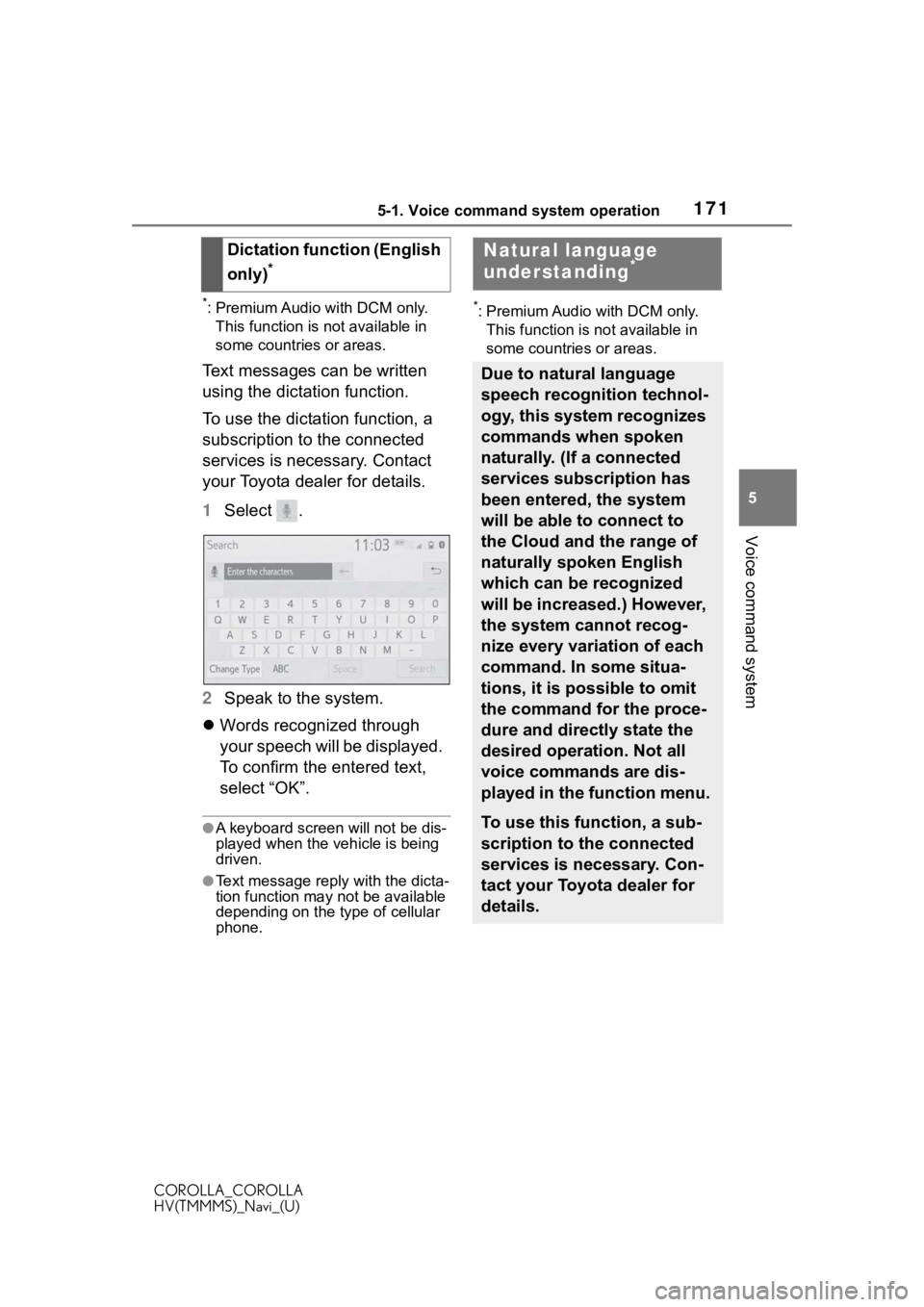
1 Select .
2 Speak to the system.
Words recognized through
your speech will be displayed.
To confirm the entered text,
select “OK”.
●A keyboard screen will not be dis-
played when the vehicle is being
driven.
●Text message reply with the dicta-
tion function may n ot be available
depending on the type of cellular
phone.
*: Premium Audio with DCM only.
This function is not available in
some countries or areas.
Dictation function (English
only)
*
Natural language
understanding*
Due to natural language
speech recognition technol-
ogy, this system recognizes
commands when spoken
naturally. (If a connected
services subscription has
been entered, the system
will be able to connect to
the Cloud and the range of
naturally spoken English
which can be recognized
will be increased.) However,
the system cannot recog-
nize every variation of each
command. In some situa-
tions, it is possible to omit
the command for the proce-
dure and directly state the
desired operation. Not all
voice commands are dis-
played in the function menu.
To use this function, a sub-
scription to the connected
services is necessary. Con-
tact your Toyota dealer for
details.
Page 174 of 262
1745-1. Voice command system operation
COROLLA_COROLLA
HV(TMMMS)_Navi_(U)
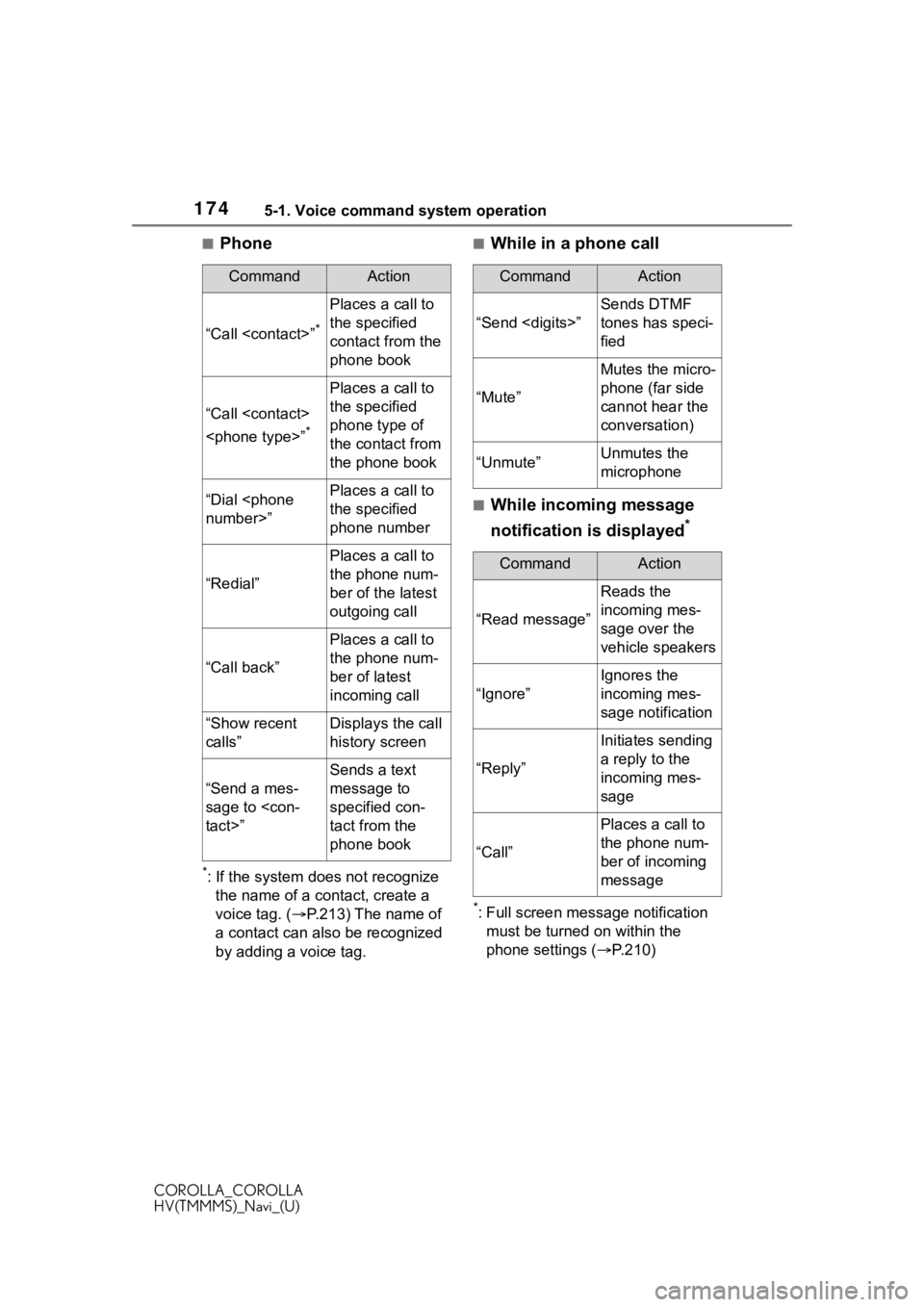
■Phone
*: If the system does not recognize the name of a contact, create a
voice tag. ( P.213) The name of
a contact can also be recognized
by adding a voice tag.
■While in a phone call
■While incoming message
notification is displayed
*
*: Full screen message notification must be turned on within the
phone settings ( P.210)
CommandAction
“Call
Places a call to
the specified
contact from the
phone book
“Call
*
Places a call to
the specified
phone type of
the contact from
the phone book
“Dial
the specified
phone number
“Redial”
Places a call to
the phone num-
ber of the latest
outgoing call
“Call back”
Places a call to
the phone num-
ber of latest
incoming call
“Show recent
calls”Displays the call
history screen
“Send a mes-
sage to
Sends a text
message to
specified con-
tact from the
phone book
CommandAction
“Send
Sends DTMF
tones has speci-
fied
“Mute”
Mutes the micro-
phone (far side
cannot hear the
conversation)
“Unmute”Unmutes the
microphone
CommandAction
“Read message”
Reads the
incoming mes-
sage over the
vehicle speakers
“Ignore”
Ignores the
incoming mes-
sage notification
“Reply”
Initiates sending
a reply to the
incoming mes-
sage
“Call”
Places a call to
the phone num-
ber of incoming
message
Page 191 of 262
191
COROLLA_COROLLA
HV(TMMMS)_Navi_(U)
8
8
Phone
Phone
.8-1. Phone operation (Hands-free system for
cellular phones)
Quick reference........... 192
Some basics ............... 193
Placing a call using the Bluetooth
® hands-free sys-
tem ............................ 197
Receiving a ca ll using the
Bluetooth
® hands-free sys-
tem ............................ 201
Talking on the Bluetooth
®
hands-free system..... 202
Bluetooth
® phone message
function...................... 204
8-2. Setup Phone settings ............ 210
8-3. What to do if... Troubleshooting .......... 221
Page 192 of 262
1928-1. Phone operation (Hands-free system for cellular phones)
COROLLA_COROLLA
HV(TMMMS)_Navi_(U)
8-1.Phone operation (Hands-free system for cellular phones)
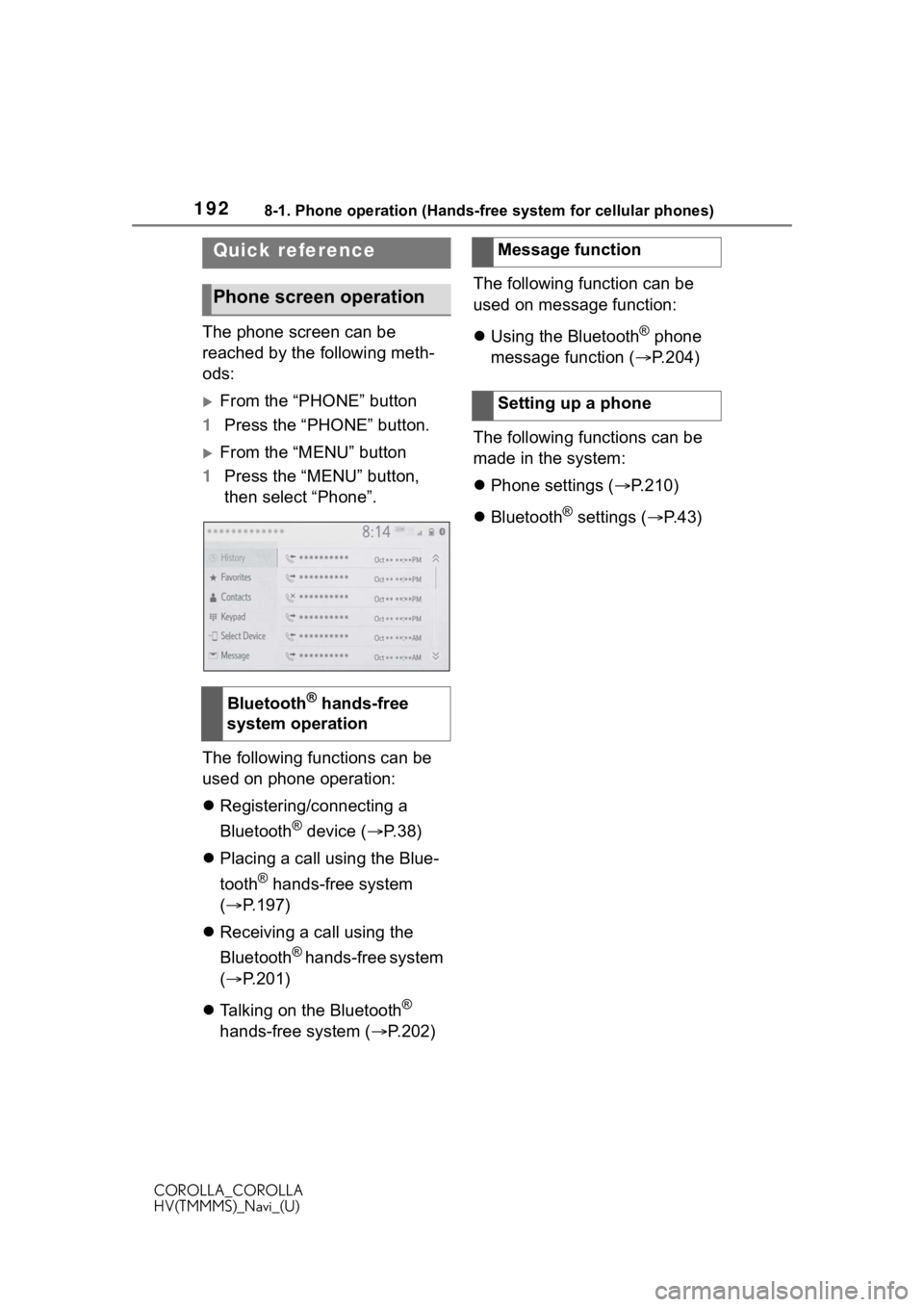
The phone screen can be
reached by the following meth-
ods:
From the “PHONE” button
1 Press the “PHONE” button.
From the “MENU” button
1 Press the “MENU” button,
then select “Phone”.
The following functions can be
used on phone operation:
Registering/connecting a
Bluetooth
® device ( P.38)
Placing a call using the Blue-
tooth
® hands-free system
( P.197)
Receiving a call using the
Bluetooth
® hands-free system
( P.201)
Talking on the Bluetooth
®
hands-free system ( P.202)The following function can be
used on message function:
Using the Bluetooth
® phone
message function ( P.204)
The following functions can be
made in the system:
Phone settings ( P.210)
Bluetooth
® settings ( P. 4 3 )
Quick reference
Phone screen operation
Bluetooth® hands-free
system operation
Message function
Setting up a phone