park assist TOYOTA COROLLA 2021 Owners Manual (in English)
[x] Cancel search | Manufacturer: TOYOTA, Model Year: 2021, Model line: COROLLA, Model: TOYOTA COROLLA 2021Pages: 624, PDF Size: 20.3 MB
Page 3 of 624
3TABLE OF CONTENTS
1
2
3
4
5
6
7
8
9
10
COROLLA_U
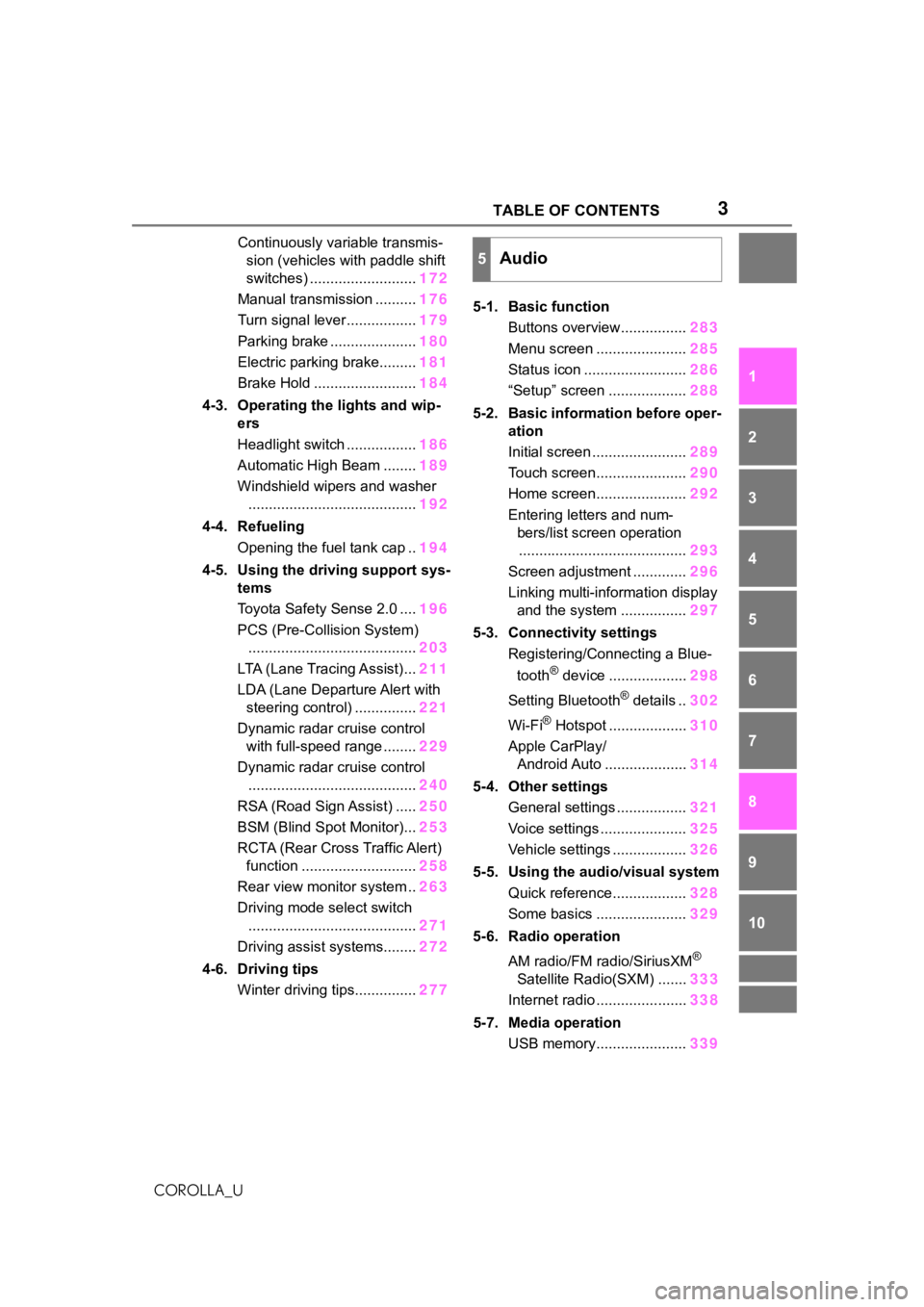
Continuously variable transmis- sion (vehicles with paddle shift
switches) .......................... 172
Manual transmission .......... 176
Turn signal lever................. 179
Parking brake ..................... 180
Electric parking brake......... 181
Brake Hold ......................... 184
4-3. Operating the lights and wip- ers
Headlight switch ................. 186
Automatic High Beam ........ 189
Windshield wipers and washer ......................................... 192
4-4. Refueling Opening the fuel tank cap .. 194
4-5. Using the driving support sys- tems
Toyota Safety Sense 2.0 .... 196
PCS (Pre-Collision System) ......................................... 203
LTA (Lane Tracing Assist)... 211
LDA (Lane Departure Alert with steering control) ............... 221
Dynamic radar cruise control with full-speed range ........ 229
Dynamic radar cruise control ......................................... 240
RSA (Road Sign Assist) ..... 250
BSM (Blind Spot Monitor)... 253
RCTA (Rear Cross Traffic Alert) function ............................ 258
Rear view monitor system .. 263
Driving mode select switch ......................................... 271
Driving assist systems........ 272
4-6. Driving tips Winter driving tips............... 2775-1. Basic function
Buttons overview................ 283
Menu screen ...................... 285
Status icon ......................... 286
“Setup” screen ................... 288
5-2. Basic information before oper- ation
Initial screen ....................... 289
Touch screen...................... 290
Home screen...................... 292
Entering letters and num- bers/list screen operation......................................... 293
Screen adjustment ............. 296
Linking multi-information display and the system ................ 297
5-3. Connectivity settings Registering/Connecting a Blue-
tooth
® device ................... 298
Setting Bluetooth
® details .. 302
Wi-Fi
® Hotspot ................... 310
Apple CarPlay/ Android Auto .................... 314
5-4. Other settings General settings ................. 321
Voice settings ..................... 325
Vehicle settings .................. 326
5-5. Using the audio/visual system Quick reference.................. 328
Some basics ...................... 329
5-6. Radio operation
AM radio/FM radio/SiriusXM
®
Satellite Radio(SXM) ....... 333
Internet radio ...................... 338
5-7. Media operation USB memory...................... 339
5Audio
Page 18 of 624
18Pictorial index
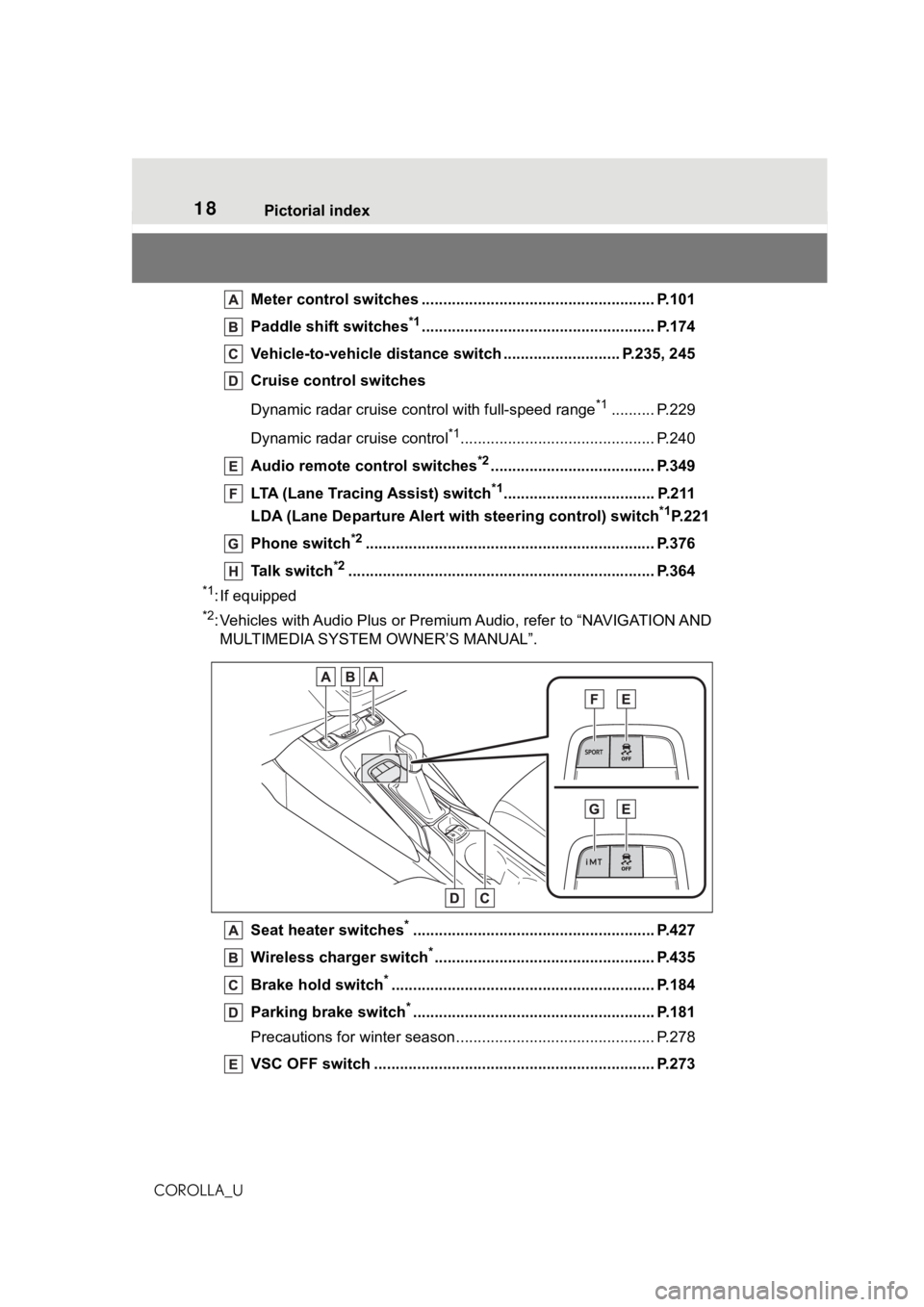
COROLLA_UMeter control switches ..
.................................................... P.101
Paddle shift switches
*1...................................................... P.174
Vehicle-to-vehicle distance switch ........................... P.235, 245
Cruise control switches
Dynamic radar cruise cont rol with full-speed range
*1.......... P.229
Dynamic radar cruise control
*1............................................. P.240
Audio remote control switches
*2...................................... P.349
LTA (Lane Tracing Assist) switch
*1................................... P.211
LDA (Lane Departure Alert wi th steering control) switch
*1P.221
Phone switch
*2............................................................... .... P.376
Talk switch
*2............................................................... ........ P.364
*1: If equipped
*2: Vehicles with Audio Plus or Premium Audio, refer to “NAVIGATIO N AND
MULTIMEDIA SYSTEM OWNER’S MANUAL”.
Seat heater switches
*........................................................ P.427
Wireless cha rger switch
*................................................... P.435
Brake hold switch
*............................................................. P. 184
Parking brake switch
*........................................................ P.181
Precautions for winter seas on.............................................. P.278
VSC OFF switch ................................................. ................ P.273
Page 127 of 624
1273-2. Opening, closing and locking the doors
3
Before driving
COROLLA_Ubeen used for 5 days or longer.
●If the smart key system has not
been used for 14 days or longer,
the doors cann
ot be unlocked
from any door except the driver’s
door. In this case, hold the driver’s
door handle, or use the wireless
remote control or mechanical key
to unlock the doors.
■Electronic key battery-saving
function
When battery-savi ng mode is set,
battery depletion is minimized by
stopping the electronic key from
receiving radio waves.
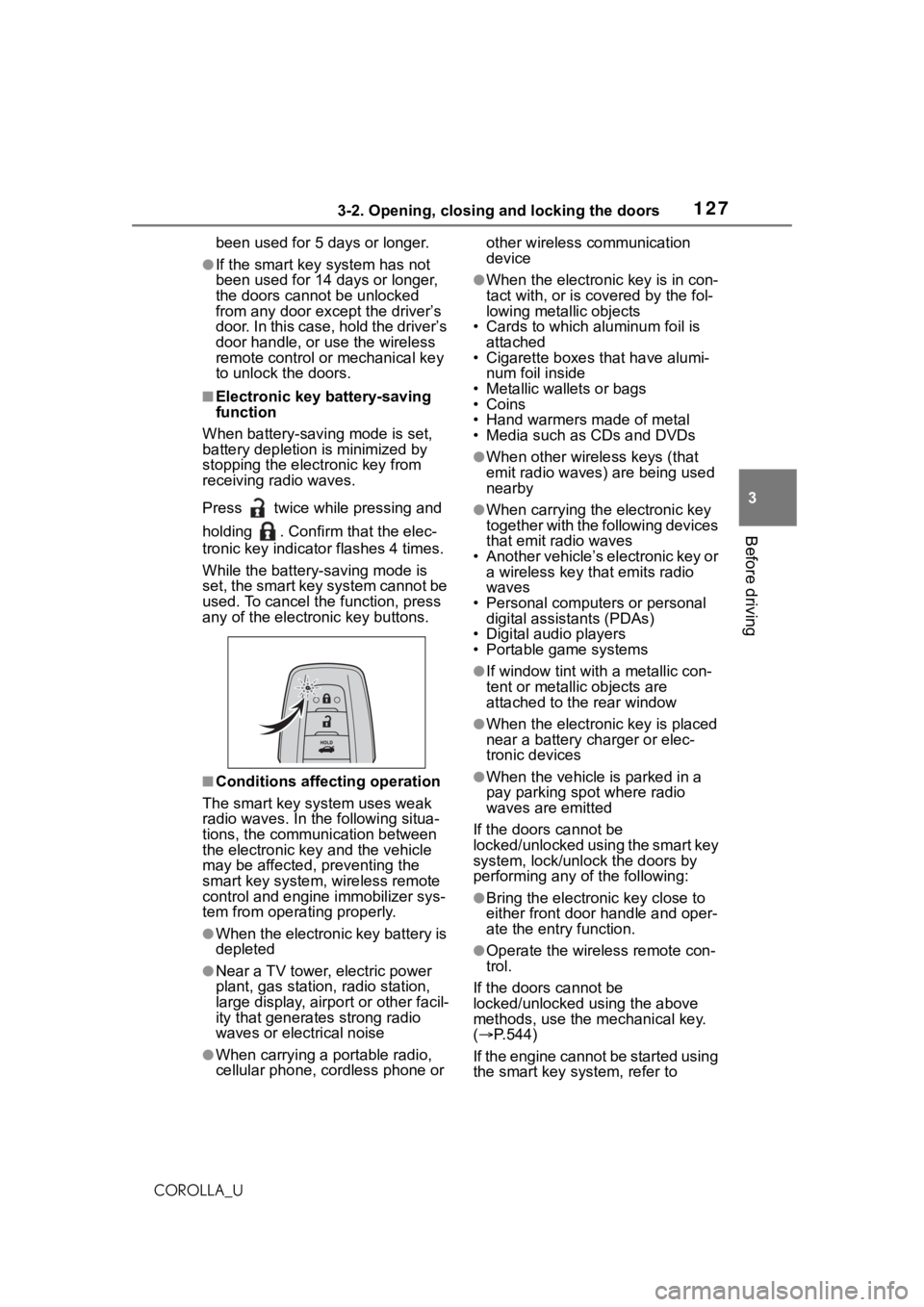
Press twice while pressing and
holding . Confirm that the elec-
tronic key indicator flashes 4 times.
While the battery-saving mode is
set, the smart key system cannot be
used. To cancel the function, press
any of the electronic key buttons.
■Conditions affecting operation
The smart key system uses weak
radio waves. In the following situa-
tions, the communication between
the electronic key and the vehicle
may be affected, preventing the
smart key system, wireless remote
control and engine immobilizer sys-
tem from operating properly.
●When the electronic key battery is
depleted
●Near a TV tower, electric power
plant, gas station , radio station,
large display, airpo rt or other facil-
ity that generates strong radio
waves or electrical noise
●When carrying a portable radio,
cellular phone, cordless phone or other wireless communication
device
●When the electronic key is in con-
tact with, or is c
overed by the fol-
lowing metallic objects
• Cards to which aluminum foil is
attached
• Cigarette boxes that have alumi-
num foil inside
• Metallic wallets or bags
•Coins
• Hand warmers made of metal
• Media such as CDs and DVDs
●When other wirel ess keys (that
emit radio waves) are being used
nearby
●When carrying the electronic key
together with the following devices
that emit radio waves
• Another vehicle’s electronic key or a wireless key that emits radio
waves
• Personal computers or personal digital assistants (PDAs)
• Digital audio players
• Portable game systems
●If window tint wit h a metallic con-
tent or metallic objects are
attached to the rear window
●When the electronic key is placed
near a battery charger or elec-
tronic devices
●When the vehicle is parked in a
pay parking spot where radio
waves are emitted
If the doors cannot be
locked/unlocked using the smart key
system, lock/unlock the doors by
performing any of the following:
●Bring the electronic key close to
either front door handle and oper-
ate the entry function.
●Operate the wireless remote con-
trol.
If the doors cannot be
locked/unlocked using the above
methods, use the mechanical key.
( P.544)
If the engine cannot be started using
the smart key system, refer to
Page 149 of 624
149
4
4
Driving
COROLLA_U
Driving
.4-1. Before drivingDriving the vehicle....... 150
Cargo and luggage ..... 158
Vehicle load limits ....... 161
Trailer towing............... 161
Dinghy towing ............. 162
4-2. Driving procedures Engine (ignition) switch (vehicles without a smart
key system) ............... 163
Engine (ignition) switch (vehicles with a smart key
system)...................... 164
Continuously variable trans- mission (vehicles without
paddle shift switches).................................. 169
Continuously variable trans- mission (vehicles with pad-
dle shift switches) ...... 172
Manual transmission ... 176
Turn signal lever.......... 179
Parking brake .............. 180
Electric parking brake . 181
Brake Hold .................. 184
4-3. Operating the lights and wipers
Headlight switch .......... 186
Automatic High Beam . 189
Windshield wipers and washer....................... 1924-4. Refueling
Opening the fuel tank cap.................................. 194
4-5. Using the dr iving support
systems
Toyota Safety Sense 2.0 .................................. 196
PCS (Pre-Collision System) .................................. 203
LTA (Lane Tracing Assist) .................................. 211
LDA (Lane Departure Alert with steering control) . 221
Dynamic radar cruise con- trol with full-speed range.................................. 229
Dynamic radar cruise con- trol ............................. 240
RSA (Road Sign Assist) .................................. 250
BSM (Blind Spot Monitor) .................................. 253
RCTA (Rear Cross Traffic Alert) function ............ 258
Rear view monitor system .................................. 263
Driving mode select switch .................................. 271
Driving assist systems .................................. 272
4-6. Driving tips Winter driving tips........ 277
Page 156 of 624
1564-1. Before driving
COROLLA_U
WA R N I N G
●Do not touch the exhaust pipes
while the engine is running or
immediately after turning the
engine off.
Doing so may cause burns.
■When taking a nap in the vehi-
cle
Always turn the engine off. Other-
wise, if you accidentally move the
shift lever or dep ress the acceler-
ator pedal, this could cause an
accident or fire due to engine
overheating. Additionally, if the
vehicle is parked in a poorly venti-
lated area, exhaust gases may
collect and enter the vehicle, lead-
ing to death or a serious health
hazard.
■When braking
●When the brakes a re wet, drive
more cautiously.
Braking distance increases
when the brakes are wet, and
this may cause one side of the
vehicle to brake differently than
the other side. Also, the parking
brake may not securely hold the
vehicle.
●If the brake booster device does
not operate, do not follow other
vehicles closely and avoid hills
or sharp turns that require brak-
ing.
In this case, braking is still pos-
sible, but the brake pedal
should be depressed more
firmly than usual. Also, the brak-
ing distance will increase. Have
your brakes fixed immediately.
●Do not pump the brake pedal if
the engine stalls.
Each push on the brake pedal
uses up the reserve for the
power-assisted brakes.
●The brake system consists of 2
individual hydraulic systems; if
one of the systems fails, the
other will still ope rate. In this
case, the brake pedal should be
depressed more firmly than
usual and the braking distance
will increase. Have your brakes
fixed immediately.
■If the vehicle becomes stuck
Do not spin the wheels exces-
sively when a driven wheel is up
in the air, or the vehicle is stuck in
sand, mud, etc. This may damage
the driveline components or pro-
pel the vehicle forward or back-
ward, causing an accident.
NOTICE
■When driving the vehicle
(vehicles with a continuously
variable transmission)
●Do not depress the accelerator
and brake pedals at the same
time during driving, as this may
restrain the engine output.
●Do not use the accelerator
pedal or depress the accelera-
tor and brake pedals at the
same time to hold the vehicle on
a hill.
■When driving the vehicle
(vehicles with a manual trans-
mission)
●Do not depress the accelerator
and brake pedals at the same
time during driving, as this may
restrain the engine output.
●Do not shift gea rs unless the
clutch pedal is fully depressed.
After shifting, do not release the
clutch pedal abruptly. Doing so
may damage the clutch, trans-
mission and gears.
Page 167 of 624
1674-2. Driving procedures
4
Driving
COROLLA_U(manual transmission) is
depressed, or if the shift lever is in
a position other than P (continu-
ously variable transmission) or the
parking brake is released (man-
ual transmission).
●After the vehicle is parked, if the
door is locked with the door lock
switch (
P.120) from the inside or
the mechanical key ( P.544) from
the outside, the automatic engine
shut off feature will be disabled.
The timer for the automatic engine
shut off feature will be re-enabled
if the driver’s door is opened.
Modes can be changed by
pressing the engine switch with
brake pedal (continuously vari-
able transmission) or clutch
pedal (manual transmission)
released. (The mode changes
each time the switch is
WA R N I N G
■Stopping the engine in an
emergency
●If you want to stop the engine in
an emergency while driving the
vehicle, press and hold the
engine switch for more than 2
seconds, or press it briefly 3
times or more in succession.
( P.502)
However, do not touch the
engine switch while driving
except in an emergency. Turn-
ing the engine off while driving
will not cause loss of steering or
braking control, but the power
assist to thes e systems will be
lost. This will make it more diffi-
cult to steer and brake, so you
should pull over and stop the
vehicle as soon as it is safe to
do so.
●If the engine switch is operated
while the vehicle is running, a
warning message will be shown
on the multi-info rmation display
and a buzzer sounds.
●Vehicles with a continuously
variable transmission: To restart
the engine after performing an
emergency shutdown, shift the
shift lever to N and then press
the engine switch.
●Vehicles with a manual trans-
mission: To restart the engine
after performing an emergency
shutdown, depress the clutch
pedal and then press the engine
switch.
■When parking
Exhaust gases include harmful
carbon monoxide (CO), which is
colorless and odorless. Observe
the following precautions.
Failure to do so may cause
exhaust gases to enter the vehicle
and may lead to an accident
caused by light-headedness, or
may lead to death or a serious
health hazard.
●If the vehicle is in a poorly venti-
lated area or a closed area,
such as a garage, stop the
engine.
●Do not leave the vehicle with
the engine running for a long
time. If such a situation cannot
be avoided, park the vehicle in
an open space and ensure that
exhaust fumes do not enter the
vehicle interior.
●Do not leave the engine running
in an area with snow build-up,
or where it is snowing. If snow-
banks build up around the vehi-
cle while the engine is running,
exhaust gases may collect and
enter the vehicle.
Changing engine switch
modes
Page 260 of 624
2604-5. Using the driving support systems
COROLLA_U
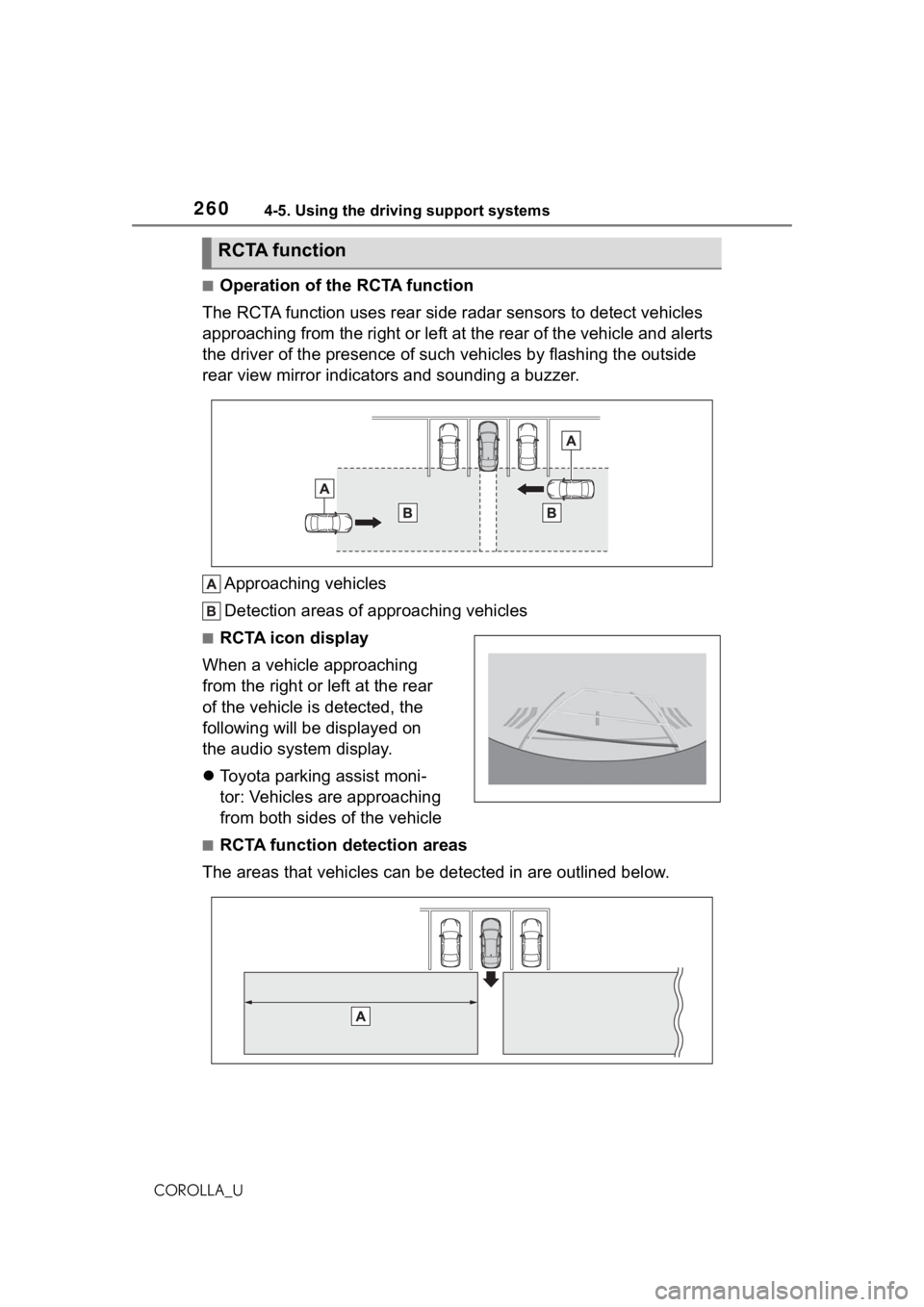
■Operation of the RCTA function
The RCTA function uses rear side radar sensors to detect vehicles
approaching from the right or left at the rear of the vehicle a nd alerts
the driver of the presence of such vehicles by flashing the out side
rear view mirror indicators and sounding a buzzer.
Approaching vehicles
Detection areas of approaching vehicles
■RCTA icon display
When a vehicle approaching
from the right or left at the rear
of the vehicle is detected, the
following will be displayed on
the audio system display.
Toyota parking assist moni-
tor: Vehicles are approaching
from both sides of the vehicle
■RCTA function detection areas
The areas that vehicles can be detected in are outlined below.
RCTA function
Page 263 of 624
2634-5. Using the driving support systems
4
Driving
COROLLA_U
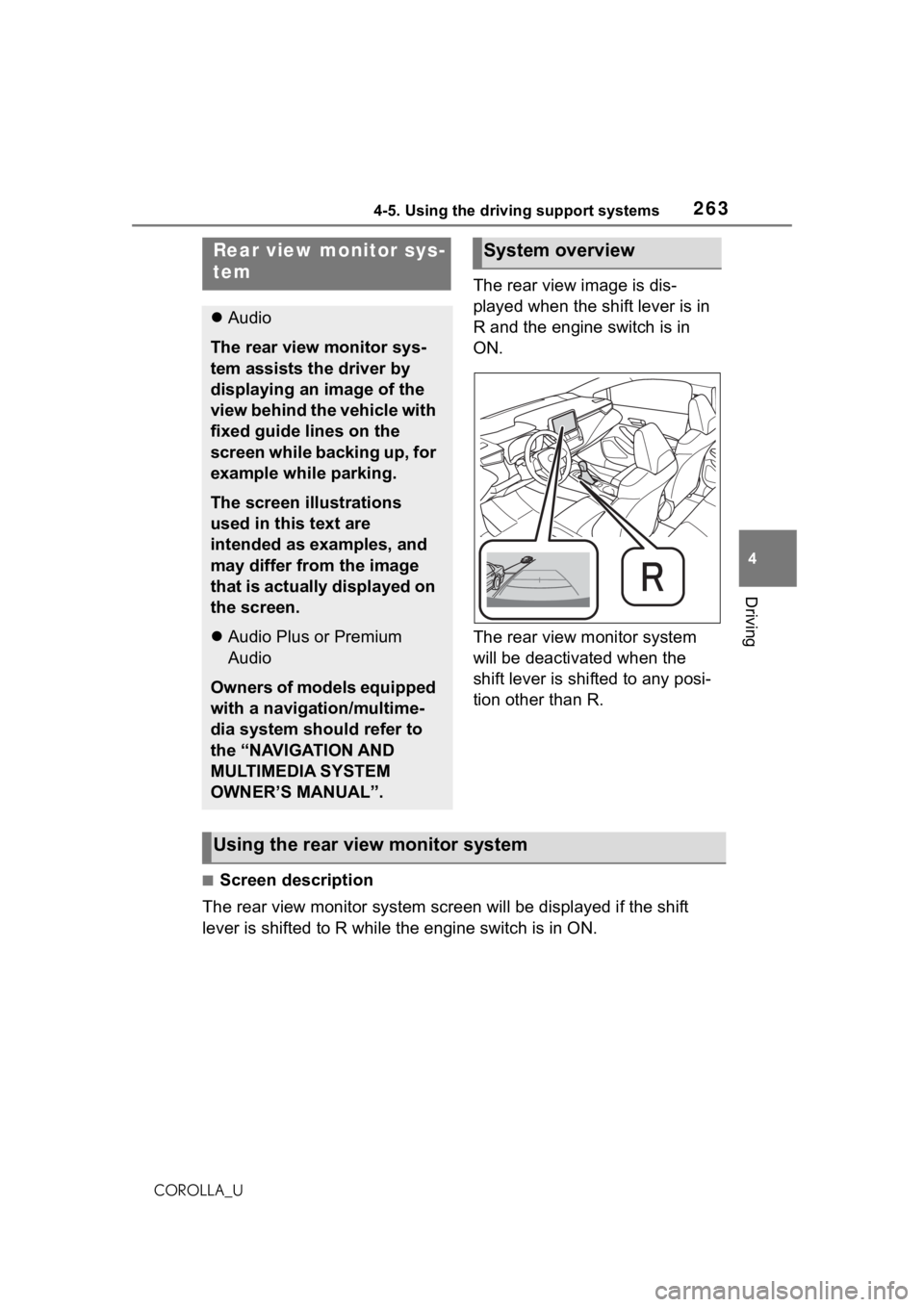
The rear view image is dis-
played when the shift lever is in
R and the engine switch is in
ON.
The rear view monitor system
will be deactivated when the
shift lever is shifted to any posi-
tion other than R.
■Screen description
The rear view monitor system scr een will be displayed if the shift
lever is shifted to R while the engine switch is in ON.
Rear view monitor sys-
tem
Audio
The rear view monitor sys-
tem assists the driver by
displaying an image of the
view behind the vehicle with
fixed guide lines on the
screen while backing up, for
example while parking.
The screen illustrations
used in this text are
intended as examples, and
may differ from the image
that is actually displayed on
the screen.
Audio Plus or Premium
Audio
Owners of models equipped
with a navigation/multime-
dia system should refer to
the “NAVIGATION AND
MULTIMEDIA SYSTEM
OWNER’S MANUAL”.
System overview
Using the rear view monitor system
Page 269 of 624
2694-5. Using the driving support systems
4
Driving
COROLLA_U
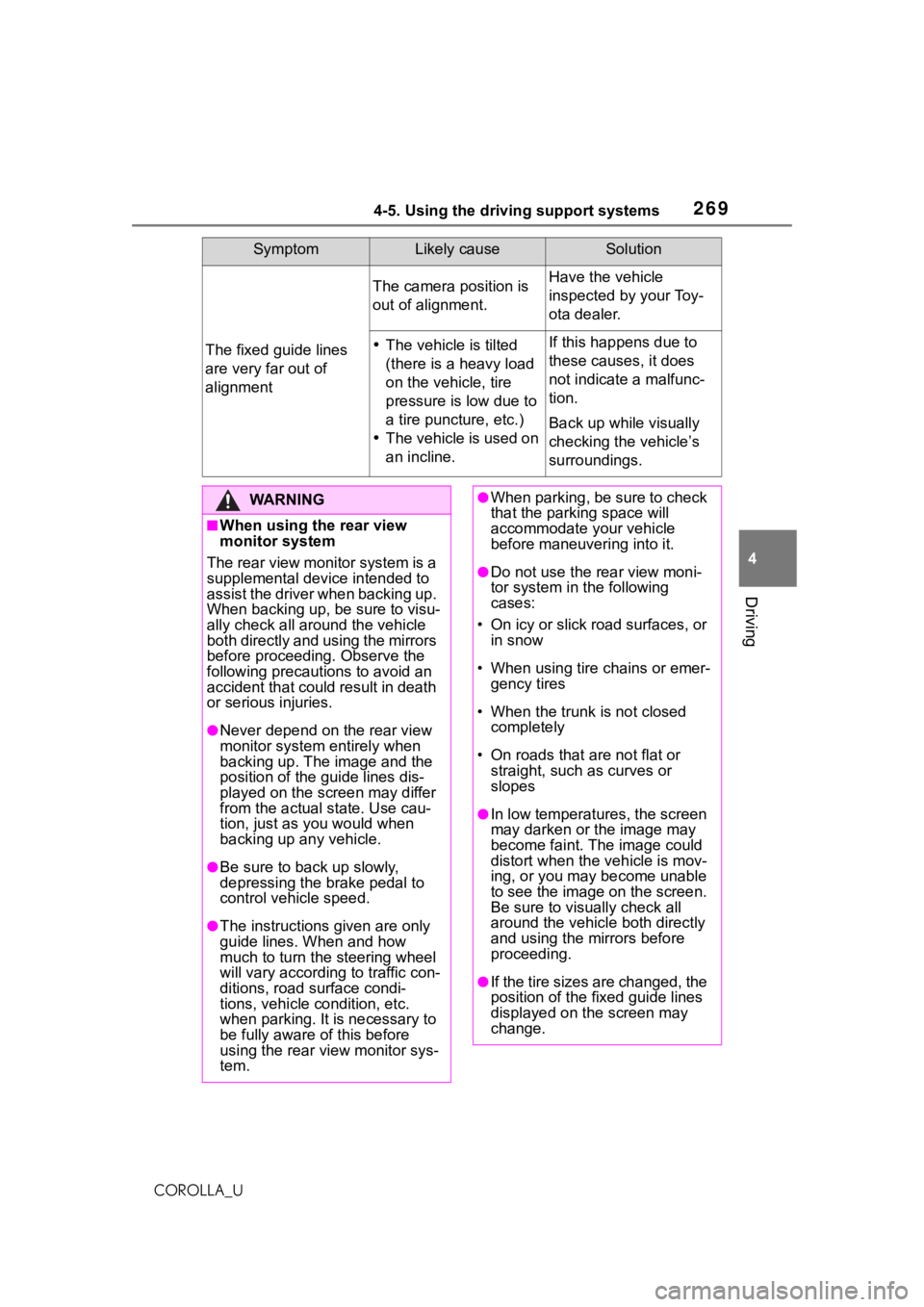
The fixed guide lines
are very far out of
alignment
The camera position is
out of alignment.Have the vehicle
inspected by your Toy-
ota dealer.
The vehicle is tilted
(there is a heavy load
on the vehicle, tire
pressure is low due to
a tire puncture, etc.)
The vehicle is used on
an incline.If this happens due to
these causes, it does
not indicate a malfunc-
tion.
Back up while visually
checking the vehicle’s
surroundings.
SymptomLikely causeSolution
WA R N I N G
■When using the rear view
monitor system
The rear view monitor system is a
supplemental device intended to
assist the driver when backing up.
When backing up, be sure to visu-
ally check all around the vehicle
both directly and using the mirrors
before proceeding. Observe the
following precautions to avoid an
accident that could result in death
or serious injuries.
●Never depend on t he rear view
monitor system entirely when
backing up. The image and the
position of the guide lines dis-
played on the screen may differ
from the actual state. Use cau-
tion, just as you would when
backing up any vehicle.
●Be sure to back up slowly,
depressing the brake pedal to
control vehicle speed.
●The instructions given are only
guide lines. When and how
much to turn the steering wheel
will vary according to traffic con-
ditions, road surface condi-
tions, vehicle condition, etc.
when parking. It is necessary to
be fully aware o f this before
using the rear view monitor sys-
tem.
●When parking, be sure to check
that the parking space will
accommodate your vehicle
before maneuvering into it.
●Do not use the rear view moni-
tor system in t he following
cases:
• On icy or slick road surfaces, or in snow
• When using tire chains or emer- gency tires
• When the trunk is not closed completely
• On roads that are not flat or straight, such as curves or
slopes
●In low temperatures, the screen
may darken or the image may
become faint. The image could
distort when the vehicle is mov-
ing, or you may become unable
to see the image on the screen.
Be sure to visually check all
around the vehicle both directly
and using the mirrors before
proceeding.
●If the tire sizes are changed, the
position of the fixed guide lines
displayed on the screen may
change.
Page 274 of 624
2744-5. Using the driving support systems
COROLLA_Udepressed
●The parking brake is not engaged
■Automatic system cancelation
of hill-start as
sist control
The hill-start assis t control will turn
off in any of the following situations:
●Vehicles with a continuously vari-
able transmission: The shift lever
is shifted to P or N.
●Vehicles with a manual transmis-
sion: The shift lever is shifted to R
when starting off forward on an
upward incline, or the shift lever is
shifted to other than R when start-
ing off backward on an upward
incline.
●The accelerator pedal is
depressed
●The parking brake is engaged
●2 seconds at maximum elapsed
after the brake pedal is released
■Sounds and vibrations caused
by the ABS, brake assist, VSC,
TRAC and hill-start assist con-
trol systems
●A sound may be heard from the
engine compartment when the
brake pedal is dep ressed repeat-
edly, when the engine is started or
just after the vehicle begins to
move. This sound does not indi-
cate that a malfunction has
occurred in any of these systems.
●Any of the following conditions
may occur when t he above sys-
tems are operating.
None of these indicates that a
malfunction has occurred.
• Vibrations may be felt through the vehicle body and steering.
• A motor sound may be heard also
after the vehicle comes to a stop.
• The brake pedal may pulsate slightly after the ABS is activated.
• The brake pedal may move down
slightly after the ABS is activated.
■Active Cornering Assist opera-
tion sounds and vibrations
When the Active Cornering Assist is
operated, operation sounds and
vibrations may be generated from
the brake system, but this is not a
malfunction.
■EPS operation sound
When the steering wheel is oper-
ated, a motor sound (whirring
sound) may be heard. This does not
indicate a malfunction.
■Automatic reactivation of TRAC
and VSC systems
After turning th e TRAC and VSC
systems off, the systems will be
automatically re-enabled in the fol-
lowing situations:
●When the engine switch is turned
off
●If only the TRAC sy stem is turned
off, the TRAC will turn on when
vehicle speed increases
If both the TRAC and VSC sys-
tems are turned o ff, automatic
re-enabling will not occur when
vehicle speed increases.
■Operating conditions of Active
Cornering Assist
The system operates when the fol-
lowing occurs.
●TRAC/VSC can operate
●The driver is attempting to accel-
erate while turning
●The system detects that the vehi-
cle is drifting to the outer side
●The brake pedal is released
■Reduced effectiveness of the
EPS system
The effectiveness of the EPS sys-
tem is reduced to prevent the sys-
tem from overheating when there is
frequent steering input over an
extended period o f time. The steer-
ing wheel may f eel heavy as a
result. Should this occur, refrain
from excessive steering input or
stop the vehicle and turn the engine