change time TOYOTA COROLLA CROSS 2023 User Guide
[x] Cancel search | Manufacturer: TOYOTA, Model Year: 2023, Model line: COROLLA CROSS, Model: TOYOTA COROLLA CROSS 2023Pages: 500, PDF Size: 15.11 MB
Page 104 of 500
1043-2. Opening, closing and locking the doors
other doors.
Press and hold to open the win-
dows
*1and moon roof*1, 2.
*1:This setting must be customized
at your Toyota dealer.
*2: If equipped
■Key
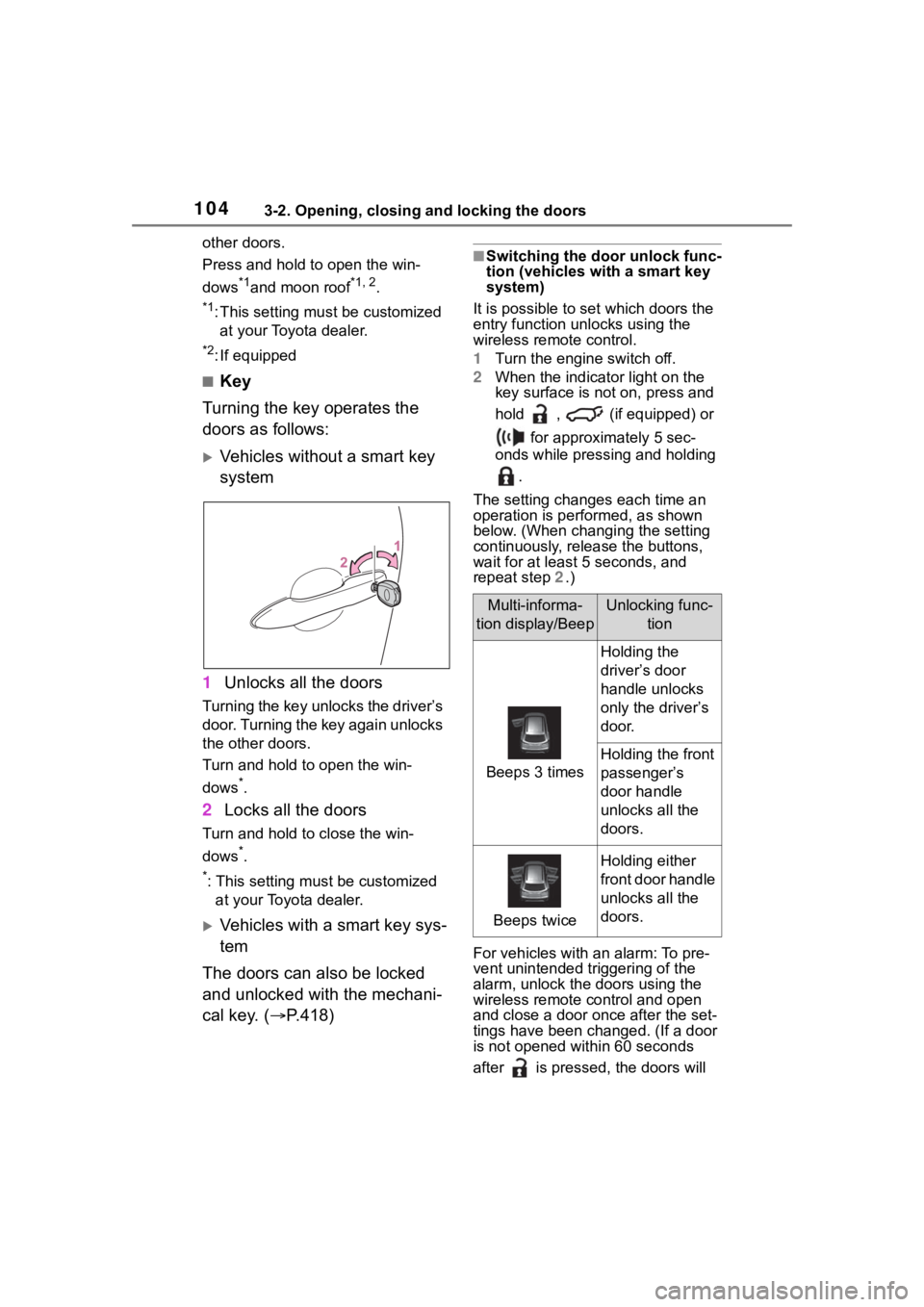
Turning the key operates the
doors as follows:
Vehicles without a smart key
system
1 Unlocks all the doors
Turning the key unlocks the driver’s
door. Turning the key again unlocks
the other doors.
Turn and hold to open the win-
dows
*.
2Locks all the doors
Turn and hold to close the win-
dows
*.
*: This setting must be customized
at your Toyota dealer.
Vehicles with a smart key sys-
tem
The doors can also be locked
and unlocked with the mechani-
cal key. ( P.418)
■Switching the door unlock func-
tion (vehicles with a smart key
system)
It is possible to set which doors the
entry function unlocks using the
wireless remote control.
1 Turn the engine switch off.
2 When the indicator light on the
key surface is not on, press and
hold , (if equipped) or
for approximately 5 sec-
onds while pressing and holding
.
The setting changes each time an
operation is per formed, as shown
below. (When changing the setting
continuously, release the buttons,
wait for at least 5 seconds, and
repeat step 2 .)
For vehicles with an alarm: To pre-
vent unintended triggering of the
alarm, unlock the doors using the
wireless remote control and open
and close a door once after the set-
tings have been ch anged. (If a door
is not opened within 60 seconds
after is presse d, the doors will
Multi-informa-
tion display/BeepUnlocking func- tion
Beeps 3 times
Holding the
driver’s door
handle unlocks
only the driver’s
door.
Holding the front
passenger’s
door handle
unlocks all the
doors.
Beeps twice
Holding either
front door handle
unlocks all the
doors.
Page 119 of 500
1193-2. Opening, closing and locking the doors
3
Before driving
●Interior buzzer sounds continu-
ously
■If “Key Detected in Vehicle” is
shown on the multi-information
display
An attempt was m ade to lock the
doors using the smart key system
while the electronic key was still
inside the vehicle. Retrieve the elec-
tronic key from the vehicle and lock
the doors again.
■Battery-saving function
The battery-saving function will be
activated in order to prevent the
electronic key battery and the vehi-
cle battery from being discharged
while the vehicle is not operated for
a long time.
●In the following situations, the
smart key system may take some
time to unlock the doors. Also the
illuminated entry system may not
operate properly.
• The electronic key has been left in an area of approximately 11 ft.
(3.5 m) of the outside of the vehi-
cle for 40 seconds or longer.
• The smart key system has not been used for 5 days or longer.
●If the smart key system has not
been used for 14 days or longer,
the doors cann ot be unlocked from any door except the driver’s
door. In this case, hold the driver’s
door handle, or use the wireless
remote control or mechanical key
to unlock the doors.
■Electronic key battery-saving
function
When battery-saving mode is set,
battery depletion is minimized by
stopping the electronic key from
receiving radio waves.
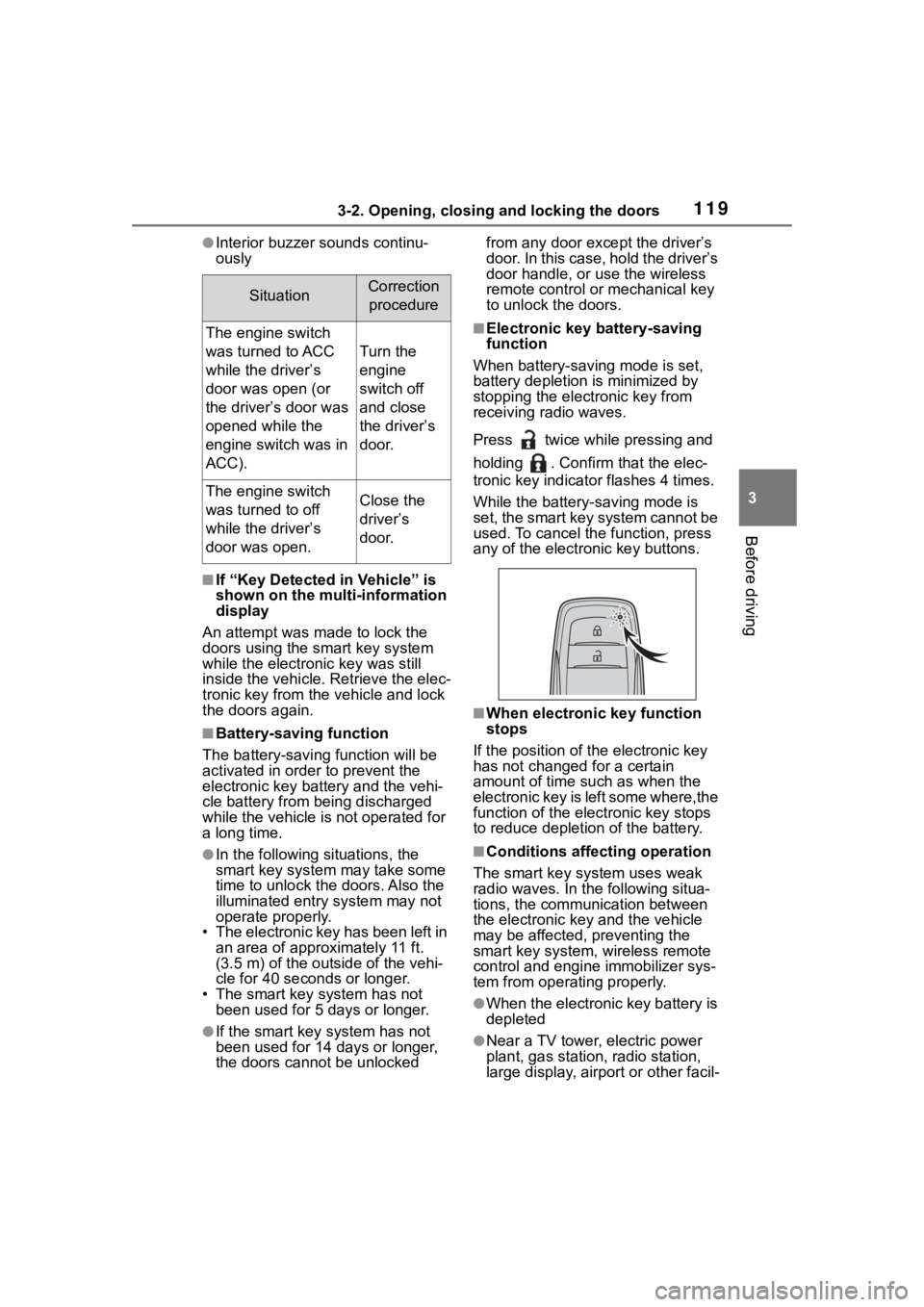
Press twice while pressing and
holding . Confirm that the elec-
tronic key indicator flashes 4 times.
While the battery-saving mode is
set, the smart key system cannot be
used. To cancel the function, press
any of the electronic key buttons.
■When electronic key function
stops
If the position of the electronic key
has not changed for a certain
amount of time suc h as when the
electronic key is left some where,the
function of the elec tronic key stops
to reduce depletion of the battery.
■Conditions affecting operation
The smart key system uses weak
radio waves. In the following situa-
tions, the communication between
the electronic key and the vehicle
may be affected, preventing the
smart key system, wireless remote
control and engi ne immobilizer sys-
tem from operating properly.
●When the electronic key battery is
depleted
●Near a TV tower, electric power
plant, gas station, radio station,
large display, airpo rt or other facil-
SituationCorrection
procedure
The engine switch
was turned to ACC
while the driver’s
door was open (or
the driver’s door was
opened while the
engine switch was in
ACC).
Turn the
engine
switch off
and close
the driver’s
door.
The engine switch
was turned to off
while the driver’s
door was open.Close the
driver’s
door.
Page 146 of 500
1464-1. Before driving
WARNING
■If the vehicle becomes stuck
(AWD models)
Do not spin the wheels exces-
sively when a driven wheel is up
in the air, or the vehicle is stuck in
sand, mud, etc. This may damage
the driveline components or pro-
pel the vehicle forward or back-
ward, causing an accident.
NOTICE
■When driving the vehicle
●Do not depress t he accelerator
and brake pedals at the same
time during drivin g, as this may
restrain the engine output.
●Do not use the accelerator
pedal or depress the accelera-
tor and brake pedals at the
same time to hold the vehicle on
a hill.
■When parking the vehicle
Always set the parking brake and
shift the shift lever to P. Failure to
do so may cause the vehicle to
move or the vehi cle may acceler-
ate suddenly if the accelerator
pedal is accidentally depressed.
■Avoiding damage to vehicle
parts
●Do not turn the steering wheel
fully in either direction and hold
it there for an extended period
of time.
Doing so may damage the
power steering motor.
●When driving over bumps in the
road, drive as slowly as possible
to avoid damagi ng the wheels,
underside of the vehicle, etc.
■If you get a flat tire while driv-
ing
A flat or damaged tire may cause
the following situations. Hold the
steering wheel firmly and gradu-
ally depress the brake pedal to
slow down the vehicle.
●It may be difficult to control your
vehicle.
●The vehicle will make abnormal
sounds or vibrations.
●The vehicle will lean abnor-
mally.
Information on what to do in case
of a flat tire ( P.405)
■When encountering flooded
roads
Do not drive on a road that has
flooded after h eavy rain etc.
Doing so may cause the following
serious damage to the vehicle:
●Engine stalling
●Short in electrical components
●Engine damage caused by
water immersion
In the event that you drive on a
flooded road and the vehicle
becomes flooded or stuck in mud
or sand, be sure to have your Toy-
ota dealer check the following:
●Brake function
●Changes in the quantity and
quality of the engine oil, tran-
saxle fluid, transfer oil (AWD
models), rear dif ferential oil
(AWD models), etc.
●Lubricant condition for the pro-
peller shaft (AWD models),
bearings and suspension joints
(where possible), and the func-
tion of all joints, bearings, etc.
Page 163 of 500
1634-2. Driving procedures
4
Driving
All electrical components can be
used.
4 START ( “START” position)
For starting the engine.
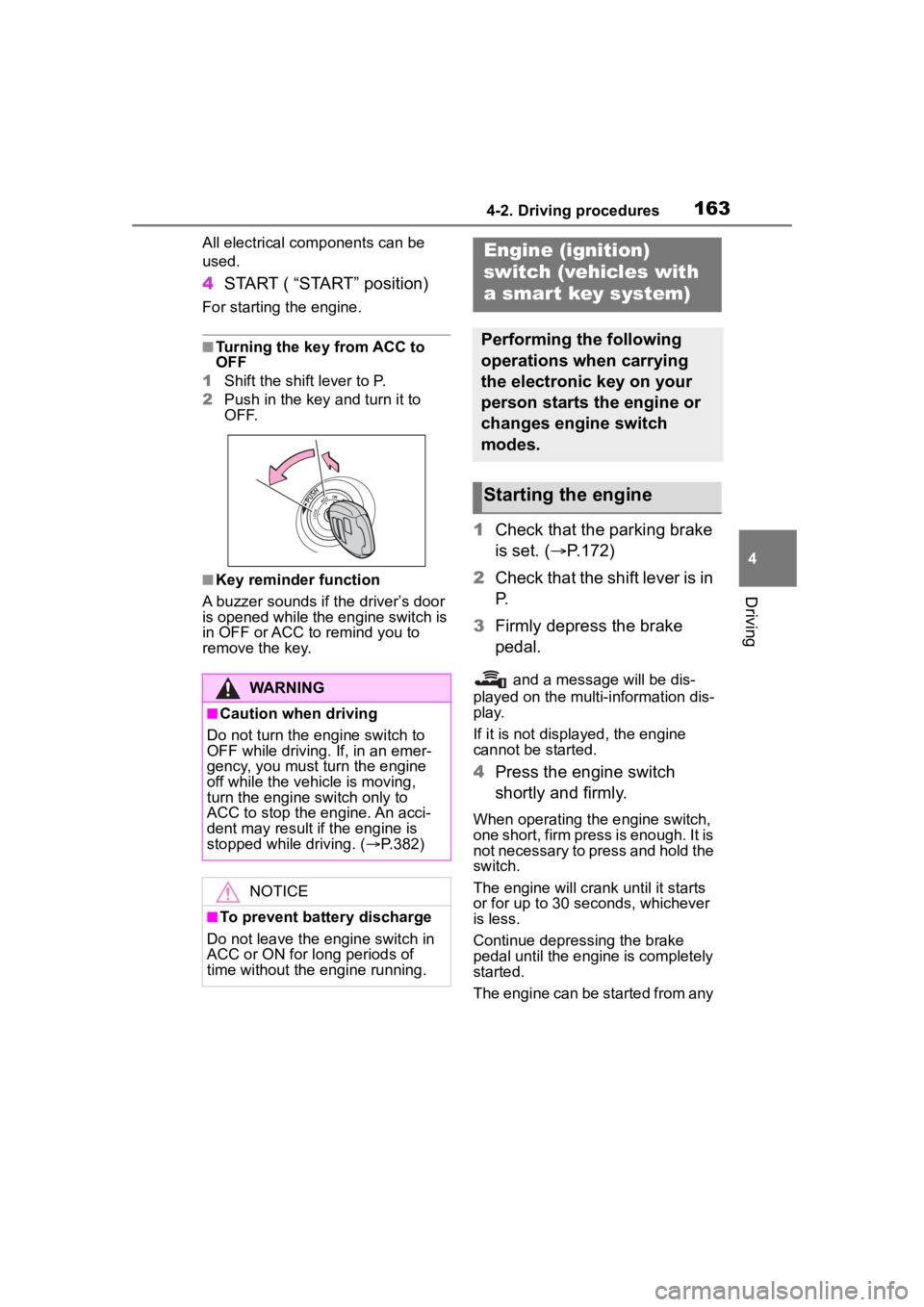
■Turning the key from ACC to
OFF
1 Shift the shift lever to P.
2 Push in the key and turn it to
OFF.
■Key reminder function
A buzzer sounds if the driver’s door
is opened while the engine switch is
in OFF or ACC to r emind you to
remove the key.
1 Check that the parking brake
is set. ( P.172)
2 Check that the shift lever is in
P.
3 Firmly depress the brake
pedal.
and a message will be dis-
played on the multi-information dis-
play.
If it is not displ ayed, the engine
cannot be started.
4 Press the engine switch
shortly and firmly.
When operating the engine switch,
one short, firm press is enough. It is
not necessary to press and hold the
switch.
The engine will crank until it starts
or for up to 30 seconds, whichever
is less.
Continue depressing the brake
pedal until the engine is completely
started.
The engine can be started from any
WARNING
■Caution when driving
Do not turn the engine switch to
OFF while driving. If, in an emer-
gency, you must turn the engine
off while the vehicle is moving,
turn the engine switch only to
ACC to stop the engine. An acci-
dent may result i f the engine is
stopped while driving. ( P.382)
NOTICE
■To prevent battery discharge
Do not leave the engine switch in
ACC or ON for long periods of
time without the engine running.
Engine (ignition)
switch (vehicles with
a smar t key system)
Performing the following
operations when carrying
the electronic key on your
person starts the engine or
changes engine switch
modes.
Starting the engine
Page 166 of 500
1664-2. Driving procedures
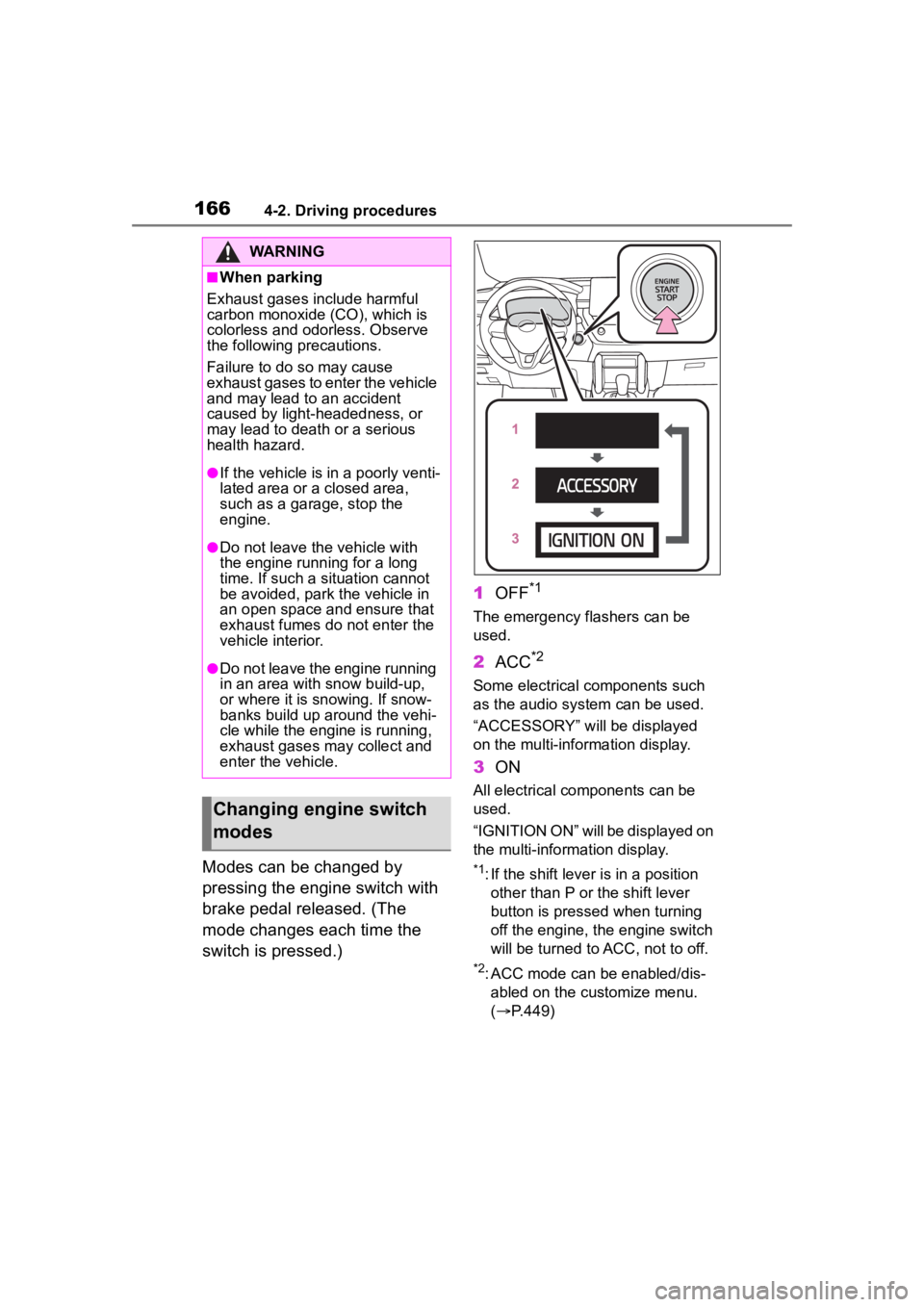
Modes can be changed by
pressing the engine switch with
brake pedal released. (The
mode changes each time the
switch is pressed.)1
OFF
*1
The emergency flashers can be
used.
2ACC*2
Some electrical components such
as the audio sys tem can be used.
“ACCESSORY” will be displayed
on the multi-information display.
3 ON
All electrical components can be
used.
“IGNITION ON” will be displayed on
the multi-information display.
*1: If the shift lever is in a position
other than P or the shift lever
button is pressed when turning
off the engine, the engine switch
will be turned to ACC, not to off.
*2: ACC mode can be enabled/dis-abled on the customize menu.
( P.449)
WARNING
■When parking
Exhaust gases include harmful
carbon monoxide (CO), which is
colorless and odorless. Observe
the following precautions.
Failure to do so may cause
exhaust gases to enter the vehicle
and may lead to an accident
caused by light-headedness, or
may lead to death or a serious
health hazard.
●If the vehicle is in a poorly venti-
lated area or a closed area,
such as a garage, stop the
engine.
●Do not leave the vehicle with
the engine running for a long
time. If such a situation cannot
be avoided, park the vehicle in
an open space and ensure that
exhaust fumes do not enter the
vehicle interior.
●Do not leave the engine running
in an area with snow build-up,
or where it is snowing. If snow-
banks build up around the vehi-
cle while the engine is running,
exhaust gases may collect and
enter the vehicle.
Changing engine switch
modes
Page 170 of 500
1704-2. Driving procedures
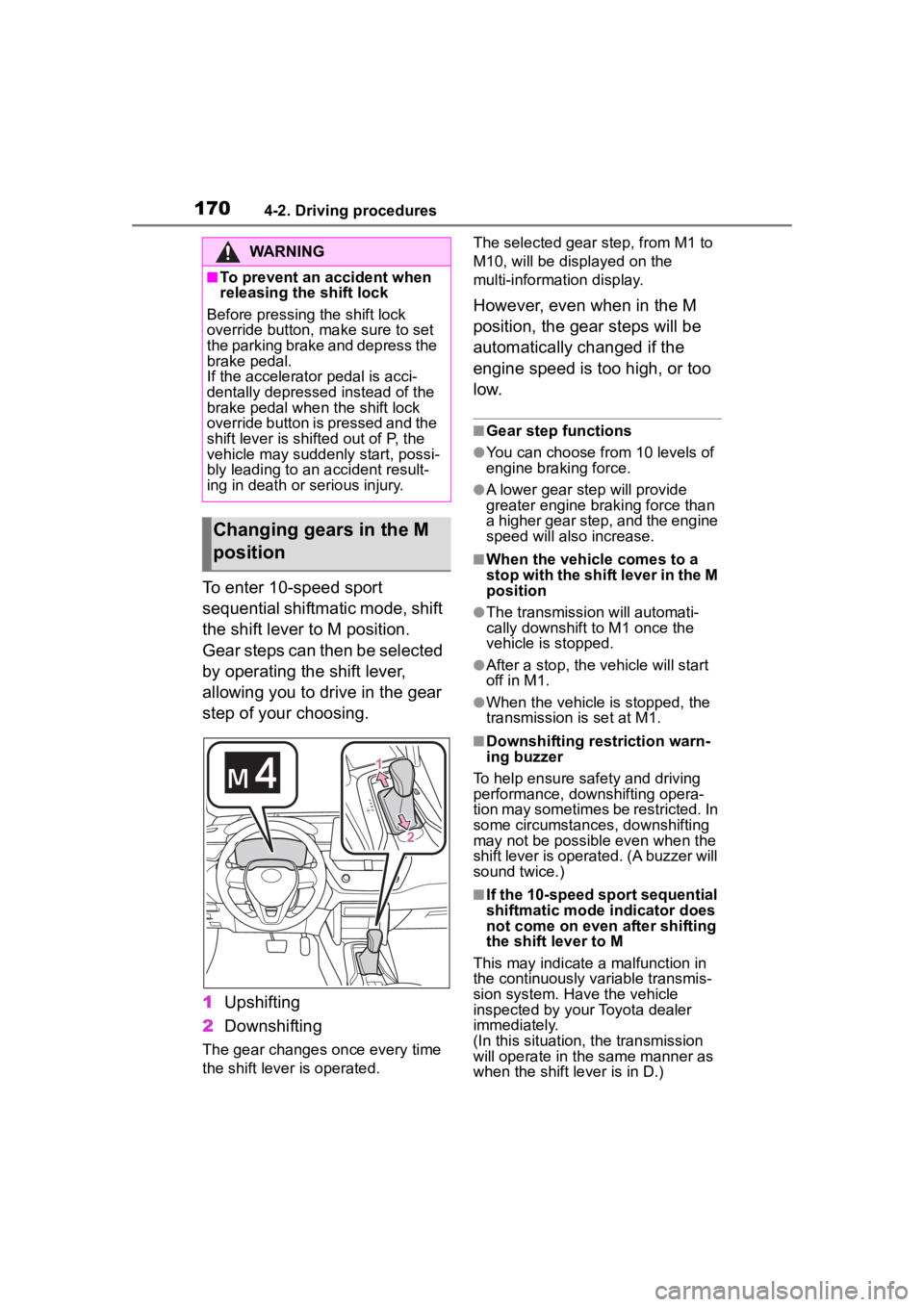
To enter 10-speed sport
sequential shiftmatic mode, shift
the shift lever to M position.
Gear steps can then be selected
by operating the shift lever,
allowing you to drive in the gear
step of your choosing.
1Upshifting
2 Downshifting
The gear changes once every time
the shift lever is operated. The selected gear step, from M1 to
M10, will be dis
played on the
multi-information display.
However, even when in the M
position, the gear steps will be
automatically changed if the
engine speed is too high, or too
l o w.
■Gear step functions
●You can choose from 10 levels of
engine braking force.
●A lower gear step will provide
greater engine braking force than
a higher gear step, and the engine
speed will also increase.
■When the vehicle comes to a
stop with the shift lever in the M
position
●The transmission will automati-
cally downshift to M1 once the
vehicle is stopped.
●After a stop, the vehicle will start
off in M1.
●When the vehicle is stopped, the
transmission is set at M1.
■Downshifting restriction warn-
ing buzzer
To help ensure safety and driving
performance, dow nshifting opera-
tion may sometimes be restricted. In
some circumstances, downshifting
may not be possible even when the
shift lever is operated. (A buzzer will
sound twice.)
■If the 10-speed sport sequential
shiftmatic mode indicator does
not come on even after shifting
the shift lever to M
This may indicate a malfunction in
the continuously variable transmis-
sion system. Have the vehicle
inspected by your Toyota dealer
immediately.
(In this situation, the transmission
will operate in the same manner as
when the shift lever is in D.)
WARNING
■To prevent an accident when
releasing the shift lock
Before pressing the shift lock
override button, make sure to set
the parking brake and depress the
brake pedal.
If the accelerator pedal is acci-
dentally depressed instead of the
brake pedal when the shift lock
override button is pressed and the
shift lever is shifted out of P, the
vehicle may suddenly start, possi-
bly leading to an accident result-
ing in death or serious injury.
Changing gears in the M
position
Page 171 of 500
1714-2. Driving procedures
4
Driving
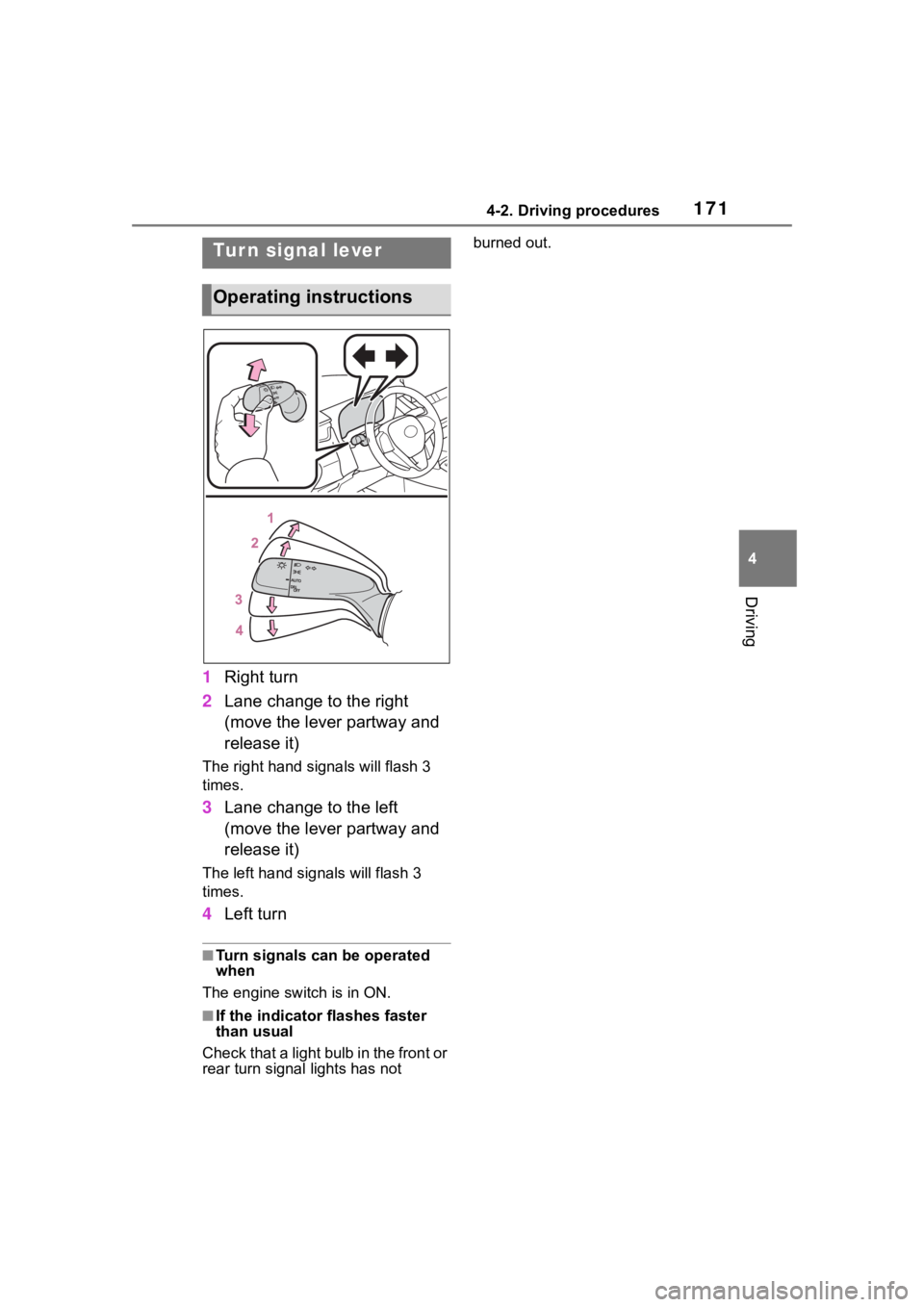
1Right turn
2 Lane change to the right
(move the lever partway and
release it)
The right hand signals will flash 3
times.
3Lane change to the left
(move the lever partway and
release it)
The left hand signals will flash 3
times.
4Left turn
■Turn signals can be operated
when
The engine switch is in ON.
■If the indicator flashes faster
than usual
Check that a light bulb in the front or
rear turn signal lights has not burned out.
Tur n signal lever
Operating instructions
Page 183 of 500
1834-3. Operating the lights and wipers
4
Driving
switch lever to the high beam
position then pull it to the original
position quickly 10 times, then
leave the lever in its original posi-
tion.
4 If the sensitivity is changed, the
Automatic High Beam indicator
will blink 3 times.
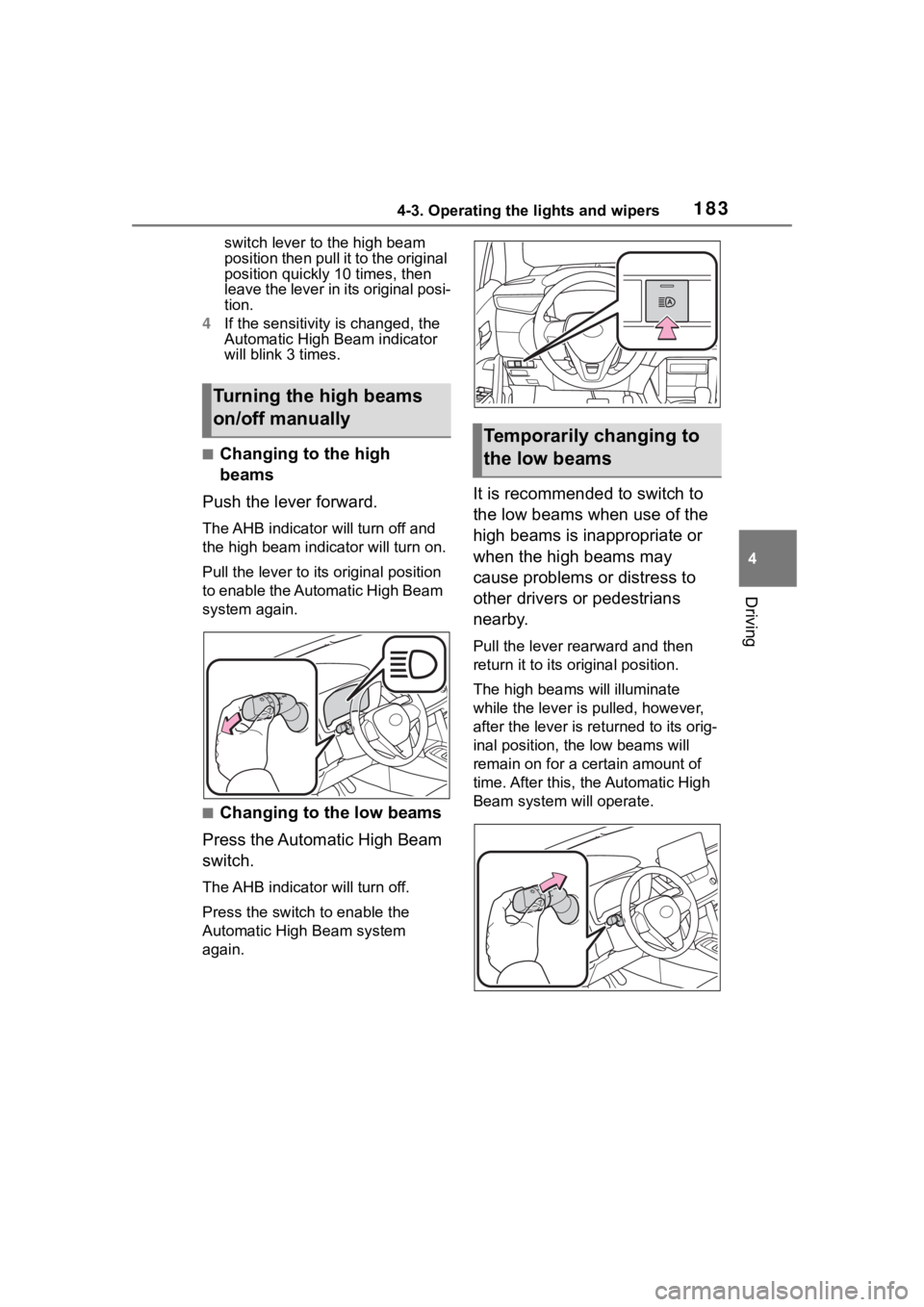
■Changing to the high
beams
Push the lever forward.
The AHB indicator will turn off and
the high bea m indicator will turn on.
Pull the lever to its original position
to enable the Automatic High Beam
system again.
■Changing to the low beams
Press the Automatic High Beam
switch.
The AHB indicator will turn off.
Press the switch to enable the
Automatic High Beam system
again.
It is recommended to switch to
the low beams when use of the
high beams is inappropriate or
when the high beams may
cause problems or distress to
other drivers or pedestrians
nearby.
Pull the lever rearward and then
return it to its original position.
The high beams will illuminate
while the lever is p ulled, however,
after the lever is returned to its orig-
inal position, the low beams will
remain on for a certain amount of
time. After this, the Automatic High
Beam system will operate.
Turning the high beams
on/off manually
Temporarily changing to
the low beams
Page 207 of 500
2074-5. Using the driving support systems
4
Driving
forward leaning rider, or has an
unusual shape (bicycles equipped
with a child seat, tandem bicycles,
etc.)
• If a pedestrian or bicycle is shorter than approximately 3.2 ft. (1 m) or
taller than approximately 6.5 ft. (2
m).
• When the silhouette of a pedes-
trian or bicycle is unclear (such as
when they are wearing a raincoat,
long skirt, etc.)
• When a pedestrian is bending for- ward or squatting
• When a pedestrian or bicycle is
moving at high speed
• When a pedestrian is pushing a stroller, wheelchair, bicycle or
other vehicle
• When a detectable object blends in with the surrounding area, such
a s w h e n i t i s d i m ( a t d a w n o r d u s k )
or dark (at night or in a tunnel)
• When the vehicle has not been
driven for a certain amount of time
after the engine was started
• While turning left /right or a few
seconds after turning left/right
• While driving around a curve and a few seconds after driving around
a curve
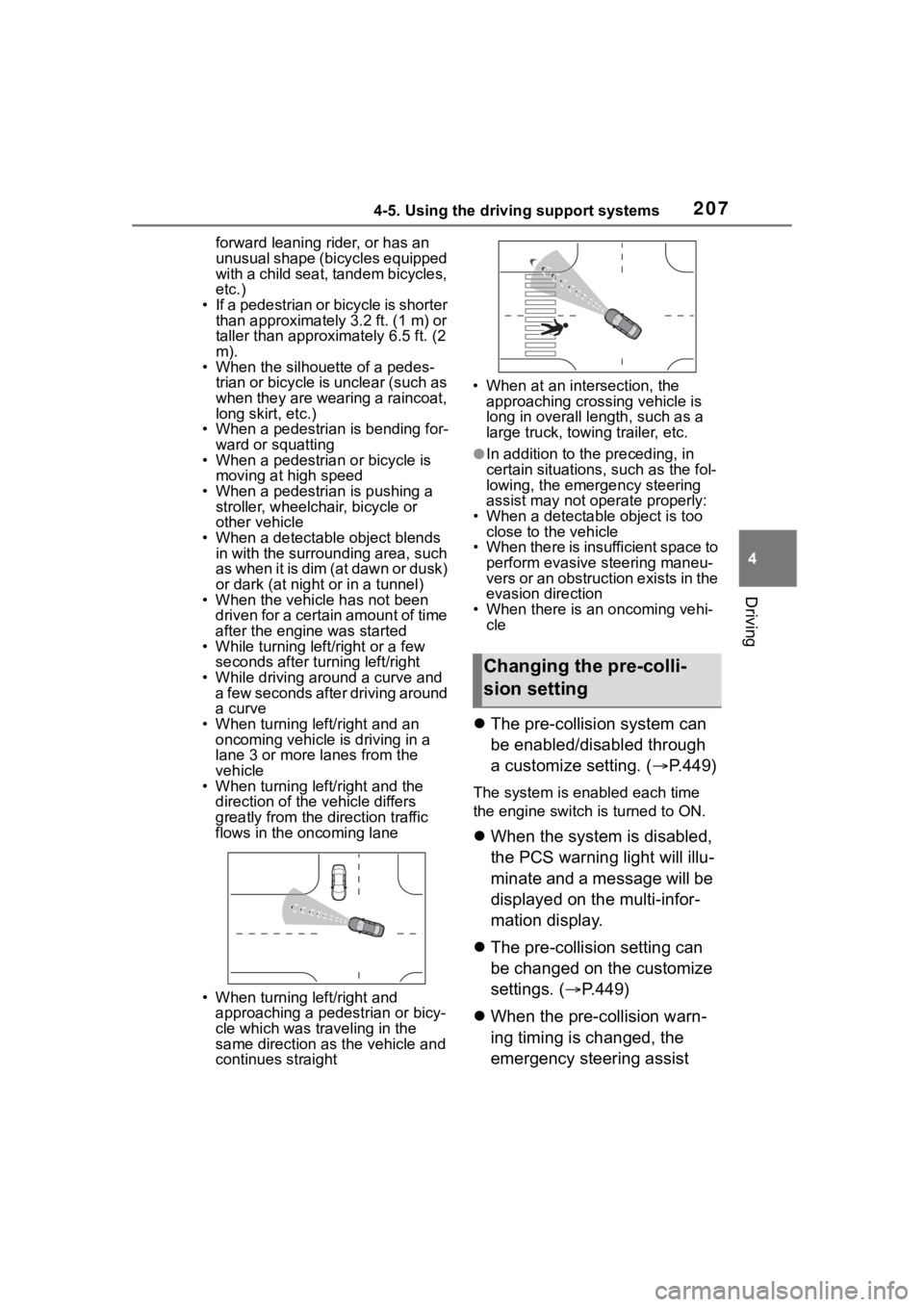
• When turning left/right and an oncoming vehicle i s driving in a
lane 3 or more l anes from the
vehicle
• When turning left/right and the
direction of the vehicle differs
greatly from the direction traffic
flows in the oncoming lane
• When turning left/right and approaching a pedestrian or bicy-
cle which was traveling in the
same direction as the vehicle and
continues straight • When at an intersection, the
approaching crossing vehicle is
long in overall length, such as a
large truck, towin g trailer, etc.
●In addition to the preceding, in
certain situations, such as the fol-
lowing, the emergency steering
assist may not operate properly:
• When a detectable object is too close to the vehicle
• When there is insufficient space to
perform evasive steering maneu-
vers or an obstruction exists in the
evasion direction
• When there is an oncoming vehi- cle
The pre-collision system can
be enabled/disabled through
a customize setting. ( P.449)
The system is enabled each time
the engine switch is turned to ON.
When the system is disabled,
the PCS warning light will illu-
minate and a message will be
displayed on the multi-infor-
mation display.
The pre-collision setting can
be changed on the customize
settings. ( P.449)
When the pre-collision warn-
ing timing is changed, the
emergency steering assist
Changing the pre-colli-
sion setting
Page 208 of 500

2084-5. Using the driving support systems
timing will also be changed.
When “Later” is selected, the
emergency steering assist will
not operate in most cases.
When the dynamic radar
cruise control is operating, the
pre-collision warning will
operate at the “Earlier” timing,
regardless of the user setting.
When driving on a road with
clear lane lines with the
dynamic radar cruise control
operating, lane lines and pre-
ceding and surrounding vehi-
cles are detected using the
front camera and radar sen-
sor, and the steering wheel is
operated to maintain the vehi-
cle’s lane position.
Use this function only on highways
and expressways.
If the dynamic radar cruise control
is not operating, the function will not
operate.
In situations where the lane lines
are difficult to see or are not visible,
such as when in a traffic jam, sup-
port will be provided using the path
of preceding and surrounding vehi-
cles.
If the system determines that the
steering wheel has not been oper-
ated for a certain amount of time or
the steering wheel is not being
firmly gripped, the driver will be
alerted and this function will be
temporarily canceled.
If the steering wheel is firmly
gripped, the func tion will begin
operating again.
LTA (Lane Tracing
Assist)
LTA functions