child lock TOYOTA COROLLA HATCHBACK 2022 (in English) User Guide
[x] Cancel search | Manufacturer: TOYOTA, Model Year: 2022, Model line: COROLLA HATCHBACK, Model: TOYOTA COROLLA HATCHBACK 2022Pages: 758, PDF Size: 155.26 MB
Page 126 of 758
1243-2. Opening, closing and locking the doors
Back door
The back door can be
locked/unlocked and
opened/closed by the follow-
ing procedures.
WA R N I N G
Observe the following precautions.
Failure to do so may result in death or
serious injury.
■Caution while driving
●Keep the back door closed while driving. If the back door is left open,
it may hit near-by objects while driv-
ing or luggage may be unexpect- edly thrown out, causing an
accident.
In addition, exhaust gases may enter the vehicle, causing death or
a serious health hazard. Make sure
to close the back door before driv- ing.
●Before driving the vehicle, make sure that the back door is fully
closed. If the back door is not fully
closed, it may open unexpectedly while driving, causing an accident.
●Never let anyone sit in the luggage compartment. In the event of sud-
den braking or a collision, they are
susceptible to death or serious injury.
■When children are in the vehicle
●Do not allow children to play in the
luggage compartment.
If a child is accidentally locked in the luggage compartment, they
could have heat exhaustion or other
injuries.
●Do not allow a child to open or close the back door.
Doing so may cause the back door
to move unexpectedly, or cause the child’s hands, head, or neck to be
caught by the closing back door.
■Operating the back door
Observe the following precautions.
Failure to do so may cause parts of the body to be caught, resulting in
death or serious injury.
●Remove any heavy loads, such as
snow and ice, from the back door
before opening it. Failure to do so may cause the back door to sud-
denly shut again after it is opened.
●When opening or closing the back
door, thoroughly check to make
sure the surrounding area is safe.
●If anyone is in the vicinity, make
sure they are safe and let them know that the back door is about to
open or close.
●Use caution when opening or clos-
ing the back door in windy weather
as it may move abruptly in strong wind.
Page 145 of 758
143
3
3-3. Adjusting the seats
Before driving
WA R N I N G
●Do not allow children to enter the
luggage compartment.
●Be careful not to get your hand
caught when folding the rear
seatbacks.
●Adjust the position of the front seats
before folding down the rear
seatbacks so that th e front seats do not interfere with the rear seatbacks
when folding down the rear
seatbacks.
●Make sure that the rear seat is free
of passengers before operating the luggage room lever (if equipped).
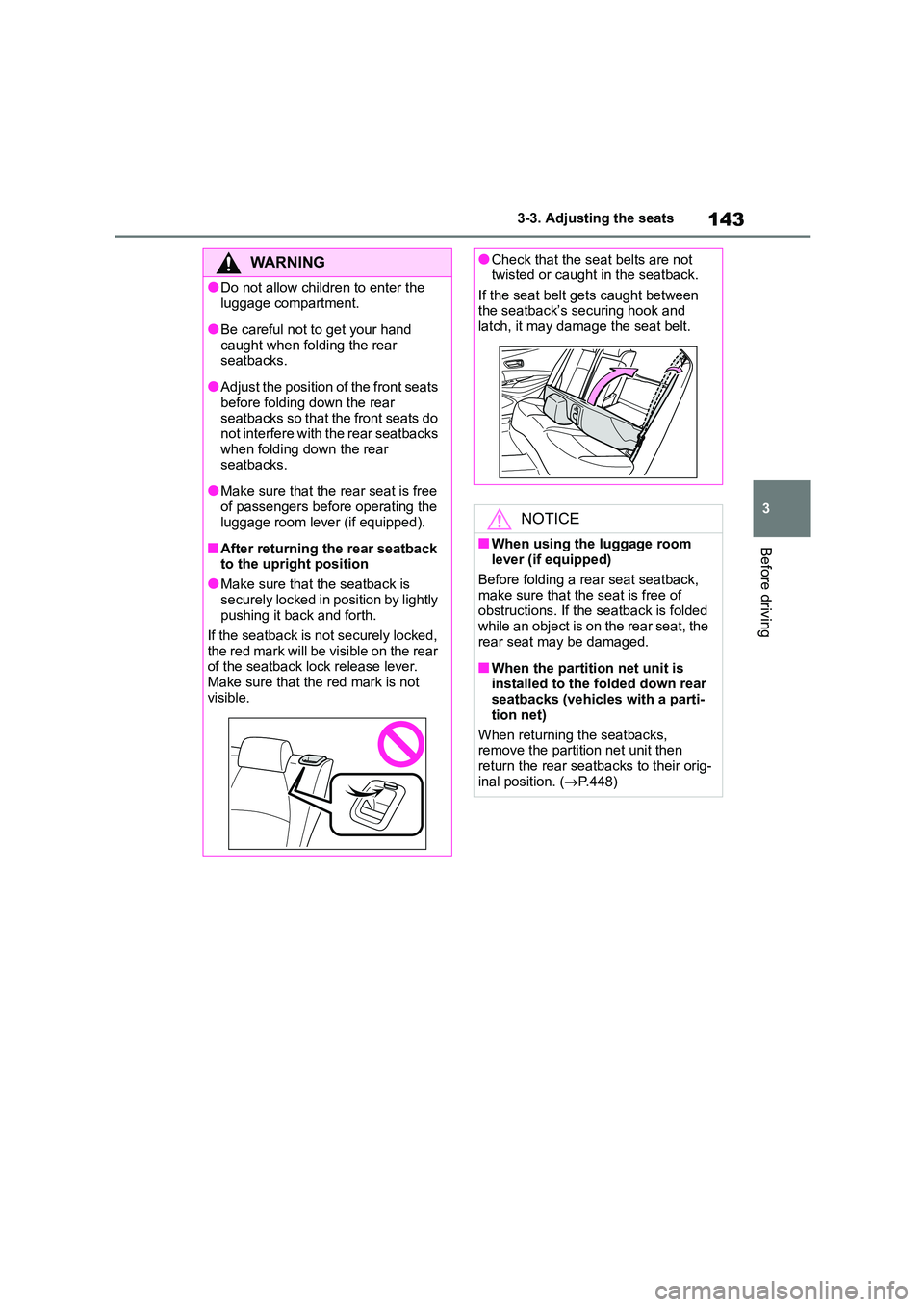
■After returning the rear seatback to the upright position
●Make sure that the seatback is
securely locked in position by lightly pushing it back and forth.
If the seatback is not securely locked,
the red mark will be visible on the rear of the seatback lock release lever.
Make sure that the red mark is not
visible.
●Check that the seat belts are not twisted or caught in the seatback.
If the seat belt gets caught between
the seatback’s securing hook and latch, it may damage the seat belt.
NOTICE
■When using the luggage room
lever (if equipped)
Before folding a rear seat seatback, make sure that the seat is free of
obstructions. If the seatback is folded
while an object is on the rear seat, the rear seat may be damaged.
■When the partition net unit is installed to the folded down rear
seatbacks (vehicles with a parti-
tion net)
When returning the seatbacks,
remove the partition net unit then
return the rear seatbacks to their orig- inal position. ( P.448)
Page 154 of 758
1523-5. Opening and closing the windows
direction again. After the door win-
dow is completely closed, continue holding the switch for a further 1 sec-
ond or more.
If you release the switch while the win- dow is moving, start again from the
beginning.
If the window reverses and cannot be fully closed or opened, have the vehicle
inspected by any authorized Toyota
retailer or Toyota authorized repairer, or any reliable repairer.
■Door lock linked window operation
●Vehicles without a smart entry & start
system: The power windows can be
opened and closed using the key.*
( P.120)
Vehicles with a smart entry & start system: The power windows can be
opened and closed using the mechan-
ical key.* ( P.555)
●The power windows can be opened
and closed using the wireless remote
control.* ( P.119)*: These settings must be customized at
any authorized Toyota retailer or
Toyota authorized repairer, or any reli-
able repairer.
■Customization
Some functions can be customized.
( P.577)
WA R N I N G
Observe the following precautions.
Failure to do so may result in death or serious injury.
■Closing the windows
●The driver is responsible for all the
power window operations, including
the operation for the passengers. In order to prevent accidental opera-
tion, especially by a child, do not let
a child operate the power windows. It is possible for children and other
passengers to have body parts
caught in the power window. Also, when riding with a child, it is recom-
mended to use the window lock
switch. (P.153)
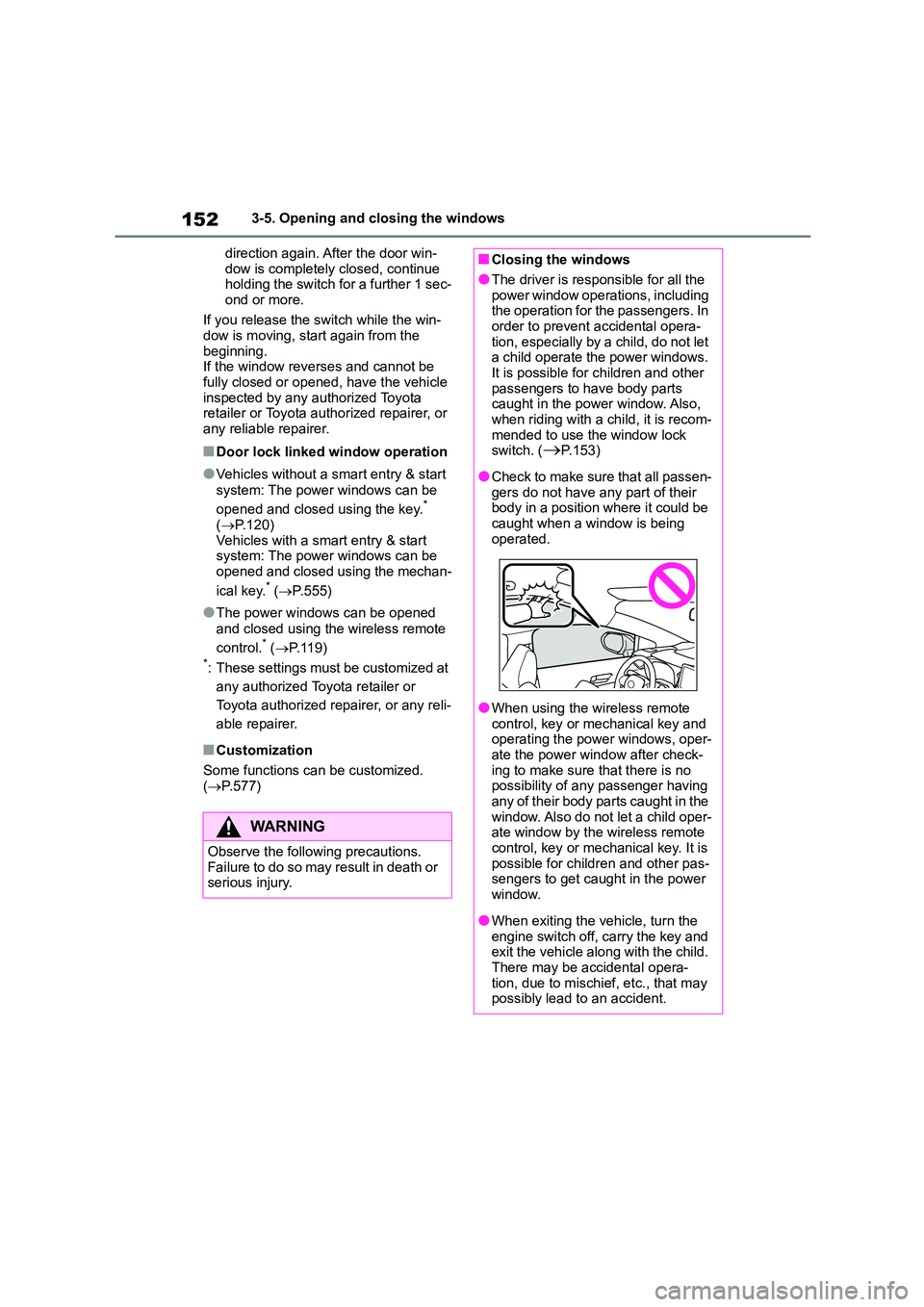
●Check to make sure that all passen-
gers do not have any part of their body in a position where it could be
caught when a window is being
operated.
●When using the wireless remote
control, key or mechanical key and operating the power windows, oper-
ate the power window after check-
ing to make sure that there is no possibility of any passenger having
any of their body parts caught in the
window. Also do not let a child oper- ate window by the wireless remote
control, key or mech anical key. It is
possible for children and other pas- sengers to get caught in the power
window.
●When exiting the vehicle, turn the
engine switch off, carry the key and
exit the vehicle along with the child.
There may be accidental opera- tion, due to mischief, etc., that may
possibly lead to an accident.
Page 155 of 758
153
3
3-5. Opening and closing the windows
Before driving
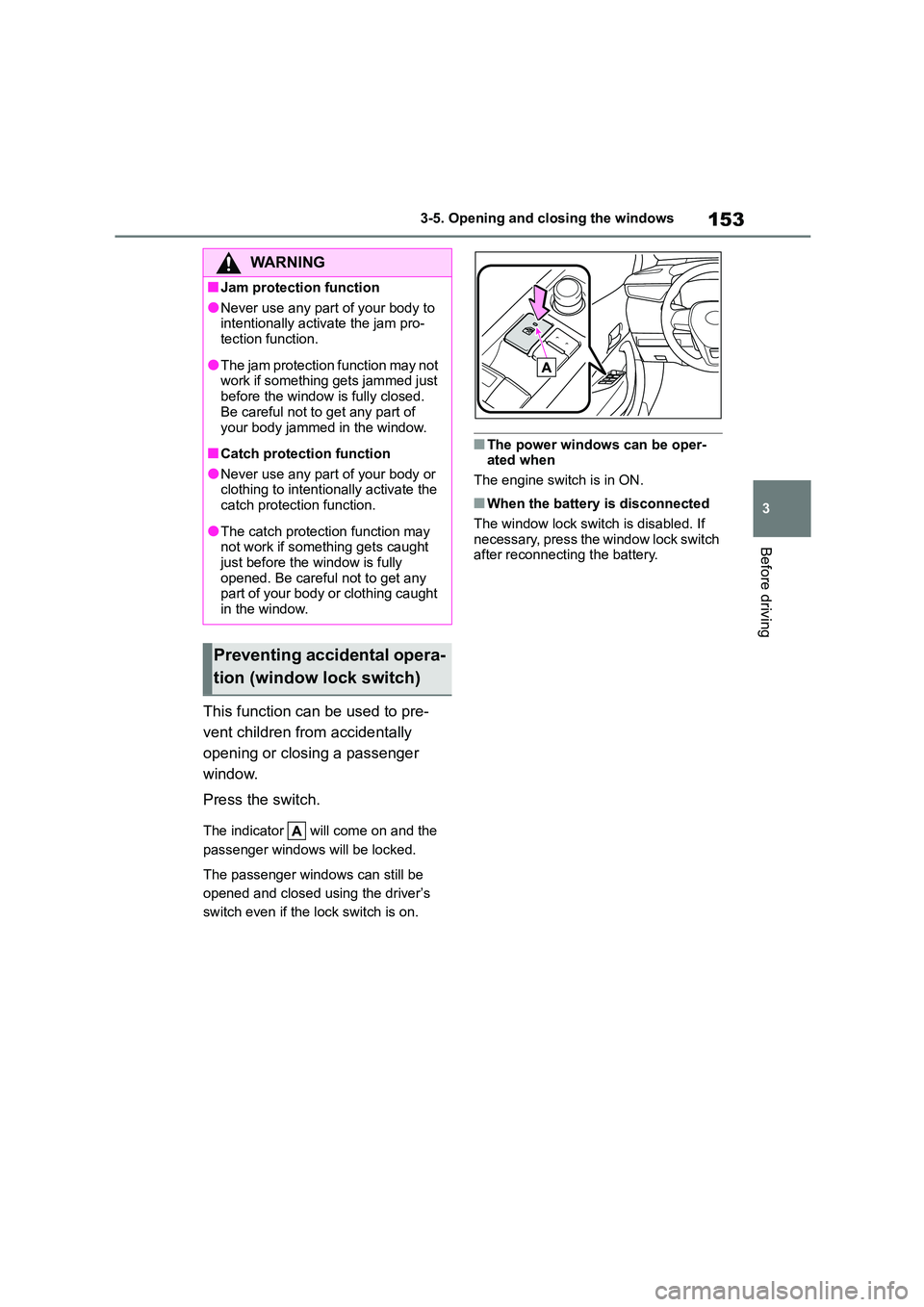
This function can be used to pre-
vent children from accidentally
opening or closing a passenger
window.
Press the switch.
The indicator will come on and the
passenger windows will be locked.
The passenger windows can still be
opened and closed using the driver’s
switch even if the lock switch is on.
■The power windows can be oper- ated when
The engine switch is in ON.
■When the battery is disconnected
The window lock switch is disabled. If necessary, press the window lock switch
after reconnecting the battery.
WA R N I N G
■Jam protection function
●Never use any part of your body to
intentionally activate the jam pro- tection function.
●The jam protection function may not work if something gets jammed just
before the window is fully closed.
Be careful not to get any part of
your body jammed in the window.
■Catch protection function
●Never use any part of your body or clothing to intentionally activate the
catch protection function.
●The catch protection function may
not work if something gets caught
just before the window is fully opened. Be careful not to get any
part of your body or clothing caught
in the window.
Preventing accidental opera-
tion (window lock switch)
Page 232 of 758
2304-5. Using the driving support systems
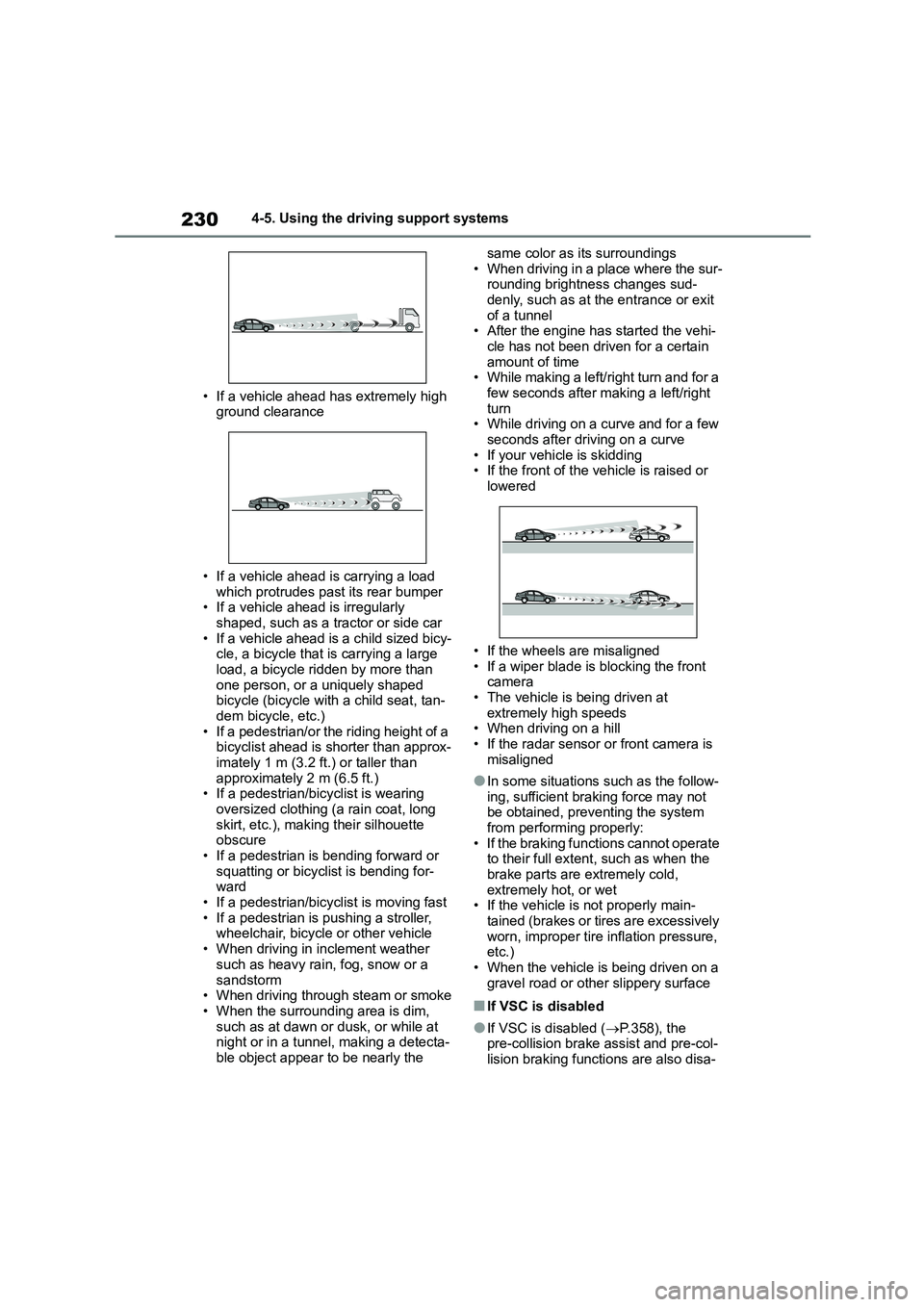
• If a vehicle ahead has extremely high
ground clearance
• If a vehicle ahead is carrying a load
which protrudes past its rear bumper • If a vehicle ahead is irregularly
shaped, such as a tractor or side car
• If a vehicle ahead is a child sized bicy- cle, a bicycle that is carrying a large
load, a bicycle ridden by more than
one person, or a uniquely shaped bicycle (bicycle with a child seat, tan-
dem bicycle, etc.)
• If a pedestrian/or the riding height of a bicyclist ahead is shorter than approx-
imately 1 m (3.2 ft.) or taller than
approximately 2 m (6.5 ft.) • If a pedestrian/bicyclist is wearing
oversized clothing (a rain coat, long
skirt, etc.), making their silhouette obscure
• If a pedestrian is bending forward or
squatting or bicyclist is bending for- ward
• If a pedestrian/bicyclist is moving fast
• If a pedestrian is pushing a stroller, wheelchair, bicycle or other vehicle
• When driving in inclement weather
such as heavy rain, fog, snow or a
sandstorm • When driving through steam or smoke
• When the surrounding area is dim,
such as at dawn or dusk, or while at night or in a tunnel, making a detecta-
ble object appear to be nearly the
same color as its surroundings
• When driving in a place where the sur- rounding brightness changes sud-
denly, such as at the entrance or exit
of a tunnel • After the engine has started the vehi-
cle has not been driven for a certain
amount of time • While making a left/right turn and for a
few seconds after making a left/right
turn • While driving on a curve and for a few
seconds after driving on a curve
• If your vehicle is skidding • If the front of the vehicle is raised or
lowered
• If the wheels are misaligned
• If a wiper blade is blocking the front
camera • The vehicle is being driven at
extremely high speeds
• When driving on a hill • If the radar sensor or front camera is
misaligned
●In some situations such as the follow-
ing, sufficient braking force may not
be obtained, prev enting the system from performing properly:
• If the braking functions cannot operate
to their full extent, such as when the brake parts are extremely cold,
extremely hot, or wet
• If the vehicle is not properly main- tained (brakes or ti res are excessively
worn, improper tire inflation pressure,
etc.)
• When the vehicle is being driven on a gravel road or other slippery surface
■If VSC is disabled
●If VSC is disabled ( P.358), the pre-collision brake assist and pre-col-
lision braking functions are also disa-
Page 476 of 758
4747-3. Do-it-yourself maintenance
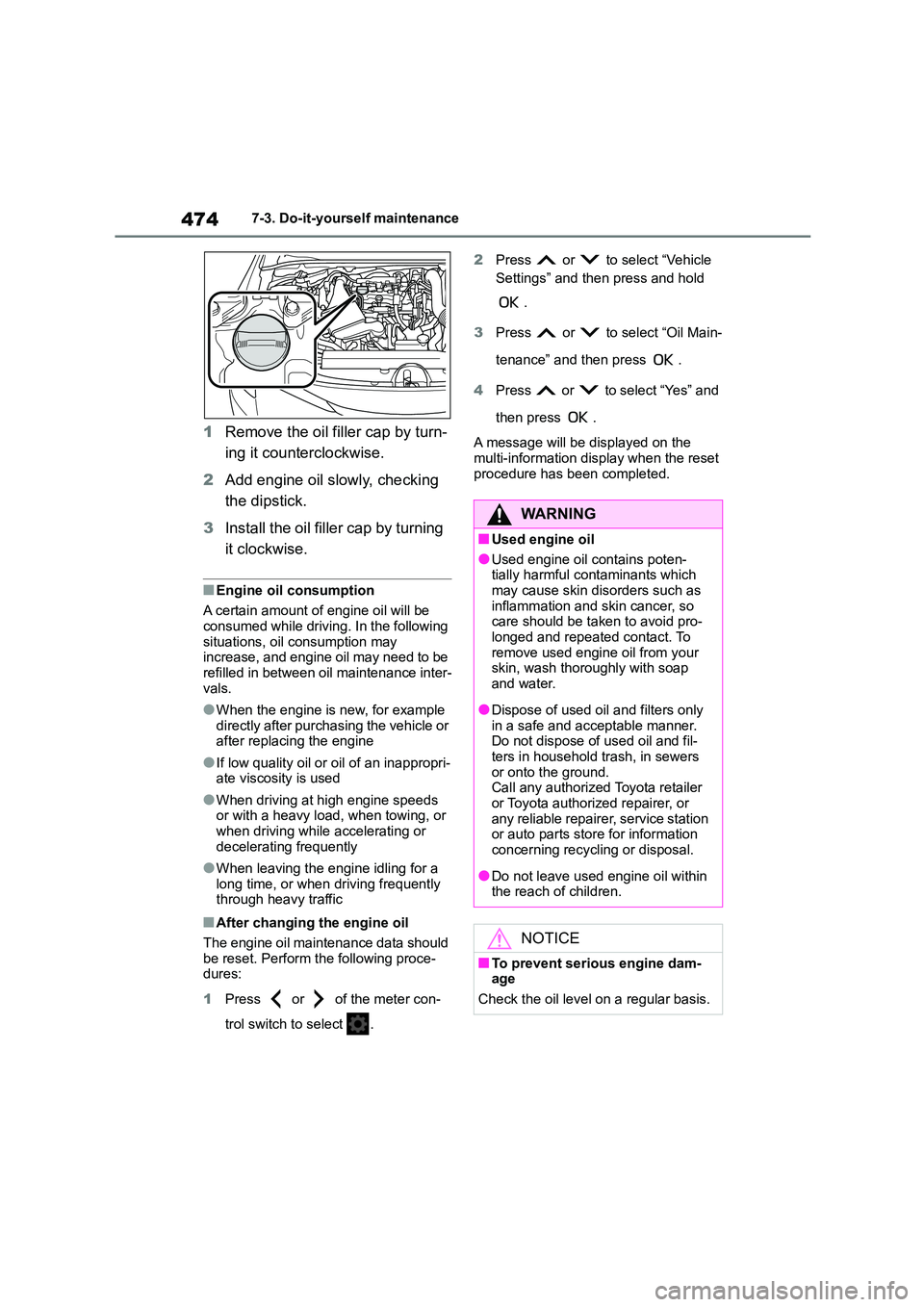
1Remove the oil filler cap by turn-
ing it counterclockwise.
2 Add engine oil slowly, checking
the dipstick.
3 Install the oil filler cap by turning
it clockwise.
■Engine oil consumption
A certain amount of engine oil will be
consumed while driving. In the following situations, oil consumption may
increase, and engine oil may need to be
refilled in between oil maintenance inter- vals.
●When the engine is new, for example directly after purchasing the vehicle or
after replacing the engine
●If low quality oil or oil of an inappropri-
ate viscosity is used
●When driving at high engine speeds
or with a heavy load, when towing, or
when driving while accelerating or decelerating frequently
●When leaving the engine idling for a long time, or when driving frequently
through heavy traffic
■After changing the engine oil
The engine oil maintenance data should
be reset. Perform the following proce- dures:
1 Press or of the meter con-
trol switch to select .
2 Press or to select “Vehicle
Settings” and then press and hold
.
3 Press or to select “Oil Main-
tenance” and then press .
4 Press or to select “Yes” and
then press .
A message will be displayed on the
multi-information display when the reset
procedure has been completed.
WA R N I N G
■Used engine oil
●Used engine oil contains poten-
tially harmful contaminants which
may cause skin disorders such as inflammation and skin cancer, so
care should be taken to avoid pro-
longed and repeated contact. To remove used engine oil from your
skin, wash thoroughly with soap
and water.
●Dispose of used oil and filters only
in a safe and acceptable manner. Do not dispose of used oil and fil-
ters in household trash, in sewers
or onto the ground. Call any authorized Toyota retailer
or Toyota authorized repairer, or
any reliable repairer, service station or auto parts store for information
concerning recycling or disposal.
●Do not leave used engine oil within
the reach of children.
NOTICE
■To prevent serious engine dam- age
Check the oil level on a regular basis.
Page 494 of 758
4927-3. Do-it-yourself maintenance
Vehicles with a smart entry &
start system
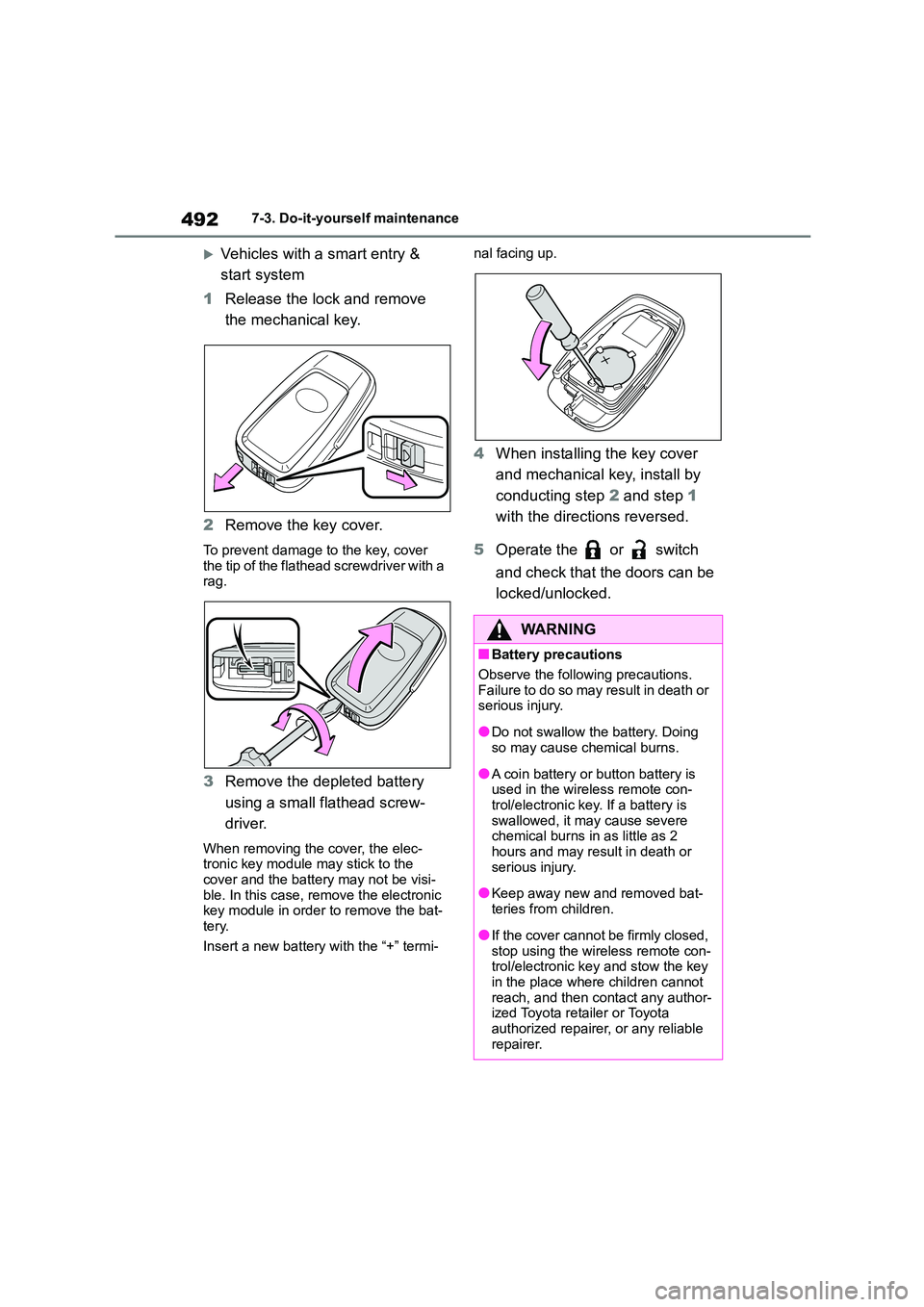
1 Release the lock and remove
the mechanical key.
2 Remove the key cover.
To prevent damage to the key, cover
the tip of the flathead screwdriver with a rag.
3 Remove the depleted battery
using a small flathead screw-
driver.
When removing the cover, the elec- tronic key module may stick to the
cover and the battery may not be visi-
ble. In this case, remove the electronic key module in order to remove the bat-
tery.
Insert a new battery with the “+” termi-
nal facing up.
4 When installing the key cover
and mechanical key, install by
conducting step 2 and step 1
with the directions reversed.
5 Operate the or switch
and check that the doors can be
locked/unlocked.
WA R N I N G
■Battery precautions
Observe the following precautions.
Failure to do so may result in death or
serious injury.
●Do not swallow the battery. Doing
so may cause chemical burns.
●A coin battery or button battery is
used in the wireless remote con- trol/electronic key. If a battery is
swallowed, it ma y cause severe
chemical burns in as little as 2 hours and may result in death or
serious injury.
●Keep away new and removed bat-
teries from children.
●If the cover cannot be firmly closed,
stop using the wireless remote con-
trol/electronic key and stow the key in the place where children cannot
reach, and then contact any author-
ized Toyota retailer or Toyota authorized repairer, or any reliable
repairer.
Page 557 of 758
555
8
8-2. Steps to take in an emergency
When trouble arises
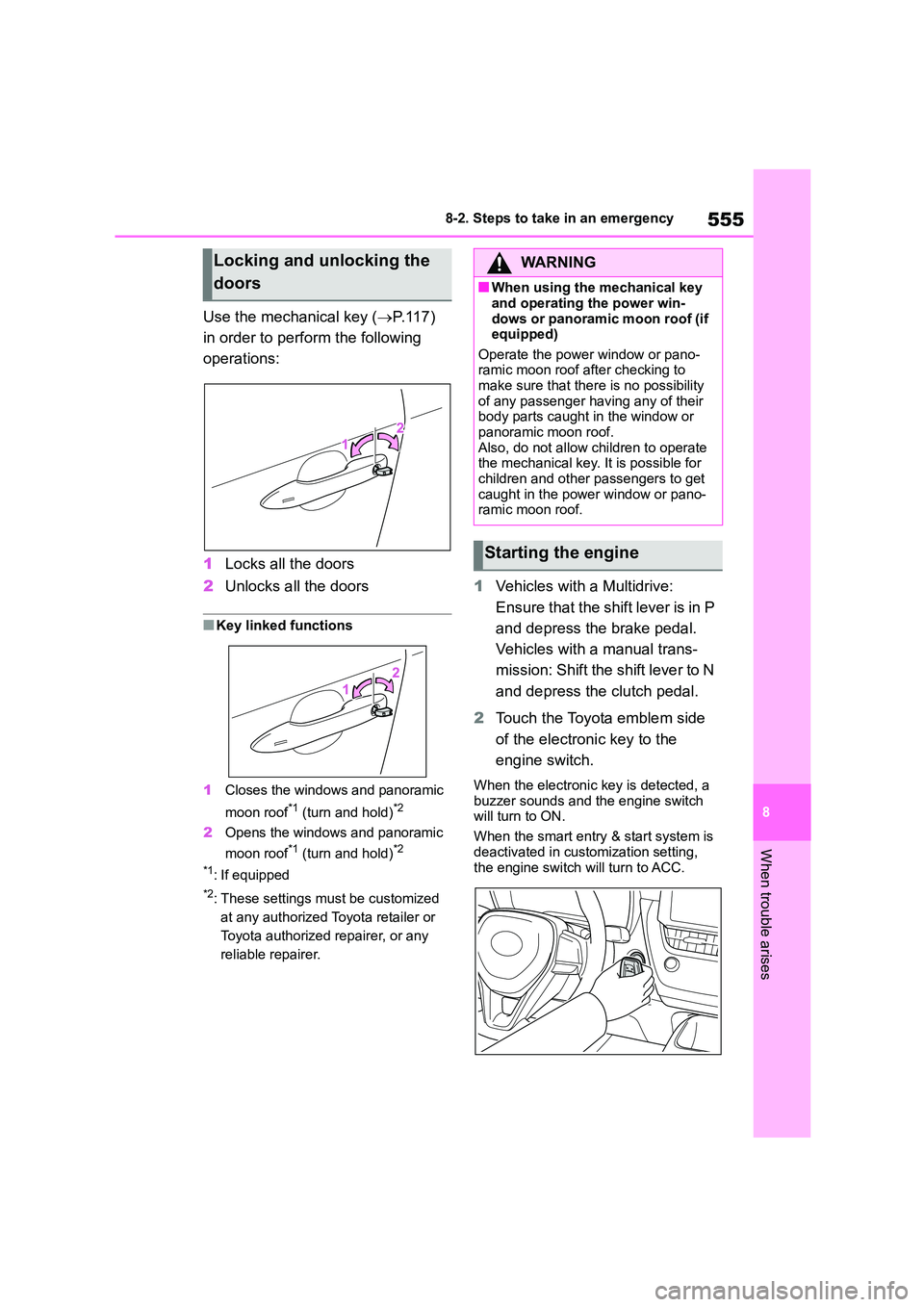
Use the mechanical key ( P.117)
in order to perform the following
operations:
1 Locks all the doors
2 Unlocks all the doors
■Key linked functions
1 Closes the windows and panoramic
moon roof*1 (turn and hold)*2
2 Opens the windows and panoramic
moon roof*1 (turn and hold)*2
*1: If equipped
*2: These settings must be customized
at any authorized Toyota retailer or
Toyota authorized repairer, or any
reliable repairer.
1 Vehicles with a Multidrive:
Ensure that the shift lever is in P
and depress the brake pedal.
Vehicles with a manual trans-
mission: Shift the shift lever to N
and depress the clutch pedal.
2 Touch the Toyota emblem side
of the electronic key to the
engine switch.
When the electronic key is detected, a
buzzer sounds and the engine switch
will turn to ON.
When the smart entry & start system is
deactivated in customization setting,
the engine switch will turn to ACC.
Locking and unlocking the
doors
WA R N I N G
■When using the mechanical key
and operating the power win-
dows or panoramic moon roof (if equipped)
Operate the power window or pano-
ramic moon roof after checking to make sure that there is no possibility
of any passenger having any of their
body parts caught in the window or
panoramic moon roof. Also, do not allow children to operate
the mechanical key. It is possible for
children and other passengers to get caught in the power window or pano-
ramic moon roof.
Starting the engine
Page 592 of 758
590What to do if... (Troubleshooting)
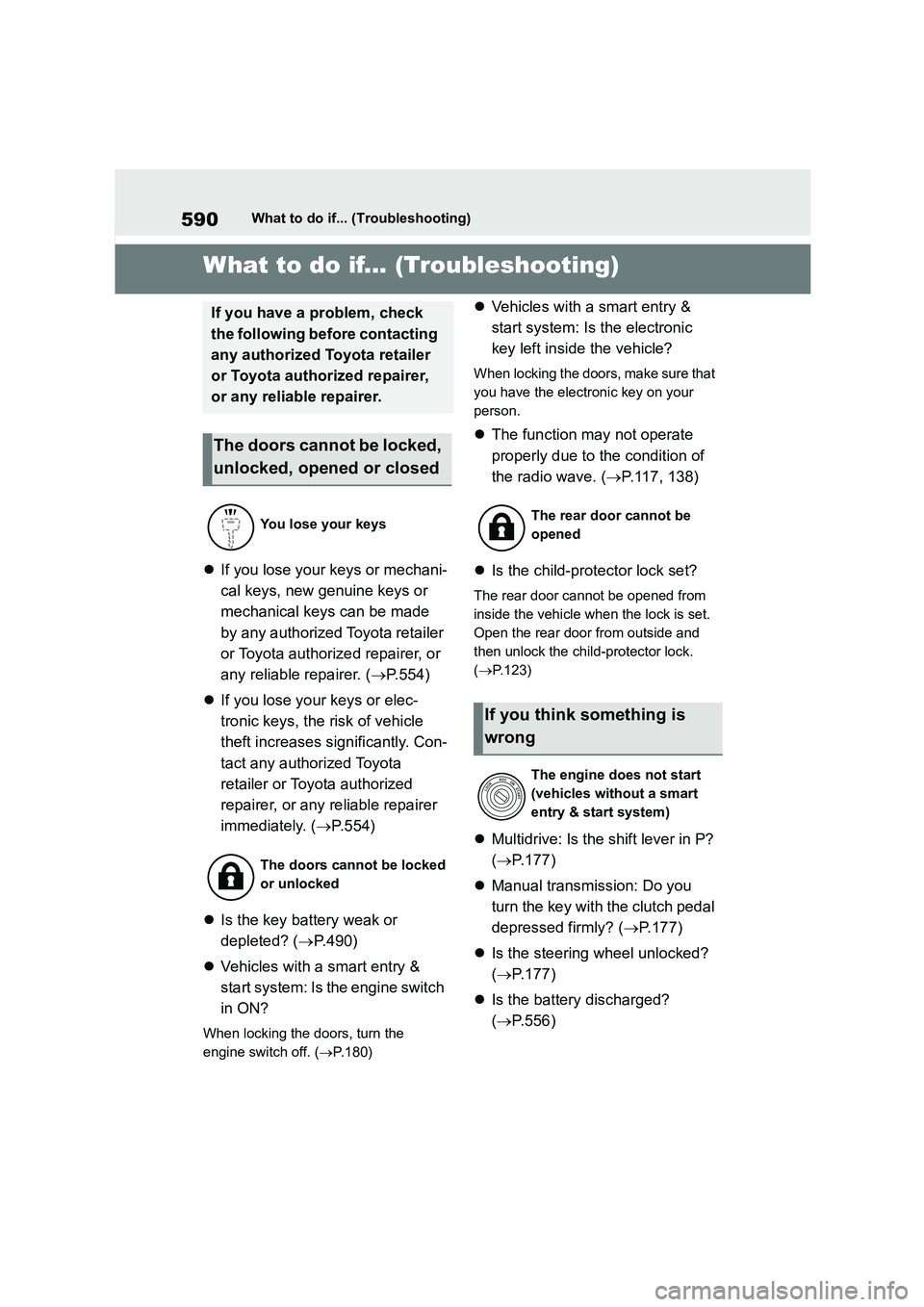
1-1.What to do if... (Troubleshooting)What to do if... (Troubleshooting)
If you lose your keys or mechani-
cal keys, new genuine keys or
mechanical keys can be made
by any authorized Toyota retailer
or Toyota authorized repairer, or
any reliable repairer. ( P.554)
If you lose your keys or elec-
tronic keys, the risk of vehicle
theft increases significantly. Con-
tact any authorized Toyota
retailer or Toyota authorized
repairer, or any reliable repairer
immediately. ( P.554)
Is the key battery weak or
depleted? ( P.490)
Vehicles with a smart entry &
start system: Is the engine switch
in ON?
When locking the doors, turn the
engine switch off. ( P.180)
Vehicles with a smart entry &
start system: Is the electronic
key left inside the vehicle?
When locking the doors, make sure that
you have the electronic key on your
person.
The function may not operate
properly due to the condition of
the radio wave. ( P.117, 138)
Is the child-protector lock set?
The rear door cannot be opened from
inside the vehicle when the lock is set.
Open the rear door from outside and
then unlock the child -protector lock.
( P.123)
Multidrive: Is the shift lever in P?
( P.177)
Manual transmission: Do you
turn the key with the clutch pedal
depressed firmly? ( P.177)
Is the steering wheel unlocked?
( P.177)
Is the battery discharged?
( P.556)
If you have a problem, check
the following before contacting
any authorized Toyota retailer
or Toyota authorized repairer,
or any reliable repairer.
The doors cannot be locked,
unlocked, opened or closed
You lose your keys
The doors cannot be locked
or unlocked
The rear door cannot be
opened
If you think something is
wrong
The engine does not start
(vehicles without a smart
entry & start system)
Page 595 of 758
593Alphabetical Index
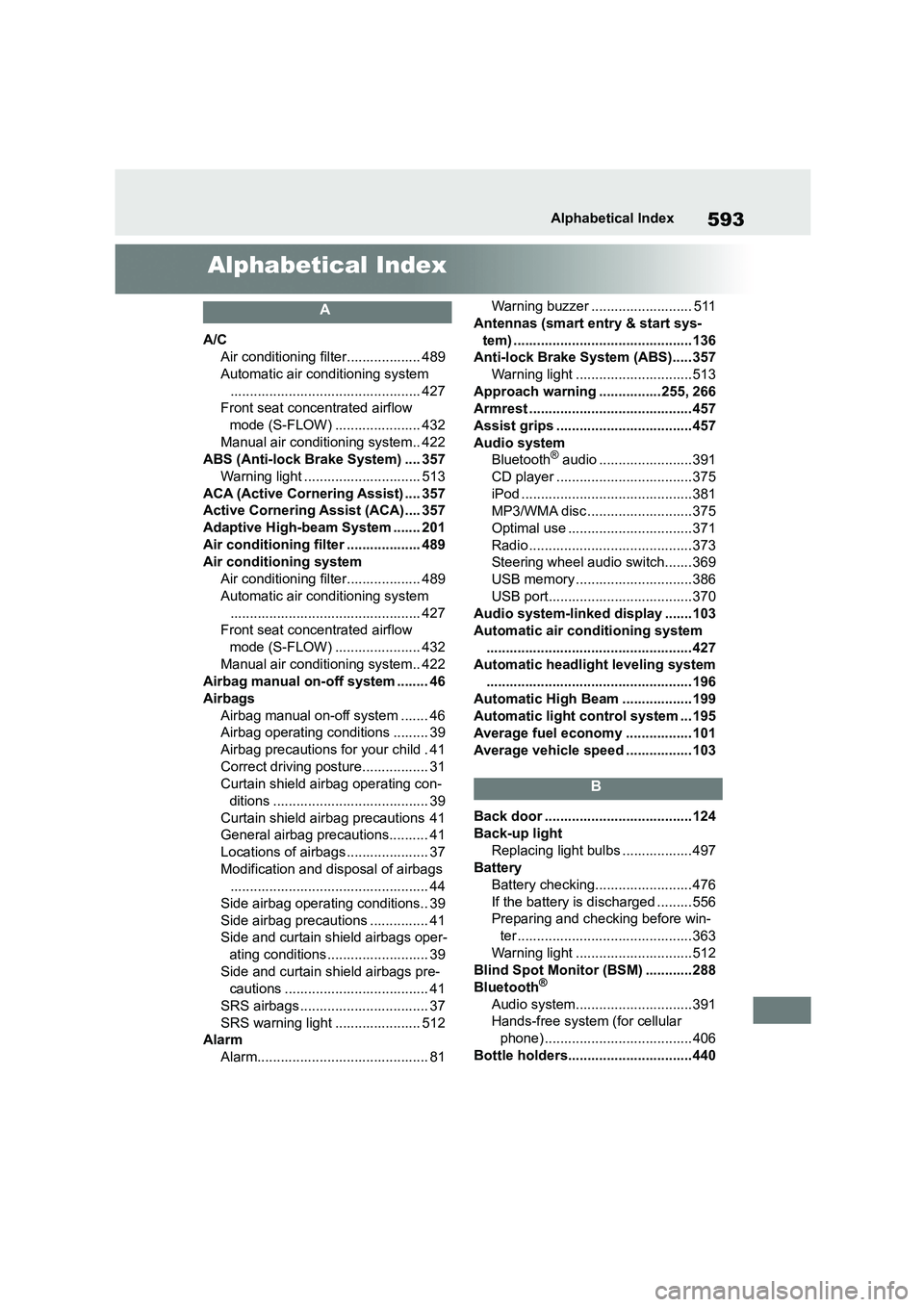
Alphabetical Index
A
A/C
Air conditioning filter................... 489
Automatic air conditioning system
................................................. 427
Front seat concentrated airflow
mode (S-FLOW) ...................... 432
Manual air conditioning system.. 422
ABS (Anti-lock Brake System) .... 357
Warning light .............................. 513
ACA (Active Cornering Assist) .... 357
Active Cornering Assist (ACA).... 357
Adaptive High-beam System ....... 201
Air conditioning filter ................... 489
Air conditioning system
Air conditioning filter................... 489
Automatic air conditioning system
................................................. 427
Front seat concentrated airflow
mode (S-FLOW) ...................... 432
Manual air conditioning system.. 422
Airbag manual on-off system ........ 46
Airbags
Airbag manual on-off system ....... 46
Airbag operating conditions ......... 39
Airbag precautions for your child . 41
Correct driving posture................. 31
Curtain shield airbag operating con-
ditions ........................................ 39
Curtain shield airbag precautions 41
General airbag precautions.......... 41
Locations of airbags ..................... 37
Modification and disposal of airbags
................................................... 44
Side airbag operating conditions.. 39
Side airbag precautions ............... 41
Side and curtain shield airbags oper-
ating conditions .......................... 39
Side and curtain shield airbags pre-
cautions ..................................... 41
SRS airbags ................................. 37
SRS warning light ...................... 512
Alarm
Alarm............................................ 81
Warning buzzer .......................... 511
Antennas (smart entry & start sys-
tem) ..............................................136
Anti-lock Brake System (ABS)..... 357
Warning light ..............................513
Approach warning ................255, 266
Armrest .......................................... 457
Assist grips ...................................457
Audio system
Bluetooth® audio ........................391
CD player ...................................375
iPod ............................................381
MP3/WMA disc ...........................375
Optimal use ................................371
Radio .......................................... 373
Steering wheel audio switch....... 369
USB memory ..............................386
USB port.....................................370
Audio system-linked display .......103
Automatic air conditioning system
..................................................... 427
Automatic headlight leveling system
..................................................... 196
Automatic High Beam ..................199
Automatic light control system ... 195
Average fuel economy ................. 101
Average vehicle speed ................. 103
B
Back door ......................................124
Back-up light
Replacing light bulbs ..................497
Battery
Battery checking......................... 476
If the battery is discharged ......... 556
Preparing and checking before win-
ter ............................................. 363
Warning light ..............................512
Blind Spot Monitor (BSM) ............288
Bluetooth®
Audio system..............................391
Hands-free system (for cellular
phone) ...................................... 406
Bottle holders................................440