clock TOYOTA COROLLA HATCHBACK 2022 (in English) User Guide
[x] Cancel search | Manufacturer: TOYOTA, Model Year: 2022, Model line: COROLLA HATCHBACK, Model: TOYOTA COROLLA HATCHBACK 2022Pages: 758, PDF Size: 155.26 MB
Page 384 of 758
3825-5. Using an external device
Pause/playback
Selecting a song, fast-forwarding or rewinding
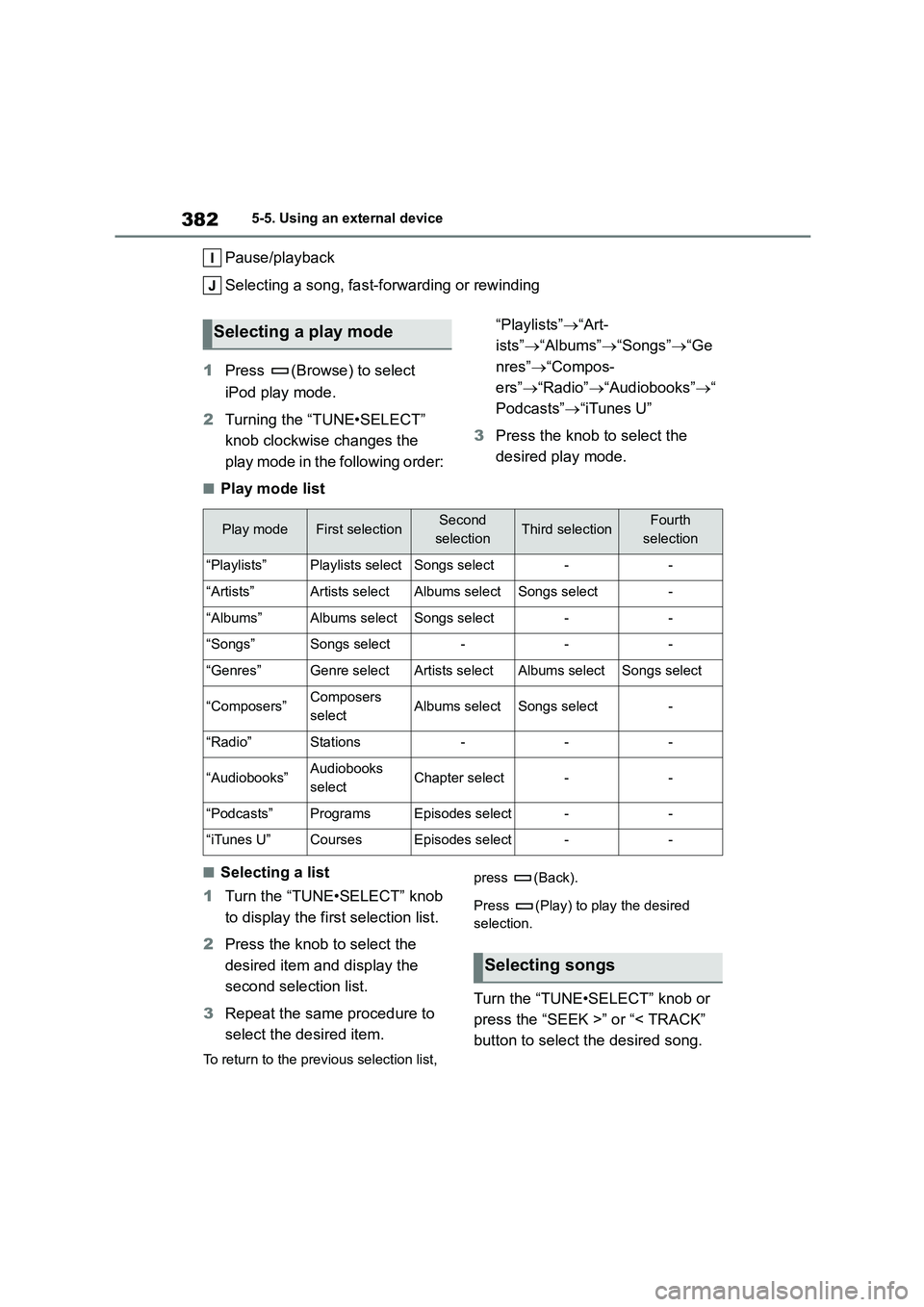
1 Press (Browse) to select
iPod play mode.
2 Turning the “TUNE•SELECT”
knob clockwise changes the
play mode in the following order:
“Playlists” “Art-
ists” “Albums”“Songs”“Ge
nres” “Compos-
ers” “Radio”“Audiobooks”“
Podcasts” “iTunes U”
3 Press the knob to select the
desired play mode.
■Play mode list
■Selecting a list
1 Turn the “TUNE•SELECT” knob
to display the fi rst selection list.
2 Press the knob to select the
desired item and display the
second selection list.
3 Repeat the same procedure to
select the desired item.
To return to the previous selection list,
press (Back).
Press (Play) to play the desired
selection.
Turn the “TUNE•SELECT” knob or
press the “SEEK >” or “< TRACK”
button to select the desired song.
Selecting a play mode
Play modeFirst selectionSecond
selectionThird selectionFourth
selection
“Playlists”Playlists selectSongs select--
“Artists”Artists selectAlbums selectSongs select-
“Albums”Albums selectSongs select--
“Songs”Songs select---
“Genres”Genre selectArtists selectAlbums selectSongs select
“Composers”Composers
selectAlbums selectSongs select-
“Radio”Stations---
“Audiobooks”Audiobooks
selectChapter select--
“Podcasts”ProgramsEpisodes select--
“iTunes U”CoursesEpisodes select--
Selecting songs
Page 405 of 758
403
5
5-7. “SETUP” menu
Audio system
2 Select “Favourites” using the
“TUNE•SELECT” knob.
3 Select a desired number using
the knob.
4 Press (Delete favourites).
5 Select desired contact using the
knob.
Press (All) to delete all favorites.
6 Select (Yes) when the confir-
mation screen appears.
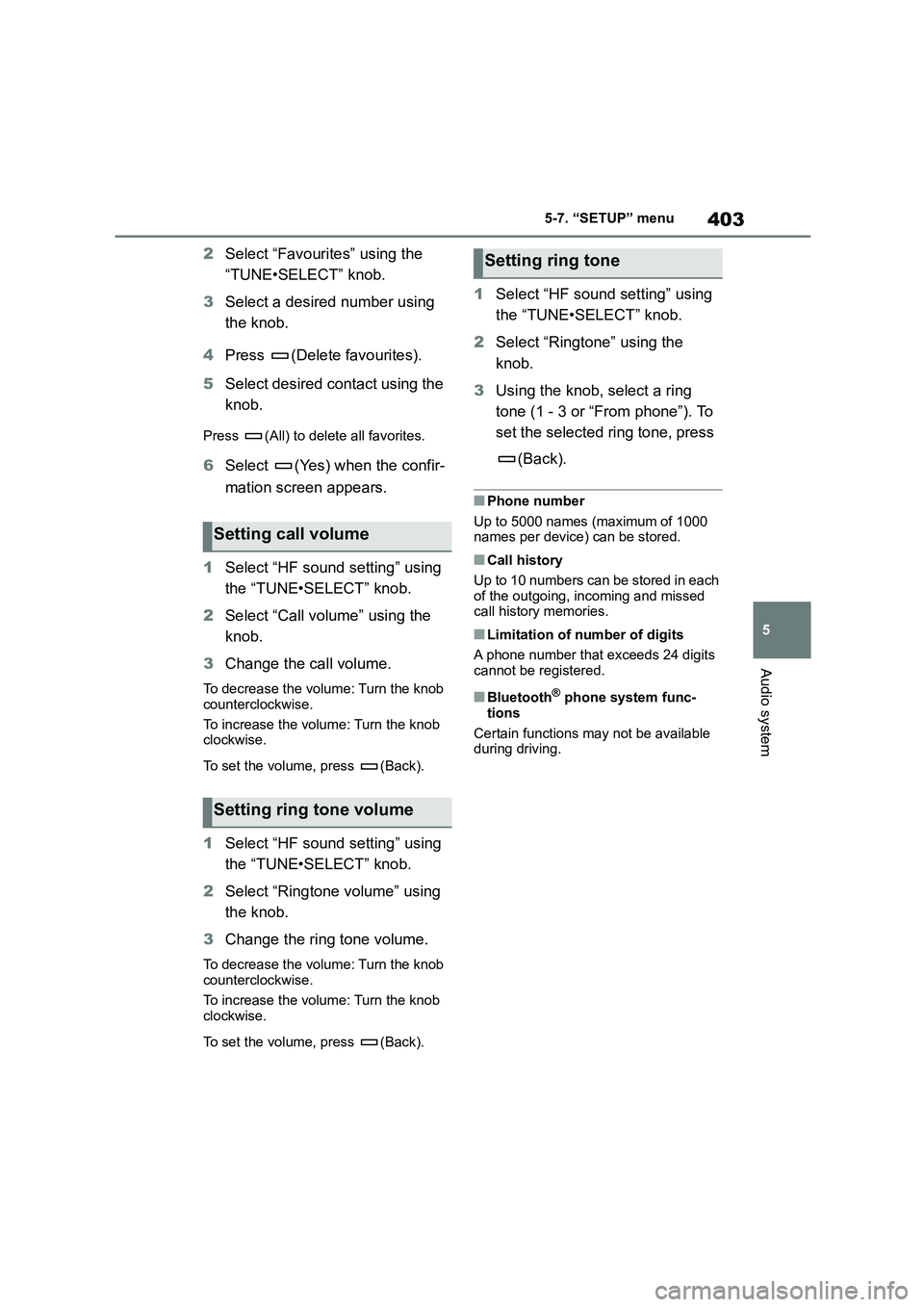
1 Select “HF sound setting” using
the “TUNE•SELECT” knob.
2 Select “Call volume” using the
knob.
3 Change the call volume.
To decrease the volume: Turn the knob
counterclockwise.
To increase the volume: Turn the knob clockwise.
To set the volume, press (Back).
1 Select “HF sound setting” using
the “TUNE•SELECT” knob.
2 Select “Ringtone volume” using
the knob.
3 Change the ring tone volume.
To decrease the volume: Turn the knob counterclockwise.
To increase the volume: Turn the knob
clockwise.
To set the volume, press (Back).
1 Select “HF sound setting” using
the “TUNE•SELECT” knob.
2 Select “Ringtone” using the
knob.
3 Using the knob, select a ring
tone (1 - 3 or “From phone”). To
set the selected ring tone, press
(Back).
■Phone number
Up to 5000 names (maximum of 1000
names per device) can be stored.
■Call history
Up to 10 numbers can be stored in each
of the outgoing, incoming and missed
call history memories.
■Limitation of number of digits
A phone number that exceeds 24 digits
cannot be registered.
■Bluetooth® phone system func-
tions
Certain functions may not be available
during driving.
Setting call volume
Setting ring tone volume
Setting ring tone
Page 409 of 758
407
5
5-9. Bluetooth® Phone
Audio system
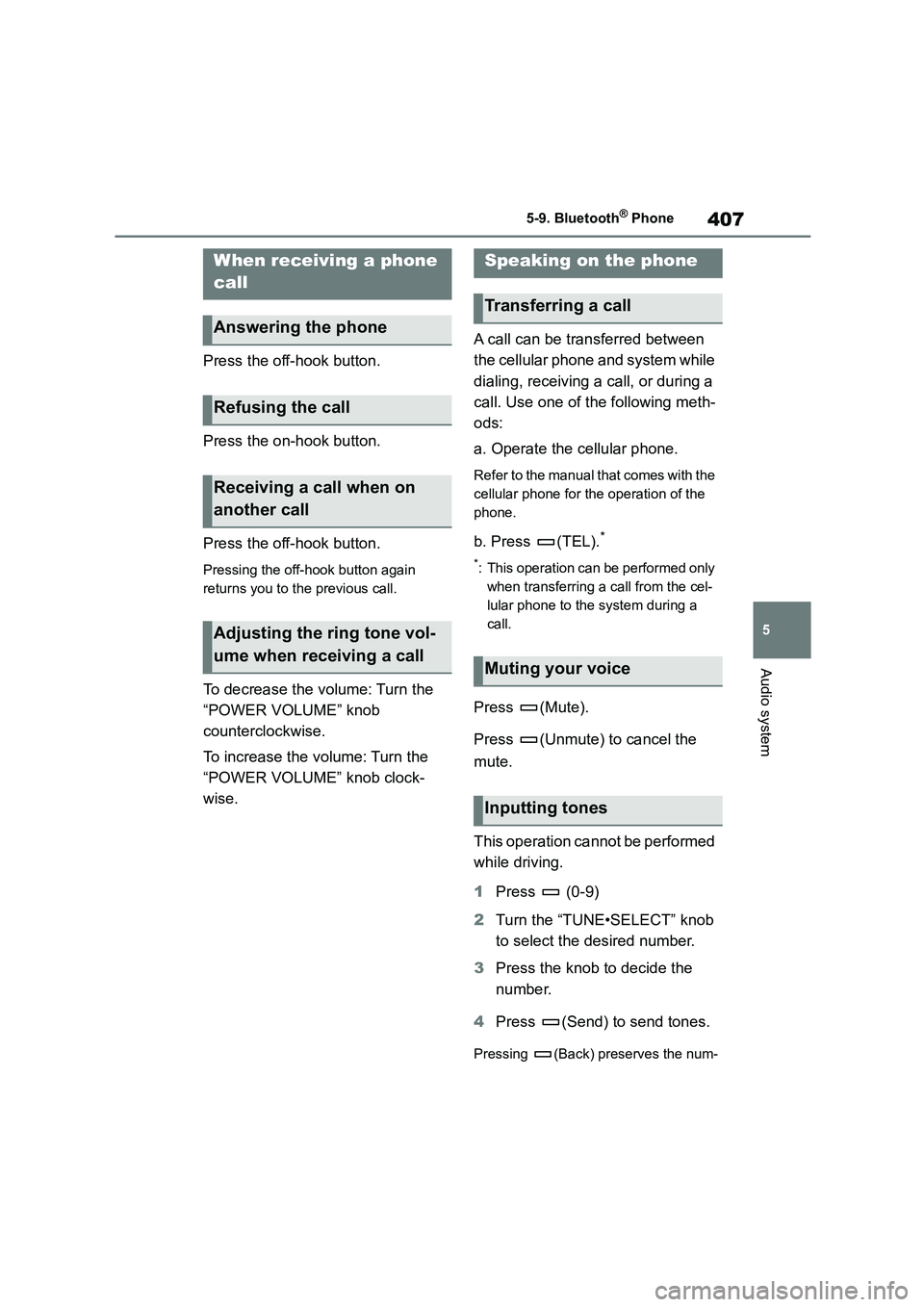
Press the off-hook button.
Press the on-hook button.
Press the off-hook button.
Pressing the off-hook button again
returns you to the previous call.
To decrease the volume: Turn the
“POWER VOLUME” knob
counterclockwise.
To increase the volume: Turn the
“POWER VOLUME” knob clock-
wise.
A call can be transferred between
the cellular phone and system while
dialing, receiving a call, or during a
call. Use one of the following meth-
ods:
a. Operate the cellular phone.
Refer to the manual that comes with the
cellular phone for the operation of the
phone.
b. Press (TEL).*
*: This operation can be performed only
when transferring a call from the cel-
lular phone to the system during a
call.
Press (Mute).
Press (Unmute) to cancel the
mute.
This operation cannot be performed
while driving.
1 Press (0-9)
2 Turn the “TUNE•SELECT” knob
to select the desired number.
3 Press the knob to decide the
number.
4 Press (Send) to send tones.
Pressing (Back) preserves the num-
When receiving a phone
call
Answering the phone
Refusing the call
Receiving a call when on
another call
Adjusting the ring tone vol-
ume when receiving a call
Speaking on the phone
Transferring a call
Muting your voice
Inputting tones
Page 410 of 758
4085-9. Bluetooth® Phone
ber and returns to the previous screen.
Pressing (Exit) deletes the number
and go to “Enter a number” screen.
Phone number containing a “p”
symbol
When the “p” symbol is dialed in an
outgoing call, ther e will be a pause
for 2 seconds before the following
digits are dialed automatically.
Phone number containing a “w”
symbol
When the “w” symbol is dialed in an
outgoing call, you need to press
(Send) again to dial following
digits.
This operation can be performed
while driving.
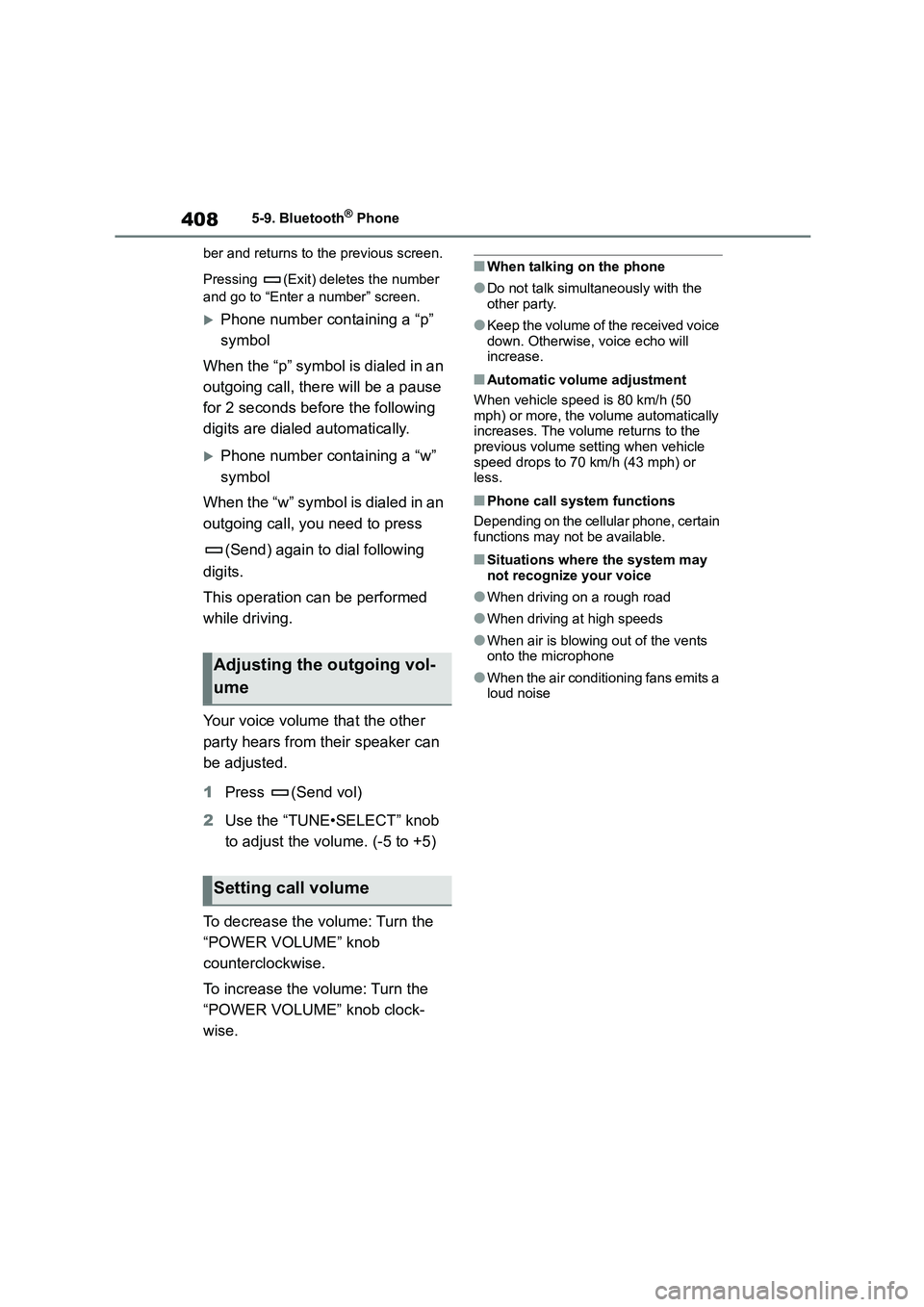
Your voice volume that the other
party hears from their speaker can
be adjusted.
1 Press (Send vol)
2 Use the “TUNE•SELECT” knob
to adjust the volume. (-5 to +5)
To decrease the volume: Turn the
“POWER VOLUME” knob
counterclockwise.
To increase the volume: Turn the
“POWER VOLUME” knob clock-
wise.
■When talking on the phone
●Do not talk simultaneously with the
other party.
●Keep the volume of the received voice
down. Otherwise, voice echo will increase.
■Automatic volume adjustment
When vehicle speed is 80 km/h (50
mph) or more, the volume automatically increases. The volume returns to the
previous volume setting when vehicle
speed drops to 70 km/h (43 mph) or less.
■Phone call system functions
Depending on the cellular phone, certain
functions may not be available.
■Situations where the system may not recognize your voice
●When driving on a rough road
●When driving at high speeds
●When air is blowing out of the vents
onto the microphone
●When the air conditioning fans emits a
loud noise
Adjusting the outgoing vol-
ume
Setting call volume
Page 425 of 758
423
6
6-1. Using the air conditioning system and defogger
Interior features
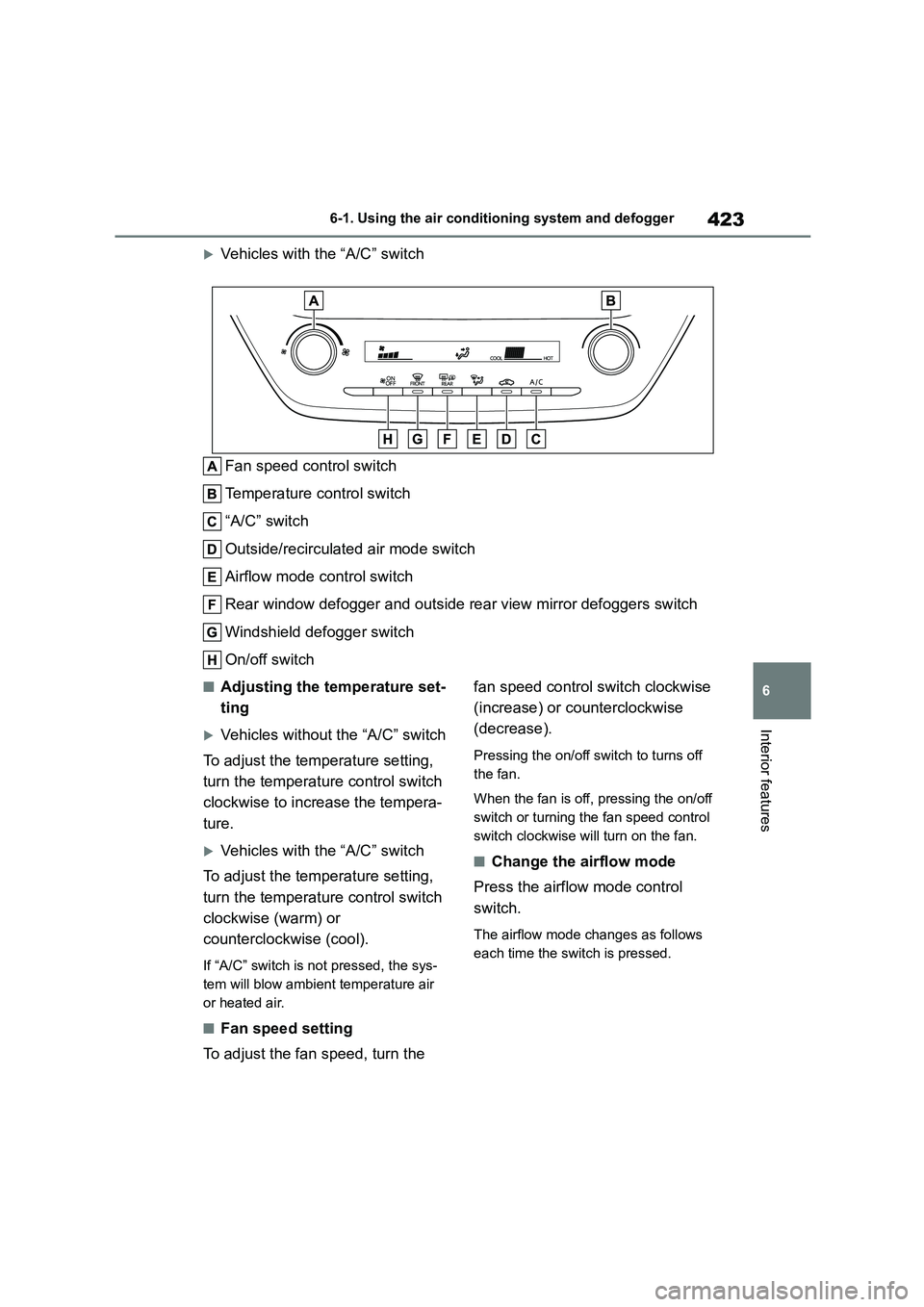
Vehicles with the “A/C” switch
Fan speed control switch
Temperature control switch
“A/C” switch
Outside/recirculated air mode switch
Airflow mode control switch
Rear window defogger and outside rear view mirror defoggers switch
Windshield defogger switch
On/off switch
■Adjusting the temperature set-
ting
Vehicles without the “A/C” switch
To adjust the temperature setting,
turn the temperature control switch
clockwise to increase the tempera-
ture.
Vehicles with the “A/C” switch
To adjust the temperature setting,
turn the temperature control switch
clockwise (warm) or
counterclockwise (cool).
If “A/C” switch is not pressed, the sys-
tem will blow ambient temperature air
or heated air.
■Fan speed setting
To adjust the fan speed, turn the
fan speed control switch clockwise
(increase) or counterclockwise
(decrease).
Pressing the on/off switch to turns off
the fan.
When the fan is off, pressing the on/off
switch or turning the fan speed control
switch clockwise will turn on the fan.
■Change the airflow mode
Press the airflow mode control
switch.
The airflow mode changes as follows
each time the switch is pressed.
Page 430 of 758
4286-1. Using the air conditioning system and defogger
Off switch
Automatic mode switch
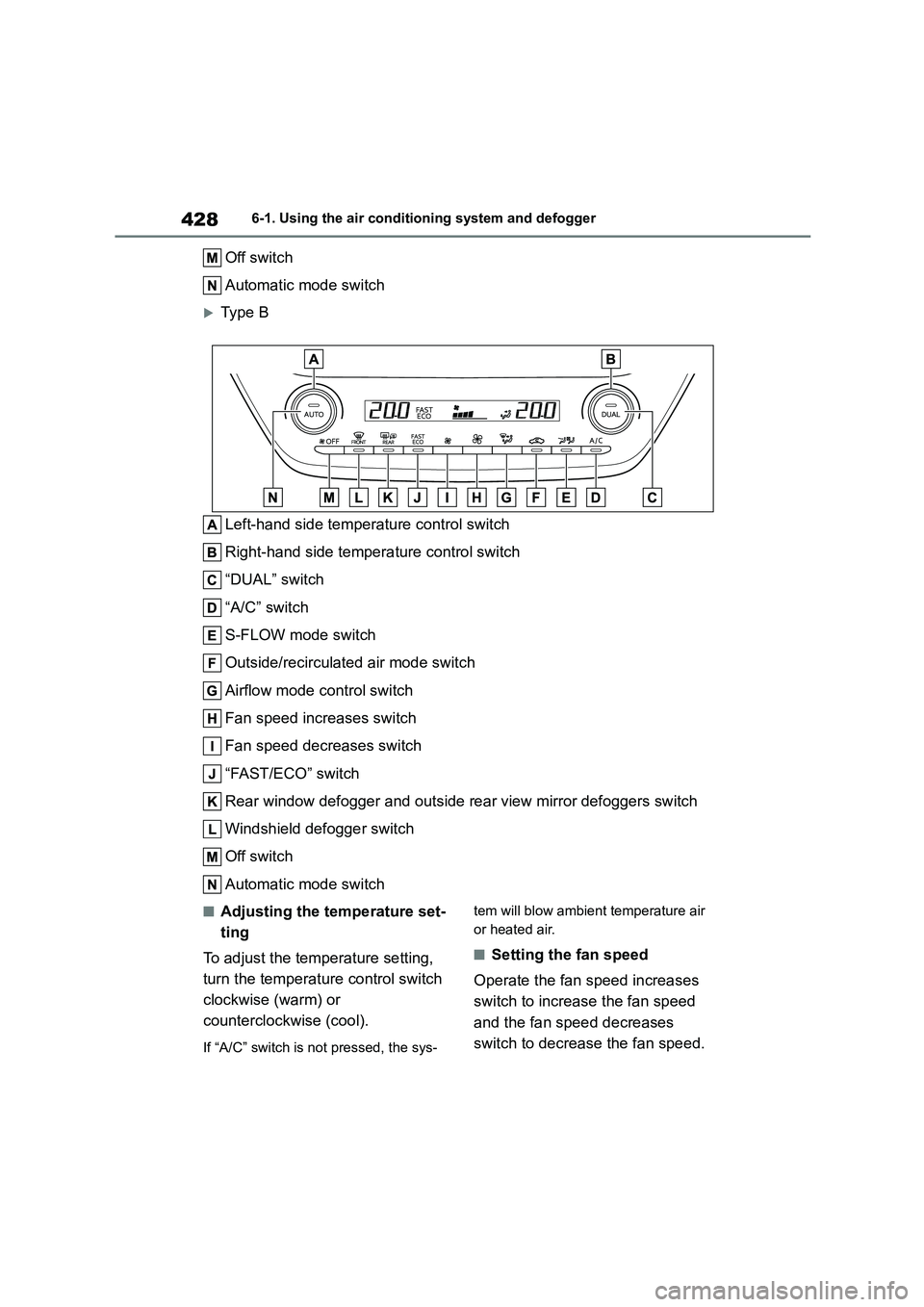
Type B
Left-hand side temperature control switch
Right-hand side temperature control switch
“DUAL” switch
“A/C” switch
S-FLOW mode switch
Outside/recirculated air mode switch
Airflow mode control switch
Fan speed increases switch
Fan speed decreases switch
“FAST/ECO” switch
Rear window defogger and outside rear view mirror defoggers switch
Windshield defogger switch
Off switch
Automatic mode switch
■Adjusting the temperature set-
ting
To adjust the temperature setting,
turn the temperature control switch
clockwise (warm) or
counterclockwise (cool).
If “A/C” switch is not pressed, the sys-
tem will blow ambient temperature air
or heated air.
■Setting the fan speed
Operate the fan speed increases
switch to increase the fan speed
and the fan speed decreases
switch to decrease the fan speed.
Page 476 of 758
4747-3. Do-it-yourself maintenance
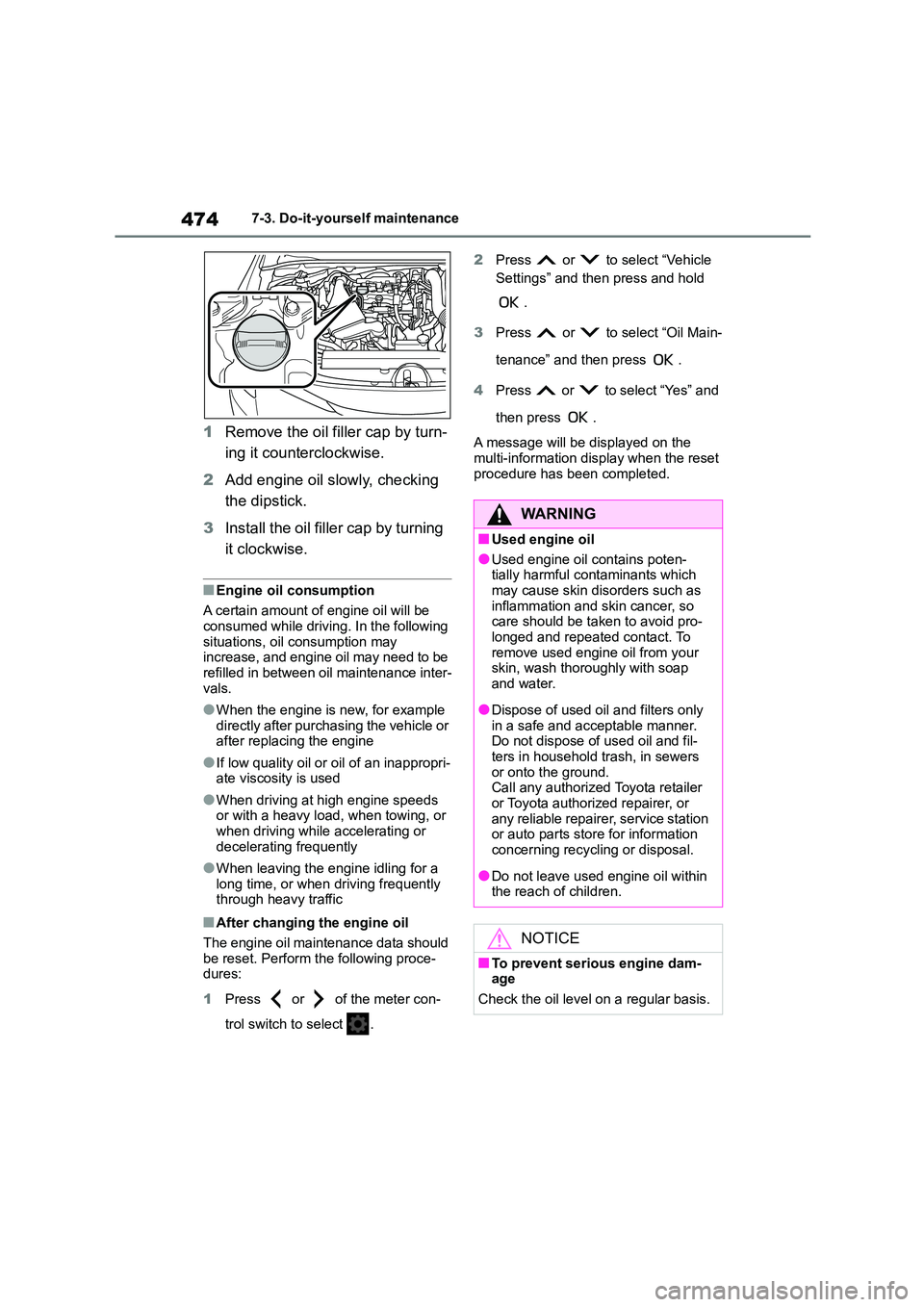
1Remove the oil filler cap by turn-
ing it counterclockwise.
2 Add engine oil slowly, checking
the dipstick.
3 Install the oil filler cap by turning
it clockwise.
■Engine oil consumption
A certain amount of engine oil will be
consumed while driving. In the following situations, oil consumption may
increase, and engine oil may need to be
refilled in between oil maintenance inter- vals.
●When the engine is new, for example directly after purchasing the vehicle or
after replacing the engine
●If low quality oil or oil of an inappropri-
ate viscosity is used
●When driving at high engine speeds
or with a heavy load, when towing, or
when driving while accelerating or decelerating frequently
●When leaving the engine idling for a long time, or when driving frequently
through heavy traffic
■After changing the engine oil
The engine oil maintenance data should
be reset. Perform the following proce- dures:
1 Press or of the meter con-
trol switch to select .
2 Press or to select “Vehicle
Settings” and then press and hold
.
3 Press or to select “Oil Main-
tenance” and then press .
4 Press or to select “Yes” and
then press .
A message will be displayed on the
multi-information display when the reset
procedure has been completed.
WA R N I N G
■Used engine oil
●Used engine oil contains poten-
tially harmful contaminants which
may cause skin disorders such as inflammation and skin cancer, so
care should be taken to avoid pro-
longed and repeated contact. To remove used engine oil from your
skin, wash thoroughly with soap
and water.
●Dispose of used oil and filters only
in a safe and acceptable manner. Do not dispose of used oil and fil-
ters in household trash, in sewers
or onto the ground. Call any authorized Toyota retailer
or Toyota authorized repairer, or
any reliable repairer, service station or auto parts store for information
concerning recycling or disposal.
●Do not leave used engine oil within
the reach of children.
NOTICE
■To prevent serious engine dam- age
Check the oil level on a regular basis.
Page 500 of 758
4987-3. Do-it-yourself maintenance
authorized Toyota retailer or Toyota
authorized repairer, or any reliable repairer for more information in the fol-
lowing situations:
●Large drops of water have built up on
the inside of the lens.
●Water has built up inside the head-
light.
■When replacing light bulbs
P.496
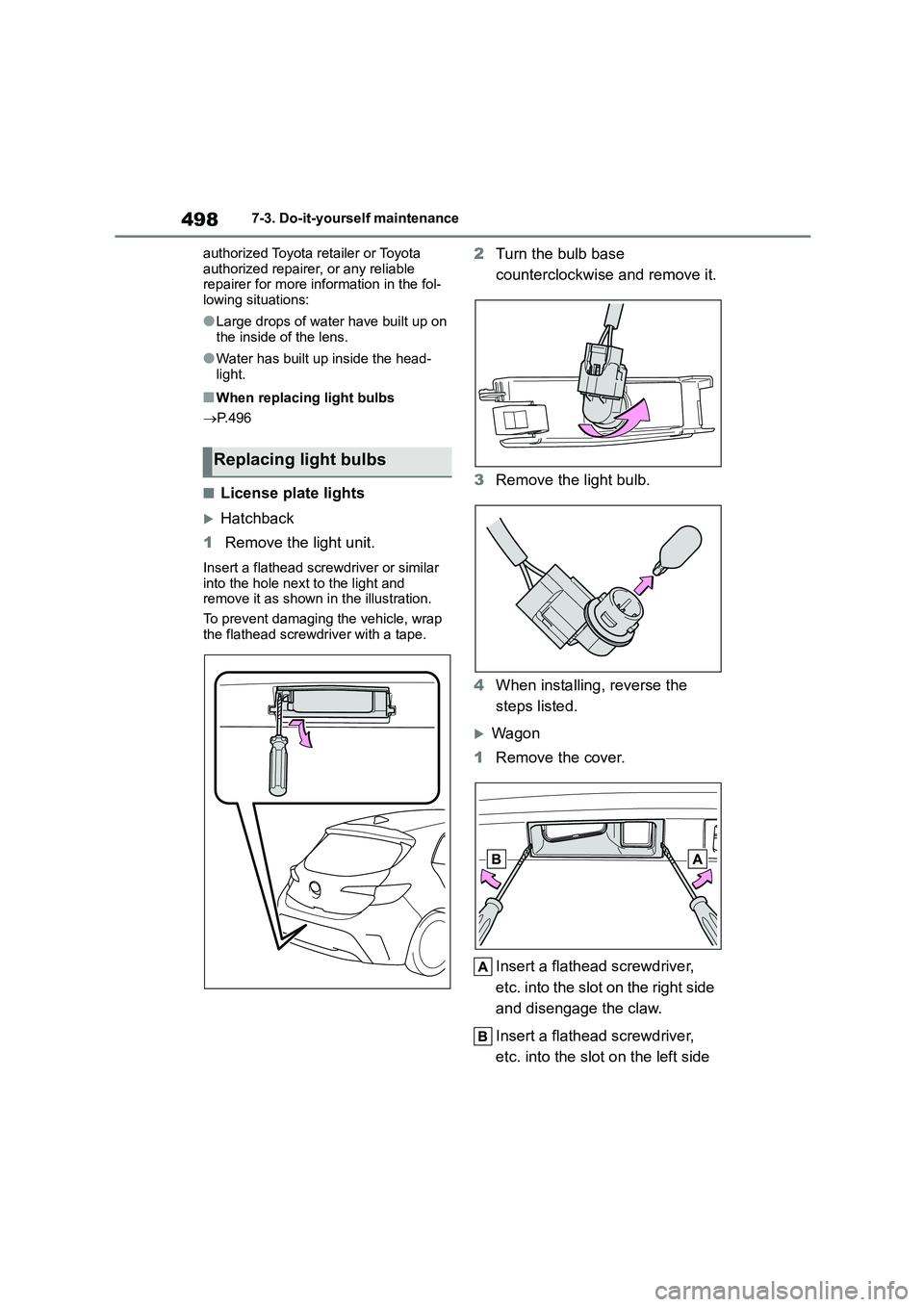
■License plate lights
Hatchback
1 Remove the light unit.
Insert a flathead screwdriver or similar
into the hole next to the light and remove it as shown in the illustration.
To prevent damaging the vehicle, wrap
the flathead screwdriver with a tape.
2 Turn the bulb base
counterclockwise and remove it.
3 Remove the light bulb.
4 When installing, reverse the
steps listed.
Wagon
1 Remove the cover.
Insert a flathead screwdriver,
etc. into the slot on the right side
and disengage the claw.
Insert a flathead screwdriver,
etc. into the slot on the left side
Replacing light bulbs
Page 529 of 758
527
8
8-2. Steps to take in an emergency
When trouble arises
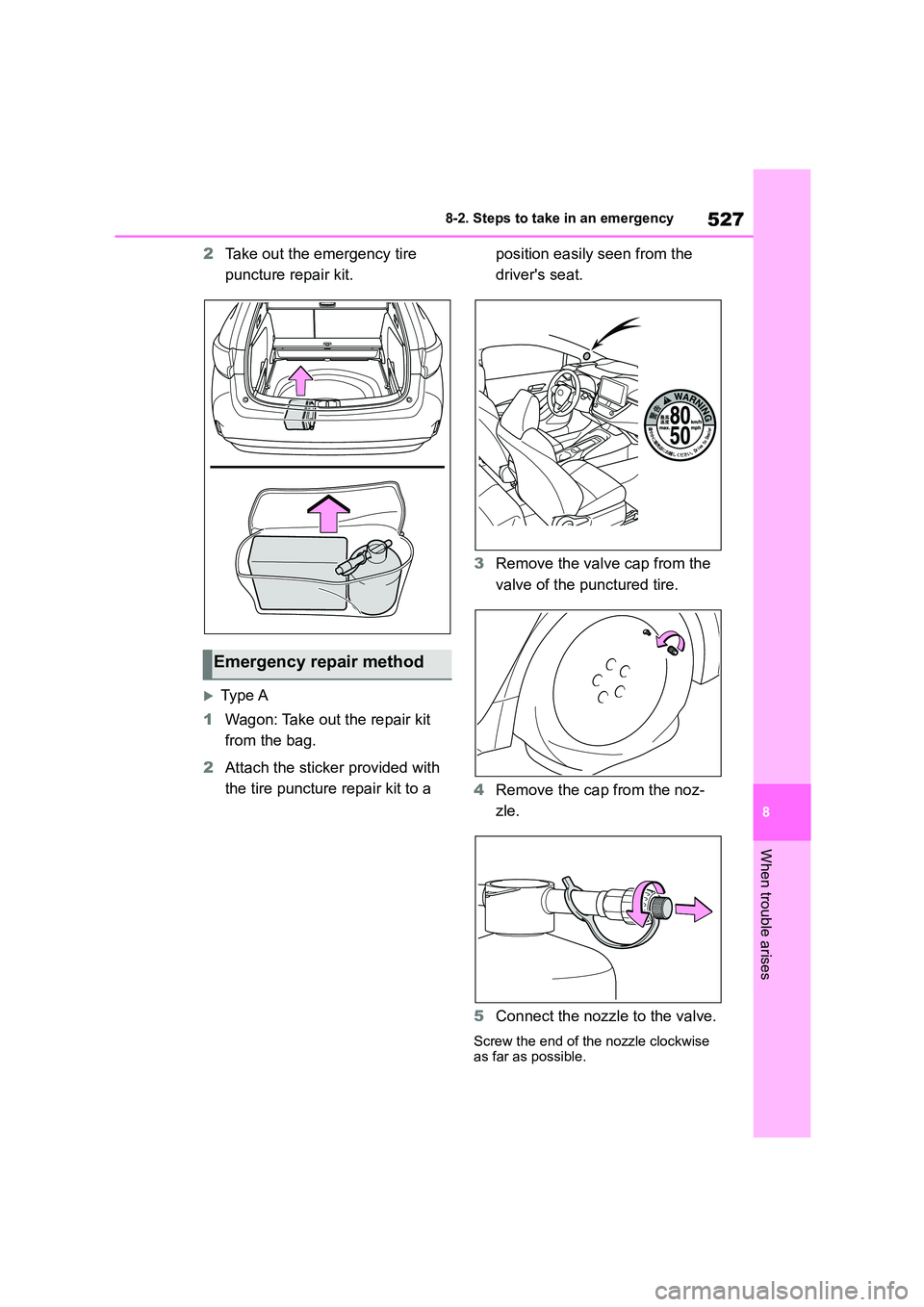
2 Take out the emergency tire
puncture repair kit.
Type A
1 Wagon: Take out the repair kit
from the bag.
2 Attach the sticker provided with
the tire puncture repair kit to a
position easily seen from the
driver's seat.
3 Remove the valve cap from the
valve of the punctured tire.
4 Remove the cap from the noz-
zle.
5 Connect the nozzle to the valve.
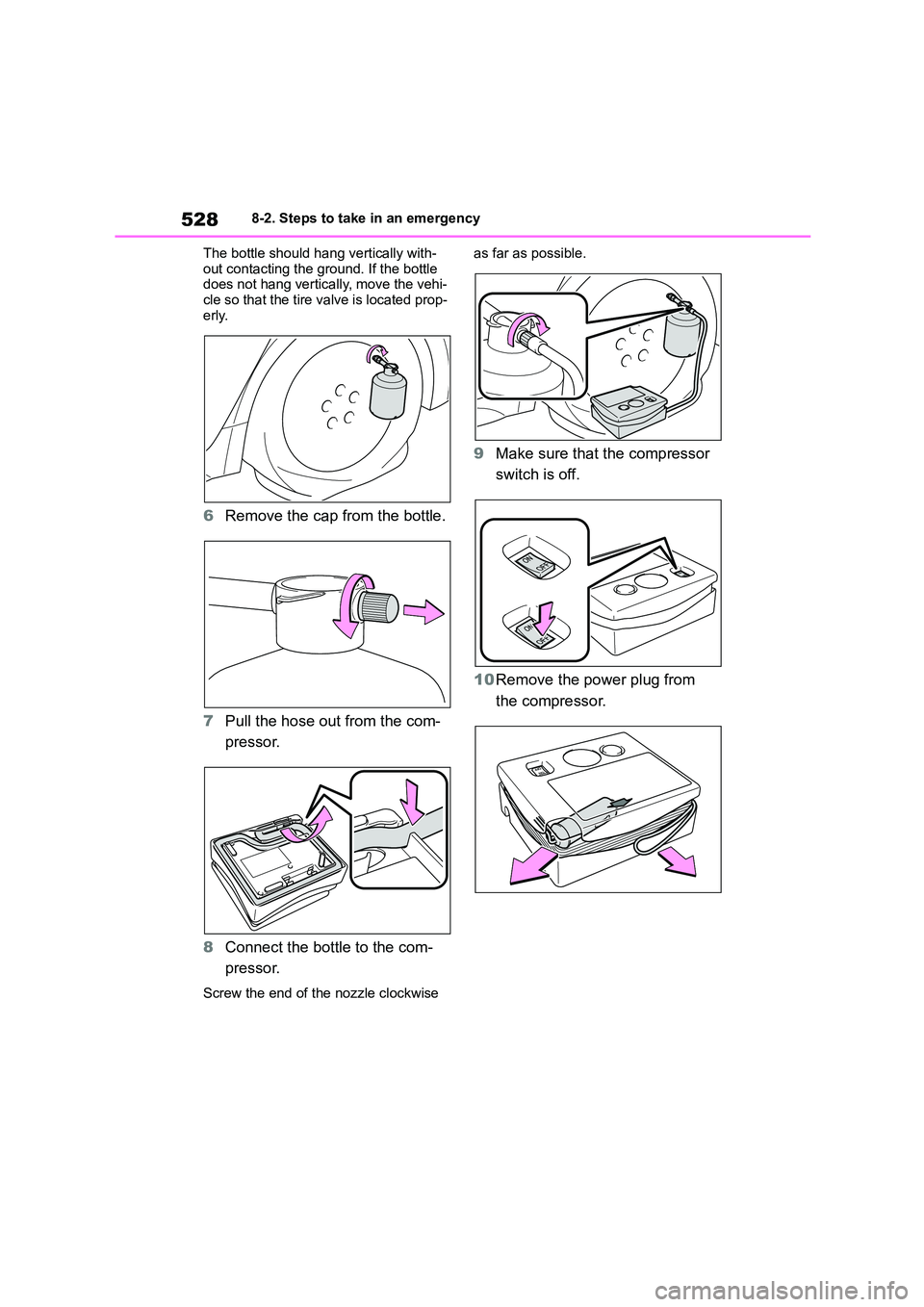
Screw the end of the nozzle clockwise as far as possible.
Emergency repair method
Page 530 of 758
5288-2. Steps to take in an emergency
The bottle should hang vertically with-
out contacting the ground. If the bottle does not hang vertically, move the vehi-
cle so that the tire valve is located prop-
erly.
6 Remove the cap from the bottle.
7 Pull the hose out from the com-
pressor.
8 Connect the bottle to the com-
pressor.
Screw the end of the nozzle clockwise
as far as possible.
9 Make sure that the compressor
switch is off.
10 Remove the power plug from
the compressor.