instrument panel TOYOTA COROLLA HATCHBACK 2022 (in English) User Guide
[x] Cancel search | Manufacturer: TOYOTA, Model Year: 2022, Model line: COROLLA HATCHBACK, Model: TOYOTA COROLLA HATCHBACK 2022Pages: 758, PDF Size: 155.26 MB
Page 141 of 758
139
3
3-2. Opening, closing and locking the doors
Before driving
• The electronic key is on the instru-
ment panel, luggage cover or floor, or in the door pockets or glove box when
the engine is started or engine switch
modes are changed.
●Do not leave the electronic key on top
of the instrument panel or near the door pockets when exiting the vehicle.
Depending on the radio wave recep-
tion conditions, it may be detected by the antenna outside the cabin and the
door will become lockable from the
outside, possibly trapping the elec- tronic key inside the vehicle.
●As long as the electronic key is within the effective range, the doors may be
locked or unlocked by anyone. How-
ever, only the doors detecting the electronic key can be used to unlock
the vehicle.
●Even if the electronic key is not inside
the vehicle, it may be possible to start
the engine if the electronic key is near the window.
●The doors may unlock or lock if a large amount of water splashes on the
door handle, such as in the rain or in a
car wash when the electronic key is within the effective range. (The doors
will automatically be locked after
approximately 30 seconds if the doors are not opened and closed.)
●If the wireless remote control is used to lock the doors when the electronic
key is near the vehicle, there is a pos-
sibility that the door may not be unlocked by the entry function. (Use
the wireless remote control to unlock
the doors.)
●Touching the door lock or unlock sen-
sor while wearing gloves may prevent
lock or unlock operation.
●Some models: When the lock opera-
tion is performed using the lock sen- sor, recognition signals will be shown
up to two consecutive times. After
this, no recognition signals will be given.
●If the door handle becomes wet while
the electronic key is within the effec-
tive range, the door may lock and unlock repeatedly. In that case, follow
the following correction procedures to
wash the vehicle: • Place the electronic key in a location 2
m (6 ft.) or more away from the vehi-
cle. (Take care to ensure that the key is not stolen.)
• Set the electronic key to battery-sav-
ing mode to disable the smart entry & start system. ( P.138)
●If the electronic key is inside the vehi- cle and a door handle becomes wet
during a car wash, a message may be
shown on the multi-information dis- play and a buzzer will sound outside
the vehicle. To turn off the alarm, lock
all the doors.
●The lock sensor may not work prop-
erly if it comes into contact with ice, snow, mud, etc. Clean the lock sensor
and attempt to operate it again.
●A sudden handle operation or a han-
dle operation immediately after enter-
ing the effective range may prevent the doors from being unlocked. Touch
the door unlock sensor and check that
the doors are unlocked before pulling the door handle again.
●If there is another electronic key in the detection area, it may take slightly
longer to unlock the doors after the
door handle is gripped.
■When the vehicle is not driven for extended periods
●To prevent theft of the vehicle, do not leave the electronic key within 2 m (6
ft.) of the vehicle.
●The smart entry & start system can be
deactivated in advance. ( P.577)
●Setting the electronic key to bat- tery-saving mode helps to reduce key
battery depletion. ( P.138)
■To operate the system properly
Make sure to carry the electronic key when operating the system. Do not get
the electronic key too close to the vehi-
cle when operating the system from the
Page 168 of 758
1664-1. Before driving
WA R N I N G
●Do not attach adhesive discs to the
windshield or windows. Do not
place containers such as air fresh- eners on the instrument panel or
dashboard. Adhesive discs or con-
tainers may act as lenses, causing a fire in the vehicle.
●Do not leave a door or window
open if the curved glass is coated with a metallized film such as a sil-
ver-colored one. Reflected sunlight
may cause the glass to act as a lens, causing a fire.
●Always apply the parking brake, shift the shift lever to P (vehicles
with a Multidrive), stop the engine
and lock the vehicle. Do not leave the vehicle unat-
tended while the engine is running.
If the vehicle is parked with the shift lever in P but the parking brake is
not set, the vehicl e may start to
move, possibly leading to an acci- dent.
●Do not touch the exhaust pipes while the engine is running or
immediately after turning the engine
off. Doing so may cause burns.
■When taking a nap in the vehicle
Always turn the engine off. Otherwise,
if you accidentally move the shift lever
or depress the accelerator pedal, this could cause an accident or fire due to
engine overheating. Additionally, if the
vehicle is parked in a poorly ventilated area, exhaust gases may collect and
enter the vehicle, leading to death or
a serious health hazard.
■When braking
●When the brakes are wet, drive
more cautiously.
Braking distance increases when the brakes are wet, and this may
cause one side of the vehicle to
brake differently than the other side. Also, the parking brake may
not securely hold the vehicle.
●If the brake booster device does not
operate, do not follow other vehi-
cles closely and avoid hills or sharp turns that require braking.
In this case, braking is still possible,
but the brake pedal should be depressed more firmly than usual.
Also, the braking distance will
increase. Have your brakes fixed immediately.
●Do not pump the brake pedal if the engine stalls.
Each push on the brake pedal uses
up the reserve for the power-assisted brakes.
●The brake system consists of 2 indi-vidual hydraulic systems; if one of
the systems fails, the other will still
operate. In this case, the brake pedal should be depressed more
firmly than usual and the braking
distance will increase. Have your brakes fixed immediately.
■If the vehicle becomes stuck
Do not spin the wheels excessively
when a driven wheel is up in the air,
or the vehicle is stuck in sand, mud, etc. This may damage the driveline
components or propel the vehicle for-
ward or backward, causing an acci-
dent.
Page 170 of 758
1684-1. Before driving
NOTICE
Information on what to do in case of a
flat tire ( P.522, 539)
■When encountering flooded
roads
Do not drive on a road that has flooded after heavy rain etc. Doing so
may cause the following serious dam-
age to the vehicle:
●Engine stalling
●Short in electrical components
●Engine damage caused by water
immersion
In the event that you drive on a
flooded road and the vehicle becomes flooded or stuck in mud or
sand, be sure to have any authorized
Toyota retailer or Toyota authorized repairer, or any reliable repairer check
the following:
●Brake function
●Changes in the quantity and quality of the engine oil, transaxle fluid,
clutch fluid, differential oil, etc.
●Lubricant condition for the bearings
and suspension joints (where possi-
ble), and the function of all joints, bearings, etc.
Cargo and luggage
Take notice of the following
information about storage pre-
cautions, cargo capacity and
load:
WA R N I N G
■Things that must not be carried
in the luggage compartment
The following things may cause a fire if loaded in the luggage compartment:
●Receptacles containing gasoline
●Aerosol cans
■Storage precautions
Observe the following precautions.
Failure to do so may prevent the ped- als from being depressed properly,
may block the driver’s vision, or may
result in items hitting the driver or passengers, possibly causing an acci-
dent.
●Stow cargo and luggage in the lug-
gage compartment whenever pos-
sible.
●Do not stack cargo and luggage in
the luggage compartment higher than the seatbacks.
●When you fold down the rear seats, long items should not be placed
directly behind the front seats.
●Do not place cargo or luggage in or
on the following locations.
• At the feet of the driver
• On the front passenger or rear
seats (when stacking items)
• On the luggage cover
• On the instrument panel
• On the dashboard
Page 197 of 758
195
4
4-3. Operating the lights and wipers
Driving
4-3.Operating the lights and wipers
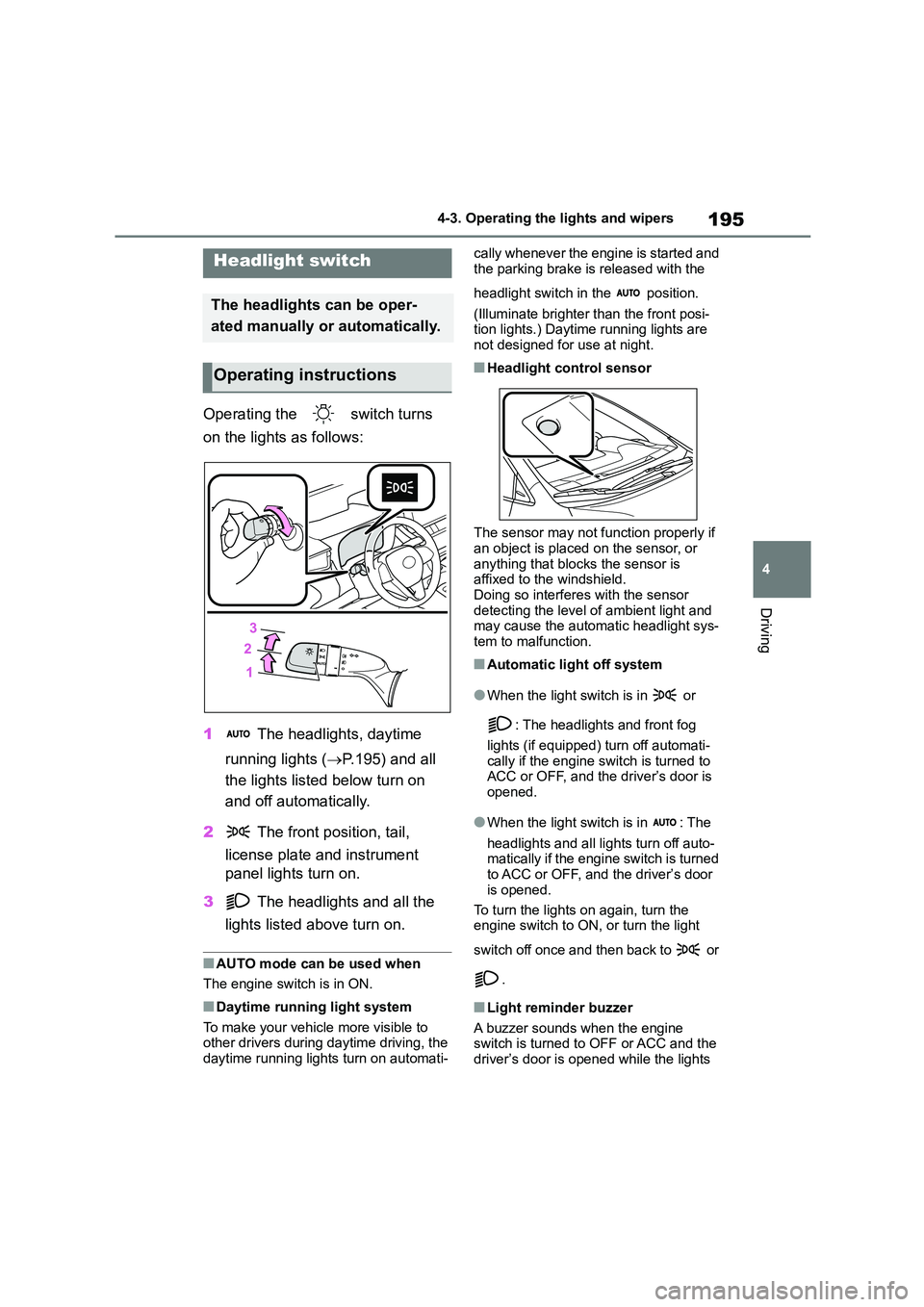
Operating the switch turns
on the lights as follows:
1 The headlights, daytime
running lights ( P.195) and all
the lights listed below turn on
and off automatically.
2 The front position, tail,
license plate and instrument
panel lights turn on.
3 The headlights and all the
lights listed above turn on.
■AUTO mode can be used when
The engine switch is in ON.
■Daytime running light system
To make your vehicle more visible to
other drivers during daytime driving, the daytime running lights turn on automati-
cally whenever the engine is started and
the parking brake is released with the
headlight switch in the position.
(Illuminate brighter than the front posi-
tion lights.) Daytime running lights are not designed for use at night.
■Headlight control sensor
The sensor may not function properly if an object is placed on the sensor, or
anything that blo cks the sensor is
affixed to the windshield. Doing so interferes with the sensor
detecting the level of ambient light and
may cause the autom atic headlight sys- tem to malfunction.
■Automatic light off system
●When the light switch is in or
: The headlights and front fog
lights (if equipped) turn off automati-
cally if the engine switch is turned to ACC or OFF, and the driver’s door is
opened.
●When the light switch is in : The
headlights and all lights turn off auto-
matically if the engine switch is turned to ACC or OFF, and the driver’s door
is opened.
To turn the lights on again, turn the engine switch to ON, or turn the light
switch off once and then back to or
.
■Light reminder buzzer
A buzzer sounds when the engine switch is turned to OFF or ACC and the
driver’s door is opened while the lights
Headlight switch
The headlights can be oper-
ated manually or automatically.
Operating instructions
Page 465 of 758
463
7
7-1. Maintenance and care
Maintenance and care
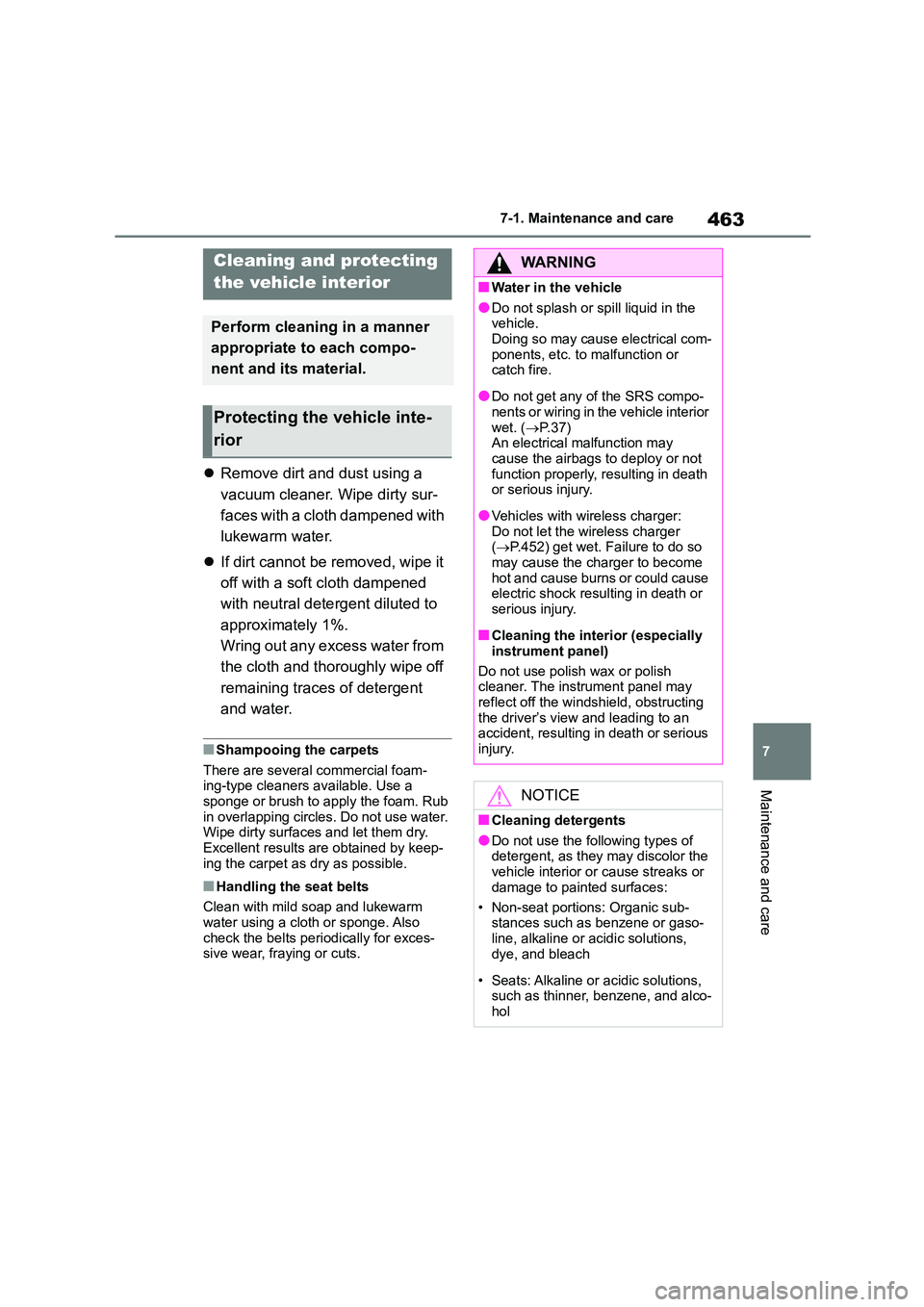
Remove dirt and dust using a
vacuum cleaner. Wipe dirty sur-
faces with a cloth dampened with
lukewarm water.
If dirt cannot be removed, wipe it
off with a soft cloth dampened
with neutral detergent diluted to
approximately 1%.
Wring out any excess water from
the cloth and thoroughly wipe off
remaining traces of detergent
and water.
■Shampooing the carpets
There are several commercial foam-
ing-type cleaners available. Use a
sponge or brush to apply the foam. Rub in overlapping circles. Do not use water.
Wipe dirty surfaces and let them dry.
Excellent results are obtained by keep- ing the carpet as dry as possible.
■Handling the seat belts
Clean with mild soap and lukewarm
water using a cloth or sponge. Also check the belts peri odically for exces-
sive wear, fraying or cuts.
Cleaning and protecting
the vehicle interior
Perform cleaning in a manner
appropriate to each compo-
nent and its material.
Protecting the vehicle inte-
rior
WA R N I N G
■Water in the vehicle
●Do not splash or spill liquid in the
vehicle. Doing so may cause electrical com-
ponents, etc. to malfunction or
catch fire.
●Do not get any of the SRS compo-
nents or wiring in the vehicle interior
wet. ( P. 3 7 ) An electrical malfunction may
cause the airbags to deploy or not
function properly, resulting in death or serious injury.
●Vehicles with wireless charger:Do not let the wireless charger
( P.452) get wet. Failure to do so
may cause the charger to become hot and cause burns or could cause
electric shock resulting in death or
serious injury.
■Cleaning the interior (especially
instrument panel)
Do not use polish wax or polish
cleaner. The instrument panel may
reflect off the windshield, obstructing the driver’s view and leading to an
accident, resulting in death or serious
injury.
NOTICE
■Cleaning detergents
●Do not use the following types of
detergent, as they may discolor the vehicle interior or cause streaks or
damage to painted surfaces:
• Non-seat portions: Organic sub- stances such as benzene or gaso-
line, alkaline or acidic solutions,
dye, and bleach
• Seats: Alkaline or acidic solutions,
such as thinner, benzene, and alco- hol
Page 466 of 758
4647-1. Maintenance and care
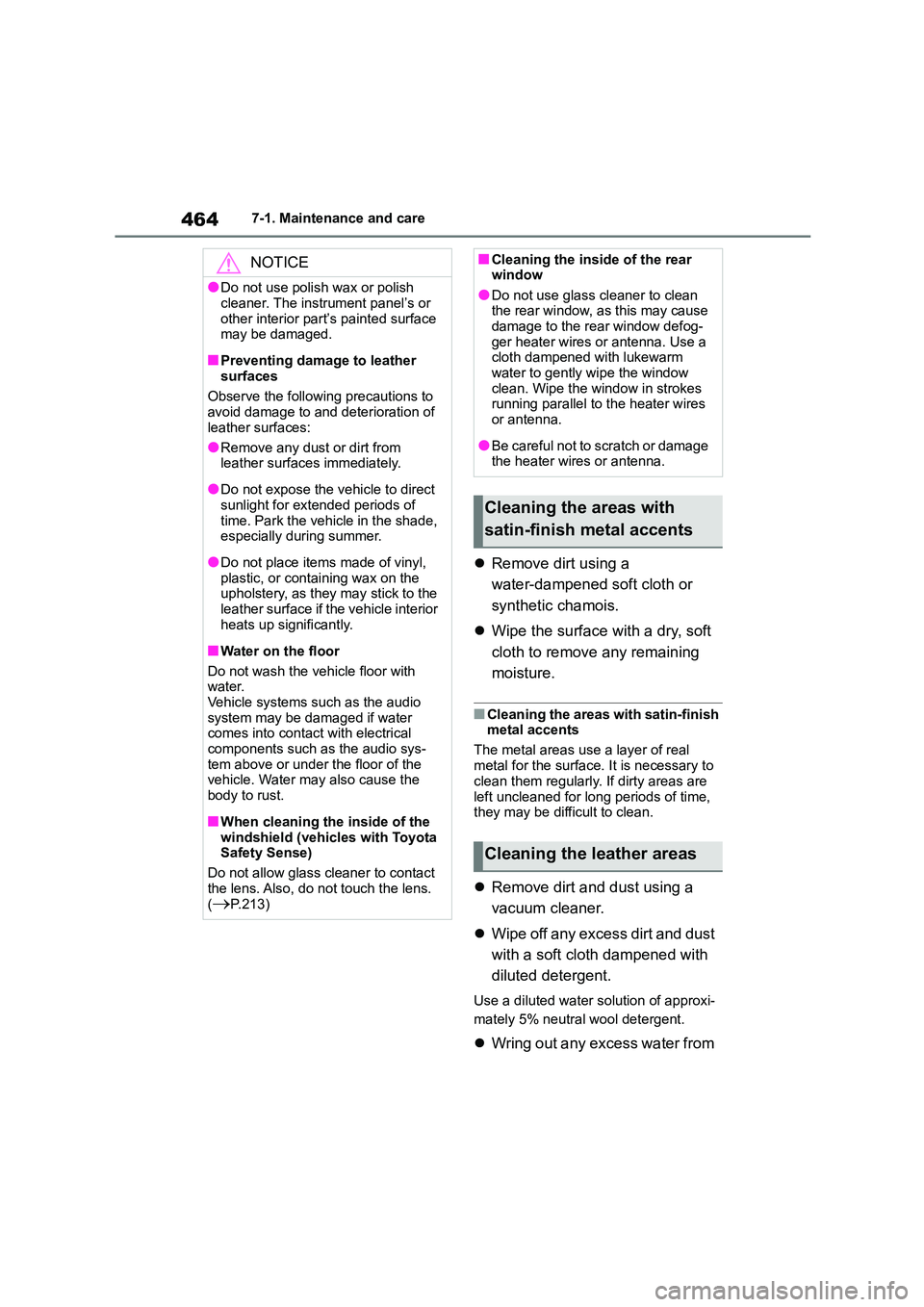
Remove dirt using a
water-dampened soft cloth or
synthetic chamois.
Wipe the surface with a dry, soft
cloth to remove any remaining
moisture.
■Cleaning the areas with satin-finish
metal accents
The metal areas use a layer of real
metal for the surface. It is necessary to
clean them regularly. If dirty areas are
left uncleaned for long periods of time, they may be difficult to clean.
Remove dirt and dust using a
vacuum cleaner.
Wipe off any excess dirt and dust
with a soft cloth dampened with
diluted detergent.
Use a diluted water solution of approxi-
mately 5% neutral wool detergent.
Wring out any excess water from
NOTICE
●Do not use polish wax or polish
cleaner. The instrument panel’s or
other interior part’s painted surface may be damaged.
■Preventing damage to leather surfaces
Observe the following precautions to
avoid damage to and deterioration of
leather surfaces:
●Remove any dust or dirt from
leather surfaces immediately.
●Do not expose the vehicle to direct
sunlight for extended periods of
time. Park the vehicle in the shade, especially during summer.
●Do not place items made of vinyl, plastic, or containing wax on the
upholstery, as they may stick to the
leather surface if the vehicle interior heats up significantly.
■Water on the floor
Do not wash the vehicle floor with
water.
Vehicle systems such as the audio system may be damaged if water
comes into contact with electrical
components such as the audio sys- tem above or under the floor of the
vehicle. Water may also cause the
body to rust.
■When cleaning the inside of the
windshield (vehicles with Toyota Safety Sense)
Do not allow glass cleaner to contact
the lens. Also, do not touch the lens. (P.213)
■Cleaning the inside of the rear window
●Do not use glass cleaner to clean
the rear window, as this may cause damage to the rear window defog-
ger heater wires or antenna. Use a
cloth dampened with lukewarm water to gently wipe the window
clean. Wipe the window in strokes
running parallel to the heater wires or antenna.
●Be careful not to scratch or damage the heater wires or antenna.
Cleaning the areas with
satin-finish metal accents
Cleaning the leather areas
Page 496 of 758
4947-3. Do-it-yourself maintenance
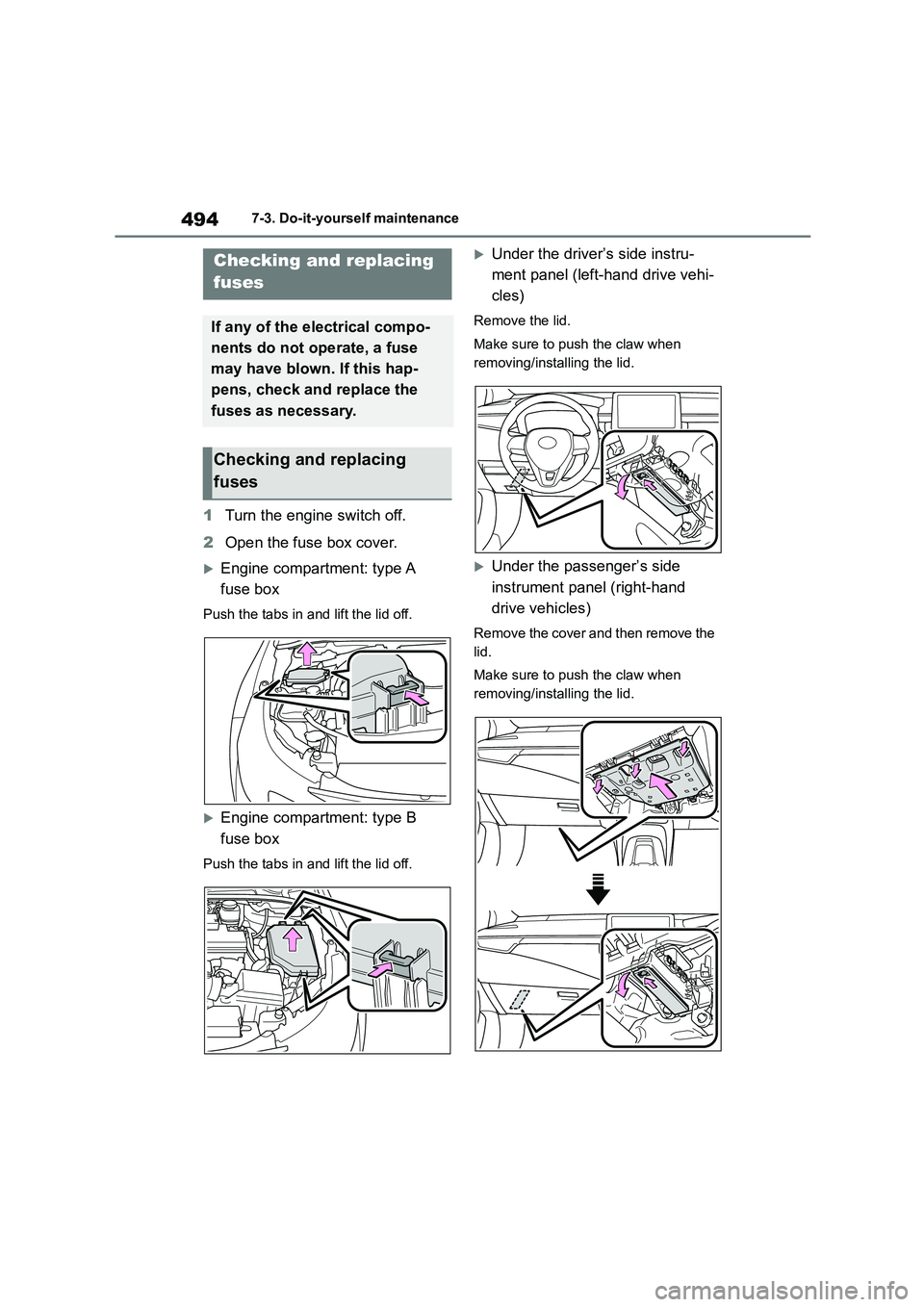
1Turn the engine switch off.
2 Open the fuse box cover.
Engine compartment: type A
fuse box
Push the tabs in and lift the lid off.
Engine compartment: type B
fuse box
Push the tabs in and lift the lid off.
Under the driver’s side instru-
ment panel (left-hand drive vehi-
cles)
Remove the lid.
Make sure to push the claw when
removing/installing the lid.
Under the passenger’s side
instrument panel (right-hand
drive vehicles)
Remove the cover and then remove the
lid.
Make sure to push the claw when
removing/installing the lid.
Checking and replacing
fuses
If any of the electrical compo-
nents do not operate, a fuse
may have blown. If this hap-
pens, check and replace the
fuses as necessary.
Checking and replacing
fuses
Page 569 of 758
567
9
9-1. Specifications
Vehicle specifications
*1: Unladen vehicles
*2: Vehicles without a roof antenna
*3: Vehicles with a roof antenna
*4: Vehicles with a manual transmission
*5: Vehicles with a Multidrive
*6: For Guadeloupe and Martinique
*7: Except for Guadeloupe and Martinique
*8: Vehicles with towing package ( P.170)
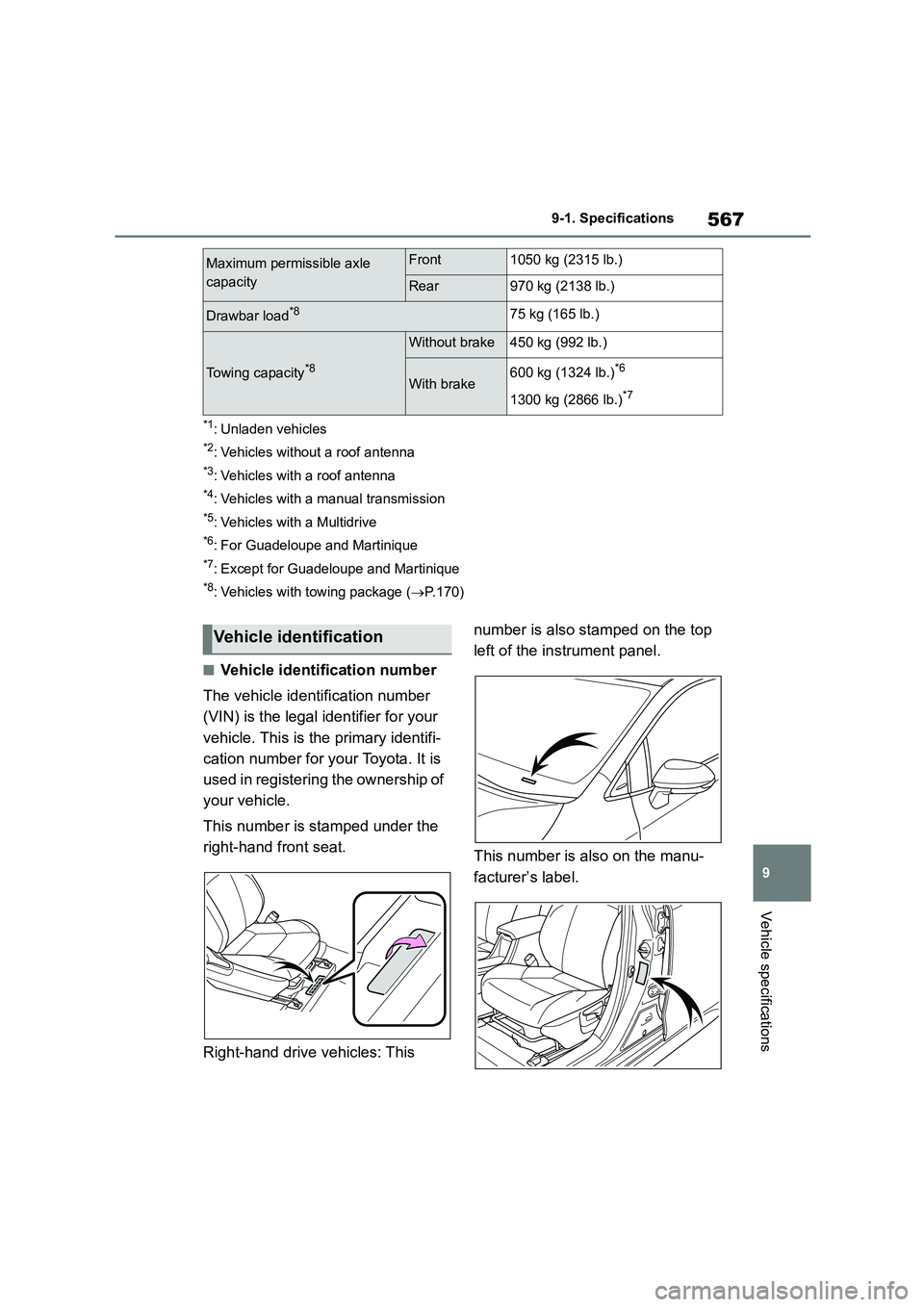
■Vehicle identification number
The vehicle identification number
(VIN) is the legal identifier for your
vehicle. This is the primary identifi-
cation number for your Toyota. It is
used in registering the ownership of
your vehicle.
This number is stamped under the
right-hand front seat.
Right-hand drive vehicles: This
number is also stamped on the top
left of the instrument panel.
This number is also on the manu-
facturer’s label.
Maximum permissible axle
capacity
Front1050 kg (2315 lb.)
Rear970 kg (2138 lb.)
Drawbar load*875 kg (165 lb.)
Towing capacity*8
Without brake450 kg (992 lb.)
With brake600 kg (1324 lb.)*6
1300 kg (2866 lb.)*7
Vehicle identification
Page 596 of 758
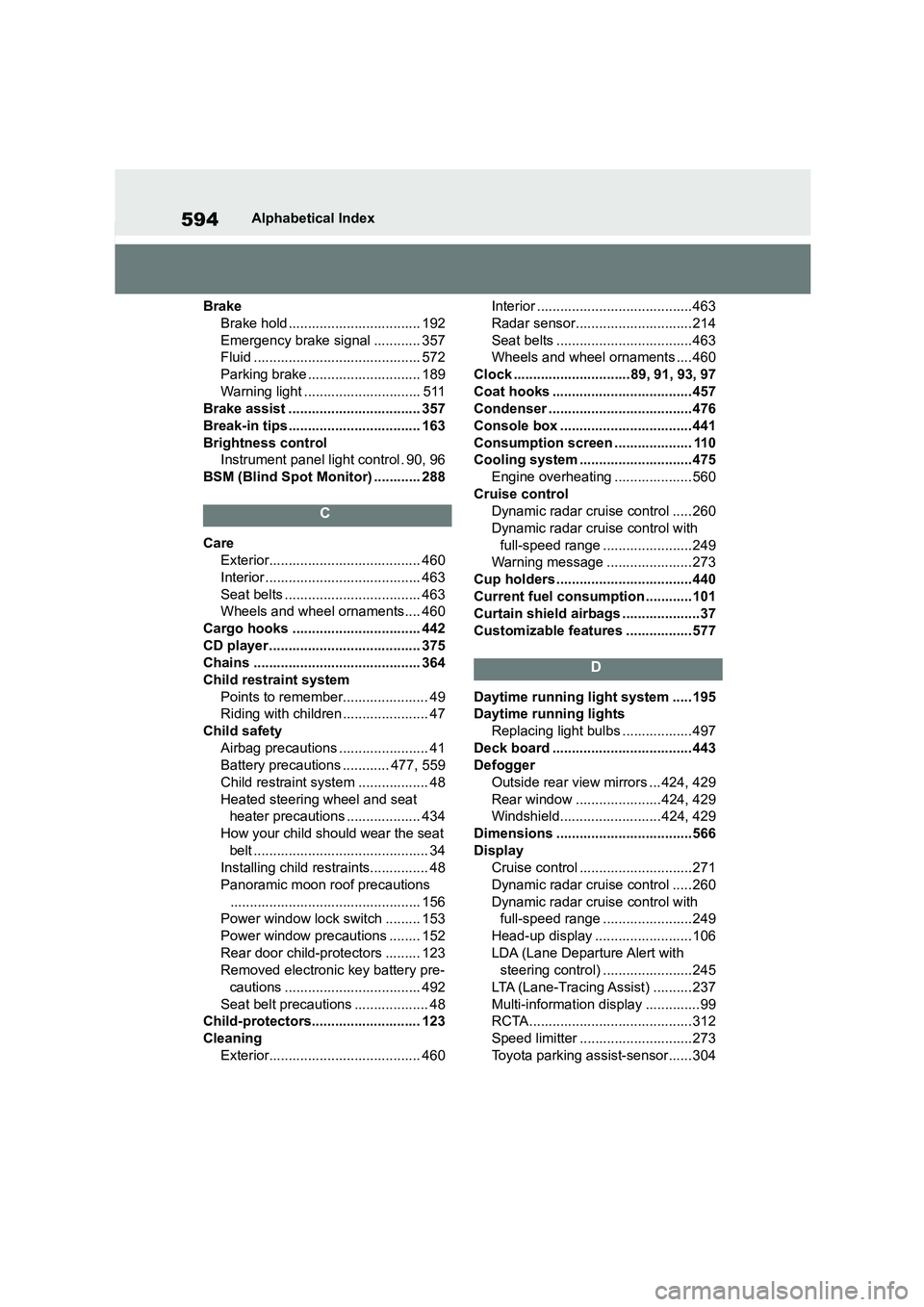
594Alphabetical Index
Brake
Brake hold .................................. 192
Emergency brake signal ............ 357
Fluid ........................................... 572
Parking brake ............................. 189
Warning light .............................. 511
Brake assist .................................. 357
Break-in tips.................................. 163
Brightness control
Instrument panel light control . 90, 96
BSM (Blind Spot Monitor) ............ 288
C
Care
Exterior....................................... 460
Interior ........................................ 463
Seat belts ................................... 463
Wheels and wheel ornaments.... 460
Cargo hooks ................................. 442
CD player ....................................... 375
Chains ........................................... 364
Child restraint system
Points to remember...................... 49
Riding with children ...................... 47
Child safety
Airbag precautions ....................... 41
Battery precautions ............ 477, 559
Child restraint syst em .................. 48
Heated steering wheel and seat
heater precautions ................... 434
How your child should wear the seat
belt ............................................. 34
Installing child restraints............... 48
Panoramic moon roof precautions
................................................. 156
Power window lock switch ......... 153
Power window precautions ........ 152
Rear door child-protectors ......... 123
Removed electronic key battery pre-
cautions ................................... 492
Seat belt precautions ................... 48
Child-protectors............................ 123
Cleaning
Exterior....................................... 460
Interior ........................................463
Radar sensor..............................214
Seat belts ...................................463
Wheels and wheel ornaments .... 460
Clock ..............................89, 91, 93, 97
Coat hooks .................................... 457
Condenser .....................................476
Console box .................................. 441
Consumption screen .................... 110
Cooling system .............................475
Engine overheating .................... 560
Cruise control
Dynamic radar cruise control ..... 260
Dynamic radar cruise control with
full-speed range .......................249
Warning message ...................... 273
Cup holders ...................................440
Current fuel consumption ............101
Curtain shield airbags .................... 37
Customizable features ................. 577
D
Daytime running light system ..... 195
Daytime running lights
Replacing light bulbs ..................497
Deck board .................................... 443
Defogger
Outside rear view mirrors ... 424, 429
Rear window ......................424, 429
Windshield.......................... 424, 429
Dimensions ...................................566
Display
Cruise control .............................271
Dynamic radar cruise control ..... 260
Dynamic radar cruise control with
full-speed range .......................249
Head-up display ......................... 106
LDA (Lane Departure Alert with
steering control) .......................245
LTA (Lane-Tracing Assist) .......... 237
Multi-information display .............. 99
RCTA.......................................... 312
Speed limitter .............................273
Toyota parking assist-sensor...... 304
Page 600 of 758
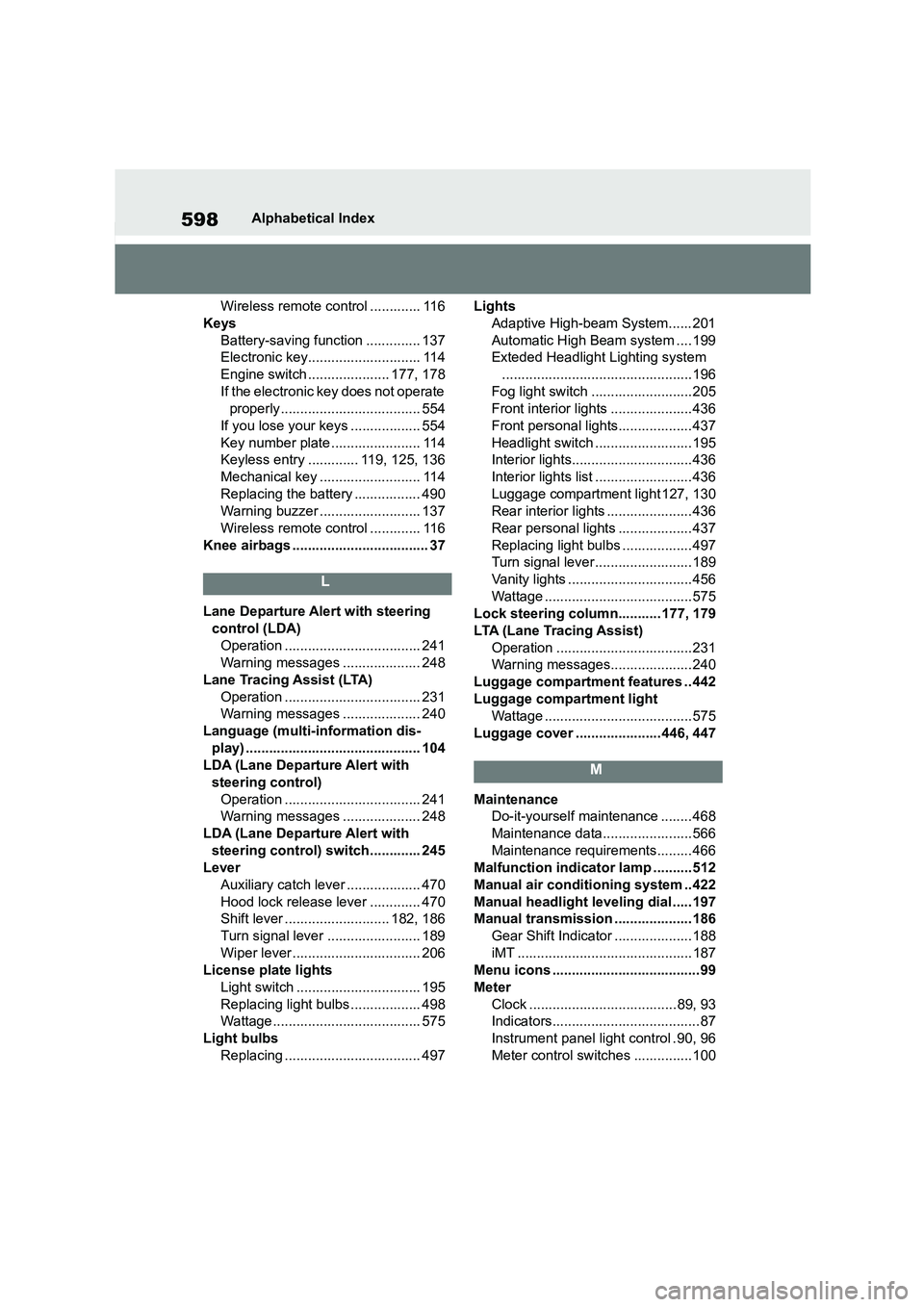
598Alphabetical Index
Wireless remote control ............. 116
Keys
Battery-saving function .............. 137
Electronic key............................. 114
Engine switch ..................... 177, 178
If the electronic key does not operate
properly .................................... 554
If you lose your keys .................. 554
Key number plate ....................... 114
Keyless entry ............. 119, 125, 136
Mechanical key .......................... 114
Replacing the battery ................. 490
Warning buzzer .......................... 137
Wireless remote control ............. 116
Knee airbags ................................... 37
L
Lane Departure Alert with steering
control (LDA)
Operation ................................... 241
Warning messages .................... 248
Lane Tracing Assist (LTA)
Operation ................................... 231
Warning messages .................... 240
Language (multi-information dis-
play) ............................................. 104
LDA (Lane Departure Alert with
steering control)
Operation ................................... 241
Warning messages .................... 248
LDA (Lane Departure Alert with
steering control) switch............. 245
Lever
Auxiliary catch leve r ................... 470
Hood lock release lever ............. 470
Shift lever ........................... 182, 186
Turn signal lever ........................ 189
Wiper lever ................................. 206
License plate lights
Light switch ................................ 195
Replacing light bulbs .................. 498
Wattage...................................... 575
Light bulbs
Replacing ................................... 497
Lights
Adaptive High-beam System...... 201
Automatic High Beam system ....199
Exteded Headlight Lighting system
.................................................196
Fog light switch ..........................205
Front interior lights .....................436
Front personal lights................... 437
Headlight switch ......................... 195
Interior lights............................... 436
Interior lights list ......................... 436
Luggage compartment light 127, 130
Rear interior lights ...................... 436
Rear personal lights ................... 437
Replacing light bulbs ..................497
Turn signal lever ......................... 189
Vanity lights ................................456
Wattage ......................................575
Lock steering column........... 177, 179
LTA (Lane Tracing Assist)
Operation ...................................231
Warning messages.....................240
Luggage compartment features .. 442
Luggage compartment light
Wattage ......................................575
Luggage cover ......................446, 447
M
Maintenance
Do-it-yourself maintenance ........ 468
Maintenance data....................... 566
Maintenance requirements......... 466
Malfunction indicator lamp ..........512
Manual air conditioning system ..422
Manual headlight leveling dial ..... 197
Manual transmission .................... 186
Gear Shift Indicator .................... 188
iMT ............................................. 187
Menu icons ...................................... 99
Meter
Clock ...................................... 89, 93
Indicators...................................... 87
Instrument panel light control . 90, 96
Meter control switches ...............100