battery TOYOTA COROLLA HATCHBACK 2022 (in English) Service Manual
[x] Cancel search | Manufacturer: TOYOTA, Model Year: 2022, Model line: COROLLA HATCHBACK, Model: TOYOTA COROLLA HATCHBACK 2022Pages: 758, PDF Size: 155.26 MB
Page 453 of 758
451
6
6-4. Other interior features
Interior features
6-4.Other interior features
The USB charging port are used to
supply 2.1 A of electricity at 5 V to
external devices.
The USB charging port are for
charging only. They are not
designed for data transfer or other
purposes.
Depending on the external device,
it may not charge properly. Refer to
the manual included with the device
before using a USB charging port.
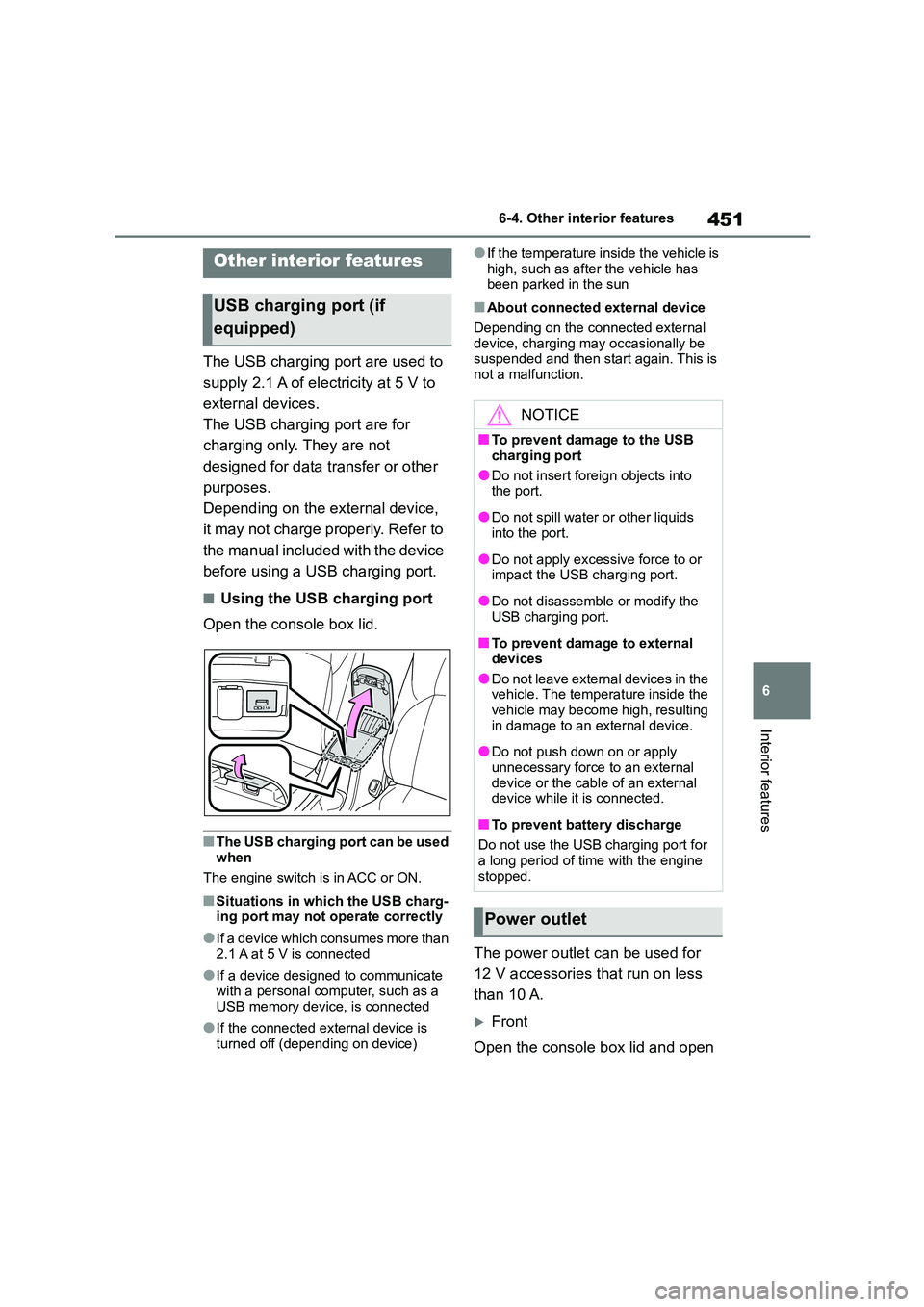
■Using the USB charging port
Open the console box lid.
■The USB charging port can be used
when
The engine switch is in ACC or ON.
■Situations in which the USB charg- ing port may not operate correctly
●If a device which consumes more than
2.1 A at 5 V is connected
●If a device designed to communicate
with a personal computer, such as a USB memory device, is connected
●If the connected external device is turned off (depending on device)
●If the temperature inside the vehicle is
high, such as afte r the vehicle has been parked in the sun
■About connected external device
Depending on the connected external
device, charging may occasionally be suspended and then start again. This is
not a malfunction.
The power outlet can be used for
12 V accessories that run on less
than 10 A.
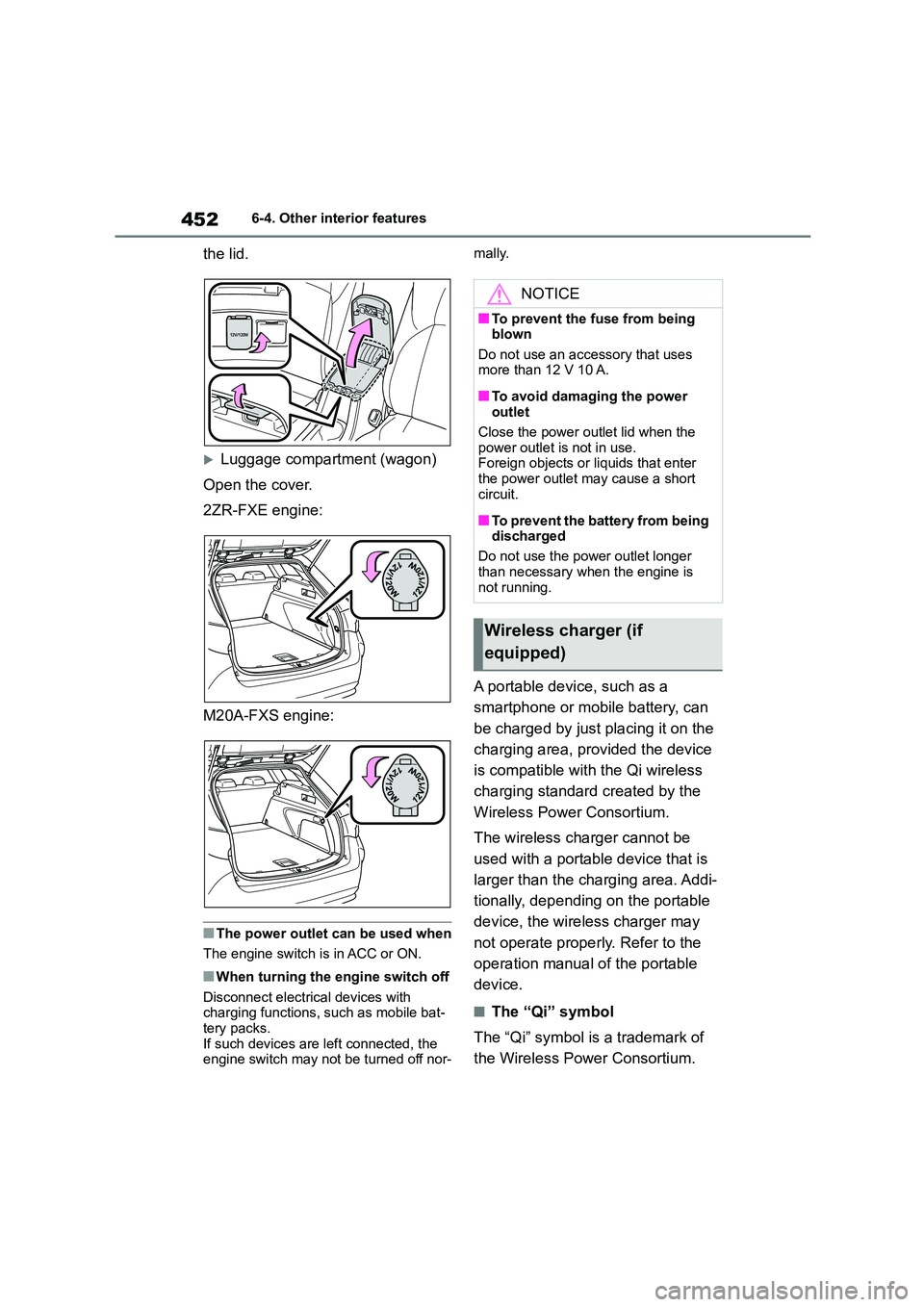
Front
Open the console box lid and open
Other interior features
USB charging port (if
equipped)
NOTICE
■To prevent damage to the USB
charging port
●Do not insert foreign objects into
the port.
●Do not spill water or other liquids
into the port.
●Do not apply excessive force to or
impact the USB charging port.
●Do not disassemble or modify the
USB charging port.
■To prevent damage to external
devices
●Do not leave external devices in the vehicle. The temperature inside the
vehicle may become high, resulting
in damage to an external device.
●Do not push down on or apply
unnecessary force to an external device or the cable of an external
device while it is connected.
■To prevent battery discharge
Do not use the USB charging port for
a long period of time with the engine stopped.
Power outlet
Page 454 of 758
4526-4. Other interior features
the lid.
Luggage compartment (wagon)
Open the cover.
2ZR-FXE engine:
M20A-FXS engine:
■The power outlet can be used when
The engine switch is in ACC or ON.
■When turning the engine switch off
Disconnect electrical devices with
charging functions, such as mobile bat- tery packs.
If such devices are left connected, the
engine switch may not be turned off nor-
mally.
A portable device, such as a
smartphone or mobile battery, can
be charged by just placing it on the
charging area, provided the device
is compatible with the Qi wireless
charging standard created by the
Wireless Power Consortium.
The wireless charger cannot be
used with a portable device that is
larger than the charging area. Addi-
tionally, depending on the portable
device, the wireless charger may
not operate properly. Refer to the
operation manual of the portable
device.
■The “Qi” symbol
The “Qi” symbol is a trademark of
the Wireless Power Consortium.
NOTICE
■To prevent the fu se from being blown
Do not use an accessory that uses
more than 12 V 10 A.
■To avoid damaging the power
outlet
Close the power outlet lid when the power outlet is not in use.
Foreign objects or liquids that enter
the power outlet may cause a short circuit.
■To prevent the battery from being discharged
Do not use the power outlet longer
than necessary when the engine is not running.
Wireless charger (if
equipped)
Page 458 of 758
4566-4. Other interior features
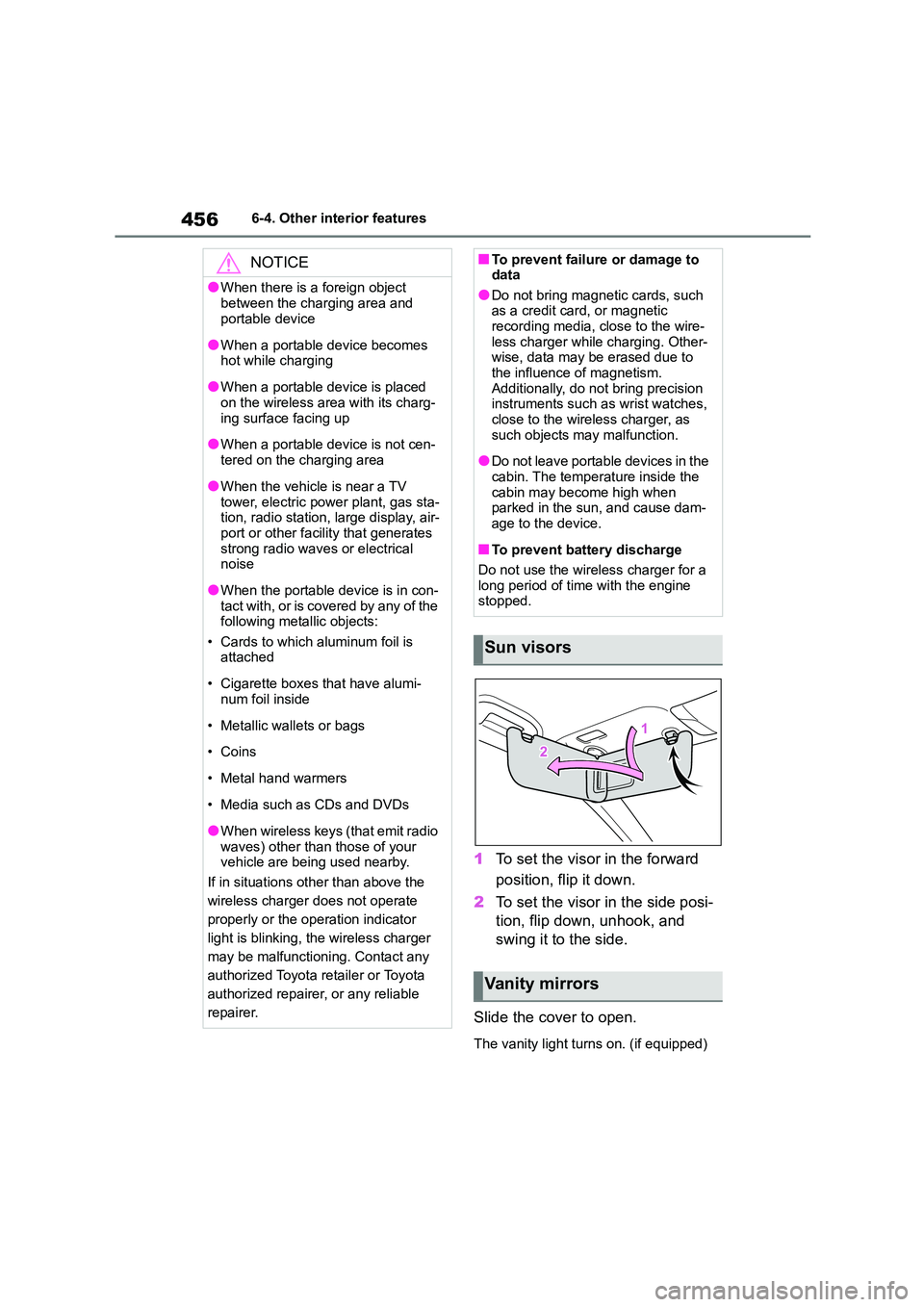
1To set the visor in the forward
position, flip it down.
2 To set the visor in the side posi-
tion, flip down, unhook, and
swing it to the side.
Slide the cover to open.
The vanity light turns on. (if equipped)
NOTICE
●When there is a foreign object
between the charging area and
portable device
●When a portable device becomes
hot while charging
●When a portable device is placed
on the wireless area with its charg-
ing surface facing up
●When a portable device is not cen-
tered on the charging area
●When the vehicle is near a TV
tower, electric power plant, gas sta- tion, radio station, large display, air-
port or other facility that generates
strong radio waves or electrical noise
●When the portable device is in con-tact with, or is covered by any of the
following metallic objects:
• Cards to which aluminum foil is attached
• Cigarette boxes that have alumi- num foil inside
• Metallic wallets or bags
• Coins
• Metal hand warmers
• Media such as CDs and DVDs
●When wireless keys (that emit radio
waves) other than those of your vehicle are being used nearby.
If in situations other than above the
wireless charger does not operate
properly or the operation indicator
light is blinking, the wireless charger
may be malfunctioning. Contact any
authorized Toyota retailer or Toyota
authorized repairer, or any reliable
repairer.
■To prevent failure or damage to data
●Do not bring magnetic cards, such
as a credit card, or magnetic recording media, close to the wire-
less charger while charging. Other-
wise, data may be erased due to the influence of magnetism.
Additionally, do not bring precision
instruments such as wrist watches, close to the wireless charger, as
such objects may malfunction.
●Do not leave portable devices in the
cabin. The temperature inside the
cabin may become high when parked in the sun, and cause dam-
age to the device.
■To prevent battery discharge
Do not use the wireless charger for a
long period of time with the engine stopped.
Sun visors
Vanity mirrors
Page 459 of 758
457
6
6-4. Other interior features
Interior features
■To prevent battery discharge
If the vanity lights remain on when the
engine switch is OFF, the lights will go
off automatically after 20 minutes.
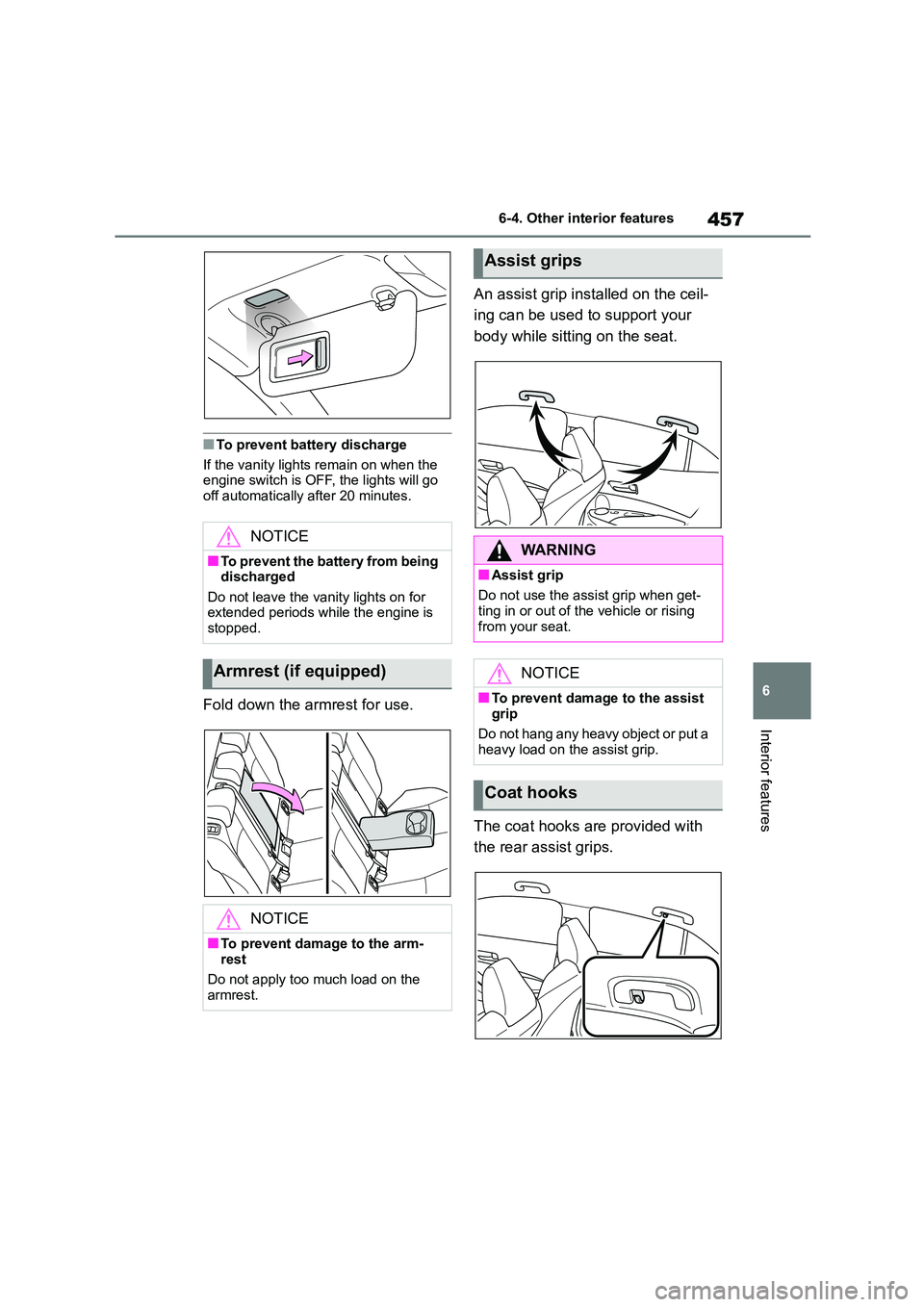
Fold down the armrest for use.
An assist grip inst alled on the ceil-
ing can be used to support your
body while sitting on the seat.
The coat hooks are provided with
the rear assist grips.
NOTICE
■To prevent the battery from being discharged
Do not leave the vanity lights on for
extended periods while the engine is stopped.
Armrest (if equipped)
NOTICE
■To prevent damage to the arm-
rest
Do not apply too much load on the armrest.
Assist grips
WA R N I N G
■Assist grip
Do not use the assist grip when get-
ting in or out of the vehicle or rising
from your seat.
NOTICE
■To prevent damage to the assist
grip
Do not hang any heavy object or put a
heavy load on the assist grip.
Coat hooks
Page 461 of 758
7
459
7
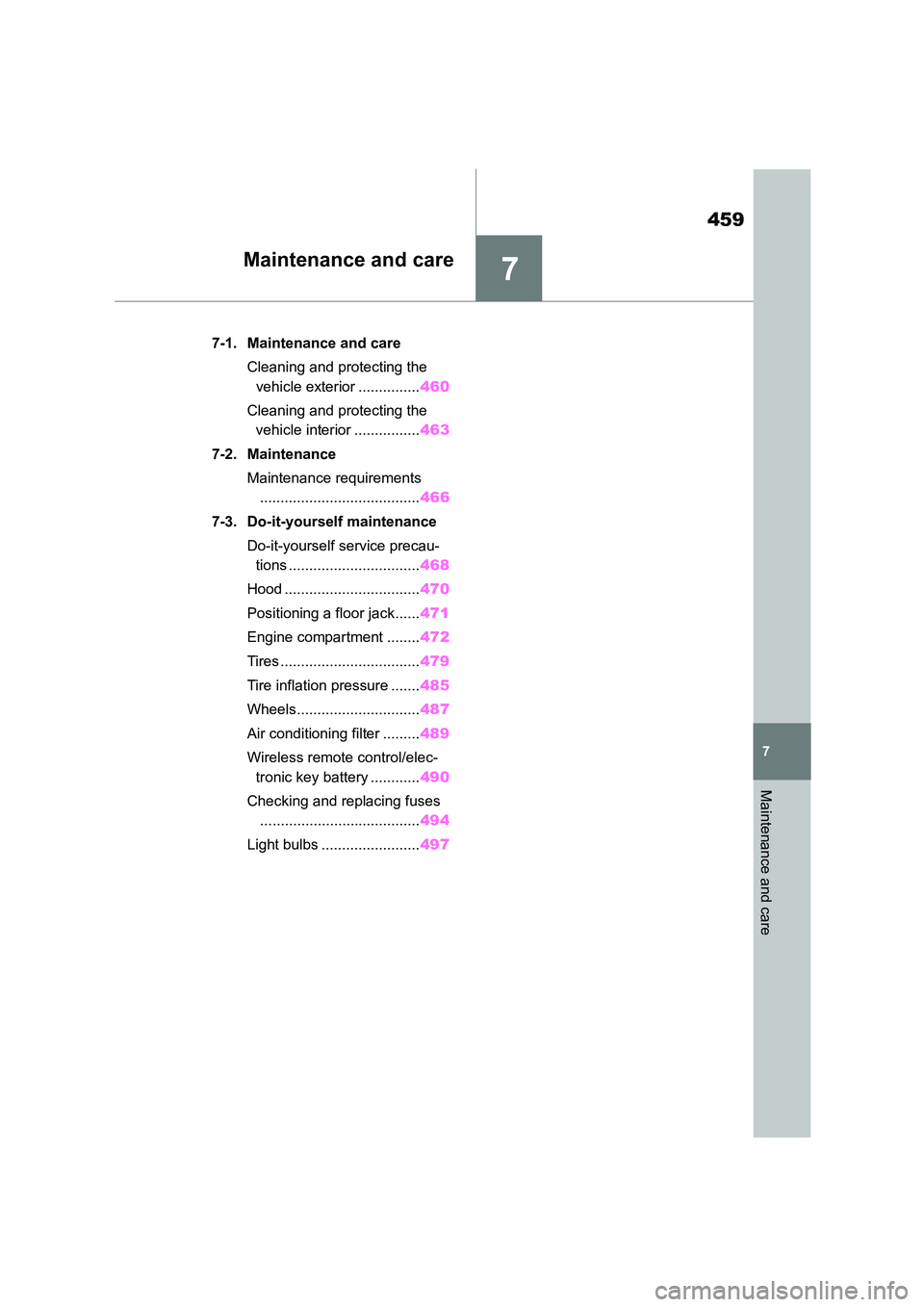
Maintenance and care
Maintenance and care
.7-1. Maintenance and care
Cleaning and protecting the
vehicle exterior ............... 460
Cleaning and protecting the
vehicle interior ................ 463
7-2. Maintenance
Maintenance requirements
....................................... 466
7-3. Do-it-yourself maintenance
Do-it-yourself service precau-
tions ................................ 468
Hood ................................. 470
Positioning a floor jack ...... 471
Engine compartment ........ 472
Tires .................................. 479
Tire inflation pressure ....... 485
Wheels.............................. 487
Air conditioning filter ......... 489
Wireless remote control/elec-
tronic key battery ............ 490
Checking and replacing fuses
....................................... 494
Light bulbs ........................ 497
Page 462 of 758
4607-1. Maintenance and care
7-1.Maintenance and care
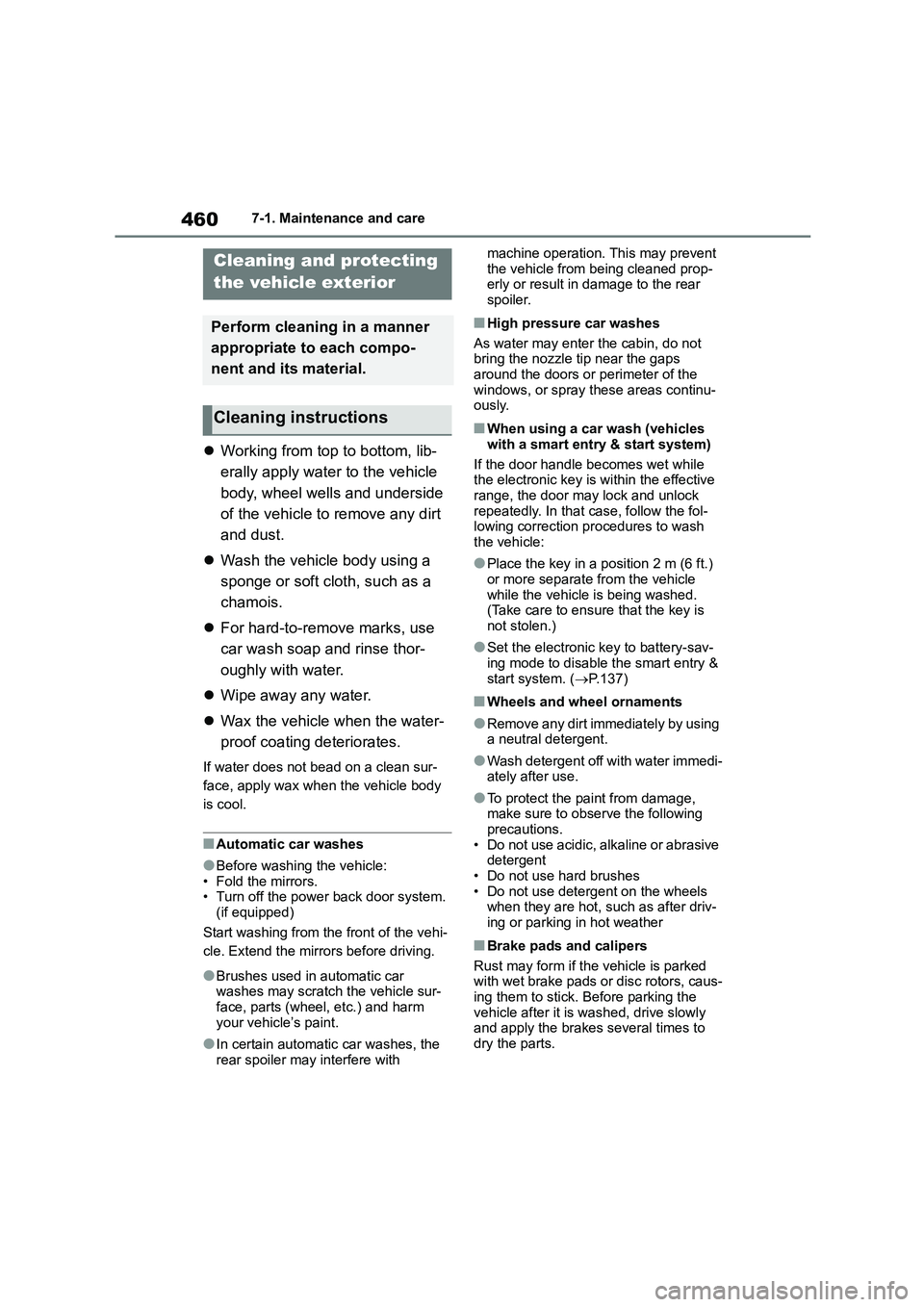
Working from top to bottom, lib-
erally apply water to the vehicle
body, wheel wells and underside
of the vehicle to remove any dirt
and dust.
Wash the vehicle body using a
sponge or soft cloth, such as a
chamois.
For hard-to-remove marks, use
car wash soap and rinse thor-
oughly with water.
Wipe away any water.
Wax the vehicle when the water-
proof coating deteriorates.
If water does not bead on a clean sur-
face, apply wax when the vehicle body
is cool.
■Automatic car washes
●Before washing the vehicle:
• Fold the mirrors.
• Turn off the power back door system. (if equipped)
Start washing from the front of the vehi-
cle. Extend the mirrors before driving.
●Brushes used in automatic car washes may scratch the vehicle sur-
face, parts (wheel, etc.) and harm
your vehicle’s paint.
●In certain automati c car washes, the
rear spoiler may interfere with
machine operation. This may prevent
the vehicle from being cleaned prop- erly or result in damage to the rear
spoiler.
■High pressure car washes
As water may enter the cabin, do not bring the nozzle tip near the gaps
around the doors or perimeter of the
windows, or spray these areas continu- ously.
■When using a car wash (vehicles
with a smart entry & start system)
If the door handle becomes wet while the electronic key is within the effective
range, the door may lock and unlock
repeatedly. In that case, follow the fol- lowing correction procedures to wash
the vehicle:
●Place the key in a position 2 m (6 ft.)
or more separate from the vehicle
while the vehicle is being washed. (Take care to ensure that the key is
not stolen.)
●Set the electronic key to battery-sav-
ing mode to disable the smart entry &
start system. ( P.137)
■Wheels and wheel ornaments
●Remove any dirt immediately by using
a neutral detergent.
●Wash detergent off with water immedi-
ately after use.
●To protect the paint from damage,
make sure to observe the following precautions.
• Do not use acidic, alkaline or abrasive
detergent • Do not use hard brushes
• Do not use detergent on the wheels
when they are hot, such as after driv-
ing or parking in hot weather
■Brake pads and calipers
Rust may form if the vehicle is parked
with wet brake pads or disc rotors, caus-
ing them to stick. Before parking the vehicle after it is washed, drive slowly
and apply the brakes several times to
dry the parts.
Cleaning and protecting
the vehicle exterior
Perform cleaning in a manner
appropriate to each compo-
nent and its material.
Cleaning instructions
Page 468 of 758
4667-2. Maintenance
7-2.Maintenance
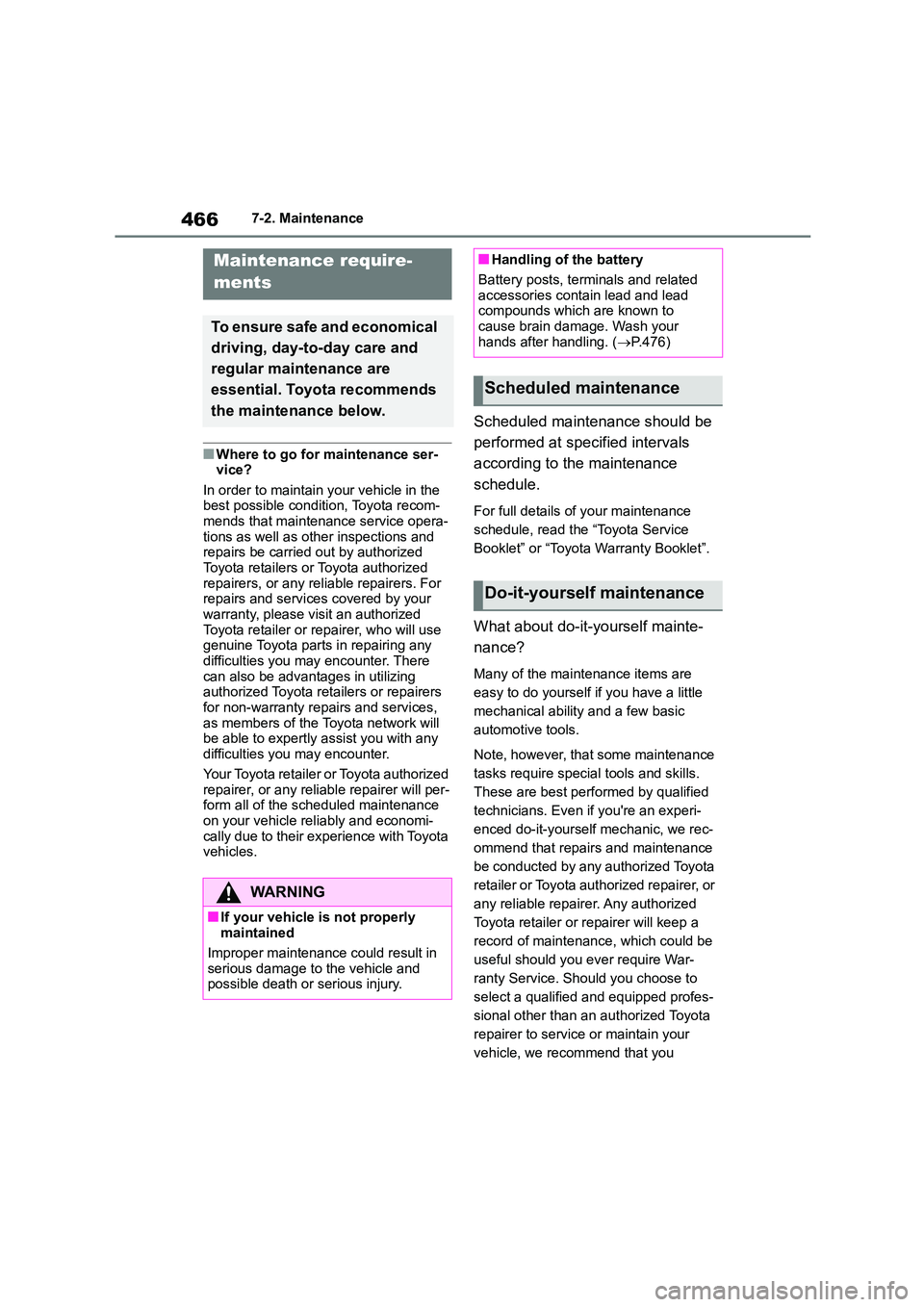
■Where to go for maintenance ser-
vice?
In order to maintain your vehicle in the best possible condition, Toyota recom-
mends that maintenance service opera-
tions as well as other inspections and repairs be carried out by authorized
Toyota retailers or Toyota authorized
repairers, or any reliable repairers. For repairs and services covered by your
warranty, please visit an authorized
Toyota retailer or repairer, who will use genuine Toyota parts in repairing any
difficulties you may encounter. There
can also be advantages in utilizing authorized Toyota retailers or repairers
for non-warranty repairs and services,
as members of the Toyota network will be able to expertly assist you with any
difficulties you may encounter.
Your Toyota retailer or Toyota authorized
repairer, or any reliable repairer will per- form all of the scheduled maintenance
on your vehicle reliably and economi-
cally due to their experience with Toyota vehicles.
Scheduled maintenance should be
performed at specified intervals
according to the maintenance
schedule.
For full details of your maintenance
schedule, read the “Toyota Service
Booklet” or “Toyota Warranty Booklet”.
What about do-it-yourself mainte-
nance?
Many of the maintenance items are
easy to do yourself if you have a little
mechanical ability and a few basic
automotive tools.
Note, however, that some maintenance
tasks require special tools and skills.
These are best performed by qualified
technicians. Even if you're an experi-
enced do-it-yourself mechanic, we rec-
ommend that repairs and maintenance
be conducted by any authorized Toyota
retailer or Toyota authorized repairer, or
any reliable repairer. Any authorized
Toyota retailer or repairer will keep a
record of maintenance, which could be
useful should you ever require War-
ranty Service. Should you choose to
select a qualified and equipped profes-
sional other than an authorized Toyota
repairer to service or maintain your
vehicle, we recommend that you
Maintenance require-
ments
To ensure safe and economical
driving, day-to-day care and
regular maintenance are
essential. Toyota recommends
the maintenance below.
WA R N I N G
■If your vehicle is not properly
maintained
Improper maintenance could result in
serious damage to the vehicle and
possible death or serious injury.
■Handling of the battery
Battery posts, terminals and related
accessories contain lead and lead
compounds which are known to cause brain damage. Wash your
hands after handling. ( P.476)
Scheduled maintenance
Do-it-yourself maintenance
Page 470 of 758
4687-3. Do-it-yourself maintenance
7-3.Do-it-yourself maintenance
Do-it-yourself ser vice
precautions
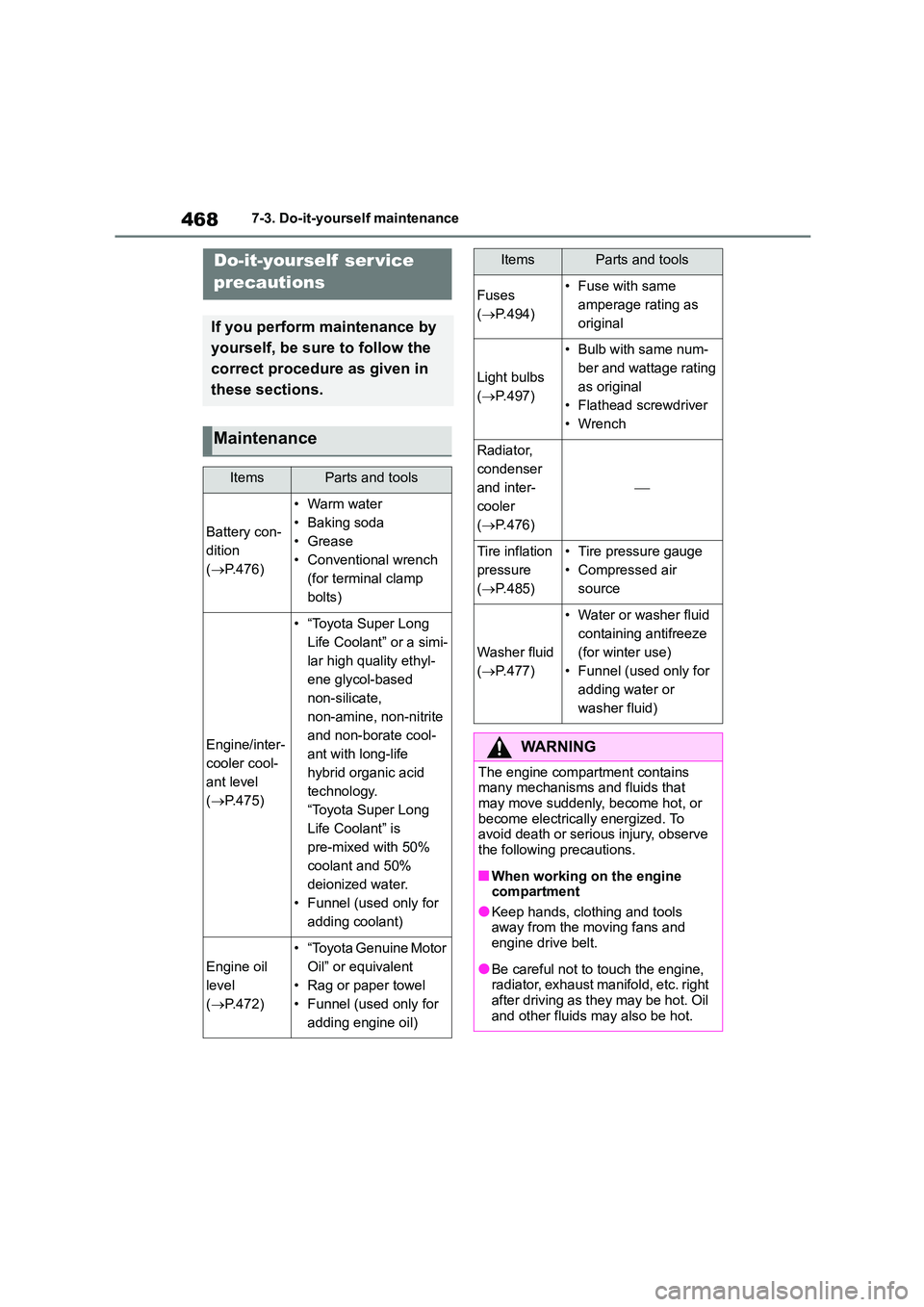
If you perform maintenance by
yourself, be sure to follow the
correct procedure as given in
these sections.
Maintenance
ItemsParts and tools
Battery con-
dition
( P.476)
•Warm water
• Baking soda
• Grease
• Conventional wrench
(for terminal clamp
bolts)
Engine/inter-
cooler cool-
ant level
( P.475)
• “Toyota Super Long
Life Coolant” or a simi-
lar high quality ethyl-
ene glycol-based
non-silicate,
non-amine, non-nitrite
and non-borate cool-
ant with long-life
hybrid organic acid
technology.
“Toyota Super Long
Life Coolant” is
pre-mixed with 50%
coolant and 50%
deionized water.
• Funnel (used only for
adding coolant)
Engine oil
level
( P.472)
• “Toyota Genuine Motor
Oil” or equivalent
• Rag or paper towel
• Funnel (used only for
adding engine oil)
Fuses
( P.494)
• Fuse with same
amperage rating as
original
Light bulbs
( P.497)
• Bulb with same num-
ber and wattage rating
as original
• Flathead screwdriver
• Wrench
Radiator,
condenser
and inter-
cooler
( P.476)
Tire inflation
pressure
( P.485)
• Tire pressure gauge
• Compressed air
source
Washer fluid
( P.477)
• Water or washer fluid
containing antifreeze
(for winter use)
• Funnel (used only for
adding water or
washer fluid)
WA R N I N G
The engine compartment contains many mechanisms and fluids that
may move suddenly, become hot, or
become electrically energized. To avoid death or serious injury, observe
the following precautions.
■When working on the engine
compartment
●Keep hands, clothing and tools away from the moving fans and
engine drive belt.
●Be careful not to touch the engine,
radiator, exhaust manifold, etc. right
after driving as they may be hot. Oil and other fluids may also be hot.
ItemsParts and tools
Page 471 of 758
469
7
7-3. Do-it-yourself maintenance
Maintenance and care
WA R N I N G
●Do not leave anything that may
burn easily, such as paper and
rags, in the engine compartment.
●Do not smoke, cause sparks or
expose an open flame to fuel or the battery. Fuel and battery fumes are
flammable.
●Be extremely cautious when work- ing on the battery. It contains poi-
sonous and corrosive sulfuric acid.
●Take care because brake fluid can
harm your hands or eyes and dam-
age painted surfaces. If fluid gets on your hands or in your eyes, flush
the affected area with clean water
immediately. If you still experience discomfort,
consult a doctor.
■When working near the electric
cooling fans or radiator grille
Be sure the engine switch is OFF. With the engine switch in ON, the
electric cooling fans may automati-
cally start to run if the air conditioning is on and/or the coolant temperature
is high. (P.476)
■Safety glasses
Wear safety glasses to prevent flying
or falling material, fluid spray, etc. from getting in your eyes.
NOTICE
■If you remove the air cleaner fil-
ter
Driving with the air cleaner filter removed may cause excessive
engine wear due to dirt in the air.
■If the fluid level is low or high
It is normal for the brake fluid level to
go down slightly as the brake pads
wear or when the fluid level in the accumulator is high.
If the reservoir needs frequent refill-
ing, it may indicate a serious problem.
Page 474 of 758
4727-3. Do-it-yourself maintenance
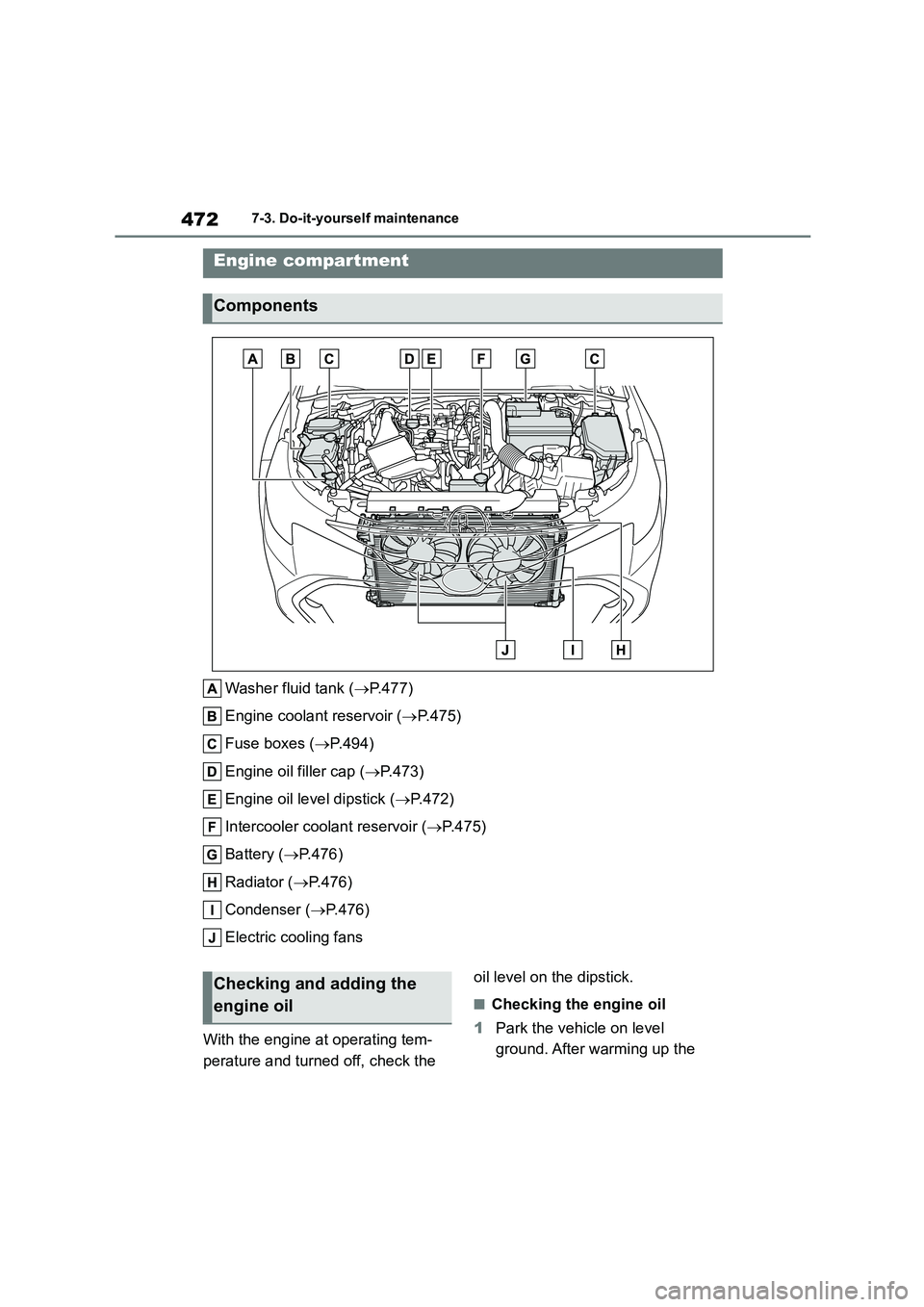
Washer fluid tank (P.477)
Engine coolant reservoir ( P. 4 7 5 )
Fuse boxes ( P.494)
Engine oil filler cap ( P.473)
Engine oil level dipstick ( P.472)
Intercooler coolant reservoir ( P.475)
Battery ( P.476)
Radiator ( P.476)
Condenser ( P.476)
Electric cooling fans
With the engine at operating tem-
perature and turned off, check the
oil level on the dipstick.
■Checking the engine oil
1 Park the vehicle on level
ground. After warming up the
Engine compartment
Components
Checking and adding the
engine oil