air conditioning TOYOTA COROLLA HATCHBACK 2022 Owners Manual (in English)
[x] Cancel search | Manufacturer: TOYOTA, Model Year: 2022, Model line: COROLLA HATCHBACK, Model: TOYOTA COROLLA HATCHBACK 2022Pages: 758, PDF Size: 155.26 MB
Page 6 of 758
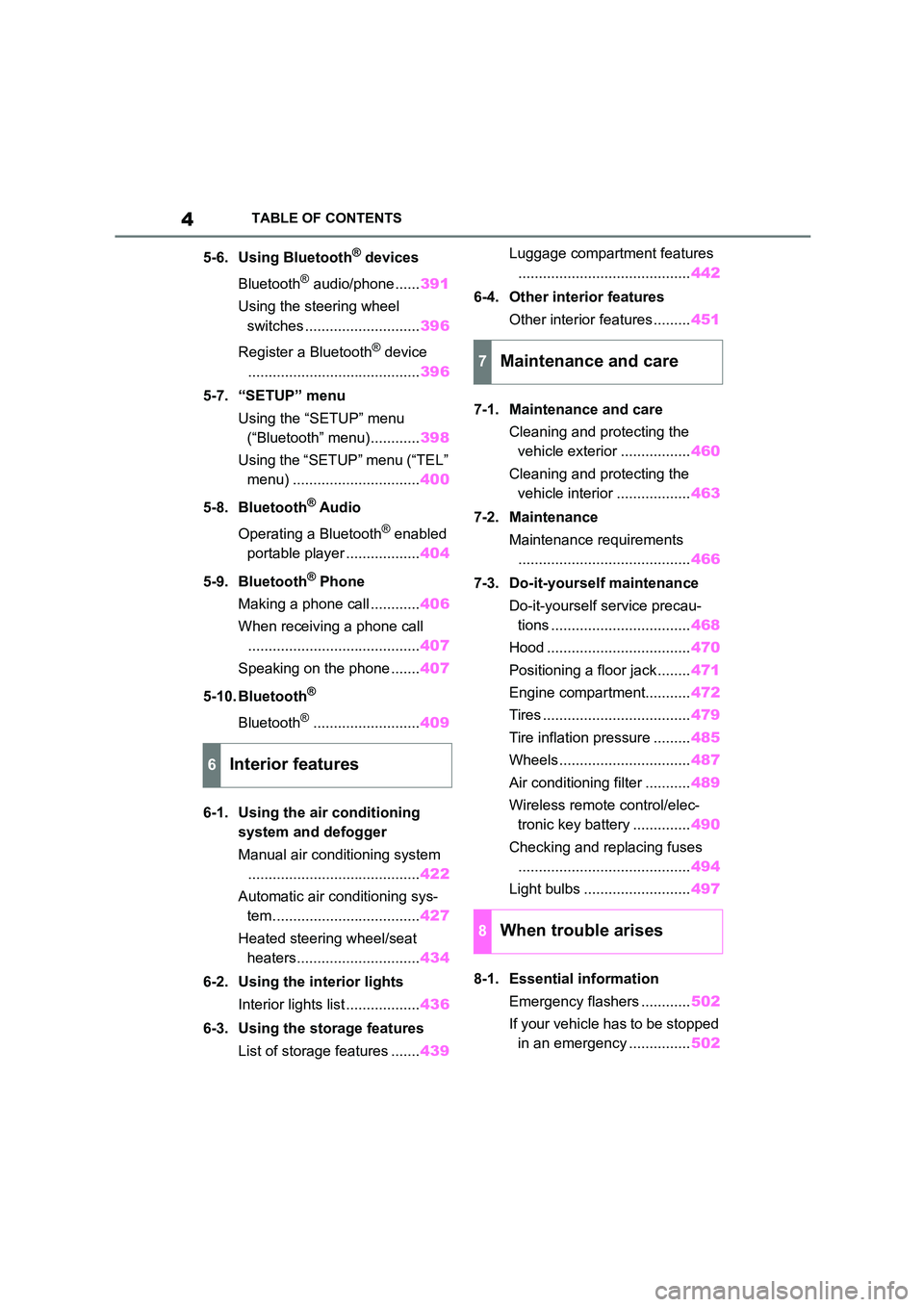
4TABLE OF CONTENTS
5-6. Using Bluetooth® devices
Bluetooth® audio/phone...... 391
Using the steering wheel
switches ............................ 396
Register a Bluetooth® device
.......................................... 396
5-7. “SETUP” menu
Using the “SETUP” menu
(“Bluetooth” menu)............ 398
Using the “SETUP” menu (“TEL”
menu) ............................... 400
5-8. Bluetooth® Audio
Operating a Bluetooth® enabled
portable player .................. 404
5-9. Bluetooth® Phone
Making a phone call ............ 406
When receiving a phone call
.......................................... 407
Speaking on the phone ....... 407
5-10. Bluetooth®
Bluetooth®.......................... 409
6-1. Using the air conditioning
system and defogger
Manual air conditioning system
.......................................... 422
Automatic air conditioning sys-
tem.................................... 427
Heated steering wheel/seat
heaters.............................. 434
6-2. Using the interior lights
Interior lights list .................. 436
6-3. Using the storage features
List of storage features ....... 439
Luggage compartment features
.......................................... 442
6-4. Other interior features
Other interior features ......... 451
7-1. Maintenance and care
Cleaning and protecting the
vehicle exterior ................. 460
Cleaning and protecting the
vehicle interior .................. 463
7-2. Maintenance
Maintenance requirements
.......................................... 466
7-3. Do-it-yourself maintenance
Do-it-yourself service precau-
tions .................................. 468
Hood ................................... 470
Positioning a floor jack ........ 471
Engine compartment........... 472
Tires .................................... 479
Tire inflation pressure ......... 485
Wheels ................................ 487
Air conditioning filter ........... 489
Wireless remote control/elec-
tronic key battery .............. 490
Checking and replacing fuses
.......................................... 494
Light bulbs .......................... 497
8-1. Essential information
Emergency flashers ............ 502
If your vehicle has to be stopped
in an emergency ............... 502
6Interior features
7Maintenance and care
8When trouble arises
Page 18 of 758
16Pictorial index
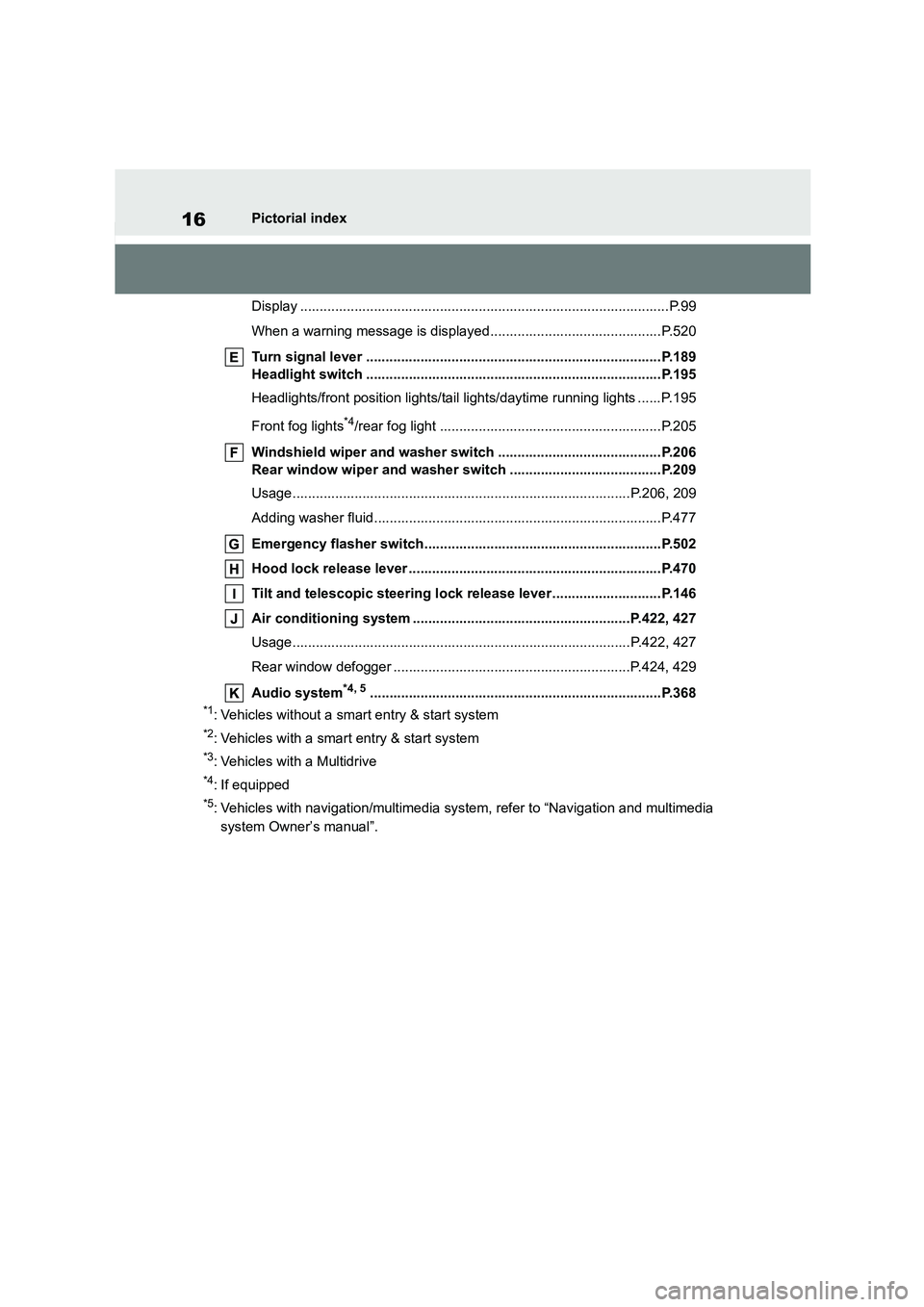
Display ...............................................................................................P.99
When a warning message is displayed............................................P.520
Turn signal lever ............................................................................P.189
Headlight switch ............................................................................P.195
Headlights/front position lights/tail lights/daytime running lights ......P.195
Front fog lights*4/rear fog light .........................................................P.205
Windshield wiper and washer switch ..........................................P.206
Rear window wiper and washer switch .......................................P.209
Usage.......................................................................................P.206, 209
Adding washer fluid..........................................................................P.477
Emergency flasher switch.............................................................P.502
Hood lock release lever .................................................................P.470
Tilt and telescopic steering lock release lever ............................P.146
Air conditioning system ........................................................P.422, 427
Usage.......................................................................................P.422, 427
Rear window defogger .............................................................P.424, 429
Audio system*4, 5...........................................................................P.368
*1: Vehicles without a smart entry & start system
*2: Vehicles with a smart entry & start system
*3: Vehicles with a Multidrive
*4: If equipped
*5: Vehicles with navigation/mu ltimedia system, refer to “Navigation and multimedia
system Owner’s manual”.
Page 25 of 758
23Pictorial index
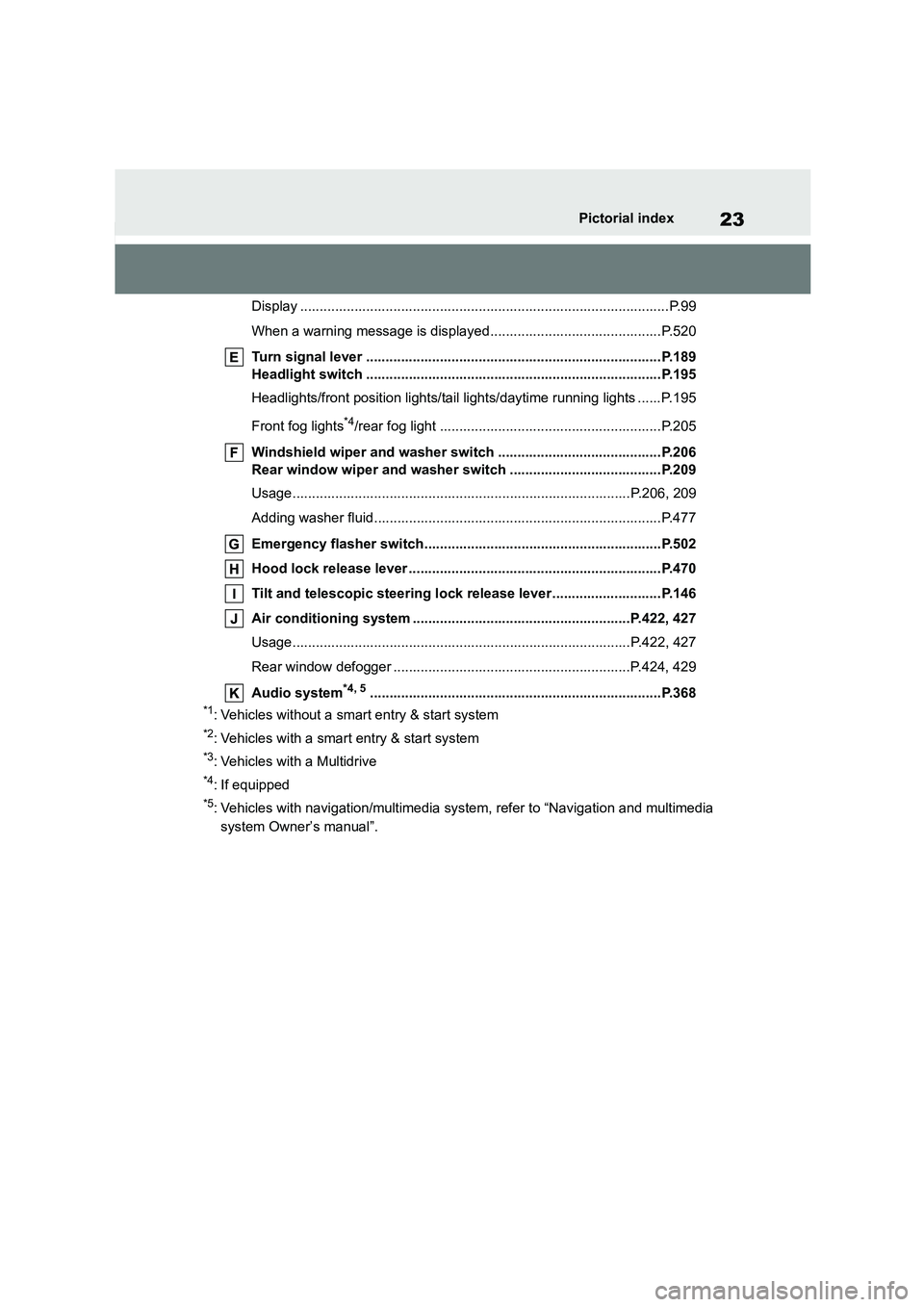
Display ...............................................................................................P.99
When a warning message is displayed............................................P.520
Turn signal lever ............................................................................P.189
Headlight switch ............................................................................P.195
Headlights/front position lights/tail lights/daytime running lights ......P.195
Front fog lights*4/rear fog light .........................................................P.205
Windshield wiper and washer switch ..........................................P.206
Rear window wiper and washer switch .......................................P.209
Usage.......................................................................................P.206, 209
Adding washer fluid..........................................................................P.477
Emergency flasher switch.............................................................P.502
Hood lock release lever .................................................................P.470
Tilt and telescopic steering lock release lever ............................P.146
Air conditioning system ........................................................P.422, 427
Usage.......................................................................................P.422, 427
Rear window defogger .............................................................P.424, 429
Audio system*4, 5...........................................................................P.368
*1: Vehicles without a smart entry & start system
*2: Vehicles with a smart entry & start system
*3: Vehicles with a Multidrive
*4: If equipped
*5: Vehicles with navigation/mu ltimedia system, refer to “Navigation and multimedia
system Owner’s manual”.
Page 178 of 758
1764-1. Before driving
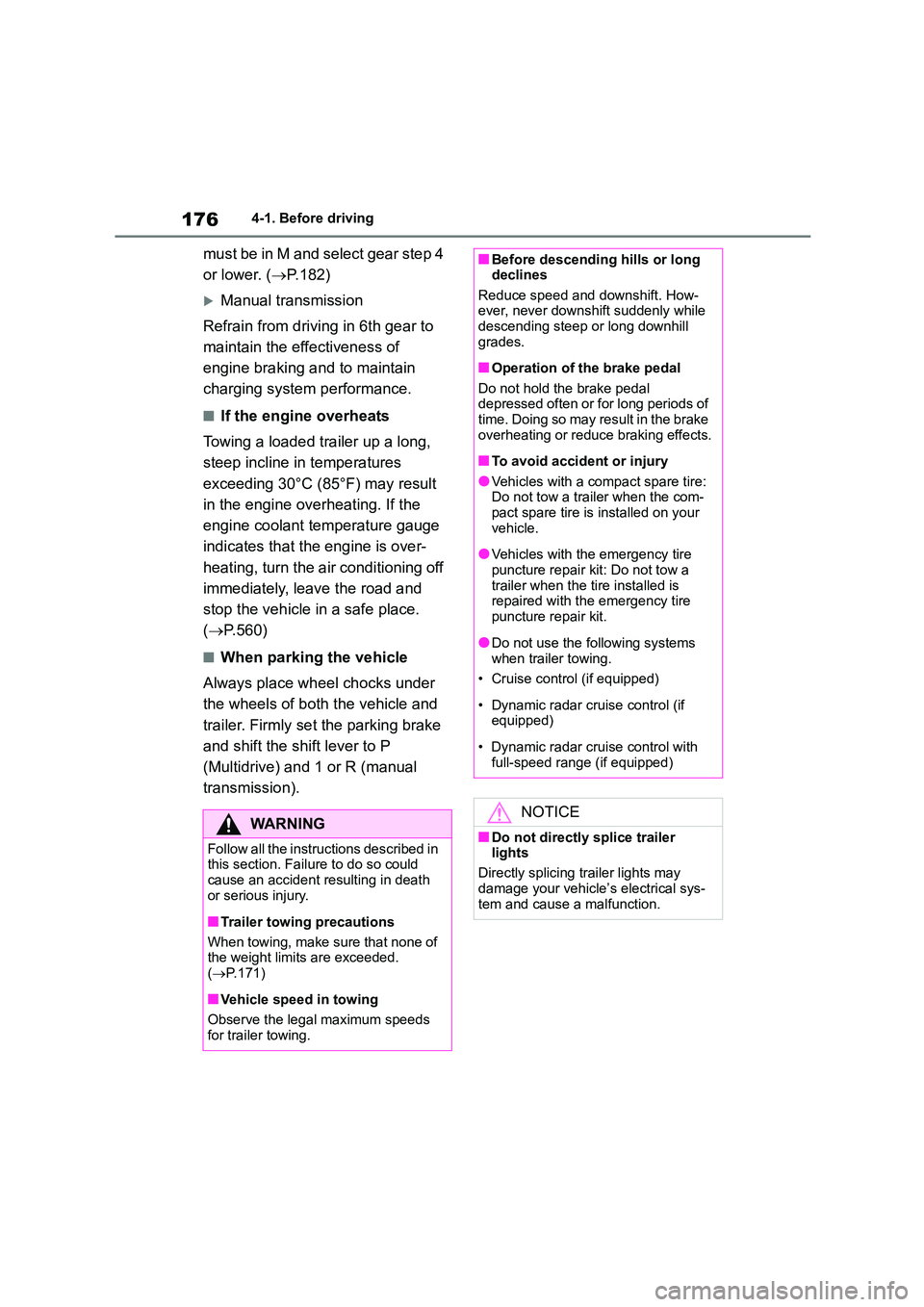
must be in M and select gear step 4
or lower. ( P. 1 8 2 )
Manual transmission
Refrain from driving in 6th gear to
maintain the effectiveness of
engine braking and to maintain
charging system performance.
■If the engine overheats
Towing a loaded trailer up a long,
steep incline in temperatures
exceeding 30°C (85°F) may result
in the engine overheating. If the
engine coolant temperature gauge
indicates that the engine is over-
heating, turn the air conditioning off
immediately, leave the road and
stop the vehicle in a safe place.
( P.560)
■When parking the vehicle
Always place wheel chocks under
the wheels of both the vehicle and
trailer. Firmly set the parking brake
and shift the shift lever to P
(Multidrive) and 1 or R (manual
transmission).
WA R N I N G
Follow all the instructions described in this section. Failure to do so could
cause an accident resulting in death
or serious injury.
■Trailer towing precautions
When towing, make sure that none of the weight limits are exceeded.
( P.171)
■Vehicle speed in towing
Observe the legal maximum speeds
for trailer towing.
■Before descending hills or long declines
Reduce speed and downshift. How-
ever, never downshift suddenly while descending steep or long downhill
grades.
■Operation of the brake pedal
Do not hold the brake pedal
depressed often or for long periods of time. Doing so may result in the brake
overheating or reduce braking effects.
■To avoid accident or injury
●Vehicles with a compact spare tire:
Do not tow a trailer when the com- pact spare tire is installed on your
vehicle.
●Vehicles with the emergency tire
puncture repair kit: Do not tow a
trailer when the tire installed is repaired with the emergency tire
puncture repair kit.
●Do not use the following systems
when trailer towing.
• Cruise control (if equipped)
• Dynamic radar cruise control (if
equipped)
• Dynamic radar cruise control with
full-speed range (if equipped)
NOTICE
■Do not directly splice trailer lights
Directly splicing trailer lights may
damage your vehicle’s electrical sys- tem and cause a malfunction.
Page 225 of 758
223
4
4-5. Using the driving support systems
Driving
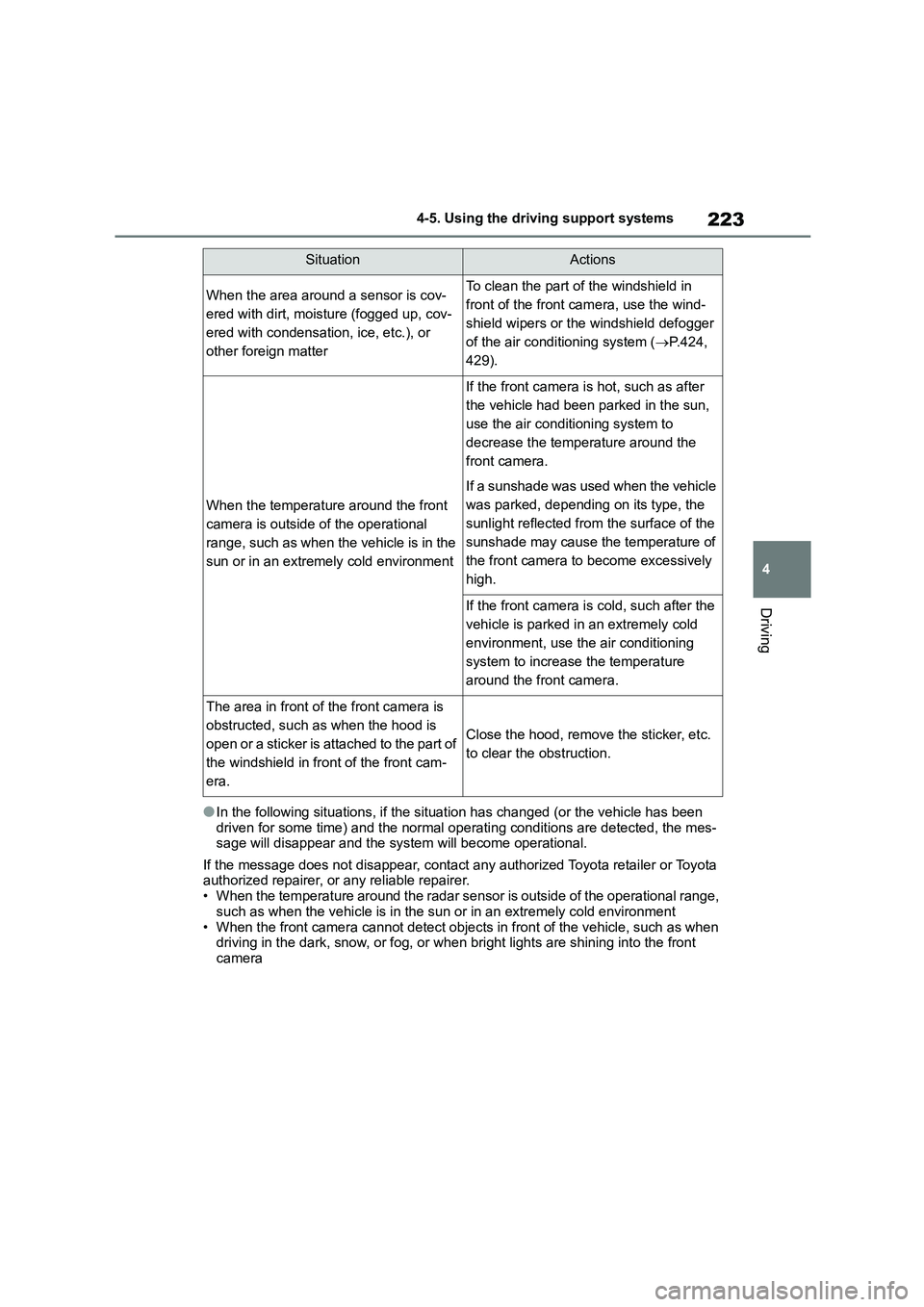
●In the following situations, if the situation has changed (or the vehicle has been
driven for some time) and the normal operating conditions are detected, the mes- sage will disappear and the system will become operational.
If the message does not disappear, contact any authorized Toyota retailer or Toyota authorized repairer, or any reliable repairer.
• When the temperature around t he radar sensor is outside of the operational range,
such as when the vehicle is in the sun or in an extremely cold environment
• When the front camera cannot detect objects in front of the vehicle, such as when driving in the dark, snow, or fog, or when bright lights are shining into the front
camera
SituationActions
When the area around a sensor is cov-
ered with dirt, moisture (fogged up, cov-
ered with condensation, ice, etc.), or
other foreign matter
To clean the part of the windshield in
front of the front camera, use the wind-
shield wipers or the windshield defogger
of the air conditioning system ( P.424,
429).
When the temperature around the front
camera is outside of the operational
range, such as when the vehicle is in the
sun or in an extremely cold environment
If the front camera is hot, such as after
the vehicle had been parked in the sun,
use the air conditi oning system to
decrease the temperature around the
front camera.
If a sunshade was used when the vehicle
was parked, depending on its type, the
sunlight reflected from the surface of the
sunshade may cause the temperature of
the front camera to become excessively
high.
If the front camera is cold, such after the
vehicle is parked in an extremely cold
environment, use the air conditioning
system to increase the temperature
around the front camera.
The area in front of the front camera is
obstructed, such as when the hood is
open or a sticker is attached to the part of
the windshield in front of the front cam-
era.
Close the hood, remove the sticker, etc.
to clear the obstruction.
Page 284 of 758
2824-5. Using the driving support systems
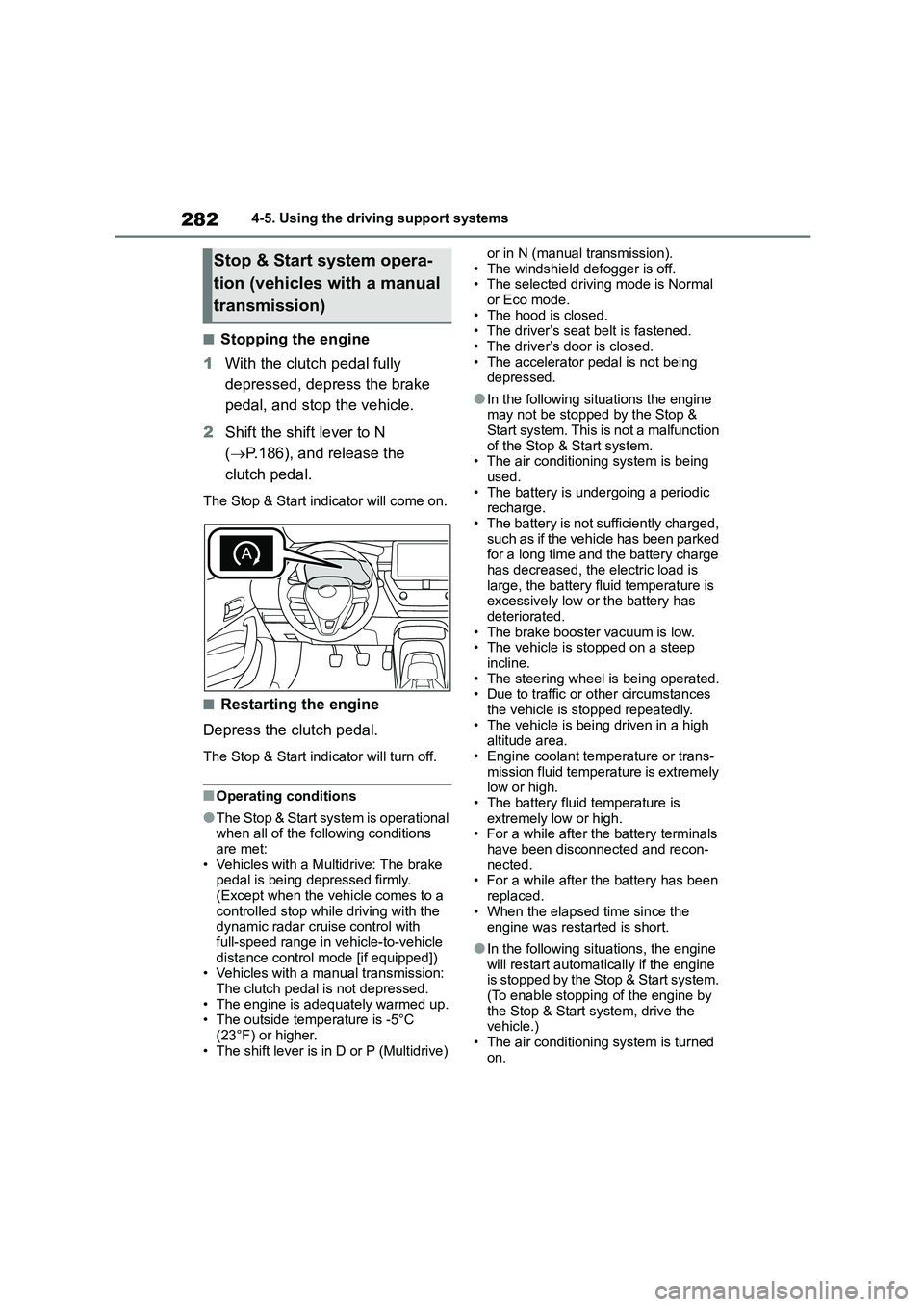
■Stopping the engine
1 With the clutch pedal fully
depressed, depress the brake
pedal, and stop the vehicle.
2 Shift the shift lever to N
( P.186), and release the
clutch pedal.
The Stop & Start indicator will come on.
■Restarting the engine
Depress the clutch pedal.
The Stop & Start indicator will turn off.
■Operating conditions
●The Stop & Start system is operational
when all of the following conditions are met:
• Vehicles with a Multidrive: The brake
pedal is being depressed firmly. (Except when the vehicle comes to a
controlled stop while driving with the
dynamic radar cruise control with
full-speed range in vehicle-to-vehicle distance control mode [if equipped])
• Vehicles with a manual transmission:
The clutch pedal is not depressed. • The engine is adequately warmed up.
• The outside temperature is -5°C
(23°F) or higher. • The shift lever is in D or P (Multidrive)
or in N (manual transmission).
• The windshield defogger is off. • The selected driving mode is Normal
or Eco mode.
• The hood is closed. • The driver’s seat belt is fastened.
• The driver’s door is closed.
• The accelerator pedal is not being depressed.
●In the following situations the engine may not be stopped by the Stop &
Start system. This is not a malfunction
of the Stop & Start system. • The air conditioning system is being
used.
• The battery is undergoing a periodic recharge.
• The battery is not sufficiently charged,
such as if the vehicle has been parked for a long time and the battery charge
has decreased, the electric load is
large, the battery fluid temperature is excessively low or the battery has
deteriorated.
• The brake booster vacuum is low. • The vehicle is stopped on a steep
incline.
• The steering wheel is being operated. • Due to traffic or other circumstances
the vehicle is stopped repeatedly.
• The vehicle is being driven in a high altitude area.
• Engine coolant temperature or trans-
mission fluid temperature is extremely low or high.
• The battery fluid temperature is
extremely low or high. • For a while after the battery terminals
have been disconnected and recon-
nected. • For a while after the battery has been
replaced.
• When the elapsed time since the
engine was restarted is short.
●In the following situations, the engine
will restart automatically if the engine is stopped by the Stop & Start system.
(To enable stopping of the engine by
the Stop & Start system, drive the vehicle.)
• The air conditioning system is turned
on.
Stop & Start system opera-
tion (vehicles with a manual
transmission)
Page 285 of 758
283
4
4-5. Using the driving support systems
Driving
• The windshield defogger is turned on.
• The steering wheel is operated. • Vehicles with a Multidrive: The shift
lever is shifted to M, N or R from D.
• Vehicles with a Multidrive: The shift lever is shifted from P.
• The driver’s seat belt is unfastened.
• The driver’s door is opened. • Vehicles with a Multidrive: The accel-
erator pedal is depressed.
• The Stop & Start cancel switch is pressed.
• The vehicle starts to roll on an incline.
• When the preceding vehicle starts off when your vehicle is stopped by oper-
ation of the dynamic radar cruise con-
trol with full-speed range. (if equipped) • The driving mode is changed from
NORMAL or ECO mode to another
mode.
●In the following situations, the engine
may restart automatically if the engine is stopped by the Stop & Start system.
(To enable stopping of the engine by
the Stop & Start system, drive the vehicle.)
• The brake pedal is pumped or
strongly depressed. • The air conditioni ng system is being
used.
• The battery is not sufficiently charged. • When a switch of the air conditioning
system is operated (windshield defog-
ger switch, etc.).
■Stop & Start system operation when the brake hold system is
operating
●If the engine is restarted automatically
by the Stop & Start system when the
brake hold system is operating, the brake hold system will continue to
apply the brakes.
●If the operation conditions of the brake hold system are no longer met
( P.192) while the engine is stopped
by the Stop & Start system, the brake hold system will stop operating.
At this time, the parking brake will be
applied automatically and the engine will
be restarted automatically.
■Stop & Start system operation dur-
ing a controlled stop by the dynamic radar cruise control with
full-speed range (if equipped)
If the engine is restarted automatically by the Stop & Start system during a con-
trolled stop by the dynamic radar cruise
control with full-sp eed range, the con- trolled stop will continue. (Resuming fol-
low-up cruising after a controlled stop:
P.255)
■Hood
●If the hood is opened while the engine
is stopped by the Stop & Start system, the engine will stall and will not be
able to be restarted by the automatic
engine start function. In this case, restart the engine using the normal
engine starting procedure. ( P.177,
178)
●Even if the hood is closed after the
engine is started with the hood open, the Stop & Start system will not oper-
ate. Close the hood, turn the engine
switch off, wait 30 seconds or more, and then start the engine.
■When to use the Stop & Start sys-
tem
●When stopping the vehicle for a
longer period of time, turn the engine
switch off and stop the engine com- pletely.
●When the system does not operate, is canceled, or is malfunctioning, warn-
ing messages and a warning buzzer
are used to inform the driver. ( P.285)
●If the engine switch is pressed when the engine is stopped by the Stop &
Start system, the engine will stall and
will not be able to be restarted by the
automatic engine start function. In this case, restart the engine using the nor-
mal engine starting procedure.
( P.177, 178)
●When the engine is restarted by the
Stop & Start system, the power outlet may be temporarily unusable, but this
is not a malfunction.
Page 286 of 758
2844-5. Using the driving support systems
●Installation and removal of electrical
components and wireless devices may affect the Stop & Start system.
Contact any authorized Toyota retailer
or Toyota authorized repairer, or any reliable repairer for details.
●When the engine is restarted by the Stop & Start system, the steering
wheel may temporarily feel heavy.
■If the windshield is fogged up while
the engine is stopped by the Stop & Start system
Turn the windshield defogger on. (The
engine will start due to the automatic engine start function.): P.424, 429
If the windshield fogs up frequently,
press the Stop & Start cancel switch to disable the system.
■Air conditioning system operation
while the engine is stopped by the
Stop & Start system
●If the air conditioning system is being
used in automatic mode, the fan speed may be reduced or the fan may
be stopped while the engine is
stopped by the Stop & Start system in order to reduce changes in the cabin
temperature.
●To ensure air cond itioning system per-
formance when the vehicle is stopped,
disable the Stop & Start system by pressing the Stop & Start cancel
switch.
■If an odor comes from the air condi-
tioning system while the engine is stopped by the Stop & Start system
Vehicles with a manual air conditioning
system: If the idling stop time is set to “Extended”, change the setting to
“Standard”.
If an odor occurs even when “Standard”
is selected, press the Stop & Start can- cel switch to deactivate the Stop & Start
system.
Vehicles with an automatic air condition- ing system: Press the Stop & Start can-
cel switch to deactivate the Stop & Start
system.
■Changing the idling stop time with
the air conditioning system on
The length of time the Stop & Start sys-
tem will operate when the air condition-
ing system is on can be changed in
of the multi-information display ( P. 9 9 ) .
(The length of time the Stop & Start sys-
tem will operate when the air condition- ing system is off cannot be changed.)
■When a buzzer sounds
Vehicles with a Multidrive: If the driver's
door is opened when the engine is stopped by the Stop & Start system and
the shift lever is in D, a buzzer will sound
and the Stop & Start system indicator will flash. To stop the buzzer, close the
driver's door.
■The Stop & Start system protection
function
●When the volume of the audio system
is excessively high, sound output from the audio system may suddenly be cut
off in order to reduce battery con-
sumption. To prevent the audio sys- tem from being cut off, keep the
volume of audio system at a moderate
level. If the audio system has been cut off,
turn the engine switch off, wait for 3
seconds or more and then turn it to ACC or ON to re-enable the audio
system.
●The audio system may not be acti-
vated if the battery terminals are dis-
connected and then reconnected. If this occurs, turn the engine switch off
and then repeat the following opera-
tion twice to activate the audio system
normally. • Turn the engine switch to ON and
then to off.
■Replacing the battery
P. 5 5 9
■Displaying the Stop & Start system information
P. 1 0 5
Page 287 of 758
285
4
4-5. Using the driving support systems
Driving
■Multi-information display mes-
sages
If the following situations, and a
message may be displayed on the
multi-information display.
●When the engine cannot be stopped
by the Stop & Start system
“Press Brake Harder to Activate”
• The brake pedal is not depressed enough.
If the brake pedal is depressed fur-
ther, the system will operate.
“Non-Dedicated Battery.”
• A non-dedicated battery for the Stop &
Start system may have been installed.
The Stop & Start system does not
operate. Have the vehicle inspected by
any authorized Toyota retailer or Toyota
authorized repairer, or any reliable
repairer.
“Battery Charging”
• The battery charge amount may be
low.
Engine stop is temporarily prohibited
to prioritize charging of the battery, but if
the engine is operated for a short while,
engine stop is allowed.
• A refresh charge may be occurring,
such as when the battery is undergo-
ing a periodic recharge, for a while after the battery terminals have been
disconnected and reconnected, for a
while after the battery has been replaced, etc.
After a refresh charge of approxi-
mately 5 to 60 minutes completes, the
system can be operated.
• Continuously displayed for a long term
The battery may be deteriorated. Con-
tact any authorized Toyota retailer or
Toyota authorized repairer, or any reli-
able repairer for details.
“Stop & Start System Unavailable”
• The Stop & Start system is temporarily
disabled.
Operate the engine for a short while.
• The engine may have been started
with the hood open.
Close the hood, turn the engine
switch off, wait for 30 seconds or more,
and then start the engine.
“Preparing to Operate”
• The vehicle is being driven in a high
altitude area.
• The brake booster vacuum is low.
When the brake booster vacuum
reaches a predetermined level, the sys-
tem will be enabled.
“For Climate Control”
• The air conditioning system is being
used when the ambient temperature is high or low.
If the difference between the set tem-
perature and cabin temperature is small,
the system will be enabled.
• The windshield defogger is ON.
●When the engine automatically
restarts while stopped by the Stop & Start system
“Preparing to Operate”
• The brake pedal has been depressed further or pumped.
The system will be enabled after the
engine runs and the brake booster vac-
uum reaches a predetermined level.
“For Climate Control”
• The air conditioning system has been
turned on or is being used.
• The windshield defogger has been
turned on.
“Battery Charging”
Page 308 of 758
3064-5. Using the driving support systems
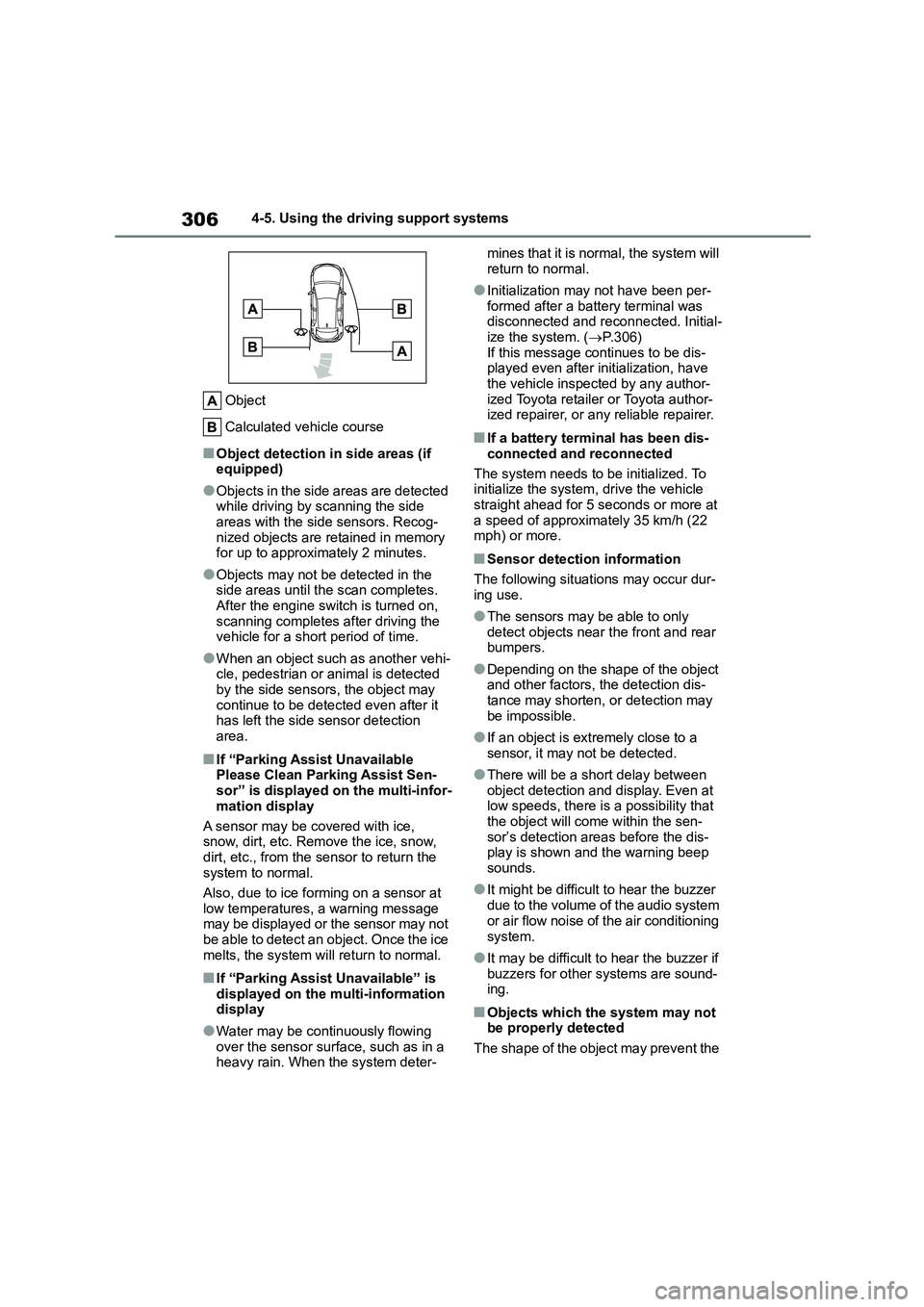
Object
Calculated vehicle course
■Object detection in side areas (if equipped)
●Objects in the side areas are detected while driving by scanning the side
areas with the side sensors. Recog-
nized objects are retained in memory for up to approximately 2 minutes.
●Objects may not be detected in the side areas until the scan completes.
After the engine switch is turned on,
scanning completes after driving the vehicle for a short period of time.
●When an object such as another vehi-cle, pedestrian or animal is detected
by the side sensors, the object may
continue to be detected even after it has left the side sensor detection
area.
■If “Parking Assist Unavailable
Please Clean Parking Assist Sen- sor” is displayed on the multi-infor-
mation display
A sensor may be covered with ice, snow, dirt, etc. Remove the ice, snow,
dirt, etc., from the sensor to return the
system to normal.
Also, due to ice forming on a sensor at
low temperatures, a warning message
may be displayed or the sensor may not be able to detect an object. Once the ice
melts, the system will return to normal.
■If “Parking Assist Unavailable” is
displayed on the multi-information display
●Water may be continuously flowing
over the sensor surface, such as in a heavy rain. When the system deter-
mines that it is normal, the system will
return to normal.
●Initialization may not have been per-
formed after a battery terminal was disconnected and reconnected. Initial-
ize the system. ( P.306)
If this message continues to be dis- played even after initialization, have
the vehicle inspected by any author-
ized Toyota retailer or Toyota author- ized repairer, or any reliable repairer.
■If a battery terminal has been dis-
connected and reconnected
The system needs to be initialized. To initialize the system, drive the vehicle
straight ahead for 5 seconds or more at
a speed of approximately 35 km/h (22 mph) or more.
■Sensor detection information
The following situations may occur dur-
ing use.
●The sensors may be able to only
detect objects near the front and rear bumpers.
●Depending on the shape of the object and other factors, the detection dis-
tance may shorten, or detection may
be impossible.
●If an object is extremely close to a
sensor, it may not be detected.
●There will be a short delay between
object detection and display. Even at low speeds, there is a possibility that
the object will come within the sen-
sor’s detection areas before the dis- play is shown and the warning beep
sounds.
●It might be difficult to hear the buzzer
due to the volume of the audio system
or air flow noise of the air conditioning
system.
●It may be difficult to hear the buzzer if
buzzers for other systems are sound- ing.
■Objects which the system may not
be properly detected
The shape of the object may prevent the