brakes TOYOTA COROLLA HATCHBACK 2022 Owners Manual (in English)
[x] Cancel search | Manufacturer: TOYOTA, Model Year: 2022, Model line: COROLLA HATCHBACK, Model: TOYOTA COROLLA HATCHBACK 2022Pages: 758, PDF Size: 155.26 MB
Page 41 of 758
39
1
1-1. For safe use
For safety and security
may be sustained from SRS airbags,
due to the extremely high speed deployment (inflation) by hot gases.
●A loud noise and white powder will be emitted.
●Parts of the airbag module (steering wheel hub, airbag cover and inflator)
as well as the front seats, parts of the
front and rear pillars, and roof side rails, may be hot for several minutes.
The airbag itself may also be hot.
●The windshield may crack.
●The brakes and stop lights will be con- trolled automatically. ( P.357)
●The interior lights will turn on automat- ically. ( P.437)
●The emergency flashers will turned on automatically. ( P.502)
●Fuel supply to the engine will be stopped. ( P.510)
●Vehicles with eCall: If any of the fol-
lowing situations occur, the system is
designed to send an emergency call*
to the eCall control center, notifying
them of the vehicle’s location (without needing to push the “SOS” button)
and an agent will attempt to speak
with the occupants to ascertain the level of emergency and assistance
required. If the occupants are unable
to communicate, the agent automati- cally treats the call as an emergency
and helps to dispatch the necessary
emergency services. ( P. 6 9 ) • An SRS airbag is deployed.
• A seat belt pretensioner is activated.
• The vehicle is involved in a severe rear-end collision.*: In some cases, the call cannot be
made. ( P. 7 0 )
■SRS airbag deployment conditions (SRS front airbags)
●The SRS front airbags will deploy in the event of an impact that exceeds
the set threshold le vel (the level of
force corresponding to an approxi- mately 20 - 30 km/h [12 - 18 mph]
frontal collision with a fixed wall that
does not move or deform).
However, this threshold velocity will be
considerably higher in the following situ-
ations: • If the vehicle strikes an object, such
as a parked vehicle or sign pole,
which can move or deform on impact • If the vehicle is involved in an
underride collision, such as a collision
in which the front of the vehicle “underrides”, or goes under, the bed
of a truck
■SRS airbag deployment conditions
(SRS side and curtain shield airbags)
●The SRS side and curtain shield airbags will deploy in the event of an
impact that exceeds the set threshold
level (the level of force corresponding to the impact force produced by an
approximately 1500 kg [3300 lb.] vehi-
cle colliding with the vehicle cabin from a direction perpendicular to the
vehicle orientation at an approximate
speed of 20 - 30 km/h [12 - 18 mph]).
●Both SRS curtain shield airbags may
deploy in the event of a severe side collision.
●Both SRS curtain shield airbags may also deploy in the event of a severe
frontal collision.
■Conditions under which the SRS
airbags may deploy (inflate), other than a collision
The SRS front airbags and SRS side
and curtain shield airbags may also deploy if a serious impact occurs to the
underside of your vehicle. Some exam-
ples are shown in the illustration.
●Hitting a curb, edge of pavement or
hard surface
●Falling into or jumping over a deep
hole
●Landing hard or falling
Page 164 of 758
1624-1. Before driving
Vehicles with a smart entry &
start system: Press the engine
switch to stop the engine.
4 Slowly release the brake pedal.
5 Lock the door, making sure that
you have the key on your per-
son.
If parking on a hill, block the wheels as
needed.
Manual transmission
1 While depressing the clutch
pedal, depress the brake pedal.
2 If the parking brake is in manual
mode, set the parking brake.
( P.189)
Check that the parking brake indicator
is illuminated.
3 Shift the shift lever to N.
( P.186)
If parking on a hill, shift the shift lever to
1 or R and block the wheels as needed.
4 Vehicles without a smart entry &
start system: Turn the engine
switch to OFF to stop the
engine.
Vehicles with a smart entry &
start system: Press the engine
switch to stop the engine.
5 Slowly release the brake pedal.
6 Lock the door, making sure that
you have the key on your per-
son.
■Starting off on a steep uphill
Multidrive
1 Make sure that the parking
brake is set and shift the shift
lever to D.
2 Gently depress the accelerator
pedal.
3 Release the parking brake.
Manual transmission
1 Make sure that the parking
brake is set and shift the shift
lever to 1.
2 Lightly depress the accelerator
pedal at the same time as grad-
ually releasing the clutch pedal.
3 Release the parking brake.
■Driving in the rain
●Drive carefully when it is raining,
because visibility will be reduced, the
windows may become fogged-up, and the road will be slippery.
●Drive carefully when it starts to rain, because the road surface will be
especially slippery.
●Refrain from high speeds when driv-
ing on an expressway in the rain,
because there may be a layer of water between the tires and the road sur-
face, preventing the steering and
brakes from operating properly.
■Engine speed while driving (vehi-
cles with a Multidrive)
In the following conditions, the engine
speed may become high while driving.
This is due to automatic up-shifting con- trol or down-shifting implementation to
meet driving conditions. It does not indi-
cate sudden acceleration.
●The vehicle is judged to be driving
uphill or downhill
●When the accelerator pedal is
released
●When the brake pedal is depressed
while Sport mode is selected
■Restraining the engine output (Brake Override System)
●When the accelerator and brake ped-
Page 166 of 758
1644-1. Before driving
WA R N I N G
• When backing up, you may twist
your body around, leading to a diffi-
culty in operating the pedals. Make sure to operate the pedals properly.
• Make sure to keep a correct driving posture even when moving the
vehicle only slightly. This allows you
to depress the brake and accelera-
tor pedals properly.
• Depress the brake pedal using your
right foot. Depressing the brake pedal using your left foot may delay
response in an emergency, result-
ing in an accident.
●Do not drive the vehicle over or
stop the vehicle near flammable materials.
The exhaust system and exhaust
gases can be extremely hot. These hot parts may cause a fire if there is
any flammable material nearby.
●During normal driving, do not turn
off the engine. Turning the engine
off while driving will not cause loss of steering or braking control, but
the power assist to these systems
will be lost. This will make it more difficult to steer and brake, so you
should pull over and stop the vehi-
cle as soon as it is safe to do so. However, in the event of an emer-
gency, such as if it becomes impos-
sible to stop the vehicle in the normal way: P. 5 0 2
●Use engine braking (downshift) to maintain a safe speed when driving
down a steep hill.
Using the brakes continuously may cause the brakes to overheat and
lose effectiveness. (P.182, 186)
●Do not adjust the positions of the
steering wheel, the seat, or the
inside or outside rear view mirrors while driving.
Doing so may result in a loss of
vehicle control.
●Always check that all passengers’ arms, heads or other parts of their
body are not outside the vehicle.
■When driving on slippery road
surfaces
●Sudden braking, acceleration and steering may cause tire slippage
and reduce your ability to control
the vehicle.
●Sudden acceleration, engine brak-
ing due to shifting, or changes in engine speed could cause the vehi-
cle to skid.
●After driving through a puddle,
lightly depress the brake pedal to
make sure that the brakes are func- tioning properly. Wet brake pads
may prevent the brakes from func-
tioning properly. If the brakes on only one side are wet and not func-
tioning properly, steering control
may be affected.
■When shifting the shift lever
●Vehicles with a Multidrive: Do not let the vehicle roll backward while a
forward driving position is selected,
or roll forward while the shift lever is in R.
Doing so may cause the engine to
stall or lead to poor brake and steering performance, resulting in
an accident or damage to the vehi-
cle.
●Vehicles with a Multidrive: Do not
shift the shift lever to P while the vehicle is moving.
Doing so can damage the transmis-
sion and may result in a loss of vehicle control.
●Do not shift the shift lever to R while
the vehicle is moving forward. Doing so can damage the transmis-
sion and may result in a loss of
vehicle control.
Page 168 of 758
1664-1. Before driving
WA R N I N G
●Do not attach adhesive discs to the
windshield or windows. Do not
place containers such as air fresh- eners on the instrument panel or
dashboard. Adhesive discs or con-
tainers may act as lenses, causing a fire in the vehicle.
●Do not leave a door or window
open if the curved glass is coated with a metallized film such as a sil-
ver-colored one. Reflected sunlight
may cause the glass to act as a lens, causing a fire.
●Always apply the parking brake, shift the shift lever to P (vehicles
with a Multidrive), stop the engine
and lock the vehicle. Do not leave the vehicle unat-
tended while the engine is running.
If the vehicle is parked with the shift lever in P but the parking brake is
not set, the vehicl e may start to
move, possibly leading to an acci- dent.
●Do not touch the exhaust pipes while the engine is running or
immediately after turning the engine
off. Doing so may cause burns.
■When taking a nap in the vehicle
Always turn the engine off. Otherwise,
if you accidentally move the shift lever
or depress the accelerator pedal, this could cause an accident or fire due to
engine overheating. Additionally, if the
vehicle is parked in a poorly ventilated area, exhaust gases may collect and
enter the vehicle, leading to death or
a serious health hazard.
■When braking
●When the brakes are wet, drive
more cautiously.
Braking distance increases when the brakes are wet, and this may
cause one side of the vehicle to
brake differently than the other side. Also, the parking brake may
not securely hold the vehicle.
●If the brake booster device does not
operate, do not follow other vehi-
cles closely and avoid hills or sharp turns that require braking.
In this case, braking is still possible,
but the brake pedal should be depressed more firmly than usual.
Also, the braking distance will
increase. Have your brakes fixed immediately.
●Do not pump the brake pedal if the engine stalls.
Each push on the brake pedal uses
up the reserve for the power-assisted brakes.
●The brake system consists of 2 indi-vidual hydraulic systems; if one of
the systems fails, the other will still
operate. In this case, the brake pedal should be depressed more
firmly than usual and the braking
distance will increase. Have your brakes fixed immediately.
■If the vehicle becomes stuck
Do not spin the wheels excessively
when a driven wheel is up in the air,
or the vehicle is stuck in sand, mud, etc. This may damage the driveline
components or propel the vehicle for-
ward or backward, causing an acci-
dent.
Page 169 of 758
167
4
4-1. Before driving
Driving
NOTICE
■When driving the vehicle (vehi-
cles with a Multidrive)
●Do not depress the accelerator and brake pedals at the same time dur-
ing driving, as this may restrain the
engine output.
●Do not use the accelerator pedal or
depress the accelerator and brake
pedals at the same time to hold the vehicle on a hill.
■When driving the vehicle (vehi-cles with a manual transmission)
●Do not depress the accelerator and
brake pedals at the same time dur- ing driving, as this may restrain the
engine output.
●Do not shift gears unless the clutch
pedal is fully depressed. After shift-
ing, do not release the clutch pedal abruptly. Doing so may damage the
clutch, transmission and gears.
●Observe the following precautions.
Failure to do so may cause exces-
sive premature wear or damage to the clutch, eventually making it diffi-
cult to accelerate and start off from
a stop. Have the vehicle inspected by any authorized Toyota retailer or
Toyota authorized repairer, or any
reliable repairer.
• Do not rest your foot on the clutch
pedal or depress it any time other
than when shifting. Doing so may cause clutch trouble.
• Do not use any gear other than the 1st gear when starting off and mov-
ing forward.
Doing so may damage the clutch.
• Do not use the clutch pedal to
adjust vehicle speed. Doing so may damage the clutch.
• When stopping the vehicle with the shift lever in a position other than N,
make sure to fully depress the
clutch pedal and stop the vehicle using the brakes.
●Do not shift the shift lever to R with-out the vehicle completely stopped.
Doing so may damage the clutch,
transmission and gears.
■When parking the vehicle (vehi-
cles with a Multidrive)
Always set the parking brake and shift
the shift lever to P. Failure to do so
may cause the vehicl e to move or the vehicle may accelerate suddenly if
the accelerator pedal is accidentally
depressed.
■Avoiding damage to vehicle parts
●Do not turn the steering wheel fully in either direction and hold it there
for an extended period of time.
Doing so may damage the power steering motor.
●When driving over bumps in the road, drive as slowly as possible to
avoid damaging the wheels, under-
side of the vehicle, etc.
●Make sure to idle the engine imme-
diately after high-load driving. Stop the engine only after the
turbocharger has cooled down.
Failure to do so may cause damage to the turbocharger.
■If you get a flat tire while driving
A flat or damaged tire may cause the
following situations. Hold the steering
wheel firmly and gradually depress the brake pedal to slow down the
vehicle.
●It may be difficult to control your vehicle.
●The vehicle will make abnormal sounds or vibrations.
●The vehicle will lean abnormally.
Page 177 of 758
175
4
4-1. Before driving
Driving
operation of the connection
between the trailer and lights after
driving for a brief period as well as
before starting off.
■Practicing driving with a cou-
pled trailer
Get the feel for turning, stopping
and reversing with the trailer
coupled by practicing in an area
with no or light traffic.
When reversing with a coupled
trailer, hold the section of the
steering wheel nearest to you
and rotate clockw ise to turn the
trailer left or counterclockwise to
turn it right. Always rotate a little
at a time to prevent steering
error. Have someone guide you
when reversing to lessen the risk
of an accident.
■Increasing vehicle-to-vehicle
distance
At a speed of 10 km/h (6 mph), the
distance to the vehicle running
ahead of you should be equivalent
to or greater than the combined
length of your vehicle and trailer.
Avoid sudden braking that may
cause skidding. Otherwise, the
vehicle may spin out of control. This
is especially true when driving on
wet or slippery road surfaces.
■Sudden acceleration/steering
input/cornering
Executing sharp turns when towing
may result in th e trailer colliding
with your vehicle. Decelerate well in
advance when approaching turns
and take them slowly and carefully
to avoid sudden braking.
■Important points regarding
turning
The wheels of the tr ailer will travel
closer to the inside of the curve
than the wheels of the vehicle. To
make allowance for this, take the
turns wider than you would nor-
mally do.
■Important points regarding
stability
Vehicle movement resulting from
uneven road surfaces and strong
crosswinds will affect handling. The
vehicle may also be rocked by
passing buses or large trucks. Fre-
quently check behind when moving
alongside such vehicles. As soon
as such vehicle movement occurs,
immediately start to decelerate
smoothly by slowly applying the
brakes. Always steer the vehicle
straight ahead while braking.
■Passing other vehicles
Consider the total combined length
of your vehicle and trailer and
ensure that the vehicle-to-vehicle
distance is sufficient before execut-
ing lane changes.
■Transmission information
Multidrive
To maintain engine braking effi-
ciency and charging system perfor-
mance when using engine braking,
do not use the transmission in D,
Page 195 of 758
193
4
4-2. Driving procedures
Driving
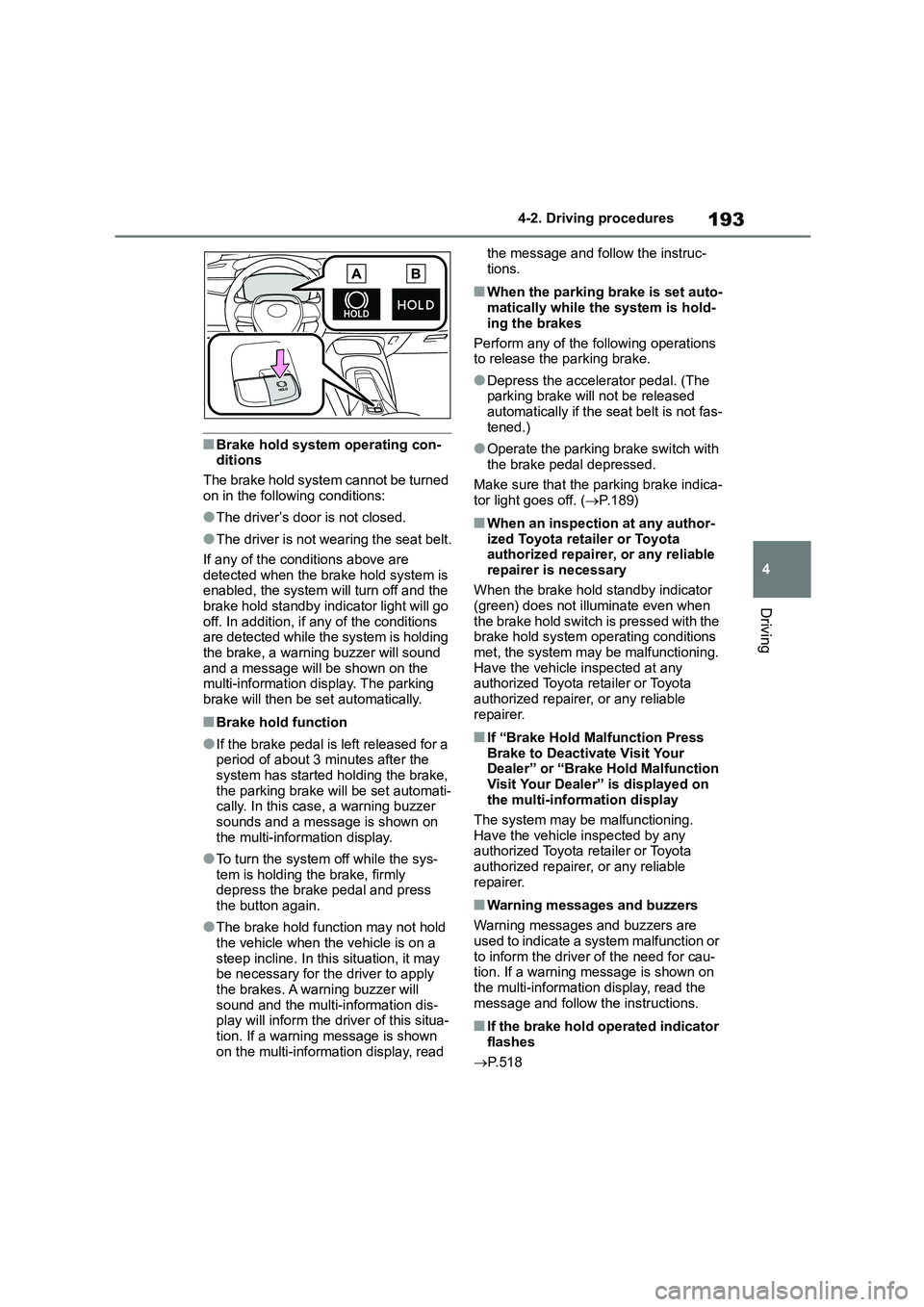
■Brake hold system operating con- ditions
The brake hold system cannot be turned
on in the following conditions:
●The driver’s door is not closed.
●The driver is not wearing the seat belt.
If any of the conditions above are
detected when the brake hold system is enabled, the system will turn off and the
brake hold standby indicator light will go
off. In addition, if any of the conditions are detected while th e system is holding
the brake, a warning buzzer will sound
and a message will be shown on the multi-information display. The parking
brake will then be set automatically.
■Brake hold function
●If the brake pedal is left released for a
period of about 3 minutes after the
system has started ho lding the brake, the parking brake will be set automati-
cally. In this case, a warning buzzer
sounds and a message is shown on the multi-information display.
●To turn the system off while the sys-tem is holding the brake, firmly
depress the brake pedal and press
the button again.
●The brake hold function may not hold
the vehicle when the vehicle is on a
steep incline. In this situation, it may be necessary for the driver to apply
the brakes. A warning buzzer will
sound and the multi-information dis- play will inform the dr iver of this situa-
tion. If a warning message is shown
on the multi-information display, read
the message and follow the instruc-
tions.
■When the parking brake is set auto- matically while the system is hold-
ing the brakes
Perform any of the following operations to release the parking brake.
●Depress the accelerator pedal. (The parking brake will not be released
automatically if the seat belt is not fas-
tened.)
●Operate the parking brake switch with
the brake pedal depressed.
Make sure that the parking brake indica-
tor light goes off. ( P.189)
■When an inspection at any author-
ized Toyota retailer or Toyota authorized repairer, or any reliable
repairer is necessary
When the brake hold standby indicator (green) does not illuminate even when
the brake hold switch is pressed with the
brake hold system operating conditions met, the system may be malfunctioning.
Have the vehicle inspected at any
authorized Toyota retailer or Toyota authorized repairer, or any reliable
repairer.
■If “Brake Hold Malfunction Press
Brake to Deactivate Visit Your Dealer” or “Brake Hold Malfunction
Visit Your Dealer” is displayed on
the multi-information display
The system may be malfunctioning.
Have the vehicle inspected by any
authorized Toyota retailer or Toyota authorized repairer, or any reliable
repairer.
■Warning messages and buzzers
Warning messages and buzzers are
used to indicate a system malfunction or to inform the driver of the need for cau-
tion. If a warning message is shown on
the multi-information display, read the message and follow the instructions.
■If the brake hold operated indicator
flashes
P. 5 1 8
Page 226 of 758
2244-5. Using the driving support systems
*: If equipped
The system can detect the follow-
ing:
Vehicles
Bicyclists
Pedestrians
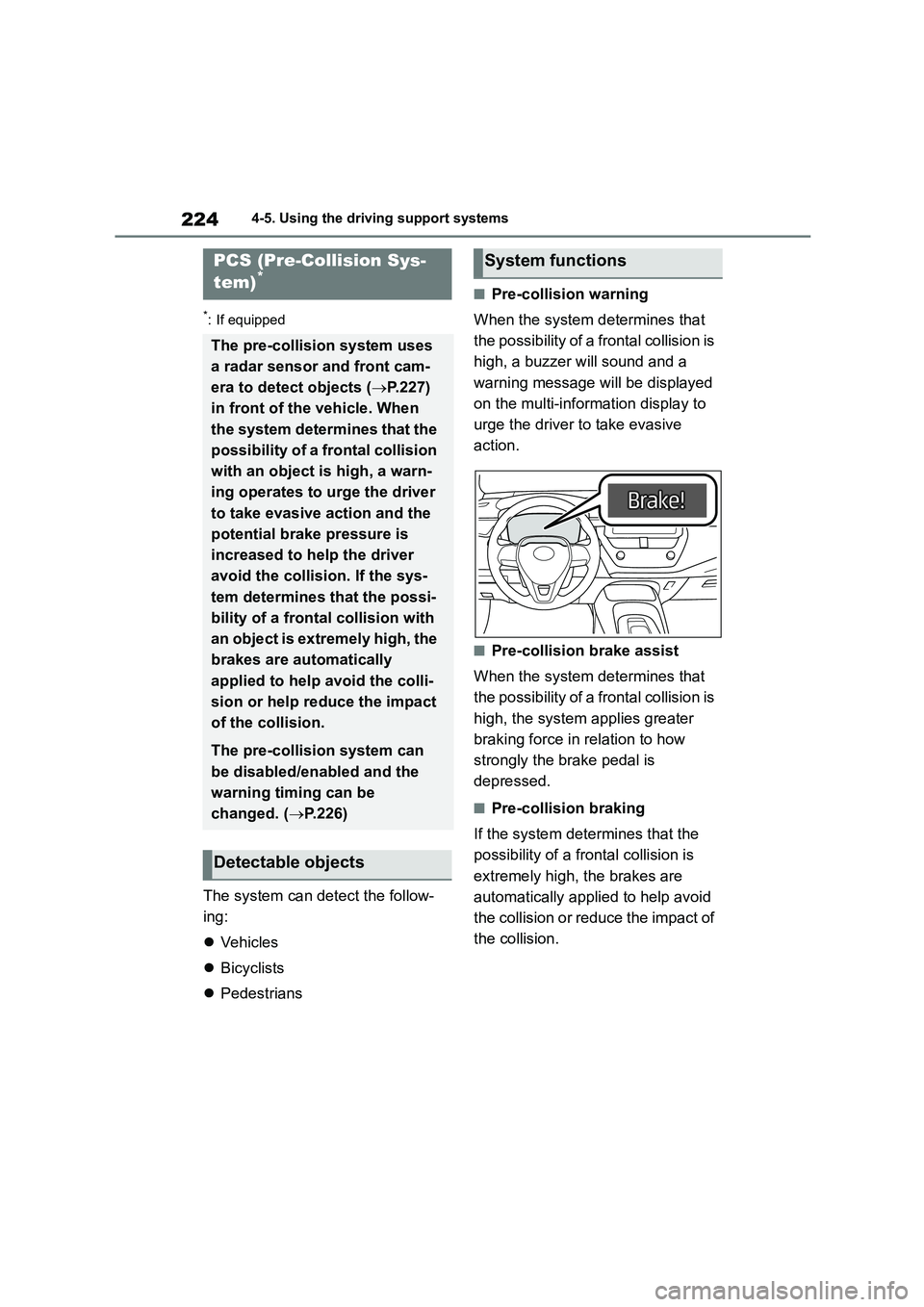
■Pre-collision warning
When the system determines that
the possibility of a frontal collision is
high, a buzzer will sound and a
warning mess age will be displayed
on the multi-information display to
urge the driver to take evasive
action.
■Pre-collision brake assist
When the system determines that
the possibility of a frontal collision is
high, the system applies greater
braking force in relation to how
strongly the brake pedal is
depressed.
■Pre-collision braking
If the system determines that the
possibility of a frontal collision is
extremely high, the brakes are
automatically applied to help avoid
the collision or reduce the impact of
the collision.
PCS (Pre-Collision Sys-
tem)*
The pre-collision system uses
a radar sensor and front cam-
era to detect objects ( P.227)
in front of the vehicle. When
the system determines that the
possibility of a frontal collision
with an object is high, a warn-
ing operates to urge the driver
to take evasive action and the
potential brake pressure is
increased to help the driver
avoid the collision. If the sys-
tem determines that the possi-
bility of a frontal collision with
an object is extremely high, the
brakes are automatically
applied to help avoid the colli-
sion or help reduce the impact
of the collision.
The pre-collision system can
be disabled/enabled and the
warning timing can be
changed. ( P.226)
Detectable objects
System functions
Page 232 of 758
2304-5. Using the driving support systems
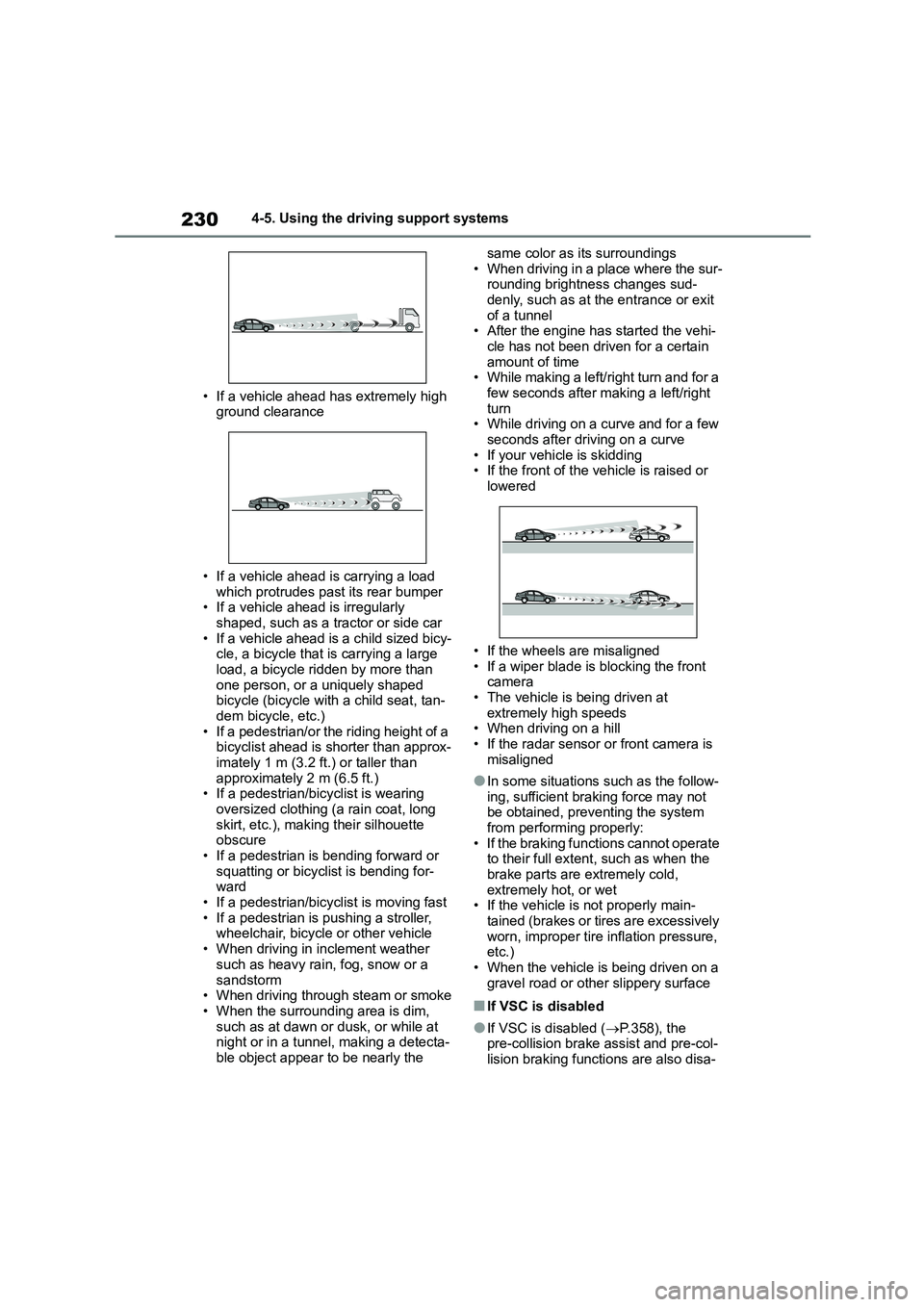
• If a vehicle ahead has extremely high
ground clearance
• If a vehicle ahead is carrying a load
which protrudes past its rear bumper • If a vehicle ahead is irregularly
shaped, such as a tractor or side car
• If a vehicle ahead is a child sized bicy- cle, a bicycle that is carrying a large
load, a bicycle ridden by more than
one person, or a uniquely shaped bicycle (bicycle with a child seat, tan-
dem bicycle, etc.)
• If a pedestrian/or the riding height of a bicyclist ahead is shorter than approx-
imately 1 m (3.2 ft.) or taller than
approximately 2 m (6.5 ft.) • If a pedestrian/bicyclist is wearing
oversized clothing (a rain coat, long
skirt, etc.), making their silhouette obscure
• If a pedestrian is bending forward or
squatting or bicyclist is bending for- ward
• If a pedestrian/bicyclist is moving fast
• If a pedestrian is pushing a stroller, wheelchair, bicycle or other vehicle
• When driving in inclement weather
such as heavy rain, fog, snow or a
sandstorm • When driving through steam or smoke
• When the surrounding area is dim,
such as at dawn or dusk, or while at night or in a tunnel, making a detecta-
ble object appear to be nearly the
same color as its surroundings
• When driving in a place where the sur- rounding brightness changes sud-
denly, such as at the entrance or exit
of a tunnel • After the engine has started the vehi-
cle has not been driven for a certain
amount of time • While making a left/right turn and for a
few seconds after making a left/right
turn • While driving on a curve and for a few
seconds after driving on a curve
• If your vehicle is skidding • If the front of the vehicle is raised or
lowered
• If the wheels are misaligned
• If a wiper blade is blocking the front
camera • The vehicle is being driven at
extremely high speeds
• When driving on a hill • If the radar sensor or front camera is
misaligned
●In some situations such as the follow-
ing, sufficient braking force may not
be obtained, prev enting the system from performing properly:
• If the braking functions cannot operate
to their full extent, such as when the brake parts are extremely cold,
extremely hot, or wet
• If the vehicle is not properly main- tained (brakes or ti res are excessively
worn, improper tire inflation pressure,
etc.)
• When the vehicle is being driven on a gravel road or other slippery surface
■If VSC is disabled
●If VSC is disabled ( P.358), the pre-collision brake assist and pre-col-
lision braking functions are also disa-
Page 254 of 758
2524-5. Using the driving support systems
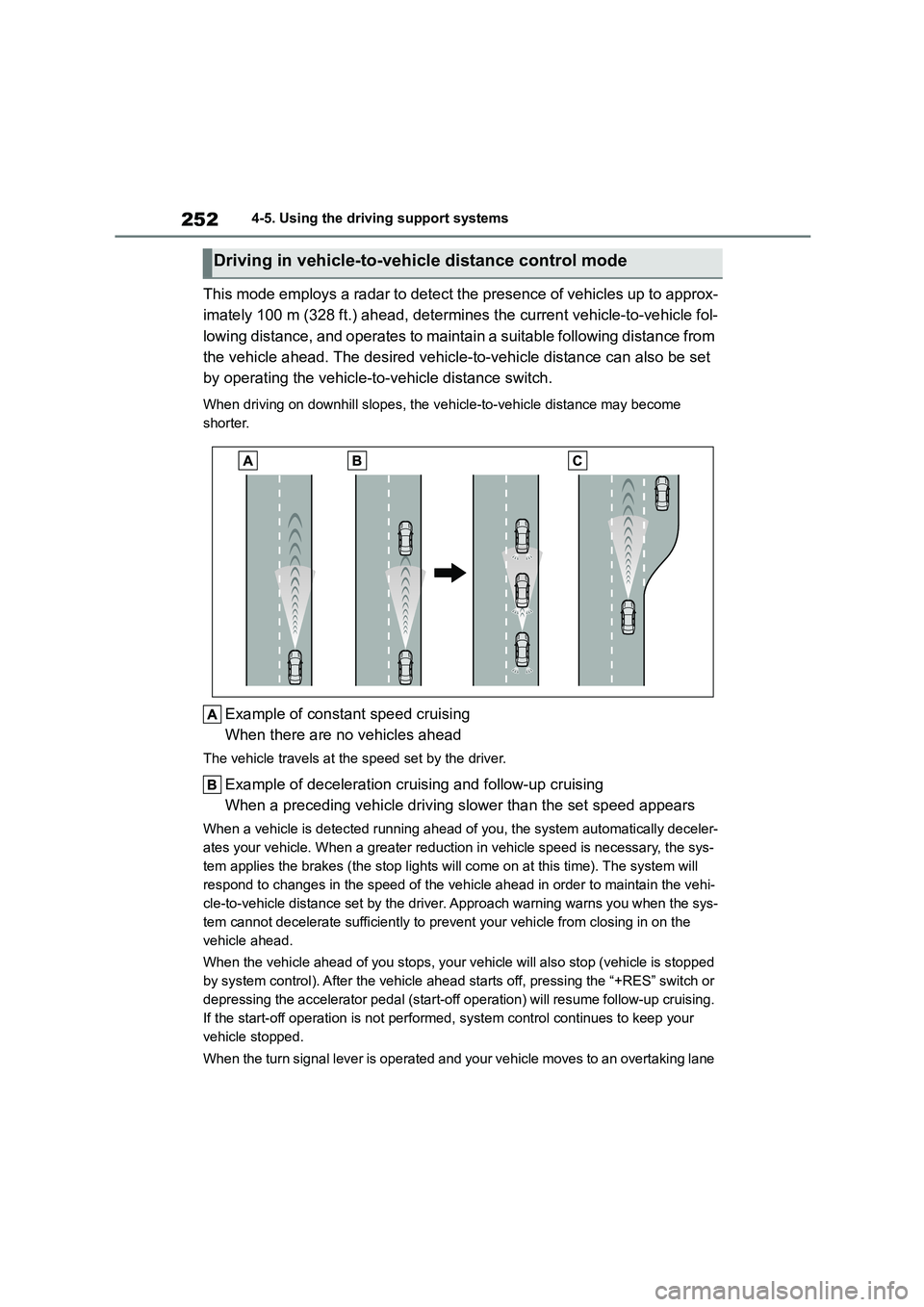
This mode employs a radar to detect the presence of vehicles up to approx-
imately 100 m (328 ft.) ahead, determines the current vehicle-to-vehicle fol-
lowing distance, and operates to maintain a suitable following distance from
the vehicle ahead. The desired vehicle-to-vehicle distance can also be set
by operating the vehicle-to -vehicle distance switch.
When driving on downhill slopes, the vehicle-to-vehicle distance may become
shorter.
Example of const ant speed cruising
When there are no vehicles ahead
The vehicle travels at the speed set by the driver.
Example of deceleration cruising and follow-up cruising
When a preceding vehicle driving slower than the set speed appears
When a vehicle is de tected running ahead of you, the system automatically deceler-
ates your vehicle. When a greater reduction in vehicle speed is necessary, the sys-
tem applies the brakes (the stop lights will come on at this time). The system will
respond to changes in the speed of the vehicle ahead in order to maintain the vehi-
cle-to-vehicle distance set by the driver. Approach warning warns you when the sys-
tem cannot decelerate sufficiently to prevent your vehicle from closing in on the
vehicle ahead.
When the vehicle ahead of you stops, your vehicle will also stop (vehicle is stopped
by system control). After the vehicle ahead starts off, pressing the “+RES” switch or
depressing the accelerator pedal (start-off operation) will resume follow-up cruising.
If the start-off operation is not performed, system control continues to keep your
vehicle stopped.
When the turn signal lever is operated and your vehicle moves to an overtaking lane
Driving in vehicle-to-vehicle distance control mode