key battery TOYOTA COROLLA HATCHBACK 2023 User Guide
[x] Cancel search | Manufacturer: TOYOTA, Model Year: 2023, Model line: COROLLA HATCHBACK, Model: TOYOTA COROLLA HATCHBACK 2023Pages: 436, PDF Size: 8.72 MB
Page 149 of 436
1494-3. Operating the lights and wipers
4
Driving
sensor is affixed to the windshield.
Doing so interferes with the sensor
detecting the level of ambient light
and may cause the automatic head-
light system to malfunction.
■Automatic light off system
●When the headlights are on: The
headlights and tail lights turn off
30 seconds after the driver’s door
is opened and closed if the engine
switch is turned to ACC or OFF.
(The lights turn off immediately if
on the key is pressed after all
the doors are closed.)
●When only the tail lights are on:
The tail lights tu rn off automati-
cally if the engine switch is turned
to ACC or OFF and the driver’s
door is opened.
To turn the lights on again, turn the
engine switch to ON, or turn the light
switch off once and then back to
or .
■Light reminder buzzer
A buzzer sounds when the engine
switch is turned to OFF or ACC and
the driver’s door is opened while the
lights are turned on.
■Automatic headlight leveling
system (if equipped)
The level of the headlights is auto-
matically adjusted according to the
number of passengers and the load-
ing condition of the vehicle to
ensure that the headlights do not
interfere with other road users.
■Windshield wiper linked head-
light illumination
When driving during daytime with
the headlight switch turned to , if
the windshield wipers are used, the
headlights will turn on automatically
after several seconds to help
enhance the visibility of your vehi-
cle.
■Battery-saving function
In order to prevent the battery of the vehicle from discharging, if the
headlights and/or tail lights are on
when the engine switch is turned off
the battery saving function will oper-
ate and automatically turn off all the
lights after approximately 20 min-
utes. When the engine switch is
turned to ON, the
battery-saving
function will be disabled.
When any of the following are per-
formed, the battery-saving function
is canceled once and then reacti-
vated. All the lights will turn off auto-
matically 20 minutes after the
Battery- saving function has been
reactivated:
●When the headlight switch is oper-
ated
●When a door is opened or closed
■Customization
Some functions can be customized.
( P.386)
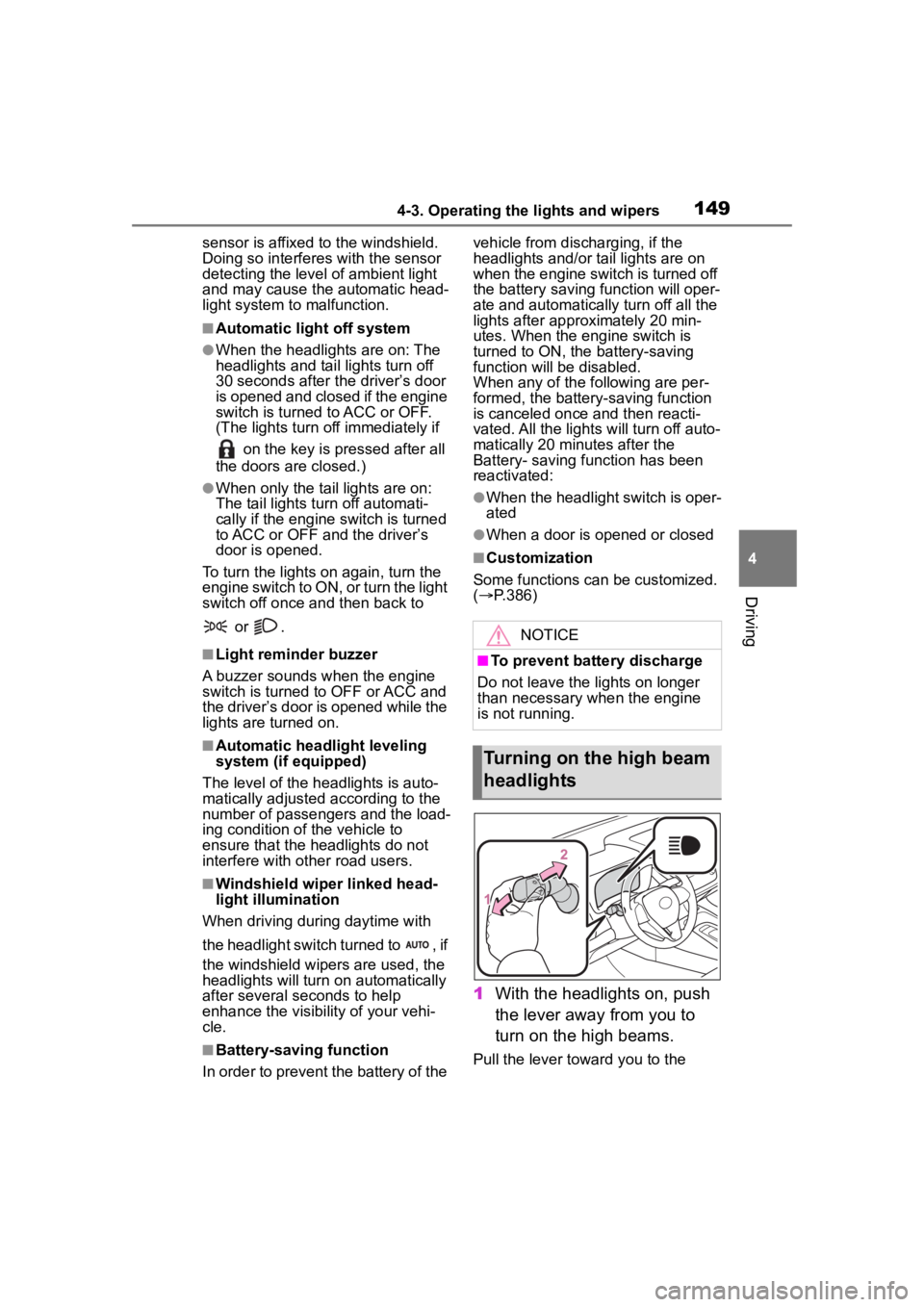
1 With the headlights on, push
the lever away from you to
turn on the high beams.
Pull the lever toward you to the
NOTICE
■To prevent battery discharge
Do not leave the lights on longer
than necessary w hen the engine
is not running.
Turning on the high beam
headlights
Page 244 of 436
2445-2. Using the interior lights
interior light will turn on when a
door is open and turn off when
all of them are closed.
When the rear interior light is on
linked to the door position for
the front interior lights, it will not
turn off even though the switch
is pressed.
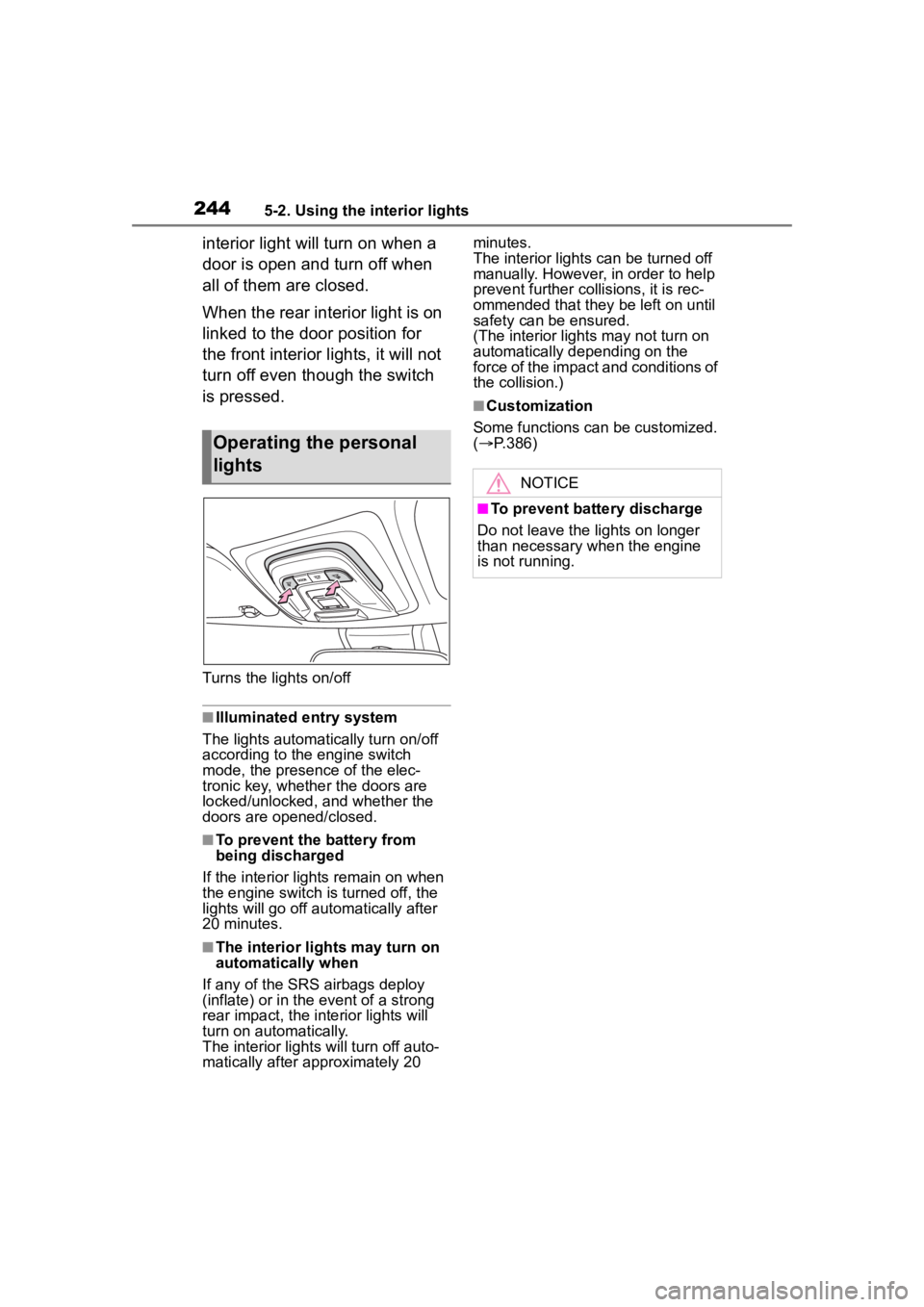
Turns the lights on/off
■Illuminated entry system
The lights automatically turn on/off
according to the engine switch
mode, the presence of the elec-
tronic key, whether the doors are
locked/unlocked, and whether the
doors are opened/closed.
■To prevent the battery from
being discharged
If the interior lights remain on when
the engine switch is turned off, the
lights will go off automatically after
20 minutes.
■The interior lights may turn on
automatically when
If any of the SRS airbags deploy
(inflate) or in the event of a strong
rear impact, the interior lights will
turn on automatically.
The interior lights will turn off auto-
matically after approximately 20 minutes.
The interior lights can be turned off
manually. However, in order to help
prevent further co
llisions, it is rec-
ommended that they be left on until
safety can be ensured.
(The interior lights may not turn on
automatically depending on the
force of the impact and conditions of
the collision.)
■Customization
Some functions can be customized.
( P.386)
Operating the personal
lights
NOTICE
■To prevent battery discharge
Do not leave the lights on longer
than necessary w hen the engine
is not running.
Page 259 of 436
259
6
6
Maintenance and care
Maintenance and care
.6-1. Maintenance and careCleaning and protecting the vehicle exterior .......... 260
Cleaning and protecting the vehicle interior ........... 262
6-2. Maintenance Maintenance requirements.................................. 265
General maintenance.. 267
Emission inspection and maintenance (I/M) pro-
grams ........................ 270
6-3. Do-it-yourself mainte- nance
Do-it-yourself service pre- cautions ..................... 271
Hood ........................... 273
Positioning a floor jack .................................. 274
Engine compartment ... 275
Tires ............................ 282
Tire inflation pressure.. 299
Wheels ......... ...............301
Air conditioning filter .... 303
Electronic key battery.. 304
Checking and replacing fuses.......................... 306
Light bulbs................... 309
Page 280 of 436
2806-3. Do-it-yourself maintenance
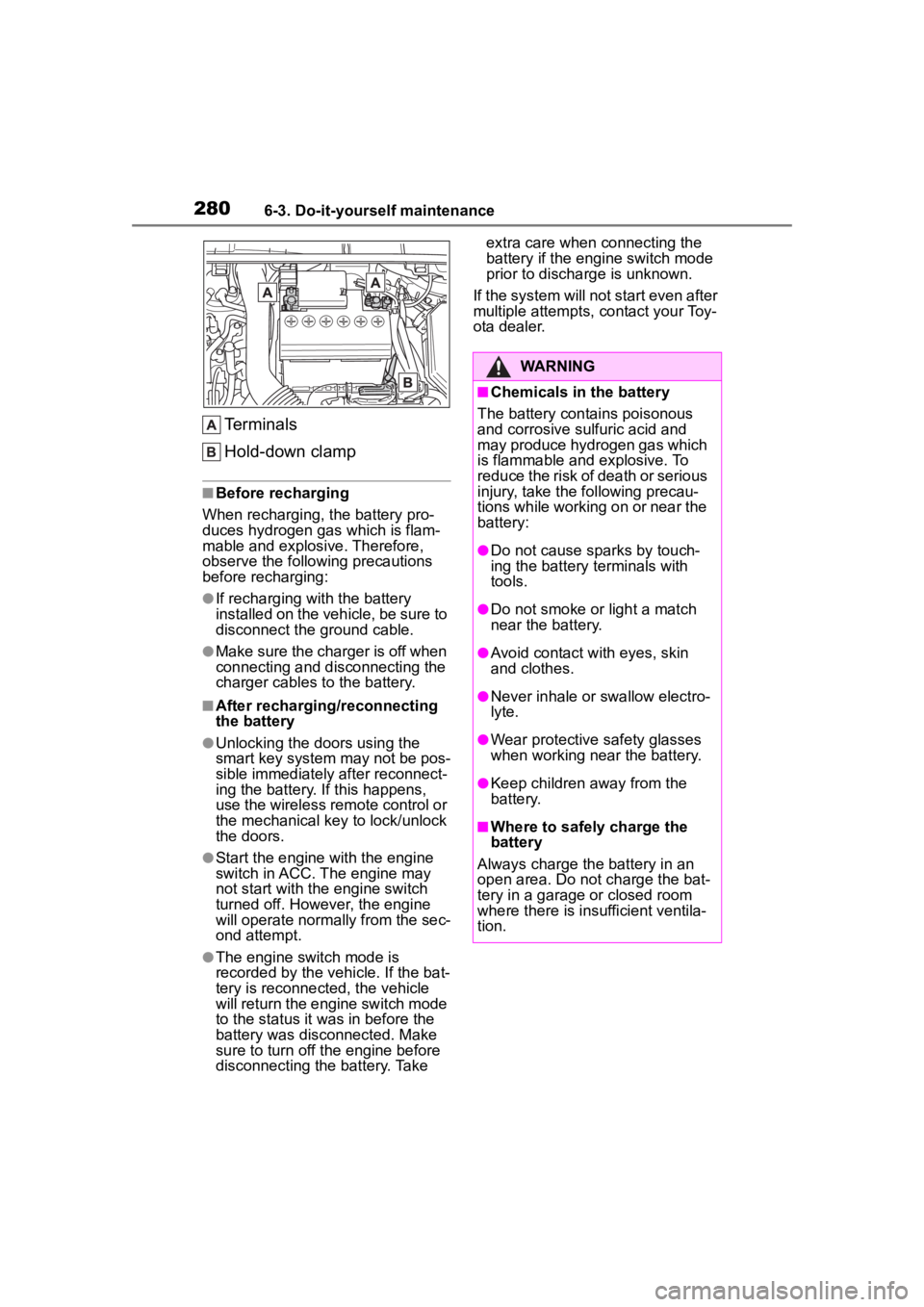
Terminals
Hold-down clamp
■Before recharging
When recharging, t he battery pro-
duces hydrogen ga s which is flam-
mable and explosive. Therefore,
observe the following precautions
before recharging:
●If recharging wi th the battery
installed on the vehicle, be sure to
disconnect the ground cable.
●Make sure the charger is off when
connecting and disconnecting the
charger cables to the battery.
■After recharging/reconnecting
the battery
●Unlocking the doors using the
smart key system may not be pos-
sible immediately after reconnect-
ing the battery. If this happens,
use the wireless remote control or
the mechanical key to lock/unlock
the doors.
●Start the engine with the engine
switch in ACC. The engine may
not start with the engine switch
turned off. However, the engine
will operate normally from the sec-
ond attempt.
●The engine switch mode is
recorded by the vehicle. If the bat-
tery is reconnected, the vehicle
will return the engi ne switch mode
to the status it was in before the
battery was disconnected. Make
sure to turn off the engine before
disconnecting the battery. Take extra care when connecting the
battery if the engine switch mode
prior to discharge is unknown.
If the system will not start even after
multiple attempts, contact your Toy-
ota dealer.
WARNING
■Chemicals in the battery
The battery contains poisonous
and corrosive sulfuric acid and
may produce hydrogen gas which
is flammable and explosive. To
reduce the risk of death or serious
injury, take the following precau-
tions while working on or near the
battery:
●Do not cause sparks by touch-
ing the battery terminals with
tools.
●Do not smoke or light a match
near the battery.
●Avoid contact with eyes, skin
and clothes.
●Never inhale or swallow electro-
lyte.
●Wear protective safety glasses
when working near the battery.
●Keep children away from the
battery.
■Where to safely charge the
battery
Always charge the battery in an
open area. Do not charge the bat-
tery in a garage or closed room
where there is ins ufficient ventila-
tion.
Page 304 of 436
3046-3. Do-it-yourself maintenance
frequent cleaning or early replace-
ment may be required. (For sched-
uled maintenance information,
please refer to the “Scheduled
Maintenance Guide” or “Owner’s
Manual Supplement”.)
■If air flow from the vents
decreases dramatically
The filter may be clogged. Check
the filter and replace if necessary.
■If the electronic key battery is
depleted
The following symptoms may occur:
●The smart key system and wire-
less remote control will not func-
tion properly.
●The operational range will be
reduced.
Flathead screwdriver
Small flathead screwdriver
Lithium battery CR2450
■Use a CR2450 lithium battery
●Batteries can be purchased at
your Toyota dealer, local electrical
appliance shops or camera stores.
●Replace only with the same or
equivalent type recommended by
the manufacturer.
●Dispose of used batteries accord-
ing to local laws.
NOTICE
■When using the air condition-
ing system
Make sure that a filter is always
installed.
Using the air conditioning system
without a filter may cause damage
to the system.
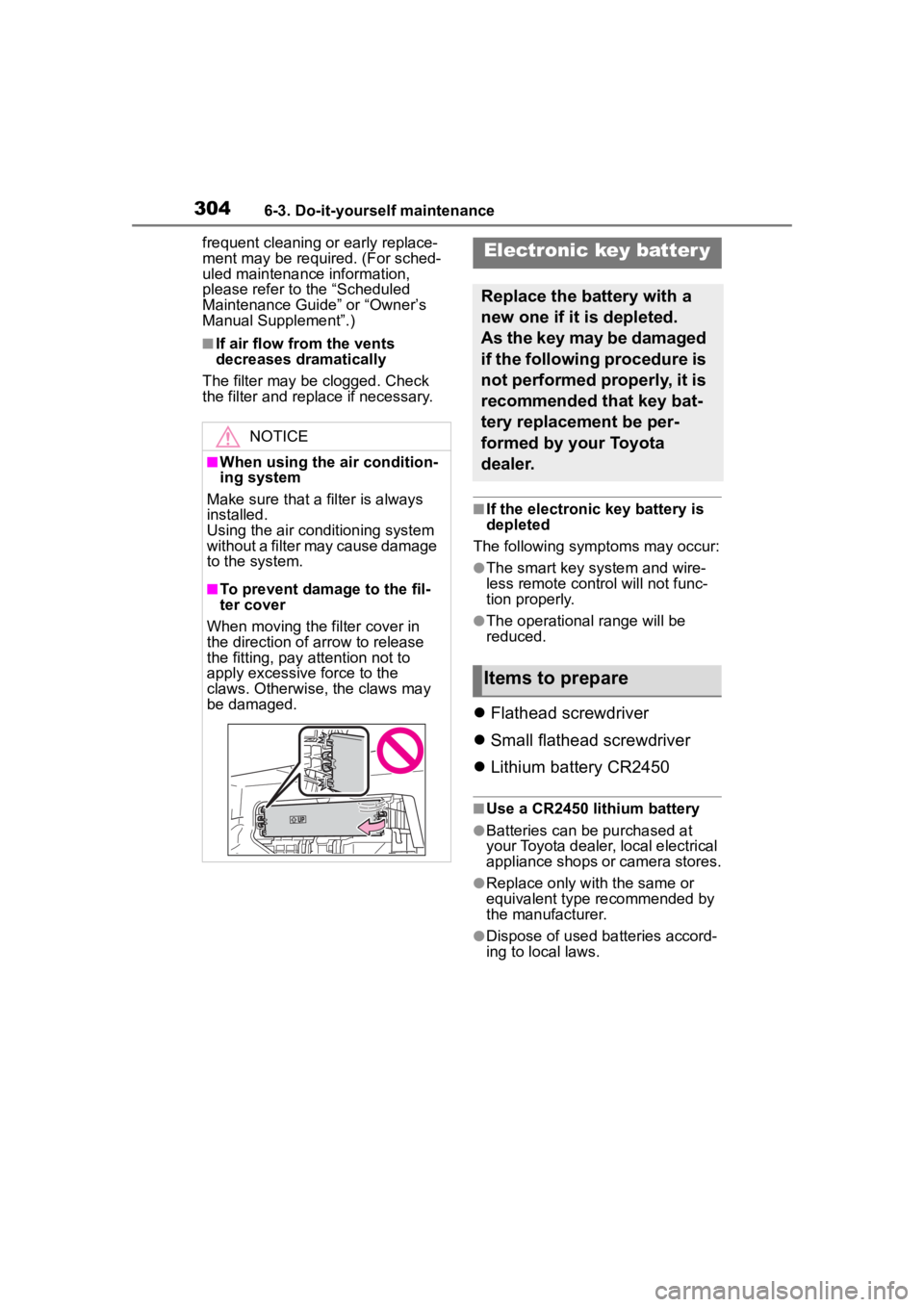
■To prevent damage to the fil-
ter cover
When moving the filter cover in
the direction of arrow to release
the fitting, pay attention not to
apply excessive force to the
claws. Otherwise, the claws may
be damaged.
Electronic key batter y
Replace the battery with a
new one if it is depleted.
As the key may be damaged
if the following procedure is
not performed properly, it is
recommended that key bat-
tery replacement be per-
formed by your Toyota
dealer.
Items to prepare
Page 305 of 436
3056-3. Do-it-yourself maintenance
6
Maintenance and care
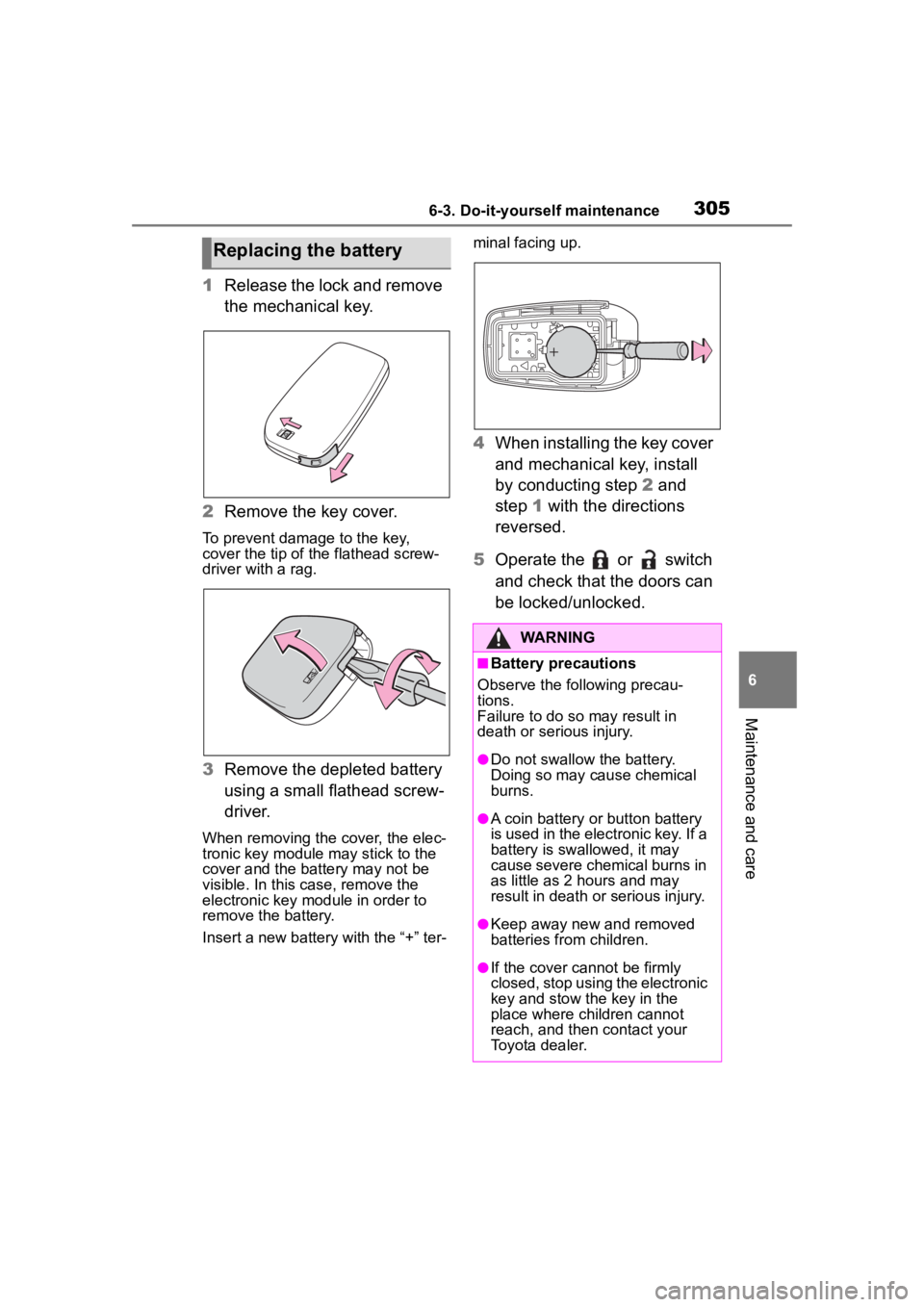
1Release the lock and remove
the mechanical key.
2 Remove the key cover.
To prevent damage to the key,
cover the tip of the flathead screw-
driver with a rag.
3Remove the depleted battery
using a small flathead screw-
driver.
When removing the cover, the elec-
tronic key module may stick to the
cover and the battery may not be
visible. In this case, remove the
electronic key module in order to
remove the battery.
Insert a new battery with the “+” ter- minal facing up.
4
When installing the key cover
and mechanical key, install
by conducting step 2 and
step 1 with the directions
reversed.
5 Operate the or switch
and check that the doors can
be locked/unlocked.
Replacing the battery
WARNING
■Battery precautions
Observe the following precau-
tions.
Failure to do so may result in
death or serious injury.
●Do not swallow the battery.
Doing so may cause chemical
burns.
●A coin battery or button battery
is used in the electronic key. If a
battery is swa llowed, it may
cause severe chemical burns in
as little as 2 hours and may
result in death or serious injury.
●Keep away new and removed
batteries from children.
●If the cover cannot be firmly
closed, stop using the electronic
key and stow the key in the
place where children cannot
reach, and then contact your
Toyota dealer.
Page 311 of 436
311
7
7
When trouble arises
When trouble arises
.7-1. Essential informationEmergency flashers .... 312
If your vehicle has to be stopped in an emergency.................................. 312
If the vehicle is submerged or water on the road is ris-
ing ............................. 313
7-2. Steps to take in an emer- gency
If your vehicle needs to be towed......................... 315
If you think something is wrong ........................ 318
Fuel pump shut off system .................................. 319
If a warning light turns on or a warning buzzer sounds.................................. 320
If a warning message is dis- played........................ 330
If you have a flat tire (vehi- cles without spare tire).................................. 334
If you have a flat tire (vehi- cles with a spare tire).................................. 346
If the engine will not start .................................. 354
If you lose your keys ... 356
If the electronic key does not operate properly .. 356If the vehicle
battery is dis-
charged ..................... 358
If your vehicle overheats .................................. 362
If the vehicle becomes stuck .................................. 364
Page 334 of 436
3347-2. Steps to take in an emergency
multi-information display is malfunc-
tioning. Have the vehicle inspected
by your Toyota dealer immediately.
■If a message that indicates the
need for referring to Owner’s
Manual is displayed
●If “Engine Coolant Temp High” is
displayed, follow the instructions
accordingly. ( P.362)
●If any of the following messages
are displayed on the multi-infor-
mation display, it may indicate a
malfunction. Have the vehicle
inspected by you r Toyota dealer
immediately.
• “Smart Key System Malfunction”
●If any of the following messages
are displayed on the multi-infor-
mation display, it may indicate a
malfunction. Immediately stop the
vehicle and contact your Toyota
dealer.
• “Braking Power Low”
• “Charging System Malfunction”
• “Oil Pressure Low”
Stop the vehicle in a safe
place on a hard, flat surface.
Set the parking brake.
Shift the shift lever to P.
NOTICE
■If “High Power Consumption
Partial Limit on AC/Heater
Operation” is displayed fre-
quently
There is a possible malfunction
relating to the charging system or
the battery may be deteriorating.
Have the vehicle inspected by
your Toyota dealer.
If you have a flat tire
(vehicles without
spare tire)
Your vehicle is not equipped
with a spare tire, but instead
is equipped with an emer-
gency tire puncture repair
kit.
A puncture caused by a nail
or screw passing through
the tire tread can be
repaired temporarily using
the emergency tire puncture
repair kit. (The kit contains a
bottle of sealant. The seal-
ant can be used only once
to temporarily repair one
tire without removing the
nail or screw from the tire.)
After temporarily repairing
the tire with the kit, have the
tire repaired or replaced by
your Toyota dealer.
WARNING
■If you have a flat tire
Do not continue driving with a flat
tire.
Driving even a short distance with
a flat tire can damage the tire and
the wheel beyond repair, which
could result in an accident.
Before repairing the tire
Page 355 of 436
3557-2. Steps to take in an emergency
7
When trouble arises
The battery terminal connec-
tions may be loose or cor-
roded. ( P.279)
The engine starting system may
be malfunctioning due to an
electrical problem such as elec-
tronic key battery depletion or a
blown fuse. However, an interim
measure is available to start the
engine. ( P.355)
One of the following may be the
cause of the problem:
The battery may be dis-
charged. ( P.358)
One or both of the battery ter-
minals may be disconnected.
( P.279)
Contact your Toyot a dealer if the
problem cannot be repaired, or if
repair procedures are unknown.
When the engine does not start,
the following steps can be used
as an interim measure to start
the engine if the engine switch is
functioning normally. Do not use this starting proce-
dure except in case of emer-
gency.
1
Pull the parking brake switch
to check that the parking
brake is set. ( P.142)
Parking brake indicator will come
on.
2 Check that the shift lever is
set in P.
3 Turn the engine switch to
ACC
*.
4 Press and hold the engine
switch for about 15 seconds
while depressing the brake
pedal.
Even if the engi ne can be started
using the above steps, the system
may be malfunctioning. Have the
vehicle inspected by your Toyota
dealer.
*: ACC mode can be enabled/dis- abled on the customize menu.
( P.386)
The starter motor does
not turn over
The starter motor does
not turn over, the interior
lights and headlights do
not turn on, or the horn
does not sound.
Emergency start function
Page 356 of 436
3567-2. Steps to take in an emergency
■When the electronic key does
not work properly
●Make sure that the smart key sys-
tem has not been deactivated in
the customization setting. If it is
off, turn the function on. (Custom-
izable features P.386)
●Check if battery-saving mode is
set. If it is set, cancel the function.
( P.104)
●The electronic key function may
be suspended. ( P. 9 2 )
Use the mechanical key
If you lose your keys
New genuine mechanical
keys can be made by your
Toyota dealer using another
mechanical key and the key
number stamped on your
key number plate.
Keep the plate in a safe
place such as your wallet,
not in the vehicle.
NOTICE
■When an electronic key is lost
If the electronic key remains lost,
the risk of vehicle theft increases
significantly. Visit your Toyota
dealer immediately with all
remaining electronic keys that
were provided wit h your vehicle.
If the electronic key
does not operate prop-
erly
If communication between
the electronic key and vehi-
cle is interrupted ( P.104)
or the electronic key cannot
be used because the battery
is depleted, the smart key
system and wireless remote
control cannot be used. In
such cases, the doors can
be opened and the engine
can be started by following
the procedure below.
NOTICE
■In case of a smart key system
malfunction or other
key-related problems
Take your vehicle with all the elec-
tronic keys provided with your
vehicle to your Toyota dealer.
Locking and unlocking
the doors