charging TOYOTA COROLLA HYBRID 2021 Owners Manual (in English)
[x] Cancel search | Manufacturer: TOYOTA, Model Year: 2021, Model line: COROLLA HYBRID, Model: TOYOTA COROLLA HYBRID 2021Pages: 584, PDF Size: 19.59 MB
Page 81 of 584
811-4. Hybrid system
COROLLA HV_U
1
For safety and security
*: When the hybrid battery (traction battery) requires charging or the
engine is warming up, etc., the
gasoline engine will not automati-
cally stop. ( P. 8 1 )
■During normal driving
The gasoline engine is predomi-
nantly used. The electric motor
(traction motor) charges the
hybrid battery (traction battery)
as necessary.
■When accelerating sharply
When the accelerator pedal is
depressed heavily, the power of
the hybrid battery (traction bat-
tery) is added to that of the gas-
oline engine via the electric
motor (traction motor).
■When braking (regenera-
tive braking)
The wheels operate the electric
motor (traction motor) as a
power generator, and the hybrid
battery (traction battery) is
charged.
■Regenerative braking
In the following si tuations, kinetic
energy is converted to electric
energy and deceleration force can
be obtained in conjunction with the
recharging of the hybrid battery
(traction battery).
●The accelerator pedal is released
while driving with the shift lever in
D or B.
●The brake pedal is depressed
while driving with the shift lever in
D or B.
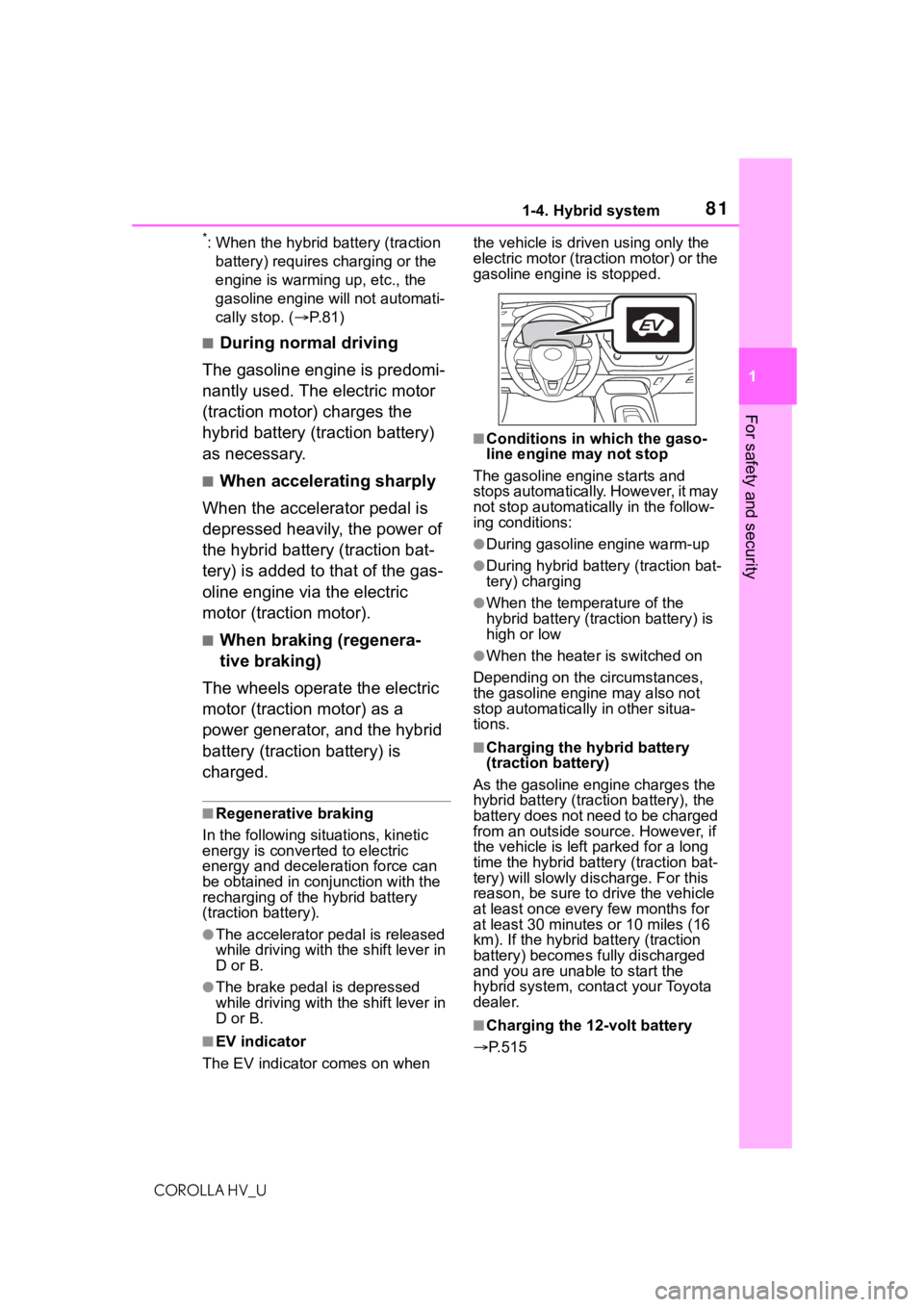
■EV indicator
The EV indicator comes on when the vehicle is driven using only the
electric motor (traction motor) or the
gasoline engine is stopped.
■Conditions in which the gaso-
line engine may not stop
The gasoline engine starts and
stops automatically. However, it may
not stop automatic ally in the follow-
ing conditions:
●During gasoline engine warm-up
●During hybrid battery (traction bat-
tery) charging
●When the temperature of the
hybrid battery (traction battery) is
high or low
●When the heater is switched on
Depending on the circumstances,
the gasoline engine may also not
stop automatically in other situa-
tions.
■Charging the hybrid battery
(traction battery)
As the gasoline engine charges the
hybrid battery (trac tion battery), the
battery does not need to be charged
from an outside source. However, if
the vehicle is left parked for a long
time the hybrid battery (traction bat-
tery) will slowly dis charge. For this
reason, be sure to drive the vehicle
at least once every few months for
at least 30 minutes or 10 miles (16
km). If the hybrid battery (traction
battery) becomes fully discharged
and you are unabl e to start the
hybrid system, contact your Toyota
dealer.
■Charging the 12-volt battery
P.515
Page 86 of 584
861-4. Hybrid system
COROLLA HV_U
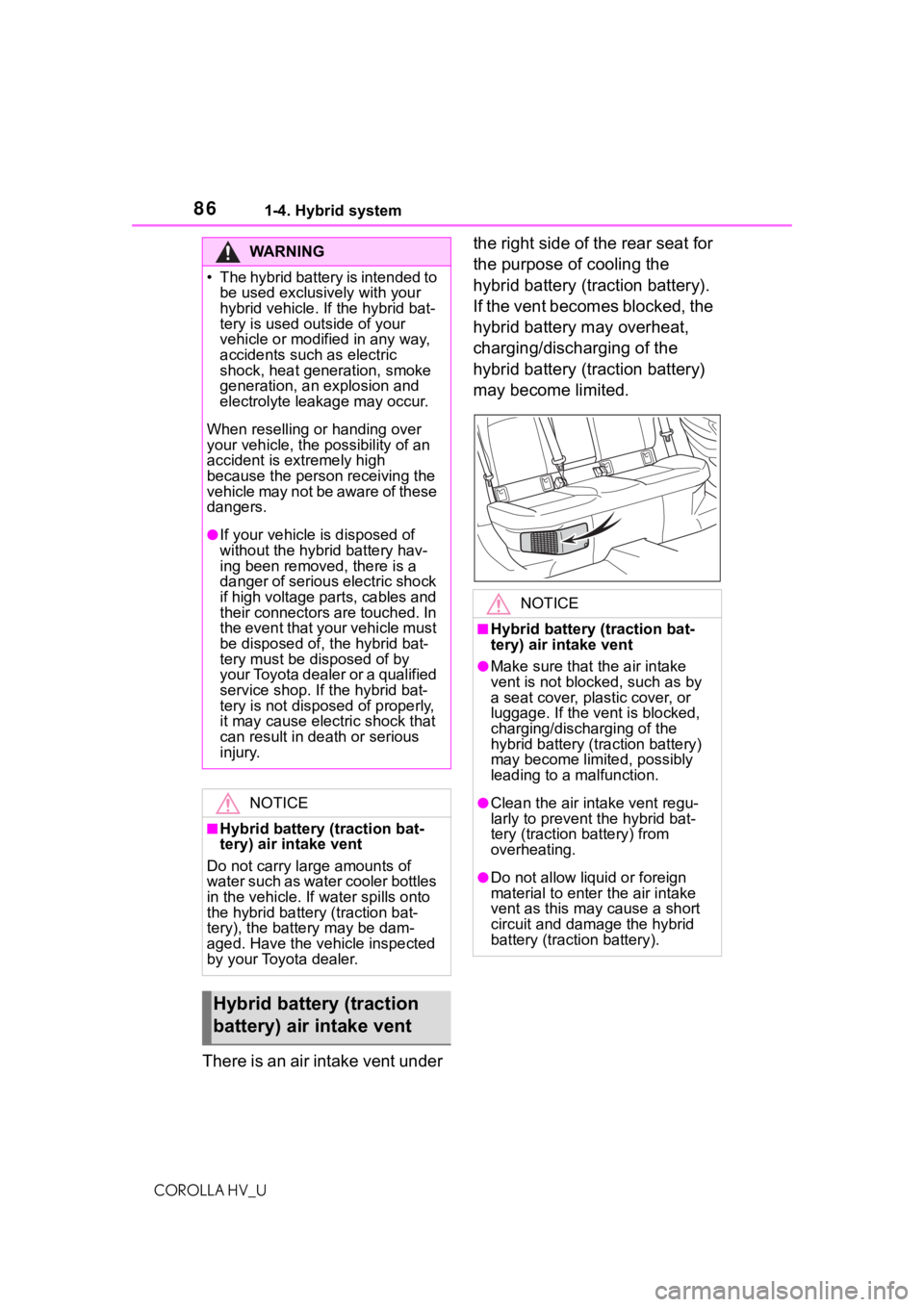
There is an air intake vent under the right side of the rear seat for
the purpose of cooling the
hybrid battery (traction battery).
If the vent becomes blocked, the
hybrid battery may overheat,
charging/discharging of the
hybrid battery (traction battery)
may become limited.
WA R N I N G
Page 91 of 584
911-5. Theft deterrent system
COROLLA HV_U
1
For safety and security
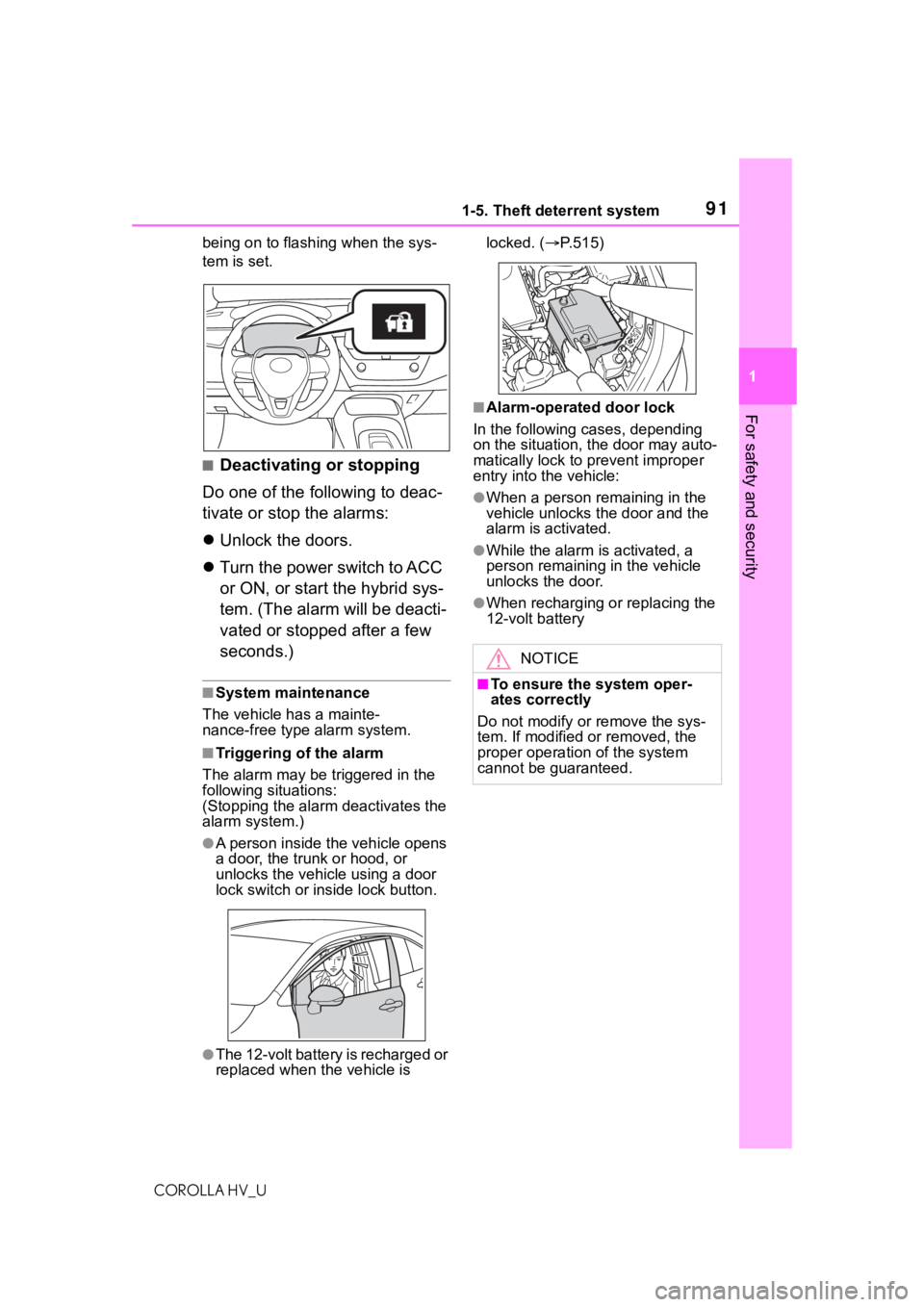
being on to flashing when the sys-
tem is set.
■Deactivating or stopping
Do one of the following to deac-
tivate or stop the alarms:
Unlock the doors.
Turn the power switch to ACC
or ON, or start the hybrid sys-
tem. (The alarm will be deacti-
vated or stopped after a few
seconds.)
■System maintenance
The vehicle has a mainte-
nance-free type alarm system.
■Triggering of the alarm
The alarm may be triggered in the
following situations:
(Stopping the alarm deactivates the
alarm system.)
●A person inside the vehicle opens
a door, the trunk or hood, or
unlocks the vehicle using a door
lock switch or inside lock button.
●The 12-volt battery is recharged or
replaced when the vehicle is locked. (
P.515)
■Alarm-operated door lock
In the following cases, depending
on the situation, the door may auto-
matically lock to prevent improper
entry into the vehicle:
●When a person remaining in the
vehicle unlocks the door and the
alarm is activated.
●While the alarm i s activated, a
person remaining in the vehicle
unlocks the door.
●When recharging or replacing the
12-volt battery
NOTICE
■To ensure the system oper-
ates correctly
Do not modify or remove the sys-
tem. If modified or removed, the
proper operation of the system
cannot be guaranteed.
Page 95 of 584
952-1. Instrument cluster
COROLLA HV_U
2
Vehicle status information and indicators
vehicle’s systems.
*1: These lights come on when the power switch is turned to ON to
indicate that a system check is
being performed. They will turn
off after the hybrid system is
started, or after a few seconds.
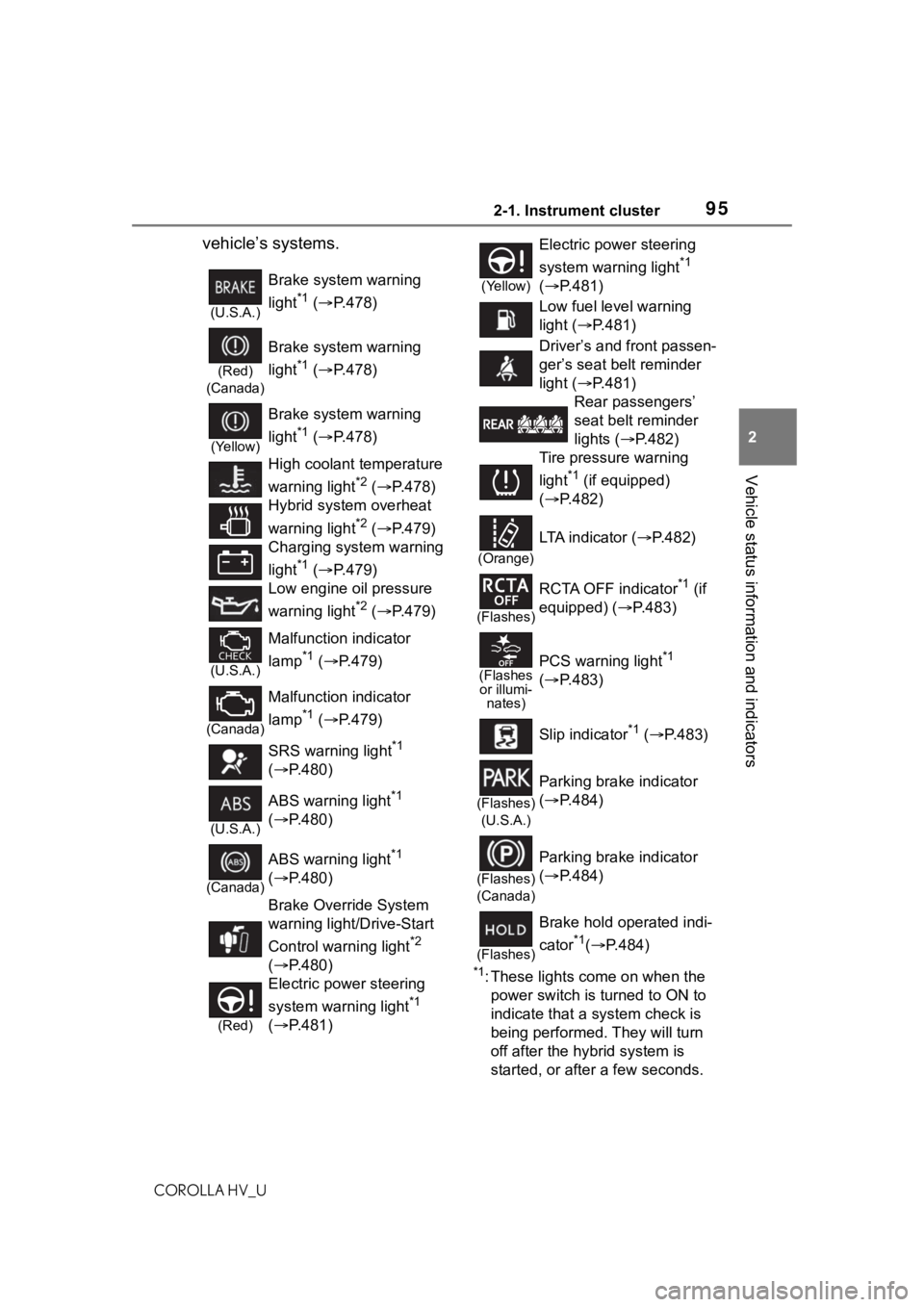
(U.S.A.)
Brake system warning
light
*1 ( P.478)
(Red)
(Canada)
Brake system warning
light
*1 ( P.478)
(Yellow)
Brake system warning
light
*1 ( P.478)
High coolant temperature
warning light
*2 ( P.478)
Hybrid system overheat
warning light
*2 ( P.479)
Charging system warning
light
*1 ( P.479)
Low engine oil pressure
warning light
*2 ( P.479)
(U.S.A.)
Malfunction indicator
lamp
*1 ( P.479)
(Canada)
Malfunction indicator
lamp
*1 ( P.479)
SRS warning light
*1
( P.480)
(U.S.A.)
ABS warning light*1
( P.480)
(Canada)
ABS warning light*1
( P.480)
Brake Override System
warning light/Drive-Start
Control warning light
*2
( P.480)
(Red)
Electric power steering
system warning light
*1
( P.481)
(Yellow)
Electric power steering
system warning light
*1
( P.481)
Low fuel level warning
light ( P.481)
Driver’s and front passen-
ger’s seat belt reminder
light ( P.481)
Rear passengers’
seat belt reminder
lights ( P.482)
Tire pressure warning
light
*1 (if equipped)
( P.482)
(Orange)
LTA indicator ( P.482)
(Flashes)
RCTA OFF indicator*1 (if
equipped) ( P.483)
(Flashes
or illumi- nates)PCS warning light*1
( P.483)
Slip indicator
*1 ( P.483)
(Flashes)
(U.S.A.)
Parking brake indicator
( P.484)
(Flashes)
(Canada)
Parking brake indicator
( P.484)
(Flashes)
Brake hold operated indi-
cator
*1( P.484)
Page 111 of 584
1112-1. Instrument cluster
COROLLA HV_U
2
Vehicle status information and indicators
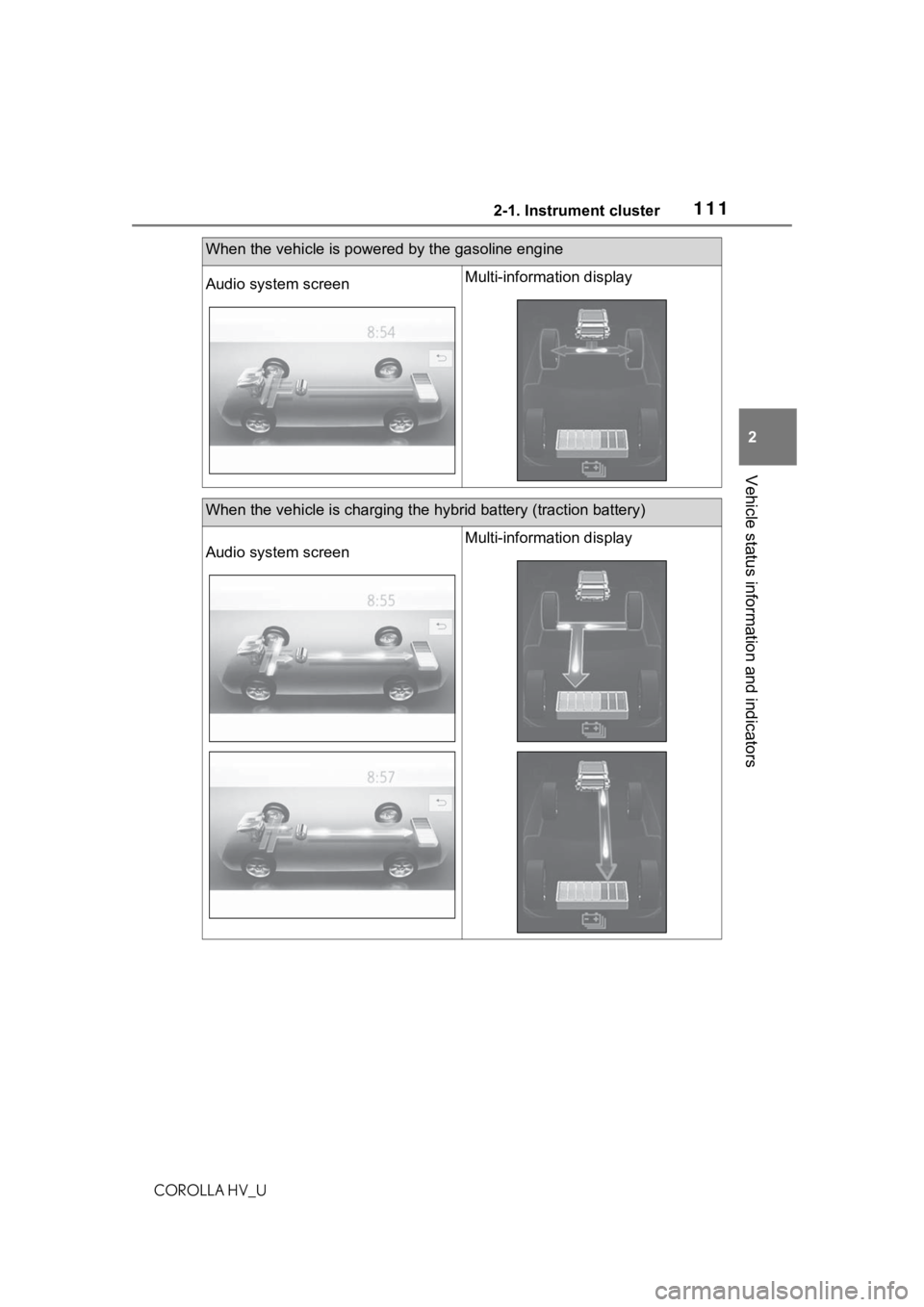
When the vehicle is powered by the gasoline engine
Audio system screenMulti-information display
When the vehicle is charging the hybrid battery (traction battery)
Audio system screenMulti-information display
Page 116 of 584
1163-1. Key information
COROLLA HV_U
3-1.Key information
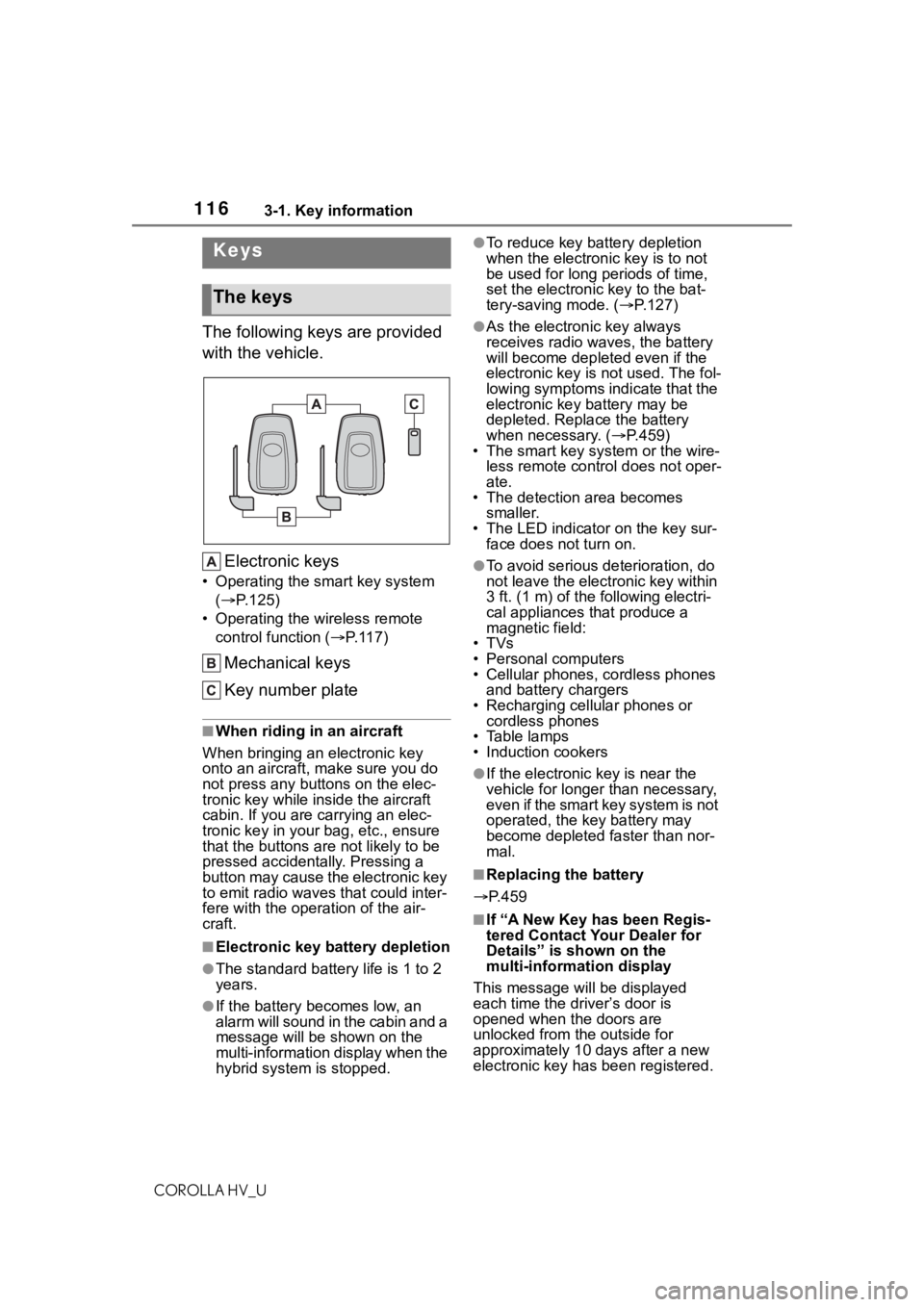
The following keys are provided
with the vehicle.Electronic keys
• Operating the smart key system ( P.125)
• Operating the wireless remote control function ( P. 1 1 7 )
Mechanical keys
Key number plate
■When riding in an aircraft
When bringing an electronic key
onto an aircraft, make sure you do
not press any buttons on the elec-
tronic key while inside the aircraft
cabin. If you are carrying an elec-
tronic key in your bag, etc., ensure
that the buttons are not likely to be
pressed accidentally. Pressing a
button may cause the electronic key
to emit radio waves that could inter-
fere with the oper ation of the air-
craft.
■Electronic key battery depletion
●The standard battery life is 1 to 2
years.
●If the battery becomes low, an
alarm will sound in the cabin and a
message will be s hown on the
multi-information display when the
hybrid system is stopped.
●To reduce key battery depletion
when the electronic key is to not
be used for long periods of time,
set the electronic key to the bat-
tery-saving mode. ( P.127)
●As the electronic key always
receives radio waves, the battery
will become depleted even if the
electronic key is not used. The fol-
lowing symptoms indicate that the
electronic key battery may be
depleted. Replace the battery
when necessary. ( P.459)
• The smart key system or the wire-
less remote contro l does not oper-
ate.
• The detection area becomes
smaller.
• The LED indicator on the key sur- face does not turn on.
●To avoid serious deterioration, do
not leave the electronic key within
3 ft. (1 m) of the following electri-
cal appliances that produce a
magnetic field:
•TVs
• Personal computers
• Cellular phones, cordless phones and battery chargers
• Recharging cellular phones or cordless phones
• Table lamps
• Induction cookers
●If the electronic key is near the
vehicle for longer than necessary,
even if the smart key system is not
operated, the key battery may
become depleted faster than nor-
mal.
■Replacing the battery
P.459
■If “A New Key has been Regis-
tered Contact Your Dealer for
Details” is shown on the
multi-information display
This message will be displayed
each time the driver’s door is
opened when the doors are
unlocked from the outside for
approximately 10 days after a new
electronic key has been registered.
Keys
The keys
Page 174 of 584
1744-3. Operating the lights and wipers
COROLLA HV_U
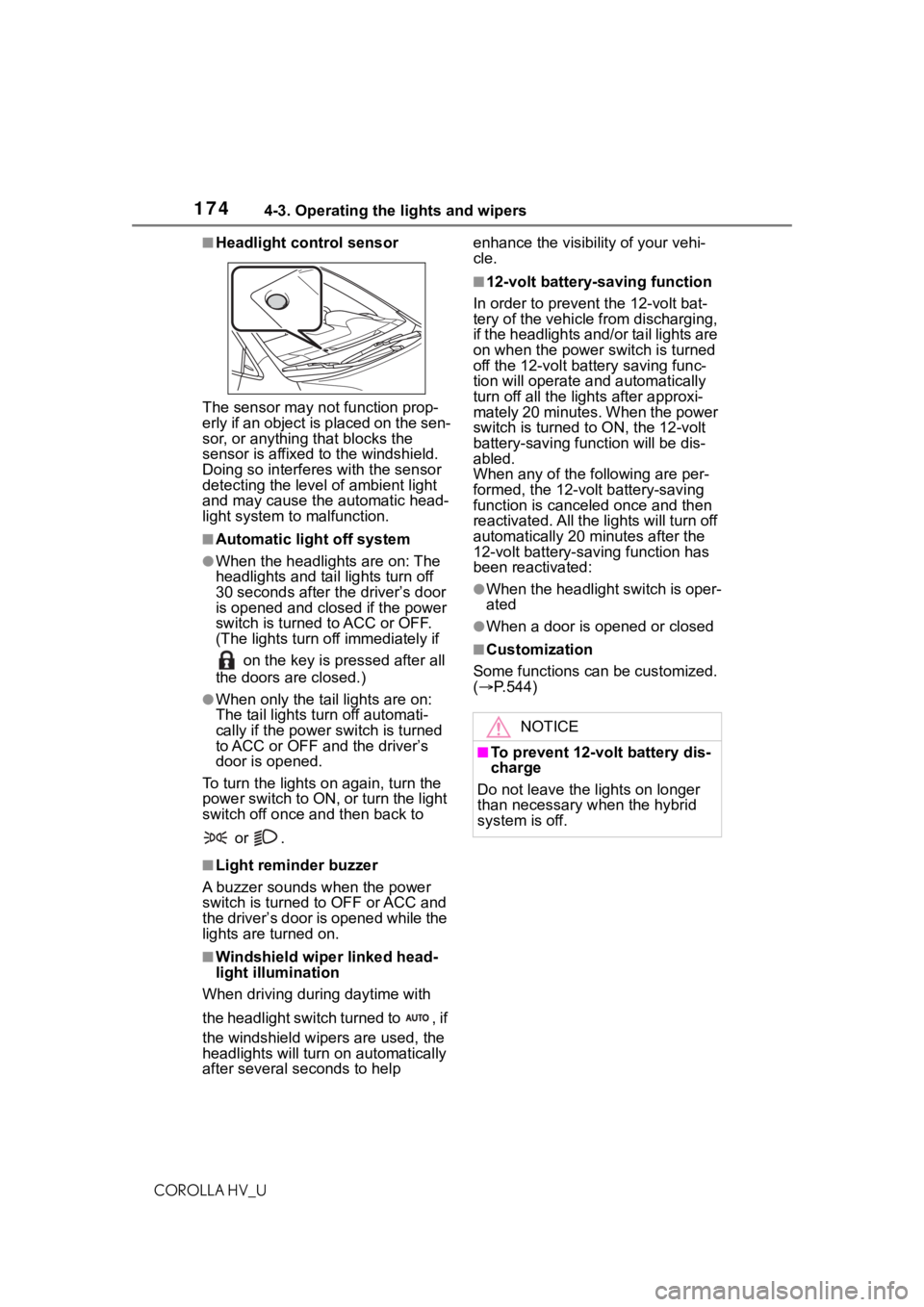
■Headlight control sensor
The sensor may not function prop-
erly if an object is placed on the sen-
sor, or anything that blocks the
sensor is affixed to the windshield.
Doing so interfere s with the sensor
detecting the level of ambient light
and may cause the automatic head-
light system to malfunction.
■Automatic light off system
●When the headlights are on: The
headlights and tail lights turn off
30 seconds after the driver’s door
is opened and clos ed if the power
switch is turned to ACC or OFF.
(The lights turn off immediately if
on the key is pressed after all
the doors are closed.)
●When only the tail lights are on:
The tail lights tu rn off automati-
cally if the power switch is turned
to ACC or OFF an d the driver’s
door is opened.
To turn the lights on again, turn the
power switch to ON, or turn the light
switch off once and then back to
or .
■Light reminder buzzer
A buzzer sounds when the power
switch is turned to OFF or ACC and
the driver’s door is opened while the
lights are turned on.
■Windshield wiper linked head-
light illumination
When driving during daytime with
the headlight switch turned to , if
the windshield wipers are used, the
headlights will turn on automatically
after several seconds to help enhance the visibility of your vehi-
cle.
■12-volt battery-saving function
In order to prevent the 12-volt bat-
tery of the vehicle from discharging,
if the headlights and/or tail lights are
on when the power switch is turned
off the 12-volt battery saving func-
tion will operate and automatically
turn off all the lig hts after approxi-
mately 20 minutes. When the power
switch is turned to ON, the 12-volt
battery-saving function will be dis-
abled.
When any of the following are per-
formed, the 12-volt battery-saving
function is canceled once and then
reactivated. All the lights will turn off
automatically 20 mi nutes after the
12-volt battery-saving function has
been reactivated:
●When the headlight switch is oper-
ated
●When a door is opened or closed
■Customization
Some functions can be customized.
( P.544)
NOTICE
■To prevent 12-volt battery dis-
charge
Do not leave the lights on longer
than necessary when the hybrid
system is off.
Page 257 of 584
2575-1. Basic function
COROLLA HV_U
5
Audio
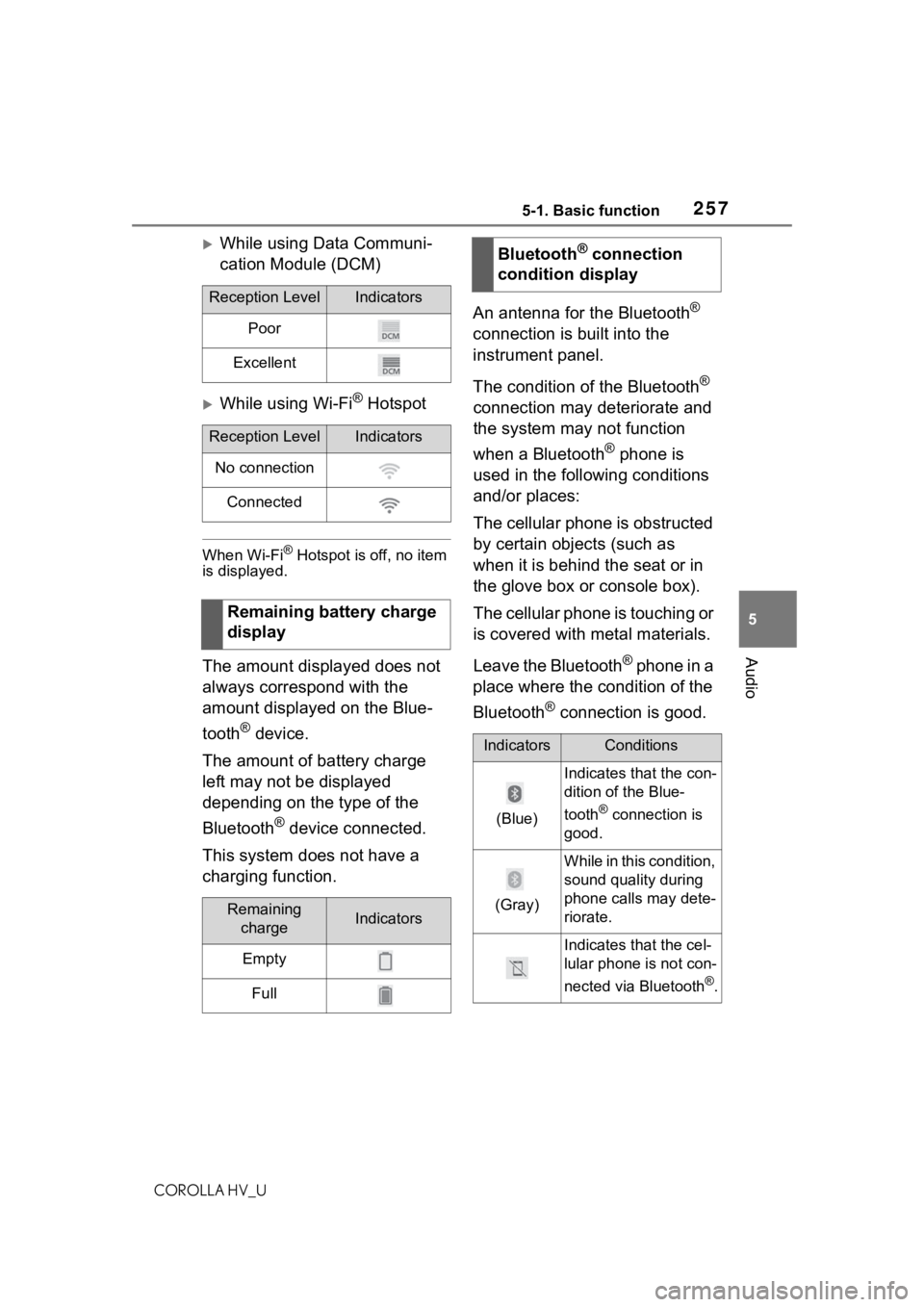
While using Data Communi-
cation Module (DCM)
While using Wi-Fi® Hotspot
When Wi-Fi® Hotspot is off, no item
is displayed.
The amount displayed does not
always correspond with the
amount displayed on the Blue-
tooth
® device.
The amount of battery charge
left may not be displayed
depending on the type of the
Bluetooth
® device connected.
This system does not have a
charging function. An antenna for the Bluetooth
®
connection is built into the
instrument panel.
The condition of the Bluetooth
®
connection may deteriorate and
the system may not function
when a Bluetooth
® phone is
used in the following conditions
and/or places:
The cellular phone is obstructed
by certain objects (such as
when it is behind the seat or in
the glove box or console box).
The cellular phone is touching or
is covered with metal materials.
Leave the Bluetooth
® phone in a
place where the condition of the
Bluetooth
® connection is good.
Reception LevelIndicators
Poor
Excellent
Reception LevelIndicators
No connection
Connected
Remaining battery charge
display
Remaining chargeIndicators
Empty
Full
Bluetooth® connection
condition display
IndicatorsConditions
(Blue)
Indicates that the con-
dition of the Blue-
tooth
® connection is
good.
(Gray)
While in this condition,
sound quality during
phone calls may dete-
riorate.
Indicates that the cel-
lular phone is not con-
nected via Bluetooth
®.
Page 289 of 584
2895-3. Connectivity settings
COROLLA HV_U
5
Audio
The Apple Car-
Play/Android Auto screen
has artifacts and/or audio
from Apple Car-
Play/Android Auto has
noise.
Check if the USB cable being used to connect
the device to the system is damaged.
To check if the USB cable is damaged inter-
nally, connect the devic e to another system,
such as a PC, and check i f the device is recog-
nized by the connect ed system. (The device
should begin charging when connected.)
After checking all of the above, try to establish
an Apple CarPlay/Android Auto connection.
( P.284, 285)
The map display of the
Apple CarPlay Maps app
cannot be enlarged or
contracted with pinch
multi-touch gestures.
As the Apple CarPlay Maps app is not compati-
ble with pinch multi-touch gestures, this is not a
malfunction.
During Apple CarPlay
music application (Apple
Music, Spotify, etc.) play-
back, if the iPhone is
operated to start and play
audio from an application
that is not compatible with
Apple CarPlay* and the
onboard device volume is
changed, the audio of the
incompatible application
stops and the system
resumes playback of the
original music application.
This operation is perfo rmed according to the
specification of the onboard device, this is not a
malfunction.
After interrupt audio (such
as navigation route guid-
ance) is played from an
application that is not
compatible with Apple
CarPlay while the onboard
device is playing audio,
the system does not
resume playback of the
original audio.This operation is perfo rmed according to the
specification of the onboard device, this is not a
malfunction.
Manually change the audi o source by yourself.
Or, do not use applications that are not compat-
ible with Apple CarPlay.
* Due to some naviga-
tion applications are compatible from iOS 12,
update to the latest iOS and application ver-
sions.
SymptomSolution
Page 312 of 584
3125-7. Media operation
COROLLA HV_U
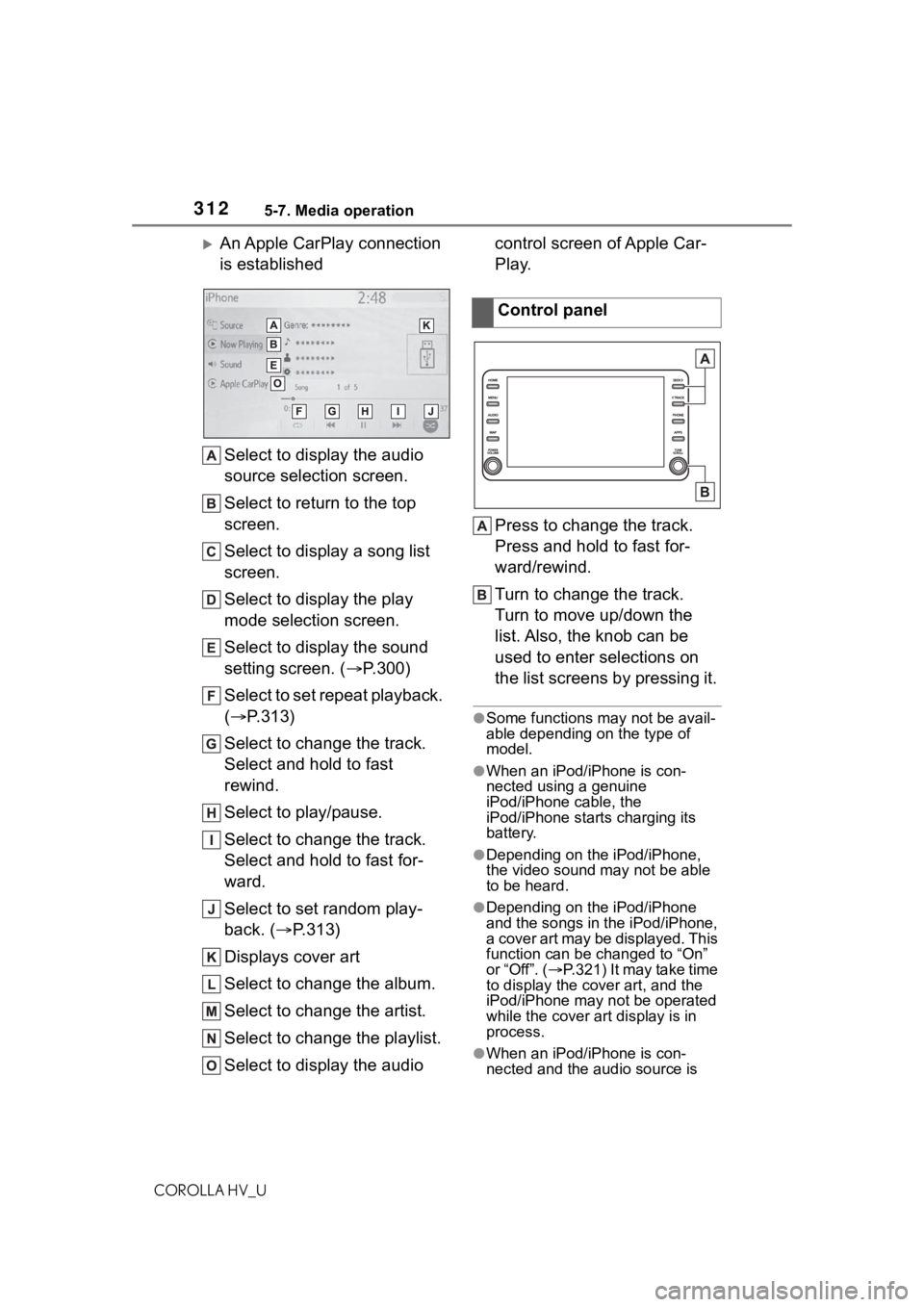
An Apple CarPlay connection
is establishedSelect to display the audio
source selection screen.
Select to return to the top
screen.
Select to display a song list
screen.
Select to display the play
mode selection screen.
Select to display the sound
setting screen. ( P.300)
Select to set repeat playback.
( P.313)
Select to change the track.
Select and hold to fast
rewind.
Select to play/pause.
Select to change the track.
Select and hold to fast for-
ward.
Select to set random play-
back. ( P.313)
Displays cover art
Select to change the album.
Select to change the artist.
Select to change the playlist.
Select to display the audio control screen of Apple Car-
Play.
Press to change the track.
Press and hold to fast for-
ward/rewind.
Turn to change the track.
Turn to move up/down the
list. Also, the knob can be
used to enter selections on
the list screens by pressing it.
●Some functions may not be avail-
able depending on the type of
model.
●When an iPod/iPhone is con-
nected using a genuine
iPod/iPhone cable, the
iPod/iPhone starts charging its
battery.
●Depending on the iPod/iPhone,
the video sound
may not be able
to be heard.
●Depending on the iPod/iPhone
and the songs in the iPod/iPhone,
a cover art may be displayed. This
function can be changed to “On”
or “Off”. ( P.321) It may take time
to display the cov er art, and the
iPod/iPhone may not be operated
while the cover art display is in
process.
●When an iPod/iPhone is con-
nected and the audio source is
Control panel