maintenance reset TOYOTA COROLLA HYBRID 2021 Owners Manual (in English)
[x] Cancel search | Manufacturer: TOYOTA, Model Year: 2021, Model line: COROLLA HYBRID, Model: TOYOTA COROLLA HYBRID 2021Pages: 584, PDF Size: 19.59 MB
Page 426 of 584
4267-2. Maintenance
COROLLA HV_U
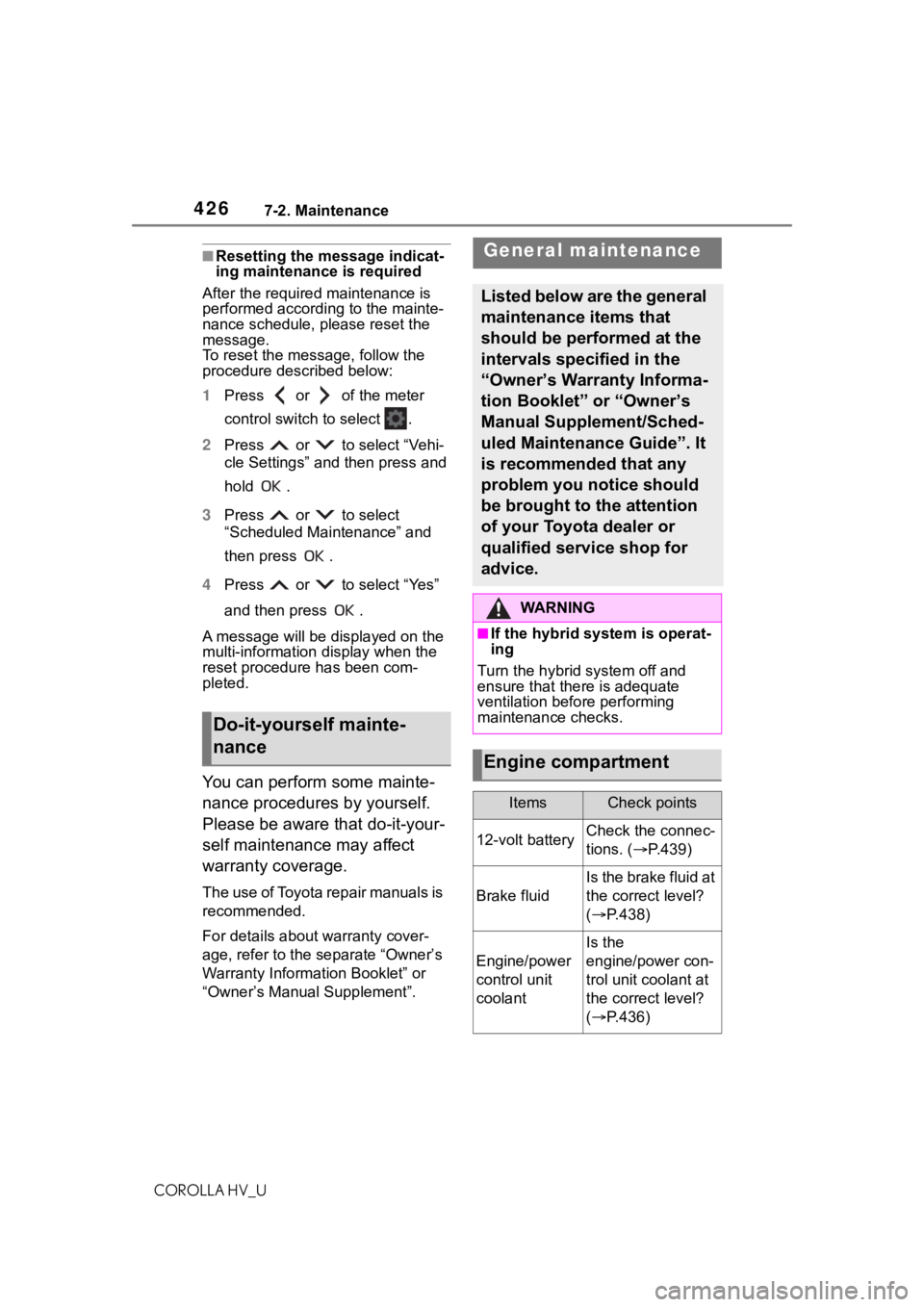
■Resetting the message indicat-
ing maintenance is required
After the required maintenance is
performed according to the mainte-
nance schedule, please reset the
message.
To reset the messa ge, follow the
procedure described below:
1 Press or of the meter
control switch to select .
2 Press or to select “Vehi-
cle Settings” and then press and
hold .
3 Press or to select
“Scheduled Maintenance” and
then press .
4 Press or to select “Yes”
and then press .
A message will be displayed on the
multi-information display when the
reset procedure has been com-
pleted.
You can perform some mainte-
nance procedures by yourself.
Please be aware that do-it-your-
self maintenance may affect
warranty coverage.
The use of Toyota repair manuals is
recommended.
For details about warranty cover-
age, refer to the separate “Owner’s
Warranty Information Booklet” or
“Owner’s Manual Supplement”.
Do-it-yourself mainte-
nance
General maintenance
Listed below are the general
maintenance items that
should be performed at the
intervals specified in the
“Owner’s Warranty Informa-
tion Booklet” or “Owner’s
Manual Supplement/Sched-
uled Maintenance Guide”. It
is recommended that any
problem you notice should
be brought to the attention
of your Toyota dealer or
qualified service shop for
advice.
WA R N I N G
■If the hybrid sys tem is operat-
ing
Turn the hybrid system off and
ensure that there is adequate
ventilation before performing
maintenance checks.
Engine compartment
ItemsCheck points
12-volt batteryCheck the connec-
tions. ( P.439)
Brake fluid
Is the brake fluid at
the correct level?
( P.438)
Engine/power
control unit
coolant
Is the
engine/power con-
trol unit coolant at
the correct level?
( P.436)
Page 448 of 584
4487-3. Do-it-yourself maintenance
COROLLA HV_UInitialization cannot be performed
while the vehicle is moving.
2
Adjust the tire inflation pres-
sure to the specified cold tire
inflation pressure level.
( P.529)
Make sure to adjust the tire pres-
sure to the specifie d cold tire infla-
tion pressure level. The tire
pressure warning system will oper-
ate based on this pressure level.
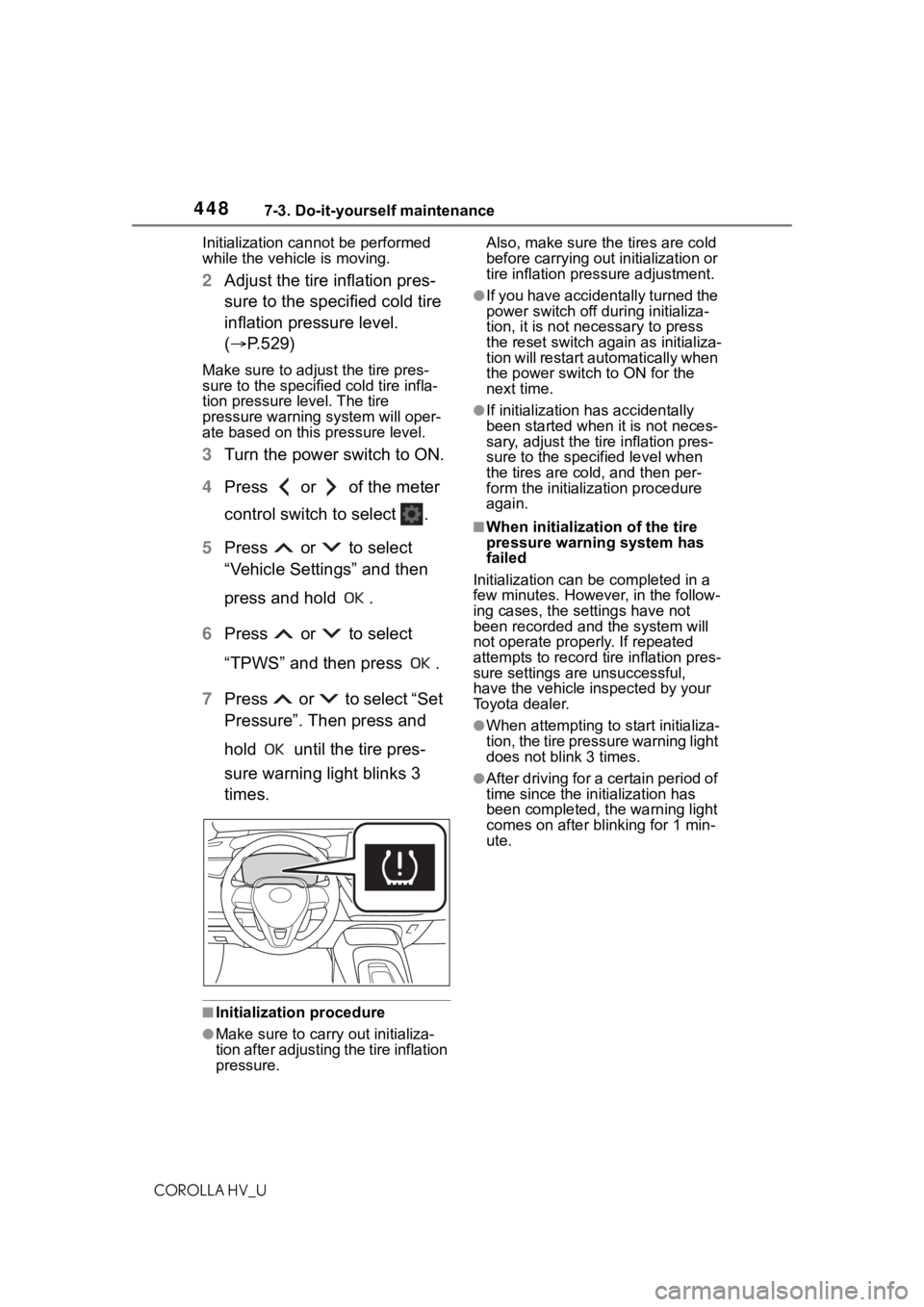
3 Turn the power switch to ON.
4 Press or of the meter
control switch to select .
5 Press or to select
“Vehicle Settings” and then
press and hold .
6 Press or to select
“TPWS” and then press .
7 Press or to select “Set
Pressure”. Then press and
hold until the tire pres-
sure warning light blinks 3
times.
■Initialization procedure
●Make sure to carry out initializa-
tion after adjusting the tire inflation
pressure. Also, make sure the
tires are cold
before carrying out initialization or
tire inflation pressure adjustment.
●If you have accidentally turned the
power switch off during initializa-
tion, it is not necessary to press
the reset switch again as initializa-
tion will restart automatically when
the power switch to ON for the
next time.
●If initialization ha s accidentally
been started when it is not neces-
sary, adjust the tir e inflation pres-
sure to the speci fied level when
the tires are cold, and then per-
form the initialization procedure
again.
■When initializat ion of the tire
pressure warning system has
failed
Initialization can be completed in a
few minutes. However, in the follow-
ing cases, the settings have not
been recorded and the system will
not operate properly. If repeated
attempts to record tire inflation pres-
sure settings ar e unsuccessful,
have the vehicle inspected by your
Toyota dealer.
●When attempting to start initializa-
tion, the tire pressure warning light
does not blink 3 times.
●After driving for a certain period of
time since the initialization has
been completed, the warning light
comes on after bl inking for 1 min-
ute.
Page 489 of 584
4898-2. Steps to take in an emergency
COROLLA HV_U
8
When trouble arises
■If “Radar Cruise Control
Unavailable S ee Owner's Man-
ual” is displayed
The dynamic radar cruise control
with full-speed range system is sus-
pended temporarily or until the prob-
lem shown in the message is
resolved. (causes a nd coping meth-
ods: P.187)
■If “Radar Cruise Control
Unavailable” is displayed
The dynamic radar cruise control
with full-speed range system cannot
be used temporarily. Use the system
when it becomes available again.
■If “Maintenance Required
Soon” is displayed
Indicates that all maintenance
according to the dr iven distance on
the maintenance schedule
* should
be performed soon.
Comes on approximately 4500
miles (7200 km) after the message
has been reset. If necessary, per-
form maintenance. Please reset the
message after the maintenance is
performed. ( P.426)
*: Refer to the separate “Scheduled
Maintenance” or “Owner’s Man-
ual Supplement” for the mainte-
nance interval applicable to your
vehicle.
■If “Maintenance Required Visit
Your Dealer” is displayed
Indicates that all maintenance is
required to correspond to the driven
distance on the maintenance sched-
ule
*.
Comes on approximately 5000
miles (8000 km) after the message
has been reset. (The indicator will
not work properly unless the mes-
sage has been reset.) Perform the
necessary maintenance. Please
reset the message after the mainte-
nance is performed. ( P.426)
*: Refer to the separate “Scheduled Maintenance” or
“Owner’s Man-
ual Supplement” for the mainte-
nance interval applicable to your
vehicle.
■If a message that indicates the
need for visiting your Toyota
dealer is displayed
The system or part shown on the
multi-information di splay is malfunc-
tioning. Have the vehicle inspected
by your Toyota dealer immediately.
■If a message that indicates the
need for referring to Owner’s
Manual is displayed
●If “Engine Coolant Temp High” is
displayed, follow t he instructions
accordingly. ( P.517)
●If any of the following messages
are displayed on the multi-infor-
mation display, it may indicate a
malfunction. Hav e the vehicle
inspected by your Toyota dealer
immediately.
• “Smart Key System Malfunction”
• “Hybrid System Malfunction”
• “Check Engine”
• “Hybrid Battery System Malfunc-
tion”
• “Accelerator System Malfunction”
●If any of the following messages
are displayed on the multi-infor-
mation display, it may indicate a
malfunction. Immediately stop the
vehicle and contact your Toyota
dealer.
• “Braking Power Low”
• “Charging System Malfunction”
• “Oil Pressure Low”
●If any of the following messages
are shown on the multi-informa-
tion display, the vehicle may have
run out of fuel. Stop the vehicle in
a safe place and, if the fuel level is
low, refuel the vehicle. ( P. 8 3 )
• “Hybrid System Stopped”
• “Engine Stopped”
●If “Maintenance Required for Trac-
tion Battery Cooling Parts See
Owner's Manual” is shown, the fil-
ters may be clogged, the air intake
Page 576 of 584
576Alphabetical Index
COROLLA HV_U
Turn signal lever ................... 166
Wattage ................................ 530
Rear view mirror Inside rear view mirror.......... 139
Outside rear view mirrors ..... 140
Rear view monitor system ..... 231 If you notice any symptoms.. 236
Rear window defogger ........... 387
Receiving a call using the Blue- tooth
® hands-free system ... 351
Refueling Capacity ............................... 525
Fuel types............................. 525
If the fuel filler door cannot be opened ............................... 511
Opening the fuel tank cap .... 180
Regenerative braking ............... 81
Registering/Connecting a Blue- tooth
® device ........................ 268
Profiles ................................. 271
Registering a Bluetooth
® audio
player for the first time........ 271
Registering a Bluetooth
® phone
for the first time .................. 268
Replacing Electronic key battery ........... 459
Fuses ................................... 461
Light bulbs ............................ 463
Tires ..................................... 501
Reporting safety defects for U.S. owners................................... 554
Resetting the message indicat- ing maintenance is required 426
Road Sign Assist .................... 218
RSA (Road Sign Assist) ......... 218
S
Safety Connect ......................... 73
Screen adjustment ................. 266
Seat belt reminder light . 481, 482
Seat belts .................................. 27 Adjusting the seat belt ............ 29 Automatic Locking Retractor ..29
Child restraint sys
tem installation
.............................................50
Cleaning and maintaining the seat belt ..............................422
Emergency Locking Retractor 29
How to wear your seat belt .....28
How your child should wear the seat belt ................................28
Pregnant women, proper seat belt use .................................27
Reminder light and buzzer .481, 482
Seat belt extender ..................28
Seat belt pretensioners ..........30
SRS warning light .................480
Seat heaters ............................393
Seating capacity .............155, 524
Seats Adjustment ...........................133
Adjustment precautions ........133
Child seats/child restraint system installation ............................48
Cleaning ...............................422
Head restraints .....................136
Properly sitting in the seat ......25
Seat heaters ....... ..................393
Secondary Collision Brake ....241
Sensor Automatic headlight system .174
Automatic High Beam system...........................................175
BSM (Blind Spot M onitor) .....221
Inside rear view mirror ..........140
LTA (Lane Tracing Assist) .....197
Radar sensor ................183, 223
RCTA ....................................227
Service Connect ... ..................377
Service plug ..............................83
Service reminder message ....426
Setup button (Menu screen) 255, 258