radio controls TOYOTA COROLLA HYBRID 2021 Owners Manual (in English)
[x] Cancel search | Manufacturer: TOYOTA, Model Year: 2021, Model line: COROLLA HYBRID, Model: TOYOTA COROLLA HYBRID 2021Pages: 584, PDF Size: 19.59 MB
Page 3 of 584
3TABLE OF CONTENTS
COROLLA HV_U
1
2
3
4
5
6
7
8
9
10
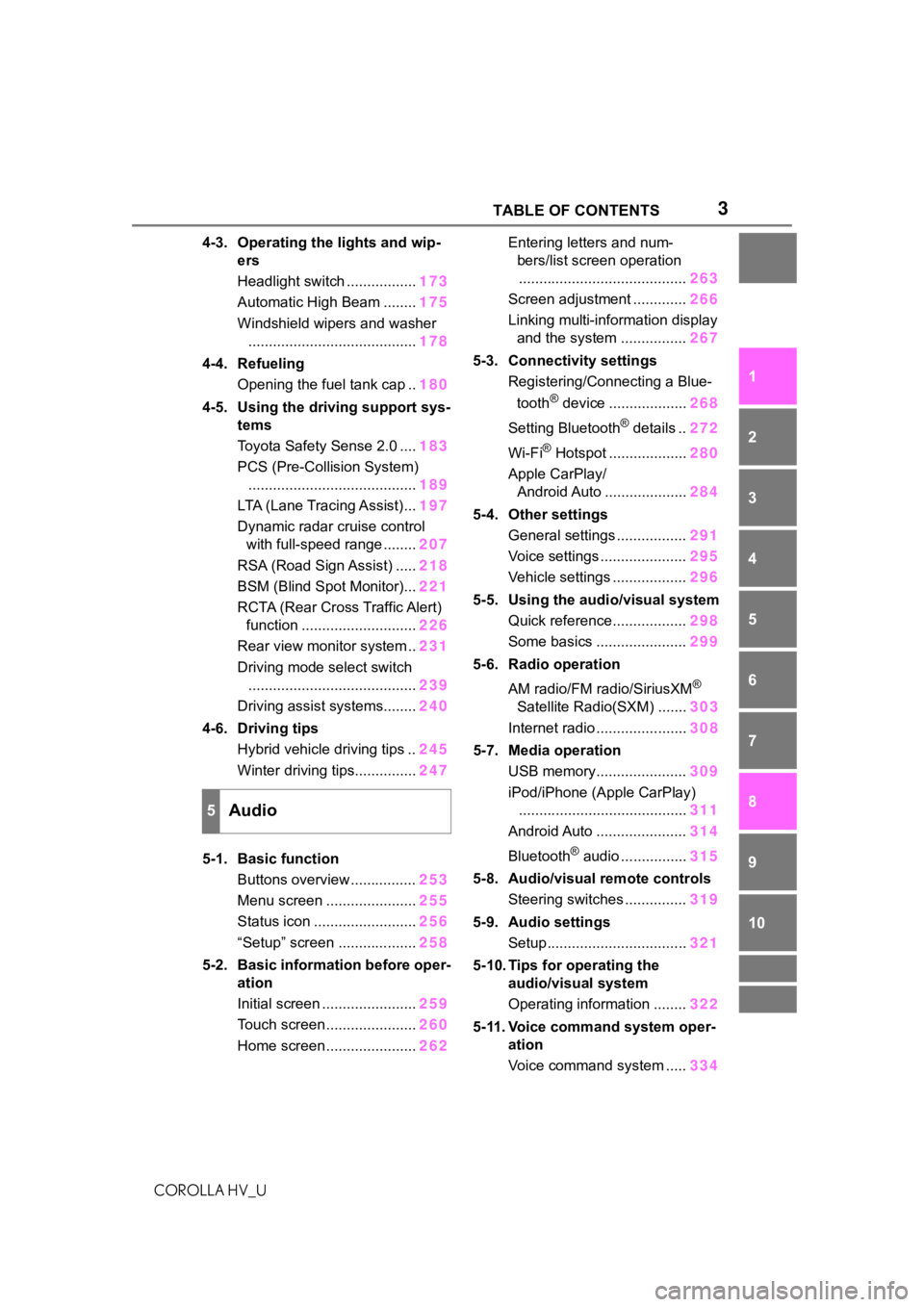
4-3. Operating the lights and wip- ers
Headlight switch ................. 173
Automatic High Beam ........ 175
Windshield wipers and washer ......................................... 178
4-4. Refueling Opening the fuel tank cap .. 180
4-5. Using the driving support sys- tems
Toyota Safety Sense 2.0 .... 183
PCS (Pre-Collision System) ......................................... 189
LTA (Lane Tracing Assist)... 197
Dynamic radar cruise control with full-speed range ........ 207
RSA (Road Sign Assist) ..... 218
BSM (Blind Spot Monitor)... 221
RCTA (Rear Cross Traffic Alert) function ............................ 226
Rear view monitor system .. 231
Driving mode select switch ......................................... 239
Driving assist systems........ 240
4-6. Driving tips Hybrid vehicle driving tips .. 245
Winter driving tips............... 247
5-1. Basic function Buttons overview ................ 253
Menu screen ...................... 255
Status icon ......................... 256
“Setup” screen ................... 258
5-2. Basic information before oper- ation
Initial screen ....................... 259
Touch screen ...................... 260
Home screen ...................... 262Entering letters and num-
bers/list screen operation......................................... 263
Screen adjustment ............. 266
Linking multi-information display and the system ................ 267
5-3. Connectivity settings Registering/Connecting a Blue-
tooth
® device ................... 268
Setting Bluetooth
® details .. 272
Wi-Fi
® Hotspot ................... 280
Apple CarPlay/ Android Auto .................... 284
5-4. Other settings General settings ................. 291
Voice settings ..................... 295
Vehicle settings .................. 296
5-5. Using the audio/visual system Quick reference.................. 298
Some basics ...................... 299
5-6. Radio operation
AM radio/FM radio/SiriusXM
®
Satellite Radio(SXM) ....... 303
Internet radio ...................... 308
5-7. Media operation USB memory...................... 309
iPod/iPhone (Apple CarPlay) ......................................... 311
Android Auto ...................... 314
Bluetooth
® audio ................ 315
5-8. Audio/visual remote controls Steering switches ............... 319
5-9. Audio settings Setup.................................. 321
5-10. Tips for operating the audio/visual system
Operating information ........ 322
5-11. Voice command system oper- ation
Voice command system ..... 334
5Audio
Page 319 of 584
3195-8. Audio/visual remote controls
COROLLA HV_U
5
Audio
5-8.Audio/visual remote controls
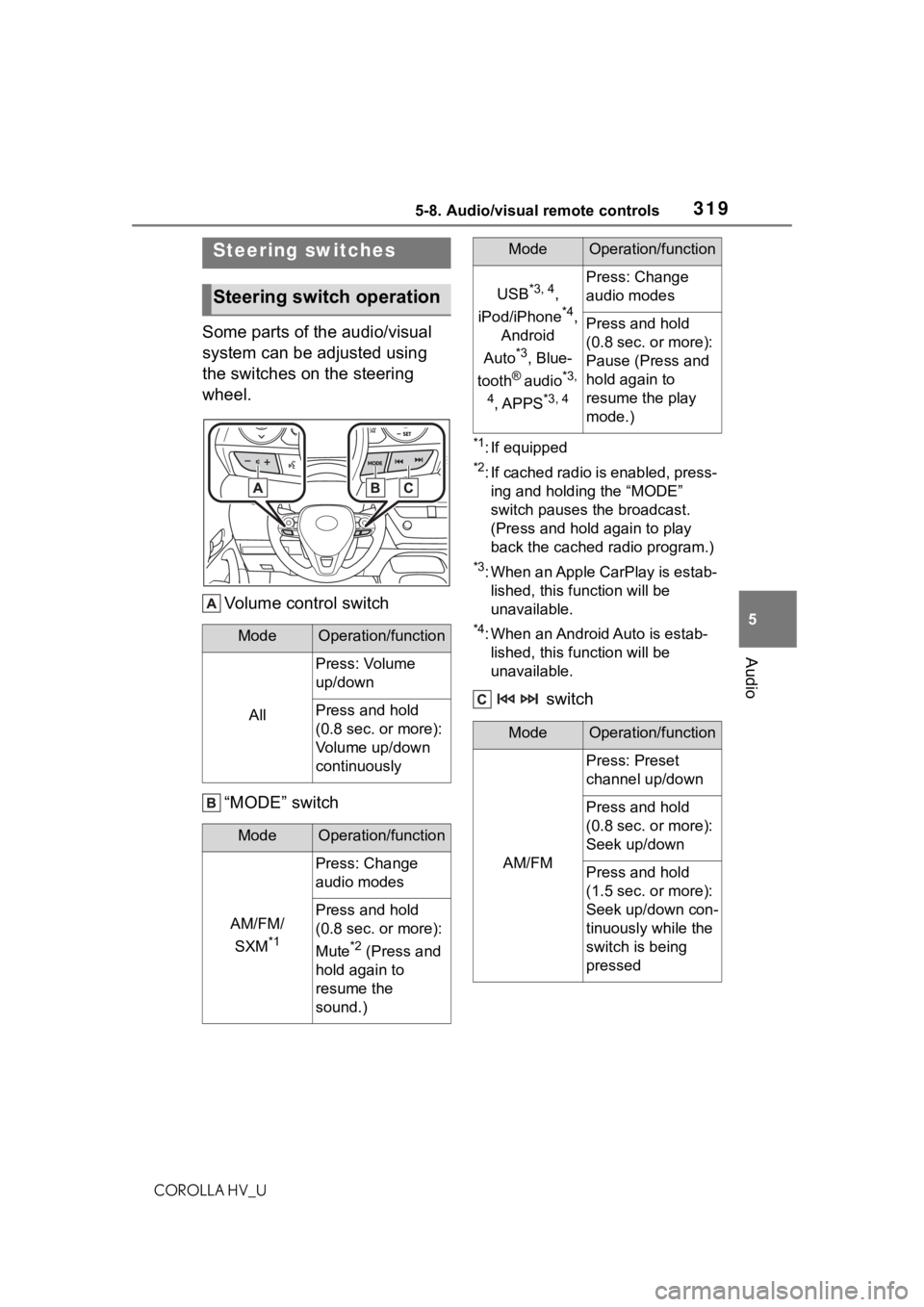
Some parts of the audio/visual
system can be adjusted using
the switches on the steering
wheel. Volume control switch
“MODE” switch
*1: If equipped
*2: If cached radio is enabled, press-ing and holding the “MODE”
switch pauses the broadcast.
(Press and hold again to play
back the cached radio program.)
*3: When an Apple CarPlay is estab-lished, this function will be
unavailable.
*4: When an Android Auto is estab-lished, this function will be
unavailable.
switch
Steering switches
Steering switch operation
ModeOperation/function
All
Press: Volume
up/down
Press and hold
(0.8 sec. or more):
Volume up/down
continuously
ModeOperation/function
AM/FM/
SXM
*1
Press: Change
audio modes
Press and hold
(0.8 sec. or more):
Mute
*2 (Press and
hold again to
resume the
sound.)
USB*3, 4,
iPod/iPhone
*4,
Android
Auto
*3, Blue-
tooth
® audio*3,
4
, APPS*3, 4
Press: Change
audio modes
Press and hold
(0.8 sec. or more):
Pause (Press and
hold again to
resume the play
mode.)
ModeOperation/function
AM/FM
Press: Preset
channel up/down
Press and hold
(0.8 sec. or more):
Seek up/down
Press and hold
(1.5 sec. or more):
Seek up/down con-
tinuously while the
switch is being
pressed
ModeOperation/function