service reset TOYOTA COROLLA HYBRID 2021 Owners Manual (in English)
[x] Cancel search | Manufacturer: TOYOTA, Model Year: 2021, Model line: COROLLA HYBRID, Model: TOYOTA COROLLA HYBRID 2021Pages: 584, PDF Size: 19.59 MB
Page 281 of 584
2815-3. Connectivity settings
COROLLA HV_U
5
Audio
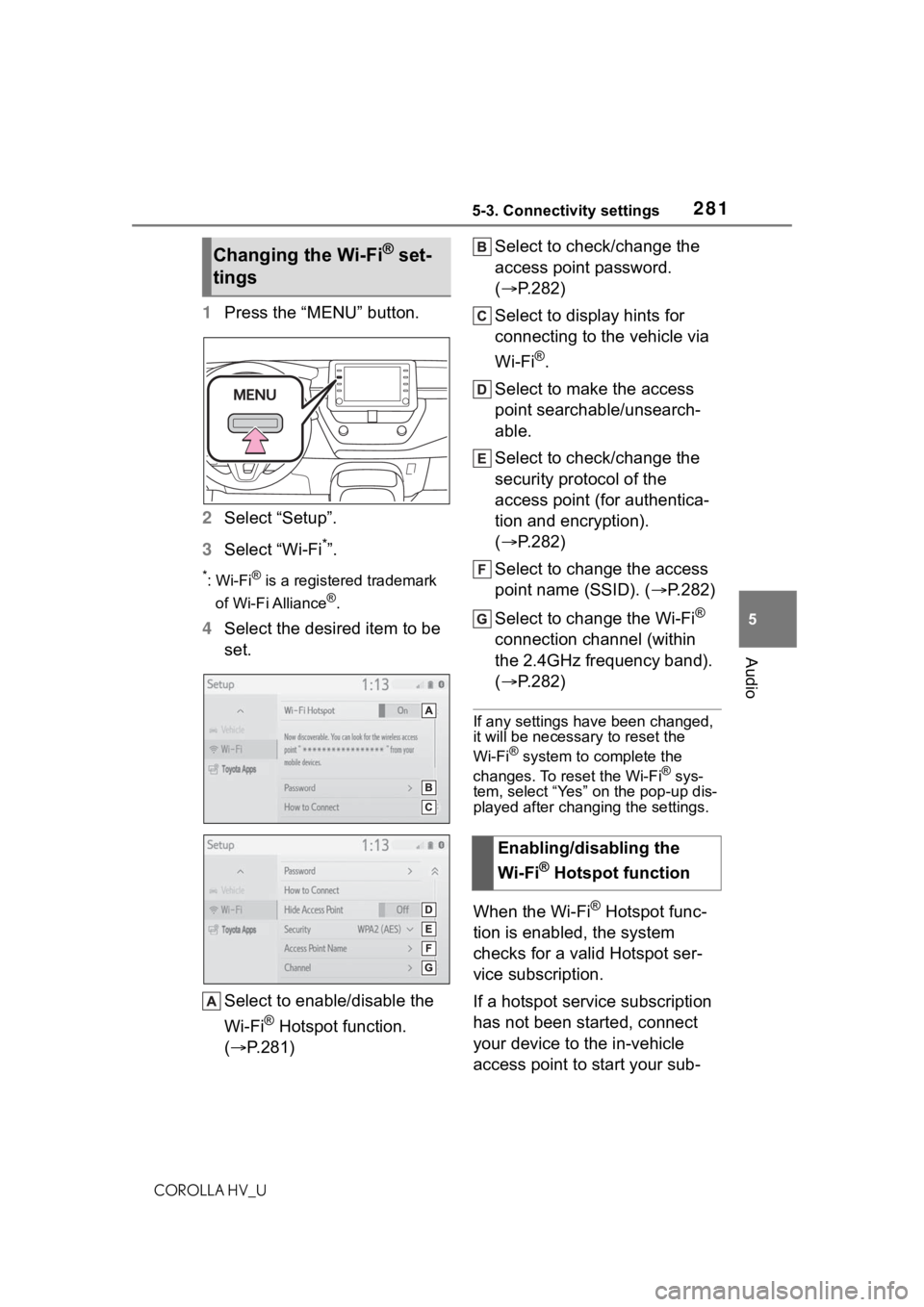
1 Press the “MENU” button.
2 Select “Setup”.
3 Select “Wi-Fi
*”.
*:Wi-Fi® is a registered trademark
of Wi-Fi Alliance
®.
4 Select the desired item to be
set.
Select to enable/disable the
Wi-Fi
® Hotspot function.
( P.281) Select to check/change the
access point password.
(
P.282)
Select to display hints for
connecting to the vehicle via
Wi-Fi
®.
Select to make the access
point searchable/unsearch-
able.
Select to check/change the
security protocol of the
access point (for authentica-
tion and encryption).
( P.282)
Select to change the access
point name (SSID). ( P.282)
Select to change the Wi-Fi
®
connection channel (within
the 2.4GHz frequency band).
( P.282)
If any settings have been changed,
it will be necessary to reset the
Wi-Fi
® system to complete the
changes. To reset the Wi-Fi® sys-
tem, select “Yes” on the pop-up dis-
played after changing the settings.
When the Wi-Fi® Hotspot func-
tion is enabled, the system
checks for a valid Hotspot ser-
vice subscription.
If a hotspot service subscription
has not been started, connect
your device to the in-vehicle
access point to start your sub-
Changing the Wi-Fi® set-
tings
Enabling/disabling the
Wi-Fi
® Hotspot function
Page 375 of 584
3755-16. Connected Services Overview
COROLLA HV_U
5
Audio
using Toyota apps function. Con-
firm data usage fees before using
this function.
●For details regarding operation of
the Toyota apps, refer to
https://www.toyota.com/
connected-servicesin the United States,
https://www.toyota.ca/connected
in Canada, and
http://www.toyotapr.com/
connected-services
in Puerto Rico.
●These functions are not made
available in some countries or
areas. Availability of functions of
the Toyota apps is dependent on
network reception level.
■Initializing personal data
The personal data used in appli-
cations can be reset. ( P.294)
The following personal data can
be deleted and returned to their
default settings:
Downloaded contents
Radio stations that were lis-
tened to
Once initialized, the data and set-
tings will be erased. Pay much
attention when initializing the data.
■Settings required to use
Toyota mobile application
Perform the settings in the fol-
lowing order.
1 Download the Toyota mobile
application to your smart
phone or the system. 2
Open the Toyota mobile
application on your smart
phone and follow instruc-
tions. Bluetooth
® Pairing is
required.
In order to use Toyota mobile appli-
cation, the following must first be
performed:
Register a Bluetooth® phone
with the hands-free system.
( P.268)
●Applications can only be used
when the Toyota mobile applica-
tion has been downloaded to your
smart phone or the system, and
the application is running.
●Toyota mobile application opera-
tional procedures can also be con-
firmed by visiting
https://www.toyota.com/
connected-services
in the United States,
https://www.toyota.ca/connected
in Canada, and
http://www.toyotapr.com/
connected-servicesin Puerto Rico.
●If a Toyota mobile application is
used while iPod audio/video is
being played back, system opera-
tion may become unstable.
Preparation before using
Toyota mobile application
Page 426 of 584
4267-2. Maintenance
COROLLA HV_U
■Resetting the message indicat-
ing maintenance is required
After the required maintenance is
performed according to the mainte-
nance schedule, please reset the
message.
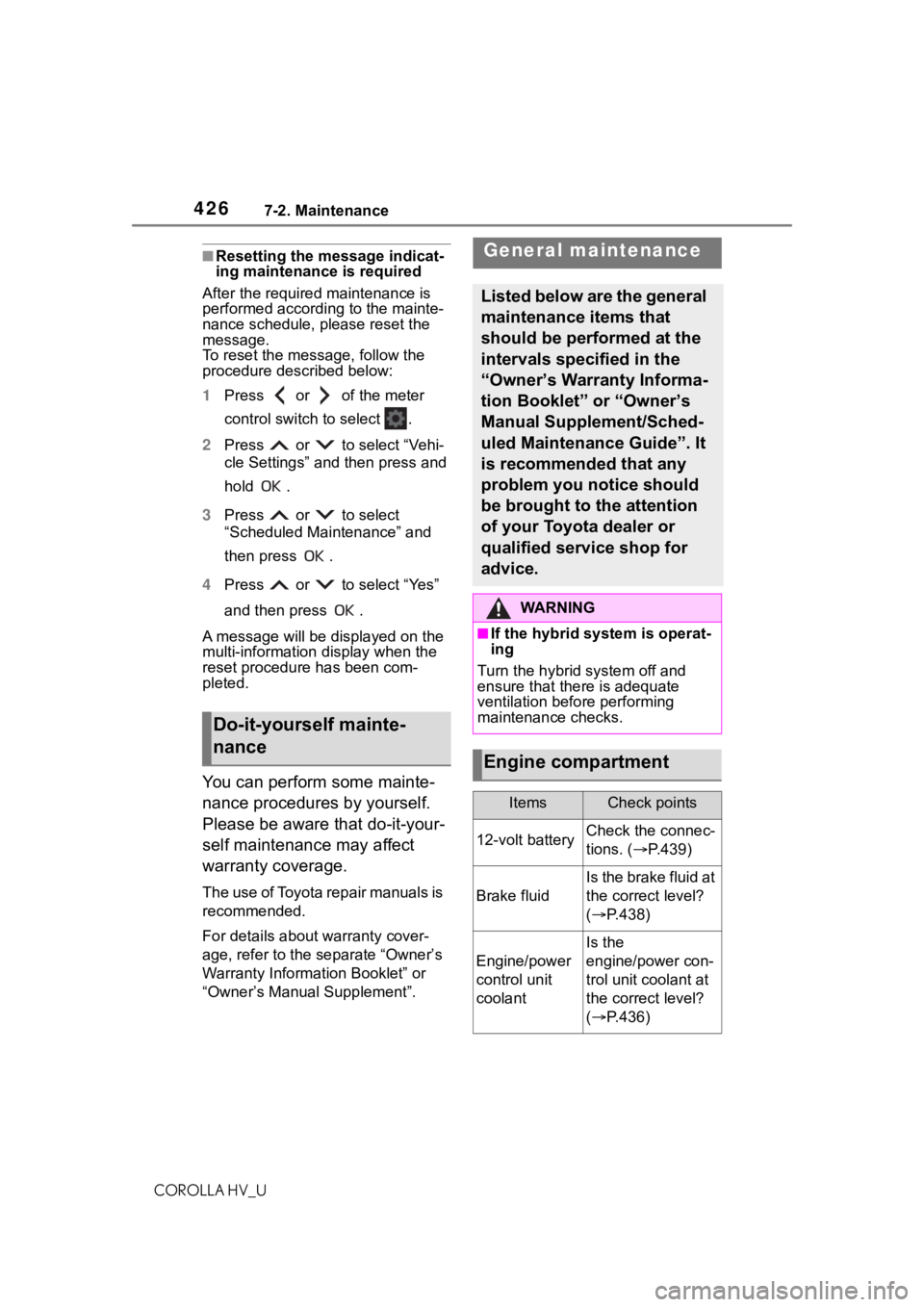
To reset the messa ge, follow the
procedure described below:
1 Press or of the meter
control switch to select .
2 Press or to select “Vehi-
cle Settings” and then press and
hold .
3 Press or to select
“Scheduled Maintenance” and
then press .
4 Press or to select “Yes”
and then press .
A message will be displayed on the
multi-information display when the
reset procedure has been com-
pleted.
You can perform some mainte-
nance procedures by yourself.
Please be aware that do-it-your-
self maintenance may affect
warranty coverage.
The use of Toyota repair manuals is
recommended.
For details about warranty cover-
age, refer to the separate “Owner’s
Warranty Information Booklet” or
“Owner’s Manual Supplement”.
Do-it-yourself mainte-
nance
General maintenance
Listed below are the general
maintenance items that
should be performed at the
intervals specified in the
“Owner’s Warranty Informa-
tion Booklet” or “Owner’s
Manual Supplement/Sched-
uled Maintenance Guide”. It
is recommended that any
problem you notice should
be brought to the attention
of your Toyota dealer or
qualified service shop for
advice.
WA R N I N G
■If the hybrid sys tem is operat-
ing
Turn the hybrid system off and
ensure that there is adequate
ventilation before performing
maintenance checks.
Engine compartment
ItemsCheck points
12-volt batteryCheck the connec-
tions. ( P.439)
Brake fluid
Is the brake fluid at
the correct level?
( P.438)
Engine/power
control unit
coolant
Is the
engine/power con-
trol unit coolant at
the correct level?
( P.436)
Page 575 of 584
575Alphabetical Index
COROLLA HV_U
Personal lights ....................... 395 Wattage ................................ 530
Phone ...................................... 343 About the contacts in the contact list ....................................... 347
Phone screen operation ....... 343
Registering/Conn ecting a Blue-
tooth
® phone ...................... 345
Some basics......................... 344
Troubleshooting.................... 368
Voice command system ....... 347
When selling or disposing of the vehicle ................................ 347
Phone button .......................... 343
Phone button (Menu screen) . 255
Phone button (Setup screen) 258
Phone settings ....................... 358 Contacts/Call history settings360
Message settings ................. 366
Notifications settings ............ 359
Sounds settings.................... 358
Placing a call u sing the Blue-
tooth
® hands-free system ... 348
By call history ....................... 348
By contacts list ..................... 349
By favorites list ..................... 348
By home screen ................... 350
By keypad ............................ 350
Power control unit .................... 83
Power control unit coolant Capacity ............................... 527
Checking .............................. 436
Preparing and c hecking before
winter.................................. 247
Power outlet ............................ 402
Power steering (Electric power steering system)................... 240Warning light ........................ 481
Power switch .......................... 157 Auto power off function ........ 160
Changing the power switch modes ................................ 160 Power switch (engine switch)
If your vehicle has to be stopped in an emergency .................471
POWER VOLUME knob ..........299
Power windows Door lock linked window opera-tion......................................143
Jam protection function ........142
Operation..............................142
Window lock switch ..............144
Pre-Collision System (PCS) Function................................189
Warning light.........................483
R
Radar cruise control (dynamic radar cruise control with
full-speed range)...................207
Radiator ...................................437
Radio........................................303 Displaying the radi o ID .........306
How to subscribe to SiriusXM Radio Services ...................305
Presetting a station ...............303
Radio broadcast data system304
Refer to the tabl e below to iden-
tify the problem and take the
suggested corrective action 306
RCTA Function................................226
Warning message.................227
RCTA function .........................228
Rear Cross Traffic Alert (RCTA) ...............................................226
Rear seats ...............................134 Head restraints .....................136
Rear side marker lights Light switch...........................173
Replacing light bulbs ....464, 465
Wattage ................................530
Rear turn signal lights Replacing light bulbs ............465
Page 576 of 584
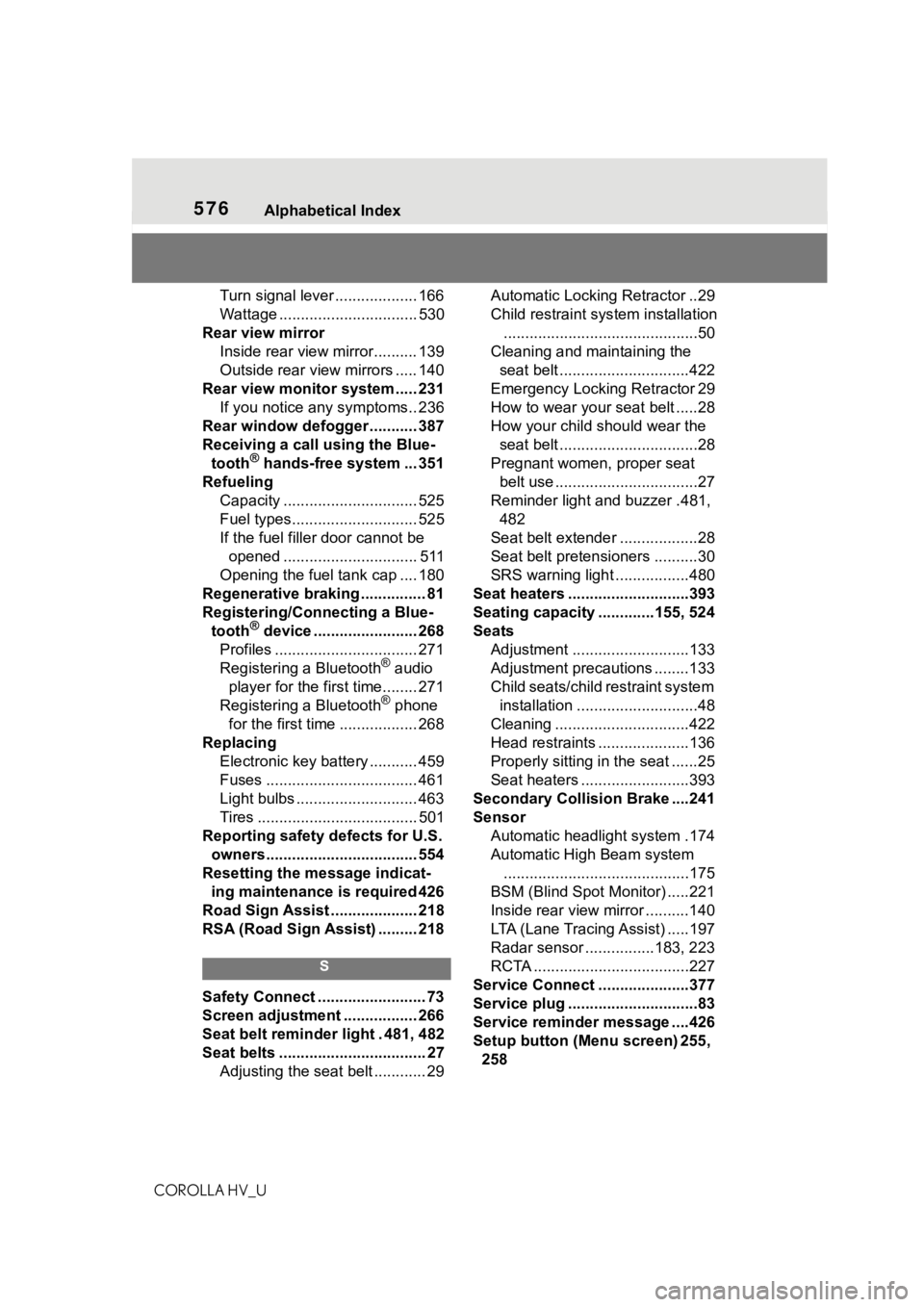
576Alphabetical Index
COROLLA HV_U
Turn signal lever ................... 166
Wattage ................................ 530
Rear view mirror Inside rear view mirror.......... 139
Outside rear view mirrors ..... 140
Rear view monitor system ..... 231 If you notice any symptoms.. 236
Rear window defogger ........... 387
Receiving a call using the Blue- tooth
® hands-free system ... 351
Refueling Capacity ............................... 525
Fuel types............................. 525
If the fuel filler door cannot be opened ............................... 511
Opening the fuel tank cap .... 180
Regenerative braking ............... 81
Registering/Connecting a Blue- tooth
® device ........................ 268
Profiles ................................. 271
Registering a Bluetooth
® audio
player for the first time........ 271
Registering a Bluetooth
® phone
for the first time .................. 268
Replacing Electronic key battery ........... 459
Fuses ................................... 461
Light bulbs ............................ 463
Tires ..................................... 501
Reporting safety defects for U.S. owners................................... 554
Resetting the message indicat- ing maintenance is required 426
Road Sign Assist .................... 218
RSA (Road Sign Assist) ......... 218
S
Safety Connect ......................... 73
Screen adjustment ................. 266
Seat belt reminder light . 481, 482
Seat belts .................................. 27 Adjusting the seat belt ............ 29 Automatic Locking Retractor ..29
Child restraint sys
tem installation
.............................................50
Cleaning and maintaining the seat belt ..............................422
Emergency Locking Retractor 29
How to wear your seat belt .....28
How your child should wear the seat belt ................................28
Pregnant women, proper seat belt use .................................27
Reminder light and buzzer .481, 482
Seat belt extender ..................28
Seat belt pretensioners ..........30
SRS warning light .................480
Seat heaters ............................393
Seating capacity .............155, 524
Seats Adjustment ...........................133
Adjustment precautions ........133
Child seats/child restraint system installation ............................48
Cleaning ...............................422
Head restraints .....................136
Properly sitting in the seat ......25
Seat heaters ....... ..................393
Secondary Collision Brake ....241
Sensor Automatic headlight system .174
Automatic High Beam system...........................................175
BSM (Blind Spot M onitor) .....221
Inside rear view mirror ..........140
LTA (Lane Tracing Assist) .....197
Radar sensor ................183, 223
RCTA ....................................227
Service Connect ... ..................377
Service plug ..............................83
Service reminder message ....426
Setup button (Menu screen) 255, 258