turn signal TOYOTA COROLLA HYBRID 2021 Owners Manual (in English)
[x] Cancel search | Manufacturer: TOYOTA, Model Year: 2021, Model line: COROLLA HYBRID, Model: TOYOTA COROLLA HYBRID 2021Pages: 584, PDF Size: 19.59 MB
Page 2 of 584
2
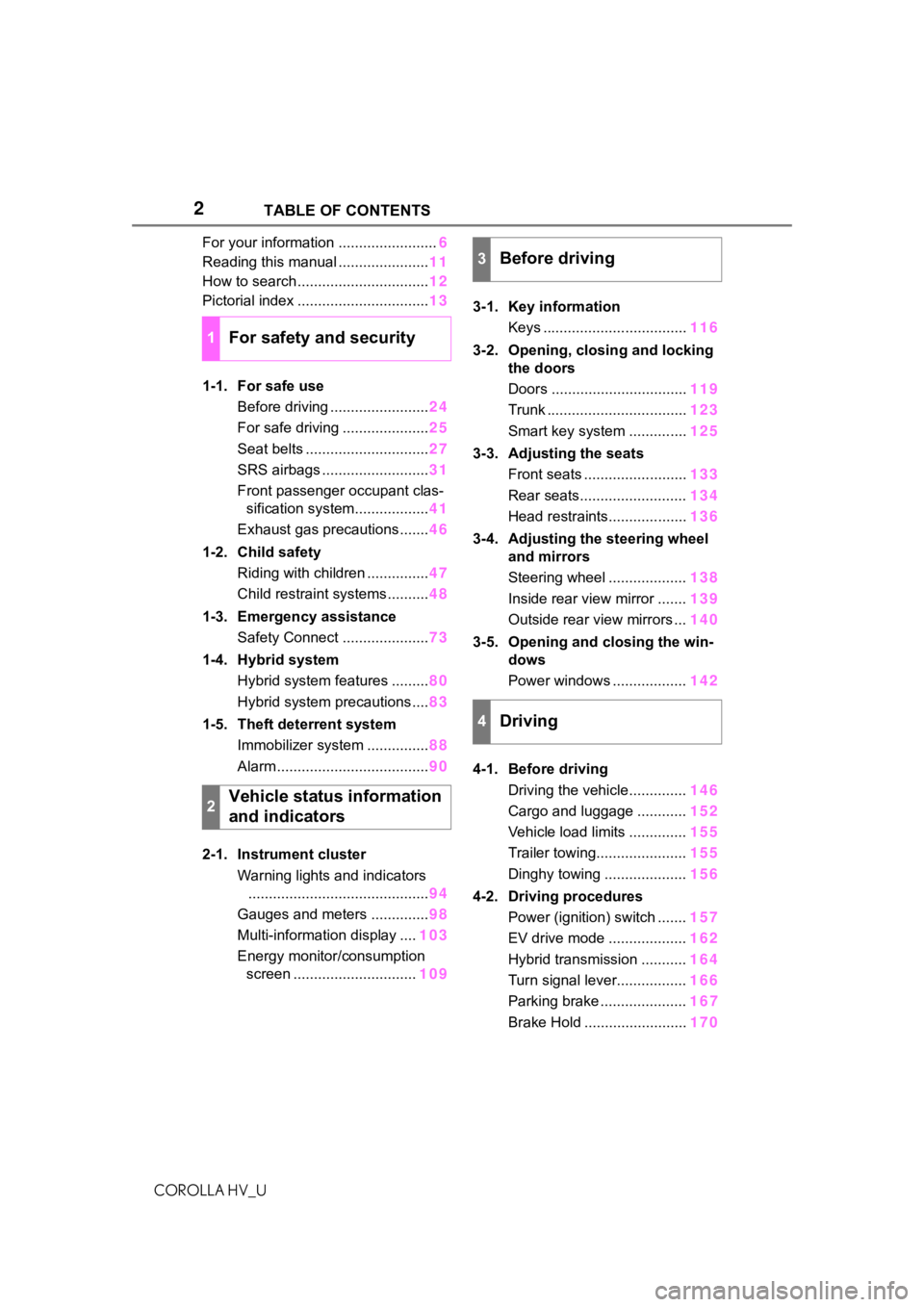
COROLLA HV_UTABLE OF CONTENTS
For your information ........................
6
Reading this manual ...................... 11
How to search ................................ 12
Pictorial index ................................ 13
1-1. For safe use Before driving ........................ 24
For safe driving ..................... 25
Seat belts .............................. 27
SRS airbags .......................... 31
Front passenger occupant clas- sification system.................. 41
Exhaust gas precautions....... 46
1-2. Child safety Riding with children ............... 47
Child restraint systems .......... 48
1-3. Emergency assistance Safety Connect ..................... 73
1-4. Hybrid system Hybrid system features ......... 80
Hybrid system precautions .... 83
1-5. Theft deterrent system Immobilizer system ............... 88
Alarm ..................................... 90
2-1. Instrument cluster Warning lights and indicators............................................ 94
Gauges and meters .............. 98
Multi-information display .... 103
Energy monitor/consumption screen .............................. 1093-1. Key information
Keys ................................... 116
3-2. Opening, closing and locking the doors
Doors ................................. 119
Trunk .................................. 123
Smart key system .............. 125
3-3. Adjusting the seats Front seats ......................... 133
Rear seats.......................... 134
Head restraints................... 136
3-4. Adjusting the steering wheel and mirrors
Steering wheel ................... 138
Inside rear view mirror ....... 139
Outside rear view mirrors ... 140
3-5. Opening and closing the win- dows
Power windows .................. 142
4-1. Before driving Driving the vehicle.............. 146
Cargo and luggage ............ 152
Vehicle load limits .............. 155
Trailer towing...................... 155
Dinghy towing .................... 156
4-2. Driving procedures Power (ignition) switch ....... 157
EV drive mode ................... 162
Hybrid transmission ........... 164
Turn signal lever................. 166
Parking brake ..................... 16
7
Brake Hold
......................... 170
1For safety and security
2Vehicle status information
and indicators
3Before driving
4Driving
Page 14 of 584
14Pictorial index
COROLLA HV_U
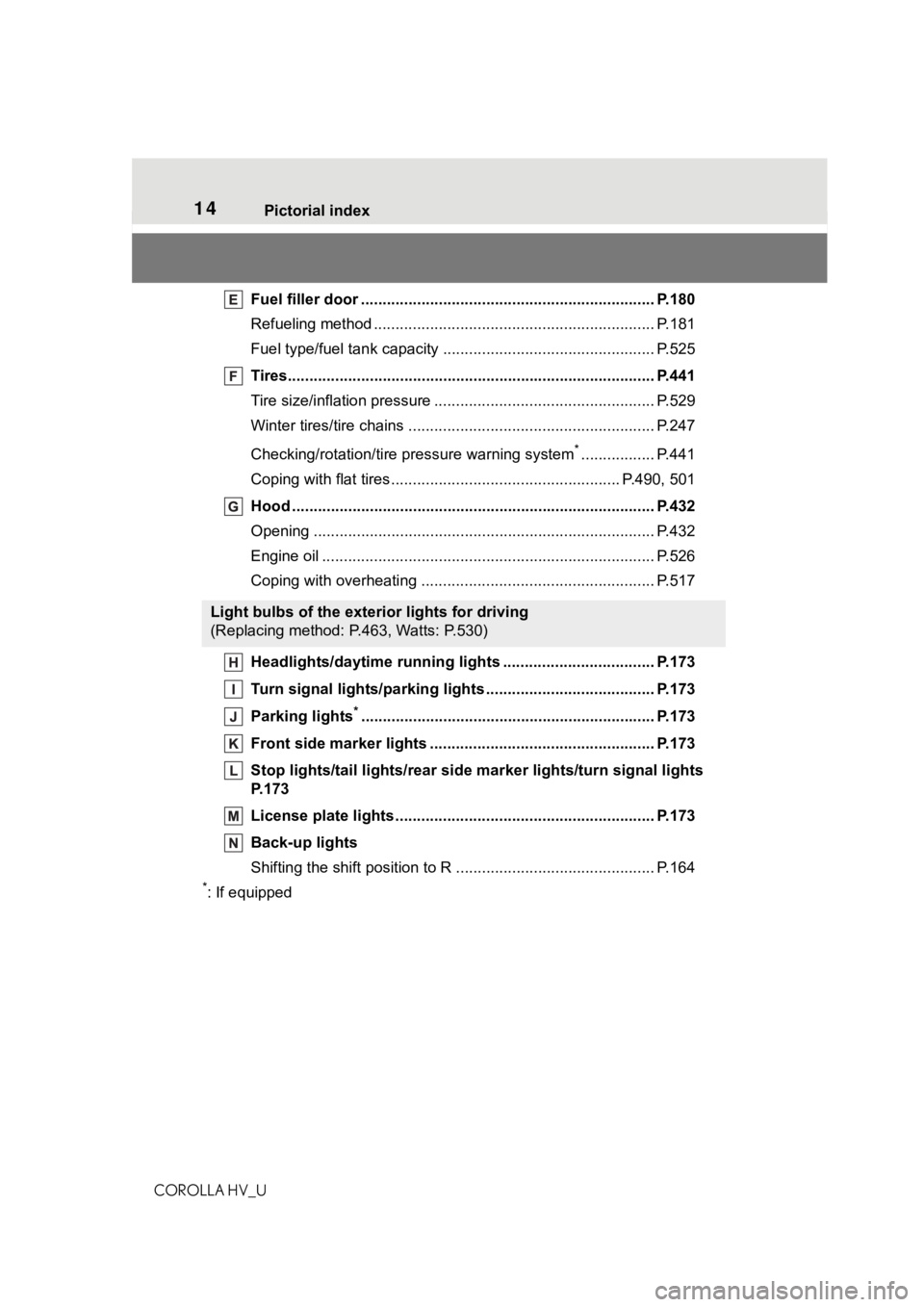
Fuel filler door ............................................... ..................... P.180
Refueling method ............................................... .................. P.181
Fuel type/fuel tan k capacity ................................... .............. P.525
Tires.......................................................... ........................... P.441
Tire size/inflation pressure ................................... ................ P.529
Winter tires/tire chains ....................................... .................. P.247
Checking/rotation/tire pressure warning system
*................. P.441
Coping with flat tires......................................... ............ P.490, 501
Hood ........................................................... ......................... P.432
Opening ............................................................................... P.432
Engine oil ..................................................... ........................ P.526
Coping with overheating ...................................................... P.517
Headlights/daytime running lights .............................. ..... P.173
Turn signal lights/parking lights .............................. ......... P.173
Parking lights
*............................................................... ..... P.173
Front side marker lights ....................................... ............. P.173
Stop lights/tail lights/rear side marker lights/turn signal lig hts
P. 1 7 3
License plate lights........................................... ................. P.173
Back-up lights
Shifting the shift position to R ............................... ............... P.164
*: If equipped
Light bulbs of the exterior lights for driving
(Replacing method: P.463, Watts: P.530)
Page 16 of 584
16Pictorial index
COROLLA HV_U
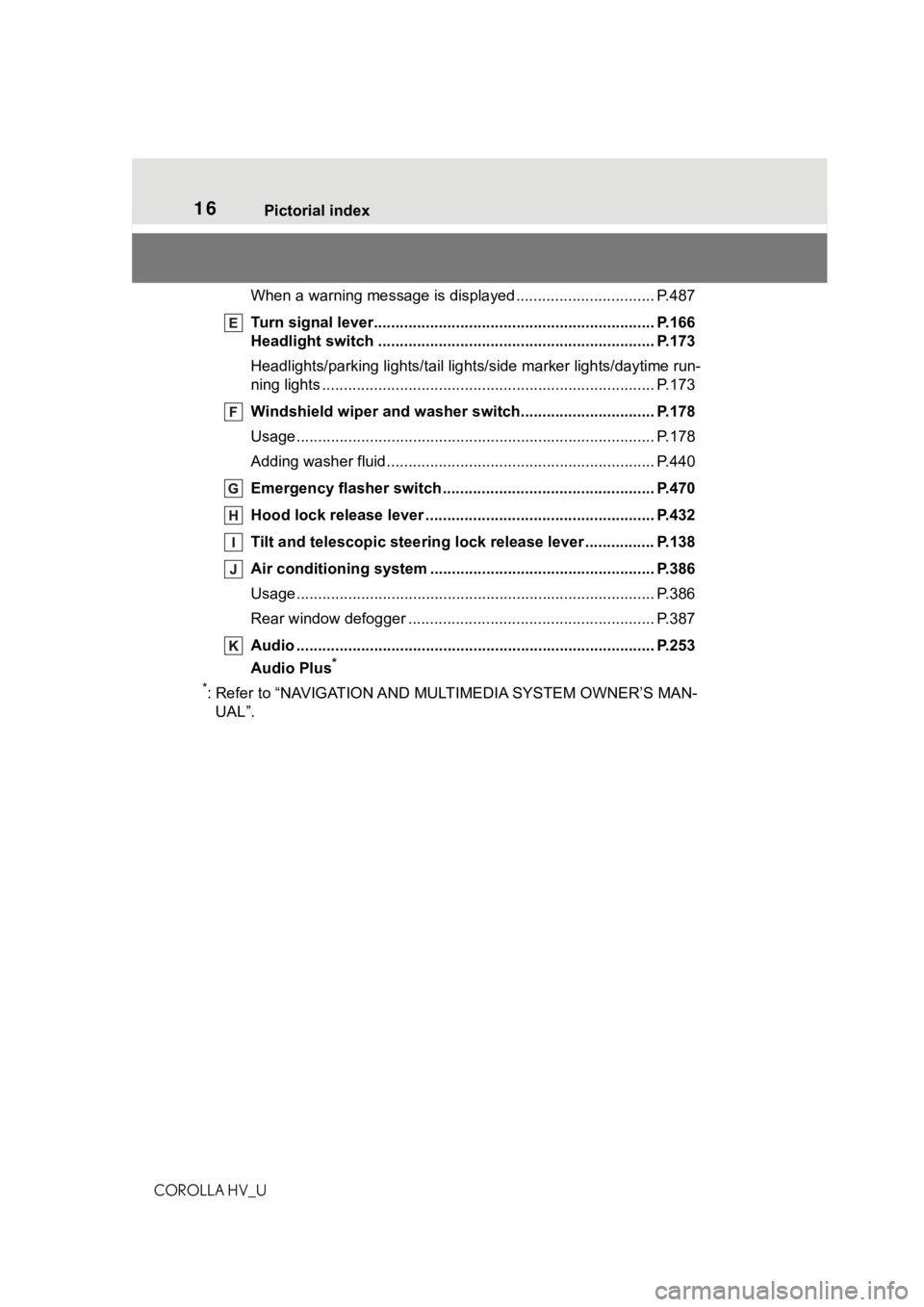
When a warning message is displayed ............................ .... P.487
Turn signal lever.............................................. ................... P.166
Headlight switch ............................................... ................. P.173
Headlights/parking lights/tail lig hts/side marker lights/daytime run-
ning lights .................................................... ......................... P.173
Windshield wiper and washer switch............................... P.178
Usage................................................................................... P.178
Adding washer fluid .............................................................. P.440
Emergency flasher switch ....................................... .......... P.470
Hood lock release lever ........................................ ............. P.432
Tilt and telescopic steering lock release lever ................P. 1 3 8
Air conditioning system ............................. ....................... P.386
Usage................................................................................... P.386
Rear window defogger ........................................... .............. P.387
Audio .......................................................... ......................... P.253
Audio Plus
*
*
: Refer to “NAVIGATION AND MU LTIMEDIA SYSTEM OWNER’S MAN-
UAL”.
Page 77 of 584
771-3. Emergency assistance
COROLLA HV_U
1
For safety and security
are available for purchase. Con-
tact your Toyota dealer, call the
following appropriate Customer
Experience Center or push the
“SOS” button in your vehicle for
further subscription details.
• The United States
1-800-331-4331
• Canada
1-888-869-6828
•Puerto Rico
1-877-855-8377
■Safety Connect Services Infor-
mation
●Phone calls using the vehicle’s
Bluetooth® technology will not be
possible when Safety Connect is
active and in use.
●Safety Connect is available begin-
ning Fall 2009 on select Toyota
models (in the contiguous United
States only). Contact with the
Safety Connect response center
is dependent upon the telematics
device being in operative condi-
tion, cellular connection availabil-
ity, and GPS satellite signal
reception, which can limit the abil-
ity to reach the response center or
receive emergency service sup-
port. Enrollment and Telematics
Subscription Service Agreement
are required. A variety of subscrip-
tion terms are available; charges
vary by subscription term selected
and location.
●Automatic Collision Notification,
Emergency Assistance and Stolen
Vehicle Location are available in
the United States, including
Hawaii and Alaska, Puerto Rico
and Canada, and Enhanced
Roadside Assistance are avail-
able in the United States, Puerto
Rico and Canada.
●Automatic Collision Notification, Emergency Assistance, Stolen
Vehicle and Enhanced Road
Assistance are not available in the
U.S. Virgin Islands.
For vehicles first sold in the U.S.
Virgin Islands, no Safety Connect
services will function in or outside
the U.S. Virgin Islands.
●Safety Connect services are not
subject to section
255 of the Tele-
communications Act and the
device is not TTY compatible.
■Languages
The Safety Connect response cen-
ter will offer suppor t in multiple lan-
guages.
The Safety Connect system will
offer voice prompts in English,
Spanish, and French. Please indi-
cate your language of choice when
enrolling.
■When contacting the response
center
You may be unable to contact the
response center if the network is
busy.
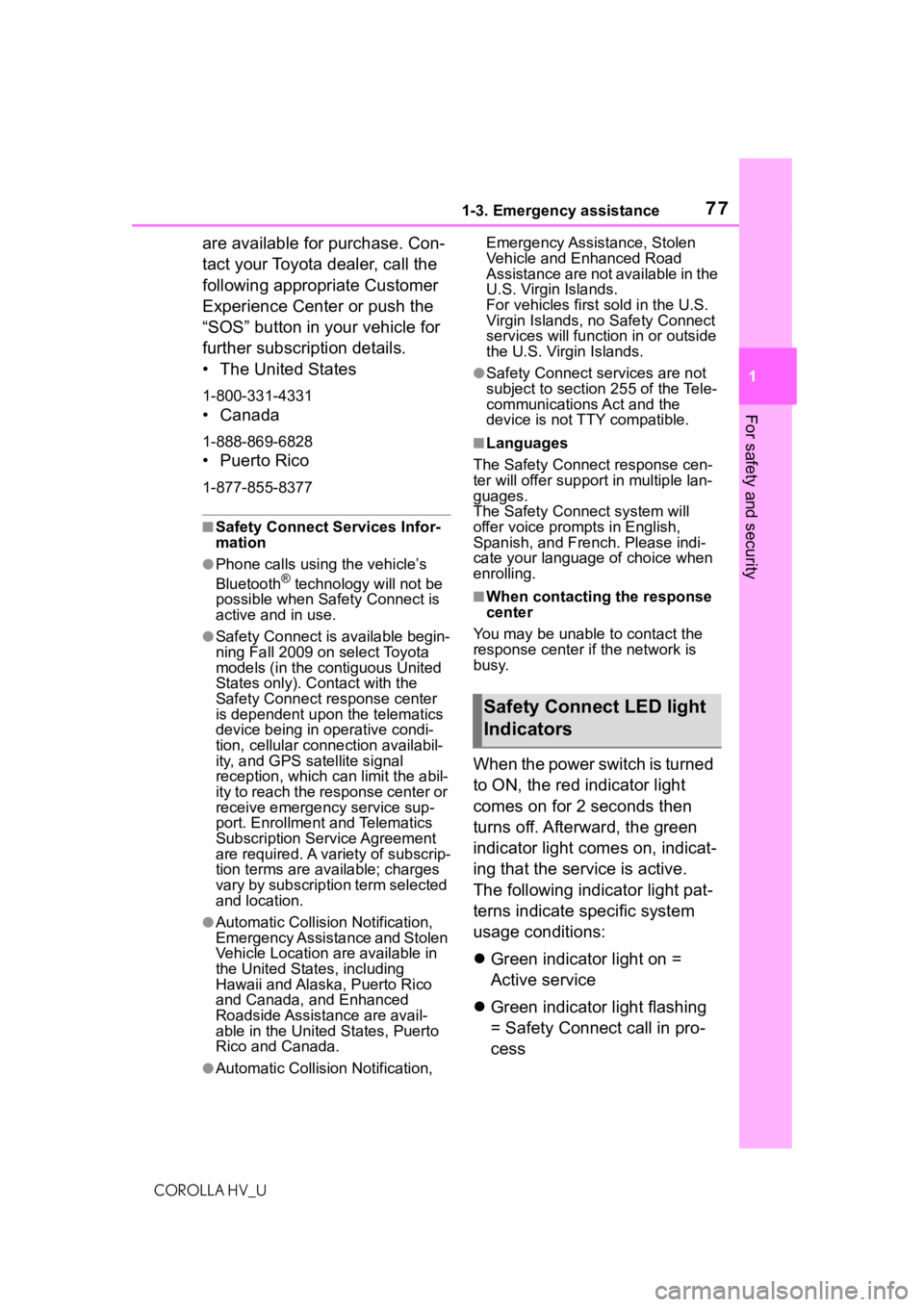
When the power switch is turned
to ON, the red indicator light
comes on for 2 seconds then
turns off. Afterward, the green
indicator light comes on, indicat-
ing that the service is active.
The following indicator light pat-
terns indicate specific system
usage conditions:
Green indicator light on =
Active service
Green indicator light flashing
= Safety Connect call in pro-
cess
Safety Connect LED light
Indicators
Page 96 of 584
962-1. Instrument cluster
COROLLA HV_UThere may be a malfunction in a
system if the lights do not come
on, or turn off. Have the vehicle
inspected by your Toyota dealer.
*2: This light illuminates on the
multi-information display.
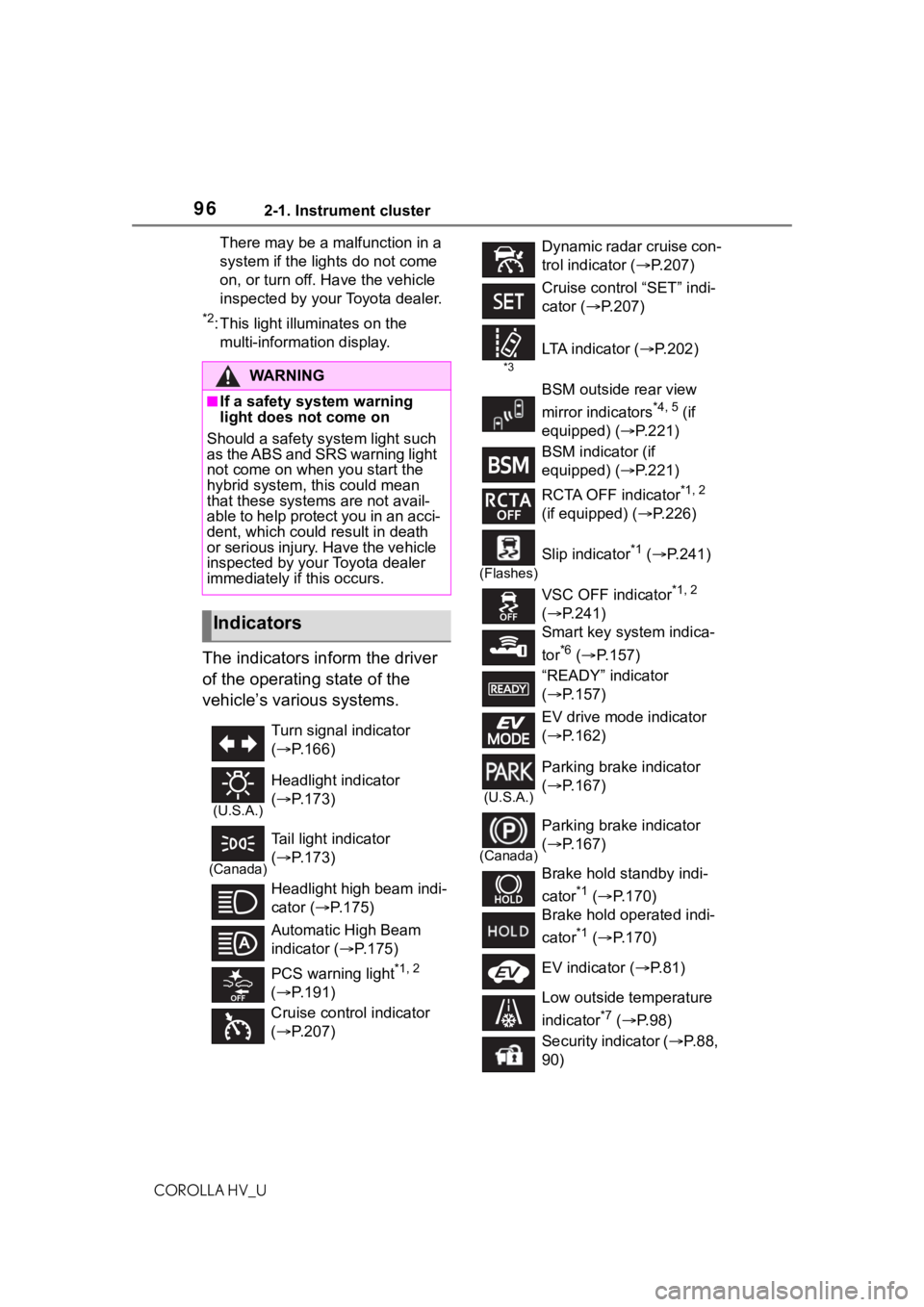
The indicators inform the driver
of the operating state of the
vehicle’s various systems.
WA R N I N G
■If a safety system warning
light does not come on
Should a safety system light such
as the ABS and SRS warning light
not come on when you start the
hybrid system, th is could mean
that these systems are not avail-
able to help protect you in an acci-
dent, which could result in death
or serious injury. Have the vehicle
inspected by your Toyota dealer
immediately if this occurs.
Indicators
Turn signal indicator
( P.166)
(U.S.A.)
Headlight indicator
( P.173)
(Canada)
Tail light indicator
( P.173)
Headlight high beam indi-
cator ( P.175)
Automatic High Beam
indicator ( P.175)
PCS warning light
*1, 2
( P.191)
Cruise control indicator
( P.207)
Dynamic radar cruise con-
trol indicator ( P.207)
Cruise control “SET” indi-
cator ( P.207)
*3
LTA i n d i c a t o r ( P.202)
BSM outside rear view
mirror indicators
*4, 5 (if
equipped) (P.221)
BSM indicator (if
equipped) (P.221)
RCTA OFF indicator
*1, 2
(if equipped) ( P.226)
(Flashes)
Slip indicator*1 ( P.241)
VSC OFF indicator
*1, 2
( P.241)
Smart key system indica-
tor
*6 ( P.157)
“READY” indicator
( P.157)
EV drive mode indicator
( P.162)
(U.S.A.)
Parking brake indicator
( P.167)
(Canada)
Parking brake indicator
( P.167)
Brake hold standby indi-
cator
*1 ( P.170)
Brake hold operated indi-
cator
*1 ( P.170)
EV indicator ( P.81)
Low outside temperature
indicator
*7 ( P. 9 8 )
Security indicator ( P. 8 8 ,
90)
Page 145 of 584
145
COROLLA HV_U
4
4
Driving
Driving
.4-1. Before drivingDriving the vehicle....... 146
Cargo and luggage ..... 152
Vehicle load limits ....... 155
Trailer towing............... 155
Dinghy towing ............. 156
4-2. Driving procedures Power (ignition) switch.................................. 157
EV drive mode ............ 162
Hybrid transmission .... 164
Turn signal lever.......... 166
Parking brake .............. 167
Brake Hold .................. 170
4-3. Operating the lights and wipers
Headlight switch .......... 173
Automatic High Beam . 175
Windshield wipers and washer....................... 178
4-4. Refueling Opening the fuel tank cap.................................. 180
4-5. Using the driving support
systems
Toyota Safety Sense 2.0 .................................. 183
PCS (Pre-Collision System) .................................. 189
LTA (Lane Tracing Assist) .................................. 197Dynamic radar cruise con-
trol with full-speed range.................................. 207
RSA (Road Sign Assist) .................................. 218
BSM (Blind Spot Monitor) .................................. 221
RCTA (Rear Cross Traffic Alert) function ............ 226
Rear view monitor system .................................. 231
Driving mode select switch .................................. 239
Driving assist systems .................................. 240
4-6. Driving tips Hybrid vehicle driving tips.................................. 245
Winter driving tips........ 247
Page 166 of 584
1664-2. Driving procedures
COROLLA HV_U
P. 2 3 9
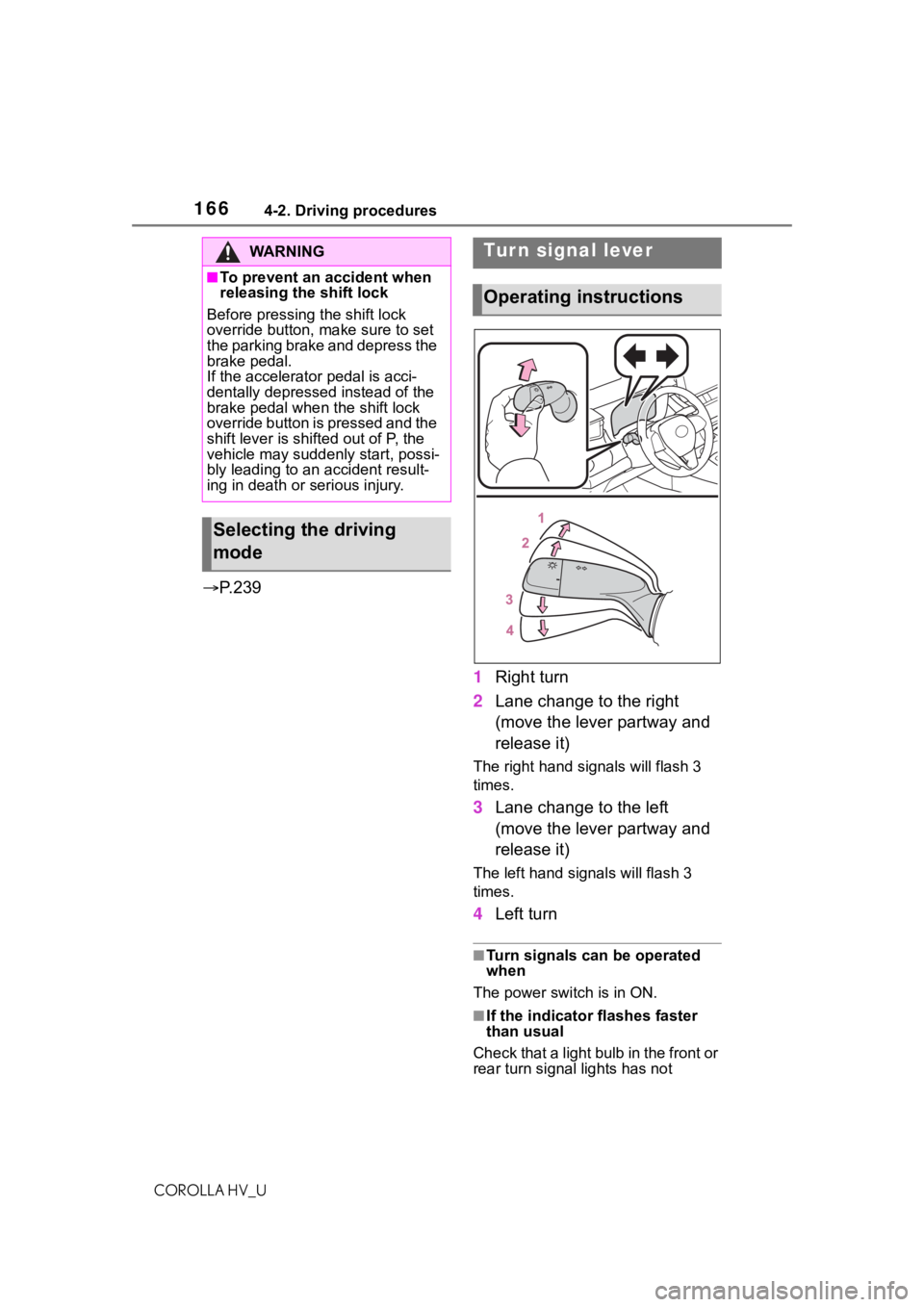
1Right turn
2 Lane change to the right
(move the lever partway and
release it)
The right hand s ignals will flash 3
times.
3 Lane change to the left
(move the lever partway and
release it)
The left hand signals will flash 3
times.
4Left turn
■Turn signals can be operated
when
The power switch is in ON.
■If the indicator flashes faster
than usual
Check that a light bulb in the front or
rear turn signal lights has not
WA R N I N G
■To prevent an accident when
releasing the shift lock
Before pressing the shift lock
override button, make sure to set
the parking brake and depress the
brake pedal.
If the accelerator pedal is acci-
dentally depressed instead of the
brake pedal when the shift lock
override button is pressed and the
shift lever is shifted out of P, the
vehicle may suddenly start, possi-
bly leading to an accident result-
ing in death or serious injury.
Selecting the driving
mode
Tur n signal lever
Operating instructions
Page 176 of 584
1764-3. Operating the lights and wipers
COROLLA HV_U
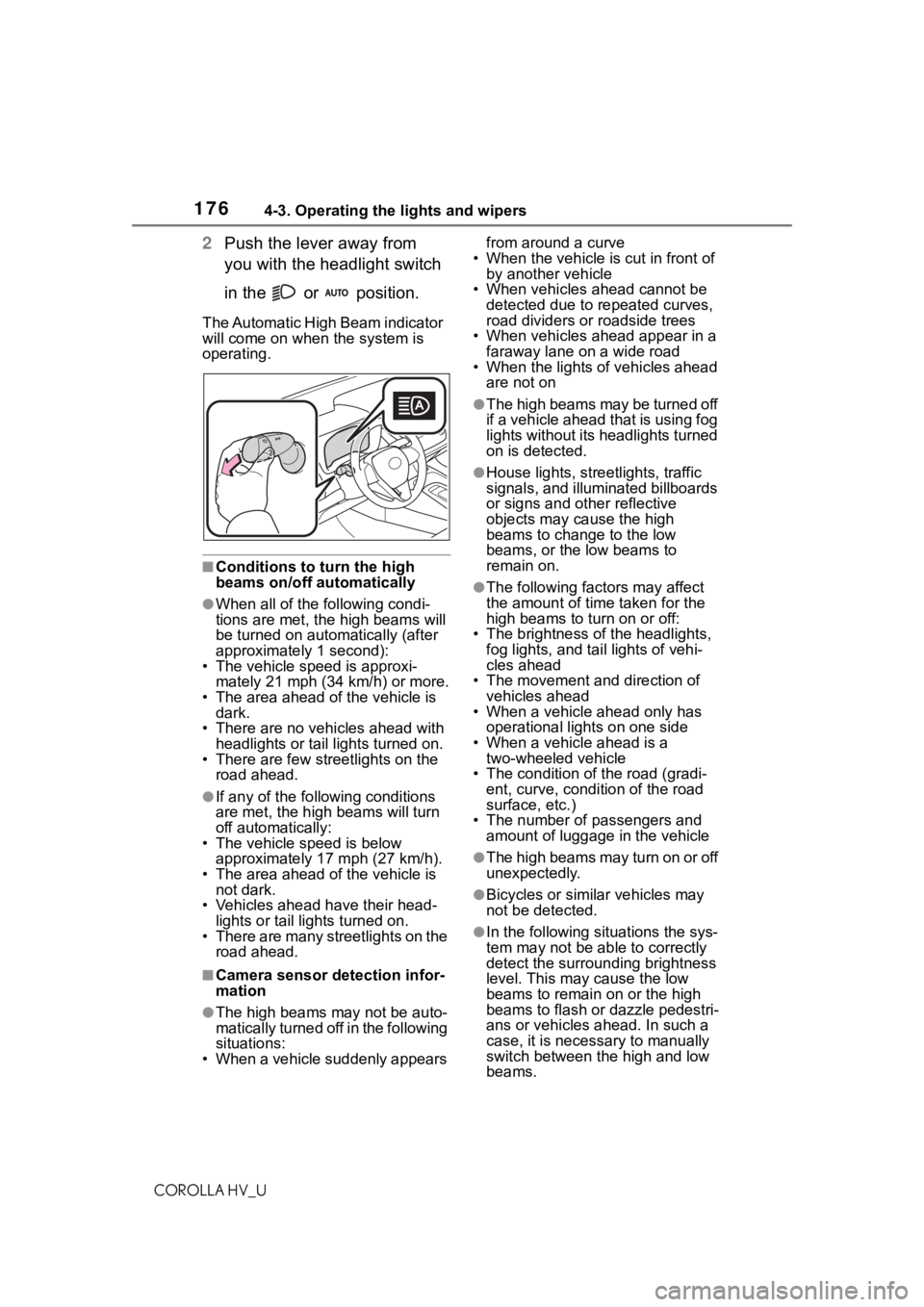
2Push the lever away from
you with the headlight switch
in the or position.
The Automatic High Beam indicator
will come on when the system is
operating.
■Conditions to t urn the high
beams on/off automatically
●When all of the following condi-
tions are met, the high beams will
be turned on automatically (after
approximately 1 second):
• The vehicle speed is approxi-
mately 21 mph (34 km/h) or more.
• The area ahead of the vehicle is dark.
• There are no vehicles ahead with headlights or tail lights turned on.
• There are few streetlights on the
road ahead.
●If any of the following conditions
are met, the high beams will turn
off automatically:
• The vehicle speed is below
approximately 17 mph (27 km/h).
• The area ahead of the vehicle is not dark.
• Vehicles ahead have their head- lights or tail lights turned on.
• There are many streetlights on the road ahead.
■Camera sensor detection infor-
mation
●The high beams may not be auto-
matically turned off in the following
situations:
• When a vehicle suddenly appears from around a curve
• When the vehicle is cut in front of by another vehicle
• When vehicles ahead cannot be detected due to repeated curves,
road dividers or roadside trees
• When vehicles ahead appear in a faraway lane on a wide road
• When the lights of vehicles ahead
are not on
●The high beams may be turned off
if a vehicle ahead that is using fog
lights without its headlights turned
on is detected.
●House lights, stree tlights, traffic
signals, and illuminated billboards
or signs and other reflective
objects may cause the high
beams to change to the low
beams, or the low beams to
remain on.
●The following fact ors may affect
the amount of time taken for the
high beams to turn on or off:
• The brightness of the headlights, fog lights, and ta il lights of vehi-
cles ahead
• The movement and direction of vehicles ahead
• When a vehicle ahead only has
operational lights on one side
• When a vehicle ahead is a two-wheeled vehicle
• The condition of the road (gradi- ent, curve, condition of the road
surface, etc.)
• The number of passengers and amount of luggage in the vehicle
●The high beams may turn on or off
unexpectedly.
●Bicycles or similar vehicles may
not be detected.
●In the following situations the sys-
tem may not be able to correctly
detect the surrounding brightness
level. This may cause the low
beams to remain on or the high
beams to flash or dazzle pedestri-
ans or vehicles ahead. In such a
case, it is necessary to manually
switch between the high and low
beams.
Page 200 of 584
2004-5. Using the driving support systems
COROLLA HV_U
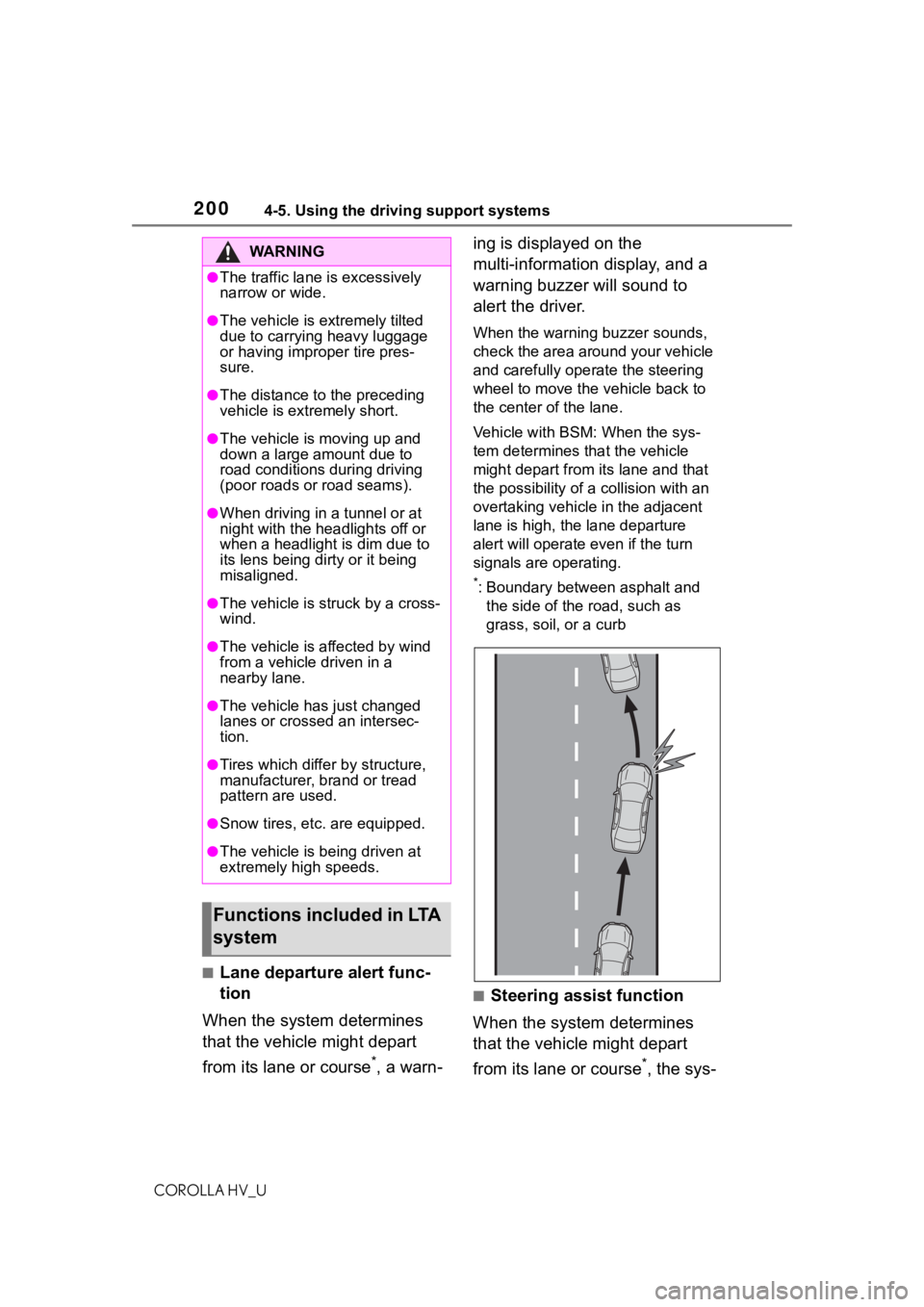
■Lane departure alert func-
tion
When the system determines
that the vehicle might depart
from its lane or course
*, a warn- ing is displayed on the
multi-information display, and a
warning buzzer will sound to
alert the driver.
When the warning buzzer sounds,
check the area around your vehicle
and carefully operate the steering
wheel to move the vehicle back to
the center of the lane.
Vehicle with BSM: When the sys-
tem determines that the vehicle
might depart from its lane and that
the possibility of a collision with an
overtaking vehicle in the adjacent
lane is high, the lane departure
alert will operate even if the turn
signals are operating.
*: Boundary between asphalt and
the side of the road, such as
grass, soil, or a curb
■Steering assist function
When the system determines
that the vehicle might depart
from its lane or course
*, the sys-
WA R N I N G
●The traffic lane is excessively
narrow or wide.
●The vehicle is extremely tilted
due to carrying heavy luggage
or having improper tire pres-
sure.
●The distance to the preceding
vehicle is extremely short.
●The vehicle is moving up and
down a large amount due to
road conditions during driving
(poor roads or road seams).
●When driving in a tunnel or at
night with the headlights off or
when a headlight is dim due to
its lens being dirty or it being
misaligned.
●The vehicle is struck by a cross-
wind.
●The vehicle is affected by wind
from a vehicle driven in a
nearby lane.
●The vehicle has just changed
lanes or crossed an intersec-
tion.
●Tires which differ by structure,
manufacturer, b rand or tread
pattern are used.
●Snow tires, etc. are equipped.
●The vehicle is being driven at
extremely high speeds.
Functions included in LTA
system
Page 201 of 584
2014-5. Using the driving support systems
COROLLA HV_U
4
Driving
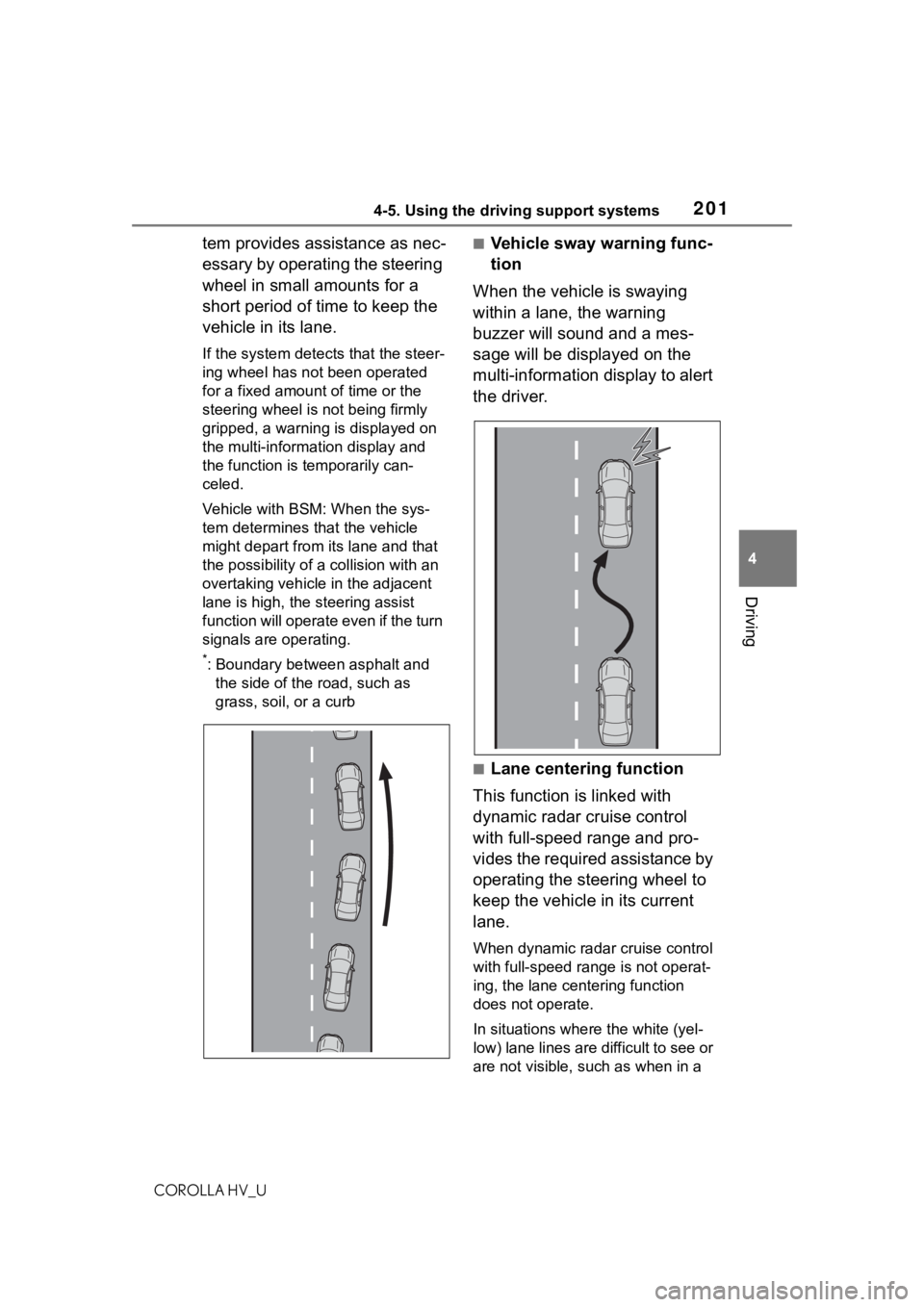
tem provides assistance as nec-
essary by operating the steering
wheel in small amounts for a
short period of time to keep the
vehicle in its lane.
If the system detects that the steer-
ing wheel has not been operated
for a fixed amount of time or the
steering wheel is not being firmly
gripped, a warning is displayed on
the multi-information display and
the function is t emporarily can-
celed.
Vehicle with BSM: When the sys-
tem determines that the vehicle
might depart from its lane and that
the possibility of a collision with an
overtaking vehicle in the adjacent
lane is high, the steering assist
function will operate even if the turn
signals are operating.
*: Boundary between asphalt and the side of the road, such as
grass, soil, or a curb
■Vehicle sway warning func-
tion
When the vehicle is swaying
within a lane, the warning
buzzer will sound and a mes-
sage will be displayed on the
multi-information display to alert
the driver.
■Lane centering function
This function is linked with
dynamic radar cruise control
with full-speed range and pro-
vides the required assistance by
operating the steering wheel to
keep the vehicle in its current
lane.
When dynamic radar cruise control
with full-speed range is not operat-
ing, the lane centering function
does not operate.
In situations where the white (yel-
low) lane lines are d ifficult to see or
are not visible, such as when in a