light TOYOTA GR YARIS 2023 Owners Manual
[x] Cancel search | Manufacturer: TOYOTA, Model Year: 2023, Model line: GR YARIS, Model: TOYOTA GR YARIS 2023Pages: 470, PDF Size: 113.17 MB
Page 268 of 470
266
Owner's Manual_Europe_M52P63_en
6-4. Do-it-yourself maintenance
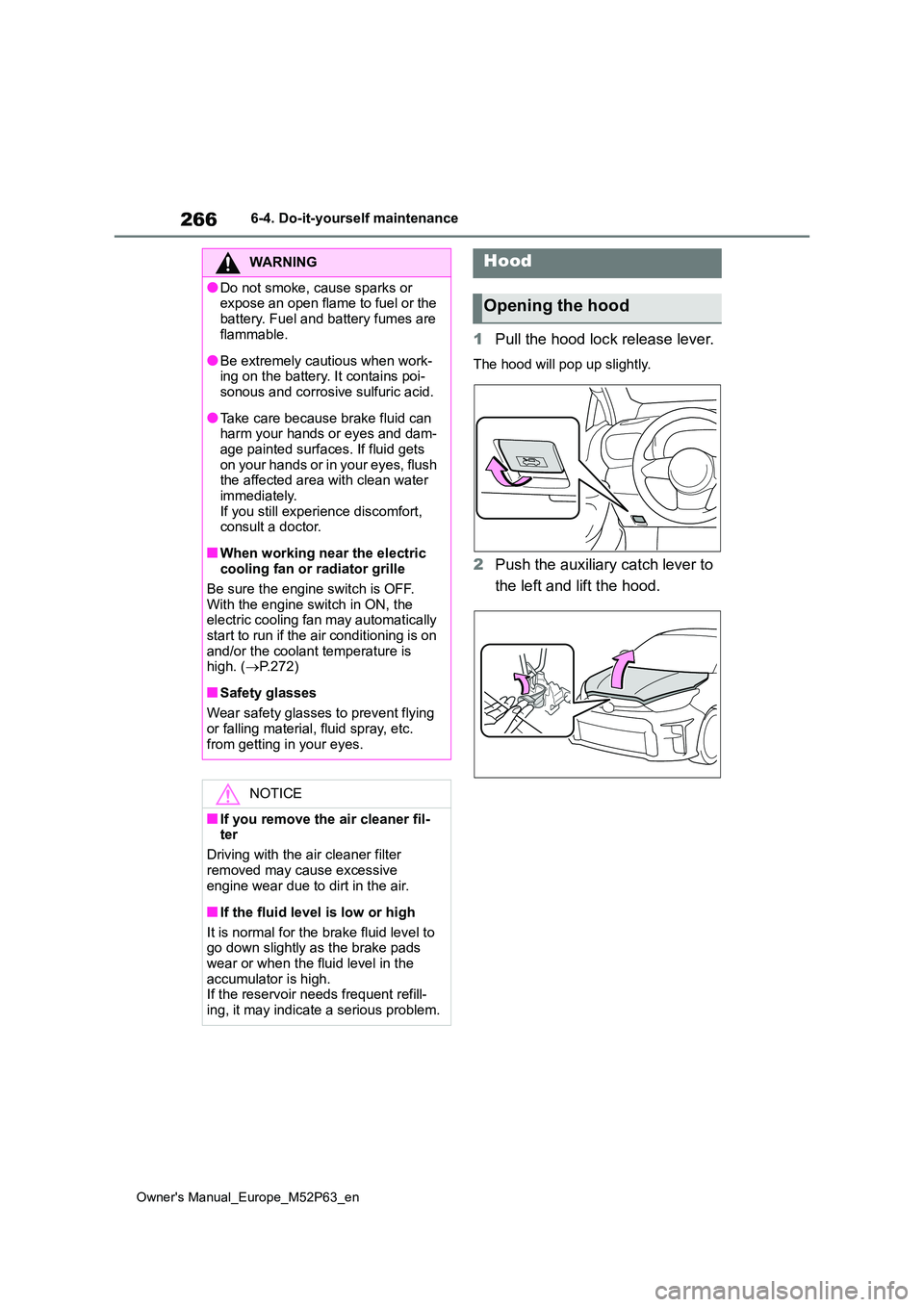
1Pull the hood lock release lever.
The hood will pop up slightly.
2Push the auxiliary catch lever to
the left and lift the hood.
WARNING
●Do not smoke, cause sparks or expose an open flame to fuel or the
battery. Fuel and battery fumes are flammable.
●Be extremely cautious when work-ing on the battery. It contains poi-sonous and corrosive sulfuric acid.
●Take care because brake fluid can harm your hands or eyes and dam-
age painted surfaces. If fluid gets on your hands or in your eyes, flush the affected area with clean water
immediately. If you still experience discomfort, consult a doctor.
■When working near the electric cooling fan or radiator grille
Be sure the engine switch is OFF. With the engine switch in ON, the electric cooling fan may automatically
start to run if the air conditioning is on and/or the coolant temperature is high. ( P.272)
■Safety glasses
Wear safety glasses to prevent flying
or falling material, fluid spray, etc. from getting in your eyes.
NOTICE
■If you remove the air cleaner fil-ter
Driving with the air cleaner filter
removed may cause excessive engine wear due to dirt in the air.
■If the fluid level is low or high
It is normal for the brake fluid level to go down slightly as the brake pads
wear or when the fluid level in the accumulator is high.If the reservoir needs frequent refill-
ing, it may indicate a serious problem.
Hood
Opening the hood
Page 276 of 470
274
Owner's Manual_Europe_M52P63_en
6-4. Do-it-yourself maintenance
engine switch mode to the status it
was in before the battery was discon- nected. Make sure to turn off the engine switch before disconnecting
the battery. Take extra care when con- necting the battery if the engine switch mode prior to the battery being dis-
connected is unknown.
If the system will not start even after multiple attempts at all the methods
above, contact any authorized Toyota retailer or Toyota authorized repairer, or any reliable repairer.
WARNING
■Chemicals in the battery
The battery contains poisonous and corrosive sulfuric acid and may pro-
duce hydrogen gas which is flamma- ble and explosive. To reduce the risk of death or serious injury, take the fol-
lowing precautions while working on or near the battery:
●Do not cause sparks by touching
the battery terminals with tools.
●Do not smoke or light a match near
the battery.
●Avoid contact with eyes, skin and
clothes.
●Never inhale or swallow electrolyte.
●Wear protective safety glasses when working near the battery.
●Keep children away from the bat-tery.
■Where to safely charge the bat-tery
Always charge the battery in an open area. Do not charge the battery in a garage or closed room where there is
insufficient ventilation.
■Emergency measures regarding electrolyte
●If electrolyte gets in your eyes
Flush your eyes with clean water for at least 15 minutes and get immedi-ate medical attention. If possible,
continue to apply water with a sponge or cloth while traveling to the nearest medical facility.
●If electrolyte gets on your skinWash the affected area thoroughly.
If you feel pain or burning, get med- ical attention immediately.
●If electrolyte gets on your clothesIt can soak through clothing on to your skin. Immediately take off the
clothing and follow the procedure above if necessary.
●If you accidentally swallow electro-lyteDrink a large quantity of water or
milk. Get emergency medical atten- tion immediately.
■When replacing the battery
Use a battery designed for this vehi- cle. Failure to do so may cause gas
(hydrogen) to enter the passenger compartment, causing a fire or explo-sion.
For replacement of the battery, con- tact any authorized Toyota retailer or Toyota authorized repairer, or any reli-
able repairer.
■When handling the battery
P. 3 4 2
Page 279 of 470
277
6
Owner's Manual_Europe_M52P63_en
6-4. Do-it-yourself maintenance
Maintenance and care
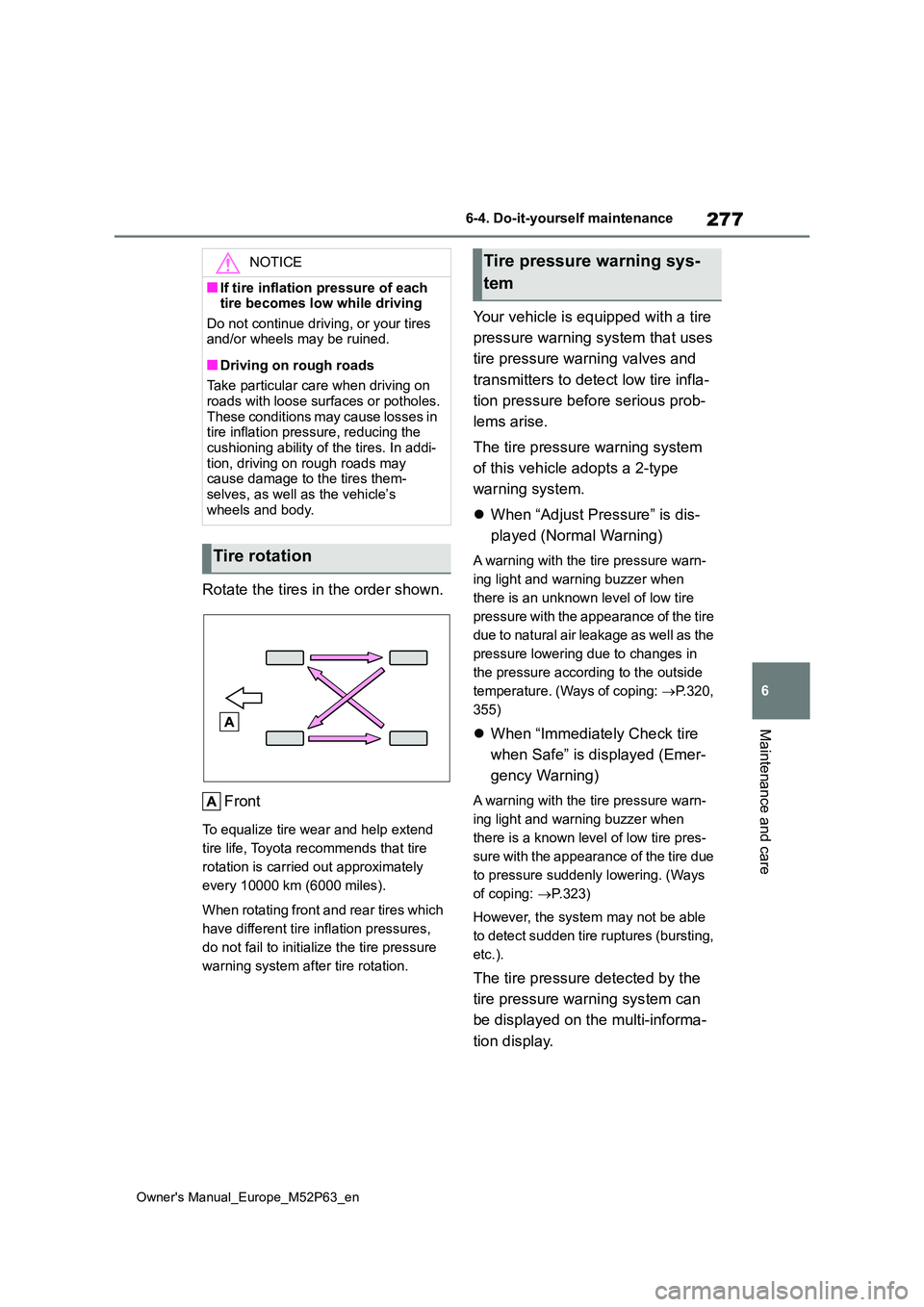
Rotate the tires in the order shown.
Front
To equalize tire wear and help extend
tire life, Toyota recommends that tire
rotation is carried out approximately
every 10000 km (6000 miles).
When rotating front and rear tires which
have different tire inflation pressures,
do not fail to initialize the tire pressure
warning system after tire rotation.
Your vehicle is equipped with a tire
pressure warning system that uses
tire pressure warning valves and
transmitters to detect low tire infla-
tion pressure before serious prob-
lems arise.
The tire pressure warning system
of this vehicle adopts a 2-type
warning system.
When “Adjust Pressure” is dis-
played (Normal Warning)
A warning with the tire pressure warn-
ing light and warning buzzer when
there is an unknown level of low tire
pressure with the appearance of the tire
due to natural air leakage as well as the
pressure lowering due to changes in
the pressure according to the outside
temperature. (Ways of coping: P.320,
355)
When “Immediately Check tire
when Safe” is displayed (Emer-
gency Warning)
A warning with the tire pressure warn-
ing light and warning buzzer when
there is a known level of low tire pres-
sure with the appearance of the tire due
to pressure suddenly lowering. (Ways
of coping: P.323)
However, the system may not be able
to detect sudden tire ruptures (bursting,
etc.).
The tire pressure detected by the
tire pressure warning system can
be displayed on the multi-informa-
tion display.
NOTICE
■If tire inflation pressure of each tire becomes low while driving
Do not continue driving, or your tires and/or wheels may be ruined.
■Driving on rough roads
Take particular care when driving on roads with loose surfaces or potholes.
These conditions may cause losses in tire inflation pressure, reducing the cushioning ability of the tires. In addi-
tion, driving on rough roads may cause damage to the tires them-selves, as well as the vehicle’s
wheels and body.
Tire rotation
Tire pressure warning sys-
tem
Page 281 of 470
279
6
Owner's Manual_Europe_M52P63_en
6-4. Do-it-yourself maintenance
Maintenance and care
erates strong radio waves or electrical
noise. • When carrying a portable radio, cellu-lar phone, cordless phone or other
wireless communication device.
●When the vehicle is parked, the time
taken for the warning to start or go off could be extended.
●When tire inflation pressure declines rapidly for example when a tire has burst, the not to able detect.
■Warning performance of the tire
pressure warning system
The warning of the tire pressure warning system will change in accordance with
driving conditions. For this reason, the system may give a warning even if the tire pressure does not reach a low
enough level, or if the pressure is higher than the pressure that was adjusted to when the system was initialized.
When replacing tires or wheels, tire
pressure warning valves and trans-
mitters must also be installed.
When new tire pressure warning
valves and transmitters are
installed, new ID codes must be
registered in the tire pressure warn-
ing computer and the tire pressure
warning system must be initialized.
Have tire pressure warning valves
and transmitter ID codes regis-
tered any authorized Toyota retailer
or Toyota authorized repairer, or
any reliable repairer. ( P.281)
■Replacing tires and wheels
If the ID code of the tire pressure warn- ing valve and transmitter is not regis-
tered, the tire pressure warning system
will not work properly. After driving for
about 10 minutes, the tire pressure warning light blinks for 1 minute and stays on to indicate a system malfunc-
tion.
Installing tire pressure warn-
ing valves and transmitters
NOTICE
■Repairing or replacing tires, wheels, tire pressure warning
valves, transmitters and tire valve caps
●When removing or fitting the
wheels, tires or the tire pressure warning valves and transmitters, contact any authorized Toyota
retailer or Toyota authorized repairer, or any reliable repairer as the tire pressure warning valves
and transmitters may be damaged if not handled correctly.
●Make sure to install the tire valve caps. If the tire valve caps are not installed, water could enter the tire
pressure warning valves, corrode the valve, and cause sticking and air leaks.
●When replacing tire valve caps, do not use tire valve caps other than
those specified. The cap may become stuck.
■To avoid damage to the tire pres-sure warning valves and trans-mitters
When a tire is repaired with liquid sealants, the tire pressure warning valve and transmitter may not operate
properly. If a liquid sealant is used, contact any authorized Toyota retailer or Toyota authorized repairer, or any
reliable repairer as soon as possible. Make sure to replace the tire pressure warning valve and transmitter when
replacing the tire. ( P.279)
Page 282 of 470
280
Owner's Manual_Europe_M52P63_en
6-4. Do-it-yourself maintenance
■The tire pressure warning sys-
tem must be init ialized in the
following circumstances:
When rotating front and rear tires
which have different tire inflation
pressures.
When changing the tire size.
When the tire inflation pressure
is changed such as when chang-
ing traveling speed or load
weight.
When changing between two
registered wheel sets.
When the tire pressure warning
system is initialized, the current tire
inflation pressure is set as the
benchmark pressure.
■How to initialize the tire pres-
sure warning system
1 Park the vehicle in a safe place
and turn the engine switch off,
wait for approximately 15 min-
utes or more and perform the
procedure.
2 Adjust the tire inflation pressure
to the specified cold tire inflation
pressure level. ( P.355)
Make sure to adjust the tire pressure to the specified cold tire inflation pressure level. The tire pressure warning system
will operate based on this pressure level.
3 Turn the engine switch to ON.
Initialization cannot be performed while
the vehicle is moving.
4 Press / of the meter con-
trol switch to select .
5 Press / to select “Vehicle
Settings” and then press and
hold .
6 Press / to select “TPWS
setting” and then press .
7 Press / to select “Setting
Pressure”. Then press and hold
until the tire pressure warn-
ing light blinks 3 times.
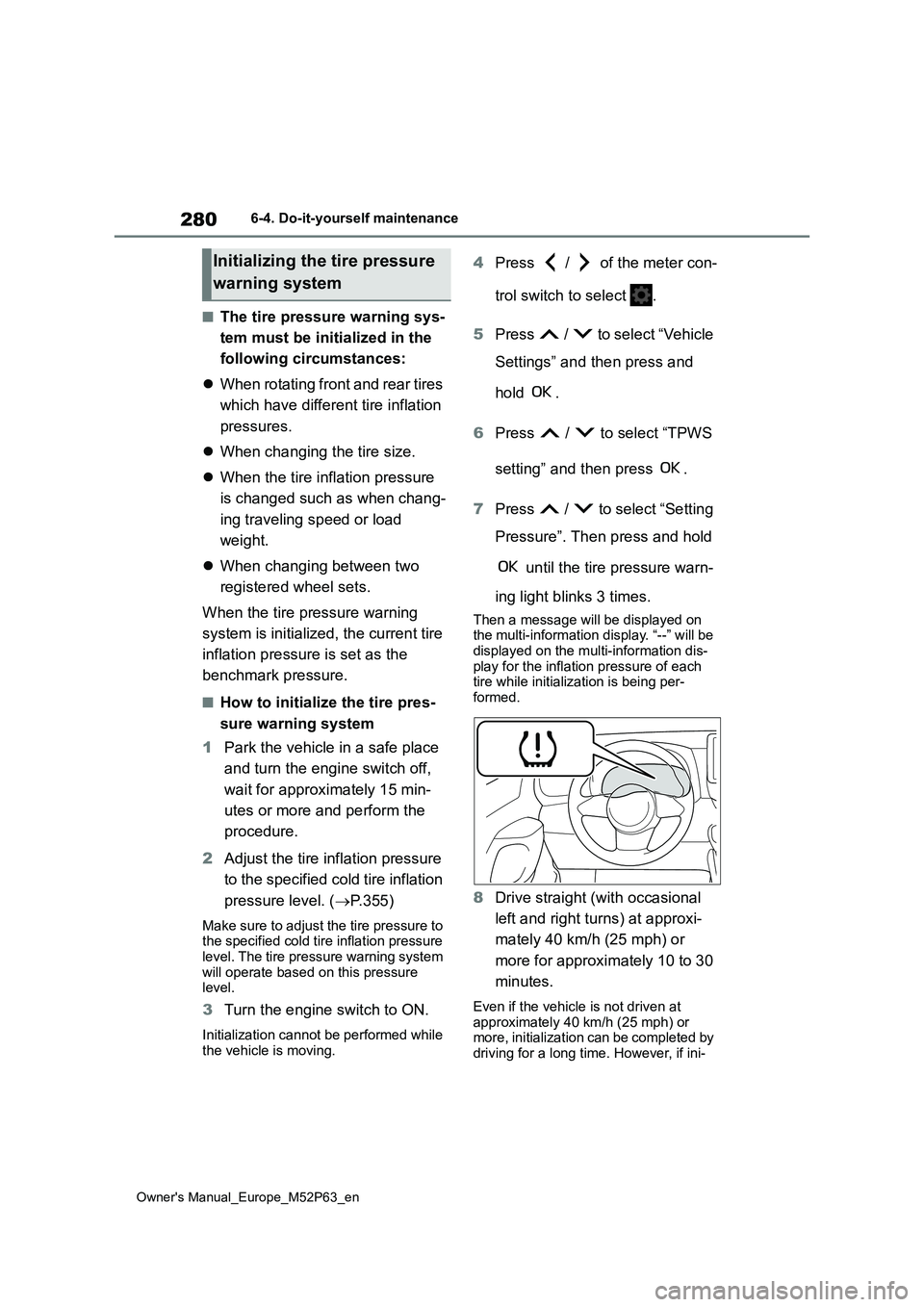
Then a message will be displayed on the multi-information display. “--” will be displayed on the multi-information dis-
play for the inflation pressure of each tire while initialization is being per-formed.
8 Drive straight (with occasional
left and right turns) at approxi-
mately 40 km/h (25 mph) or
more for approximately 10 to 30
minutes.
Even if the vehicle is not driven at
approximately 40 km/h (25 mph) or more, initialization can be completed by driving for a long time. However, if ini-
Initializing the tire pressure
warning system
Page 283 of 470
281
6
Owner's Manual_Europe_M52P63_en
6-4. Do-it-yourself maintenance
Maintenance and care
tialization does not complete after driv-
ing for 1 hour or more, park the vehicle in a safe place for more than 15 min-utes and please drive a vehicle once
again with the engine switch ON. ( P.283)
■Initialization procedure
●Make sure to carry out initialization
after adjusting the tire inflation pres- sure.Also, make sure the tires are cold
before carrying out initialization or tire inflation pressure adjustment.
●If you have accidentally turned the engine switch off during initialization, it is not necessary to press the reset
switch again as initialization will restart automatically when the engine switch is turned to ON the next time.
●If you accidentally press the reset switch when initialization is not neces-
sary, adjust the tire inflation pressure to the specified level when the tires are cold, and conduct initialization
again.
●While the position of each tire is being
determined and the inflation pres- sures are not being displayed on the multi-information display, if the infla-
tion pressure of a tire drops, the tire pressure warning light will come on.
■If the tire pressure warning system
is not initialized properly
●In the following situations, initialization
may take longer than usual to be com- pleted or may not be possible. (Usu-ally, the vehicle will need to be driven
for approximately 10 to 30 minutes to complete initialization.) If initialization is not complete after driving approxi-
mately 30 minutes, continue driving for a while.• If the vehicle is driven on an unpaved
road, it may take longer to complete initialization.• If the vehicle is backed up while per-
forming initialization, data collected during initialization will be cleared and it will take longer than normal to com-
plete.
• If the vehicle is driven in heavy traffic or another situation where other vehi-cles are driven close by, it may take
time for the system to recognize the tire pressure warning valve and trans-mitters of your vehicle over those of
other vehicles.
If initialization is not complete after driv-
ing for approximately 1 hour, park the
vehicle in a safe place for more than 15
minutes and then drive the vehicle
again.
●In the following situations, initialization
will not be started or was not com- pleted properly and the system will not operate properly. Perform the initial-
ization procedure again. • If, when attempting to start initializa-tion, the tire pressure warning light
does not blink 3 times. • If, when the vehicle has been driven for about 20 minutes after performing
initialization, the tire pressure warning light blinks for approximately 1 minute and then illuminates.
●If initialization cannot be completed after performing the above procedure,
contact any authorized Toyota retailer or Toyota authorized repairer, or any reliable repairer.
The tire pressure warning valve
and transmitter is equipped with a
WARNING
■When initializing the tire pres- sure warning system
Do not initialize the tire pressure
warning system without first adjusting the tire inflation pressure to the speci-fied level. Otherwise, the tire pressure
warning light may not come on even if the tire inflation pressure is low, or it may come on when the tire inflation
pressure is actually normal.
Registering ID codes
Page 284 of 470
282
Owner's Manual_Europe_M52P63_en
6-4. Do-it-yourself maintenance
unique ID code. When replacing a
tire pressure warning valve and
transmitter, it is necessary to regis-
ter the ID code.
The ID codes can be registered on
of the multi-information display.
1 Park the vehicle in a safe place
and turn the engine switch off,
wait for approximately 15 min-
utes or more and perform the
procedure.
2 Turn the engine switch to ON.
Operate the registering ID codes func- tion cannot be performed while the
vehicle is moving.
3 Press / of the meter con-
trol switch to select .
4 Press / to select “Vehicle
Settings” and then press and
hold .
5 Press / to select “TPWS
setting” and then press .
6 Press / to select “Identi-
fying Each Wheel & Position”.
Then press and hold until
the tire pressure warning light
blinks slowly 3 times.
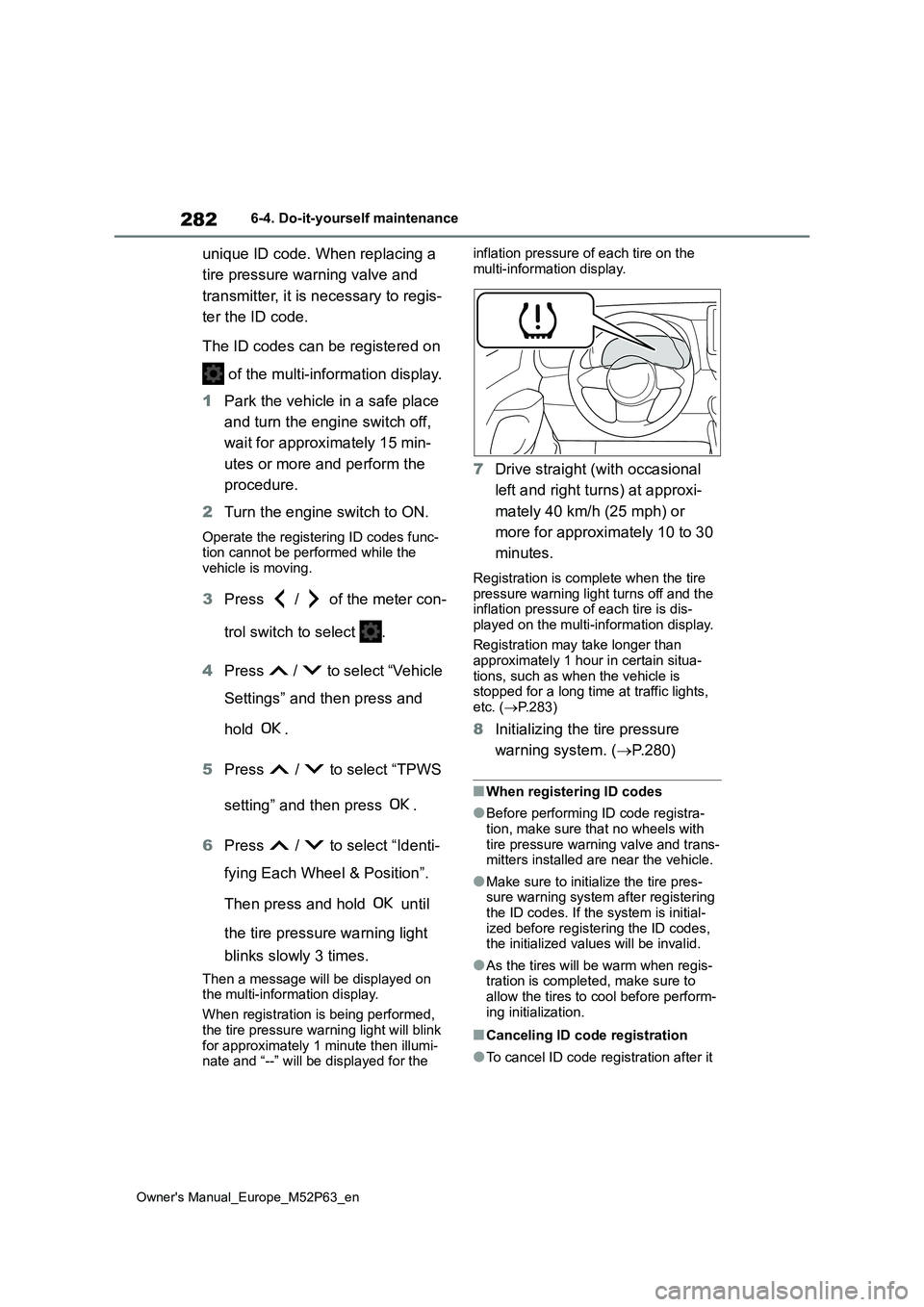
Then a message will be displayed on the multi-information display.
When registration is being performed,
the tire pressure warning light will blink for approximately 1 minute then illumi-nate and “--” will be displayed for the
inflation pressure of each tire on the
multi-information display.
7 Drive straight (with occasional
left and right turns) at approxi-
mately 40 km/h (25 mph) or
more for approximately 10 to 30
minutes.
Registration is complete when the tire pressure warning light turns off and the inflation pressure of each tire is dis-
played on the multi-information display.
Registration may take longer than approximately 1 hour in certain situa-
tions, such as when the vehicle is stopped for a long time at traffic lights, etc. ( P.283)
8Initializing the tire pressure
warning system. ( P.280)
■When registering ID codes
●Before performing ID code registra-
tion, make sure that no wheels with tire pressure warning valve and trans-mitters installed are near the vehicle.
●Make sure to initialize the tire pres-sure warning system after registering
the ID codes. If the system is initial- ized before registering the ID codes, the initialized values will be invalid.
●As the tires will be warm when regis-tration is completed, make sure to
allow the tires to cool before perform- ing initialization.
■Canceling ID code registration
●To cancel ID code registration after it
Page 285 of 470
283
6
Owner's Manual_Europe_M52P63_en
6-4. Do-it-yourself maintenance
Maintenance and care
has been started, operate the multi-
information display again to select “Identifying Each Wheel & Position”. ( P.281)
●If ID code registration has been can- celed, the tire pressure warning light
will blink for approximately 1 minute when the engine switch is turned to ON mode and then illuminate. The tire
pressure warning system will be oper- ational when the tire pressure warning light turns off.
●If the warning light does not turn off even after several minutes have
elapsed, ID code registration may not have been canceled correctly. To can-cel registration, perform the ID code
registration start procedure again and then turn the engine switch off before driving.
■If ID codes are not registered prop-
erly
●In the following situations, ID code
registration may take longer than usual to be completed or may not be possible. (Usually, the vehicle will
need to be driven for approximately 10 to 30 minutes to complete ID code registration.)
If ID code registration is not complete after driving for approximately 30 min-utes, continue driving for a while.
• If the vehicle is driven on an unpaved road, it may take longer than normal to complete registration.
• If the vehicle is backed up while per- forming registration, data collected during registration will be cleared, and
it will take longer than normal to com- plete.• If the vehicle is driven in heavy traffic
or another situation where other vehi- cles are driven close by, it may take time for the system to recognize the
tire pressure warning valve and trans- mitters of your vehicle over those of other vehicles.
• If a wheel with a tire pressure warning valve and transmitter installed is inside or near the vehicle, registration
of the ID codes for the installed
wheels may not be possible.
If ID registration is not complete after
driving for approximately 1 hour, park
the vehicle in a safe place for approxi-
mately 20 minutes and then perform the
ID code registration procedure again.
●In the following situations, ID code registration will not be started or was
not completed properly and the sys- tem will not operate properly. Perform the ID code registration procedure
again. • If, when attempting to start ID code registration, the tire pressure warning
light does not blink slowly 3 times. • If, when the vehicle has been driven for about 10 minutes after performing
ID code registration, the tire pressure warning light blinks for approximately 1 minute and then illuminates.
●If ID code registration cannot be com-pleted after performing the above pro-
cedure, contact any authorized Toyota retailer or Toyota authorized repairer, or any reliable repairer.
Your vehicle is equipped with tire
pressure warning system with the
function to have ID codes regis-
tered for a second wheel set, for
example a winter set, by any autho-
rized Toyota retailer or Toyota
authorized repairer, or any reliable
repairer.
After registration of a second wheel
set, either of these two wheel sets
can be selected for usage with the
tire pressure warning system.
■Operating conditions for the
function
This function will perform the
Selecting wheel set
Page 286 of 470
284
Owner's Manual_Europe_M52P63_en
6-4. Do-it-yourself maintenance
change of wheel set only if a sec-
ond wheel set has been regis-
tered. If no second wheel set has
been registered, the ID cannot
be changed even if “Identifying
Each Wheel & Position” is
selected in the multi-information
display and waiting for 2 min-
utes.
Only a change between both
registered wheel set is possible,
mixing between these wheel sets
is not supported.
■How to change between wheel
sets
1 Have the vehicle fitted with the
preferred wheel set.
2 Press / of the meter con-
trol switch to select .
3 Press / to select “Vehicle
Settings” and then press and
hold .
4 Press / to select “TPWS
setting” and then press .
5 Press / to select “Identi-
fying Each Wheel & Position”.
Then press and hold until
the tire pressure warning light
blinks slowly 3 times. Afterward,
turns on after flashing for 1 min-
ute.
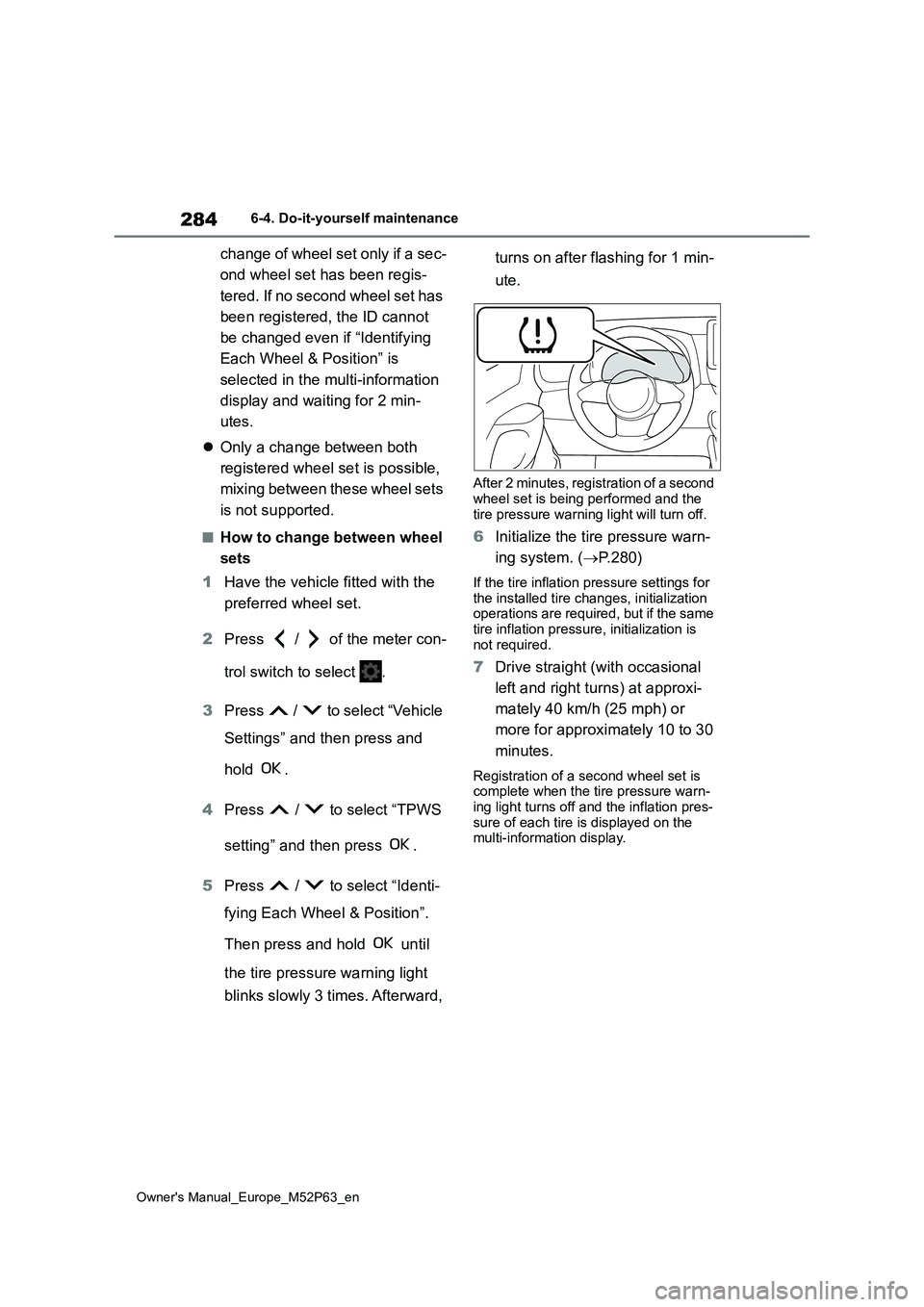
After 2 minutes, registration of a second wheel set is being performed and the
tire pressure warning light will turn off.
6 Initialize the tire pressure warn-
ing system. ( P.280)
If the tire inflation pressure settings for
the installed tire changes, initialization operations are required, but if the same tire inflation pressure, initialization is
not required.
7 Drive straight (with occasional
left and right turns) at approxi-
mately 40 km/h (25 mph) or
more for approximately 10 to 30
minutes.
Registration of a second wheel set is complete when the tire pressure warn-
ing light turns off and the inflation pres- sure of each tire is displayed on the multi-information display.
Page 288 of 470
286
Owner's Manual_Europe_M52P63_en
6-4. Do-it-yourself maintenance
*: Chock can be purchased at any
authorized Toyota retailer or Toyota
authorized repairer, or any reliable
repairer.
2 Slightly loosen the wheel nuts
(one turn).
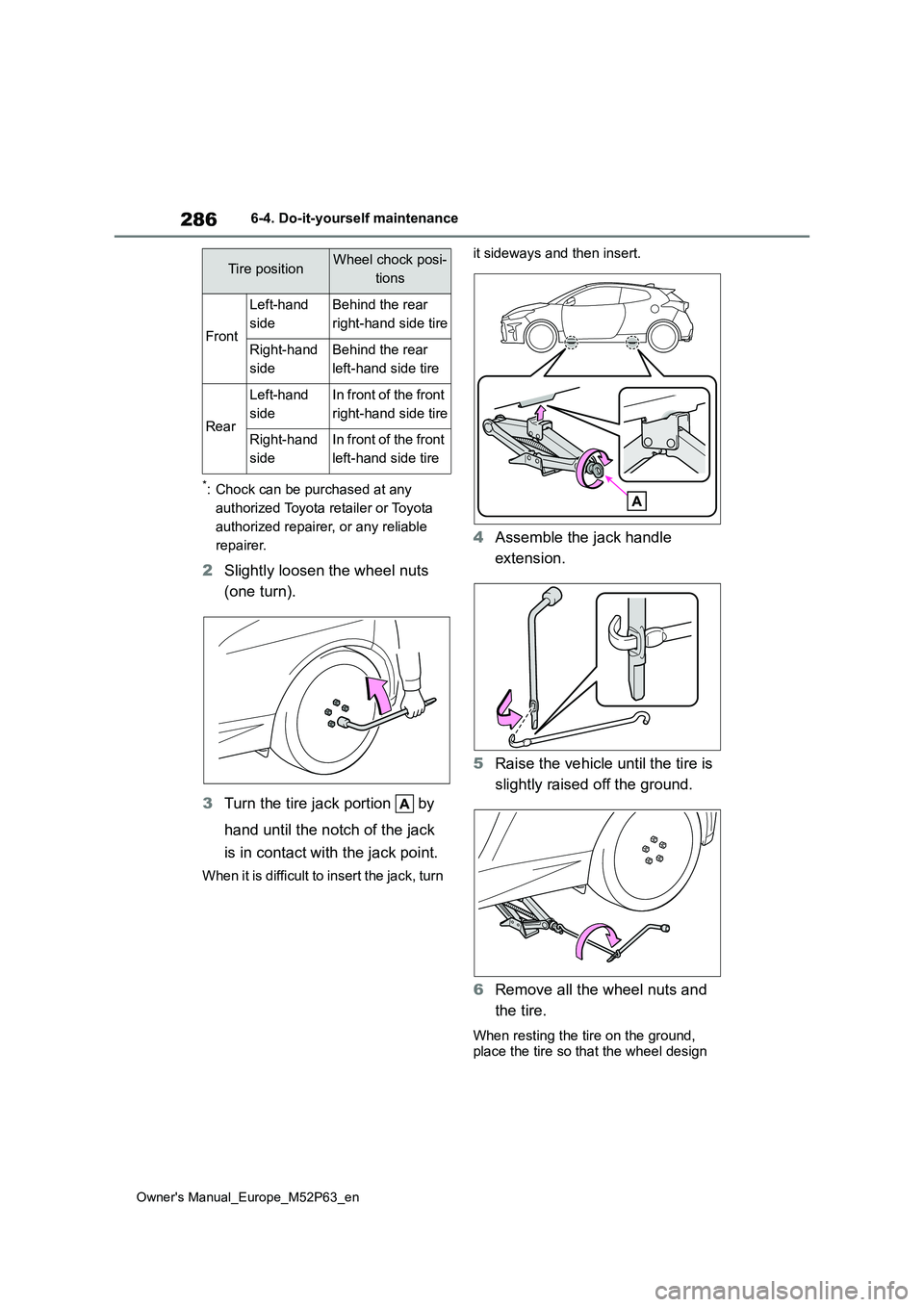
3 Turn the tire jack portion by
hand until the notch of the jack
is in contact with the jack point.
When it is difficult to insert the jack, turn
it sideways and then insert.
4 Assemble the jack handle
extension.
5 Raise the vehicle until the tire is
slightly raised off the ground.
6 Remove all the wheel nuts and
the tire.
When resting the tire on the ground,
place the tire so that the wheel design
Tire positionWheel chock posi-
tions
Front
Left-hand
side
Behind the rear
right-hand side tire
Right-hand
side
Behind the rear
left-hand side tire
Rear
Left-hand
side
In front of the front
right-hand side tire
Right-hand
side
In front of the front
left-hand side tire