stereo camera TOYOTA GR86 2022 Owners Manual (in English)
[x] Cancel search | Manufacturer: TOYOTA, Model Year: 2022, Model line: GR86, Model: TOYOTA GR86 2022Pages: 582, PDF Size: 86.38 MB
Page 158 of 582
1564-3. Operating the lights and wipers
■Turning SRH off
The SRH can be turned off through
a setting on the meter. ( P.377)
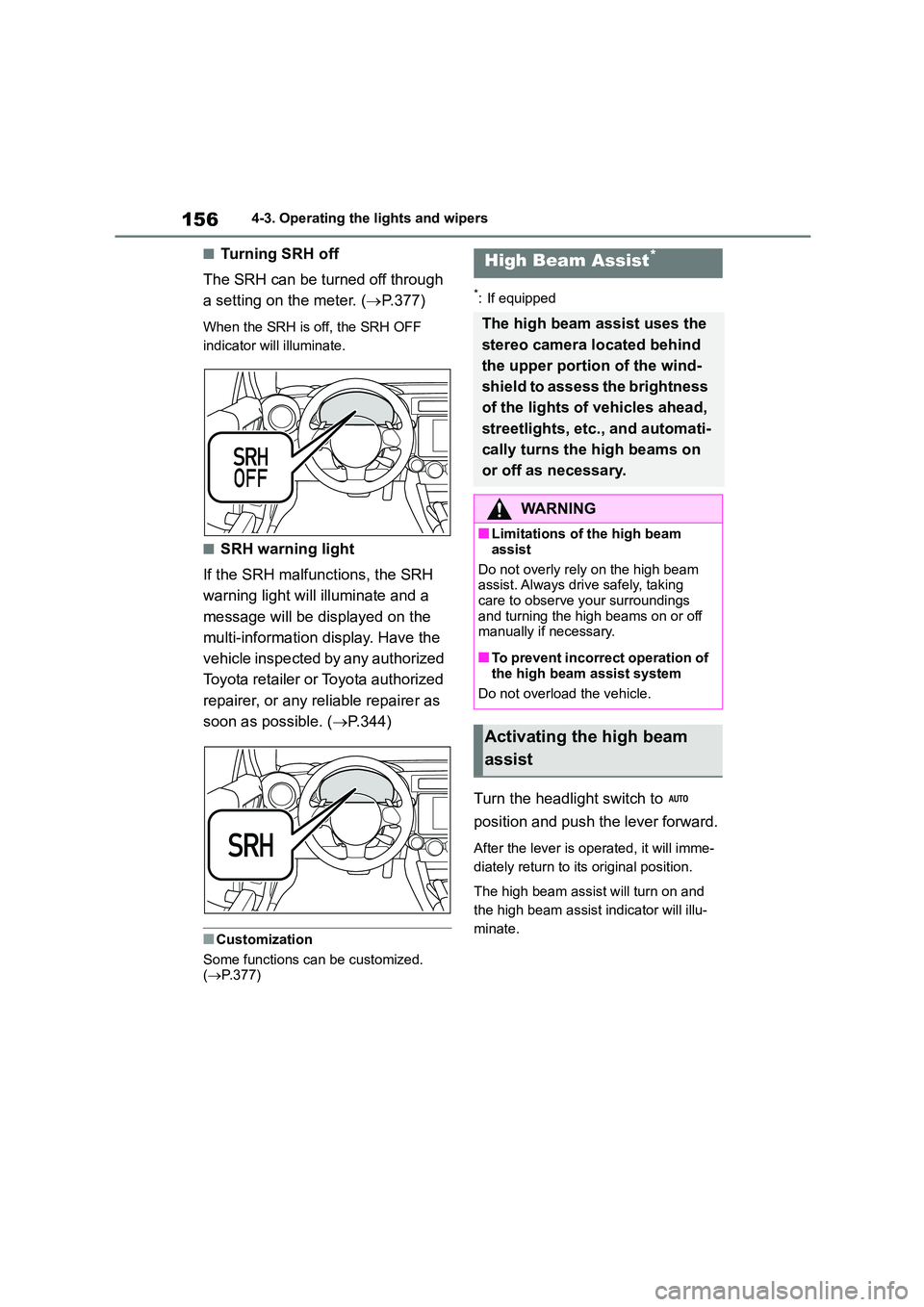
When the SRH is off, the SRH OFF
indicator will illuminate.
■SRH warning light
If the SRH malfunctions, the SRH
warning light will illuminate and a
message will be displayed on the
multi-information display. Have the
vehicle inspected by any authorized
Toyota retailer or Toyota authorized
repairer, or any reliable repairer as
soon as possible. ( P.344)
■Customization
Some functions can be customized.
( P.377)
*: If equipped
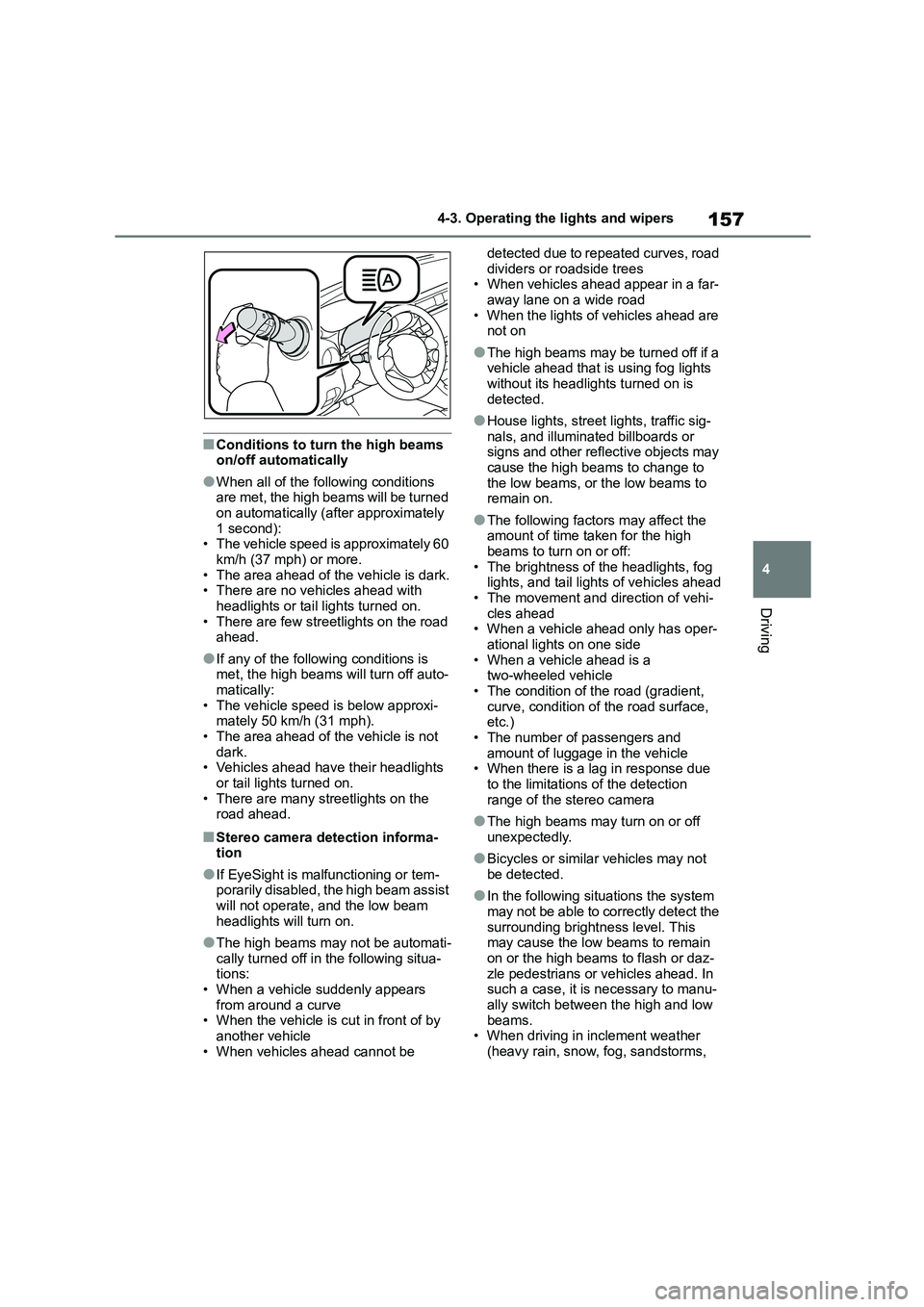
Turn the headlight switch to
position and push the lever forward.
After the lever is operated, it will imme-
diately return to its original position.
The high beam assist will turn on and
the high beam assist indicator will illu-
minate.
High Beam Assist*
The high beam assist uses the
stereo camera located behind
the upper portion of the wind-
shield to assess the brightness
of the lights of vehicles ahead,
streetlights, etc., and automati-
cally turns the high beams on
or off as necessary.
WA R N I N G
■Limitations of the high beam
assist
Do not overly rely on the high beam assist. Always drive safely, taking
care to observe your surroundings
and turning the high beams on or off manually if necessary.
■To prevent incorrect operation of the high beam assist system
Do not overload the vehicle.
Activating the high beam
assist
Page 159 of 582
157
4
4-3. Operating the lights and wipers
Driving
■Conditions to turn the high beams on/off automatically
●When all of the following conditions are met, the high beams will be turned
on automatically (after approximately
1 second): • The vehicle speed is approximately 60
km/h (37 mph) or more.
• The area ahead of the vehicle is dark. • There are no vehicles ahead with
headlights or tail lights turned on.
• There are few streetlights on the road ahead.
●If any of the following conditions is met, the high beams will turn off auto-
matically:
• The vehicle speed is below approxi- mately 50 km/h (31 mph).
• The area ahead of the vehicle is not
dark. • Vehicles ahead have their headlights
or tail lights turned on.
• There are many streetlights on the road ahead.
■Stereo camera detection informa-
tion
●If EyeSight is malfunctioning or tem-
porarily disabled, the high beam assist
will not operate, and the low beam
headlights will turn on.
●The high beams may not be automati-
cally turned off in the following situa- tions:
• When a vehicle suddenly appears
from around a curve • When the vehicle is cut in front of by
another vehicle
• When vehicles ahead cannot be
detected due to repeated curves, road
dividers or roadside trees • When vehicles ahead appear in a far-
away lane on a wide road
• When the lights of vehicles ahead are not on
●The high beams may be turned off if a vehicle ahead that is using fog lights
without its headlights turned on is
detected.
●House lights, street lights, traffic sig-
nals, and illuminated billboards or signs and other reflective objects may
cause the high beams to change to
the low beams, or the low beams to remain on.
●The following factors may affect the amount of time taken for the high
beams to turn on or off:
• The brightness of the headlights, fog lights, and tail lights of vehicles ahead
• The movement and direction of vehi-
cles ahead • When a vehicle ahead only has oper-
ational lights on one side
• When a vehicle ahead is a two-wheeled vehicle
• The condition of the road (gradient,
curve, condition of the road surface, etc.)
• The number of passengers and
amount of luggage in the vehicle • When there is a lag in response due
to the limitations of the detection
range of the stereo camera
●The high beams may turn on or off
unexpectedly.
●Bicycles or similar vehicles may not
be detected.
●In the following si tuations the system
may not be able to correctly detect the
surrounding brightness level. This may cause the low beams to remain
on or the high beams to flash or daz-
zle pedestrians or vehicles ahead. In such a case, it is necessary to manu-
ally switch between the high and low
beams. • When driving in inclement weather
(heavy rain, snow, fog, sandstorms,
Page 160 of 582
1584-3. Operating the lights and wipers
etc.)
• When the windshield is obscured by fog, mist, ice, dirt, etc.
• When the windshield is cracked or
damaged • When the stereo camera is deformed
or dirty
• When the temperature of the stereo camera is extremely high
• When the surrounding brightness
level is equal to that of headlights, tail lights or fog lights
• When headlights or tail lights of vehi-
cles ahead are turned off, dirty, chang- ing color, or not aimed properly
• When the vehicle is hit by water,
snow, dust, etc. from a preceding vehicle
• When driving through an area of inter-
mittently changing brightness and darkness
• When frequently and repeatedly driv-
ing ascending/descending roads, or roads with rough, bumpy or uneven
surfaces (such as stone-paved roads,
gravel roads, etc.) • When frequently and repeatedly tak-
ing curves or driving on a winding
road • When there is a highly reflective
object ahead of the vehicle, such as a
sign or mirror • When the back of a preceding vehicle
is highly reflective, such as a con-
tainer on a truck • When the vehicle’s headlights are
damaged or dirty, or are not aimed
properly • When the vehicle is listing or titling
due to a flat tire, a trailer being towed,
etc. • Immediately after the engine is started
• When the headlights are changed
between the high beams and low
beams repeatedly in an abnormal manner
• When the driver believes that the high
beams may be flashing or dazzling pedestrians or other drivers
• When the vehicle is used in an area in
which vehicles travel on the opposite side of the road of the country for
which the vehicle was designed, for
example using a vehicle designed for
right-hand traffic in a left-hand traffic area, or vice versa
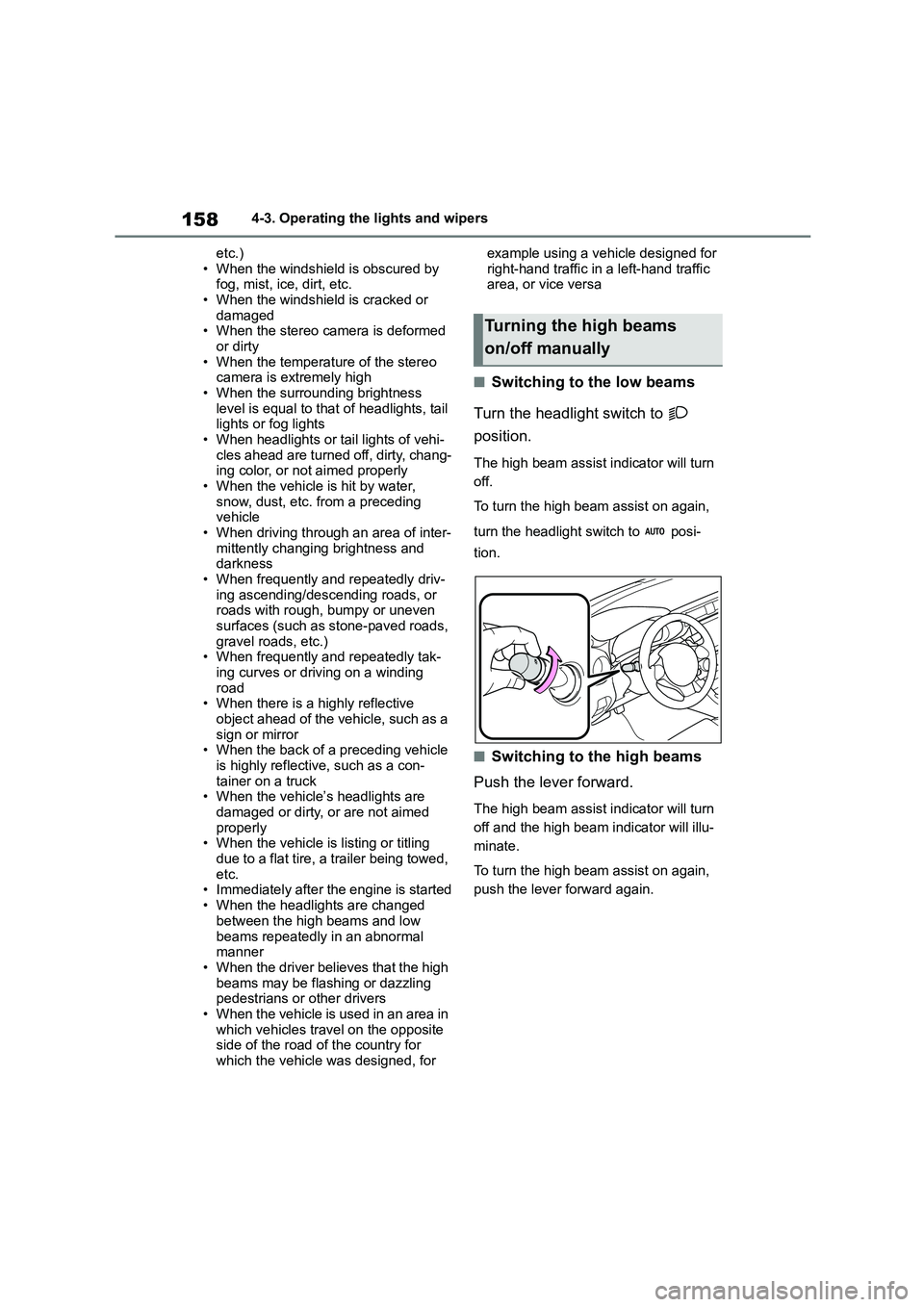
■Switching to the low beams
Turn the headlight switch to
position.
The high beam assist indicator will turn
off.
To turn the high beam assist on again,
turn the headlight switch to posi-
tion.
■Switching to the high beams
Push the lever forward.
The high beam assist indicator will turn
off and the high beam indicator will illu-
minate.
To turn the high beam assist on again,
push the lever forward again.
Turning the high beams
on/off manually
Page 167 of 582
165
4
4-5. EyeSight
Driving
4-5.EyeSight
*1: If equipped
*2: EyeSight is a registered trademark
of SUBARU CORPORATION.
EyeSight records and stores the follow- ing data when Pre-Collision Braking
System is operated. It does not record
conversations or other audio data.
●Stereo camera image data
●Distance from the vehicle in front
●Vehicle speed
●Steering wheel turning angle
●Lateral movement with regards to the direction of travel
●Accelerator pedal operation status
●Brake pedal operation status
●Shift lever position
●Odometer reading
●Data related to ABS, VSC and TRC
Toyota and third parties contracted by Toyota may acquire and use the
recorded data for the purpose of vehicle
research and development. Toyota and third parties contracted by Toyota will
not disclose or provide the acquired
data to any other third party except under the following conditions.
• The vehicle owner has given his/her
consent.
• The disclosure/provision is based on a court order or other legally enforcea-
ble request.
• Data that has been modified so that the user and vehicle cannot be identi-
fied is provided to a research institu-
tion for statistical processing or similar purposes.
EyeSight*1, 2
EyeSight is a driving support
system that uses a range of
functions to assist the driver in
making decisions in order to
provide for more safe and
comfortable driving and to
reduce driver fatigue. Making
use of images created by the
stereo camera, EyeSight
detects vehicles, obstacles,
traffic lanes and other items
ahead.
WA R N I N G
Drivers are responsible for driving
safely. Always comply with all traffic
rules and regulations regardless of the fact that your vehicle is equipped
with EyeSight. Always maintain a safe
following distance between your vehi- cle and the vehicle in front of you, pay
attention to your surroundings and
driving conditions, and take neces- sary actions in order to maintain a
safe following distance.
Never attempt to drive relying on Eye-
Sight alone.
EyeSight is intended to assist the
driver in making decisions in order to
reduce the risk of accidents or dam- age and lessen the burden on the
driver.
When an EyeSight warning is acti-
vated, pay attention to what is in front
of you and to your surroundings, and take necessary acti ons. This system
is not designed to support driving in
poor visibility or in extreme weather conditions, or to protect against care-
less driving when the driver is not
paying complete attention to the road ahead. It also cannot prevent colli-
sions from occurring in all driving con-
ditions.
Page 168 of 582
1664-5. EyeSight
WA R N I N G
There are limits to the EyeSight rec-
ognition performance and control per-
formance. Be sure to read the instructions for each function before
using the system, and always use it
properly. Improper use may lead to failure of control performance, which
could cause an accident.
Refer to the following pages for each function:
●For Pre-Collision Braking System, refer to P.175.
●For Adaptive Cruise Control, refer to P.185.
●For Conventional Cruise Control, refer to P.201.
●For Pre-Collision Throttle Manage-ment, refer to P.209.
●For Lane Departure Warning, refer to P.214.
●For Lane Sway Warning, refer to P.216.
●For Lead Vehicle Start Alert, refer to P.218.
For left-hand drive: In left-hand drive vehicles, EyeSight is configured for
driving on the right-hand side of the
road. However, it can be reconfigured by changing the driving lane setting
for driving on the left-hand side.*
(P.377)
For right-hand drive: In right-hand
drive vehicles, EyeSight is configured
for driving on the left-hand side of the road. However, it can be reconfigured
by changing the driving lane setting
for driving on the right-hand side.* (P.377)
If the setting for the traffic lane (driv- ing side of the road) does not match
the traffic lane, full EyeSight perfor-
mance may not be available.
*: Characteristics and settings that
are affected by specific differences
between right-hand drive and
left-hand drive vehicles cannot be
changed.
●The system may not operate cor-
rectly under the conditions listed below. When these conditions
occur, turn off Pre-Collision Braking
System. Also, do not use Adaptive Cruise Control or Conventional
Cruise Control.
• The tire pressure is not correct.*1
• Tires that are unevenly worn or tires
with uneven wear patterns are installed.*1
• Tires that are the wrong size are installed.*1
• A flat tire has been fixed temporarily with a tire repair kit.
• The suspension has been modified (including a genuine Toyota sus-
pension that has been modified).
• An object that obstructs the stereo
camera’s view is installed on the
vehicle.
• Tire chains are installed.
• The headlights are dirty or they
have snow and ice or dirt on them.
(Objects are not correctly illumi- nated and are difficult to detect.)
• The optical axes are not aligned correctly. (Objects are not correctly
illuminated and are difficult to
detect.)
• The lights including headlights and
fog lights have been modified.
• Vehicle operation has become
unstable due to an accident or mal-
function.
Page 169 of 582
167
4
4-5. EyeSight
Driving
WA R N I N G
• The brake system warning light is
illuminated in red.*2
• A heavy cargo is inside the vehicle.
• The maximum number of occu- pants is exceeded.
• The meter is not operating properly;
such as when the lights do not illu- minate, the beeps do not sound, the
display is different from when it is
normal, etc.*3
●The system will not operate cor-
rectly in the following conditions. Do not use Adaptive Cruise Control or
Conventional Cruise Control.
• The wheels are out of balance (e.g., the balance weight is removed or
misaligned).*1
• The wheels are out of alignment.*1
• A trailer or another vehicle, etc. is being towed.
*1: The wheels and tires have func-
tions that are critically important.
Be sure to use the correct ones.
(P.375)
*2: If the brake system warning light
(red) does not turn off, immediately
pull the vehicle over in a safe place
and contact any authorized Toyota
retailer or Toyota authorized
repairer, or any reliable repairer to
have the system inspected.
*3: For details about the meter, refer to
P. 8 8 .
NOTICE
●The characteristics of the stereo
camera are similar to those of
human eyes. For this reason, con- ditions that make it difficult for the
driver to see in the forward direction
have the same effect on the stereo camera. They also make it difficult
for the system to detect vehicles,
obstacles, and traffic lanes.
●Detection by the EyeSight system
is limited to objects that are within
the range of the stereo camera’s field of view. Also, after an object
enters the range of the camera’s
field of view, it may take some time for the system to detect it as a con-
trollable target and to warn the
driver.
Low objects surrounding the vehi-
cle cannot be detected.
A
Page 170 of 582
1684-5. EyeSight
NOTICE
●Under the conditions listed below, it
will become more difficult for the
system to detect the vehicle in front, motorcycles, bicycles, pedestrians
and obstacles on the road, and lane
markers. Also, EyeSight may tem- porarily stop operating. However,
the temporary stop will be canceled
once these conditions have
improved and the vehicle is driven for a short period of time.
• Bad weather (for example heavy
rain, a blizzard or thick fog). In par- ticular, the system is more likely to
temporarily stop operating when
there is an oil film adhering to the windshield, a glass coating has
been applied, or poorly performing
wipers are used.
• Strong light is coming from the front
(sunlight or headlight beams of oncoming traffic, etc.).
• The windshield washer is in use.
• Raindrops, water drops, or dirt on
the windshield are not wiped off suf- ficiently.
• The windshield has become fogged, scratched or smeared, or
snow, dirt ,dust or frost has adhered
to it, or it is otherwise affected. These will reduce the stereo cam-
era’s field of view. Also, light is
reflecting off the dirt, etc.
• The vehicle is tilted at an extreme
angle due to loaded cargo or other factors.
• Visibility is poor due to sand, smoke or water vapor blowing in the wind,
or the front vision is obscured due
to water splashes, snow, dirt or dust stir up generated by the vehicle in
front or oncoming traffic.
• The stereo camera’s field of view is
obstructed.
• Through the entrance or exit of a tunnel
• The rear aspect of the vehicle in front is low, small or irregular (for
example a low bed trailer, etc.).
• The obstacle is a fence, a wall or a
shutter, etc. with a uniform pattern
(a striped pattern, brick, etc.) or with no pattern in front.
• The obstacle is a wall or door made of glass or a mirror in front.
• Driving at night or in a tunnel when there is a vehicle in front that does
not have its taillights on
• Driving through a banner or flag,
low branches on a tree or thick/tall
vegetation
• On steep uphill or downhill grades
• The stereo camera is obstructed by
a hand, etc. (If even one of the
lenses is obstructed, the system does not operate properly.)
• It is completely dark and no objects are detected.
• The area around the vehicle has a uniform color (such as when com-
pletely covered in snow, etc.).
• Accurate detection is not possible
due to reflections in the windshield.
●Under the conditions listed below,
EyeSight may temporarily stop
operating. If this occurs, EyeSight will resume operating when the
conditions improve.
• The temperature inside the vehicle
is high, such as after the vehicle was left in bright sunshine, or the
temperature inside the vehicle is
low, such as after the vehicle was left in an extremely cold environ-
ment.
• Immediately after the engine starts
Page 171 of 582
169
4
4-5. EyeSight
Driving
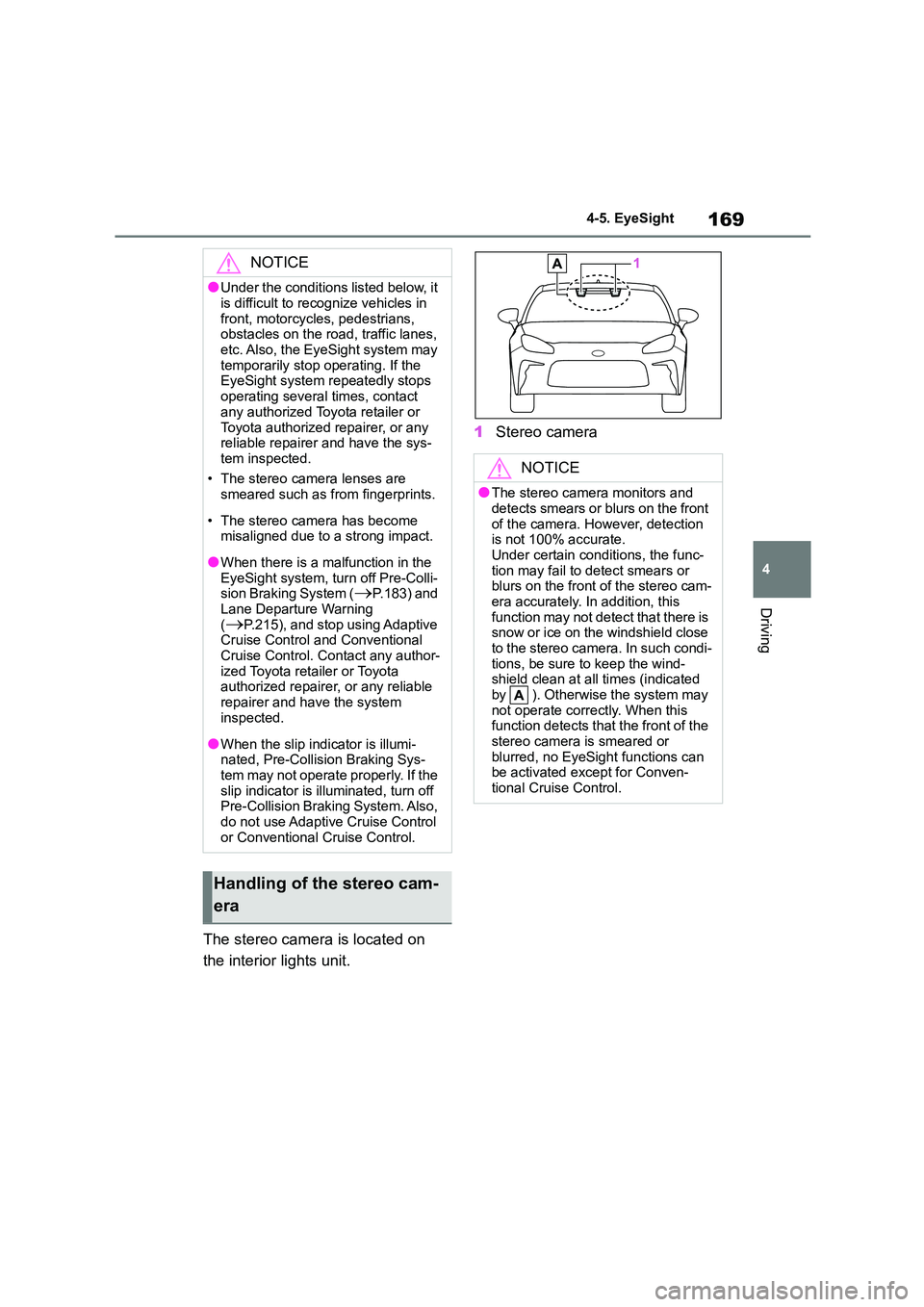
The stereo camera is located on
the interior lights unit.
1 Stereo camera
NOTICE
●Under the conditions listed below, it
is difficult to recognize vehicles in
front, motorcycles, pedestrians, obstacles on the road, traffic lanes,
etc. Also, the EyeSight system may
temporarily stop operating. If the EyeSight system repeatedly stops
operating several times, contact
any authorized Toyota retailer or
Toyota authorized repairer, or any reliable repairer and have the sys-
tem inspected.
• The stereo camera lenses are smeared such as from fingerprints.
• The stereo camera has become misaligned due to a strong impact.
●When there is a malfunction in the EyeSight system, turn off Pre-Colli-
sion Braking System (P.183) and
Lane Departure Warning (P.215), and stop using Adaptive
Cruise Control and Conventional
Cruise Control. Contact any author- ized Toyota retailer or Toyota
authorized repairer, or any reliable
repairer and have the system inspected.
●When the slip indicator is illumi-nated, Pre-Collision Braking Sys-
tem may not operate properly. If the
slip indicator is illuminated, turn off Pre-Collision Braking System. Also,
do not use Adaptive Cruise Control
or Conventional Cruise Control.
Handling of the stereo cam-
era
NOTICE
●The stereo camera monitors and
detects smears or blurs on the front of the camera. However, detection
is not 100% accurate.
Under certain conditions, the func-
tion may fail to detect smears or blurs on the front of the stereo cam-
era accurately. In addition, this
function may not detect that there is snow or ice on the windshield close
to the stereo came ra. In such condi-
tions, be sure to keep the wind- shield clean at all times (indicated
by ). Otherwise the system may
not operate correctly. When this function detects that the front of the
stereo camera is smeared or
blurred, no EyeSight functions can be activated except for Conven-
tional Cruise Control.
Page 172 of 582
1704-5. EyeSight
NOTICE
●The stereo camera lenses are pre-
cision components. Always observe
the following precautions espe- cially when handling them.
• Never touch the stereo camera
lenses, and do not attempt to wipe or clean the lenses. Doing so could
damage or soil the lens, and lead to
improper system performance. If
you ever touch a lens for any rea- son, be sure to contact any author-
ized Toyota retailer or Toyota
authorized repairer, or any reliable repairer capable of EyeSight ser-
vice. Replacement and service
works of EyeSight components will be necessary.
• When cleaning the windshield, cover the front of the camera casing
with paper that does not collect
dust, such as copy paper. Affix the paper to prevent glass cleaner from
getting on the camera lenses. At
this point, make sure that the tape’s adhesive surface does not come in
contact with the windshield or the
lens. Be sure to remove the paper after cleaning.
• When having the inside of wind- shield cleaned at a service station,
etc., be sure to request that the
attendant covers the camera covers before washing the vehicle.
• Do not subject the stereo camera to a strong impact.
• Do not remove or disassemble the stereo camera.
• Do not change the positions where the stereo camera is installed or
modify any of the surrounding
structures.
●In case of replacement or repair, to
continue to use EyeSight function- ality, do not install an interior rear-
view mirror other than a genuine
Toyota interior rearview mirror or a third party interior rearview mirror
that matches the size (and contour)
of genuine Toyota interior rearview mirrors. A wider interior rearview
mirror can affect the stereo cam-
era’s field of view and EyeSight functionality may not operate prop-
erly. Toyota and Toyota dealer(s)
are not liable for any damage that may be caused by the use of parts
other than genuine Toyota parts.
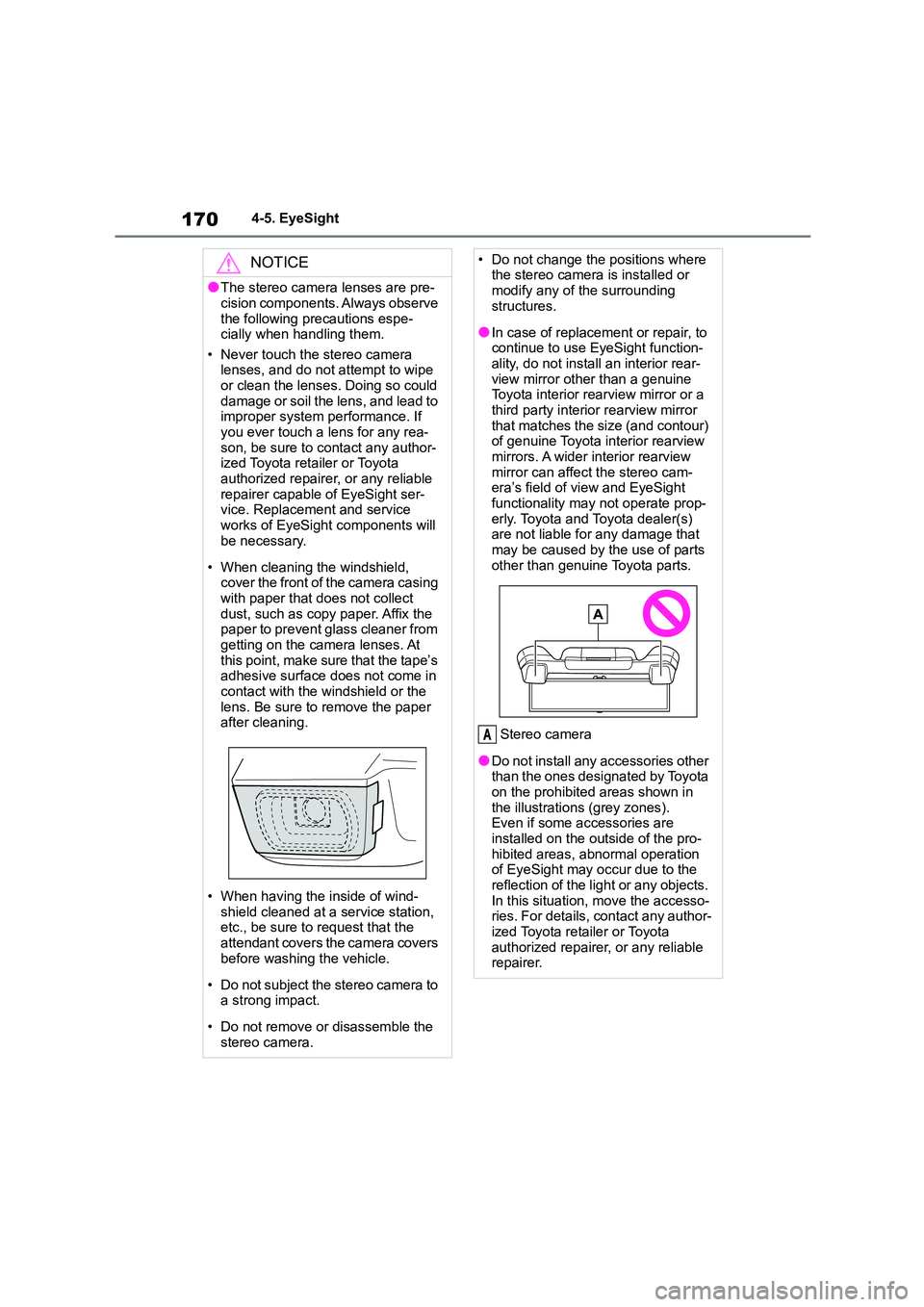
Stereo camera
●Do not install any accessories other than the ones designated by Toyota
on the prohibited areas shown in
the illustrations (grey zones). Even if some accessories are
installed on the outside of the pro-
hibited areas, abnormal operation of EyeSight may occur due to the
reflection of the light or any objects.
In this situation, move the accesso- ries. For details, contact any author-
ized Toyota retailer or Toyota
authorized repairer, or any reliable repairer.
A
Page 173 of 582
171
4
4-5. EyeSight
Driving
NOTICE
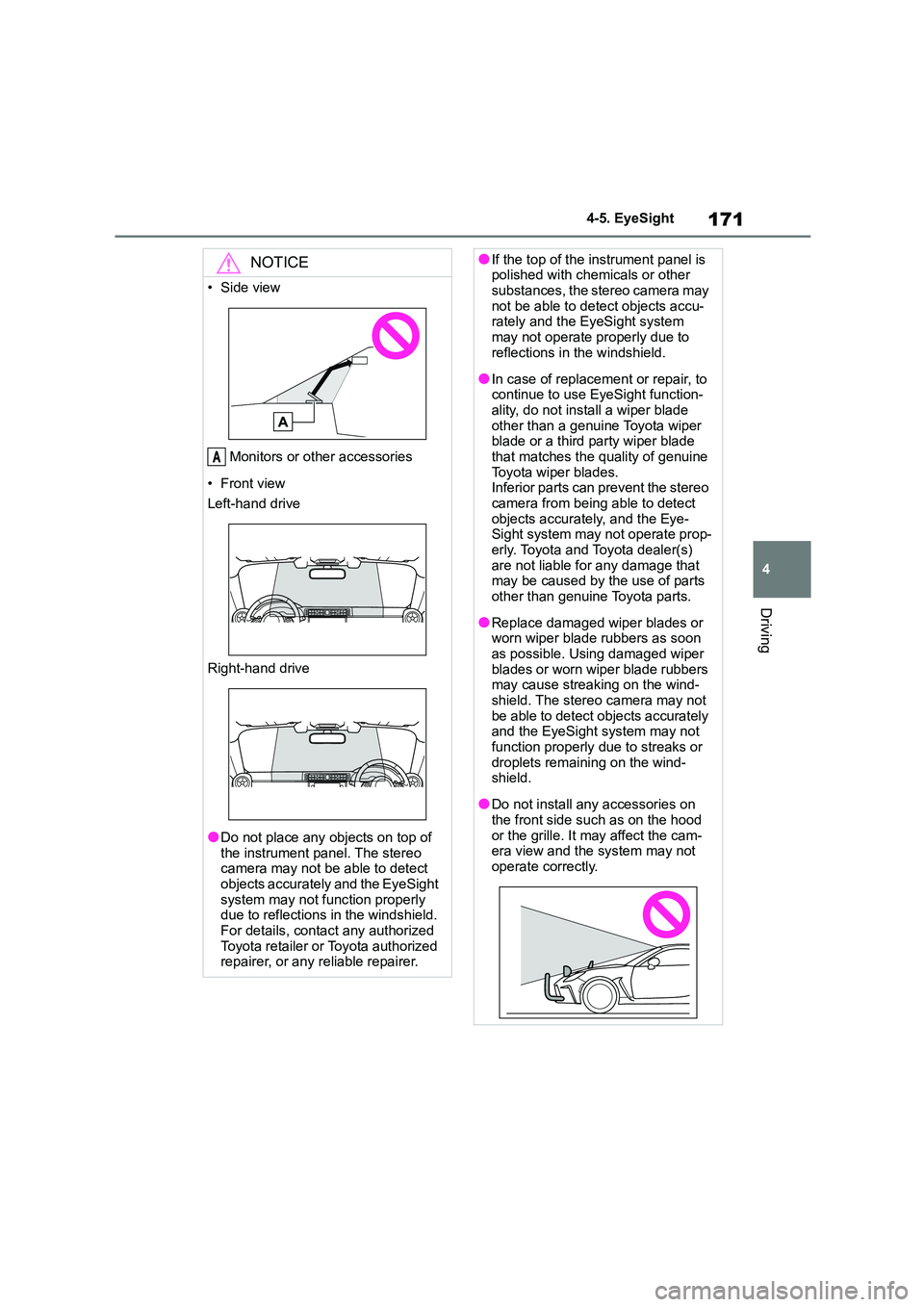
• Side view
Monitors or other accessories
• Front view
Left-hand drive
Right-hand drive
●Do not place any objects on top of the instrument panel. The stereo
camera may not be able to detect
objects accurately and the EyeSight system may not func tion properly
due to reflections in the windshield.
For details, contact any authorized Toyota retailer or Toyota authorized
repairer, or any reliable repairer.
A
●If the top of the instrument panel is polished with chemicals or other
substances, the stereo camera may
not be able to detect objects accu- rately and the EyeSight system
may not operate properly due to
reflections in the windshield.
●In case of replacement or repair, to
continue to use EyeSight function- ality, do not install a wiper blade
other than a genuine Toyota wiper
blade or a third party wiper blade that matches the quality of genuine
Toyota wiper blades.
Inferior parts can prevent the stereo camera from being able to detect
objects accurately, and the Eye-
Sight system may not operate prop- erly. Toyota and Toyota dealer(s)
are not liable for any damage that
may be caused by the use of parts other than genuine Toyota parts.
●Replace damaged wiper blades or worn wiper blade rubbers as soon
as possible. Using damaged wiper
blades or worn wiper blade rubbers may cause streaking on the wind-
shield. The stereo camera may not
be able to detect objects accurately and the EyeSight system may not
function properly due to streaks or
droplets remaining on the wind- shield.
●Do not install any accessories on the front side such as on the hood
or the grille. It may affect the cam-
era view and the system may not operate correctly.